

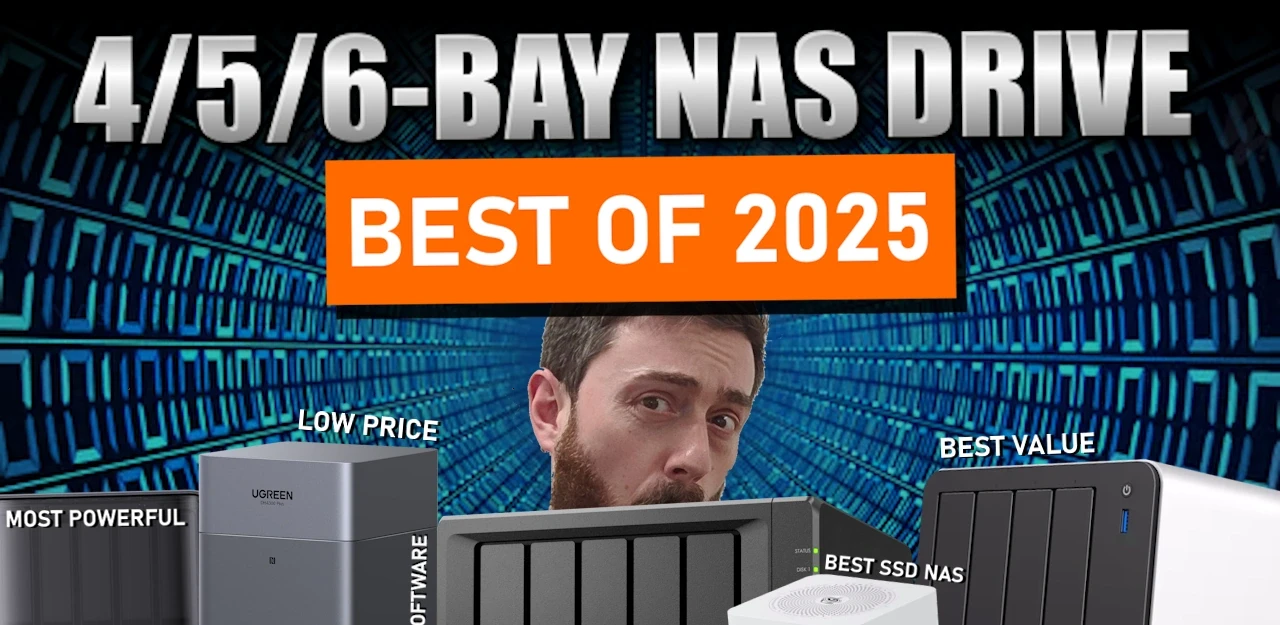
The Best RAID 5 Ready 4/5/6-Bay NAS Servers of 2025
Multi bay NAS units in the 4,5 and 6 bay bracket have become the default choice for users who want a single chassis that can handle RAID 5 or larger arrays, mix HDD and NVMe storage and still fit under a desk or on a shelf. This roundup looks at systems released in 2025 that sit in that space, from compact ARM based 4 bay boxes up to more expandable x86 platforms with additional M.2 slots and higher network bandwidth. The focus is on how each unit balances raw storage capacity across SATA and NVMe, the type of RAID and pool layouts it can realistically support, and the power, noise and feature overhead that comes with those choices, so readers can match a chassis to their plans for backup, media, virtualisation or general home lab use without stepping up to larger, more complex rack or 8 bay solutions.
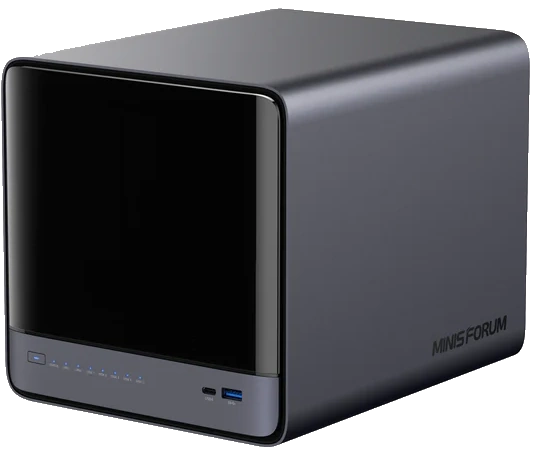
#1 Minisforum N5 NAS – $599 to $749 HERE
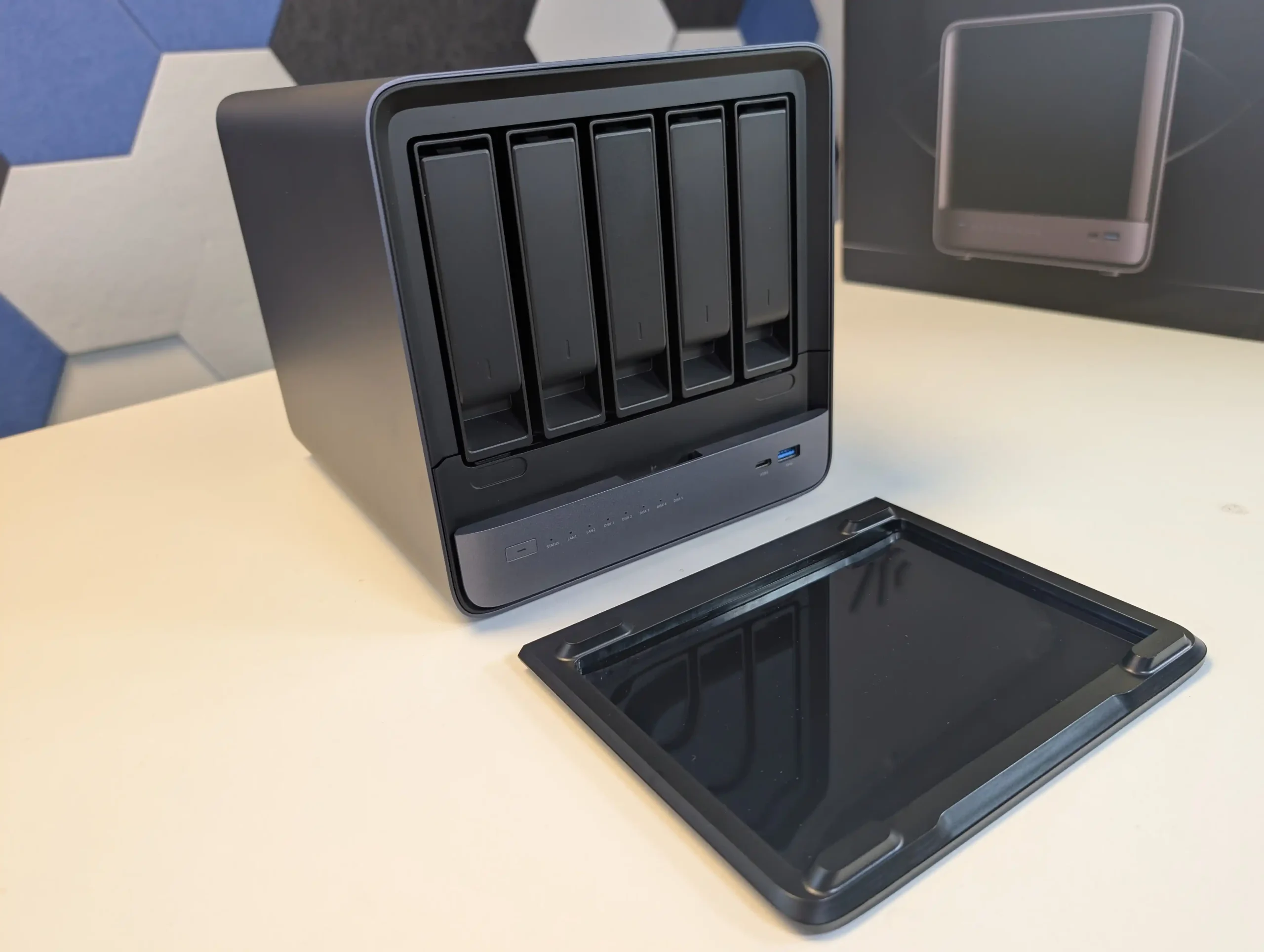
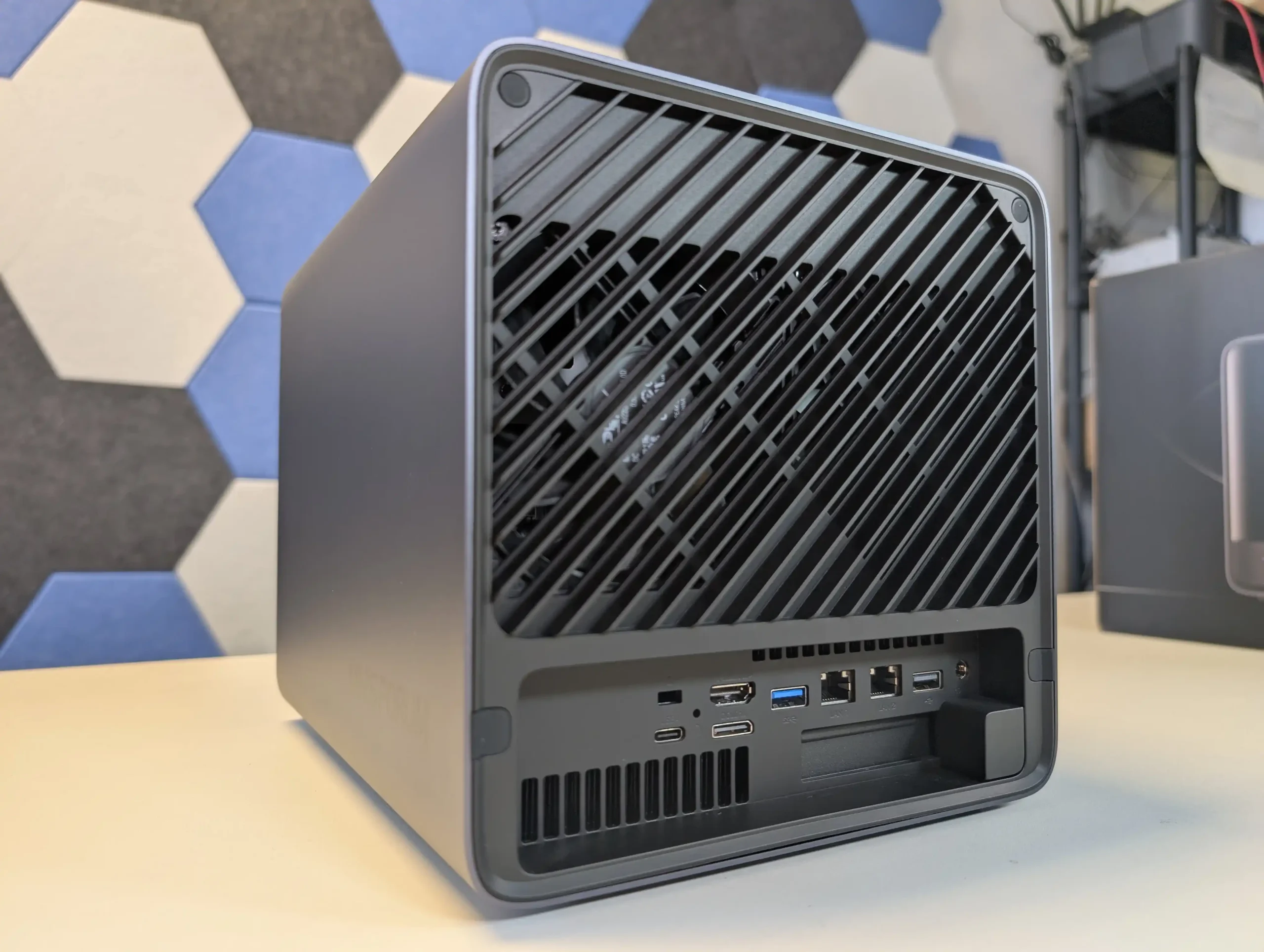
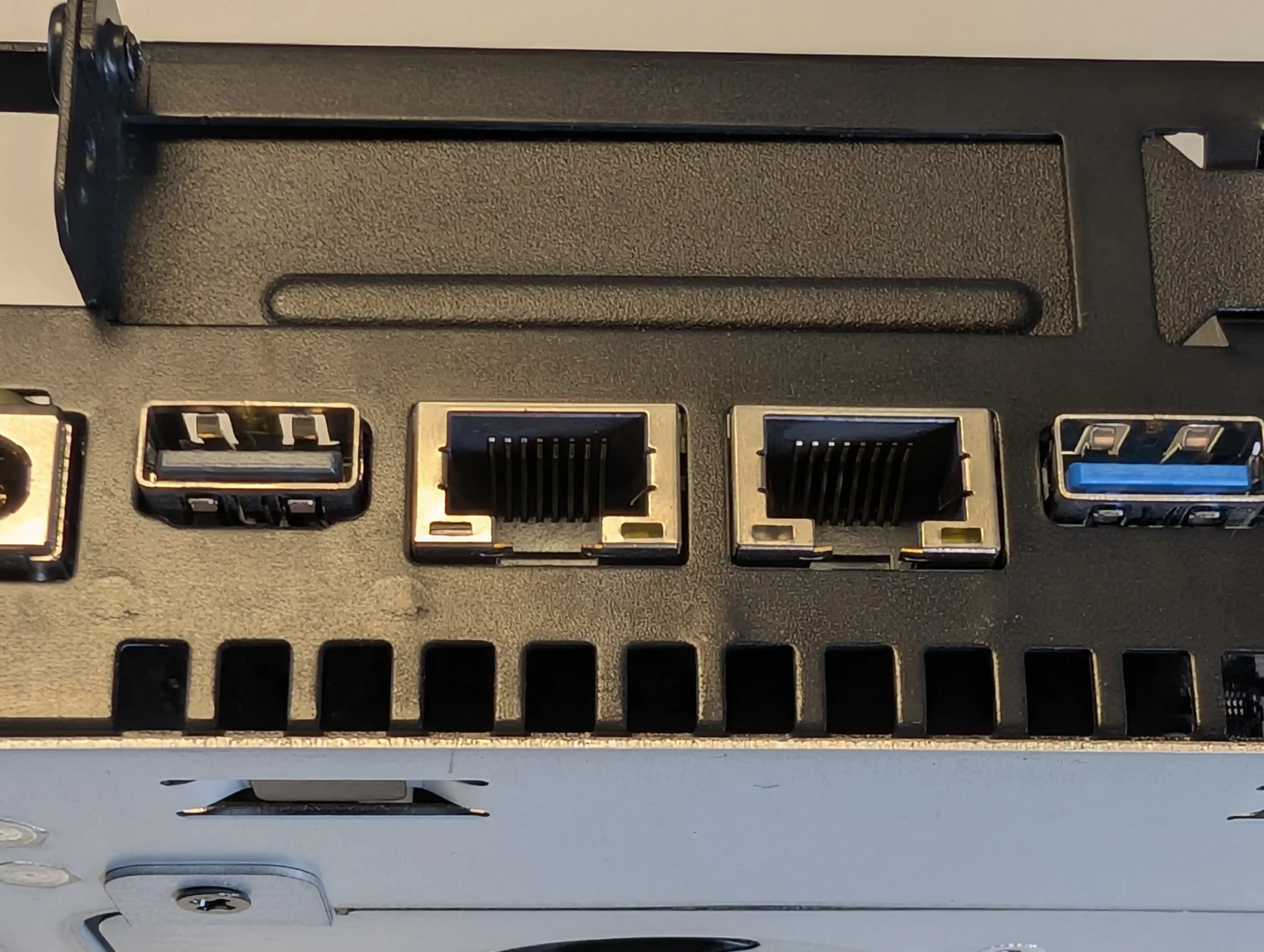
SPECS: AMD Ryzen 7 255 8 core 16 thread up to 4.9 GHz – up to 96 GB DDR5 via 2 SODIMM slots – 5 x 3.5″/2.5″ SATA bays – 1 x 10 GbE RJ45 / 1 x 5 GbE RJ45 – 3 x M.2 NVMe or U.2 SSD slots (PCIe 4.0, mixed x1 and x2 lanes) plus 128 GB OS storage.
With 5 SATA bays rated for up to 22 TB per disk and 3 PCIe 4.0 NVMe or U.2 positions, the N5 can be configured as a hybrid array where high capacity RAID 5 or RAID 6 sits on HDDs while SSDs are used for fast pools or tiered storage. MinisCloud OS exposes ZFS style RAID options including RAID 0, 1, 5 and 6, snapshots and compression, so the storage layout can be tuned for sequential workloads, mixed containers or heavier virtualisation without replacing the base system. The Ryzen 7 255 and Radeon 780M iGPU give it enough compute and PCIe bandwidth for multi gig throughput over the combined 10 GbE and 5 GbE interfaces, but they also raise power use and thermal output compared with simpler ARM or low end x86 models. In a 4 or 5 bay context it therefore suits users who expect to keep expanding with higher density drives and multiple NVMe pools over several years, rather than those who just need a small RAID 5 and basic apps.
 |
 |
What we said in our July ’25 Review HERE:
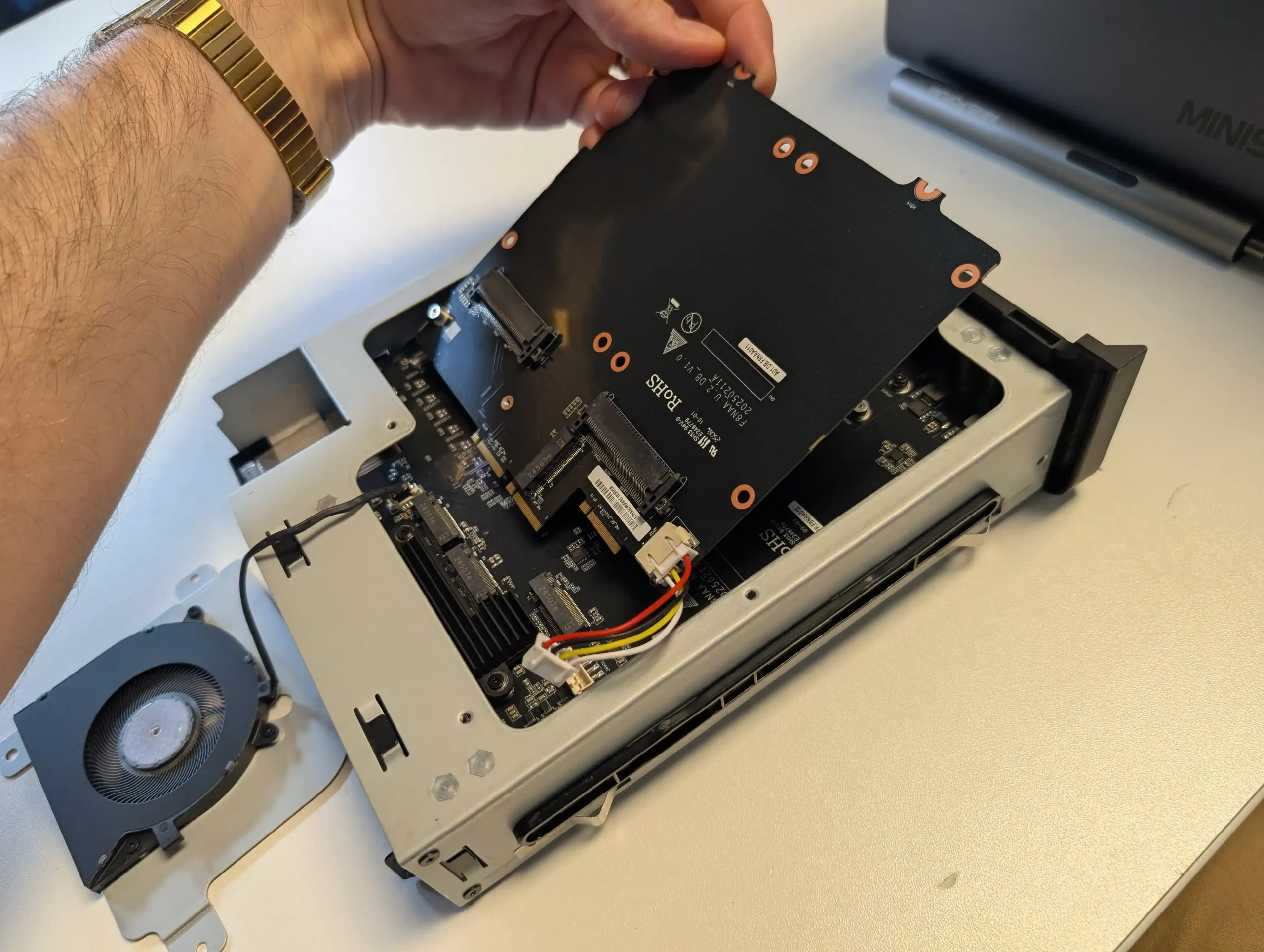
The Minisforum N5 Pro is an impressive and highly versatile NAS platform that successfully combines the core strengths of a storage appliance with the capabilities of a compact, workstation-class server, making it suitable for demanding and varied use cases. Its defining features include a 12-core Ryzen AI 9 HX PRO 370 CPU with 24 threads and onboard AI acceleration up to 50 TOPS, support for up to 96GB of ECC-capable DDR5 memory for data integrity, and a hybrid storage architecture offering up to 144TB total capacity through a mix of five SATA bays and three NVMe/U.2 slots. Additional highlights such as ZFS file system support with snapshots, inline compression, and self-healing, along with high-speed networking via dual 10GbE and 5GbE ports, and expansion through PCIe Gen 4 ×16 and OCuLink interfaces, position it well beyond the capabilities of typical consumer NAS systems. The compact, fully metal chassis is easy to service and efficiently cooled, enabling continuous operation even under sustained virtual machine, AI, or media workloads.
 |
 |
At the same time, the bundled MinisCloud OS, while feature-rich with AI photo indexing, Docker support, and mobile integration, remains a work in progress, lacking some enterprise-grade polish, robust localization, and more advanced tools expected in mature NAS ecosystems. Minor drawbacks such as the external PSU, the thermally challenged pre-installed OS SSD, and the higher cost of the Pro variant relative to the standard N5 are important to weigh, particularly for users who may not fully utilize the Pro’s ECC and AI-specific advantages. For advanced users, homelab builders, and technical teams who require high compute density, flexible storage, and full control over their software stack, the N5 Pro delivers workstation-level performance and configurability in NAS form—offering one of the most forward-thinking and adaptable solutions available today in this segment.
The is now available to buy: |
#2 UGREEN NASync DH4300 Plus – $369 to $409
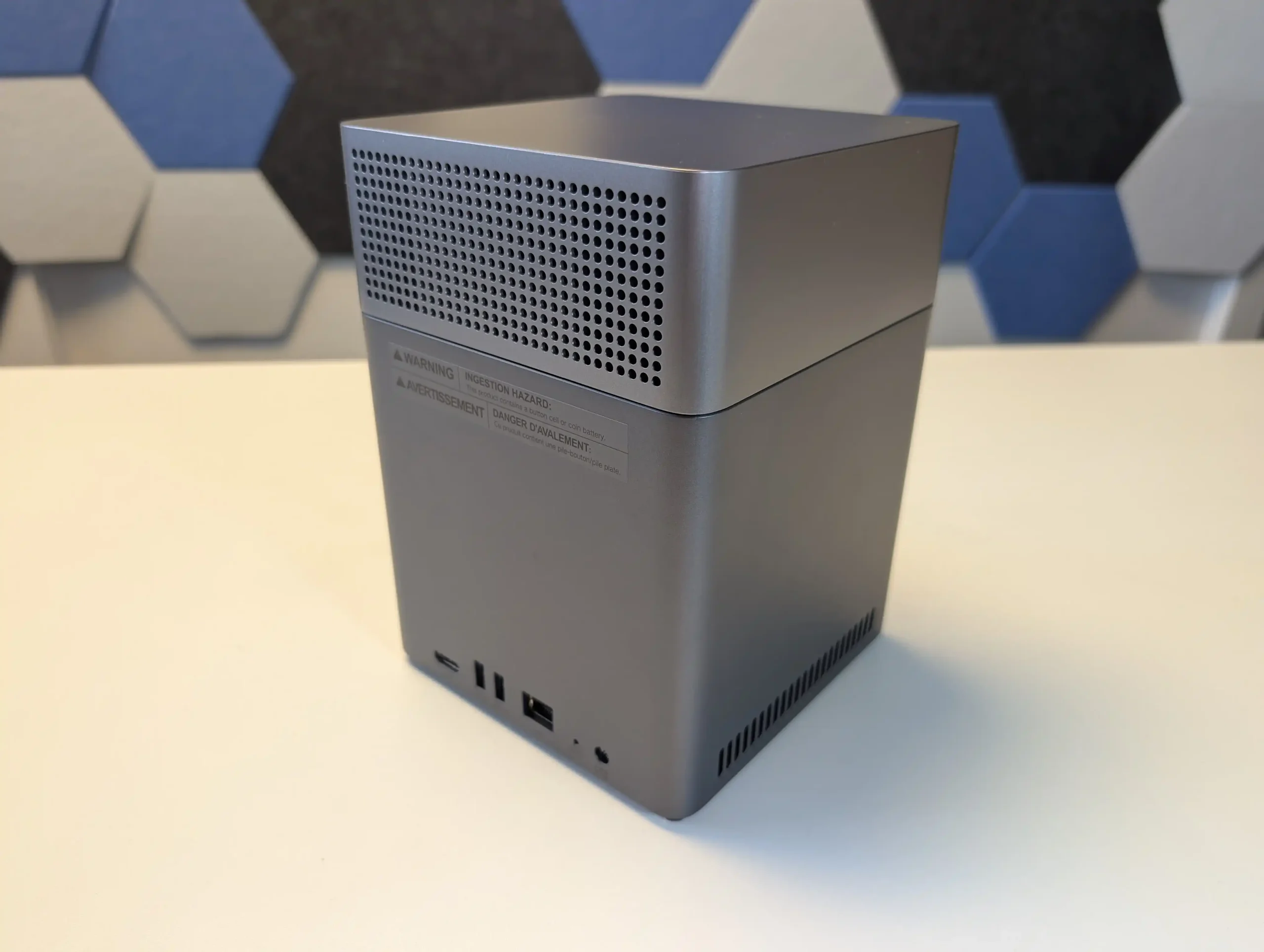
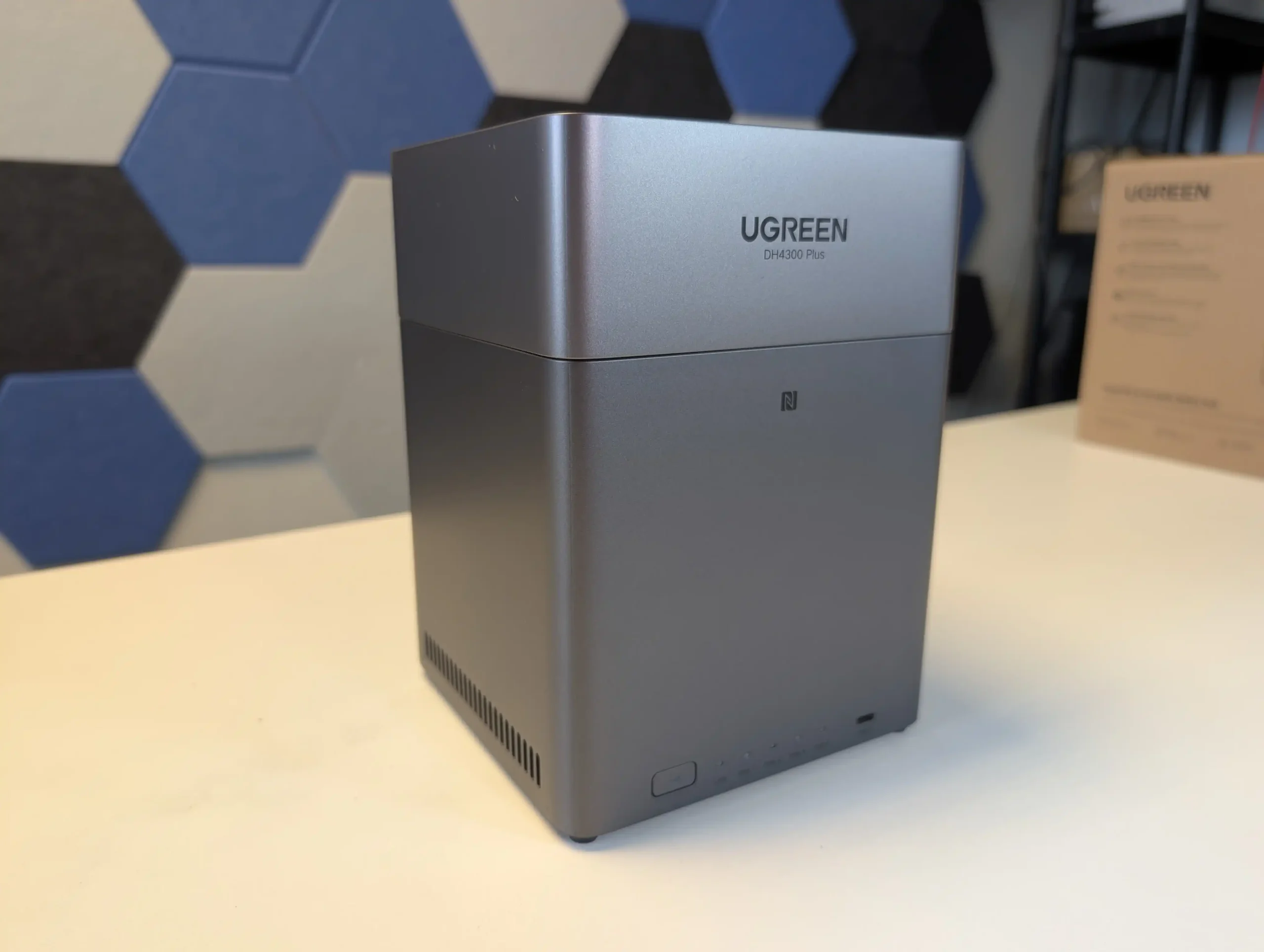
SPECS: Rockchip RK3588 8 core ARM up to 2.0 GHz – 8 GB LPDDR4X – 4 x 3.5″/2.5″ SATA bays – 1 x 2.5 GbE RJ45 – no internal M.2 SSD slots.
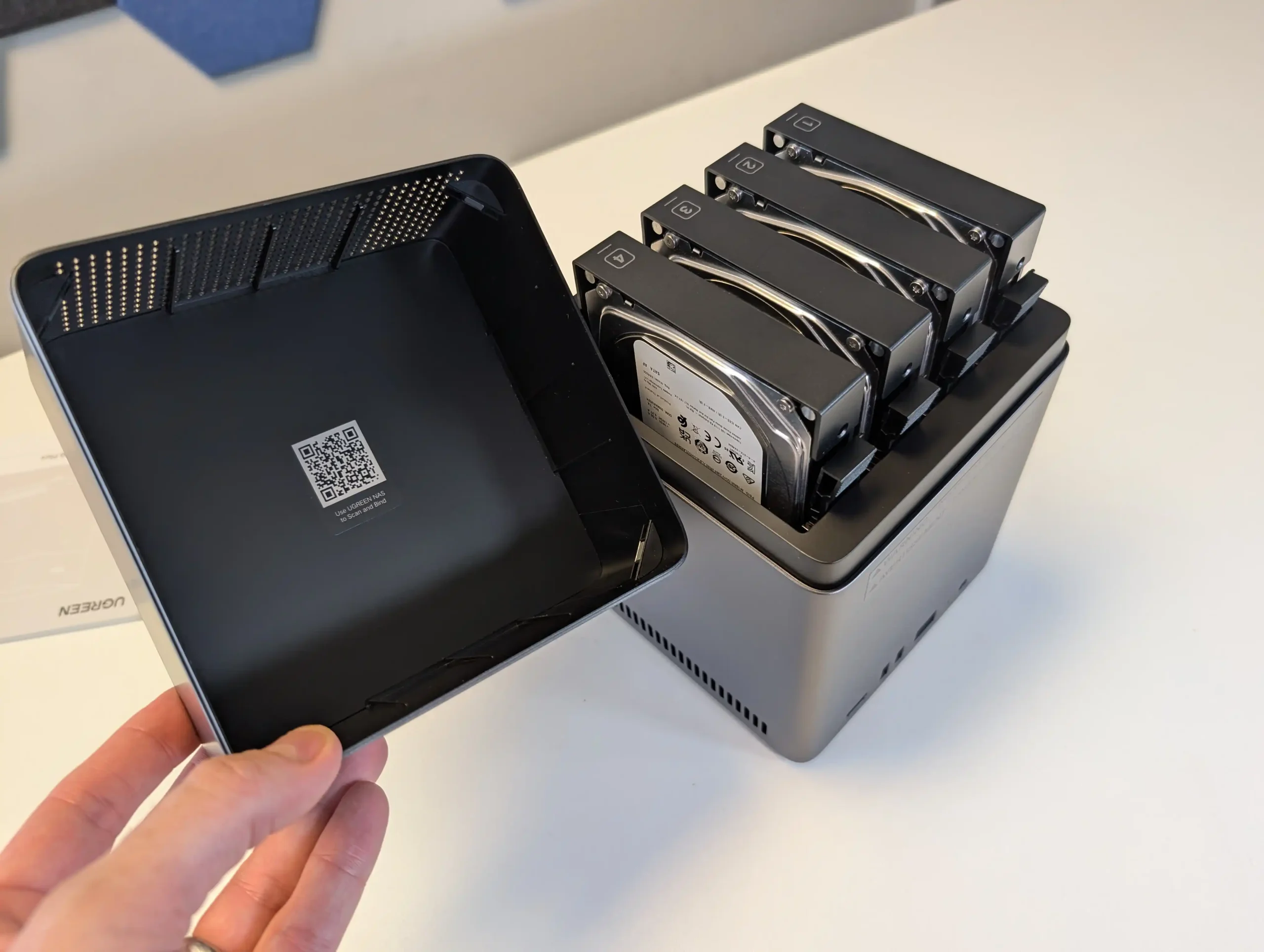
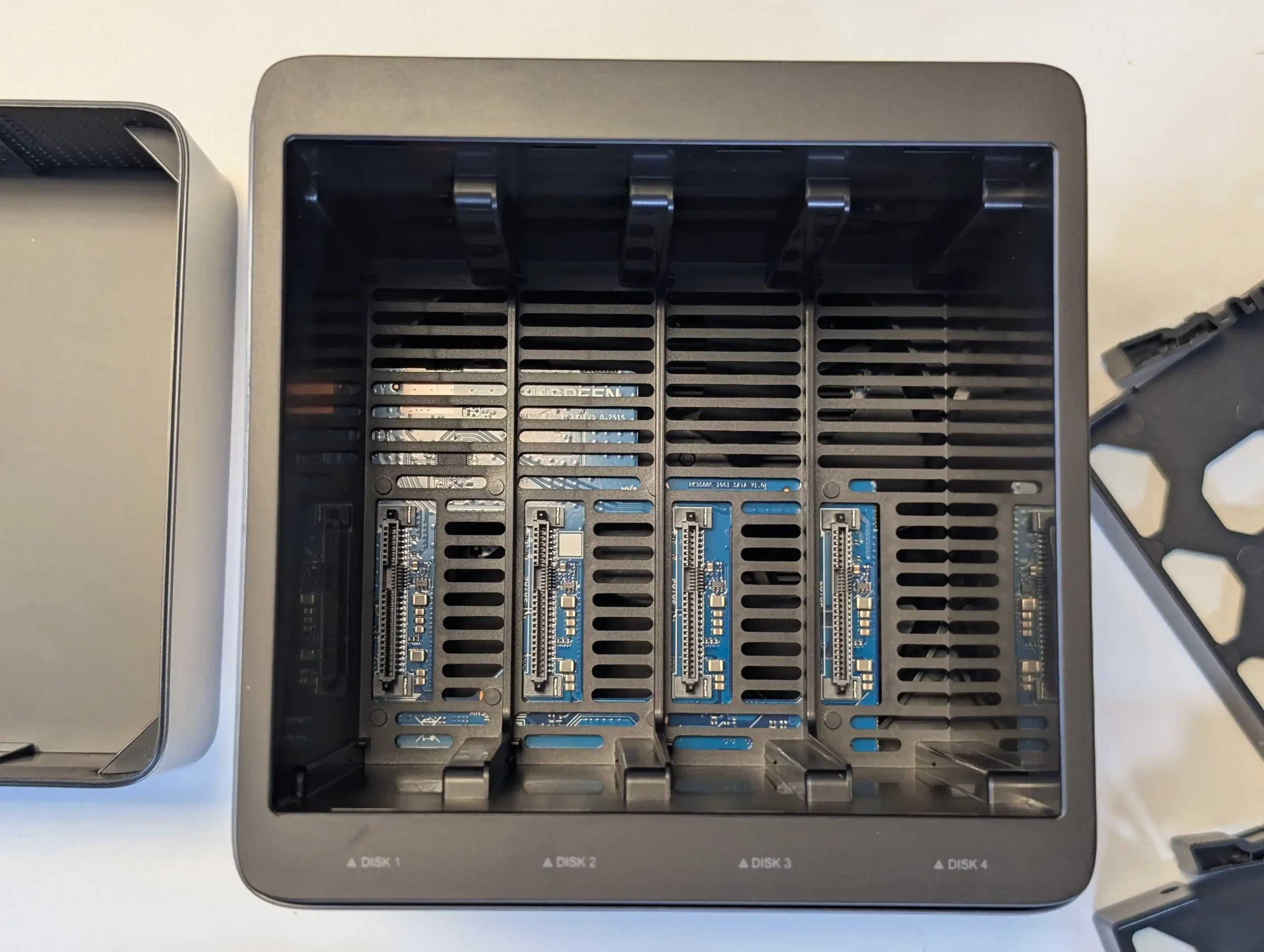
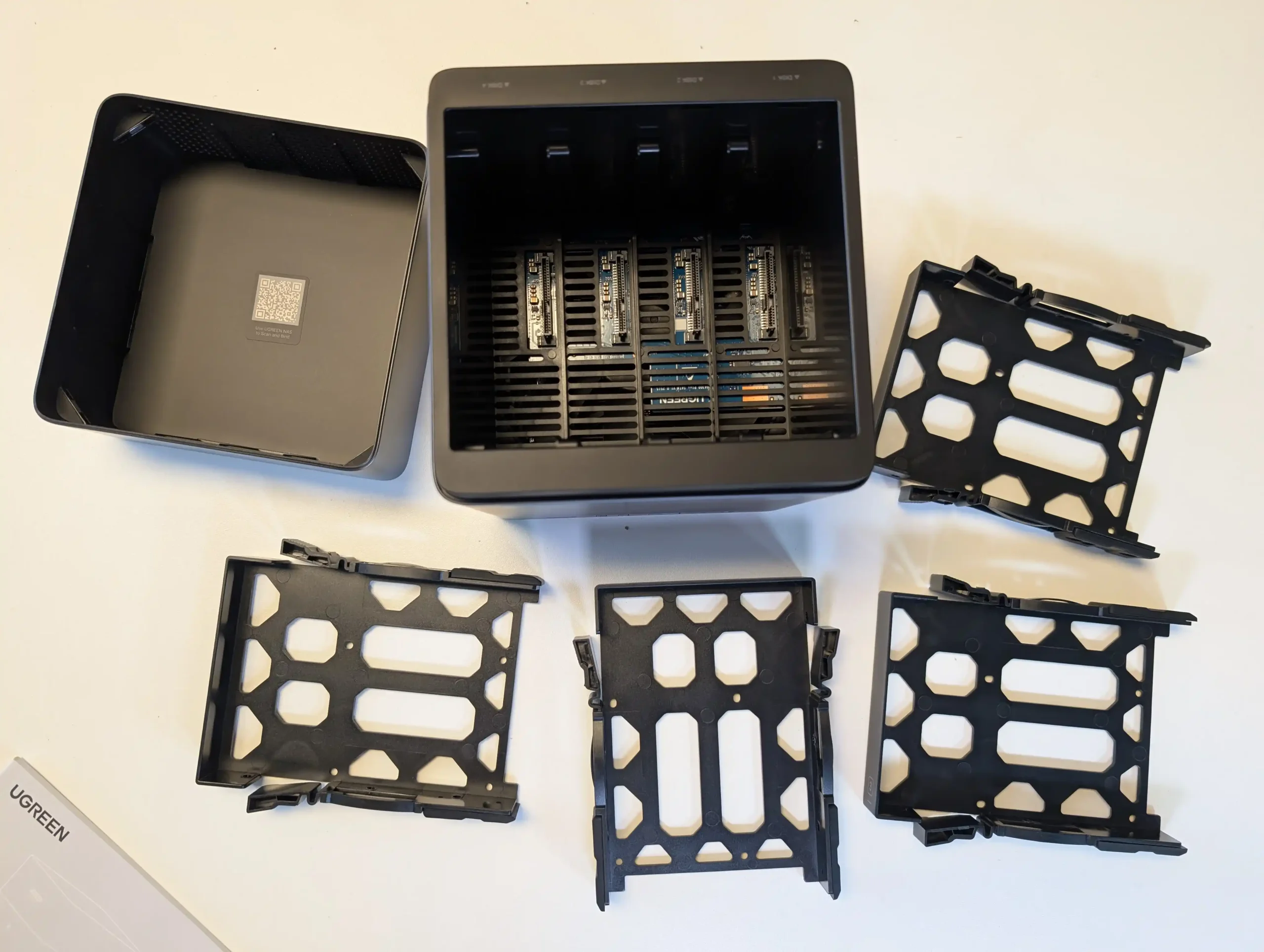
The DH4300 Plus concentrates all of its storage on 4 SATA bays with support for RAID 0, 1, 5, 6 and 10, up to a stated 120 TB raw using 30 TB disks, which makes it a straightforward choice for traditional RAID 5 capacity rather than mixed media architectures. The absence of M.2 slots means there is no internal SSD cache tier, although SSDs can still be used in the main bays if lower latency is required, at the cost of capacity per bay. In return, the RK3588 SoC and LPDDR4X memory keep power consumption relatively low, with quoted figures under 25 W under load, and the 2.5 GbE interface is enough to saturate what 4 mechanical drives in RAID 5 or RAID 6 can usually deliver. UGreen’s UGOS Pro platform adds a container system, snapshot capable file services and consumer facing features such as AI photo indexing, so for a 4 bay RAID 5 appliance the trade off is clear: a fixed, HDD focused storage layout with no internal NVMe, in exchange for low complexity, modest power draw and a simple upgrade path based mainly on higher capacity disks.
 |
 |
What we said in our July 2025 Review:
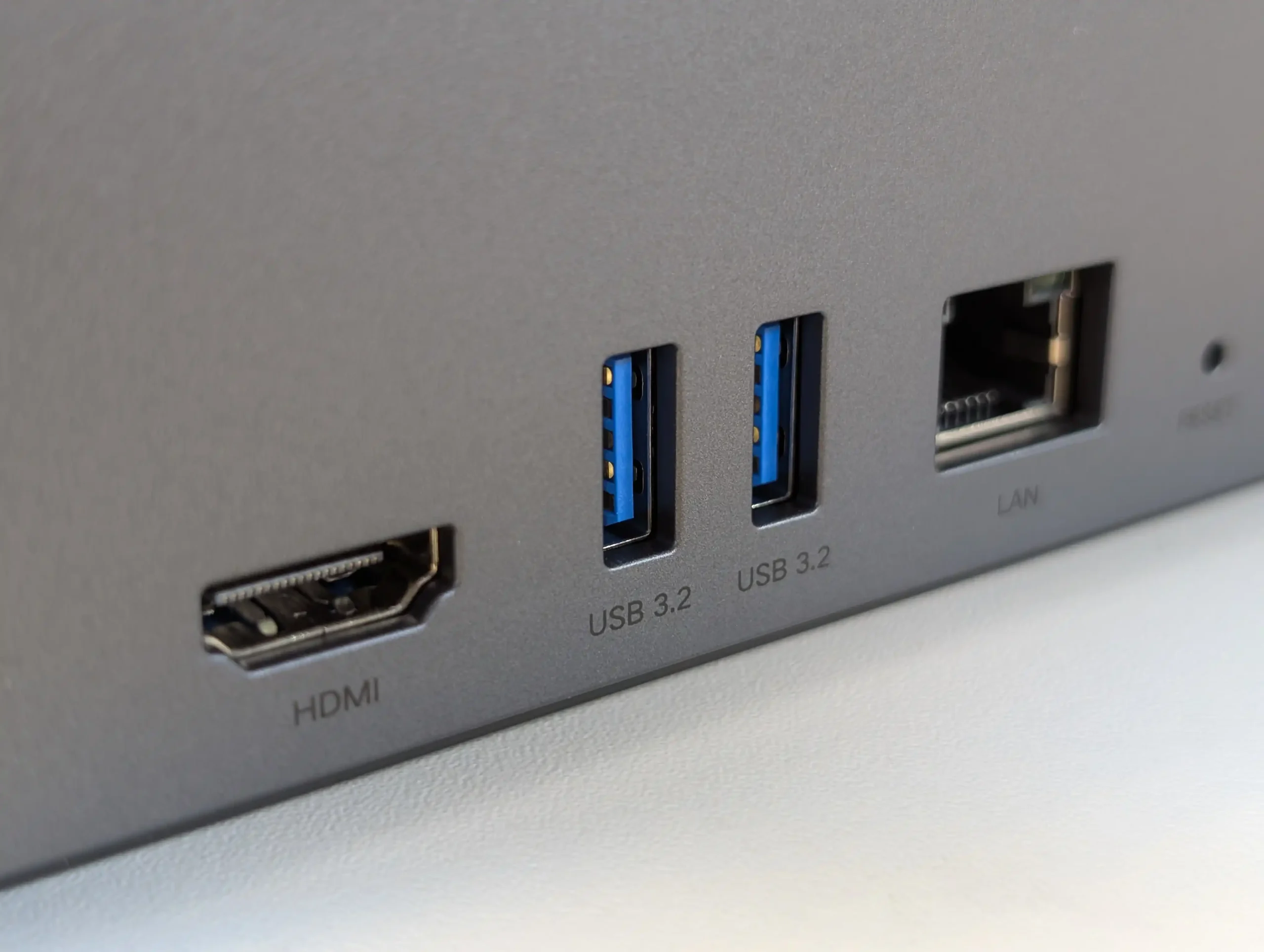
The UGREEN DH4300 Plus carves out a unique niche in the budget NAS landscape by delivering hardware typically reserved for higher-tier systems at a much lower price point. Its RK3588 processor, 8GB of RAM, and support for 2.5GbE networking place it well ahead of most similarly priced competitors in terms of raw specifications. Additionally, features such as HDMI output, 10Gbps USB ports, and local AI-powered photo indexing are rare to find in entry-level NAS systems. Despite its plastic-heavy internal design and lack of expansion options like PCIe or M.2, the device delivers stable performance for file sharing, media access, and low-intensity AI workloads. It is not suited for power users demanding virtual machines or advanced snapshot automation, but within its class, the DH4300 Plus presents an appealing balance between cost and capability.
 |
 |
That said, the software experience is still a work in progress. UGOS Pro covers the essentials and offers a visually accessible UI, but lacks the advanced features and ecosystem integration found in more mature platforms like Synology DSM or QNAP QTS. Docker and snapshot support add welcome flexibility, but the absence of native Jellyfin, iSCSI, and VM functionality limits its use in more complex environments. Still, for home users, media collectors, or small office setups looking for reliable backup, modest AI-enhanced photo sorting, and smooth 4K playback, the DH4300 Plus delivers value well beyond its price tag. While it won’t replace high-end NAS appliances, it serves as a capable, efficient, and quietly innovative option in a saturated entry-level NAS market.
 |
 |
| Buy the UGREEN DH4300 on Amazon @409 | Buy the UGREEN DH4300 on UGREEN.COM | Buy the UGREEN DH4300 on B&H |
 |

|
 |
#3 Beelink ME Mini N150 – $259 to $299
SPECS: Intel N150 quad core up to 3.6 GHz – 12 GB LPDDR5 (16 GB variants available) – 6 x M.2 SSD slots (1 preinstalled 2 TB PCIe 3.0 x2, 5 user accessible PCIe 3.0 x1) plus 64 GB eMMC – dual 2.5 GbE RJ45.
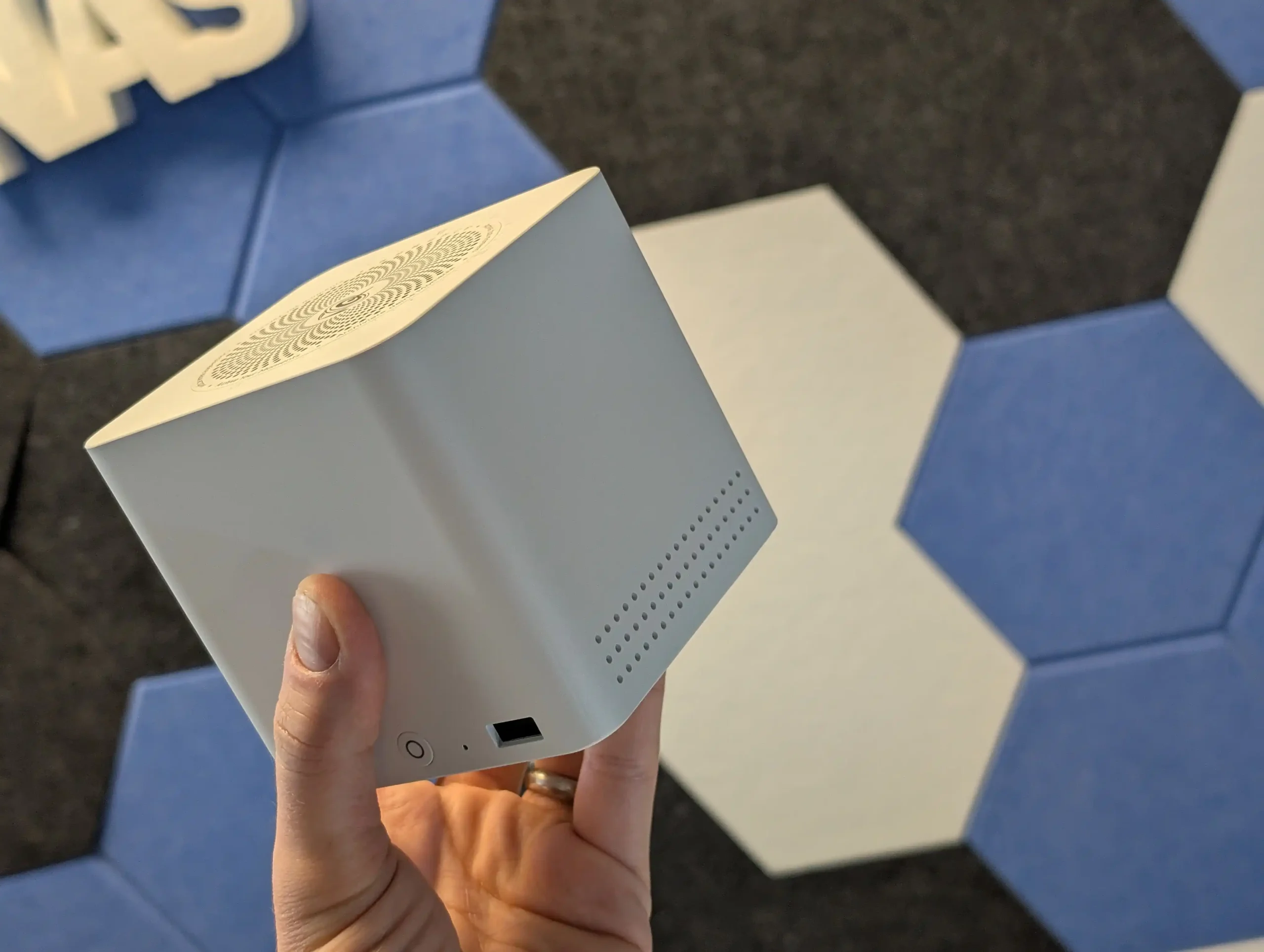
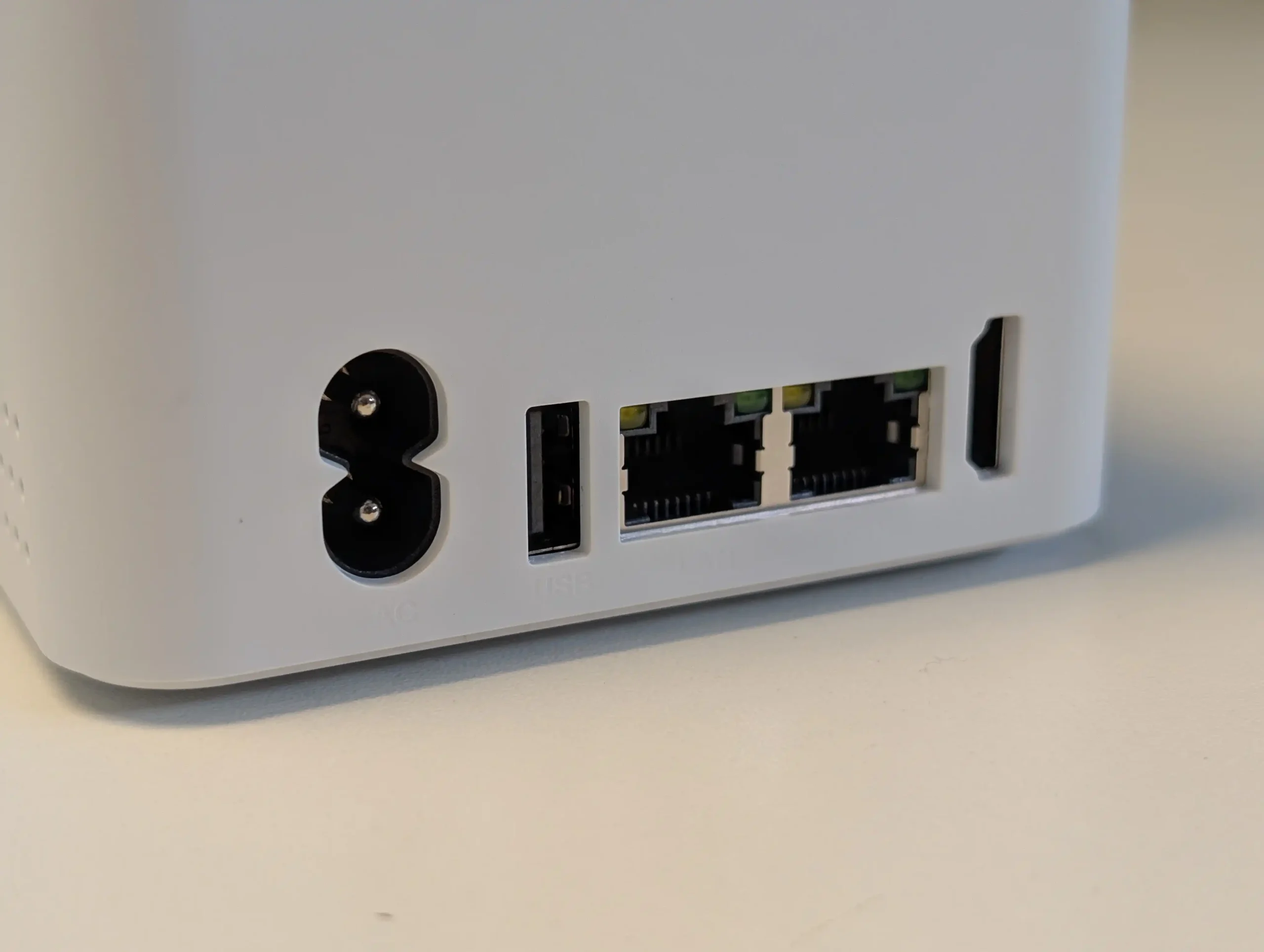
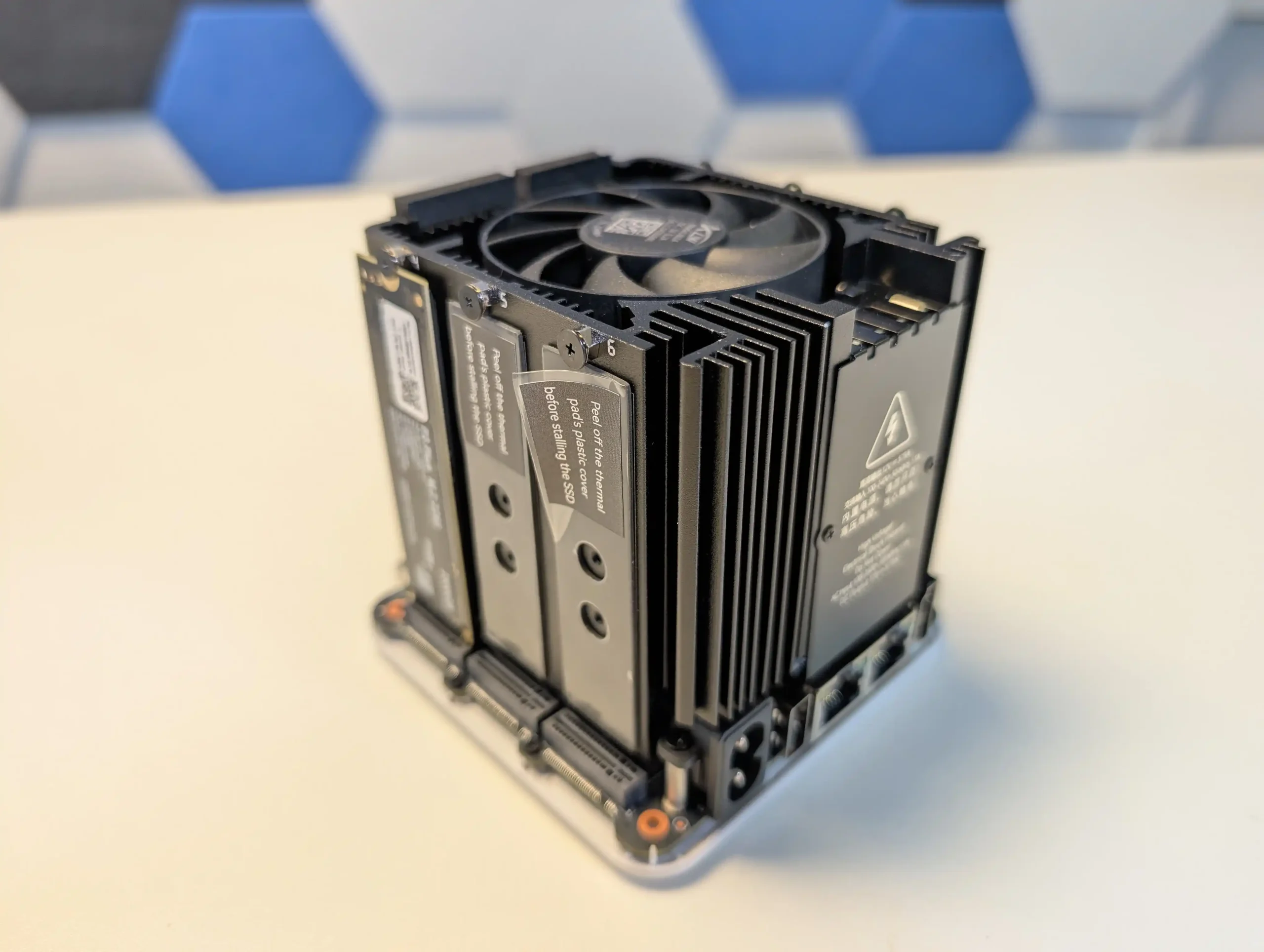
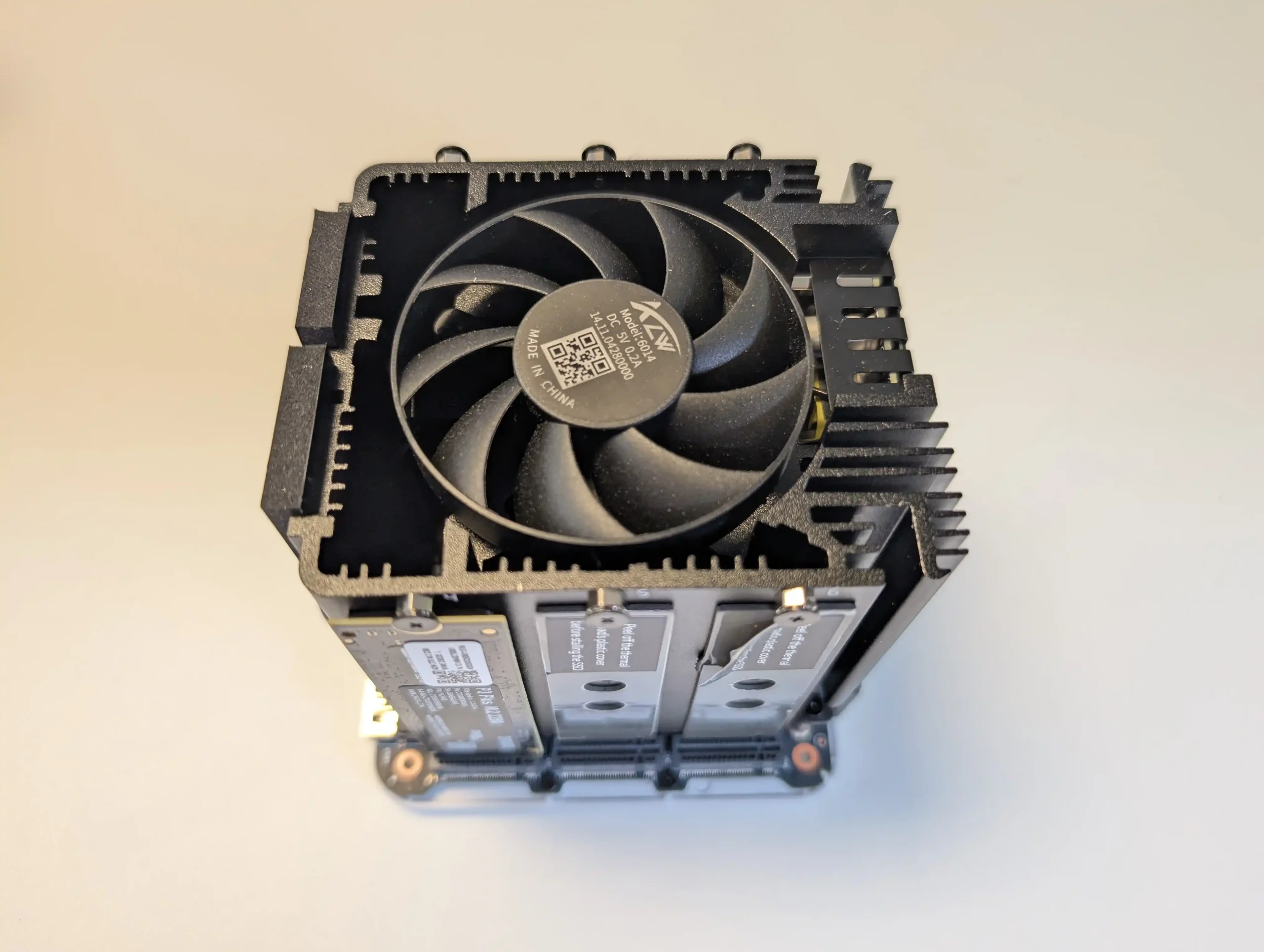
The ME Mini replaces conventional 3.5″ or 2.5″ bays with 6 M.2 sockets, one wired as a PCIe 3.0 x2 system drive and 5 as PCIe 3.0 x1, giving up to 24 TB of all flash capacity in a 99 mm cube chassis when populated with current 4 TB modules. Because there is no SATA backplane, any RAID is provided by the chosen OS or software layer, whether that is a Linux distribution, ZFS based platform or a dedicated NAS operating system installed in place of the default Windows image. From a power and thermal standpoint, the combination of an 8 to 10 W class Intel N150 and low voltage NVMe SSDs keeps system draw relatively low compared with multi bay HDD units, while still allowing the dual 2.5 GbE ports to be used effectively for small sequential workloads and many concurrent small reads. In practical terms this makes the ME Mini a compact all flash alternative to 4 or 5 bay HDD chassis for users willing to handle their own OS choice, trading spinning disk capacity and native RAID controls for high IOPS, small physical footprint and lower acoustic impact.
 |
 |
What we said in our June ’25 Review HERE:
The Beelink ME Mini NAS delivers an uncommon blend of size, functionality, and efficiency in a market segment often dominated by larger, louder, and less integrated alternatives. It is not designed to compete with traditional enterprise-grade NAS devices or modular, scalable solutions for prosumers. Instead, its strengths lie in targeting the needs of home users who want a quiet, energy-efficient storage solution that is easy to deploy, aesthetically unobtrusive, and capable of handling daily tasks such as media streaming, file backup, or soft routing. The inclusion of six M.2 NVMe SSD slots—paired with a Gen 3 x2 system slot—offers a rare level of expansion in such a small enclosure. The integration of an internal PSU, silent fan-assisted cooling, and a surprisingly effective thermal design are thoughtful touches that differentiate it from the majority of DIY NAS mini PCs.
 |
 |
That said, it is not without limitations. The memory is non-upgradable, thermal accumulation at the base suggests room for improvement, and bandwidth ceilings imposed by Gen 3 x1 lanes will constrain users who demand high parallel throughput. Still, for its price point—particularly when pre-order discounts are applied—the ME Mini offers significant value, especially when compared to ARM-based NAS solutions with similar or lower specifications. With bundled Crucial SSD options and support for a wide range of NAS operating systems, it positions itself as a ready-to-go platform for tech-savvy users wanting to avoid the assembly of a fully DIY system. Overall, while not a product for every use case, the Beelink ME Mini succeeds in its aim to be a compact, stylish, and capable home NAS.
|
Check Amazon in Your Region for the Beelink ME Mini NAS ($329 4/6)
|
Check AliExpress for the Beelink ME Mini NAS ($344 4/6)
|
Check the Official Beelink Site for the ME Mini NAS ($209 4/6)
|

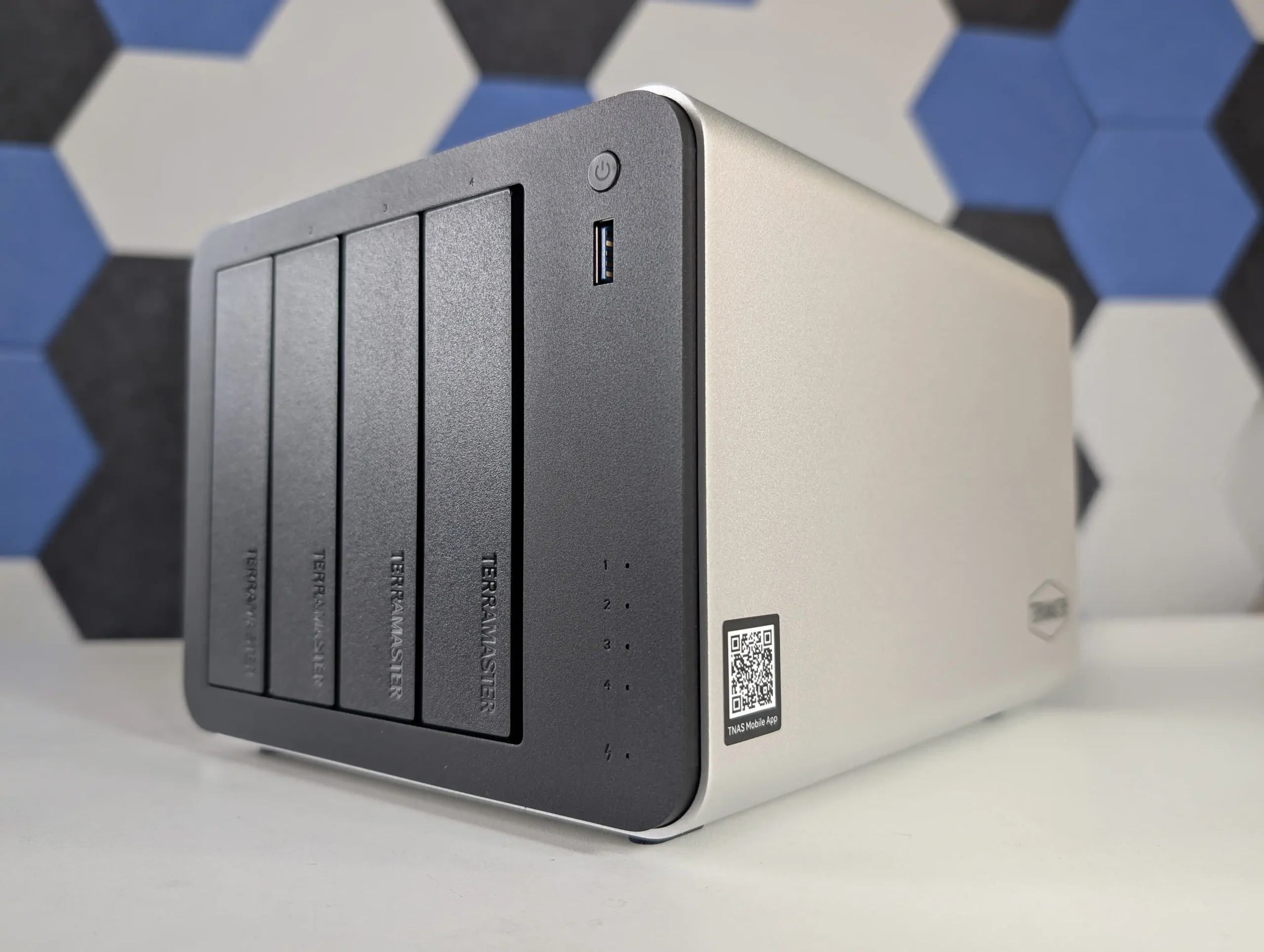
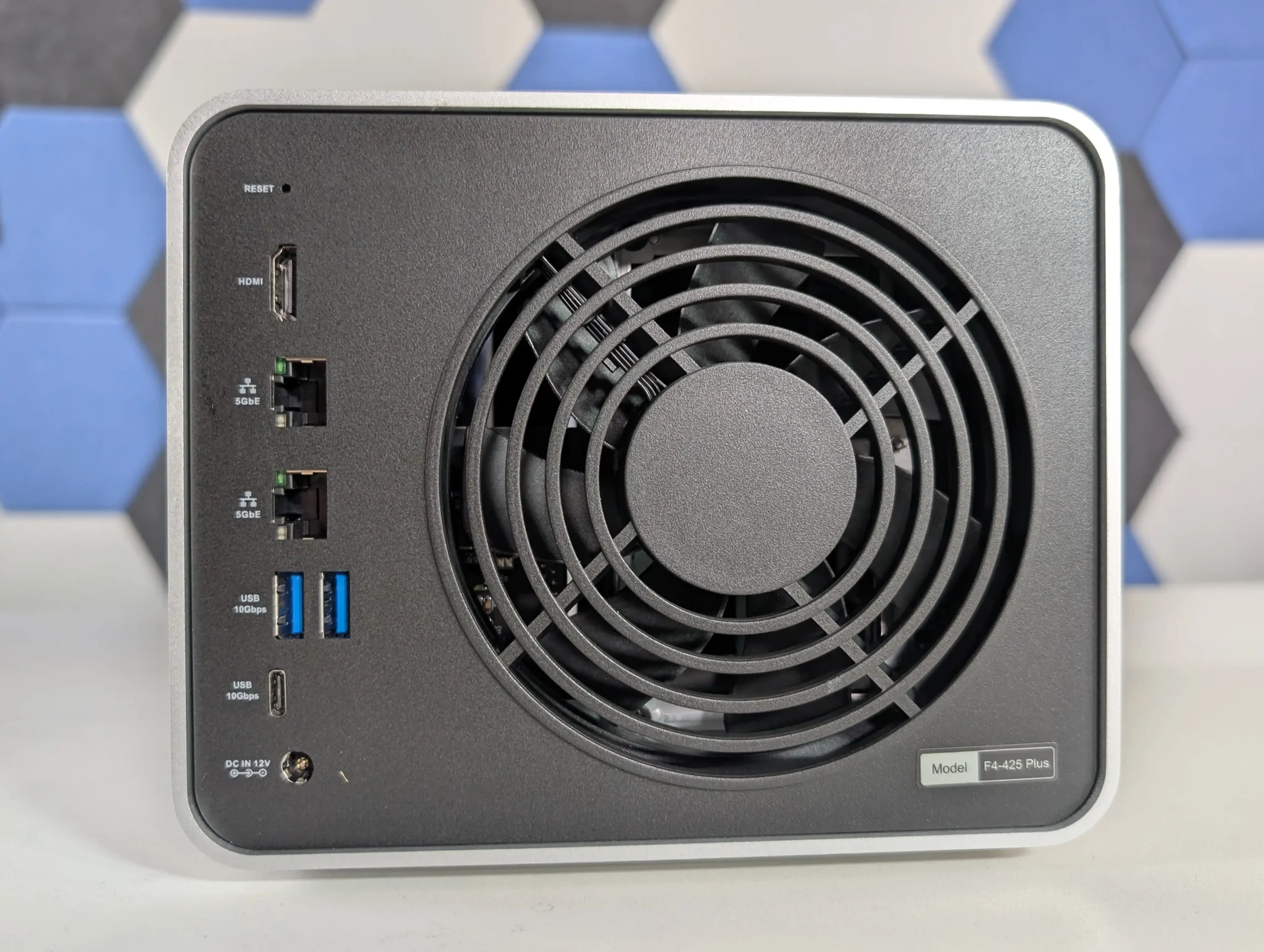
#4 TerraMaster F4-425 Plus – $549 to $599
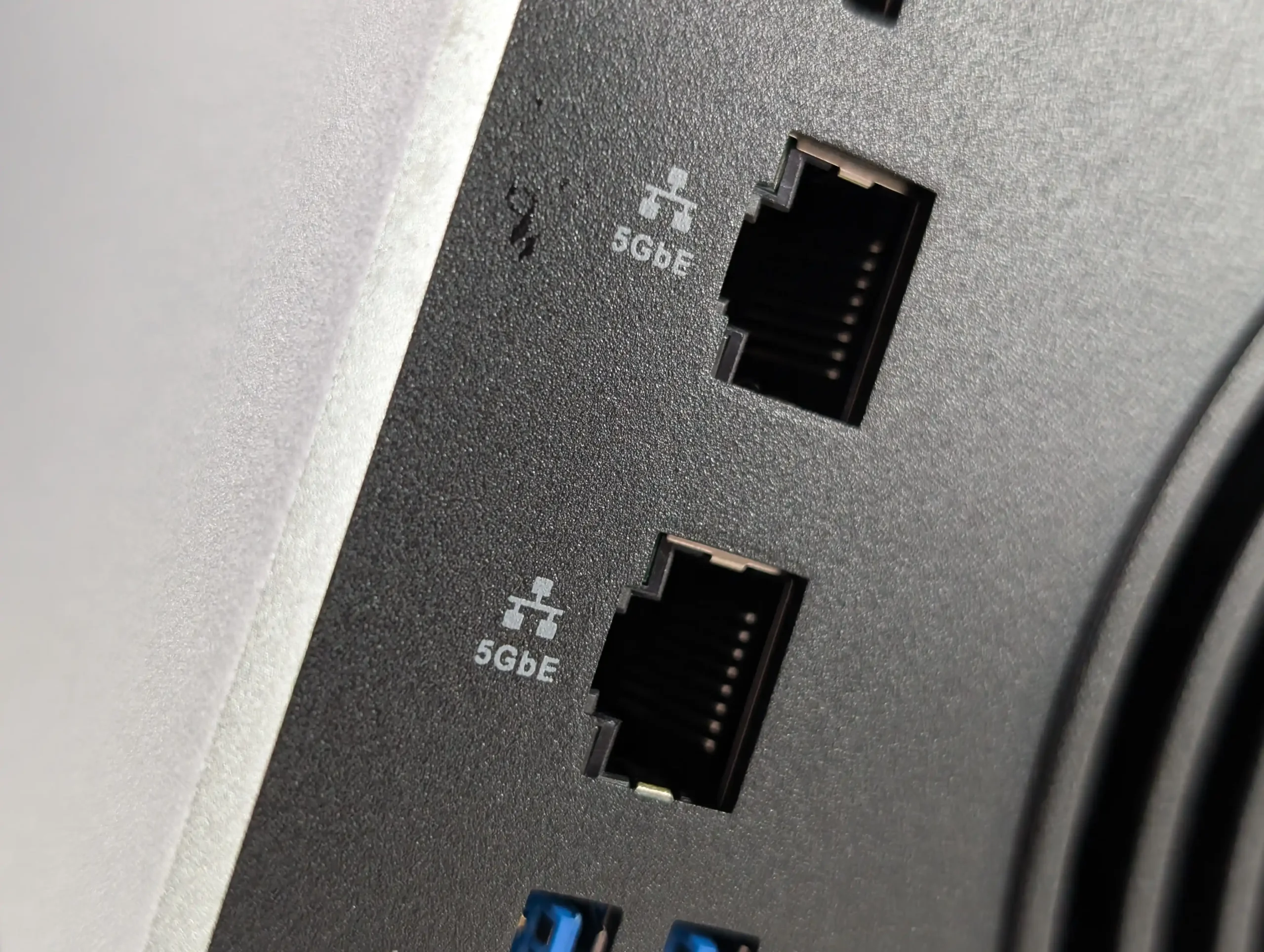
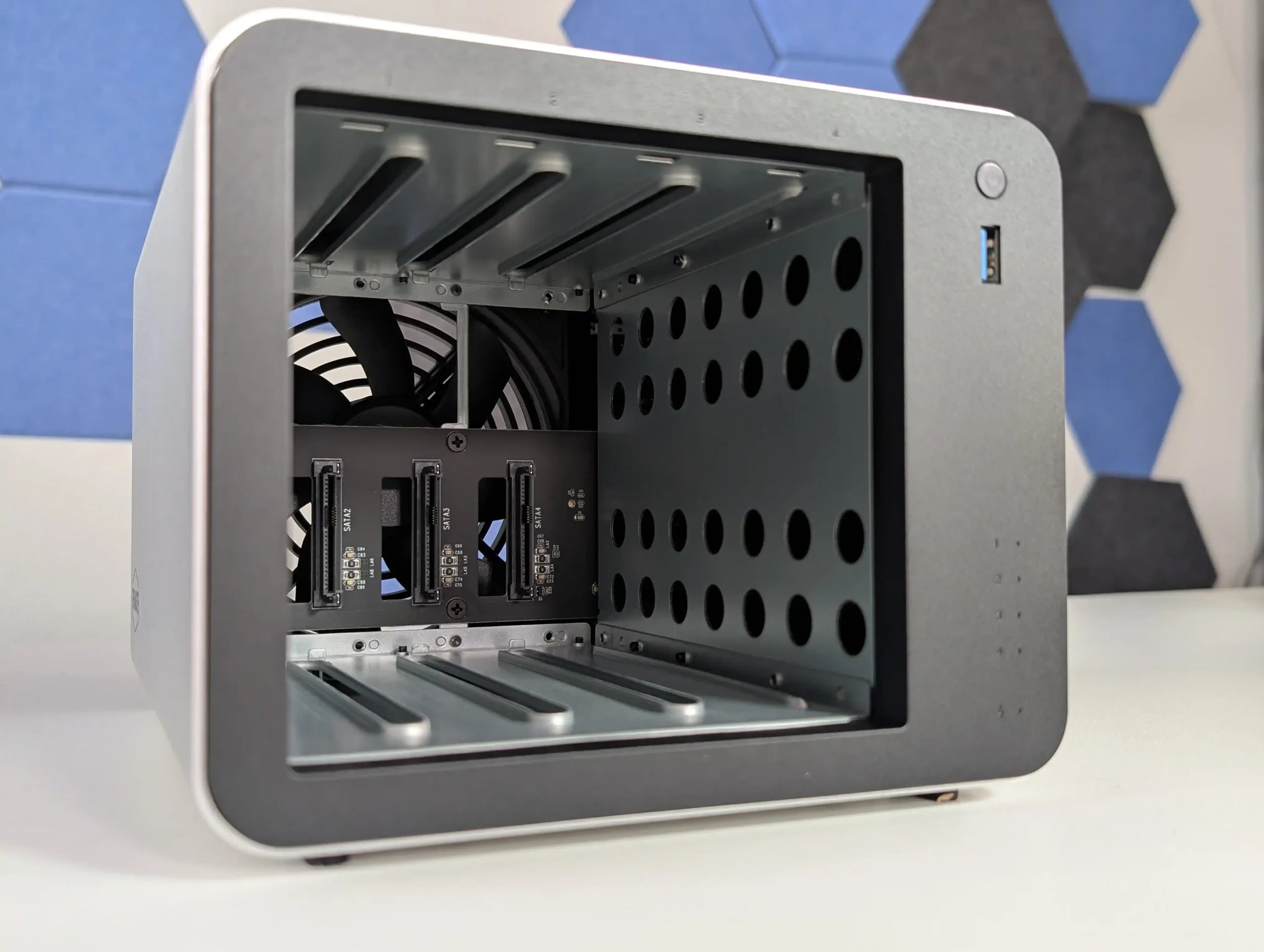
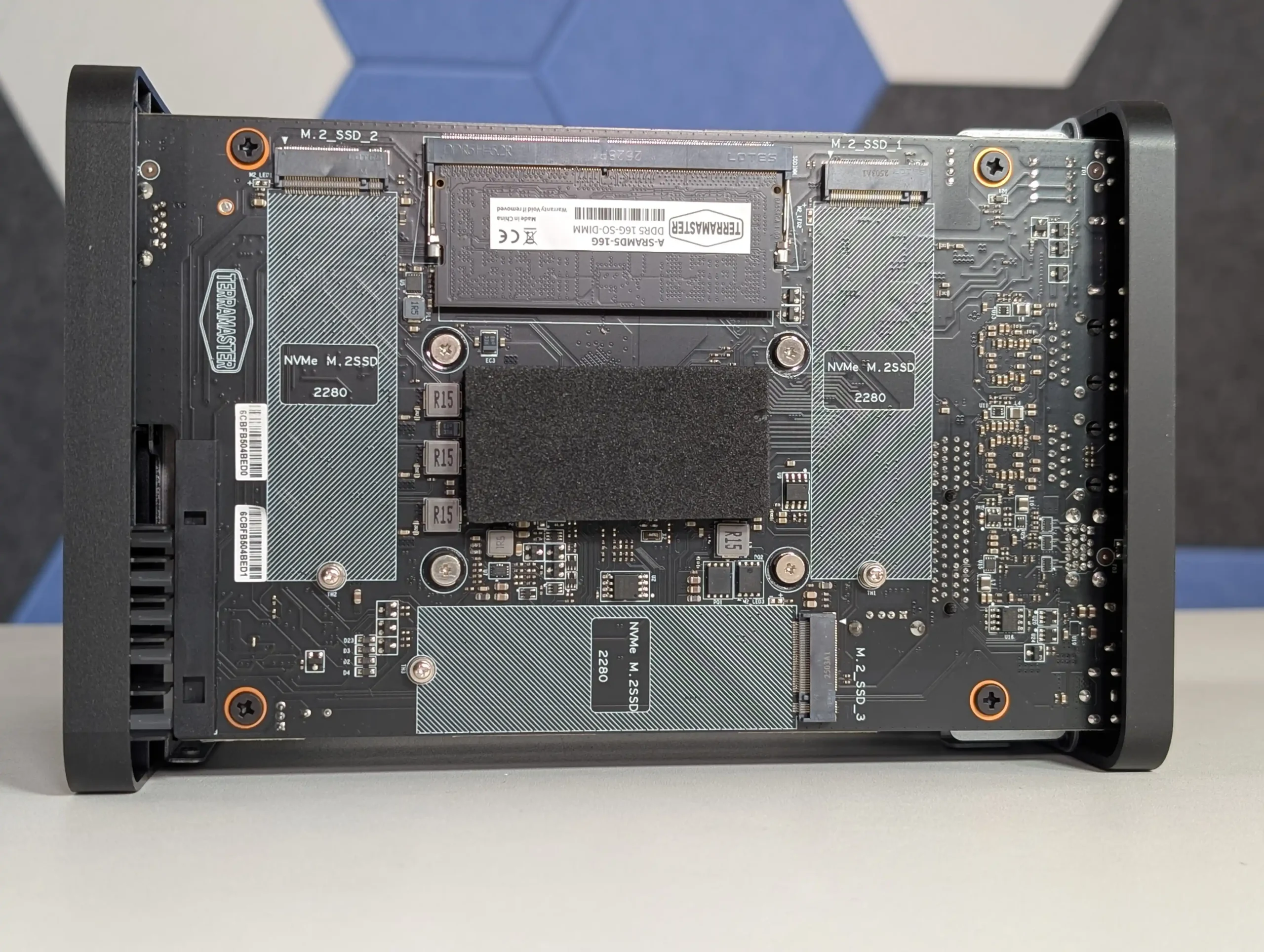
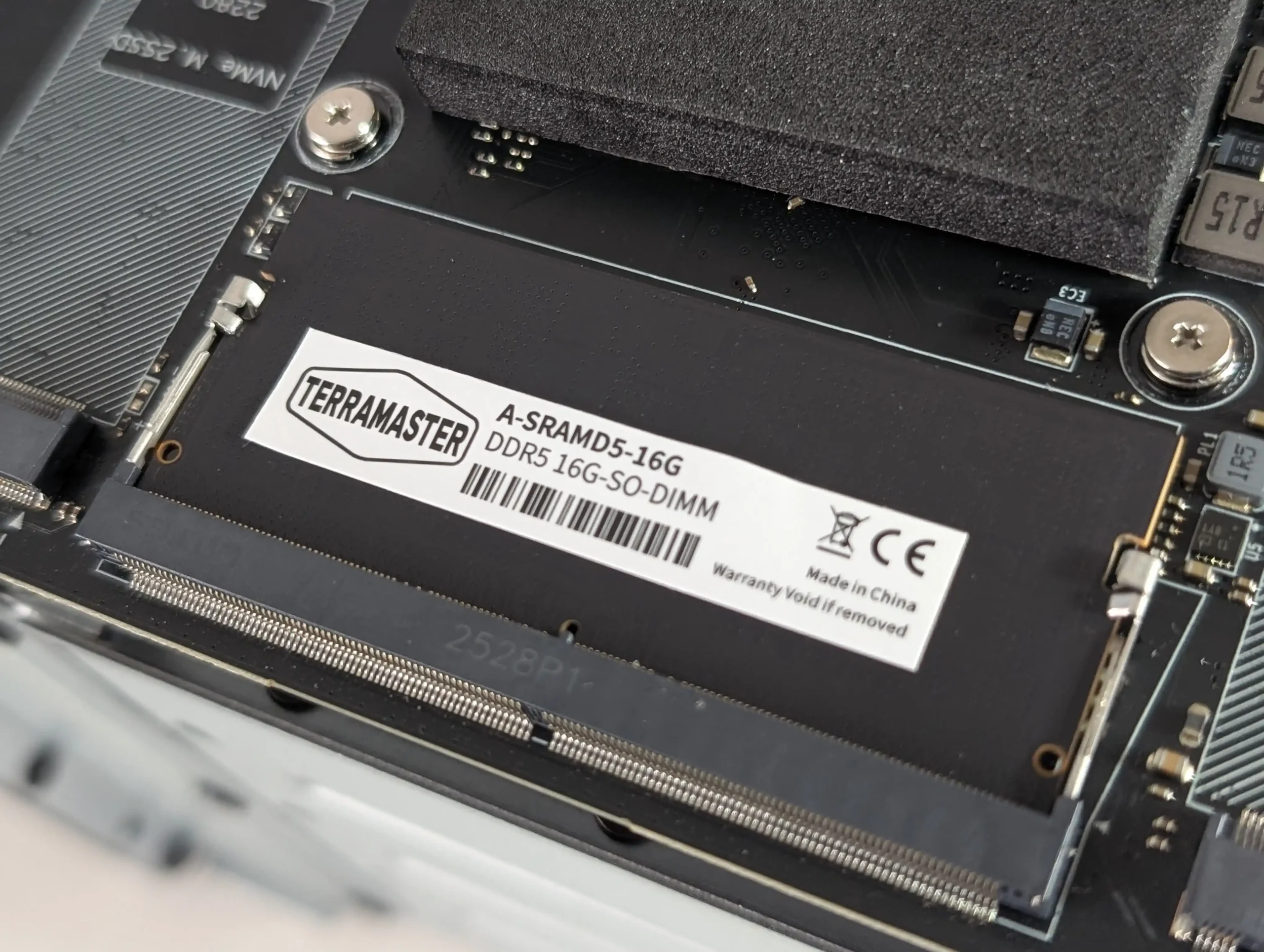
SPECS: Intel N150 quad core up to 3.6 GHz – 16 GB DDR5 (1 slot, up to 32 GB) – 4 x 3.5″/2.5″ SATA bays – 2 x 5 GbE RJ45 – 3 x M.2 2280 NVMe PCIe 3.0 x1 slots.
The F4-425 Plus is built as a hybrid 4 bay chassis with 3 additional M.2 NVMe slots, allowing a mixed layout where HDDs hold bulk data in conventional RAID while SSDs are used for cache or as separate RAID 5 or RAID 1 pools. TerraMaster quotes support for up to 120 TB on the 4 SATA bays plus up to 24 TB across the 3 M.2 sockets, and TOS 6 can treat the SSDs as either acceleration for HDD arrays or discrete volumes for latency sensitive workloads. The dual 5 GbE ports give a potential aggregated 10 Gb link that better aligns with SSD capable throughput than 1 GbE or single 2.5 GbE designs, while the N150 CPU and 16 GB DDR5 memory are sized for small office backup, virtualisation light use and multi user file serving rather than heavy compute tasks. From a RAID planning perspective the device suits scenarios where a 4 disk RAID 5 or RAID 6 on large SATA drives is combined with SSD based scratch or application volumes, without moving to a physically larger 6 or 8 bay enclosure.
 |
 |
What we said in our October 2025 Review:
The TerraMaster F4-425 Plus demonstrates how far the company’s mid-range NAS lineup has progressed in terms of hardware refinement and real-world usability. By combining Intel’s efficient N150 processor with 16GB of DDR5 memory, dual 5GbE connectivity, and triple M.2 NVMe slots, it provides a specification normally reserved for higher-priced units. The build quality, centered around a full-metal chassis and quiet cooling design, contributes to consistent thermals and low power usage even under multi-day workloads. While the design omits premium touches like drive locks or redundant fans, the emphasis on practicality and efficient cooling makes it a dependable solution for continuous operation. From a user experience perspective, the integration of TOS 6 represents TerraMaster’s most stable and capable operating system to date, offering improved security features, cloud synchronization tools, snapshot management, and flexible storage configurations that appeal to both home and small office users.
 |
 |
From a value standpoint, the F4-425 Plus stands out as one of the most competitively priced NAS units in its category. At $569.99, or $484.99 during the initial discount period, it delivers strong network and storage performance that aligns closely with rivals from Synology and QNAP while retaining open installation flexibility for third-party platforms such as Unraid or TrueNAS. Its combination of high-speed connectivity, compact design, and mature software environment makes it an appealing option for anyone seeking a 4-bay system capable of multitasking across media streaming, data backup, and light virtualization. Although it cannot fully match the polish of Synology DSM or the plugin ecosystem of QNAP QTS, TerraMaster has successfully positioned this device as a bridge between affordability and professional performance, solidifying its place as one of the more balanced NAS releases of 2025.
 |
 |
| Amazon in Your Region for the Terramaster F4-425 plus NAS @ $569 ($489.99 till 19th Nov) | Terramaster F4-425 PLUS – $569 | B&H for the Terramaster F4-425 plus NAS @ $569.99 |
|
 |
|
#5 Synology DiskStation DS1525+ – $799 to $899
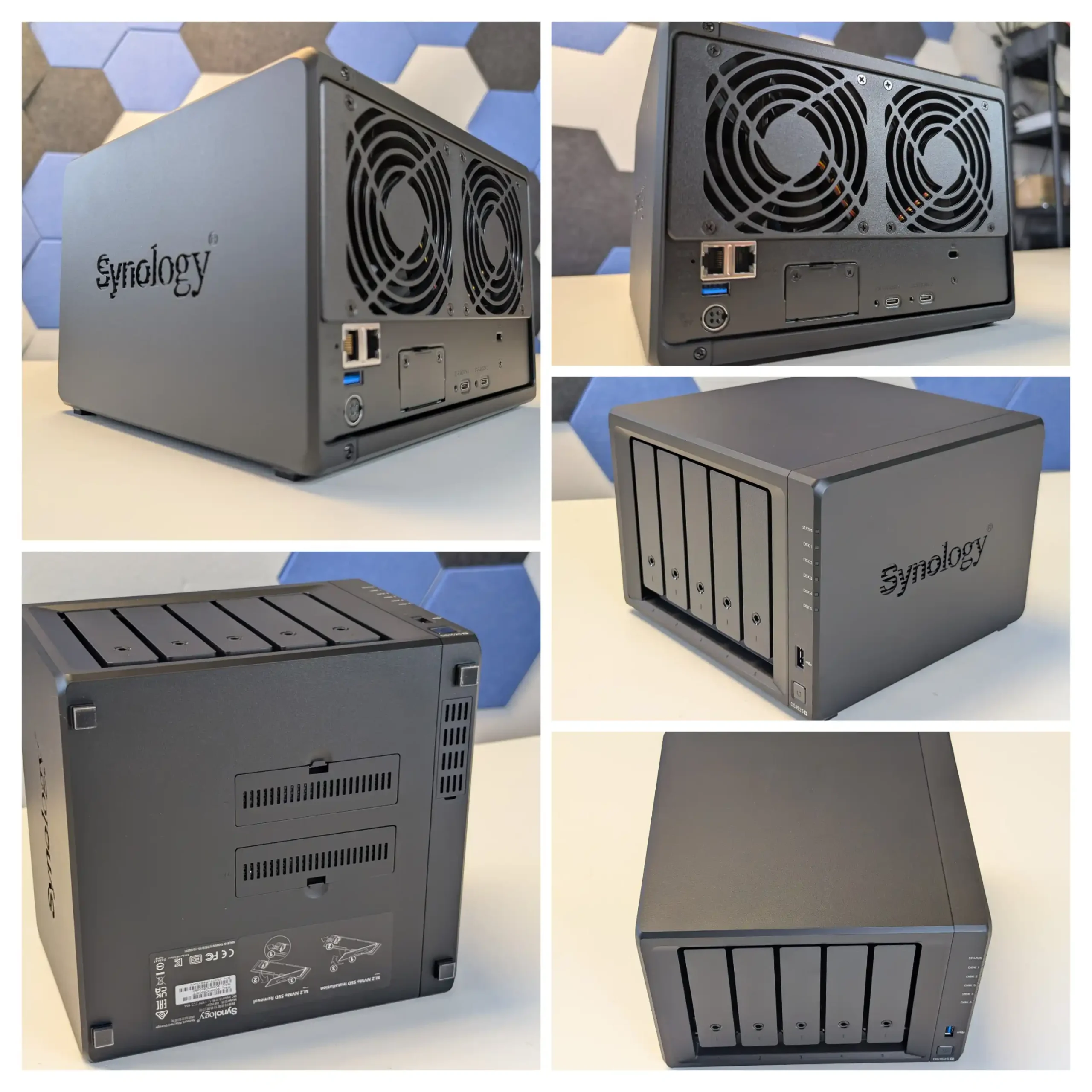
SPECS: AMD Ryzen V1500B quad core 2.2 GHz – 8 GB DDR4 ECC (2 slots, up to 32 GB) – 5 x 3.5″/2.5″ SATA bays – 2 x 2.5 GbE RJ45 – 2 x M.2 2280 NVMe slots plus 1 x PCIe 3.0 x2 expansion slot.
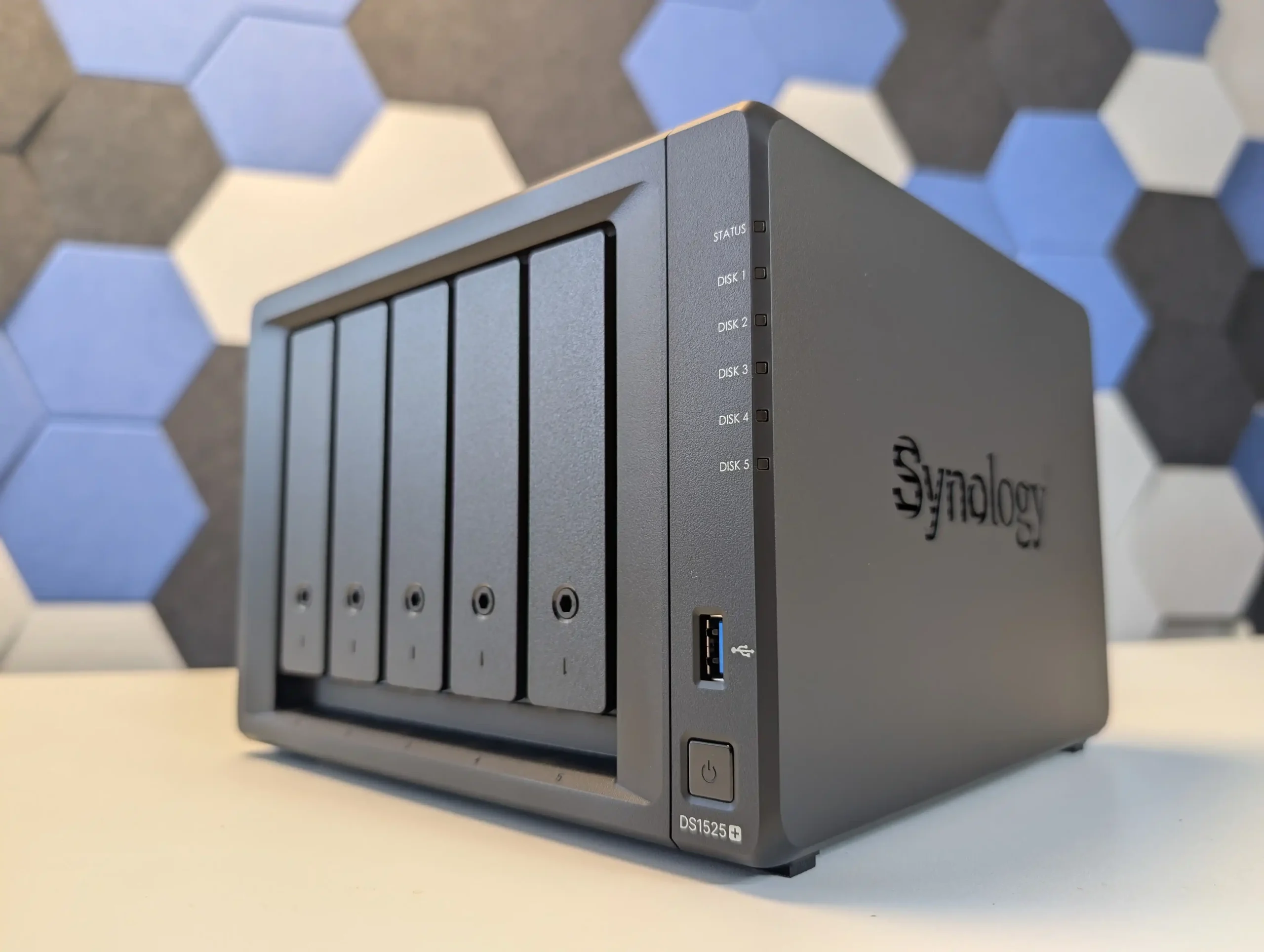
The DS1525+ follows Synology’s typical pattern of putting all primary capacity on 5 hot swap SATA bays while reserving 2 internal M.2 slots for NVMe SSDs used as cache or, in some scenarios, as separate pools under DSM. Raw capacity on the main bays is specified around 100 TB, and with 2 supported DX525 expansion units the platform can scale to 15 drives and roughly 300 TB, giving it more growth headroom than most standalone 4 or 5 bay devices. DSM prefers Synology certified NVMe modules for cache, and the typical deployment is therefore a RAID 5 or RAID 6 array on the 5 SATA disks with SSD cache accelerating small random access workloads such as virtual machines, databases or heavy Synology Drive usage. The Ryzen V1500B and ECC memory are adequate for that role and integrate with DSM features like Btrfs snapshots, Active Backup Suite and Virtual Machine Manager, but they do not drive NVMe storage as a primary all flash tier in the way more other NAS brands do (i.e you can only use them for caching, or limited ‘synology only SSD’ use for pools to comparatively lower performance than most). The result is a system where the storage design is conservative but predictable, emphasising SATA RAID resilience and cache-assisted responsiveness rather than radical hybrid layouts, backed by a mature software stack.
What we said in our July 2025 Review:
The Synology DS1525+ is a capable and well built NAS that continues the company’s focus on dependable performance, solid build quality and very tight integration with DSM, which is the main justification for choosing this platform over more open hardware from other vendors. Its compact 5 bay design, quiet operation and scalable storage make it suitable for small offices, creative studios and prosumers who want a single system to handle file serving, backup and light virtualisation. The inclusion of a server grade Ryzen V1500B CPU and ECC memory support provides predictable performance for DSM services such as Synology Drive, Synology Office, Virtual Machine Manager and Surveillance Station, while the dual M.2 slots and PCIe expansion give enough headroom for cache and 10 GbE upgrades. DSM itself remains the central strength: Btrfs based volumes with snapshots, Active Backup Suite for Windows, Linux and SaaS workloads, integrated directory and access control, and relatively polished mobile and web clients mean that much of the day to day administration, recovery and user management can be handled inside a single, consistent interface rather than across multiple third party tools.
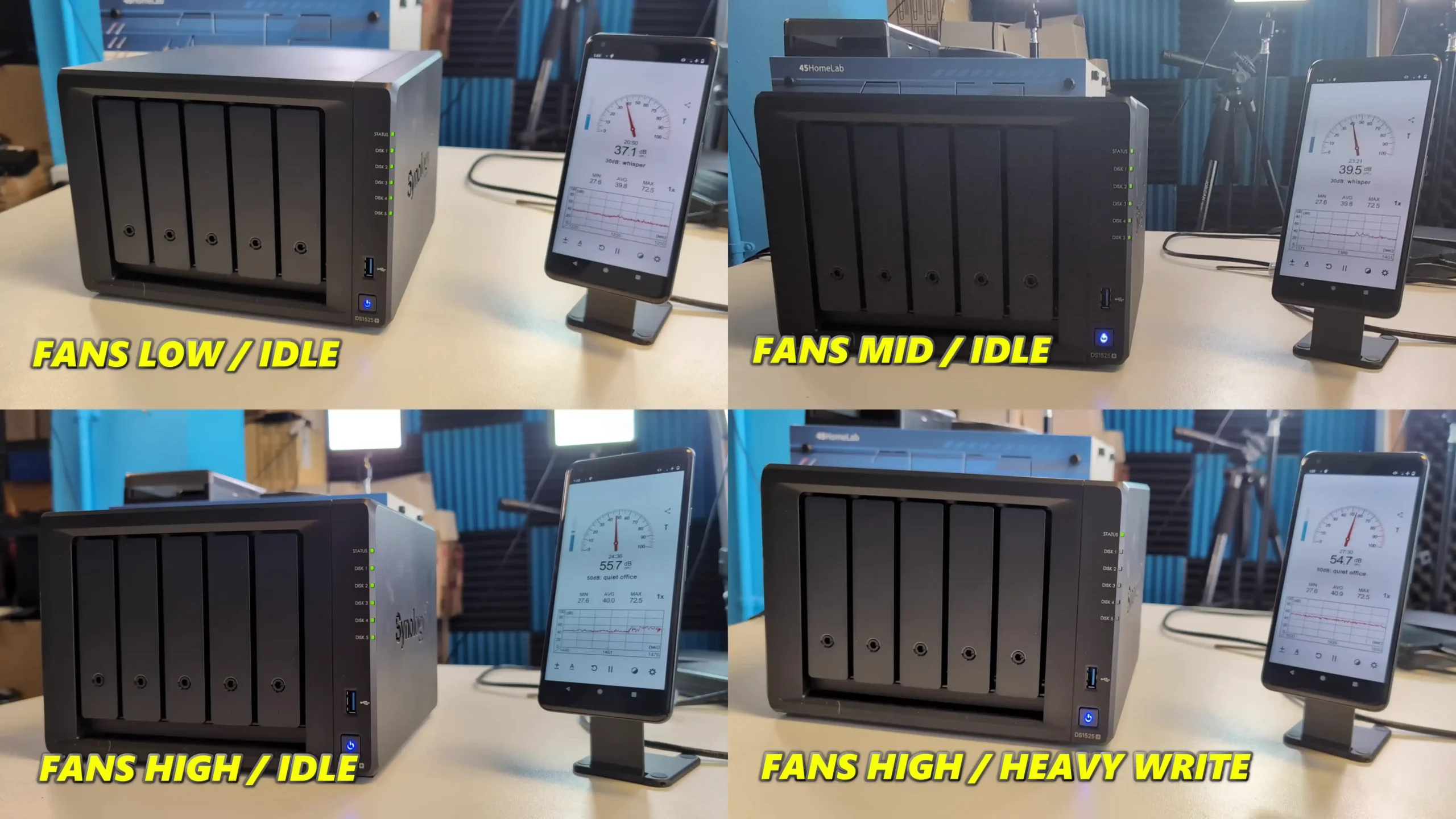
More importantly for many buyers, Synology’s 2025 Plus series, including the DS1525+, now fully supports third party hard drives without on screen warnings or functional restrictions, which removes a major concern from earlier policies and restores flexibility for users reusing existing disks or mixing capacities and brands under DSM’s storage manager. By contrast, M.2 SSD support remains locked to Synology’s own validated modules, so NVMe upgrades for DSM cache or SSD pools still carry a vendor premium and limit hardware choice. The switch from four 1 GbE ports to two 2.5 GbE ports trades some port level redundancy for higher per port bandwidth and may require compatible switches to realise the benefit, but DSM can aggregate links, shape traffic and expose detailed monitoring from within its own interface.
In practice the DS1525+ suits users who prioritise DSM’s software maturity, integrated backup and collaboration stack and the relative simplicity of a managed ecosystem over maximum hardware openness; for those who want unrestricted NVMe choices or the highest raw performance per dollar, more generic x86 systems with looser SSD validation may be a better fit.
|
Amazon in Your Region for the Synology DS1525+ NAS @ $799
|
B&H for the Synology DS1525+ NAS @ $1149.99
|
Taken together, the Minisforum N5, UGREEN DH4300 Plus, Beelink ME Mini, TerraMaster F4-425 Plus and Synology DS1525+ outline the main paths available in the 4,5 and 6 bay segment in 2025: high core count x86 with mixed SATA and NVMe for heavier workloads, low power ARM with straightforward 4 bay RAID for cost sensitive deployments, compact all flash designs where capacity scales through M.2 rather than 3.5 inch bays, hybrid chassis that combine 4 bay RAID with several SSD slots, and software led platforms where DSM’s feature set is the primary reason to buy. None of them is universally better than the others; the practical choice depends on whether the priority is raw HDD capacity in RAID 5 or RAID 6, a larger number of NVMe slots, lower power use, or tighter integration of backup, collaboration and virtualisation tools. For buyers who understand how they intend to balance SATA and NVMe storage over the next few years, these units set a useful reference point for what can realistically be expected from a modern 4,5 or 6 bay NAS without moving to larger rackmount or 8 bay hardware.
📧 SUBSCRIBE TO OUR NEWSLETTER 🔔
🔒 Join Inner Circle
Get an alert every time something gets added to this specific article!
This description contains links to Amazon. These links will take you to some of the products mentioned in today's content. As an Amazon Associate, I earn from qualifying purchases. Visit the NASCompares Deal Finder to find the best place to buy this device in your region, based on Service, Support and Reputation - Just Search for your NAS Drive in the Box Below
Need Advice on Data Storage from an Expert?
Finally, for free advice about your setup, just leave a message in the comments below here at NASCompares.com and we will get back to you. Need Help?
Where possible (and where appropriate) please provide as much information about your requirements, as then I can arrange the best answer and solution to your needs. Do not worry about your e-mail address being required, it will NOT be used in a mailing list and will NOT be used in any way other than to respond to your enquiry.
Need Help?
Where possible (and where appropriate) please provide as much information about your requirements, as then I can arrange the best answer and solution to your needs. Do not worry about your e-mail address being required, it will NOT be used in a mailing list and will NOT be used in any way other than to respond to your enquiry.
 TRY CHAT
Terms and Conditions
TRY CHAT
Terms and Conditions





|
 |


Should You Worry About the NanoKVM Hidden Microphone?
Best Cheap NAS of 2025
Minisforum MS-02 Ultra - WHO IS THIS FOR??? (The First 48HRs)
Why People Use TrueNAS, UnRAID and Proxmox to Turnkey NAS (Synology, QNAP, etc)
Why People Prefer Turnkey NAS vs TrueNAS, UnRAID and More
The Top 5 Mistakes NAS Buyers Make
Access content via Patreon or KO-FI
Discover more from NAS Compares
Subscribe to get the latest posts sent to your email.
Crazy it’s almost 2026 and they’re still selling devices with that v1500b.
REPLY ON YOUTUBE
I’m very new to this, and will start my journey with 3x2TB drives. This will mainly be used as a replacement for Google Photos. I’ll set it up so I have 2TB parity-data and 4TB storage – then we’ll see how it holds up in the future.
I’m using my old gaming PC as a NAS, which surprisingly have 6x SATA interfaces
REPLY ON YOUTUBE
I purchased one of these and put 6x SSDs in it like it supposedly supports, but there is a hardware design flaw with the 3.3v rai
If you have 4+ SSDs you will likely see disks disconnect at random due to the 3.3v rail sagging to the 2.Xv range, especially during intense reads and writes if you are using a RAID array.
After a lot of troubleshooting I was able to get it to a stable state with BIOS power tweaks and only using 4x SSDs that do not have DRAM or higher power controller chips.
It’s a great device but you won’t be able to take advantage of all of the slots it supposedly supports.
REPLY ON YOUTUBE
Partly because of your review, I purchased a DH4300Plus. I could never get the transmission speed above. Different cables different computers, different software to transfer files, help from Gemini, nothing helped. 4T drives virtually new. Ugreen support in spite of the network lights and screen shots/the log immediately blamed my Decox55 router, and using EaseUS To Do. Using different suggestions from Gemini left little doubt that is the box. Sadly, with Ugreen’s customer service this is going back.
REPLY ON YOUTUBE
took a week to setup and run dockers and containers. 4 days ago the TOS (terra master operating system)
went down( 504 error code no access to TOS) spent hours diagnosing with tech support in China only to have to reset the f4-425 plus and re install TOS. Well four days later it has happened again the 504 error code and no access to TOS.
REPLY ON YOUTUBE
Eww, 2.5G… waste of nvmes to throw in this!!!
REPLY ON YOUTUBE
Can you use only nvme drives for storage?
REPLY ON YOUTUBE
The F4-425 Plus appears to be a rather good upgrade option.
REPLY ON YOUTUBE
I wonder if the DH4300 is enough if two or three watch Video in Hd. Is that Possible, or is it to much for that? I struggle to decide if i buy 4800 or 4800plus or the 4300plus…. i want to Stream Video/Music an and outside of the Home for the Family. Hmm…. any ideas?
REPLY ON YOUTUBE
like your reviews, but i don´t like the quad display format where u put 4 screens up at the same time , you can´t see anything, more confussing than usefull… !
REPLY ON YOUTUBE
I try watching a lot of your videos. I see one video where you compare NAS A to NAS B and another video where you compare NAS C to NAS D. But after all the specs and jargon get thrown around, I get a little confused and it’s hard for me to figure out what to get out of ALL the NAS brands. Have you every considered doing an across the board video where you’re picking from all NAS Brands? For instance, If I wanted to buy a 4-5 bay NAS box which system is the best across the board? Taking in account software, hardware, etc. Don’t factor in hard drive costs. Just tell me what the best box for $750 is or the best box for under $1K. Tell me what you would buy if you had $750 or $1K to spend.
REPLY ON YOUTUBE
I am disappointed with Synology. I want to replace my failed Drobo 5D3 (populated with 5x14Tb Iron Wolf Pro drives) to sit alongside my DS1621+. I don’t want to use extension boxes as that is all eggs in one basket.
This DS1525+ looks ideal except I can no longer use the IronWolf drives. Do you know if Synology are going to stick with this policy going forward? If so, it’s time to look at another manufacturer that will accept my 5 existing drives…
Thanks for all you do ????????
REPLY ON YOUTUBE
the answer to the question is it does not matter, back it up is what you need to do!
REPLY ON YOUTUBE
Hi folks – a nice device that most likely would get approval from the wife, a very interesting review and lots of great comments. Has anyone tried to use this as a jellyfin server. i was thinking it might be just what im looking for to replace an old external hard drive hanging out of the telly – transfer all my videos and movies to this little cube, plug it into my switch and watch my content from anywhere. also be some room for some backups of my photos and important data that im just backing up when i remember to external hard drives. would this be a sensible use case ? could i use the pre installed windows or would i be better with some kind of unix distro or something else. maybe the ugreen f4-dxp4800 pro might be better fit. Would be grateful for any wisdom you clever techie people could offer to an older NAS newbie such as myself …..thank you in advance.
REPLY ON YOUTUBE
HDD lock-in definitely puts me off buying this. I am looking to upgrade from my DS220+ and was looking at this but now I am very disappointed and will have to look at other models. And the reason is simple: What a lock-in policy for HDD says is: “Our system is not so good, so we cannot guarantee that our product will work with DEFACTO MARKET STANDARD HIGH-END DRIVES SUCH AS WD-RED etc” (alternatively “If you buy this we will rip you off buy forcing you to buy our overpriced hard-drives because we are excedingly greedy, and btw our HDDs are not so good that they can compete with other well-renowned drives on the market”).
REPLY ON YOUTUBE
If you want to be “that guy” ????. 99x99x99. On a serious note, can that PSU power a fully loaded 24tb array?
REPLY ON YOUTUBE
Synology desteklenen disk zorunluluğunu kapatma ( bu işlem ile elinizdeki herhangi bir diski synology cihazda kullanabilirsiniz)
sudo vi /etc.defaults/synoinfo.conf (vi editörü ile dosyayı aç. başka editörde kullanabilirsin. mesela nano)
support_disk_compatibility=”yes” (bu satırı bul ve yes olan yeri no olarak değiş)
:wq (vi editörü ile yaptıysan bu komutla dosyayı kaydedip kapatırsın)
REPLY ON YOUTUBE
the problem is expensive little capacity drives. Yes I have two pci5 in my computer and they do everything but in MASS storage they are way over priced for their capacity. I checked prices and IF you could get all the performace on this or similar devices on a gen 3 x1 then maybe you could get 8tb for the price of 20tb hard drives.
REPLY ON YOUTUBE
don’t use the cloud..store your personal information and data on a chinese box…sure that safe
REPLY ON YOUTUBE
????????????????????
REPLY ON YOUTUBE
How do I transfer files to this thing and what speeds should expect from those ssd’s and NAS?
REPLY ON YOUTUBE
Does this come with the 4 drives or do we have to purchase them separately?
REPLY ON YOUTUBE
What I not understand is, why this little box is called a NAS solution ? For me it is a pretty good mini pc, because what is missing is a preinstalled NAS software or is Window 11 pro now a NAS software ?
REPLY ON YOUTUBE
Thoughts on this vs the UNAS 4?
REPLY ON YOUTUBE
You mentioned in cons that cheaper N150 NAS are available in the market. Which models are you referring to?
REPLY ON YOUTUBE
Support for TrueNAS installations?
REPLY ON YOUTUBE
Have you seen lot of difference between TOS6 and TOS7 ?
REPLY ON YOUTUBE
Synology has reversed the most controversial aspect of its hard drive restriction policy for its 2025 Plus series, including the DS1525+, with the release of DiskStation Manager (DSM) 7.3. Following significant user backlash, the company now allows third-party 3.5″ HDDs and 2.5″ SATA SSDs for full functionality
REPLY ON YOUTUBE
How works the cache system with SSD? Like ugreen? One for read or two for read and write ? Or one only for read and write ? Thx 🙂
REPLY ON YOUTUBE
Is it worth waiting for black Friday ?
It’s 510€ right now on Amazon france
REPLY ON YOUTUBE
Apps in a separate video? Why is that I wonder?????
REPLY ON YOUTUBE
PS, I decided not to wait for the comparison with the UGreen 4800+ but forgot to use your link. Paypal $$$ heading your way with thanks.
REPLY ON YOUTUBE
What about for plex transcoding do u think it will be okay for it I have a shield pro but its crap cause of andriod os messing the updating
REPLY ON YOUTUBE
Bought it for great specs, planned to run unraid… Cancelled the order a day later..
Despite everything in the fantastic review: I can’t verify if Chinese government induced hardware tampering will compromise my data at some point. Trust is everything.
REPLY ON YOUTUBE
Ugreen is one of those companies like anker that just appeared one day and stuck around because they just did stuff better
REPLY ON YOUTUBE
I bought Synology 1525+ after they removed the hardware restrictions, now saw this. I still can return it. Help me to decide please. I want to run docker container, macbook time machine and iphone backups, and I want flawless run and forget solution. Please help❤
REPLY ON YOUTUBE
I’m still going to hold out and wait until QNAP releases a new 2026 NAS to properly replace the TS-x64 series.
REPLY ON YOUTUBE
Three M.2 is a big deal to me!
REPLY ON YOUTUBE
This looks like OS upgrade is much more than HW changes. I see it as best contender with DSM – it has 90% of native applications as Synology. Active backup, VM backup /i still miss Proxmox PVE support/, iSCSI, NVME as native storage…. I might give it a try with new 425 series when they update Pro model to 425. Thank you for useful review.
REPLY ON YOUTUBE
Really nice review! However, I’m new to NAS devices, selected specific ones from Synology, QNAP and TerraMaster, but still not sure about their OSes. Reviews usually don’t cover deeply SW aspects, especially specific ones. I mainly need the following functionality/apps/tools (and polished as much as possible): scheduled PC / OS imaging / backup (Windows, and Linux is possible), scheduled cloning from external and built into PC drives/disks with versioning of changes, integrity checks. Am I right that DSM fits me best than others like TOS, etc.?
REPLY ON YOUTUBE
Holy bytes, I think I’m in love.
This model just jumped to the top of my list of potential replacements for my DS920+.
REPLY ON YOUTUBE
Legend has it the first word of each chapter is the answer to next week’s question
REPLY ON YOUTUBE
was considering the F4-424 Max to replace my slightly aging QNAP TS-453A but this maybe woth a look
REPLY ON YOUTUBE
It’s called Nas compare. Can you please compare? F2-425 to F2-424
REPLY ON YOUTUBE
Well now I know I can’t trust you. Not mentioning Ugreen at all is a dead giveaway you’ve agreed to omit them from this Terramaster advertisement.
REPLY ON YOUTUBE
Be aware that third party OS is not always a straight forward install on the Terramaster, as some make it out to be.
REPLY ON YOUTUBE
TerraMaster F4-425 Plus power consumption testing shows idle power as low as 11W, making it energy-efficient and environmentally friendly—a significant improvement over previous NAS models.
REPLY ON YOUTUBE
TerraMaster F4-425plus NAS features a substantial 16GB DDR5 memory, making it ideal for professional video editors.
REPLY ON YOUTUBE
Thank you for your video. I’ve already purchased the Terramaster F4-425 Plus right away and am waiting for it to arrive. I recommend it to others who need local backups—I think it’s very suitable for photographers to store photos.
REPLY ON YOUTUBE
Finally, the upgraded version of the F4-424 is here. TerraMaster didn’t let me down.
REPLY ON YOUTUBE
TerraMaster’s TOS 6 system features an intuitive interface and a robust App Center, making it ideal for home media servers.
REPLY ON YOUTUBE
i kinda like this.. when price drops a bit in future think it really has a good spot. if it had a bit better price it’d be a banger
REPLY ON YOUTUBE
A cost-effective NAS!
REPLY ON YOUTUBE
Thanks for this quick intro Robbie. Looking forward to the TOS 6.0 deep dive as I’m running TOS 6 on my F4-423 and it’s a night and day upgrade from the TOS 4 F4-210 I was using before.
I’m running 4x 8TB Seagate’s in a RAID-5, 1 64GB SSD for the OS, 1 64GB SSD for cache of the RAID (both SSD’s are old OPTANE’s I had laying around unused).
REPLY ON YOUTUBE
My review unit has been a ????
REPLY ON YOUTUBE
15:30 When the Saxon began to hate 🙂
REPLY ON YOUTUBE
Not trunked connection. Its either bonded, LAG or etherchannel
REPLY ON YOUTUBE
Why would I want such a powerful NAS? Isn’t it better to have a powerful server and let the NAS do only what’s supposed to do?
REPLY ON YOUTUBE
Many Thanks for the review . But Terramaster doesn’t have good operating system.
REPLY ON YOUTUBE
It’s a nice upgrade from their entry-level NAS I will say. The addition of the m.2, 16GB RAM, and 5GbE is the difference between a NAS that will limit you, and one someone can grow into. I’m still evaluating my unit, but my initial impression is positive. Still on the fence about the drive trays – the third iteration I’ve seen from TM. TOS 6 is a known factor, and I’ll throw TrueNAS and Proxmox on it soon. Factoring in the limits (m.2 lanes, single SODIMM, 4 core CPU) it’s a solid mid-tier offering. As you say, competition will be fierce in this space I predict.
REPLY ON YOUTUBE
Ubiquiti should’ve put a 5Gbe port on the UNAS 4
REPLY ON YOUTUBE
Hell yes. I’ve been so excited for this review.
REPLY ON YOUTUBE
I feel like you’re very nitpicky about the software compared to how you reviewed UGOS
REPLY ON YOUTUBE
A comparison with the Ugreen 4800 Plus would be a very worthwhile video.
REPLY ON YOUTUBE
8:55 – appreciate extra vibroisolation from the table during the sound test
REPLY ON YOUTUBE
can someone explain to me why no nas company uses ecc anymore? i cant find any information other than some forum guys who praise ecc to death so i dont get why noone else mentions or uses it these days? should i build a nas myself just to get ecc or is it not that important as noone seems to use it anymore
thanks
REPLY ON YOUTUBE
5Gb network switches seem rare though. Never seen one.
REPLY ON YOUTUBE
Please cover the new Plex UI to bring more attention to what they have done
REPLY ON YOUTUBE
Can’t wait to hear about sr unity vs Ugreen. I’m ready to buy a dxp 4 bay but this looks like a great alternative
REPLY ON YOUTUBE
If it had an Intel N5095 and 6 bays or more I’d be interested. 4 bays and an Intel N150 not so much.
REPLY ON YOUTUBE
Minisforum N5 Pro 48GB idle power consumption is 15-16watts with 4 FireCuda 530R 2TB NVME and 2 Seagate Exos X20 20TB in idle. I was thinking about getting F4-425 Plus as backup but idle power feels a little bit high to me. Anyway thanks for the review much appreciated.
REPLY ON YOUTUBE
I’m still looking for anything that comes close to that aoostar with the 5825 in it, that chip is a beast for a nas, and only $400
REPLY ON YOUTUBE
With N150 CPU that has only 9 PCIe lanes and each SSD having only PCIe 3.0 x1, it’s hardly a good option. Ugreen 4800 Plus similarly priced has Pentium CPU with 20 lanes.
REPLY ON YOUTUBE
lol the spec can mob $ynology on the floor.
REPLY ON YOUTUBE
Serious question. What is the deal with Chinese NASs? Do people feel that they’re safe or they’re a security risk? It does seem like Chinese government policy encourages baked in spyware.
REPLY ON YOUTUBE
For someone like me who is doing photo/video that has no experience in Nas’s. Would you go for thisone or rather go for the Ugreen 4800 Plus or maybe the 6800 Pro from Ugreen?
I’m already looking weeks of footage, but I’m still not sure..
Never had a NAS (I do have 22TB in my pc tho)
REPLY ON YOUTUBE
Holy video chapters, Batman!
REPLY ON YOUTUBE
First
REPLY ON YOUTUBE
Long term power usage starts to add up when you consider the drives running 24/7/365 for the next 4 or 5 years at least. I’m looking at replacing my ageing 10 drive 8/12 TB Unraid server with 20 or even 24TB drives and newer hardware that will use less power at idle. A huge setup cost, and that will allow me to use my existing setup as a backup system that powers up occasionally and does a backup of the new server. I’m looking at something with better reliably and a 5+ year minimum lifespan, and my existing unraid server is starting to show its age in terms of power use and reliability.
REPLY ON YOUTUBE
I can thoroughly recommend Proxmox on this too for those embarking on their homelabbing journey whilst also needing a NAS. I’ve a bunch of LXC’s running and it is absolutely amazing for what it is.
REPLY ON YOUTUBE
Wait. Someone plz correct me asap before I purchase an inferior model. I could’ve sworn the ugreen website stated the dh4300 contained the same 128gb ssd flash memory like the dxp4800+. This video showed a snapshot of the dh4300 having a lesser grade 32gb emmc. Which is it?
REPLY ON YOUTUBE
I only use ironwolf pro NAS drives. My next nas will be using 30tb drives.
REPLY ON YOUTUBE
Will this NAS be a good plex server for 710p and 1080p movies? I have tops 3 streams at any time. Most always on high bandwidth connections.
REPLY ON YOUTUBE
Great video.how check if this device genius or fack!?
REPLY ON YOUTUBE
great HW, but OS support not so good. There is 64GB build eMMC storage but neither Unraid not TrueNAS will support it. What;s the point then.
REPLY ON YOUTUBE
All one sided test drives, were they really small?
REPLY ON YOUTUBE
So can it support Raid? Which levels? Can you bond the 2 2.5 GB Ethernet ports to get a 5Gbps trunk? Can you saturate the 2.5 Gbps connection? Could I use it as a time Machine backup solution for a handful of Apple devices for the family?
REPLY ON YOUTUBE
CPU is from 2018 more cores but older tech less energy efficient.
REPLY ON YOUTUBE
This looks like a GAME CUBE. I with this pc would’ve played like one ????
REPLY ON YOUTUBE
at the end of the day it depends on how much you are storing. some will need 18 TB * 8 or whatever.
also: notepad instead of spreadsheet? ????you could’ve normalized for example for 72 TB (18 tb * 4) 3:30
REPLY ON YOUTUBE
I am so mad, I was poised to buy the 1522+ from B&H and had to delay due to a job furlough and now when I go to buy the unit, its unavailable due to them releasing this hot garbage…
Synology is doing everything possible to force out their customer base and tank their brand loyalty, what is the point of all of this?
They will make far less money long term as their user base shrinks and they shine the spotlight on the viability of their competitors.
REPLY ON YOUTUBE
Hello, I have been following your fab YouTube channel for some time and would like advice regarding my next steps. I am looking for a secure 5-bay NAS system with internet access that allows remote file uploads. Low power consumption and minimal noise are important criteria, and the primary use will be storing video and photo files from professional cameras. My previous experience has been with Terramaster over the past 12 years, though not for professional work or remote storage access.
Could you please recommend a Synology 5-bay NAS model suitable for these needs?. If any restriction on what size eg. 16TB or make of NAS drives I can use in it. Regards Nigel
REPLY ON YOUTUBE
Now this has cought my attention, i have a dxp4800plus and am about to change out hdd for mor capacity which will leave me with the 4 hdd, im now considering this just to throw them hdd in, id be interested to see the performance difference for cloud storage and plex and jelyfin etc side my side, on the face of it seems like quite an exiting product
REPLY ON YOUTUBE
2+2+1+1 tb nvme/ssd drives w my desktop for gaming(ofcourse i would have loved haing only 2*4tb but price was about 1/3 w 2tb+1tb drives and w discounts at the moment of purchase i could even buy ram for my previous desktop+ a few cables(even a few bucks left after this last year)
So why are bigger drives more expensive per 1tb vs samller ones? its more materias n work one would think or is the smaller just so much worse in quality or something?
REPLY ON YOUTUBE
Truth be told, I think the support mantra by Synology is a bunch of malarkey. I’ve had a DS1821+, DS1621+, and a DS920+ for 5 years with 14 & 16GB WD Red white label drives and 1TB Samsung NVMe drives. Literally made one support call early on that had nothing to do with drives. BTW, out of 18 white label drives, I’ve had only one fail over the 5 years. So, I don’t personally see the need for all this drive stuff and if they had to do it they should have limited it to enterprise systems. JMHO
REPLY ON YOUTUBE
Will,at be a good match for a Plex server?
REPLY ON YOUTUBE
Can we remove the boot drive and install TrueNas on it like other Ugreen units?
REPLY ON YOUTUBE
Dropped in 4x WD Blue NVME drives along with the bundled 2GB WD. When I started to copy data from my old school HDD NAS, the ME was CONSTANTLY throwing drives offline. The power supply is simply not sufficient for the purpose. The heat when copying data is also off the charts. Sure, if you have all your data on board and don’t do massive transfers, it’s likely fine, but onboarding data was a disaster. I would have greatly preferred an external brick. I ended up returning, and used a Minisforum MS-A2 I had bought previously with a cheap PCIe NVME card and it is far more stable. Running TrueNAS Scale.
REPLY ON YOUTUBE
can you use SATA 2.5 SSD instead of big bulky HDD ?
REPLY ON YOUTUBE
I am loving EVERYTHING UGreen! From Cables, Hubs, CHargers and Power Supplies I also invested in a SATA HDD Unit and now thinking about adding this baby to my current NAS setup of Synology DS220+ and QNAP TS-x31P3 🙂 Great overview, helpful, detailed and I will use the link to order!
REPLY ON YOUTUBE
It would be interesting for you to have two of these units. One of them being populated with files and the other being new. Test out what the process is to switch over the drives to make sure they still work on the new machine. I know there should not be any issue but the questions are still in the back of my mind. Thanks………
REPLY ON YOUTUBE
A real noob questions, can it download from OneDrive directly? When it is inn same Wifi network, is it faster than OneDrive to get my files?
I use OneDrive for photo storage and after I imported my files to my Mac, I upload them to OneDrive and download them if needed. But OneDrive’s storage is approaching its limit and it is too slow to download files on my Mac when I need them, I need a storage that I can use instead of OneDrive .
Thanks in advance for all help
REPLY ON YOUTUBE
More drives means more frequent failures. Less drives means more impact of each failure. This can be compared by doing calculations using the announced MTBF, but some models don’t meet their official MTBF.
Larger drives tend to have better performances (higher density means less head movements). The way to know which is faster would be to actually measure both configurations.
One either presents results for specific configurations, which does not help many people, or is bound to end with an “it’s complicated” conclusion. At the end, people choose one or the other on personal preferences and selection criteria. Is consumption or noise important to a YouTuber with a separate server room?
REPLY ON YOUTUBE
2 years on this is what i can tell you this. big drives become small drives in the future. thank goodness i went for 18tb drives, bought another one today and just expanded my capacity by 16.4 tb, 2 bays left open and next year i might add yet another 18tb drive, if i had gone for small drives i would need a huge storage bay with 20 hdd, so go big as soon it will be small, 18tb is no longer large in a world of 36 tb drives. capacity is the only reason for hdd use, otherwise go ssd. yes it is expensive and yes the only way to sleep at night is to go raid 6 with large drives.
REPLY ON YOUTUBE
Why so different in temps? My synology let my drives (16tb ironwolfs pro) 30-34c max and here 45? The same was in dxp4800, I thought it was because of different drives I used in -non pro 8tb ironwolf but it seems it’s not the case
REPLY ON YOUTUBE
Finally got my hands on this. Crazy discount on top of base price (10%), ordered directly from their website. Got delivered within 2 weeks. Installed TrueNas on this, and now retiring my expensive QNAP NAS as daily server (DNS, Homeassistant, Vaultwarden etc) loving this little guy.
REPLY ON YOUTUBE
VERY OLLLLDDDD CPU !!!! MUST BUY AN 10GBe PORT WHEN OTHER BRAND IS INTEGREATED !!!! MUST USE THERE CRAZY PRICES HARD DRIVE AND SSD AND NVME WHO ARE SLOW Etc… im done with Synology never again !!! THATS OLD CPU SERIOUSLY ?!!! FOR THIS CRAZY PRICE OF NAS ????!!!
REPLY ON YOUTUBE
I bought a DS423+ with seagate drives and it works great. My plan was to use it and upgrade to an 8 bay NAS in the future, transferring my existing 4 drives into the new housing. But it now sounds from online reviews like I won’t be able to extend my volume as I’m using non Synology drives. Is that correct?
REPLY ON YOUTUBE
So… to use it mainly as a plex server (4k only) should I go with this or the dxp2800? Does this follow the price ladder in Capability (minus the bays) of dxp2800
I don’t get why an internal PSU is supposed to be a good thing? :S If I had the choice between a generic power brick or a proprietary PSU for a brand X device I would take the generic power brick every time because in 5-10 years time when the PSU dies I will be able to source a replacement brick with ease whereas the random company probably won’t even exist anymore and on the off chance they do they probably won’t be making replacement proprietary PSUs for 5-10 year old devices.
REPLY ON YOUTUBE
28tb. I’m waiting to see what return-stats are like. The Seagate 20s are still HIGH.
REPLY ON YOUTUBE
I run a Netgear Stora and PC NAS with DSM and wanted to upgrade to a Diskstation but this issue has really stopped me and turned my eyes to QNAP.
REPLY ON YOUTUBE
Does it auto power on? Also, do SATA ports support port multiplier?
REPLY ON YOUTUBE
Go for a home server. Put an left over motherboard, CPU, memory, and PSU in a PC case with a LSI HBA card (hopefully a 16 drive card) and run UNRAID… then you can just put whatever you want (no need to match drives since UNRAID allows for any configuration [SATA HDD, SATA SSD, M.2, U.2, NVMe, USB, SAS, whatever you can connect to your machine] you want (no need to match drive capacities)) in there and as many as you want and add another LSI card as you grow insanely large. Plus you’ll have parity drive redundancy, cache drives (if you want them), add on PCI cards if you want, run dockers, run plugins, run VMs, LAN-wide VPN, and a ton of stuff.
REPLY ON YOUTUBE
looking to get NAS strictly for storage, would this be a good option for those trying to get off google photos subscription and just store personal files on?
REPLY ON YOUTUBE
the clicking in the video’s cuts also is some annoying noise
REPLY ON YOUTUBE
At a certain storage capacity, smaller becomes a relative term.
I would not want to build by 60+ TB array from 4-8 TB drives.
REPLY ON YOUTUBE
Bigger hdd but never ever EVER a Nas, I simply build a server with filters ventilation etc.
Way better in terms of performances and everyday use and repairs.
REPLY ON YOUTUBE
My 2 bay ugreen nas sounds like optimus prime’s ancestors all the time.
REPLY ON YOUTUBE
I ordered one of these but haven’t received it yet. I’m going with 4x 4TB NVMEs in a Raid 5 (RAIDZ1?) configuration. I’m a low-demand user. I want this unit to store all of my photos, PLEX streaming and something like Photo Prism or Immich. At the moment I’m looking at installing TrueNAS. I’m less concerned about the limited speeds from GEN3x1 as my home network will probably be a limiting factor anyway. I’ll be curious to see if the 3D printing crowd comes up with a new case that can maybe put an intake fan at the bottom of the case. Thanks for the vid.
REPLY ON YOUTUBE
or using UnRaid, you can mix old HDDs for example, thats a bit cheaper than qnap/synology nas, if you got an old pc maybe laying around…
REPLY ON YOUTUBE
I would like to know if I can buy different sized hard drives such as initially a 16TB and 24TB from the same manufacturer and listed as compatible, and put them together in this 4300 Plus NAS or will this create issues?
REPLY ON YOUTUBE
If I could set it up as I imagine, I’d avoid all hardware RAID and go for the highest capacities that work in cheap enclosures that will simply put everything on three devices. Let some automated management software ensure it.
REPLY ON YOUTUBE
Question. Let’s say if the internet went out where i live, could I still access it as offline like an WD passport?
REPLY ON YOUTUBE
In the two situations you presented in the beginning of the video the 4TB drive was a better option than the 6TB ones.
5 X 4TB drives = US$525.
12TB in a RAID6.
Or 16TB in a RAID5.
REPLY ON YOUTUBE
The only reason I am sticking to Synology is the DSM. At least they should have made their HDD pricing more reasonable so the “change” is more acceptable, but they chose not to. I am glad that I gave up waiting on the 1525+ and bought 1522+
REPLY ON YOUTUBE
That CPU is gen 1 Ryzen from 2017. Let’s not celebrate 4 cores of something so old. There is a boatload of performance left on the table.
REPLY ON YOUTUBE
Ugreen reddit official account launched a reddit thread 4days ago about this device. Looks like it was not officialy released at the time of this video.
REPLY ON YOUTUBE
What about the DS923+ ? Do you still recommend them? And what about Seagate’s Iron Wolf NAS drives? Solid system?
REPLY ON YOUTUBE
is it true that it doesn’t support gallery back up from andriod? thats my main use case multiple android devices to consildate all the galleries
REPLY ON YOUTUBE
Since I know which ever I buy, I have to buy at least an additional one for back up, buying more smaller ones means buying even more or buying the big one for backup which would need a backup.Lol???? Fact is that I bought several 8 TB drives because they were a great price and serve my needs well.????
REPLY ON YOUTUBE
Since I know which ever I buy, I have to buy at least an additional one for back up, buying more smaller ones means buying even more or buying the big one for backup which would need a backup.Lol???? Fact is that I bought several 8 TB drives because they were a great price and serve my needs well.????
REPLY ON YOUTUBE
paid review, this is a piece of…
REPLY ON YOUTUBE
Looks interesting. I’m still using a Synology DS212j that I bought in 2012 and looking at some of these more up-to–date systems, even the cheaper ones beat my old Synology hands down. I think the one I have has 512MB of onboard memory! I have avoided SSD solutions because I didn’t think they were suitable for NAS storage, but this one looks like something that would suit my modest needs, and would definitely be an upgrade to my Synology.
REPLY ON YOUTUBE
hi, i’m from the future – HDDs are $10/TB now, so you might as well go big instead of holding a ton of small ones. your failure chance is about proportional to the number of drives you have anyways, so the risk cancels out if you copy-paste (RAID 1 equivalent) every once in a while to a copy
REPLY ON YOUTUBE
Great video! I would like to see speed tests of the DS923+ vs DS1525+ models in everyday use (with the same number of disks). Does the new processor have so much more power that it would be worth spending over €150 more?. I’m about to buy one and have to decide which one to get. I know about the limitations of the hard drive and how to bypass it.
REPLY ON YOUTUBE
I would like to have a 2 bay version of this one for un der 190 € ! Thanks
REPLY ON YOUTUBE
but does it run linux? I mean I want it on the internal emmc of course.
REPLY ON YOUTUBE
I was looking at a DS1525+ for myself. I think I’ll pass now. Thank you for this review.
REPLY ON YOUTUBE
yeah lost me at arm cpu
REPLY ON YOUTUBE
Gonna be honest, the whole “THIS is for multimedia, THIS is for low level backups” completely lost me. NVME drives are far too overkill for both of those applications, and far too pricey for that matter. On the other side, when you said this isn’t for content creation I was puzzled. This seems great for say a content creator that wants fast storage, potentially on the same desk as their PC without relying on a main HDD array. They can defer to this NAS and use those NVME drives for faster editing and then say upload the final result to the main array.
REPLY ON YOUTUBE
This is why a lot of people that are not Tech people, are not buying Synology and going somewhere else to get there NAS and that would be for the “What If”.
REPLY ON YOUTUBE
I was waiting a long time for the new version of the 15xx series, hoping it would support 10GB LAN ports out of the box. With this missing and the rigid hdd/ssd policy I‘ll migrate away from my current 415play to Terramaster of Ugreen. It‘s really a pitty and I‘d love to stay and pay extra for the 10GBe extension, but with a possible exchange of a failing red hdd to a restricted replacement… no thank you!
REPLY ON YOUTUBE
The cost of having like a 6 or 8 bay nas and a bunch of smaller drives id rather get a 4 bay and populate with 12tb drives in paritiy, if one fails il just rebuild and im essentially big in the middle sweet spot of price/per tb and setup/storage capacity wise 4 bay makes the most sense.
REPLY ON YOUTUBE
Quick question.What version of windows 11 is on the device and it installed on the emmc or the m.2 drive
REPLY ON YOUTUBE
Why don’t you link the calculator tool that you are using?
REPLY ON YOUTUBE
I just start to build my own NAS to replace 920+
REPLY ON YOUTUBE
Raid is a backup iff you only use your NAS as a backup.
REPLY ON YOUTUBE
I have over 50 Synology NAS’s with at least 100 expansion cabinets and sadly I am looking to switch to a new company to fill my needs now. Unless I’m allowed to use WD and Seagate drives they are now dead to me.
REPLY ON YOUTUBE
i have two synology NAS and i’ll never buy another product of theirs again. I am using QNAP QuTS cloud on a HPE mini server for any future needs.
REPLY ON YOUTUBE
This sounds like Synology imposing tariffs on drive manufacturers. Fortunately I don’t have any Synology devices but this policy is disqualifying for me.
REPLY ON YOUTUBE
Lost me at ARM based… no TrueNAS
REPLY ON YOUTUBE
Nope, Synology is showing us their true intentions I’m out
REPLY ON YOUTUBE
I remember a time when I was going to buy another Synology to replace the DS213 with the off the shelf the RED NAS drives , but then they decided that they did not want my business… Move along.
REPLY ON YOUTUBE
I’d be interested to learn what’s in it for Seagate, Toshiba and WD to get their drives “certified” according to whatever criteria Synology put on them. Presumably, there is nothing inherent to their current technology and firmware that requires a specific vendor “seal of approval”. I’m also not sure Synology has shown what their branded drives do that the manufacturer of the drives aren’t doing for their other lines of products. I think the Qualified Vendor List of Synology will remain quite small for the time being.
REPLY ON YOUTUBE
By far one of the best Ugreen Nas promotions I’ve seen.
REPLY ON YOUTUBE
NAS meaning in 2025, Not A Synology
REPLY ON YOUTUBE
What sort of power consumption would be expected if using something like 4-TB SATA SSDs instead of HDDs? And what recommendations for similar, more power efficient systems are there?
REPLY ON YOUTUBE
Zero interest in upgrading my 1520+ and when I do, it’ll be Ugreen 100%. Zero interest in what Synology has done with the lineup and drive compatibility.
REPLY ON YOUTUBE
Lost me at the recommending it. I couldn’t in good conscience recommend Synology to anyone anymore – especially these new models.
There’s no such thing as hard drive compatibility. There’s three manufacturers on earth – a Tri-opoly that make all these drives and they manufacture them to universal standards that work with any software present and back many decades. This notion of magic firmware on drives that would make a better experience in a Synology box is pure rubbish. The only way a universal standard drive would give a bad experience is if the Synology coders wrote bad code to make the experience bad, deliberately.
Hard drives aside, let’s mention their “great” software. It’s trash. I’d like to remind everyone I got bored this past year and decided to install and tinker around with almost every official synology app including 3rd party apps in Synology’s official section. There’s so many things that are supposed to be 1 click install that just don’t work. Many things just don’t run due to crappy hardware. A few examples:
1)1 click wordpress doesn’t work without editing code. Multiple word press sites doesn’t work/is a joke to get working
2)Docker doesn’t work and is problematic (container manager)
3)CMS server management technically works but needs a major overhaul to provide better information. It looks like that budget went to their new enterprise backup systems.
4)VMs were easy to setup but none really worked. The hardware just can’t handle it. Hours for windows VM updates, even linux distros struggled.
5)Active Backup for Business. It works – but takes a lot of digging to see how to restore from it. The problem is a backup takes many hours to several days which is impractical. 10G networking is mandatory to even begin to think about using active backup for business otherwise forget it.
6)Let’s not forget about the removal of apps.
I have three DS1821+ servers running and I’ll use them until they’re dead but really only cold storage, plex (no transcoding), and jellyfin work great on it. Synology needs to up it’s game to get it’s software competitive again and they need to offer beefier hardware otherwise their software is partially useless as it stands now.
REPLY ON YOUTUBE
Just make a . . . short video . . . with your acting skills on full power describing Synology hard drives
Great video – will vote it down to make it obvious – I will never buy Synology equipment again.
REPLY ON YOUTUBE
I love the DSM software on my DS916+ and was planning to upgrade, even though I know Synology hardware isn’t the best. The omission of 10Gb/s expansion can be compensated for by investing more in the DS1525+. But the policy of only allowing Synology drives is a real bummer. My drives are old, so they’ll need replacing eventually, but I just can’t shake the lock-in. I’m postponing my decision and giving Synology a few more months to reconsider this foolish decision. But if a good Black Friday deal from another brand comes along, I’ll be gone. Unfortunately.
REPLY ON YOUTUBE
What if WD, Seagate, Toshiba doesn’t care to get on that list?
REPLY ON YOUTUBE
I can’t consider Synology with their current HDD policies. Running a DS1515+ and really wanted to upgrade. I love SHR but using it was clearly a mistake as I can’t lift and shift to another manufacturer.
Then prices going up due to Trumps tariffs would be another reason not to buy. Don’t see why we should subsidise the US. They voted him in and knew what he was going to do.
REPLY ON YOUTUBE
Synology themselves cannot, or will not, explain what third-party HDD verification entails. That, right there, tells you something. Think about it. Do you think Seagate, WD or Toshiba are going to change the firmware on their drives? (because that’s the only difference here between the OEM and Synology rebranded units) If so, will they offer a patch to update millions of drives sold before this change, so that they can work with Synology systems?
Also consider that these drives have been “verified” by Synology for years, so what’s changed? DSM is the same, the hardware is the same.
The answer is nothing.
Also remember that prior to the launch of the 25+ range, many months before, Synology will have informed those third-party drive manufacturers of their intentions. So, it’s far more than 67 days that the likes of WD and Seagate have had to “verify” their products for Synology. In all that time these giants of the storage industry have been unable to do so?
I’ve never seen such blatant anti-consumer practices where a company IS using existing OEM drives, slapping on rebranded firmware and then refusing to have the OEM drives used. Firmware is the only difference, and I suspect Synology made a deal with Seagate and Toshiba to do that and have their software teams do the heavy lifting.
Absolutely crazy situation that Synology hoped users would just not think about.
One final point, Synology went into negotiations with Seagate and Toshiba well over a year ago to come up with a Synology branded HDD. At the time of those negotiations, perhaps as long as three years ago, they must’ve informed them why they were going down this route. Toshiba and Seagate agreed, knowing a certain guaranteed number of units would be sold to Synology. Either way, Seagate and Toshiba only lose when customers pushback on buying 25+ systems from Synology. I suspect that unsold HDD’s could be returned to the OEM, have their firmware-flashed back to the OEM’s version and sold on.
In short, the OEM partners who agreed to the Synology rebrand strategy knew years ago that Synology intended to lock-in their systems using these rebranded units. At that time, the OEM’s would’ve begun the process of so-called verification to ensure their OEM units had as much chance for sales as the rebrands.
REPLY ON YOUTUBE
Need a new NAS to replace my DS218+, with Synology putting in hardware restrictions, removing apps etc they are not in the running. Considered QNAP but they are limited in hardware design for my intended Homelab NAS use. UGREEN, cant even consider, as they don’t sell to Australia, one dumb marketing decision there. Went for an ORICO CyberData CF56 Pro, hardware design & specs looks great, the OS I will give a chance but I can install anything I want on it.
REPLY ON YOUTUBE
Im not ‘on a fence’, Im not ‘the DSM software made me buy it’ … and Im also not happy about any of this.
… that said, I am running problem free a 918+ which should keep going for a few more years,
which means I can play the long game.
Gonna sit and watch to see what Synology does, and also going to watch all the drive hacks and fixes that will very likely start gaining traction, and then Synologys response to all that … then whatever next is going to happen will then happen … and my 918+ will keep working … and a couple more years will pass.
THEN … then we will see what it all looks like, and make a decision on the next NAS system.
REPLY ON YOUTUBE
If this is priced at 50USD I might consider it.
REPLY ON YOUTUBE
Remember, Synology aren’t going to give you something for nothing when they can charge for an optional extra. If they gave us 4 x 2.5 GbE Ethernet ports, they’d cannibalise their pricey 10GbE add-in card sales.
In a market where the likes of Ugreen are rising fast, Synology have chosen to doggedly continue with their business strategy. Any company seeing their competition taking more and more market share from them would, you’d hope, react. Synology have essentially dumped the home and small business market and still hope to have thriving sales in that sector.
I still love DSM, but Synology have sabotaged sales of their own products. At the rate of their OS development, UGreen will be a DSM rival in the next couple of years or so. Even if not, and their 90 – 95% there, Ugreen will be the far more appealing and flexible option, and I say this from someone who owns 3 Synology NAS’s.
REPLY ON YOUTUBE
10yr old hardware, HDD lock in. apps being removed. no thanks, you’d be a clown to buy synology in 2025. if i was to buy again id buy into ugreen but happily using my own built NAS for way cheaper more powerful and best of all no silly lock ins
REPLY ON YOUTUBE
I have a DS918+, looking at DS1525+ and adding three 16tb drives to start with. I’m a hobbyist Photo/Video guy and have years of old stuff. The 7200rpm Plus drives are around same price as 16tb Seagate Ironwolf pro here in OZ. I shoot 6k Prores, so massive video files to move back and forth to my Edit PC. While maybe larger drives would be better, working towards 5 – 16tb , plus my old 918+ as backup works for me. Synology software and ability to upgrade drives down the track has been great. If needed, I will add the 10gb card. Pricing of 1525+ is not much more to my 918+ when I bought it. Given stability of software and functionality, I will stick with Synology. But that’s my choice, yours may be different.
REPLY ON YOUTUBE
I doubt many would care about HDD lock-in as much if availability were higher and they were sensibly priced. Pricing in particular is outrageous in Australia.
REPLY ON YOUTUBE
Synology is so broken now.. I couldnt sync pictures from my iPad to Synology NAS and they do not seems to care…. that’s probably the top use case for most consumer NAS.
REPLY ON YOUTUBE
I was going to step into a synology NAS solution, but it seems to be worth looking into other options and possibly supporting another platform. It seems as if synology wanting to have too much control over the customer options will ultimatelygive an up and comming competetor the opportunity to be more successful in the long term.
REPLY ON YOUTUBE
I do feel bad for all of the NAS experts who are upset about the “locked drives”… but personally I’m staying with Synology and I will support them, already bought the 1525+ with 6tb Synology drives… and me… it’s rockin!!
DSM allows me to get anything up and running and move on with my day. I don’t, wish I did, have time to tinker and tweak my nas all day long. Container manager practically auto installs every docker app I want to run and it’s just super convenient. I also am storing ALL of my family photos on my nas and Synology gives me the confidence and peace of mind that I’m not going to lose those precious memories. Lastly… we all know DSM is the “Gold Standard” and all the other OS are playing catch up. So when DSM goes to 7.5 or maybe 8… I’ll be enjoying all the latest and greatest that a nas can provide while everyone else will have to sit and wait for their nas OS to catch up. ????
REPLY ON YOUTUBE
Synology is breaking my heart!!! ????????????. Their software is phenomenal, but this compatibility hard drive restrictions is bad. I was looking to upgrade my 1015+ to this one, but I wonder if its even worth getting the 1522+ or go with another brand. I’m still not convinced with UGreen yet. I’m still researching
REPLY ON YOUTUBE
That SSD temperature is really fine? Maybe it’s because PCIe 3.0?
REPLY ON YOUTUBE
Why are there no high capacity SATA SSDs in a 3.5 inch format. Surely they would be low power and silent?
REPLY ON YOUTUBE
Thanks for keeping us updated. So Synology continues with their lackluster hardware. Nothing new here.. literally.
REPLY ON YOUTUBE
Synology is dead for me to refresh my aging units. I was so planning on getting the 1825+ system… but since the largest drive they have is 18T at least the last time I looked. I wanted 20s. But their prices are stupidly expensive esp being Toshiba drives.
I really want to know how their bottom line is doing with the power users and home users abandoning them at least according to the posts I’ve seen. But even if they reversed this policy they can’t be trusted. Screw them. They can pack sand and go out of business for all i care.
REPLY ON YOUTUBE
I ended up deciding to buy a 2025 model despite the horrible, horrible lock-in.
The very reasons, you mention in the review, @NAScompares, are the reasons I’m choosing Synology.
My current DS can’t run Active Backup for Business, and I really need it.
Also, I will be able to decommission two mini-PCs running VMs and use Synology Virtual Machine Manager.
I truly agree, that they should have had WD and Seagate on the compatible drives list before release of the product.
But buying an older model would also mean fewer years of support for said model.
For now I bought some Synology Plus HDDs, that are 7200 RPM even though they are not Enterprise models.
For NVMe and SSDs for the VMs, I will wait for Synology to support WD and Seagate.
REPLY ON YOUTUBE
I was going to upgrade my current synology system but making me use their own hard drives has made my decision easy I will be using another brand. not happy
REPLY ON YOUTUBE
why in hell you need FOUR 1Gbps for ONE person (a desktop home user) ?
REPLY ON YOUTUBE
While I understand why, as a NAS oriented YouTube channel, you feel you need to cover all major new Synology models in their 25+ range, the bottom line is that whichever 25+ model you review, it boils down to the same thing that makes it DOA … their HDD lock-in policy. If all their 25+ range have this restriction, and that’s what’s killing interest in the brand, then there’s little of interest to anyone in terms of watching reviews.
Even a total newbie to NAS who has never dipped their toe into that market will be immediately put off by the lock-in restrictions. Add to that, the high price markup of Synology HDD’s, it’s a recipe for total apathy.
I checked this morning on a major UK etailer and A 16Tb Seagate Exos retails for £275, while the Synology branded equivalent is a whopping £664, or an over 240% mark up.
Who, in their right mind as a home or SMB consumer, is going to swallow that much of a difference?
I love DSM, but hate what Synology is doing. Until they either change that ludicrous policy, or relaunch new models without this profit-driven policy, nothing Synology has coming out will interest most viewers.
REPLY ON YOUTUBE
$799 ??? ouch! I expect $549 or around.
REPLY ON YOUTUBE
I see Synology, I down vote. Sorry mate.
REPLY ON YOUTUBE
Just bought one yesterday and installing now as I’m typing. It’s not badso far, couldn’t be happier for it as a work NAS. TBH the HDD issue, if the price and availability is as it is at the moment in my region, I “get it”. But, probably going to look at a Ugreen for a home/tinkering NAS, the HDD lockin is only part of the reason I’d not get a Synology for that role.
REPLY ON YOUTUBE
Tuck those toggles in Robbie! You will feel better, believe me.
REPLY ON YOUTUBE
I’ll stick with my DS1821+ with its heterogeneous Iron Wolf Pro storage pool.
My concern is that the next DSM update will institute the same monopolistic approach to “Synology only” across all models.
REPLY ON YOUTUBE
Yes, the sale’s will speak for the users!
REPLY ON YOUTUBE
I have been in the market and was waiting for the 25 series to come out. I don’t have that big of a problem with the Synology drives themselves. I would go with the lower end versions which, in my area are not too much more than comparable drives from other brands. My biggest issue is that the Plus series of drives only goes up to 16 TB. I need higher capacity drives, or I will immediately need to get an expansion, adding even more cost. I would also prefer a chip that can do hardware transcoding, so that’s also a negative for this model. I may wait to see what they do with the compatibility list, but not for too long.
REPLY ON YOUTUBE
Same piece of shit as the DS1825+. End video.
REPLY ON YOUTUBE
This is a shining example of a company ignoring customers, My DS920+ was my first Synology, was eyeing the DS1522+ or DS1621+ a few months ago but after the 2025 releases, I plan to keep the DS920 for now and eventually migrate to TrueNAS or a more innovative solution if it exists then. The contempt of this company is amazing.
REPLY ON YOUTUBE
I need a replacement for my ageing Truenas core system that I built when I was living alone. I need stable & secure for my small business with a choice of offsite cloud backup for critical data, and now something that is also family friendly with easy and stable iphone apps, backups, and file sharing that don’t scare my non-techie wife and son, and where I can give my wife and son the keys so that they can get to everything in case something happens to me. In a few years it might well have been Ugreen, but right now I’m seriously looking at Synology.
REPLY ON YOUTUBE
A good video, thank you. I agree with every word you said. It is an amazing product but the HDD compatibility needs to be resolved. Let’s find out how much lower the sales of the Synology 2025 plus series will be compared to everything before? Will this policy actually pull in more enterprise users as their intention is or will it deter small and medium businesses from buying into this system?
Just on a practical note. What happens when there is a supply chain issue at Synology. Something like a warehouse gets flooded or burns down? How does this affect availability of HDD’s? Are business customers prepared to take the risk of being unable to purchase replacement drives when they need them immediately in order to keep their show running? Do I sound sceptical? I am sceptical.
REPLY ON YOUTUBE
20:00 “once you get in, it’s actually a lot harder to get out” What is the problem with getting out of synology? How do they lock you in?
REPLY ON YOUTUBE
They going str8 Intel’s route, pride before fall!
REPLY ON YOUTUBE
You can use any drives you want with a small free patch. Please be transparent with your audience. You can initialize the system wirh third party drives! You know this is an easy work around.
REPLY ON YOUTUBE
Drive compatibility is not the end of the world but what terrifies me is that Synology has become unpredictable. Who knows at this point what they will do next to rub us the wrong way. Active backup going subscription way or some other services canceled.
They could require their own routers in the future for all we know….
REPLY ON YOUTUBE
I just recently purchased the previous model because of the hard drive compatibility I still had to buy a cheap synology drive to get my exso drives enabled
REPLY ON YOUTUBE
I feel I am being held hostage to Synology because of DSM ….. In that I don’t mind switching brands but I need Synology Drive. I am running the old DS1512+ and wanted to hop on the DS1525+ but now a DS1522+ looks to be my target.
REPLY ON YOUTUBE
???? *How could ANY Synology device be reliable or solid, when the company is driven by greed?* ????
⚠ *Yesterday, Synology buried a standard Synology app, today Synology disks cost 200% more than 99% of Standard-Disks, and tomorrow Synology Backup will probably be more expensive than any other solution.* ⚠
⚠ _(Incidentally, Synology cloud storage is also much more expensive than many other providers. Probably because Synology also has to buy its own disks.)_ ????
REPLY ON YOUTUBE
I have a 923+ and a 920+. I’m content using Synology drives as I am happy with the ecosystem Synology offers and relative ease of use of the software, especially with the fantastic tutorials that you and others have provided.
REPLY ON YOUTUBE
You lost me at HDD lock in.
REPLY ON YOUTUBE
We need the evil Rob from DS1825+ review here too.
REPLY ON YOUTUBE
I’ve always felt that the whole Idea of self-hosting is to free yourself of stupid decisions made by tech companies. Synology is now such a company, unfortunately.
REPLY ON YOUTUBE
What a junk, even for free is not worthy, can you imagine to have your data locked down on this crap.This guys ate done.
REPLY ON YOUTUBE
Was going to get one of these, but decided to make the jump to TrueNAS with a DIY build because of Synology’s decision to alienate the home NAS user.
REPLY ON YOUTUBE
Does Synology have a caveman in charge as that’s what it looks like. I think drive availability and supply chain issues is the deal breaker for me.
REPLY ON YOUTUBE
I think DSM is slightly falling behind. Especially with more open source projects. While I love the stability of something like synology photos , it lacks so many features these days.
REPLY ON YOUTUBE
I replaced my Synology 918+ and 418+ with two UGREEN DXP4800 Plus. Never looked back.
Today I bought a UniFi Dream Router 7 to replace my Synology RT6600AX router.
Now I’m completely out of the Synology ecosystem. ????
REPLY ON YOUTUBE
IF I was to pop my DSM 6.2 WD red HDDs in this new machine, what would happen? Would it upgrade to 7.2 and keep my data?
Edit: ok so this machine is a waste of time then. Stick to the 918
REPLY ON YOUTUBE
The review should probably have the title; “Synology Shows Us How To Snatch Defeat From the Jaws of Victory”
REPLY ON YOUTUBE
Dave Russell is a temporary fix …. I’m out Synology
REPLY ON YOUTUBE
They make way too many plus models. 9XX, 15XX, 16XX, 18XX, and 24XX all with the same CPU and specs. At least two of these models should not exist. There are total 9 Plus models. If I have to think for more than 5 seconds about whether I want one model or another, their designs are too close together. I get it. Many people have their favorite model and don’t want the next one up or down, but that highlights the problem. These models are trying to cover every configuration someone would want. Each model should be a jump over the previous one, not a step. They don’t have time to validate drives to the point that they pushed it off on the drive OEMs, but they can crank out similar model after similar model, and not even create significant improvements when they make an update. Of course not. They also have their XS+ line. If they upped the CPU the Plus line, they’d be cutting into the XS+. So we get the same CPU that was new last time, but isn’t even listed on AMD’s Embedded Ryzen portfolio page. You have to search for it.
They should turn the 9XX into a 14XX model, and kill the 15 and 16 drive models. Other than being able to release new models more frequently, I see no benefit to that many choices. Next, they’ll add another bay to the 1525+, and we’ll get a 1625+ review that is practically identical to this one.
As for the review, yes, same as the 1825+ review, they should have given us 4 2.5 Ethernet ports. I have an 1821+, and I use all 4 of my ports. If I upgraded I’d have to make changes to my network config. One improvement, would be that two of my bonded 1G ports would now be a 2.5 port. On the other hand, my other 2 1G ports go to different VLANs. Yeah, it’s not the end of the world. I’d just have to set up the other 2.5 port to use tagged VLANs, but I like setting up my ports to only serve up one VLAN. It’s simple and clean. Besides, if I had 4 ports, I could LAG two 2.5G ports for more throughput. That’s minor really. In the end it would not be that big of a deal regardless of how I set it up. I’m not a cynical about the drive issue as most. I am surprised that an OEM hasn’t validated a single drive yet. Whoever gets there first will see at least a small boost in sales.
https://www.youtube.com/watch?v=U9t-slLl30E
REPLY ON YOUTUBE
I’m in that group you mention in the end.
I’m new to the NAS game , been researching and reading, following channels like this one Rex , Wundertech , for the last year everything been pointing to synology , minus recent news period
Any hobby enthusiasts I follow they generally have a synology device as their backup
I still thinking I’m getting synology despite the restriction … so it’s either this 1525 or go 1621
I want quad core cpu for docker , I want to run a sql database so all data related stuff secured on one device
It’s basically to me Apple, enclosed ecosystem with the hardware, things “just work”
I don’t need to think too hard or much about what drives to get or more hours spent looking into what memory to get … Apple certified cables , etc … yeah you pay extra but it’s not introducing cheap junk experiences which with something like this , I don’t want to deal with
Software is great, buy the device , get the hardware get the drives off the list , setup (gazillion resources and guides on internet) then set and forget …
I mean I get why people are upset and it’s downgrade for DIYer in this space, so I won’t dare to say I support drive restriction
Great video, thank you for everything covered here and in the past, really enjoy
REPLY ON YOUTUBE
Dont waste your rime on Synology
REPLY ON YOUTUBE
I have a 220+, I love it, and I’m very conflicted about the hard drive policy. It’s incredibly annoying and just bad overall. But I do indeed love the software. Synology drive and hyperbackup in particular are fantastic. A solid back up system, and a solid personal cloud system. BUT if I can find a good alternative to those two key pieces of software, I can move away from synology. Because all the other software I use is installed with Docker.
REPLY ON YOUTUBE
I didn’t have the time to check the video yet, but why is there still a Ryzen V1500B in it?
REPLY ON YOUTUBE
It’s never solid when it’s Shitology
REPLY ON YOUTUBE
The policy to only use Synology Drives … in my mind… defeats the purpose of having a RAID or SHR.
The entire POINT of SHR is to protect from Hard drive failure. The excuse that they are doing it for the customers benefit is flat out false.
The O N L Y excuse that would make sense is that they need to have certain drives because the controllers they are using are unstable.
And even the slightest power fluctuations will damage the circuitry. (which of course is a terrible look… even worse than the demand for specific HD’s)
REPLY ON YOUTUBE
no
REPLY ON YOUTUBE
As someone who doesn’t know a lot about nas and networking i have a bunch of blu rays i want to rip and put on a server at home. I want to use a dune media player to play the rips directly and maybe use something like emby along with my apple tv 4k. Do I go for synology for their os and experience or do I need more performance from something like a ugreen nas?
REPLY ON YOUTUBE
I don’t support what they are doing but I understand their point and can actually have some advantages, with one caveat,that being availability and moderately competitive in price. The reason I say this is the maintenance cost issue. For companies and consultants which deploys dozens or even hundreds of these drives at any given time, it would be much more efficient and arguably more cost effective to call 1 single number for all of the RMA and technical support. Yes sure you’re locked in but at this stage Synology software are so robust and reliable that it’s simply easier and cost effective to go to one vendor. Now there’s always the risk of it becoming another Apple, when you lock in and becomes difficult to get out, but that’s where competition comes in, and that is another subject.
REPLY ON YOUTUBE
Synology is doing an excellent job selling Ugreen NAS systems.
REPLY ON YOUTUBE
I bought 4 Synology enterprise drives 4tb used on B&H for $99 each. I currently use a DS918+. Despite the hard drive lockdown, I just feel my data is safer using Synology. I also have the Ugreen 4800+. Streaming is not an issue. I don’t use a NAS for that. I use a Mac mini M4 pro with Jellyfin.
REPLY ON YOUTUBE
I bought into the Synology eco system back in 2018. The software is fantastic and these units are still running great. I have a total of 26 DS1821+ and I also have a DS1522+ at home. So I’m in the Synology camp, like it or not. My issue is I needed to buy 3 units for World Series of Poker so I decided to suck it up and buy their drives. Their stupid store would only let me buy a max of 10 drives. I needed 24. If you are gonna force me to use your drives, you need to make them available. Synology needs to figure this drive thing out.
REPLY ON YOUTUBE
I think for a period of the next 6 to 8 months it doesn’t make sense to review any Synology device of the 2025 series. Once the are not crippled by the drive lock in you can return to look at these things, but as long as there are not at leat 2 dozen 3rd party drives on the compatibility list of a 25 series device just cut them out. No home user or prosumer should be interested in that company anymore no matter how good DSM is – because DSM and a relativly flexible raid handling via SHR is the only plus of Synology devices in the home/prosumer segment. Sad to say but that’s the truth.
REPLY ON YOUTUBE
Synology ????????????????????
REPLY ON YOUTUBE
I have the Orico CF500 Pro on pre-order via their Kickstarter… was a toss up between that and the UGreen dxp4800+, didn’t even consider Synology because of their lock-in
REPLY ON YOUTUBE
I’m running DS1517+ and have been waiting for DS1525+. I’m incredibly disappointed with their drive practices and am never going to consider Synology again because of it. I even pushed Synology at my enterprise several years back (both rack and DS models) and am going to let those fade into obscurity. I thought I was going to be a lifelong customer, but not anymore… and their hardware being so dated at launch makes it even easier to go elsewhere.
REPLY ON YOUTUBE
This was going to be the next Nas I was going to upgrade to. I’m so glad you’ve covered these, because the HDD compatibility was a huge dealbreaker for me. Those synology hdds are stupidly expensive.
REPLY ON YOUTUBE
Being realistic is the community of smaller NAS users able to influence Synology management or should we focus on what our next upgrade brand should be.
REPLY ON YOUTUBE
A nice system really, eventually they will get the drives certified (cough cough), and for people invested in them still, it will be a nice system. Me personally I’m ???? QNAP and loving it, the 874 is really good and needs more love on this channel ????
REPLY ON YOUTUBE
We already know its flawed beyond consideration. Just don’t even bother till they withdraw the ant-consumer HD policy.
REPLY ON YOUTUBE
Locked in HDDs… destroyed surveillance station for us home-users… Fool me once, shame on Synology.. fool me twice… Nope. Never Shitology again.
REPLY ON YOUTUBE
The brand is out of the question until 3rd party drives are supported, End of story!
REPLY ON YOUTUBE
I am part of the vine program on amazon, one of these popped up on there and I got it coming by Wednesday, I honestly can’t wait to move stuff over my current “nas” is just a dell wyse 5060 thin client with some USB 3.0 HDD adapters so this will be a lot more proper set up it seems. I am gonna put it to the test but it should blow the thin client out of the water.
REPLY ON YOUTUBE
synology will be a distant name in the market soon, i mean its close already. ugreen will be the leaders for home NAS
REPLY ON YOUTUBE
This actually looks pretty slick
REPLY ON YOUTUBE
Most likely they’ll add native Jellyfin later on. Jellyfin can do RKMPP (QuickSync from Rockchip) HW Transcoding (needs to be turned on in the settings) then it does 8k transcoding with <10% cpu usage
REPLY ON YOUTUBE
I’m here because of Synology
REPLY ON YOUTUBE
How is $350 for 8Gb Rockchip a budget friendly? If it was a N100/N150 with SO-Dimms I could bite but this should go for 200-250 tops.
REPLY ON YOUTUBE
why would someone buy the DXP 4800 or 4800 plus over this only for multiple phone gallery backup/viewing and multiple weekly PC backup/time machine backups? (no docker apps, no media server, no VMs)
REPLY ON YOUTUBE
This S$386.95 priced NAS sure looks both promising & well-designed until I found out it’s from CCP’s China(BIG GIANT RED FLAG!!). I’ll pass…
REPLY ON YOUTUBE
Down with Synology, power to UGREEN
REPLY ON YOUTUBE
my battery is at 98%, I’m worried.
REPLY ON YOUTUBE
Lovely stuff. To be fair you lost me at the ARM SoC but I’m sure someone would be chuffed to have it. That drive bay numbering 3, 2, 1, and 4 set off my OCD though,….
REPLY ON YOUTUBE
HELLO DIRT CHEAP SIMPLE 4bay file server xoxoxo
REPLY ON YOUTUBE
Drive temperatures are higher than temps that I get alarmed, both NASes and PCs. 44 Celcius is pretty high. I’d like to tradeoff noise level for cooling in this case.
I don’t see any problems except that, without considering Chinese company’s potential problem of security. Maybe because I don’t expect anything more than just SMB file server for ARM NASes?
REPLY ON YOUTUBE
It would have been cool if UGREEN had designed this value NAS to use a Raspberry Pi CM5 module for the CPU/GPU, and (of course) ported UGOS to the RPI5. This would have potentially opened up the device to the RPi community and all of the software and hacks that have been made for the RPi. Presumably, RPi OS / Debian would work on it, so OpenMediaVault would also be an option. Lots of hardware – like 2.5GbE, SATA adapters, and M.2 NVMe SSD’s – have been made to work with the RPi5 via HATS, so designing the UGREEN device with the current features looks straightforward. Seems like a lost opportunity.
REPLY ON YOUTUBE
IDK, with those 2 USB 10G ports on the back and the kernel they run in UGOS you could take a 2.5G USB Ethernet adapter. You will have to test and see.
Personally I know on my 4800+ I get a 2.5G connection on the Front 1x USB-C, 1x USB-A (both 10Gb/s), and the rear USB-A (5Gb/s) ports. Divers are already in the OS for the RTL8156B chipset. I’ve tested this with the USB-A Asus 2.5G adapter and the USB-C RSHTECH 2.5G adapter. I use the Asus on my QNAP for a 2.5G port.
Testing the WavLink RTL8157 Chipset with the 10Gb/s ports does connect weird and shows 705Mbps at Half Duplex but will pull speeds of 3.3G, I think it needs a driver update for that chips set.
REPLY ON YOUTUBE
UGREEN really are on fire with their NAS range ????
REPLY ON YOUTUBE
The lines are really being blurred between units like this and p 14:53 pi based systems that have been hacked together. I love this
REPLY ON YOUTUBE
That power draw for a low power arm is too high… NAS manufacturers need to get ASPM working on their boards properly
REPLY ON YOUTUBE
Don’t you feel like sometimes you are given more info than you need? It’s not an accusation, but a statement.
REPLY ON YOUTUBE
We knew it when then launch in China 3 months ago. Main issue is the arm support, which turn away a lot of users.
REPLY ON YOUTUBE
HP mini G2, 16GB DDR4, nvme, sata, 6 usb 3.0 for hdd storage. Can beat any nas under 800 pounds hands down. For file media storage and more is perfect. Can run linux, windows.
REPLY ON YOUTUBE
I think the DXP2800 is a greater choice on many levels. It supports two m.2 ssd + two 3.5″ HDDs. This product is only interesting if you really have a LOT of data to backup. But if you have, you might go for a more premium product, right?
REPLY ON YOUTUBE
Robbie: ‘And I talk a lot about NAS let’s be honest’
Me: ‘Hence the name NASCompares’ ????????
REPLY ON YOUTUBE
got a bunch of immortal 2TB seagates, would be nice in raid 10 for secondary backup in home network or as a mediaserver with favorites or todo list of backlog movies/series
REPLY ON YOUTUBE
For the price… nothing beats this value series from Ugreen.
REPLY ON YOUTUBE
i wish for something like that with more than 4 HDD slots.
ideally 6, but those go way too close to 1k€ immediately.
Also, not a fan of not being able to migrate my HDDs from
an old System to a new one and needing to format them.
This means i have to buy more HDDs first and then push
the Data onto the device via LAN, which can take days or
weeks depending . . .
And here in germany, on amazon, that Thing is closer to 450€.
Which makes it much more expensive and less interesting.
REPLY ON YOUTUBE
Hopeless Ugreen, can’t get it right, UK obviously still not on their map, the DH4300 doesn’t appear. 8k video is pointless, there is no 8k content, and we’ll need 8k-capable eyeball upgrades to notice it – our resolution does have limits. What is this thing supposed to be competing with? Why not just get a DX4800.
REPLY ON YOUTUBE
Hard pass, you get what you pay for in the end. QNAP is a better choice, the os and features are a better value and factor in the country of origin limits it out of the gate who can buy it and automatically is suspect. Not as important for home use, but I still wouldn’t. QNAP just released more features for high availability.
REPLY ON YOUTUBE
I do dislike how you say you can’t do x, y, z because it’s only an ARM chip. Maybe _this_ ARM chip isn’t very capable, but Apple’s M4 is an ARM chip, and it’s the fastest thing going. Raspberry Pi 5 is ARM and it’s pretty much in N100 territory. On the other hand I’ve got an Intel Atom based NAS, it’s x86 and it is too feeble to do anything. There’s no reason we can’t have fast ARM based NAS solutions in principal, it’s just that vendors tend to use very low power ARM SoCs for low end NAS solutions. Which isn’t a bad thing if you want a storage solution with low noise, and low power bills.
REPLY ON YOUTUBE
It’s ok, though would have preferred more network ports to remove even more adapters/equipment, but after your showed us the UnifyDrive UP6, I’m saving up. I really hope the UnifyDrive UP6 is good and isn’t the price of a car as it would be perfect for what I want.
REPLY ON YOUTUBE
It’s a great solution for those of us who already have the DXP plus series and need another NAS solely for backup purposes.
REPLY ON YOUTUBE
I dont know if you mentioned it, but does it support hardware transcoding in Jellyfin? According to the Rockchip’s datasheet, it can de- and encode quite a wide range of codecs (icluding AV1). But I am already a bit suspicious since Ugreen is not providing a native jellyfin docker app…
REPLY ON YOUTUBE
saw it on the store today and decided to hard pass on it because of its poor specs
REPLY ON YOUTUBE
So it seems Ugreen has taken the approach of “This hardware really isn’t as expensive as other companies are saying”, but I do hope that this doesn’t split their software development time even further between it and the DXP series, as it absolutely is doing (and will do) with their “AI” series that they are collecting preorder money from.
REPLY ON YOUTUBE
Can put Debian on and make own zfs install? I did this with old buffalo link station 220 nas single core arm.
REPLY ON YOUTUBE
Any rack mountable UGREEN Nas ?
REPLY ON YOUTUBE
there’s no reason this can’t run iSCSI. Probably didn’t got around testing and in the “low end” who uses iSCSI?
REPLY ON YOUTUBE
Nice… I like it. Still a bit young on the software, but love the direction ugreen is going with their NAS storage.
REPLY ON YOUTUBE
Peronally I only want bare metal on-prem install. I absolutely reject a product with a EULA that allows the manufacturer to change the conditions of sale after purchase.
REPLY ON YOUTUBE
“Only fans inside the system” o.o
REPLY ON YOUTUBE
Oh, I’ve seen the video description, which shows the NAS as the DH, not DXP as mentioned in the video. Got it 🙂
REPLY ON YOUTUBE
You deserve jail time for that South Park reference at the beginning ????.
REPLY ON YOUTUBE
I’m a bit confused at Ugreen’s mixed nomenclature. As I recall, their 2-bay value NAS was the DH series. However, this value 4-bay still retains the higher end DXP prefix, and yet seems built the same way as the DH model.
Also, one minor correction, Robbie. The Synology DS423+ you cited as a value series, isn’t. I suspect you meant to say the DS423 without the plus suffix?
Great video, BTW.
REPLY ON YOUTUBE
If I hadn’t already bought the DXP 4800+ I would’ve definitely bought this one!
REPLY ON YOUTUBE
Easy pick for a premade simple Plex server for family/friends
REPLY ON YOUTUBE
Need Docker with Intel/AMD architecture — I can’t use ARM. Also need m.2 NVME SSD.
If that is not an issue for you it sounds like a good value — great media server if 2.5 gbs LAN (which can used a 1 gbs suffices).
REPLY ON YOUTUBE
Ugreen is quickly becoming what Synology used to be. The innovative leader in this segment of the industry.
REPLY ON YOUTUBE
Opposite to this, any rumours of a 12-bay?
REPLY ON YOUTUBE
First
REPLY ON YOUTUBE
I’ve been waiting for your review of this. Brilliant. Thanks heaps.
REPLY ON YOUTUBE
Got mine running the full 24TB. It’s an absolute gem.
What I really want now is to grab a couple more (preferably in the other colours) to use as backups that can be located at family homes and double up as Tailscale exit nodes, so I don’t have to pay for VPN
REPLY ON YOUTUBE
Beelink are CRAP. Don’t waste your money. I spent over 430 pound on a Ryzen 5 and it cooked – over-heated. Get Minis Forum
REPLY ON YOUTUBE
But what kind of ssd drives you would put in to it to support ZFS from True NAS? Typical consumer SSD will be killed by ZFS very quickly.
REPLY ON YOUTUBE
which hard disc manufacturer is best ??? is it seagate ???
REPLY ON YOUTUBE
what’s a raid server ??? thanks
REPLY ON YOUTUBE
The first comparison stacks 2x12tb(24tb) with 3x6tb(18tb) and call it a win in price for the latter? ????
REPLY ON YOUTUBE
Could you share the link to the screwdriver you used? Looks pretty useful
REPLY ON YOUTUBE
I’ve got mine two days ago.
Looks great, but cooling sucks: without the top cover, it’s 40C on the chip and disks. With the case in place it gets over 50C in an hour. I bet the hot air just can’t escape and moves back to the fan to be recycled forever… Instead of cooling the drives it toasts them 🙁
REPLY ON YOUTUBE
Silicon components prefer a slightly heated environment, so there is no need for a base fan. This is actually a genius design in that aspect.
REPLY ON YOUTUBE
This thing would be a perfect TrueNAS storage device for my Blue Iris long-term storage, as an offload for my DVR server. I can start with 3 SSD/drive RAID5 and expand it when needed and as SSD prices fall. Low power is key and it has plenty of thru-put for my needs (knowing the 2.5G ethernet ports are the real limiters).
REPLY ON YOUTUBE
Beelink are appalling. Zero customer service, 1 year warranty, then when it breaks, nobody will help, or you have to pay for them to repair it. Can’t see their NAS units being any better.
REPLY ON YOUTUBE
Came to watch the review, was then shocked at the anti-seagull agenda. #SeagullsNeedLoveToo
REPLY ON YOUTUBE
British ain’t beating the allegations!
REPLY ON YOUTUBE
Now you make me think about getting one or two ????❤
REPLY ON YOUTUBE
Looking at the or an R1 with same cpu. Mainly for Plex, data back up, maybe something like Immic and maybe throw a pihole on it, what you recommend?
REPLY ON YOUTUBE
Am i the only one thinking an internal power supply is just an extra problem once it breaks? I would prefer it to be replaceable..
REPLY ON YOUTUBE
Is there some kind of solution for automatically backing up photos from ios devices?
REPLY ON YOUTUBE
4:53 exactly what the Trash Can Mac Pro did.
REPLY ON YOUTUBE
I ordered mine a couple of days ago; the only price-competive one was the GMK, but the cuteness factor did it for me. No, of course I don’t need it, but all my Barbies are in storage, and as an elderly spinster lady, I need something tiny and cute to play with. I thought I might set up a minuscule network, maybe host my own website, give the cousins a place to store family pictures, stuff like that, just to see how networks work. Considering that my other accession obsession is Le Creuset, this is way more economical.
REPLY ON YOUTUBE
I recently purchase this as a home media server and the temps at first were a little concerning but after a week of use it runs exceptionaly cool not only is the bottom only slightly warmer then room temp “i’d guess like 25-29 c and cpu temps at 42 and peaks at 60 c.
REPLY ON YOUTUBE
A major step up from Raspberry Pi.
REPLY ON YOUTUBE
Take care i preorder and it as VAT .. its not free shiping i paid 300€ dont trust the Bee Link website
REPLY ON YOUTUBE
I’ve been waiting forever for the white version to be restocked, but sadly, it hasn’t happened yet. I don’t see the beef with the cooling. You’ve got to remember the operating temperatures for these SSDs are as high as 70 °C. In the worst-case scenario, it didn’t come close. They’ve figured out the cooling for this device, quietly at that. Masterful job by Beelink this time around.
REPLY ON YOUTUBE
Mine arrived last week. I filled it with drives, installed TrueNAS and I haven’t looked back. I love this thing!
REPLY ON YOUTUBE
On my radar for sure.
REPLY ON YOUTUBE
They hit a homerun with this thing. Watch 30 manufacturers copy this and try to make it better. This is my 3rd review I’ve watched and I’m really impressed. It is basically what I was designing in my head the last couple months.
REPLY ON YOUTUBE
About the cooling, ive got these copper pads from the A-store. Right now ive just taped then on testing if they will fitt under the lid. Beelink has probably thought of because there are like grooves in the lid.
REPLY ON YOUTUBE
What is different in no4 nvme?
REPLY ON YOUTUBE
Hi!
I’m planning to use six Gen4 NVMe 4TB SSDs with this product.(SN850X)
Do you think there could be any thermal issues in such a setup?
(Gen3 was excluded due to the lack of affordable 4TB TLC options.)
Thanks!
8:34
REPLY ON YOUTUBE
Not having 10GBE is the only reason I haven’t already purchased. If someone would throw this in a 1u case and include and SFP+ port or two, I’d buy it yesterday.
REPLY ON YOUTUBE
What OS are you using on your desktop PC? I didn’t look like anything I know…..
REPLY ON YOUTUBE
If there’s anywhere to siphon a bit of power, 3D-print a new shell for it, stick a 120mm fan on top, and in the bottom, and don’t fight thermal lift, by pushing against it. Suck air in in the bottom, and push it out of the top. With the 120mm fans, you can get flow across the outside of double-layered SSD’s. You may have to limit flow around the sides a bit, to ensure enough flow though the middle.
Regarding the 10Gb/s network: The additional space, could also allow for using one of the M.2 slots to add a 10Gb/s port. I don’t know if there’s any M.2 conversion-boards that does that directly, so it may take up a fair bit of space.
REPLY ON YOUTUBE
Are there holes in the bottom ? I would try to place this thing on a 120mm or 140mm fan.
REPLY ON YOUTUBE
Is there any reason to get an Asustor Flashtor 6 when the Beelink ME Mini exists?
REPLY ON YOUTUBE
Any idea when you might look at Terramaster D4 SSD to compare ?
REPLY ON YOUTUBE
I’m looking for a NAS for Lightroom. Would this be a suitable solution with the N150 CPU? Thank you!
REPLY ON YOUTUBE
One purist concern I have about the top cooling intake isn’t a great idea – it goes against physics. You could flip the fan, but then you’ll get negative pressure inside the case, which isn’t great, or you could put tall robber feet on the top and flip the whole thing upside down but it will look a bit stupid…
REPLY ON YOUTUBE
Since few days i name 2 device my own too, and i can only understroke, what´s said here, or Michael K. said.
Final Specs./Datas are not all, maybe some ppl. would say… naa…
But dont forget, 209 nickers for a device, which is at all “round” (Ausgeglichen)… perfect.
I love this device too
And, for me the biggest point is: You can install truenas on the emmc, without any problems; same with Win 10 , and in case u need the drivers…
I searched on the website, dind´t foud them, so i wrote to the support, and got during 24 H a link (at “Mega”), wher i could download a 1 GB file, with all needed drivers -perfect
I order at beelink directly, causa amazon was out of stock, same with the stock in Germany (Europa), which would save “Tax”; cause orders from China to Europa (Austria) is only Tax free till 150€. So i was a bit worried about this
My recommandations: Write to the support; find a solution – there is a way;
Cause Tax raise the price enormly (In Austria).
One device is allready used (sleeping room) as “Homeserver”/MediaServer, means friends could upload their fotos and all this stuff, without getting on my real (Synology/UGreen-Devices) Nas, and i could watch my films over Jellyfin
Btw., U can use CasaOS, ZimaOS, the one OS, which is not made for this device, but all love… , Same with OpenMediaVault, or TrueNas – no problem at all
The 2nd device i run as “Desktop” for daily use
In my experince, under Win 10 i get 55 degease, and under Win 11 i get 65 degrease (HWInfo), under Linux Mint round about 50-55
Copy Files inside the device is really fast, but copy files to a USB-HD (small files/big files) isn´t that funny cause mostly i get a speed between 14 and 28… something like this
But i had this on other devices too (2,5 External Western HD)
For 209 nickers, and later on the “NVMEs” u will buy… u can´t made anything wrong.
In case u don´t have this Tax-issu, i would recomand the 2TB Version, cause it´s a good price too
Disclaimer: I am not related to beelink; i am just a customer, which buy devices for him own; Sometimes with good experinces, like this device, sometimes with non good ones… we all know the baking break from few months before.
And for me, for this moment, it´s one of this devices which is really close to a “perfect”
REPLY ON YOUTUBE
Looking at this to run a bare-metal proxmox backup server which won’t need much power. It seems very promising
REPLY ON YOUTUBE
Intel cpu no thanks.
REPLY ON YOUTUBE
I’ve ordered one of these, but I’m now seeing reports of the CPU being throttled by as much as 30%! I’m considering cancelling, as it’s not the most powerful CPU to start with (and I want to use it for multiple Plex streams)
REPLY ON YOUTUBE
Hello, what benefits could I get by installing truenas on ssd? in addition to the longevity of the system disk used…greater stability? (since the os does not like the emmc), more speed in running docker?
REPLY ON YOUTUBE
This has a design flaw – when you tighten the screws which hold the ssd (moderate tightness), the ssd bends outward and you get an air gap between the chips and the heatsink, Needs a mod, a retaining bar mid length of the 2280 to keep them chips against the pads
REPLY ON YOUTUBE
CPU is very weak, I think N305 would be better.
REPLY ON YOUTUBE
Wish it supported APFS and managed via macOS based system
REPLY ON YOUTUBE
4:07 iyooooog bottleneck
REPLY ON YOUTUBE
I wonder if someone already tried to replace the WiFi module with an M.2 to SATA converter? Maybe it could easily handle another 1x NVME or 2x 6Gbps SATA drives in that slot, so I can recycle my old SATA SSDs and print a new case.
REPLY ON YOUTUBE
This is exactly what I want as a small home based backup and perrsonal cloud running nextcloud, some imich, maybe a couple of other DNS and VPN tools, as an extra node on my proxmox DC, this is perfect for me, I dont need massive amounts of storage or power, but I want to be able to deploy proxmox and then some tools, and the facyt that It runs quite and cool I can have it in the living room, it wont offend the wife, but it looks important enough for no one to randomly unplug it. Love it and at £160 its pretty good value
REPLY ON YOUTUBE
this would be wonderful if it were made by someone else given the origins of Beelink I wouldn’t trust plugging that into my home network
REPLY ON YOUTUBE
The only downside to this device is the internal power supply. I would have preferred it to support external power via USB-C. If the internal PSU fails, the entire device becomes unusable, whereas an external power supply can be easily replaced if it stops working.
REPLY ON YOUTUBE
I’d prefer low power devices to be usb powered its WAY more efficient to run on a power station.
REPLY ON YOUTUBE
But. Are there non prosumers that can handle TrueNAS? I doubt it. I agree is lovely, yet the bandwidth limitations is a no-go for editing either, so who and what’s this for?
REPLY ON YOUTUBE
This seems the natural evolution of the cwwk P5/P6 with 4xNVME and the Aoostar R1 2xHDD. Thats a great target to hit. The N100 (lack of) pcie lanes will always limit a device’s raw through-put but this seems excellent. Populating the drive bays will feel expensive though especially as you only get 1 lane of speed but have to pay for 4.
REPLY ON YOUTUBE
Over $1K for this system? NO WAY! These n100 systems could be bought for $115 a couple years ago (sometimes even as low as $83). The N150 is literally 3% jump in performance. This system should be under $200 at least. It’s all about perspective.
REPLY ON YOUTUBE
I am looking for something where I can run immich and replace google photos. Will this do the job?
REPLY ON YOUTUBE
Problem with sad is long term storage without power for too long. Now, if this is frequently used, that’s perfect because of speed and connect it to another HDD NAS then you have a wonderful backup system
REPLY ON YOUTUBE
Can you use this as a DAS, and is there software to support this? If so that would be plus in my book ????
REPLY ON YOUTUBE
just waiting for your review…
REPLY ON YOUTUBE
Test a game on it I would love to see game play or what it can do
REPLY ON YOUTUBE
3 cons would be the price, the fact that you can’t use a DC UPS because it has the PSU built in, and the fact that it doesn’t support raid. It might be possible to support raid with modifications, but raid isn’t mentioned in the specifications.
REPLY ON YOUTUBE
Won’t 2TB+ raid configuration be very expensive?
REPLY ON YOUTUBE
if only it had 32Gb of RAM or even upgradable RAM!
REPLY ON YOUTUBE
12:05 That doesn’t sound like fan noise, it sounds like just wind. Q. Is it safe to assume that the fan is variable speed? I have an older Synology NAS that I use for storage and backups, transferring projects to as they are finished. I love it, but it’s old, 4x 16TB drives (old 3.5” spinning media), I’ve lost a drive, and lost nothing, everything still worked while the new drive was in shipping, and the rebuild was very easy. This would be perfect!
REPLY ON YOUTUBE
What if the PSU blows up? ????
REPLY ON YOUTUBE
love this product, it’s perfect for most people
REPLY ON YOUTUBE
This begs for a 3d printed case upgrade that would solve the thermal issues. Even A1 Mini would be able to print the case considering the size.
REPLY ON YOUTUBE
Why do you hate seagulls?
REPLY ON YOUTUBE
What drives do people recommend for this? (used for Plex and storing home movies/photos)
REPLY ON YOUTUBE
With the price of 4tb NVMEs dropping (remember when the 2tb Samsung PRO was 1200 US?), things like this are becoming viable. Maybe I missed it, but is that fan on top in push or pull? Guessing pull, venting out the top. I would have liked a good pix of the bottom. With the motherboard down there I am wondering if there is any intake down there or if it is just those slots near the bottom of the sides.
REPLY ON YOUTUBE
Well, mine’s on its way. Only got blue ones left with no SSD as of 8th June, but that’s fine as I have my own SSDs. Looking forward to it arriving.
REPLY ON YOUTUBE
It’s a pity that RAM is now my most severe constraint/limiting factor.
REPLY ON YOUTUBE
love this channel!
REPLY ON YOUTUBE
I wish that they have a version which supports spinning hdd’s and ditched the wifi card.
REPLY ON YOUTUBE
would be great as a DAS
REPLY ON YOUTUBE
THIS could be exactly what I’ve been looking for!! Thank you
REPLY ON YOUTUBE
We really need to move to 10gbps as a commodity item. Having 2 X 2.5gbps is not cutting it with NVME performance.
REPLY ON YOUTUBE
This looks like a great replacement for when my Beelink S12 media server when it runs out of storage
REPLY ON YOUTUBE
What about drilling some holes in the cover,? At the bottom.
REPLY ON YOUTUBE
The design is very similar to the trashcan mac pro.
REPLY ON YOUTUBE
I need an n355 version with 24GB of RAM. That’d be the perfect little NAS.
REPLY ON YOUTUBE
Can’t imagine the cost of topping out the SSDs.
REPLY ON YOUTUBE
3:23 “You’ve got no (one) fan(s)!” (those who know, know)
REPLY ON YOUTUBE
Would this work as a nas and nvr?
REPLY ON YOUTUBE
Finally another nas that actually thought about cooling for a change.
REPLY ON YOUTUBE
Can you do the review if it does work well for you too. Even if just a short update. Seems really intetesting, i dont consider myself a hardcore prosumer .
Will look up the written review
REPLY ON YOUTUBE
While this is cool I wanna see a bad that uses a high pcie lane count cpu with a pcie switch to optimize things so all bays a have full lane connection abilities even if through a switch. If it is going to be recycled hardware from places like Ali express which I full support harvesting industrial mobile CPUs to make something like the one in this video but with 40 plus native pcie lanes with a pcie switch and bifurcation to achieve 4 lanes per slot. At least on a nano nas if bigger add a 2.5.
REPLY ON YOUTUBE
I think we can expect to see a lot of clones of this form factor to follow.
REPLY ON YOUTUBE
Like the small box, like the direction. Now if NVME drives can come down in price. Six 4TB NVME SSDs are going to cost you like $1500
REPLY ON YOUTUBE
Need an external HDD dock otherwise it’s not a NAS it’s a toy. Why do these companies keep ignoring this?
REPLY ON YOUTUBE
Looks nice! Shame it’s already out of stock for the UK
REPLY ON YOUTUBE
I’m torn between the CWWK x86 P6 and the beelink ME mini for Promox with OMV.
REPLY ON YOUTUBE
I don’t get NVME-SSD NAS boxes that have less than 10 GbE NICs. What a waste. They need to build these boxes with 10 GbE.
REPLY ON YOUTUBE
Would likely cool better if the feet were taller to permit better airflow intake at the bottom (assuming the airflow is bottom to top exhaust).
REPLY ON YOUTUBE
I ordered one about week ago and can’t wait to get my hands on it.. I’ll proxmox and trunenas scale as main container and try to play around building a proxmox cluster.
REPLY ON YOUTUBE
A more powerful pi5 alternative if you don’t need all those pi pins connections. ????
REPLY ON YOUTUBE
I wonder if it would be possible to run Home Assistant in a VM on this while simultaneously using it as a NAS?
REPLY ON YOUTUBE
All mini PCs or NAS builds are crippled in a way. Want we need would be small form factor 64gb RAM 8 core, 6 * m2, 1 1* usb-c, 1*10gbit with the system be POE. around 7W on idle. That would be the dream NAS
REPLY ON YOUTUBE
power button looks a bit broken
REPLY ON YOUTUBE
I am convinced so ordered one. Found $5 coupon that worked for me – NEW2BK84WS2
REPLY ON YOUTUBE
What I like is, that if that fan ever fails it shouldn’t be too hard to take it out and just mount some common size fan on it.
REPLY ON YOUTUBE
Since the heatsink is quite massive for 16W idle, will it run with fan unplugged?
REPLY ON YOUTUBE
Will one nvme be lost to the O/S? Not using that eMMC…
REPLY ON YOUTUBE
Influencer marketing is crap… as is this product. The end.
REPLY ON YOUTUBE
Very reminiscent of Apple’s later Time Capsule Extreme (yes those also work as a NAS), where the disk sits inside a massive cooling block
Or the 2013 MacBin Pro, with it’s giant triangular heat sink
REPLY ON YOUTUBE
Aweome, mine i arriving Wednesday! I was searching for some mini pc to play around with atleast 2 nvme slots and there was not much of the choice, especially in the 200$ price point, and then baaam, 6 nvme in mini pc for that price. Even without treating it as a NAS but as small media server/stream box/proxmox … damn, it’s well more worth than those raspberry boxes o.O
REPLY ON YOUTUBE
“Bee”n waiting for this
REPLY ON YOUTUBE
Great video, was waiting for your insightful thoughts on this new product. As mentioned in the comments Raid Owl also did a review of this and then proceeded to turn it into some kind of experimental mutant NAS! https://youtu.be/B0kuoaHUNpU?si=o-jPoWB1TSJJs-xF
REPLY ON YOUTUBE
YES! Been excited to see your video for this Beelink NAS since i saw it released – needed your confirmation before looking at investing in this as like you said, a local media server and lightweight data backup with a few docker containers for Recipe Management and other lightweight self-hosted services. Thank you!
REPLY ON YOUTUBE
Love to know if I can swap out the wifi 6 card for a wifi 7 one?
REPLY ON YOUTUBE
Sadly, you can’t even pre-order one with a US power adapter. I love my Beelink mini-PC, guess I’ll have to wait and pay full price when they come out.
REPLY ON YOUTUBE
Why does the fan blow down?
REPLY ON YOUTUBE
Can that m.2 e key be used for a coral TPU?
REPLY ON YOUTUBE
This is an interesting device, but the market seems really small for it. It’s a NVME NAS with poor performance, so the worst of all worlds – low storage capacity and high price. The only upsides seem to be its form factor and sleek looks.
REPLY ON YOUTUBE
you should do a comparison in size with an Apple mac mini m4 or an apple TV
REPLY ON YOUTUBE
I new you be on this. bought one already solves the g9s cooling problem . low power great capacity
REPLY ON YOUTUBE
Weak hardware.
REPLY ON YOUTUBE
Changes I would make : 1) add a fan at the bottom to improve cooling; 2) drop one of the the gen3x1 NVMe drives and use the extra PCIe lane to provide 10GbE + 2.5GbE (probably ACQ113 + Intel I226-V) network ports ; 3) replace the soldered LPDDR5 by a SODIMM stick (more RAM, more flexibility); 4) either drop the eMMC or offer it as a replaceable module. In general, soldering RAM and (especially) eMMC may save some cost and power, but then this device might end up as e-waste prematurely if they fail.
REPLY ON YOUTUBE
Someone put a 10Gb adapter in the 3.0 x2 slot. So, there are options.
https://youtu.be/B0kuoaHUNpU?si=e8mP4SoEz7xZTRG8
REPLY ON YOUTUBE
cool little device but we need ssd prices to start dropping and increasing storage sizes.
REPLY ON YOUTUBE
Very interesting.
Two issues I have with it are the 12GB RAM that is not upgradable, and how it will perform with operations such as resilvering a RAID (that may require continuous read and writes for a couple of days).
Also, external temperatures of around 50C may be uncomfortable to be holding in your hand for prolonged periods of time.
Aside from those caveats, it does sound like a good price-performance ration for what it does.
REPLY ON YOUTUBE
I would replace the wifi card in this mini-NAS by an M,2 A+E-key to M-key adapter board, then add a 2230 NVMe boot drive for the NAS OS. Looks like there’s room for the adapter,r and 1 TB 2230 stick are plentiful now. I did this with an AOOSTAR R7 5825U dual-bay PC – it now has 3 NVMe drives and 2 spinning rust hard drives. Runs great.
REPLY ON YOUTUBE
It seems to me cooling could be so much better. It would be so simple to just have feet that are half an inch or so tall and then slap a 120mm fan on bottom and another on top. This is such an easy solution.
REPLY ON YOUTUBE
Well, we now know where the designers of the Mac Pro “Trashcan” went to work … LOL … but seriously, a brilliant piece of tech with such a minimalist aesthetic.
REPLY ON YOUTUBE
Ugh if this had a 10gbps link that would have been an instant buy
REPLY ON YOUTUBE
This baby is going out of stock every hour… No way to buy one on their site
REPLY ON YOUTUBE
What gen is the usb3? Could you use a 10gb ethernet adapter? (Guessing not as no one has mentioned it in reviews)
REPLY ON YOUTUBE
Nice
REPLY ON YOUTUBE
Hi, you said something about the nvme that comes inward, does this mean that nvme with prebuilt heatsink are bot supported?
REPLY ON YOUTUBE
Looks very interesting. The fan “grill” on top looks very restrictive, a more open proper grill would help air flow and more open lower outlets would also help, I originally thought it extracted from the top which feels more normal, it explains the hot spots at the bottom though.
The Mk2 with 10Gb and better air flow will be brilliant, would have been happy to have dropped the Wireless for a USB 4 port for external drive expansion (8 bay Sata drive expansion pack in same format?)
REPLY ON YOUTUBE
The only issue I see with this is it isn’t a Prosumer device …but has no OS ….what might be a great idea is if they did a deal with say Ugreen or TerraMaster and shipped it with a simple OS to suit consumer use …then it would be BeeLink killing the BeeStation ……..its so cheap it makes no sense not to get one to fiddle with.
REPLY ON YOUTUBE
whAAAAT? Wish I could afford the beeeee snotty funnk
REPLY ON YOUTUBE
Toy for kids, you can’t beat 8 bay 3,5″ SATA HDD NAS when it comes to dollar per TB.
REPLY ON YOUTUBE
6:22 picture this… remove the OEM cover, and resin 3D print a transparent/frosted one!
REPLY ON YOUTUBE
Love the Bathroom Buddy reference
REPLY ON YOUTUBE
Built the first one; your video is like the reminder to buy the second one. As far as performance as tested so far; haven’t bonded the two 2.5g ports as it won’t make a difference in MY NETWORK; but seeing 240 to 260 MB /sec depending upon the size of the files transferred. Your mileage may vary, a lot, depending upon the size of files being transferred; and this is on a 2.5 Gbe network. Not everyone has 10Gbe in their home network; many are using just wifi, Gbe, or 2.5 Gbe, so this is the sort of speeds to expect over 2.5 Gbe..
Considering the price of 4 TB NVME drives, new owners should consider whether they want to either populate the NAS with 2 TB sticks, or pony up for 4 TB sticks, or go with a second unit using 2 TB NVME drives.
The cheapest NVME drives I probably would not go with; so a pair of decent quality NVME drives will set one back about $450 today; so 6 would be pushing nearly $1400 to fully populate 6 slots. In truth, it’s far cheaper to buy spinning hard disks and get a ton of storage; but in the end, you do end up with spinning disks, which add their own noise to the environment, heat, and well, power draw.
My second unit will be populated with, initially at least, 2TB sticks; so still a sizable storage device in a very compact, quiet package..
REPLY ON YOUTUBE
lol@seagulls
REPLY ON YOUTUBE
Looks like the fan is blowing down. I would have swapped the fan around so it pulls cold air in the bottom and hot air out at the top.
REPLY ON YOUTUBE
Now this makes my GMKTec G9 look bad… They should sell the non populated version in Europe (Amazon etc.) though. Otherwise the 200$ price point is unattainable.
REPLY ON YOUTUBE
2:53 I don’t normally want to be that guy, but your preemptive correction makes me feel like I’m missing out on an opportunity here… lol thanks for the review!
REPLY ON YOUTUBE
This could be really useful for traveling creators.
REPLY ON YOUTUBE
Check out RaidOwl’s review. Apparently TWO of the nvme slots are x2. So he fitted both a 10GbE nic and a nvme to six sata adapter and put it all in a 3d-printed chassis… N150 with 4 nvme ssds, 6 sata ssds, 2x 2.5GbE and 10GbE… I SO need a couple of those????????
REPLY ON YOUTUBE
I’m looking for a portable/travel NAS. Seems a good fit, but still have nostalgia for the 2.5″ hard drive format over the too plasticky SATA SSD’s.
Seagate 2Tb drives can be had for about £62 each, with NVMe drives at about £90-£100 on Amazon currently. Maybe could partially populate with NVMe drives and add a couple of the 2.5″ in an external case to satisfy my nostalgia ????
Had an N150 based ZimaBlade 2 come out already, might have been another consideration.
REPLY ON YOUTUBE
Really want to see how well it does with Plex ????
REPLY ON YOUTUBE
Can I use 6 x 8TB SSD ?
REPLY ON YOUTUBE
It’s a shame that Truenas removed all the Wifi drivers from the kernel. In the 3-2-1 backup scheme it’s perfect for the third backup somewhere in the house.
REPLY ON YOUTUBE
Based on this review, which is super enthusiastic, I have placed an order for one of these. Up until now, I have been using a Synology two bay NAS, but wanted to expand a little, so now I need some advice as to which operating system I should use when it arrives. Ideas please?
REPLY ON YOUTUBE
Hey NASCompares, excellent video! Definitely an awesome little device that would make a great silent home NAS!
I saw their product page listed support for up to 4TB drives, but I’m wondering if 8TB drives might work? I tried emailing Bee-Link support, but they aren’t of any help. I’m thinking of chucking in a couple 8TB drives in there for more capacity. Do you think you could possibly test that out if you have some drives available?
Was also wondering if you think it might be possible to install a small 2230 nvme SSD in the WiFI card’s location using an adapter? Could use this drive as the OS drive since most of us probably wont be using WiFi on this device.
Thanks!
REPLY ON YOUTUBE
It is a gorgeous design, but why would you put six expensive SSDs in such a bottlenecked box? If you need this kind of capacity, but are satisfied with such pedestrian performance, spinney disks will be much more cost effective. If they made something just like this, but with 10GB ethernet, Gen4 or Gen5 NVME, maybe a Thunderbolt 5 for the Mac mini crowd, a higher end (preferably AMD) processor, even if the price had to be a lot higher and the size a little bigger, they’d have a real winner!
REPLY ON YOUTUBE
@1:03 TL;DR not TD;LR 🙂
REPLY ON YOUTUBE
No EU poweradaptor available. That’s disappointing :-(.
REPLY ON YOUTUBE
I wish the RAM wasn’t soldered… 12GB is just too little for ZFS. The Intel spec sheet for N150 lists maximum RAM at 16 GB, but many people have confirmed it working at 64 GB.
REPLY ON YOUTUBE
No 10Gb no party
REPLY ON YOUTUBE
Interesting nice little device! ????
For the cooling it seems pretty simple to upgrade with (maybe a larger fan) a modified 3D printed case (PETG or ASA). In general I would assume instead if pushing the air from the top to the botton just flipping the fan might already work so the air is sucked in at the bottom.
So a fan mod by someone who is able to sketch a model together and drop the files on the well known platforms is quite realistic.
As example: I”ve just upgraded my AceMagic F3A with an alternative mounting at the top to be able to use a 80x80x11.8 mm low profile fan (the 12V fan runs with 5V which is provided by fan connector) instead of the default 40x40x10mm (5V) fan. There are a few minor optimisations I’m going to add in the next couple of weeks (I’m really busy with other stuff so it takes me a while). I’m also planning to include an 80x80x15mm fan mod version. The current design already works great but there are a few minor corrections I have to apply (I’m a little “Monk” …).
The 3d model will be available for free later on …after the fine tuning (most likely Makerworld / Printables).
REPLY ON YOUTUBE
This looks great. Give it an 8-core N-series CPU, 16GB RAM, and an easily user-replaceable 120mm fan on top and it would be perfect.
REPLY ON YOUTUBE
If only BeeLink would do a ME Mini Plus: 16GB RAM, one 10 GbE onboard, six x1’s, and 64GB or 128GB eMMC. They could still use the N150 or could upgrade it to an N3xx or something.
REPLY ON YOUTUBE
Yes! More beautiful compact NAS. Not everyone wants 6 HDDs Bays
REPLY ON YOUTUBE
A bought a Beelink mini PC once and it quickly overheated. Now I wouldn’t touch Beelink with a bargepole. The mini NAS you are reviewing looks like it may also overheat. Time will tell. I will be looking out for overheating reviews. I hope I am wrong.
REPLY ON YOUTUBE
Odd – I’m finding it online with the N200, not the N150.
And cheaper (but that’s because I’m in Hong Kong so have no VAT and can use taobao).
REPLY ON YOUTUBE
Am I the only one who sees the internal power supply as a bad thing? I wish it was PD powered so that almost any powerbank could be use with it for backup power.
REPLY ON YOUTUBE
Translated with Google Translate, due to my poor English…: I have a question: what type of SSD would you put in here? PCIE 3.0 or 4.0? Any specific recommendations, please? Thanks for sharing! Greetings from BCN, Spain! And I recently subscribed to this channel, which has been so interesting to me!
REPLY ON YOUTUBE
Forget 2 2.5GBE. 10G wired. I don’t buy any of these kinds of devices anymore that don’t have 10GBE. The rest of the specs look nice. 64 is a bit skimpy. Would have preferred 128. Nice there is no brick. Nice power consumption. Nice size.
REPLY ON YOUTUBE
With that reference, hope it doesn’t turn into The Smokeless Ashtray.
REPLY ON YOUTUBE
What about swapping those SSDs for a single ASM1166 and modifying the case so you can attach 6x 3.5″ HDD with a separate external PSU? Then, instead 0f 6x 8 TB @ RAID 5 to give 40TB you get 6x 20TB giving a 100TB RAID 5 array for the same price.
REPLY ON YOUTUBE
The design is good, if in the future we can get 10Gb nic and more PCIE lanes, it would perfect.
I won’t mind a 12CM fan version with higher spec
REPLY ON YOUTUBE
Looks like a tidy little package, shame NVME’s are so expensive. If must have super quiet or portability looks like a decent option.
REPLY ON YOUTUBE
The whole price with nvmes is high but 24tB for a personal media server at this size is just crazy.
REPLY ON YOUTUBE
If I have 6 ssd’s in a raid configuration, will i get 6x 1gbyte/sec?
REPLY ON YOUTUBE
The worst bit is the spelling on the SSD pad labels 5:31
REPLY ON YOUTUBE
Would buy a 32GB version today. But this 12GB is too limited for my apps and ZFS.
REPLY ON YOUTUBE
I’ve been looking forward to this NAS for a couple of months but a reddit user ran into issues when they installed five DRAM SSDs on it.
REPLY ON YOUTUBE
so much better than that (was it) GMKTEK one that was a furnace… this one looks good, sounds “good” (noise wise) and performs good (even though people whine about pci-e names to the nvme’s while their network is limited to 250MB/s anyways)
REPLY ON YOUTUBE
can we swap that wifi card to another SSD adapter and make it 7 bay??
REPLY ON YOUTUBE
Show that to Synology
REPLY ON YOUTUBE
Now this is the kind of innovation I like to see. That’s quite a bit of density!
REPLY ON YOUTUBE
Raid Owl just made a nice mod video for this box.
REPLY ON YOUTUBE
as soon as i could get some i did, most excellent box for remote backup options. use proxmox, plex lxc and rsysnc, with 4tb nvmes with vpn to have remote off site backups at others homes. and they don’t even know they are there. almost no power and no fan noise!! I did change the fan config, to go wide open sooner (during backups) then fall back to silent!
great REVIEW!!!
REPLY ON YOUTUBE
of course I waited too late and this video caused it to sell out. been looking at this for about 2 weeks.
REPLY ON YOUTUBE
Is this really relevant now with the price of SSD’s coming down? Could we have an update with M2 and Esata SSD’s?
REPLY ON YOUTUBE
I usually go for bigger drives because the cost of smaller drives is always much higher per TB, I generally look for a cost of 11-12 USD or 16-17 CAD per TB as a good value I paid about that for 2 18TB x18 EXOS drives One for my NAS and one for my Desktop/Workstation a few years back from server part deals before they raised the prices up so high it was not worth it anymore. I also do not need redundancy since the data on my DIY NAS is all just media on Jellyfin and some files I have backed up elsewhere. It’s also got a 500GB SSD cache just for good measure.
REPLY ON YOUTUBE
Right now I am buying off used 500GB HDDs off local market and building a 12 disk array. Works out quite cheap and enough supply is available to buy extra as spare. I am doing this not because I prefer 500GB but because the price is very cheap and available in plenty. I switch it on only twice in a week for taking backups, so small drives doesnt matter much.
REPLY ON YOUTUBE
The entire point of having a NAS is max porn storage so I’m going 28TB drives! YOLO
REPLY ON YOUTUBE
Remember how processors became more powerful ? Not by increasing processing power per processor, but by increasing number of processors, I.E. cores. Same with the disks: more smaller disks, configured as RAID volumes, with redundancy and striping, managed by hardware accelerated controllers where required.
REPLY ON YOUTUBE
As a sysadmin friend told me: it all comes down about price – think how much are you willing to pay in case your RAID goes down.
REPLY ON YOUTUBE
A lot of hand waving about nothing. The best way to do it is start with a 4 bay or more NAS, and buying 2 of the largest drives you can afford. Run that in RAID 1 (mirroring) until you fill it up. Then add another matching sized drive and switch to RAID 5 or SHR, your space will double. Run that till you fill it up and add one more matching sized drive. Now you’re at max capacity of the array (for a 4 bay) and you fill that up. Then you either buy a NAS with more bays, or you start swapping drives out for larger drives.
REPLY ON YOUTUBE
I’m new to this. I get how 2 18TB drives equals 1 18TB RAID. I don’t get how 4 6TB drives equal 1 18TB RAID. To me, that only makes sense as a 12 TB RAID. How can one 6 TB drive manage to play defense for 3 entire drives of the same size? Wouldn’t there have to be SOME data loss in the event of a drive failure? I’ve yet to see anything actually explain how this magic works.
REPLY ON YOUTUBE
parity is for losers, YOLO
REPLY ON YOUTUBE
Great video, one point missed is capacity / money spent. with some drives you get more per dollar spent then with others
REPLY ON YOUTUBE
I think the obveous answer is more big hard drives. – last year I put together a 36 bay server chasis, currently with 3x 8 disk raidz2 vdevs (2 16tb and 1x 14tb), and I’ve got room for 1 more vdev worth of disks to expand.
REPLY ON YOUTUBE
6TB HDD seems to be the sweet spot on sound cost and power use.
REPLY ON YOUTUBE
I personally prefer a few large capacity drives. Get a NAS with multiple bays and buy 2 or 3 16TB drives. When you need more storage buy another drive and add it to the pool. Drives also get cheaper over time.
REPLY ON YOUTUBE
Speed vs heat/noise/power consumption
REPLY ON YOUTUBE
Like you may mention this yourself, but the funny thing is that if your building your own NAS ITX cases are actually more expensive, ITX motherboards are more expensive, so when building your own NAS is actually often the same price or cheaper to have the ability to have more drives, but that comes at the cost of the cases not being made to be compact so they do take up more space.
REPLY ON YOUTUBE
To save everyone a lot of time: Here’s what chatGPT had to say about this :
More Drives vs. Bigger Disks for NAS
Factor More Drives Bigger Disks
Performance More drives = higher IOPS & throughput (RAID benefits) Fewer drives = less overall performance
Redundancy Better redundancy with RAID (e.g., RAID 5/6/10) Fewer drives = Higher risk of multiple failures
Capacity Growth Easier to expand by adding drives (if NAS supports it) Can be limiting unless you replace all drives
Power Usage More drives consume more power Fewer drives use less power
Cost Efficiency More small drives can be cost-effective at times Bigger drives may have a lower $/TB cost
Failure Risk More drives = higher chance of individual failures Fewer drives, but longer rebuild times if one fails
RAID Rebuild Time Faster rebuilds (especially in RAID 5/6) Longer rebuilds = higher risk of failure during recovery
General Recommendations:
If you prioritize performance & redundancy, go with more drives (e.g., RAID 10, RAID 6).
If you want higher capacity with fewer slots, use bigger disks.
If you have limited NAS bays, opt for the largest disks you can afford.
If your NAS supports ZFS (like TrueNAS), more drives help with redundancy and performance.
REPLY ON YOUTUBE
Big drives are good until you go full retard and use some 20tb drives then one fails and you wait week for array rebuild and in the meantime next fails
REPLY ON YOUTUBE
Just shy of two minutes in, and already something needs addressing.
IronWolf drives are currently more expensive than the more capable Exos drives of the same capacity. Always check between NAS and enterprise versions of a particular brand before choosing, though don’t go with standard NAS for WD because of SMR (which I’m sure will be covered at a later point in this video).
I guess the main point is, when in doubt, look for enterprise versions of a drive first, then see if the NAS versions are cheaper. Then make sure those NAS versions don’t have some crippling drawback like SMR.
REPLY ON YOUTUBE
Many smaller drives in raid config require a more expensive NAS with more HDD slots and also uses more power than a couple of big HDDs. You can even run single large HDD 24/7 with scheduled rsync tasks to avoid using the second drive too much and extend it’s lifetime. In most home NAS cases you don’t need 24/7 access to the NAS, as it’s mostly there to provide media streaming when you’re free after work. And for this specific use case a couple of larger disks in raid1 or noraid with rsync makes more sense and helps to reduce electricity bills.
REPLY ON YOUTUBE
I’ve been researching NAS for a while, and when I build one, it will be big.
For now, i have a single 20tb hdd, in a single bay enclosure.
I only put 4k video of which I have a low res back up, and once I’m ready to build the nas, ill transfer everything over.
I just have to cross my fingers between now and then 🙂
REPLY ON YOUTUBE
everything’s good until drive crashes, what is the best way to backup in 2024 on a measly budget?
REPLY ON YOUTUBE
I’m looking at getting a DAS, I guess this info still applies
REPLY ON YOUTUBE
Do you not have enterprise mechanical drives starting ~12tb that replace atmosphere with an inert gas that reduces sound, friction, and power?
REPLY ON YOUTUBE
this is a pretty detailed overview of the advantages and disadvantages so everyone can make up their own mind
REPLY ON YOUTUBE
More is faster and more reliable using a raid array with two drive redundancy
REPLY ON YOUTUBE
I think you got most of it, what you maybe have not talked about is that if you use RAID 6 can you buy different drives at different times from different brands and over time slowly switching drive out as you see fit, you do never have to put the system offline, and you do never have to copy one large drive to a new one. In short, just feed a new HDD once in a while and the system will never go down.
REPLY ON YOUTUBE
Why do you say TB every time? Why don’t you just say terabyte like a normal person?
REPLY ON YOUTUBE
I started with 6 6TB. Wish I got larger drives. Cheaper per TB and more efficient. That said, I got dual parity for my important files and now 24TB drives for media that I can simply redownload.
REPLY ON YOUTUBE
I have 2 wd gold 16TB drives mirrored and love them. Quiet and responsive. Wicked warranty too.
REPLY ON YOUTUBE
+ point for smaller drives, if 1 fails out of warranty. its cheaper to replace and getting that raid going again.
REPLY ON YOUTUBE
Amazingly comprehensive research. Thank you!
REPLY ON YOUTUBE
Easy answer…more big hdd is good
REPLY ON YOUTUBE
so my solution after this video was: big and many. ????
REPLY ON YOUTUBE
Virtualised NAS: 2 pools of 4Tb x3 with 60Gb RAM (read cache) + NVMe special device mirror (50Gb) for small blocks (<128k)
Prioritised sound so they are 5900 vs 7200rpm with rubber tray mounts
Checkout the Backblaze HDD failure rates (manufacturer, capacity) especially before believing the marketing for _Enterprise_ or _Pro_ drives
REPLY ON YOUTUBE
what if i get refurbished bigger drives
REPLY ON YOUTUBE
The only proper solution is more hard drives that are bigger. I don’t want to put smaller hard drives because it just eats up space that a bigger hard drive can go into instead.
REPLY ON YOUTUBE
No 1 NAS rule, use different suppliers, NEVER take 2 or 4 from the same brand
REPLY ON YOUTUBE
Who ever had to copy a 8TB that made strange sounds, understands Einsteins relativity theory
REPLY ON YOUTUBE
A very informative video for sure.
I’m at the point where I am slowly upgrading my offline nas… my nas is a repurposed PC. It is a repurposed PC with space for 10 spinning rusts (with 5in adapters) and 4 2.5in drives.
And the kicker, is that it’s all sitting on windows storage spaces.
My problem is, I can not move to something like truenas or w/e because all my stuff is on storage spaces already. I do not have enough free space to do a local copy, and I couldn’t figure out how I could download from a cloud provider from truenas so I was kind of screwd and had to revert back to windows =(
REPLY ON YOUTUBE
great video, thanks.
REPLY ON YOUTUBE
Lots of good points for both sides but you didn’t answer the question:”Which is better?” Please make a video with the conclusion and thus the answer. If you don’t have an answer it is just clickbait and you should have chosen a different title.
That being said I liked thevideo.
REPLY ON YOUTUBE
i have 2 slow ones. Is there any way to add faster ones but don’t make the whole system as slow as the 2 slow ones?
REPLY ON YOUTUBE
I have HDD’s of various sizes. 2TB 4TB, 6TB, and 16TB.
REPLY ON YOUTUBE
Another point to consider is when the inevitable drive failure happens…
How long does it take to rebuild the array?
My 12TB RAID5 array takes ~23 hours to parity check or rebuild a failed disk.
The bigger the disks, the longer the rebuild. If your bought a batch of disks from the same retailer at the same time (common thing to do)… will a 2nd disk fail during the rebuild?
So another tip – buy your disks from different retailers (2 from here, 2 from there kind of strategy)… hopefully you will get disks from different manufacturing lines or at least different batches to reduce the likelihood of simultaneous failures.
REPLY ON YOUTUBE
I would say more drives, more chances at redundancy and rpms somewhat combine with raid so the speed increases.
REPLY ON YOUTUBE
Thank you for this video sir! Good as always
REPLY ON YOUTUBE
Based on a 6 or 8 bay Synology system, whats the best size drive for reliability in Seagate drives..?
REPLY ON YOUTUBE
I have 20tb of games to clone and not sure which way to go lol
REPLY ON YOUTUBE
Another specific advantage, related to the advantage of simultaneous reads & writes on multiple disks, is that you can tune a RDBMS so it purposely spreads data across multiple drives and even platters to optimize access, especially for searches.
REPLY ON YOUTUBE
Sadly I’m seeing this a year late. Anyway, I don’t think you hit reliability as might relate to density. I’ve wondered if an ultra-high-density drive can really and consistently have as few errors as lower-density drives, and if it is much more sensitive to movement and shock.
REPLY ON YOUTUBE
Dude your pool of teeth is degraded. You still have some redundancy but you need to add new teeth and resilver ASAP or you won’t be able to chew anymore.
REPLY ON YOUTUBE
16tb drives is my sweet spot for storage to drive failure ratio
REPLY ON YOUTUBE
Great video. One tip from lil ol me. First nas I ever used I bought 4 identical drives same make, model, style type. Unintended consequence was……. Same mtf. All the drives started failing close to each other. Next nas I made sure had a mix of different brands, different styles, mix of new and used. That should spread out the failures to different times
REPLY ON YOUTUBE
More drives is always better. If you have one disk drive, failure of that one drive and you could loose everything. With more drives, you can run a raid array. With options for mirrors drives. Options to strip across drives for incredible speed. Or data protection using a drive for bit checking to ensure data stays intact. Just swap out the bad drive. And then the ultimate, use them all together. Speed, reliability. So many options. More is always better.
REPLY ON YOUTUBE
Also remember: an active raid is not a permanent backup solution, it’s a stop-gap. You should always do regular backups to an offline media as well. I suggest a raid 5/6 for active use and backups then a mirrored external for offline. backups.
REPLY ON YOUTUBE
Lol. More and bigger lol.
REPLY ON YOUTUBE
The “not all eggs in one basket” is a bad figure for RAID5. Speaking from probability of losing your data, using LESS drives is better. Let’s say the drive failure rate is 3% per year.
– 2×6 TB RAID1: probability of losing ALL data (2 drives fail same year) = 0.03 * 0.03 = 0.09% per year
– 4×2 TB RAID5: probability of losing ALL data (2 drives failure plus 3 drives failure plus 4 drives) = 0.518 % per year
so the RAID1 is A LOT safer BECAUSE it’s using a double safe basket instead of multiple baskets that are connected and ALL fail if 2+ fail
REPLY ON YOUTUBE
I’ve been playing with that RAID calculator while I listened to your analysis, and boy, now I do have a headache.
REPLY ON YOUTUBE
Great video!
REPLY ON YOUTUBE
Wd red are 5900 rpm until 6TB. They are much quieter. The 7200 rpm and above are noisier.
REPLY ON YOUTUBE
I prefer drives under 4TB as I find them to be more bulletproof. Bigger video and game files as well as AI models have caused me to now need large capacity drives. I been on a computer since DOS. My first PC had a 100MB IDE drive. I used that drive till IDE was fazed out and SATA became the standard. It never died nor slowed down. But it did sound like the Predator from the movie. I stopped using it cause IDE was just too slow. I am 40 years old and I have drives that I had when I was a teenager that still work fine today. The one that runs my pfSense is a 2.5 inch that has been in a laptop for about 6 years till it went in my Desktop for extra storage for about another 5 years and now runs my firewall. Its the only old drive I have that clicks. Been clicking for years now but will not die. But every singe 4TB or larger drive I get will need to be replaced at some point cause they are sensitive like lil girls.
Vibration or noise or impact or temps or looking at it too long will break it. I have spare large drives just in my closet. No small drives cause they just won’t stop. That 2.5 120GB has been in bumpy cars, dropped 100’s of times, bumped into, ran sitting upright, ran upside down, sideways, slanted, its older than some peoples children, and still clicks along. Its seen soo many video drivers, windows updates and PornHub. But 4TB and up…a loud noise might startle the thing and make it slap its forehead with the back of its hand as it faints. You gotta wake it back up in the controller. Shaking a grown man and he will most likely survive. Don’t do that with a baby. But HDD’s is different. You can shake the baby HDD’s but if you shake the big grown HDD’s they are dead dead dead. We are at a age now where files are big now so I am building out a server rack using large HDD’s not because I need a server rack but because the server rack needs a safe place to even be a server or NAS like Hollywood. PC’s are built different. They will save mkv’s and load steam in the streets of Brooklyn even after being dropped violently because a bee flew in your face and swatting at it and missing the bee made you smack the PC on to the ground. Them small capacity drives are built like 50 Cent
REPLY ON YOUTUBE
IME, few motherboards have more than 8 sata ports, and most around 4. It’s definitely a better idea to use the largest drives available. Also, I don’t trust these NAS. I take something with ECC RAM and put linux on it, currently btrfs raid-1 with triple redundancy. So it can lose up to 3 drives and not lose data. I trust the code and security updates from Debian way over those a NAS gets.
I play with datasets for AI, and have accumulated over 72 TB of data, half of which is probably not essential, but makes reproducibility easier.
REPLY ON YOUTUBE
Not really a fair comparison comparing 2 large drives in raid 1 vs 3 smaller drives in raid 5. The smaller drives should be raid 10.
REPLY ON YOUTUBE
“I hate seagulls!” While pointing up was too funny
REPLY ON YOUTUBE
Gr9 vid man! Appreciate you going thru all of the various different perspectives and angles of all of this info! My plan is 6 drives, raid 6, at least 2 systems, 1 system as backup, 1 system live, large format drives, not going to be cheap, but want the redundancy of raid and mirror, allowing up to 2 drive failures at one time. Most likely just Truenas scale at this point. Subbed and liked! Keep up the great work!
REPLY ON YOUTUBE
Things are even more interesting when looking at CEPH instead of a single NAS. Off course you need at least 3 servers and fast and dedicated network
REPLY ON YOUTUBE
Wow man! ????
REPLY ON YOUTUBE
Im still using the orginal drobo????
REPLY ON YOUTUBE
Is it possible to set up my NAS to copy over from a HDD to SSD and paste back on shutdown? Or just work in parallel with the SSD as a main refference and buffer stack any writes that the HDD can’t keep up. I preordered myself a 6bay + 2 m.2 Ugreen NAS. I worry that the biggest size SSDs are 8TB, but I could add two and have 16TB, somehow copy that to a HDD. And any less important data on normal HDDS
REPLY ON YOUTUBE
He’s math aint mathing you used 3 6TB’s when you need 4, 2 6TBs for 12TBs and need 2 6TBs for the extra 12TBs for redundancy.
So here’s the math you mess up on 1 6TB=158 1 12TB=258 right so 4 6TB=632 and 2 12TB=516 so you are spending 116$ more and I guess you didn’t see you have 1 lass drive when you’re doing this or YOU are trying to miss lead people on what you are doing here.
People double extra check you’re math when you are calculating.
REPLY ON YOUTUBE
This isn’t strictly relevant to this specific video but I’m asking advice I’ve been given the task of assembling a moderately large NAS for a small company.
I’ve decided I am going to include cache but it’s the type to get I’m confused by.
It happens to be a Synology NAS I’ve gone for, and I noticed that specific types of M.2 Sara or nvme are recommended. It basically narrowed it down to WD Red, FireCuda 520 and Synolgy’s own 400 or 800Gb Nvme.
My initial reflex was that it was probably a good idea to go for Synology as it’s the same make as the enclosure but 400Gb of Synology SNV3410 Cache is about twice as expensive as 1Tb of WD Red nvme.
Why is this and is there anything that justifies this price difference?
REPLY ON YOUTUBE
This is sort of a strange take imo… it isolates an issue that cannot really be isolated like that in reality. There are too many variables to take every factor in a generalistic way and have it be useful.
So in a way you have to establish a sort of brake point – above X cost the value of data isn’t enough to justify the cost of keeping it. What I mean is that in principle you should have a NAS by a different vendor using different drives in a different location, to your primary. Realistically most peoples data is not “worth” that kind of solution run privately. So the most important thing really is to determine what data is worth enough effort to really make sure it isn’t lost. Back that up across several solutions. Like USB sticks etc. The rest? Yolo 😉
If you want to mess with this stuff as a hobby, all the power to you, but do back the important stuff up some other way too. Preferably “off site” however you prefer to do that.
REPLY ON YOUTUBE
Toshiba 16TB drives have been cheap for some time. Now the weet spot seems 18TB, but ymmv
REPLY ON YOUTUBE
Bigger drives are better. But if the data is important to you, the cheapest way (if it is not for professional needs), get the biggest drive vs price you need, and have an extra one as backup you dont use except for backup. Keep that backup away from power in some storage shelves or so. Hdd you dont use last very long. Had a drive from 10 years ago that I almost never used and put it in ‘cold’ storage, so unplugged in a shelves, and worked like a Sharm.
REPLY ON YOUTUBE
I’ll put this out there for anyone to answer – I contacted MSI to ask them and the reply was basically “No Idea – let us know how you get on”. I have an MSI Tomahawk Max II Mobo, running a 5600X and 32GB DDR4 3200mhz. Because I have a 4x Nvme 2TB boot, I only have 4 SATA drives available (I don’t bother with a DVD). I have added a 7 port USB 3.2 card. So I’m running about 72-76TB of drives. I want to expand that a lot. The internals are only 500GB – I want to take them to 18TB. Will my chipset support that? Even MSI said “Meh – Dunno”. Has anyone here done it? Its a very expensive experiment if it fails….
REPLY ON YOUTUBE
too long, waste of time and doesn’t answer the question
what is it better? 2 units of ssd 2T or 1 unit of SSD 4T?
of course when it comes to performance
and of course same brand and type, like sandisk ultra 3D
REPLY ON YOUTUBE
I realize that bigger ‘pro’ drive would be more reliable, NAS class/designed to be better, that’s why their also more expensive to the identical desktop version… BUT to make these lager capacity cheaper, one way *would* be to make them in desktop class and loose that extra reliability you only pay on ‘pro’
Plus, to limit higher capacity to RED drives etc, manufactures get more money, and users don;t have a choice if its not there.
REPLY ON YOUTUBE
Per gig is cheap now-a-days. However, i don’t think i should admit i still use Barracuda desktop drives in my NAS…
Their cheap, compared to RED drives and IronWolf.. Besides,from past experiences, they ‘whine’ allot in idle mode… Could of just been bad drive, but i doubt. These were 4TB drives
Also, power-saving can make up the difference between buying big drives… The presumption your making is NAS’s are designed to be on all the time and active all the time, which is not always true. There is always going sections of ‘idle’, time, (particularly after midnight),. If you have Scheduled backups going on a QNAP, your gonna allow a few hour either way before the next starts to prevent possible increased failure. In that time space, the dives will spin down after 30 mins (usually) thus saving power. If you work that over a given year, that’s still a bit of energy saved right there.
REPLY ON YOUTUBE
When I first got a NAS for mass storage I got a 4 bay NAS and filled it with 4TB drives, it was nearly full after 4 years and I upgraded the drives inside it with 4 10TB drives.
I back up the most important data off on the NAS over the movies.
REPLY ON YOUTUBE
Honestly I just have a bunch of 4tb red drives (every seagate I have ever bought failed within a year.. all of them..) My reasoning is its easier to replace a 4tb drive than an 18tb drive. Both in cost and in time. If I fail on a rebuild then I only loose 4tb of data. (I use unraid) I only backup what I can’t get back (pictures, home movies, etc. I can always re rip my dvds and such. 3-2-1 can get expensive otherwise. Especially with larger drives.
The little nas boxes seem pretty neat but frankly an old pc with an hba card is all you need. Buy unraid once (or use truenas, openmediavault, linux, whatever you prefer) works. I prefer unraid because of the way it works. Even if you fail on a rebuild you only loose whats on the failed drive. With raid you loose the whole pool. With nas boxes your upgrade path is kinda expensive. With other options you can just use your old pc when you upgrade.
My 2 cents worth. A lot of options. Depends on risk, time, and finances. Everyone’s mileage will vary.
REPLY ON YOUTUBE
I enjoyed this video very much! Very informative!!! What I would have like to see is a graph that shows where the flipping point is to decide on more or larger drives, including the NAS itself.
REPLY ON YOUTUBE
Well, if you follow technology you would know that ceramic glass memory has been proven to be a much smaller, cooler and vastly larger in size capability that the current SSD and HDDs. The Ceramic Memory Drives will be integrating over the next 5-10 years and the HDD will be as useless as the VHS and 8track tapes. So… no need to currently buy anything bigger than 200% of your needs, as you will be replacing them before you fill them.
REPLY ON YOUTUBE
i went with 24 14tb refurbished drives for my nas
REPLY ON YOUTUBE
It depends. If your nas it is just for fileserver and a few clients go foe bigger disk. If youf nas contains db’s and lot of clients, better more disk..
REPLY ON YOUTUBE
8 20 Terabyte drives run in Raid in my new computer in a Themaltake case is where I am headed..
REPLY ON YOUTUBE
you start with saying smaller drives are cheaper, and while they are cheaper as singles, if I were to buy a skyhawk 4tb its 21.5 per tb, a 20tb is 17.2 per tb.
an exos is bigger disparity, in favor of larger drives.
REPLY ON YOUTUBE
The answer is simple: the best is to have lots of big drives!
Crib the storage perspective, of course, not the noise/power consumption.
Of course, with larger drives one should be very sure of the backups. And preferably use 2-disk redundancy to boot. It may be also result in higher ram usage.
REPLY ON YOUTUBE
What if we go with a mixed approach? i.e. we get a large NAS, but start with as little large drives as we can and expand from there if necessary
REPLY ON YOUTUBE
Select drives based on workload and never mix workloads.
If you’re recording surveillance 24/7 don’t mix that with other data. The surveillance activity is going to wear out drives faster. Putting other data into that mix is putting that data a risk.
So you might need bigger drives for surveillance and maybe smaller drives for your other stuff. Create separate arrays to separate the workloads and buy drives that make sense for each workload.
REPLY ON YOUTUBE
I like it hard and big.
REPLY ON YOUTUBE
You talk about the possible more possible points of failure.. but you miss the big point with Raid 5 vs Raid 1… raid 1, if one drive dies.. you take it out.. order a new one.. re-raid it when you get it.. with raid 5.. when one fails.. you have to get another drive and rebuild it.. b ut while that is going on.. the entire raid is OFFLINE.. so I normally recommend.. if you RAID 5.. order a spare to minimize the downtime…
REPLY ON YOUTUBE
would be nice to compare RADIx vs throughput comparison to see in which case yo can utilize 1/2.5/5/10 Gbps….
REPLY ON YOUTUBE
Here is how I do it: get the price divided by total capacity to get $/TB. That is the true cost of your storage. Then you can compare apple to apple on all of your drive options and pick the cheapest one.
Just note that there is a trade off. The more drives you have, the more power it is going to draw and the more points of failures there are in your system.
REPLY ON YOUTUBE
I wait for special CPU with lots of PCIe lanes and very little CPU power consumption. They would need a verys special design, so i guess i will have to wait forever before i can get a Raspberry Pie like system with 128 PCIe lanes (remember, they don’t need to be active all at once, but you can’t reconnect them dynamically as they are point to point, not a bus).
REPLY ON YOUTUBE
I choose both!
REPLY ON YOUTUBE
Get as big as possible because they get full faster than you think and with small disks you run out of SATA-ports.
REPLY ON YOUTUBE
I feel like power consumption… isn’t a factor. You’re going to consume more power. You should expect that.
Also noise… isn’t a factor. HDDs make noise. If you don’t want noise, don’t get HDDs.
Here are my take-aways:
1. Don’t just get 2 drives. Because you’ll end up using one for parity only and waste the space you could use.
2. Get 4-5 smaller drives at once so you can benefit from the performance boost. This also ensures you can have more useable space over all.
Unless you have the cash to fill out 4-5 18TB drives in your NAS, just get smaller drives. Then you can have better performance and more redundancy.
If you didn’t want high power consumption and lots of noise, you shouldn’t be buying a NAS and filling it full of HDDs.
REPLY ON YOUTUBE
More small HDD is better, when you have many HDD bays. When you have HP Microserver with 4 HDD bays, you have to buy large HDD or additional microservers.
REPLY ON YOUTUBE
I’d always lean towards getting a bigger NAS and smaller drives rather than bigger drives and smaller NAS. There’s more options in terms of backup and space options.
REPLY ON YOUTUBE
More hard drives or bigger hard drives?
**MORE BIGGER HARD DRIVES!**
REPLY ON YOUTUBE
More. That was easy. 😉
REPLY ON YOUTUBE
You know what, I have been researching to having a solution for iCloud and Google One Drive because I am really struggling saving my image RAW files and videos. Then all on a sudden a photographer Tony Northrup brought the light of a NAS! I did not know what NAS is until couple of weeks ago! Then I started to do my own research and found you. I know you dont have smooth voice and attraction catching vocal gestures, but I find myself in you, I would want to express my research so that people can decide what’s best for them. I have found the same agony in you. You are like a tech big brother who wants to advice whats best for us instead biased brand marketing. I like your videos. Just wanted to pay my gratitude because I know, a small wish can boost up the moral energy a lot cause you have done so much research, night and day sleepless time. I know for the video but I know it’s for the people whom you want to help so desperately. Thank you so so much.
REPLY ON YOUTUBE
More bays: allows expansion, means you can postphone an upgrade. Clarifying your data increase is also important. Duplicate finder is alao a good way to save money here.
REPLY ON YOUTUBE
since when does England use dollars? WTF?
REPLY ON YOUTUBE
More bigger HDs????
REPLY ON YOUTUBE
muchas gracias hermano!
REPLY ON YOUTUBE
hdd hum is something that drives me mad, I can stand the ticking etc but the hum goes right through me and i can hear it from one end of the house to the other.
So for now I’m just doing manual backups and using local storage, no networking.( I really dont trust networking much when it comes to viruses etc ).
REPLY ON YOUTUBE
Cheaper more drives but what about power consumption? More watts consumed or is the same? Let’s say will last 6 years and had to pay more electricity ⚡️ during those 6 years that also impact
REPLY ON YOUTUBE
HORRIBLE HEAD BEATING FOR 20 minutes?? No thanks.
REPLY ON YOUTUBE
Would it be a good idea to have the redundancy drive twice as big as the primary drive so that when the primary drive fills up, the redundancy drive can become the primary drive and then get another redundancy drive twice as big as the new primarry drive and the original primary drive can be put in another location for storage?
REPLY ON YOUTUBE
What about both, more big harddisc X3
REPLY ON YOUTUBE
Having not watched the video… both have their benefits and drawbacks.
Benefits:
More means higher throughput can be achieved and higher levels of redundancy can be gained making the setup more resilient when it comes to disk failure.
Bigger means less power draw, less vibrations and less potential heat, less physical space used and more capacity.
Drawbacks:
More disks is more power draw, more vibrations more heat production and more physical space used. With the added redundancy comes less capacity as the redundancy means disks are there just to cover the situation where one or potentially more disks fail protecting you from data loss in those cases.
Bigger disks means less options for redundancy as you have less individual disks, less theoretical throughput and often higher cost because even though the cost per GB drops the amount of GB’s per disk is significantly higher.
In the end it does not matter much which one you pick as long as you first take some time and think about what your goal is with the setup maximum redundancy and not to concerned about max capacity well more disks is better. Maximum capacity and not to concerned about the data’s longevity less big disks is the best option. If your chosen NAS enclosure allows for more disks than you are currently using then less but bigger might also be a good option as it will allow you to grow the storage capacity over time.
REPLY ON YOUTUBE
“I hate seagulls” <— ????
REPLY ON YOUTUBE
OK Typed up a long post and then lost it all… So here is a short version.
Check the manufacturers HCL (hardware compatibility list) before buying drives. And if you don’t find a drive of the capacity you want then consider if it’s worth the risk. RAID controllers can be real finicky about drives.
You may feel SATA and SAS is mature tech and there should be no compatibility problems, but there are and there will be more. I’ve worked with (from memory) Adaptec, Areca, Raidcore, 3Ware and LSI. Sometimes the compatibility problems are blatantly obvious, but sometimes they are a creeping problem that takes time to develop, and they don’t get better with time. Sometimes a firmware upgrade of the drives or the controller can help, but there’s no guarantee that either is coming if you start out with incompatible hardware.
Also stress test the arrays before your start using them. Run every storage test you can think of on them, and then try some more. Check the RAID logs and take note of any warnings. You don’t want warnings! Not even the non critical kind. Make sure there’s as little vibrations as possible. Vibrations can play havoc with RAID arrays even if they are not strong enough to cause a head crash.
Also don’t use Shingled magnetic hard drives. They are a pain when used for RAID.
Temperature! A interesting paper published by a storage company probably a decade ago showed that the ideal running temp for HDD’s seems to be between 35 and 45 °C. Higher or lower temperatures showed increased failure rate. But don’t take this as gospel. However we do know that high temperatures are bad in general, and 40°C is a quite easy target for HDD’s.
REPLY ON YOUTUBE
I don’t have that much data, so I end up just refreshing 2.5″ hdd every few years, and use the surviving older one as redundancy backup. as time goes on, newer drive will be cheaper with more tb, so if I don’t need those 16tb at once right now, I can just buy 4, 5, 5, 6 over the years whenever I need one. Currently have 500gb, 750gb, 1tb (dead), 2tb, 4tb, 4tb, 5tb, 1tb sata ssd, 2tb nvme
Sure multiple points of failure, but at the same time it’s not all eggs in one basket. I did once have 1tb hdd when it was huge in 2009, backup all my files, then trip on the power cable, making the drive dead, with all the 1tb data I just sorted. So nowI list down list of file I have in an excel sheet in gdrive. so if one broke down, I know exactly what data it stored. Especially if I have 1 hdd for 1 tipe of stuff. that one is for x, this one for y, this one for z. so I won’t need to find z in x.
Personal use 20tb should be more than suffice. which is probably 4x5tb or 5×4 tb. 450-500 usd probably. All my photos from 2010 is only around 400gb jpg. and since current hdds are 4-5tb or so, yea I can manage to save more copies in more drives.
REPLY ON YOUTUBE
This is one of the most stupid videos I have seen .. you can’t compare a mirrored pair at one point and then say a stripped set is cheaper .. pointless
REPLY ON YOUTUBE
If you have seriously important data don’t use a NAS use a SAN, lots of drives only generally gives a performance increase only for reading not writing, RAID on NAS devices usually has some restrictions based on implementation of the standards of the supplier vs on board raid provided by server manufacturers. NAS providers are great at vendor lock-in. Also make sure you buy drives compatible with the NAS as they don’t cover warranty issues otherwise. Generally pro series drives offer 5year warranty non pro are 2-3 years
REPLY ON YOUTUBE
huge enterprise drives can go 300mb/s sequential while a 4 or 6tb drive usually cant even hit 200mb/s especially if they’re 5400rpm so fewer disks can be as fast depending on the size difference. Also, the power use is substantial when using more disks. disk power usage can be more than the rest of the entire system combined when talking about 10+ disks
REPLY ON YOUTUBE
More mechanical parts are wearing down using smaller drives vs few less drives same as a car with three small gas engines vs one larger most likely one of three water pumps will fail before warranty
REPLY ON YOUTUBE
This is absolutely through and incredible information. You just saved me HOURS of research
REPLY ON YOUTUBE
clip starts after 1 minute intro. In 1 minute I explain the easy facts 😉
More drives: good for raid level 5 or higher. Where raid5 needs at least 3 disks. In case you need a specific raid level, you need the least amount of disks.
More drives: eventually more cache if you use drive cache. Depends on drives.
More drives: more performance if your controller is still not on its limit.
More drives: can increase performance, if the blocks you need are on different drives.
More TB: less power consumption compared to the same storage with more drives.
More TB: higher density = faster access (compared 1 disk with 1 disk, not the raid in summary)
More TB: overall costs could decrease (smaller NAS, maybe more TB per $$)
REPLY ON YOUTUBE
I use 8 x 8tb as standard in my 8 bay nas’s, JBOD. Reason is, I use a 2nd and 3rd nas as backups, and if a drive fails I just copy the data onto its replacement, that way I just keep 1 nas running, otherwise 2 would be on all the time, I do a backup using goodsync once or twice a month, I tried synolgys drive sync, too automatic. I like the control of goodsync.
REPLY ON YOUTUBE
Very short version… go for more drives. More smaller drives usually work faster AND they make less noise. My advise would be never to buy drive bigger than 8TB, larger drives come with a big drawback of noise. Also using more smaller drives and a drive failes its cheaper to replace and faster to rebuild.
REPLY ON YOUTUBE
As of this month(August 2022) it’s actually cheaper per gigabyte to buy high capacity drives.
REPLY ON YOUTUBE
To what extent can you mix and match drives in something like a Synology, QNAP or Asustor system? I have only WD Reds because my original NAS was a WD. I was wondering whether I can use Seagates if one fails. I was also wondering a switch to a bigger drive would work. Say I have four 8TB drives and I replace one with a 12 or a 14. Does that work? What impact is it likely to have on performance?
REPLY ON YOUTUBE
I had a slightly different experience from what is expressed here, though I’m not casting any doubt on the validity of the information. I have a Nimbustor 4, populated with 4x8TB, for 24TB of storage.
I went for 8TB because, at the time, it represented the best bang-for-buck and gave me a total capacity (24TB in RAID 5) that I was unlikely to exceed for quite a while.
The NAS itself represented the best box I could justify. Being four bay, it also gave me the opportunity to spread my expenses over a longer period.
When I originally set it up, it had two drives in it. It was kind of noisy but no more than I expected. When I added a third drive, the noise and amount of disc access was much greater than it had been.
Recently I upgraded to 8GB of RAM and added a fourth drive. The first thing I noticed was that the overall noise is far less than it was with three drives and almost certainly lower than it was with two drives. In fact, it’s got to the point where I rarely hear it.
This probably won’t be most people’s experience but it seems to me that either by luck or design, I ended up in a sweet spot. I can’t explain it but I can hazard a guess that this is the kind of setup the designers envisioned…?
REPLY ON YOUTUBE
I think its worth including hot and cold spares into the discussion too
REPLY ON YOUTUBE
More bigger hard drives
REPLY ON YOUTUBE
can we mix different sizes of HD, like 12tb and add a few 4tbs? thank you
REPLY ON YOUTUBE
I dont think we should only look at size vs number but also failure rate. I would rather go with a disk that doesn’t fail on me that often then the one i need to buy a new disk every few years and rebuild the RAID.
REPLY ON YOUTUBE
Instead of buying a simple 3 TB it’s much more fun to buy a bunch of 100 x 30 GB.
REPLY ON YOUTUBE
If you have two large capacity drives and one of them fails…that’s a HUGE SLOG to replace in one hit. If you have lots of small drives and one fails it’s not going to hit you as hard when you suddenly have to get the replacement.
REPLY ON YOUTUBE
currently my Media collection is currently under 3TB so I do not need a very big set up yet. Currently using 3 2TB reds in a raid 5. About to upgrade to 3 3TB drives in a raid 5 Then have a single 10TB HDD as a Back up.
REPLY ON YOUTUBE
Would not want one with Helium because it would eventually leak out then it will fail.
REPLY ON YOUTUBE
I say buy bigger drives, but don’t fill up your NAS day one, then you can more easily grow by adding drives as they become more affordable
REPLY ON YOUTUBE
Both.
REPLY ON YOUTUBE
I just built my own NAS after going through a 2-bay NAS and then added a 4-bay NAS. I built one with 18 HDs and it is much more expandable. I am using UNRAID and it has been great so far. It is much faster and I have so much more capacity. When I need more, I will replace some of my 6 TB drives for 12 TB drives.
REPLY ON YOUTUBE
one point , is when one of your drives will die , is easer and faster to recover one 4tb drive than a 12tb drive , and you don t lose all your data just lose a part of your data , and you can come up much easer with 70 euro than 300 when you get a surpize dive falure ,
REPLY ON YOUTUBE
What about the best of both worlds: lots of big drives?
REPLY ON YOUTUBE
If you don’t need the speed consider using 5400 rpm drives. They are cheaper and tend to be more robust.
REPLY ON YOUTUBE
At this point, I’ve settled on the EXOS drives going forward for the capacity, cache, price, and warranty.
REPLY ON YOUTUBE
Or, Dell T630 LFF server £350.
Used 2GB cache RAID controller £110
6x used 8TB HC520 drives, £70 each.
Needed a server as well as a lot of storage, so leaving out CPU & SSD upgrades.
REPLY ON YOUTUBE
As an Arch Linux user, I was torn between buying an expensive (new) tiny RAID machine with 4 x new HDD’s or using an old (but free) monstrous 12 bay Supermicro server with 12 (free) smaller HDD’s.
Decided to go the Supermicro route. Have to admit, I’m way in above my head on this and have been dragging my feet for nearly two years now. In the end, I’ve decided that any form of RAID like setup is not for me. Don’t want to pay electricity (UK prices) on a server running 24/7. The beast can sit in the corner and be booted up once a week, whereupon I’ll do identical rsync (ext4) backups to two of the four nodes. Then following month do the same to the other two nodes. If I have a week when something of critical importance is created, I’ll rsync immediately. Also like the idea of each backup being completely isolated from the others.
I know my PC HDD will one day fail. However, given a choice between losing a few days of data or paying 24/7 electricity for RAID… I’m prepared to accept the former.
Thing is, I’ve never heard of anyone doing this with a four node machine, so maybe there’s a good reason not to. I like the idea of the sever being extremely heavy, as it’s less likely a drug addled thief would be able to move it, or even realize the drive bays are removable. Always thought those tiny RAID machines were too easy to tuck under your arm and walk away with. In fact, I might even bolt the thing down, as right now it sits on a table.
Could’ve gone with 4 x HDD’s and backing up via USB. However, that’s back to the hassle of pulling them out from a hiding place and connecting all those wires up. Plus, I’d need to buy large expensive HDD’s. Yep, I just like having four sets of backups.
Yes, fire/flood is a possibility, but still have a cloud backup for all essential documents. Like I said, I ain’t no expert or computer geek. Maybe it’s a daft thing to even consider doing…
REPLY ON YOUTUBE
In 2004 I had 9 Seagate hard drives fail in a 2 week period and they were sequential serial numbers. When I contacted them about a possible issue with that batch they spewed out the corporate boiler plate response saying that wasn’t the case and that their hard drives were of very high quality blah blah blah. I asked for new replacements rather than refurbished ones but they wouldn’t do that either. I’ve never sold another Seagate drive since. I doubt the few thousand drives I’ve sold over the years that weren’t Seagate are missed by them but I also never recommend Seagate because of their piss poor customer service.
REPLY ON YOUTUBE
The time to rebuild an array with 1 of several smaller failed drives verses the time it takes to rebuild an array with 1 of two large drives is important to me as a home user.
REPLY ON YOUTUBE
I’ve had 7X 4TB Hitachi Ultrastar drives for my NAS since 2015, and still haven’t had one go bad on me. I’ve run it in both a RAID 6 and RAID 10 with a hot spare, and in both hardware and software (WSS) RAID modes, and recently bought another drive to make it 8 and did away with the hot spare, making it the storage for my backups. Still pretty reliable, but I wanted to replace it with SSDs. I’m a believer in minimum 6 drive arrays for NAS, for both performance and redundancy.
REPLY ON YOUTUBE
I built two TrueNAS (was FreeNAS) using six 4TB drives each (4+2 ZFS2), back in the days.
I’ve been considering upgrading to six 8TB drives (4+2), but have also been thinking about four 16TB drives (2+2) instead.
Both get me about the same usable space (~32TB). Note less than 2 parity drives is NOT an option.
I’ve been thinking about it for a long time, but haven’t reached a conclusion. It’s a tough choice.
REPLY ON YOUTUBE
Nice video. Thanks. R.
REPLY ON YOUTUBE
IF I “HAVE TO” BUY A BRANDED NAS BOX, I’d spend my money on the biggest NAS with the max # of BAYS possible. Cuz you can always buy cheap smaller drives at first, but if you get a small NAS and used up all your bays from the begining it won’t grow more bays in the future and expanding more capacity means you have to discard your smaller drives, and that is a drive doing nothing loosing it’s value as redundancy.
The question of more hdd or Bigger hdd its a wrong question. Why? because the purpose of a hdd is to hold data. So data security always comes first.
Product like 2 bays NAS are pointless, you can achieve that with any old computer or laptop laying around your house, hook it up to you network and you have a raid 1 (minimum) NAS, the rest is just SOFTWARE, heck if you like Synology that much you can use XPenology which is a hacked version DSM 6.2 and the new DSM 7.0 that can be installed in any computer. And if you think well my old computer consume a lot of WATT to be an Always on NAS, then find out the socket of your motherboard and buy the most efficient CPU on ebay. Like, I have an old i7 90W cpu, then get an i5 35W chip for $20 and it will be almost as fast as the fastest Synology box.
Then what is the appropiate rule to build a NAS. It’s pretty simple actually… you build it with the capacity you’ll need. A good rule of thumb is aggregate all your current storage cap in your house and multiply by 2 (chances are it took you years to fill them up). Most people without NAS, they won’t reach 14TB.
And this is how data centers are built, they buy by capacity and not expandability.
Second thing you’ll need to do is calculate how many disk you are willing to distribuite those “14TB”, always remember the more the better, cuz you will have more redundancy.
In my case I would go for used SAS drives on ebay, for one they are all 100% enterprise drives, and are 1/2 the price of SATA drives with the same Capacity, but that also means you need to build your NAS with a SAS backplane and a SAS HBA in mind. ie I bought 3 Dells R730 XD with 24 2.5″ bays, 24 cores, 256Gb ram ECC and it includes 24x 2.5″ inch 600GB 10k rpm sas drives. For only $900 ea. I bet you can get waaaay lower price if you go for r620
Now you can also get a r730 same specs but with 12x 3.5″ bays, there is one that comes with 12x 3TBs SAS drives a total of 36TB for $1400. Synology 12 bays costs $3000 and it doesn’t come with disks. Booooo
If you go to ebay, you can see SAS 3TB goes for as low as $15 ea and buy in bulk I found a 5x 3TB for $30 total LOL. Oh! and it’s free return, couple years more 6TB will be at the same price point.
And almost forgot, you can switch to SATA drive when you like. Cuz SAS hba with SAS backplane can take SAS drives AND Sata drives. Unlike most Synology NAS only accept SATA drives.
Of course power consumption is a problem but it’s like $25/mo I would gladly pay (cancelled Netflix and Disney Plus LoL), cuz you are dealing with a real server not only you learn new skills, and all the parts are super cheap. And you can always expand your server capabilities. Synology is moving to 2.5Gb and 10Gb as PREMIUM stuff… heck I’ve been running 10Gb like a decade ago. I moved to 100Gbps, not long ago, that’s 10GB/s!!! The cards costs like $150 ea and the switch costs around $600 for 32x ports of 100Gps, yes 32 ports. I moved all my nvme to boost the server storage, and all my terminals are all diskless because booting from network is almost as fast as having a local Gen3 nvme, and not to mention all the VMs and Dockers you can run.
REPLY ON YOUTUBE
What’s the best HardDrive for HomeUsers (for Data, Video, and Surveilance)? …maby a Seagate Exos x16 (with 14TB) in a QNAP Turbo Station TS-464 8GB …….what do you think?
REPLY ON YOUTUBE
I buy bunches of drives from broken computers. Dirt cheap, better for the environment and a failure doesn’t matter when you’re using RAID.
REPLY ON YOUTUBE
Noise is really a bummer for me now. I went from 4x3TB red to 3x8TB iron wolf, and the noise is more than double, and far more annoying in character. Heat and power also way higher. For next upgrade I want 14TB plus disks, and they are all horribly loud. I want high capacity, but low noise, low speed, low energy, since I can have multi TB of NVMe cache.
REPLY ON YOUTUBE
Very informative videos. You give info that is very relevant without beating around the bush. You make a good point about balancing out between the cost of NAS system and the actual storage. One option for anyone starting out could be to go for a smaller storage and then buy more/bigger HDD as the data grows and HDDs become more affordable in future, while investing in a NAS with more bays for future-proofing if really necessary. That also means hopefully sticking with the NAS with more bays for a longer time, given the initial cost.
REPLY ON YOUTUBE
Thanks mate for the great info. I have a 5 yr. old TS-653A with 5 WD60EFRX and I’m stuck with 1gbps connectivity. I’d like to get at least 2.5gbps upgrade so I’m going to get another NAS with faster networking and use it as a staging NAS. I’ll add a 6th drive to my 653A and move it to my in-laws house and work out syncing between the 2 NAS.
REPLY ON YOUTUBE
Nice Dreamcast sticker.
REPLY ON YOUTUBE
I think the mistake people make with NAS and especially raid5/6 is they think its a backup and its not. Any important data still needs a backup, RAID5/6 yes can increase read/write speeds but its really about redundancy (meaning uptime), businesses need to maintain uptime but not home PC users unless Home users are hosting web, file, plex servers for others offsite to access.
REPLY ON YOUTUBE
I have adopted this rule now; Any HDD capacity less than 1.5x what you can get for $200 on the SSD side, is to be considered obsolete.
Currently you can get 4TB SSDs for just north of $200, that means 6TB (1.5 x 4) drives are now the smallest HDD that is worth getting. 6TB HDDs are now $90, while 4TB HDDs are $60. Up to each and everyone to put their cutoffs though!
REPLY ON YOUTUBE
Still not clear which is best ????????, so I bought a QNAP TS-1232PXU-RP-4G 12bay ($1475) and put in 12 x 20TB drives (Ironwolf Pro $329 each). After RAID 6 have 185TB available ????????2 x 10gbe, 2 x 2.5gbe network connection. Bought 13 drives to have a spare. Total cost before tax: $5752.
REPLY ON YOUTUBE
I don’t buy Seagate – ever – crooks they are, different drives sold with the same SKU – some are from a modern Thailand factory, others are pieces of shit from an ancient Chinese plant…
Hitachi, Kioxia are decent companies, making excellent products
WD, well, Seagate bought them out – your mileage may vary, depending whatever they actually bother to ship you…
REPLY ON YOUTUBE
16, 18, 20, 22TB>>>>Talk about putting your eggs in 1 basket!!!
Sad this guy doesn’t even talk about the difference from smaller drives vs larger drives platter technology and the difference in drive life expectancy and likelihood of drive crash.
REPLY ON YOUTUBE
Smaller. Failed 2TB drive can take days to get the data back. Imagine the damage if you have to deal with big 12TB drive that failed. Don’t keep all your eggs in one basket. But if you can – get more and bigger drives. Spread the information around.
REPLY ON YOUTUBE
RAID 10 with 4 hard drives seems like a good idea.
REPLY ON YOUTUBE
Answer is simple, more bigger hard drives
REPLY ON YOUTUBE
voltage is not equal to power consumption. watts is. you messed up the whole power comparison there. but i guess we get the point.
REPLY ON YOUTUBE
26 minutes? Is there a short video where the question in the title is answered within 3 minutes?
REPLY ON YOUTUBE
More spindles, faster, faster rebuilds, etc.
My 12 spinning disk array does 5gb a second. Monster.
With enterprise hardware
REPLY ON YOUTUBE
he speed difference between more drives or not is one I have debater. I have an 1819+ and a newer 920+. The 920 CPU is about 50% faster, but the 1819+ had 6x HDDs, and i used the other 2 bays to run normal SATA SSDs as a RAID 0 cache, since the add on card for the 1819+ is really pricey for what it is. I ran PLEX on both and initially it felt like the 920+ was slower and stuttered more with larger files, however now there doesnt seem to be much of a difference. Hardly a scientific test but this is an interesting question. Not sure how to test it scientifically.
REPLY ON YOUTUBE
I like this video but it never answered the question posted in the title. It laid out a lot of considerations, which is helpful, but never came to a conclusion. I still do not know if it is better to get a 2, 3 or 5-bay NAS. Near as I can tell it is a wash.
REPLY ON YOUTUBE
You missed one point. Kinda. It falls in line with the performance aspect. the larger the drive the longer the rebuild takes on a failed drive. So a 4 or 6TB drive, depending on how full the prior drive was may take 3-8 hours depending on the speed of your system / controller. But a 20TB drive could very well take 24+ hours which in turn leaves your array in a vulnerable state for a second failure. BTW this is why NO ONE should be using RAID5 anymore. The happy medium for me is somewhere between 10TB-16TB drives. They offer larger storage, but with a reasonable rebuild time.
REPLY ON YOUTUBE
You REALLY don’t want to run raid 5 with just 3 drives. You risk data loss when rebuilding the array.
REPLY ON YOUTUBE
Another option is 8TB SSD drives. They are much faster, silent, don’t vibrate, use little power and are very reliable.
I’m not up on linux file systems or RAID wrt redundancy, but maybe 2 x 8TB and a 4 for error correcting, giving you 16? Just accept the risk given the greater reliability?
REPLY ON YOUTUBE
Binging your content!
REPLY ON YOUTUBE
Great information and I love the presentation. You are definitely not boring, even if some would say the subject isn’t the height of glamour. I bet you could be a stand up comedian too.
A lot of the useful stuff I have learned about NAS technology is from your videos. Nice one, thanks!
REPLY ON YOUTUBE
It takes less time to rebuild the Raid with a smaller HDD. This would be an Argument for more smaller than fewer larger drives.
REPLY ON YOUTUBE
I just bought WD Gold 20TB. Crazy fast Built-in NAND and transfer speed up to 500MB/s !!! and much less noise !! I always love larger drive than small one. Because you will save money to throw away small HDD.
REPLY ON YOUTUBE
I’ve deceided to get a NAS for home use as a media server. I’m checking out a lot of your videos to make up my mind what I actualy want and need, your videos are great, very detailed and very good explanations of the usage and for whom that particular NAS would be of interest. Kepp it up….
REPLY ON YOUTUBE
You don’t touch on the fact more drives you are using less data per drive at any write or read.
If you have 2 large mirrored drives, 100% of the data is processed through each of the drives. If you were to have the same capacity over 8 drives, the actual throughput is divided by 1/8th per drive. If you look at data loads of 300tb per year with an MTBF of 1,000,000 hours, the raid with 8 drives will last 8x longer.
REPLY ON YOUTUBE
some of the bigger nas have addtional features as well that should come into determining the value proposition
REPLY ON YOUTUBE
You should do a video on having multiple drives, vs bigger drives, and the energy costs overall, in difference.
Energy costs factor alot into this too, especially today with electricity prices for people.
Your right to do such a vid to point this stuff out, but you could of shown the energy differences also.
REPLY ON YOUTUBE
I’ve calculated how many GB you get per dollar and looks like the larger sizes give you a much better bang for your buck (14-18TB drives):
SG IW:
1TB – $35 – 29 GB/$
2TB – $65 – 31 GB/$
4TB – $105 – 38 GB/$
6TB – $158 – 38 GB/$
8TB – $177 – 45 GB/$
10TB – $224 – 45 GB/$
12TB – $258 – 47 GB/$
14TB – $271 – 52 GB/$
16TB – $309 – 52 GB/$
18TB – $389 – 46 GB/$
WD RED PRO:
4TB – $140 – 29 GB/$
6TB – $173 – 35 GB/$
8TB – $215 – 37 GB/$
10TB – $245 – 41 GB/$
12TB – $253 – 47 GB/$
14TB – $270 – 52 GB/$
16TB – $298 – 54 GB/$
18TB – $349 – 52 GB/$
20TB – $419 – 48 GB/$
22TB – $551 – 40 GB/$
REPLY ON YOUTUBE
I’ve been toying with getting an expansion unit for my 1019+ to get more drives or upgrading the current ones I have. 2 – 8 TB, 3 – 4 TB, 2 – 500 GB cache.
REPLY ON YOUTUBE
Actually, I think in most case It depends on how many IO is on your motherboard
such as, if you have 4 SATA ports and you used 2, then you will soon realize if you buy too many low-volume hard disks, you will soon be out of IO to let you upgrade in the future
REPLY ON YOUTUBE
I’ve got this idea recently.. In theory, what about using classic non-NAS type 2,5″ SATA SSD’s? For example four 2TB SSD’s in RAID 5? I know, it’s more expensive. But it’s silent, less power consumption and if I would have money for it? Just for home using, not really too much transfering data and important data will be backed up to external drive too. Is it there some statistics or something? What’s yours opinions guys? I have few data SSD’s in pc for long long time using by daily basis and they are immortal.
REPLY ON YOUTUBE
Wow, you really went into this one eh. I actually like the seagulls!
REPLY ON YOUTUBE
Maybe I’m on drugs or something because no one else is commenting on this, but in regards to the first segement “More HDDs Can Be Cheaper…”, your math seems all wrong. If a 18TB costs $389 and 3 6TB cost $158 each the total is $474. The 1 18TB drive is substantially cheaper. It seems to always be cheaper to buy 1 large drive than it is to buy 2 or more smaller drives to reach the same capacity. The one exception seems to be the 22TB RED drive. While its true that the TB per dollar increases the smaller the drive is, it doesn’t do so nearly fast enough to make buying multiple smaller drives worth it.
REPLY ON YOUTUBE
For most home users, bottom-line .. use RAID 1. What you’re not telling the people is the difficulties in rebuilding a failed multi-disk RAID e.g. 5,6,10.
Multi-disk RAID 5,6,10,etc is when you need large storage capacities exceeding a single disk capacity. For example, large storage banks of video, photography, workgroups, etc.
REPLY ON YOUTUBE
More drives is more performance is quicker to spin down is less power used. More competent nas can run server tasks or wake on lan or….using less power in total than a smaller nas can in your total setup.
Large drives take to long to rebuild to be used in anything less then raid 6
I rather have more points of failure then 2 drives that are the same type and age and then pray for 24 hours that the remaining drive works to rebuild the raid 1 set.
And ofcourse raid isn’t backup, always make back ups because if it goes terrible wrong you can lose all your data no matter what setup you have. A fire or flood doesn’t care about your drive size.
If you don’t put the nas in a place where noise isn’t a problem, use SSD if you use your nas constantly or time it so the drives sleep during the day.
REPLY ON YOUTUBE
Thanks
REPLY ON YOUTUBE
I too am a novice here, and found this incredibly helpful. Thanks so much for this from sunny Sheffield in the UK 🙂 I know you like QNAP, my Hi-Fi specialist suggest QNAP, but judging by security concerns from another of your videos QNAP v Synology, I had cancelled a 2 drive QNAP on Amazon, to rethink, and possibly have a 4 drive Synology. My Hi-fi specialist will only support if I bought a QNAP….. now that is very a difficult decision..!! Oh, and stop using big words.. lol.. ie, nebulous..!!
REPLY ON YOUTUBE
I just received two new WD Red drives from Amazon. Each had ENTIRELY different packaging and different stock numbers. Same size drives.
REPLY ON YOUTUBE
the wd red pro and iron wolf are not enterprise drives. they are consumer nas rated drives. Ultrastars are Wd enterprise drives used to be Gold and Exos Drives are Seagates Enterprise hdd
REPLY ON YOUTUBE
It would clearly help to get a better grip of this topic and your conclusions, if you would visualize e.g. the performance, power consumption etc. of the different SSDs., This way everyone could easyly see the sweetspot of the price and the number of drives. We humans are visually predisposed ????
REPLY ON YOUTUBE
I’m back to simpler is better. Always did Synology Hybrid raid with 4 (Usually 4TB) drives. With my new 4 bay I decided on two Toshiba MG08 Series 16TB. I like it better.
REPLY ON YOUTUBE
Great video dude.
REPLY ON YOUTUBE
I’ve talked about this on my channel more and more and I feel like its a fact that its still now as much known as it should be, I hate seaguls.
REPLY ON YOUTUBE
It depends on what you need… More I/O – IOPS vs. need for more space. You can’t really get both… Great video! I have done a lot of videos on this very topic…
REPLY ON YOUTUBE
more disks = high power bill…
REPLY ON YOUTUBE
It is important to also consider rebuild and restore performance. With a larger number of drives running RAID 5 or 6 there is a significant difference in rebuild time compared to rebuilding a mirrored array. Also there is a difference yet again when you compare something like a RAID 10 to a pool of mirrors instead. In the case of RAID 5, 50, 6, 60 and 10 your backup will be of the entire array. In the event that data loss actually occurs and you must restore from backup you are talking about restoring the entire size of the array that was lost. However, when using pools instead you can elect to restore only the data from the underline RAID 1, 5 or 6 that you lost. These are all important factors to consider when selecting how you want to build out your storage array.
Also I should mention that if you are going with a lot of drives it is also possible to hybrid nest the arrays in such a way as to maximize performance while also minimizing your restore from backup time and risk of inaccessible data. For example you could take two drives and place them in a RAID 0 then take two more drives and place them in a different RAID 0. Then you take those two RAID 0 arrays and Mirror them together. You create sets of 4 drives in this method that you then pool together. The obvious con to this is that you would ideally add sets of 4 drives at a time to your pool.
REPLY ON YOUTUBE
The correct answer is more big hdds
REPLY ON YOUTUBE
The biggest point you’ve missed is that the best way to shop us to first identify your risk tolerance, and then identify the workload needs, and buy either the largest drives you can afford that give you more redundancy than you think you, need or the fastest drives you can afford that give you more iops than you think you need. Your video also completely neglected iops, focusing on sequential io and capacity. Even just adding a small nvme mirrored cache device can turn a large disk pool into a virtualization and game storage powerhouse. Imagine what you could do with all-flash
REPLY ON YOUTUBE
If you are into data and/or storage then you can never have enough space.
Cheaper long term to buy the biggest NAS with biggest hdd’s, Otherwise you will run out of space and cost you more to replace all those smaller hdd’s or smaller NAS.
Not really worth it to buy the expansion unit only to fill it with more smaller drives.
Made that mistake with my first NAS, 5 bay and only filled it with 3x8TB (1 for redundancy) drives adding another 2 later on.
Thought I was being smart and saving money, Filled it after 3 years, I regret not going for 16TB drives at the start and would have lasted twice the time 6 or more years.
REPLY ON YOUTUBE
After an almost critical incident, hot spare makes more sense to me. If not go for dual drive fail safety in synology to stay safe. Avoid buying drives from the same batch, I went as far as buying drives from different stores and different months.
REPLY ON YOUTUBE
I always tend towards the higher end of drive sizes but normally stay a step or 2 below largest capacity so I can have a better price per TB and just know that I can get bigger for cheaper in the future I prefer having expansion bays in my system open as my storage needs grow as that always have and will continue to
REPLY ON YOUTUBE
One idea to consider is the difference in power for say 4 big drives (say 14TB each with 1 parity) versus 12 small drives (say 4TB each with 2 parity).
The comparison of a small size storage ( smaller than 20 TB ) I think was the focus of the video and not larger size storage (35+ TB storage sizes.
Overall the video hit the points I think are important.
REPLY ON YOUTUBE
More drives+ZFS=> Safer !
REPLY ON YOUTUBE
Backing up 10 drives with several computers much faster. You also probably should not use 1 partition unless you want to wait 2 days to complete a back up.
I have heard many never make backups, so imagine the panicked person thinking his hard drive is failing, then waiting two days to see if the new drive got it all?
REPLY ON YOUTUBE
Q – More Hard Drives or BIGGER Hard Drives?
A – YES!
Always more and bigger, what can go wrong?
REPLY ON YOUTUBE
Thank you these great video’s, I highly appreciate them!
If I may ask a request on a video. using QNAP NAS and running Qumagie. How do you backup meta data from Qumagie as they are stored in an Qumagie database and not in the photo or on a separate file.
Ronny
REPLY ON YOUTUBE
The required amount of redundancy depends on how you plan to use the storage. If the NAS is the primary storage, then redundancy is very important. If the NAS is backing up primary storage on other computers, then RAID might be less critical for some people. The other consideration is point in time, or off-line, copies. If you have a fire or a ransomware attack, it might take out the whole NAS. Therefore, you need protected offline copies. That means maybe double or even more storage. How should we provide that? Does that remove the need for redundancy in the NAS?
REPLY ON YOUTUBE
Really interesting video, thanks. Here are a couple of ideas on presentation of the numbers: 1. Produce a line graph of price against drive size. That would make it clear that the price per terabyte drops a lot from 1TB to 20TB drives – $35 from to $21 per TB on pros. 2. Compare prices for some sample configurations with the same amount of usable storage.
REPLY ON YOUTUBE
Recently got an 8 bay QNAP, but getting disk combo nail is more challenging.
Current stack of drives don’t give me what I’m ideal after
3 x 3TB
4 x 4TB
2 x 12TB
Will prob get rid of the 3 and 12TB drives for more 4TB
The 12TB are HGST ultra star drives, as you say noisy too, but that’s not an issue.
Got 2 X 32Gb for cache
REPLY ON YOUTUBE
In the video you stated 5th of Jan 2022.. did you mean 2023 or is this a republish from last year?
REPLY ON YOUTUBE
great content but your videos are just way to long on most subjects, could give the same info in a 10min video
REPLY ON YOUTUBE
This channel is so bad. Here in America I’m getting 12 TB Exos drives for $110 each, 6TB Hitachis are $45, and you can buy a motherboard, cpu, sas card, and a few drive cages for a lot less than the price of those pre-assembled and not expandable NAS cases
REPLY ON YOUTUBE
You were two weeks too late with this video, I just brought 5 16tb drives. I refuse to do the maths to see whether I made the right choice!
REPLY ON YOUTUBE
Appreciate your content but I do think you can benefit from shorter videos that get to the point a lot quicker. I find myself scanning and skipping through your videos a lot because I just don’t have half hour plus to dedicate to something, especially when I can Google and find an answer within 1 minute. Your content is mostly informational so getting to the point quicker is going to be much appreciated by everyone. Maybe start with the conclusion and then continue with the details as to how you reached your conclusion. ????
REPLY ON YOUTUBE
Thks Mr HD 😉
REPLY ON YOUTUBE
Get more drives, put it in your utility room, connected to your core switch, on a UPS.
REPLY ON YOUTUBE
I think the bit you didn’t really focus on when comparing two 18TB drives vs 5 smaller drives was you dropped from a RAID Mirror to a RAID Array. That is often a big performance drop. Also replacing & rebuilding a RAID 1 mirror is faster. And if you lose both, and want to pay someone to do disk plater recovery, the probability of retrieving usage data, drops significantly when they need to reconstruct the data off multiple drives.
When might you lose both RAID 1 drives simultaneously? Domestic: Voltage spike/lightning. Commercial: Some idiot unscrews the wrong thing & drops all disks on the floor.
REPLY ON YOUTUBE
Question is, why use HDDs anymore when NVMes are far better?
REPLY ON YOUTUBE
Unless I missed it, Price per TB is the biggest determiner for most people!
REPLY ON YOUTUBE
Why not “more bigger hard drives?” When I bought my NAS I got four of the biggest HDD I could at the time. Now they make drives that are almost twice as large, so I’m jonesing for an unneeded upgrade.
The noise is a legitimate concern, but I think for most people the best solution is to try and have a wiring closet / server room type setup and put it in there where you won’t really hear it. Of course, the problem with that is that the house basically needs wired for ethernet with a patch panel. I wish I had that.
REPLY ON YOUTUBE
Another excellent, and informative video! I actually looked to see if “Graham Malcolm…or whatever his name is”, entered a comment yet. He probably loves seagulls.
REPLY ON YOUTUBE
There´s a interesting point to consider the multiple disk use. The SATA saturation (or other conector). If you are using the 10 Gb connector and/or VMs and docker applications.You can saturate the data bus with to much IO, exceding the SATA read/write capacity, and depending of biggest caches in SSD. And surprise, more probability of failure via hard/soft or energy. With multiple smaller disks more data can be read and write. The trick is what is the size of storage that you need and what size of NAS (slots) you have (including the extenders).
REPLY ON YOUTUBE
I’m just in the processes of putting together a NAS…SOOOOOO many questions and this was one of them ????
REPLY ON YOUTUBE
5th of January 2022? ????
REPLY ON YOUTUBE
Quality content ,love it
Currently got 8 PCS mg05 8TB which is super noisy when using in regular plastic Nas
Moved into a node 804 they are way less noisy on ticking .
Red 4TB non SMR is just fine, they are way silent compare to the mg05
REPLY ON YOUTUBE
Agree head spinning. (5400?) My current problem is ripped blu rays will not stream via Plex over my network to fire TV. Having to convert down hard. Is it my network speed? (How do I test) is it my internet speed? (Max 33mbs).
REPLY ON YOUTUBE
Ambient noise irrelevant
REPLY ON YOUTUBE
Excellent question
REPLY ON YOUTUBE
As a novice, this makes my head spin. I’m thinking about a NAS to put all my video, music, and photos in one place, with backup, and if I can afford it, allow it to be cloud storage for my kids. I have 25TB of external drives, and while it’s good for storage (I’m afraid of disk failure and data loss). I’m totally lost as what to do.
REPLY ON YOUTUBE
Having just replaced or added HDD’s to both my 4 bay Synology and my 4 bay QNAP, my next NAS purchase to replace one of these will be an 8 bay. And I’ll install 3 larger HDD’s in RAID 5 or Synology Hybrid RAID and add new and larger drives as the need arises and prices fall. The worst thing about smaller NAS is the cost of pulling out perfect good, decent sized HDD’s because you need to replace them with larger drives. This is especially problematic with QNAP as you need to have all drives be the same size. With Synology’s SHR, drive sizes can be mixed ( although even that is not perfect). The extra cost of an 8 bay vs a 4 bay is easily saved by the ability to continue to use my older, smaller HDD’s. Don’t be deterred by up front costs; look at longer term use and future purchases and redundancies.
REPLY ON YOUTUBE
If a drive in a RAID configuration fails, it takes longer to restore a large driver than a smallere. Thus it takes longer time before the redundancy is restored.
We are talking time in the order of days. During that period another disk failure leads to full data loss
REPLY ON YOUTUBE
If your Data is very very very important than use a 4 bay or larger, with larger Harddrives in Raid 1. in a 4 bay for example you have 3 Discs of failure.
REPLY ON YOUTUBE
I would have divided the presentation between Consumer needs/suggestions and business needs/suggestions:
in case of business you need IOPs and you do not care about noise because you have a datacenter (for small that it can be), so smaller disks in higher number give you better performance anche noise means Enterprse disks which have higher number of TB/year. at the same time as enterprise, for small that you can be, you should implement the 3-2-1 backup rules or at least having a backup site. the additional point is having a redundant power supply on your NAS.
for the remaining part, what you said is perfect for a consumer site.
REPLY ON YOUTUBE
Thank you for the thorough video! Perhaps one other aspect to consider is the best way to increase space with a 4-bay NAS that has expansion capability. I have a 918+ with 4x4TB. Shall I replace the drives with 4x8TB drives, or shall I daisy-chain a second 4-bay NAS with another array of 4x4TB?
REPLY ON YOUTUBE
you showed us the pro iron wolf series why when the pricing does not match what you said
REPLY ON YOUTUBE
I’ve mentioned this before, but if you are shopping for Pro drives, the only way to go is enterprise (Exos, Ultrastar). Depending on region they are much cheaper and also better.
REPLY ON YOUTUBE
I have an 8 bay DS1821 with 4x 8TB. The rationalisation was that as my data needs grew I could either add more 8TB or on the basis that over time costs would come down start adding say 12TBs and through SHR move to an all 12TB RAID.
So far so good.
REPLY ON YOUTUBE
Thanks Man! I know you since the days of my first NAS, a trusty old QNAP TS-269 Pro which is really a long time ago. And you are still passionate like day one about all things NAS and beyond, how is this even possible? Always great info, always on Top. Just Wow, yeah, just WOW and thanks for all the Seaguls. I would consider a video from you without “i hate seaguls” as beeing not authentic. yeah, i love this. ????All the best for 2023 and beyond! — Bernd
REPLY ON YOUTUBE
We all know you hate seagulls????
REPLY ON YOUTUBE
Is Synology sponsoring your articles? Or pay you in any way?
REPLY ON YOUTUBE
Can I use RAID at a software level (TrueNAS) with sata pcie expansion cards that are not RAID capable at a hardware level?
I’m building my very first NAS with a PC I’m retiring in a couple of months, and my motherboard does not have enough sata for the number of HDDs I want, there are a lot of sata pcie expansion cards on amazon but many of them say they are non RAID cards, so I’m not sure if I should buy them, if TrueNAS will be able to set the HDDs connected through that card in a RAID configuration.
REPLY ON YOUTUBE
Appreciate the mention that if you buy a number of the same drive from the same vendor you are likely to get drives from the same lot which if that lot has a problem means your risk for trouble is increased.
REPLY ON YOUTUBE
In general, would it be better to go with a 2 Bay NAS with two 14TB WD Red Plus drives (larger capacity but still on the quieter side), or a 4 Bay with smaller drives? This is just for home use for storage and streaming videos.
REPLY ON YOUTUBE
It would be really interesting to me if you could make videos at regular intervals for things like When will the price of hard drive come down and when will we see bigger capacities in the small classes.
REPLY ON YOUTUBE
Nice video!
I always calculate the price per TB. 😉
As that way there is often a HD-size (and above) that the price per TB is higher than the smaller/previous-size one. (price per TB)
We often opt for a wee bit smaller but more drives. As we always have 2x cold standby HD’s (thus unused!) near the NAS.
But more drives also means more power-use as you already indicated and also more heat. (more cooling might be needed)
Business-wide you should replace your HD’s every 3 years (5 years, max) but for the average user at home, you replace when really needed. (or after 10 years?)
To reduce risks, we also opt for multiple NAS. As a NAS may fail (power-supply, firmware-upgrade, bricking)
With larger drives the rebuilding of the RAID also may take longer., when something does go wrong.
BTW, also worth noting, the weight of the NAS might become significantly higher when you are using more drives (noticeable after 8x drives IMHO)
Generally speaking, the 6TB and lower are robusts as rocks (longevity), 8TB to 10TB are often the sweet-spot for pricing in my experiences.
Word of advice: buy as many drives as can fit in your NAS as down the line by the time you want to buy additional drives, the manufacturer may have moved-on to newer models..
REPLY ON YOUTUBE
Fantastic comparison!
REPLY ON YOUTUBE
Factoring in that I had a stack of unused drives already, my first Synology was a 12 bay. I filled it with 1tb-6tb drives and was golden since that meant I didn’t need to buy drives until I needed more space(which happened, again and again ????)
REPLY ON YOUTUBE
I think it really depends where you are and what you can get. In some countries, it’s cheaper to get bigger drives and a two bay NAS, where other places, smaller hard drives and a four bay NAS ended up being the better option. I’ve always tackled it as a your-mileage-may-vary scenario.
Although if you want maximum capacity, a bigger NAS is the way to go.
REPLY ON YOUTUBE