

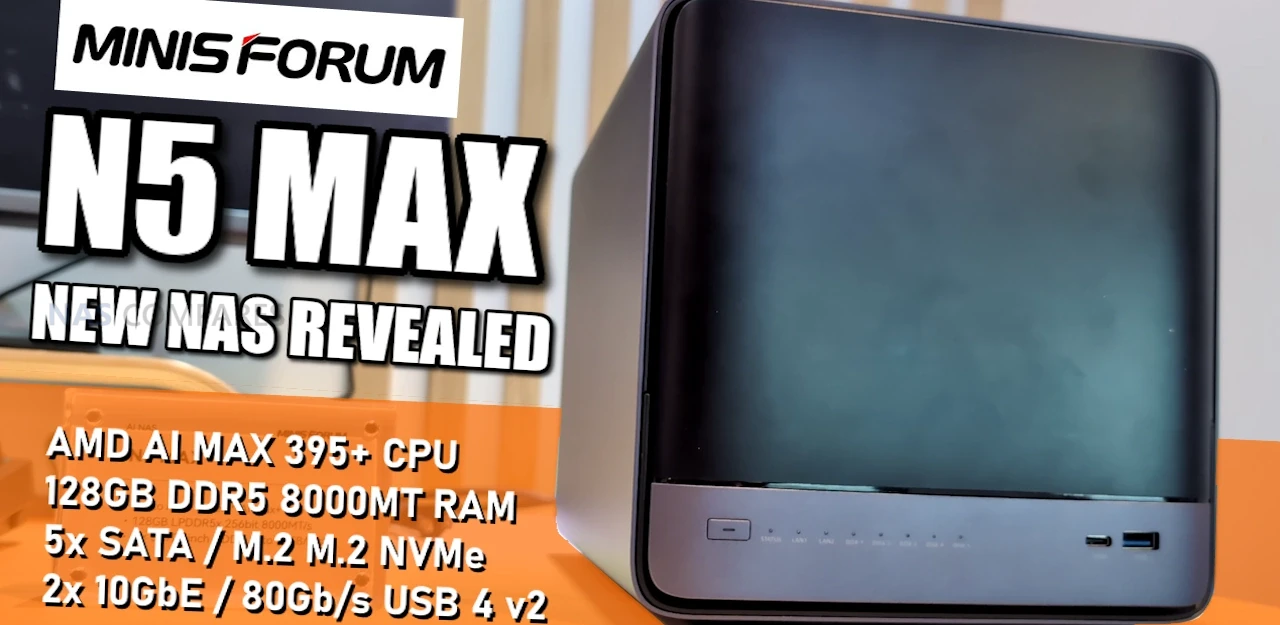
Minisforum New Minisforum N5 Max and N5 Air NAS Revealed
Minisforum used CES 2026 to extend its 5 bay N5 NAS lineup with 2 new models, the N5 Max and the N5 Air, building on the original N5 and the better known N5 Pro that arrived in Summer 2025. The N5 Pro drew a lot of attention in the small form factor NAS space because it combined a compact 5 drive chassis with higher end AMD mobile silicon, 10 GbE plus 5 GbE networking, and expansion options like OCuLink and a PCIe slot, all in a system that was positioned as approachable for homelab and prosumer storage. That visibility also meant its weaker points were discussed publicly, including practical items such as drive tray security and the use of an external power brick, alongside broader questions about how far the platform could scale without changing the chassis concept.
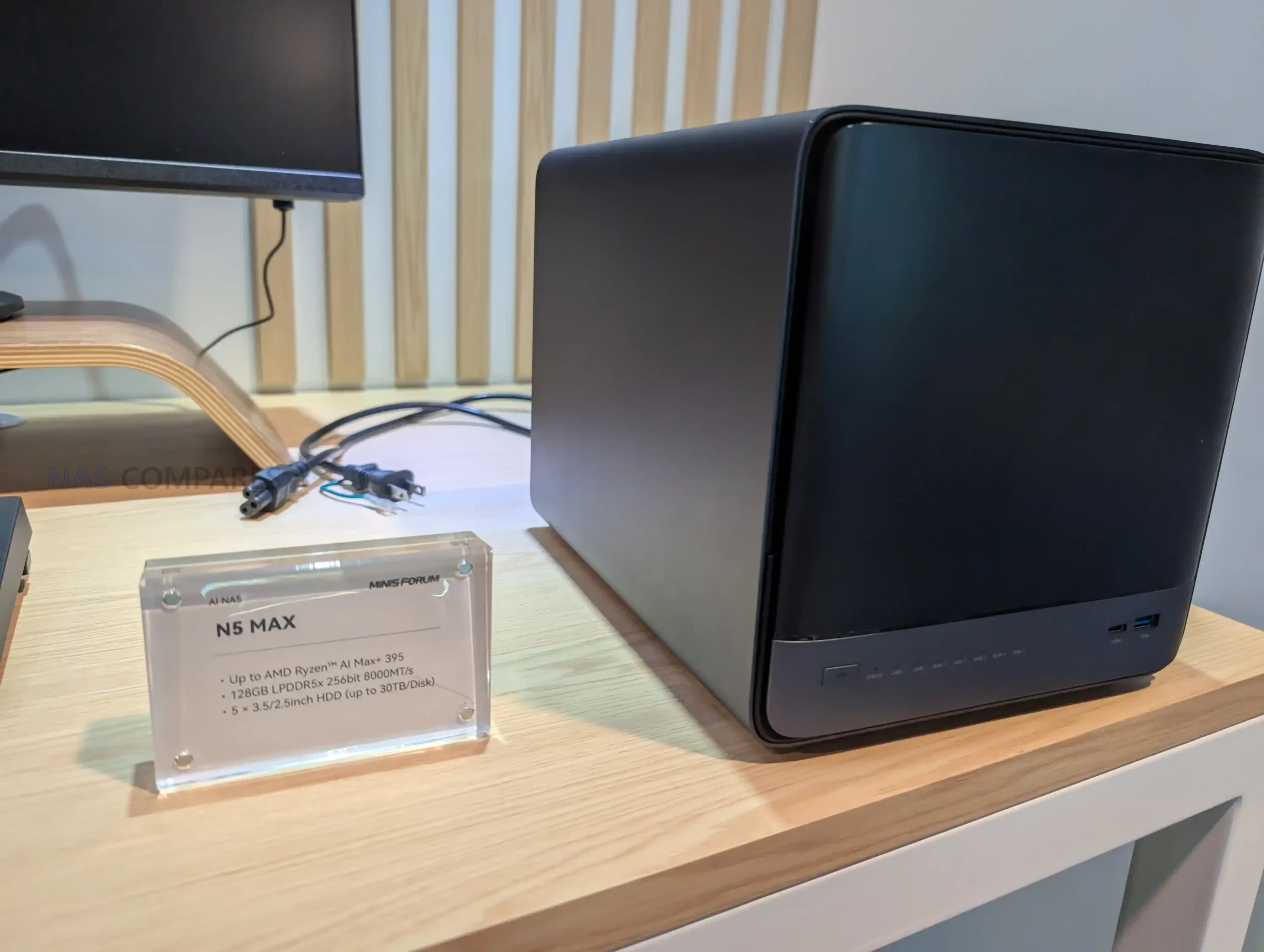
The CES 2026 announcements read as an attempt to answer those conversations while keeping the core N5 identity intact. The N5 Max is framed as the scale up option, keeping the modular approach but shifting to a higher tier CPU platform, moving to 128 GB of onboard LPDDR5x at 8000 MT/s, expanding internal NVMe options, and switching to a built-in 250 W PSU rather than an external adapter. Minisforum also points to a larger internal thermal solution, which fits the idea of sustaining heavier compute and storage workloads. In parallel, the N5 Air effectively replaces the originally positioned base N5, keeping the same overall layout and I/O concept but aiming at a more cost conscious configuration while still retaining features that defined the series, including multi-gig Ethernet and the same general expansion philosophy.
| Category | Minisforum N5 Max | Minisforum N5 Air |
|---|---|---|
| CPU | Up to AMD Ryzen AI Max+ 395 (16C/32T) | AMD Ryzen 7 255 (8C/16T) |
| GPU | Radeon 8060S (per CPU platform) | Radeon 780M |
| NPU / AI | AMD specs: up to 50 TOPS NPU, up to 126 TOPS overall | N/A listed |
| Memory | 128 GB LPDDR5x, 256-bit, 8000 MT/s (soldered) | 2x DDR5 SO-DIMM (non-ECC) |
| SATA bays | 5x 3.5 inch or 2.5 inch SATA 3.0, up to 30 TB each | 5x 3.5 inch or 2.5 inch SATA 3.0, up to 22 TB each |
| NVMe / U.2 storage | 1x M.2 2280 NVMe PCIe 4.0 x4 (capacity listed as “BTB”); 1x M.2 2230/2280 NVMe up to 8 TB PCIe 4.0 x1; 3x M.2 2280 NVMe up to 8 TB each PCIe 4.0 x1 | 1x M.2 2230/2280/22110 NVMe up to 4 TB PCIe 4.0 x1; 1x U.2 or M.2 2280/22110 NVMe up to 15 TB PCIe 4.0 x1; 1x U.2 or M.2 2280/22110 NVMe up to 15 TB PCIe 4.0 x2 |
| Ethernet | 1x 5 GbE (Realtek RTL8126) + 1x 10 GbE (Realtek RTL8127) | 1x 5 GbE (Realtek RTL8126) + 1x 10 GbE (Realtek RTL8127) |
| Rear ports | 1x USB4 (Alt DP 2.0), 1x HDMI 2.1 FRL, 1x OCuLink, 1x USB 3.2 Gen 2, 1x USB 2.0 | 1x USB4 (Alt DP 2.0), 1x HDMI 2.1 FRL, 1x OCuLink, 1x USB 3.2 Gen 2, 1x USB 2.0 |
| Front ports | 1x USB4 (Alt DP 2.0), 1x USB 3.2 Gen 2 | 1x USB4 (Alt DP 2.0), 1x USB 3.2 Gen 2 |
| Internal expansion | 1x PCIe x16 slot (PCIe 4.0 x4), 1x USB 3.2 Gen 2 header/port | 1x PCIe x16 slot (PCIe 4.0 x4), 1x USB 3.2 Gen 2 header/port |
| Display notes | HDMI 2.1 (4K 60); USB4 Type-C 40 Gbps (Alt DP 2.0); USB4 v2 Type-C 80/120 Gbps (Alt DP 2.0) | HDMI up to 8K 60 Hz or 4K 144 Hz; USB4 up to 8K 60 Hz or 4K 144 Hz |
| Audio | Via HDMI and Type-C (Alt DP) | Via HDMI and USB4 |
| Power | Built-in 250 W PSU; secondary input USB-C PD 140 W (20 V 7 A) | DC 5525, 19 V 14.73 A, 280 W |
| OS listed | Linux, Windows 11 | MinisCloud OS, Windows 11 Pro, Linux |
| Size | 199 x 202.4 x 252.3 mm | 199 x 202 x 252 mm class |
Minisforum N5 Max and N5 Air NAS Design & Storage
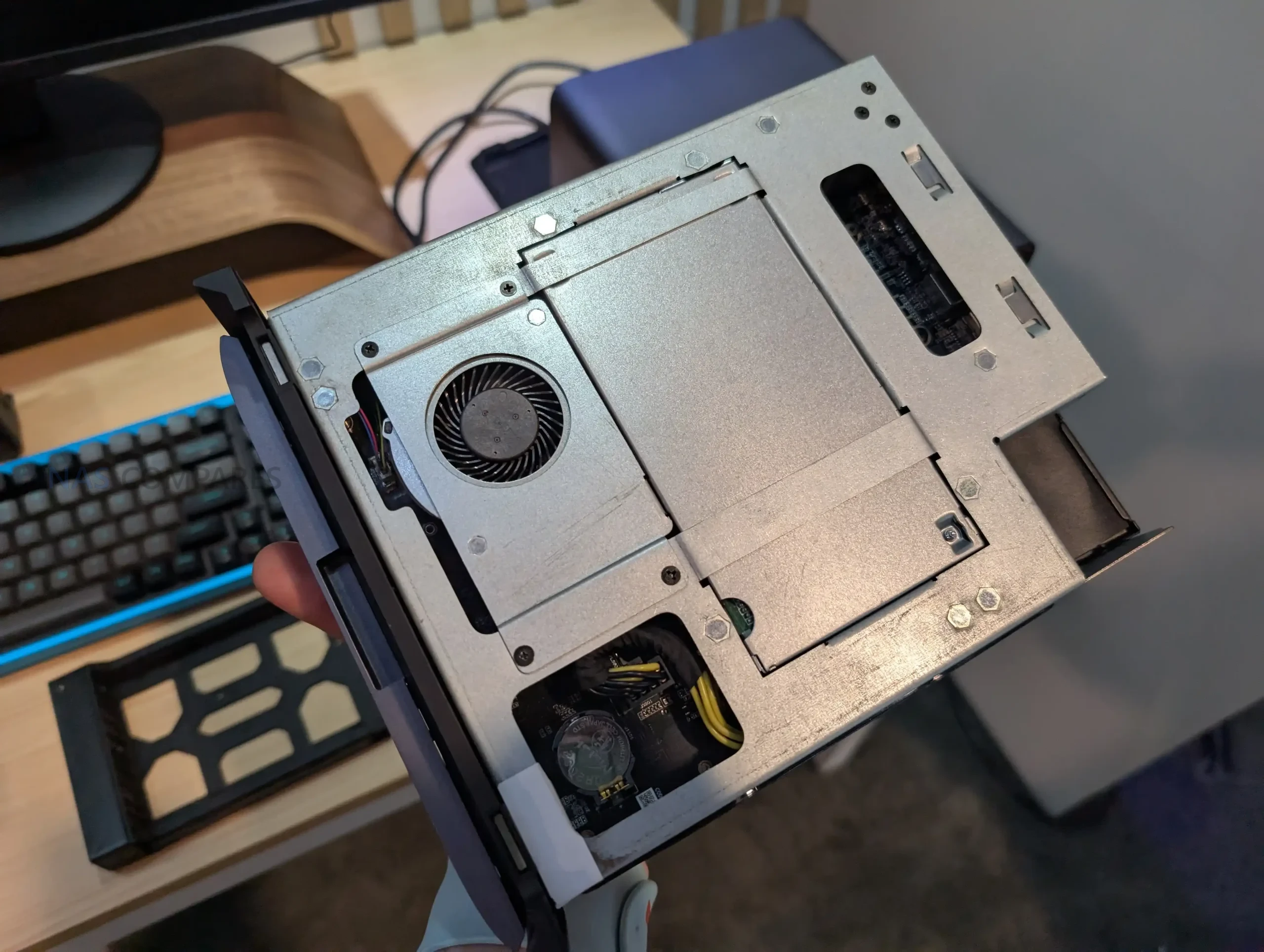
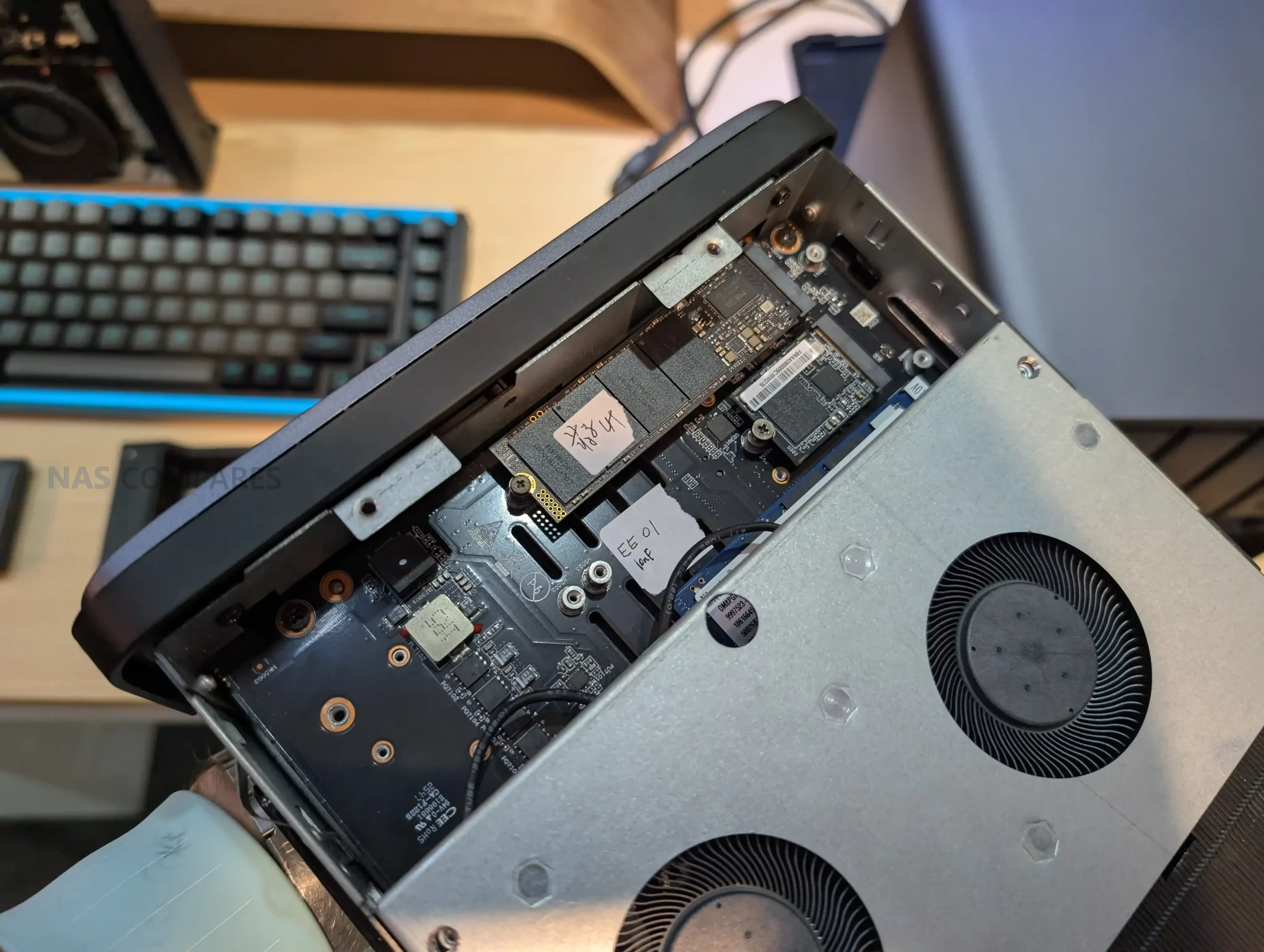
Across the N5 family, the core physical concept remains a compact 5 bay enclosure designed around 3.5 inch or 2.5 inch SATA drive trays, with the internal platform arranged to keep compute, cooling, and expansion in a relatively dense footprint. The N5 Max keeps that same overall direction but applies several practical design revisions that align with feedback around the earlier models. One visible change is the inclusion of lockable drive trays, addressing a small but commonly noted omission on the original implementation. Minisforum also continues to lean into a modular internal layout, where key components and storage areas are organized around a pull-out or service-friendly mechanism rather than a fully fixed internal frame.
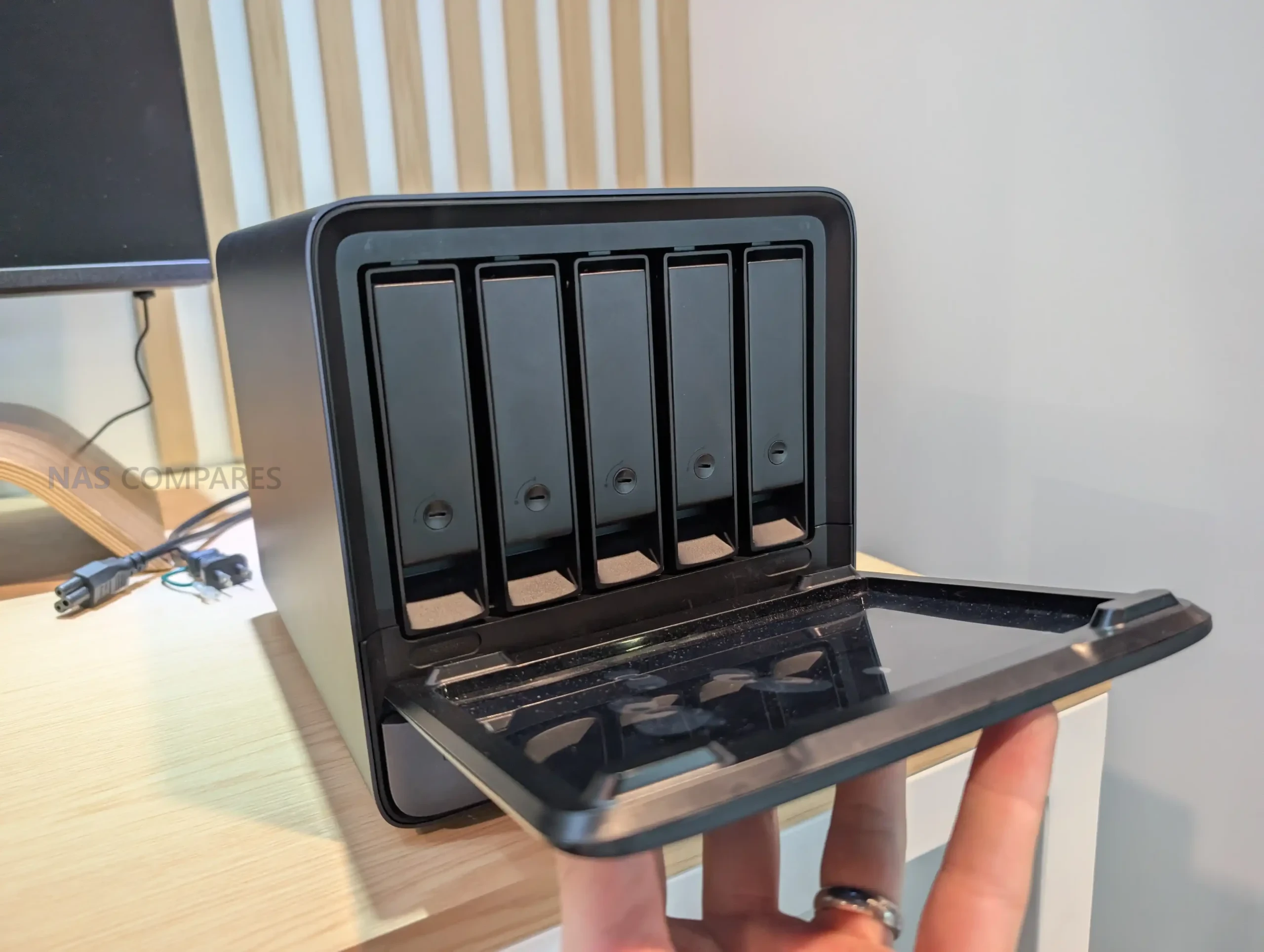
For bulk storage, the N5 Max increases the stated per-bay ceiling to 30 TB per drive across its 5 SATA bays, compared with 22 TB per drive on the N5 Air, N5 Pro, and original N5 specifications. In practical terms, that suggests the Max is being positioned for higher raw capacity targets without changing the 5 bay limit, which keeps it in the same general footprint category as the earlier systems. The N5 Air retains the same 5 bay arrangement and chassis approach as the prior N5 tier, intended to preserve the basic storage layout while shifting the internal bill of materials. The N5 Pro and N5 remain closely aligned on the SATA side, both being specified for 5 bays and the same 22 TB per disk guidance (realistically, this is just a compatibility on HDDs that needs updating on the docs!).
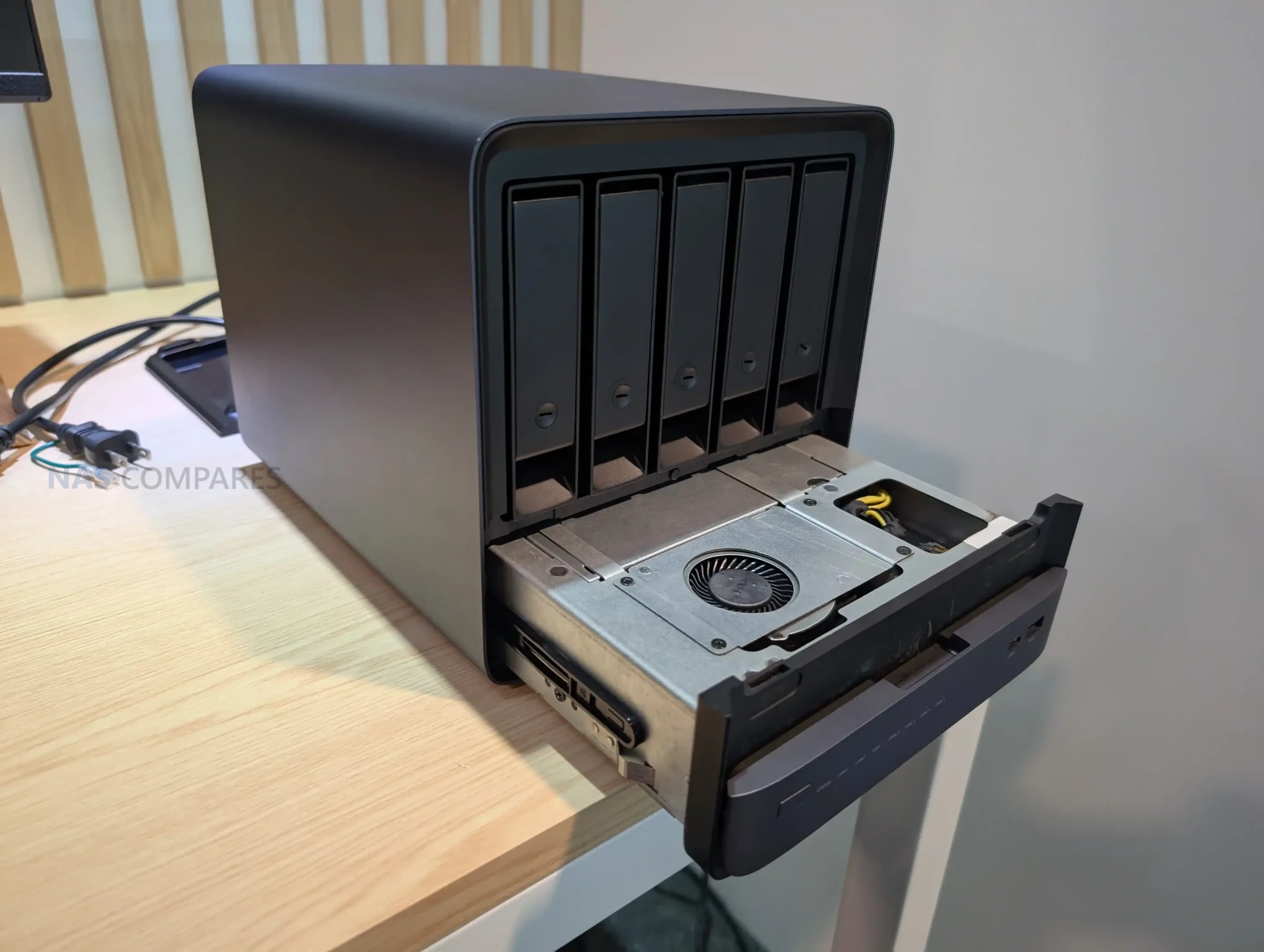
The larger differentiation in this generation is on flash storage density and placement. The N5 Pro and original N5 were defined by a mix of 1 standard M.2 slot and 2 additional high capacity NVMe positions that could be populated via U.2 or longer M.2 formats, allowing up to 15 TB on those larger bays depending on configuration. The N5 Air keeps that general storage strategy, with an M.2 slot plus 2 NVMe positions that can be used as U.2 or longer M.2, including a PCIe 4.0 x2 lane allocation on 1 of those slots. The N5 Max shifts the emphasis toward multiple M.2 placements instead, listing 5 total NVMe positions across 2230 and 2280 formats with PCIe 4.0 lanes spread between x4 and multiple x1 links, and also highlighting that the additional NVMe options are split across both sides of the internal assembly rather than being confined to a single board-facing area.
Minisforum N5 Max and N5 Air Internal Hardware
The main divider between these systems is the compute platform. The N5 Max moves to an AMD Ryzen AI Max+ 395, a 16 core, 32 thread Zen 5 processor with boost up to 5.1 GHz and a default 55 W TDP, with configurable TDP listed at 45 to 120 W. It also integrates Radeon 8060S graphics with 40 compute units and advertises an AI engine capability up to 126 TOPS overall, including up to 50 TOPS on the NPU. By comparison, the N5 Air is specified with an AMD Ryzen 7 255 and Radeon 780M graphics, matching the original N5 tier orientation rather than the higher end Pro or Max positioning. The earlier N5 Pro used an AMD Ryzen AI 9 HX PRO 370, pairing a higher class CPU with Radeon 890M graphics and an NPU rating up to 50 TOPS, while the original N5 stayed in the Ryzen 7 255 class without an NPU listed.
 |
 |
Memory design is also handled differently across the lineup. The N5 Max is specified with 128 GB of LPDDR5x on a 256-bit interface running at 8000 MT/s, and it is described as soldered rather than socketed. That approach fixes capacity at the factory but aligns with the CPU platform’s native support for LPDDR5x-8000 and the 128 GB maximum in AMD’s published specifications. The N5 Pro and original N5 both used 2 DDR5 SO-DIMM slots with a stated ceiling of 96 GB at up to 5600 MT/s, with the key difference being ECC support on the N5 Pro and non-ECC on the N5. The N5 Air follows the same SO-DIMM approach and is specified as non-ECC, aligning it more closely with the original N5 than the N5 Pro.
 |
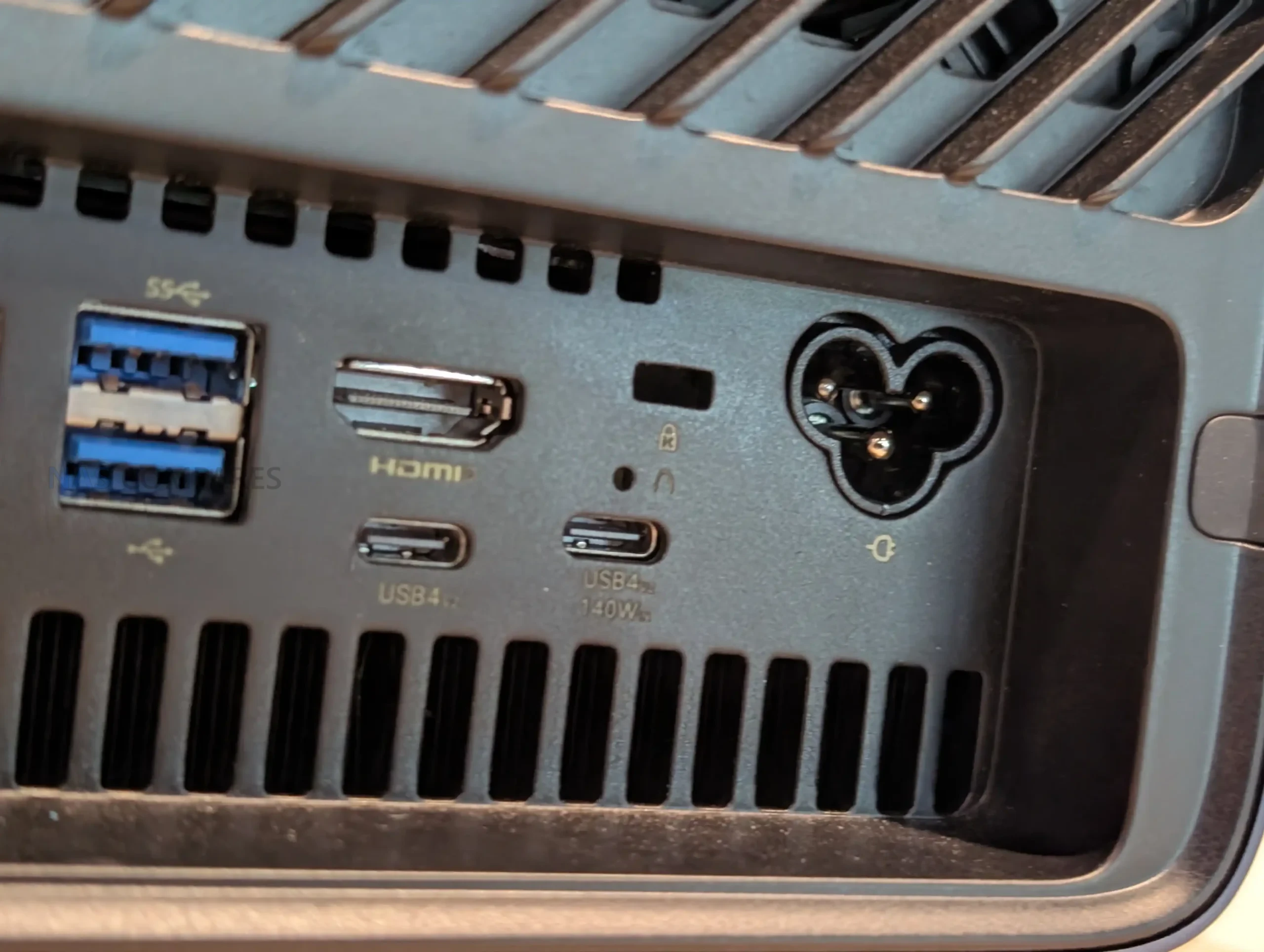 |
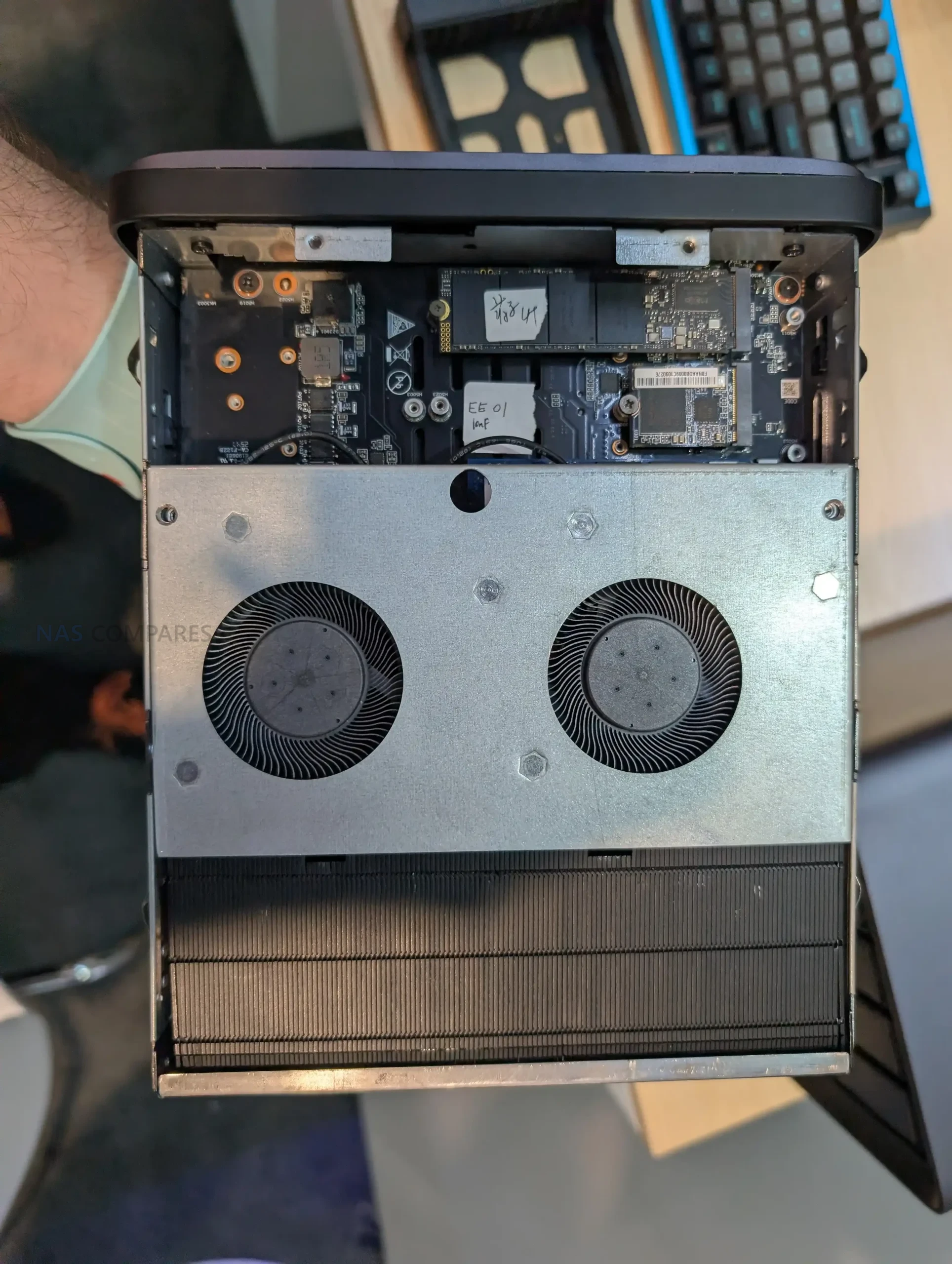
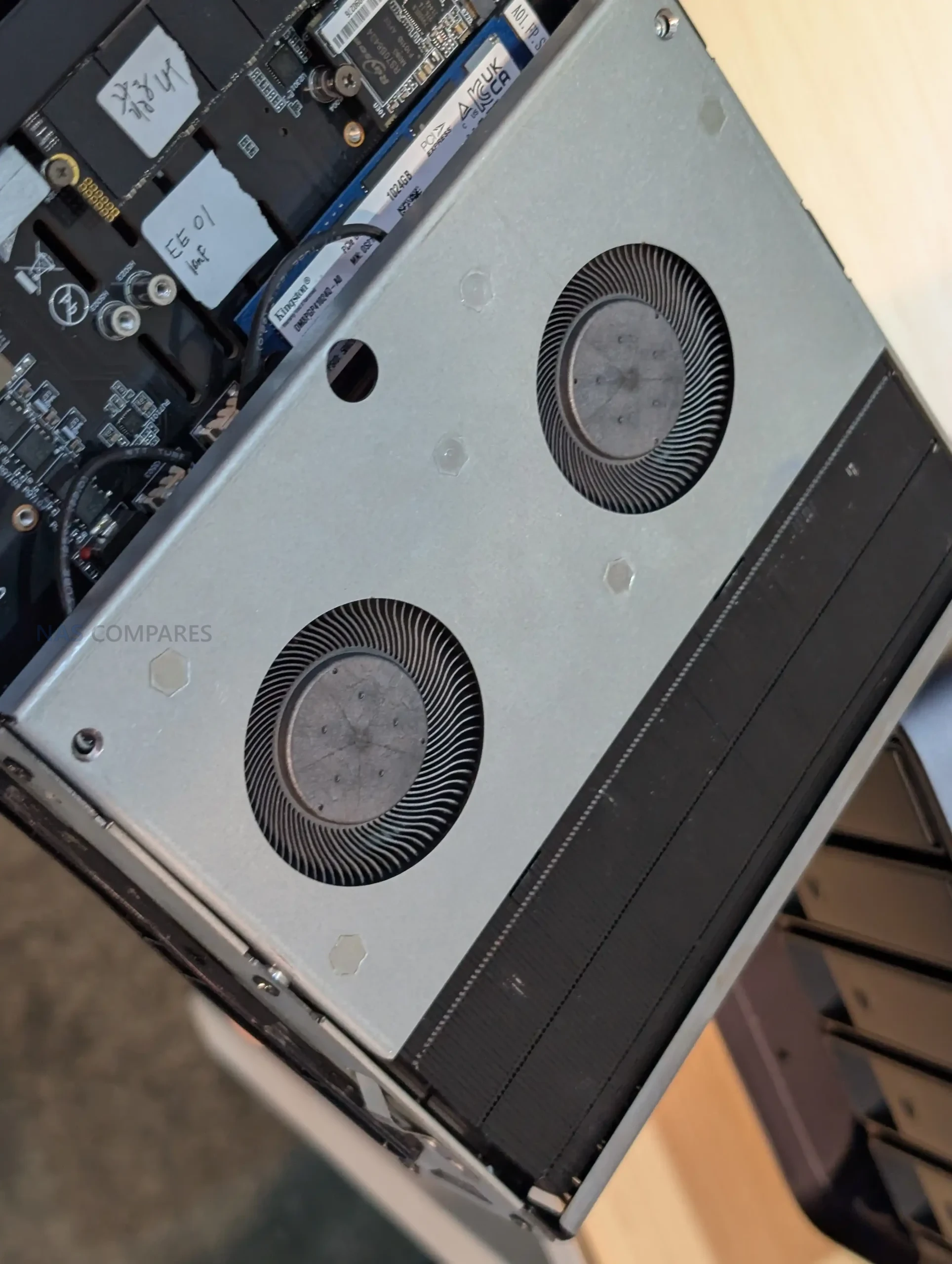
Power delivery and thermals are presented as a direct area of revision on the N5 Max. It is specified with a built-in 250 W PSU, replacing the external power brick approach used on the N5 Air, N5 Pro, and original N5, which are listed with a DC 5525 19 V 14.73 A 280 W adapter. The N5 Max also adds a secondary power input option via USB-C PD at up to 140 W (20 V 7 A), which is described separately from the internal PSU. On cooling, the N5 Max is described as having a larger heatsink and a scaled-up cooling solution compared with earlier N5 designs, positioned to better match the higher tier CPU platform and the denser NVMe configuration.
Minsforum N5 Max and N5 Air – Ports and Connections
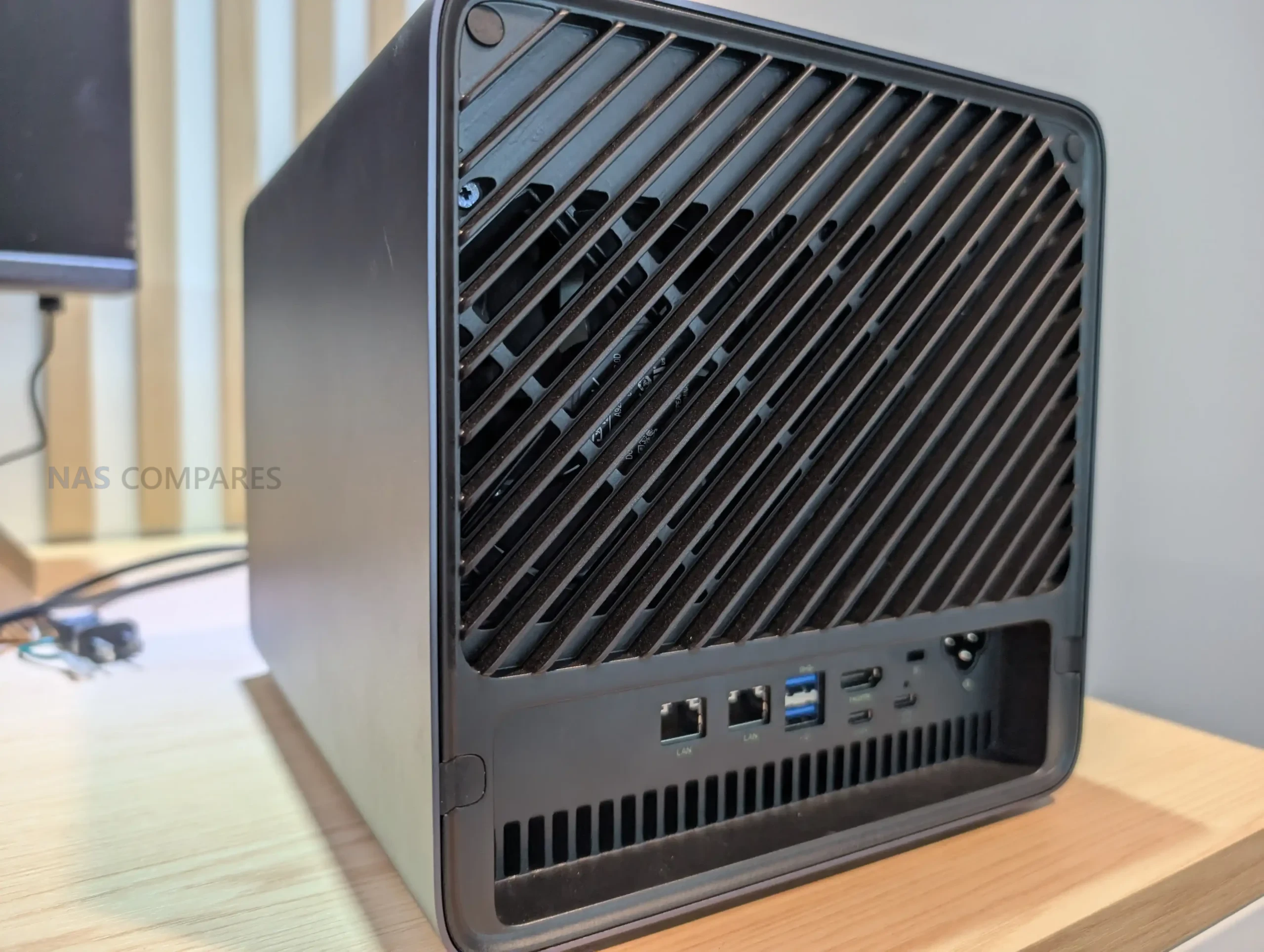
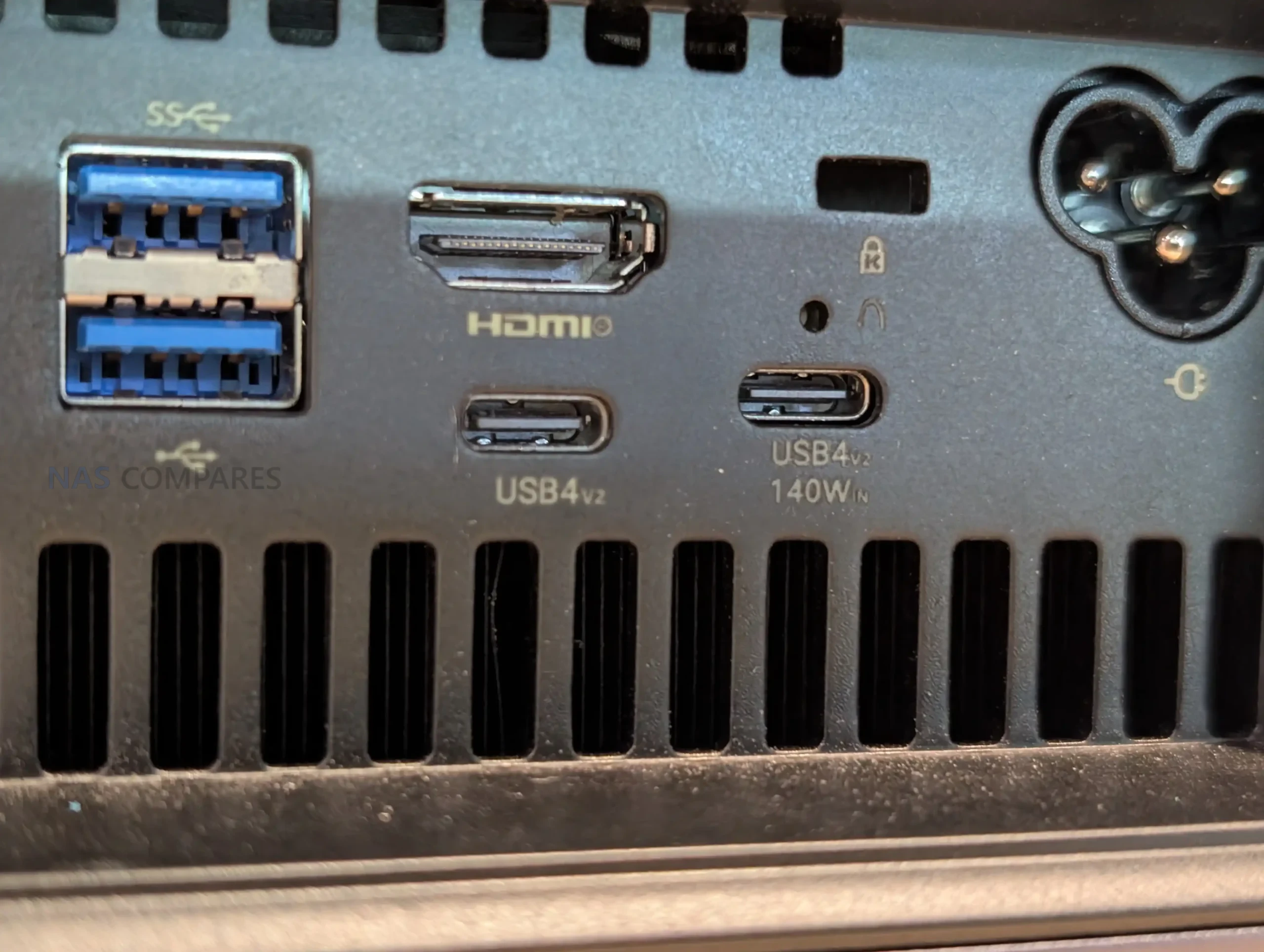
Minisforum keeps a consistent external I/O layout across the N5 family, centered on a mix of high speed USB, direct display output, and storage or expansion links. The N5 Max and N5 Air are both listed with a rear HDMI 2.1 FRL output and USB4 Type C that supports DisplayPort Alt Mode (DP 2.0). Both also retain OCuLink on the rear, which is typically used for attaching external PCIe storage or expansion hardware, plus additional USB ports split between rear and front for local peripherals and service access. Audio output is handled through HDMI and USB-C DisplayPort Alt Mode rather than separate analog jacks.
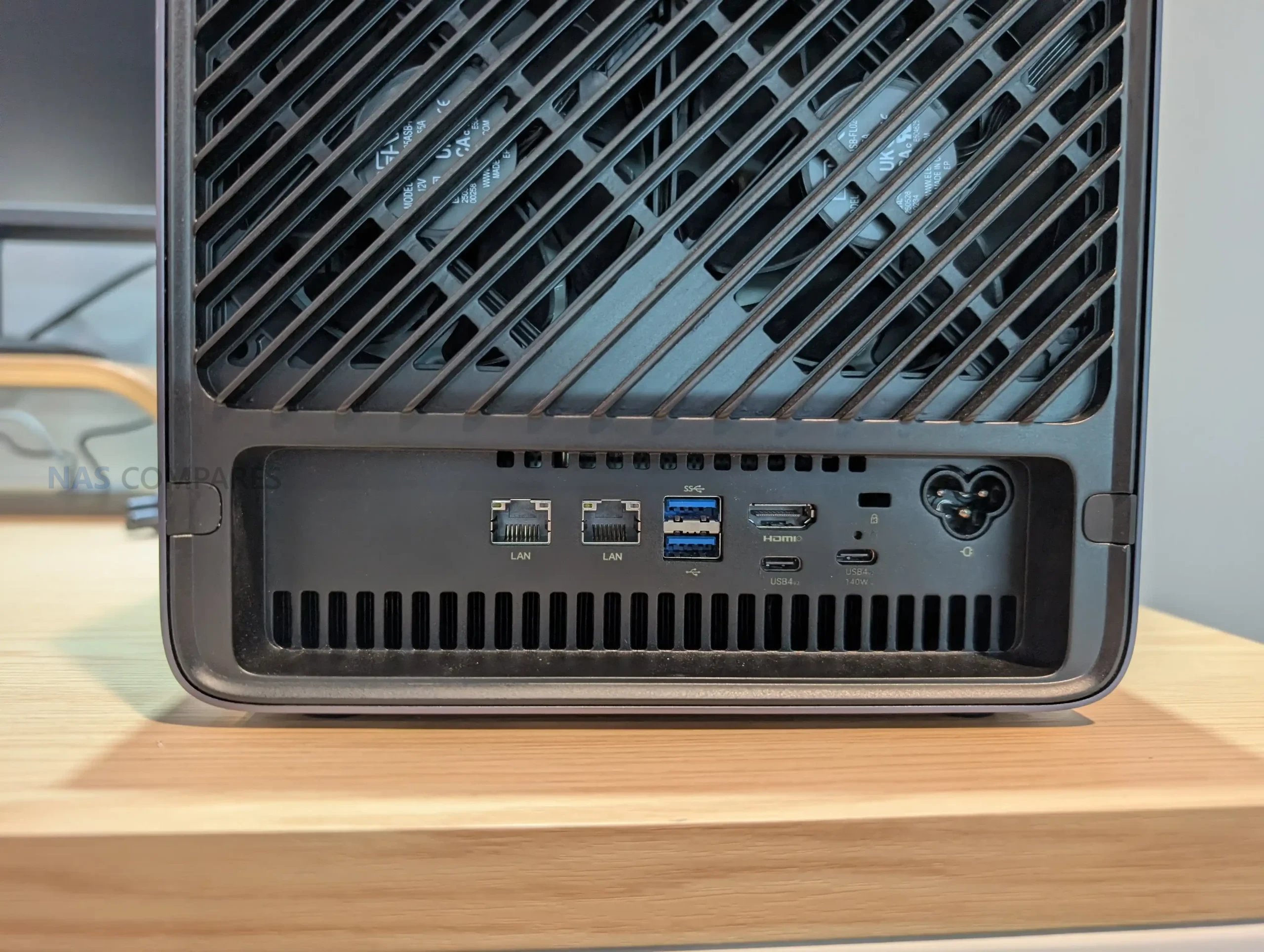
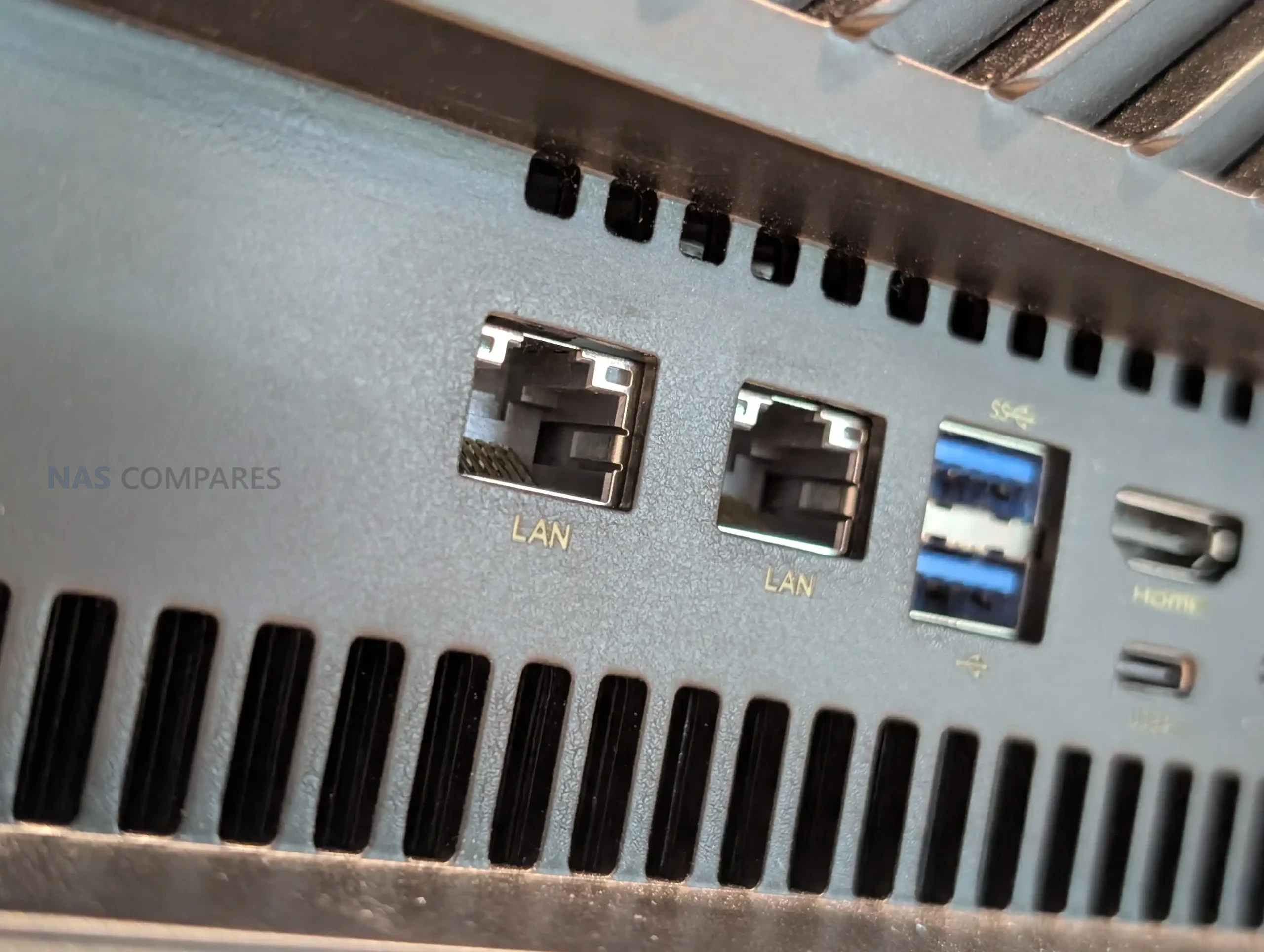
Networking is positioned as a key feature, but the exact N5 Max configuration depends on which source you reference. The show floor description referenced 2 copper 10 GbE ports, while the specification set provided lists 1x 10 GbE (Realtek RTL8127) and 1x 5 GbE (Realtek RTL8126). The N5 Air matches the broader series approach with 1x 10 GbE (Realtek RTL8127) plus 1x 5 GbE (Realtek RTL8126). For the earlier N5 Pro and N5, the published configuration is also dual ports at 10 GbE plus 5 GbE, with the 10 GbE module listed as Marvell AQtion AQC113 and the 5 GbE module as Realtek RTL8126. Functionally, all of these configurations target multi-gig wired networking for faster client access, direct workstation links, or higher throughput to a switch.
USB4 capability is another differentiator on the N5 Max. The general port list shows USB4 on both the front and rear panels, while the additional connectivity notes for the Max indicate a combination of 2x USB4 v2 Type C ports capable of 80 Gbps or 120 Gbps operation, plus 1x USB4 Type C at 40 Gbps. Alongside USB4, the rear I/O includes USB 3.2 Gen 2 and USB 2.0, and the front adds another USB 3.2 Gen 2. Internally, all the N5 variants listed include a PCIe x16 physical slot wired for PCIe 4.0 x4, plus an internal USB 3.2 Gen 2 header or port, keeping the option open for add-in cards or internal devices without relying only on external ports.
Specification
Minisforum N5 Max
-
LAN: 1x 10 GbE (RTL8127) + 1x 5 GbE (RTL8126) listed, 2x 10 GbE described in show floor discussion
-
Rear: 1x USB4 (Alt DP 2.0), 1x HDMI 2.1 FRL, 1x OCuLink, 1x USB 3.2 Gen 2, 1x USB 2.0
-
Front: 1x USB4 (Alt DP 2.0), 1x USB 3.2 Gen 2
-
Internal: 1x PCIe x16 slot (PCIe 4.0 x4), 1x USB 3.2 Gen 2 header/port
-
Video notes: HDMI 2.1 (4K 60), USB4 Type C 40 Gbps (Alt DP 2.0), USB4 v2 Type C up to 80/120 Gbps (Alt DP 2.0)
Minisforum N5 Air
-
LAN: 1x 10 GbE (RTL8127) + 1x 5 GbE (RTL8126)
-
Rear: 1x USB4 (Alt DP 2.0), 1x HDMI 2.1 FRL, 1x OCuLink, 1x USB 3.2 Gen 2, 1x USB 2.0
-
Front: 1x USB4 (Alt DP 2.0), 1x USB 3.2 Gen 2
-
Internal: 1x PCIe x16 slot (PCIe 4.0 x4), 1x USB 3.2 Gen 2 header/port
-
Video notes: HDMI up to 8K 60 Hz or 4K 144 Hz, USB4 up to 8K 60 Hz or 4K 144 Hz
Minsforum N5 Max vs N5 Air vs N5 Pro NAS
For a straightforward view of where the lineup sits now, I compare the N5 Max, N5 Air, and the earlier N5 Pro side by side because they represent the clearest tiering of the platform. The N5 Max is the top spec option, built around the Ryzen AI Max+ 395 and a fixed 128 GB LPDDR5x-8000 memory configuration, with a built-in 250 W PSU and a storage layout that shifts toward multiple M.2 slots alongside the 5 SATA bays. The N5 Air stays closer to the original N5 concept with a Ryzen 7 255 and 2 DDR5 SO-DIMM slots (non-ECC), while keeping the same general chassis approach, dual multi-gig networking, and the same style of rear I/O and expansion features. The N5 Pro remains the point of reference from Summer 2025 because it pairs a higher tier Ryzen AI 9 HX PRO 370 with 2 DDR5 SO-DIMM slots that support ECC, while retaining the same 5 bay layout and the same overall connectivity concept. Where there are spec conflicts in early CES coverage, such as how many 10 GbE ports the N5 Max ultimately ships with, I treat the provided spec sheet values as the baseline and note the discrepancy separately.
| Category | Minisforum N5 Max | Minisforum N5 Air | Minisforum N5 Pro |
|---|---|---|---|
| CPU | Up to AMD Ryzen AI Max+ 395 (16C/32T) | AMD Ryzen 7 255 (8C/16T) | AMD Ryzen AI 9 HX PRO 370 (12C/24T) |
| GPU | Radeon 8060S (per CPU platform) | Radeon 780M | Radeon 890M |
| NPU / AI | AMD specs: up to 50 TOPS NPU, up to 126 TOPS overall | N/A listed | Up to 50 TOPS |
| Memory | 128 GB LPDDR5x, 256-bit, 8000 MT/s (soldered) | 2x DDR5 SO-DIMM (non-ECC), up to 96 GB, up to 5600 MT/s | 2x DDR5 SO-DIMM (ECC supported), up to 96 GB, up to 5600 MT/s |
| SATA bays | 5x 3.5 inch or 2.5 inch, up to 30 TB each | 5x 3.5 inch or 2.5 inch, up to 22 TB each | 5x 3.5 inch or 2.5 inch, up to 22 TB each |
| NVMe layout | 5x M.2 total: 1x 2280 PCIe 4.0 x4 (capacity listed as “BTB”), 1x 2230/2280 up to 8 TB PCIe 4.0 x1, 3x 2280 up to 8 TB each PCIe 4.0 x1 | 1x M.2 2230/2280/22110 up to 4 TB PCIe 4.0 x1; 1x U.2 or M.2 2280/22110 up to 15 TB PCIe 4.0 x1; 1x U.2 or M.2 2280/22110 up to 15 TB PCIe 4.0 x2 | 1x M.2 2230/2280/22110 up to 4 TB PCIe 4.0 x1; 1x U.2 or M.2 2280/22110 up to 15 TB PCIe 4.0 x1; 1x U.2 or M.2 2280/22110 up to 15 TB PCIe 4.0 x2 |
| Ethernet | 1x 10 GbE (Realtek RTL8127) + 1x 5 GbE (Realtek RTL8126) listed; show floor discussion referenced 2x 10 GbE | 1x 10 GbE (RTL8127) + 1x 5 GbE (RTL8126) | 1x 10 GbE (AQC113) + 1x 5 GbE (RTL8126) |
| Rear ports | USB4 (Alt DP 2.0), HDMI 2.1 FRL, OCuLink, USB 3.2 Gen 2, USB 2.0 | USB4 (Alt DP 2.0), HDMI 2.1 FRL, OCuLink, USB 3.2 Gen 2, USB 2.0 | USB4 (Alt DP 2.0), HDMI 2.1 FRL, OCuLink, USB 3.2 Gen 2, USB 2.0 |
| Front ports | USB4 (Alt DP 2.0), USB 3.2 Gen 2 | USB4 (Alt DP 2.0), USB 3.2 Gen 2 | USB4 (Alt DP 2.0), USB 3.2 Gen 2 |
| Internal expansion | PCIe x16 slot (PCIe 4.0 x4), USB 3.2 Gen 2 header/port | PCIe x16 slot (PCIe 4.0 x4), USB 3.2 Gen 2 header/port | PCIe x16 slot (PCIe 4.0 x4), USB 3.2 Gen 2 |
| Display notes | Listed: HDMI 2.1 (4K 60); USB4 Type-C 40 Gbps; USB4 v2 Type-C 80/120 Gbps (Alt DP 2.0) | HDMI up to 8K 60 Hz or 4K 144 Hz; USB4 up to 8K 60 Hz or 4K 144 Hz | HDMI up to 8K 60 Hz or 4K 144 Hz; USB4 up to 8K 60 Hz or 4K 144 Hz |
| Power | Built-in 250 W PSU; secondary input USB-C PD 140 W (20 V 7 A) | DC 5525, 19 V 14.73 A, 280 W | DC 5525, 19 V 14.73 A, 280 W |
| OS listed | Linux, Windows 11 | MinisCloud OS, Windows 11 Pro, Linux | MinisCloud OS, Windows 11 Pro, Linux |
| Size | 199 x 202.4 x 252.3 mm | 199 x 202 x 252 mm class | 199 x 202 x 252 mm |
Minsforum N5 Max and N5 Air – Conclusion
Taken together, the CES 2026 updates split the N5 lineup into clearer tiers than before. The N5 Max is positioned as the upper configuration, combining a higher class CPU platform with a fixed 128 GB memory design and a stronger emphasis on internal NVMe density. The N5 Air sits closer to the original N5 tier in processor class and upgrade flexibility, while keeping the same general chassis direction and expansion approach that defined the earlier models. The practical tradeoffs follow from those choices. The N5 Max concentrates capability into a more integrated build, which can simplify ownership but reduces user control over memory configuration and may increase base cost due to the included LPDDR5x. The N5 Air, N5 Pro, and original N5 retain socketed DDR5 and a more traditional external power arrangement, which can be easier to service or adjust over time. The series overall remains defined by a compact 5 bay layout paired with multi-gig networking and expansion options, with the main differences now centered on compute tier, memory strategy, and how far the platform is intended to scale.
🔒 Join Inner Circle
Get an alert every time something gets added to this specific article!
This description contains links to Amazon. These links will take you to some of the products mentioned in today's content. As an Amazon Associate, I earn from qualifying purchases. Visit the NASCompares Deal Finder to find the best place to buy this device in your region, based on Service, Support and Reputation - Just Search for your NAS Drive in the Box Below
Need Advice on Data Storage from an Expert?
Finally, for free advice about your setup, just leave a message in the comments below here at NASCompares.com and we will get back to you. Need Help?
Where possible (and where appropriate) please provide as much information about your requirements, as then I can arrange the best answer and solution to your needs. Do not worry about your e-mail address being required, it will NOT be used in a mailing list and will NOT be used in any way other than to respond to your enquiry.
Need Help?
Where possible (and where appropriate) please provide as much information about your requirements, as then I can arrange the best answer and solution to your needs. Do not worry about your e-mail address being required, it will NOT be used in a mailing list and will NOT be used in any way other than to respond to your enquiry.
 TRY CHAT
Terms and Conditions
TRY CHAT
Terms and Conditions





|
 |


WHERE IS SYNOLOGY DSM 8? and DO YOU CARE? (RAID Room)
UniFi Routers vs OpenWRT DIY Routers - Which Should You Choose?
WHY IS PLEX A BIT S#!t NOW? IS 2026 JELLYFIN TIME? (RAID Room)
Synology FS200T NAS is STILL COMING... But... WHY?
Gl.iNet vs UniFi Travel Routers - Which Should You Buy?
UnifyDrive UP6 Mobile NAS Review
Access content via Patreon or KO-FI
Discover more from NAS Compares
Subscribe to get the latest posts sent to your email.
I cant see a PCIe x16 slot port on the N5 Air, does it have it?
Do you know anything about the expected price if these devices?
Is the 128GB on the Max ECC, though?