

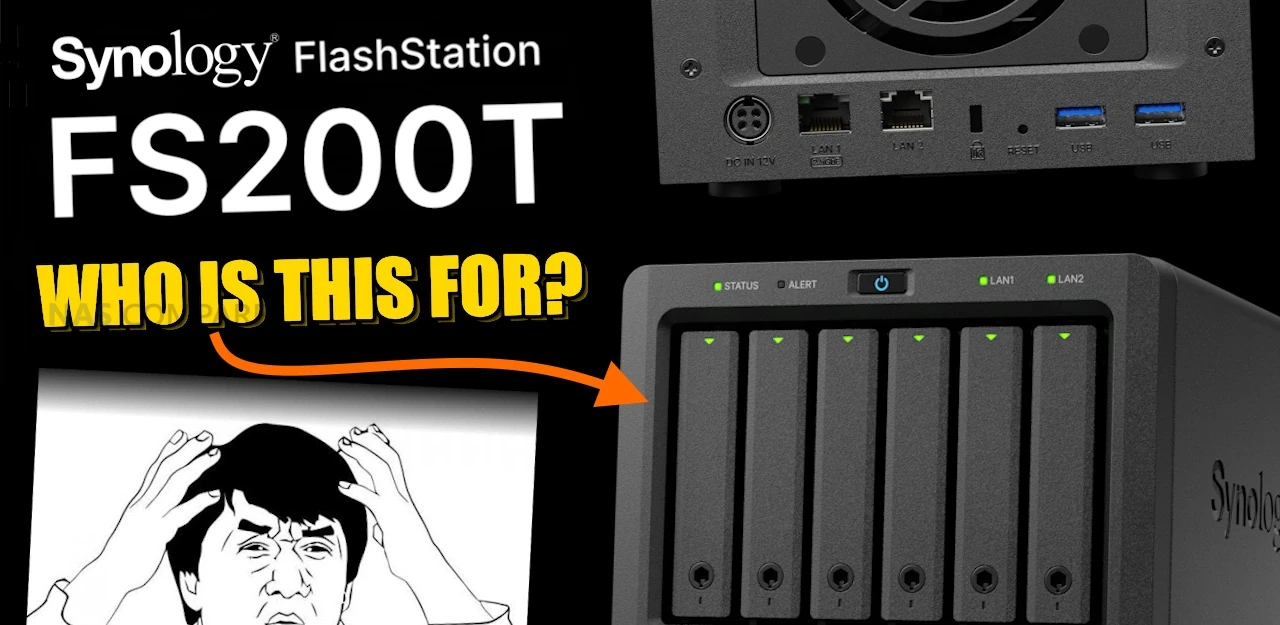
Synology FS200T NAS is STILL A THING! But Is It Too Late?
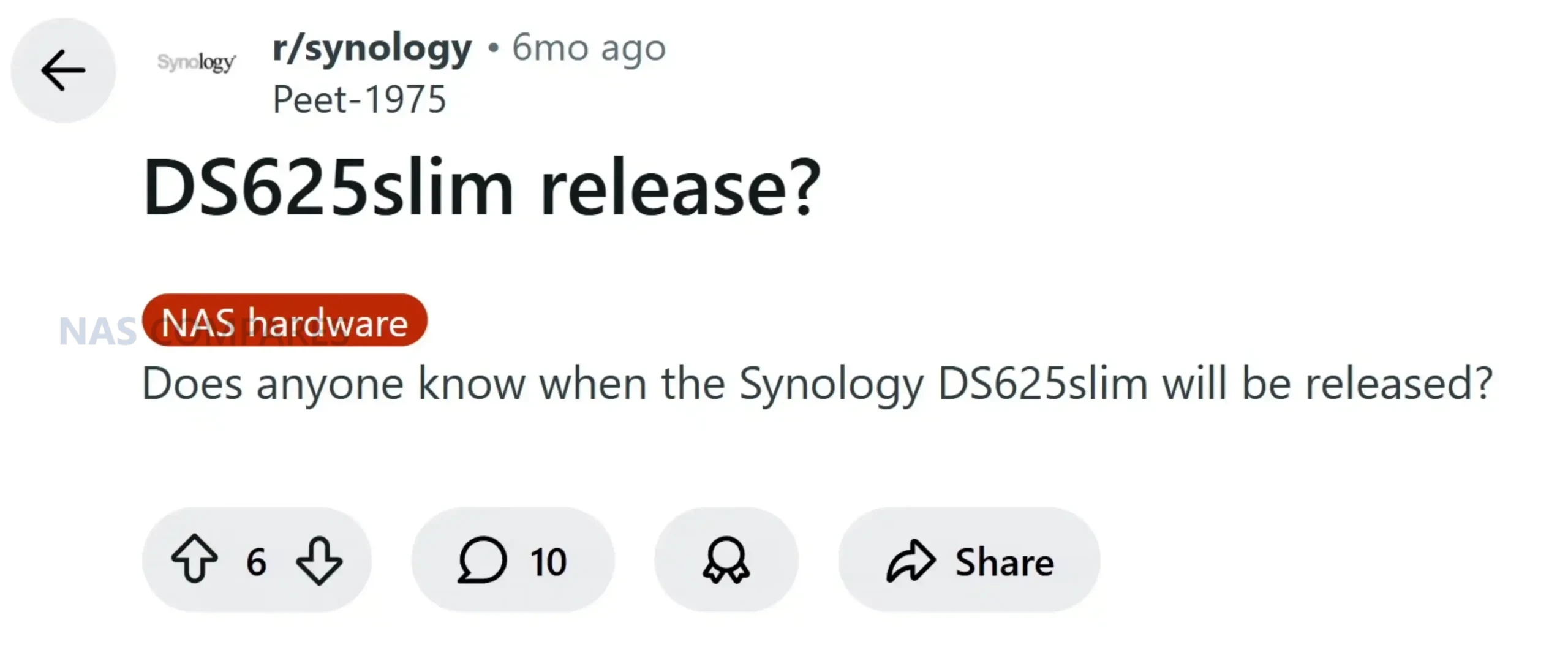
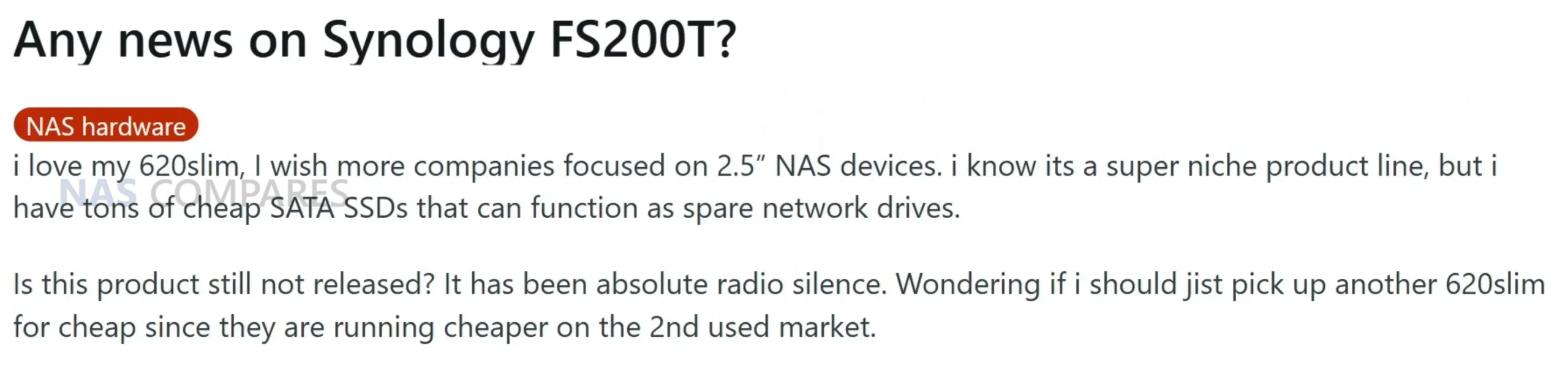
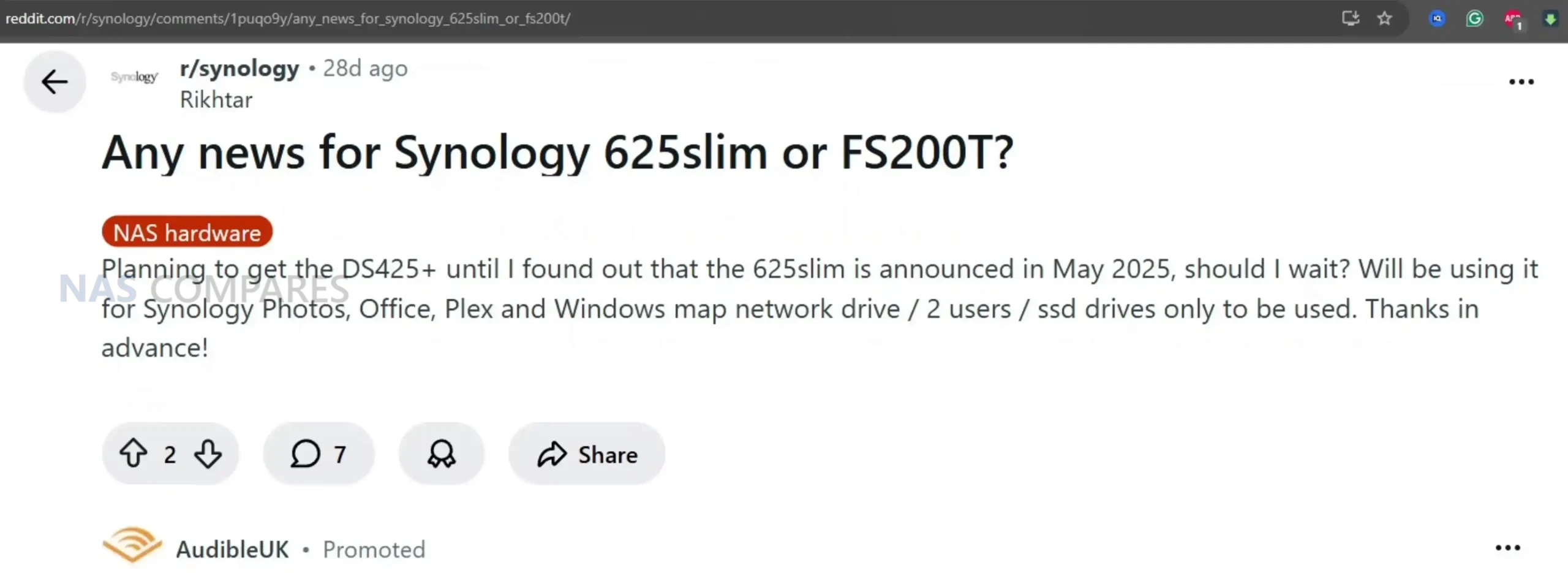
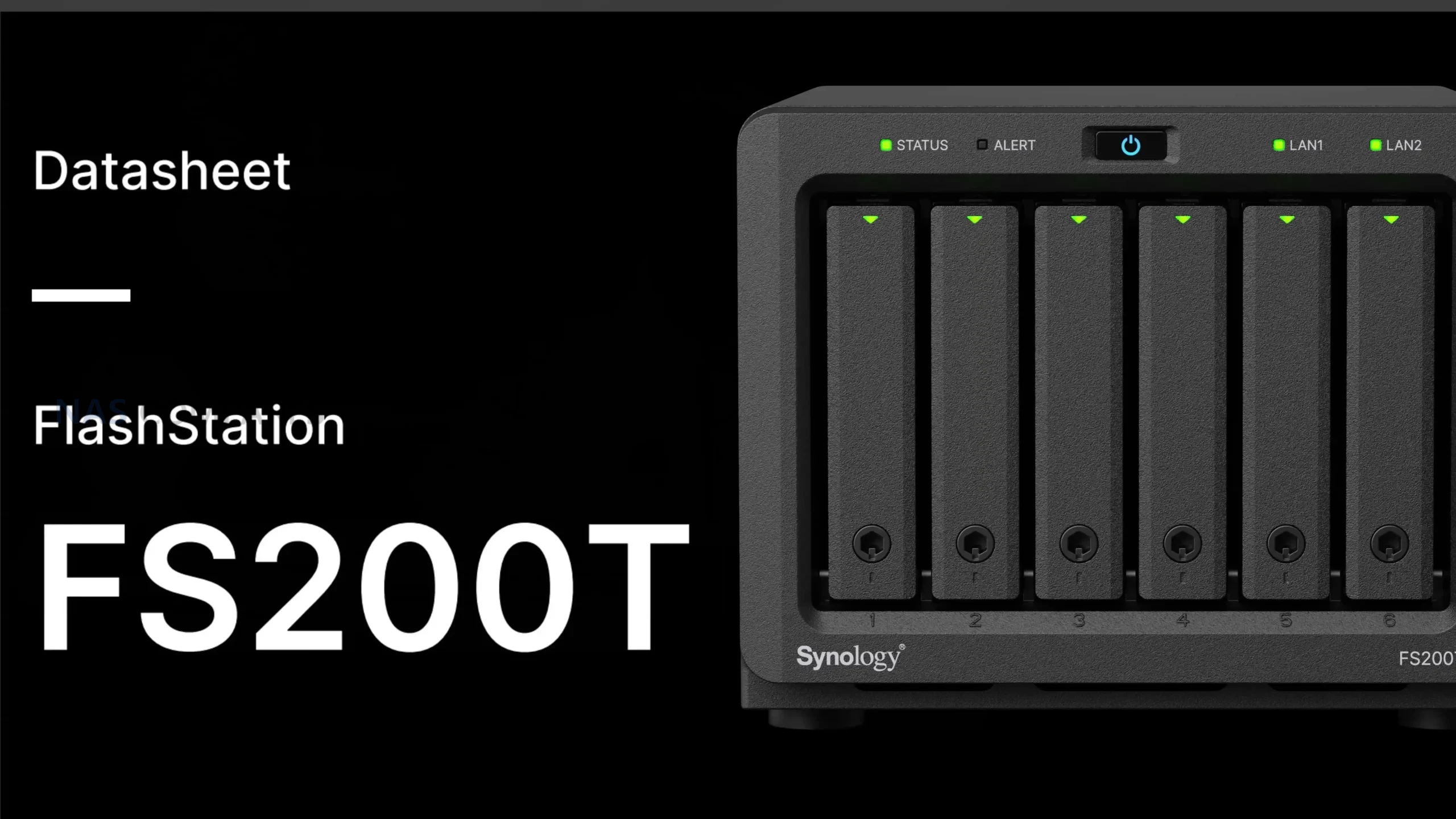
The Synology FlashStation FS200T is a compact 6 bay 2.5 inch NAS that has followed an unusually drawn out and fragmented path to visibility. The device first appeared through semi official leaks in Q1 2025, before being shown more openly at Computex during May and June, giving attendees a first real look at the hardware. After that appearance, public information largely dried up, leading many to assume the system had been delayed indefinitely or quietly cancelled. Interest resurfaced later in 2025 as more complete documentation began to circulate, culminating in a leaked datasheet dated October 16, 2025 that outlined specifications, software capabilities, and Synology’s intended positioning for the device. Despite the lack of an official launch announcement, demand has remained present at a low but steady level, particularly among users who value small, quiet systems and are already invested in the DSM ecosystem. Online discussion has continued across forums and social platforms, with recurring questions around release timing and justification for the product’s existence in a rapidly changing NAS market. The FS200T appears designed to serve a specific niche rather than a broad audience, focusing on an all flash configuration, low acoustic output, and minimal physical footprint. Rather than competing on raw performance or expandability, its purpose is to deliver a responsive, self contained storage platform that runs the full Synology software stack in environments where noise, size, and power consumption matter more than upgrade paths or maximum throughput.
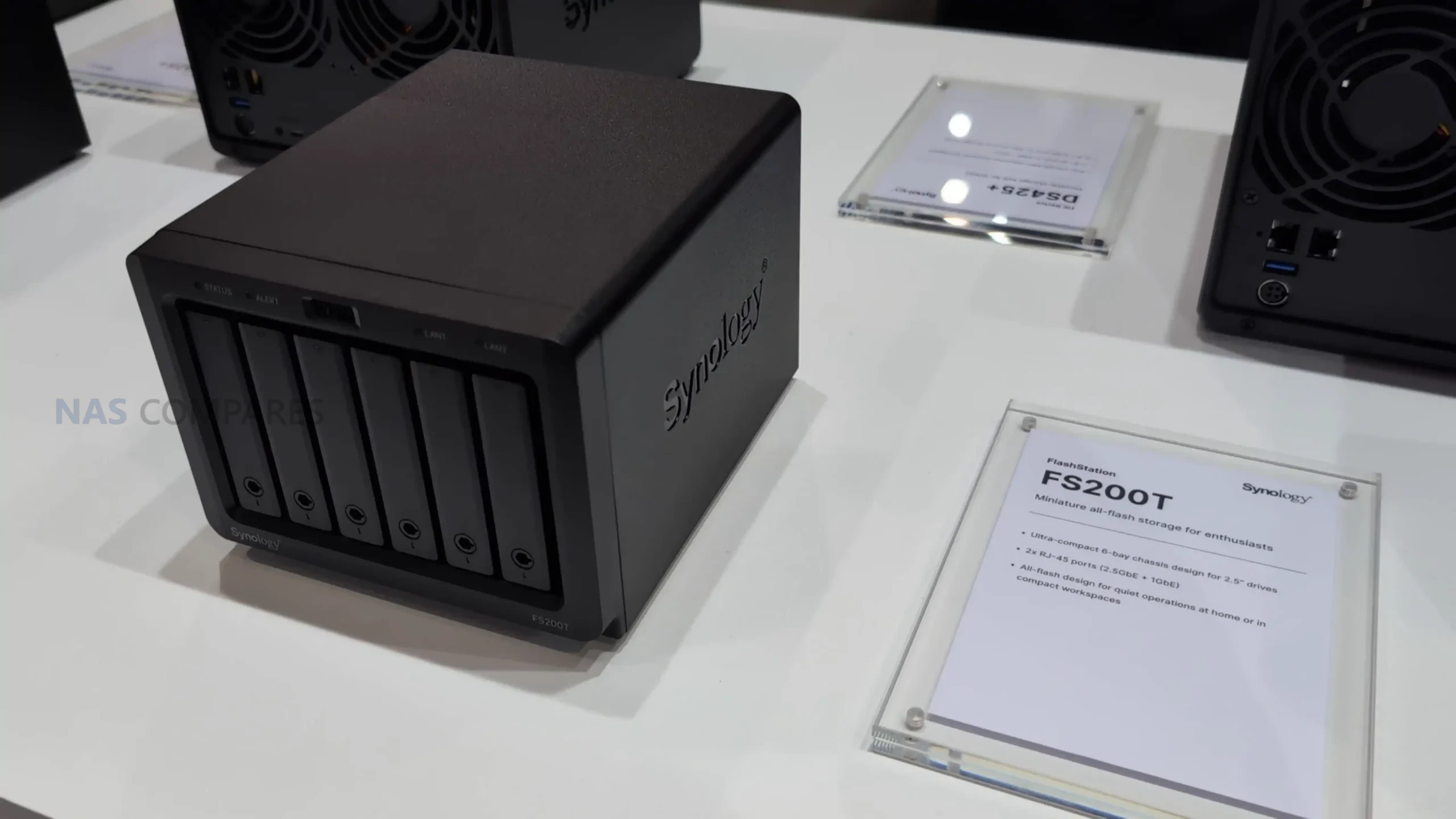
Synology FS200T NAS – Hardware Specifications
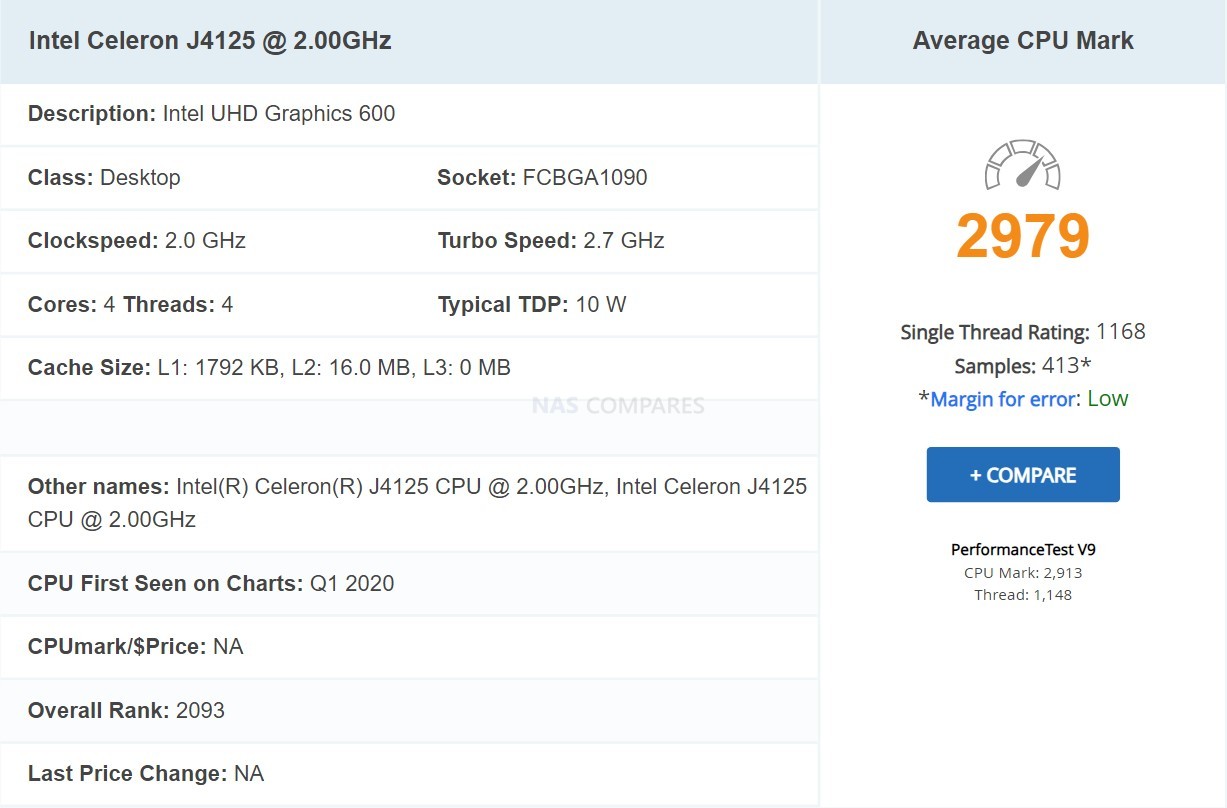
At the heart of the Synology FS200T is the Intel Celeron J4125, a 4 core, 64 bit processor with a 2.0 GHz base clock and a 2.7 GHz turbo ceiling. This is a chip originally released in the 2019 to 2020 timeframe and has been widely deployed across several generations of entry and mid range NAS systems. While it remains serviceable for basic DSM workloads, file services, and light container use, it is increasingly dated by current standards. Intel has since retired this naming convention entirely, shifting its low power roadmap toward newer N series Alder Lake and Twin Lake processors that offer improved efficiency, IPC gains, and more modern media and virtualization capabilities. In that context, the J4125 feels more like a holdover from an earlier design cycle than a deliberate forward looking choice, particularly for a flash focused system introduced in 2026.
The CPU does include a hardware encryption engine, which aligns well with DSM features such as encrypted shared folders, secure snapshots, and HTTPS services. However, expectations around virtualization, AI assisted services, and sustained multi task workloads should remain conservative. Compared with newer low power CPUs, the J4125 lacks the architectural refinements and efficiency improvements that would better justify pairing it with an all flash storage configuration. This choice reinforces the impression that the FS200T is designed around stability and familiarity rather than performance progression.
Memory configuration consists of 4 GB of DDR4 non ECC SODIMM installed by default. The system provides 2 memory slots with an official maximum capacity of 8 GB using 4 GB modules. While sufficient for basic DSM services, backup tasks, and light multi user access, this ceiling quickly becomes restrictive when enabling heavier applications such as Virtual Machine Manager, Synology Drive for multiple users, or container based services. Synology also notes that optimal compatibility and warranty support depend on using official Synology memory, further narrowing flexibility for users who might otherwise attempt more aggressive tuning.
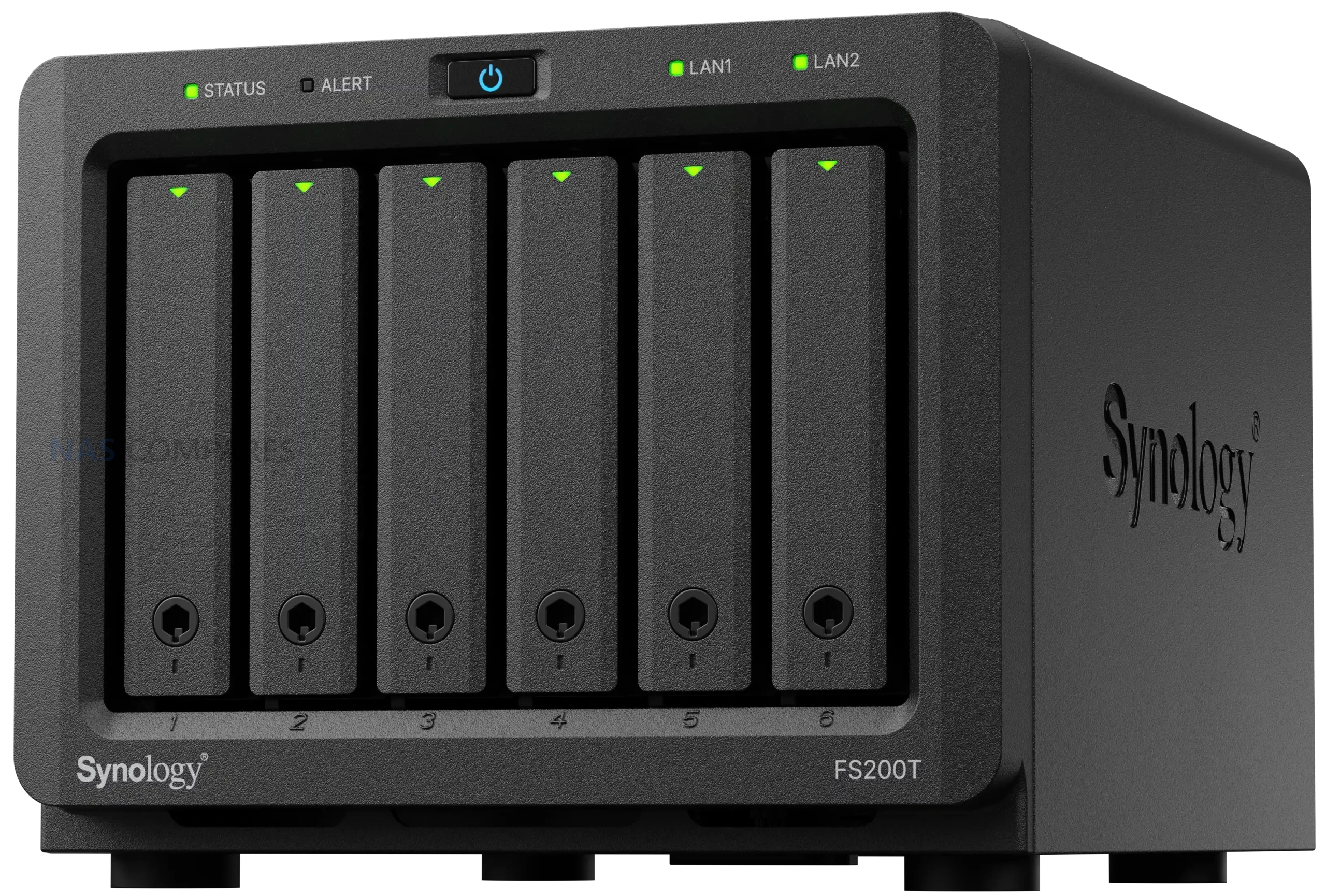
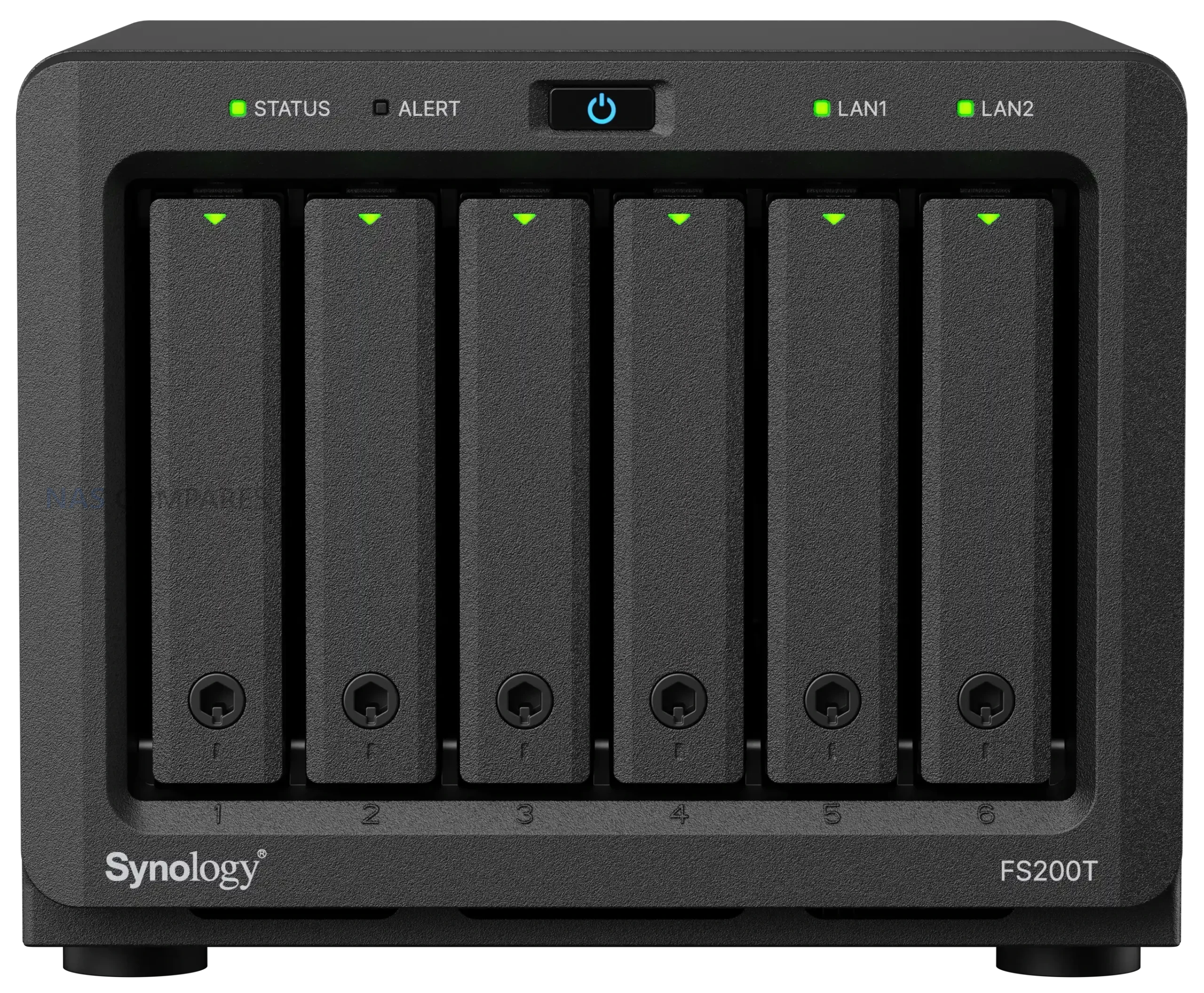
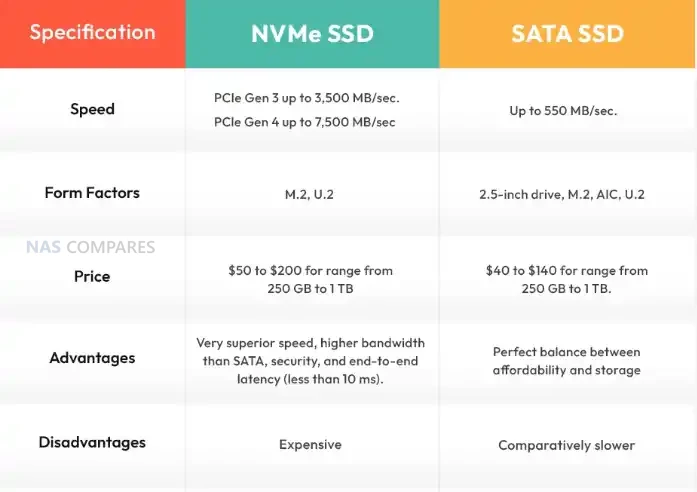
Storage is where the FS200T makes its clearest statement, and also draws its most obvious criticism. The system supports 6 x 2.5 inch SATA SSDs with hot swap capability, and no other internal storage options are listed. There are no M.2 NVMe slots, no cache bays, and no PCIe expansion. In a market where even compact NAS systems increasingly rely on NVMe for primary or cache storage, the exclusive reliance on SATA SSDs feels increasingly out of step. SATA bandwidth limitations mean that even in optimal RAID configurations, the storage subsystem will be constrained long before the SSDs themselves are saturated, particularly when paired with the available network interfaces. This design choice prioritizes compatibility and thermals over performance scalability, but it also places a hard ceiling on what the platform can deliver.
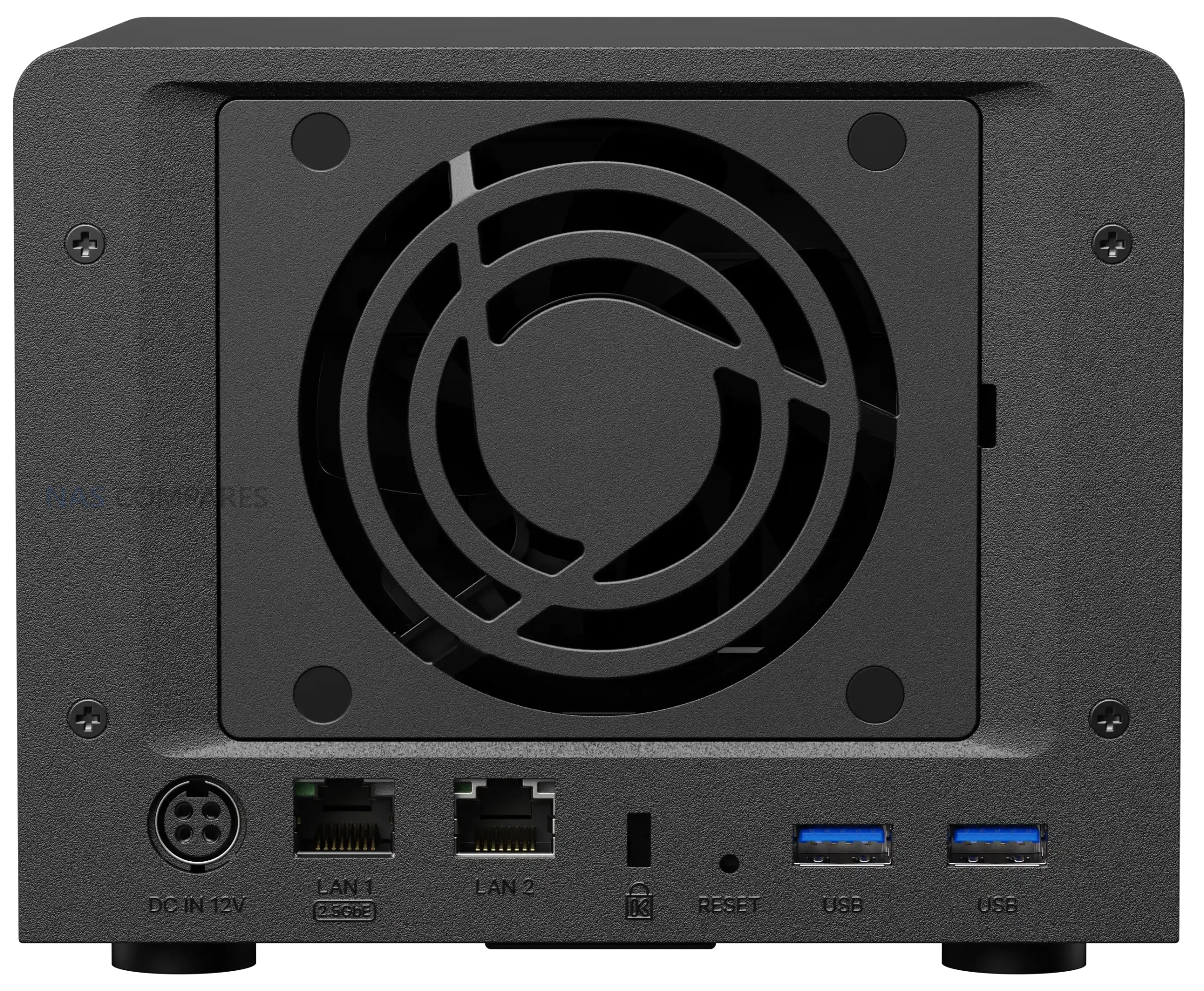
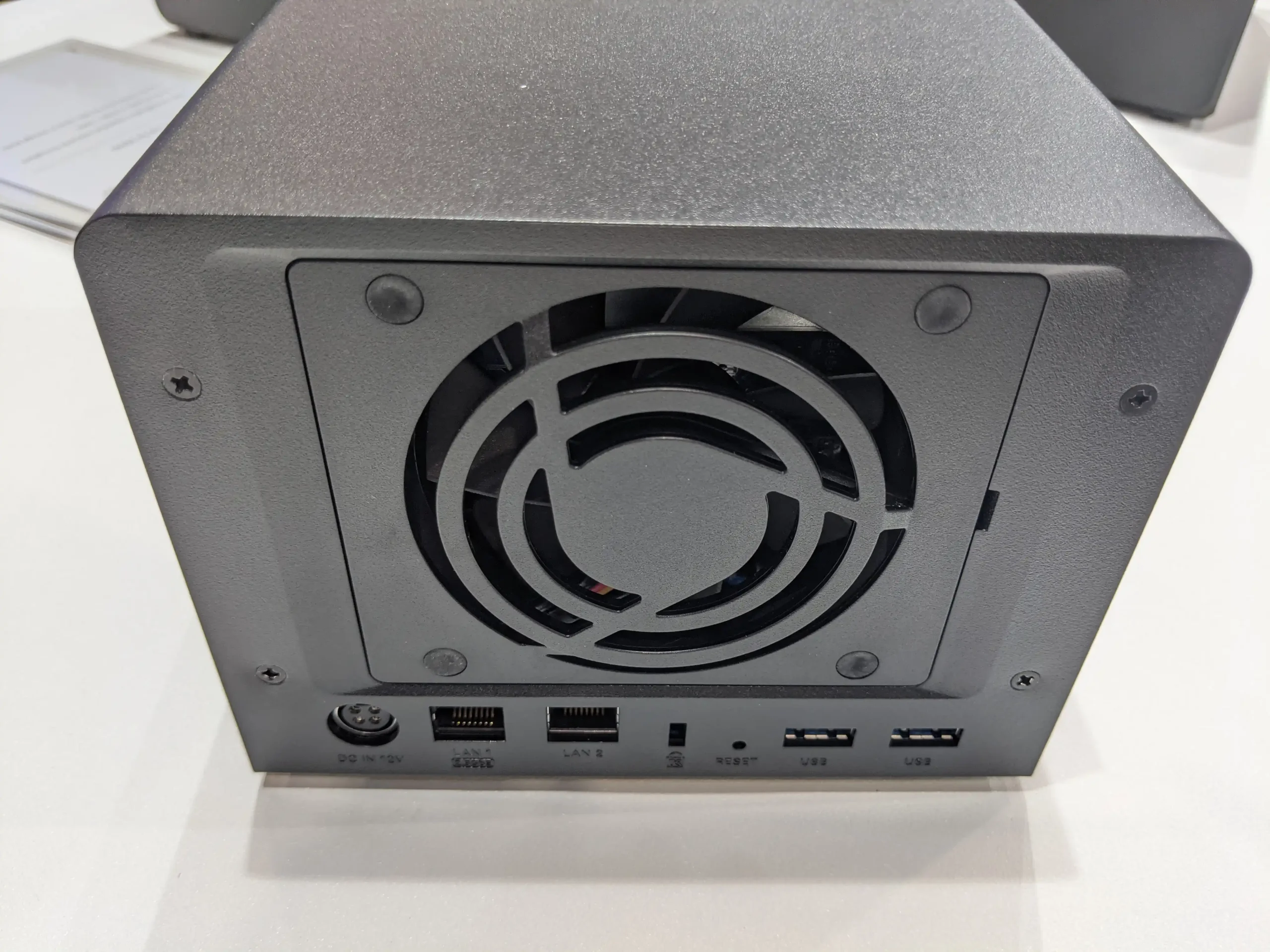
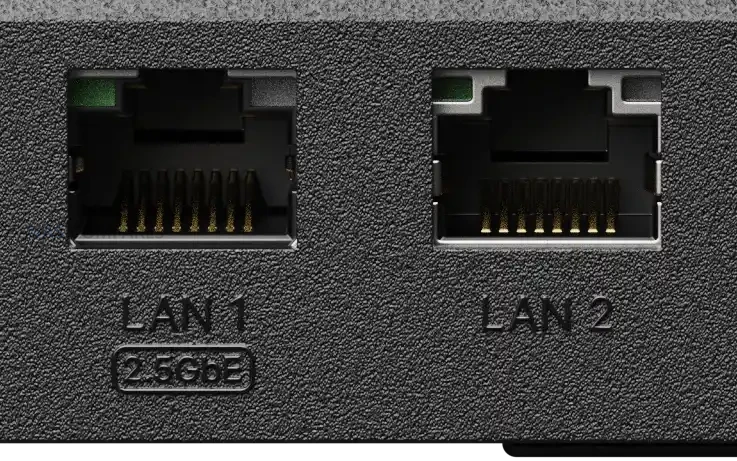
Networking is limited to 2 Ethernet ports, consisting of 1 x 2.5GbE and 1 x 1GbE with failover support. While the inclusion of 2.5GbE is a welcome baseline upgrade over legacy 1GbE only systems, the absence of additional multi gig ports or 10GbE options further compounds the performance bottleneck created by the SATA only storage design. External connectivity is handled via 2 x USB 3.2 Gen 1 ports, suitable for backups or peripheral devices, but there is no mention of USB based expansion units or higher bandwidth options.
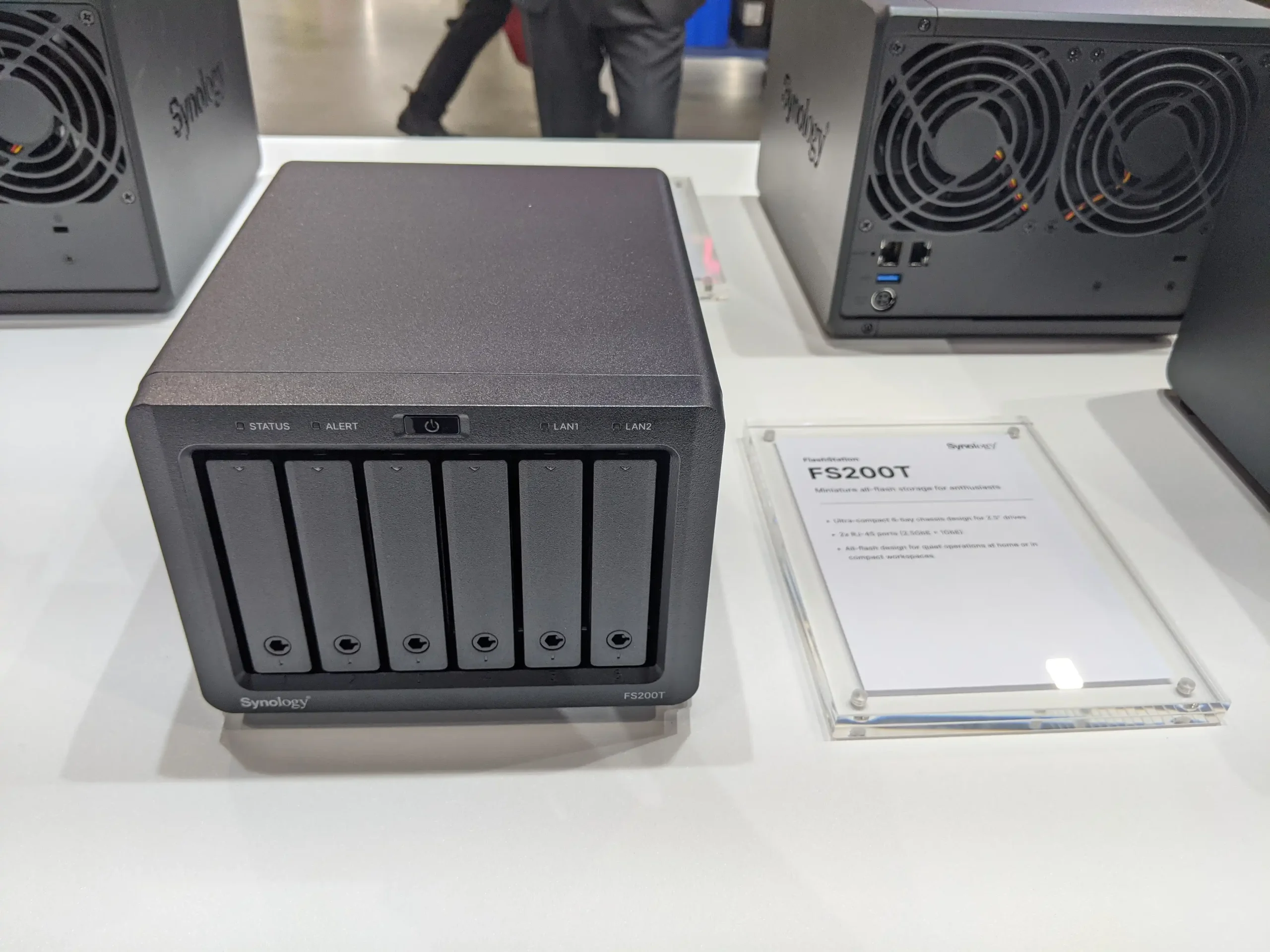
Physically, the FS200T maintains a compact and understated design. The chassis measures 121 mm x 151 mm x 175 mm and weighs 1.4 kg, making it easy to place in home or small office environments. Cooling is managed by a single 80 mm fan, and the lack of mechanical drives supports Synology’s positioning of the system as quiet during operation. Power input is rated from 100V to 240V AC at 50/60 Hz, with operating conditions specified between 0°C and 40°C and 8 percent to 80 percent relative humidity. These characteristics reinforce the system’s focus on low noise, low power operation rather than sustained high performance workloads.
| Category | Specification |
|---|---|
| CPU | Intel Celeron J4125, 4 core, 64 bit, 2.0 GHz base, 2.7 GHz turbo |
| Hardware encryption | Yes |
| Memory (included) | 4 GB DDR4 non ECC SODIMM |
| Memory slots | 2 |
| Max memory | 8 GB (4 GB x 2) |
| Drive bays | 6 |
| Drive type | 2.5 inch SATA SSD |
| Hot swap | Yes |
| LAN ports | 1 x 2.5GbE RJ 45, 1 x 1GbE RJ 45 |
| USB ports | 2 x USB 3.2 Gen 1 |
| Cooling | 1 x 80 mm fan |
| Dimensions | 121 mm x 151 mm x 175 mm |
| Weight | 1.4 kg |
| Power input | 100V to 240V AC, 50/60 Hz |
Who is the Synology FS200T NAS For?
The Synology FS200T is clearly aimed at a narrow segment of users who value compact size, quiet operation, and access to the DSM software ecosystem over raw performance or hardware flexibility. This includes home users, enthusiasts, and small office environments where space and noise are limiting factors and where workloads are largely centered around file storage, backups, photo management, and light collaboration services. Users already familiar with DSM who want an always on, low maintenance system for everyday data tasks may find the FS200T fits neatly into that role, particularly if power efficiency and physical footprint are higher priorities than throughput.


At the same time, the FS200T is less well suited to users expecting strong virtualization performance, heavy multi user access, or storage scalability over time. The combination of an older processor, a modest memory ceiling, SATA only storage, and limited network bandwidth means it is not designed to grow alongside more demanding workloads. Power users, media professionals, and those comparing against newer M.2 based NAS platforms may find the system restrictive. In practice, the FS200T makes the most sense for users who want a quiet, self contained DSM appliance and are comfortable accepting its fixed performance envelope from day one.
Has the Synology FS200T NAS Arrived Too Little, Too Late?
The FS200T enters a NAS market that has evolved significantly since its first appearance in early 2025. In that time, compact and enthusiast focused systems have increasingly shifted toward M.2 NVMe as primary storage, often paired with faster multi gig or 10GbE networking as a baseline rather than an upgrade. Against those expectations, a 6 bay, SATA only flash system built around an older Celeron platform feels cautious and, in some respects, behind the curve. Even where SSD responsiveness is present, the combination of SATA bandwidth limits, modest CPU capability, and a single 2.5GbE port constrains how much of that performance can realistically be delivered to connected clients.
These limitations are more pronounced when the FS200T is compared directly with consumer and prosumer alternatives released over the last 12 to 24 months. Many competing systems, including small form factor DIY and appliance style NAS solutions, now offer newer Alder Lake or Twin Lake based processors, higher memory ceilings, and NVMe storage that can scale well beyond SATA constraints. While those platforms may lack DSM and its tightly integrated services, they often deliver noticeably higher throughput, better virtualization headroom, and more flexibility for future expansion at similar or lower price points. In that context, the FS200T’s hardware profile risks appearing static rather than intentionally restrained.
Whether the FS200T is ultimately “too late” depends on how much weight is placed on software versus hardware. For users who specifically want DSM in a very small, quiet enclosure and are comfortable with a fixed performance envelope, the system still fills a clear niche. However, its weaknesses become harder to overlook in a consumer market that increasingly expects NVMe storage, modern CPUs, and faster networking as standard. If pricing and SSD compatibility further narrow its appeal, the FS200T may struggle to justify its position against consumer focused alternatives that offer stronger hardware fundamentals, even if they require compromises on software maturity and ecosystem integration.
📧 SUBSCRIBE TO OUR NEWSLETTER 🔔🔒 Join Inner Circle
Get an alert every time something gets added to this specific article!
This description contains links to Amazon. These links will take you to some of the products mentioned in today's content. As an Amazon Associate, I earn from qualifying purchases. Visit the NASCompares Deal Finder to find the best place to buy this device in your region, based on Service, Support and Reputation - Just Search for your NAS Drive in the Box Below
Need Advice on Data Storage from an Expert?
Finally, for free advice about your setup, just leave a message in the comments below here at NASCompares.com and we will get back to you. Need Help?
Where possible (and where appropriate) please provide as much information about your requirements, as then I can arrange the best answer and solution to your needs. Do not worry about your e-mail address being required, it will NOT be used in a mailing list and will NOT be used in any way other than to respond to your enquiry.
Need Help?
Where possible (and where appropriate) please provide as much information about your requirements, as then I can arrange the best answer and solution to your needs. Do not worry about your e-mail address being required, it will NOT be used in a mailing list and will NOT be used in any way other than to respond to your enquiry.
 TRY CHAT
Terms and Conditions
TRY CHAT
Terms and Conditions





|
 |
| Where to Buy a Product | |||
 |
    
|
  
|
VISIT RETAILER ➤ |
 |
|
|
VISIT RETAILER ➤ |
We use affiliate links on the blog allowing NAScompares information and advice service to be free of charge to you. Anything you purchase on the day you click on our links will generate a small commission which is used to run the website. Here is a link for Amazon and B&H. You can also get me a ☕ Ko-fi or old school Paypal. Thanks! To find out more about how to support this advice service check HERE


Synology FS200T NAS is STILL COMING... But... WHY?
Gl.iNet vs UniFi Travel Routers - Which Should You Buy?
UnifyDrive UP6 Mobile NAS Review
UniFi Travel Router Tests - Aeroplane Sharing, WiFi Portals, Power Draw, Heat and More
UGREEN iDX6011 Pro NAS Review
Beelink ME PRO NAS Review
Access content via Patreon or KO-FI
Discover more from NAS Compares
Subscribe to get the latest posts sent to your email.
I don’t get why there is no 2.5 GBE, n100, ecc, sata sad nas?! Like just give it 5 slots for old sata SSDs.
Would be so perfect cause low power not too much of a waste of the bandwidth and completely silent.
This is what I’m looking for since I only need a handful of terabytes of storage nothing insane. But there is nothing! :/
REPLY ON YOUTUBE
So, just to make sure … I am getting not more than about 3.5 GB/s in my 10GB Networkt, because the source drive in the NAS is an 2.5″ SSD?
To fully saturate the 10 GB, I would need NVME drives?
REPLY ON YOUTUBE
Another reason to use that type of system is to put a PLEX or Jellyfin media server in a vehicle. The no moving parts for the storage makes it less likely to have issues in that application & if you pair that with a Wi-Fi router even a 1 gigabit port would be more than enough speed.
REPLY ON YOUTUBE
Just don’t waste your money on high speed and buy the SSD closer to the saturation limit. %10 or less over shouldn’t be too wasteful. Or buy slow SSDs m.2 or even sata which are cheaper. Stop being stupid.
REPLY ON YOUTUBE
What everyone else said. Quiet, low power, cool, fast, small. Makes it great for image management or video. I’ll buy one when the media prices become more affordable. As for running apps, its a NAS. No idea what the fixation with running containers on a NAS is all about.
REPLY ON YOUTUBE
well first price of ssd has to go down, 8TB should be around 300 eur by now, than the above companies have get their shit together and offer a tiny well cooled box with easy install m.2 drives while the box has a processor that on its own or a coprocessor that can handle the internal bandwidth that is not castrated to barely cover gigabit network speeds, also a separate storage /embedded emmc or tiny m.2/ for the proprietary OS -or os of your choice- can be run from instead of intermingling with the main item storage
REPLY ON YOUTUBE
re: AI
Are the NASes powerful enough to run, for example, the DeepSeek R1:70b model?
Unless the NAS itself has 64 GB of RAM or something, I would think that it wouldn’t really be able to do so, at which point, if another system is loading the model over the network, then you would DEFINITELY want that to be as fast as possible.
(The DeepSeek R1:70b model is 43 GB in size. I think that my current local NVMe SSD will read the model into RAM and then VRAM, at around 1.8 GB/s tops, so you’d definitely want something that’s decently fast, if you’re going be loading the model in, over the network).
REPLY ON YOUTUBE
Any sugesstions on pcie 10gb lan card with atleast 2 sata or 2 m.2 that works on TrueNas Core?
REPLY ON YOUTUBE
I bought the GMKTec G9 to use as a “cache NAS”. My use case is simple and I (not so humbly) think that it’s a bit ingenious. I use the m.2 NAS as a cache NAS for my actual NAS which is remotely hosted at a place with faster internet, much cheaper electricity and looser content law.
Remote NAS: Mass storage, Plex and other self-hosted apps/dockers run on the remote NAS.
Cache NAS : extra storage for local computers, backup of local devices, some light local apps/dockers, syncs to remote NAS nightly.
Since I am not swimming in money, the GMKTec G9 + 3x2TB Drives cost me in total 500 Euros which I find to be pretty good value. Added bonus: the m.2 NAS sits on my desk at home and doesn’t disturb me or my gf which wasn’t the case when my main NAS was at our place. Also lower energy cost which is significant in Germany.
REPLY ON YOUTUBE
Great vid so what’s your recommendation for a 2.5gb nas please? The new asustor doesnt get good reviews
REPLY ON YOUTUBE
My ancient 4-core Xeon from 2012 can saturate 10Gbps eth, with an nvme > pcie adapter, and the cpu utilization is basically like 5%. They really need to stop making e-waste like this garbage and give us ethernet that matters. The rest of the chips in these things should be running a wifi lightbulb or something… they’re totally unbalanced.
REPLY ON YOUTUBE
Funnily with some you can use a M.2 to PCIE adapter to put in a 10/25G card.
REPLY ON YOUTUBE
For all of these manufacturers it’s really not that much of a cost to go from 2.5 to 10Gbe.
REPLY ON YOUTUBE
thunderbolt DAS is better use of SSDs
REPLY ON YOUTUBE
Another overlooked reasons:
1. Portability/Size: If someone has to move frequently, then the smaller form factor and the lighter weight definitely helps. It’s a similar reason to why I am into SFF pc builds instead of the typical tower builds.
2. Noise: somebody who doesn’t have enough space to have the noisy NAS installed in a separate room will greatly appreciate the silent SSD-based NAS (especially if they need to do audio recording.. just think about the seagulls that are mentioned so often in this channel), even if it doesn’t have 10Gb ethernet port
Yes, being able to take advantage of the speed is great, but for some, the above two reasons are more important than the performance itself. (There’s also the issue with how many pcie lanes are available too.)
REPLY ON YOUTUBE
I think I may love this man
REPLY ON YOUTUBE
Do most people not have faster then 1gb internet? We’ve had 2gb up and down for a good few years and we live in the middle of nowhere Ohio USA! I guess if you only have a gigabit internet I guess a 1 gig port it’s all you really need
REPLY ON YOUTUBE
The little ditty on the title cards is awesome and familiar. Where is that from?
REPLY ON YOUTUBE
lose the section graphics and ripped off audio … repetitive annoying a h*** to us who use these vids as background. this garbage degrades your presentation and lowers value of information you presents … it kicks brains into *NOISE – STOP LISTENING* mode … and channel gets switched to something less annoying – and your numbers start declining. DO NOT listen to teh YouTube *experts*, they regurgitate whats is trendy and is usually totally opposite of the user base
REPLY ON YOUTUBE
A real world speed test would be good , 800MB/s seems bit unlikely
REPLY ON YOUTUBE
Loving the knight rider theme!!
REPLY ON YOUTUBE
I want an SSD NAS system for the lower TDP and because it’s a PITA when a hard drive dies
REPLY ON YOUTUBE
Excellent presentation. Thank you. For me personally, I am not buying or building a new NAS that does not have at least one 10GbE network interface. I have several units with both spinning drives and SSD’s and they are all pretty much obsolete and restricted by the crappy “less-than-10GbE” network interfaces. That all said, even 10GbE is slow for both PCIe 3 and 4 drives with x4 lanes, especially if you have a few of them in an array. If you want to get ahead of the end-of-life curve and are buidling a new, expensive, unit with a bunch of SSD’s and even hard drives, you really need to consider 25GbE. Nobody in their right mind would ever consider a switch from the 90’s with 100meg ports, even a nice one from 3Com or Cisco. The same is happening to 1GbE and pretty soon 2.5GbE.
REPLY ON YOUTUBE
What % of people even have 10Gb network connections? Very low. I’d bet most still have routers with 1Gb, maybe a single 2.5Gb.
REPLY ON YOUTUBE
il y a plus la traduction français audio ?
REPLY ON YOUTUBE
Small. Portable. Energy-Efficient. Cold running. Thus needs no active cooling. Thus very quiet in operation.
Not much space, but very quick space . . . It is perfect for an HTPC where you store your actively watched
non mafia content and move it to HDD storage when you have consumed it.
I tried watching from my 5400rpm HDD based server around Christmas, and it chugged and hung and almost
crashed just from trying to quickly change between media files and fast forwarding and going back because
i was looking for a certain scene in an anime series . . And even the NAS with just 2xSATA SSD NEVER HAS
THOSE KINDS OF PROBLEM!
REPLY ON YOUTUBE
Latency.
REPLY ON YOUTUBE
It’s horse shit we don’t have 10GBe SFP onboard
REPLY ON YOUTUBE
You missed terminal ffmpeg video transcoding.
REPLY ON YOUTUBE
it seems kind of silly to have a network interface that is 1/20th the speed of the drive, even high-endurance enterprise drives with slower speeds will still very easily saturate the entire link speed without breaking a sweat. to me this just seems like cost saving from the NAS manufacturers
REPLY ON YOUTUBE
Could be great for content creators on the move. Travel vloggers etc, that need a lot of storage on the move, storage that they can edit from as well as archive to, whilst away from home for periods of time. 2.5gbps is plenty fast enough to edit directly from the Nas for 1080p editing. Fast enough to move footage on and off a sort of scratch disk on your laptop too, if doing 4k.
REPLY ON YOUTUBE
Two other fundamentals:
1) size, wattage, noise. For close by usage most will prefer these to 4 HDD + fans whirring away, eating deskspace and £s.
2) outside of full business installations & enthusiasts most people barely know they can get a) wired ethernet, b) faster than 1Gb. The limited affordable support for even 2.5Gb by mainstream soho router & switch manufacturers only adds to that slow take up. So dual 2.5Gb is like magic if buyers can use it.
REPLY ON YOUTUBE
For me the biggest issue with HDD is the noise, I want a completely silent solution (fanless ideally) as I have to live/sleep in the same room. And I find HDD overall too unreliable, they tend to fail too quickly for my taste.
REPLY ON YOUTUBE
Me, thanks to this channel. Bought an Aiffro and it’s my portable NAS I bring with me everywhere now that I’m traveling to a lot of countries. Takes up almost no space in my backpack and I’ve got TrueNAS Scale running on it.
REPLY ON YOUTUBE
I do it for no noise, instant wake up time, low power, and small size.
REPLY ON YOUTUBE
Me! At least I’d say that if anyone made NVMe drives that were cheaper and perhaps slower. I don’t need more than 1gb/s speeds but what I do need is quiet, cool and low power storage. I have a 2 bay HDD NAS at home but I regret it because I don’t need the high capacity and the noise it makes when the drives wake up is pretty irritating.
REPLY ON YOUTUBE
The theme from Knight Rider?!?! ????????????❤️❤️❤️
REPLY ON YOUTUBE
I just bought one for on-site event data storage for my photo buisness. I don’t need tons of data but the ssd is great for mobile usage.
REPLY ON YOUTUBE