

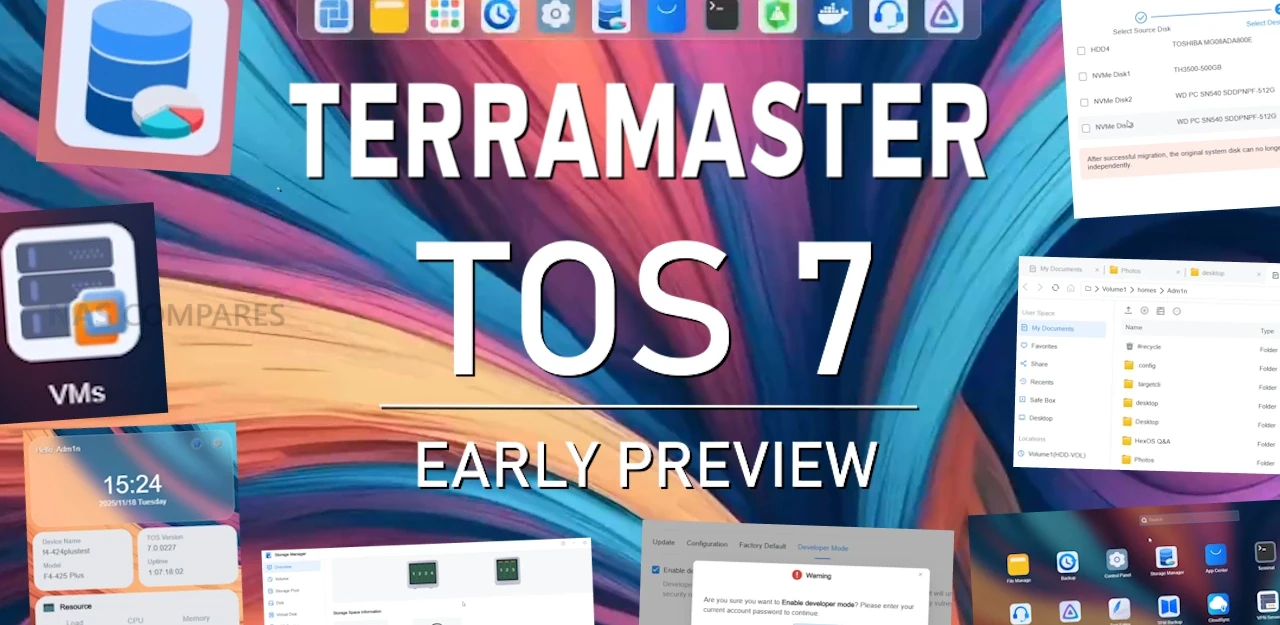
Terramaster new TOS 7 NAS Software Beta Ready to Test
December 15, 2025 | TerraMaster, a professional storage brand dedicated to delivering innovative solutions for home users, businesses, and developers, today officially launches the public beta of TOS 7. This highly anticipated release, developed over nearly two years by a team of more than 100 engineers, not only celebrates the 15th anniversary of the TOS operating system but also marks its stunning transformation from a simple storage tool into a full-featured private cloud platform. Looking back to 2011, TOS 1.0 debuted alongside TerraMaster’s very first NAS product. Back then, the interface was bare-bones—you could create shared folders, enable SMB, and add a handful of user accounts. It was simple, almost primitive, but it laid a rock-solid foundation.
Fifteen years later, TOS has evolved into its 7th generation. A single TerraMaster NAS can now effortlessly serve as a file server, virtual machine host, developer workstation, online collaboration platform, or even an enterprise-grade permissions fortress. Throughout this journey, we’ve kept asking ourselves one core question: How should a device that people interact with dozens of times a day actually be designed to truly fit the way you work?
With TOS 7, the answer is finally here—and it’s within reach. Built on a brand-new kernel (upgraded to Linux 6.12) and a completely refreshed design language, TOS 7 features 90% newly drawn icons and over 1,000 refined interaction details, making every operation more intuitive, smoother, and faster than ever before.
Transform into an All-Powerful Host and Unleash Unlimited Possibilities
TOS 7 marks the first time we’ve opened full root access while seamlessly integrating official Ubuntu repositories. Developers can now instantly install Nginx, Node.js, Python environments, databases, or compilers using apt—turning your NAS into a fully SSH-accessible Linux server with zero jailbreaking and zero third-party plugins. It’s all native.
The built-in Virtual Machines (VMs) module lets you deploy Windows, Linux, macOS (on supported hardware), or any distro with a single click. Whether you’re building test environments, migrating legacy systems, isolating applications, or creating a compact private cloud, TOS 7 squeezes every last drop of performance from your hardware and turns your NAS into a true flexible computing hub.
Collaboration with Zero Barriers – Your Data Stays Local Forever
Say goodbye to the old “download-edit-upload” hassle. TOS 7 natively integrates online Office tools that support real-time viewing and multi-user collaborative editing of Word, Excel, and PowerPoint files. Documents are saved directly on your NAS—no third-party cloud, no extra subscription fees. Changes sync in seconds, boosting team productivity by 100%. Your data, always under your control.
Search as Smooth as Thought – Instant Response for Millions of Files
Our in-house global search engine combines inverted indexing, kernel-level real-time file monitoring, and asynchronous I/O caching to deliver second-level full-disk scans for millions of files — 10× faster than TOS 6, with 120% higher search accuracy. No need for exact filenames; just type a keyword and get precise hits instantly. File management efficiency jumps by 60%.
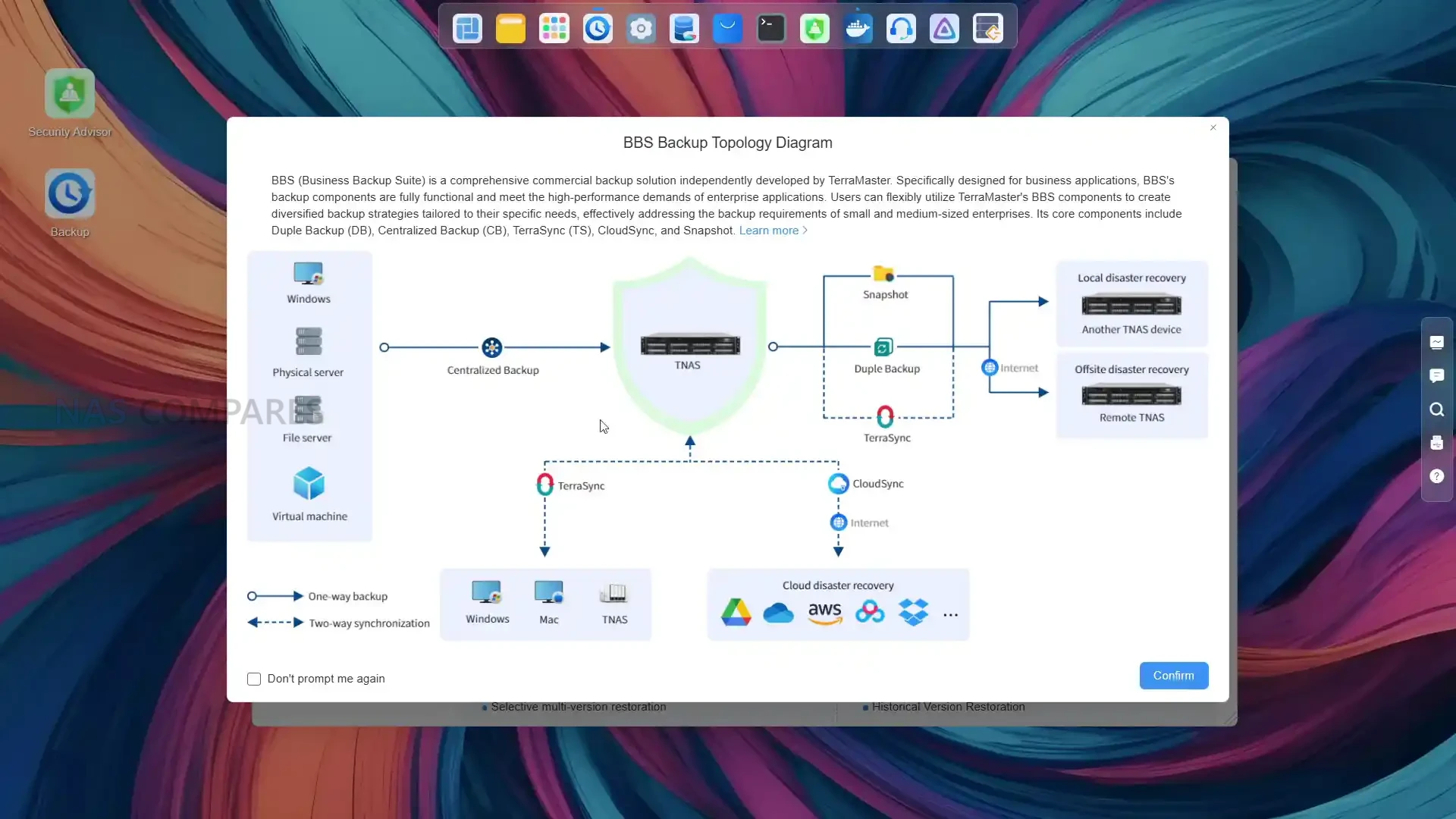
Granular Permissions Down to the Thread – Rock-Solid Security
The permission system has been expanded from 3 basic types to 13 combinable domain-based ACL policies, with fully customizable rules (e.g., “department can only read/write specific folders and is prohibited from deleting”). Setup time is 99.6% shorter than TOS 6 — complex authorizations are done in seconds — striking the perfect balance between ironclad data security and flexible access control.
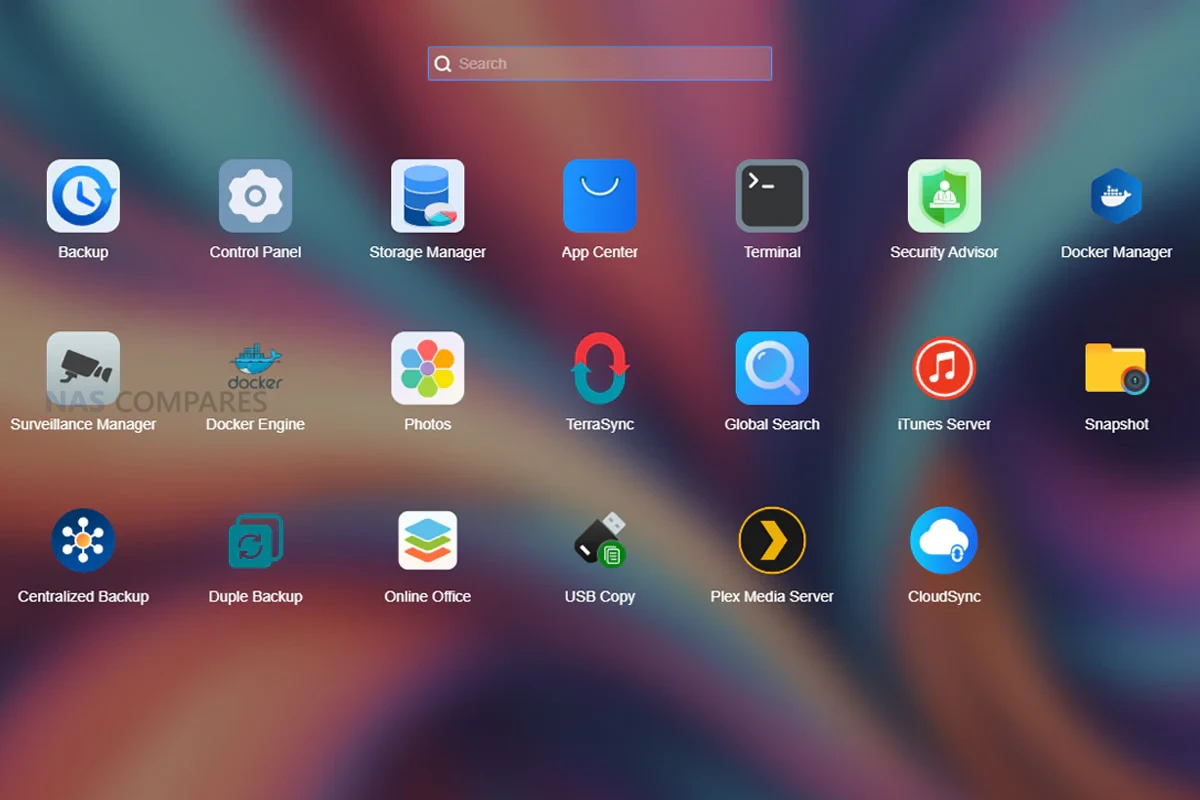
How to Access the Terramaster TOS 7 Beta?
After over 300 days of meticulous development and the collaborative efforts of hundreds of engineers, we have developed the all-new TOS 7 for you—more user-friendly and visually refined. With over 50 new features and more than 1,000 detailed optimizations, TOS 7 delivers a faster response, smoother interactions, and a more elegant interface. Designed with forward-looking interaction concepts, it achieves a comprehensive transformation from the inside out, ushering you into a refreshing new era of operation.
Download the TOS 7 Software Here (Read the notesr below first)

Compatible Models:
• F2-424, F4-424, F6-424, F4-424 Pro, F4-424 Max, F6-424 Max
• T9-450, T12-450, U8-450
• T9-500 Pro, T12-500 Pro, U8-500 Plus, U12-500 Plus
• F2-425, F4-425, F2-425 Plus, F4-425 Plus
• F4 SSD
Conditional Compatible Models(Read the following Special Notes):
• F2-221,F2-422, F4-221, F4-421, F4-422, F5-221, F5-421, and F5-422
• F8 SSD and F8 SSD Plus
• F2-223, F2-423, F4-223, F4-423, T6-423, T9-423, T12-423, U4-423, U8-423, and U12-423
Special Notes:
• For users of F2-221,F2-422, F4-221, F4-421, F4-422, F5-221, F5-421, and F5-422: Please first verify that your BIOS version falls within the range of MAPL0304V16 to V22 or MAPL0303V16 to V22. Otherwise, you will not be able to update to TOS 7.
How to check: Go to TOS Control Panel > System > Update to view your BIOS version.
• For F8 SSD and F8 SSD Plus users: Before updating, you must first update the system to version 6.0.794 (the firmware will be updated during the system update). If you directly installed TOS 6.0.794 via an installation package, please manually update TOS 6.0.794 once again, and then update to TOS 7.
• For users of F2-223, F2-423, F4-223, F4-423, T6-423, T9-423, T12-423, U4-423, U8-423, and U12-423: If your TOS system is currently installed or planned to be installed on an M.2 NVMe SSD, please adjust the BIOS boot order according to the guide before proceeding with the update.
Warning:
1. This update is only applicable to version 6.0.794 or higher.
2. TOS 7 adopts a completely new permission management method. After the update, permission conversion is required. It is recommended to choose automatic conversion. This process is time-consuming, please wait patiently (for example, approximately 400,000 folders may take about 3 hours).
3. After the update, besides the storage pools and volumes in normal use, the Storage Manager interface may display several corrupted storage pools and volumes caused by abnormal operations (such as directly pulling out disks) in TOS 6. If you confirm they are no longer in use, you can delete them directly.
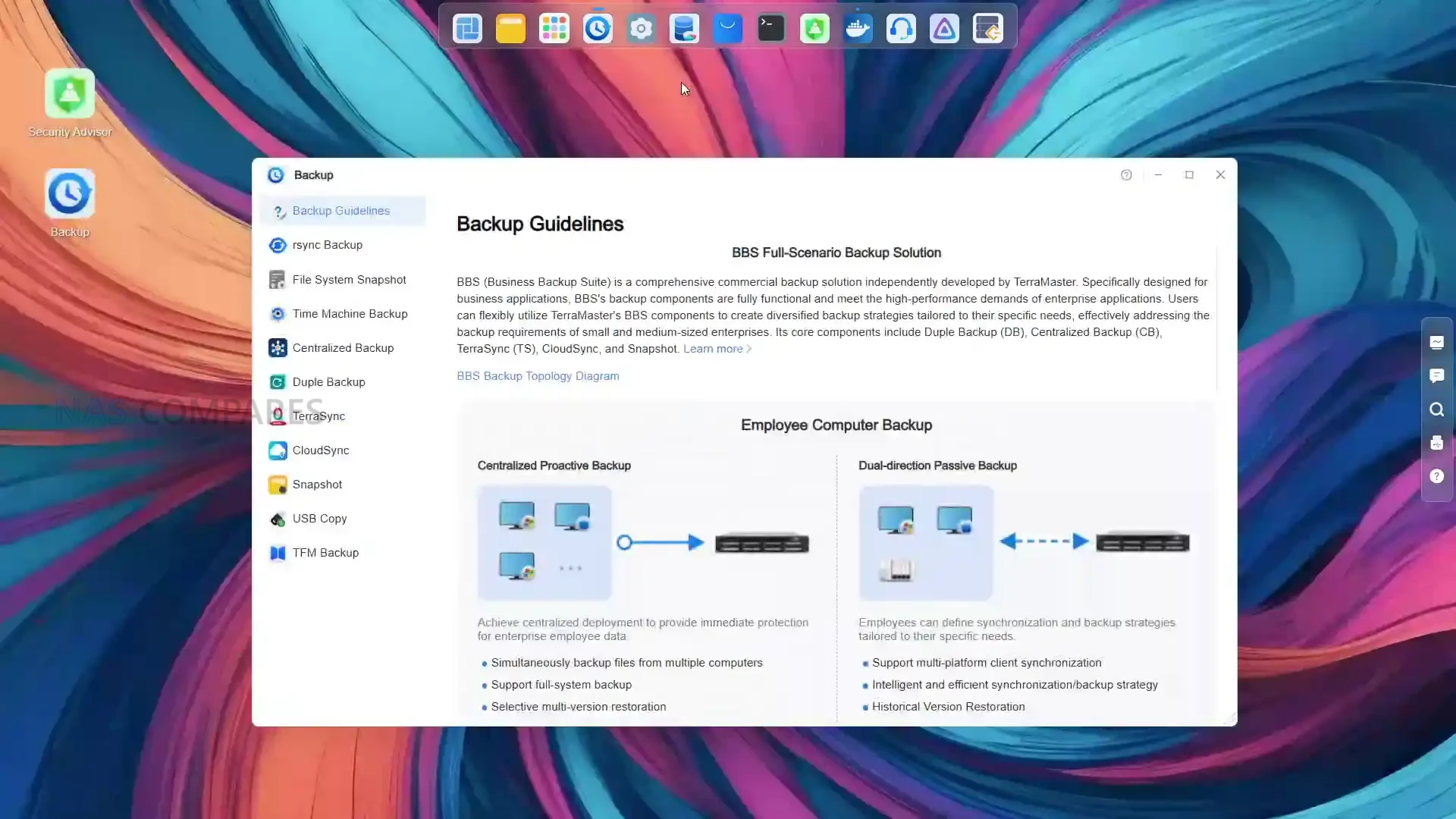
Important Notes:
1. The Beta version is an early testing release and may contain defects. It is not suitable for production environments or storing critical data. Do not use it for official business operations.
2. The update is designed to preserve data on hard drives. However, as a precaution, it is essential to back up all important data before proceeding.
3. If your shared folders were generated by Snapshot, their permissions will need to be reconfigured after the update.
4. After updating, all existing share links, desktop notifications, recent access history, application logs, system logs, and scheduled SMART test plans will be cleared.
5. Following the update, the Resource Dashboard, navigation bar icons, and Debug mode will revert to their default states.
6. The newly added cloud drive mounting features for Alibaba Cloud Drive and S3 protocol in File Manage are not yet complete and are temporarily unavailable.
7. Due to security protocol changes, some applications will require updates or reconfiguration after the update. Community applications may need to be re-downloaded and reinstalled.
8. If you have previously modified the BIOS boot order, please adjust it before updating to ensure the TOS system drive has priority over other boot devices (such as USB drives). Failure to do so may cause the system to boot into the installation interface after the update.
9. System configurations from TOS 6 cannot be directly restored to TOS 7. A new configuration backup will need to be created after the update.
10. Before updating, please ensure your main volume (typically volume1) has at least 3 GB of free space. Insufficient space may cause the update to fail.
11. After updating, the device’s IP address may change. Please use the TNAS PC client to search for and reconnect to your device.
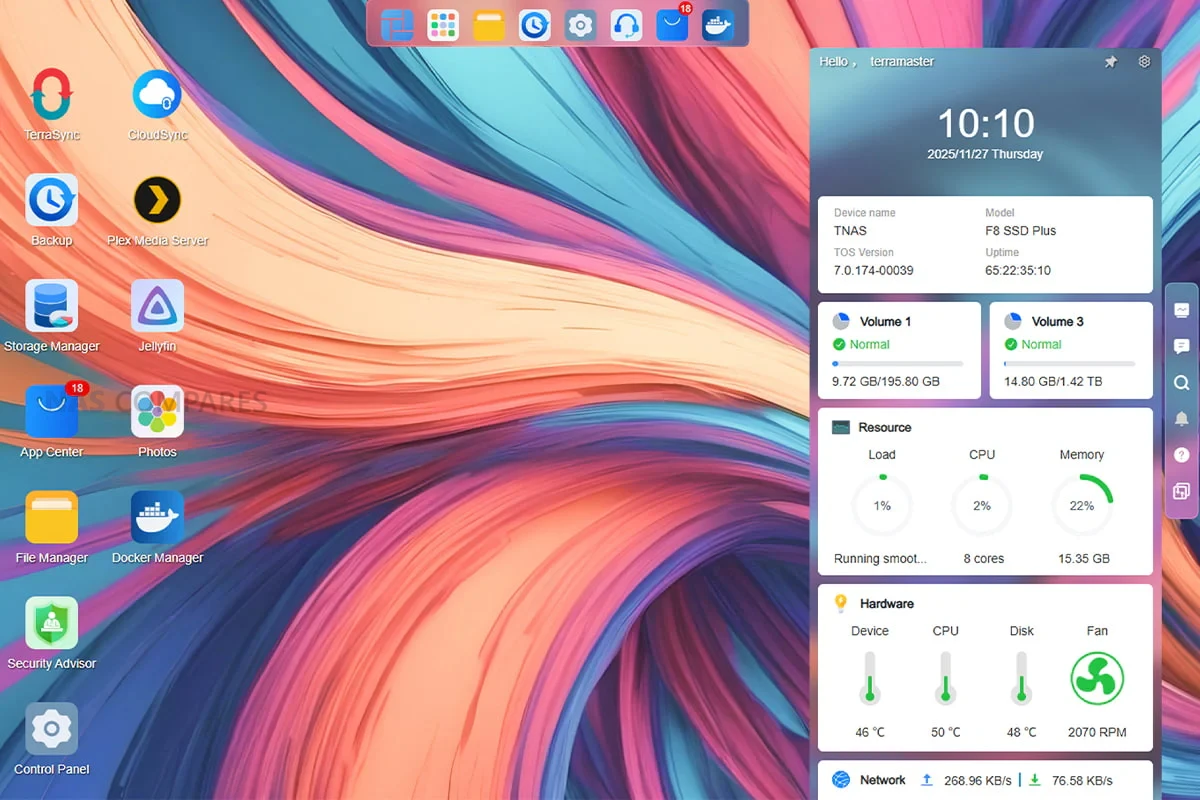
How to Update to TOS 7?
Manual Update:
1. Download the update package: TOS 7 (md5: 3287e60464d2e1dd0fceb04b570fe1cf)
2. Go to TOS > Control Panel > General Settings > System.
3. Under “Manual Update”, upload the update package.
4. Click “Apply”.
5. Once the system update is complete, you will need to refresh your browser.
6. After the update, your TNAS IP address may change. If you cannot connect to your TNAS using the previous IP address, please use the TNAS PC client to search for the new IP address.
Client Downloads:
1. Download TNAS PC 5.2.506 for Windows OS.
2. Download TNAS PC 5.2.506 for macOS (x86 and ARM architectures).
3. Download TNAS PC 5.2.506 for macOS (ARM architecture).
4. Download TNAS PC for Linux.
5. Download TNAS Mobile 3.X for Android.
6. For iOS, experience TNAS Mobile 3.X via: https://testflight.apple.com/join/wFWYABJS.
Bug Report
We sincerely thank you for taking the time to help us with testing! Every bug discovered is an important step toward the official release.
As the Beta version is an early-stage build of the program and may contain defects, please refrain from sharing Beta-related bugs publicly to avoid unnecessary confusion for others.
If you need to report a bug, please send a description of the issue, steps to reproduce it, and screenshots to the designated email address: pm@terra-master.com.
https://www.youtube.com/watch?v=n0aabftiG7Q
📧 SUBSCRIBE TO OUR NEWSLETTER 🔔 This description contains links to Amazon. These links will take you to some of the products mentioned in today's content. As an Amazon Associate, I earn from qualifying purchases. Visit the NASCompares Deal Finder to find the best place to buy this device in your region, based on Service, Support and Reputation - Just Search for your NAS Drive in the Box Below
🔒 Join Inner Circle
Get an alert every time something gets added to this specific article!
Need Advice on Data Storage from an Expert?
Finally, for free advice about your setup, just leave a message in the comments below here at NASCompares.com and we will get back to you.
 Need Help?
Where possible (and where appropriate) please provide as much information about your requirements, as then I can arrange the best answer and solution to your needs. Do not worry about your e-mail address being required, it will NOT be used in a mailing list and will NOT be used in any way other than to respond to your enquiry.
Need Help?
Where possible (and where appropriate) please provide as much information about your requirements, as then I can arrange the best answer and solution to your needs. Do not worry about your e-mail address being required, it will NOT be used in a mailing list and will NOT be used in any way other than to respond to your enquiry.
 TRY CHAT
Terms and Conditions
TRY CHAT
Terms and Conditions








Minisforum N5 NAS, 6 Months Later - Better, Worse, the Same?
Beelink ME Pro NAS Revealed
Best SOLID STORAGE NAS of 2025
Should You Worry About the NanoKVM Hidden Microphone?
Best Cheap NAS of 2025
Minisforum MS-02 Ultra - WHO IS THIS FOR??? (The First 48HRs)
Access content via Patreon or KO-FI
Discover more from NAS Compares
Subscribe to get the latest posts sent to your email.
I’m still kicking myself for getting their ARM F4-210 in 2021, will be upgrading next year.
REPLY ON YOUTUBE
compare the improvements being done to HexOS.. honestly hexos is such a clown show
REPLY ON YOUTUBE
Can you make a comparison with TrueNAS? I know these are different approaches, but since I’m currently setting up my new F4-424 MAX, I need to decide which OS to use
REPLY ON YOUTUBE
Hi, sorry to bother you, but I’d like to ask you for some advice. I’m a photographer/videographer and I’m really torn between Terramaster (TOS6-TOS7 in the future) and Ugreen: what would you recommend? Some say Ugreen is terrible, others say it’s much better than TOS. Another aspect that really interests me is the gallery app.
REPLY ON YOUTUBE
The start button is where the power and reboot are buried…. So frustrating..
REPLY ON YOUTUBE
Haven’t even upgraded to 6 yet lol.
REPLY ON YOUTUBE
Still no data scrubbing to TRAID? Did they fix the bug where you can’t certain files to TM NASes that have certain characters in them? Known for years…..tired of waiting…pulled the drives and put them in another NAS….that doesn’t have these issues….
REPLY ON YOUTUBE
Glad they are finally taking their OS seriously.
REPLY ON YOUTUBE
I’m actually somewhat impressed.
REPLY ON YOUTUBE
Oooohhhh
REPLY ON YOUTUBE
I recently bought a 4-425 Plus to use as an offsite backup for my Synology and also to just generally muck about with. There are a few shortcomings with TOS 6 that I hope they fix. A number of their “wizards” or whatever they call them these days, leave a lot to be desired especially when the user is not familiar with the OS and doesn’t quite know what to expect to happen next when we hit the OK button. They really need to have a small focus group of users with no previous experience with TOS to run through things like setting up new storage pools, volumes, etc. I think the coders get far too familiar with their own handiwork and don’t recognize the shortcomings that a new user would experience. This isn’t just a TM issue; it’s everywhere.
And then I wanted to try creating a virtual machine. TOS uses VirtualBox for this. After watching some YT videos on VB, it seems to me that Terramaster has gutted or dumbed down their version of this app. After some Googling, I found some back and forth on the Terramaster forum started by one frustrated user trying to get Terramaster to fix what seemed like an obvious problem with VB. After several months of pulling out his hair, the user ( and apparently some of his customers ) just gave up and walked away. I still have hope and am enjoying the learning experience. As a backup to a main NAS, it’s perfectly adequate although I hope to do more when they get their shit together on some of the inadequacies.
REPLY ON YOUTUBE
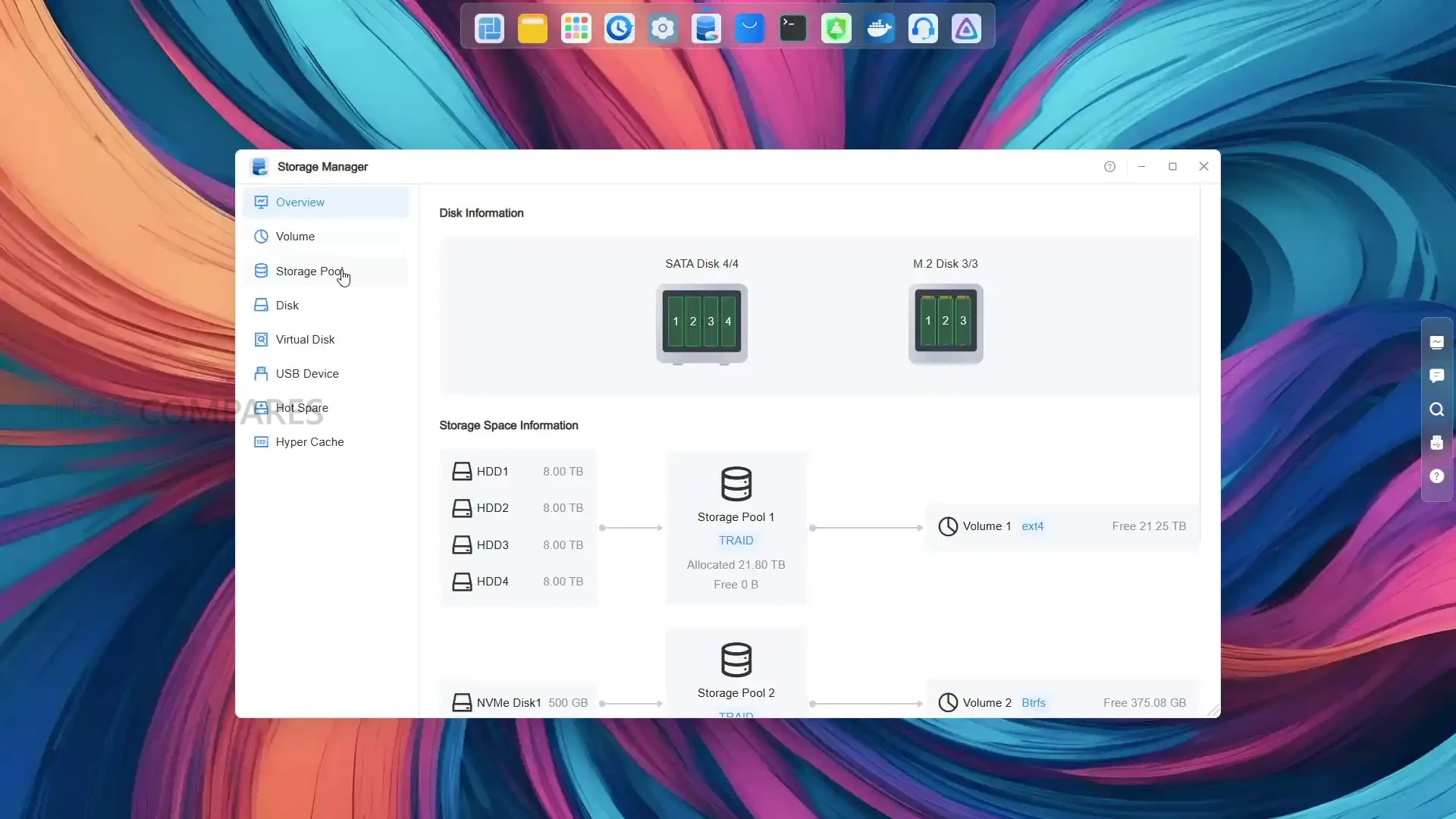
I appreciate the new disk overview(as you say, much clearer). As a simple nas user for media storage using smb folders, i hope they keep the start button, because it gives me immediate access to the shutdown & reboot system buttons. As a non tech person i don’t want to hunt around for something so important to me.
When i want to increase the ssd storage in my F4- 425 this is essential.
Great info in your videos, that helped my decision in choosing my new nas,updating my old Drobo 5N.
Keep up the good work.????
REPLY ON YOUTUBE
I weep because I can’t install it on any old x86
REPLY ON YOUTUBE
Thanks for doing this. Anything on their VPN client? It was not working when I tried it awhile ago, and I think a NAS without VPN is a big reason to move to another NAS.
REPLY ON YOUTUBE
System with iOS salt
REPLY ON YOUTUBE