

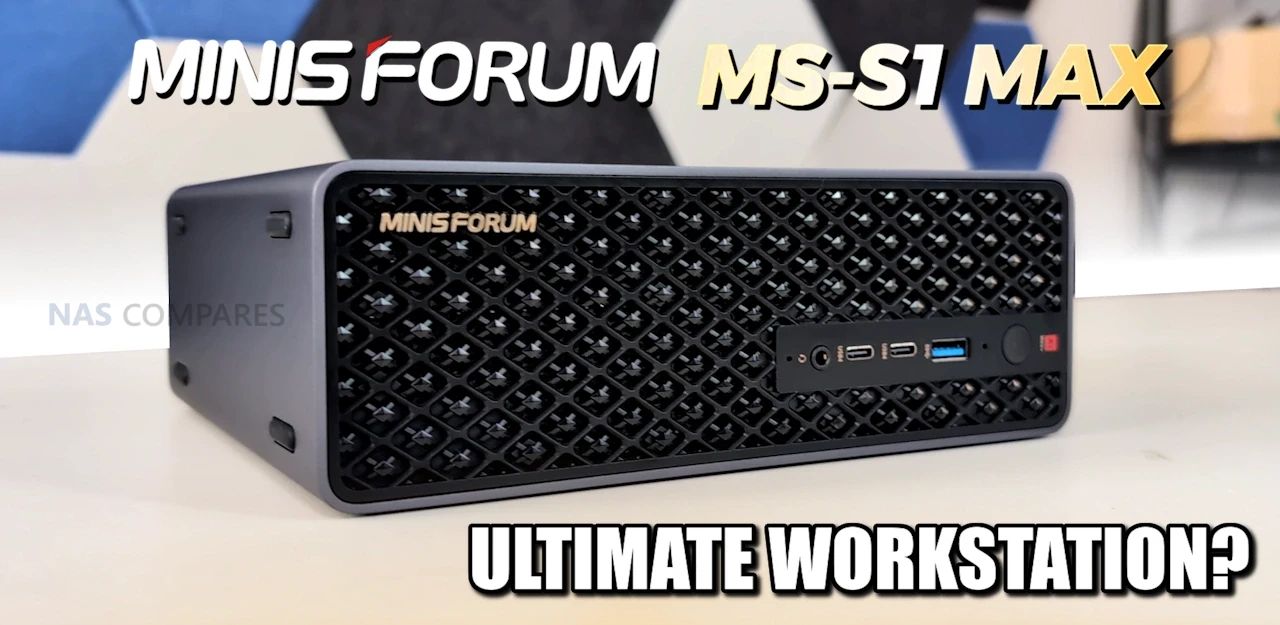
Ever Wanted a Modern Mac Mini, but Windows? And for AI? The MS-S1 Max Review
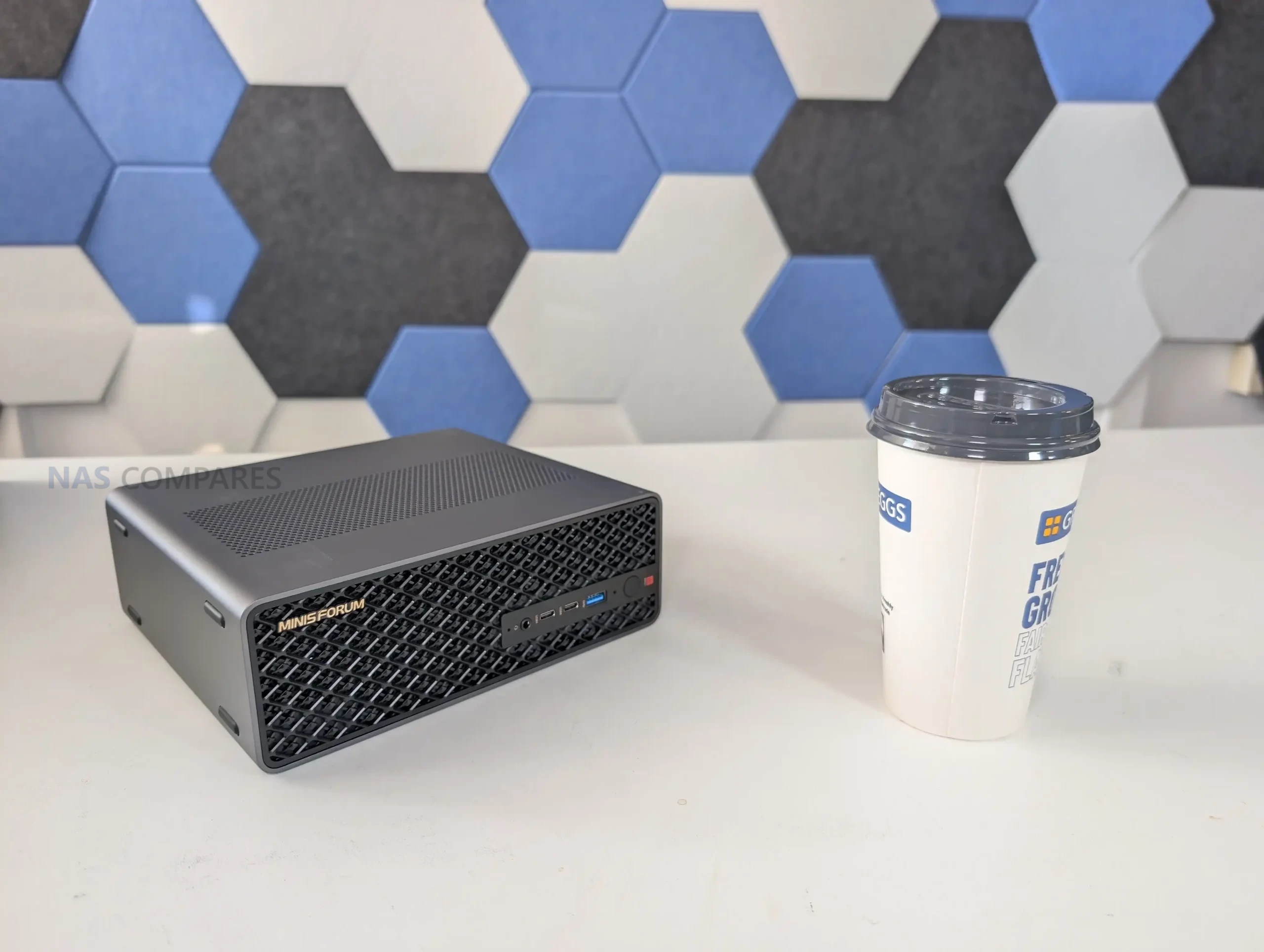
The Minisforum MS-S1 Max is one of those mini workstations that looks straightforward on paper, but starts to feel unusual once you look at how it is put together and who it seems to be aimed at. It is built around AMD’s Ryzen AI Max+ 395, pairing a 16C/32T CPU with Radeon 8060S integrated graphics and an NPU that contributes to a quoted platform total of up to 126 TOPS. The big differentiator is the memory design: 128GB of LPDDR5x-8000 UMA, shared between the CPU and GPU, which changes the usual limits you hit on iGPU systems where VRAM is the first bottleneck. Minisforum also leans into “serious deployment” features here, including dual 10GbE, WiFi 7, USB4 v2, a slide-out chassis for maintenance, and even references to clustering and 2U rack mounting. The result is a machine that can make sense for creators, power users, and AI-focused workloads, but it also comes with a price level that forces the obvious question: what are you actually getting for that money beyond raw specs.
| Spec | Details |
|---|---|
| Model | MS-S1 Max (128GB + 2TB bundle) |
| Price (USD) | $2,639 |
| CPU | AMD Ryzen AI Max+ 395 (16C/32T, up to 5.1GHz) |
| GPU | AMD Radeon 8060S (40 CUs, up to 2900MHz) |
| AI performance | NPU up to 50 TOPS; total up to 126 TOPS |
| Memory | 128GB LPDDR5x-8000, 256-bit UMA (shared CPU/GPU) |
| Storage included | 2TB SSD (bundle listing) |
| M.2 expansion | 2x M.2 2280 (1x PCIe 4.0 x4 up to 8TB, 1x PCIe 4.0 x1 up to 8TB) |
| PCIe expansion | PCIe x16 physical slot (PCIe 4.0 x4 electrical) |
| Wired networking | 2x 10GbE RJ45 (Realtek RTL8127) |
| Wireless | WiFi 7, Bluetooth 5.4 |
| Front I/O | 2x USB4 (40Gbps, DP Alt Mode, 15W PD), 1x USB 3.2 Gen2 (10Gbps), 1x 3.5mm TRRS combo, 2x DMIC, power button (LED) |
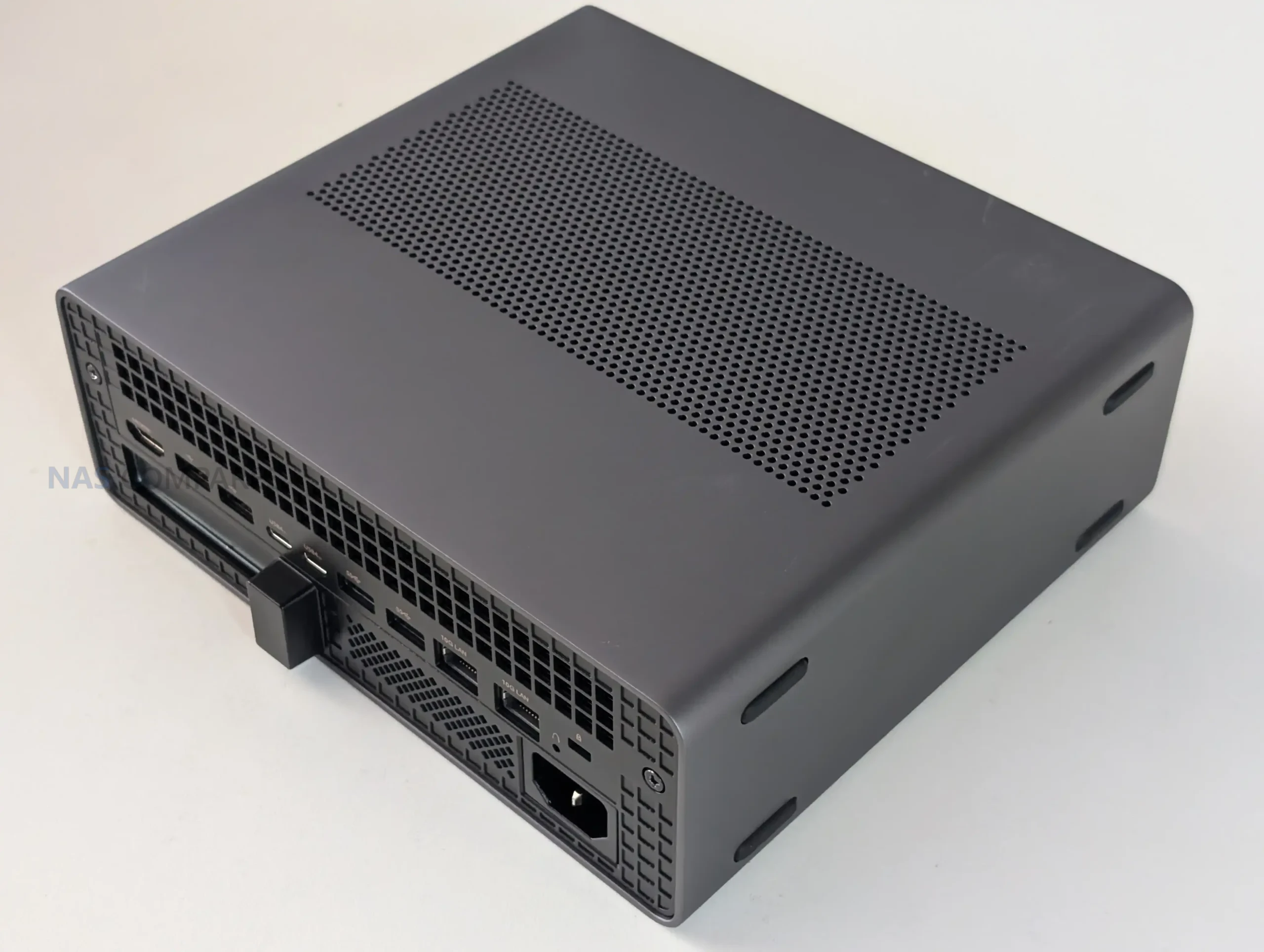
| Rear I/O | 2x USB4 v2 (80Gbps, DP Alt Mode, 15W PD), 2x USB 3.2 Gen2 (10Gbps), 2x USB 2.0, 2x 10GbE RJ45, 1x HDMI 2.1 FRL, BIOS reset hole |
| Video output | HDMI 2.1 FRL (up to 8K@60Hz / 4K@120Hz), DP Alt Mode over USB4/USB4 v2 |
| Cooling | 6 heat pipes + phase change material, dual turbine fans (max 3600 RPM) |
| Power | Internal PSU, 320W max (100-240V ~6A 50-60Hz) |
| TDP modes | Performance: 130W, Balanced: 95W, Quiet: 60W |
| Dimensions | 222.1 x 206.3 x 77.1 mm |
| Weight | 2.8 kg |
| OS support | Windows 11 Pro; Windows 11 24H2 Pro/Home |
Minisforum MS-S1 Max Review – Quick Conclusion
The Minisforum MS-S1 Max is best understood as a compact Strix Halo workstation rather than a conventional mini PC, because its value is tied to the Ryzen AI Max+ 395 APU, the Radeon 8060S iGPU, and especially the 128GB LPDDR5x-8000 UMA memory pool that helps avoid the usual iGPU VRAM ceiling in creation, GPU-accelerated work, and local AI experimentation. It pairs that core platform with unusually strong external connectivity for its size, including dual 10GbE RJ45, WiFi 7, and a mix of USB4 and USB4 v2 ports that make high-bandwidth docks and storage setups practical, while the internal 320W PSU and heavy cooling stack are clearly built for sustained loads rather than short bursts. In testing, the system’s behavior has a few quirks that matter in daily use, particularly the way the chassis can feel hot to the touch in idle until the fan profile becomes more reactive under load, and the fact that noise ramps into the low 50 dBA range once the cooling really gets going, even if idle acoustics are more modest. Expandability is also a mixed bag: the slide-out design is convenient, but the storage layout includes a PCIe 4.0 x4 M.2 slot alongside a second M.2 limited to PCIe 4.0 x1, and the PCIe x16 slot is PCIe 4.0 x4 electrically, so it rewards buyers who already know what they plan to add. The price is the real gatekeeper here, because it only makes sense if you will actually use the UMA memory capacity, the iGPU performance, and the high-speed networking and USB bandwidth, but for that narrower audience, it offers a rare combination of compact form factor, strong APU compute, and connectivity that is difficult to match without moving to a much larger desktop or adding a discrete GPU.
Where to Buy a Product



VISIT RETAILER ➤

VISIT RETAILER ➤

VISIT RETAILER ➤

VISIT RETAILER ➤
|
Check Amazon in Your Region for the Minisforum MS-S1 Max
|
Check AliExpress or the Minisforum MS-S1 Max
|


Minisforum MS-S1 Max Review – Design & Storage
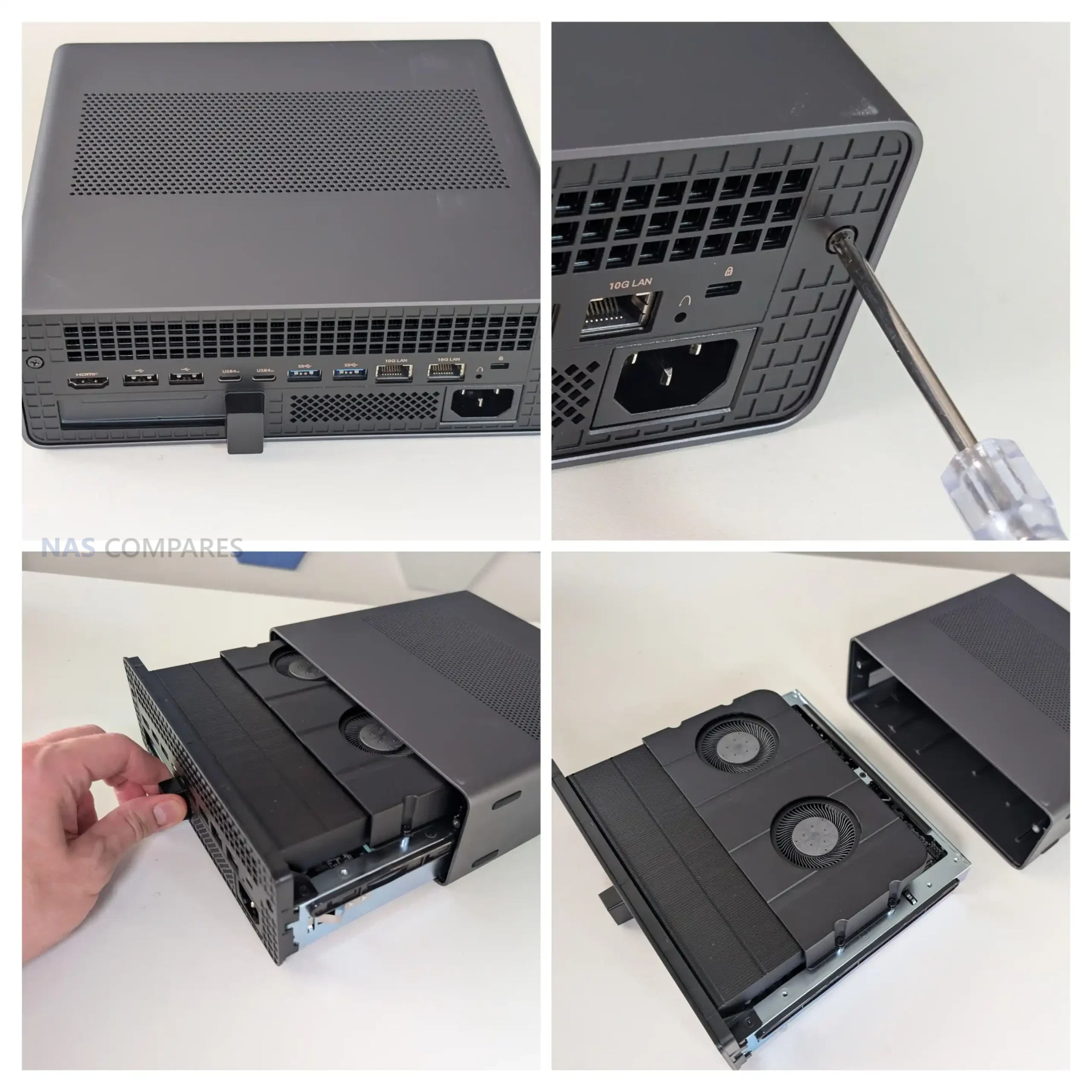
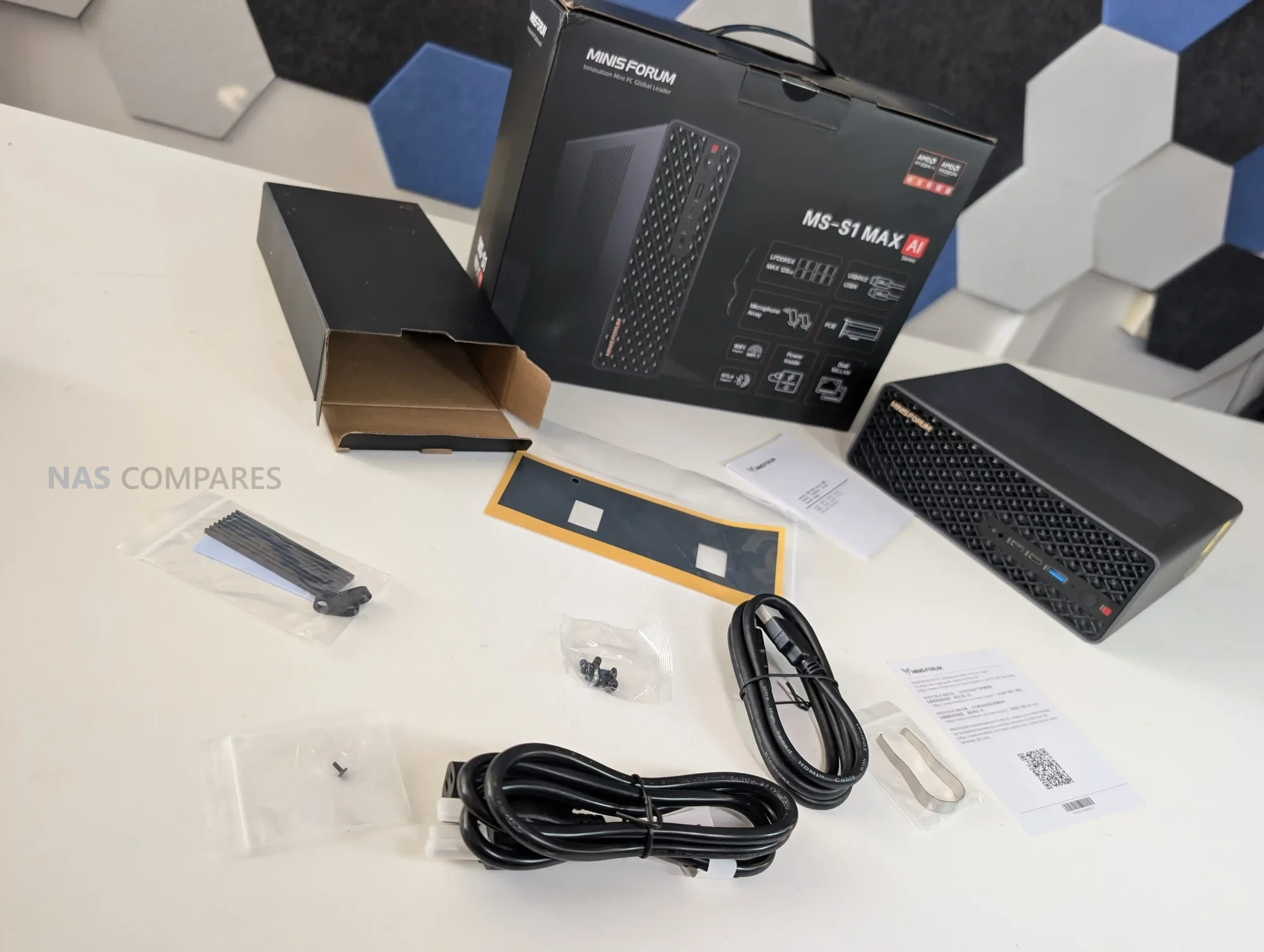
The MS-S1 Max feels like Minisforum took the general “mini workstation” idea and then built a thicker, more industrial version of it to cope with the Strix Halo platform. The chassis is metal and noticeably more substantial than the smaller MS-series boxes, with ventilation cut across multiple sides rather than relying on a single intake and exhaust path. It can be used vertically or horizontally thanks to feet on more than one face, which makes sense given how much of the marketing leans toward desk use one day and rack or shelf use the next.
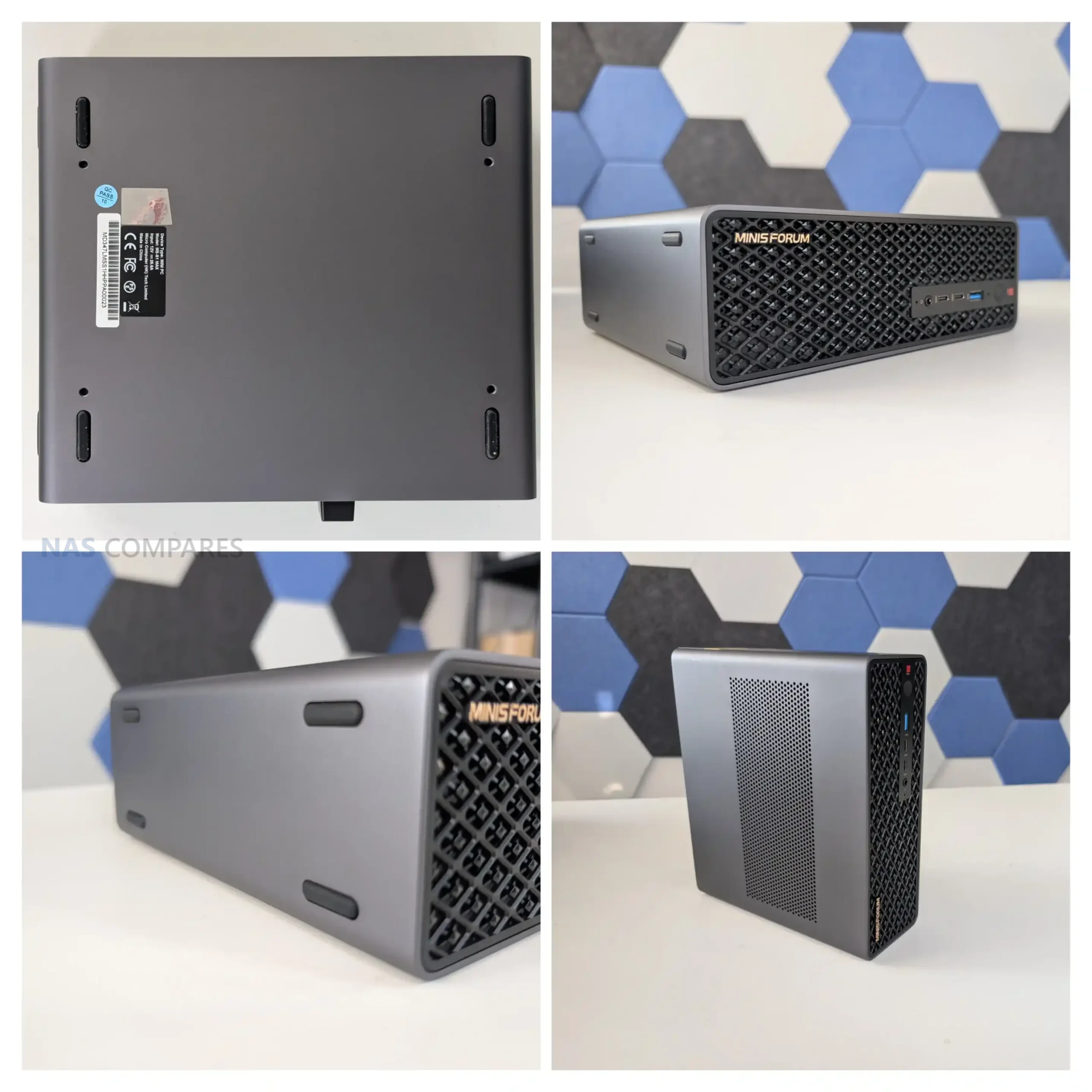
Minisforum also keeps the slide-out structure here, and it is clearly intended to make maintenance less annoying than a traditional small desktop. In practice, it is still a compact, dense build, but you are not dismantling the entire enclosure just to access the main service areas. The system also has a couple of physical touches that make it feel more “deployment aware” than most mini PCs, like the mounting points underneath and the general emphasis on stacking, shelving, or grouping more than 1 unit together.
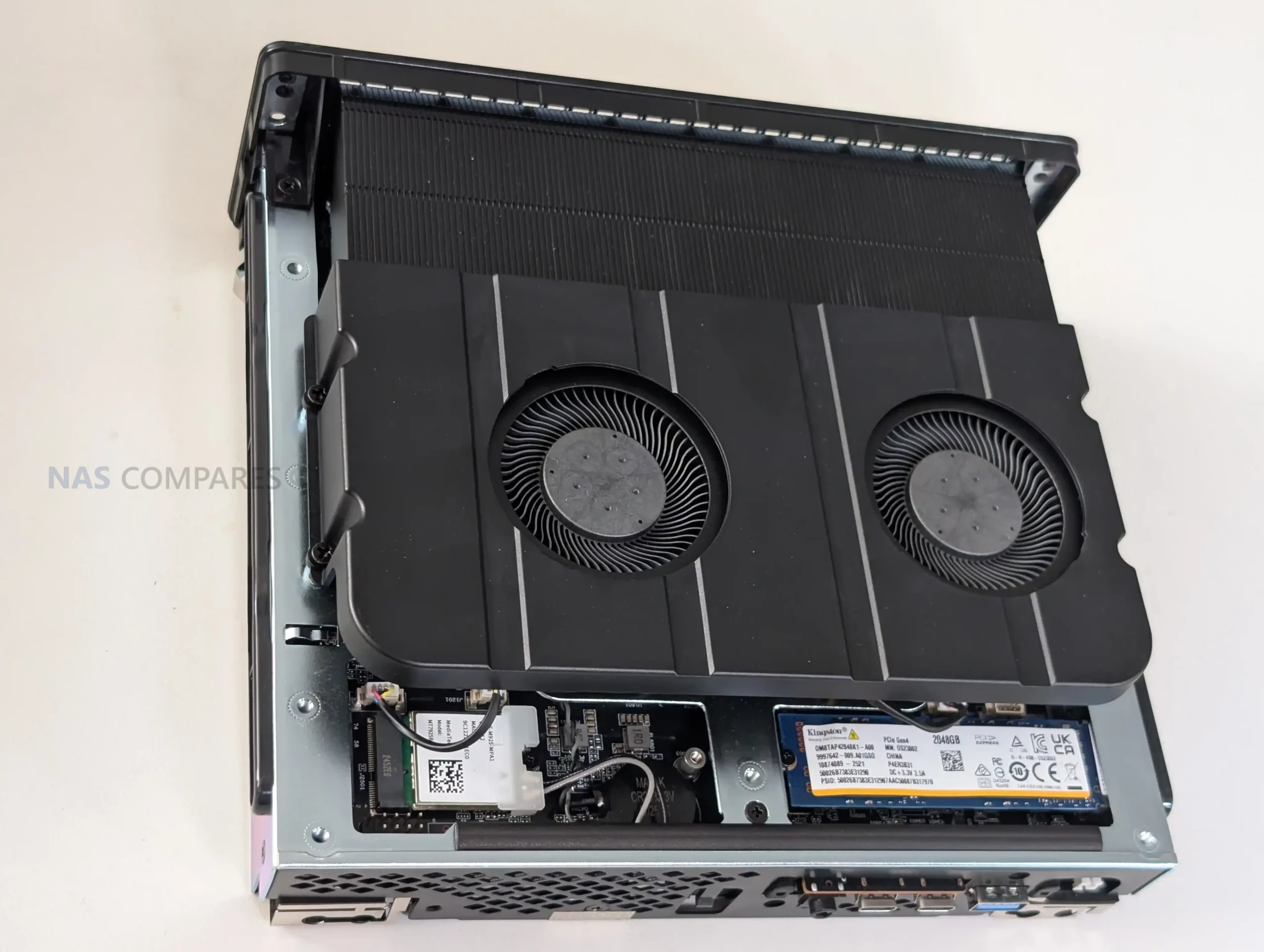
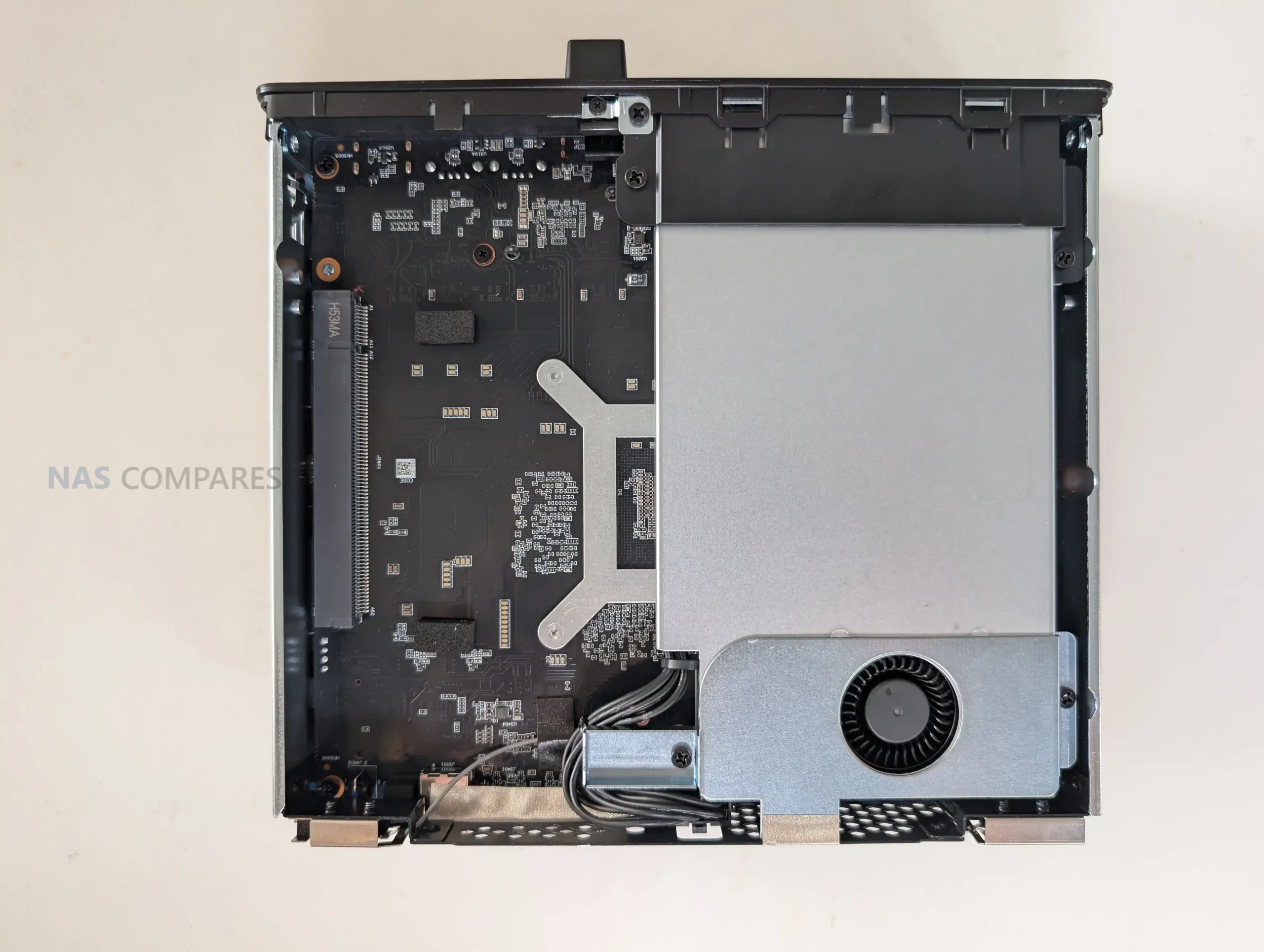
Storage is one of the areas where the MS-S1 Max shows both its strengths and its compromises. You get 2 internal M.2 2280 slots, but they are not equal: 1 is PCIe 4.0 x4 and the other is PCIe 4.0 x1. That means you can have a fast primary NVMe for OS and active work, but the second slot is better treated as capacity storage, warm data, or a secondary pool where peak throughput matters less. Minisforum ships the reviewed configuration with a 2TB Gen 4 SSD, so you can start testing immediately, but once you begin planning expansion, that lane split becomes a real consideration.
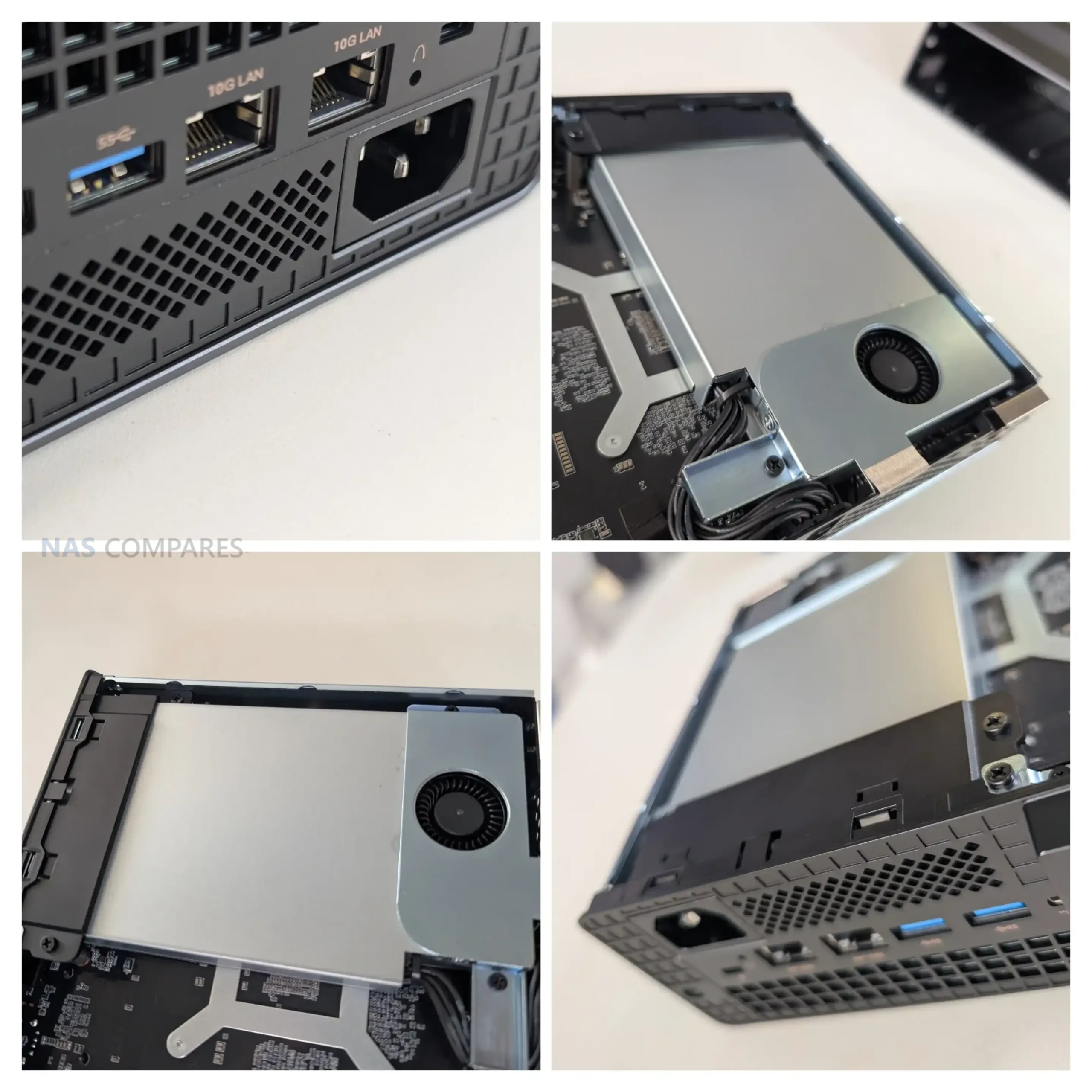
Physically, the M.2 placement is functional but not especially convenient. The slots sit low in the chassis near the base and tucked behind a lot of the cooling hardware, which makes upgrades feel more fiddly than they need to be. There is airflow down there, but it is not the kind of open, easy-access layout you get in a larger desktop. It also does not really encourage tall, pre-fitted heatsinks on SSDs, since clearance is limited and the space around the cooling assembly is tight. If you plan to run heavy sustained writes, you will probably end up choosing low-profile drives or slim heatsinks simply because it is the easiest fit.
On the expansion side, the MS-S1 Max includes a full-length PCIe x16 physical slot, but it is PCIe 4.0 x4 electrically, and that matters if you are buying cards based on the x16 shape alone. The form factor also pushes you toward half-height, half-length cards in most practical installs, and even then it can get cramped depending on cabling and where the PSU wiring runs.
In other words, the slot is useful for NICs, storage adapters, capture cards, and some compact accelerators, but it is not a “drop in any x16 card” situation, and the system rewards planning ahead before you buy hardware for it.
Minisforum MS-S1 Max Review – Internal Hardware
At the heart of the MS-S1 Max is AMD’s Ryzen AI Max+ 395, and the main thing to understand is that it is an APU platform built to behave more like a compact workstation than a typical integrated-graphics mini PC. You are getting a 16C/32T Zen 5 CPU with boost up to 5.1GHz, paired with an on-die Radeon 8060S GPU with 40 CUs and up to 2900MHz. In real use, that combination shifts the expectations around what “no discrete GPU” actually means, because the compute and graphics capability are designed to scale together rather than feeling like a strong CPU with an afterthought iGPU.
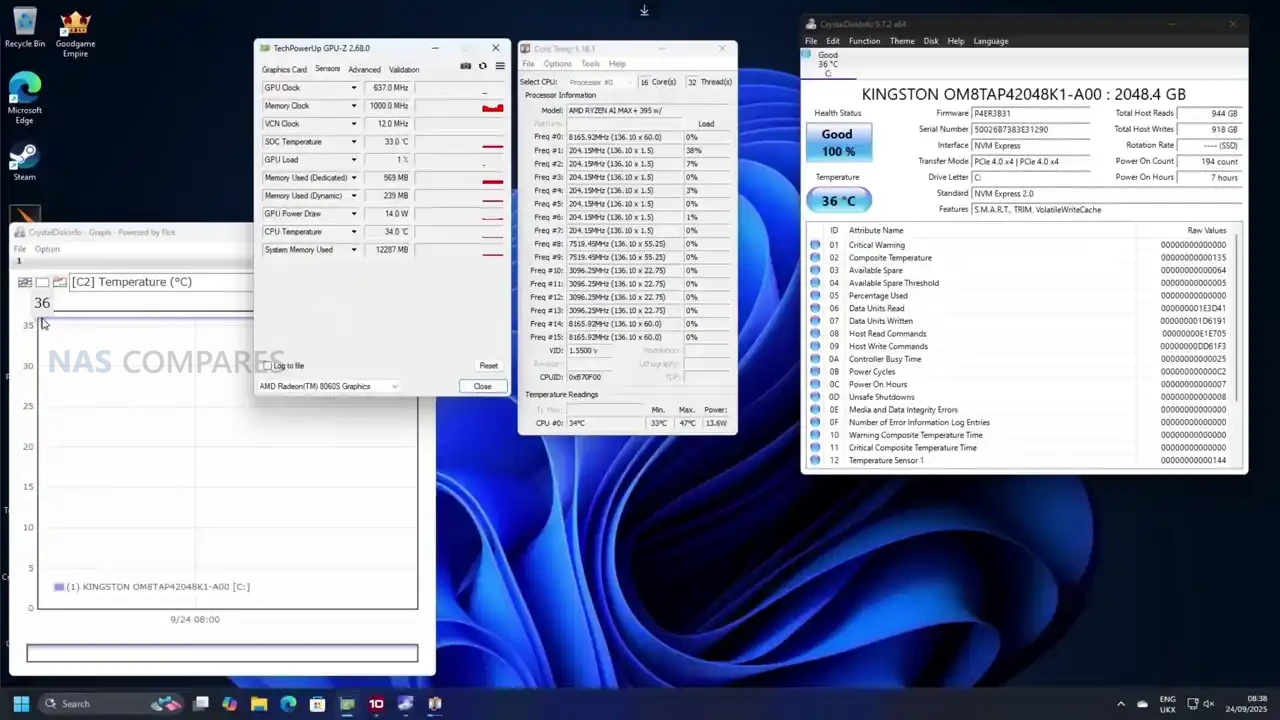
The most defining hardware choice is memory, because you do not get SODIMM slots here at all. The system uses up to 128GB LPDDR5x-8000 on a 256-bit bus, and it is shared between CPU and GPU via UMA. That has practical implications in workloads that normally hit VRAM limits first, like GPU-accelerated creative work or local AI inference, where the ability to allocate a much larger pool to the GPU can matter more than raw shader count. It also means your “upgrade path” is basically decided at purchase, so the value proposition depends heavily on whether 128GB UMA is something you will genuinely use, rather than just admire on a spec sheet.
On the AI side, the platform is marketed around a combined figure of up to 126 TOPS, with the NPU itself rated up to 50 TOPS. In day-to-day terms, that does not automatically translate into every app running faster, because it depends on whether your software actually targets the NPU, the GPU, or the CPU. What is clear from the positioning, and from how similar Strix Halo systems are being used, is that this design is meant to handle local model work without immediately forcing you into a discrete GPU purchase. That also explains why Minisforum leans into “run large models locally” messaging more than it usually does on its mainstream mini PCs.
 |
 |
 |
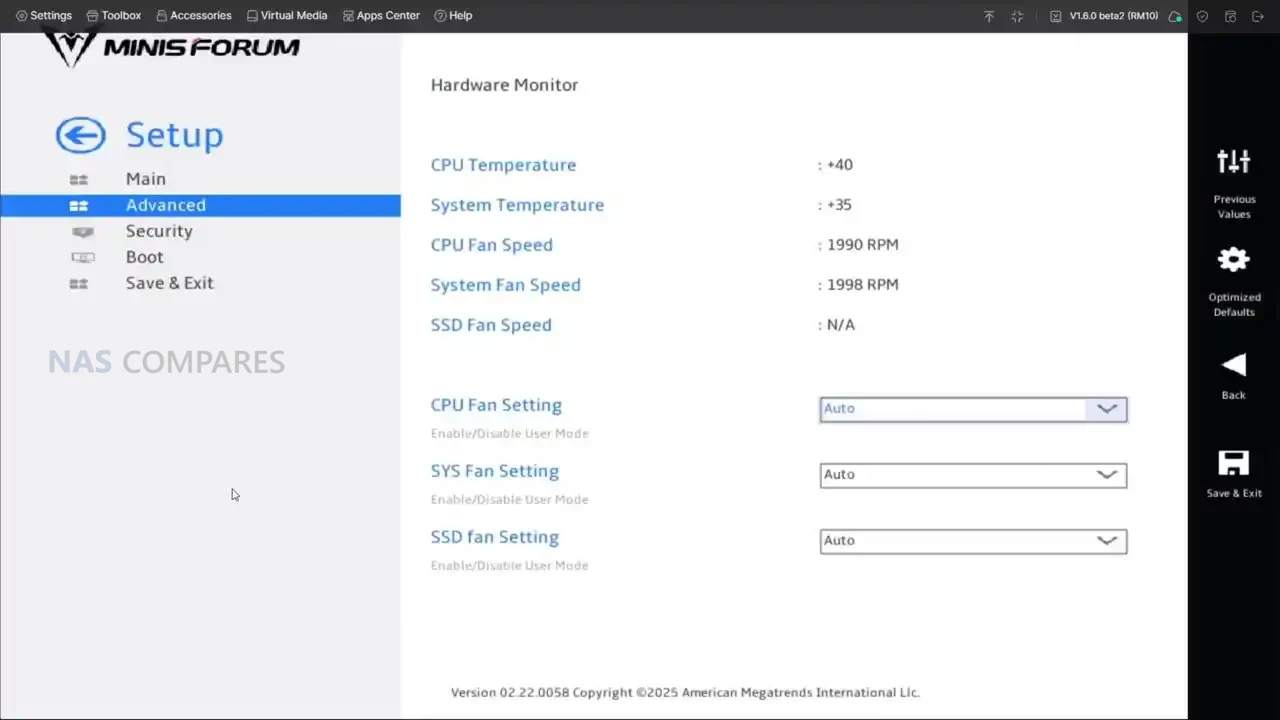 |
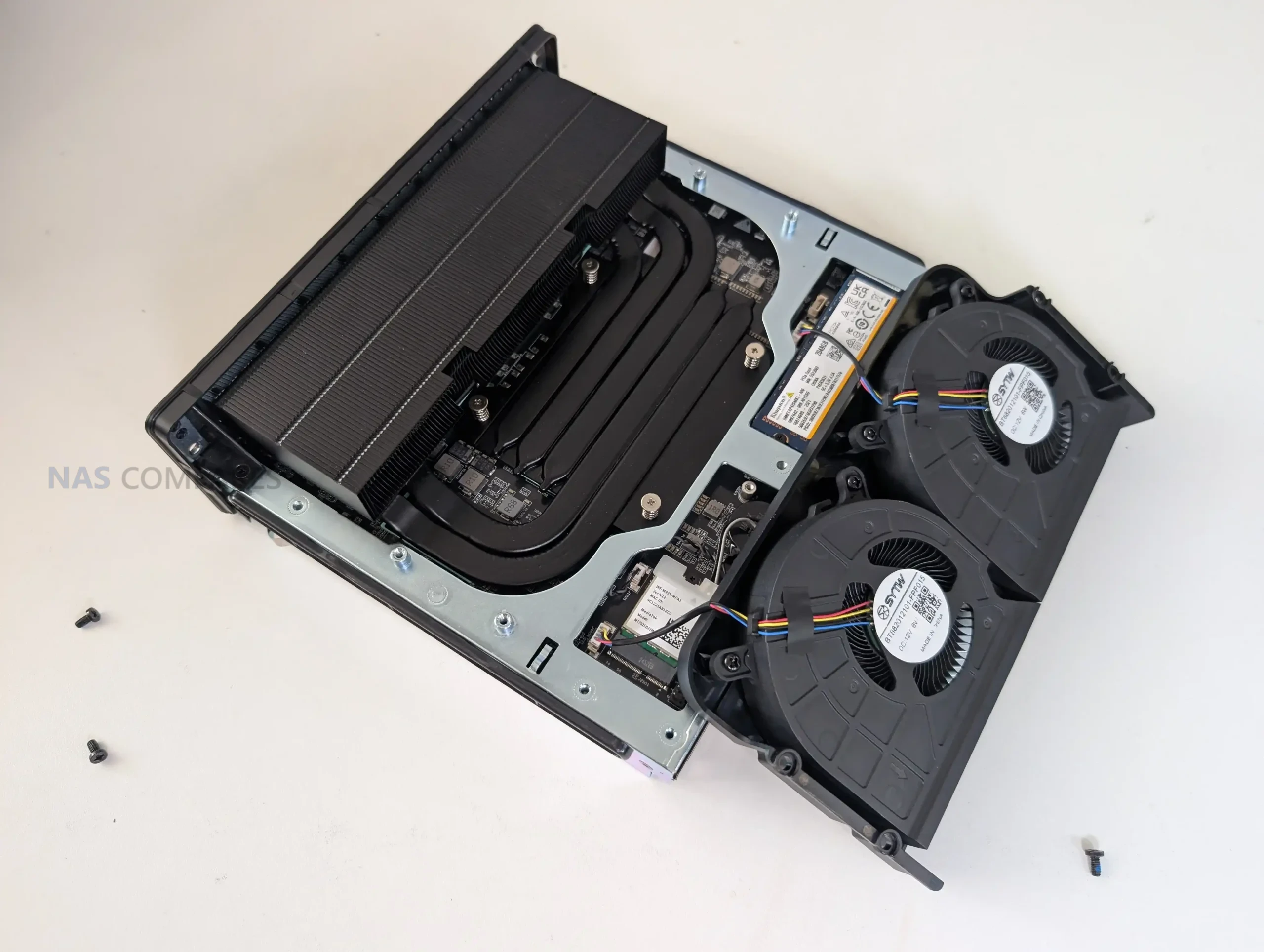
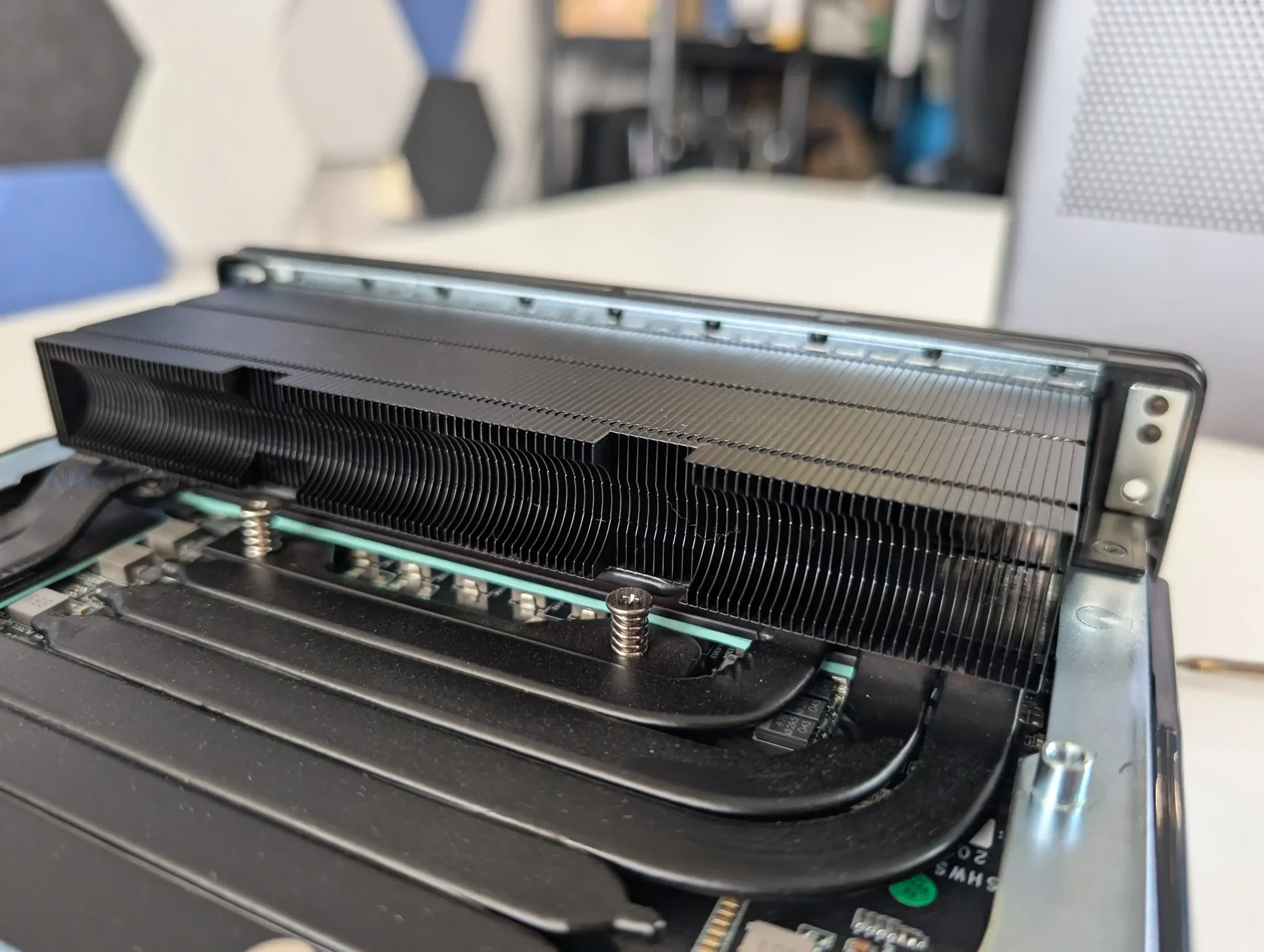
Cooling and power delivery are tightly linked to the internal hardware decisions. Minisforum rates the system at 130W in Performance mode, 95W in Balanced, and 60W in Quiet, and the cooling stack is built around a copper base, 6 heat pipes, phase change material, and dual turbine fans, with a max fan speed of 3600 RPM. The PSU is internal and rated up to 320W, which helps explain why the chassis is thicker than many of Minisforum’s earlier workstations. In practice, that internal PSU choice also supports the idea that this box is expected to hold higher sustained loads than a typical mini PC without relying on a large external power brick.
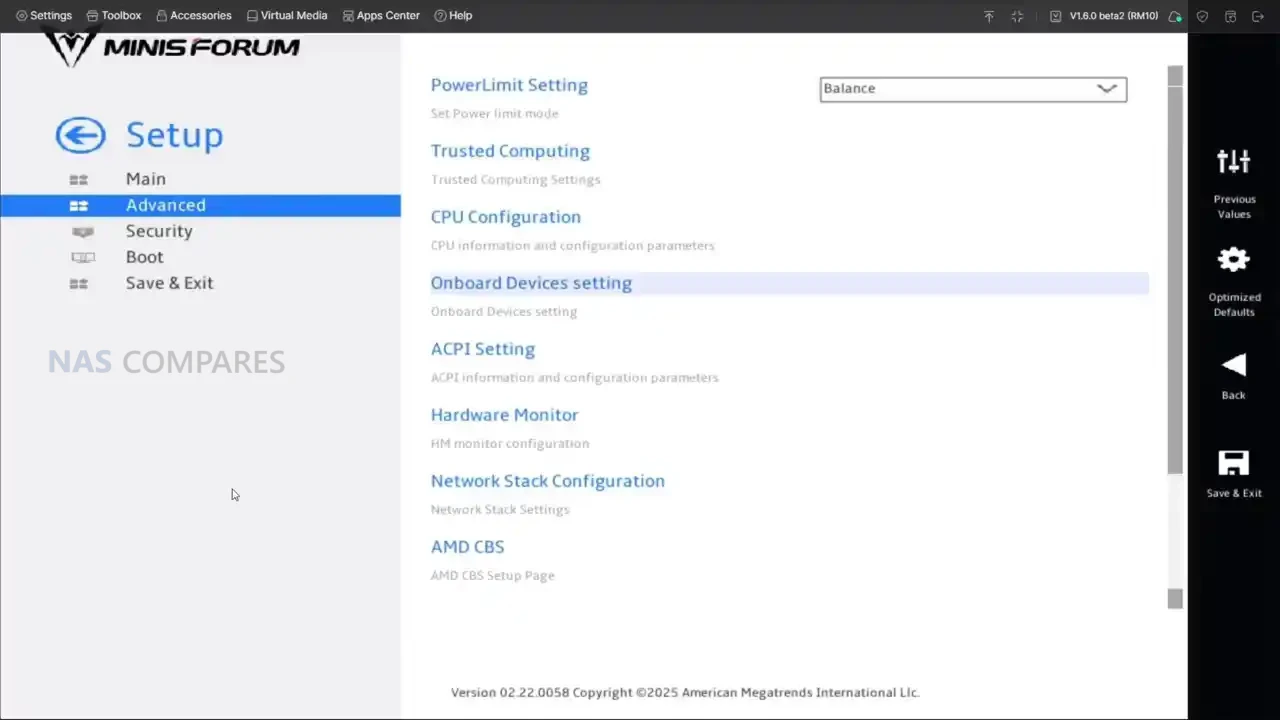
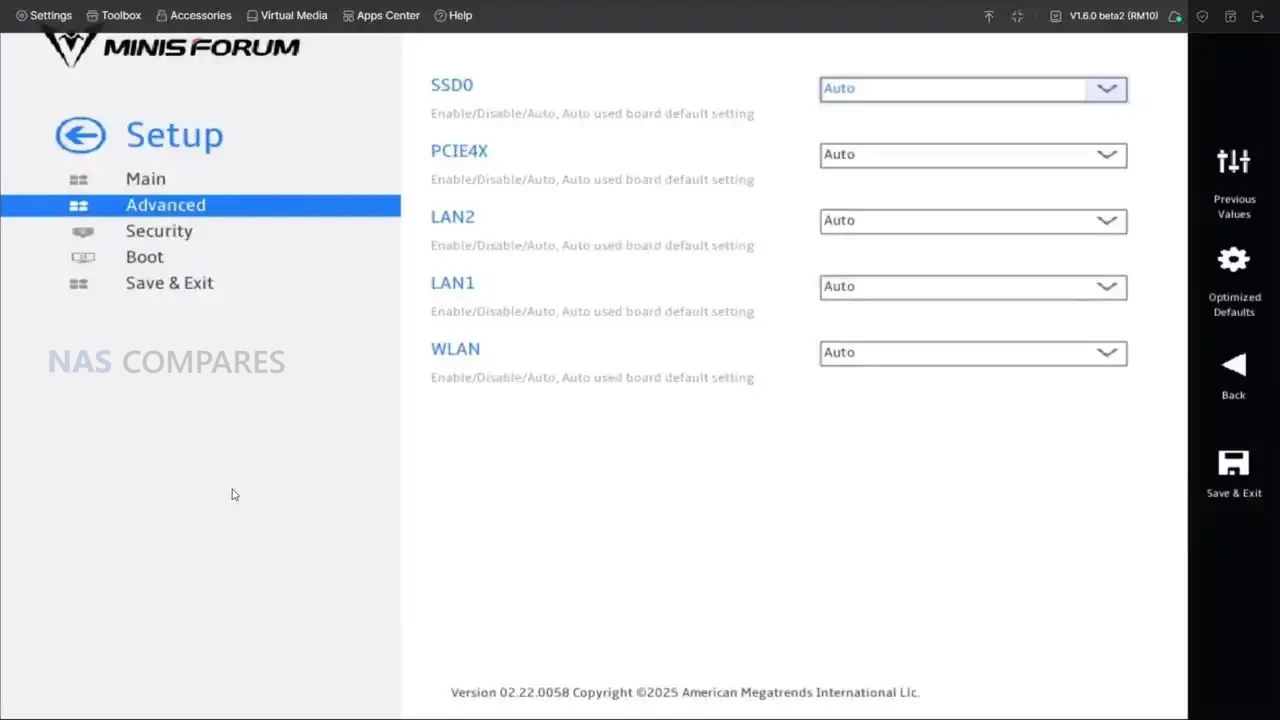
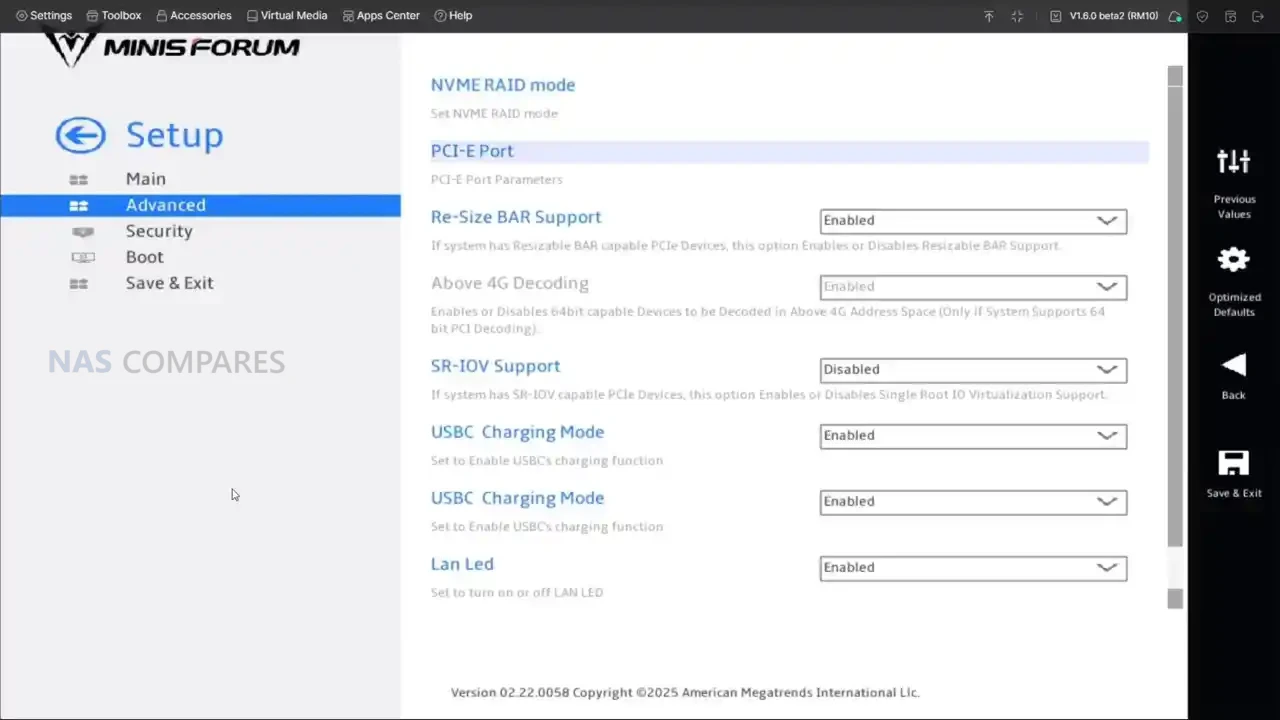
There are also a few platform-level details that shape how “workstation-like” it feels. The system supports Windows 11 Pro and Windows 11 24H2 Pro/Home, and the BIOS is positioned as feature-rich, with fan monitoring and tuning options plus platform toggles that matter to power users. This is relevant because the MS-S1 Max is not just built for one narrow purpose, it is built for people who will switch between modes, tweak profiles, and repurpose it across different roles over time. If you treat it like a sealed appliance, you will still get high performance, but you are leaving a lot of what the platform is trying to offer on the table.
Minisforum MS-S1 Max Review – Ports & Connections
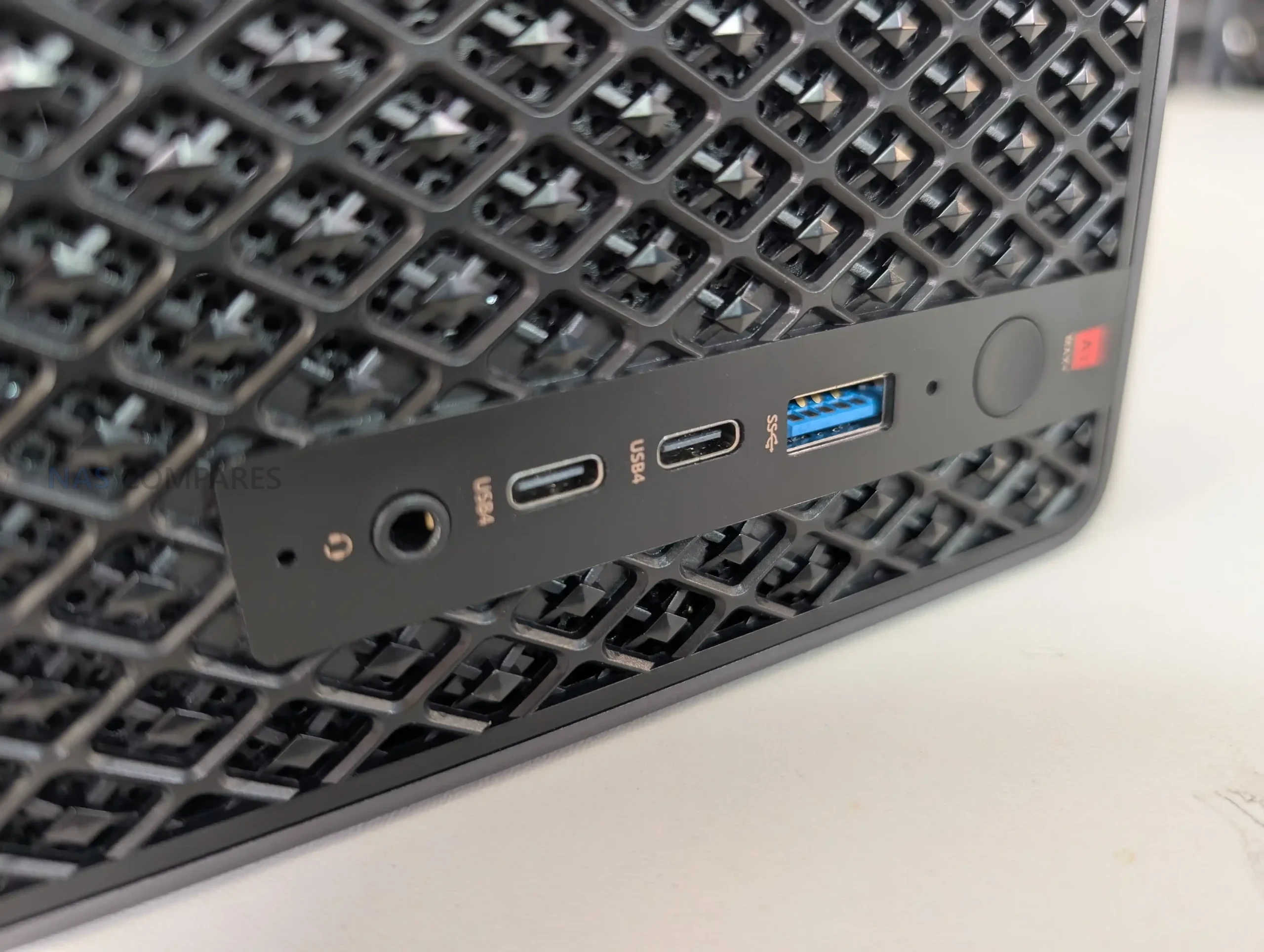
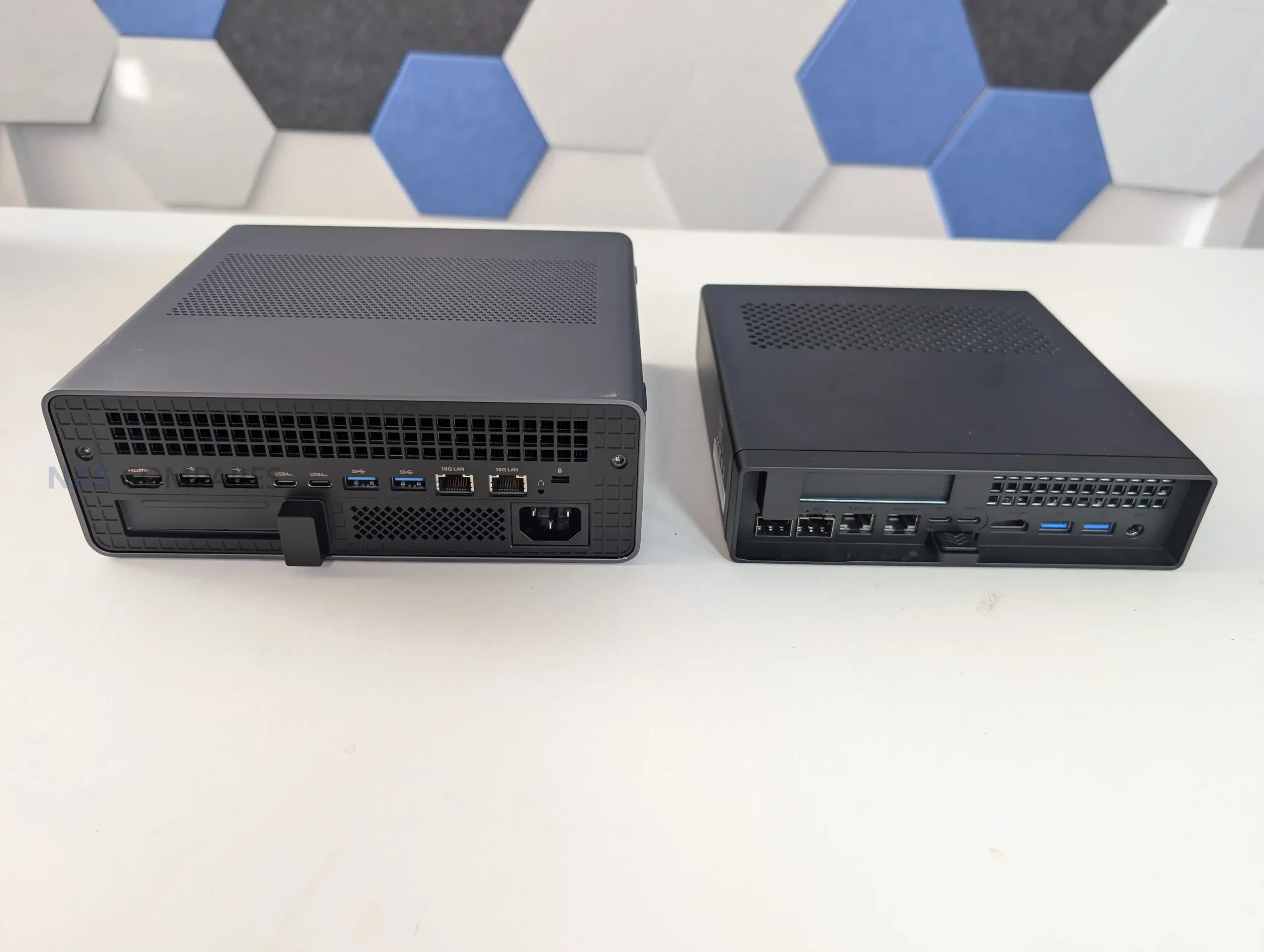
The MS-S1 Max is one of the more connectivity-heavy systems Minisforum has put out, and it is clearly designed around the assumption that it will sit in a workstation or lab environment rather than acting as a living-room mini PC. On the front, you get 2 USB4 ports at 40Gbps, a USB 3.2 Gen2 Type-A at 10Gbps, and a 3.5mm TRRS combo jack, plus 2 built-in DMIC mics that are pitched for voice and AI-assisted capture use. In practice, that front layout feels aimed at day-to-day convenience: fast external storage, a dock or capture device, and simple headset or mic options without needing to reach around the back.
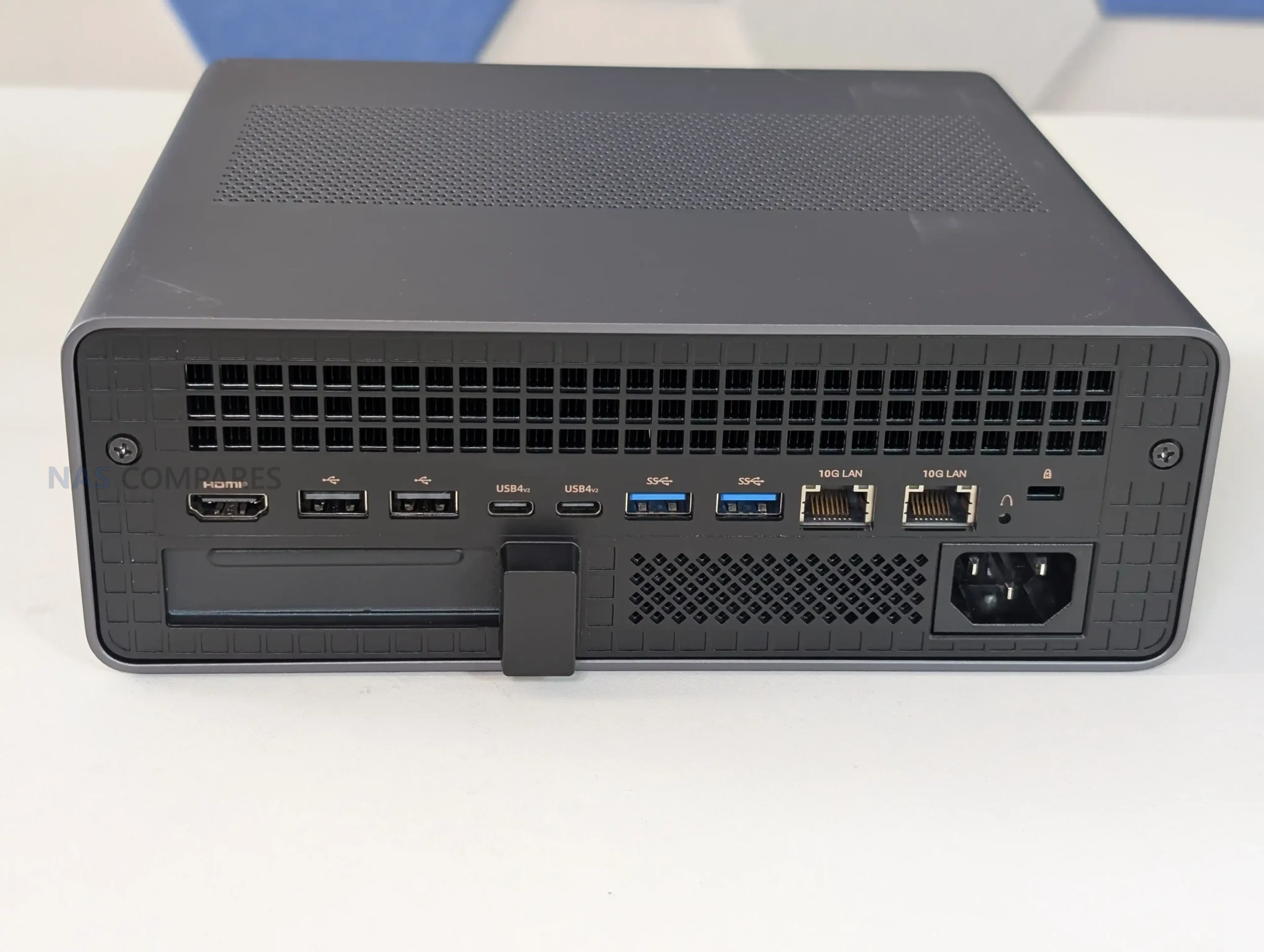
On the rear, Minisforum doubles down on bandwidth. There are 2 USB4 v2 ports at 80Gbps, which is the kind of future-proofing that only really makes sense if you plan to use high-speed docks, external storage, or potentially GPU enclosures over time. The review experience lines up with that idea: the ports work as normal USB4 for most peripherals, but the value is really in the headroom, because 80Gbps devices and adapters are still not common in most studios. Alongside those, you get 2 USB 3.2 Gen2 ports at 10Gbps and 2 USB 2.0 ports, which is a more practical mix than it sounds, because it means you are not “wasting” high-speed ports on low-speed peripherals like keyboards, UPS management cables, or dongles.
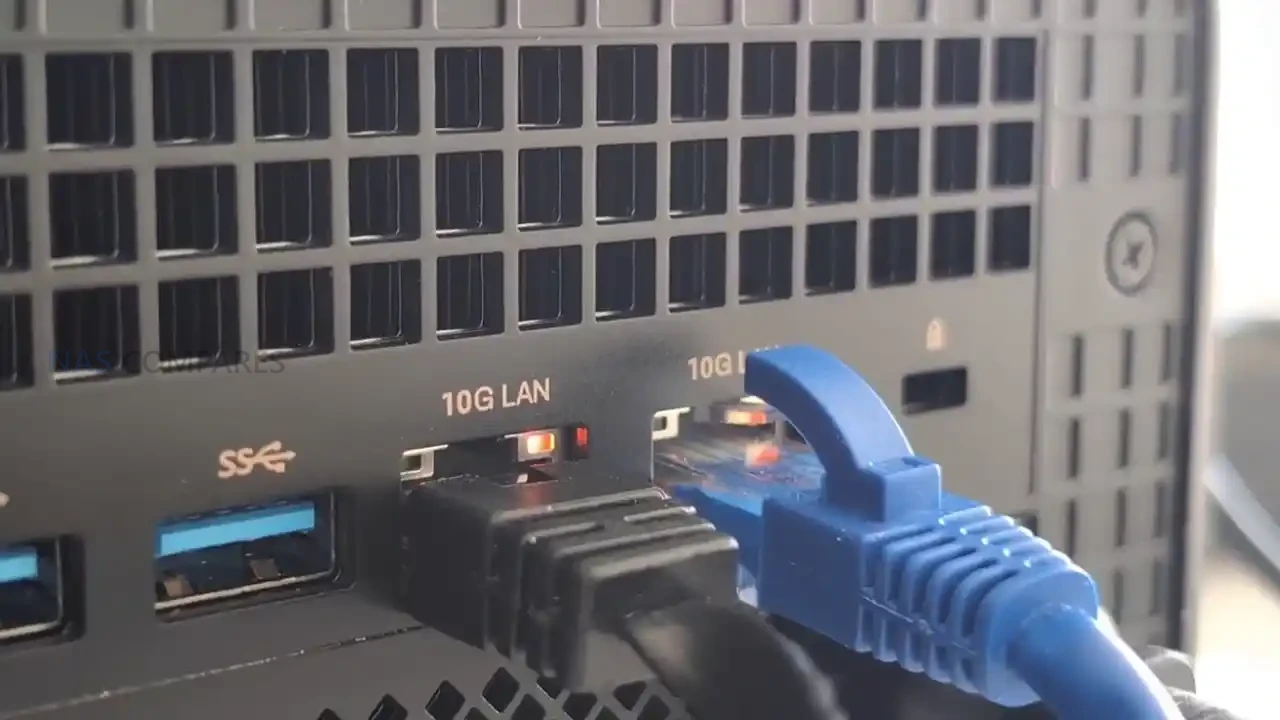
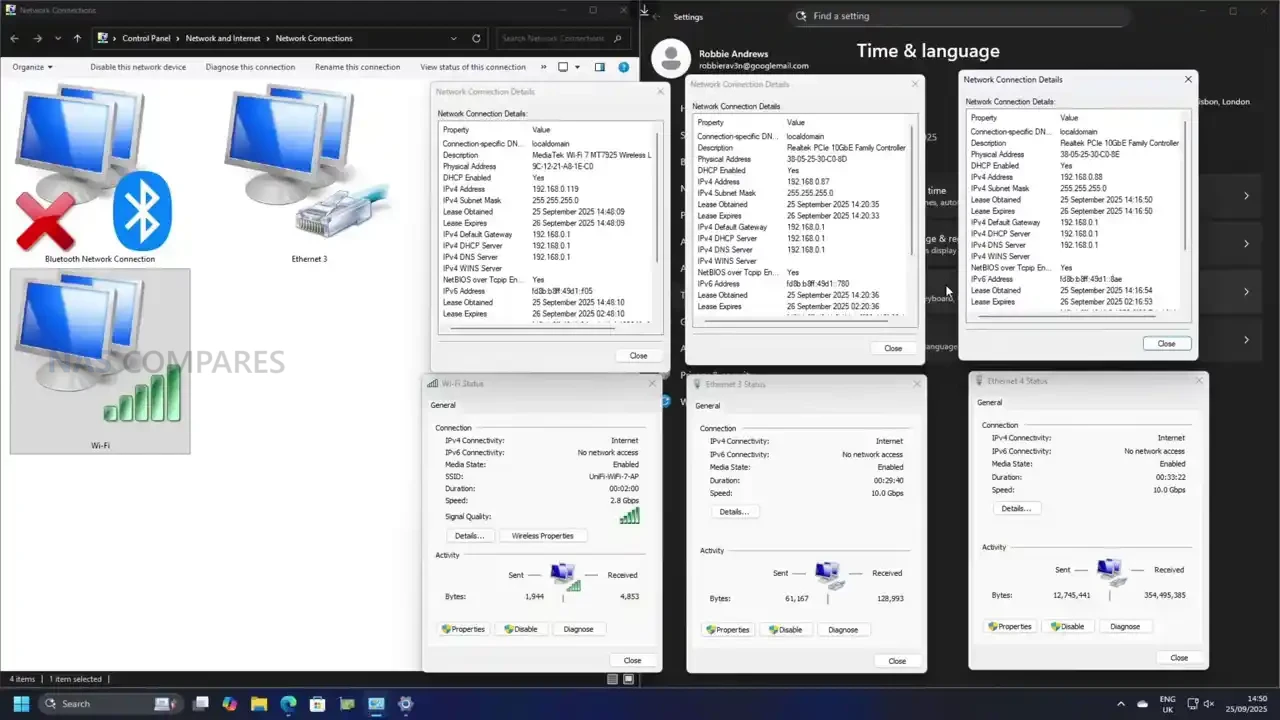
Networking is a major selling point here, but it is also a slightly divisive one depending on your setup. The MS-S1 Max provides 2 10GbE RJ45 ports, both using Realtek RTL8127 controllers, and it also includes WiFi 7 and Bluetooth 5.4. In use, the wired ports are straightforward and do what you would expect in a compact workstation, including saturating 10GbE when paired with storage that can keep up.
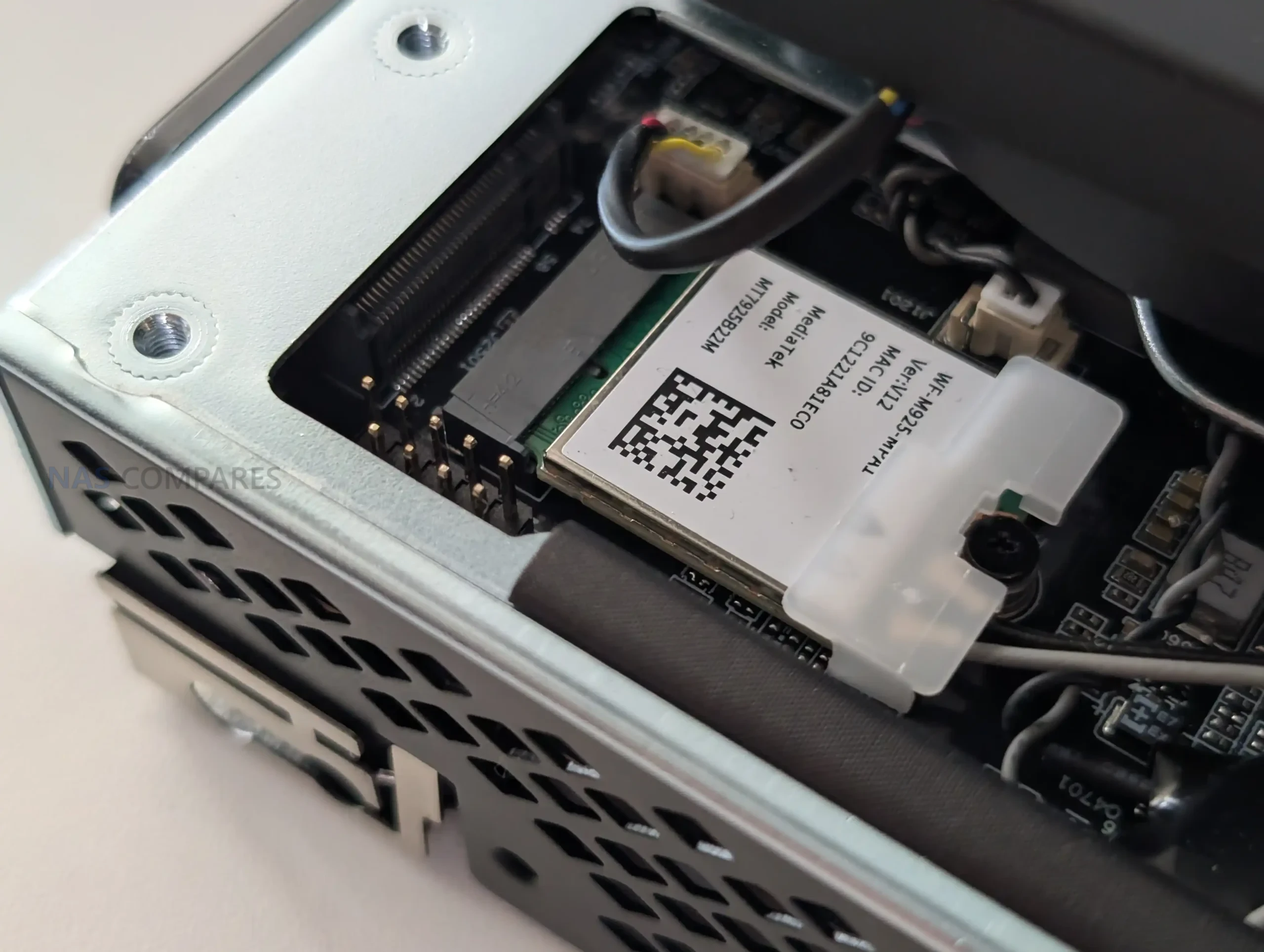
WiFi 7 is also immediately usable, and the practical takeaway is that you can get multi-gig wireless performance without much effort if you already have a WiFi 7 router, but it is still not a replacement for wired 10GbE if you are treating this as part of a storage or production workflow.
Video output is handled through 1 HDMI 2.1 FRL port plus DisplayPort Alt Mode over USB4 and USB4 v2, which makes multi-display setups easy without any additional hardware. Minisforum rates these outputs up to 8K@60Hz and 4K@120Hz, and in the real world that means you can run high-refresh 4K displays or multiple monitors with less compromise than most iGPU-based mini PCs. The only real caveat is that the system leans heavily on USB4 for flexible display and peripheral expansion, so the people who get the most out of the port selection are the ones already planning to use docks, external storage, or high-bandwidth accessories, rather than just plugging in a keyboard and a single monitor.
Minisforum MS-S1 Max Review – Performance & Tests
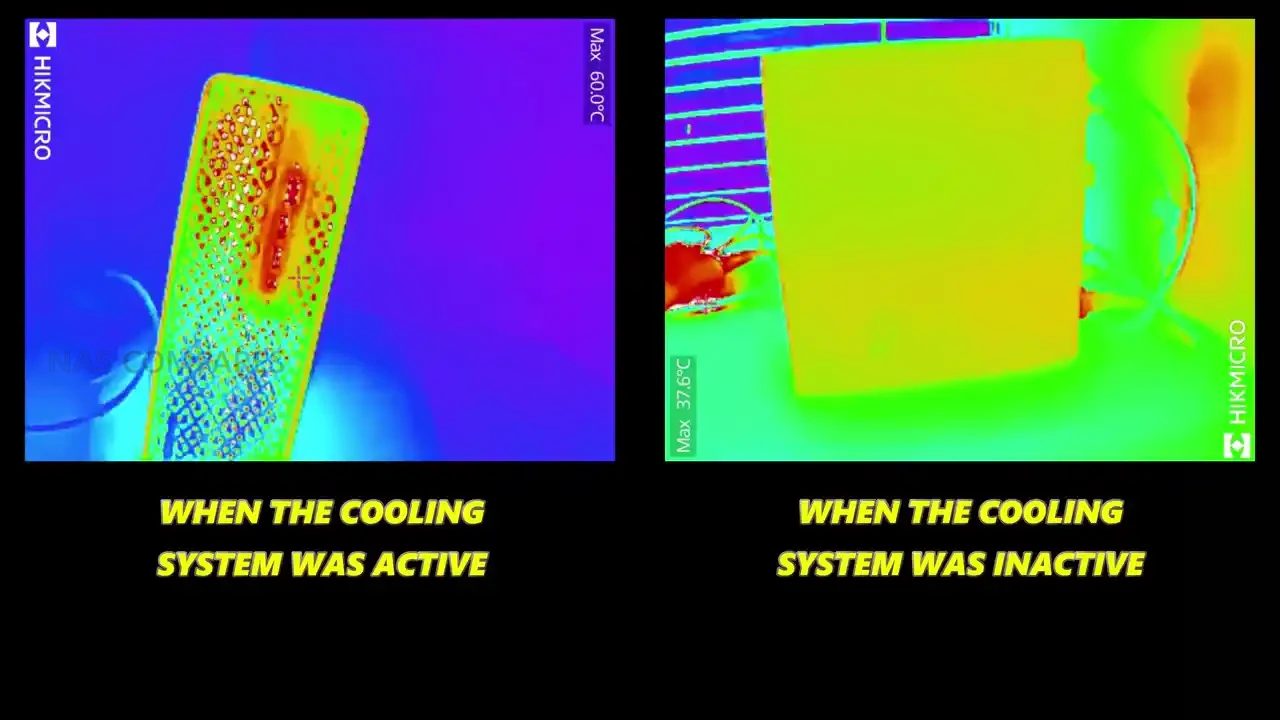
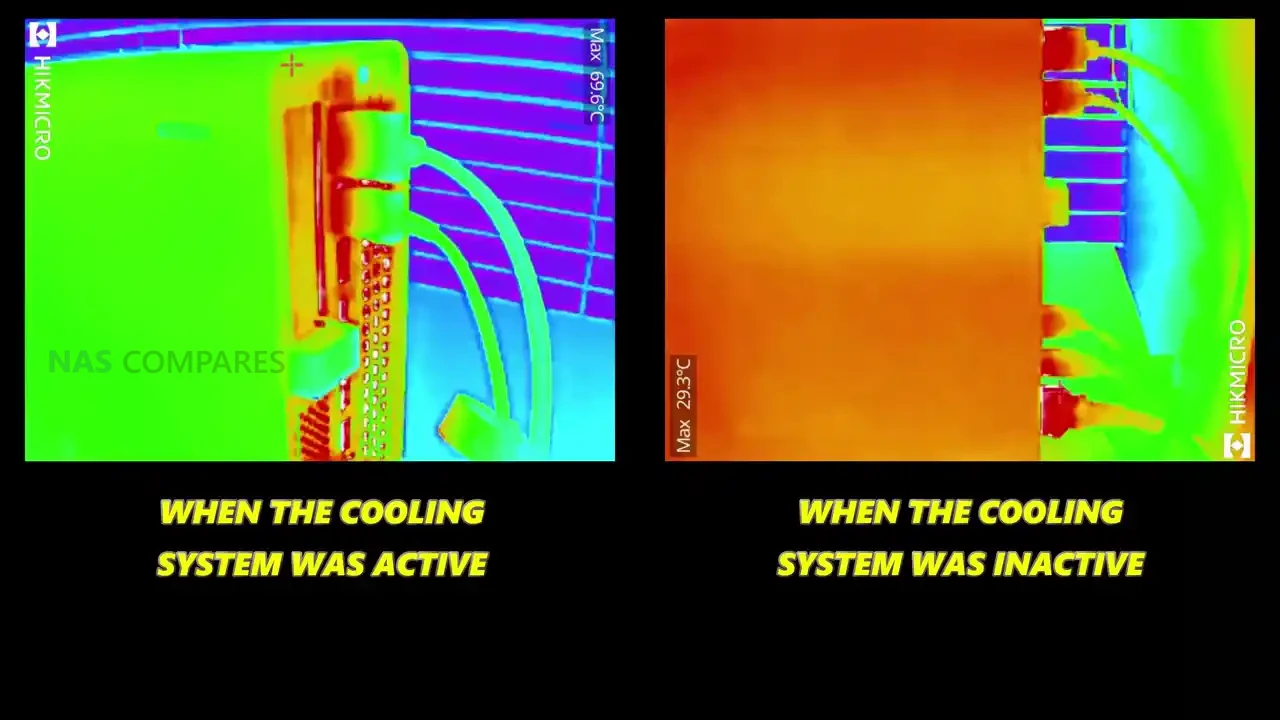
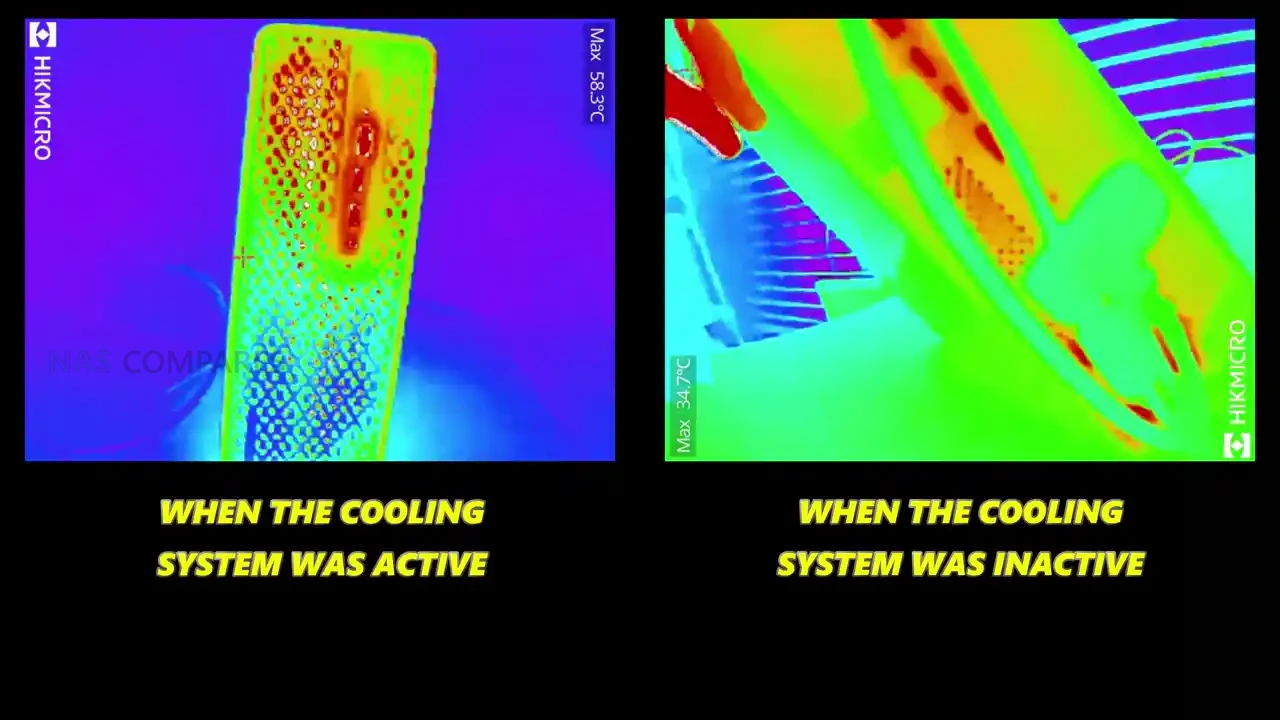
In day-to-day use, the MS-S1 Max feels less like a typical mini PC and more like a compact workstation that happens to have an iGPU. General desktop operation is consistently responsive, and the platform’s bandwidth-heavy design shows up most clearly when you start stacking tasks that normally push integrated graphics systems into obvious slowdown. One thing that stood out early is how “hot to the touch” the exterior can feel when the system is sitting idle, with thermal imaging showing roughly 55 to 60°C around sections of the chassis and vents in that state. At the same time, internal sensor readings were not presenting anything alarming, which suggests the metal body is doing what it is meant to do as part of heat dissipation, but the idle fan curve behavior did not feel especially reactive until a workload actually kicked in.
 |
 |
 |
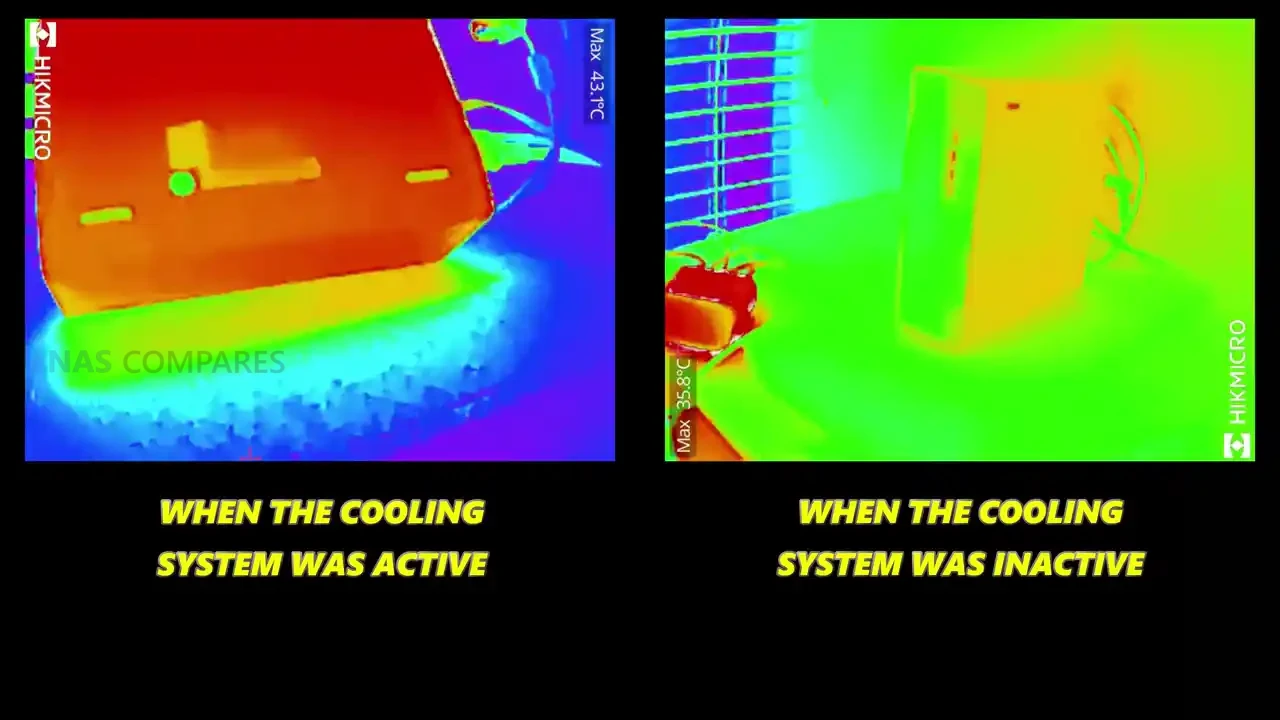 |
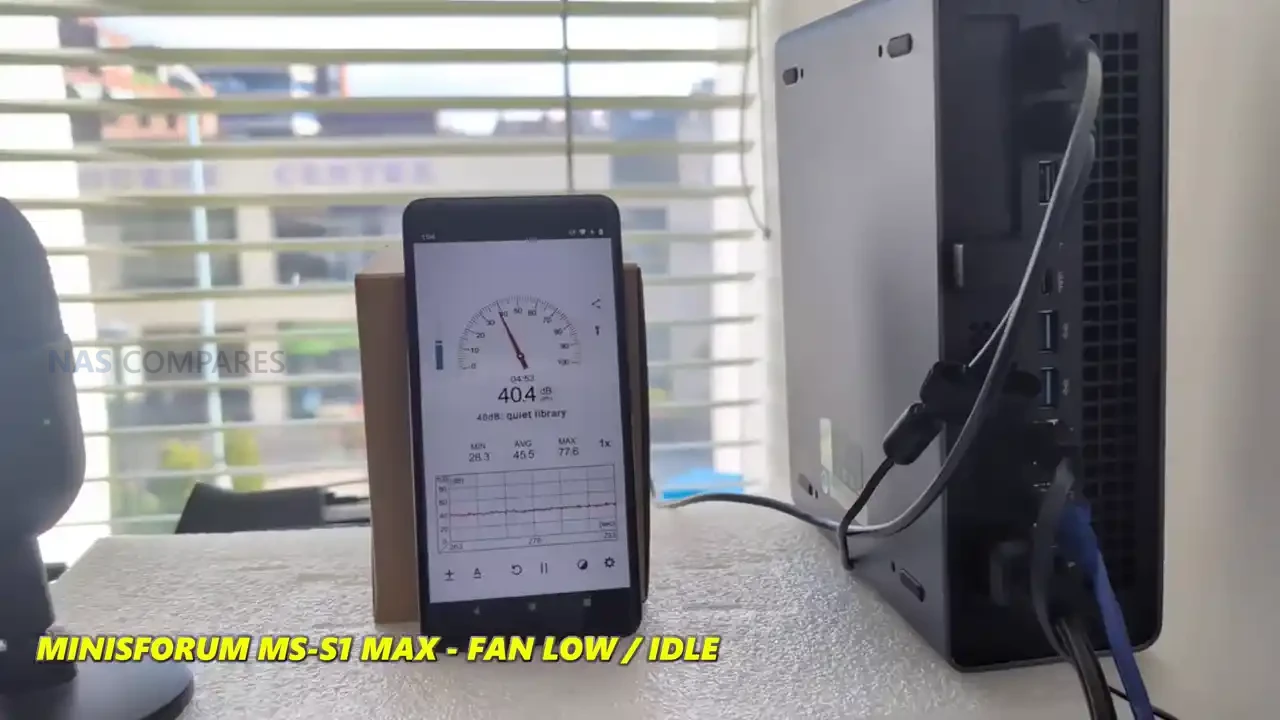
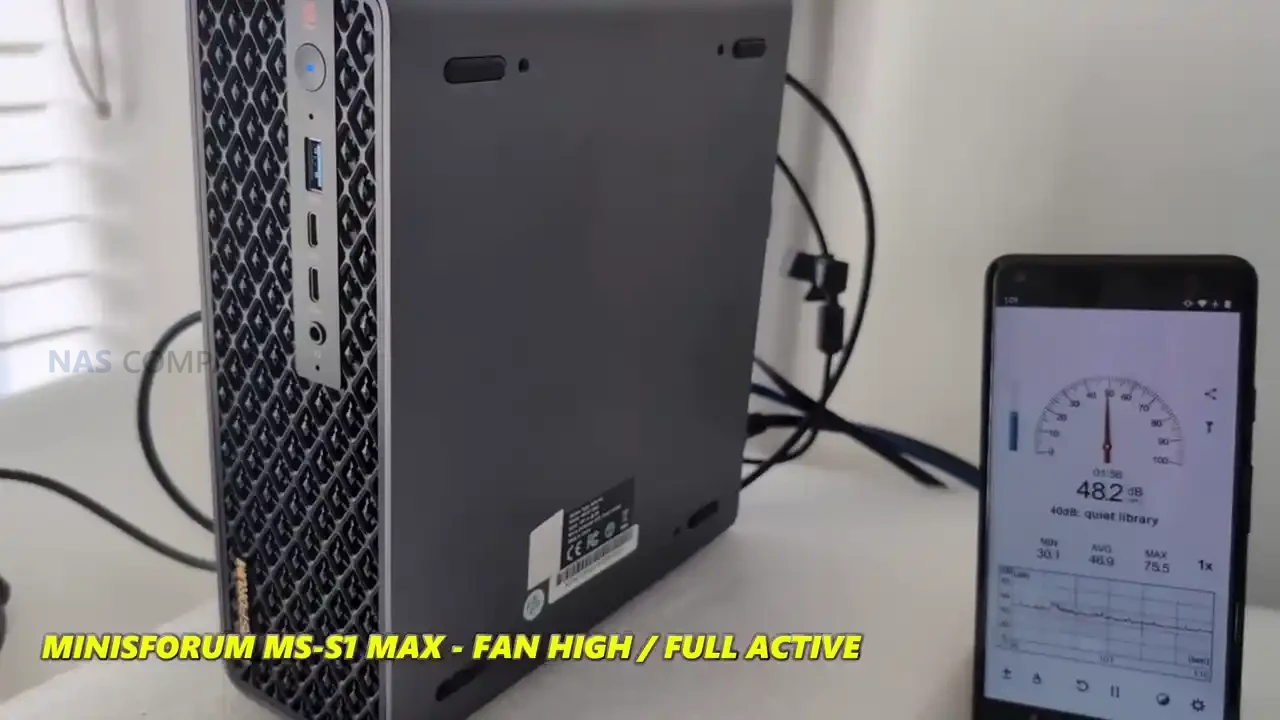
Once the system is put under load, the cooling behavior becomes easier to understand and, in practice, more reassuring. During active workloads, the external readings dropped notably in many areas, with measurements around 31 to 34°C being observed on parts of the casing once sustained tasks were running, and internal hot spots that had looked extreme during idle did not remain in that range once the fan profile ramped. Noise levels followed the same pattern: at idle the system sat around 39 to 41 dBA, but under heavier load it ramped to roughly 51 to 53 dBA. It is not silent, but it is also not unexpectedly loud for a high-power APU system with multiple fans and a chassis that is clearly built to move air.
 |
 |
 |
|
 |
 |
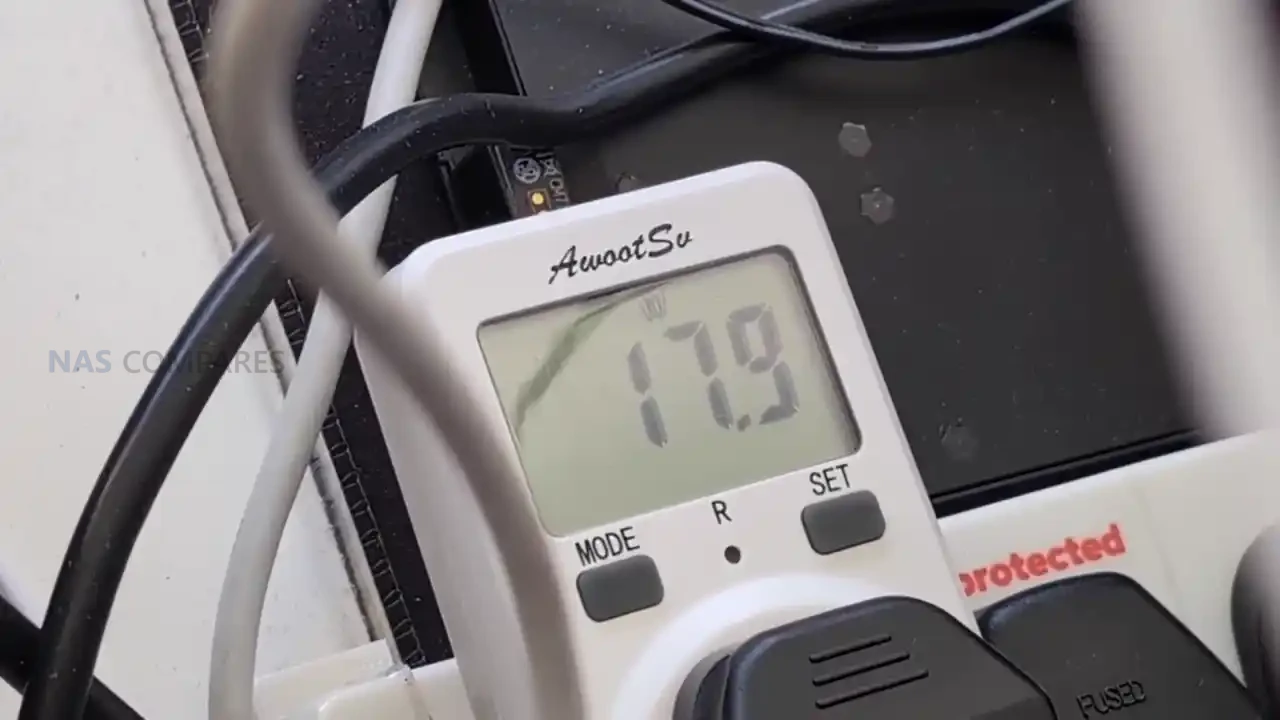
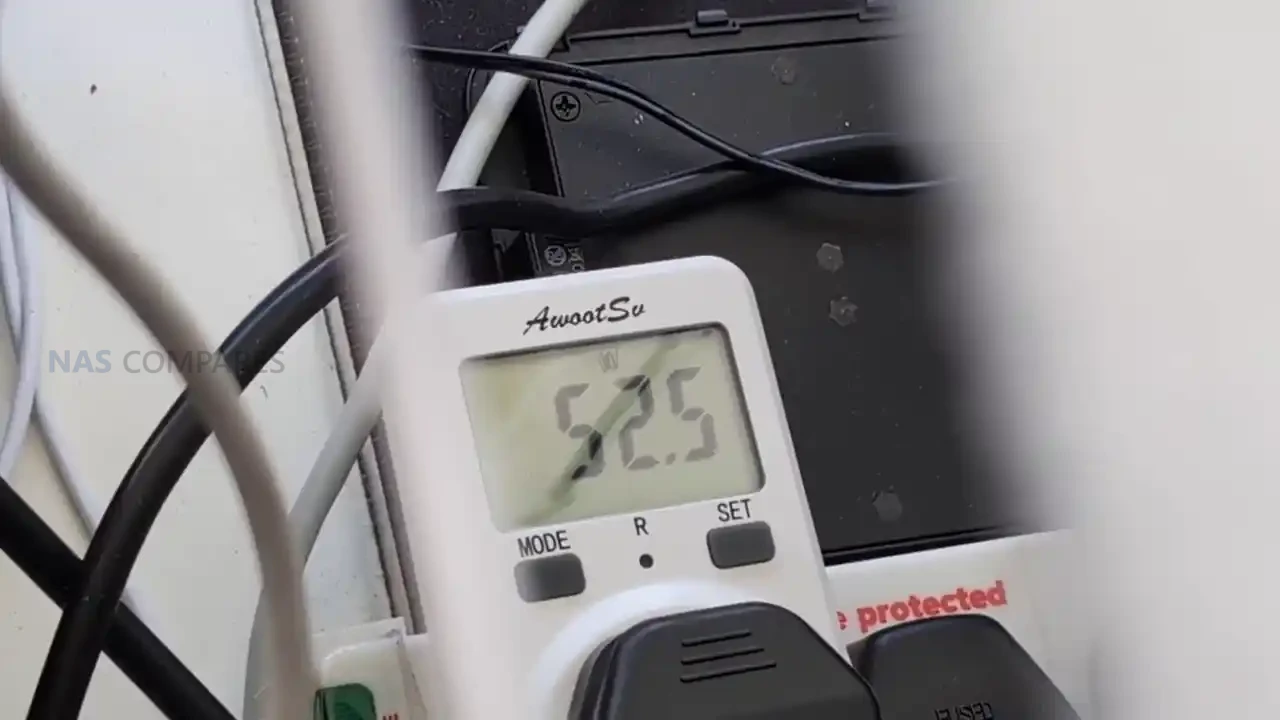
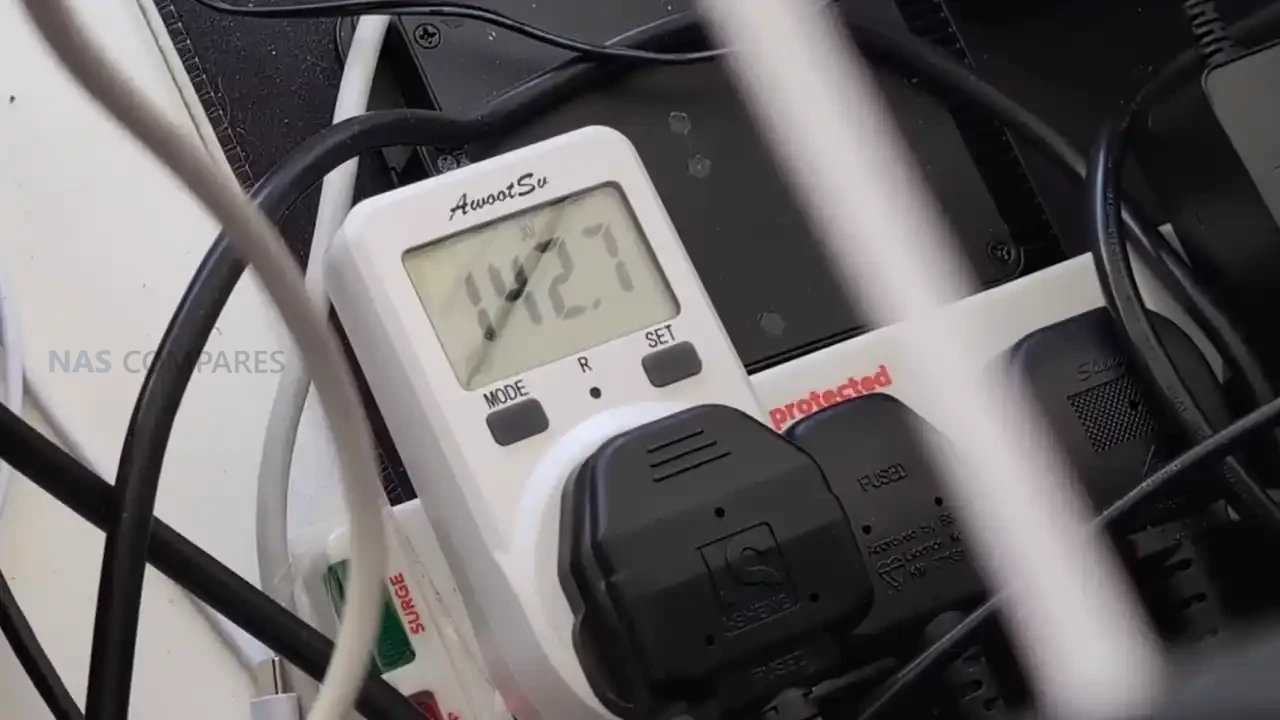
Power draw is one of the more interesting parts of the MS-S1 Max story because it is unusually low when the system is doing very little, then rises quickly once the GPU side is engaged. Idle consumption landed around 13 to 16 W, which is striking given the CPU, GPU, memory bandwidth, and overall positioning of the device. More moderate CPU-oriented workloads pushed consumption into roughly the 45 to 58 W range, with brief spikes into the 70 to 80 W area depending on thread behavior in the test. Once the Radeon 8060S was hit hard in GPU-heavy testing, total system power moved into triple digits, with figures around 141 to 158 W being recorded, which lines up with the idea that this chassis is designed to translate a lot of electrical budget into sustained APU performance rather than short bursts.
 |
 |
 |
 |
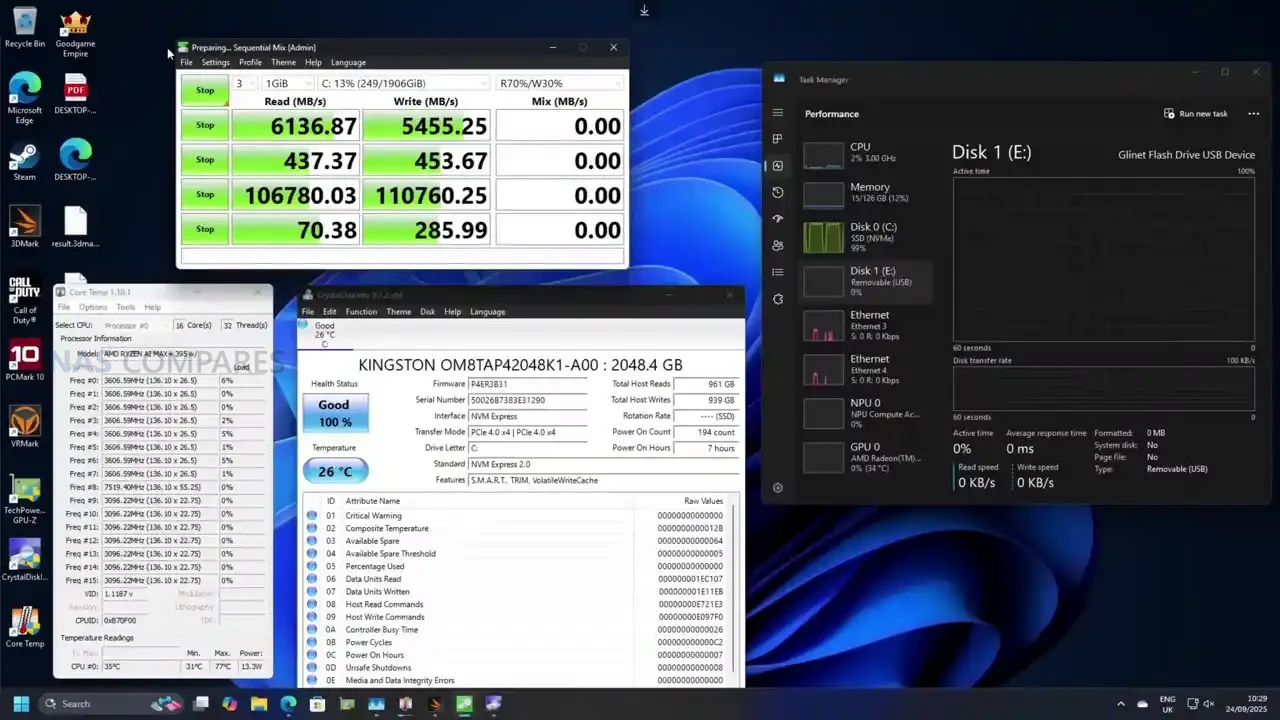
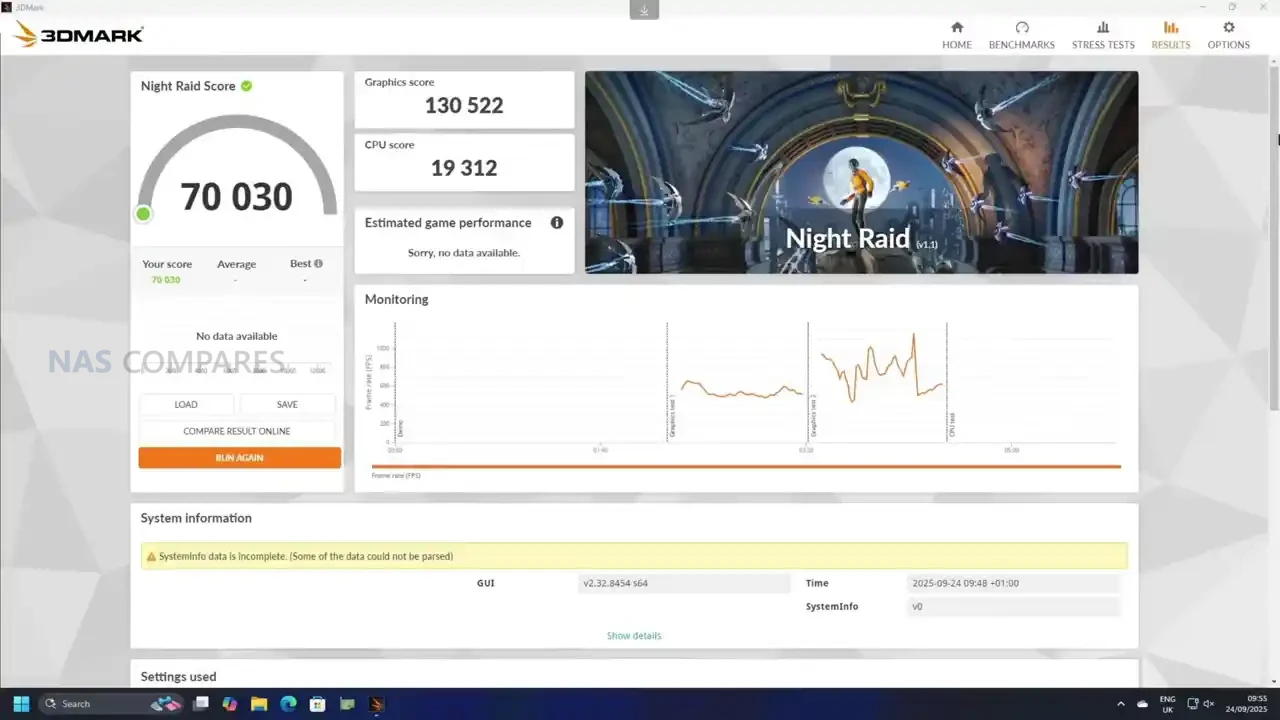
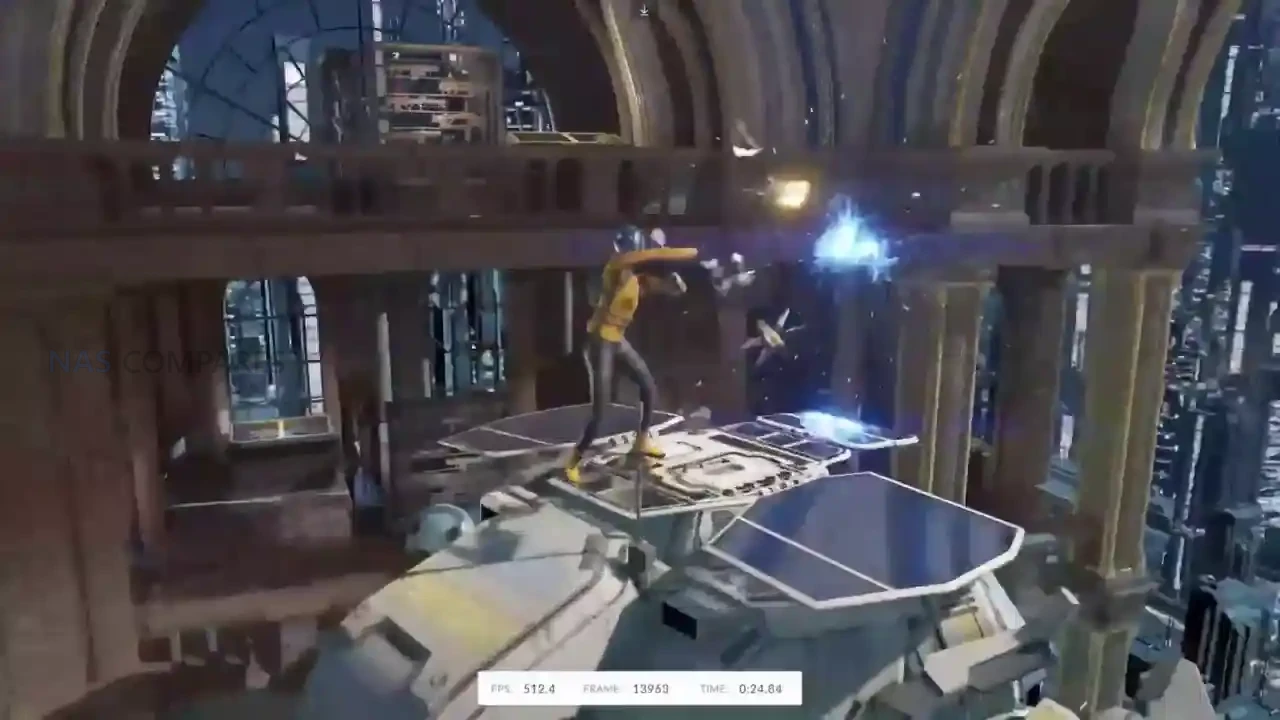
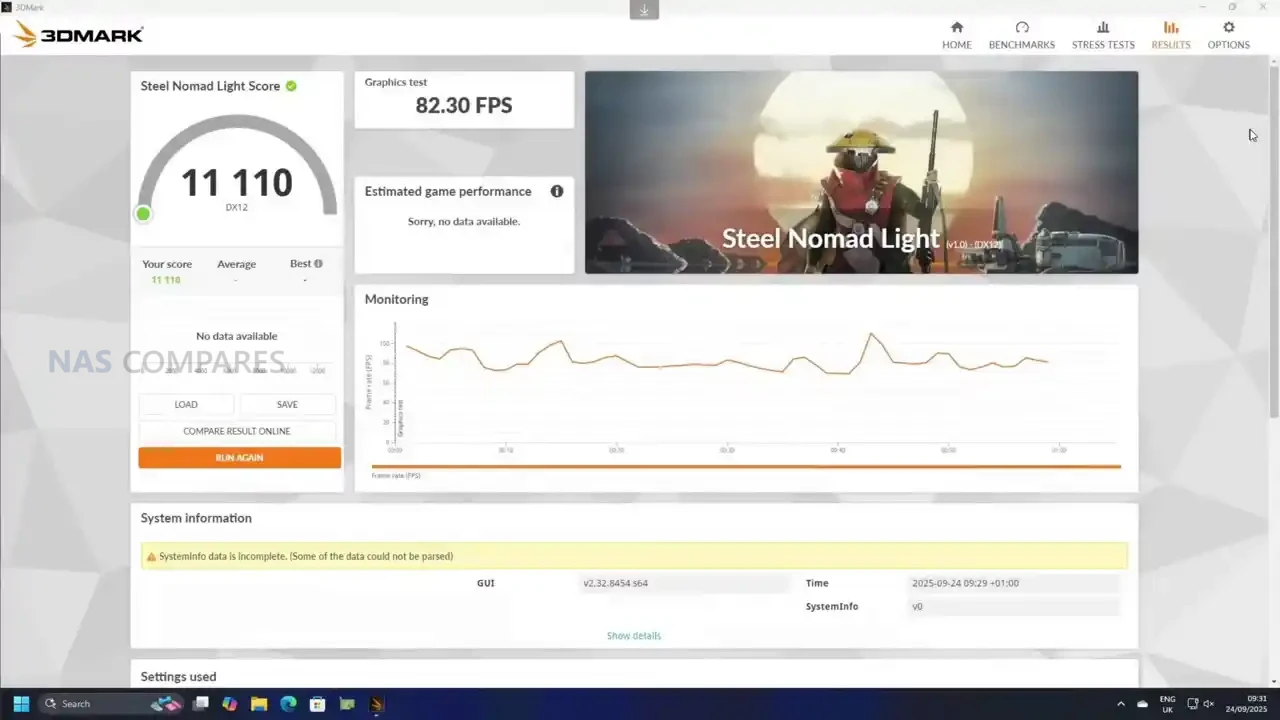
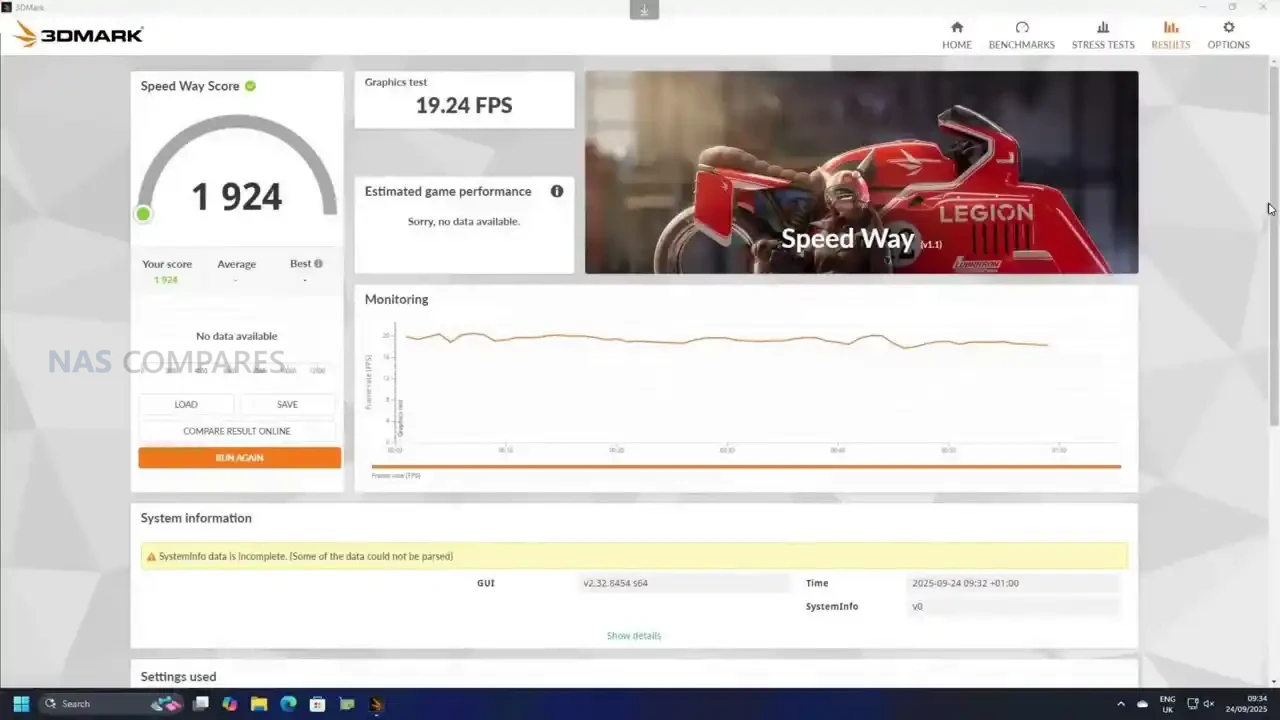
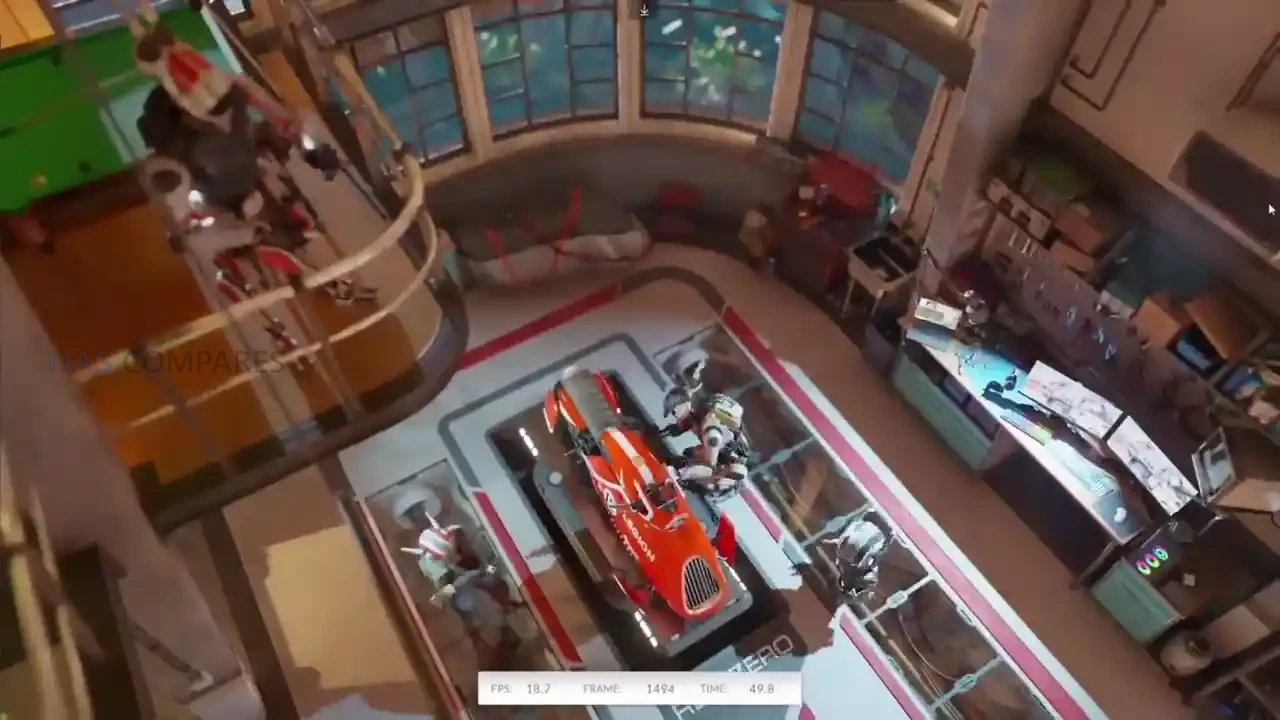
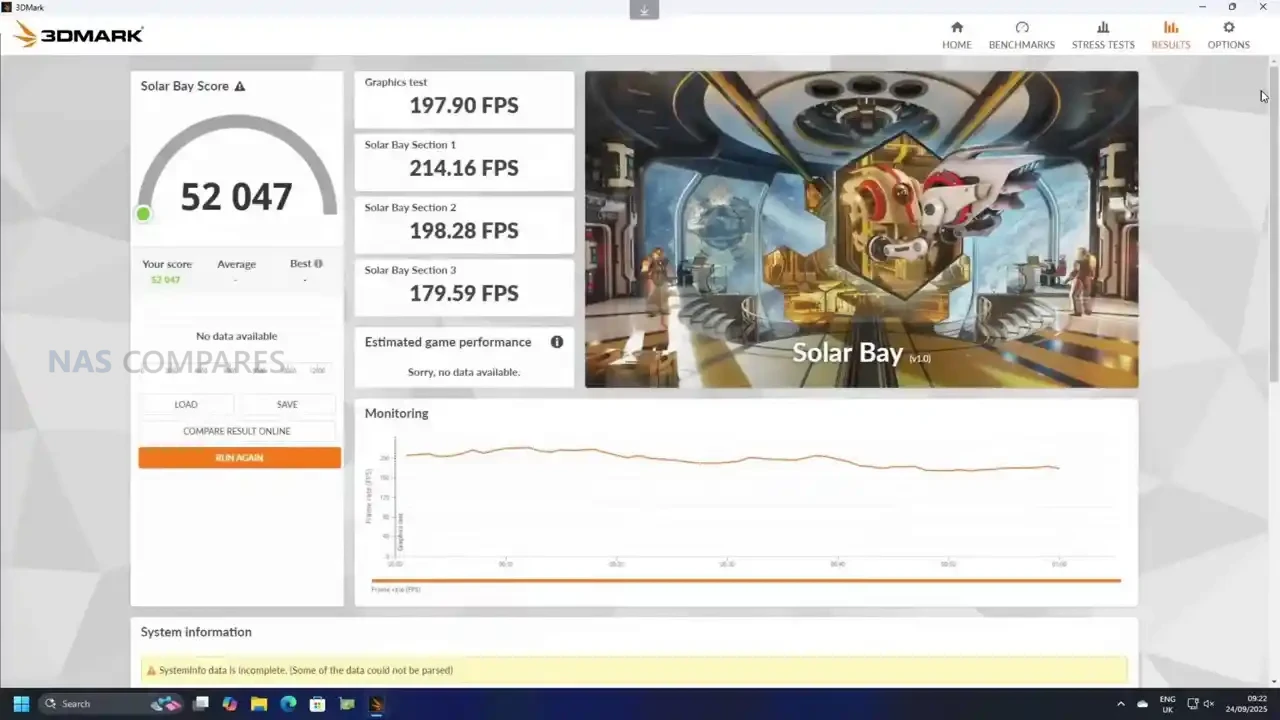
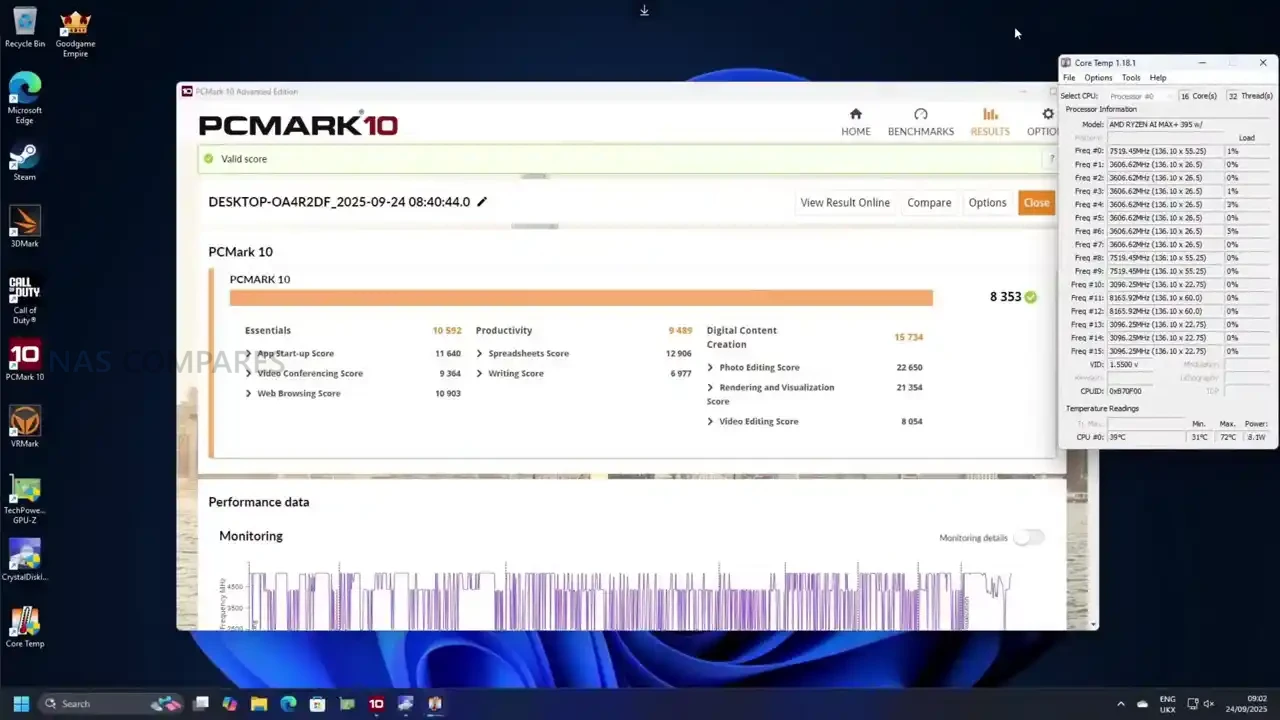
Benchmarking results were strong, but the platform’s newness made comparison data less useful than usual in several tools. PCMark produced a score of 8,353, and a run through 3DMark showed a wide spread depending on the test: Solar Bay scored 5,200, Speedway landed at 1,900 with frame rates around 18 to 19 FPS, and Steel Nomad Light cleared 11,000 with an average of 82.3 FPS. Night Raid, which is a better fit for integrated graphics platforms, came in at 70,000 overall, with a graphics score of 130,522 and a CPU score of 19,312. The practical takeaway from these results is that the MS-S1 Max can behave like a “real” gaming-capable APU system in the right workloads, but it also sits in a strange middle ground where some benchmark suites still struggle to place it cleanly against older mini PCs or discrete-GPU desktops.
 |
 |
 |
 |
Minisforum MS-S1 Max Review – Verdict & Conclusion
The MS-S1 Max is easier to understand once you stop thinking of it as a “mini PC with good specs” and instead treat it as a purpose-built Strix Halo workstation in a compact chassis. The big wins are the APU design and the 128GB UMA memory pool, because that combination changes what is practical on integrated graphics, especially for workloads that normally fall over due to VRAM limits. In use, it shows up as a system that can handle serious creative and compute tasks without immediately forcing you into a discrete GPU upgrade path, while still giving you enough connectivity to fit into faster workflows through dual 10GbE, WiFi 7, and USB4 v2. It is not flawless though: the system can feel surprisingly hot to the touch in idle despite internal sensors looking fine, and the fan behavior seems more tuned for “react under load” than “stay cool at rest,” which is a real-world usability detail you notice when it is sitting on a desk near you.
Where things get more complicated is the value discussion. At pricing around the mid/high $2,000 range depending on configuration, this is not competing with mainstream mini PCs at all, and it is not trying to. The audience is much narrower: people who want a high-bandwidth APU platform, who will actually use the memory capacity and fast external connectivity, and who are comfortable paying for that kind of compact engineering. If your workload is mostly general office, light creation, or basic homelab tasks, it is difficult to justify over more conventional systems, including Minisforum’s own smaller workstations. But if you are specifically chasing a compact workstation that can credibly do gaming, content work, and local AI experimentation without a discrete GPU, the MS-S1 Max is one of the few systems that makes that argument feel realistic, even if it comes with the usual early-platform quirks and a price tag that will still put off most buyers.
|
Check Amazon in Your Region for the Minisforum MS-S1 Max
|
Check AliExpress or the Minisforum MS-S1 Max
|
| Minisforum MS-S1 Max PROs | Minisforum MS-S1 Max CONs |
|
|
📧 SUBSCRIBE TO OUR NEWSLETTER 🔔
🔒 Join Inner Circle
Get an alert every time something gets added to this specific article!
This description contains links to Amazon. These links will take you to some of the products mentioned in today's content. As an Amazon Associate, I earn from qualifying purchases. Visit the NASCompares Deal Finder to find the best place to buy this device in your region, based on Service, Support and Reputation - Just Search for your NAS Drive in the Box Below
Need Advice on Data Storage from an Expert?
Finally, for free advice about your setup, just leave a message in the comments below here at NASCompares.com and we will get back to you. Need Help?
Where possible (and where appropriate) please provide as much information about your requirements, as then I can arrange the best answer and solution to your needs. Do not worry about your e-mail address being required, it will NOT be used in a mailing list and will NOT be used in any way other than to respond to your enquiry.
Need Help?
Where possible (and where appropriate) please provide as much information about your requirements, as then I can arrange the best answer and solution to your needs. Do not worry about your e-mail address being required, it will NOT be used in a mailing list and will NOT be used in any way other than to respond to your enquiry.
 TRY CHAT
Terms and Conditions
TRY CHAT
Terms and Conditions





|
 |


The Best Bits (and Worst Bits) of NAS of 2025!
Minisforum MS-02 Ultra Review
Minisforum N5 NAS, 6 Months Later - Better, Worse, the Same?
Beelink ME Pro NAS Revealed
Best SOLID STORAGE NAS of 2025
Should You Worry About the NanoKVM Hidden Microphone?
Access content via Patreon or KO-FI


Discover more from NAS Compares
Subscribe to get the latest posts sent to your email.
FYI, don’t eat eggs you’re cooking on a surface that’s only 60C.
REPLY ON YOUTUBE
Any recommendations on a dual port sfp+ card for this?
REPLY ON YOUTUBE
My only interest in this product is AI. The video missed the intended purpose of this workstation.
REPLY ON YOUTUBE
I’ve ordered one, but wonder why they’ve gone with USB 4 v2 instead of QSFP28? I think the DGX Spark uses QSFP56.
REPLY ON YOUTUBE
I picked up the MS-A2 3 months ago and although there is a lot to love about it there are a number of shortcomings that I’ve found. First, the cooling on the MS-A2 is absolutely terrible, the worst I have ever seen — I had to throw an 8 inch fan on top blowing air into the case to keep the temps within tolerable levels. Another problem is that the USB ports on the MS-A2 are only 10gbps which was standard a decade ago. And finally, the iGPU that comes with the MS-A2 is hot garbage with emphasis on both HOT and GARBAGE.
This newer Max variant appears to address 2 of my 3 complaints and maybe all 3 of them — depending on the actual performance of the iGPU. If the iGPU is meh and you have to upgrade to a dedicated GPU you’re going to be closing in on $3K which is pricey even by non-Chinese standards.
REPLY ON YOUTUBE
Bought one. Recently received it. Still early on to comment though my intiial up front impression, positive! The only thing that makes me hesitate though on keeping it is, knowing the forthcoming MS-02 Ultra will have four (4) Gen.4 x4 SSD slots! That one will be Intel-based though rather than AMD-based CPU. Hmmm… Decisions, decisions.
REPLY ON YOUTUBE
This is like a glorified laptop without a screen. You can’t upgrade, it’s overpriced, and it’ll overheat. MicroPower PC has small form factor prebuilt systems but with real pc hardware and good value
REPLY ON YOUTUBE
The USB-C ports on the back are also video capable. So there would be a current use case.
REPLY ON YOUTUBE
can we get the link to the KVM?
REPLY ON YOUTUBE
“No One is going to buy this for Plex” – Umm Jellyfin as a Media Box + Retroarch is exactly what I was looking at this for lol
REPLY ON YOUTUBE
There’s gotta be some fan controls in the BIOS where you can increase the idle speed.
REPLY ON YOUTUBE
Is this any good for 6K video editing? large files with no delay?
REPLY ON YOUTUBE
Why are you making soooo much drama pretending that you dont know who this is for?…..are you high?….its for pretty much anyone. If you want to do a video that has computers that you dont know who they are for then I would suggest looking at laptops. Ive been an IT tech for 30 yrs and I cant tell you how many home users that I have seen that buy laptops that hardly ever leave their house.
REPLY ON YOUTUBE
The irresponsible rebel in me wants one
..but at this price point I can’t rationalise it.
The future of mini pcs looks bright.
REPLY ON YOUTUBE
Quite a bit cheaper than a 128GB Mac Studio. My biggest peeve is lost performance due to insufficient cooling, I’m glad they did this right.
REPLY ON YOUTUBE
what about fusion 360 etc? overkill or not enough
REPLY ON YOUTUBE
When you pulled up with the Batman crocs… you just made yourself the peak NAS channel in all of YouTube
REPLY ON YOUTUBE
The Radeon 8060S on the Beelink GTR9 Pro 395 sounds insane — AMD says it’s close to an RTX 4070 laptop GPU. If that’s true, this might be the strongest mini PC GPU setup yet.
REPLY ON YOUTUBE
Still runs windows
REPLY ON YOUTUBE
There is absolutely demand.
Test AI please!
REPLY ON YOUTUBE
Bought one. Can’t wait for it to arrive.
REPLY ON YOUTUBE
I have the GMKtec version, it’s pretty impressive and I only paid £1700 for it after taxes. But the Minisforum one does look much nicer.
REPLY ON YOUTUBE
That PC is so beautifull
REPLY ON YOUTUBE
Yoyu said 80GBs USB, are you combining the 2 x 4.0 ports cause the info you show at about 1″46 shows 40GB/s x 2
REPLY ON YOUTUBE
We all know who this is for ???? … madlads!! Nice crocs
REPLY ON YOUTUBE
This would have been in strong consideration if I didn’t already build a 9950x system with nearly the same specifications. 128GB, 2x10GbE, 2TB Gen5 NVME SSD. Happened that the only SFP+ transceivers that worked in the Intel NIC I got were copper sadly. This would have been a nicer form factor for me and I like having the integrated power supply.
REPLY ON YOUTUBE
Wonder what network capabilities USB4-2 has? Could you run bandwith limited 100G in some way now or with future HW, or like 3x 25G?
REPLY ON YOUTUBE
the MS S1 is for HP Z2 Mini G1a customers who dislike mini displayport.
REPLY ON YOUTUBE
The company needs this but we’ll never have it. We will keep on waiting 5-10 seconds for the video editing software to start playing after we hit the space bar.
REPLY ON YOUTUBE
30 min video with nothing but cursory information. Amazing.
REPLY ON YOUTUBE
I’m lost between this and zflow13, i want it for workstation but i want semi portability & i don’t want a laptop for sure. if i got with ms-s1 then id get a portable screen with it (espresso display 15).
REPLY ON YOUTUBE
Who is this is for? Me!!!
REPLY ON YOUTUBE
Looking for AI only
REPLY ON YOUTUBE
10G copper is fine if it’s a more standard chipset. AQC is not so friendly with some of the other systems out there that might like this sort of horsepower for some and it isn’t so native in the Windows department either. Minisforum has been cheaping out on the networking of late, which is a bit of a let down.
REPLY ON YOUTUBE
I have to say the cooling system, the internal heat and the noise factor are scaring me from buying. I would use the PCIe to install another 4x NVMEs – but I don’t like my data fried. Maybe we can get more info about the fan configuration options? Also I wonder if that space is enough to print a custom shroud and install some Noctuas?
REPLY ON YOUTUBE
Yes, please on another in-depth video on AI.
REPLY ON YOUTUBE
I see this kind of stuff as a cool “look what we can do” type project. But when you get down to it, for that money you can build a much better desktop. A chip like this in my mind only makes sense for a laptop.
REPLY ON YOUTUBE
RealShit ethernet controllers, or intel?
REPLY ON YOUTUBE
Sadly they didn’t include Thunderbolt ports.
REPLY ON YOUTUBE
I think it’s bizarre that it has an embedded microphone in it…
REPLY ON YOUTUBE
This was done very well.
REPLY ON YOUTUBE
I don’t see a link in the description to the glkvm?
REPLY ON YOUTUBE
Low power consumption in Idle ? The framework has 7W this has 16W…
REPLY ON YOUTUBE
Bosgame is same specs, 1k EUR cheaper. I don’t get the pricing on these
REPLY ON YOUTUBE
This is because they can… a clone of the hp z2? Mini g1a
REPLY ON YOUTUBE
Thanks for starting with the price.
REPLY ON YOUTUBE
Just heard about your channel on the LTT WAN show, and then happened to stumble upon an older video where you discussed the state of HexOS… Just clicked this newer video to compare and I have to say, well done on improving the sound quality! The older video I had trouble following because it sounded so muddy (and for me, especially on a subject I’m not that familiar with, it made it very hard to stay focussed on it as my brain just wants to go do something else). This video and the previous one (that I clicked just to see if it sounded the same) are much clearer 🙂
REPLY ON YOUTUBE
surely you can plug a 10GB into a 2.5GB switch and run it at 2.5GB? So the 2.5GB ports on all these boxes are a complete waste of space. 2 x 10GBE is a great option.
REPLY ON YOUTUBE
The fan noise at both low and high weren’t bad at all.
REPLY ON YOUTUBE
Absolutely love your videos .There is nobody at your professional level doing videos .Lots of amateurs but nobody at your level.Kudos for doing the state of the art ,maybe not for everybody today ,but in one or two years thus will be the main stream so it’s nice to see the future without even being able to touch it .Once USB 4-2 will come into the game I am sure you will see many Chinese vendors with many products .Right now I am getting into a sweat just trying to find USB 4-1 on any reasonably priced laptop. I actually prefer the ports on the back as it’s easier for cable management .As for using USB 4-1 to RJ-45 I use this hack regularly as I find it reliable and affordable .RJ-45 motherboard driver updates are not always available on minipc’s out of China while the USB 4-1 adapters I find have very good updates .Thanks again for your frequent and very professional videos . you certainly have my avid attention Cheers
REPLY ON YOUTUBE
Still no Batman cars video though… ????
REPLY ON YOUTUBE
I have one of these earmarked for 2027/28 when the price has dropped and when reliability has been proven.
REPLY ON YOUTUBE
Is it somehow possible to put an HBA or SATA card into the PCIe port and pull it out through the chassis with a riser without detroying the chassis? If not that port makes no real sense. Bifurcation on the PCIe port?
REPLY ON YOUTUBE
9:05 Why does everything have to to be copper 10g on newer devices? Just give me SFP+, which anyone can turn into an RJ45 if they want. I can’t turn that RJ45 back into an SFP+ and save that considerable amount of power. Also I now have to deal with comparatively sensitive Cat6a+ instead of trouble free fiber or DAC. I get it, they seem familiar, but that really isn’t a valid argument in tech.
REPLY ON YOUTUBE
Hey Robby, nice video – Feedback: I agree its missing AI, here some pointers, the CPU is called AI Max 395+ ????, the marketing material on the EU page lists 47 times AI, so i want some LLM workloads reviewed, thats a lot of people buying this primarly in my mind – Also slight correction at 1:42 its 8000 MT (Megatransfer) it would be 4000MHz accordingly, because of DDR (Double Data Rate) memory.
REPLY ON YOUTUBE
AI devices need AI testing to see if they deserve the AI in the name of them.
REPLY ON YOUTUBE
My question beside the fact that this is a 395, why is the igpu Only the 860 ? And not a 890 ? ???? I personly think the pricetag is not off the chart for 2x 10gb net and all the usb 4 ports. I would have like the biggest igpu, and maybe a version for those that prefere sfp ports or at least with the larger size a case that would support a full size real x16 gpu unless they want people to use this with an external gpu
REPLY ON YOUTUBE
That looks like a great local AI machine, for self hosting. like, seriously considering grabbing that.
REPLY ON YOUTUBE
For pricing, it could have been worth mentioning that it’s roughly in the same ballpark as other AMD 395+ 128GB systems (Framework-Desktop, GMK, HP, Leno, Beelink etc) For all around the £2000 GBP / $2000 USD
REPLY ON YOUTUBE
17:40 at full load, fan high, it doesn’t seem so bad? What am I missing? I read another review which gave the impression the device was loud.
REPLY ON YOUTUBE
Sorry buddy; 4 x usb4 and 2 x 10Gbe is NOT a game PC – more of a creator/workstation build ????????
REPLY ON YOUTUBE
Idea for “AI” testing in a setting up where the dual ethernet port make sense : Run Home Assistant on Docker or Promox and run Home Assistant Voice on Full local processing mode. And look to similar tools to basically run LLM for voice assistants/smart speaker on full local.
REPLY ON YOUTUBE
I wish the GMKtec EVO-X2 had 10Gbit ethernet…
REPLY ON YOUTUBE
Arghh! I was just resigning myself to stretching the budget to one of these when I spotted the compromise, which would be acceptable in a package at half the price, but if I spend this much I want perfection! Two M.2 slots, tick! But wait – one of them is only Gen4x1! The house of cards comes crashing down! Yes, I guess I could get an adapter and repurpose that x16, but really only x4, PCIe slot as another Gen4x4, but at this price I should at least be able to reassign PCIe lanes in the BIOS, if not on the fly. I’m looking to build a Proxmox home server that is both a really high performance NAS and runs all my always-on servers and security. I do not need such high-end processing power, but I do want an uncompromised data path that leverages the full performance of at least two NVME SSDs.
REPLY ON YOUTUBE
I wanted this for a Plex lol
REPLY ON YOUTUBE
Wish older models would drop in price….
REPLY ON YOUTUBE
@nascompares — LTT WAN Show mentioned you.
… about the Synology video transcoding fix.
ffw to 2;08;45
REPLY ON YOUTUBE
im curious if this would be good as a golf sim pc, feels like maybe this model might too much or just right but minisforum is good to check out
REPLY ON YOUTUBE
@NASCompares, can you do a comparison of the FrameWork Desktop and other Mini PCs on on the perspective of a homelabber.. Which of these can automatically boot on LAN?
REPLY ON YOUTUBE
Good video, but please sell a few of those to fix your teeth. That is really really disturbing.
REPLY ON YOUTUBE
I think minisforum has done stupendous engineering on this box. Yes, there are some design decisions I would have made other choices over, but as a mini-workstation this kicks. Is it $1,000 better than some rivals – I guess that depends on your use-case. For “AI” this isn’t it, unless you classify “AI” very narrowly. And face it, any expansion you do via those slutty ports is going to be hanging off it like… well, fill in your own analogy. What would be cool? Expansion chassis! Designed to fit directly under this, run some short cabling to some backbone/hub boards, and fill it up neatly with whatever your drinking that week. SAS? Sure! 24 bays! Discreet GPU? Yup, USB4v2 to PCIE should be a thing. They should go all Framework on that idea.
REPLY ON YOUTUBE
its not even an argument, sfp+ all day. 10g copper is stupid
if i need copper i buy a transceiver for 30 bucks done
if i need fiber on a copper port im ducked
REPLY ON YOUTUBE
Thats for me.
Great for running teams (well ya know lol) . Considering this vs Beelink GTR9 pro. I built a mini-itx system about 3 years ago…. but smaller, more compact is better.
This looks like better cooling and has USB4
They don’t ship with AU plug though. Hmmm, more to think about.
REPLY ON YOUTUBE
side note: Robbie, I have no idea how you keep managing to outdo yourself with the quality of your videos, but you nonetheless pull it off ????
REPLY ON YOUTUBE
$2,299.00 rig still no ECC memory lmao
REPLY ON YOUTUBE
on paper, this thing is the best Strix Halo box we’ve seen yet. but they literally *cannot* support the amount of I/O they claim to *unless* they have gotten some kind of custom build from AMD, because there simply aren’t enough PCIe lanes coming off the back of a Strix Halo system to provide connectivity to all of it.
REPLY ON YOUTUBE
The S1 Max is ALMOST perfect, but I’d rather have no PCI slot and all those PCI lanes going to 4x internal PCIe4x4 m.2 cards. Then the dimensions could be 44mm x 232mm, ie; just under exactly half a 1ru device so it would fit perfectly in those new 10″ racks.
REPLY ON YOUTUBE
What controller chip are they using for the USB4 v2 controller? As far as I can tell this is the first AMD system with these ports
REPLY ON YOUTUBE
Came for the Minisforum, stayed for the comedy! ????
REPLY ON YOUTUBE
I think the main use case for this box right now (other than people who have money to spare) is AI (machine learning). Things like gaming don’t benefit much from a 128 GiB unified RAM configuration, and that’s all Minisforum offers this in so far.
But I don’t personally care that you didn’t benchmark machine learning. I watched this video hoping for as deep a dive as possible on the internal construction, cooling and how it differs from the other Strix Halo options.
REPLY ON YOUTUBE
When is the crocs review?
REPLY ON YOUTUBE
Well done for calling out the misleading marketing
REPLY ON YOUTUBE
Please test it with 8TB NVMEs and see if it can go above what Minisforum states.
REPLY ON YOUTUBE
hrm.. build a small office cluster with 3 or 4 of these and run some vms …
REPLY ON YOUTUBE
need AI test and comparison with fullsized PC
REPLY ON YOUTUBE
The 10gbps port makes this a better choice over the framework
REPLY ON YOUTUBE
What is the noise level app you are using on the phone?
REPLY ON YOUTUBE
Minisforum doing the lord work insane unit good engineering on their team ❤
REPLY ON YOUTUBE
Comet Pro! Nice!
REPLY ON YOUTUBE
Who is it for? The clue is in the crocs! De-ne-ne-ne-ne-nuh, de-ne-ne-ne-ne-ne-nuh, Prox-mox! (Bif! Bam! Pow!)
REPLY ON YOUTUBE
What about PCI-E x16? Yes, we have one this time. Wait a minute it’s only x4, not even x8 – that’s even worse!
REPLY ON YOUTUBE
I don’t believe this is mountable in a 2U rack as advertised: It seems to pull the air from the top.
REPLY ON YOUTUBE
2:17 Them Crocs rock ????
REPLY ON YOUTUBE
I can’t wait to hear some performance info about ollama under Fedora Linux! 🙂
REPLY ON YOUTUBE
I was laughing so hard when you put your feet up with those Crocs on???? Thank you for that. This pc seems pretty future proof but concerned about nvme location and how hot it sits at idle and the amount of noise it puts out. I’ve never heard of usb42. Why no occulink? Pcie what graphics will fit looks so small in that area. And lastly the price are they including tarrifs in price?
REPLY ON YOUTUBE
after one of these, between this and HP version, I know HP will have better support but this has more features
REPLY ON YOUTUBE
And then you saw the price! Oh, wait! They sent it for free! And we all get you’re only pushing those crocs ‘cos you want to get the Spidy ones on a freebie! ???? ????
REPLY ON YOUTUBE
NASCompares: Who is this for??
Me: Anyone who can afford the damn thing…
REPLY ON YOUTUBE
There is a lot of mini PCs on that platform, Minisforum even a bit late to this party. And they all cost ~2k+
REPLY ON YOUTUBE
Thanks for the detailed video. This device would be perfect for my living room because the design would fit in perfectly and it looks stylish and compact. I actually want a small, compact computer just for gaming. What else interests me is rack mounting?
REPLY ON YOUTUBE
Only a single 4×4 M.2 ????Do I really have to use up that PCIe slot to get a 2nd 4×4 M.2 in the system? If that isn’t disappointing I don’t know what is.
REPLY ON YOUTUBE
This machine is super cheap compared to its competitors, the target market is AI, your missing the point
REPLY ON YOUTUBE
AI homelab budgets are wild vs normal people’s spend… there are folks running 10 to 20K worth of GPUs on r/localllm
REPLY ON YOUTUBE
What they have made is a Dell Optiplex
REPLY ON YOUTUBE
The price seems reasonable compared to a home-brew Ryzen 12C 24T PC I built 5 years ago.
My PC has more ports (no 10 Gbe), is quieter and runs cooler . . . a Minisforum . . . cold . . . product would be good.
Many cores allow a PC to multi-tasks with ease. Would I buy one if it was cooler and quieter? Yes
REPLY ON YOUTUBE
This product is for me. I am deciding between this and a Mac for AI processing large language models that can’t fit on my 4090 host. Work recently provided me a Mac book with 48 gb of unified memory for small scale stuff.
REPLY ON YOUTUBE
4x usb4, with two of those doing twice the speed? Very nice indeed. And I do prefer SFP+ for backbone and NAS, but PC I prefer with rj45 ????
REPLY ON YOUTUBE
MS A2 was good enough, this max version takes it up to ridiculously amazing
REPLY ON YOUTUBE
Huh !
What ??
Sorry, I couldn’t pay attention, that Casio is just too shiny. It keeps touching my soul.
REPLY ON YOUTUBE
Is it for me? Probably not.
Do I want it? ABSOLUTELY!!!
REPLY ON YOUTUBE
after the price, I don’t even need to watch it anymore, it does not matter what it does. Can build a 9800X3D with a GPU for that and spank this
REPLY ON YOUTUBE
Crocs made popular by the movie Idiocracy… ????
REPLY ON YOUTUBE
It’s for me!
REPLY ON YOUTUBE
My biggets takeaway from this video is not the hardware or the crocs but knowing where this is filmed having spent plenty of time there growing up. Next time I am that way I will randomly wave at the window!
REPLY ON YOUTUBE
… price … lollllllllllllllllll
REPLY ON YOUTUBE
where are all the pcie lanes gone? the big pcie 16x is a 4x only and only one m.2 is 4x, the other is shittified to 1x only, went all that throughput for usb4 and network card?
REPLY ON YOUTUBE
Mini PCs are mostly a niche hobby for dabblers. I can build something that runs circles around this maxed out. The heat issues are still a huge issue.
REPLY ON YOUTUBE
Dude, that intro 😀 masterclass
REPLY ON YOUTUBE
I am considering which of my kids to sell to afford this.
REPLY ON YOUTUBE
I prefer manufacturers use open ended PCIe slots, so if it’s a 4x slot ship with a 4x PCIe slot but make it open-ended with x16 clearance so if you want to put in a 16x slot card you can but you will know exactly what to expect from it which is x4 speeds for whatever the maximum supported speed the slot and card can negotiate. Then it doesn’t matter what the marketing materials say because it’s obvious from the slot size the most you can expect (the the marketing materials/BIOS can clarify what PCIe versions are supported/in use.)
REPLY ON YOUTUBE
For me the elephant in the room is if it’s USD $300 better than the Beelink and Gmktech options.
REPLY ON YOUTUBE
Brilliantly informative and entertaining as always. All you need now is the seagull-shaped NAS signal ???????? ????
REPLY ON YOUTUBE
Yes! I just bought this specifically for ai with the “unified” memory and being able to load larger models. I plan to dedicate this machine to that running Linux just for the memory flexibility.
REPLY ON YOUTUBE
Not for anyone. Prices are ridiculously high. They left their core value which supposed to be under $1000 with extremely good product. But nowadays, they’re trying hard to go for higher price, which means they will lose potential customers.
REPLY ON YOUTUBE
I thought my A2 was overkill…
REPLY ON YOUTUBE
I was watching for the segment where you ran gpt-oss-120b. I feel like thats a good AI test because it needs lots of VRAM which this system should be able to handle. Then run the smaller 20B just to show it compared to a gaming card sized model. Those two tests would be quick and easy for you to run. Being able to run larger models locally is the one of the few reasons to buy a system like this. Install LLM Studio, click to download them both, run a couple standard prompts, and just report the tokens per second.
REPLY ON YOUTUBE
75% of the PC market will look like this in 7 years.
REPLY ON YOUTUBE
It’s for creators with limited space. We rack these small machines and add EGPUs. When there are T5 EGPUs we will get them
REPLY ON YOUTUBE
And look, they managed to put in an internal power supply 🙂
REPLY ON YOUTUBE
for AI geeks too poor for M4 Max Mac Studio (which is way faster) or too poor for proper nVidia setup (which is way way way faster)
REPLY ON YOUTUBE
2:20 solid purchase sir. *Opens Amazon.. new search… Batman cro….
REPLY ON YOUTUBE
Thought this was supposed to have ecc with rackmount wtf
REPLY ON YOUTUBE
Definitely needs the AI testing — this chip with 128GB was made for it. Good review regardless but hope to see a follow up review!
REPLY ON YOUTUBE
When you reached i was expecting the crocs, how many feet storage bays they have?
REPLY ON YOUTUBE
2:15 That Crocs reveal was glorious ????????
REPLY ON YOUTUBE
Gosh, every single time one of the Minisfourms show up I wish I could buy it more and more, they seem like such a blast to mess with but that price ????
REPLY ON YOUTUBE
On their announcement stream yesterday, they said that is even TB5. They use a TB5 chip, but dont have certification for it.
REPLY ON YOUTUBE
2:14 this is chef’s kiss
REPLY ON YOUTUBE
I’m just waiting for the MS-A2 to come down in price or on sale. I’ve got the nvme drives and memory for the build. Thanks for the info and I’d love it if I had the funds…
REPLY ON YOUTUBE
Disappointed with the lack of AI testing, but I understand and agree with your reasons.
REPLY ON YOUTUBE