

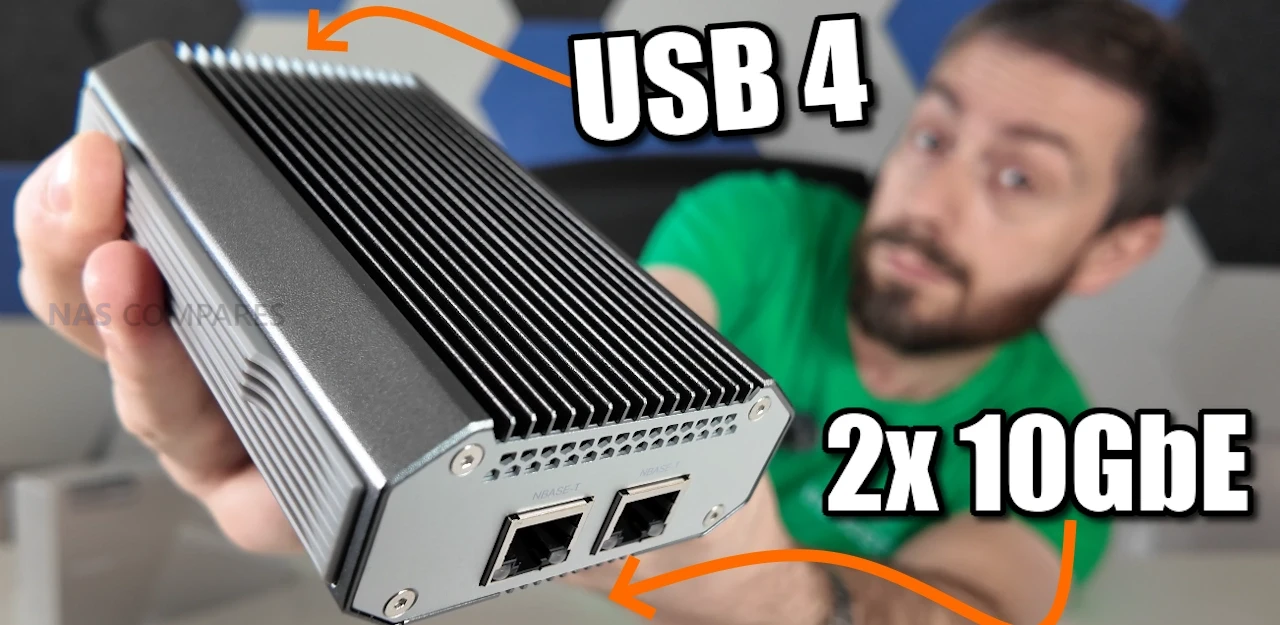
USB4 to 2x 10GbE Adapter – Genius, or Too Little Too Late? (QNA-UC10G2T Review)
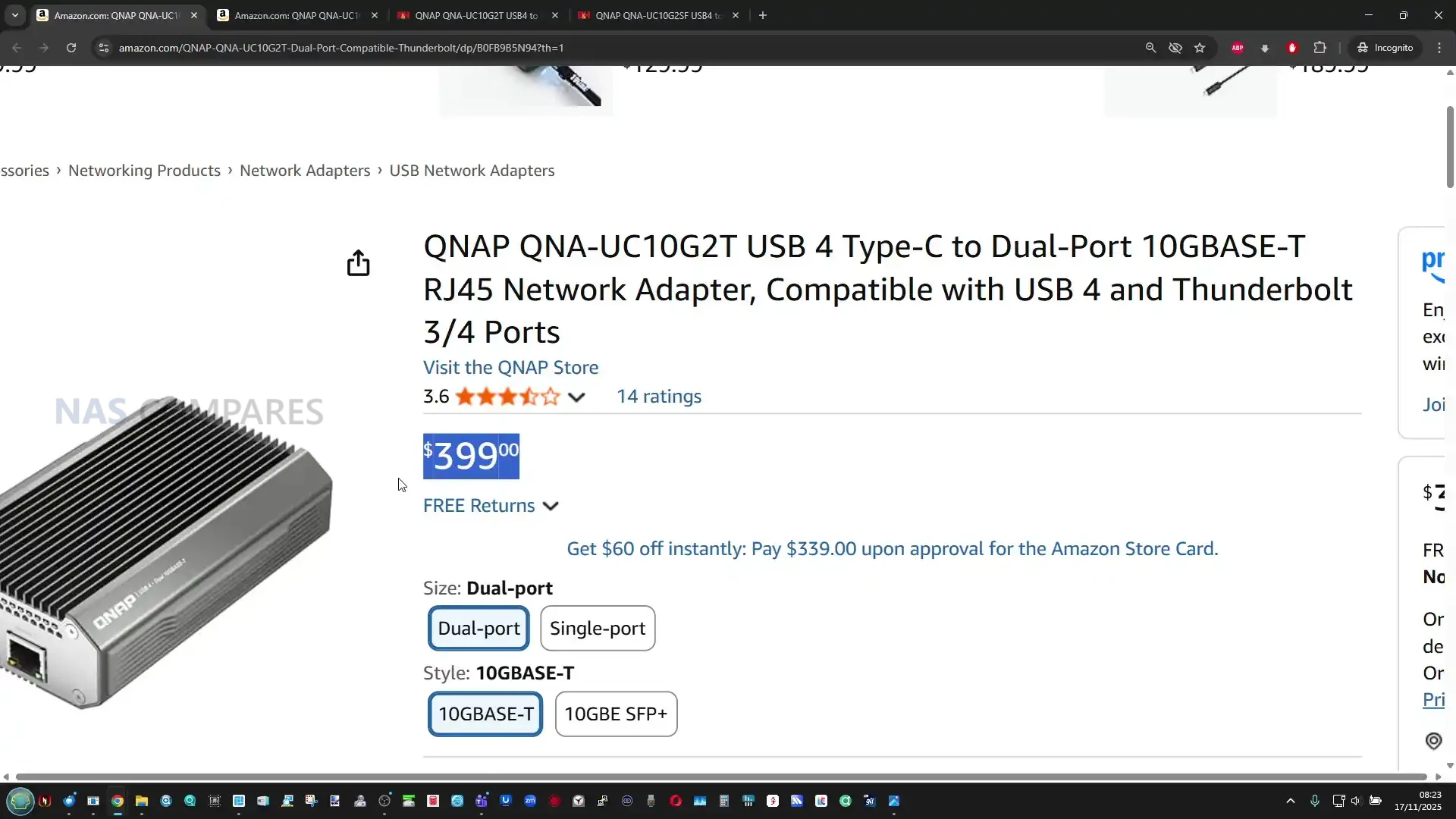
The QNAP QNA-UC10G2T is a USB 4 to dual 10GbE adapter built for systems that lack native high-speed network expansion and need dependable multi-gig connectivity through a single Type C port. It provides 2 x 10GBASE-T copper ports, supports multi-speed operation from 10Gbps down to 100Mbps, and includes full driver support for Windows 11, macOS 12.7 to 15.4, and Ubuntu 22.04. Internally it uses dedicated AQC113 controllers for each port, allowing the OS to treat the adapter as two distinct NICs and enabling features such as SMB Multi Channel for aggregated bandwidth. The enclosure is a passive full-metal heatsink that spreads thermal load through a multi stage cooling structure, which your testing confirmed remained below typical thermal expectations even during 24-hour sustained transfers. As a premium module priced significantly higher than generic USB 4 adapters, it is designed for users who require stable long-duration performance, predictable throughput, and compatibility with modern USB 4 or Thunderbolt 3 and 4 hosts rather than the improvised multi controller designs seen in low cost alternatives.
QNAP QNA-UC10G2T Review – Quick Conclusion
The QNAP QNA-UC10G2T is a premium dual-port 10GbE adapter built around USB 4, designed for users who need stable, sustained multi gigabit performance rather than the inconsistent behaviour often seen in low cost USB network adapters. Its dual AQC113 controllers provide two discrete interfaces that operate independently at full speed, which allows for reliable SMB Multi Channel operation and predictable multi stream transfers. The all metal chassis functions as a multi stage passive heatsink, keeping temperatures stable during long workloads and preventing throttling even after hours of continuous access. Performance closely matches QNAP’s published figures, with both ports maintaining high throughput when paired with capable NVMe based systems. Driver installation is required on all supported platforms, and the adapter is not currently usable when plugged directly into most NAS operating systems, which limits flexibility. The price is considerably higher than generic USB 4 network adapters, but for professionals who rely on consistent 10GbE throughput on laptops, workstations, or compact systems without PCIe expansion, the QNA-UC10G2T offers a stable, well engineered solution that prioritises long term reliability over entry level cost.
QNAP QNA-UC10G2T Review – Design & Cooling
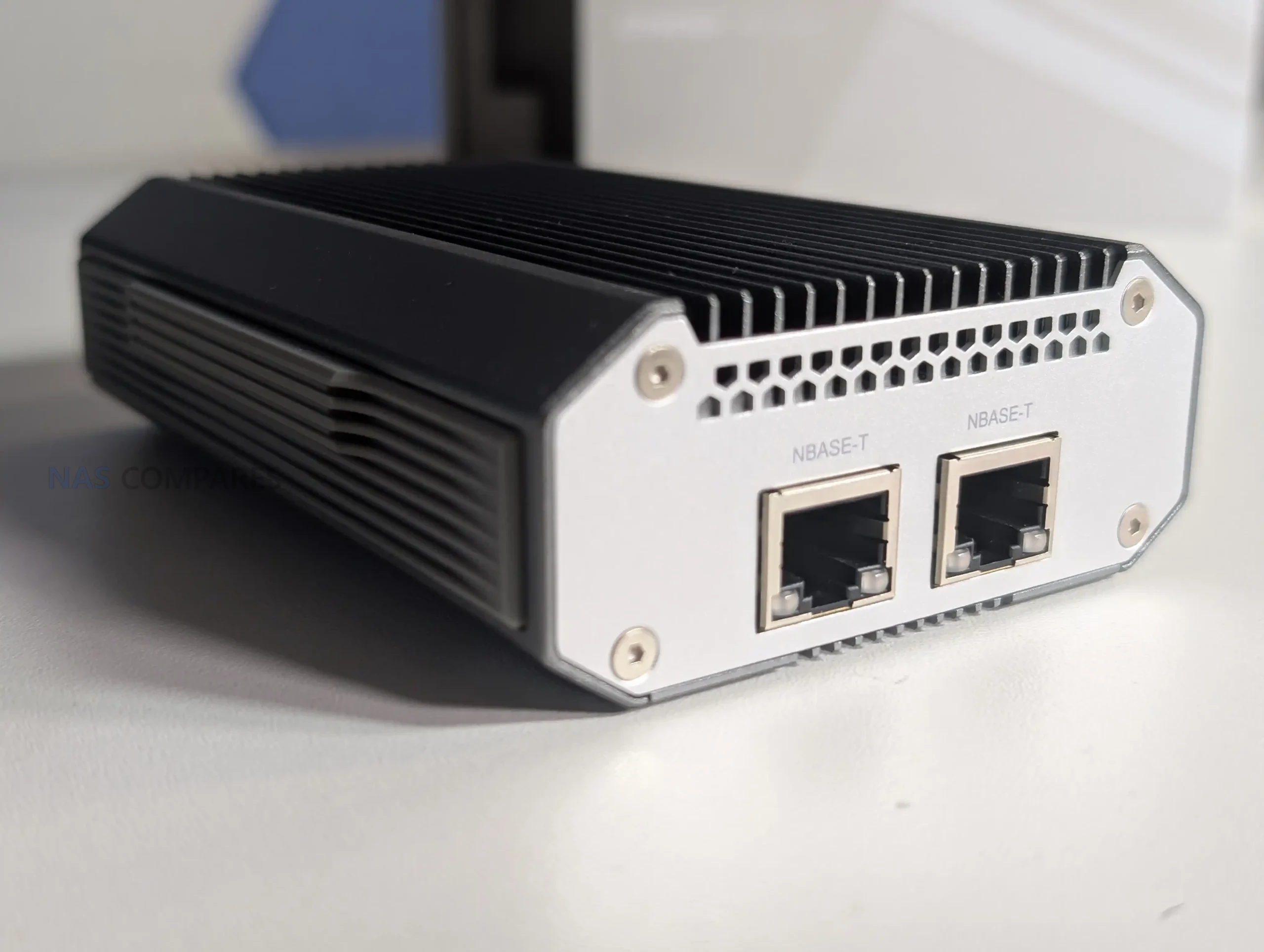
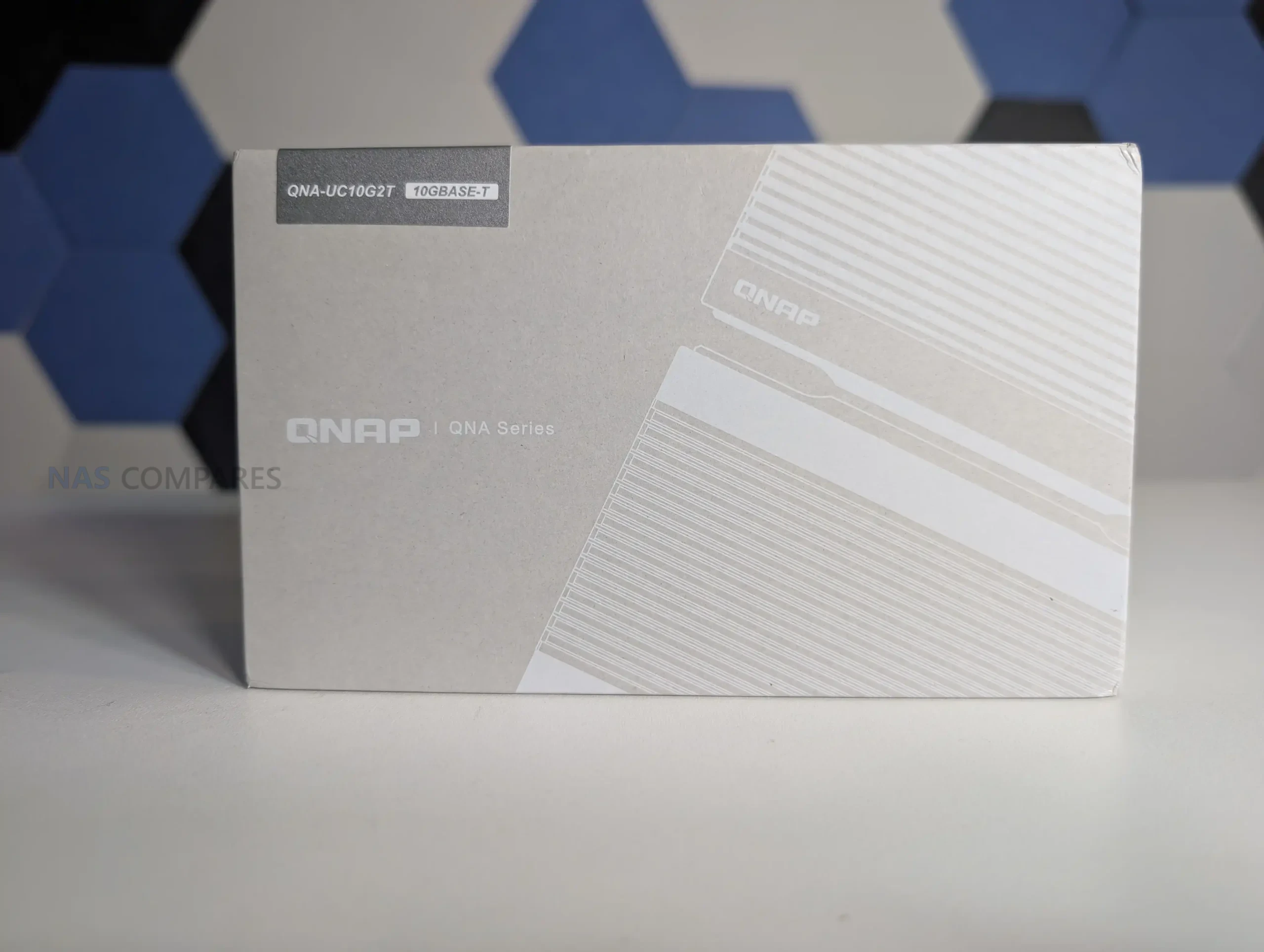
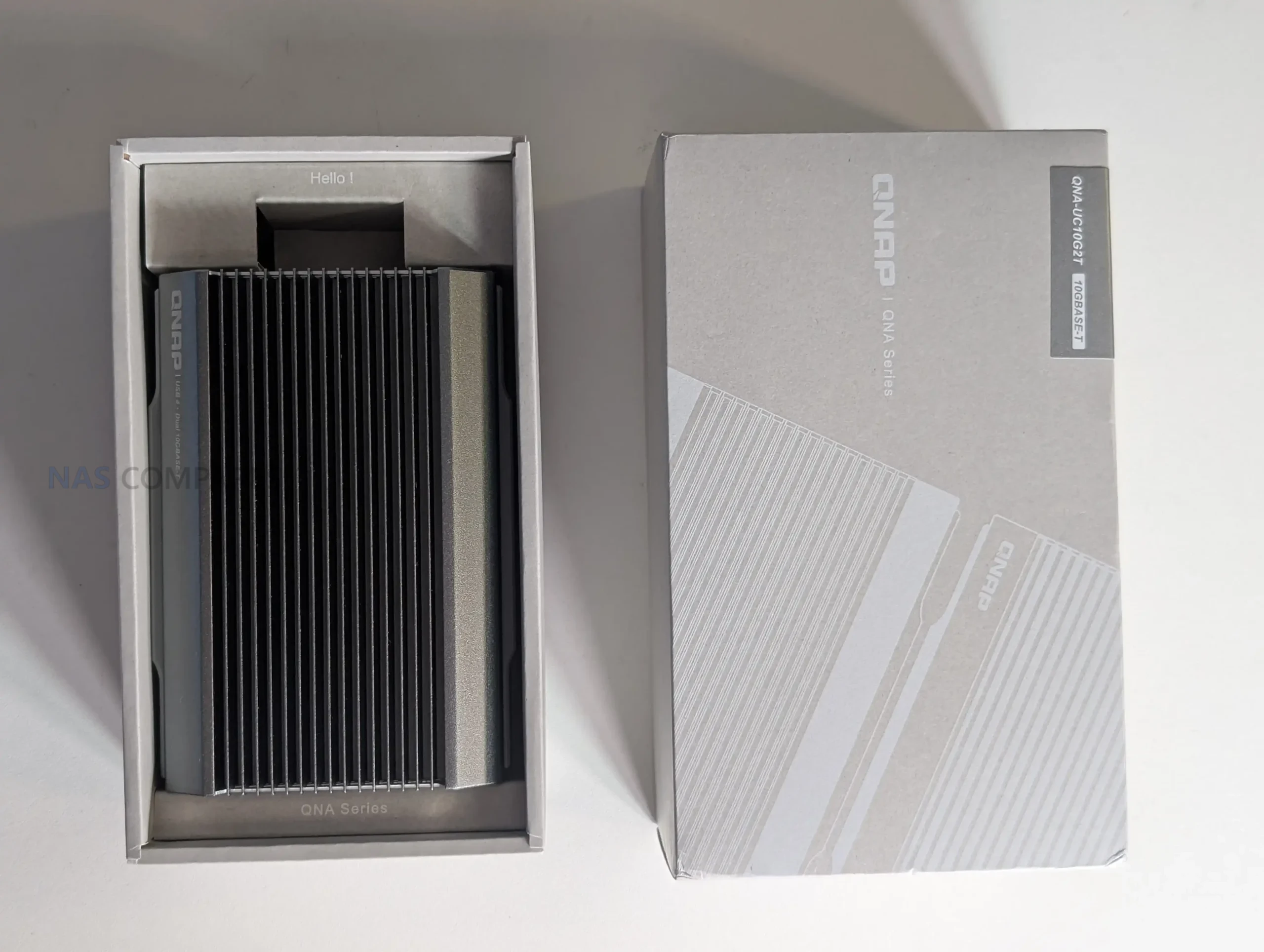
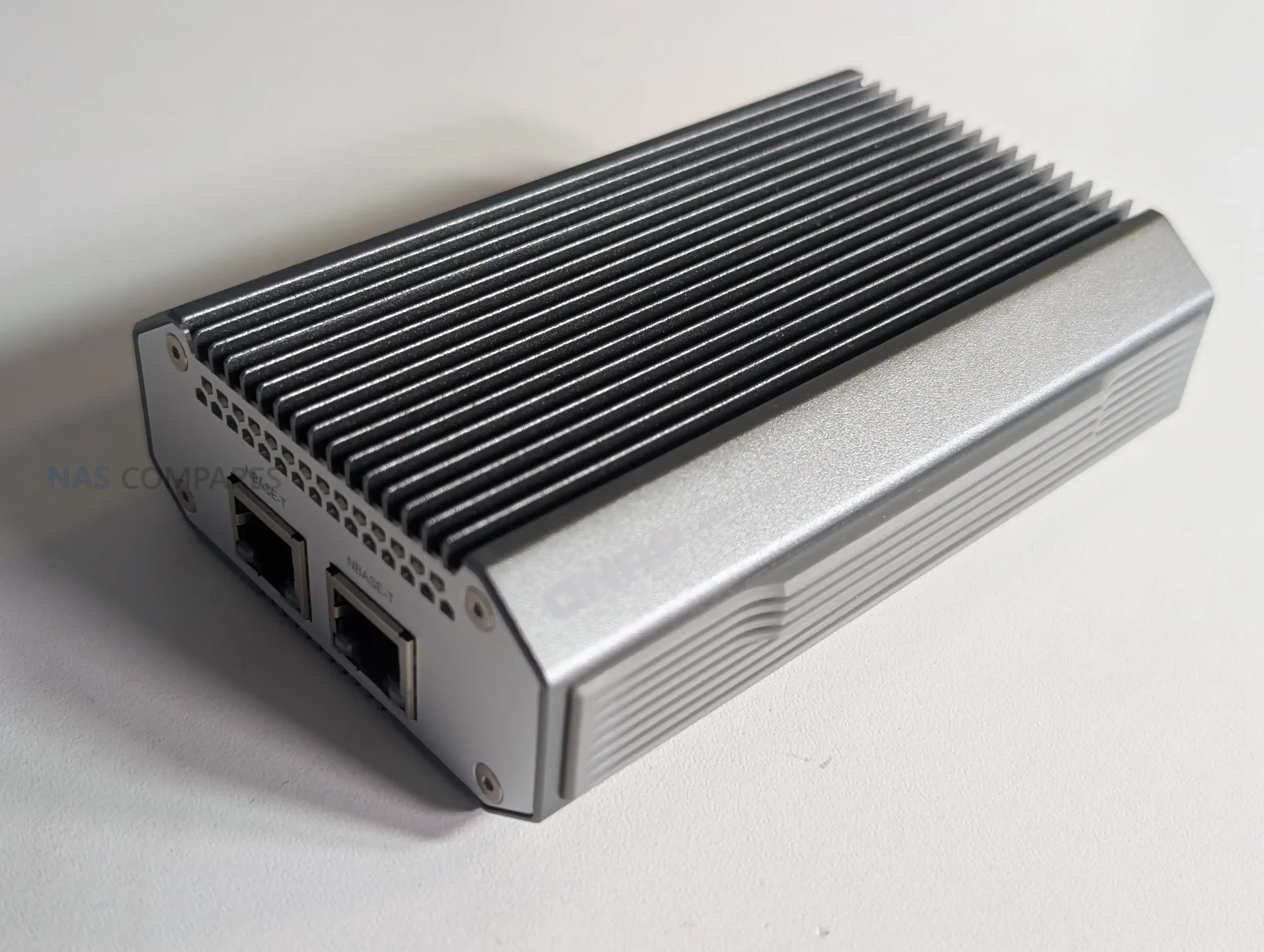
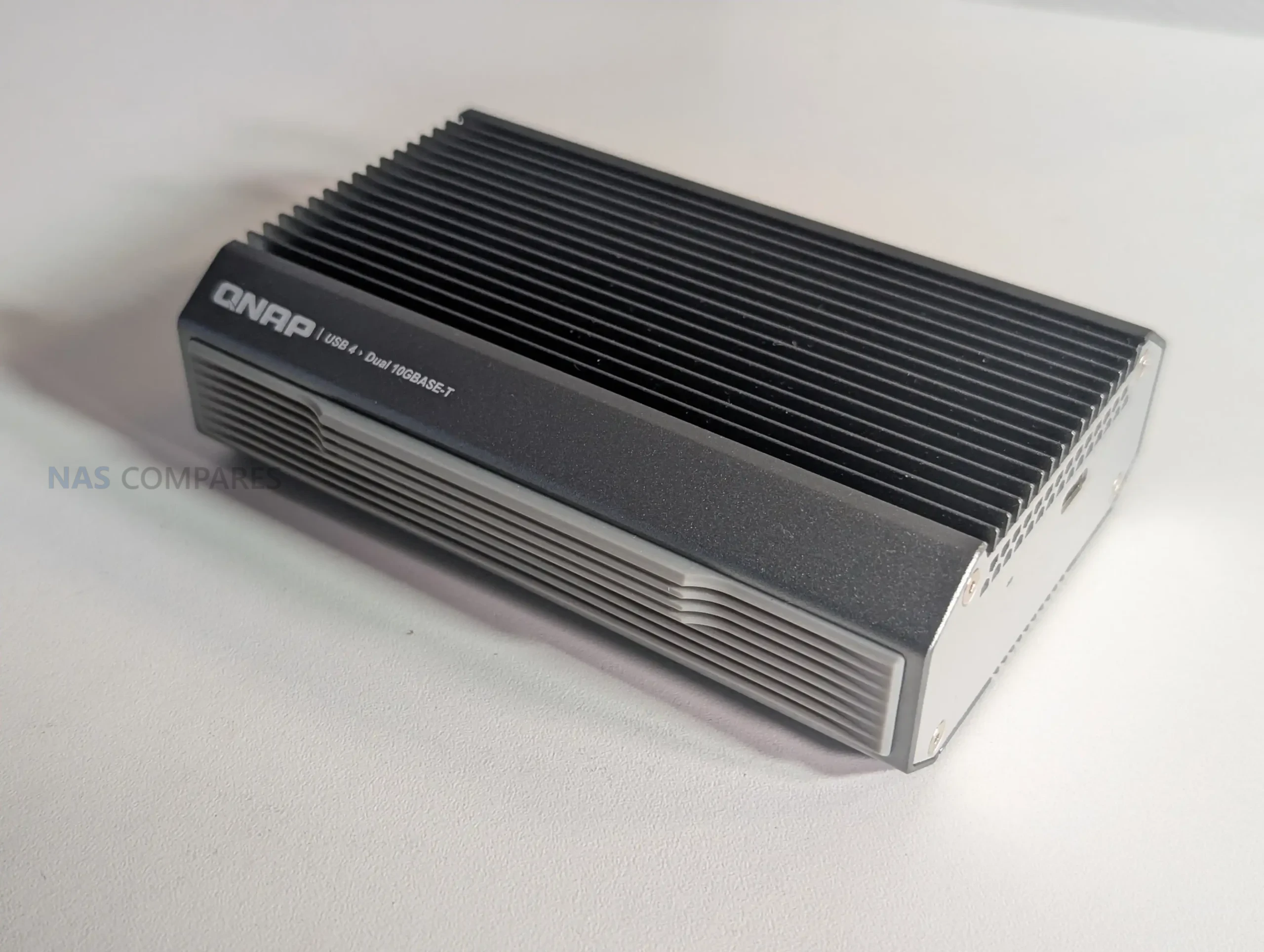
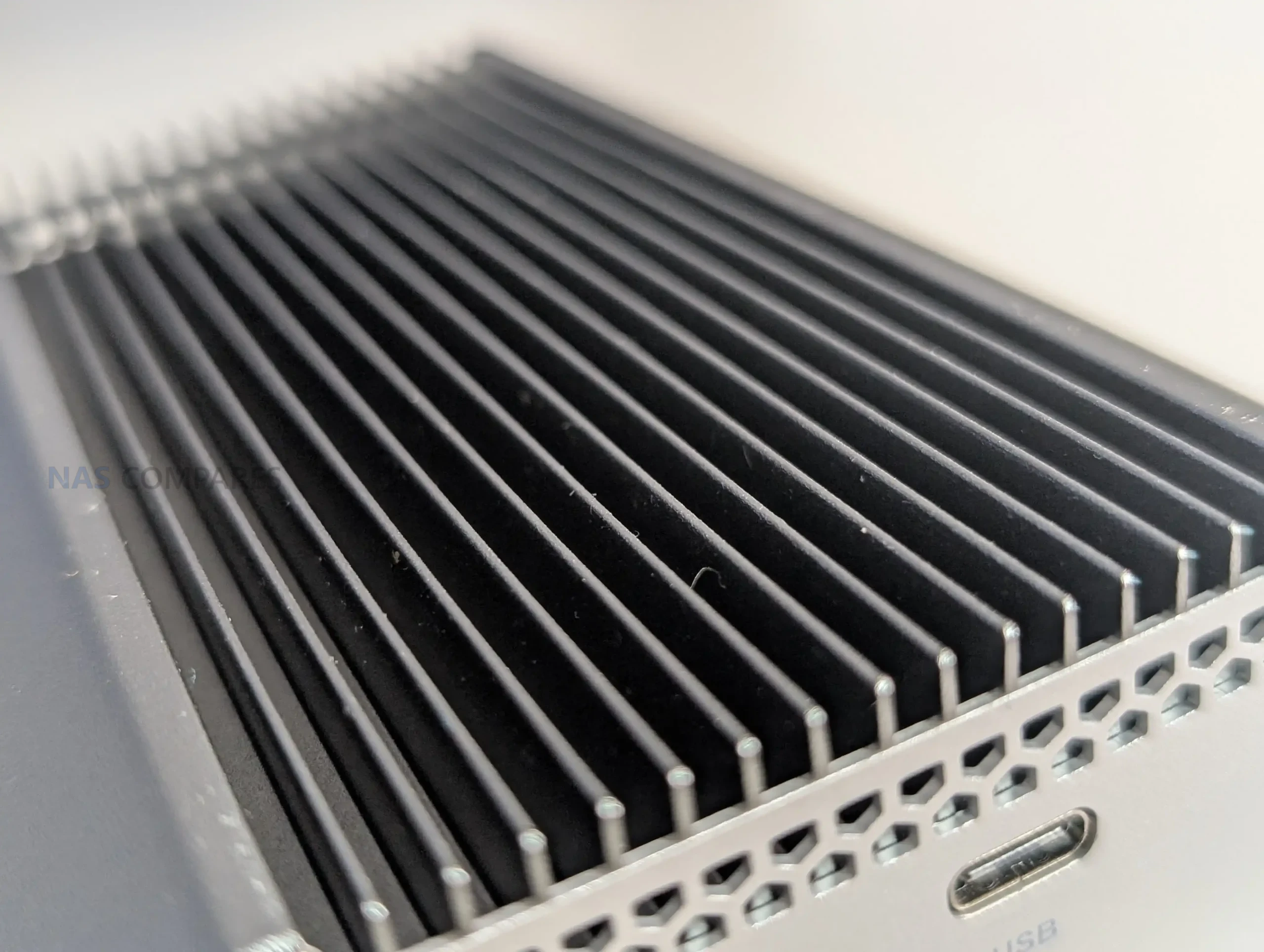
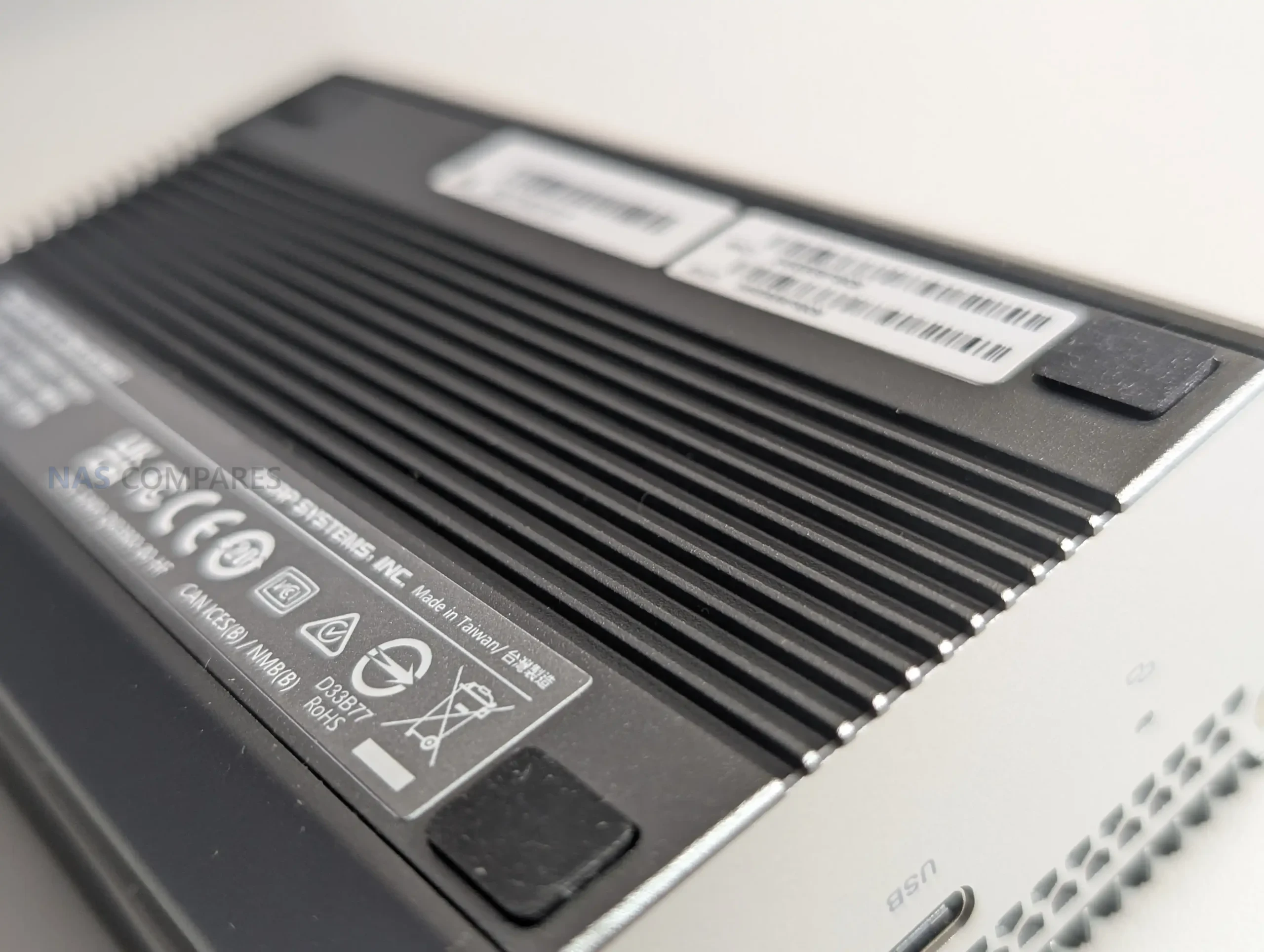
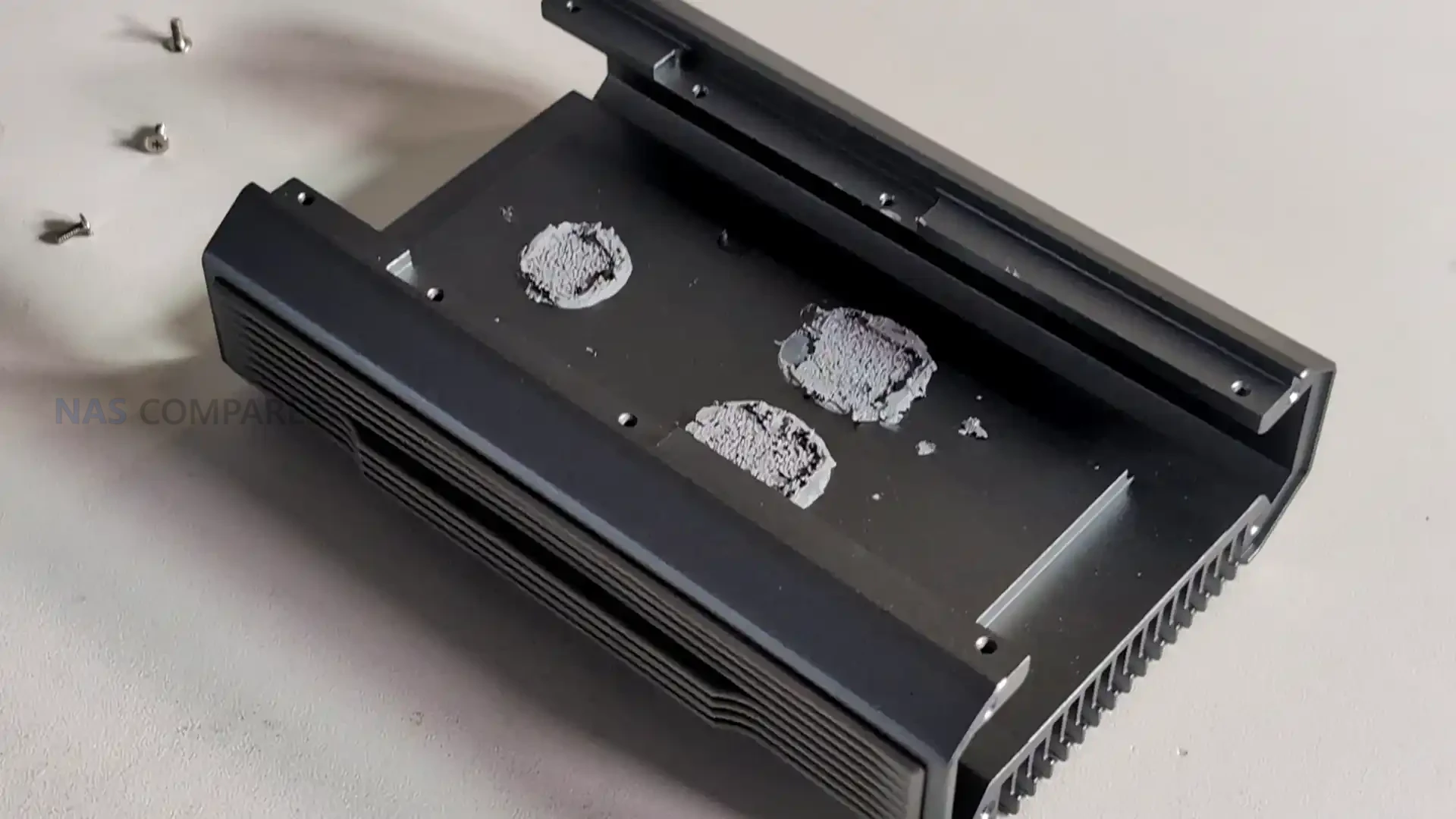
The QNA-UC10G2T uses a solid metal chassis that functions as a structural shell and a primary thermal dissipation surface, giving it a distinctive weight and density compared with typical USB network dongles. The outer enclosure is machined with large surface area ridges that extend across the top panel, while the base remains flat to maintain direct thermal contact with the internal controllers. This physical design is not decorative but exists to distribute heat from the AQC113 chips into the enclosure walls and then outward into the surrounding airflow. Its appearance is closer to a purpose built passive heatsink than a consumer accessory, which mirrors the product’s emphasis on maintaining stability during sustained high throughput workloads.
 |
 |
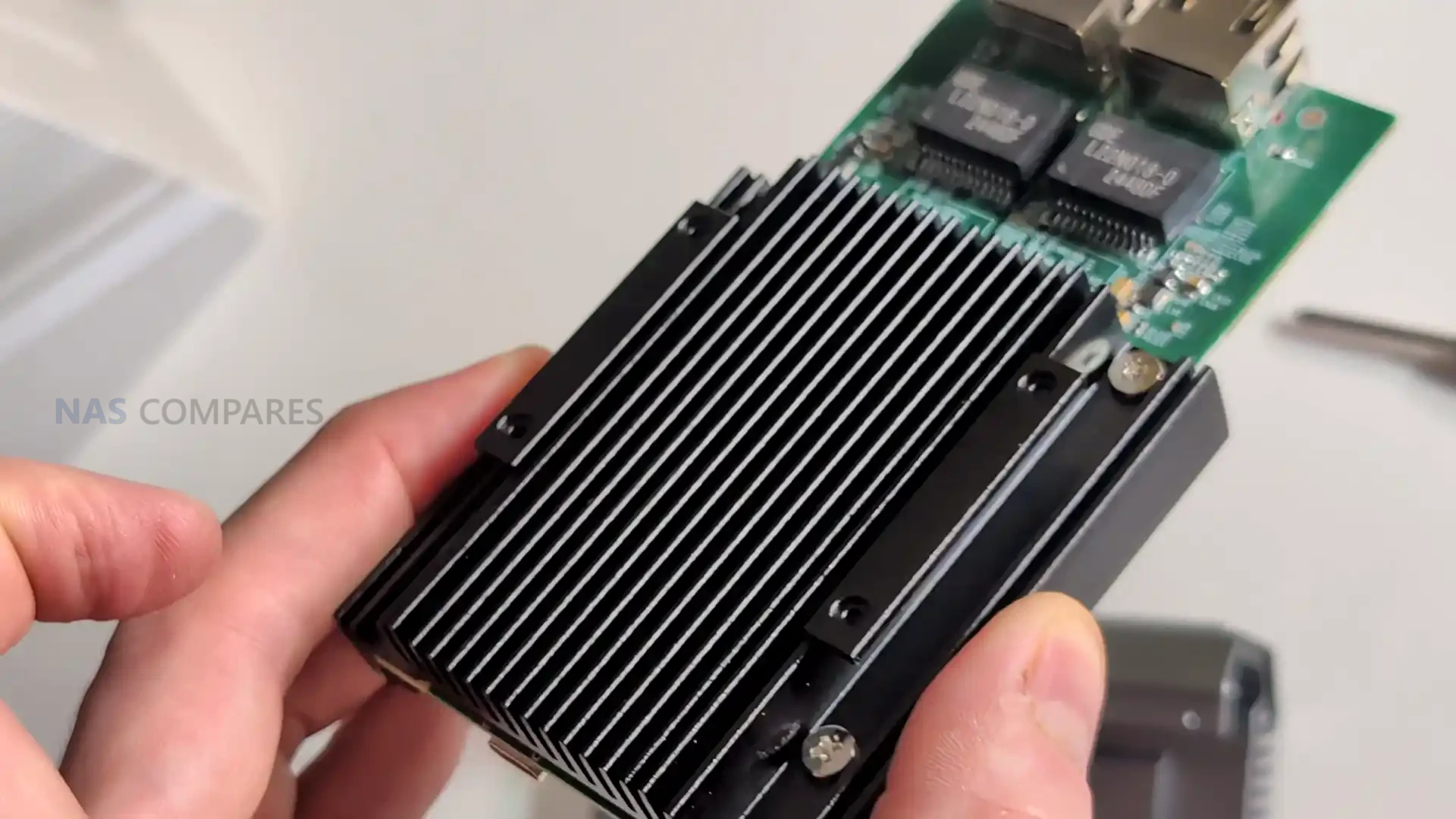
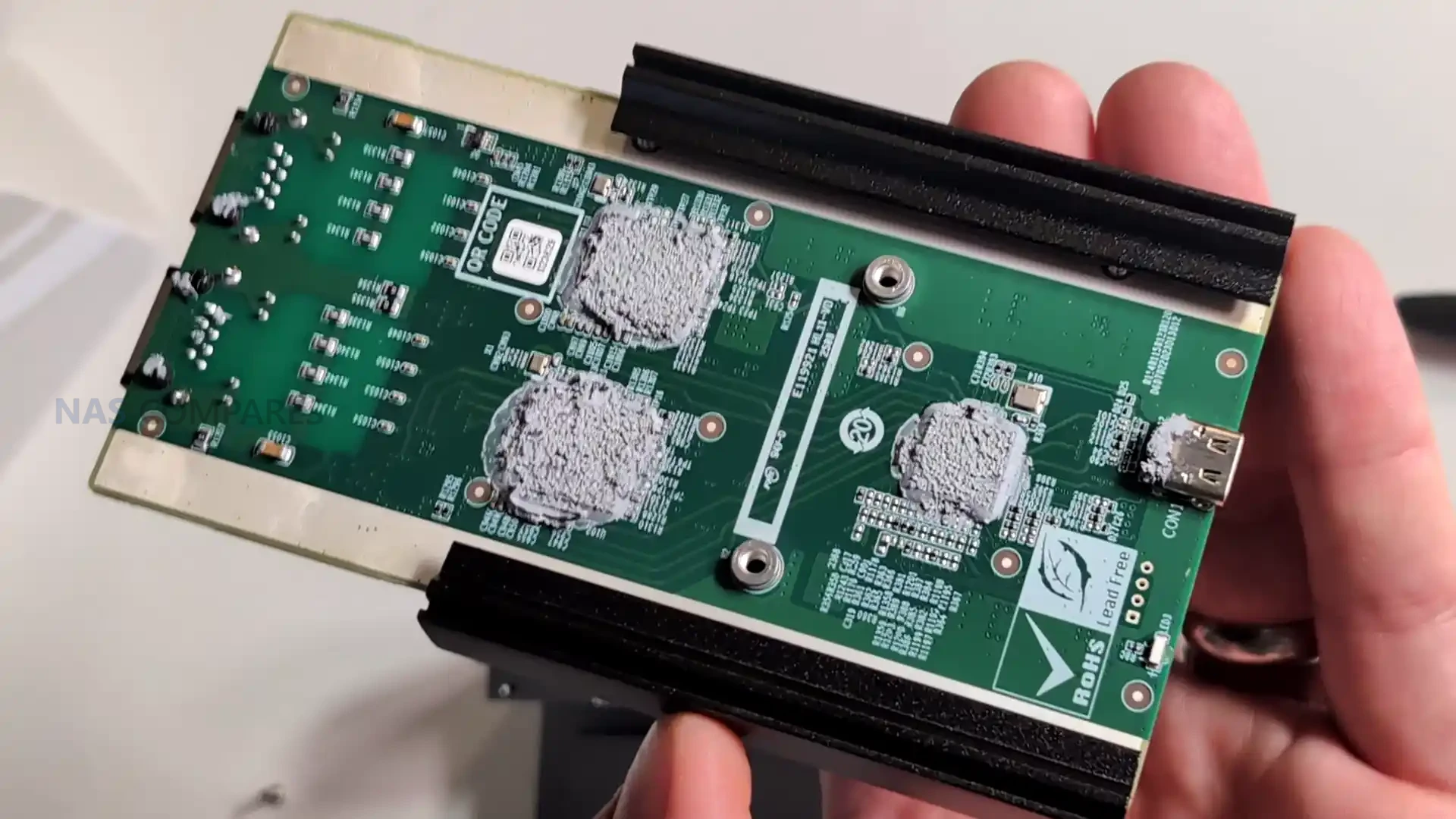
Internally the design is organized around a single board layout that places both controllers on the lower PCB surface, pressed directly against the internal heat spreader via thermal pads and paste. This arrangement ensures that the highest heat generating components transfer their thermal output into the metal layers with minimal resistance. Above this, the chassis integrates a second stage aluminium heat spreader that covers the width of the unit, supported by an additional top panel that completes the third passive cooling stage. This layered thermal design reflects a more methodical architecture than the mixed component assemblies found in low cost USB 4 to network adapters, which commonly rely on bridging older interfaces and produce unpredictable heat patterns under load.
 |
 |
The fanless approach is a key design choice, giving the adapter completely silent operation during heavy transfers. In your testing, the enclosure maintained stable temperatures even after several minutes of saturation, typically remaining in the 47 to 51 degree range depending on activity and ambient levels. This thermal profile suggests that the shell’s passive system prevents hot spots and avoids the typical thermal throttling behaviour found in cheaper adapters, especially those built around multiple controllers stacked on different interconnected PCB modules. The predictable cooling also assists long term reliability for users who expect constant 10GbE connectivity during file editing, remote rendering, or multi channel transfers.
 |
 |
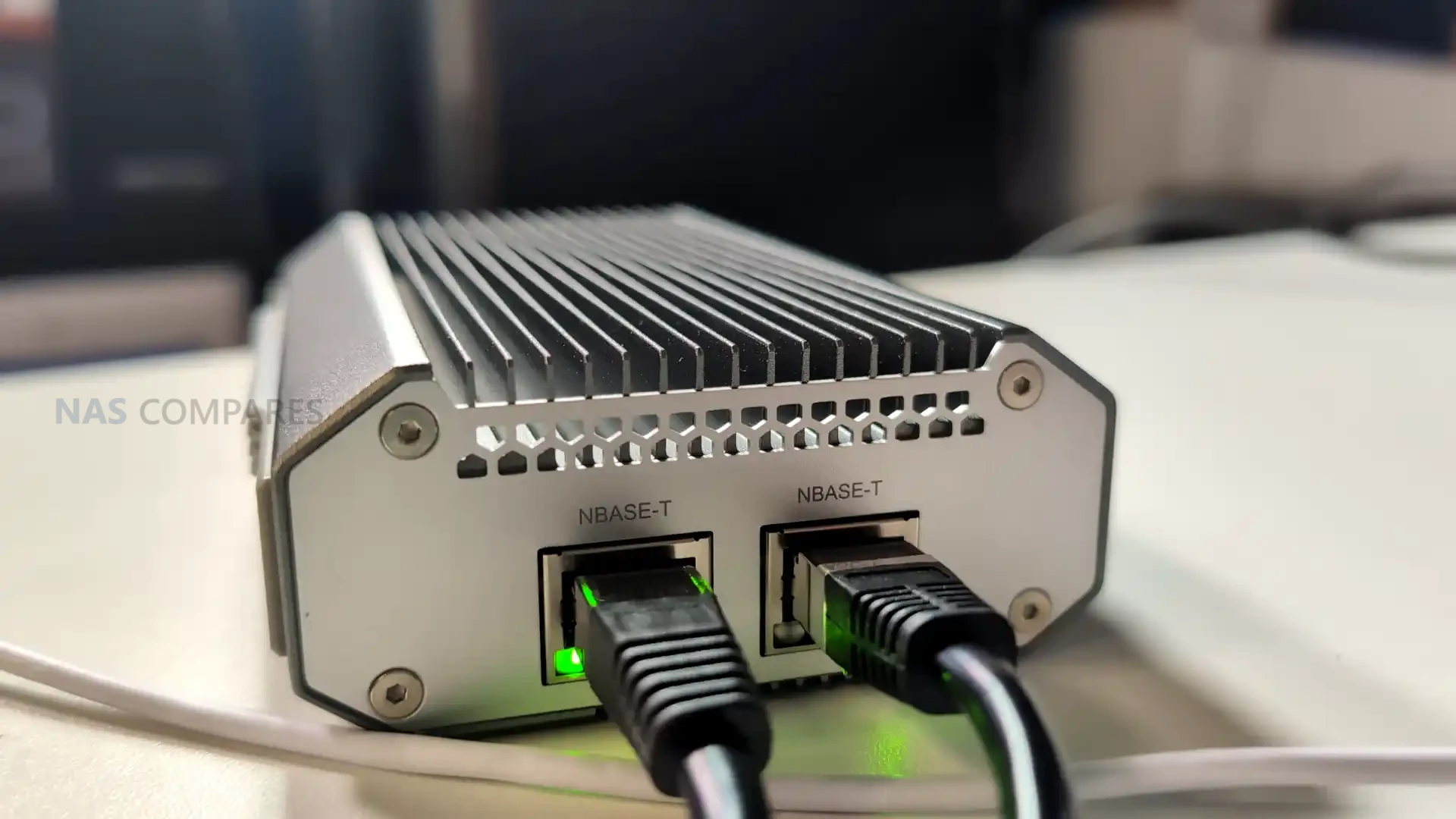
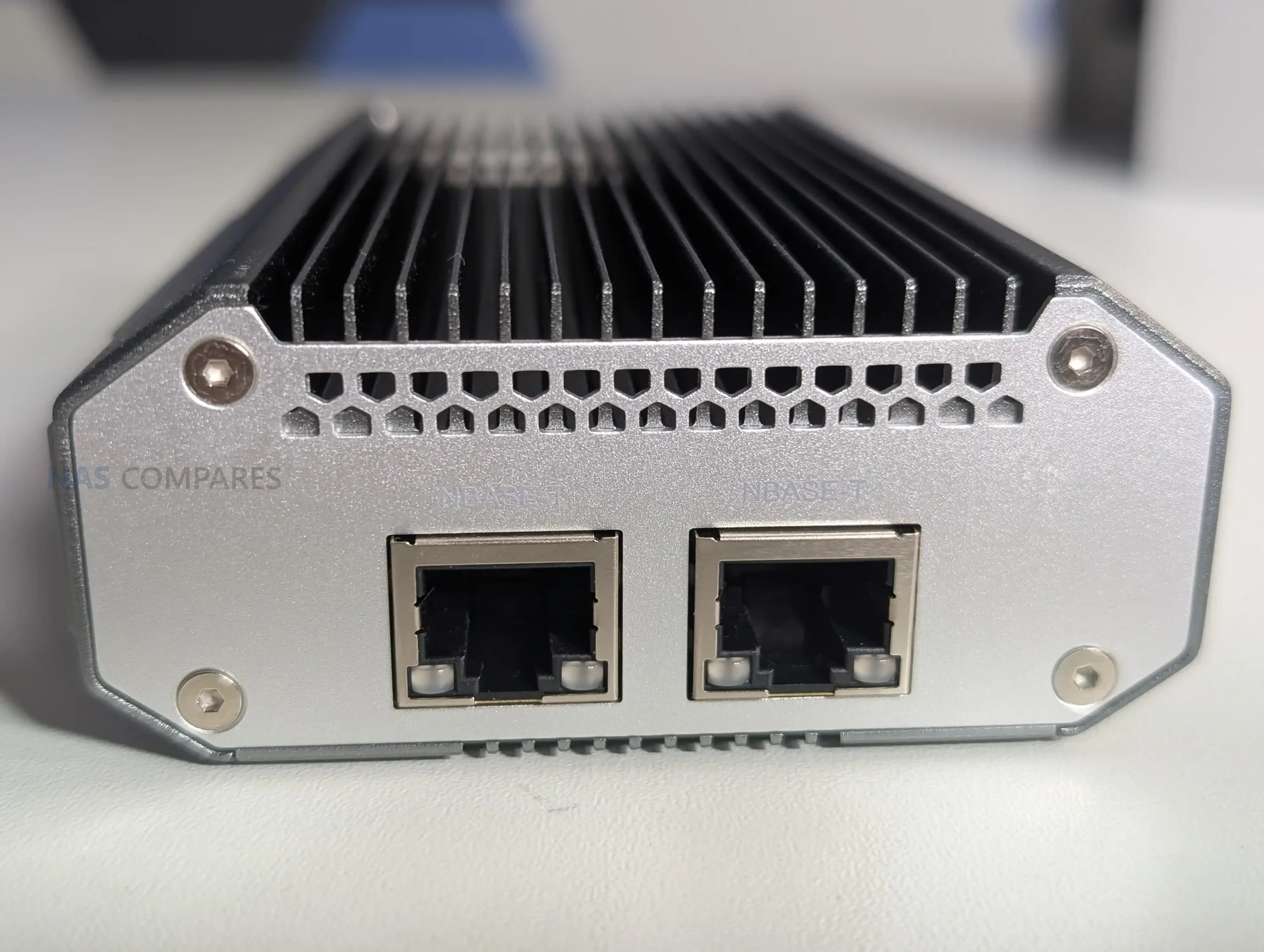
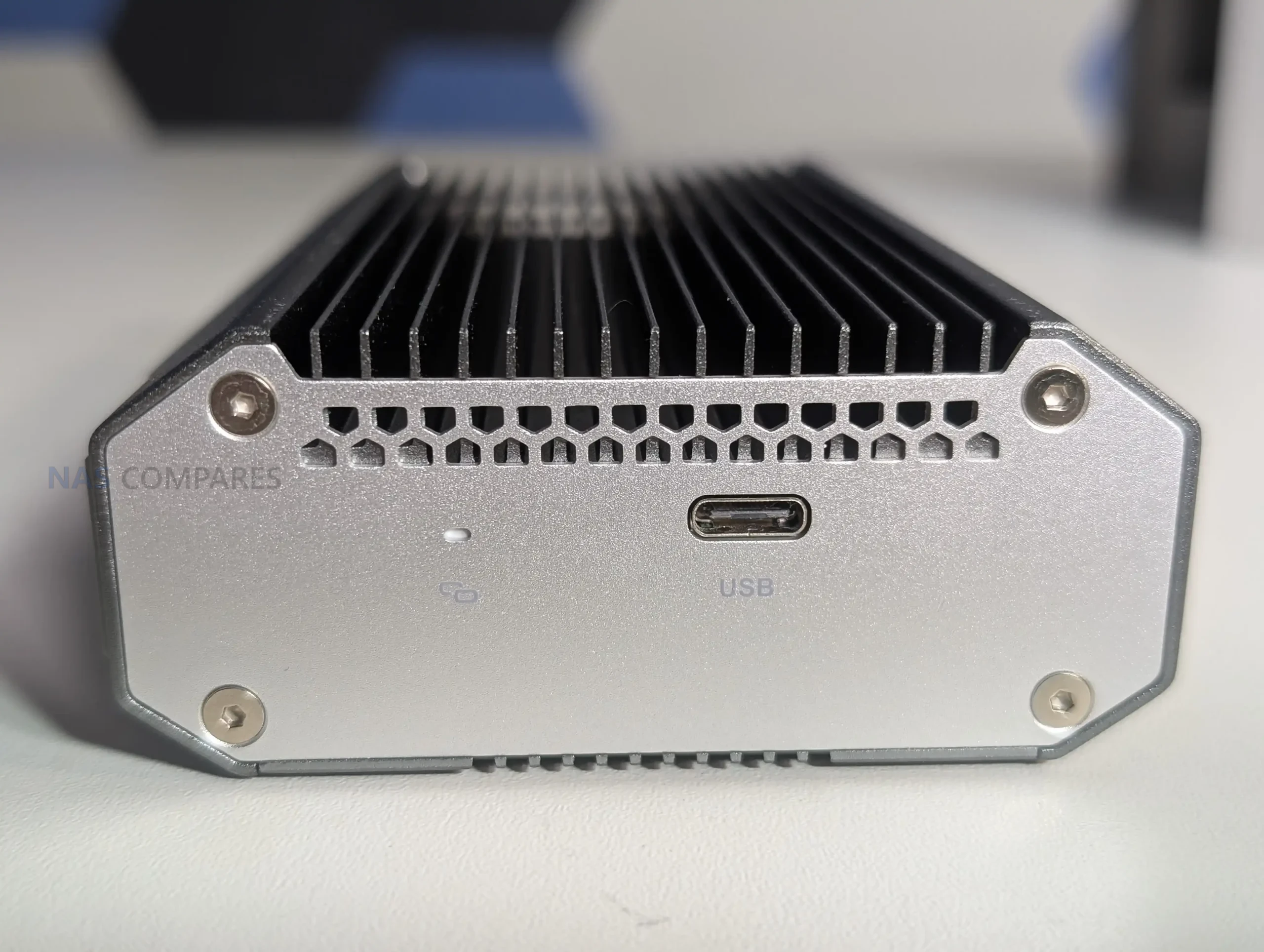
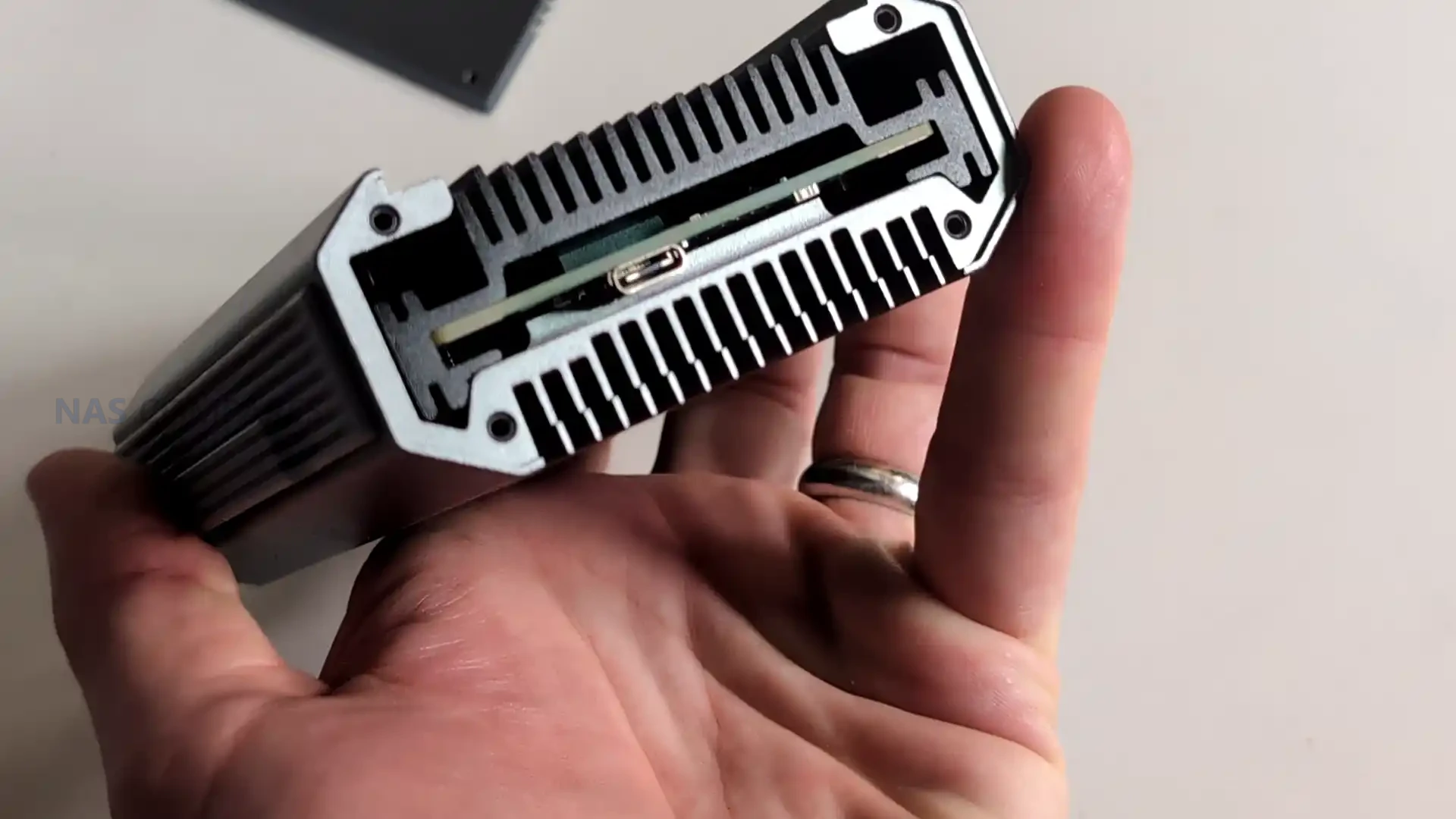
The physical I/O layout consists of a single USB 4 Type C port on one end and 2 x 10GBASE T ports on the opposite face, keeping cable paths separated to prevent mechanical strain or excess heat mingling between connectors. The RJ45 ports support Cat 6a cabling as recommended by QNAP and can operate across 10Gbps, 5Gbps, 2.5Gbps, 1Gbps, and 100Mbps speeds depending on the switch or device connected. While minimalistic, this separation aligns with the use case of the adapter as a mobile or desktop expansion tool where the position of cables may influence airflow and heat shedding around the chassis.
 |
 |
The cooling strategy also reflects QNAP’s intention for the adapter to be used in long-running, high-intensity environments rather than short bursts. During your extended 24 hour tests, the chassis maintained consistent thermal readings, with the USB side remaining cooler than the network interface side. The overall thermal balance avoided thermal spikes, which is essential for dual port operation where simultaneous read and write tasks across two 10GbE channels can push less optimized adapters into throttling. By spreading heat evenly across the frame, the device sustains performance in ways that improvised USB 4 adapters often fail to achieve during multi hour workloads.
 |
 |
QNAP QNA-UC10G2T Review – Internal Hardware and Connectivity
Inside the QNA-UC10G2T, the hardware is centred around two AQC113 controllers, each dedicated to one 10GbE port. This avoids the shared bandwidth and internal bottlenecks that occur in budget adapters that route multiple ports through a single controller or bridge older chipsets together. Each controller appears to have a direct path to the USB 4 interface, allowing the host operating system to detect two independent network interfaces. This structure is essential for features such as SMB Multi Channel, NIC bonding, and network segmentation, since it ensures that both ports operate with consistent throughput rather than competing for limited controller resources. The hardware layout intentionally avoids stacked modules or mixed technology bridges, creating a predictable and uniform architecture.
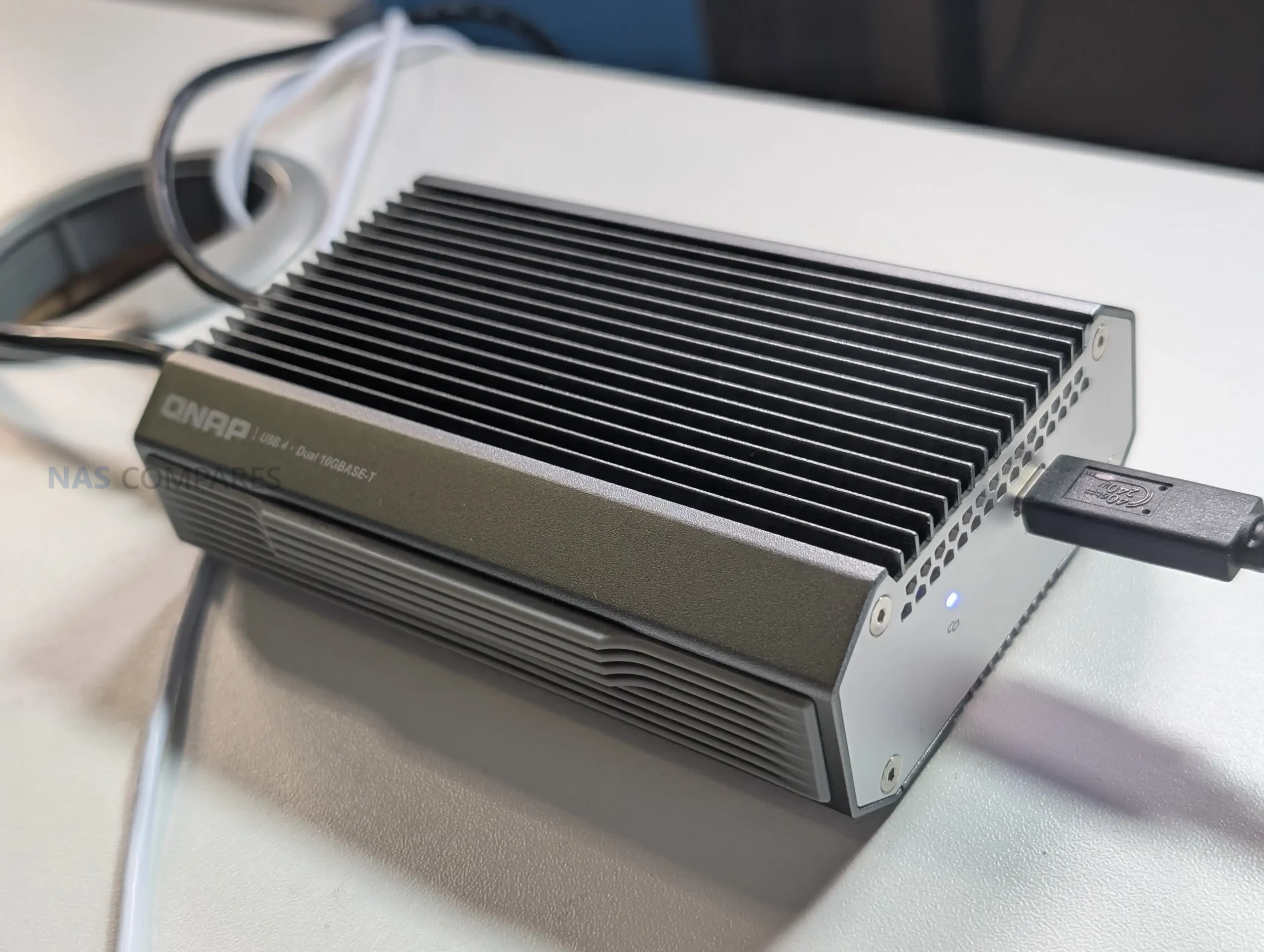
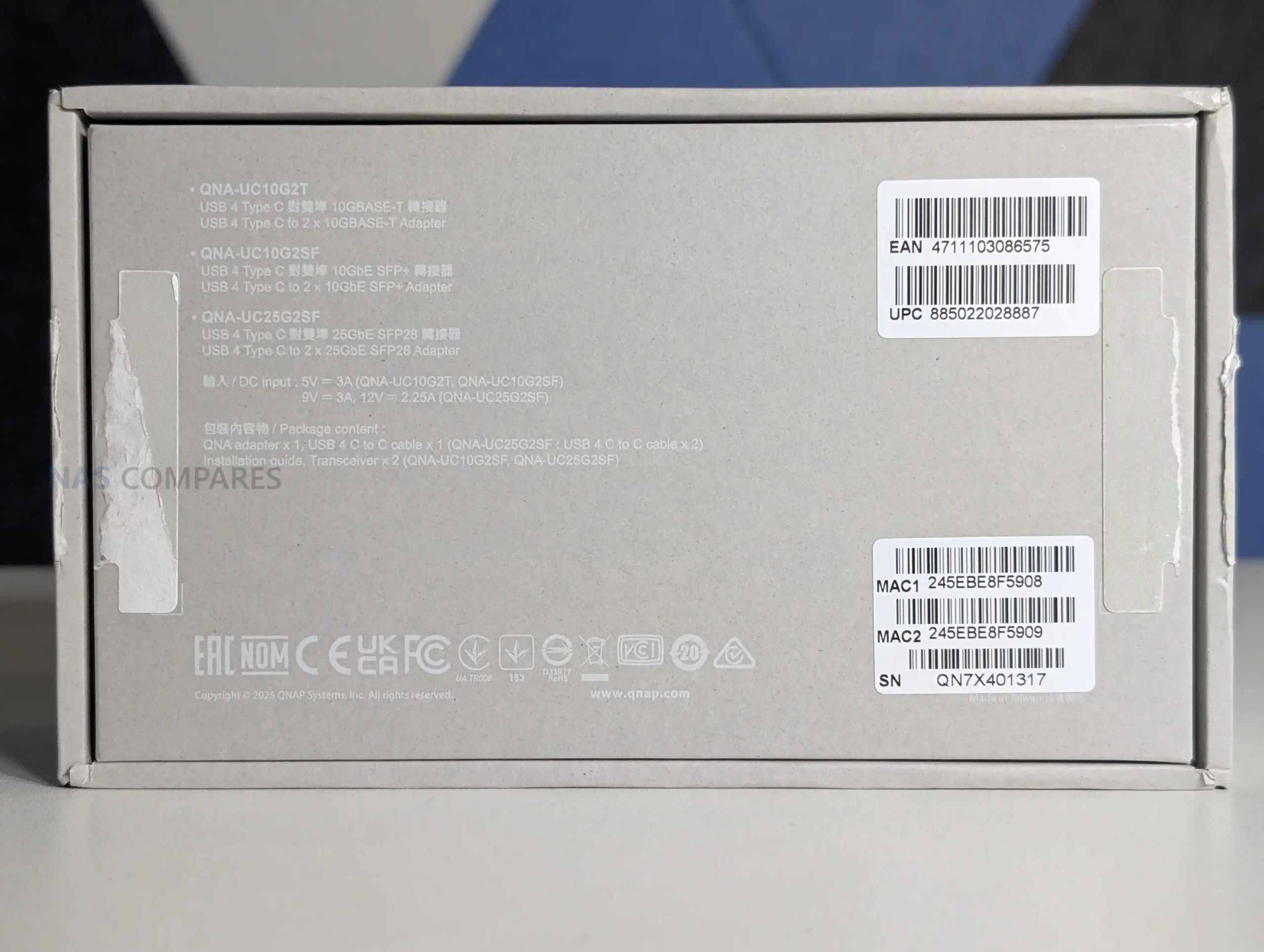
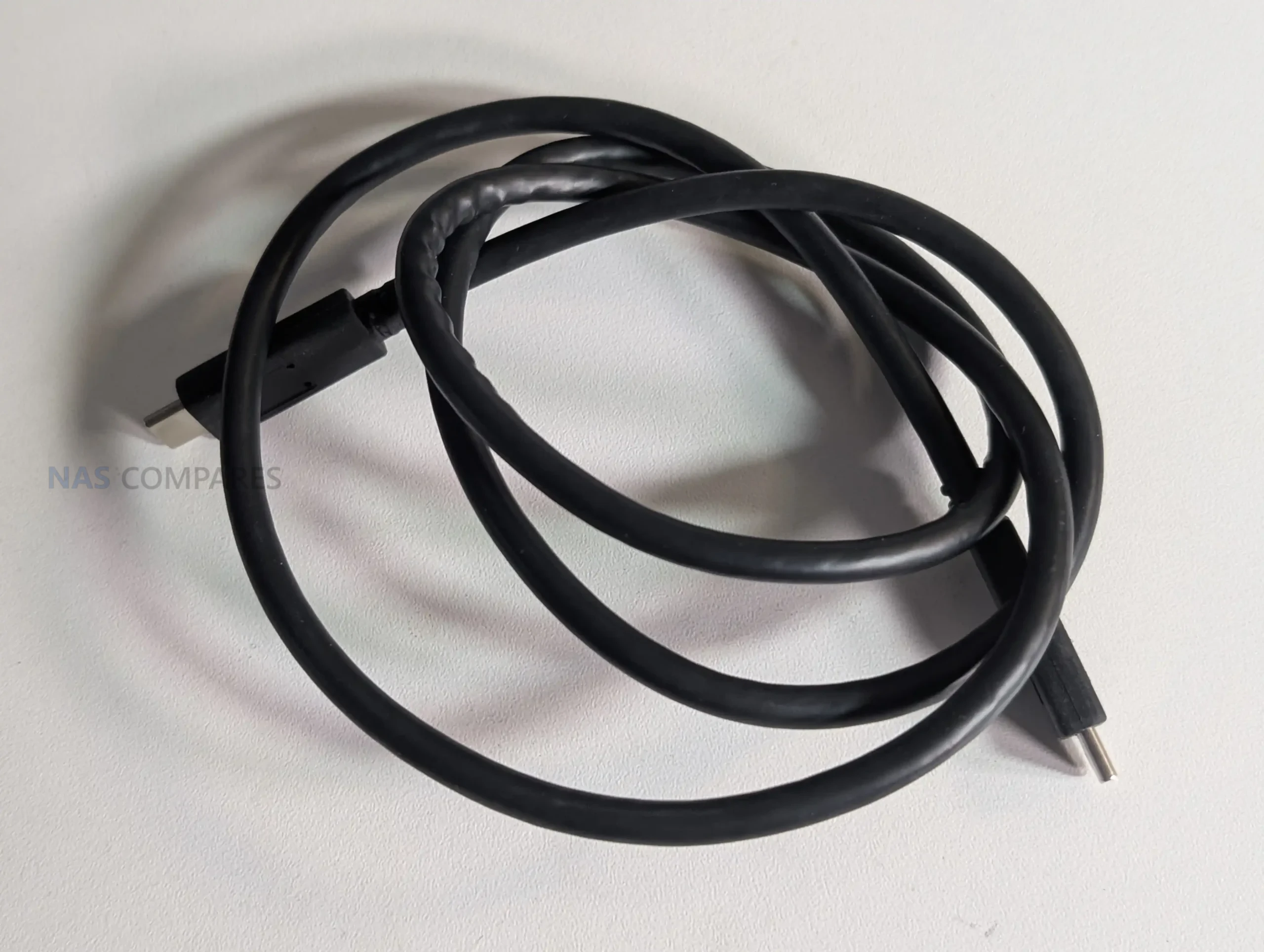
Connectivity through the USB 4 Type C interface is built to support both USB 4 and Thunderbolt 3 and 4 on most systems. QNAP includes a 1m USB 4 certified cable in the package to ensure full bandwidth without relying on third party cables that may deliver reduced link speeds. Host compatibility extends to Windows 11, macOS 12.7 to 15.4, and Ubuntu 22.04, although all require installation of the Marvell AQtion driver to enable proper operation. This software dependency reflects the adapter’s use of high performance controllers that are not handled by generic drivers. The device is not compatible with ARM based Windows systems, which limits use with some compact laptops and tablets but aligns with the adapter’s focus on fully featured desktop and workstation class hardware.
 |
 |
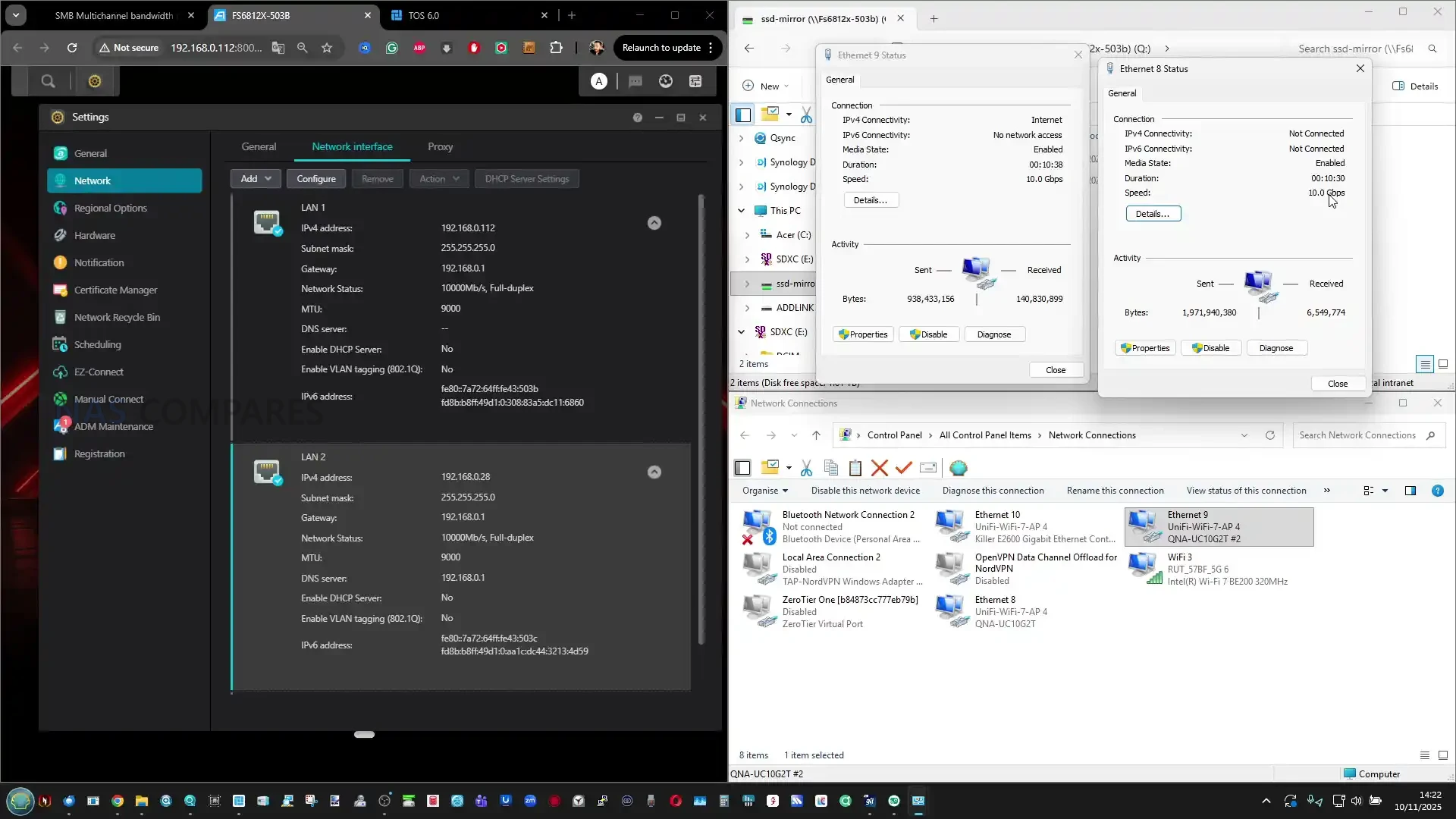
The dual 10GBASE T ports support 10Gbps, 5Gbps, 2.5Gbps, 1Gbps, and 100Mbps operation and auto negotiate based on the connected switch or device. This makes the adapter usable in mixed infrastructure where not all devices run at 10GbE rates. The reliance on RJ45 also gives it broad physical compatibility, making it suitable for direct PC to NAS connections, multi port NAS access, or integration with 10GbE switches. Your testing confirmed that the independent controllers allowed each port to reach close to saturation independently and operate simultaneously with sustained transfer rates across both links.
 |
 |
The internal hardware layout also supports clear network identification through the OS. When connected, the adapter exposes two discrete interfaces, each carrying its own MAC address, speed negotiation, and jumbo frame support. This allows users to create dedicated VLANs, segment traffic, or assign separate subnets without the limitations seen in single controller USB adapters that present only one interface for both ports. The device is therefore capable of acting as a genuine dual port NIC rather than a multi port breakout filtered through a single internal path. In testing, each interface responded consistently when used with tools such as iperf and CrystalDisk, confirming symmetric behaviour between both controllers.
While the adapter is designed primarily for client devices, your testing highlighted that direct USB 4 to 10GbE connectivity on NAS platforms remains limited. Most NAS operating systems lack mature USB 4 drivers or Thunderbolt over IP integration, which prevented the adapter from functioning when connected directly to TrueNAS or Unraid. This reflects current software gaps rather than a hardware limitation, and future NAS platforms with USB 4 or Thunderbolt support may unlock additional use cases. For now, the hardware is best suited to upgrading laptops, mini PCs, and workstations where USB 4 is available and supported through platform level drivers.
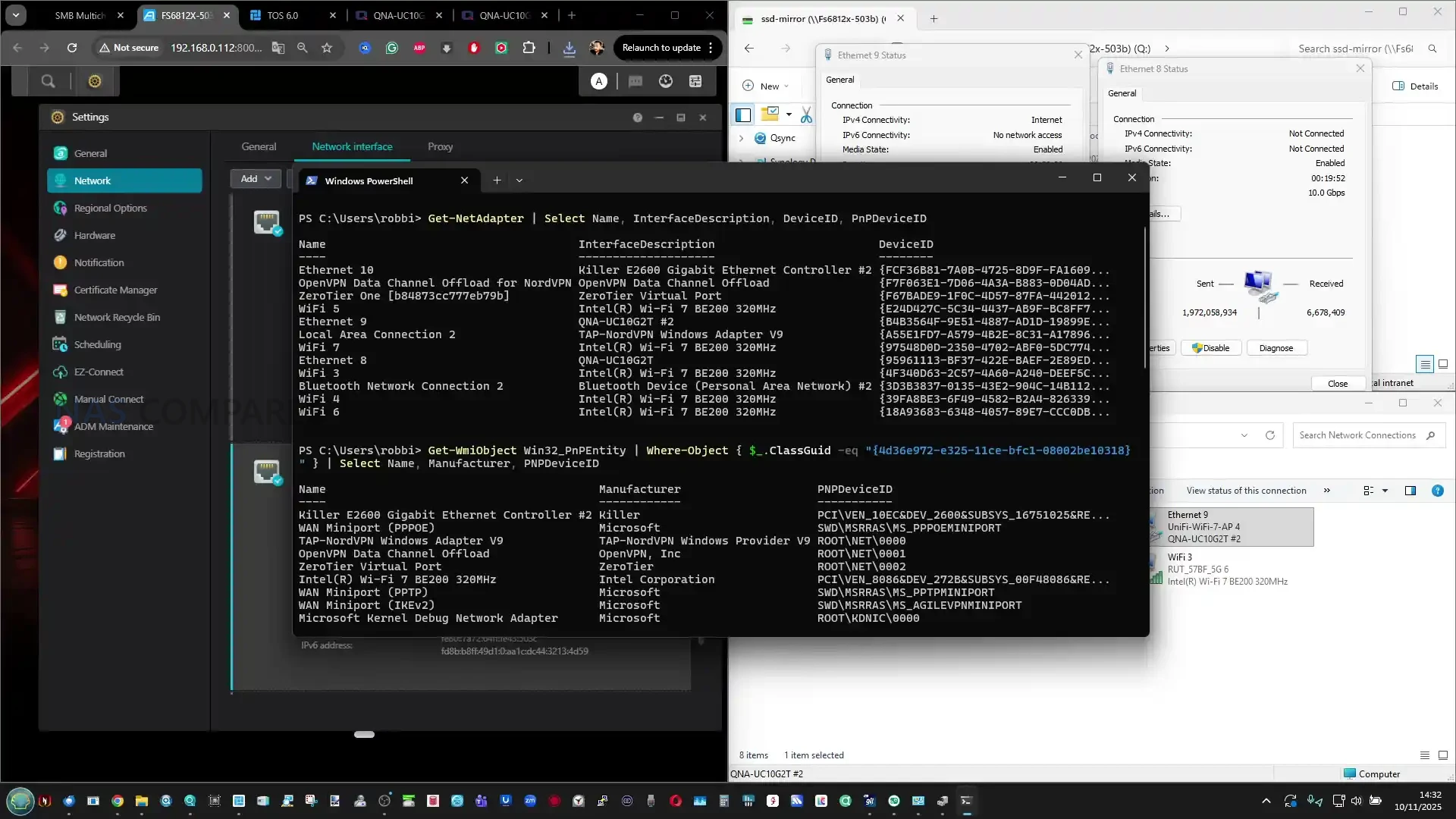
QNAP QNA-UC10G2T Review – Performance
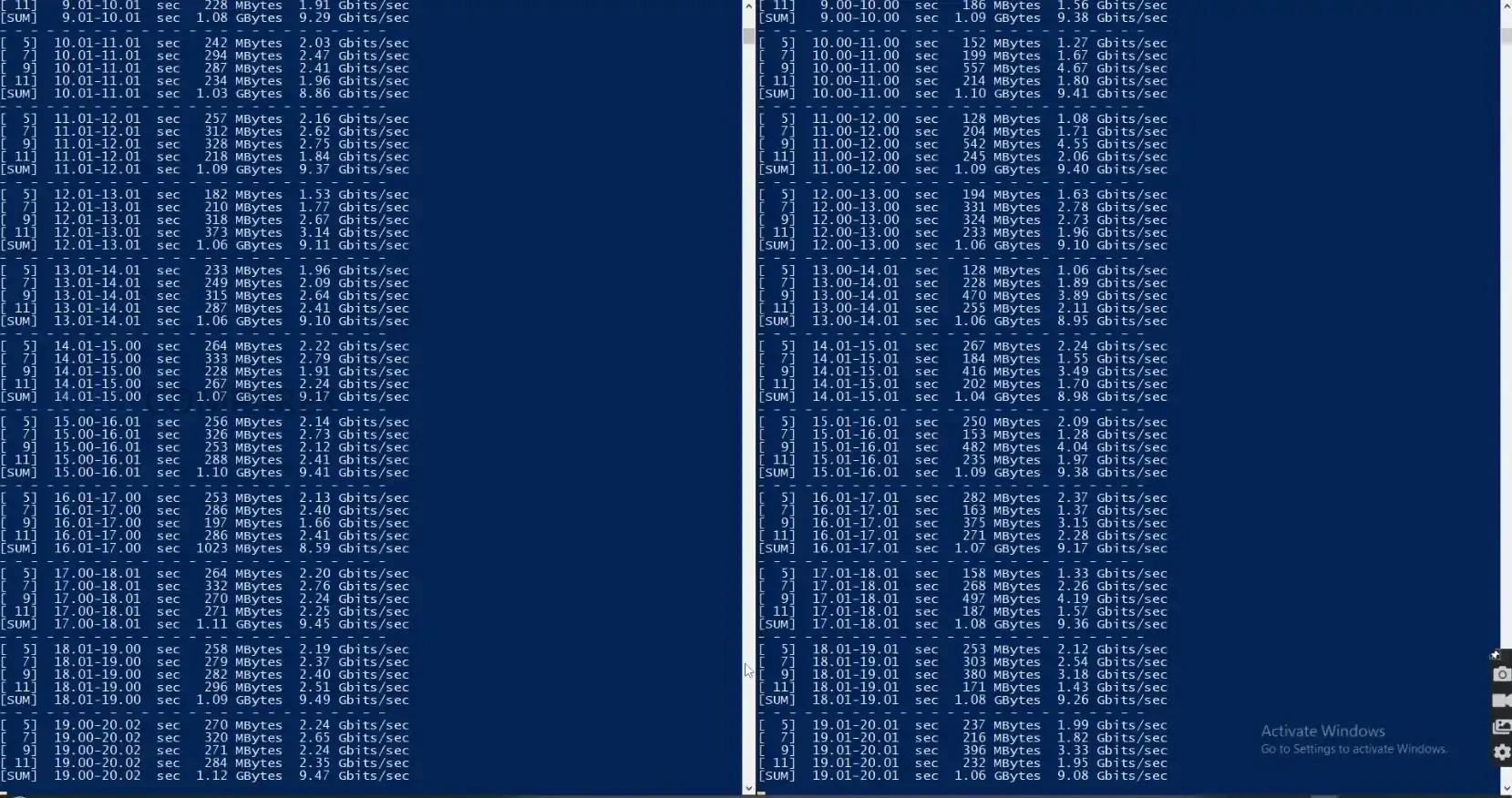
In practical testing, the QNA-UC10G2T delivered sustained throughput that closely aligned with QNAP’s published figures, with both ports maintaining stable operation during long running transfers. When used with IP based benchmarking tools, each 10GbE connection reached near saturation independently, confirming that the internal controllers can deliver full bandwidth without cross interference. During concurrent testing where two separate sessions targeted different devices, both ports maintained consistent performance levels, which demonstrated the benefit of having two discrete AQC113 controllers rather than a single shared architecture that would introduce contention under load.
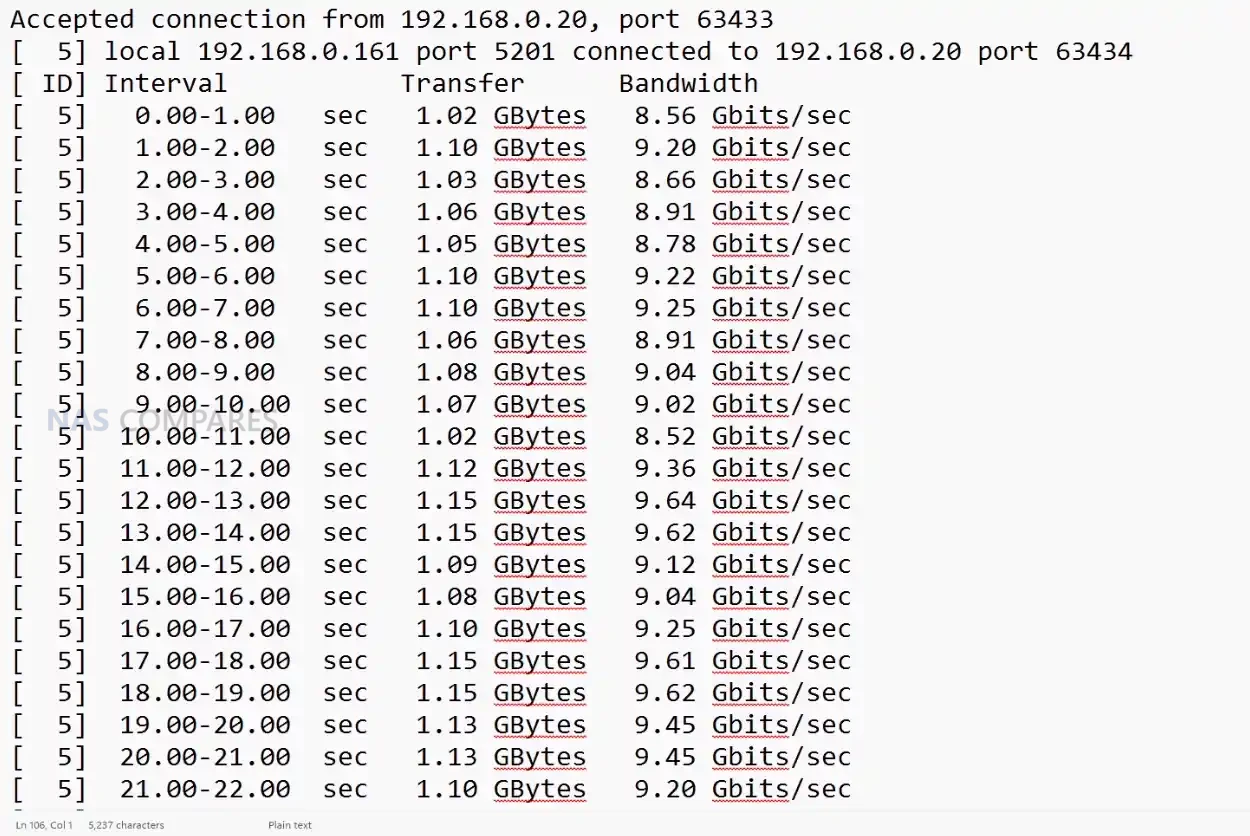
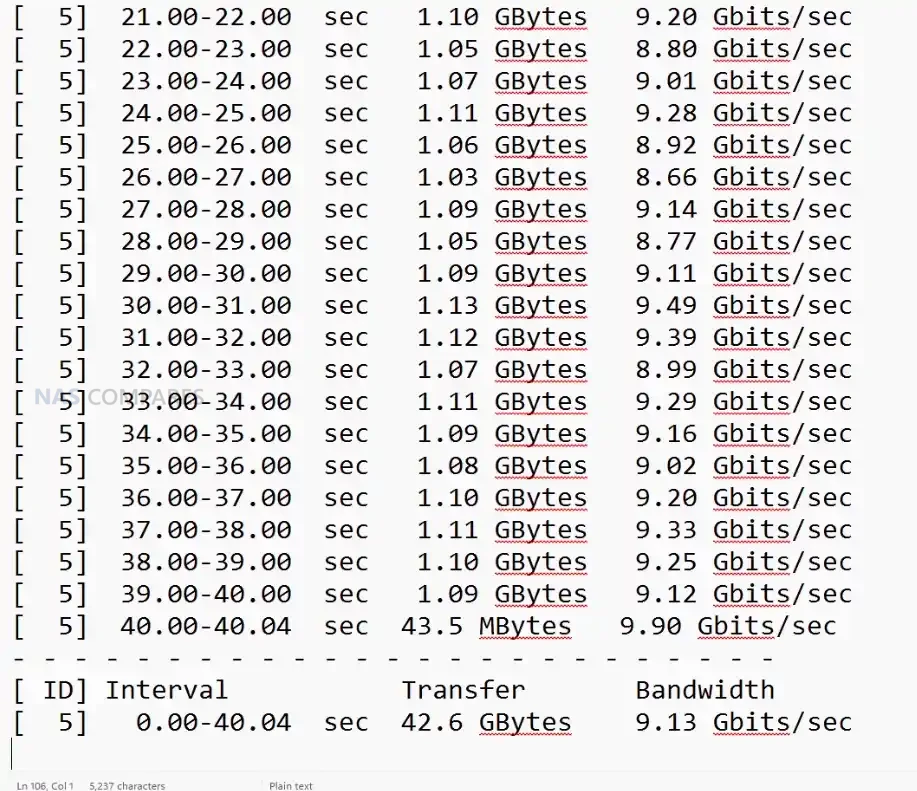
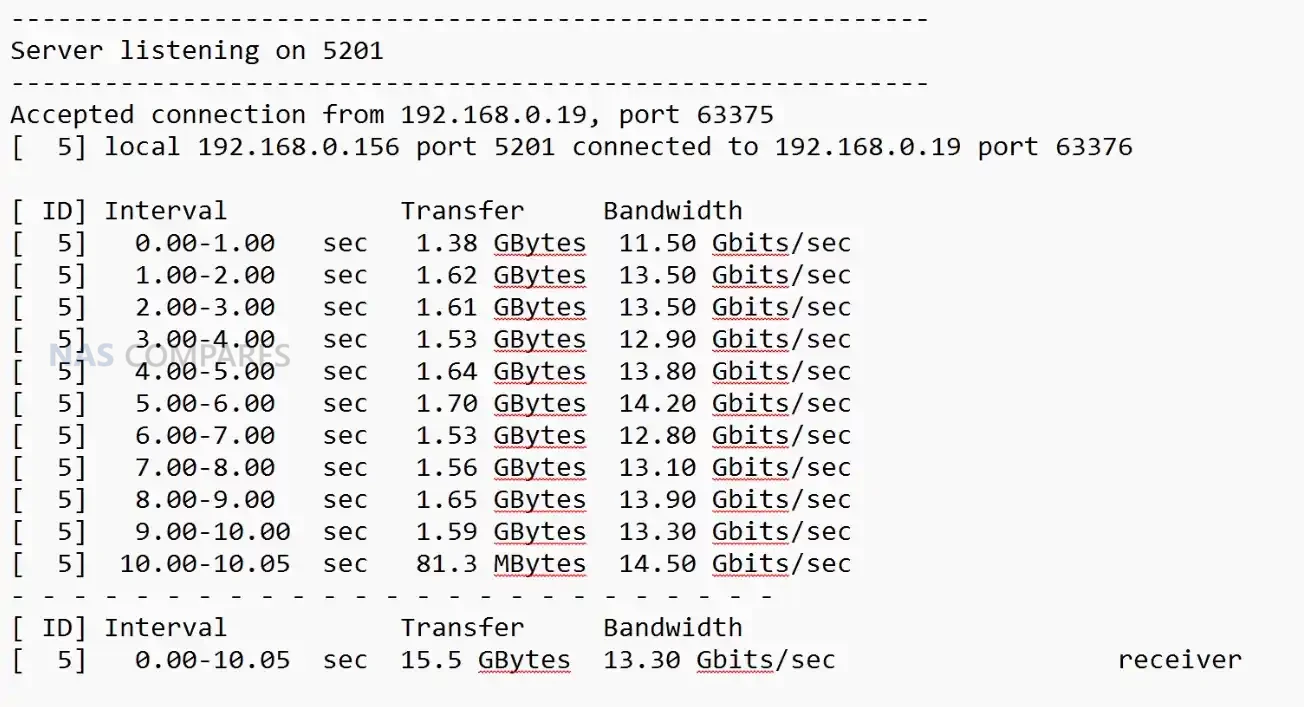
The adapter also showed strong results during SMB based file transfers, which typically stress both network performance and host storage. Using high speed NVMe backed devices such as the Minisforum MSS1 Max and the Asustor Flashstor Gen 2, throughput regularly approached the upper limits of a single 10GbE link and in some cases exceeded 13 to 14 Gbps combined when SMB Multi Channel was enabled. This reflected not only raw link speed but the ability of the device to maintain a stable, predictable data path without drops or thermal throttling. The performance was also consistent during repeated transfers, confirming sustained operation rather than peak only figures.
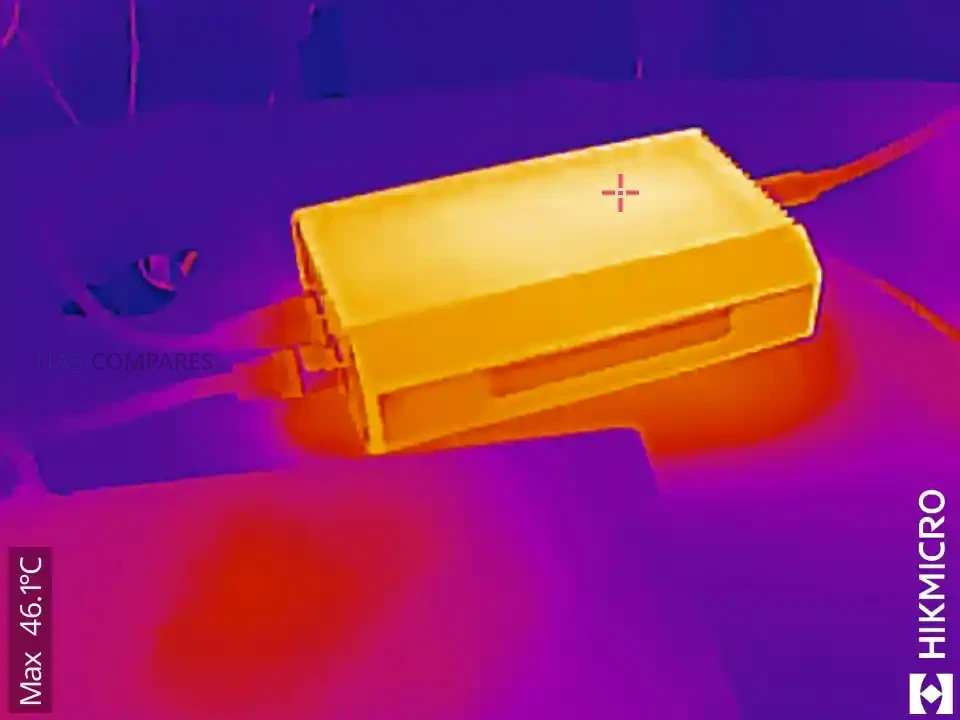
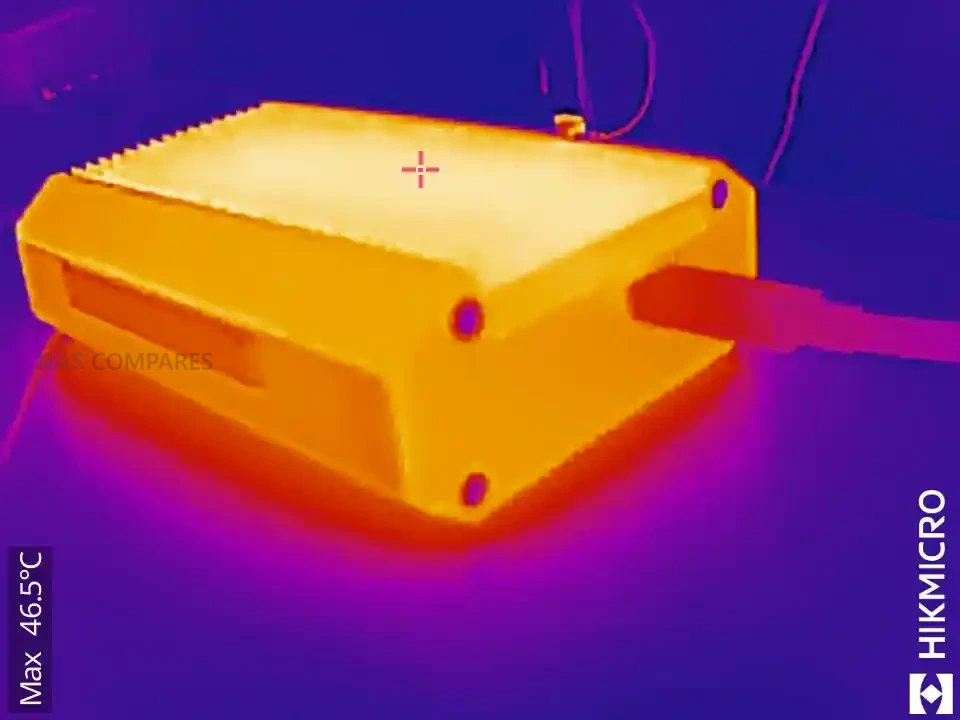
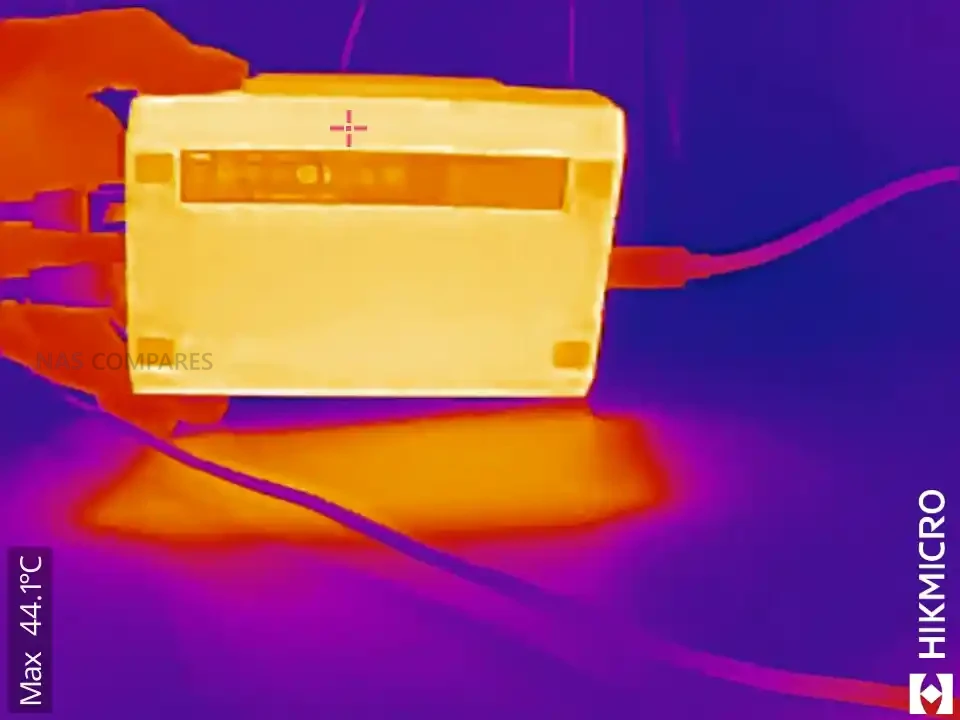
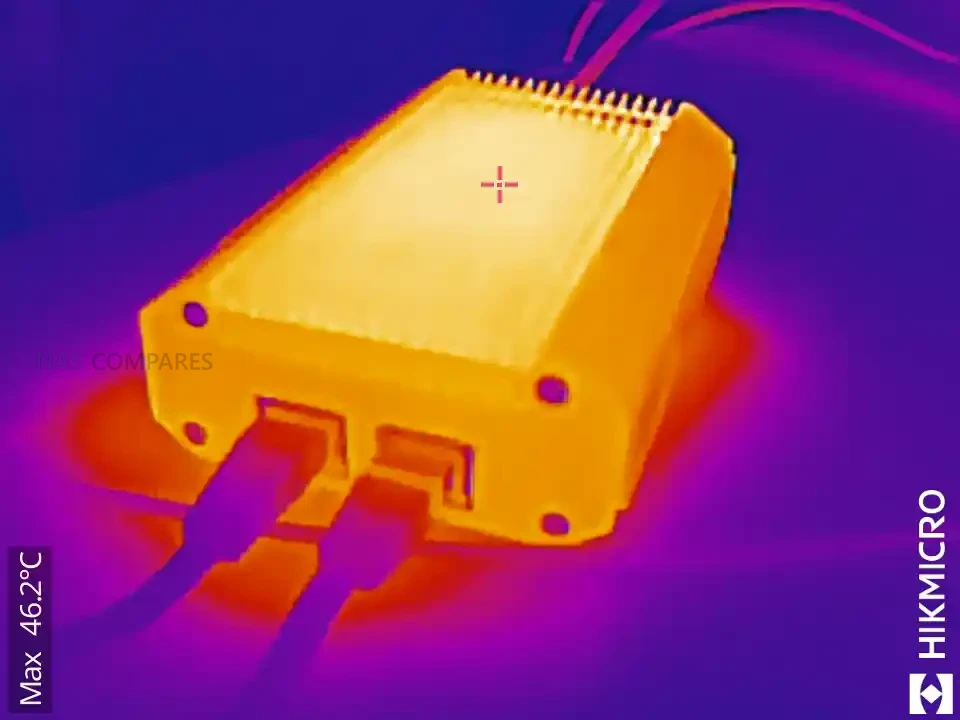
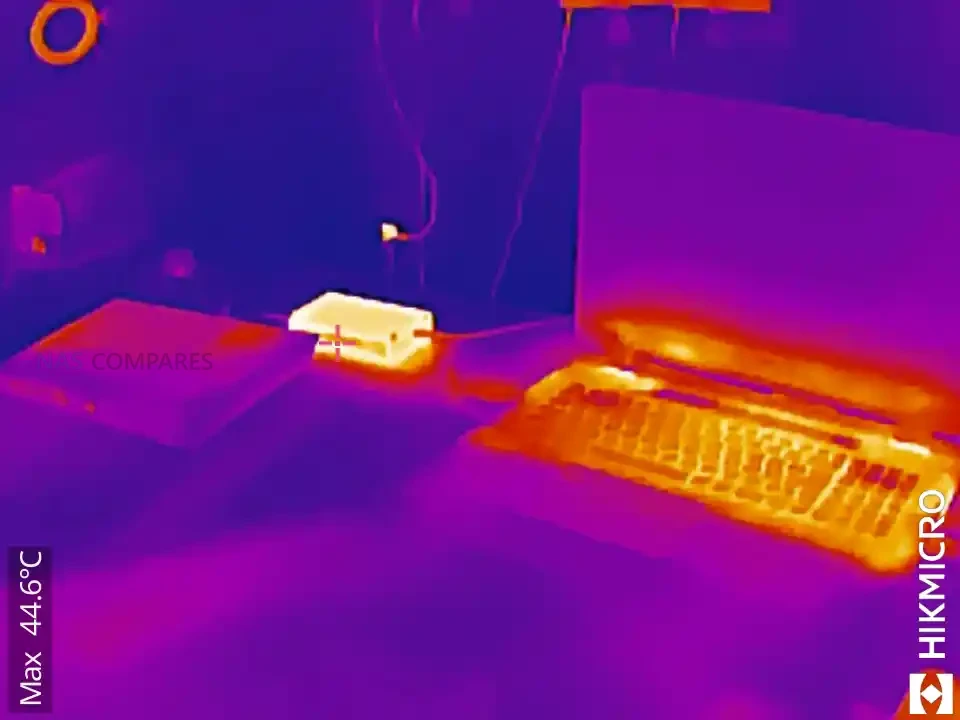
Thermal stability had a direct impact on performance, and the adapter’s multi stage passive cooling structure prevented heat buildup during heavy access. After several minutes of continuous transfer, external surface readings typically ranged from 47 to 51 degrees depending on the measurement point, with the USB interface side remaining cooler than the network side. Even after 24 hours of operation, temperatures remained within a narrow range, and throughput did not degrade. This behaviour contrasts with budget adapters built from stacked controller layers, which often throttle or lose throughput when thermals rise beyond the enclosure’s capacity to dissipate heat.
 |
 |
 |
 |
The adapter performed best when paired with systems that support jumbo frames, high performance modes, and direct NVMe based storage, since these environments can fully exploit dual 10GbE bandwidth. On platforms that lack USB 4 optimisation or rely on generic drivers, performance may vary, and your testing confirmed that most NAS operating systems were unable to recognise the adapter due to limited Thunderbolt or USB 4 networking support. For desktop and mobile clients, however, the performance remained consistent and aligned closely with QNAP’s internal lab measurements, provided that the user installed the appropriate drivers and used the supplied USB 4 certified cable.
QNAP QNA-UC10G2T Review – Verdict & Conclusion

The QNA-UC10G2T positions itself as a specialised tool for users who require reliable dual 10GbE connectivity through a single USB 4 port and are prepared to invest in a more robust architecture than the improvised solutions found in low cost adapters. Its metal chassis, multi stage passive cooling design, and independent AQC113 controllers result in predictable behaviour during long duration workloads, with sustained throughput that remains close to full 10GbE saturation on both ports. The requirement for platform specific drivers and the lack of NAS side support limits its flexibility in certain environments, yet for desktop systems, laptops, and compact workstations, the adapter provides one of the most stable USB based 10GbE implementations currently available.
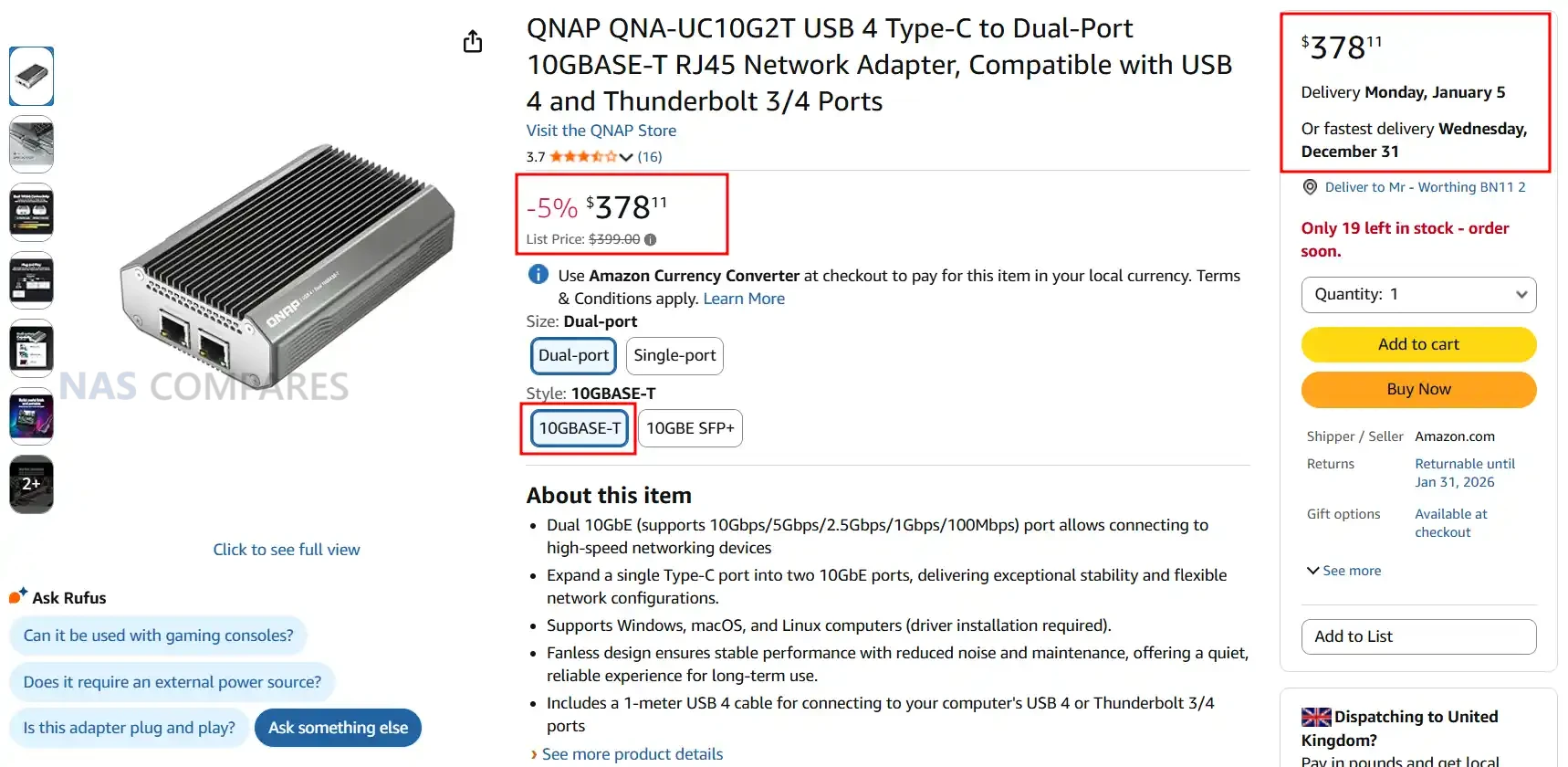
Although priced well above many alternatives, the hardware and performance characteristics position it for users who prioritise reliability over entry level cost. Photographers, editors, engineers, and remote teams who depend on consistent multi gig file transfers may find the premium justified, especially when mobility or small form factor systems prevent installation of PCIe cards. For users simply seeking an inexpensive path to 10GbE, the high cost will be difficult to justify, but for those needing dependable, long term dual port connectivity in a portable form, the QNA-UC10G2T delivers a focused and technically capable solution.
| QNAP QNA-UC10G2T Adapter PROs | QNAP QNA-UC10G2T Adapter CONs |
| • Dual AQC113 controllers provide two fully independent 10GbE interfaces • Sustained throughput remains close to line speed on both ports during long transfers • Multi stage passive cooling design maintains stable thermals without throttling • Full metal chassis acts as a large heat spreader for consistent performance • Broad client OS compatibility with Windows 11, macOS 12.7 to 15.4, and Ubuntu 22.04 • Supports SMB Multi Channel for aggregated bandwidth beyond a single 10GbE link • USB 4 architecture avoids the bandwidth contention common in low cost adapters |
• High purchase price compared with consumer grade USB to 10GbE adapters • Requires manual driver installation on all supported platforms • Limited or no support when connected directly to most NAS operating systems at the moment |
📧 SUBSCRIBE TO OUR NEWSLETTER 🔔
🔒 Join Inner Circle
Get an alert every time something gets added to this specific article!
This description contains links to Amazon. These links will take you to some of the products mentioned in today's content. As an Amazon Associate, I earn from qualifying purchases. Visit the NASCompares Deal Finder to find the best place to buy this device in your region, based on Service, Support and Reputation - Just Search for your NAS Drive in the Box Below
Need Advice on Data Storage from an Expert?
Finally, for free advice about your setup, just leave a message in the comments below here at NASCompares.com and we will get back to you. Need Help?
Where possible (and where appropriate) please provide as much information about your requirements, as then I can arrange the best answer and solution to your needs. Do not worry about your e-mail address being required, it will NOT be used in a mailing list and will NOT be used in any way other than to respond to your enquiry.
Need Help?
Where possible (and where appropriate) please provide as much information about your requirements, as then I can arrange the best answer and solution to your needs. Do not worry about your e-mail address being required, it will NOT be used in a mailing list and will NOT be used in any way other than to respond to your enquiry.
 TRY CHAT
Terms and Conditions
TRY CHAT
Terms and Conditions





|
 |


The Best Bits (and Worst Bits) of NAS of 2025!
Minisforum MS-02 Ultra Review
Minisforum N5 NAS, 6 Months Later - Better, Worse, the Same?
Beelink ME Pro NAS Revealed
Best SOLID STORAGE NAS of 2025
Should You Worry About the NanoKVM Hidden Microphone?
Access content via Patreon or KO-FI


Discover more from NAS Compares
Subscribe to get the latest posts sent to your email.
The QNAP is (2) Marvell Aquantia AQC113 10GbE controllers in a single carrier. There are a few (including IOCrest) who sell single port AQC113 based USB4 external devices for $99 USD each. What is important to know is if this device is using an Intel Thunderbolt chip to provide the USB4 bridge or a Asmedia ASM2464PDX. QNAP has sold a Thunderbolt3 to single 10GbE adapter for a few years now and it is rock stable on USB4 ports. The ASM2464PD USB4 bridge chip has been problematic with other brands.
REPLY ON YOUTUBE
For us that have laptops that have a USB port but no way to go faster than the builtin 1GB ethernet, this might be useful, but not if I can’t connect it to my uGreen 10GB NAS. I tried one of those usb to 2.5GB ethernet adapters, 2 actually, one for me and one for my brother and they crapped out due to heat. speeds were steady at the 2.5GB and then started going to zero for a few seconds before returning, then for a minute, and then timing out. Touching the case of the adapter could burn your hand it gets so hot. Let them cool down they recover, until they don’t. I bet something inside melted the solder and they are garbage now. Both failed within days of each other, 10GB? almost 50 degreee C is hot.
REPLY ON YOUTUBE
Why not just use Thunderbolt 4, you don’t need a switch, it’s 4 times faster, you can daisy chain it and it’s built into most modern professional computers and peripherals and connects through a €30 cable. Even my older Mac’s I connect through Thunderbolt 1 or 2, so I don’t understand the hype for 10Gig Nics.
REPLY ON YOUTUBE
Does it work out of the box with Linux?
REPLY ON YOUTUBE
The most important info is missing in the title: does this need USB4 PCIe tunneling, or not?
REPLY ON YOUTUBE
180 quid is a bit of highway robbery, but you have little choice as it’s necessary at the time – unless you want to break a window. If you decide not to pay, they can do a Ghostbusters and lock the car right back up. It was closer to $100 in the US last time I checked, which was so many years ago it may be out of date. (Brave search for Colorado indicates rates from $29 for a basic service call to ~$150 depending on after-hours / emergency services)
Keep in mind, some of these locksmiths are open 24 hours – they have rent, business expenses and hourly wages to pay.
Locksmith = necessary convenience; a *spare key* in your wallet or purse = PRICELESS (they cost about $10 these days at Walmart) and I highly recommend making at least one for your house if you haven’t already!
REPLY ON YOUTUBE
I have never ever seen an actual USB4 on a PC and even USB 3.2 doesn’t come anywhere near a 10GbE.
I dropped a PCIe x8 …10GbE adapter in my PC’s and I am seeing far better speed that way then I ever did with USB.
REPLY ON YOUTUBE
Its also a sold out coat hanger in Canada!
REPLY ON YOUTUBE
Thx
REPLY ON YOUTUBE
Those prices are crazy
REPLY ON YOUTUBE
20gbps is just USB 3.2 2×2, USB 4 is 40gbps unless it’s full duplex 10gbps up and down simultaneously
REPLY ON YOUTUBE
can you please make a review for
XikeStore SKN-U310GT – usb 3.2 to 10gig
XikeStore SKN-U410GT – usb 4 to 10 gig
Please!
REPLY ON YOUTUBE
there’s no excuse for $400 when it can’t drive both ports at 10G with a 40G USB4 port. just nuts.
REPLY ON YOUTUBE
I nabbed the RTL8159 10GbE USB 3.2 adapter that have been appearing on aliexpress/alibaba. Also, tis a chunker ????
REPLY ON YOUTUBE
Lol. It’s always funny to me (and others in the U.S.) when people in the U.K. think an 8 hour drive is excessive (that’s generally considered really not very much of a drive here, maybe medium – possibly upper end of medium – length depending on which state one is located). Apparently it’s only 466 miles from Edinburgh to Brighton… So not really too bad. Lol.
But, great video and great info! Thanks!
REPLY ON YOUTUBE
The new realtek chips essentially render these obsolete (aside from somewhat sketchy drivers at the moment). RTL8127 (over thunderbolt) can do 10gbe at 1.5W with a copper connector and <1W with SFP+. RTL8159 does 10gbe over USB 3.2 with similar power consumption as well ????
REPLY ON YOUTUBE
Your mate drove Edinburgh to Brighton via Singapore, so I think he deserves to pay £180 for being a terrible navigator.
REPLY ON YOUTUBE
So why no NAS with TB5 connection? 10Gbs is becoming a limitation for smooth video editing without proxies.
REPLY ON YOUTUBE
nah, I already have 10gbe copper or SFP+
the price is retarded
REPLY ON YOUTUBE
Acasis do a 40Gb USB4/TB4 to 10Gb copper adapter box for $109 (on sale currently). Looks to be passive cooling from what I can see, might be worth getting one in for a review. I’ve got TB4 and TB5 NVMe SSD actively cooled enclosures from them, well engineered.
REPLY ON YOUTUBE
I need to lock my credit cards in a safe before watching NASCompares reviews….
REPLY ON YOUTUBE
I….don’t understand. Can someone explain the use case for this? If I have workloads that actually benefit from stuff like this it’s always on a powerful desktop PC where there are better and cheaper options. Not once in my life would I have needed 20 Gbp/s on for example my laptop and I’m working with big datasets.
REPLY ON YOUTUBE
Any chance you can run two of these from a single USB 4 port with a thunderbolt hub?
REPLY ON YOUTUBE
The Sabrent 10Gbps thunderbolt is cheaper and works great with USB also FYA
REPLY ON YOUTUBE
10Gbps is never going to be too late.. just too expensive. Thanks mostly to corporate GREED and *WEDGING” 2.5Gbps and 5Gbps in the middle for marketing reasons. When we changed from BNC cables to CAT5 we survived. We can do it again especially in 2025 when CAT6 is cheap AF
REPLY ON YOUTUBE
400 dollar for 10gb no freaking way
REPLY ON YOUTUBE
Sure, Edinburgh to Brighton via Singapore must be about a billion miles. Your mate might want to try the direct route next time.
REPLY ON YOUTUBE
I successfully use the IoCrest USB4 Dual 10Gb Fiber SFP+ (Macbook Pro M3 MAX). I made some customizations to help with heat dissipation and use it with a DAC cable. Excellent deal. U$ 80 (final prince here in Brazil).
REPLY ON YOUTUBE
Can you recommend a NVME PCIE 4×4 with RAID and 10 GB SFP+? I need something which doesn’t take 60 seconds to “spin-up” and be responsive. Im tired of my NAS folders taking that long to become responsive.
REPLY ON YOUTUBE
I know I might be nitpicking, but as a person who’s not from UK, and English is not my first language, but still, whenever I watch your videos and you say “nicker” with your dialect, I can’t help but think about/hear similarly sounding English word… Do you really need to use that word whenever you’re talking about prices? Can’t you just say pounds/dollars, or whatever? I really enjoy the content but that just rubs me the wrong way.
REPLY ON YOUTUBE
My guy from the AA also had a coat hanger to SFP+ (10G) adapter
REPLY ON YOUTUBE
It’s not always about the sticker price, it’s about the value of the utility provided to the customer / user. For the lack of willingness to part with 180 GBP’s, he could have sat there on the curb, in the dark and rain, until his ass webbed together. So, he would have had all the time in the world and would therefore have no need for a 10 GPS NIC. And they all lived happily ever after.
REPLY ON YOUTUBE
As an auto mechanic, if I may, I just want to add to that anecdote at the start that /not only/ is the AA guy the guy with the ‘coat hanger’ but also the guy that knows how to use it, and use it efficiently and expediently so that you aren’t sitting longer than necessary while he (doesn’t!) scratch your paint or interior trim. ????
REPLY ON YOUTUBE
I would rather spend the money qnap asks for these nics on online gambling platforms.
REPLY ON YOUTUBE
Overpriced.. reviews are hit or miss.
REPLY ON YOUTUBE
I’m just not sure who this product is for at this price and moment in time. Perhaps it would have been more interesting as an early USB4 showcase device, but the number of mini-PCs that can either have a PCIe expansion card or has native 10GbE ports appear to be increasing. Perhaps nice for people who use a laptop as their mini-PC. Does anyone beside me remember a time when laptops had PC Card (PCMCIA / ExpressCard) expansion slots?
REPLY ON YOUTUBE
I need the 25G SFP28 version
REPLY ON YOUTUBE
For U$550 I would just buy myself another NAS with built-in 10GbE – eg. BD 795i SE + X710-DA4.
REPLY ON YOUTUBE
QNAP released a 5 port 10gbe switch with link aggregation. Do review them if you manage to get them
REPLY ON YOUTUBE
You should test the 10GBE RTL8159 adapters that are now on Aliexpress they are usb 3.2×2. I would love to know how it compares especially because they are only £70ish and would be backward compatible (with slower speeds).
REPLY ON YOUTUBE
Have you tried the newer Broadcom based 100m SFP+>1/2.5/5/10GBe RJ45 modules? They run a decent amount cooler than the 30m common variants. In the States Wiitek has a model on Amazon for ~$45 and I can attest it does run cooler. They also have some 80m variants, but I’m not sure about those.
REPLY ON YOUTUBE
I want 10gbps on my Ryzen USB4-equipped PC to work with 10gbps NAS or 10gbps DAS or just Windows File Share my files over Wifi7 at ~10gbps to wireless clients, but wow is that expensive… I’ll stick to $30, 5gbps, and serve up ~500mb/sec for now…
REPLY ON YOUTUBE
What is would like to know is it possible to run two of these kinds of adapters in parallel and if so would it give you the same width? I did question this with Sabrent but they could not say as it has not been tested. Not this would be on a Mac
REPLY ON YOUTUBE
Wondering if it would be possible to use something like the UT3G thunderbolt adapter used for eGPUs to build a DIY solution with SFP support and/or proper cooling. And maybe it is possible to do it even cheaper: I have seen a user reporting on Amazon that he was able to connect PCIE devices to a Wavlink USB4 NVME adapter (ASM2464?) by using some NVME to PICE adapter cables. Unfortunately there were no additional details, but given the PCIE tunneling of USB4/Thunderbolt, maybe this is possible.
REPLY ON YOUTUBE
Acasis got theirs on at $110 sale price currently…
REPLY ON YOUTUBE
I have a different AQC113 10G device and I could not get TrueNAS to even see it. AQC107 is fine but 113 just wouldn#’t show up.
BTW I have the older TB3 to 10G SFP+ adapter and it’s great (got it cheap) – although I gave up on TrueNAS before I got it , so I can’t speak to compatibility
REPLY ON YOUTUBE
I bought the SFP version by mistake. Works fine with a cheap transceiver from amazon
REPLY ON YOUTUBE
On Canadian Amazon CDN $547.99 are you out of your F******G Mind?
REPLY ON YOUTUBE
In my testing, Aquantia’s AQC113cs is the better Aquantia 10 Gbe lan adapater to use with macOS via thunderbolt / usb4, as compared to AQC107, because of the older chipset’s bugs with Airplay. For example with the 107, it’s not possible to reliably use the Mac as an Airplay speaker for other Apple devices on the same network. The 107 bugs out… but the 113 shines. I wonder how this USB4 QNAP device performs in that regard?
REPLY ON YOUTUBE
TB5 / USB4v2 to dual 25GbE SFP28 at $300, then we talking !!
REPLY ON YOUTUBE
I did a upgrade to my sons computer. The motherboard has 2.5gbe now. So i got an Qsfptec sfp+ that can handle 2.5gbe on my Unifi Aggregation switch, even if this switch only can handle 1 or 10gbe. Good thing that Qsfptek trolling the switch beliving that it’s an 10gbe sfp+ device linking it up to 2.5gbe. By the why i can’t stop looking at that goldy whatch ????
REPLY ON YOUTUBE
I picked up the QNAP thunderbolt 3 device and could not get it to work on my Asus B850i motherboard using the USB 4 port. So I’ll be forced to get the USB 4 version
REPLY ON YOUTUBE
Their previous TB3 10G unit I had ran hot and was unreliable, but it looks like they’re doing better here. If these can work with USB4 enabled NAS then the upcoming 25G would be really interesting for super fast direct connection..
REPLY ON YOUTUBE
The Main Difference between USB4 and TB3/4?
With TB you HAVE TO DO EVERYTHING IT CAN!
With USB? You get to choose and pick and then
it is good luck when buying the stuff in terms of
what it is actually capable of . .
REPLY ON YOUTUBE
I just received it in the mail yesterday and I like it a lot. It gets warm, but not as warm as my OWC Thunderbolt Pro Dock, that was getting way too hot and would go to sleep and unmount my QNAP TS-h973AX-32G. It is costly, but it makes my setup so much easier, most likely it’ll come down in price, but I couldn’t wait. I use it with my MacBook Pro M1 and it’s very smooth. Thank you for all your videos, I wouldn’t have a NAS setup if it wasn’t for you and it’s changed my whole work flow ????????
REPLY ON YOUTUBE
Given that USB4 devices like NVMe enclosures are generally *cheaper* than Thunderbolt ones, a higher price for this seems unreasonable. A quick search of aliexpress gives a couple “USB4” 10GbE adapters for $100 USD, one with active cooling. I’m sure we’ll see a lot more over the next few months. 2025 might finally be the year of 10Gbit!
REPLY ON YOUTUBE
This thing in the SFP+ version is literally gold. I love it. Use fiber not copper, the copper SFP+ modules get ridiculously hot.
REPLY ON YOUTUBE
Wondering where is their more than 1 year ago teased 2x25Gbps TB adapter…
REPLY ON YOUTUBE
it would be interesting to see the IOCrest re-review vs the Qnap one specially on trueNAS i’m thinking to expand my system with this controller but i want to see some data if it is within possibility of course
Thanks for the effort good sir
REPLY ON YOUTUBE
not worth it for the price
REPLY ON YOUTUBE
The video chapters are incorrect.
REPLY ON YOUTUBE
Usb4 to 10gbe should be around 100. And chinese ones are approaching that price. I am waiting for the ones with two ports ????
REPLY ON YOUTUBE
If you haven’t got a spare PCIe slot, then yes, albeit 3 times the price of a PCIe 10Gbe adapter. I’m running a Startech TB310G2 adapter on my 14900KS system and getting 9.5Gbps using iPerf3 to my DS1522Plus NAS. File transfers are much quicker although obviously hard disk limited by the NAS. The adapter does run pretty warm though!
REPLY ON YOUTUBE
no thunderbolt needed ? iocrest 110 euro needed thunderbolt and did not work with usb4 only port
REPLY ON YOUTUBE
Could this work with unraid?
REPLY ON YOUTUBE
Could this work with
REPLY ON YOUTUBE
I guess it will still be connected via Thunderbolt 3 over PCIe 3.0 x2 lanes, because to use just one lane, it needs to be connected via PCIe 4.0, which was only introduced with USB 4.0 v2 or Thunderbolt 5
REPLY ON YOUTUBE
USB-C and temps are an advantage over the Sabrent 10G Thunderbolt, but almost twice the price.
REPLY ON YOUTUBE
I’m going to comment that it always cracks me up at your money’s various different things that qualify as money
REPLY ON YOUTUBE
Awesome
REPLY ON YOUTUBE