

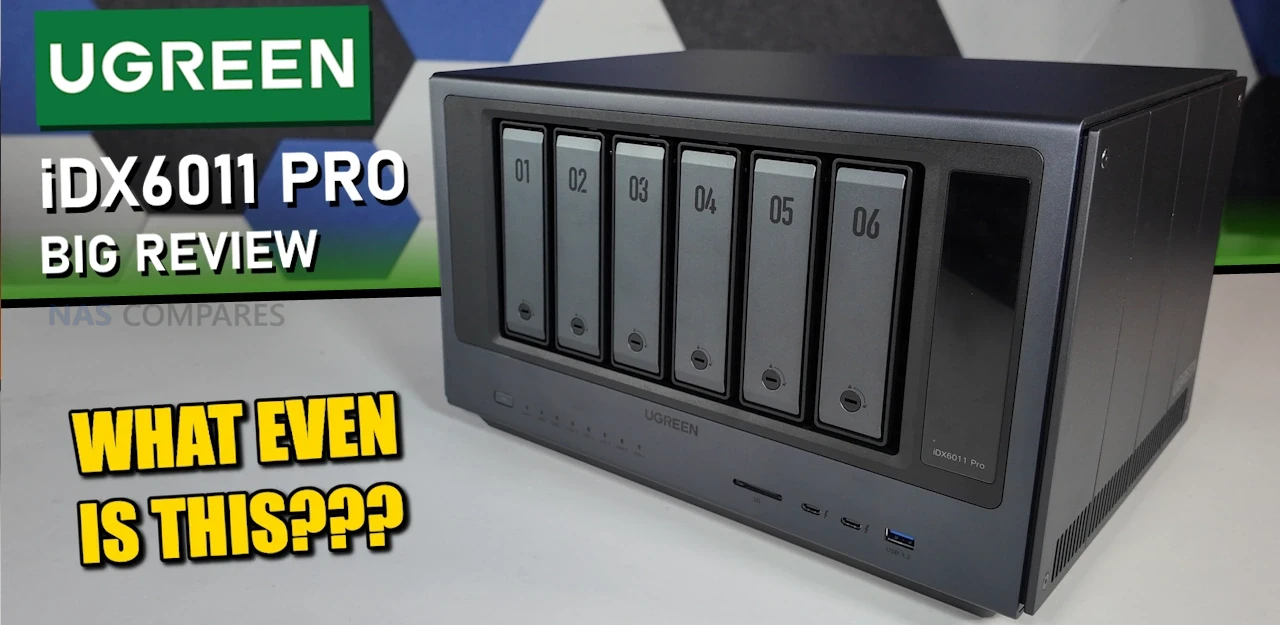
UGREEN AI NAS Review – Is the iDX6011 Pro NAS a Kind of Greatness or Gimmick?
UGREEN has moved from being a peripheral brand in storage accessories to a recognisable name in turnkey NAS hardware in a relatively short time, helped in part by the NASync range that arrived via crowdfunding in 2024 and then transitioned into regular retail availability. The NASync iDX6011 series is the company’s next step, and it is a bigger swing than the earlier systems because it is trying to appeal to 2 different audiences at once. On one side, it is a high spec 6 bay NAS with features typically aimed at heavier workloads, including dual 10GbE, dual Thunderbolt 4, PCIe Gen4 expansion, and NVMe slots for caching or SSD volumes. On the other side, it is being marketed as a “local AI NAS” built around an on device assistant and offline processing, intended for people who like the idea of using natural language to search, summarise, and organise large private libraries without sending data to a public cloud. The practical question is whether buyers actually need an AI layer on a NAS, since many users simply want reliable storage, backups, and fast access, and will judge it on fundamentals like performance, noise, power, and software stability first. Based on hands on testing of the iDX6011 Pro hardware and the early UGOS Pro plus AI implementation, the platform looks close to finished on the hardware side, while the AI layer feels more like a developing feature set that is not yet consistently polished, which raises the possibility that UGREEN is attempting to deliver a full “appliance plus assistant” experience before every part of that assistant workflow is fully mature.
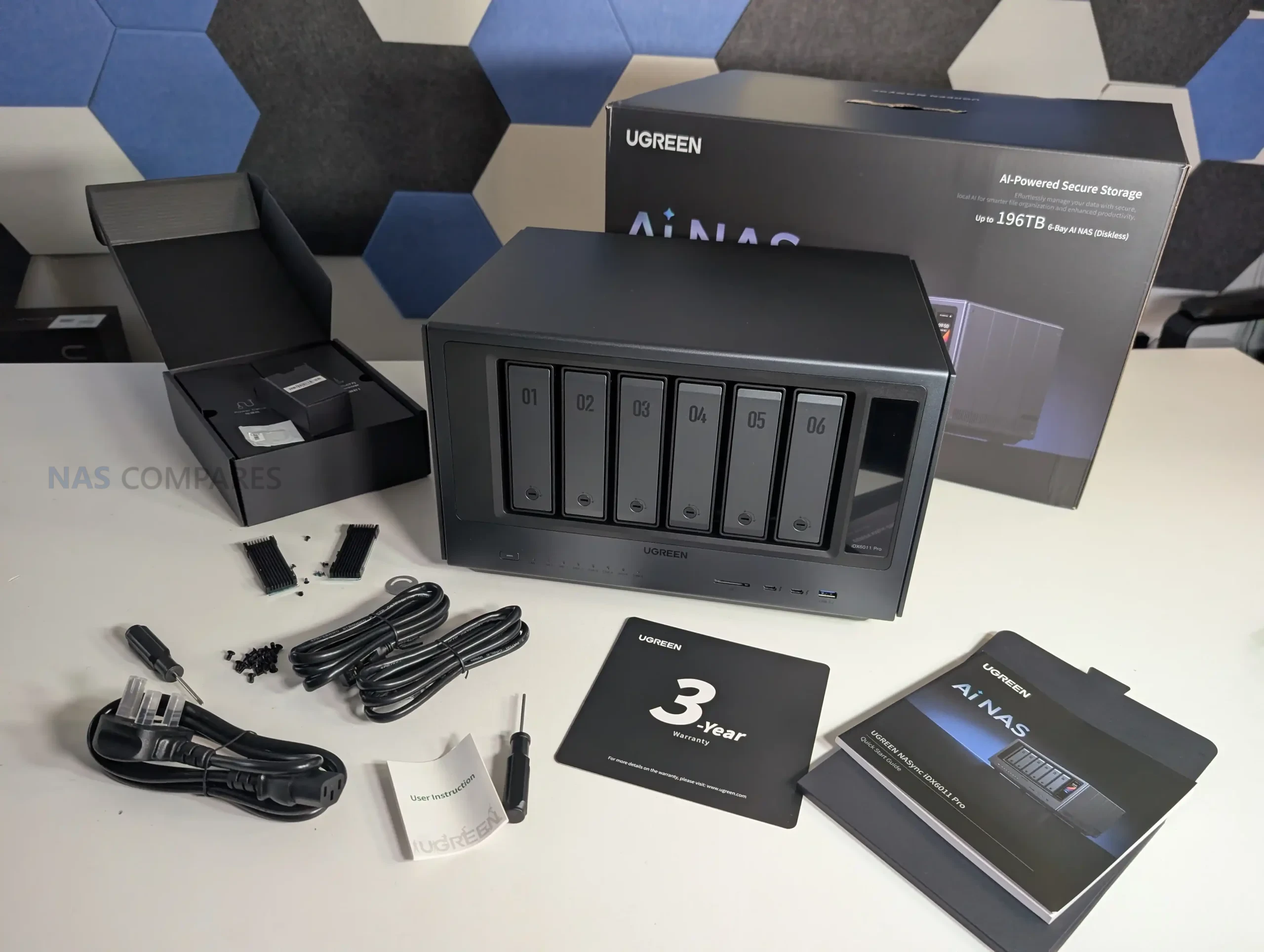
| Spec | iDX6011 Pro (64GB) | iDX6011 (64GB) | iDX6011 (32GB) |
|---|---|---|---|
| Maximum storage | 196TB | 196TB | 196TB |
| SATA drive bays | 6 | 6 | 6 |
| Operating system | UGOS Pro | UGOS Pro | UGOS Pro |
| CPU | Intel Core Ultra 7 255H, 16C/16T, up to 5.1GHz, 96 TOPS, 28W TDP | Intel Core Ultra 5 125H, 14C/18T, up to 4.50GHz, 34 TOPS, 28W TDP | Intel Core Ultra 5 125H, 14C/18T, up to 4.50GHz, 34 TOPS, 28W TDP |
| RAM | 64GB LPDDR5X | 64GB LPDDR5X | 32GB LPDDR5X |
| System drive capacity | SSD 128GB | SSD 128GB | SSD 128GB |
| M.2 SSD slots | 2 | 2 | 2 |
| RAID | JBOD, Basic, 0, 1, 5, 6, 10 | JBOD, Basic, 0, 1, 5, 6, 10 | JBOD, Basic, 0, 1, 5, 6, 10 |
| LAN ports | 10GbE x2 | 10GbE x2 | 10GbE x2 |
| Thunderbolt 4 | 2 | 2 | 2 |
| USB 3 | 2 | 2 | 2 |
| USB 2 | 2 | 2 | 2 |
| PCIe expansion | Gen4 x8 x1 | Gen4 x8 x1 | Gen4 x8 x1 |
| OCuLink | 1 | 0 | 0 |
| SD card slot | SD 4.0 x1 | SD 4.0 x1 | SD 4.0 x1 |
| HDMI | 8K | 8K | 8K |
| LCD display | 3.71 inch | 0 | 0 |
| UPS support | Yes | Yes | Yes |
| Docker support | Yes | Yes | Yes |
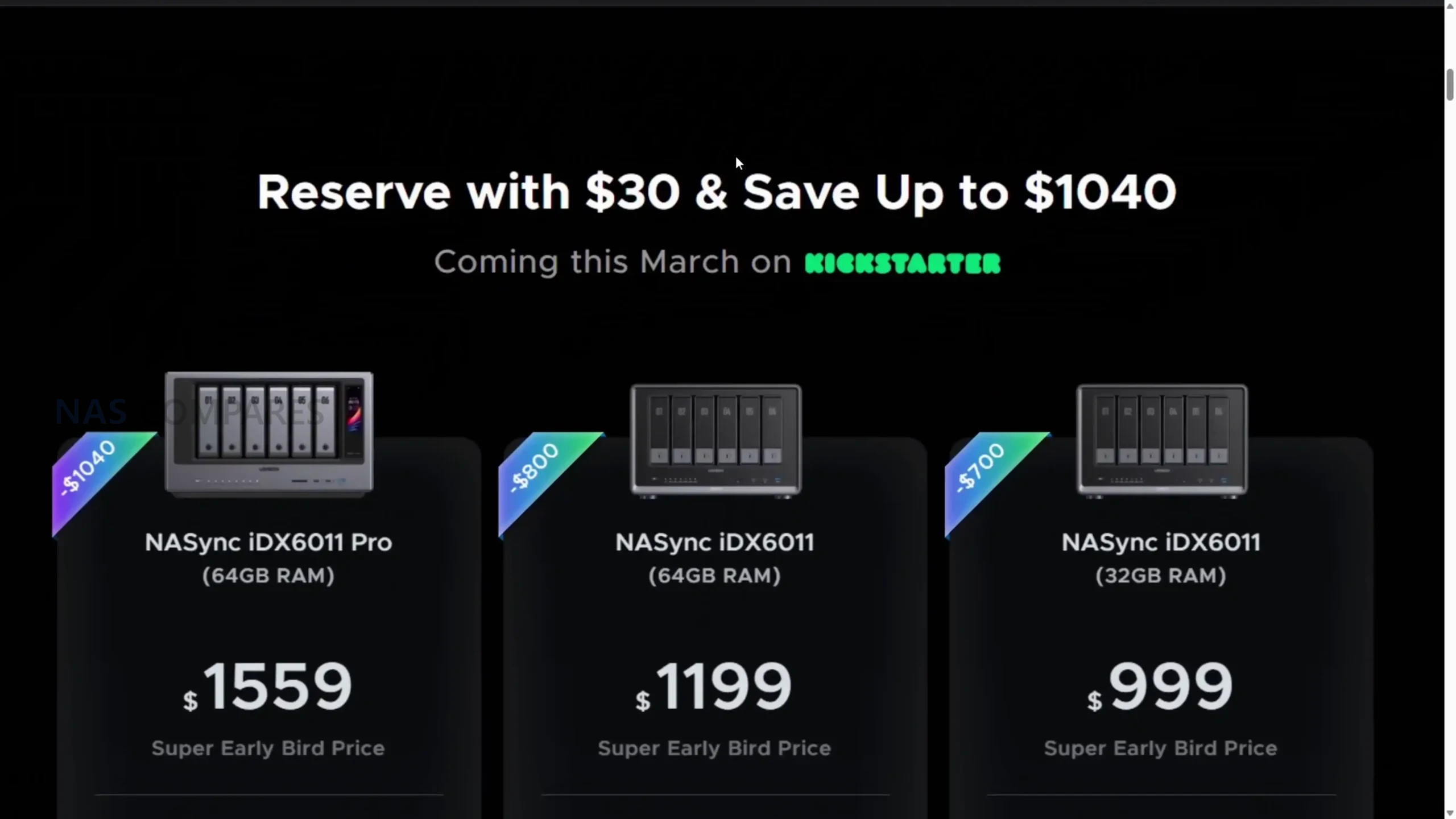
| Reservation deposit required for super early bird | $30 | $30 | $30 |
| Price with deposit (Super Early Bird) | $1559 | $1199 | $999 |
| Kickstarter launch price (Early Bird) | $1819 | $1399 | $1189 |
| RRP (MSRP) | $2599 | $1999 | $1699 |
IMPORTANT DISCLAIMER! This is KICKSTARTER…
This product is being sold through a crowdfunding campaign rather than as a conventional retail NAS, and that changes the risk profile regardless of brand size or prior success. Pricing is tied to a refundable reservation deposit system and early bird tiers, and delivery timing is based on stated production and dispatch windows rather than the predictable stock availability that comes with established retail channels. Even though UGREEN has previously completed a large NAS crowdfunding campaign and later moved those products into normal retail, that track record does not remove the usual Kickstarter variables, such as software features changing between prototype and shipping units, performance tuning continuing during the campaign window, and schedules shifting due to manufacturing or regional fulfilment constraints. In this case, the hardware shown appears close to final, but the software, particularly the AI layer, is explicitly described as still in active optimisation, so any evaluation should treat feature completeness as provisional until the campaign is live, the final software build is confirmed, and post launch updates show what is actually delivered at scale.
UGREEN iDX6011 Pro Review – Quick Conclusion
The UGREEN NASync iDX6011 Pro is a high spec 6 bay NAS that, in hardware terms, behaves more like a compact workstation class storage appliance than a typical consumer NAS, with dual 10GbE, dual Thunderbolt 4, PCIe Gen4 x8 expansion, OCuLink, 8K HDMI, 2 x M.2 NVMe slots, and a dedicated 128GB system SSD, backed by an Intel Core Ultra 7 255H and 64GB fixed LPDDR5X memory. In testing, the fundamentals were generally strong, including RAID 5 throughput around 950 MB/s read and 670 MB/s write with SSD caching, internal NVMe performance around 5.5 to 6.0 GB/s, acceptable sustained thermals for a metal chassis under long access periods, and noise and power figures that tracked with a 6 drive high performance platform rather than a low power home NAS. The main performance concern was that SMB multichannel scaling was uneven, with reads around 2200 to 2300 MB/s but writes closer to 1300 to 1500 MB/s in a dual 10GbE client setup, suggesting software or tuning limits that may or may not improve by launch. UGOS Pro is broadly feature complete for mainstream NAS use, with Docker, VMs, snapshots, iSCSI, and comprehensive backup and sync options, but it still lacks some ecosystem level elements that established competitors deliver, including ZFS and a more comprehensive security posture scanner, and the app catalogue gap around Plex remains notable. The local AI layer, marketed as a key differentiator, is currently the least mature part of the product, with useful building blocks like document summarisation, audio transcription, and photo recognition, but inconsistent workflows that rely on manual uploads rather than directory level crawling, limited smart commands, and permission controls that can be too rigid for practical assistant use, while also not offering generative photo or video creation. Overall, the iDX6011 Pro looks close to finished on hardware and competitive on capability at its early campaign pricing, but the AI experience still feels in development, and the Kickstarter purchase route adds risk for buyers who expect fully polished features on day 1.
UGREEN iDX6011 Pro Review – Design and Storage
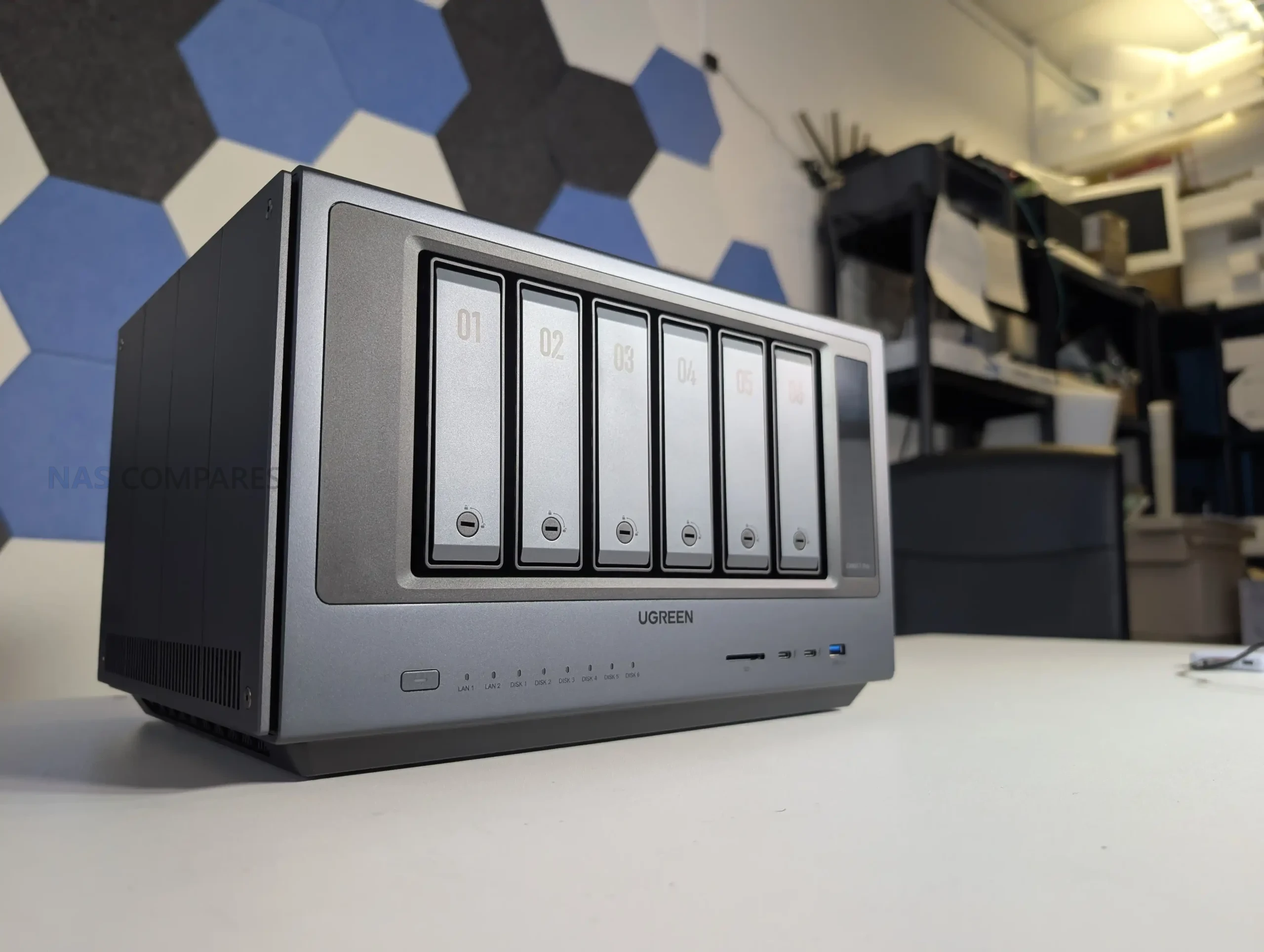
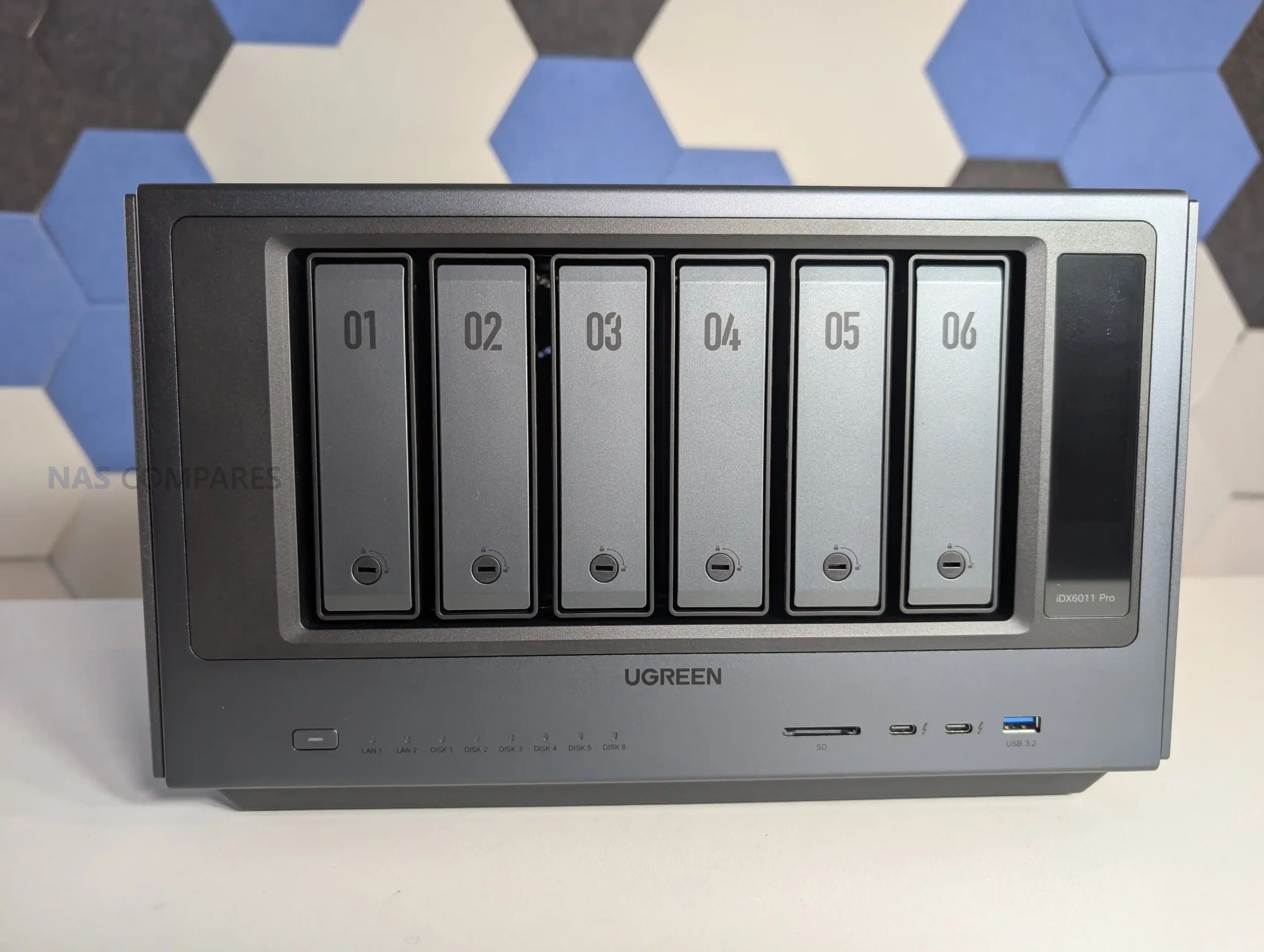
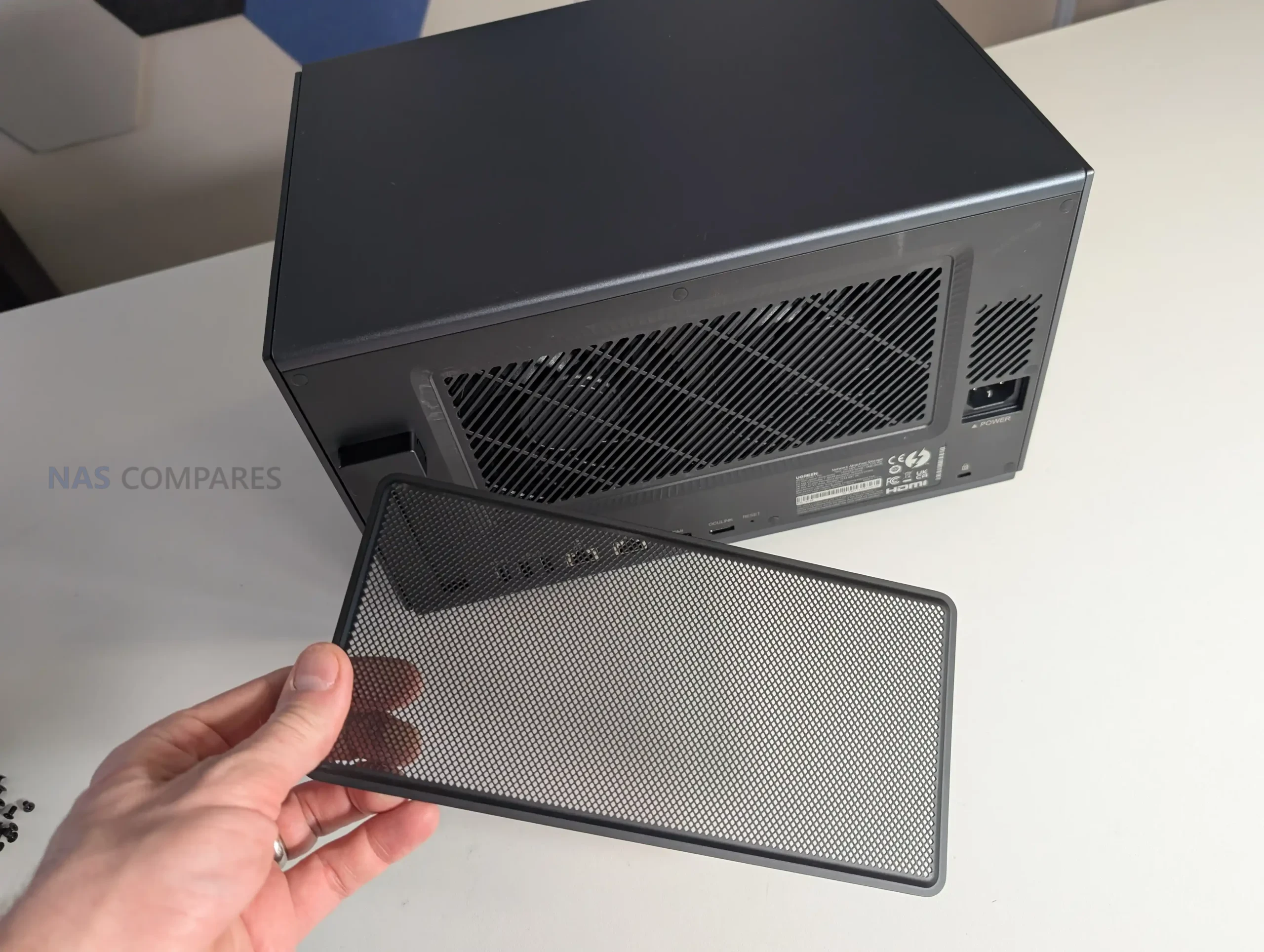
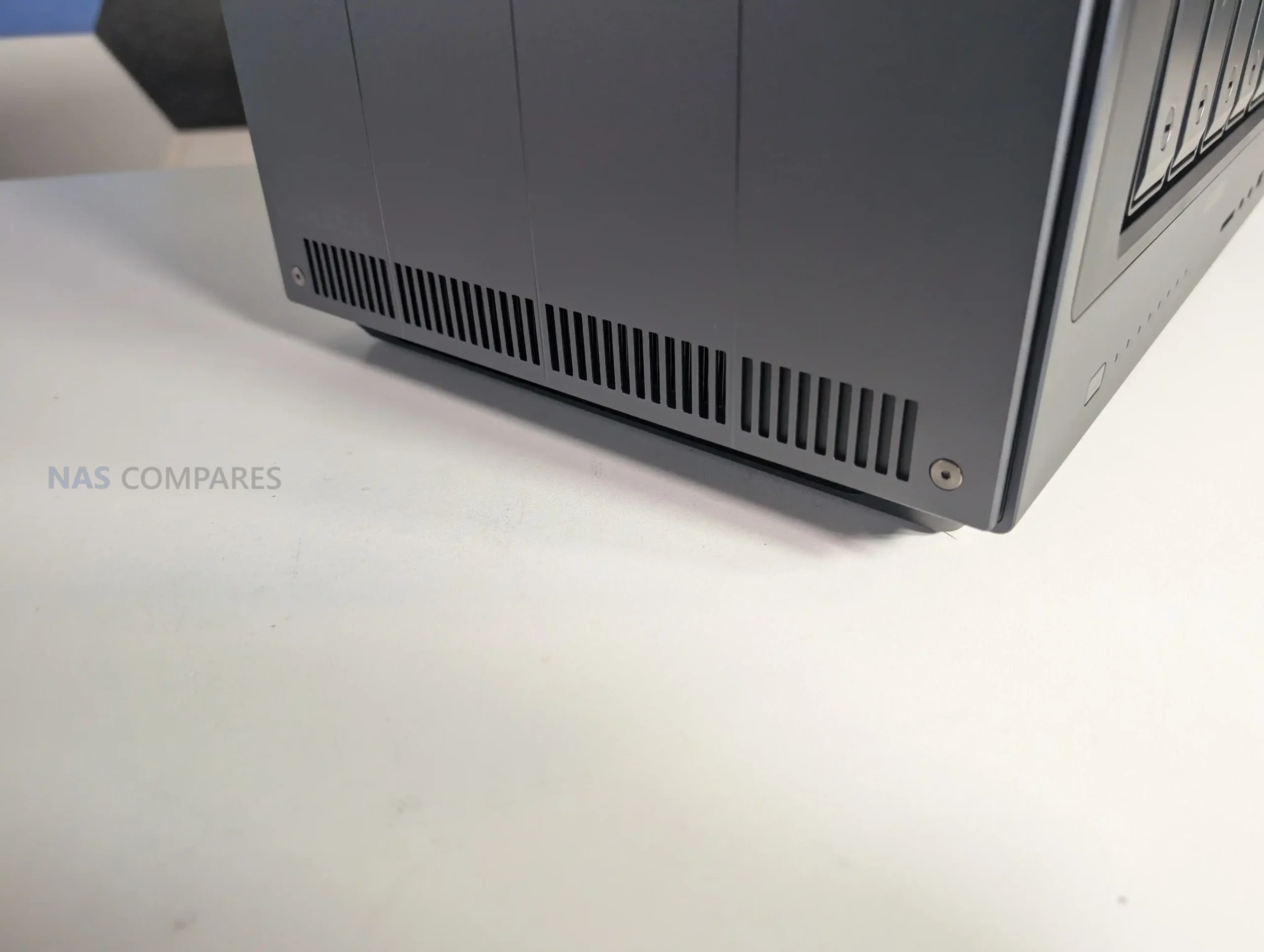
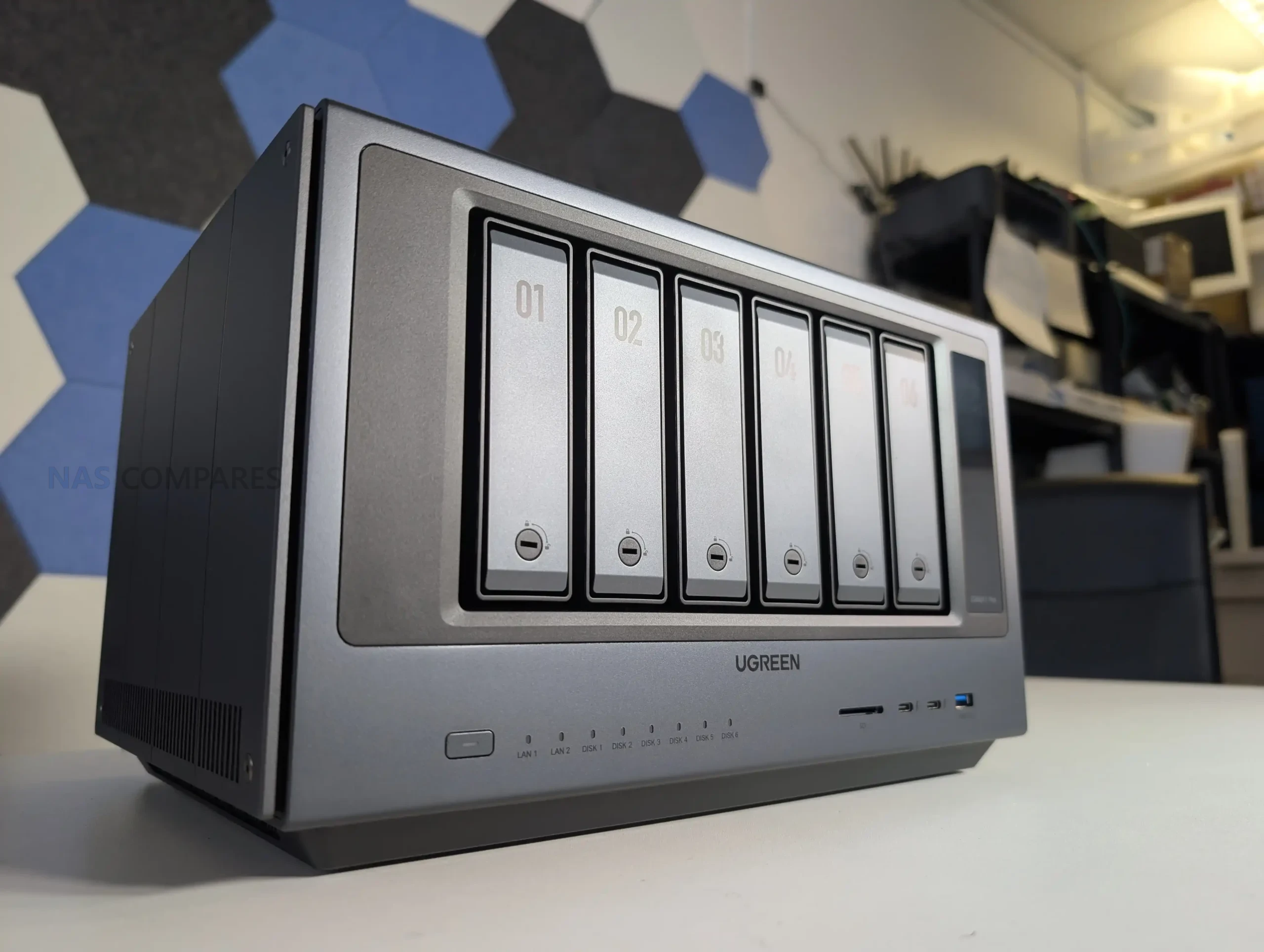
The iDX6011 Pro is physically a more industrial looking unit than UGREEN’s earlier NAS designs, with a full metal outer chassis that feels closer to workstation gear than living room appliance styling. It is not a sealed box either, as the side panels are removable and intended to give access to internal expansion areas, though the process uses a hex key rather than a simple tool free latch. That approach is functional and keeps the exterior clean, but it also makes routine access slightly slower if you expect to swap SSDs or a PCIe card regularly. Ventilation is distributed around the sides rather than concentrated in a single grille, and the chassis is raised off the surface to allow airflow beneath, which matters in a system designed to host 6 hard drives plus NVMe storage and a higher performance CPU class than entry NAS models.
 |
 |
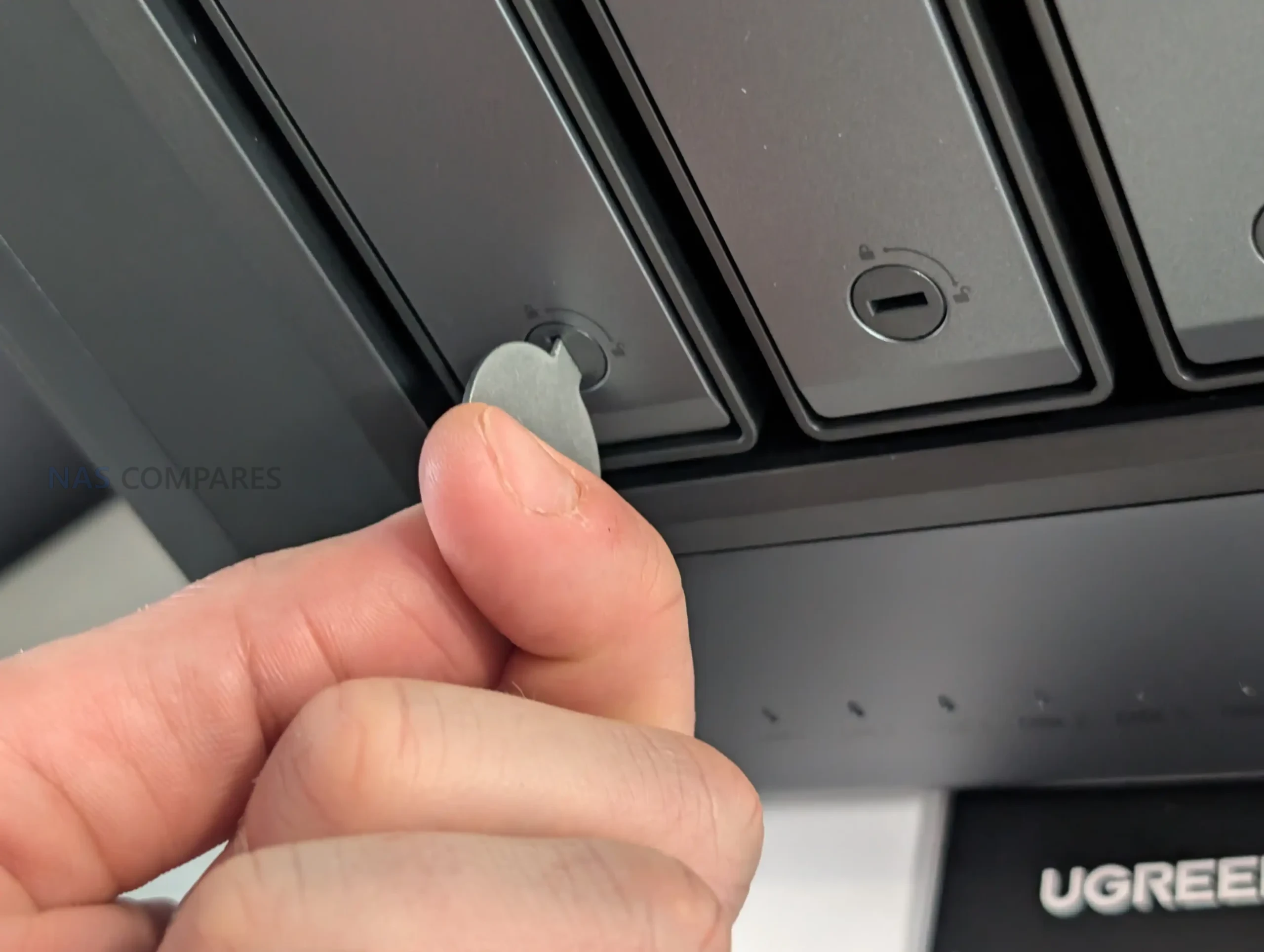
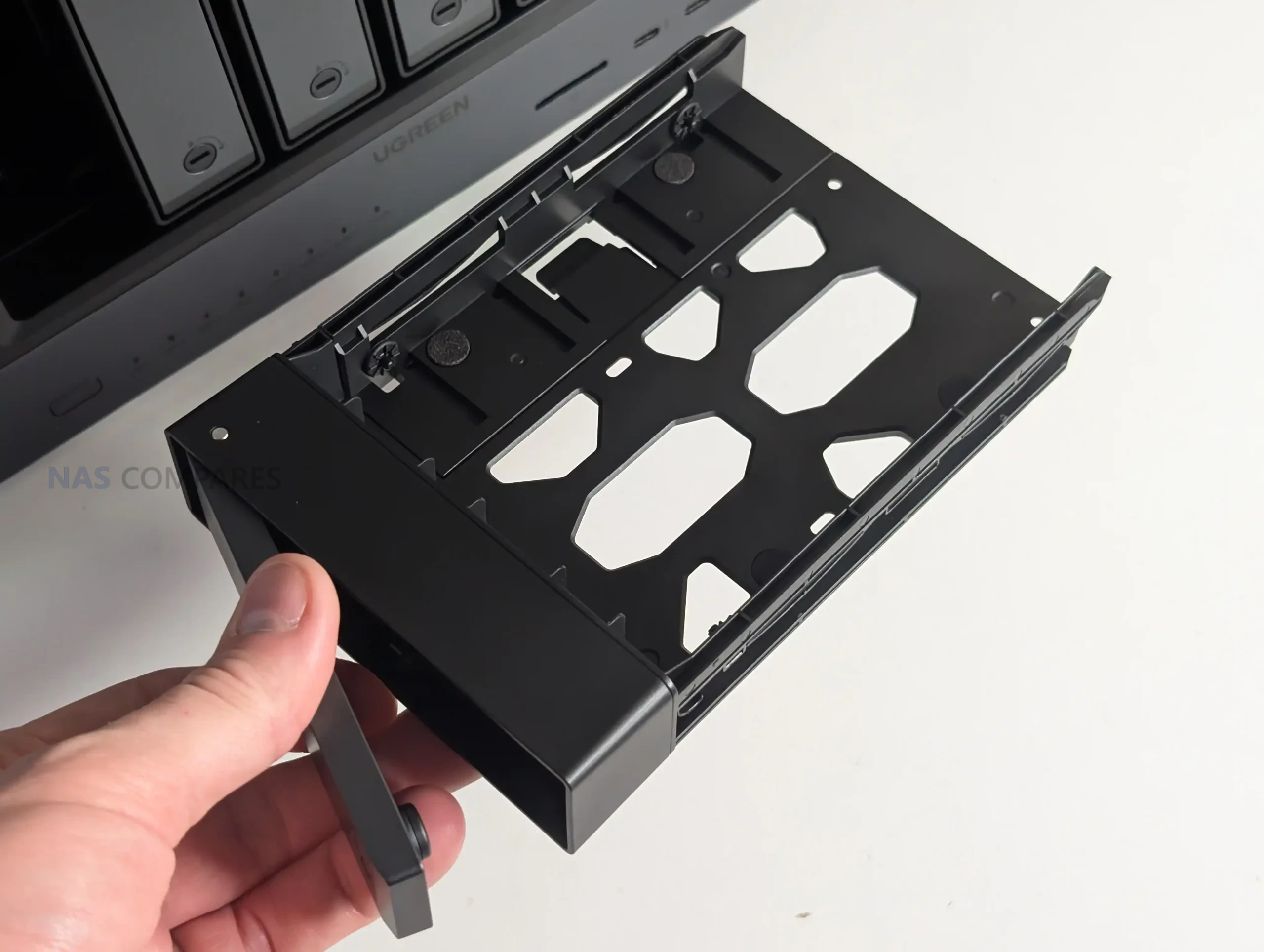
Storage capacity is built around 6 front loading SATA bays, with UGREEN quoting 196TB maximum raw capacity for the platform. Drive insertion uses the same general tray approach seen on the company’s recent NAS units, including lockable bay fronts and a plastic click and load mechanism intended to speed up installation without tools. It is a conventional arrangement for a 6 bay desktop NAS, but the metal enclosure can make drive acoustics more noticeable depending on the HDD model and rotational behaviour, which becomes relevant when users populate the unit with larger capacity drives that often have more platters and more audible seek patterns. The front bay layout is straightforward, prioritising density and serviceability, with the expectation that this is a system meant to hold a large primary library rather than act as a small secondary backup target.
 |
 |
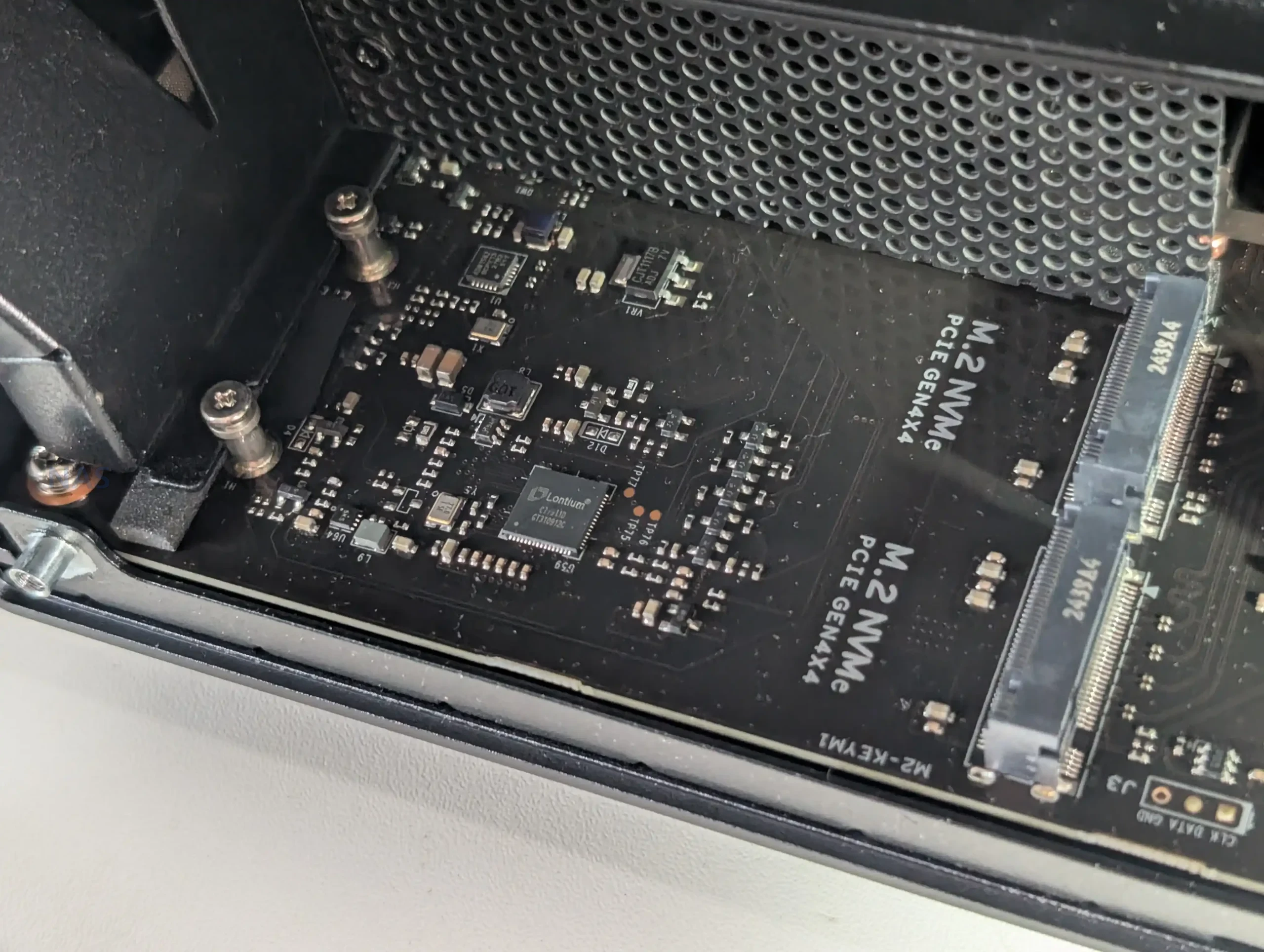
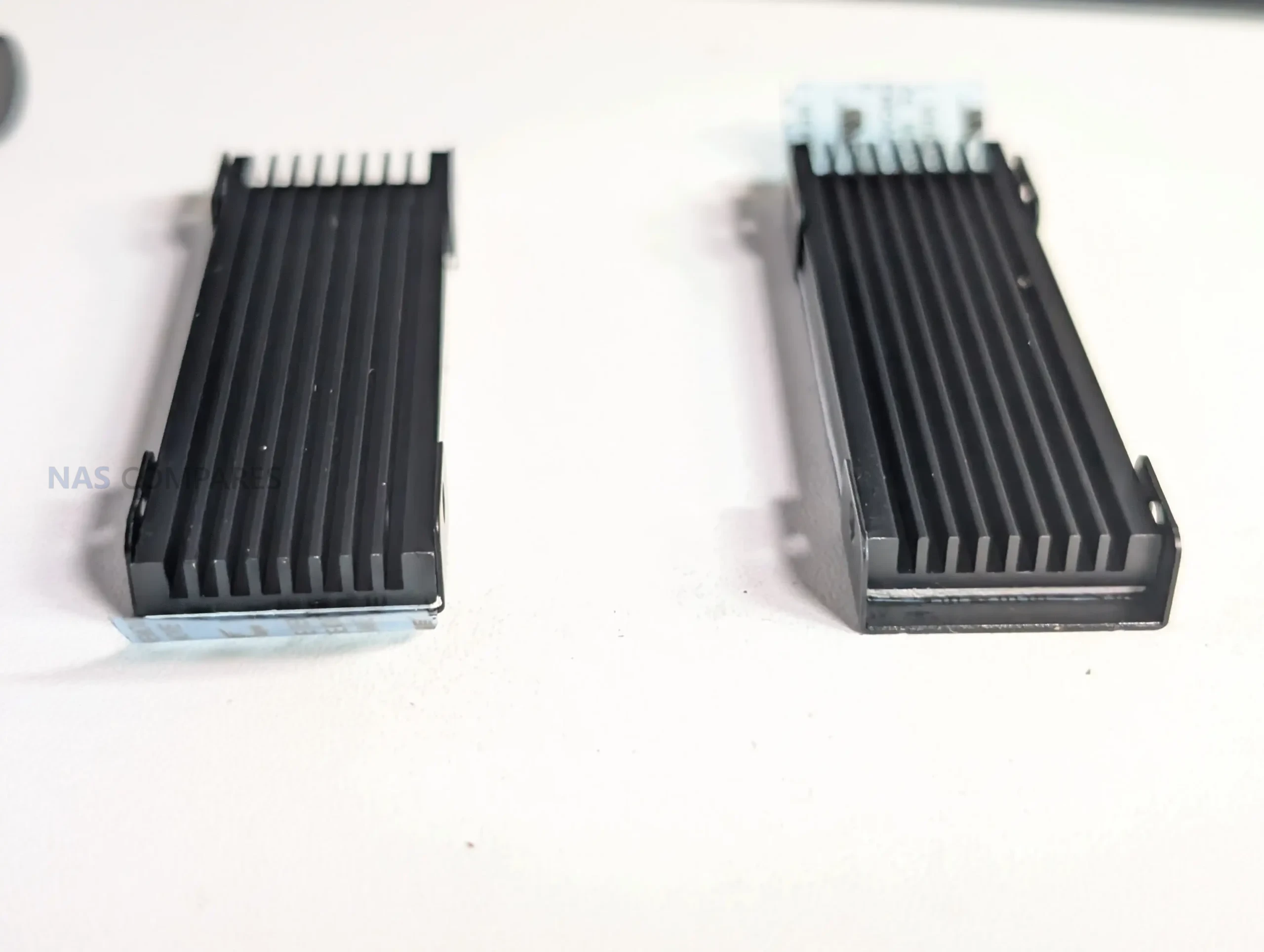
Alongside the 6 bays, UGREEN separates the operating system onto a dedicated 128GB internal SSD, which avoids consuming any of the user’s drive pool for the system partition and aligns with how most modern NAS vendors isolate OS storage. In practical terms, that makes initial setup cleaner and reduces the chance that a storage rebuild or volume reconfiguration impacts the boot environment, though it also means the overall platform depends on an internal system SSD that is not part of the RAID group. Two internal M.2 NVMe slots are available for SSD cache or SSD volumes, and in testing they behaved like high performance local storage rather than token add ons, which fits the broader design goal of making this NAS suitable for heavier workflows and not just cold storage. The storage story here is therefore split into 3 layers, hard drive bays for capacity, M.2 for performance acceleration, and a separate system SSD for OS stability.
 |
 |
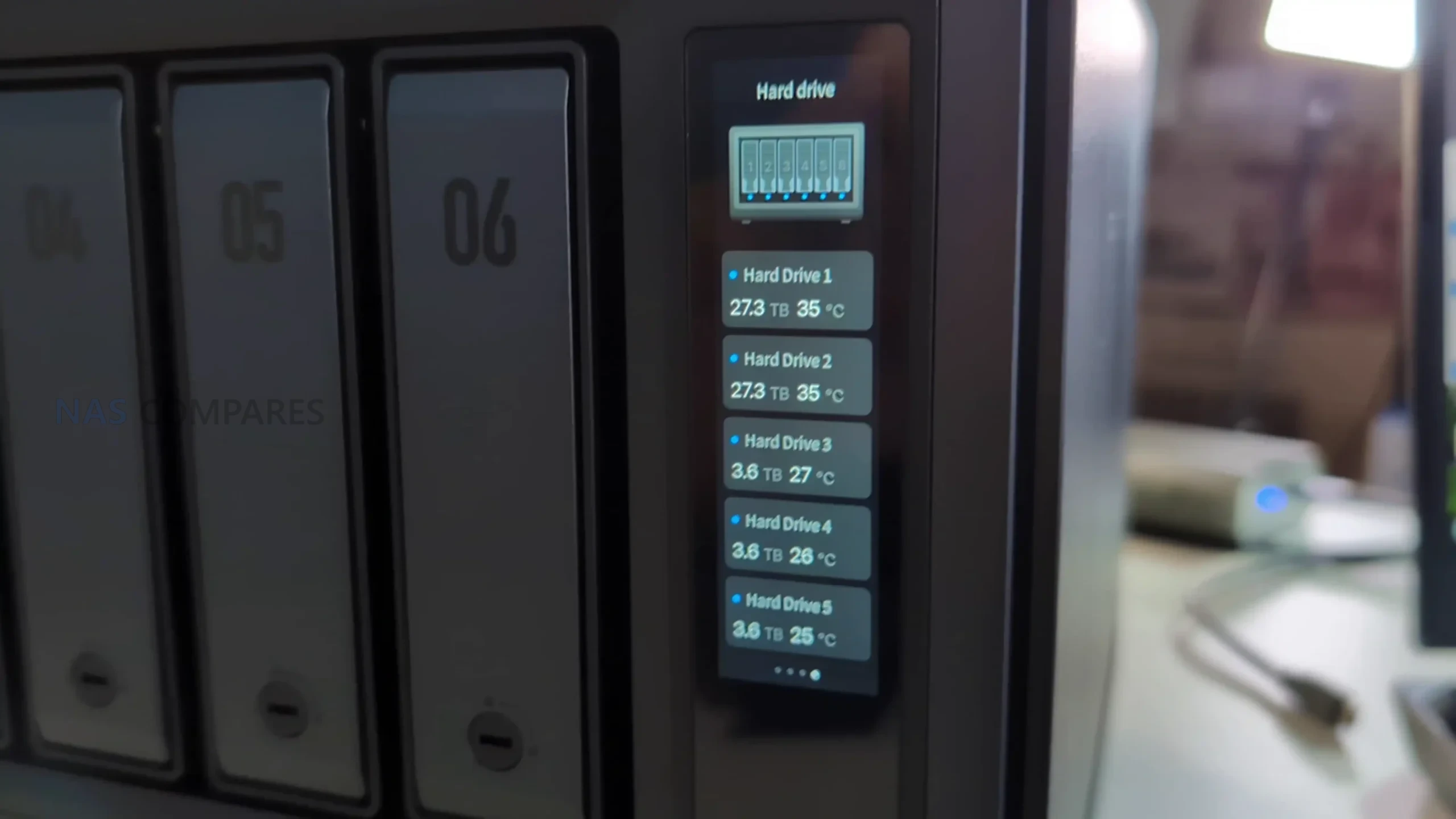
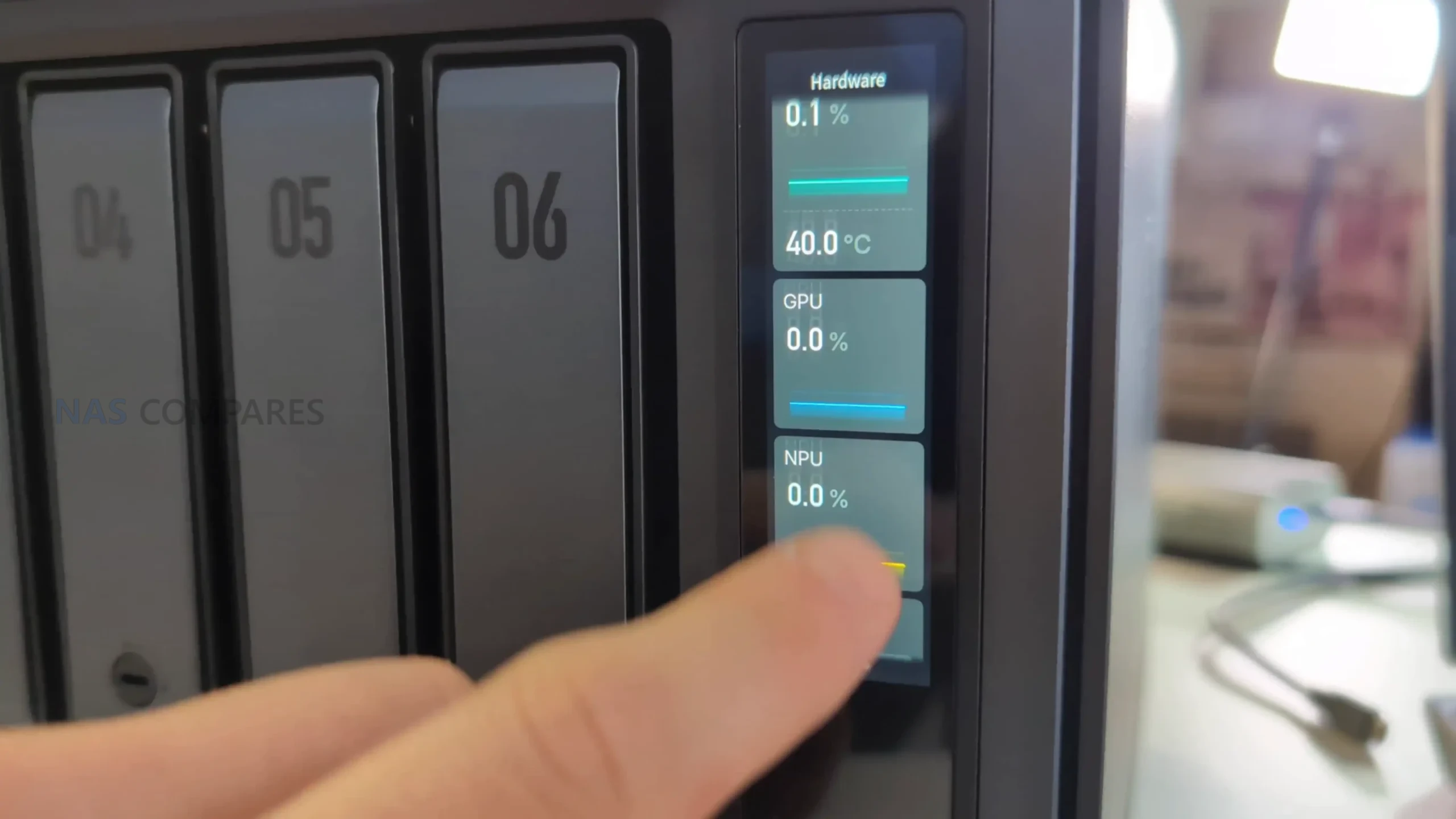
The Pro model also adds a front mounted 3.71 inch LCD, which provides real time status visibility such as usage and system state at a glance. As implemented in early hardware, it appears more like a monitoring and basic control surface than a full management interface, and it is not treated as a secure console with authentication, so it is best understood as a convenience feature rather than an administrative tool. In a shared environment, that trade off matters because a display that is easy to use is also easy to interact with physically, so the value depends on where the unit is placed and who has access to it. For some users it will be useful simply to confirm system health without opening the web UI, but it does not replace normal management, and it is not aimed at the same kind of on device control that some touchscreen equipped NAS systems attempt.
 |
 |
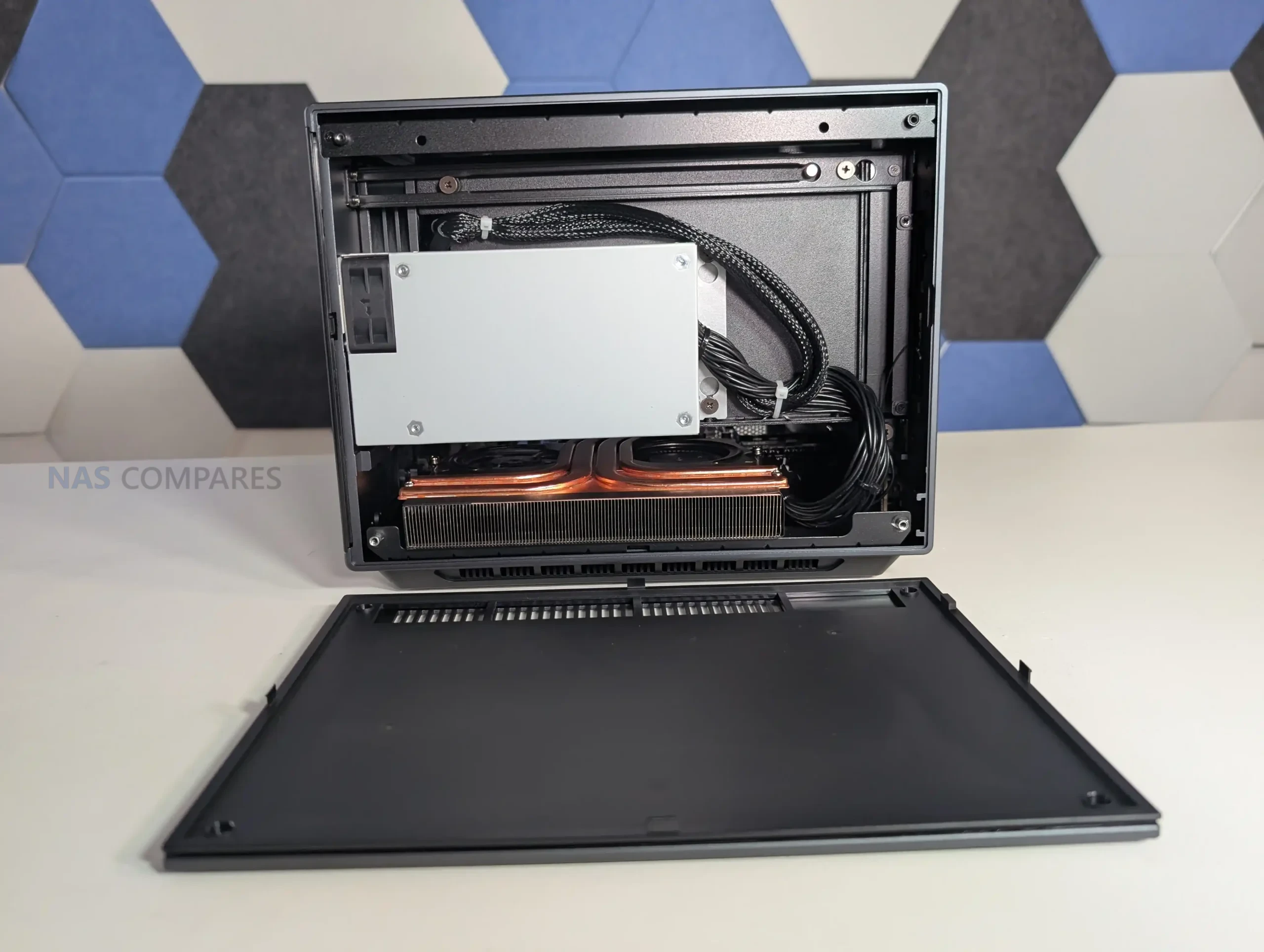
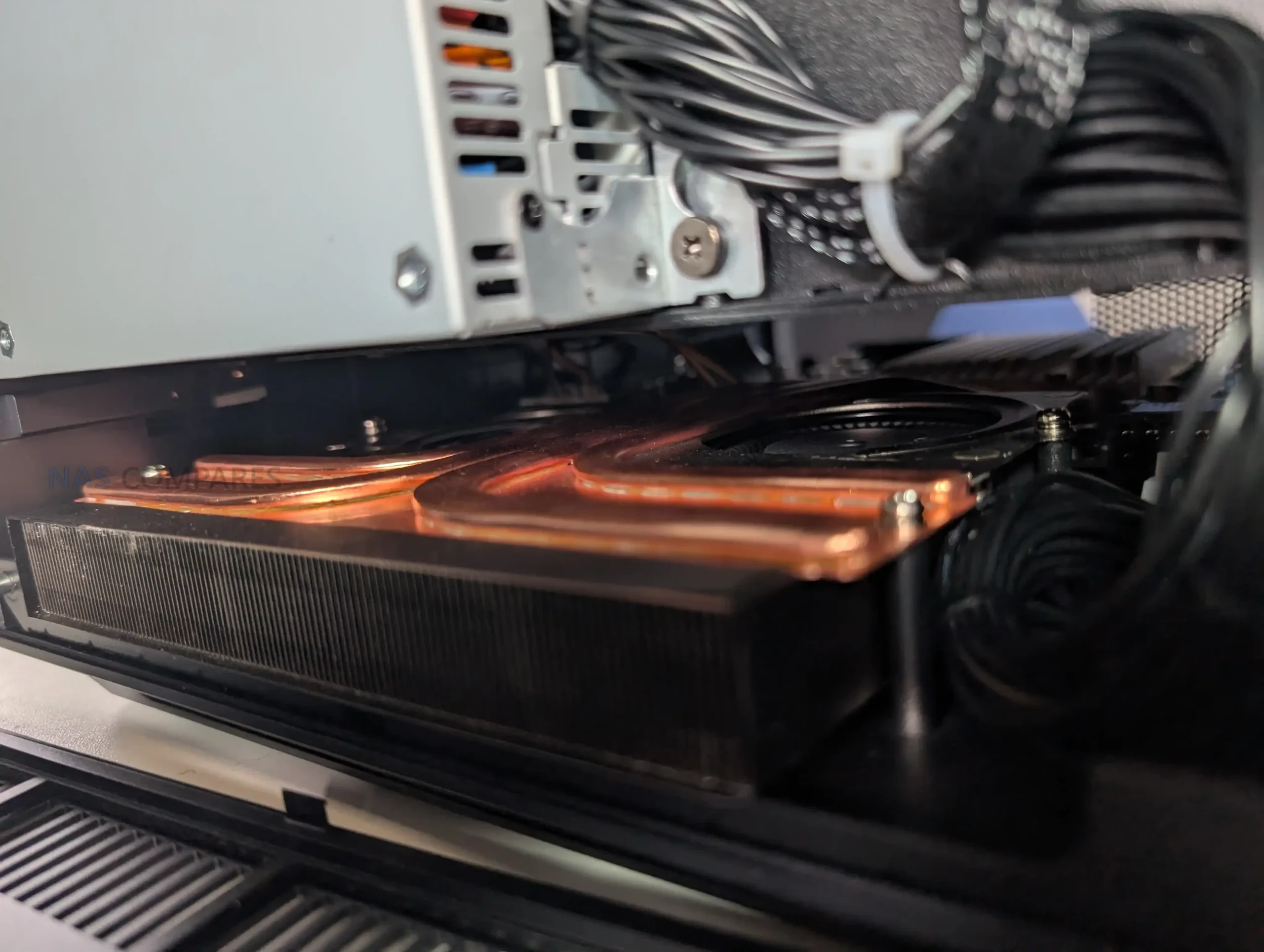
Maintenance and long term usability are supported by design choices such as accessible cooling and a removable rear panel area, which makes it easier to clean and service the main fans compared with fully enclosed designs. The unit includes an internal power supply, reducing external power brick clutter, and cooling is built around a combination of rear system fans and a dedicated CPU cooling assembly using copper heat piping and a dual fan arrangement. User control in software focuses on the rear fans, while the CPU fan behaviour is not exposed in the same way, which is typical for compact systems where CPU thermals are managed automatically. Overall, the enclosure and storage layout suggest UGREEN is treating this as a high duty appliance expected to run continuously, host large volumes, and remain serviceable, even if some access choices like hex key panels are more conservative than tool free designs.
 |
 |
UGREEN iDX6011 Pro Review – Internal Hardware
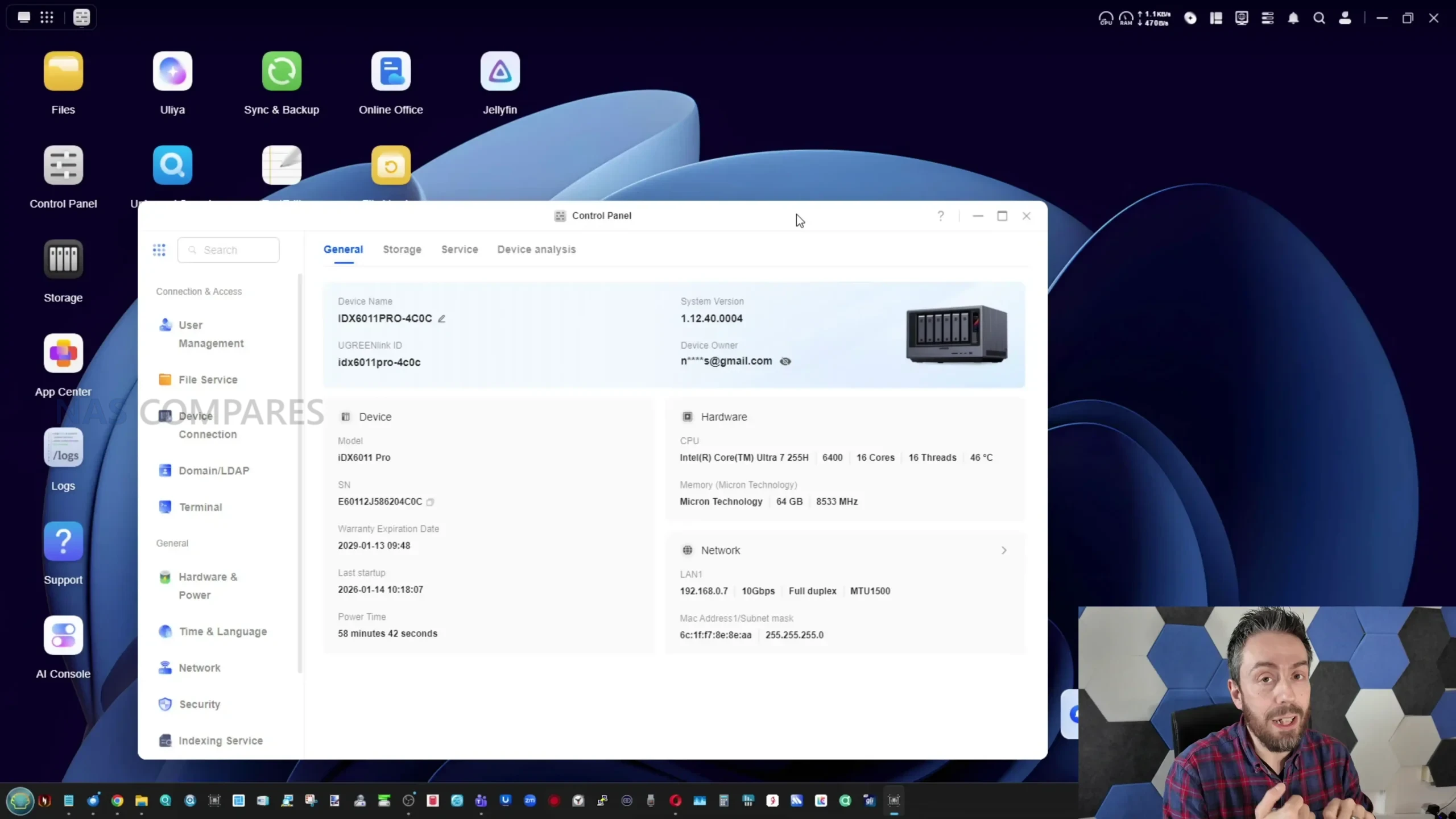
At the centre of the iDX6011 lineup is a split CPU strategy, with the Pro model using Intel Core Ultra 7 255H and the non Pro models using Intel Core Ultra 5 125H, both in a 28W class envelope but with different core layouts and advertised AI compute capability. In practical terms, the Pro is the higher headroom option for simultaneous workloads, including heavier multitasking, more concurrent services, and more demanding local indexing or analysis tasks, while the Ultra 5 models are positioned as a lower cost entry that still retains the broader platform features. The Core Ultra family also brings an integrated graphics and NPU component, which matters here because UGREEN’s “local AI” positioning depends more on on device acceleration and sustained compute than on a simple low power NAS CPU. The important point from testing is that the system behaves like a higher performance appliance than the entry level NAS class, with clear implications for throughput, thermals, and power draw once you start adding drive count, caching, and background services.
 |
 |
Memory is LPDDR5X across all configurations, offered at 64GB on the Pro and one of the Ultra 5 models, and 32GB on the lower tier Ultra 5 model. This memory is fixed rather than modular, so there is no user upgrade path later, and buyers need to decide upfront how much headroom they want for containers, virtual machines, caching, and AI services. Fixed memory can bring benefits in bandwidth and power efficiency, but it also removes one of the typical ways NAS owners extend lifespan as demands grow. In the context of UGOS Pro, 32GB is likely to be workable for mainstream file services and lighter container use, but 64GB is the safer fit if the system is intended to run multiple applications at once, keep more services resident, or handle heavier indexing tasks, particularly when the AI layer is enabled and models are loaded into memory during use.
 |
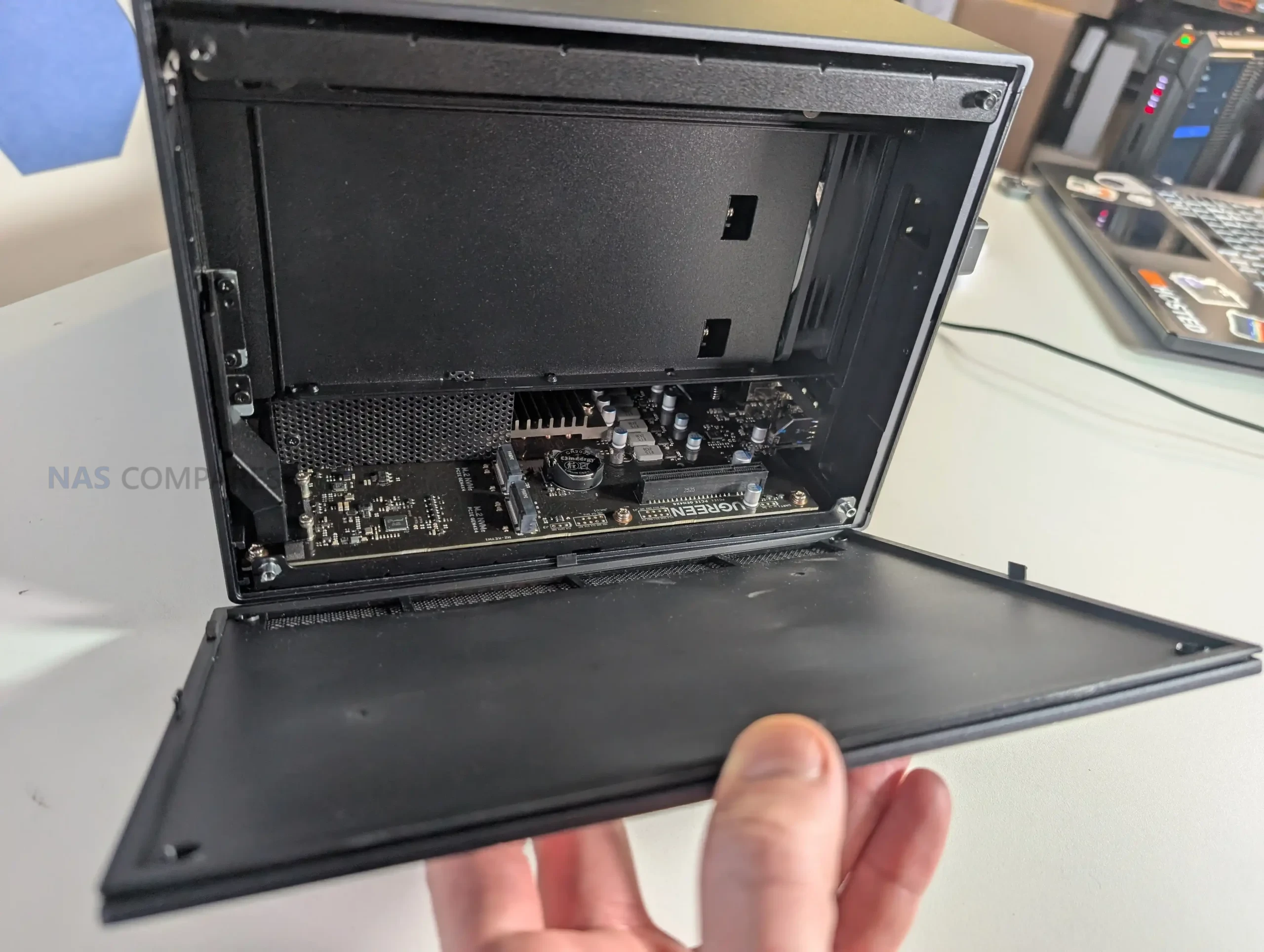 |
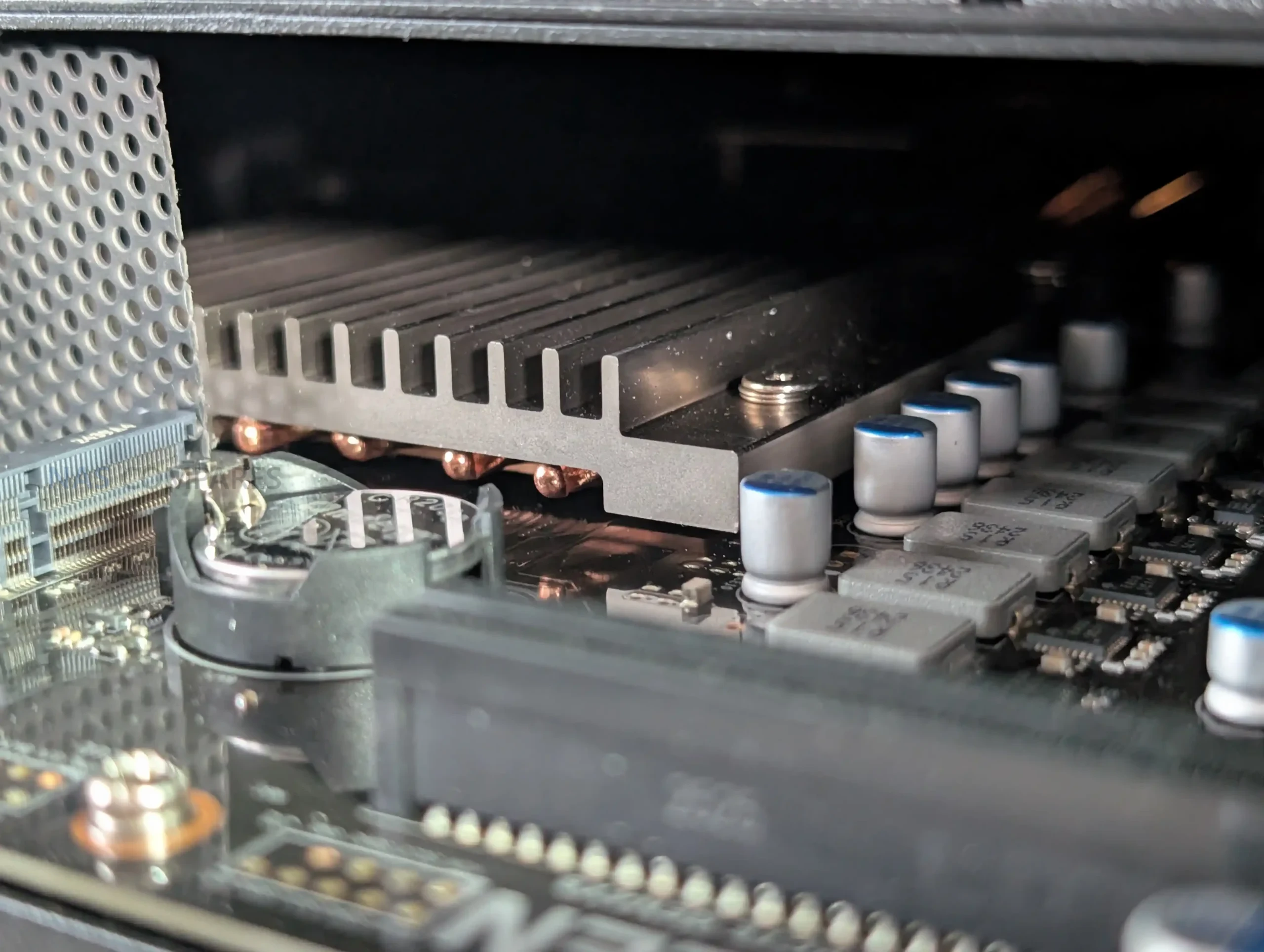
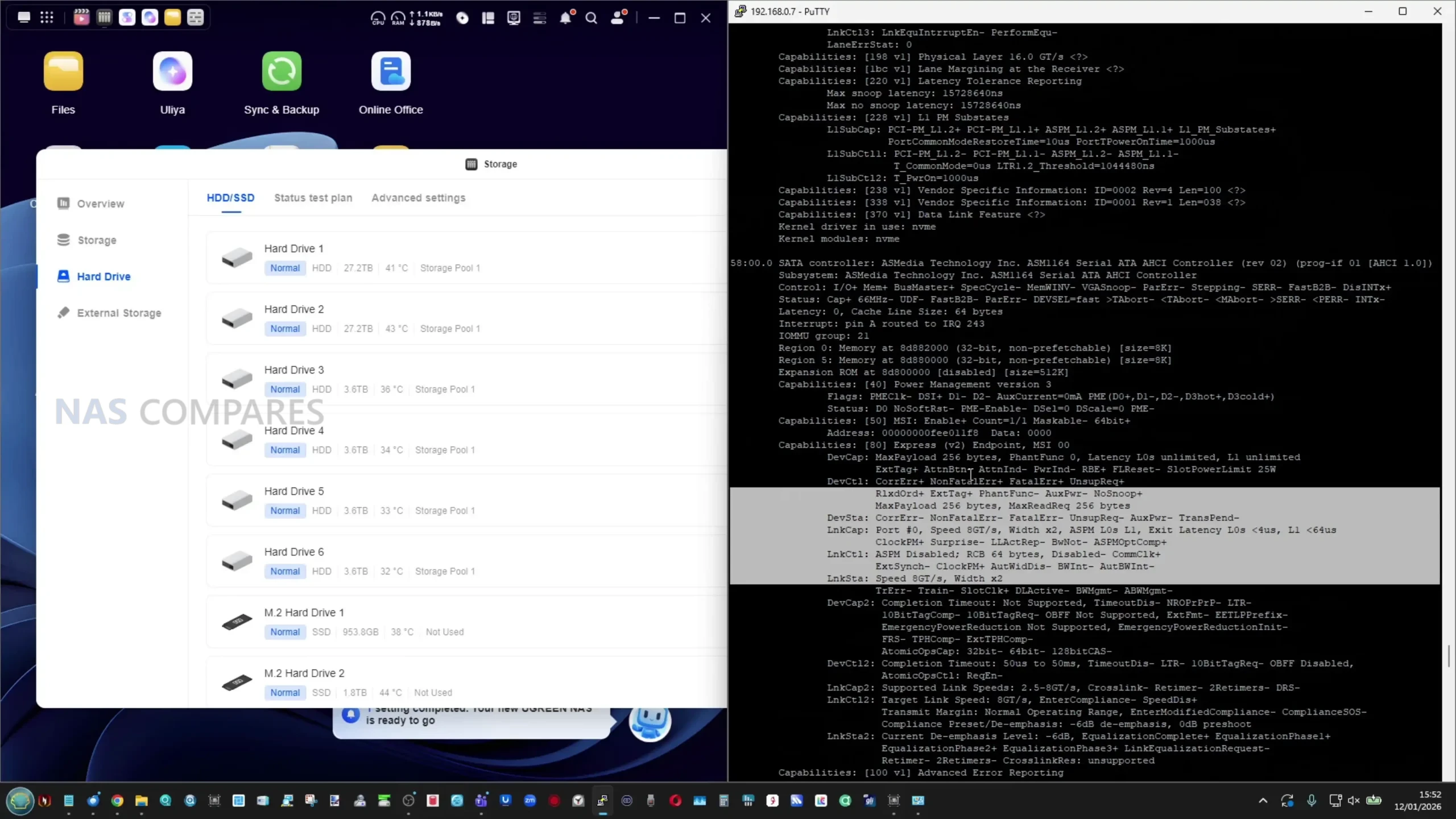
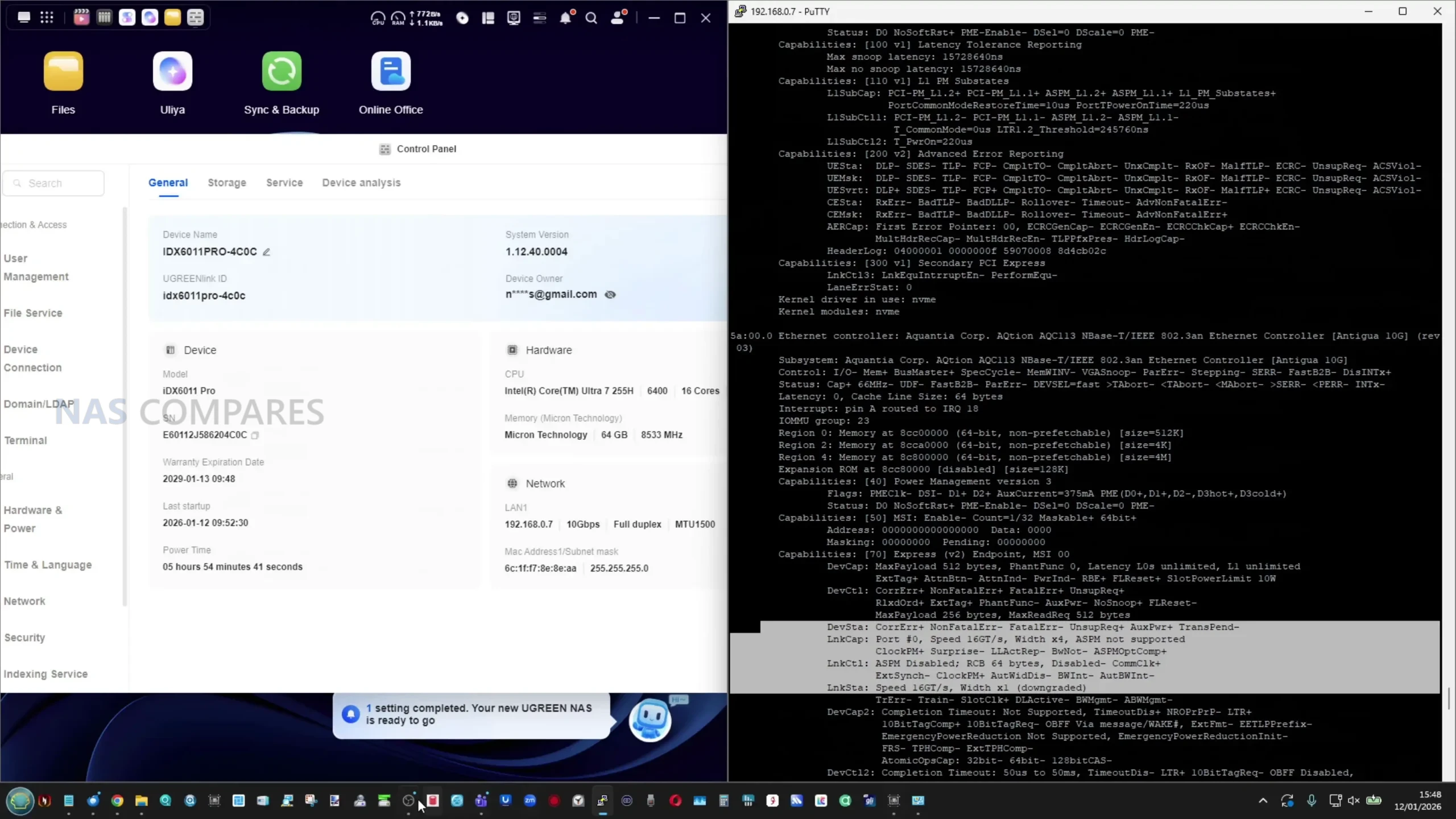
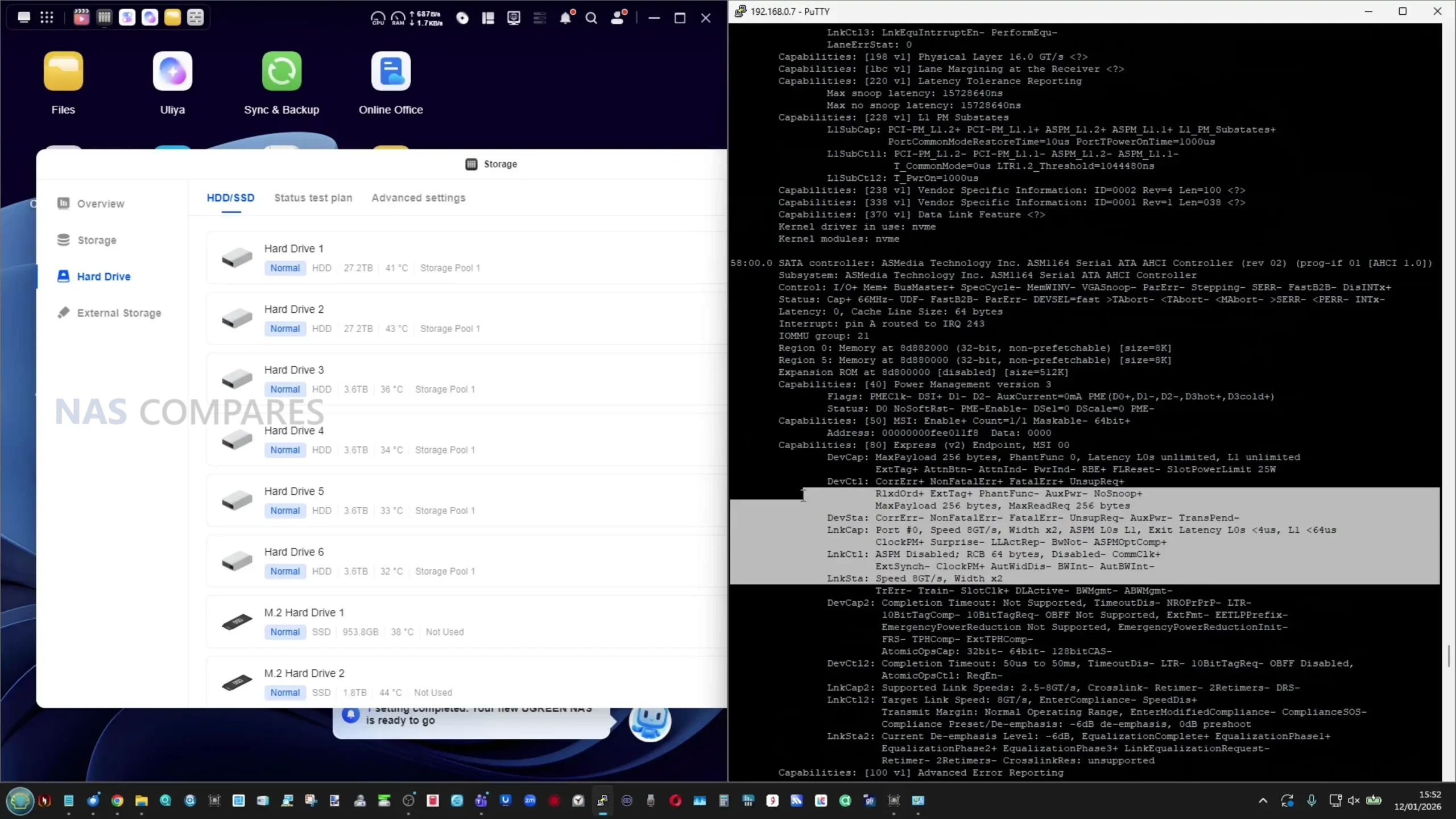
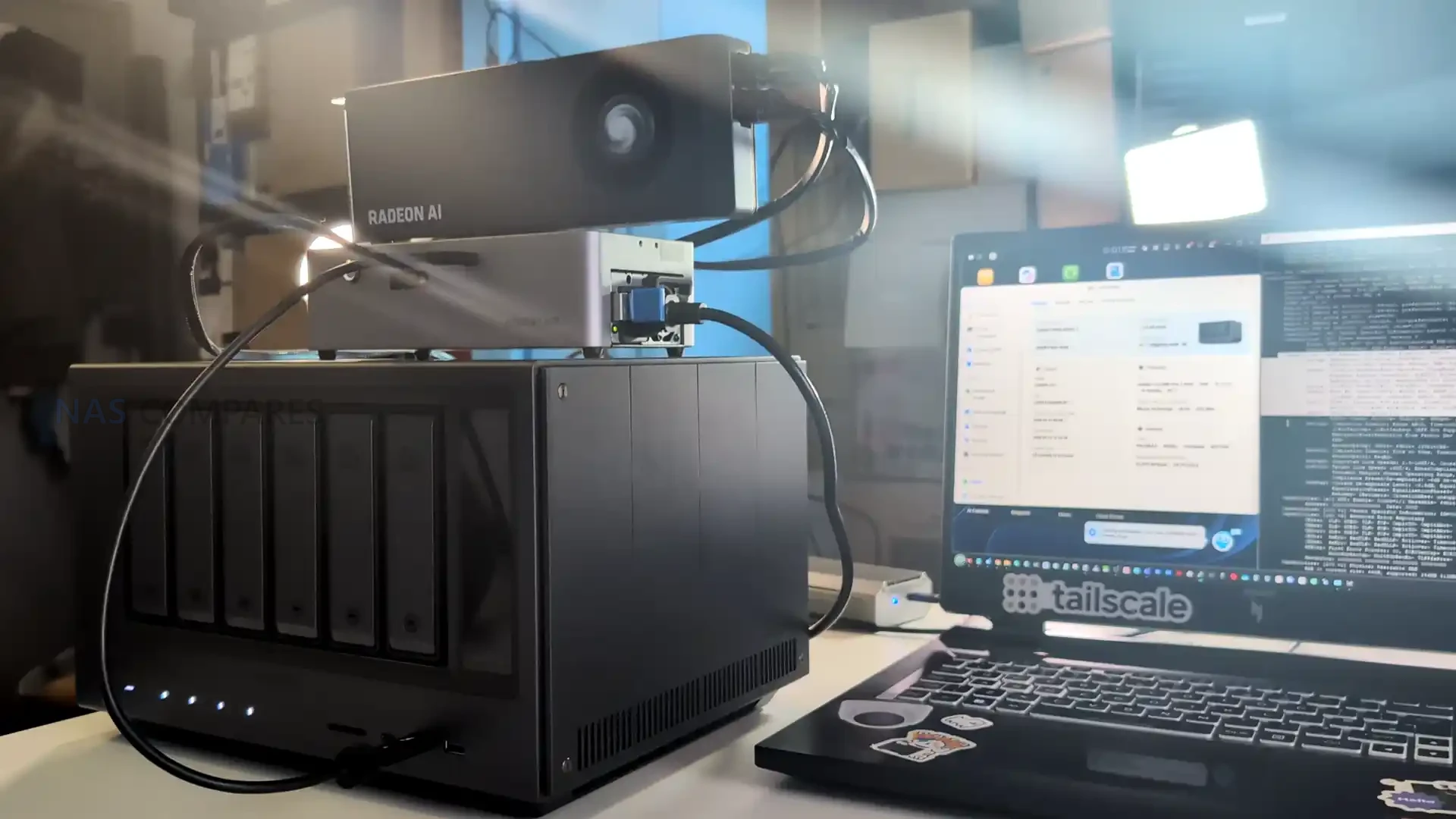
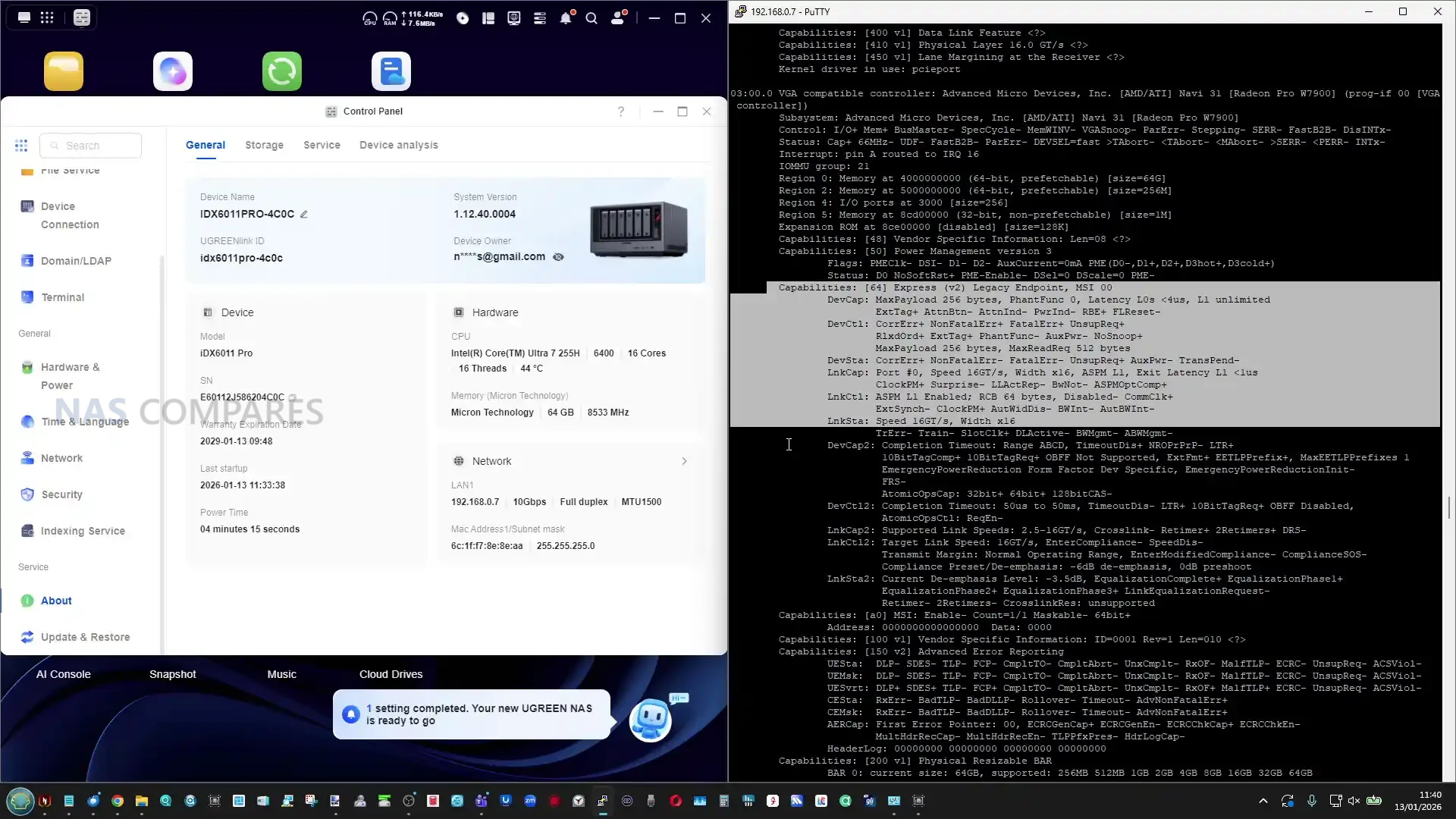
Storage connectivity inside the chassis is arranged so that the M.2 NVMe slots operate as high speed local devices rather than secondary add ons, and the system’s design encourages using them for caching or fast volumes alongside the 6 drive array. Beyond storage, the platform includes a PCIe Gen4 x8 expansion slot, which gives the unit a more flexible upgrade path than many turnkey NAS systems that are limited to fixed networking and fixed I O. The Pro model also includes an OCuLink port, which in practical testing allowed attachment of external PCIe devices such as a GPU dock, and the system recognised the hardware when connected, even though this is not the typical way consumer NAS boxes expand capability. This internal and external PCIe story is one of the defining hardware traits of the Pro model, because it creates options for future add ons that extend beyond storage, even if most buyers will never use it.
 |
 |
From an internal power and cooling perspective, the unit uses an internal PSU and a cooling layout that separates general chassis airflow from CPU cooling, with software fan control focused on the rear fans rather than the CPU fan assembly. That matters because the system’s CPU class, NVMe support, and expansion options can create load scenarios that are closer to small server behaviour than basic home NAS idle patterns, particularly during sustained indexing, RAID rebuilds, or heavy file operations across fast links like 10GbE and Thunderbolt.
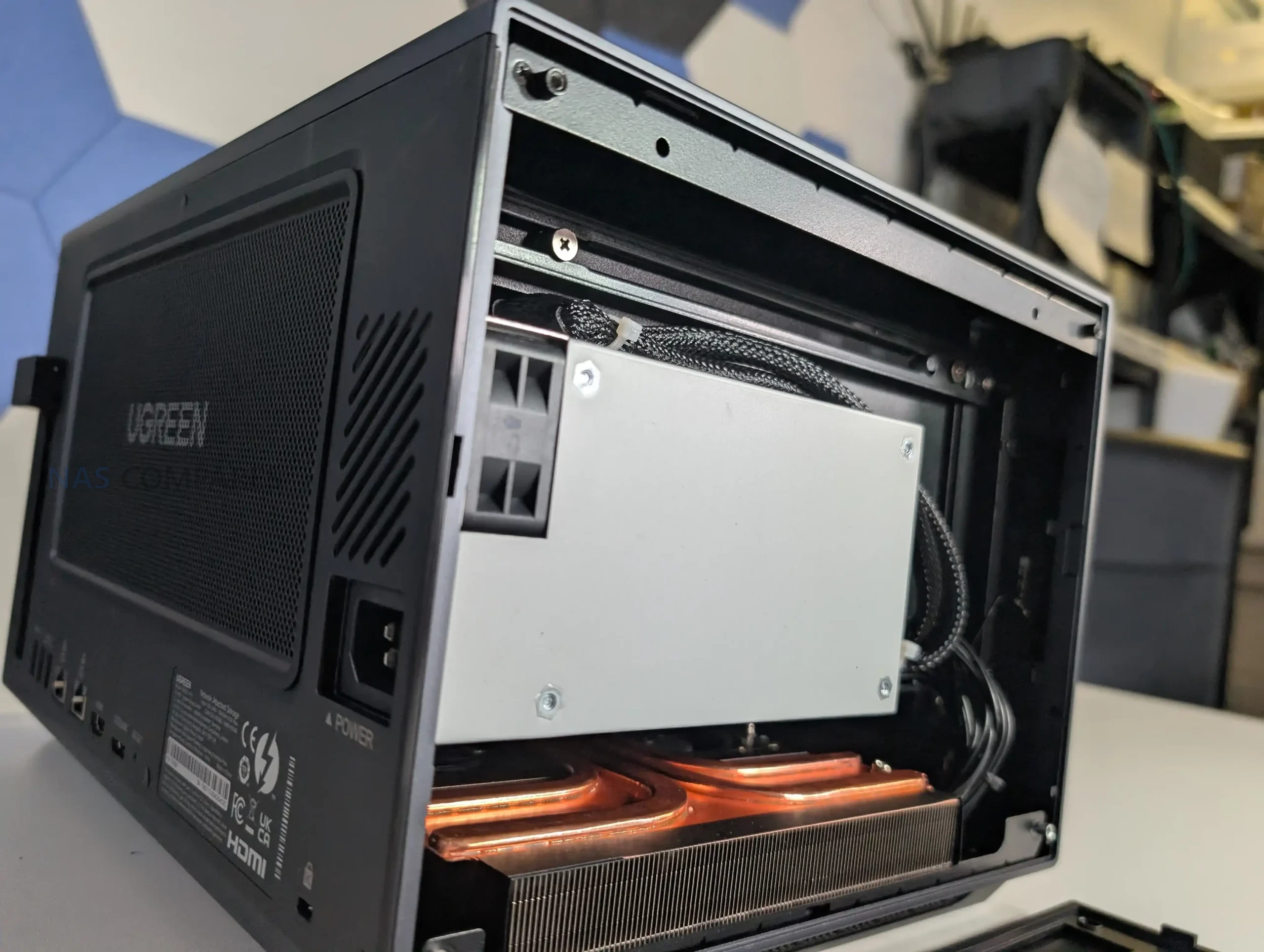
The hardware review unit is described as a pre release prototype, and while the physical build appears close to final, some behaviour, especially around performance tuning and software integration, should be treated as subject to change before shipping. The overall internal hardware direction is clear though: this is not designed around the low power NAS CPU segment, and the component choices indicate UGREEN is targeting users who want workstation class connectivity and compute inside a NAS form factorAM, rather than a minimal file server.
 |
 |
UGREEN iDX6011 Pro Review – Ports and Connections
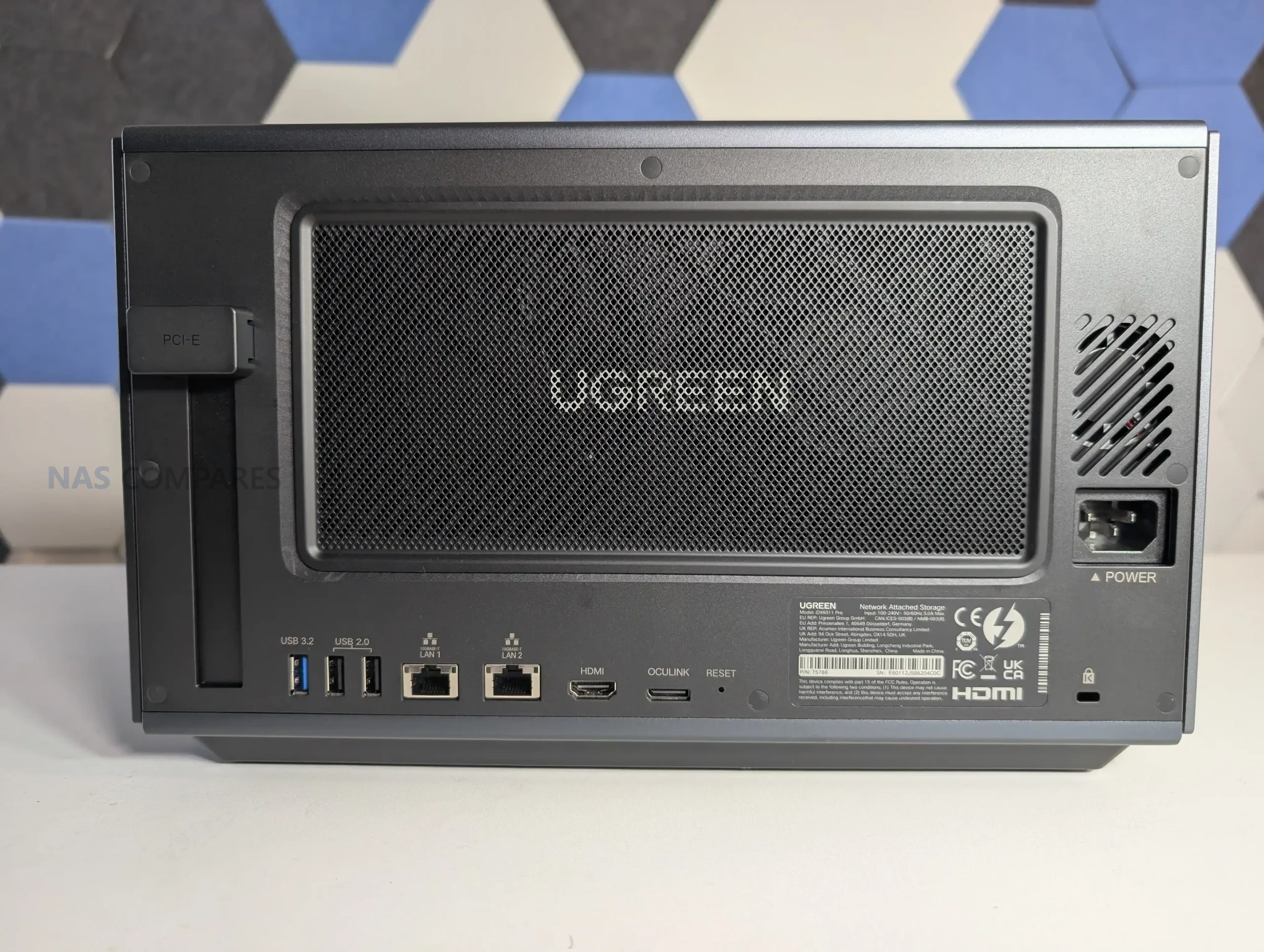
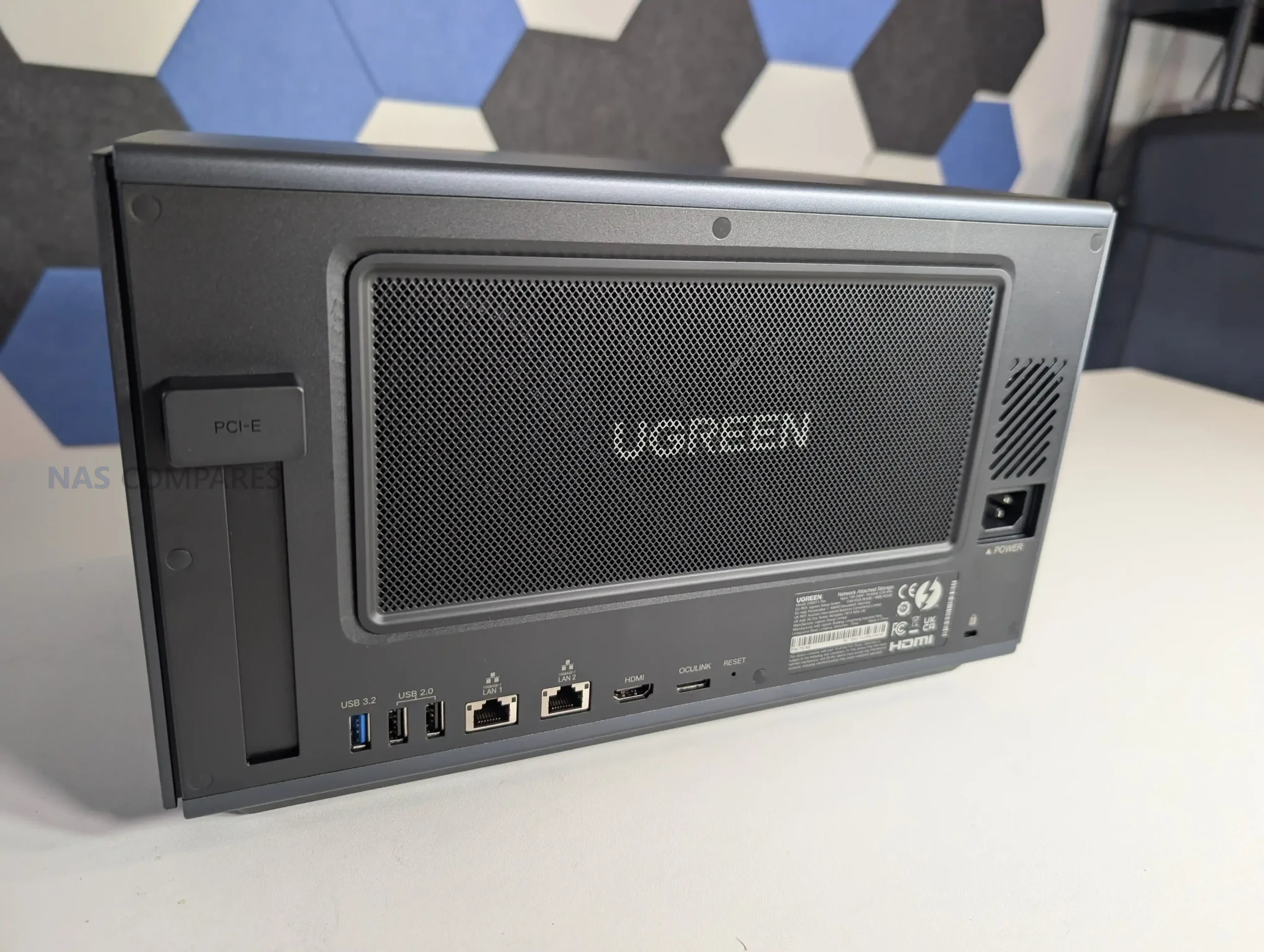
The iDX6011 Pro is configured around higher bandwidth connectivity than most mainstream 6 bay NAS units, and the port layout reflects an intention to sit closer to a workstation or small office backbone rather than being limited to standard home networking. Dual 10GbE is present across all configurations, providing both higher single link throughput and the option for link aggregation or segmented network roles depending on the user’s environment. In practice, dual 10GbE also opens the door to multichannel SMB performance in supported client setups, and the platform is clearly built with large file workflows in mind, where sequential transfer speed and low friction access matter as much as raw storage capacity. Unlike NAS designs that reserve high speed networking for optional add in cards, the iDX6011 platform treats 10GbE as baseline rather than upgrade.
 |
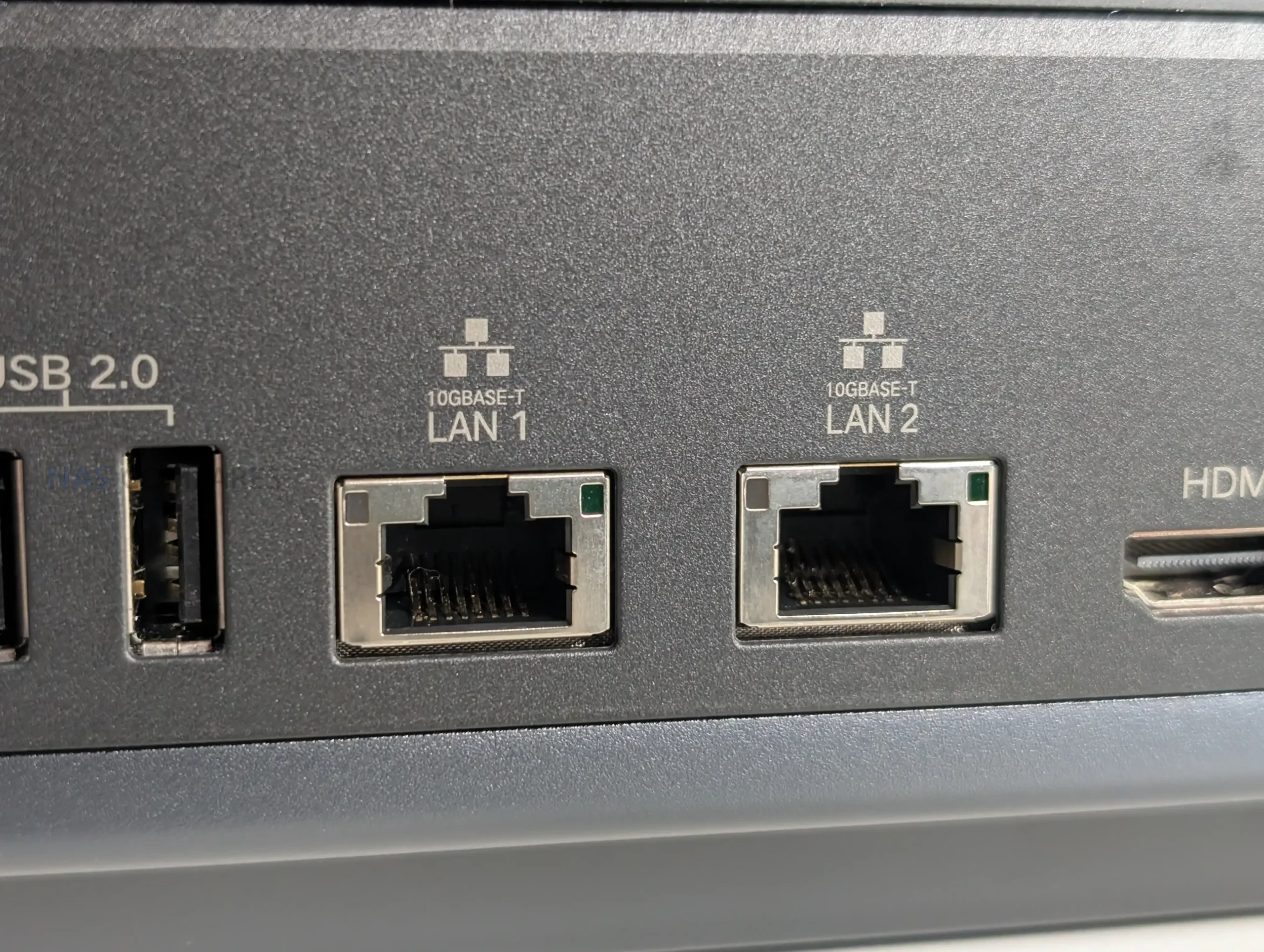 |
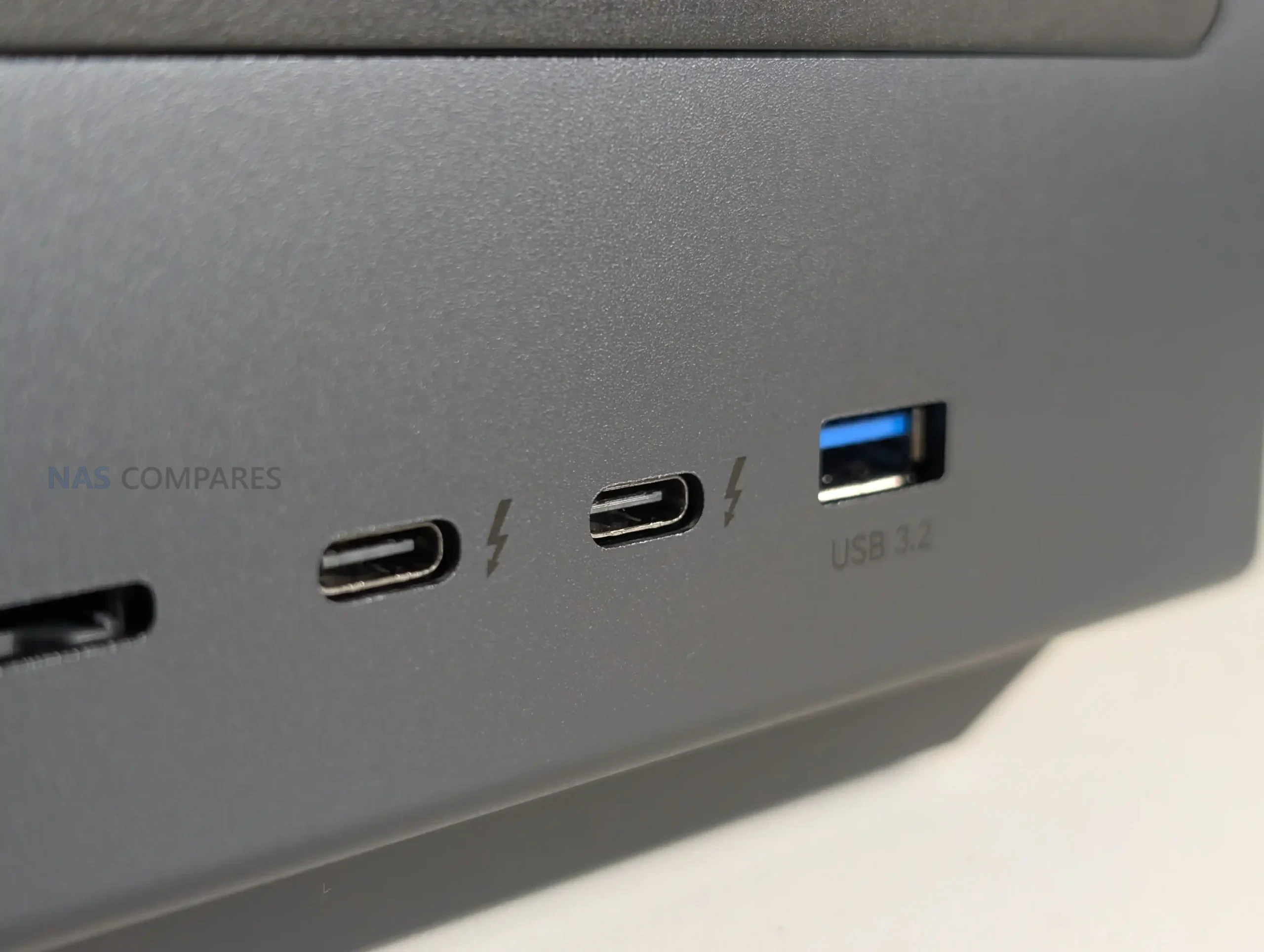
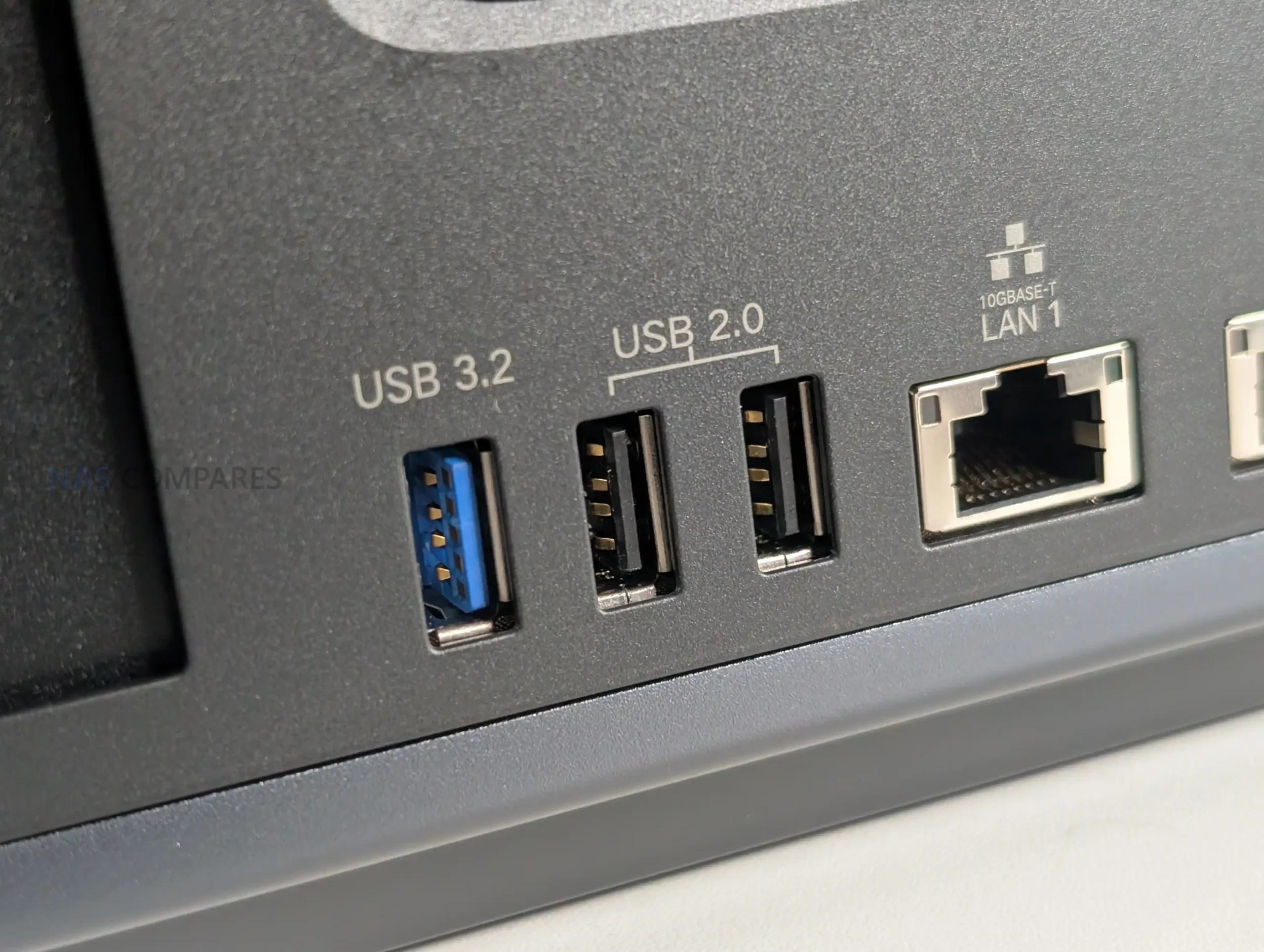
Thunderbolt 4 appears as 2 ports, and in your testing this mattered because it enabled direct high speed attachment use cases and compatibility with external adapters and docks. The most obvious implication is fast ingest and offload for users working from laptops or mobile workstations where Thunderbolt is a primary high speed interface, but it also intersects with the Pro model’s expansion story because external PCIe style docks become viable. The unit also includes USB connectivity split between faster USB 3 class ports and USB 2 ports for lower bandwidth peripherals, plus an SD 4.0 card slot that is front placed for frequent media ingest. That placement is relevant because it avoids reaching behind the unit for daily tasks, which is more aligned with content creation workflows than with the typical NAS assumption of mostly remote file transfer.
 |
 |
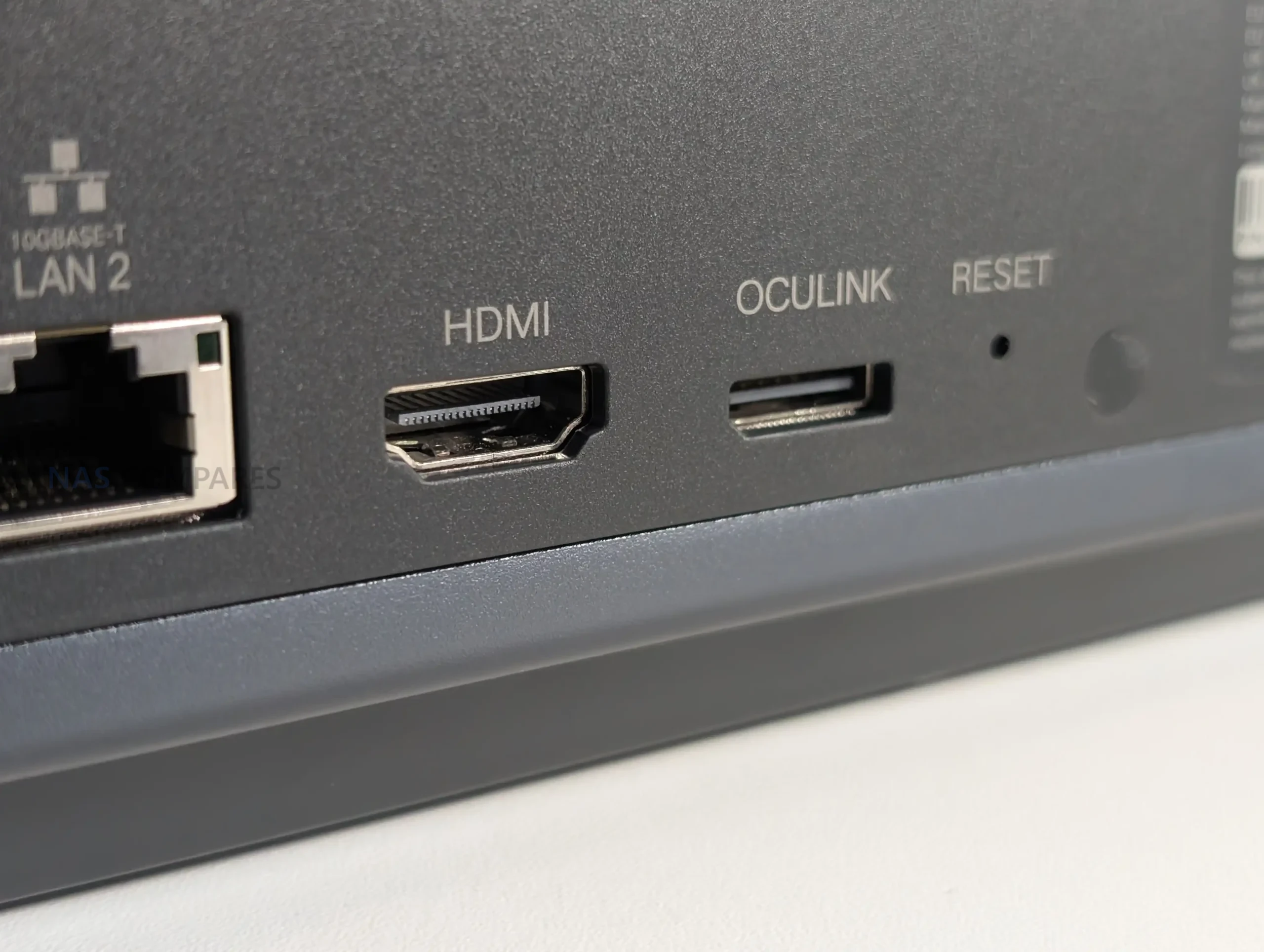
Video output is handled through an 8K capable HDMI port, which supports the idea of using the NAS as a directly attached media endpoint as well as a server, though this is a secondary function compared with network access. The presence of HDMI also ties into the software layer you described, where the system can be used for local playback and controlled through the broader UGOS environment, but it is still a NAS first device rather than a dedicated media box. For users who want the NAS to sit near a display and act as a playback source, the port is present, but the value depends heavily on application availability and the user’s preferred media stack.
 |
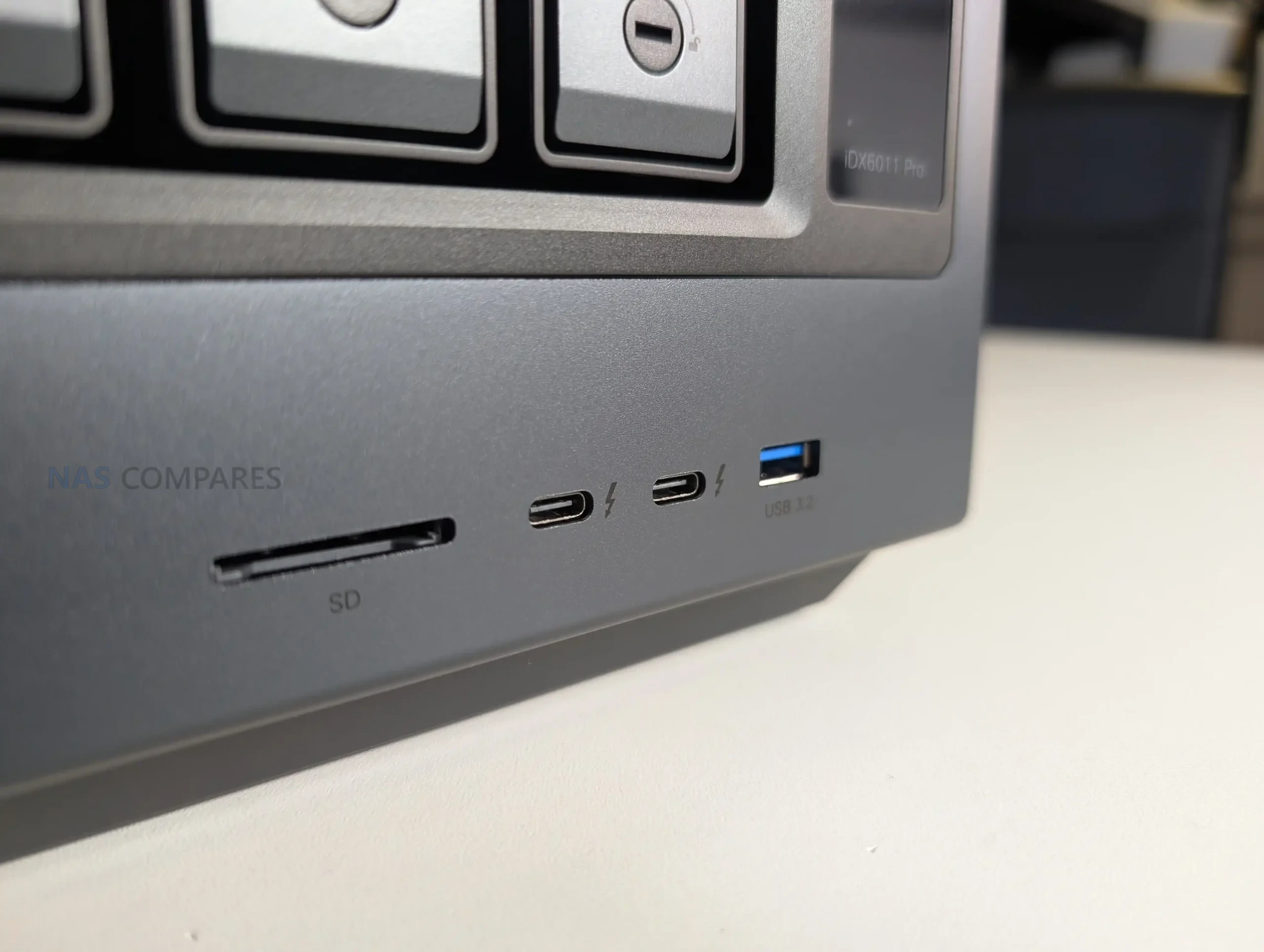 |
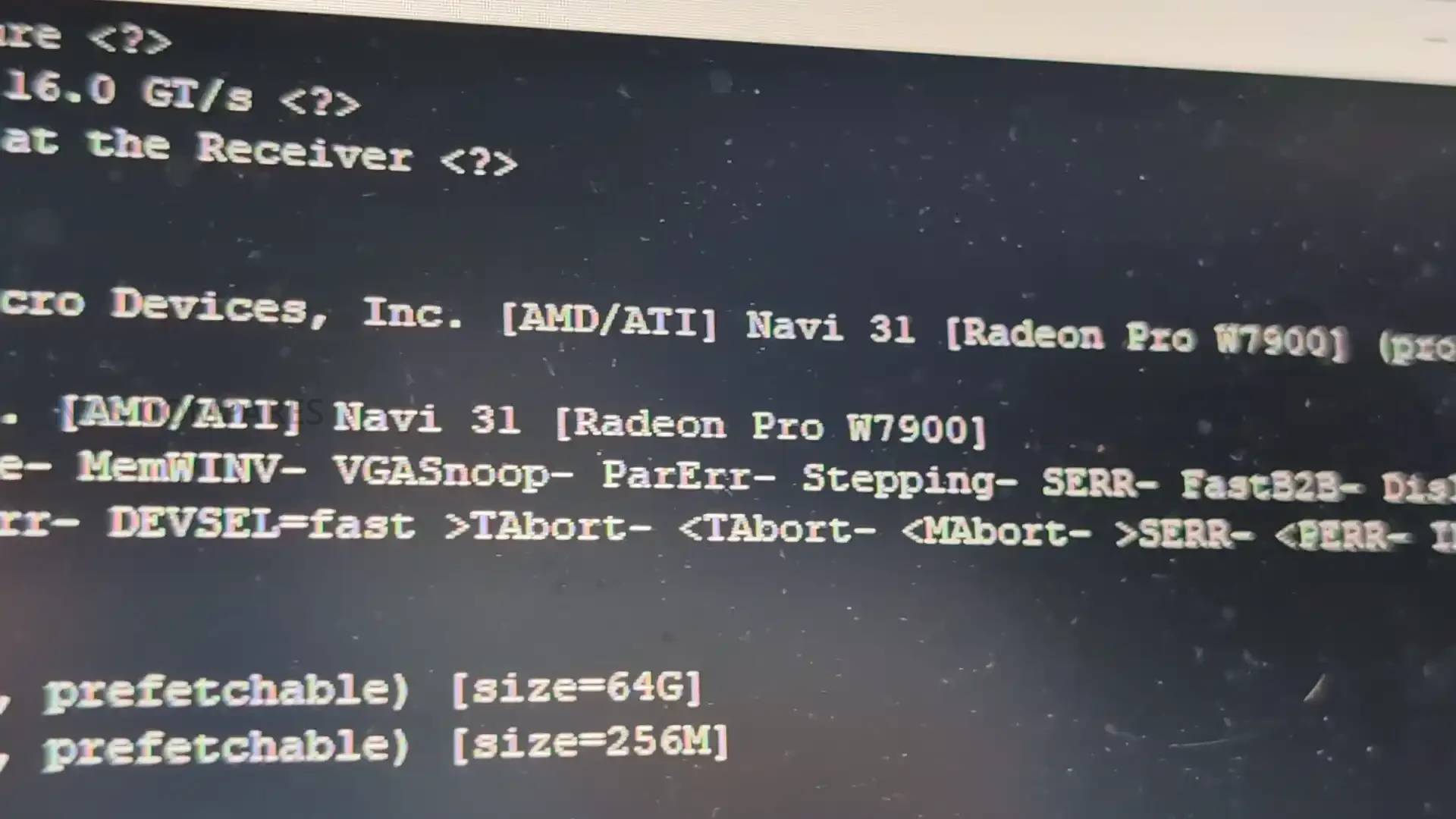
Expansion is where the Pro model separates itself, because it combines an internal PCIe Gen4 x8 slot with an external OCuLink port, while the non Pro models omit OCuLink. In testing, the OCuLink path successfully recognised an attached GPU dock, which indicates that UGREEN is not treating this as a purely decorative specification, even if most of the AI positioning is currently built around CPU and NPU resources rather than discrete GPU acceleration. The PCIe slot provides additional flexibility for add in networking or other cards within the physical constraints of the chassis, and together these interfaces make the iDX6011 Pro less locked to its factory I O than typical turnkey NAS appliances. That said, the practical value of these ports depends on driver support, how UGOS exposes attached hardware, and whether users plan to run third party operating systems where PCIe device support can be more familiar.
 |
|
 |
 |
UGREEN iDX6011 Pro Review – Speed, Temp, Noise and Power Tests
In file transfer testing, the iDX6011 Pro showed performance that aligns with its connectivity and internal storage design, but also revealed at least one area where optimisation may still be needed. With 6 HDDs configured in RAID 5 and SSD caching enabled for read and write, throughput reached roughly 950 MB/s read and 670 MB/s write, which is consistent with a well tuned array benefitting from cache acceleration and a fast network path. The larger point is that the platform can make practical use of 10GbE class throughput without feeling artificially capped by an entry level CPU, and the results suggest the system is capable of handling sustained large file movement without immediately falling behind. The caveat is that this was tested on a pre release unit, and the way UGOS configures caching and network services can materially affect the final numbers.
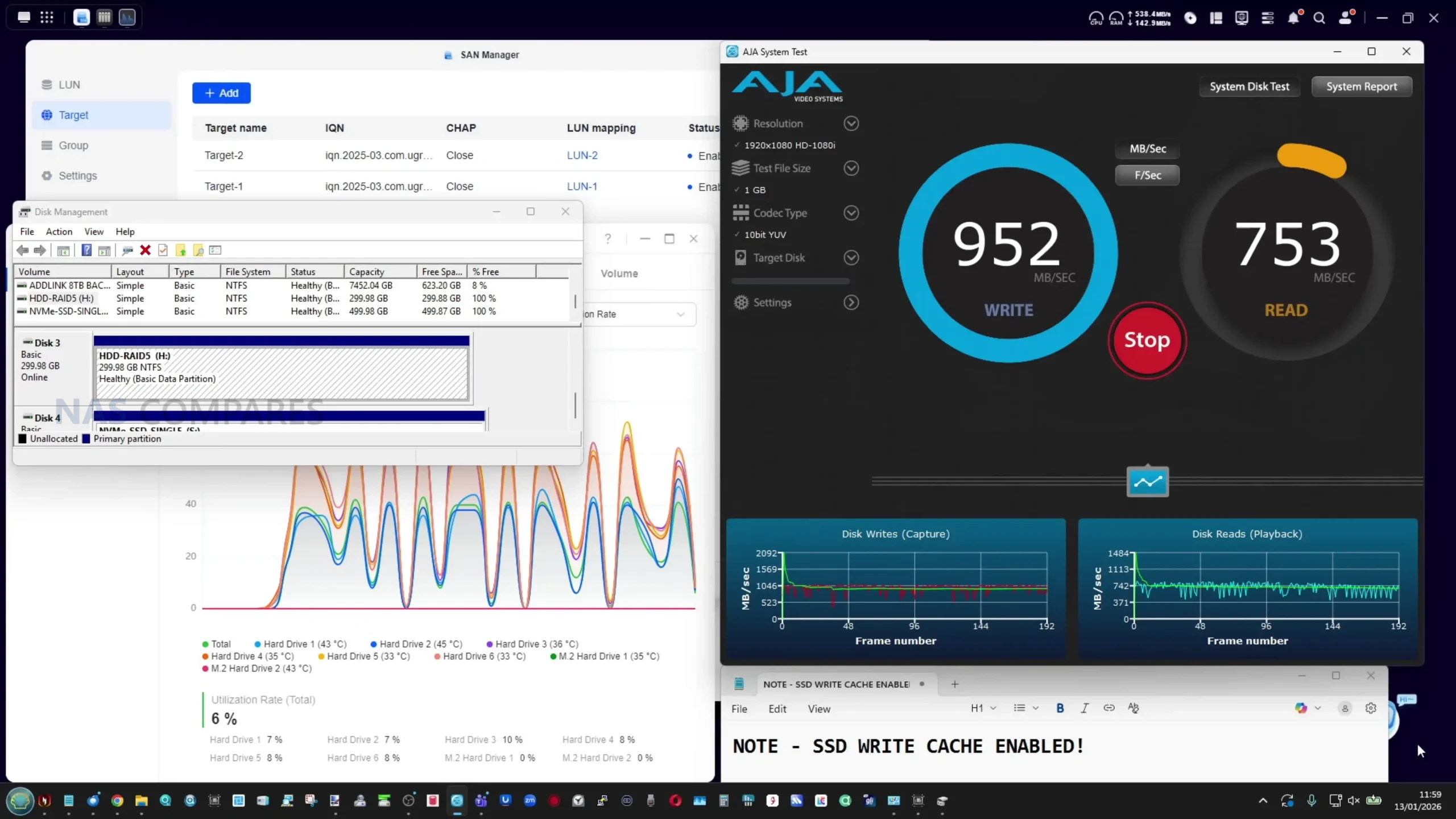 |
 |
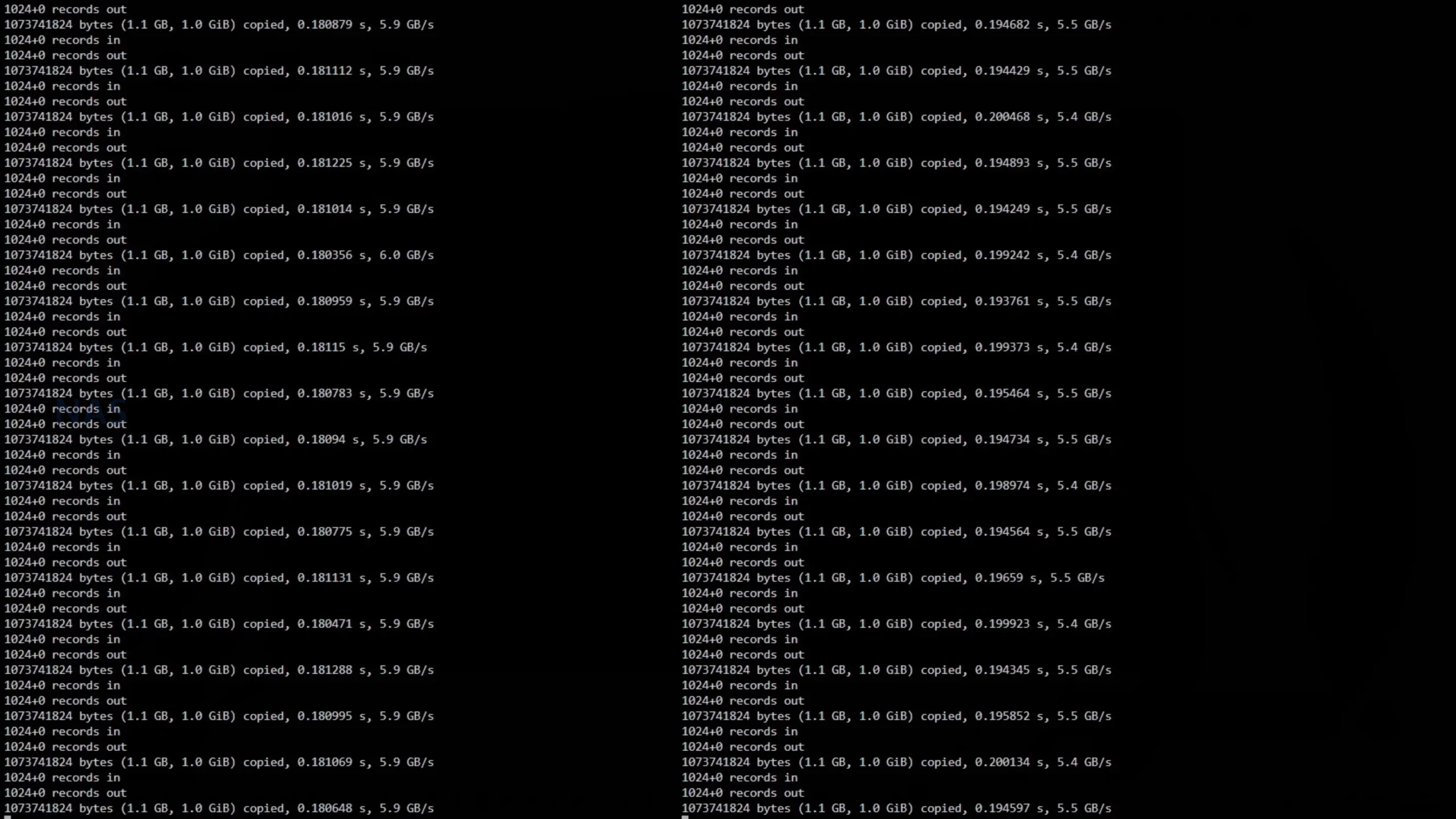
The internal NVMe performance was strong, and importantly it was consistent whether measured through the UGOS interface or via SSH testing. In the built in NVMe benchmark, both drives returned around 6 GB/s reads and writes after repeated testing, and additional 1GB SSH tests also clustered around 5.5 to 6.0 GB/s. Those figures suggest the M.2 implementation is not a token feature and can support either aggressive caching configurations or fast SSD volumes for workloads that benefit from low latency access. This matters in the context of the iDX6011 Pro’s target audience because the NVMe layer is a primary tool for keeping responsiveness high when multiple services are active, when many small files are being indexed, or when a user wants a high performance workspace alongside bulk HDD capacity.
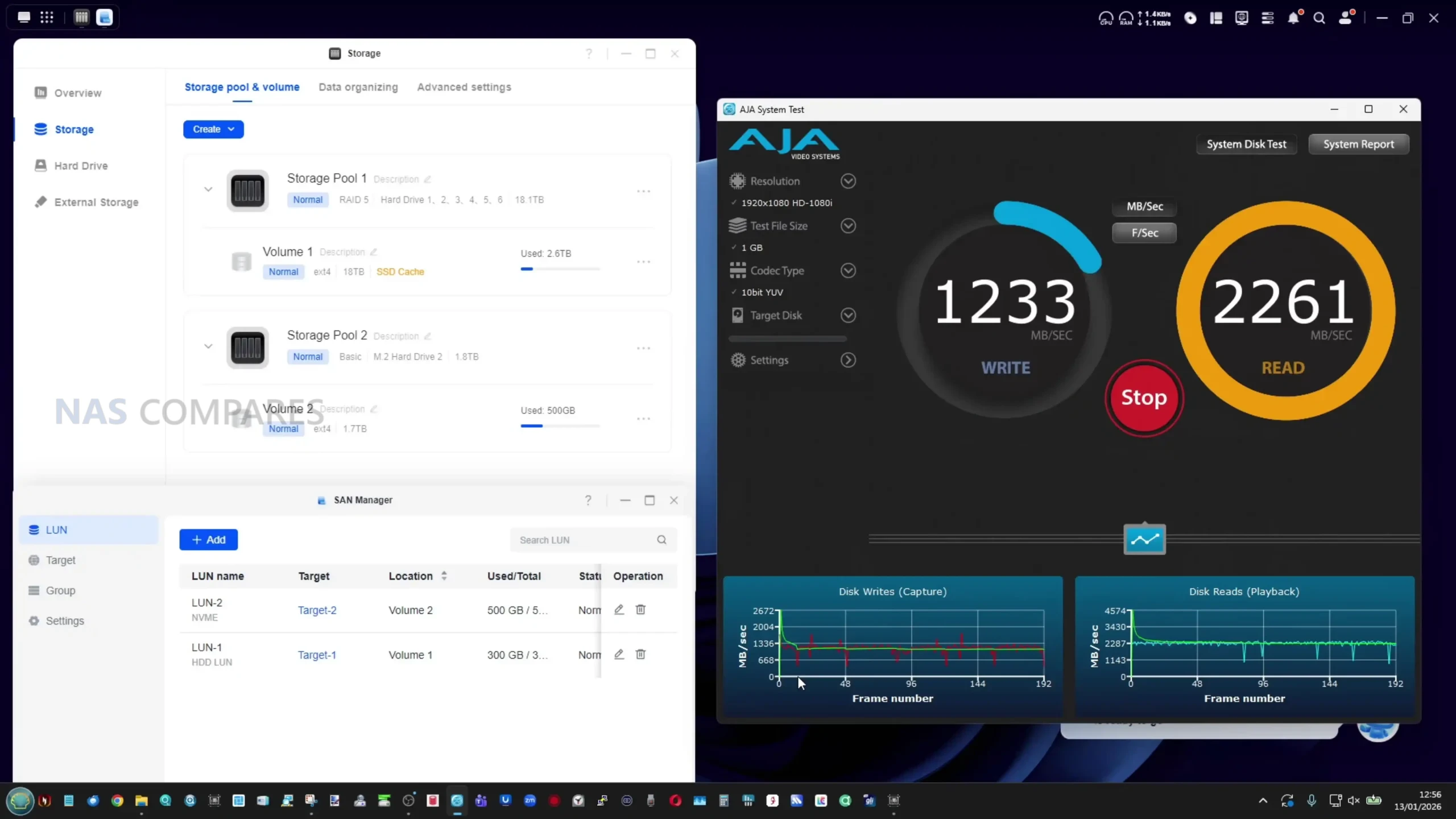
Where results were less ideal was in a dual 10GbE client scenario using SMB multichannel, where reads scaled well but writes did not. Using a USB4 laptop connected through a dual 10GbE to USB4 adapter, 2x 10GbE connections were visible and green-for-go on both ends! So, the system SHOUD saturate more than a single 10GbE link and make real use of multichannel behaviour to use both (with the right media!) – which is exactly what we saw in sequential Read speed tests. Writes, however, sat around 1300 to 1500 MB/s, often behaving closer to a single 10GbE stream, with occasional dips that suggested the second link was not being fully utilised for upstream traffic in that setup. Jumbo frames were enabled with MTU set to 9000, and alternative approaches were tested, so the remaining explanation could be software overhead, SMB tuning, client limitations, or an area of UGOS optimisation that is not yet final in the pre release software build.
 |
 |
 |
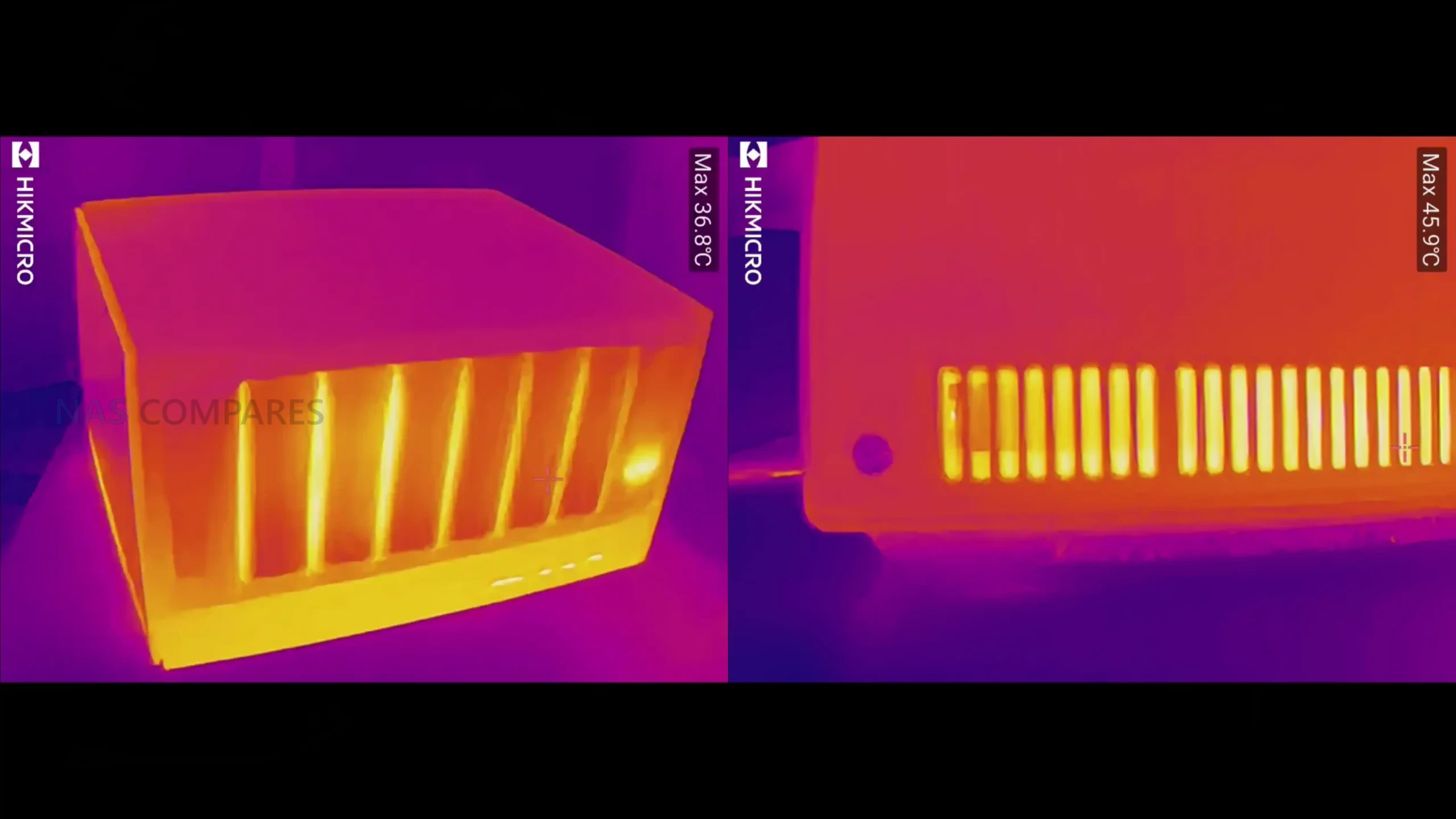 |
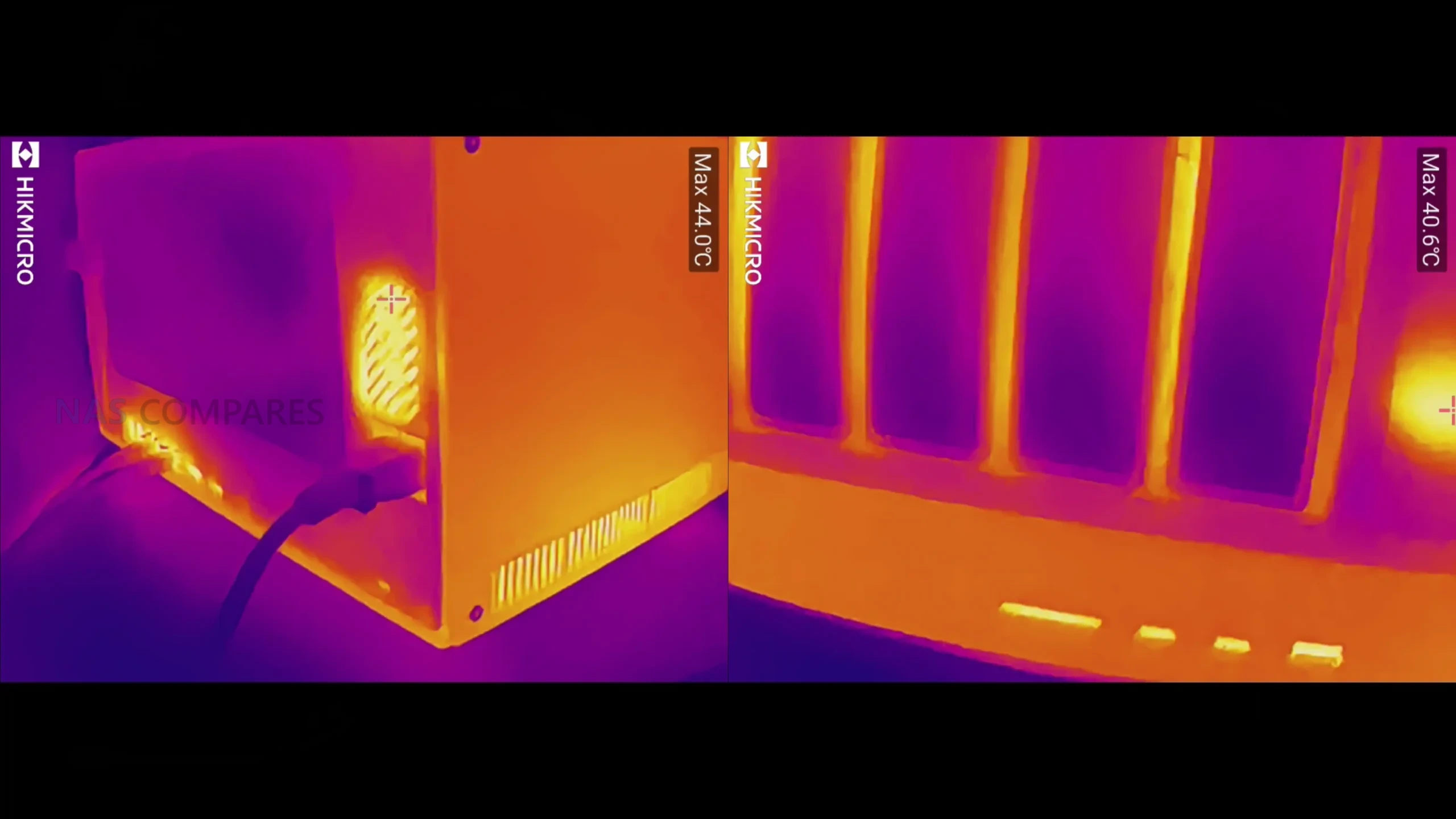
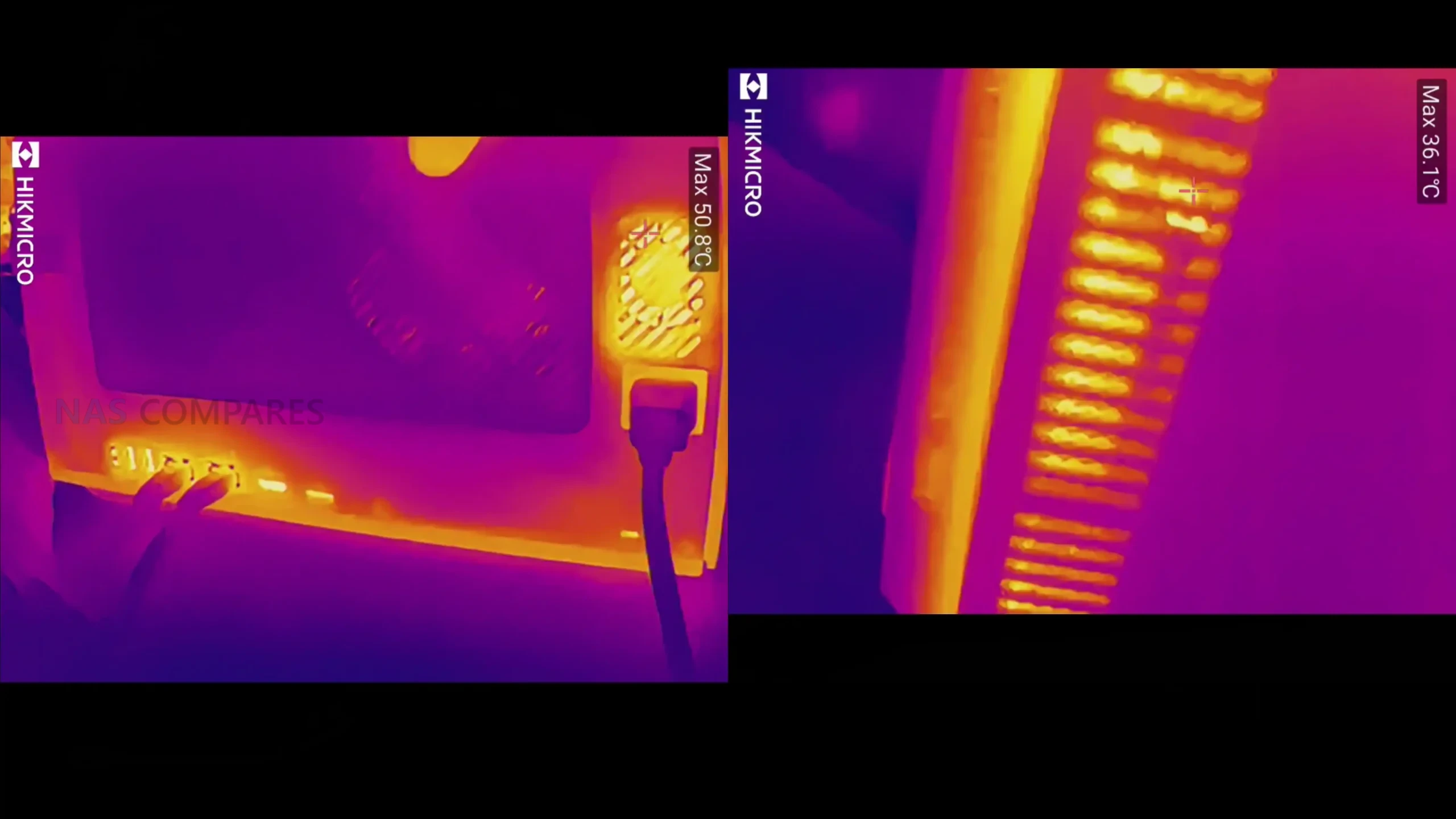
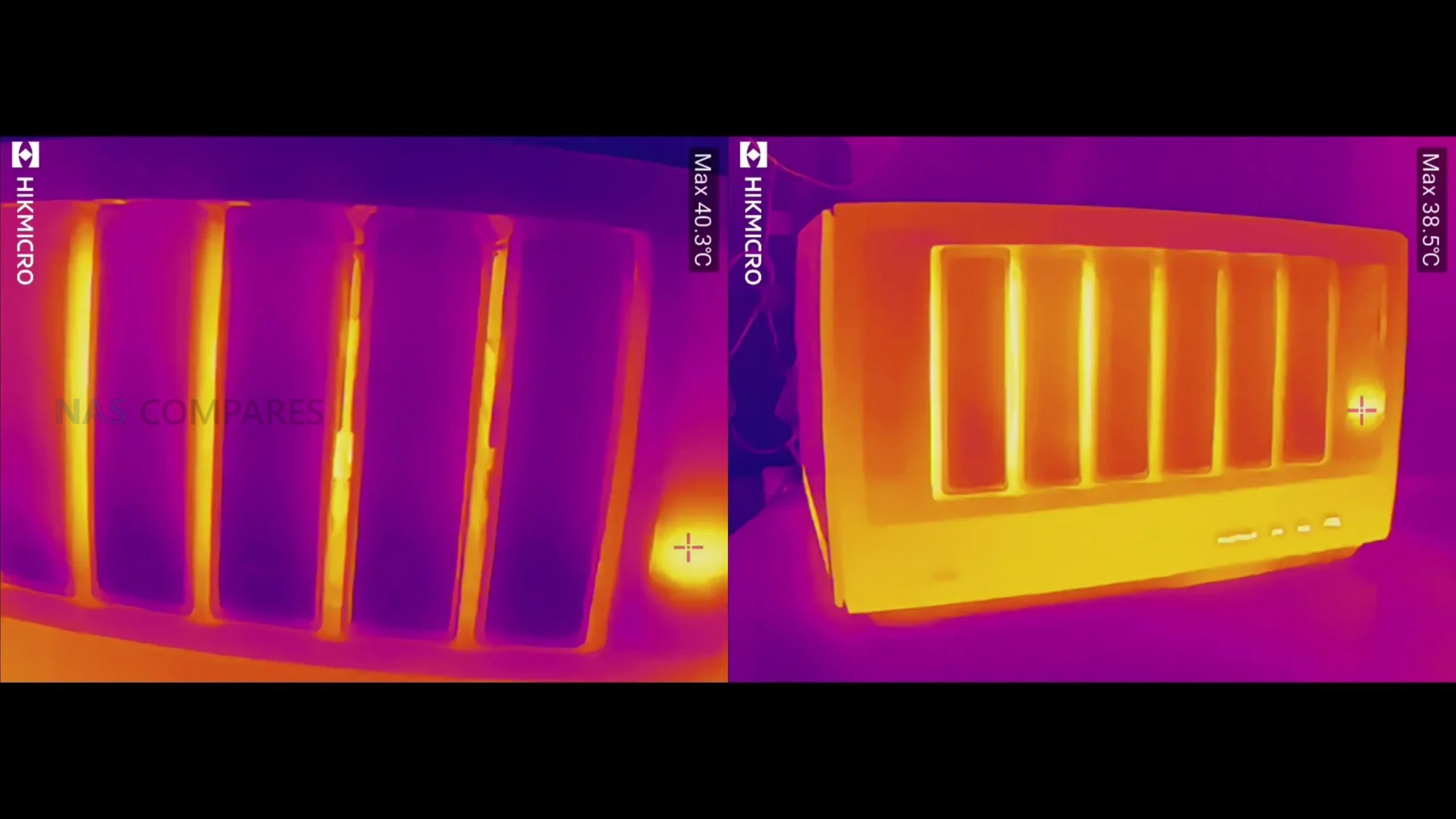
Thermally, the unit behaved within expected bounds for a metal chassis hosting multiple high capacity HDDs and sustained access patterns. After roughly 36 hours of continuous activity, surface readings showed around 35C at the top, roughly 38C around the drive bay area and side ventilation panels, and around 41 to 44C in lower vent channel areas where airflow is concentrated. The rear fan region was around 44 to 45C, the PSU region hovered around 38C, and the LCD area reached around 45C, with most of the base sitting around 35 to 38C. Importantly, internal software did not raise thermal warnings in normal testing, and the only notable heat related stress occurred during repetitive synthetic SSD write loops that are not representative of typical mixed use.
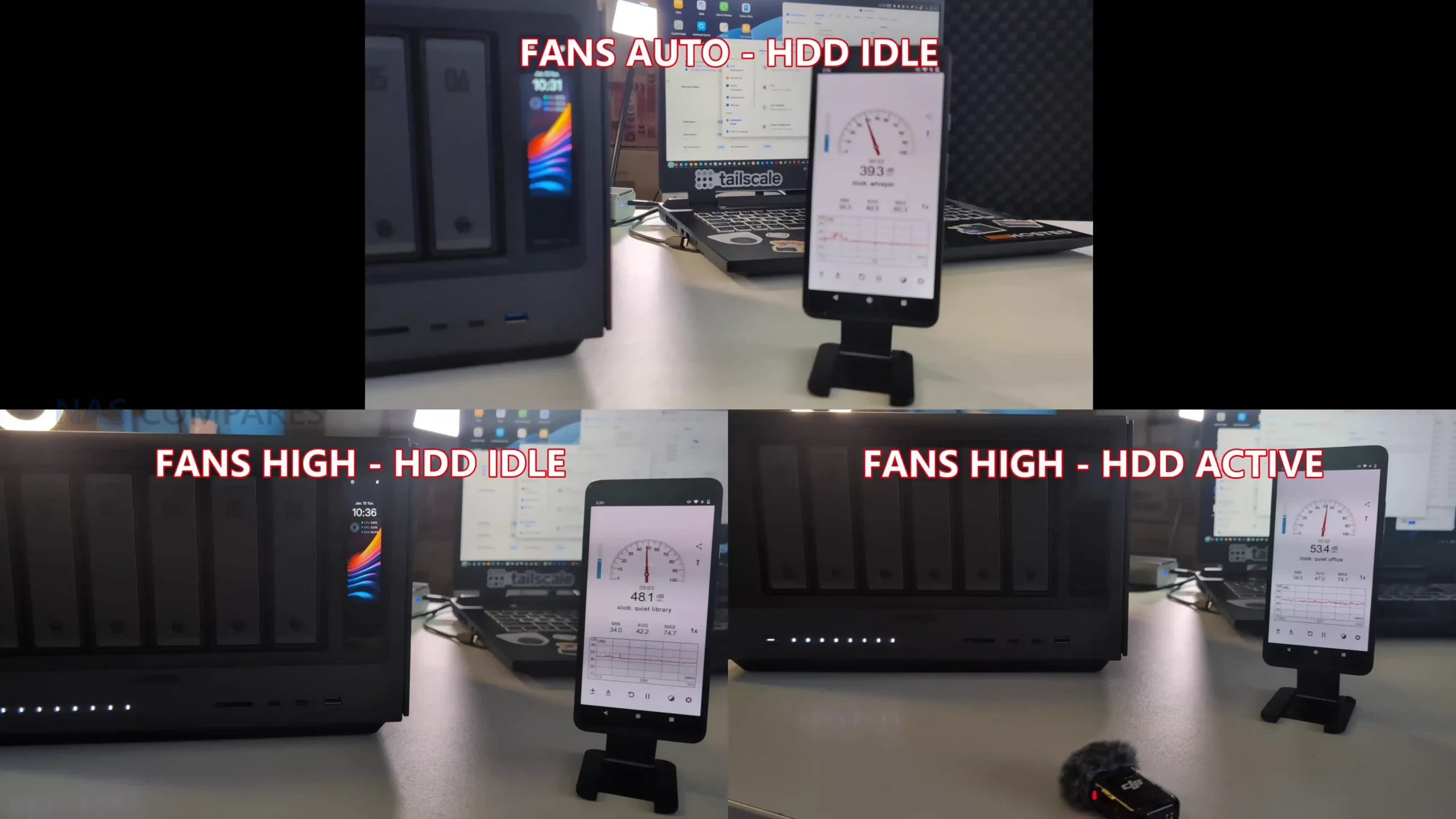
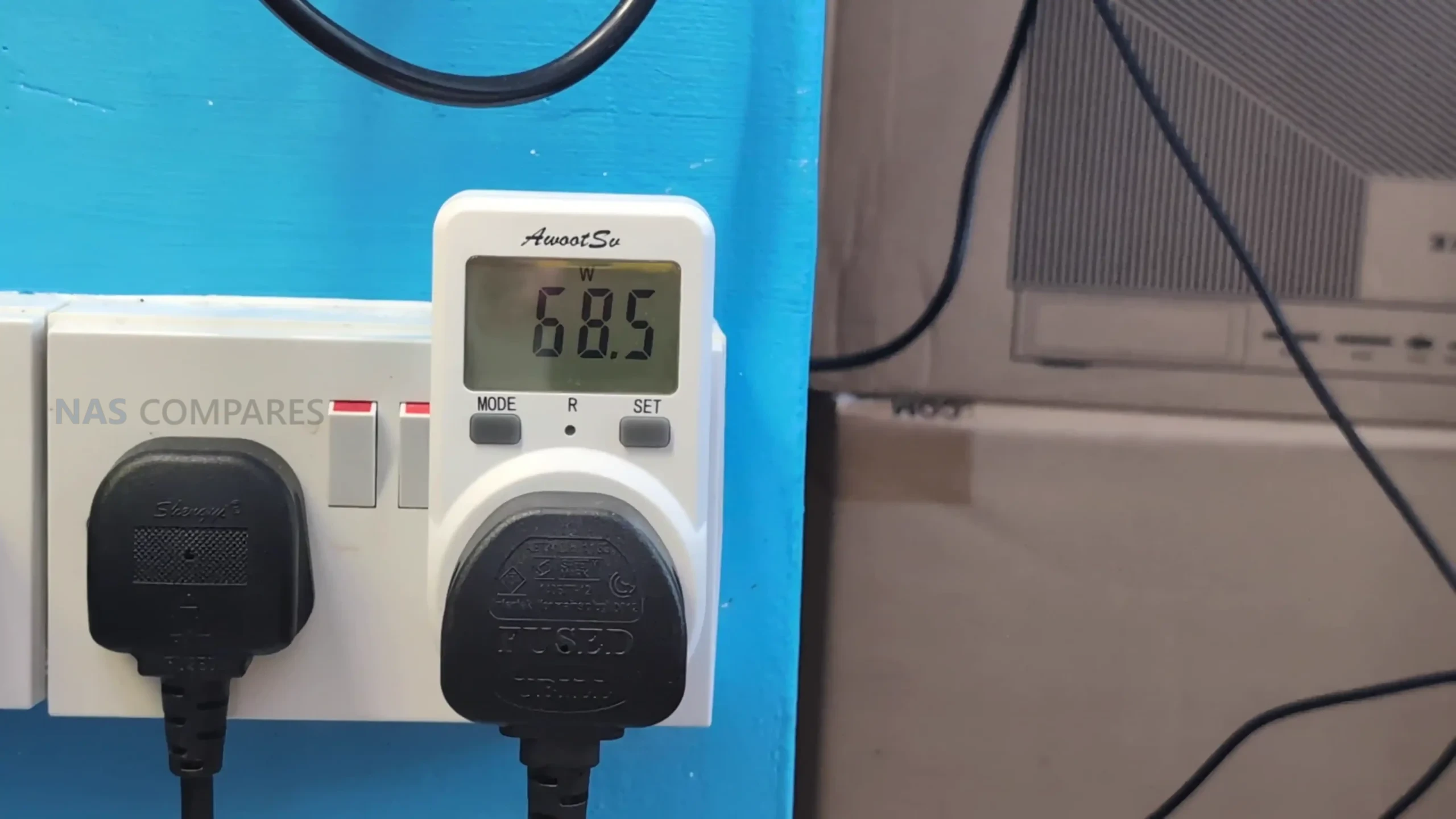
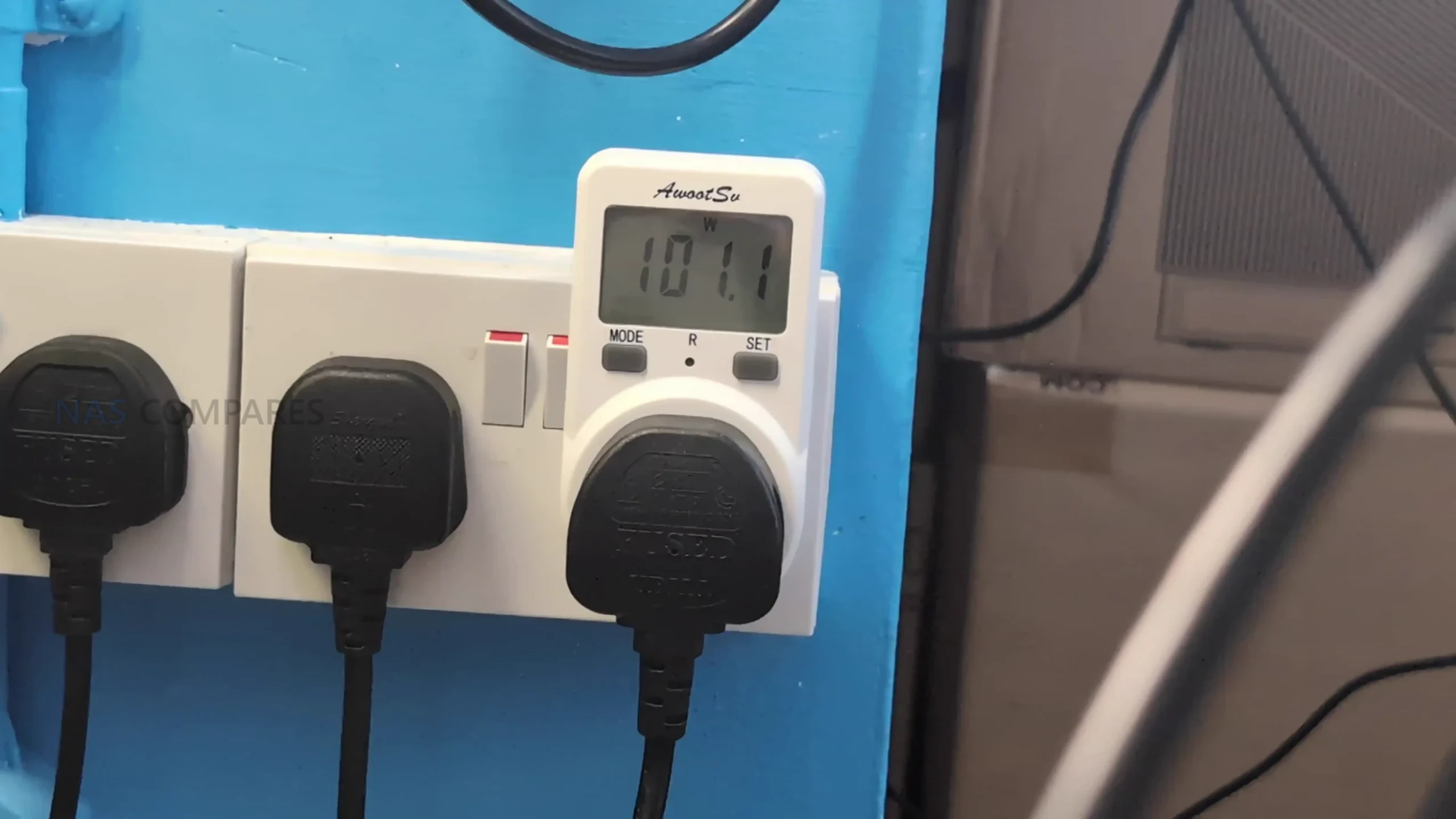
Noise and power draw reflect the fact that this is a higher performance NAS platform with 6 drive density and a stronger CPU class than low power appliances. With fans set to the lowest mode and drives idling after RAID setup and synchronisation, noise landed around 39 to 40 dBA, rising to around 40 to 43 dBA on automatic fan mode. With fans set to maximum, idle noise increased to around 48 dBA, and with active drive access plus high fan mode, measurements were around 50 to 51 dBA using 64TB NAS class HDDs, with the reminder that a metal chassis can transmit drive vibration and seek noise more readily than plastic enclosures. Power draw in a heavily populated configuration with 6 x 64TB drives, 2 x 1TB NVMe, and both 10GbE links active was around 67 to 68W at idle, rising to around 93 to 100W plus under active access, with the expectation that sustained CPU intensive AI tasks and any external GPU usage could push consumption substantially higher than typical home NAS patterns.
 |
 |
Test specification summary
-
RAID and cache test: 6 HDDs in RAID 5, SSD read/write cache enabled
-
RAID 5 throughput: ~950 MB/s read, ~670 MB/s write
-
NVMe internal performance: ~5.5 to 6.0 GB/s read and write (UGOS benchmark and SSH tests)
-
Dual 10GbE SMB multichannel via USB4 adapter: ~2200 to 2300 MB/s read, ~1300 to 1500 MB/s write
-
Noise: ~39 to 40 dBA (low, idle), ~40 to 43 dBA (auto, idle), ~48 dBA (max, idle), ~50 to 51 dBA (high, active)
-
Power: ~67 to 68W (idle with populated drives), ~93 to 100W plus (active access)
-
Thermals after ~36 hours sustained access: top ~35C, bays ~38C, vents ~38C, lower channels ~41 to 44C, rear ~44 to 45C, LCD ~45C
UGREEN iDX6011 Pro Review – UGOS Software and Services
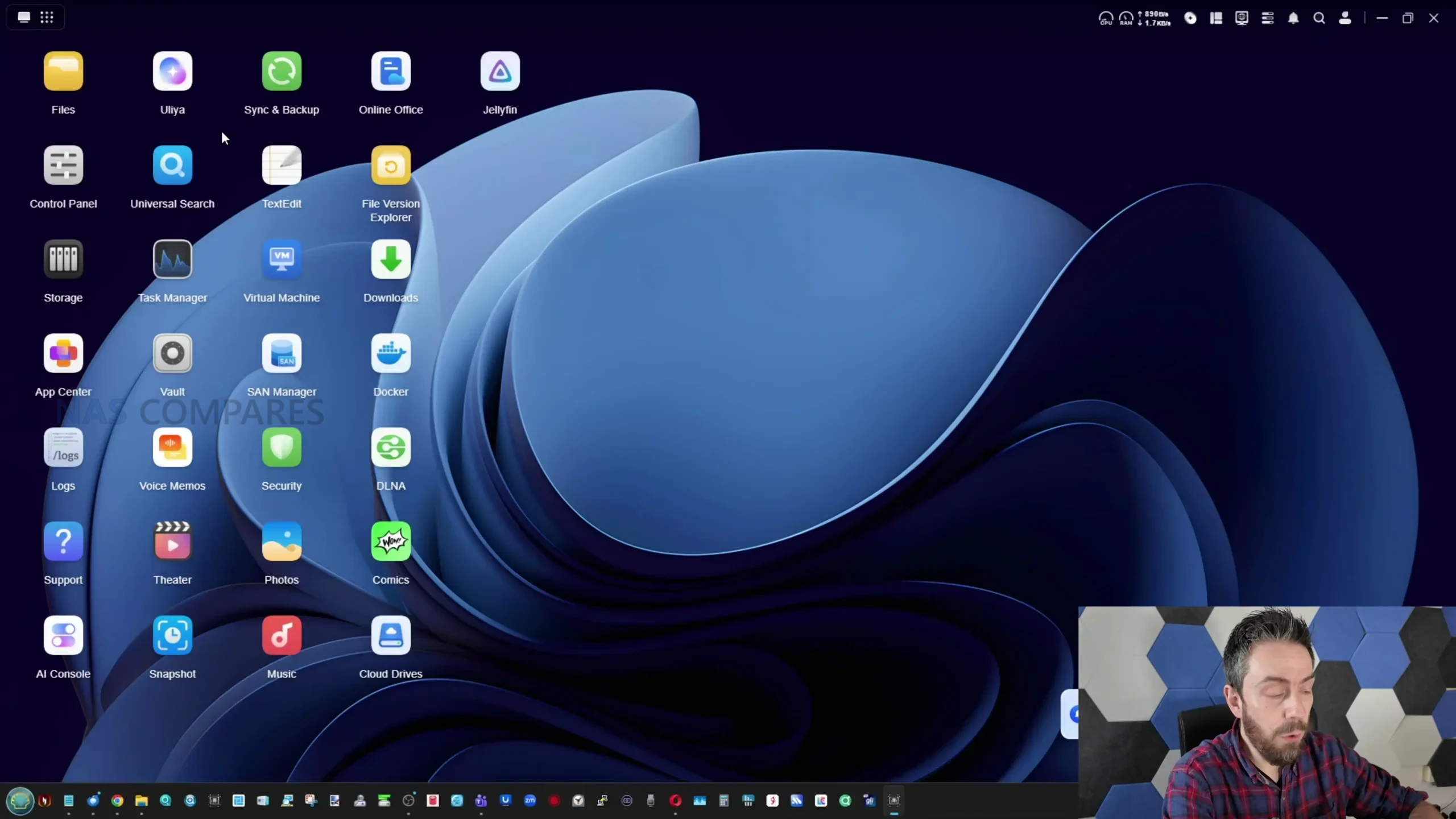
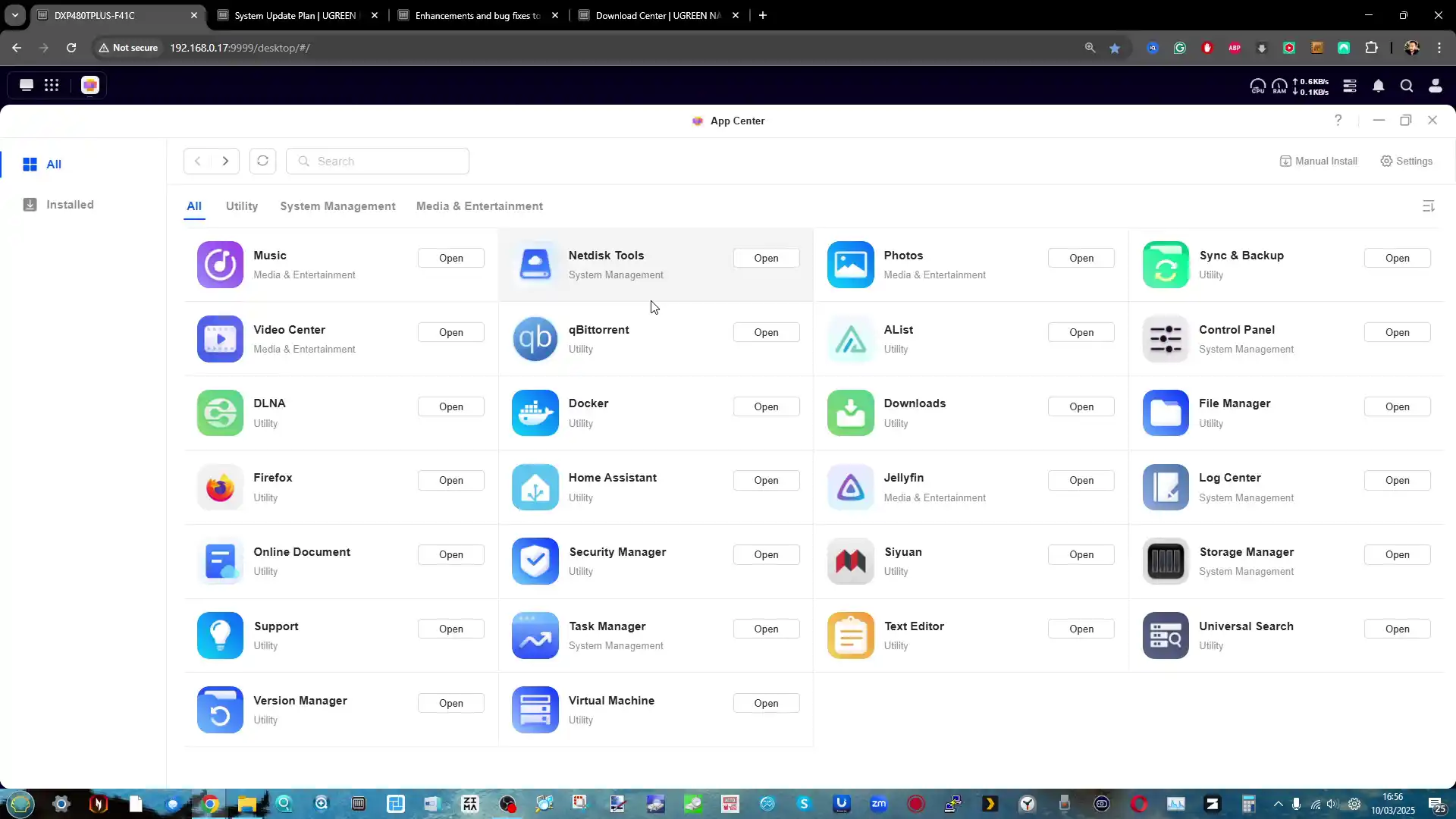
UGOS Pro on the iDX6011 Pro presents a broadly familiar turnkey NAS experience, with the same general design language and application structure used across UGREEN’s recent NAS products, and most of the mainstream services expected in a current platform. Initial setup and day to day navigation are oriented around a unified web interface and companion apps, with storage management, user permissions, and application deployment consolidated into a single environment rather than split across multiple tools. In practical use, this matters because the value of a higher end NAS is not just the hardware, but the ability to configure it quickly and maintain it without constant manual intervention, particularly once you start adding multiple shares, remote access rules, and background services that need to run reliably without ongoing tuning.
 |
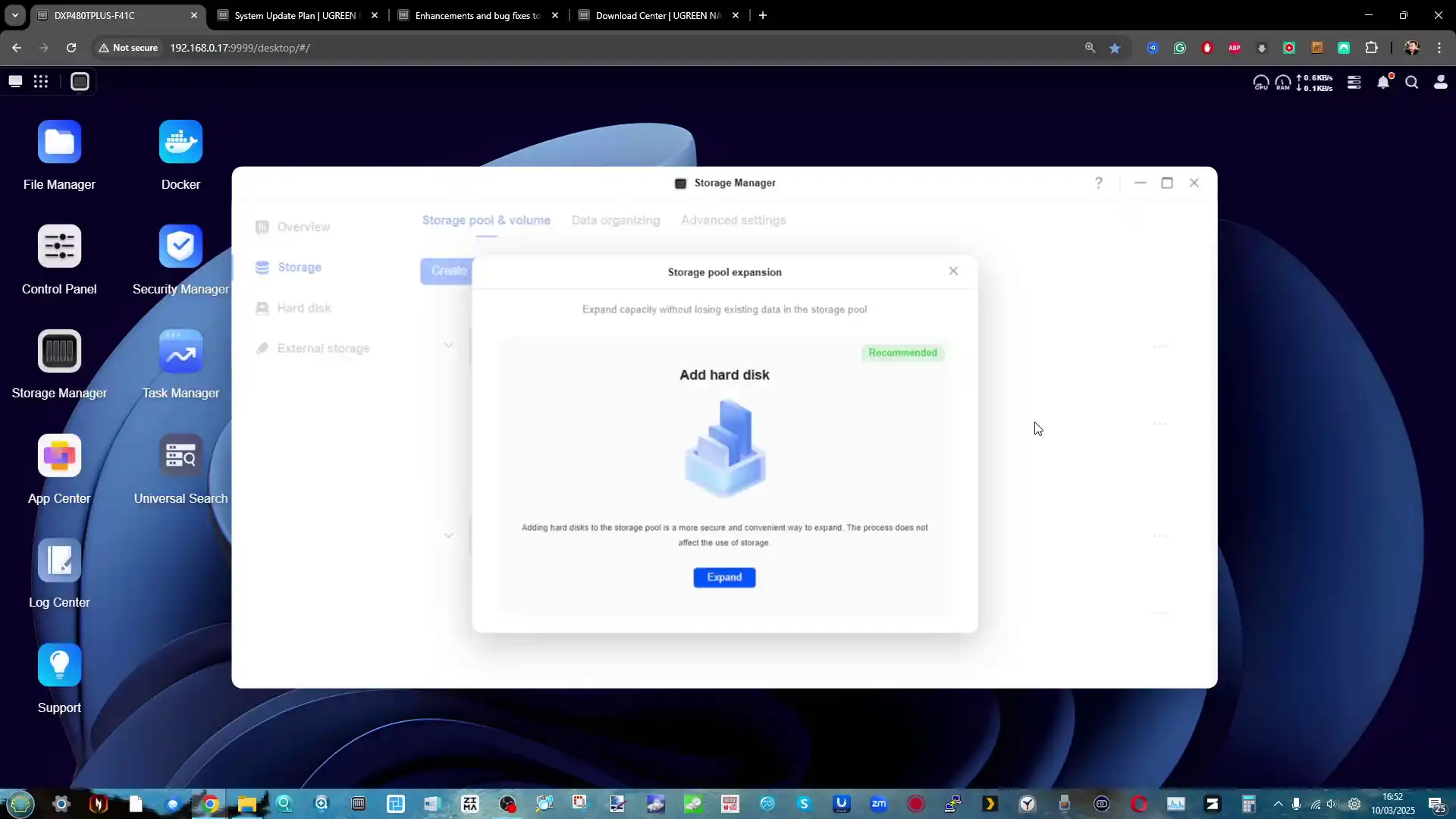 |
Core storage features cover the standard RAID modes offered by the platform, along with typical NAS file systems used here, and the ability to configure M.2 SSDs either as cache or as separate storage volumes depending on the desired balance between speed and simplicity. Snapshot support and file versioning are included, which is a baseline requirement for protecting against accidental deletion and some ransomware scenarios, and the system also provides a dedicated encrypted vault style storage area for data that needs an additional password protected layer beyond normal share permissions. For users building a general purpose private cloud, the platform includes the expected file sharing and access tools and supports the usual network protocols, reducing the need for third party add ons for basic file serving and multi device access.
 |
 |
On the services side, UGOS Pro supports Docker and virtual machine deployment, which expands the platform beyond file storage into general application hosting and light server roles. The presence of both container support and VM support is relevant in a system with fixed memory configurations, because it encourages buyers to evaluate the 32GB versus 64GB models based on their intent to run multiple services concurrently. In addition, iSCSI support is integrated and in testing could be set up in a straightforward manner, allowing the NAS to present block storage to client machines for workflows where mapped drives are not ideal. Backup and synchronisation features include multi target options, including NAS to NAS, NAS to cloud, and other scheduled operations with filtering and policy controls, which is the foundation most users will rely on rather than the newer AI layer.
 |
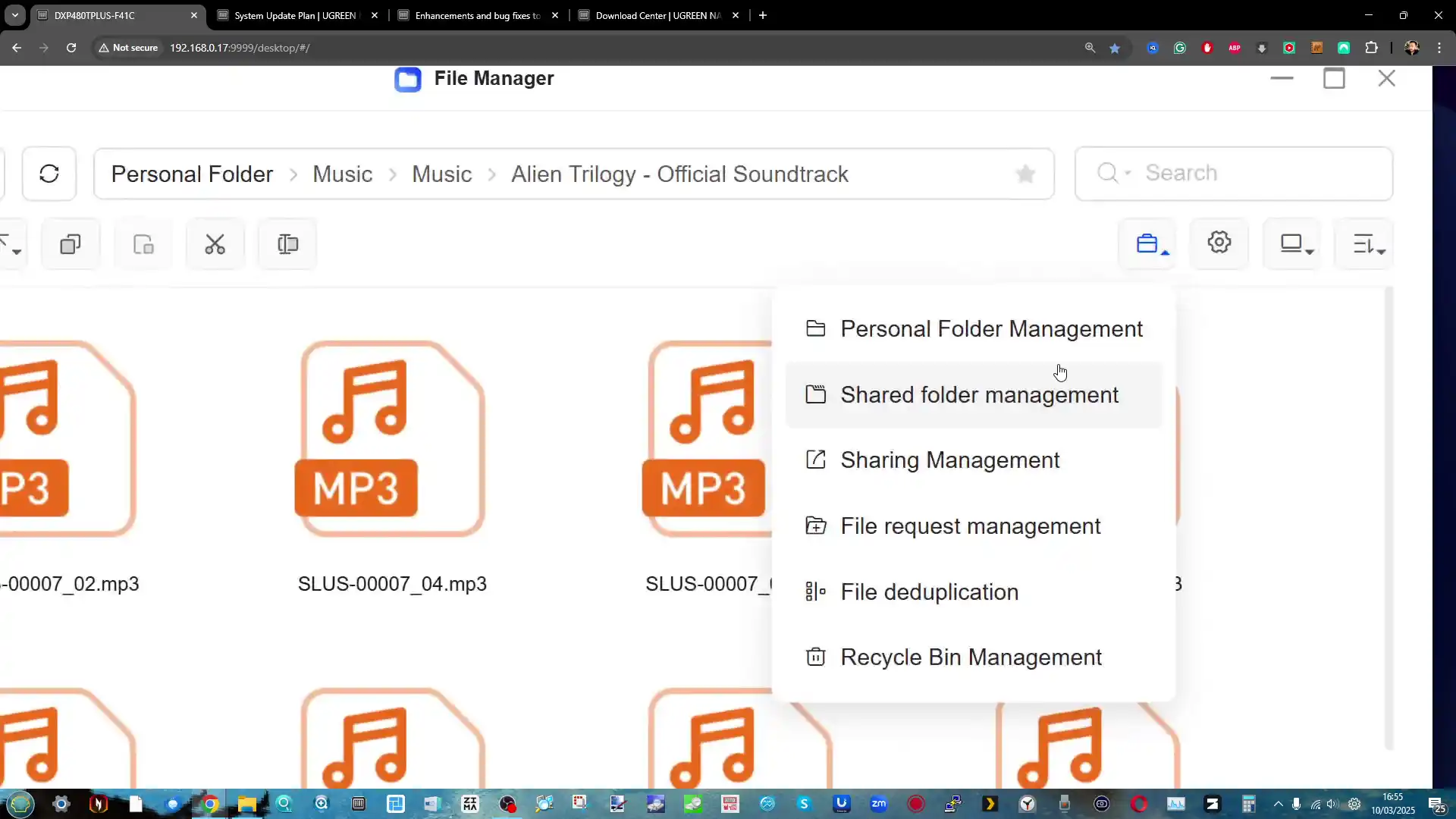 |
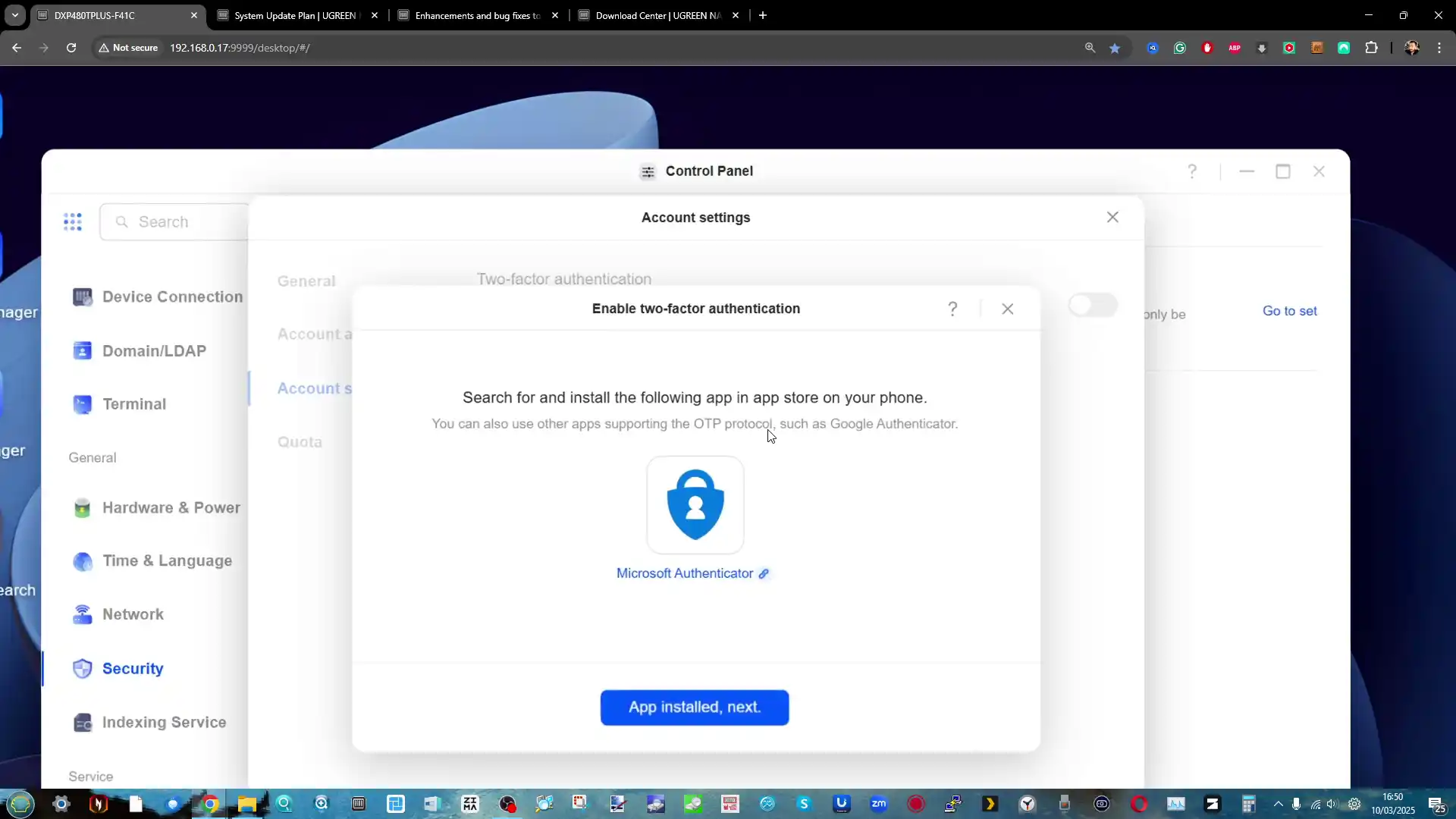
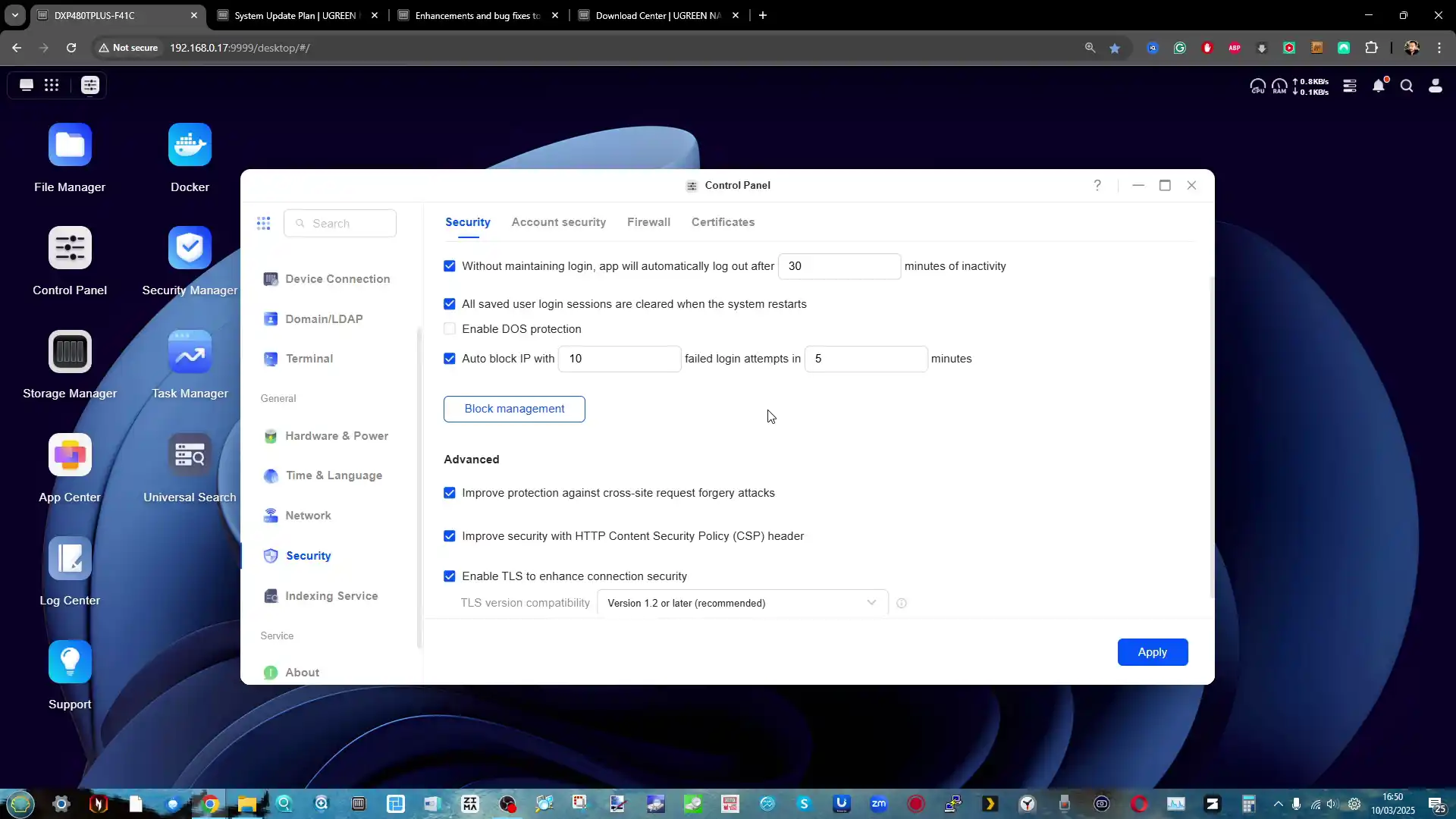
Where UGOS Pro still shows gaps is less about missing basic NAS features and more about the absence of certain mature ecosystem level tools that established competitors provide. There is no ZFS option in the platform’s storage stack, which will matter to users who specifically want ZFS features and workflows, and the application ecosystem still lacks certain expected first party packages, with Plex media server being the most obvious omission in your evaluation despite alternatives like Jellyfin being possible. Security tooling is also mixed, with useful features such as 2FA, firewall controls, and automatic blocking, but without a comprehensive security posture scanner that audits weak passwords, exposed services, open ports, and other common misconfigurations in a way that guides less technical owners. The end result is a software platform that can cover the core NAS job for many users, but may still push power users toward third party operating systems or additional manual administration depending on priorities.
UGREEN iDX6011 Pro Review – What the AI Can and Cannot Do?
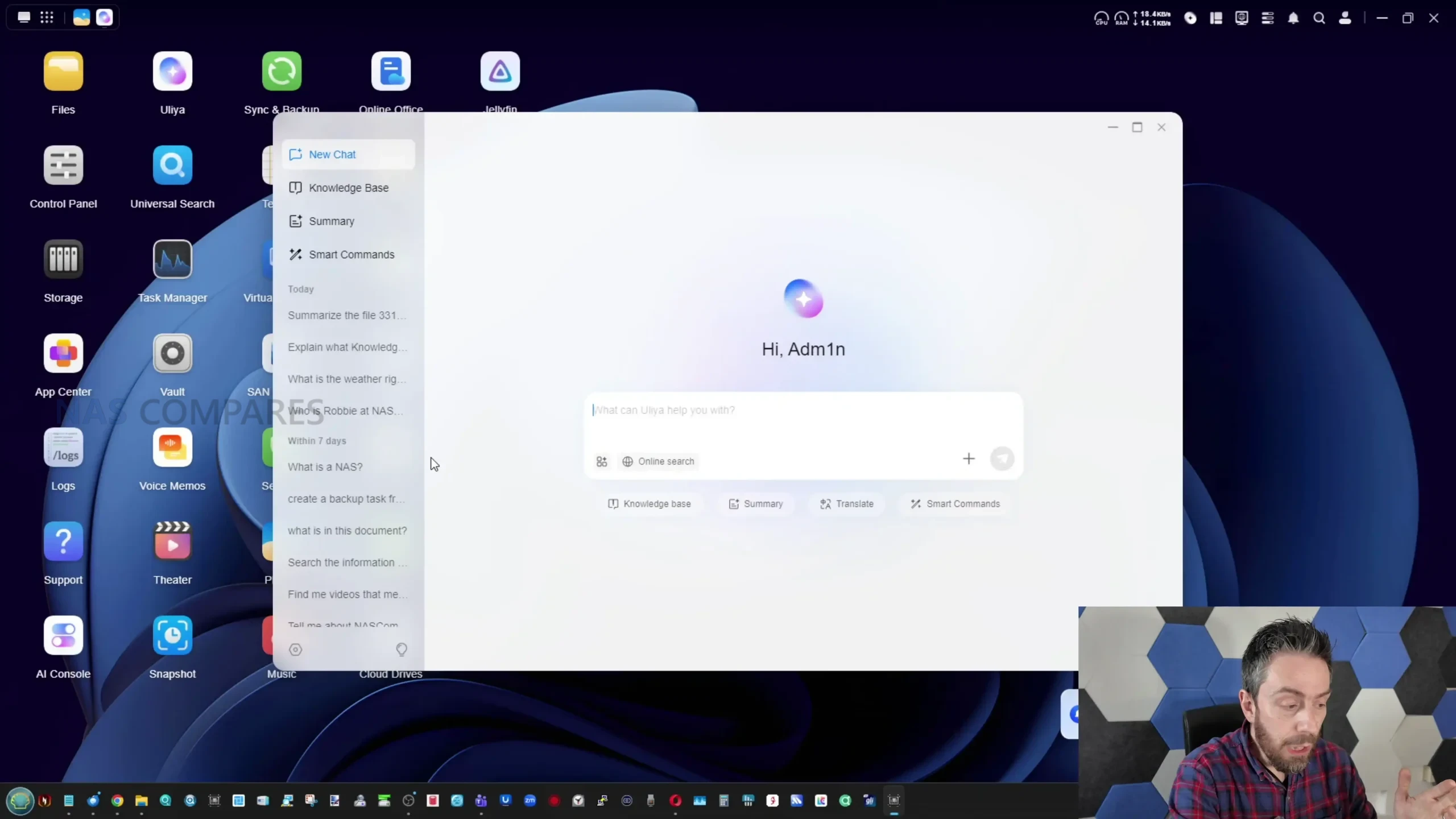
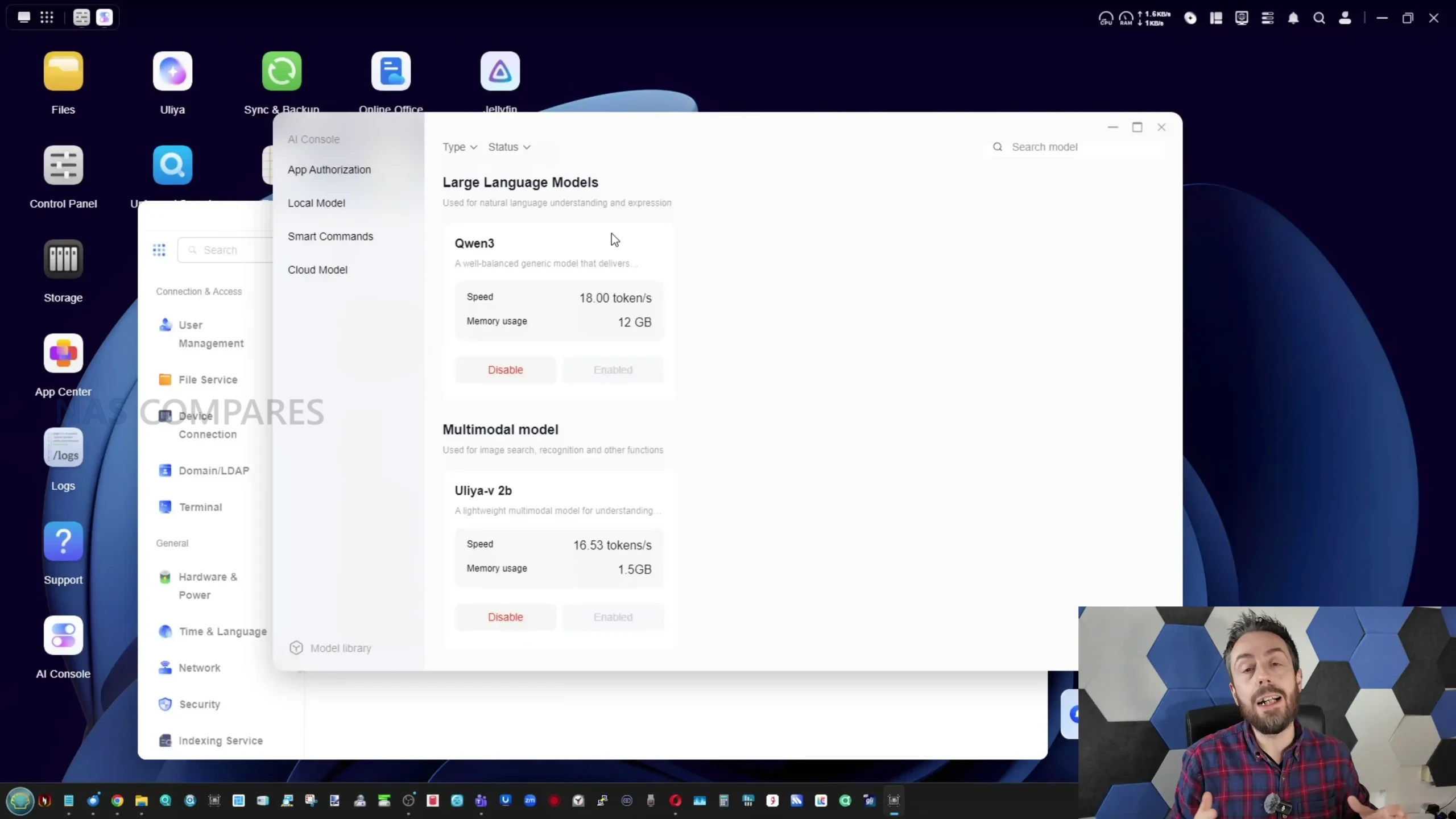
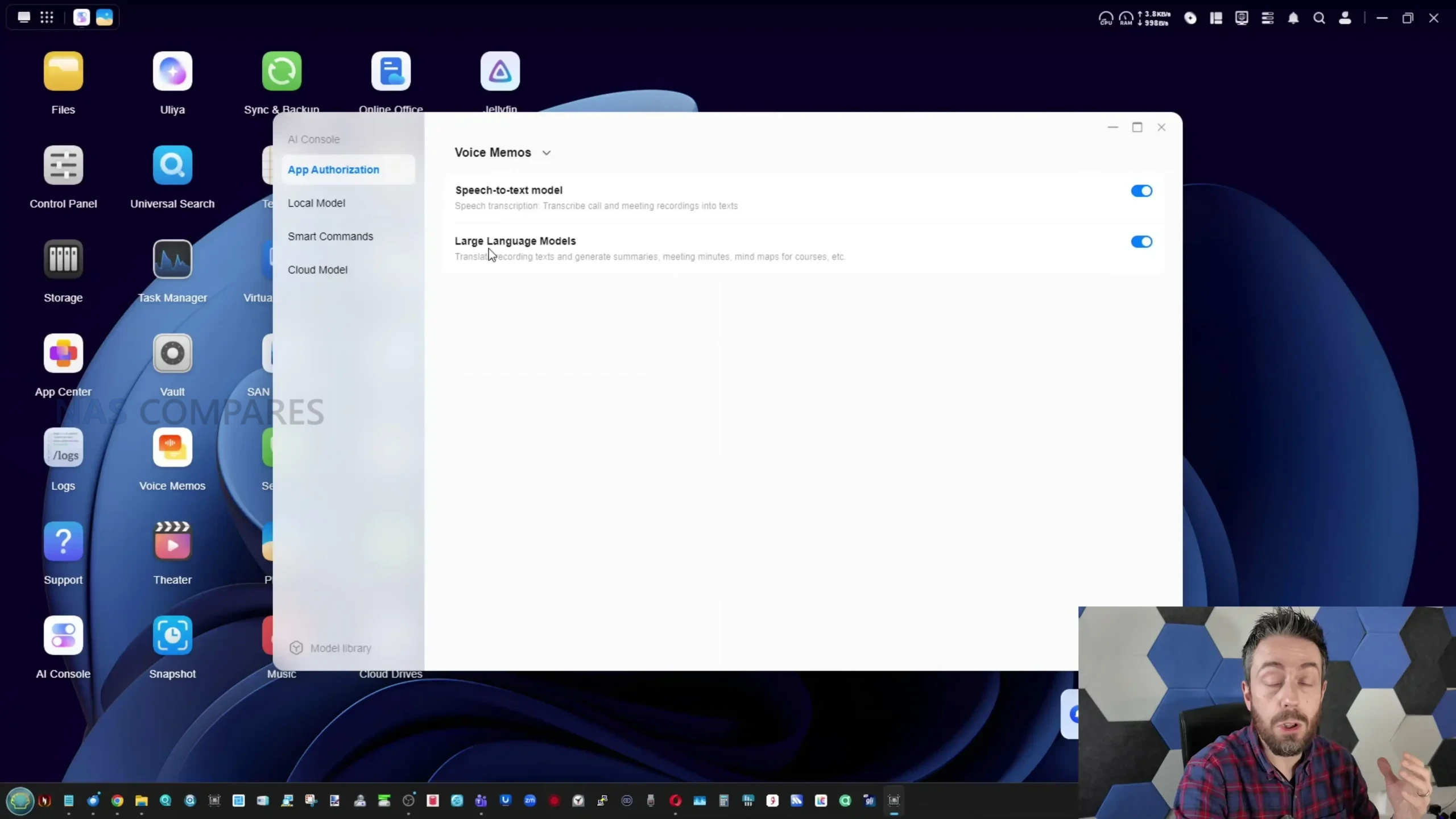
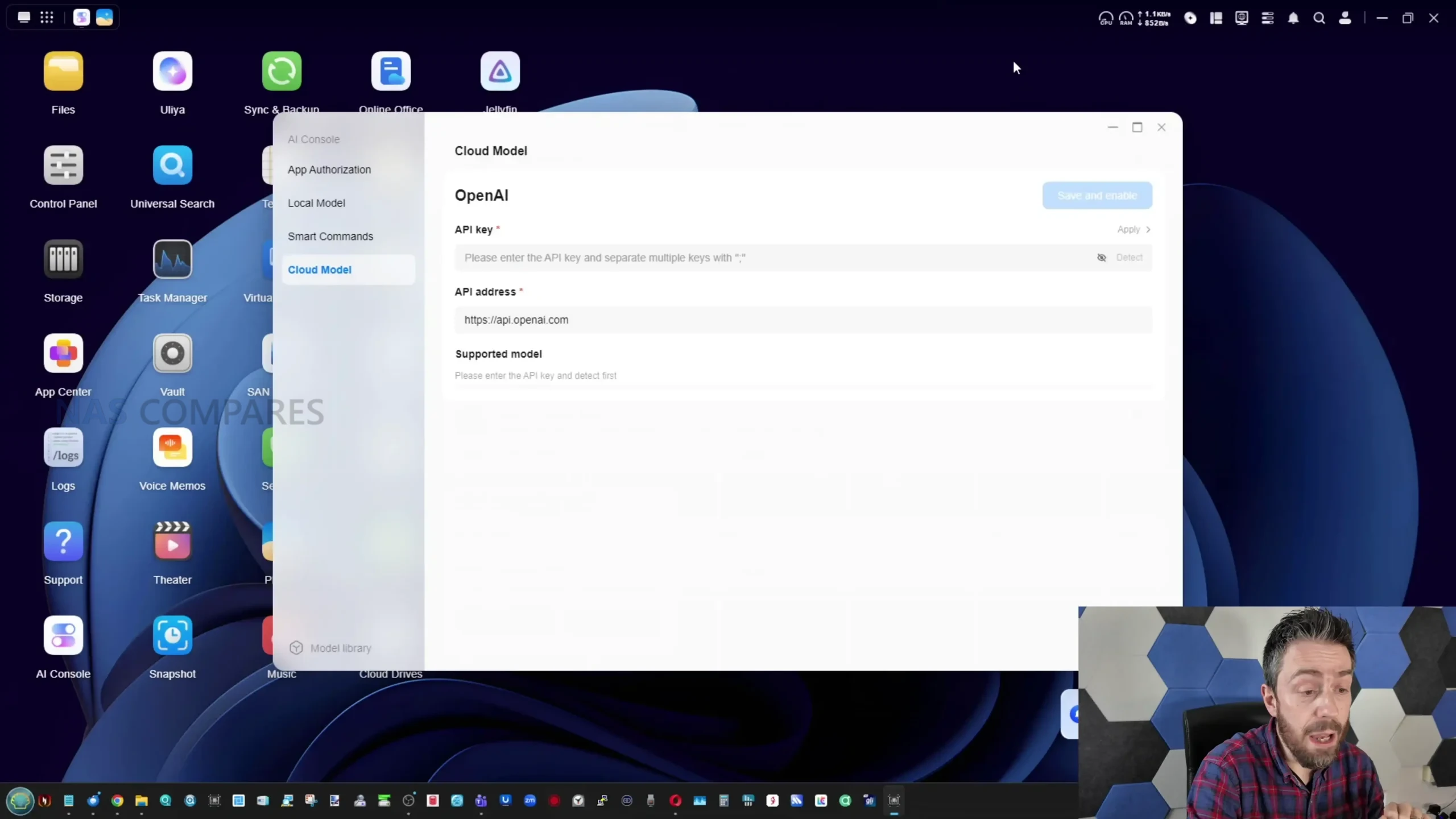
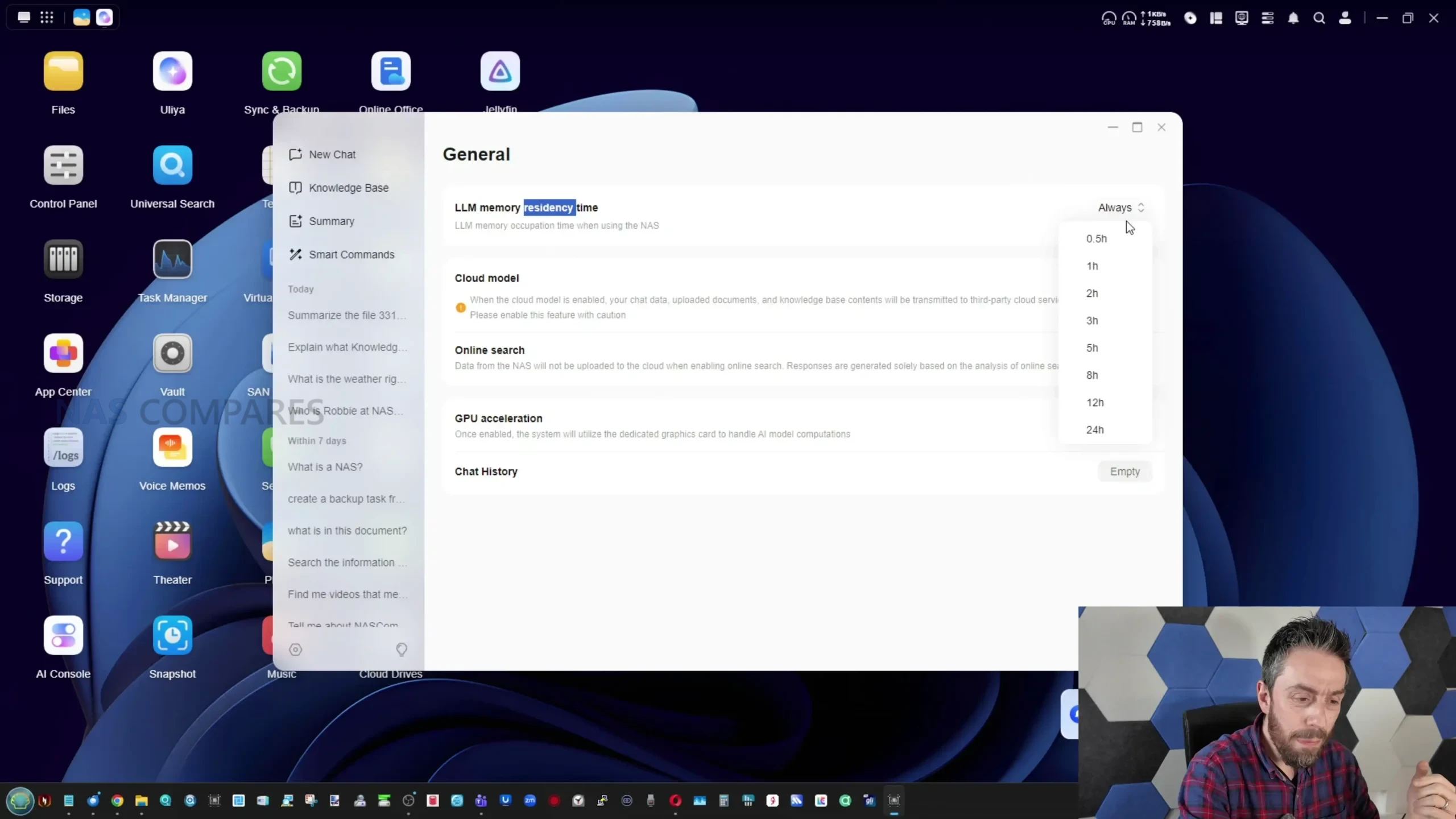
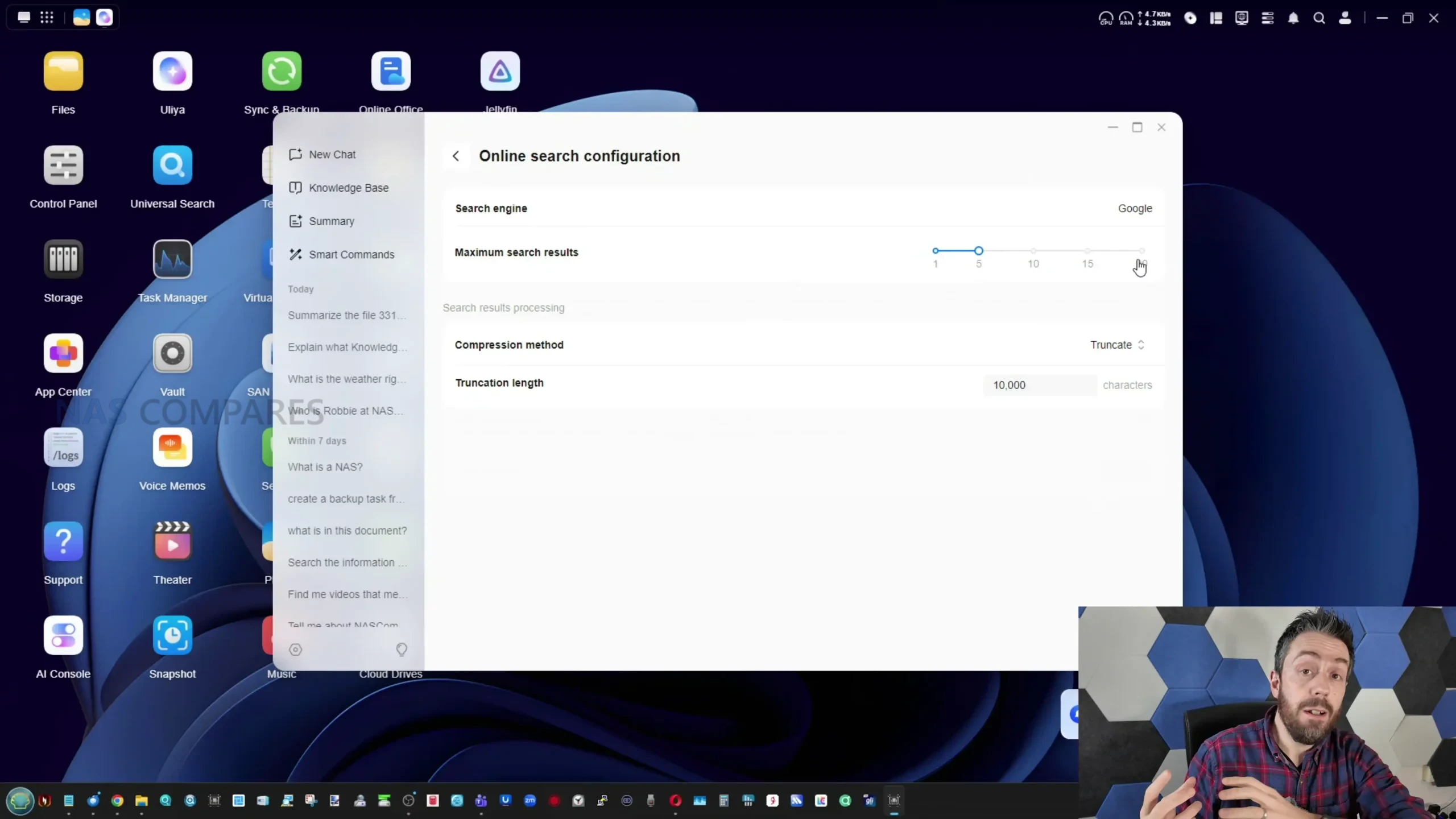
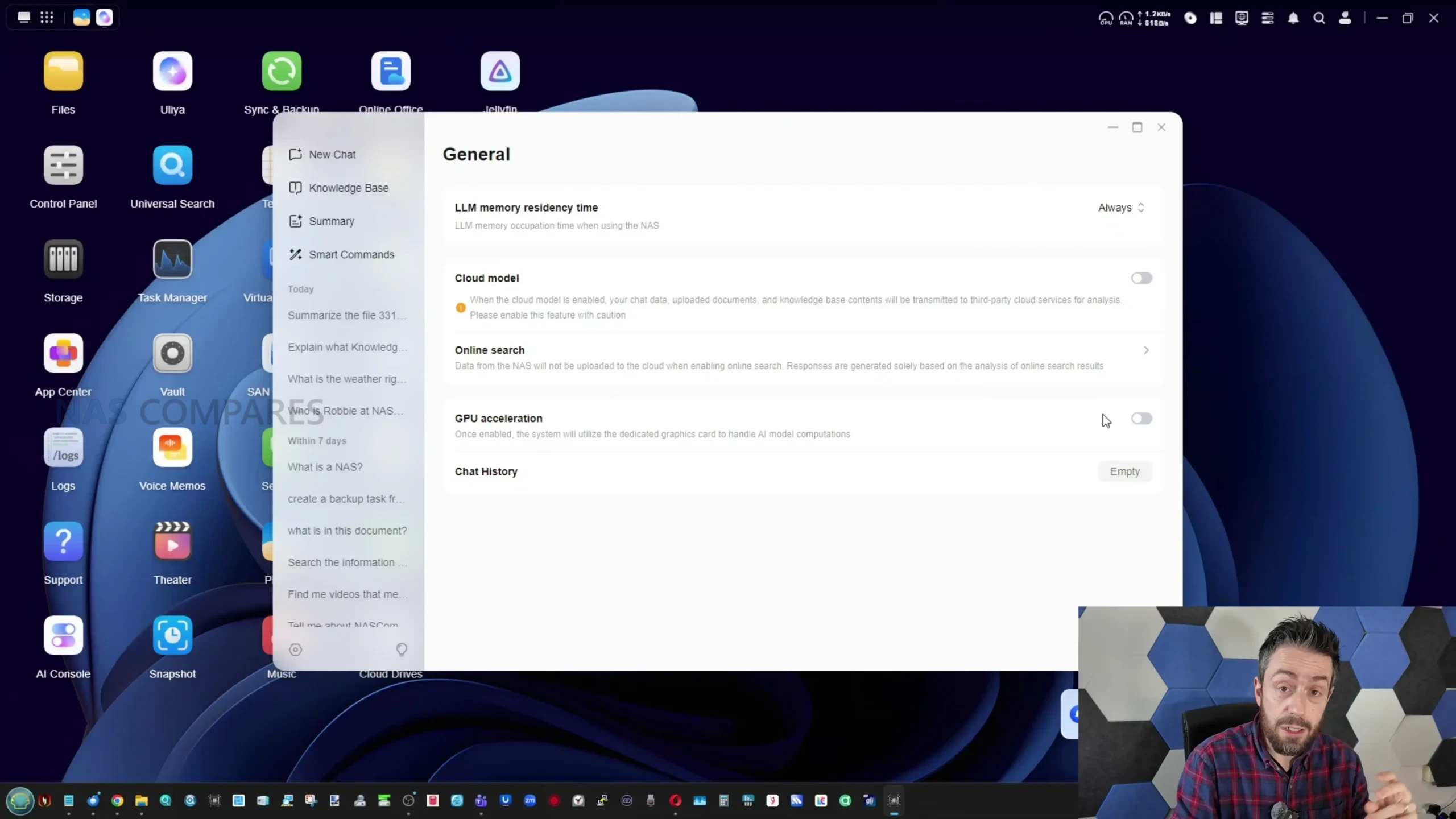
The AI layer on the iDX6011 Pro is built around Uliya, which functions as the interface for local model use and a set of assistant driven tools that sit alongside the normal UGOS experience. AI features are disabled by default on first use, and the local models are not pre installed, which means users must actively opt in and download what they want, rather than having the system continuously analyse data out of the box. Once enabled, the AI console exposes model choices and basic operational details such as estimated resource requirements, and it also includes permission style controls that determine which AI services are active, for example speech to text or large language model usage. There is also an option to connect cloud based AI providers via API key, and a separate option to allow online search as a supplement to responses, but the platform’s primary selling point is that most of its AI functions can run locally without transmitting content to a third party service.
 |
 |
 |
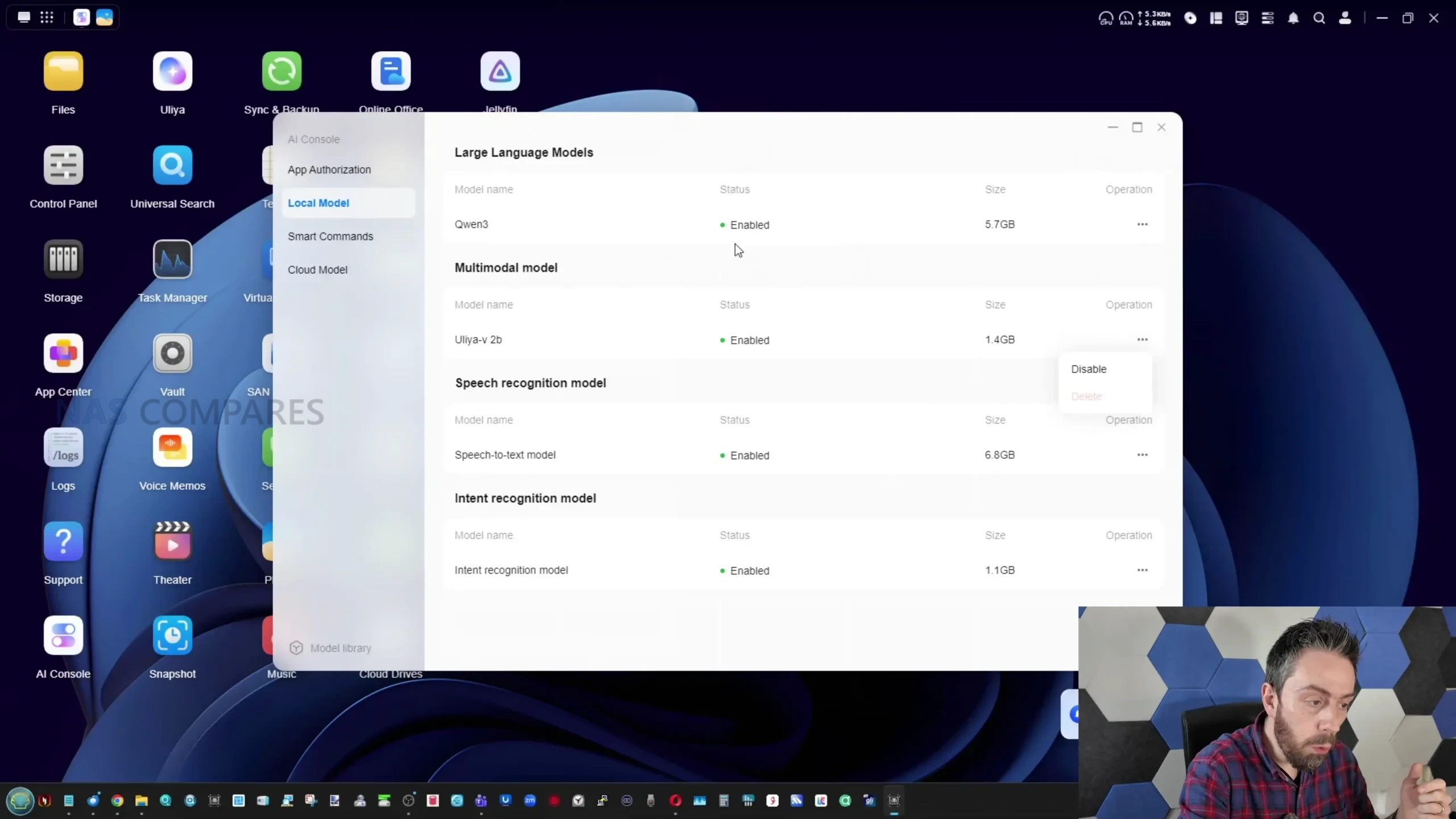 |
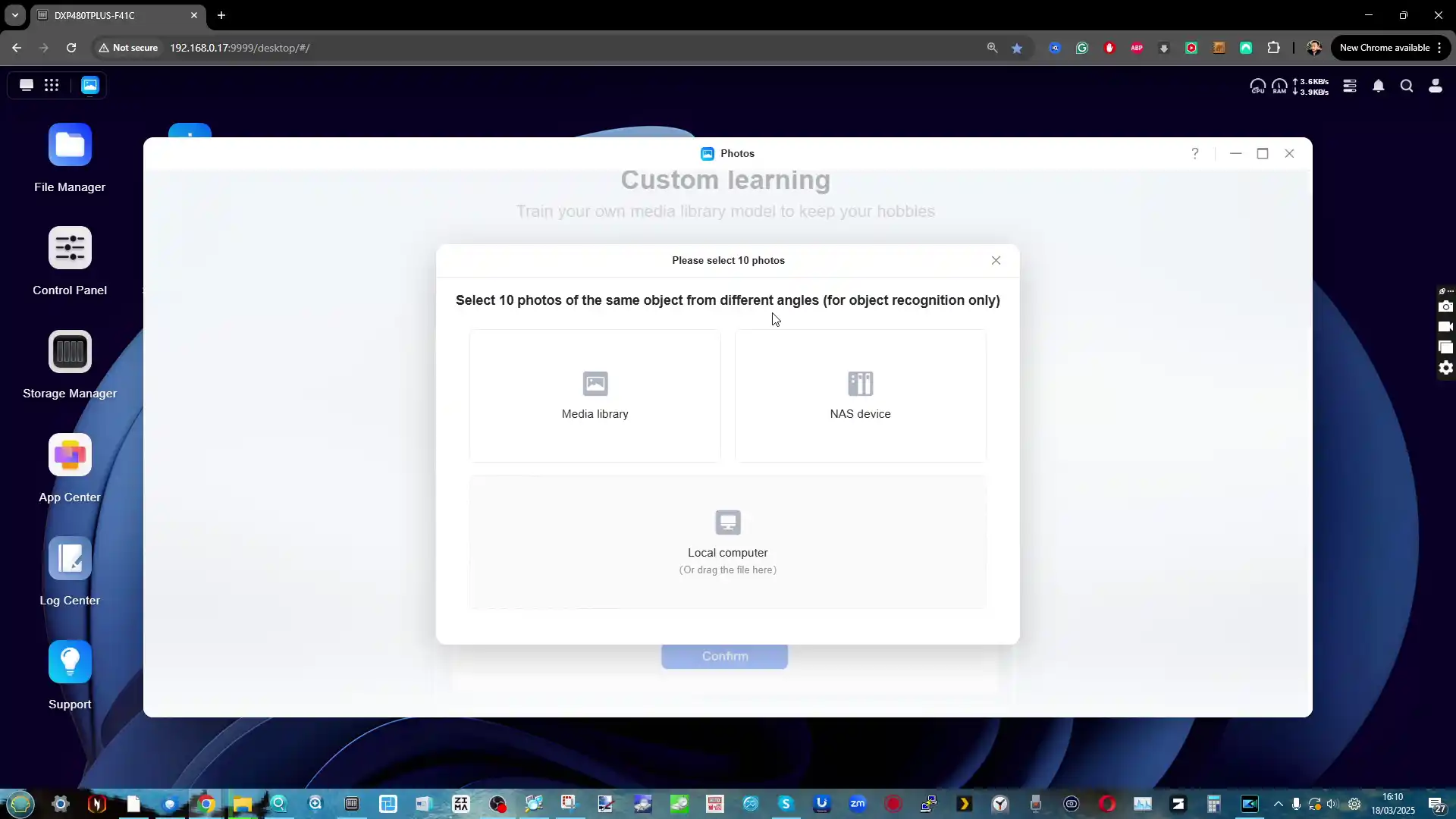
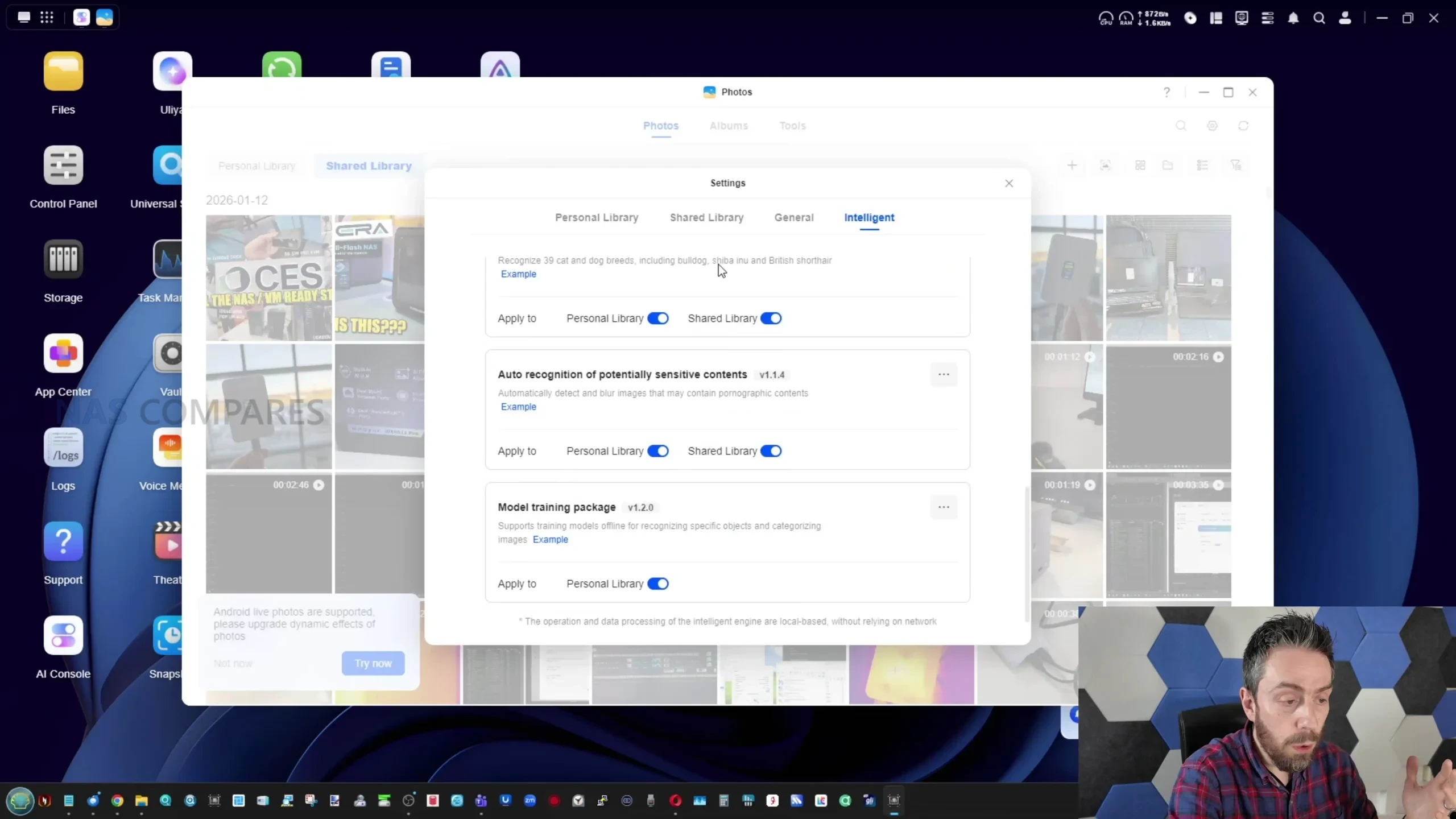
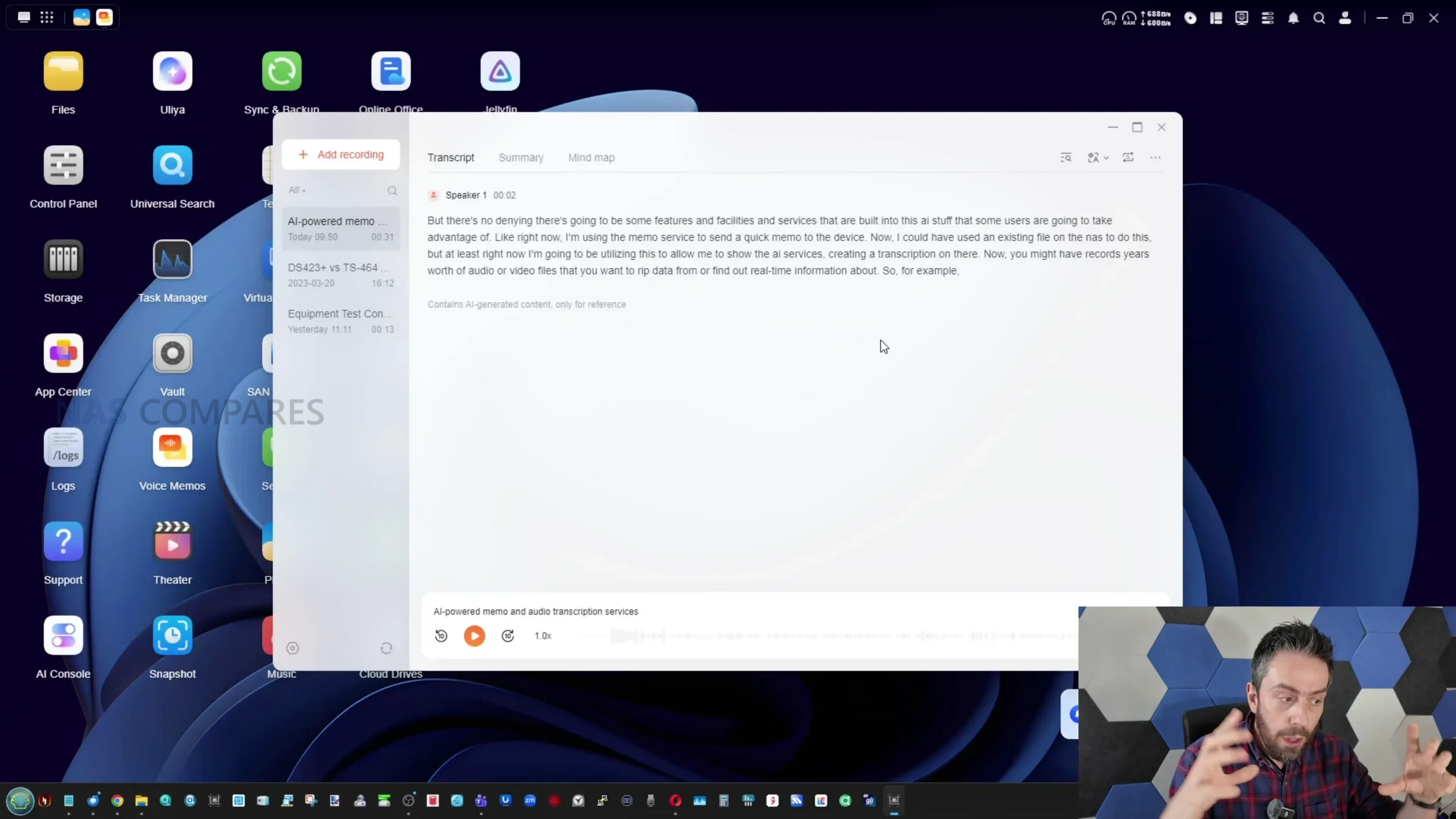
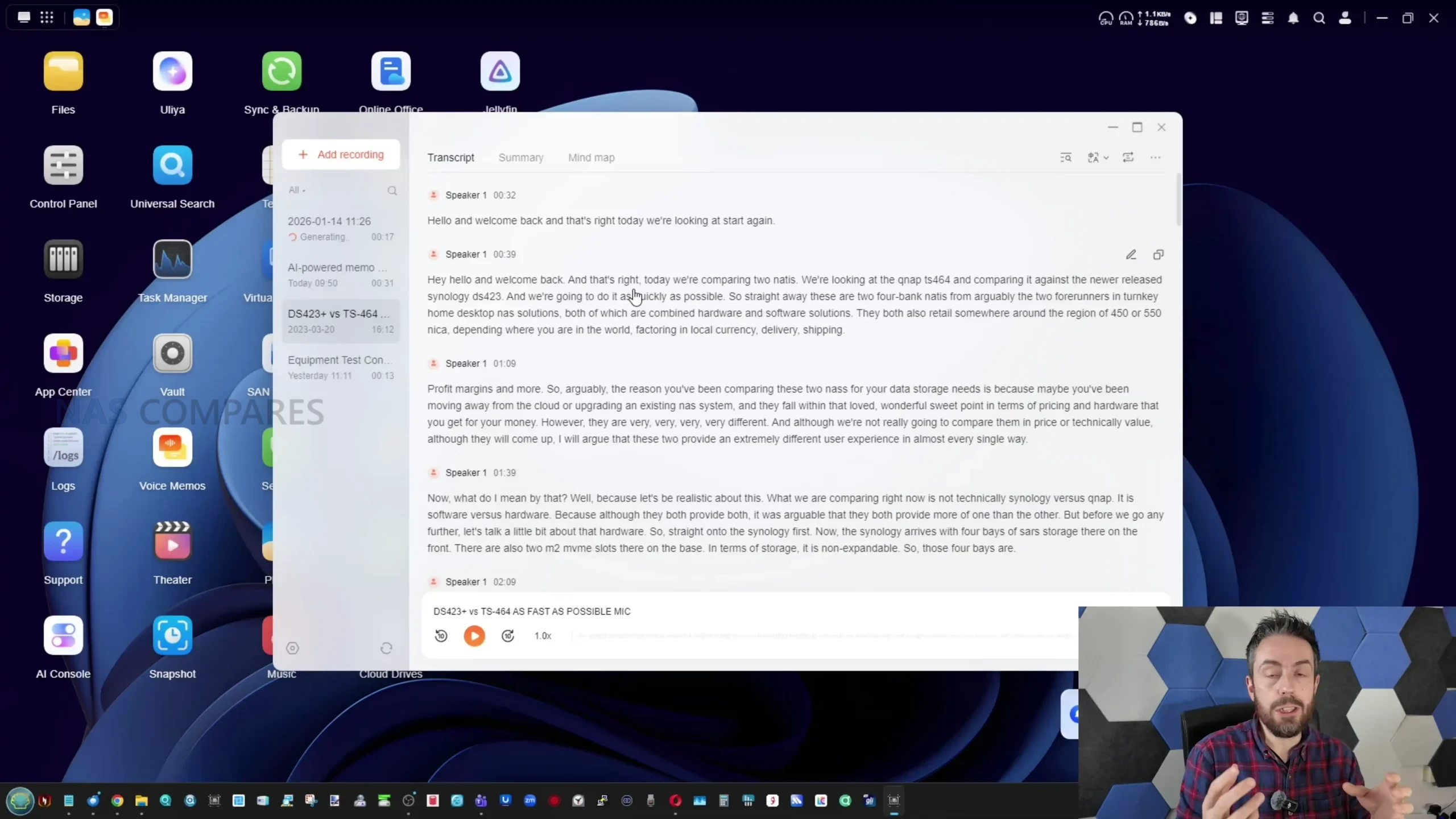
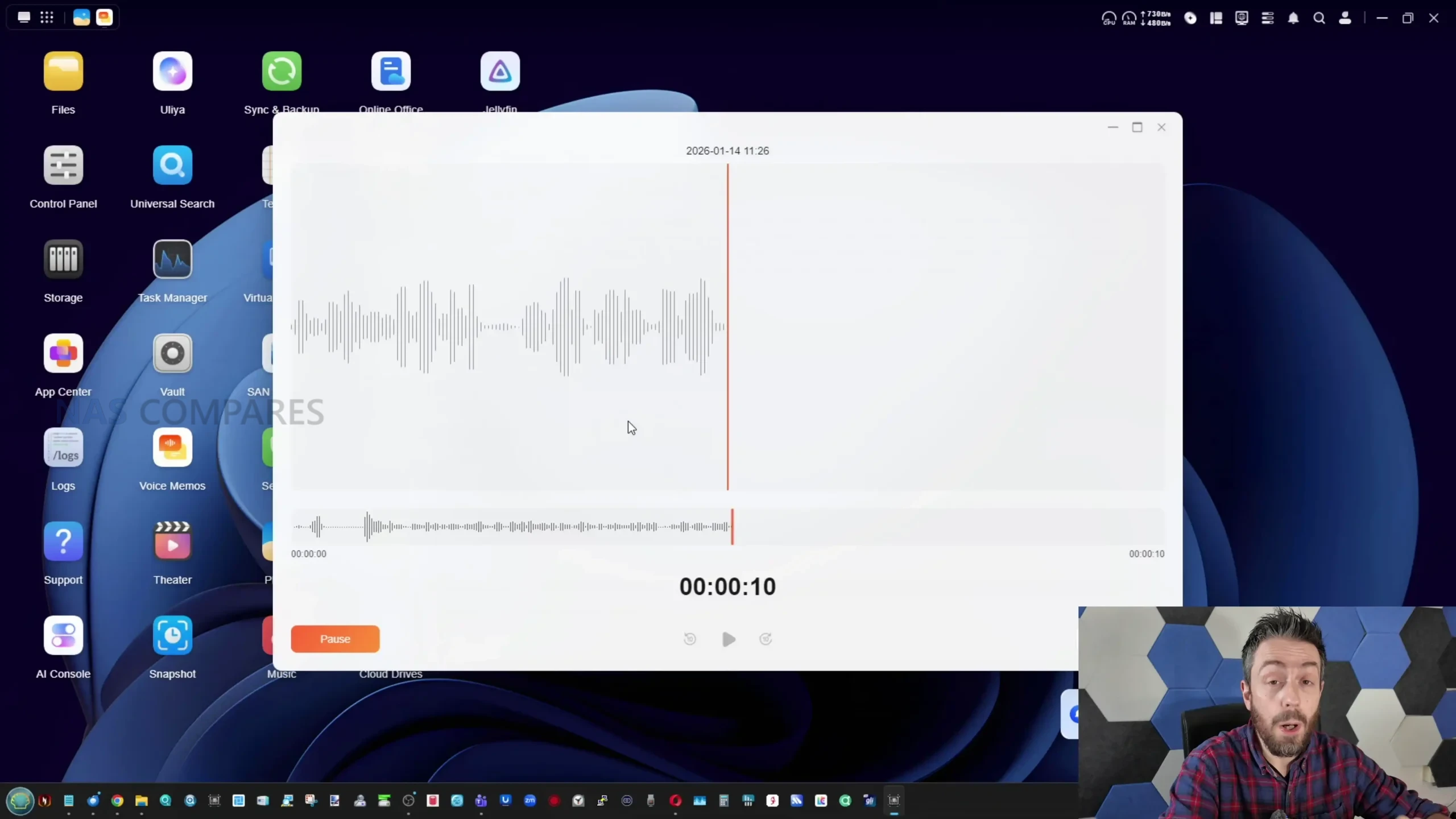
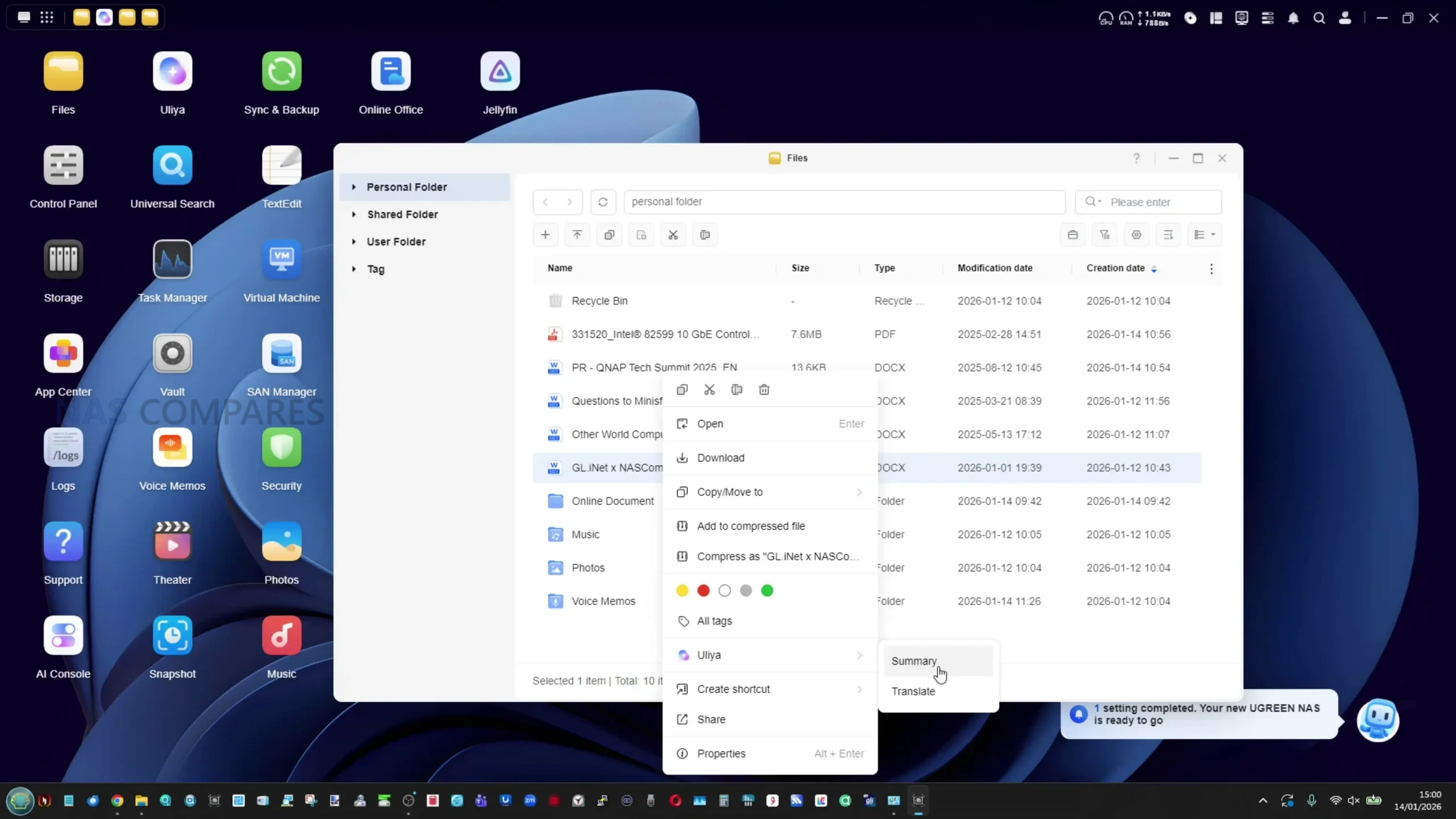
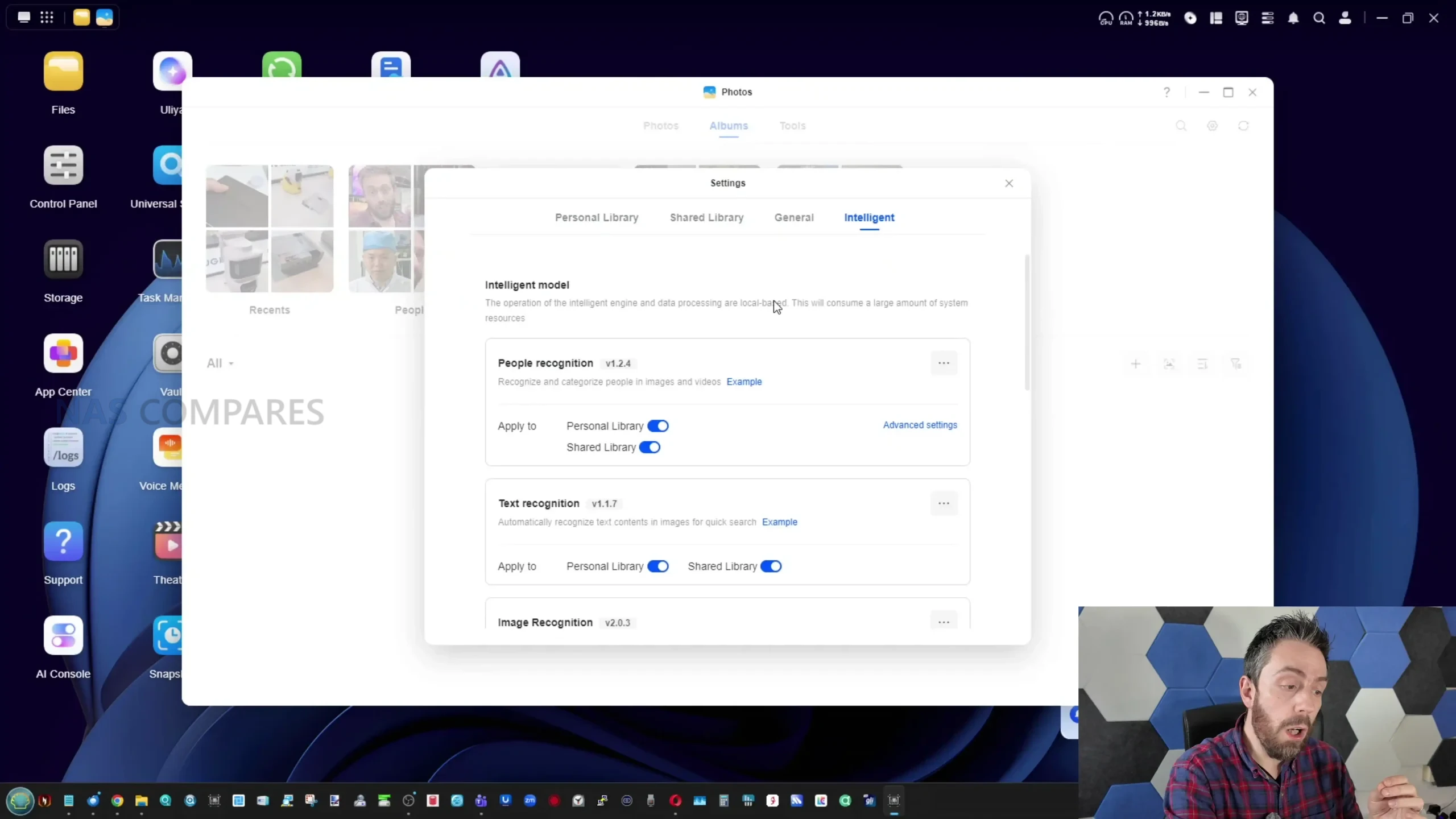
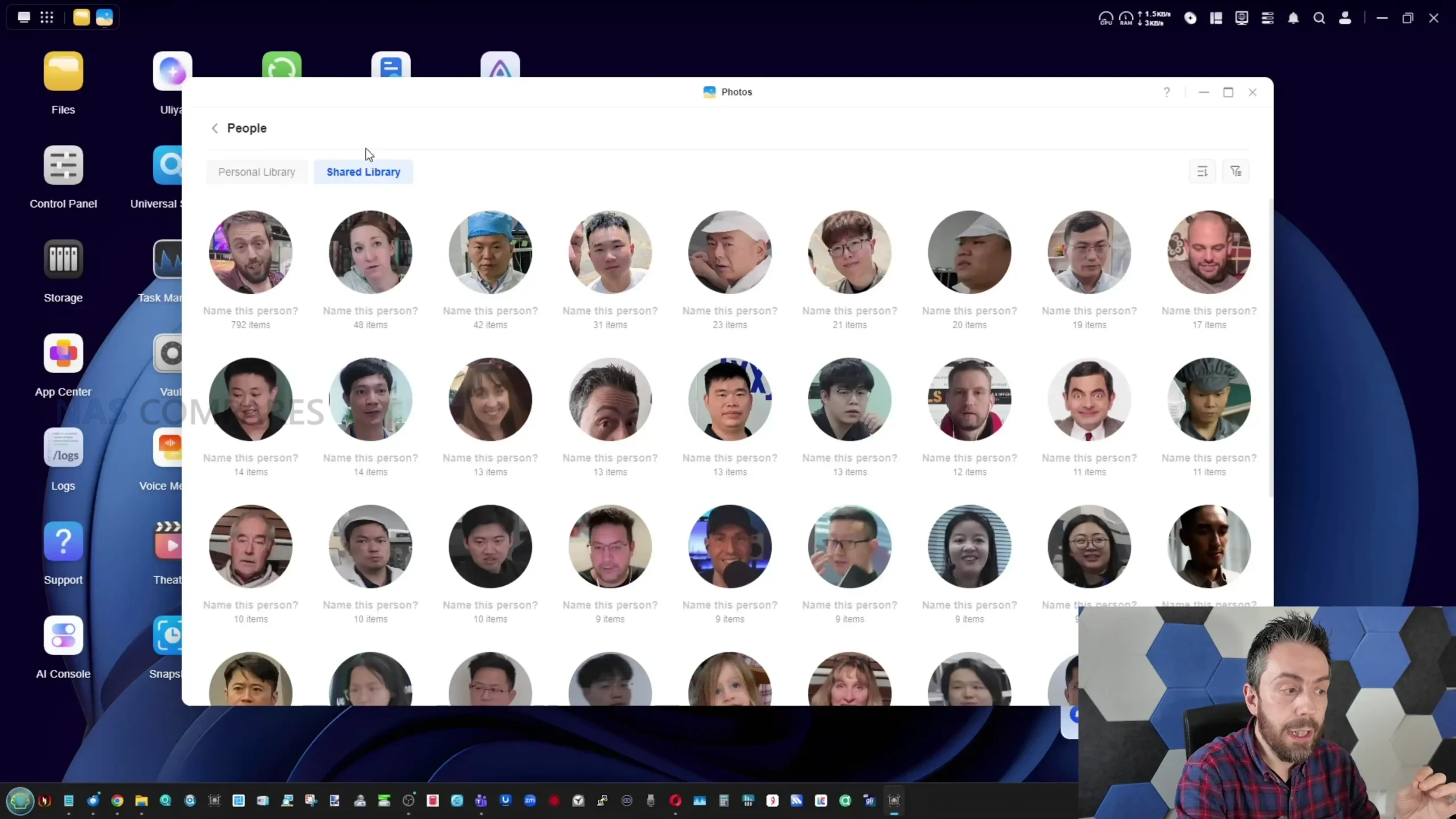
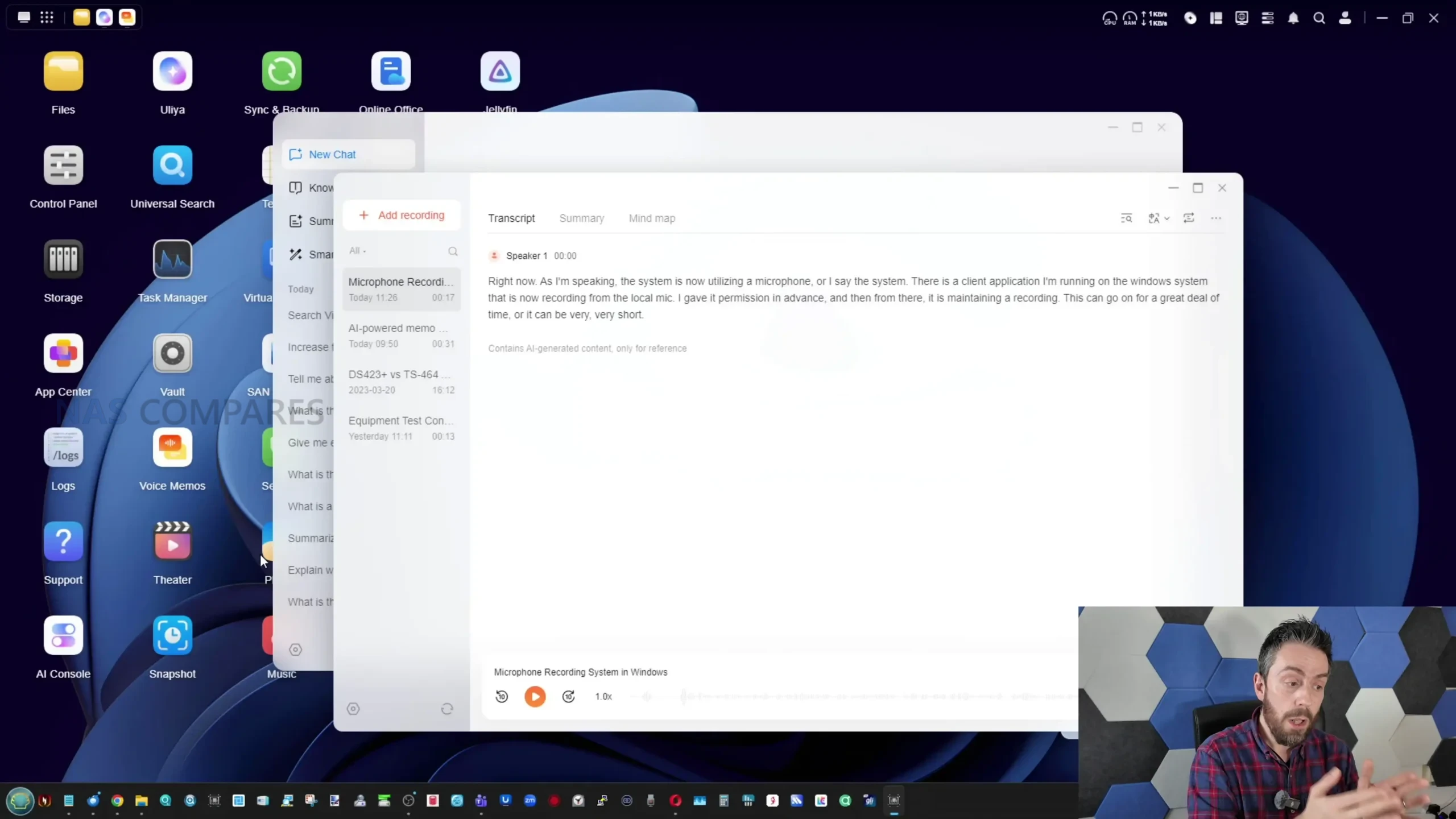
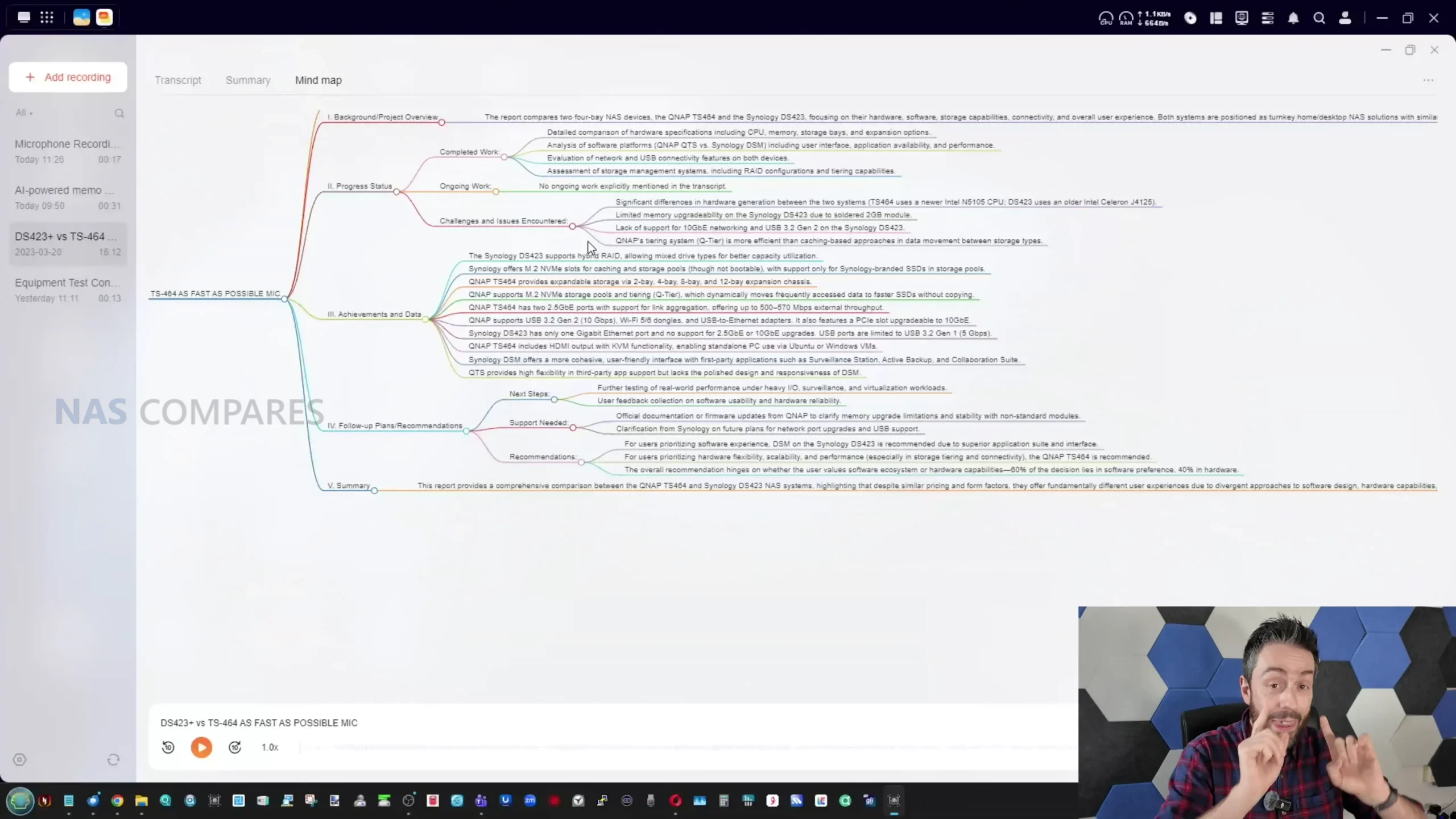
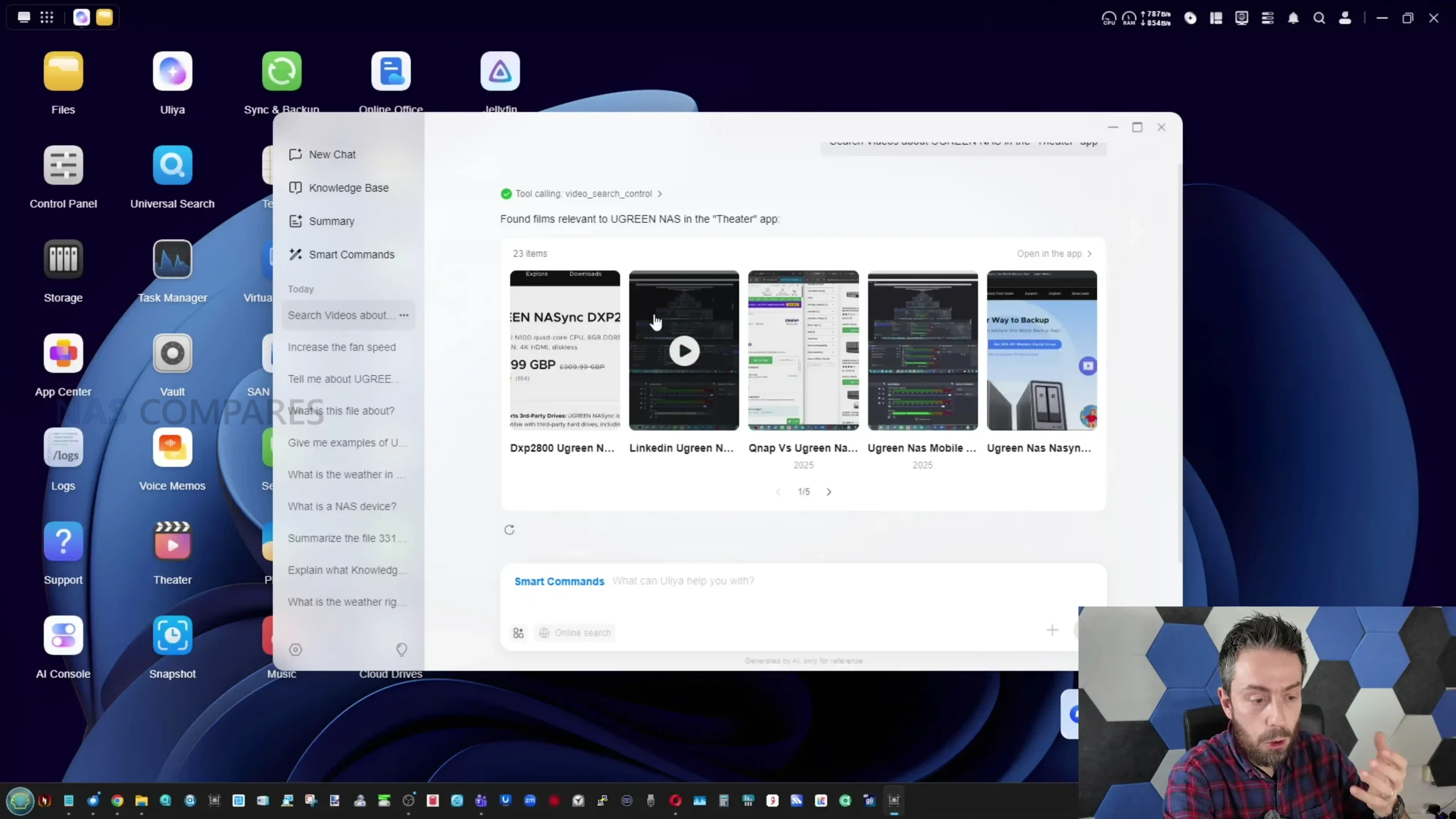
What it can do in its current form is focused on analysis, summarisation, and retrieval rather than creation. Uliya supports conversational queries that can operate offline using local resources, with optional online search when enabled, and it can accept uploaded files for analysis, including images that it can describe at a basic content level. Document handling is one of the more practically useful parts, because the system can summarise documents and PDFs and then allow follow up questions based on that output, and this capability is integrated into the file manager via right click actions for supported file types. The voice memo tool extends this into audio, allowing recordings or imported audio files to be transcribed, summarised, and represented as a basic topic map, with export and translation options available using local processing for supported languages. Separately, UGREEN’s existing photo management features include recognition and categorisation that can identify people and other elements in photo libraries, and this part of the platform appears more mature than the newer assistant workflows.
 |
 |
 |
 |
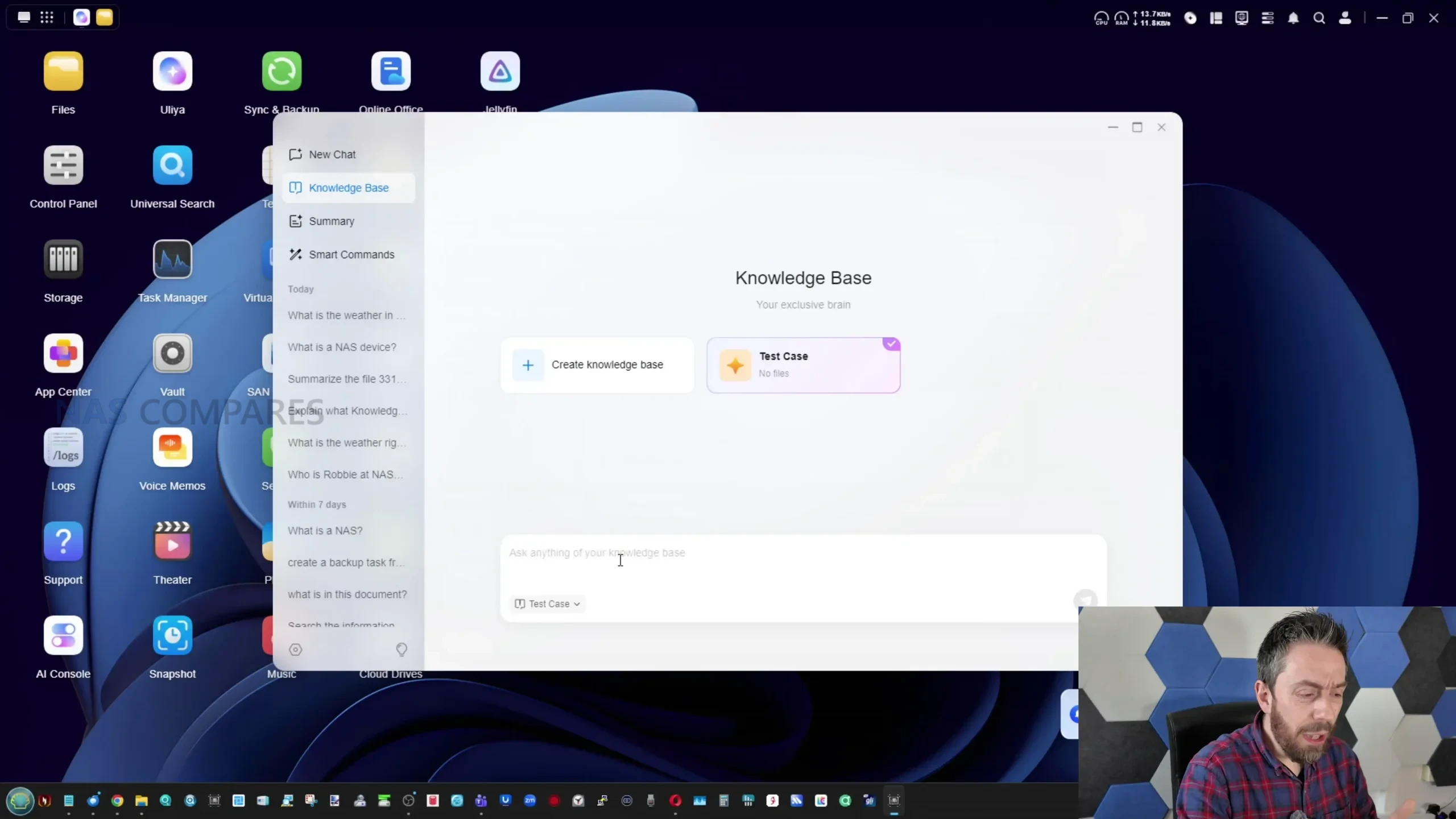
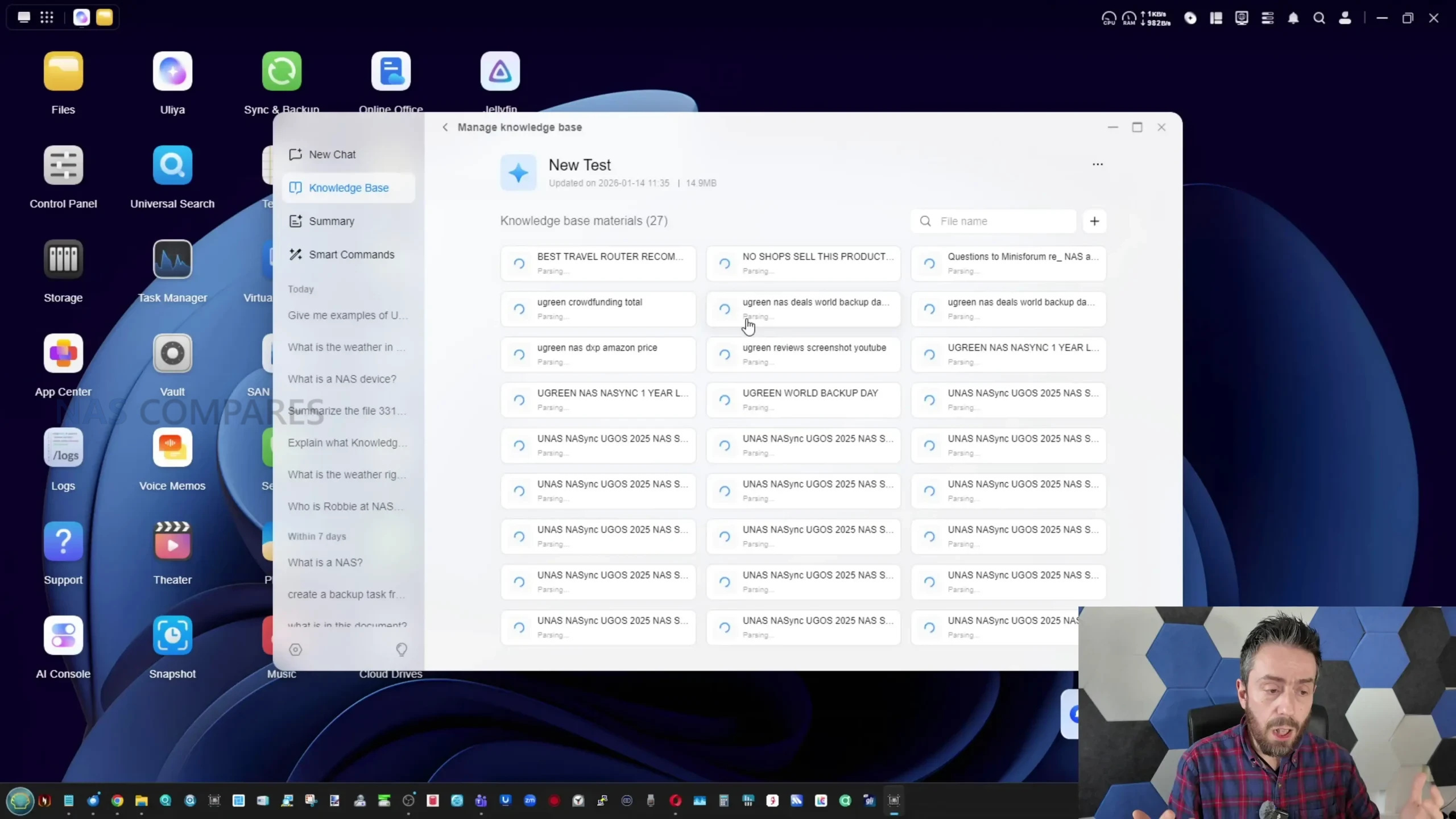
What it cannot do is equally important, because some of the expected behaviours associated with “AI NAS” marketing are either absent or only partially implemented. There is no generative photo or video creation feature set, so the AI functionality is limited to text generation, transcription, and content analysis rather than producing new media. The system also does not currently provide broad pre scraping of user libraries in the way some users might expect, where a chosen directory is crawled in the background so that later conversational queries can pull from an already indexed knowledge store. Instead, several workflows rely on manual file uploads into a knowledge base, and the knowledge base itself feels under explained and inconsistent, sometimes returning incomplete or incorrect results when it cannot find enough relevant material within the data it is allowed to access. There is also limited visibility into how responses are formed, and no clear built in way to observe what portion of an answer is derived from local data versus general model knowledge when online search is disabled.
 |
 |
 |
 |
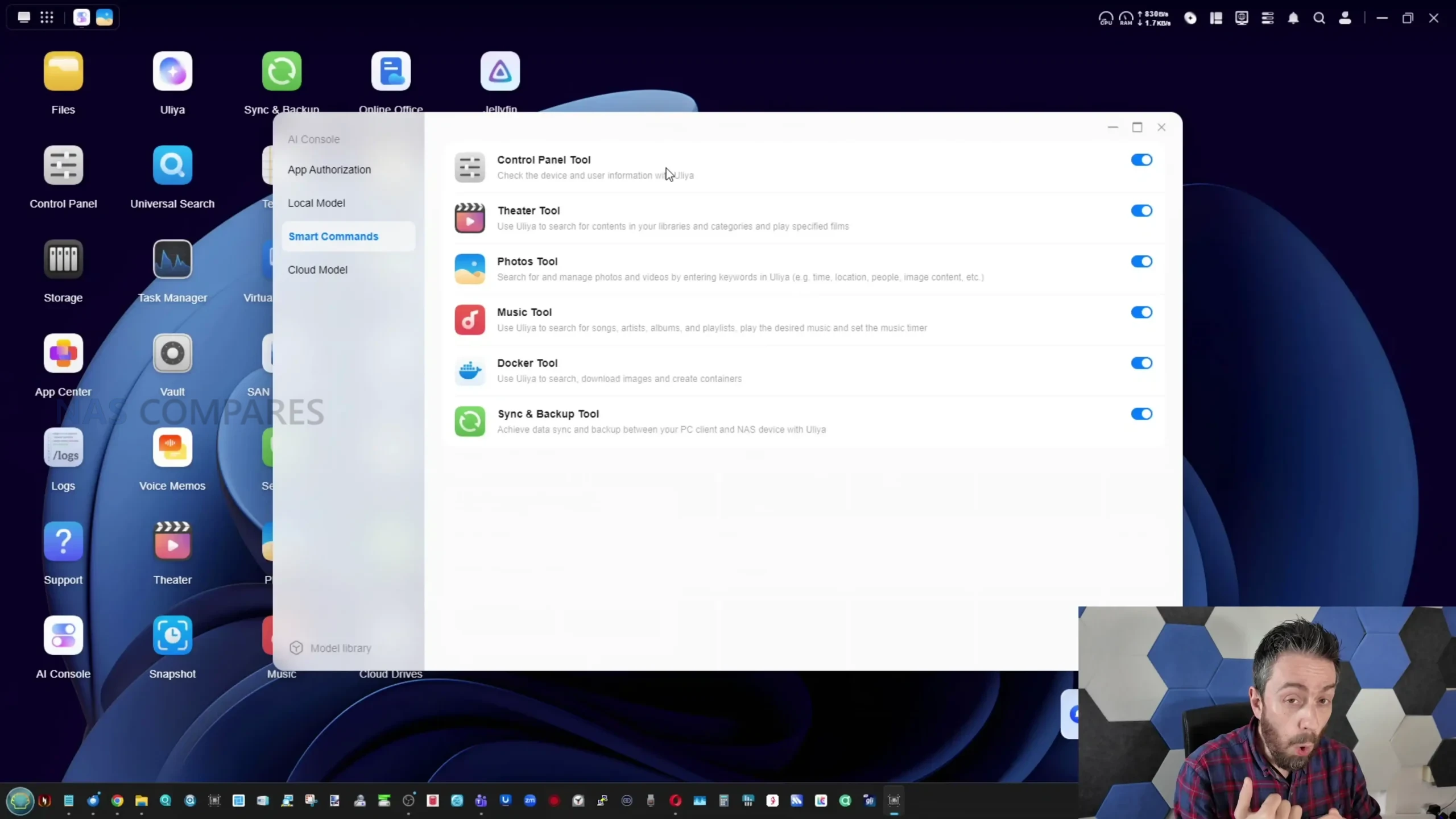
A recurring limitation in testing was the balance between privacy controls and usefulness. Permission settings exist, but they are comparatively rigid, and there is not yet the level of directory by directory or user by user access scoping that would allow an owner to confidently grant the assistant deeper access to some datasets while keeping other areas restricted. In practice, that can lead to cases where the assistant refuses or fails to answer a question because it lacks access, even when the user would prefer to grant broader permissions for a specific folder or project. Smart commands are present and can trigger a small set of device actions, but the command library is limited, and some attempts showed contextual confusion where a request was handled as a conversational prompt rather than an actionable instruction.
 |
 |
 |
 |
Across these areas, the underlying direction is clear, but the current implementation behaves more like an early stage feature set that needs expansion, better background indexing options, and broader integration across file types such as images, video, and spreadsheets before it matches the implied promise of a fully “assistant ready” NAS.
 |
 |
 |
 |
UGREEN iDX6011 Pro Review – Review and Conclusion
As a hardware platform, the iDX6011 Pro presents a clear step up in UGREEN’s NAS range, with a configuration that prioritises high bandwidth I O, expansion options, and enough CPU class performance to avoid feeling constrained in common multi service scenarios. The combination of 6 bays, NVMe support, dual 10GbE, dual Thunderbolt 4, PCIe expansion, and OCuLink creates a NAS that can serve both as large capacity storage and as a faster workspace tier when configured with caching or SSD volumes, and measured results generally reflect that intent. Thermals and acoustics were within expected limits for a dense metal chassis populated with high capacity drives, and while power draw is higher than low power NAS designs, it tracks with the component class and connectivity. In short, the hardware side looks close to finished and competitive on specification and practical performance, with the main open question being how much final tuning will improve edge cases such as multichannel write behaviour.
The AI services are the less settled part of the product, not because the core idea is unclear, but because the current workflows still require too much manual direction and the assistant is not yet integrated deeply enough across data types and system control. The most useful elements today are transcription, document summarisation, and the existing photo recognition features, while the larger “AI NAS” promise is limited by the absence of directory level pre crawling, a knowledge base that can feel incomplete, smart commands that are not yet extensive, and permission controls that do not provide fine grained scoping. For buyers primarily interested in a high spec NAS at early campaign pricing, and who view AI as optional or developing, the platform may be straightforward to justify if crowdfunding risk is acceptable. For buyers whose purchase decision depends on a polished local assistant experience that is ready to analyse and retrieve information from large libraries with minimal setup, the current AI layer suggests waiting to see how the feature set and optimisation mature by the time the campaign software build is final.
| PROs of the UGREEN AI NAS | CONs of the UGREEN AI NAS |
|
|
📧 SUBSCRIBE TO OUR NEWSLETTER 🔔
🔒 Join Inner Circle
Get an alert every time something gets added to this specific article!
This description contains links to Amazon. These links will take you to some of the products mentioned in today's content. As an Amazon Associate, I earn from qualifying purchases. Visit the NASCompares Deal Finder to find the best place to buy this device in your region, based on Service, Support and Reputation - Just Search for your NAS Drive in the Box Below
Need Advice on Data Storage from an Expert?
Finally, for free advice about your setup, just leave a message in the comments below here at NASCompares.com and we will get back to you. Need Help?
Where possible (and where appropriate) please provide as much information about your requirements, as then I can arrange the best answer and solution to your needs. Do not worry about your e-mail address being required, it will NOT be used in a mailing list and will NOT be used in any way other than to respond to your enquiry.
Need Help?
Where possible (and where appropriate) please provide as much information about your requirements, as then I can arrange the best answer and solution to your needs. Do not worry about your e-mail address being required, it will NOT be used in a mailing list and will NOT be used in any way other than to respond to your enquiry.
 TRY CHAT
Terms and Conditions
TRY CHAT
Terms and Conditions





|
 |


UnifyDrive UP6 Mobile NAS Review
UniFi Travel Router Tests - Aeroplane Sharing, WiFi Portals, Power Draw, Heat and More
UGREEN iDX6011 Pro NAS Review
Beelink ME PRO NAS Review
UGREEN iDX6011 Pro - TESTING THE AI (What Can it ACTUALLY Do?)
OWC TB5 2x 10GbE Dock, UGREEN NAS Surveillance Software, AceMagic Retro PCs, Gl.iNet Comet 5G @CES
Access content via Patreon or KO-FI


Discover more from NAS Compares
Subscribe to get the latest posts sent to your email.
you’re ‘confusion’ face looks like mrroflwaffles. another british youtuber, but he does gaming videos. you guys actually look alike.
you look like a mix between mrroflwaffles and basketball player chet holmgren
REPLY ON YOUTUBE
Would an Sff Intel gpu work on this machine ?
Will UGREEN expand to 8 bay units on the new models
Would you go for this unit or the 8B unit that u green already sells as a first time nas buyer
Best are Crispy crisps
REPLY ON YOUTUBE
Thank you for this review. In the past NasCompares brought allot of concerns about IT Security at Qnap NAS. I would be very interested about your opinion about Ugreen NAS… Would be great, if you could give us some ideas ????
REPLY ON YOUTUBE
@nascompares been waiting for this video, thank you. Can’t wait for the video of the deep dive into the AI aspects and the real world impacts of the new hardware.
Can I request a quick short video on the DXP6800 Pro vs iDX6011 Pro. I own the DXP6800 Pro but its still in packaging, so I’m wondering if I should set it up or sell it and buy this new iDX6011 Pro. If you can answer without making a new video, that would be awesome also. Thanks.
REPLY ON YOUTUBE
Simple salt or Paprika flavored.
Would you recommend this over the Qnap TFS674 i7?
Regarding the massive price difference for early-bird yada yada.
Only thing scaring me is how safe all my data is on UGOS, as I want to utilize local AI shenanigans.
Thanks for yet again a wonderful review!
REPLY ON YOUTUBE
Great Video For a even greater Produkt.
Directly ordered.
Hopefully arriving soon, to kick Out my old Synology
REPLY ON YOUTUBE
Ugreen growth was helped by synology shooting itself in the foot with its drive restrictions. Ai nas seems like a product with a 6 month service life before it legacy.
REPLY ON YOUTUBE
Another company jumping onto the AI bandwagon ????
Eagerly awaiting the inevitable derailment with a stack of cheap hardware being thrown into a fire sale to recoup anything from the disaster it will become before the phoenix rises from the ashes, wings clipped to a more sensible length.
REPLY ON YOUTUBE
@17:58. “Probably a poor use of a question mark there”. Exquisite comic timing and delivery
REPLY ON YOUTUBE
00:05 Geez the seagulls have gotten an upgrade. #ihateseagulls
REPLY ON YOUTUBE
Really good and helpful in depth review Robbie. Thank you for the consistency in your work and reviews. Would definitely be nice to get Plex on UGOS Pro for sure.
REPLY ON YOUTUBE
Nice video although the format looks a bit like the Aoostar with a bit of AI thrown in lol. I have to question…..do we really need AI in nas havent we got more than enough already in the current gen of nas systems. These AI chips seem to be a way to bump pricing right up (even if we were not in a data centre crisis lol)…..we have enough already for the next ex amount of years in terms of PCI lanes to exploit and network bandwidth…perhaps a new direction is to try a new shape of nas/pc/workstation as these formats seem to cover all 3 of those areas. Just my two pence worth lol but as always your videos are informative and tingle my senses :)…Thankyou
REPLY ON YOUTUBE
So just to let you I know how complex it is to roll your own model…. “docker model pull llama3.2” point your app at the docker servers ip 🙂
REPLY ON YOUTUBE
Fav Flavor: regular salted ????
I do wonder how the ai image features hold up to Immich which also offers Ai image recognition. And for Plex; does it check all the 4K HDR boxes as well? And lastly; how well does it open up the drivers etc to use for instance LLama and Piper? I can imagine that it’s easier to use your browser as opposed to logging in to UGOS. And I take it that UGOS does not allow integration via API in Home Assistant to use with the Voice Assistant neither? Cheers! (Backing the Pro btw)
REPLY ON YOUTUBE
All Dressed, well not really a favourite flavour but it was interesting to try something from across the pond. Probably cheese and onion…
I’d want “AI” to fish for duplicate files that I’ve backed up and backed up again over the years. If there are images then select the best quality image and get run of any old thumbnails.
Also something I can link to Home Assistant to give that a local boost.
REPLY ON YOUTUBE
I think those talks about AI bubble going to end not related to this NAS. After this happened we will have solutions exactly like this – created with one specific purpose. And I think it is actually useful. For crisps, don’t like them at all ????
REPLY ON YOUTUBE
I had to see the video thru to see if you re-arranged those harddisk slots to the proper numbering …
P.S My favorite Chips is Sour Cream & Onion ????
Really don’t care for the AI but seems like a solid product no matter if you just want the turnkey solution or wanna go fully unhinged.
REPLY ON YOUTUBE
Cheese & Onion but the issue with this device is the power consumption. Inevitable with so much power. Are we better off with local LLMs deployed on laptops (so only on for a few hours a day as required) processing and accessing NAS stored data? The delay is purely software development generated I think.
REPLY ON YOUTUBE
Salt and Pepper! Isn’t it better just to wait? AI stuff is still developing (and maybe a bubble), Ram prices are skyrocketing….
REPLY ON YOUTUBE
Definitely a workstation in a NAS form factor, interesting.
REPLY ON YOUTUBE
Sir, did Ugreen give a release date for the DXP4800 pro?
REPLY ON YOUTUBE
Last week, I pre-ordered the iDX6011 (6GB RAM).
REPLY ON YOUTUBE
Anomaly detected. Go back to 0:00 immediately. The initial state of this model’s bay sequence is 425136.
REPLY ON YOUTUBE
I don’t know enough about NAS solutions. I have never had an NAS, but I need one. As a photographer and Astro photographer, I am in the dark ages with multiple separate hard drives sitting on my desk with labels on them. I’m sick of it. Just one Astro photography project can generate as much as a terabyte while processing the photo. Hot and spicy barbecue
REPLY ON YOUTUBE
Ridged, wavy, salty. Great to finally see an iDX in your hands ???? Some questions and suggestions for future videos. Can LCD display be operated independently of the OS (e.g. is it useless with TrueNAS)? What size are the rear fans, are they standard size (in case they need to be replaced)? Is the PSU a regular flex ATX or has some odd connectors? What form factor is the 128GB SSD and can it be easily replaced (to keep the original as a backup)? Can Proxmox be installed? How does it compare to e.g. DXP6800, DXP8800, Aoostar WTR Max, Minisforum N5 Max?
REPLY ON YOUTUBE
For my needs this is overkill! Crisps: hard bite habanero, Doritos nacho cheese, ruffles all dressed! A shout out to the long distinct Blair’s death rain habanero
REPLY ON YOUTUBE
Favorite Crisp: Waffle Fries!
I want the AI platform to be able to inventory thousands of pages of documents in pdf and then ask AI things like ‘list out all of the dates mentioned in the text and what happened on those dates (in other words ask the Ai to find dates and then output a sentence or two or even what the sentence is associated with the date) so that I can compile all of the dates and what happened on the dates listed. I hope that’s not too much to ask for ????????????????????????????????????
Fantastic video as always! Fun story: I hate seagulls as well. I was once in Fisherman’s Ward in San Francisco and I was eating a very large muffin I had just purchased. The bloody thing was maybe the size of a CD in diameter. A seagull swooped in; grabbed the muffin out of my hand (I’d only taken a bite or two) and then the seagull flopped maybe a meter away and landed on a railing. The damn bird turned around to stare at me as if to say ‘what? What are you gonna do about it?’ And then proceeded to eat the muffin whole- wrapper and all still attached. I wasn’t even made but was impressed at how bold the damn thing was. I snagged a photo of the bird that I still have while it was eating my muffin.
Yay for Waffle Fries!
REPLY ON YOUTUBE
Giving the AI low priority, which of the NAS models gives the most value in terms of the hardware alone? Also on this basis, is the pre-order price good compared to their retail models? My favorite flavour of crisps is Sour Cream. Thanks!
REPLY ON YOUTUBE
Crisps? Nah, them for philistines, Cheddars FTW every time! Well, until they bring back salt n’ shake bags anyway! p.s. half your viewers aren’t even going to know what you’re talking about! And don’t tell me Cheddars aren’t crisps, you let somebody get away with bloody Monster Munches! ????
REPLY ON YOUTUBE
Gotta admit Ugreen handles the aesthetics of these units really well.
REPLY ON YOUTUBE
Why can’t Synology have this sort of hardware to go with it’s software… (FYI I like Salt and Vinegar chips)
REPLY ON YOUTUBE
I’m irrationally annoyed that your drive sleds are out of order.
REPLY ON YOUTUBE
Doritos Spicy Nacho favorite flavor of crisps.
I find the fact I can do some of what you identified in the demo locally using a local model is interesting…. and I’m someone that hasn’t given a rip about anything “AI” beyond an online LLM at this point. I’m on the fence about ordering one because of this. I like the idea of locally being able to accomplish summaries of information or videos I have…. now to your point, will it be fully backed before “version 2” of this device arrives? Not sure. It seems like the crowdfunding for this is more about paying to develop the “AI components” and less about delivering the hardware. In summary, the gamble here is whether or not we will get the full featured “AI” capabilities in this eventually, I’m fairly confident there will be no issue getting the hardware. Worst case I could load another OS on it…. ????????????
REPLY ON YOUTUBE
Its one thing to use nas hardware from China but a Chinese OS with closed source kernel on this storage device is nuts.
REPLY ON YOUTUBE
tempted to order – but the terms and conditions from UGreen are a bit disturbing ….
REPLY ON YOUTUBE
I put the $30 when it first was announced. I’m on the fence, I feel like I would be better off just using a Mac mini as a server. This is over kill for a NAS. I’m leaning towards upgrading from synology to unifi nas since I don’t want to tie my nas to the server
REPLY ON YOUTUBE
Can TrueNAS be installed on it?
REPLY ON YOUTUBE
Salt and Vinegar.
REPLY ON YOUTUBE
I’ll stick with the 874 for performance… The OS is real sweet these days and never tax the hardware.
REPLY ON YOUTUBE
Cheese & Onion (Both the Rutles song and the chips) Holding out for Chicken Tikka flavoured chips.
The world of NAS, except Australia. Do you know why UGreen aren’t available here in Australia?
Must be a good opportunity there for importers (and chip makers!)
REPLY ON YOUTUBE
favorite flavour huh…. definitely NOT barbecue
Dunno… I left Drobo… and dipped my toe in with a DS220j and as soon as I saw all the additional feature I went WHOLE HOG
DS1522+ maxed it out with 32 gigs RAM 2x 1TB NvMe and 5x 18TB drives and the 10GBe addon card (and APC 1500VA Backupspro)
I then added a DX517 and another 5x18TB to act as an onsite total backup of my NAS
This is now my PLEX server, VPN Server, RustDesk Relay Server, Music Server, Photo Server…. essentially replacing all the Google APPS for my friends and Family
REPLY ON YOUTUBE
The biggest problem I had with UGOS is their version of BTRFS is NOT readable by a non UGOS operating system. If you need to pull drives and recover data you can’t mount their BTRFS partitions in other Linux systems. Pushed me over to TrueNAS.
REPLY ON YOUTUBE
Salt & Vinegar. He just wants to know how many people watched until the end.
REPLY ON YOUTUBE
Firstly, I’d never want AI integration to this level, or any really, on my NAS filled with data. TO me, if you want AI to help you analyse your data, do so on a client PC and leave the NAS alone.
Secondly, despite being a local LLM, I’d still have concerns about the results of AI queries regarding your personal data ending up as a new form of telemetry, especially worse if going back to China. yes, they tell you you’re safe, but I see no reason to have AI so closely bound to Ur NAS data. Issue a query, get the results, and see what data packets suddenly are outbound to multiple IP addresses.
Nope, not for me. Also, at this price, I’d consider just building my own NAS.
REPLY ON YOUTUBE
Comeone UGREEN. Get Plex sorted fast! And I agree with the review, definitely need a more comprehensive security scanner. Salt and Vinegar
REPLY ON YOUTUBE
The siren is just ICE agents chasing a Somali millionaire from making lucrative money of operating Learing Centers across Minnesota.
REPLY ON YOUTUBE
I really have no use for 6 bays, but I want it because the price is pretty good ????
REPLY ON YOUTUBE
Unfortunately I found the chassis too loud on the dxp8800 so cancelled my preorder for this (compared to synology 8 bay)
REPLY ON YOUTUBE
What about the DNS? I may have missed that, is it still hard coded?
REPLY ON YOUTUBE
Its doa. 2600 Dollar? A nuc with the Same CPU is around 500-600 dollar. Before the ram goes up, Ugreens usp was still 2400 Dollar for Hardware that has a value of Maybe 1k.
Why no 128gb Version? If you run local llms you Need Most of it. So there is Not much ram vor vms and Docker left.
So the Device is capable to run gpt oss 20b.
And the end, there is the Target group? Normal people dont pay 2k for a Device that still needs Storage. So the entry Point is more about 3k or more.
And if you really want use local Ai and llms you will come very to a Point, there you Need better Hardware.
In my opinion, if you really want use Local Ai, buy seperate Device for Storage and llms. So you can easilier Upgrade only the part that is needed.
REPLY ON YOUTUBE
just plain old sea salt for me, thanks. I can’t tolerate the flavor powder stuff they put on chips/crisps; they all taste like death to me. that said: I was expecting a much worse review given how you started this video. if I were in the market I’d be seriously considering this after this review tbqh.
REPLY ON YOUTUBE
Hedgehog flavoured..
Interested in LLM support, eventually this unit will be my ‘offsite’ backup at our cottage, so I’d like it to actively monitor IP cameras 99% of the time. Interested in the number of IP camera streams the LLM can monitor ‘intelligently’, if any?
REPLY ON YOUTUBE
Finally a NAS with a CPU that have a codec block that supports AV1 encode and decode. Def my next Plex server right there to finally replace my very old Synology. Trying to figure out how I can get one on pre order in New Zealand.
REPLY ON YOUTUBE
Hedgehog flavor
REPLY ON YOUTUBE
Loved the review, I’m 100 percent watching this UGREEN NAS. I’m currently running TrueNAS on a J5040 mini ITX with 16GB RAM, and this looks like a huge step up. My plan is to migrate my current setup to it and finally have enough power for everything I self host. I’m super curious about the AI side too, because I’d love to use it for local document OCR and tagging for my Nextcloud and Paperless workflow, so I can rely less on cloud AI and stop paying subscriptions for stuff that could run at home. I’d also probably set up Ollama plus Open WebUI behind a reverse proxy, to have my own private ChatGPT style assistant reachable from outside, even if I’m not sure how much I’ll actually use it day to day. And Plex transcoding is a big one for me. I’ve read it could handle something crazy like 14 AV1 4K transcodes, not sure if that’s real, but if it’s even close it would be amazing, because my Apple TVs don’t support AV1 yet, so this would solve a lot until the next gen drops. PS, I can’t wait for your video about people buying NAS boxes and immediately installing third party OS like TrueNAS, Unraid, or Linux. And since you asked, my favorite chips are San Lorenz BBQ, and if I can’t find those then Pringles Texas BBQ ????
REPLY ON YOUTUBE
No 8 bays?
REPLY ON YOUTUBE
Is the rest of the hardware without the AI stuff the same? And is there anyway ECC compatible version?
REPLY ON YOUTUBE
I don’t get it. Build a beast of a NAS, and then solder NON-f***ing-ECC dram into it? WTF?
REPLY ON YOUTUBE
I got my first Synology NAS in 2022. Life has been simple up to recently for non-tech Synology users like me who were influenced by the software. Now it appears every man and his dog offers NAS devices, add in the Synology drive blackmail debacle and I’m starting to get choice overload. I am also conscious that I may have been overlooking the prehistoric hardware specification of Synology. With advice from some of the NAS channels changing every week, people like me are going to become confused. Please bear in mind that not every channel subscriber has a degree in computer science and that some might be thick like me and will need help navigating the ever growing list of NAS options. Great channel guys, thank you. PS: When are you going to start building you own NAS devices, as according to you, it’s really easy to do!
REPLY ON YOUTUBE
My favorite “chips” flavor is Jalapeno kettle chips.
I’m interested in the locally self-trainable LLM models; specifically wondering if it would be a local-only version (with much less processing power, of course) of NotebookLM.
REPLY ON YOUTUBE
You really didn’t go over and of the thermals under load. I have the older 6800 pro and that thing gets super hot!!
Can you run some cpu intensive task like cpu transcode no gpu or something that actually stresses the cpu to see how well the new cooler works.
Crisps Doritos lol
REPLY ON YOUTUBE
Is the pcie slot proprietary? It would be nice to be able to install a mini sas card to connect a jbod to
REPLY ON YOUTUBE
I don’t get it. For $1600 AT A DISCOUNT you could build a gaming PC with the bays to do the same task and a ton more. You can throw together a PC with NAS capability easily for half of that. As a NAS, what am I missing? This seems made for ubergeeks who buy Altair clones just to play with the switches and feel a little closer to grandpa while nurturing their ITguy derived belief they are smarter than everybody around them.
REPLY ON YOUTUBE
Great video!
I am definitely buying one!
Doritos
REPLY ON YOUTUBE
Who else’s OCD was triggered by the trays moving around? Just me? lol
REPLY ON YOUTUBE
Okay, with all that AI, should I install TrueNas? Am I able to put an extra GeForce in that slot? Does one 5090 fit there?
REPLY ON YOUTUBE
Ah, I think the next two years are a hiatus for me on hardware purchases while the DRAM market recovers, heres hoping prices actually come back down!
REPLY ON YOUTUBE
Great review. I love it, great presentation of my first NAS :]
REPLY ON YOUTUBE
Synology still at this day, don’t even know what hit them.
REPLY ON YOUTUBE
Ugreen is frogleaping their products in price tbh. They are not yet a ‘household’ name but their pricetag is up there. This is going to be released at 2600 USD(not counting the kickstarter pre-order). For that amount I can get the Aoostar WTR Max with 96GB RAM + a Oculink EGPU dock + RTX 2000 Ada card.
REPLY ON YOUTUBE
I would like to see a version that’s further cut down (4-Bay, 16GB RAM. no Occulink, same Intel 125H CPU and a a tweak to the x8 PCIe slot [2 slots wide but HHHL[ Ie. Intel Arc Pro B50]) My use case is while AI is a novelty at best but a quiet compact NAS that can do massive transcoding workloads is worth it’s weight in gold.
REPLY ON YOUTUBE
This looks like a one and done for a single homelab setup. After getting burned by Zettlab, I won’t support a Kickstarter NAS again.
REPLY ON YOUTUBE
Is the built-in 128GB SSD swappable?
REPLY ON YOUTUBE
Considering 64gb of Ram is like 600-700 dollars right now isn’t a bad deal.
REPLY ON YOUTUBE
Pringles Original of course – The iDX6011 64GB will be my first venture into the self hosted/NAS community. My initial goal is to setup a stream-able library of content via plex or jellyfin. I know this unit is overkill for that but I also wanted to have a NAS that would allow me to expand and grow its use case when I need it. I currently have no concern for the AI features but I like knowing that I have the option to integrate it easily if those features mature to a point that I am satisfied with. Also the price for the super early bird special ($1199USD)) vs the MSRP ($1999) is the only reason I am considering the iDX6011 64GB. I currently have a 10Gb Switch, 2 x 22TB WD Red Pro HDDs, 2 x 1TB SN700 NVMe SSDs, a seagate 26TB expansion drive (for secondary backup) and I am patiently waiting for the iDX6011.
This all sounds overkill for my initial goal of streaming but I like knowing I wont be limited by my hardware when I want to expand its use case.
REPLY ON YOUTUBE
Plain, lightly salted!
REPLY ON YOUTUBE
Cheetos are my choice for chips
For the AI video I’d like to see what kinds of LLMs it can run, what the token generation is, and the context length. Tried to use the 4800+ with 32gb and even a 8B qwen model took 1 hr to create a table from a pdf file. For reference my 2080, 5900x, and 32gb PC can generate a response within a minute.
I think a lot of buyers for this AI computer will need to temper their expectations. The LLMs won’t run as fast as GPU accelerated LLMs but this is also a complete solution for a great price right now. Slower capability but a lot more affordable than buying a 5080 to build a pc to run your own LLM.
REPLY ON YOUTUBE
Is the UGreen UGOS the same as with earlier UGreen NAS models or have they rolled out something new? If new with the earlier NAS models receive a comparable upgrade? BTW, the drive tray numbering in this video is triggering my OCD????
REPLY ON YOUTUBE
As a Canadian, I have access to probably the widest array of crisp flavours anywhere. Chicken masala? Yep. Thanksgiving dinner? Ketchup? Sure. Yep. Salt and Vinegar? Check. Me? I prefer plain from Covered Bridge. Also, that thing is a workstation/server, not a NAS. Also? The AI stuff in it will be of little use in short oder, I would expect, depending on the direction that AI software is headed and the size of models.
REPLY ON YOUTUBE
I’m glad you mentioned that the early bird pricing is good for those people just looking for a NAS anyway – that’s where I find myself, trying to compare the bottom of the range model to the already existing 6 bay UGREEN – and was getting a little confused.
Looking forward to your video on the other models!
Prawn cocktail always wins, too
REPLY ON YOUTUBE
I love the Lay’s MAX Strong Chilli & Lime
REPLY ON YOUTUBE
thankful this is not a member only video. Those are lame
REPLY ON YOUTUBE
What about those plex tests sir ??? ????
REPLY ON YOUTUBE
Happy for them, but I bought a few parts to turn my old AM4 desktop into a TrueNAS build. Excited to get it running.
Favorite chips are Ruffles Smokehouse BBQ.
REPLY ON YOUTUBE
Hi, I pre-ordered it a long time ago. I can’t wait for it to finally arrive! I’ll mainly use it for Plex and the complete database in AV1, which it can easily transcode with a busy CPU. And for that price with the discount, it’s practically free compared to, say, the Qnap TVS-AIh1688ATX.
REPLY ON YOUTUBE
Hey AI, when is this bubble finally gonna pop?
REPLY ON YOUTUBE
100 bucks per 3.5 bay is okay.
more is too expensive, less is a bargain.
this is almost twice that . .
Don’t know if you know or have those crisps over where you are.
Funnyfrisch Ungarnisch.
REPLY ON YOUTUBE
And yet they still haven’t given UGOS anywhere near the capabilities every NAS should have out of the gate! Fucking around with Ai and completely ignoring development of UGOS and DX NAS systems.
REPLY ON YOUTUBE
This isn’t a NAS this is a workstation…
And if you think of it like that, the price is actually pretty good given the current price of ram
REPLY ON YOUTUBE
Really amazing NAS, but the price is too much for me at the moment. I have been using my DXP6800 Pro since day 1 using UGOS, and it’s amazing. I’m just a regular user, and UGOS meets all my current needs. I can’t wait for your next Video about iDX6011 Pro when it releases for other people. My favorite flavor of Crisp is Lay’s crisps salt (some of my friends say that I have an old man taste, but I don’t care, I love it)
REPLY ON YOUTUBE
I’m so glad AI has now given us HDDs in the correct order from 01-06 in these videos 🙂
REPLY ON YOUTUBE
If crisps mean “chips,” then I’d say, in no specific order; Lay’s salt and vinegar, doritos nacho cheese, and tortilla chips (with salsa) ????
I am considering this Nas based on one thing, what all can the AI be useful for if I’m using solely for music (mp3 & mp4 music videos).
Will ot help me find the metadata for songs, help me create smart Playlists, etc.
I originally purchased the 1821+ solely based on your videos regarding synology however ive maxed that Nas system out already and am now looking for a second one.
I use the Nas for DJing purposes, storing all my music in one central location. If possible, please provide as many details as possible on how the AI can help make my investment worth the purchase in the same way you did with the synology ds1821+, please. ????
REPLY ON YOUTUBE
Had to confirm what a crisp was…….Ruffles – for ease of dipping. Bar-b-q for flavored ones. :^) I’m forced to wait on a NAS upgrade, probably until next year and I’m not sure if AI is a path I need/want to go down. For my 2nd Ugreen NAS I really want ZFS. Running TruNAS on my big server but getting seduced by the nice GUI on my Ugreen guy. Otherwise – sorely tempted. But my photo editing computer needs upgrading first. Should give Ugreen the time to add ZFS and polish things up a bit more.
Responding to an earlier video; I discovered your channel while boot strapping my knowledge on NAS’s but have to stick around because – you know, one has to be better informed when it comes time to upgrade. Easier than relearning everything – again.
REPLY ON YOUTUBE
Wasn’t the announcement for this using AMD processors? Was the delay because they changed to intel?
REPLY ON YOUTUBE
You said AI and I was going to leave. I stayed for that little side LCD so it’s better be a very good screen ????
REPLY ON YOUTUBE
What raid configuration do you recommend for this? (assuming primary use is AI). also my favorite flavor of crisps is salt and vinegar
REPLY ON YOUTUBE
You know… if I have the money to buy a pre built nas I have the money to buy better hardware to run llms I don’t care about that shit
REPLY ON YOUTUBE
Hearing the sirens there must have been a seagull related incident 🙂
Kickstarter for this device seems a bit odd to me. Also, targeting a device for it’s AI capabiliites and then only having 64GB seems to be more about memory availability rather than a technical decision.
Oh, simply salted, by the way 😛
REPLY ON YOUTUBE
Is there an Android/iOS app that could tap into the NAS LLM models? Is there a local webpage that lets someone use it?
It’s a little inconvenient to go into the NAS system to access them, but NAS+AI shows a big potential. I kinda want one to digest all the pdfs, documents, and videos in my NAS and let it enhance searching/tagging.
REPLY ON YOUTUBE
WOW, I put a couple days earlier a 30 dollar deposit (idx6011) love to see proxmox run on it love the specs
REPLY ON YOUTUBE
it’s tough to get past the soldered on ram…Oh, and, it’s Cool Ranch Doritos for me.
REPLY ON YOUTUBE