

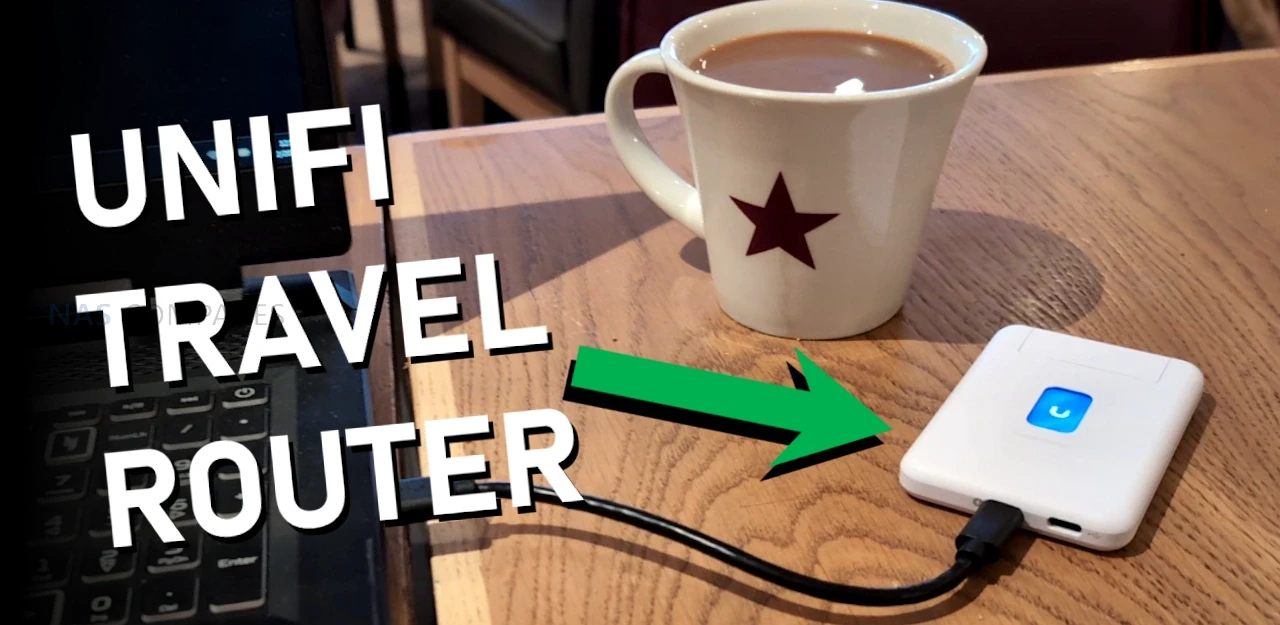
UniFi’s New Travel Router – Pocket-Sized Perfection?
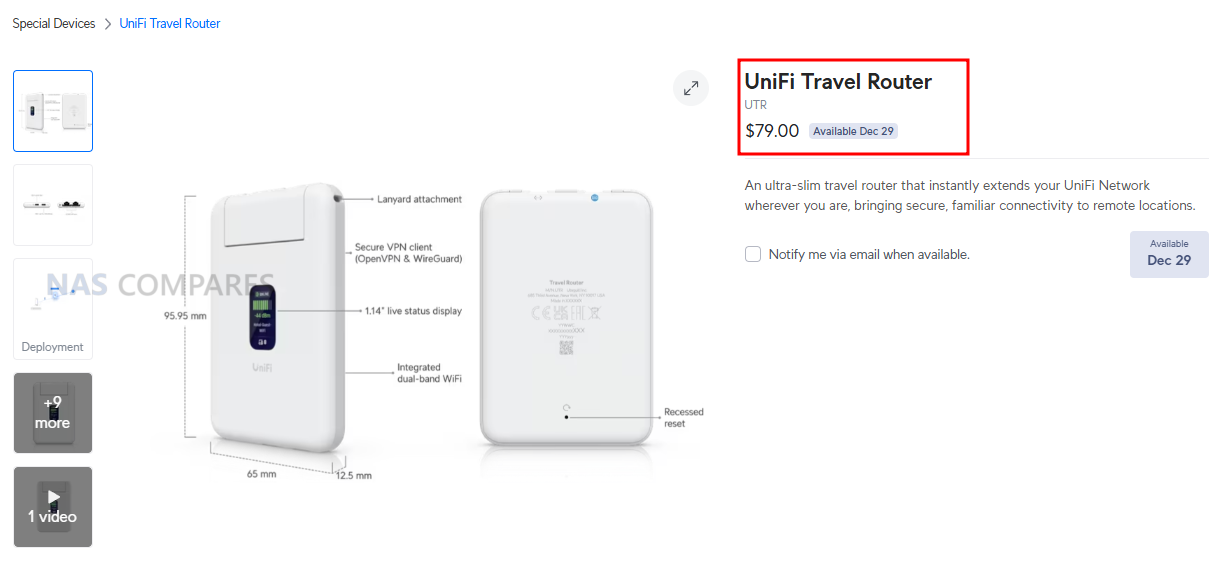
The UniFi Travel Router (UTR) is a compact router intended to extend an existing UniFi network to temporary locations such as hotels, offices, or public WiFi environments, with setup and changes handled through the UniFi Mobile App rather than on device controls. It is designed to bind to a UniFi site so that WiFi settings and Teleport can be applied automatically, allowing a familiar SSID and consistent LAN behavior to follow the user between locations without re adopting devices each time. In practical use, this positions it as a way to place multiple client devices behind a single controlled access point when working from shared networks, while still routing traffic through a VPN path back to a UniFi gateway if desired. The UTR also supports multiple uplink types, including Ethernet, WiFi, and USB tethering through a smartphone, with the ability to set uplink priority once an upstream connection has been established and any captive portal login has been completed via the phone.
 |
|
|---|---|
| Item | Detail |
| Product | UniFi Travel Router (UTR) |
| Price | $79.00 |
| Dimensions | 95.95 x 65 x 12.5 mm |
| Weight | 89 g |
| WiFi standard | WiFi 5 (802.11ac) |
| Bands | 2.4 GHz, 5 GHz |
| WiFi MIMO | 2 x 2 |
| Antennas | 2 embedded WiFi antennas |
| Max TX power | 2.4G: 13 dBm, 5G: 13 dBm |
| Ethernet ports | 2 x GbE RJ45 |
| VPN client support | OpenVPN, WireGuard |
| Power method | USB-C |
| Power input | 5V / 2A (adapter not included) |
| Max power consumption | 5W |
| Display | 1.14″ status display |
| Button | Factory reset |
| Certifications | CE, FCC, IC |
| Compliance | NDAA compliant |
| Not supported (per docs) | WPA Enterprise, Passpoint |
UniFi Travel Router Review – Quick Conclusion
The UniFi Travel Router looks like a genuinely handy tool for people already invested in UniFi: it gives you a small, light travel router with two gigabit ports (WAN and LAN), USB C power, separate USB tethering for using a phone as a 5G uplink, and a status screen that makes it easy to confirm what uplink you are using and whether Teleport is active, plus the big headline benefit that you can bind it to an existing UniFi setup and effectively carry your familiar SSID and behavior with you so your devices and even colleagues can connect without reconfiguring anything, while tunneling sensitive traffic back home through Teleport for safer use on hotel, office, or coffee shop networks and simplifying captive portal logins through the app. The tradeoffs are mostly about performance and features compared with newer rivals: it is WiFi 5 only with modest real world throughput expectations, the Ethernet ports are 1 GbE rather than 2.5 GbE, the screen is not touch so you still rely on the mobile app for changes, and there is no internal battery plus no built in SIM or eSIM option, which will disappoint anyone wanting an all in one, fully cellular travel router rather than a UniFi focused extender that leans on WiFi uplinks, wired WAN, or phone tethering.

UniFi Travel Router – Design
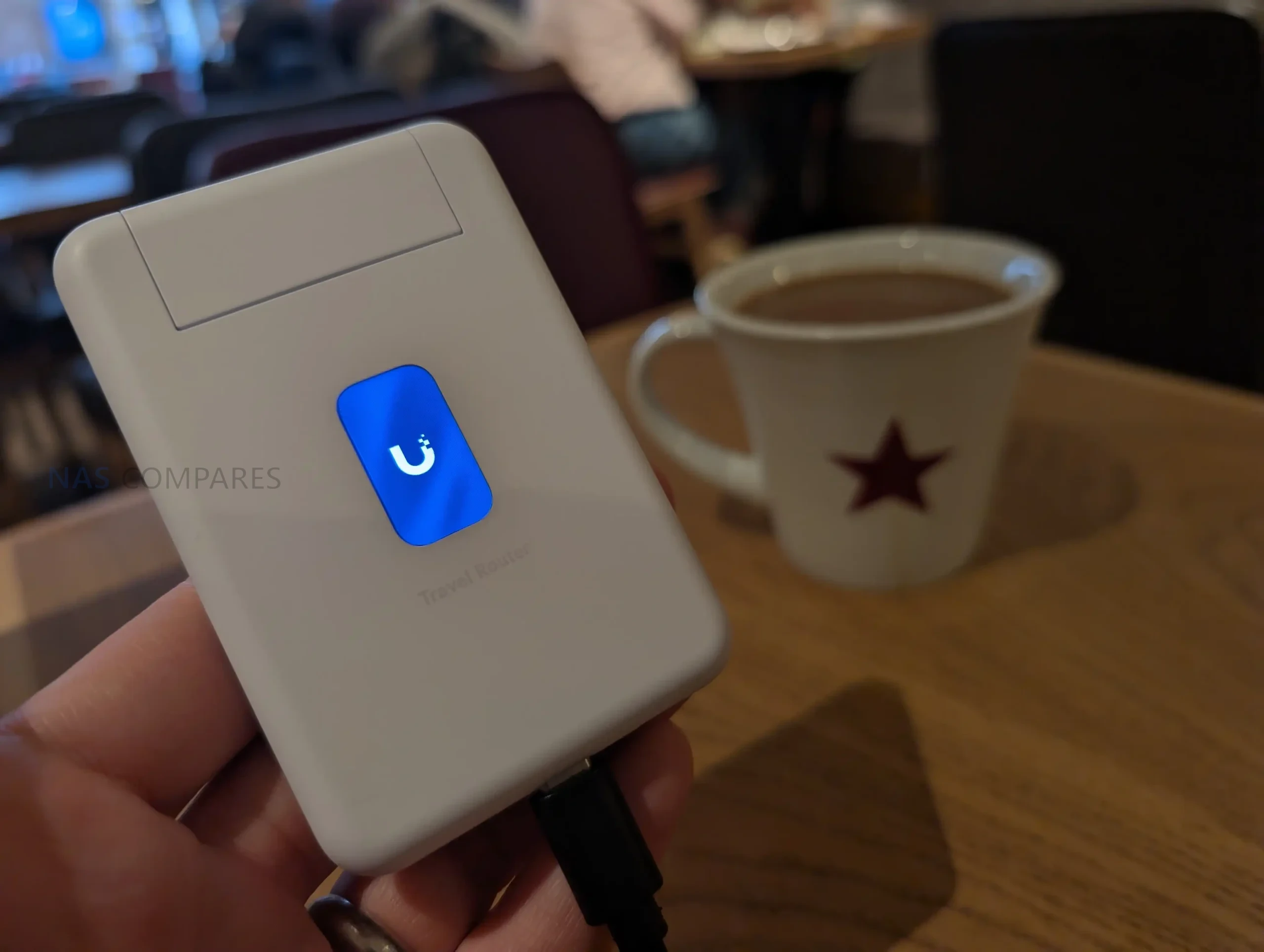
The UTR uses a slim, pocket oriented chassis that matches its intended role as a portable router rather than a fixed installation device. At 95.95 x 65 x 12.5 mm and 89 g, it is sized to carry alongside a phone, power bank, or small toolkit, and the enclosure is polycarbonate rather than metal. The design is built around external power, with no internal battery listed, so it is meant to be powered from common USB sources such as a charger, a power bank, or an available USB port in transit environments. UniFi specifies a USB-C 5V 2A input and up to 5W consumption, which places it within the output range of typical phone chargers and many shared USB outlets, but also means functionality depends on having a reliable external power source.
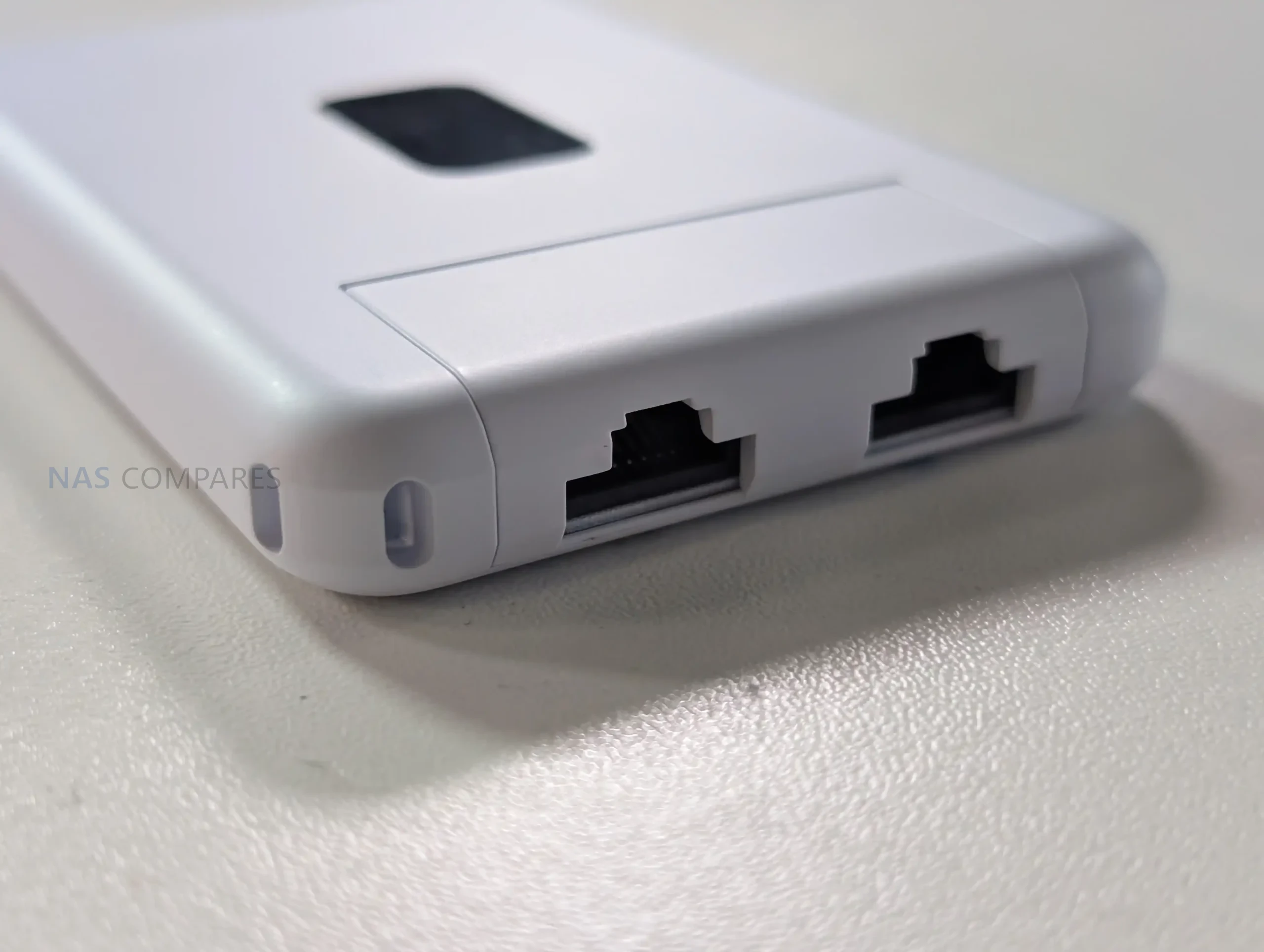
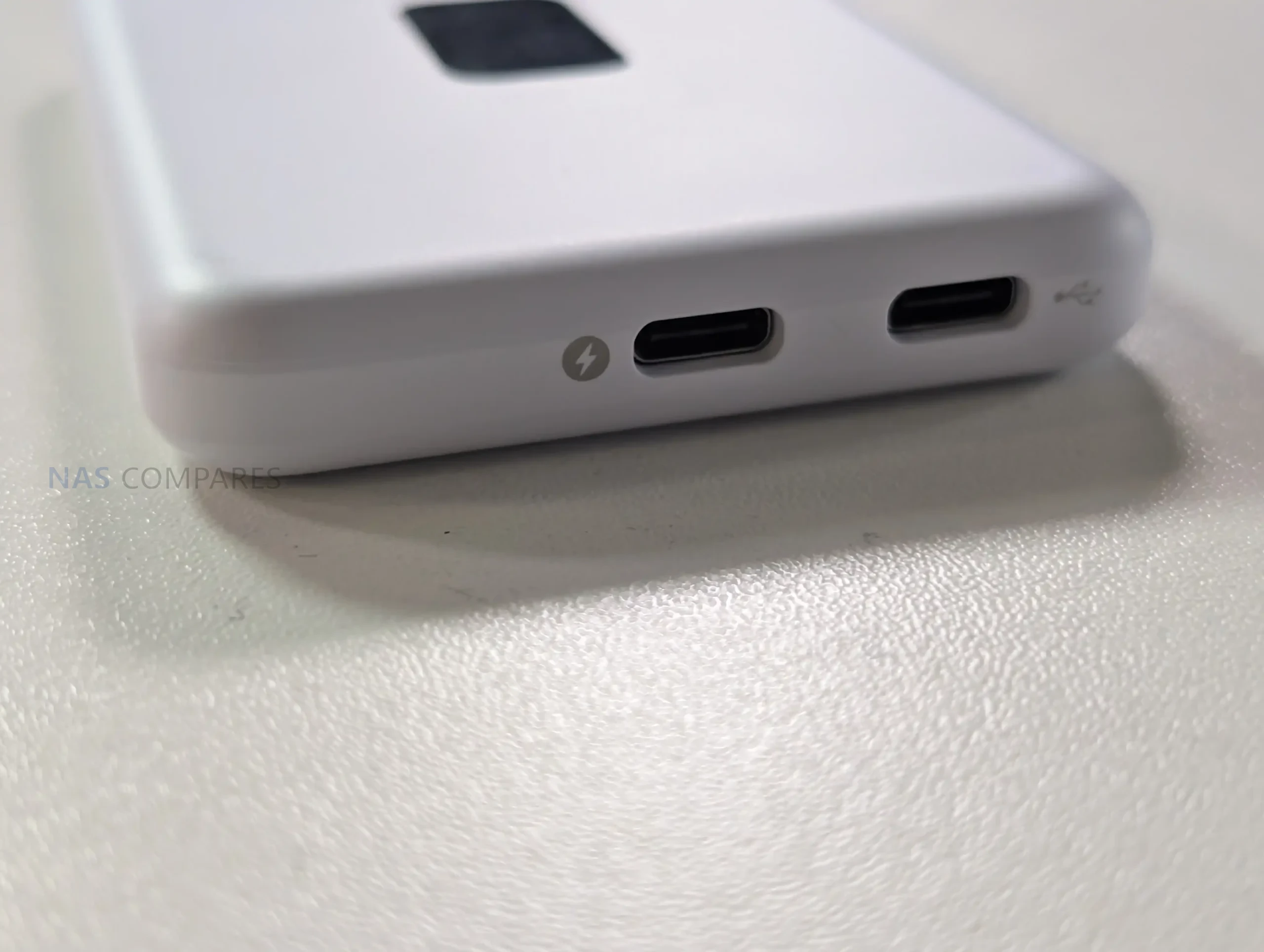
Physical I O is minimal and focused on travel use, with emphasis on flexibility rather than high port count. The unit provides 2 x GbE RJ45 ports for wired connectivity, typically used as WAN and LAN in practice, enabling either a wired upstream connection or a direct wired link to a local device when needed. It also includes a factory reset button but no other on device controls for configuration changes. In your usage notes, you highlighted that power and USB tethering are separated, allowing the device to stay powered from one source while using a different connection for phone tethering, which avoids the single port limitation found on some compact travel routers. You also noted that this layout suits scenarios where the most convenient power source might be a multi port power bank or a vehicle and public USB outlet, while the tether source remains the phone.
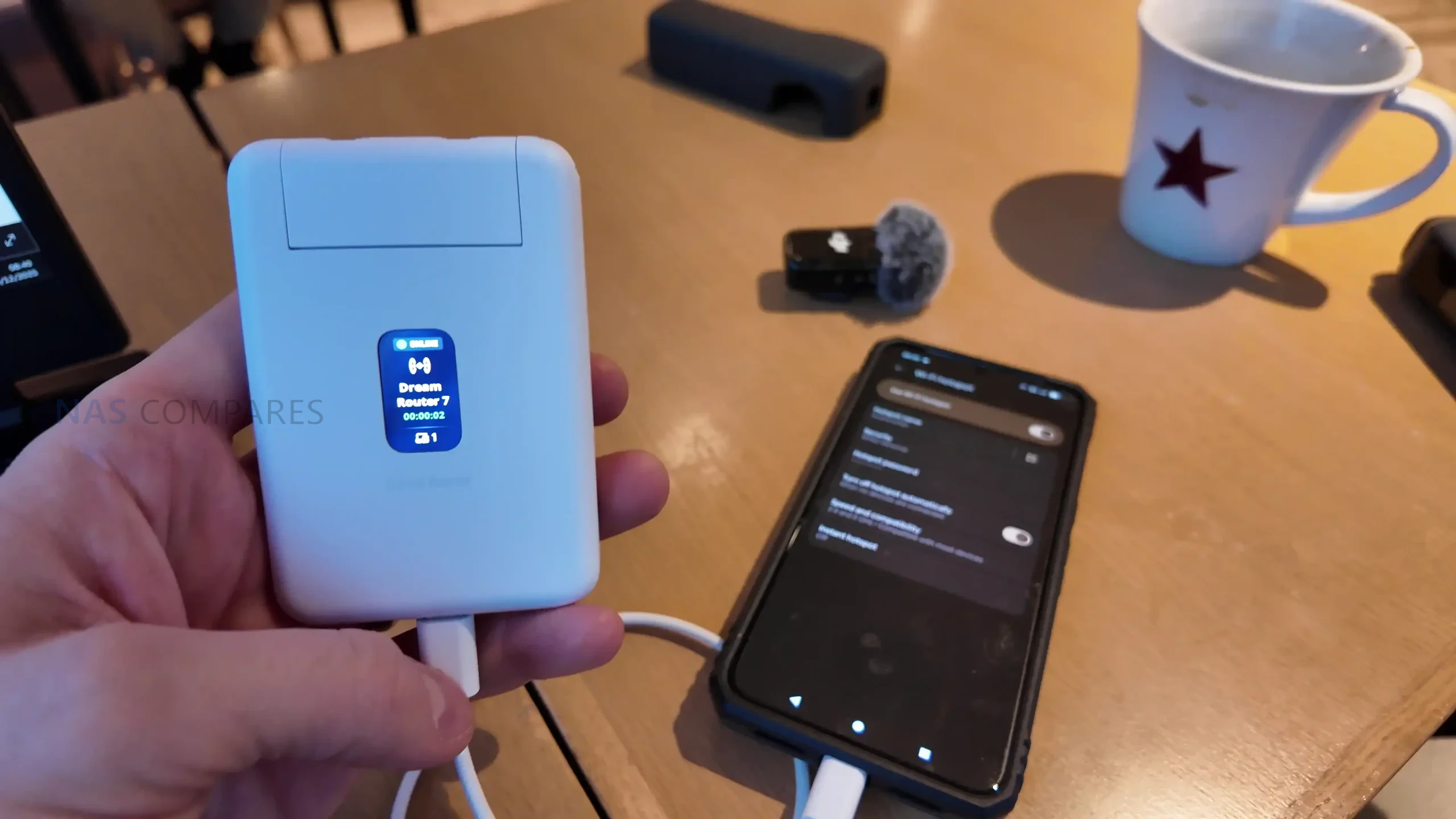
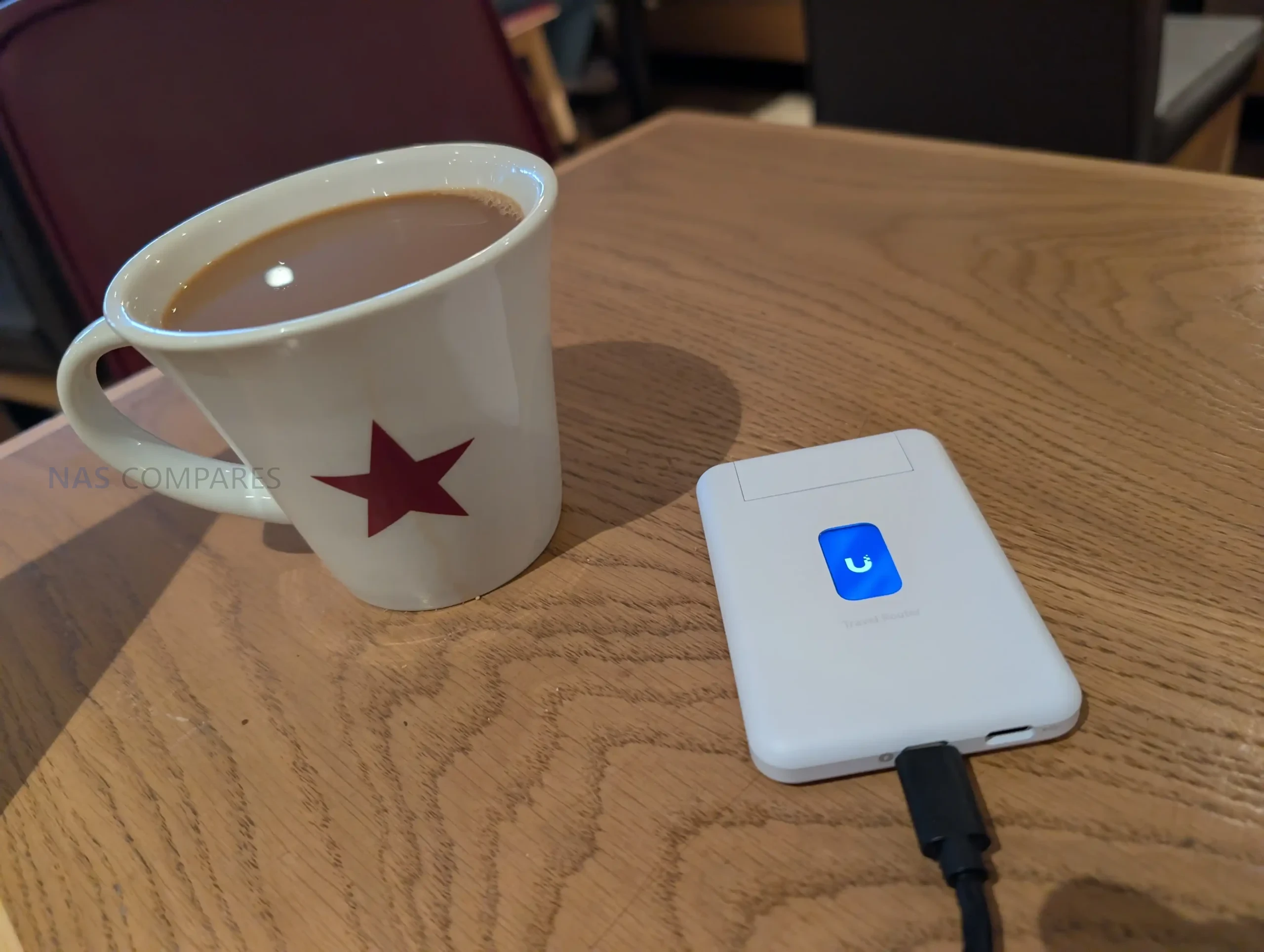
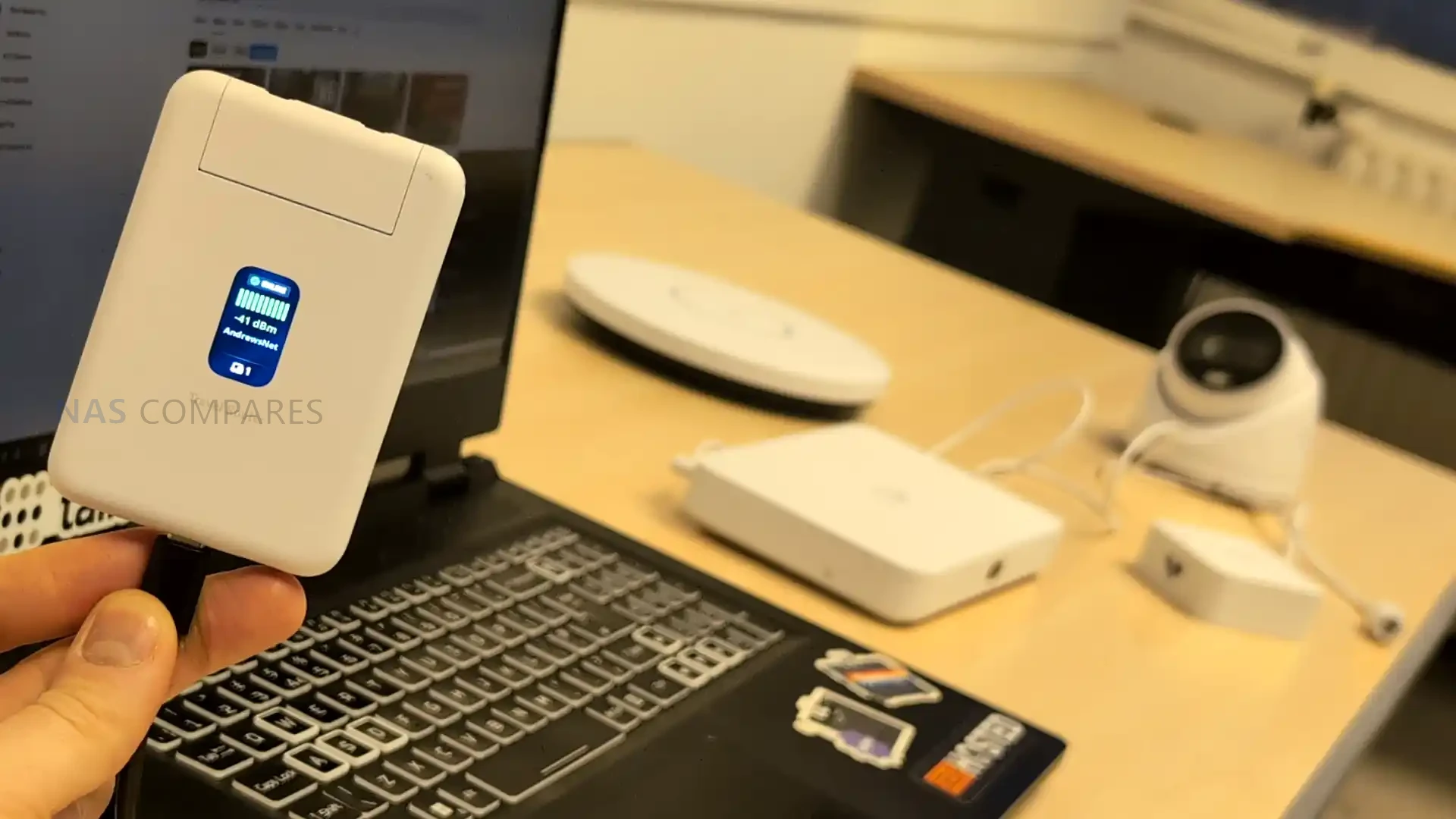
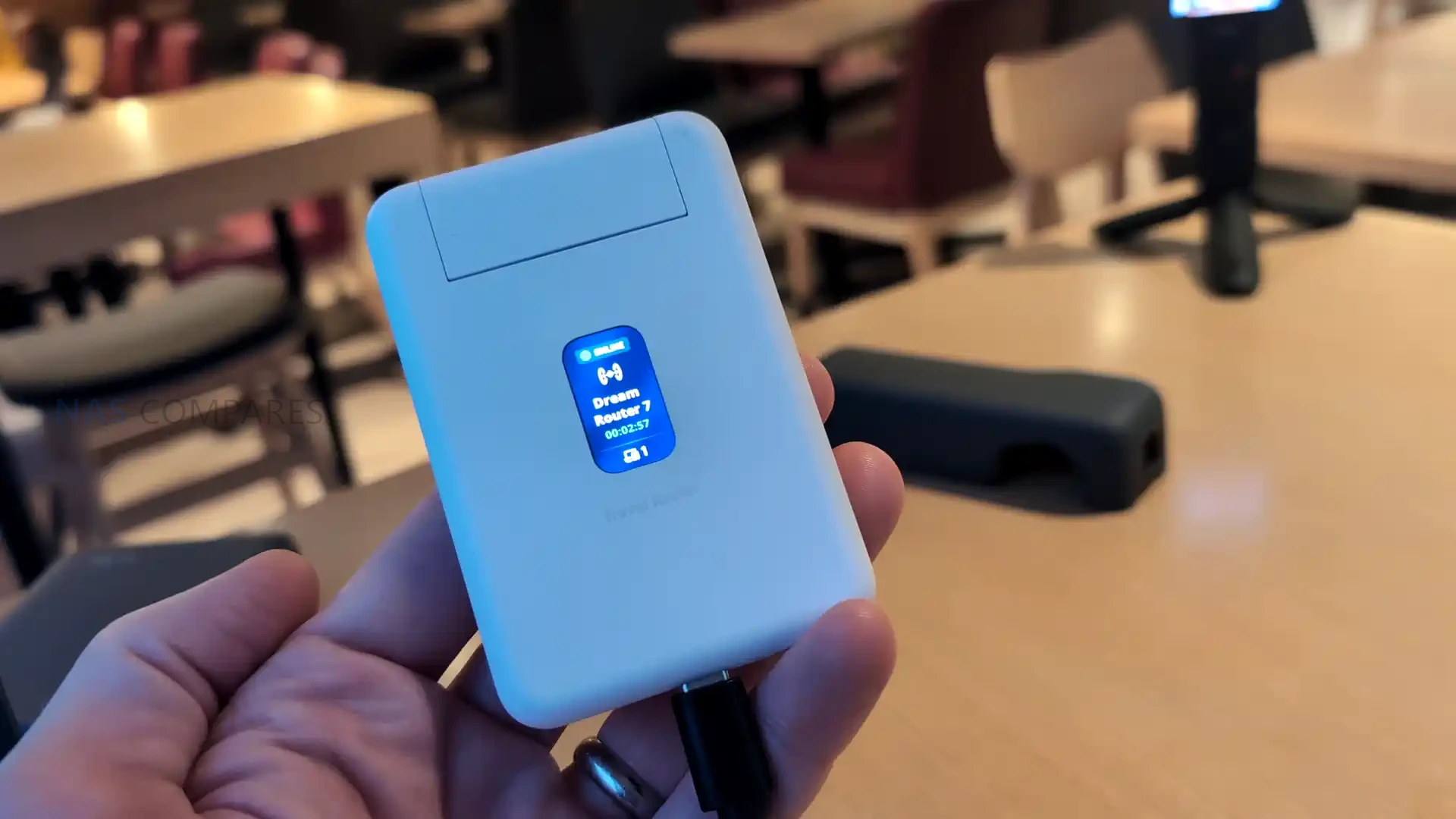
Status feedback is provided through a 1.14 inch display, but it is not a touchscreen, and configuration changes are handled in the UniFi Mobile App. This means the display functions as a quick reference for connection state and operational mode, such as whether it is using a particular uplink or whether Teleport is active, rather than a control surface for changing settings. Internally, WiFi is delivered via 2 embedded antennas with 2 x 2 MIMO and listed maximum transmit power of 13 dBm on both 2.4G and 5G, reflecting a design focused on compactness rather than external antenna placement. Operating limits are specified at -10 to 40 C and 5 to 95% noncondensing humidity, and the unit is listed as NDAA compliant with CE, FCC, and IC certifications, which may matter for users deploying it in regulated or corporate environments.
UniFi Travel Router – Connectivity
The UTR is built around 3 uplink paths: wired Ethernet, wireless WAN, and USB tethering through a smartphone, with the router acting as the single aggregation point for connected client devices. On the wired side, it provides 2 x GbE RJ45 ports, typically used as 1 WAN and 1 LAN, which allows a direct connection to an upstream network where a desk port or wall jack is available, while still offering a wired LAN handoff to a laptop, switch, or other local device. In your review, you also noted the practical advantage of using a wired uplink in temporary deployments, since it avoids relying entirely on building WiFi when you are on site for multiple days and want more predictable upstream stability.
For wireless connectivity, the UTR uses WiFi 5 (802.11ac) across 2.4 GHz and 5 GHz, with 2 x 2 MIMO and support for typical channel widths of 20, 40, and 80 MHz. UniFi lists a maximum 802.11ac data rate of up to 866.7 Mbps at VHT 80 and corresponding 802.11n rates up to 300 Mbps, with legacy 802.11a b g rates also supported for compatibility. In your video, you set expectations around real world throughput, noting that this class of WiFi 5 travel router can feel limited compared with newer WiFi 6 and WiFi 7 options, and you referenced typical observed uplink figures around 150 Mbps in the context of public WiFi and travel scenarios rather than sustained near gigabit speeds.
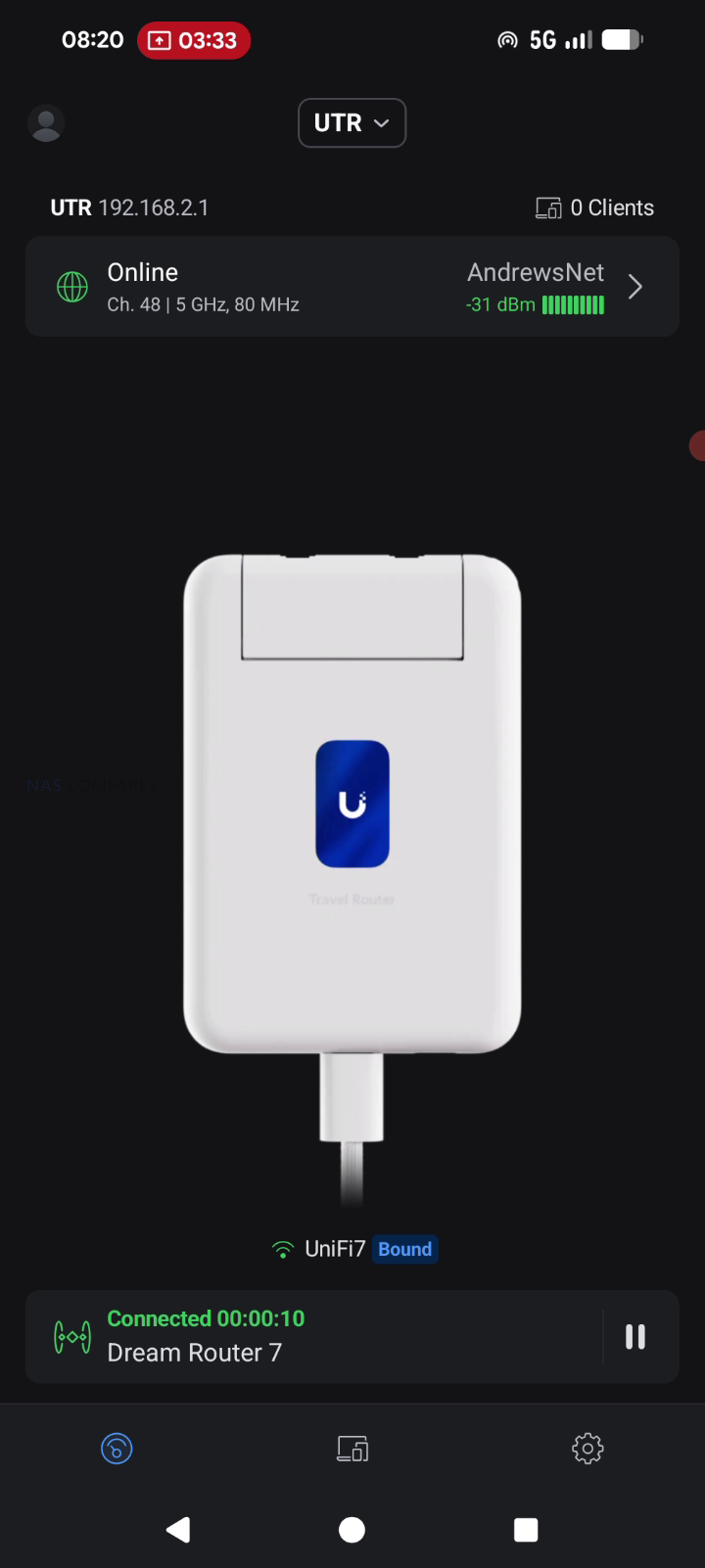
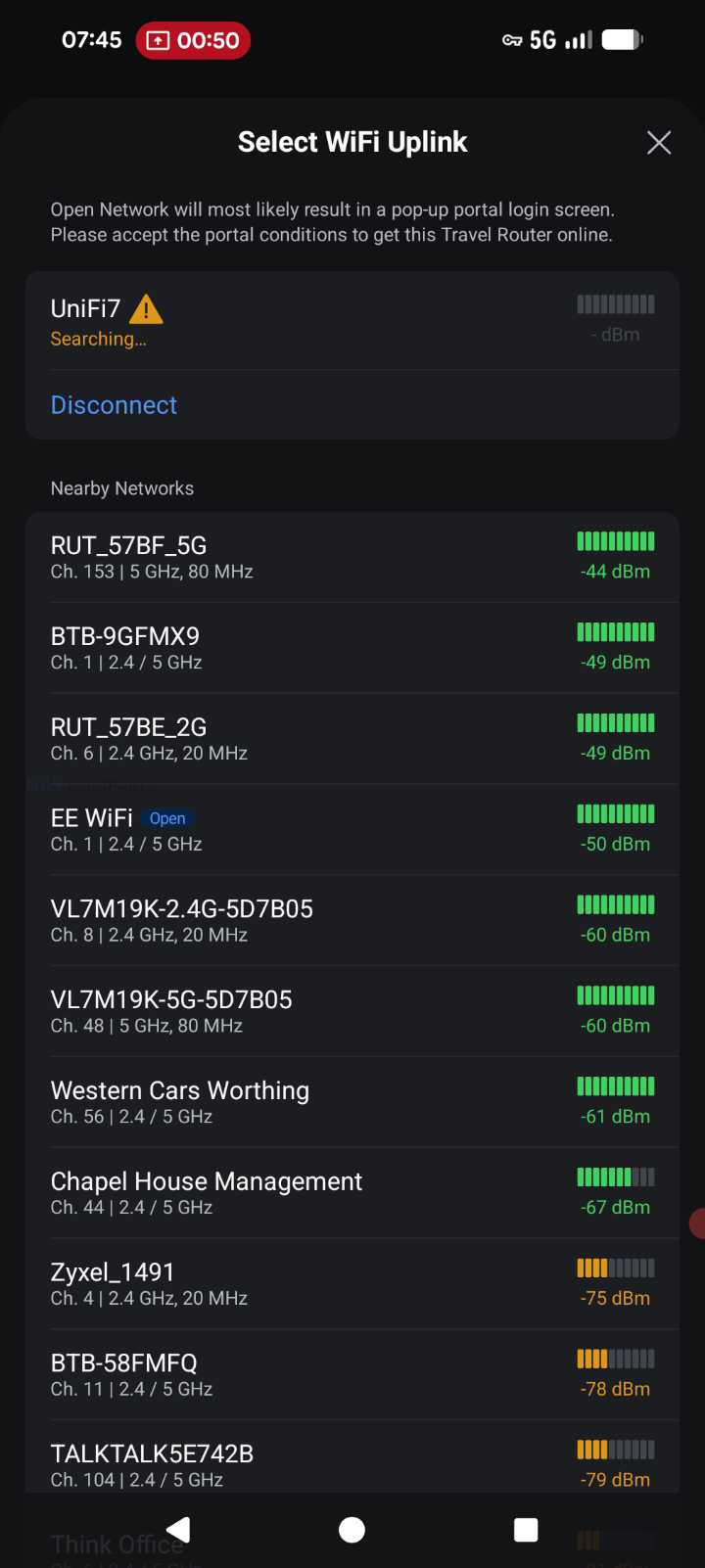
When connecting through hotel or venue WiFi, captive portal handling is part of the connectivity workflow rather than a separate feature layer. The documented process is to select the upstream network in the UniFi Mobile App, then complete any captive portal login on the phone when prompted, after which the router maintains that authenticated upstream session for the devices behind it. This approach can simplify group use, since multiple devices can share the same authenticated uplink without each device individually interacting with the portal. Connectivity limitations are also defined in the documentation, including lack of support for WPA Enterprise and Passpoint networks, which can affect compatibility in some corporate or managed public environments where those authentication methods are enforced.
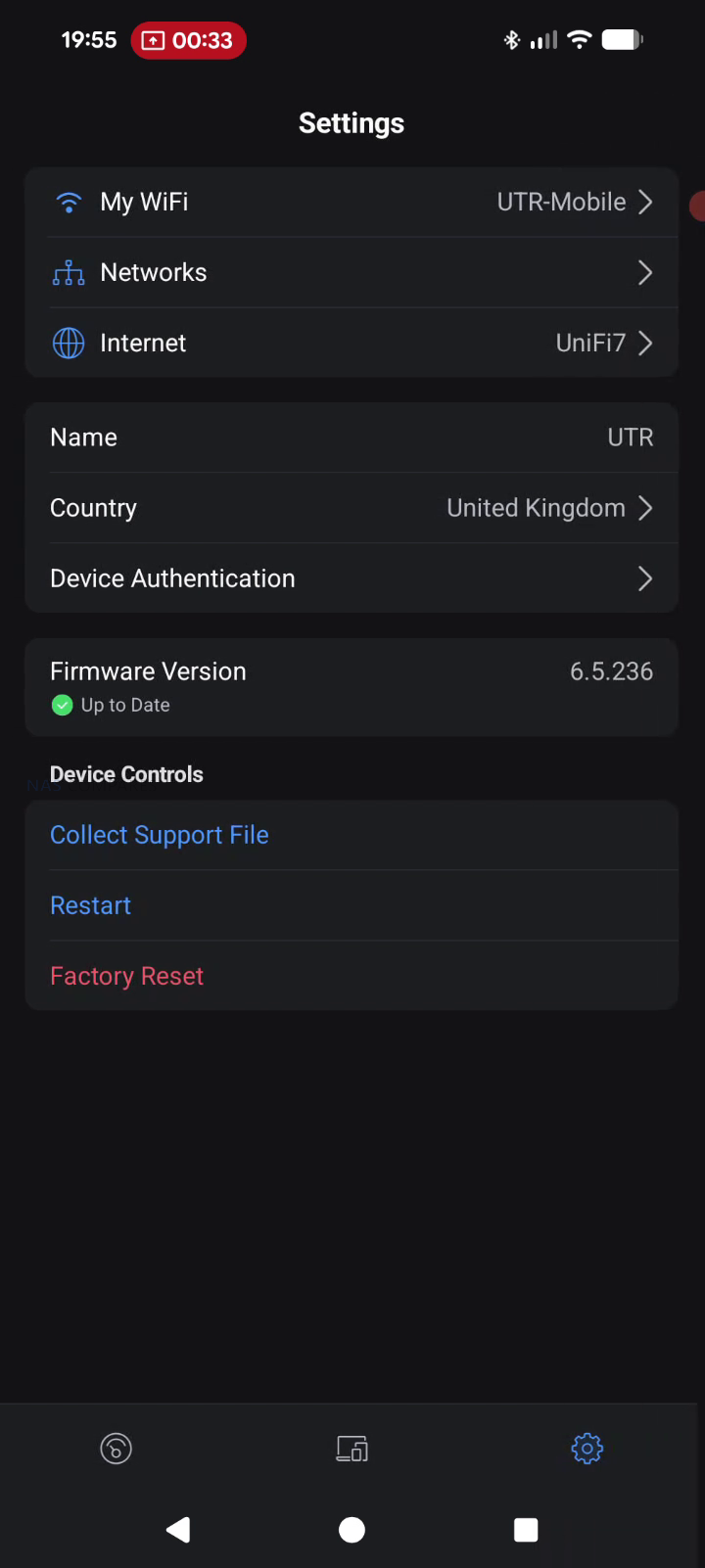
UniFi Travel Router – Software & Services
The UTR is designed to integrate into an existing UniFi deployment rather than operate as a standalone router with its own separate management model. Once it is bound to a UniFi site, it can automatically apply WiFi configuration and bring up the same network identity used elsewhere, including expected SSIDs and routing behavior. UniFi positions this as a continuity feature, where location aware policies and routing rules can activate when the router connects at a new site, reducing the amount of manual setup typically needed when moving between venues.
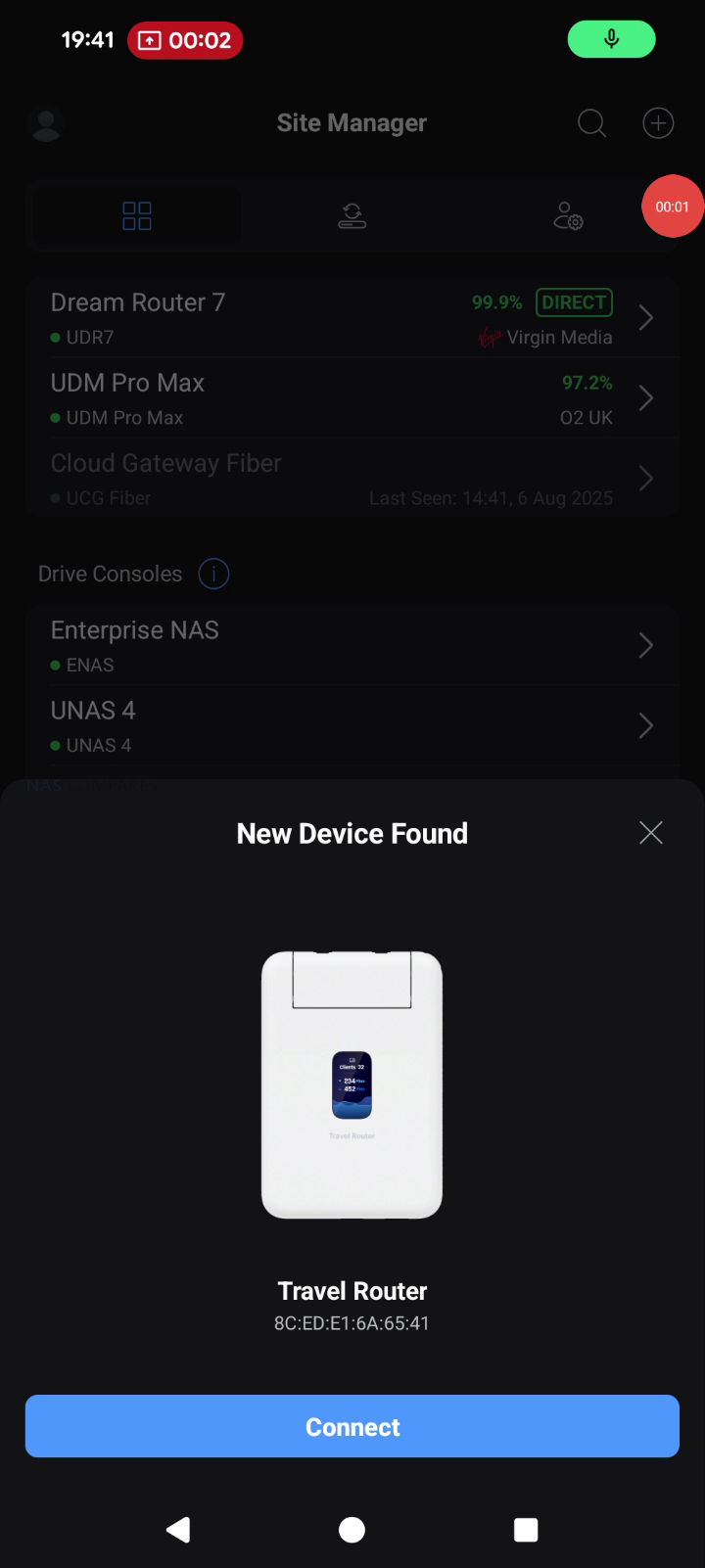
Teleport is the primary UniFi service feature tied to remote access on the UTR. The documented workflow is to complete initial setup, open the UniFi Mobile App, select an available UniFi gateway or console, and then connect using Teleport, creating a private path back to the user’s UniFi network. Alongside Teleport, the UTR lists VPN client support for OpenVPN and WireGuard, allowing VPN enforcement at the router level so connected devices use the same tunnel without requiring separate VPN configuration per device. In your review use case, this was framed around keeping work traffic routed through a known UniFi environment while operating on public or untrusted networks during multi day on site work.
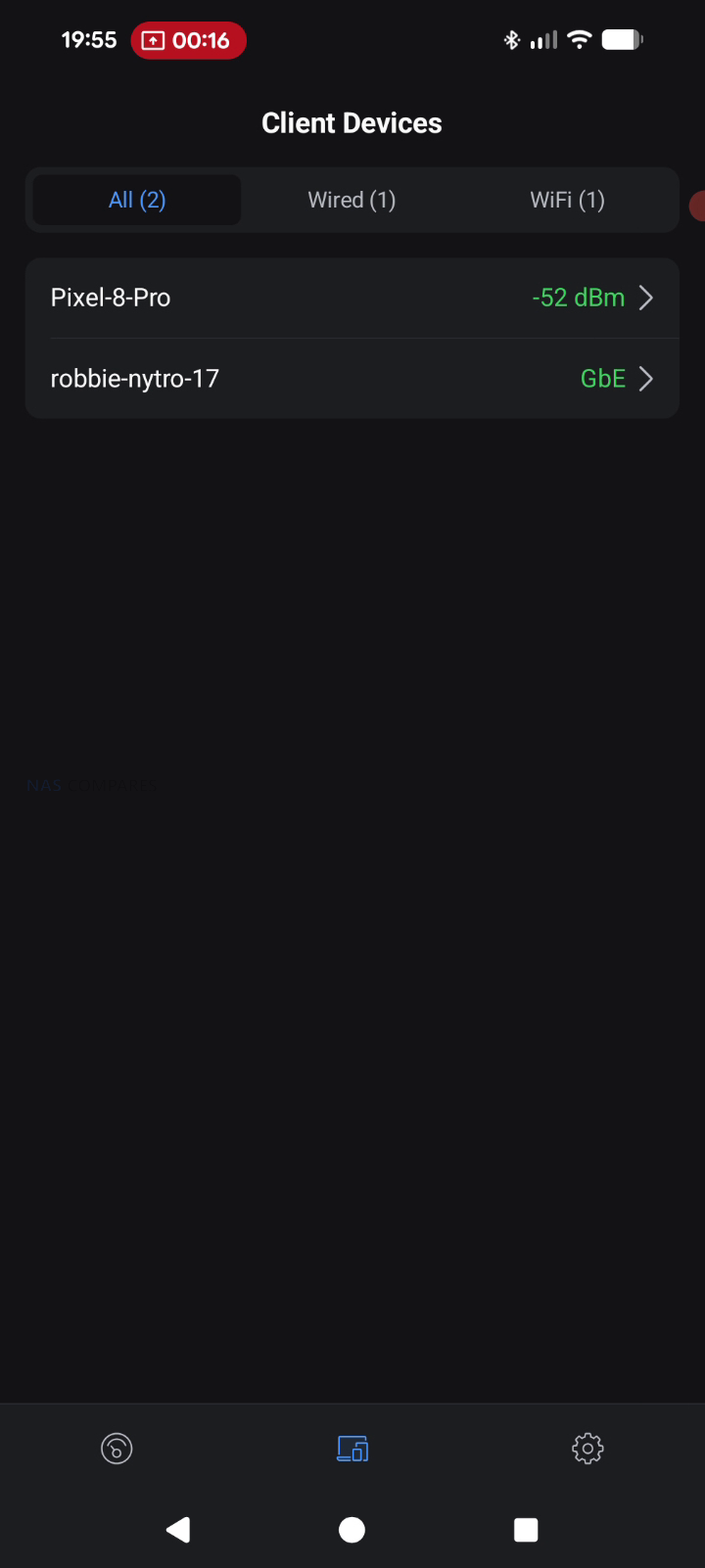
Beyond remote access, the feature set includes core router functions such as firewall and port forwarding, with UniFi management intended to keep LAN behavior consistent across locations. UniFi also describes plug and play pairing with existing UniFi devices, aiming to reduce friction when traveling with preconfigured hardware that is expected to reappear on a familiar network. The documentation also references Auto Link in the context of keeping wireless cameras and devices online automatically, positioning it as a continuity mechanism rather than a separate setup workflow. Operationally, configuration and connection selection are handled through the UniFi Mobile App, including joining upstream WiFi and completing captive portal authentication when present, while enterprise style WiFi authentication methods like WPA Enterprise and Passpoint are listed as unsupported.

UniFi Travel Router – Conclusion
The UniFi Travel Router makes the most sense as a “UniFi extender you can pocket” rather than a generic travel router trying to win on raw specs. The real value is how quickly it drops you back into a familiar environment: bind it to your UniFi setup, carry over the SSID you already use, and your devices can reconnect without you rebuilding a network from scratch each time you land somewhere new. For people who work on site, bounce between coffee shops, or travel with a small team, that convenience adds up fast: one upstream connection, one captive portal login handled through the app, and everything behind the UTR can ride through a secure Teleport tunnel back to your home or office UniFi gateway. Add the practical hardware touches, like two gigabit ports for wired WAN or LAN use, separate USB C power and USB tethering for pulling in a phone connection, and a status display that helps you confirm what is actually happening at a glance, and it is easy to see why this little box is appealing if you already live in the UniFi ecosystem.
The drawbacks are largely about what it is not trying to be. If you want a bleeding edge travel router, the UTR’s WiFi 5 radio and 1 GbE ports will feel conservative next to WiFi 6E or WiFi 7 options, and your top end wireless throughput is simply going to be capped by the platform. The screen is useful, but it is not touch, so you are still leaning on the mobile app for most changes, and there is no internal battery to make it a truly self contained travel companion. Just as importantly, there is no integrated SIM or eSIM, so anyone hoping for an all in one cellular travel router will be looking elsewhere or relying on phone tethering. Taken together, the UniFi Travel Router is a strong niche product: it is not the fastest, but for existing UniFi users who care most about consistency, security, and getting online quickly in messy real world networks, it is a smart and affordable addition to the kit bag.
| PROS of the UniFI Travel Router | CONS of the UniFI Travel Router |
|
|
🔒 Join Inner Circle
Get an alert every time something gets added to this specific article!
This description contains links to Amazon. These links will take you to some of the products mentioned in today's content. As an Amazon Associate, I earn from qualifying purchases. Visit the NASCompares Deal Finder to find the best place to buy this device in your region, based on Service, Support and Reputation - Just Search for your NAS Drive in the Box Below
Need Advice on Data Storage from an Expert?
Finally, for free advice about your setup, just leave a message in the comments below here at NASCompares.com and we will get back to you. Need Help?
Where possible (and where appropriate) please provide as much information about your requirements, as then I can arrange the best answer and solution to your needs. Do not worry about your e-mail address being required, it will NOT be used in a mailing list and will NOT be used in any way other than to respond to your enquiry.
Need Help?
Where possible (and where appropriate) please provide as much information about your requirements, as then I can arrange the best answer and solution to your needs. Do not worry about your e-mail address being required, it will NOT be used in a mailing list and will NOT be used in any way other than to respond to your enquiry.
 TRY CHAT
Terms and Conditions
TRY CHAT
Terms and Conditions





|
 |


A Buyer's Guide to Travel Routers - GET IT RIGHT, FIRST TIME
Jonsbo N6 DIY NAS Case Review
The Best Bits (and Worst Bits) of NAS of 2025!
Minisforum MS-02 Ultra Review
Minisforum N5 NAS, 6 Months Later - Better, Worse, the Same?
Beelink ME Pro NAS Revealed
Access content via Patreon or KO-FI
Discover more from NAS Compares
Subscribe to get the latest posts sent to your email.
I need the wifi 7 version, so I don’t have to upgrade my MacBook
REPLY ON YOUTUBE
I wish we will have an upgraded one with SIM card, will be useful when traveling overseas
REPLY ON YOUTUBE
Wait…. its without a simcard slot..
REPLY ON YOUTUBE
Does this travel router support RADIUS authentication for wifi if you have it setup on your unifi network controller/home network?
REPLY ON YOUTUBE
I do agree with your thought – if they come out with the same form factor, but 2.5gb Ethernet, WiFi 7 and battery powered – I’m all in!!
For now I will stick with my Gl-inet Slate 7.
Good video – thanks!
REPLY ON YOUTUBE
Travel roooooter?
REPLY ON YOUTUBE
Hiya – can’t find that hoodie in your shop? re you going to be adding it, please?
REPLY ON YOUTUBE
Now my question is the 5G portion unlocked or restricted to like USA T-Mobile/AT&T like if I purchase it can use it here with Claro Peru?
REPLY ON YOUTUBE
Without 5G this thing is completely pointless.
REPLY ON YOUTUBE
Without 5G this thing is completely pointless.
REPLY ON YOUTUBE
AFAIC, Friends Don’t Let Friends Buy Unifi™. personally I’m really looking forward to the GL.iNet Mudi 7. looks like it’s set to be showcased at CES and available right after that. tri-band WiFi 7, *greatly* upgraded SoC vs. the Mudi v2, touchscreen controls, physical and e-SIM support, replaceable battery(!!!). can’t come fast enough tbh!
REPLY ON YOUTUBE
Does my home need a static IP Address?
REPLY ON YOUTUBE
there is no sim card(((
REPLY ON YOUTUBE
Aren’t you bothering other customers talking and recording a video like that?
REPLY ON YOUTUBE
Merry Christmas ~????
REPLY ON YOUTUBE
That could be a great Travel Router for 20$.. not for 80$.
REPLY ON YOUTUBE
I find travel routers are mostly useless. Most of the functionality can be accomplished with a mobile phone. And public/hotel/etc. Wi-Fi networks usually have low per device speed limits (mostly 5-30 Mbps). By connecting through one device, all of your devices have to share one low speed intended for a single device.
REPLY ON YOUTUBE
Should one stay away from this if it would be one’s first UniFi device? I want a travel router, but none of the other offers in the market inspire confidence in security and privacy like UniFi does.
REPLY ON YOUTUBE
So.. it takes my home WiFi to wherever the small one is? Can I just use it as a regular on the go router with a small power bank?
REPLY ON YOUTUBE
I have to reboot my GLiNet travel router annoyingly often when in use. I’d expect Unifi to be much more stable. Hotel internet is always slow so WiFi 5 is fine
REPLY ON YOUTUBE
surprised it doesnt have a built in battery… that was the only down side i saw for this unit
REPLY ON YOUTUBE
Thank you for the presentation and your first thoughts! I’ve been waiting for this device for a while now. Feature- and performance-wise it’s not perfect, but looks like good enough for the first release ????
REPLY ON YOUTUBE
What UniFi should do it allow for USB tether and turn your travel router on like you do with GLiNet Travel Router
REPLY ON YOUTUBE
Now I can tell the security officer at the cruise check-in that this is just a power bank. I like that it does not look like a traditional Travel Router
REPLY ON YOUTUBE
Does it support dlna or smb on the usb port to share media?
REPLY ON YOUTUBE
Look how tiny and portable that device is! I doubt it has the processing power for 2.5G, nor is it needed at all. This is a portable device designed to take on holiday, it’s not designed for power users.
What I want to know though is, when you connect to your SSID, do you get assigned the correct VLAN or do you get assigned the VLAN associated with the Teleport Network?
REPLY ON YOUTUBE
great
REPLY ON YOUTUBE
Can it tailscale?
REPLY ON YOUTUBE
A travel router for Unifi fan boys…
REPLY ON YOUTUBE
Does it function as an additional Accesspoint if I am at home? I’m looking for a device that natively integrates into my UniFi mesh system at home to provide WiFi for 3d printers in the cellar when I’m at home and which additionally functions as a sleek travel router when I’m out and about.
REPLY ON YOUTUBE
i like the product i will probably buy one, but for the same price you can get a wifi 6 openwrt router! with 2.5gig and wifi 6!
REPLY ON YOUTUBE
How is it better than the hotspot on an iPhone?
REPLY ON YOUTUBE
The name is too close to UTI.. Once you think it you cant unhear it each time!
REPLY ON YOUTUBE
This make me wonder why the unifi 5gmax and the travel router weren’t merged into one device.
REPLY ON YOUTUBE
Fantastic! I’ll definitely pick one up to replace my TP Link travel router. The smaller form factor is what I’m looking for and it has all the same connections and usb-c power that are in the TP Link I use. Yes sim/e-sim would be wonderful but not a deal breaker for me. Those of you out there giving this travel router a huge no because of the lack of sim/e-sim, the UinFi 5G was released almost 3 weeks ago and there’s no reason why a sim/e-sim version of this travel router couldn’t be released down the line.
REPLY ON YOUTUBE
i dont understand the point of binding to your network. Why not just use VPN and tap into your home network? also doesnt something like a GL Mango do this? its super small and you can setup wireguard on it
REPLY ON YOUTUBE
Can you pass through power to charge your phone while you connect it for tethering?
REPLY ON YOUTUBE
Yeah I got the glinet. But… not sure if the new UniFi will be a better thing for now.
REPLY ON YOUTUBE
See your UNAS 4 and UNAS 4 Pro at 4:46. So, how are those working out for you? ????
REPLY ON YOUTUBE
@1:27 when he talks about installing a server, cat5, cameras into an office, how does this man have time to do office IT installs AND make a YT video basically every day of the week (sometimes 2!)… I can’t even get to the gym ????
REPLY ON YOUTUBE
teleport dont work thru mobile hotspot. This should
REPLY ON YOUTUBE
can it connect to a WPA3 Enterprise netwrok. so with a username password. No login page or captive portal
REPLY ON YOUTUBE
Interesting device. Wish it had eSIM support and WiFi 7 and 2.5gb
REPLY ON YOUTUBE
Will you be doing a review of the GL-Inet Mudi 7?
REPLY ON YOUTUBE
Finally, a Unifi device I can tether to use my phone during ISP outages. I don’t need to keep my Asus Router around anymore.
REPLY ON YOUTUBE
Lol, rooter
REPLY ON YOUTUBE
Is there any security on the device that prevents a their from using it to access the corporate language?
REPLY ON YOUTUBE
What location are you at, looks so cool.
REPLY ON YOUTUBE
The moment this comes available with inbuilt 5G ESIM and/or SIM, I’m buying it. Until then, I don’t need another portable device that relies on an external wifi network – that’s just another layer of complexity. Tried that with the GL iNet travel routers, they aren’t great with hotel wifi with login pages and/or georestrictions.
REPLY ON YOUTUBE
Great hoodie..link?
REPLY ON YOUTUBE
This is great, until someone steals it and gets on your home network.
REPLY ON YOUTUBE
No 4/5G. Pointless
REPLY ON YOUTUBE
Does it broadcast multiple wifi networks? For example: if I have a wifi network setup for IoT devices and for full access, could it broadcast both of them, or does it force you to choose one?
REPLY ON YOUTUBE
Does this one support Wisp?
REPLY ON YOUTUBE
oh god i wish they would have made this one with a sim slot…
REPLY ON YOUTUBE
I hope I can do L2 bridging over OpenVPN.
REPLY ON YOUTUBE
Doesn’t the unifi app with the teleport function of the DR7 for example, do exactly the same thing ?!?
REPLY ON YOUTUBE
Can it mac clone? That’s an essential feature on my gl.inet slate (the original)
REPLY ON YOUTUBE
e-Sim support is clearly the missing feature.
REPLY ON YOUTUBE
Would this work to connect a NAS at a remote location to my network once setup connecting everything to a switch and then to a router like FritzBox?
REPLY ON YOUTUBE
Nice video, but there is something missing the seagulls 🙂
REPLY ON YOUTUBE
Seriously interested in this. May put off implementing Headscale now.
REPLY ON YOUTUBE
GL.iNet is the leader in travel routers at this price level. They do wifi 6 & 7, but for me wifi 5 is plenty for a device like this.
The big advantage for this is obviously the integration with the Unifi eco system. Looks nice.
REPLY ON YOUTUBE
They have awful customer service, so I will avoid
REPLY ON YOUTUBE
“Not Wifi 7”? It’s not even Wifi 6!
Ubiquiti doesn’t usually compete on specs, but 802.11ac in 2025 is rough.
REPLY ON YOUTUBE
You can do all that on an android phone, just ditch your iPhone and buy a android phone I have been doing it for years. Just connect your phone on any wifi or 4-5g and all your devices can connect to the Hotspot on your android phone.
REPLY ON YOUTUBE
Thanks for the review. As an Aussie, we pronounce it router, not rooter ????
REPLY ON YOUTUBE
I am not going to be needing this unless it has a SIM connection for uplink as well, 5G minimum.
REPLY ON YOUTUBE
Do I need to spin up a vpn client on the client device? Or does the unit do that internally?
REPLY ON YOUTUBE
Is there anything that will prohibit this device from sharing the connection? For example, some hotels and cruise lines charge per device. Will this remove this restriction?
REPLY ON YOUTUBE
Does this mean it’ll work as a backup WAN to my UniFi network, tethered over WiFi to my mobile phone?
REPLY ON YOUTUBE
Ah man, I’ve been wanting this for so long. See ya gl.inet
REPLY ON YOUTUBE
Can anyone simplify what he’s saying for dummies?
REPLY ON YOUTUBE
This isn’t going to take care of captive portals right? For that use case? Use case. I’m in a hotel with an Amazon Firestick and need a way for the TV to get to the hotel provided internet. That still requires a Gl.inet style router right? Disappointed I didn’t see one seagull in this video.
REPLY ON YOUTUBE
Too had it does not have 5G connectivity. For 80 euro or USD it would have been an absolute beast. I paid around 80 Euro for an used 4G+ router that I am using in my car. I would love to be able to use the VPN feature, since all my network is Unifi only.
REPLY ON YOUTUBE
I was excited about this until I realised it is just another travel router not a mobile data travel router (SIM or eSIM is fine). When I travel to Japan I always pick up a Japan Wireless 5G travel pocket wifi as it’s the best value for money for mobile data. For a minute I thought this was UniFi’s answer to that.
REPLY ON YOUTUBE
Needed a 5g modem.
REPLY ON YOUTUBE
How would this compare to the slate 7
REPLY ON YOUTUBE
British pronunciation of router is criminal
REPLY ON YOUTUBE
Sorry , im no expert… Can i use this at my parents house to access my homes dream machine location for streaming devices/services think im using my home wifi/ location?
REPLY ON YOUTUBE
Made me go I WAS WAITING FOR THIS and then I realised there’s no cellular…
Can’t force myself to buy an outdated device like UMR.
I hope this is just the 1st one and that the cellular version is in the pipeline.
REPLY ON YOUTUBE
No point since they don’t sell in Australia.
Have a great Christmas and hopefully your guys will do better on Boxing Day, now that the fight for the urn is over.
REPLY ON YOUTUBE
For the price, gigabit and Wifi 5 is fine with me.
REPLY ON YOUTUBE
I know its Unifi’s shtick, but too much integration with one ecosystem. Apple pulls it off, but only BARELY, and there are tradeoffs. Unifi is too small and just a bit too janky. But if you’re all in on Unifi, I’m sure this is lovely. Not a terrible price either.
REPLY ON YOUTUBE
So how good is it at rooting for truffles and the like 😉
REPLY ON YOUTUBE
ELLO , watch me review this new travel Rooter
REPLY ON YOUTUBE
Bro that chair!!!! lol!!
REPLY ON YOUTUBE
I’ll wait for the Pro Max or whatever naming convention they want to apply this time to replace my GL.iNet Slate 7 w/WiFi 7 & dual 2.5GBe ports. Granted, I need to configure my Slate 7 before leaving for a trip whereas this seems to be pretty much automagic but that’s a one-time-occurrence (which I’ve already done) and then I’m good for future trips. Pretty much Plug n Play like this UTR. I love that they’re at least listening and have FINALLY made a travel router which seemed like the obvious hardware item to introduce to most everyone years ago but it needs just a couple more whiz-bang features to be competitive: 2.5GBe (or faster) ports, eSIM & WiFi 7 would make this an instant buy for me. I’d pay almost double the price if it had all of those too. (hopefully UBNT isn’t reading that last part and keeps it more affordable for higher adoption rates) Hopefully they can add all of that w/o too much of a negative impact on pricing or form factor though as that form factor is glorious. Overall, this is a very good product for the price tag and in that side of a package. Solid B+ for the first attempt at a travel router Ubiquiti.
REPLY ON YOUTUBE
I do like the concept, and it is a good start, but I can’t quite see the widespread use case for this specific device. While they show it slipping into the exec’s pocket, what problem does this device by itself solve for the exec? Plenty if their company is fully invested in the Unify infrastructure, particularly security, identity, and access control services, but for the average user, even those UniFi fan boys (I count myself among them), it is of about the same use as any other hotspot device with a good VPN, but without the LTE services of a hotspot. As far as infrastructure portability goes, we have been able to do a L3 adoption on UniFi for quite some time, and while this is slick bit of kit saving a fair amount of setup time, it doesn’t really reduce the amount of gear I would need to bring into the field.
To be truly interesting, Ubiquiti will need to incorporate Wifi 6, 5G LTE, an internal battery with 8-12 hour run time, and make it powered by USB-C PD. Now it would compete very favorably with a GL.inet Puli, particularly in a UniFi environment. Going beyond, toss in a small switch, a full sized SATA dock, and 4-8 nvme slots, and have it supported as a NAS device under the UniFi controller for a truly all in one solution; basically a Dream Wall Junior. While this would directly compete with some of their existing product line such as the new Dream Router 5G Max, if Ubiquiti had offered this about 2 years ago, I would not have rolled my own solution, and I would have probably bought this instead of spending around $2500 is development for a $1500 solution.
REPLY ON YOUTUBE
What’s the point of unifi teleport when you can just use tailscale through an exit node and put it on every device?
REPLY ON YOUTUBE
Can you explain how IP/VPN routing into your home router would work? If I set this up correctly and connected a device to it after I paired it with my home router (I have a Dream 6), would the device i connected the travel router through think that i was connecting to my home network, so anything i would access from the connected device would think I am accessing it from my home location instead of wherever I actually was?
REPLY ON YOUTUBE
is it worth the latency increase? What if there are network restriction on hotel wifi blocking VPN tunnels?
REPLY ON YOUTUBE
looks perfect, connect wifi speaker, sbox and all latops and ipad ) when you go on vacation ) or remote work
REPLY ON YOUTUBE
I can understand all the other omissions but Wifi 5 instead of 6 is a bit strange. If it wasn’t for that then I’d say they made a better travel router than GLinet.
REPLY ON YOUTUBE
I own a GLinet E750V2 4G travel router which works great VPN’íng in to my Unifi when traveling. Its biggest drawback is too high battery use. Even with it’s 8000 mAh it does not last a full day (10 hours at best, 8 when the 4G is not very good). So I have it connected to my battery bank to help it trough a full day.
I doubt however that tethering this to my phone, even when USB tethered, will last much longer. So I will need a battery bank as well. Nevertheless being fully Unifi integrated makes it a very desirable device for me as a regular global traveler.
As you mention a 4G version would be great, I just hope they pack it with sufficient battery power.
REPLY ON YOUTUBE
Love this, but $79 is a lot to “downgrade” from my GL.iNet. I find travel routers most in hotel rooms.
REPLY ON YOUTUBE
curious what the thermals would be like..
REPLY ON YOUTUBE
Looks good for what it is, like how small it is, but WiFi 5 is a little disappointing. I’m struggling to find a reason for buying this when I already have a GLiNet Slate with WiFi 6. eSIM WOULD have been a reason.. so hoping they launch a enhanced “Pro” version.
REPLY ON YOUTUBE
Being able to tunnel back to my office setup in a lazy, simple way with a simple box is pretty appealing, but I can see where the limitations wouldn’t cut it for a lot of people.
REPLY ON YOUTUBE
no sim card 5g no external antena to power the wifi no 2.5 gb ethernet no battery inside 2025-2026 travel router ?? what is this budget router fro childrens not for serious work,i am out not intresting at all.
REPLY ON YOUTUBE
I’ll definitely get this to replace my GL.INET Beryl, as it’s unfortunately a bit too big compared to the Mango I was using before. The Ubiquiti seems to be a much better size and will certainly work better with my UniFi devices at home.
REPLY ON YOUTUBE
Merry Chritsmas to you and your family from ours ????????????
REPLY ON YOUTUBE
What are the VPN options, this could be great for remote work. It looks to be significantly smaller than some of the Gl-inet travel routers. Do you think this would be a viable upgrade over the original Beryl? Great videos!
REPLY ON YOUTUBE
As I watched this I see no useful reason at least for me to buy one, other than to say I own one.
REPLY ON YOUTUBE
Can this join a Hotspot 2.0 (Passpoint) network or Eduroam or any other 802.1X WIFI network?
REPLY ON YOUTUBE
What happens if it gets stolen? Will the thieves then have a VPN in my home?
REPLY ON YOUTUBE
Eww wifi5, 1 GbE, no internet 5g modem waste of money.
REPLY ON YOUTUBE
No 5g support? Did I get that right? That’s the only thing holding me back.
REPLY ON YOUTUBE
Nice phone spin!
REPLY ON YOUTUBE
How did you receive this? Given it’s just released and you’ve got a video prepared do you think you should be disclosing some kind of sponsorship? Anyway, I appreciate the video just a small observation that people should be aware of.
REPLY ON YOUTUBE
How easy is it to set this up so if I was traveling internationally, I could VPN back to my home router and all the traffic would look like it’s coming from my home country? I find that when I travel over overseas I can’t watch some of the sports I like and occasionally my company would prefer if my IP address were showing from my home.
REPLY ON YOUTUBE
Having an eSim version would be ideal…I am looking a the MUDI 7, but having full connectivity to my Unifi system sure would be nice. (Thanks for all your videos, I’ve learned quite a bit from you!)
REPLY ON YOUTUBE
As an “EDC” (Every Day Carry) type of guy, travel routers are super cool to me, but I have no use for one. But where I really see them being useful is for families with kids. Having the ability to clone the SSID from your home network is definitely a cool party trick this one brings to the table over other options. Hopefully they’ll bring out a SIM modem version.
REPLY ON YOUTUBE
No internal battery, LTE, 2.5GB Lan or WiFi 7 really bums me out. I really hope Unifi releases a model with those, but otherwise, I can’t see this fitting my use case.
REPLY ON YOUTUBE
Im going to buy this.
REPLY ON YOUTUBE
ThIs a good video in a product
REPLY ON YOUTUBE
Teleport is a win for me. As i dont have a public ip and not paying for other vpn services
REPLY ON YOUTUBE
5:24 too bad for not taking sim
REPLY ON YOUTUBE
At that price, this is going to be impossible to get! I really expected it to be much more!
REPLY ON YOUTUBE
I think I need help understanding why travel routers have a benefit over the teleport client? Only thing I can think of is if you want to use other unifi devices like cameras on the go.
REPLY ON YOUTUBE
Wish we had something exactly like this in size and design, but had dual nanoSIM slots and 5G connectivity and worked with all major carriers (not just ATT bs).
REPLY ON YOUTUBE
I may pick this up at $79 to replace my older GL.iNet because 1) why not, 2) it’ll be a nice upgrade for my several year old router.
I REALLY wish this has a 5G sim card option, it would be a immediate buy at that point.
REPLY ON YOUTUBE
I have a UDM Pro and on my MacBook/iPhone i have installed WifiMan if i want to Teleport to my home network, why would i “need” this device?
REPLY ON YOUTUBE
Pret a Manger in Worthing??
The real question we need answering though, will this UniFi device beat the anticipated Mudi 7 (GL-E5800) from GliNet?
REPLY ON YOUTUBE
I’ve never found a public wifi in a hotel or coffee shop while traveling that provided anything close to 1 gig internet access. So I don’t think I would ever use wifi 7 or higher than 1 gb ethernet.
REPLY ON YOUTUBE
Thanks Robbie! You’ve answered all my questions. Happy holidays! ????
REPLY ON YOUTUBE
This or Gl.iNet?
REPLY ON YOUTUBE
wish it came with Wifi 7 instead of Wifi 5… 2025, almost 2026 hello?
REPLY ON YOUTUBE
Can you set or clone Mac address for wisp wifi network? A Unifi esim travel router would be incredible.
REPLY ON YOUTUBE
If you have Tailscale configured correctly, do you still need this?
REPLY ON YOUTUBE
Do I need it? No
Do I want it? Add to car… aww it’s not out yet. *soon*
Seriously though, teleport is going to make this so useful and the form factor saves a ton of space.
REPLY ON YOUTUBE
Finally, Now is waiting For the 5G + Battery Ver travel router
REPLY ON YOUTUBE
*Apologies for the sound being a bit hazzy* – I recorded this outdoors and in a completely blank office suite, so physical sound control was pretty non-existent! I cleaned it up as best I could, but hope it doesn’t ruin it for you and your ears!
REPLY ON YOUTUBE
Noice!! Finally!
REPLY ON YOUTUBE