

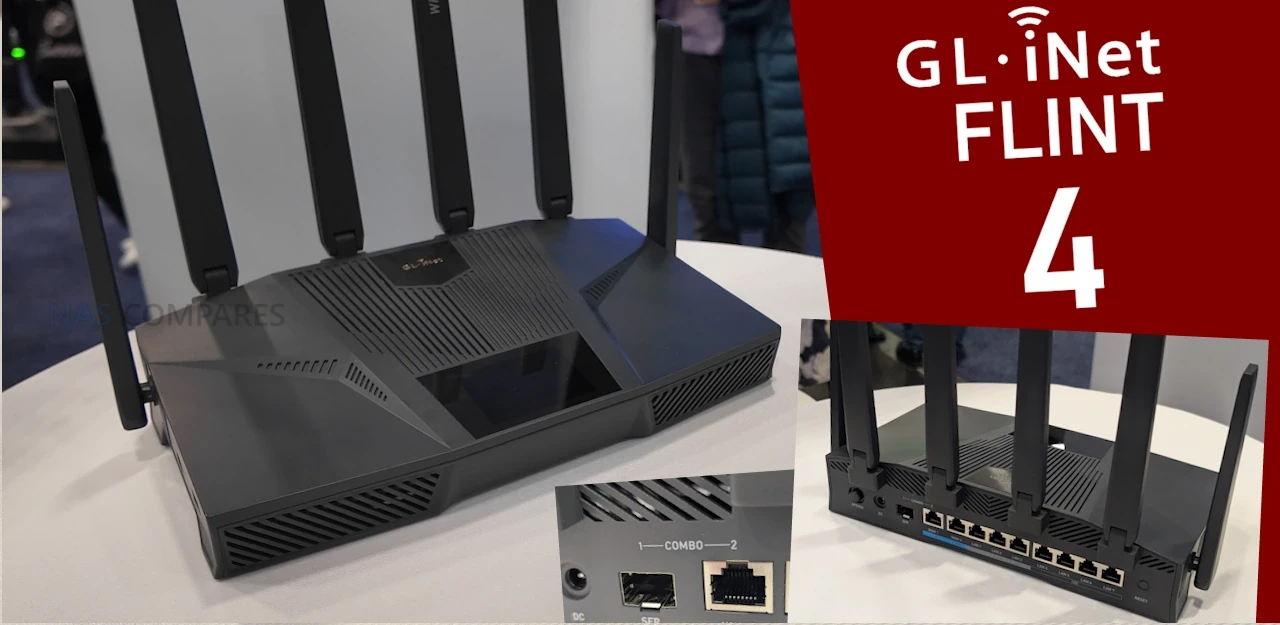
Gl.iNet Flint 4 WiFi7 Router Revealed at CES 2026
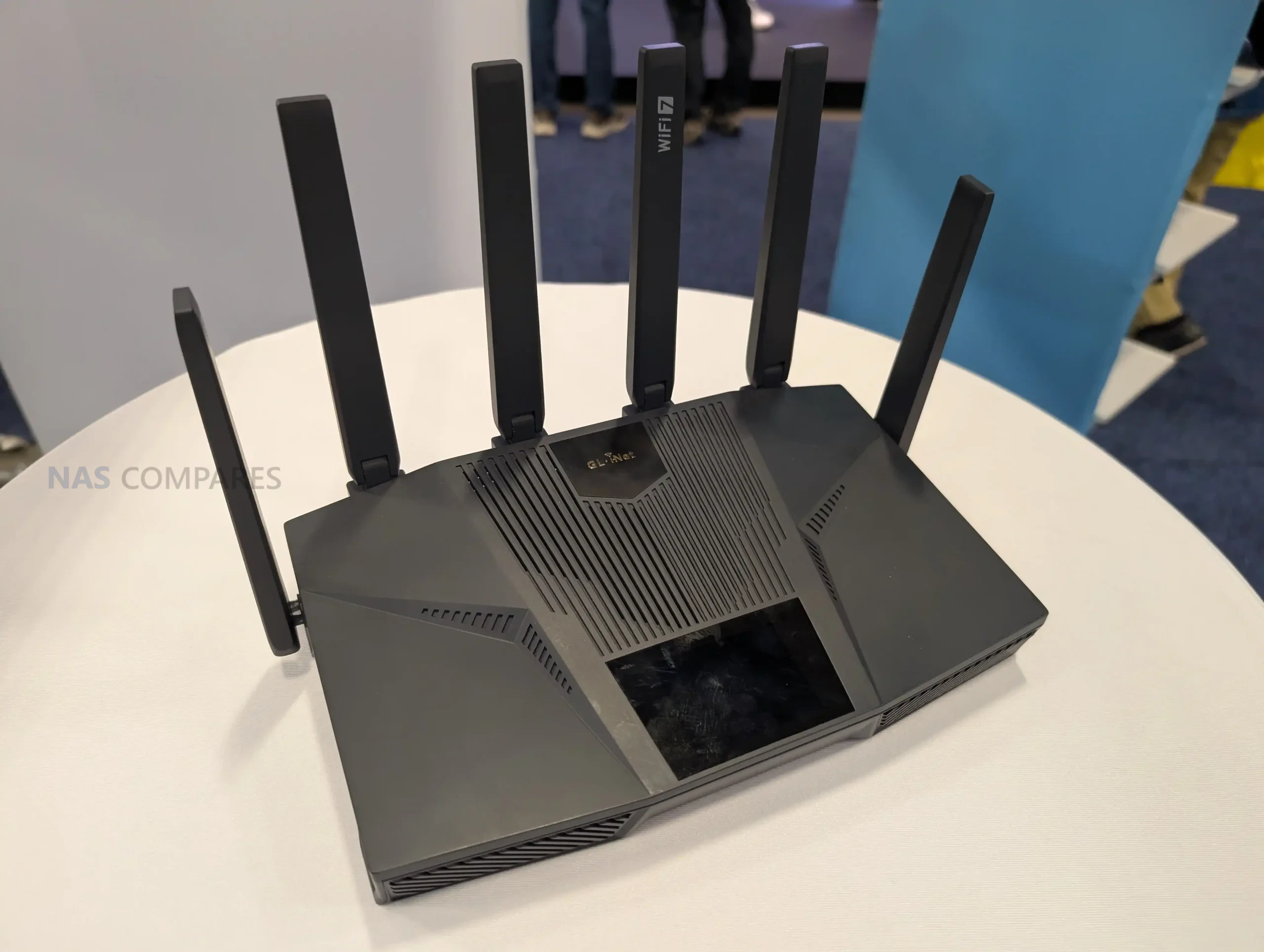
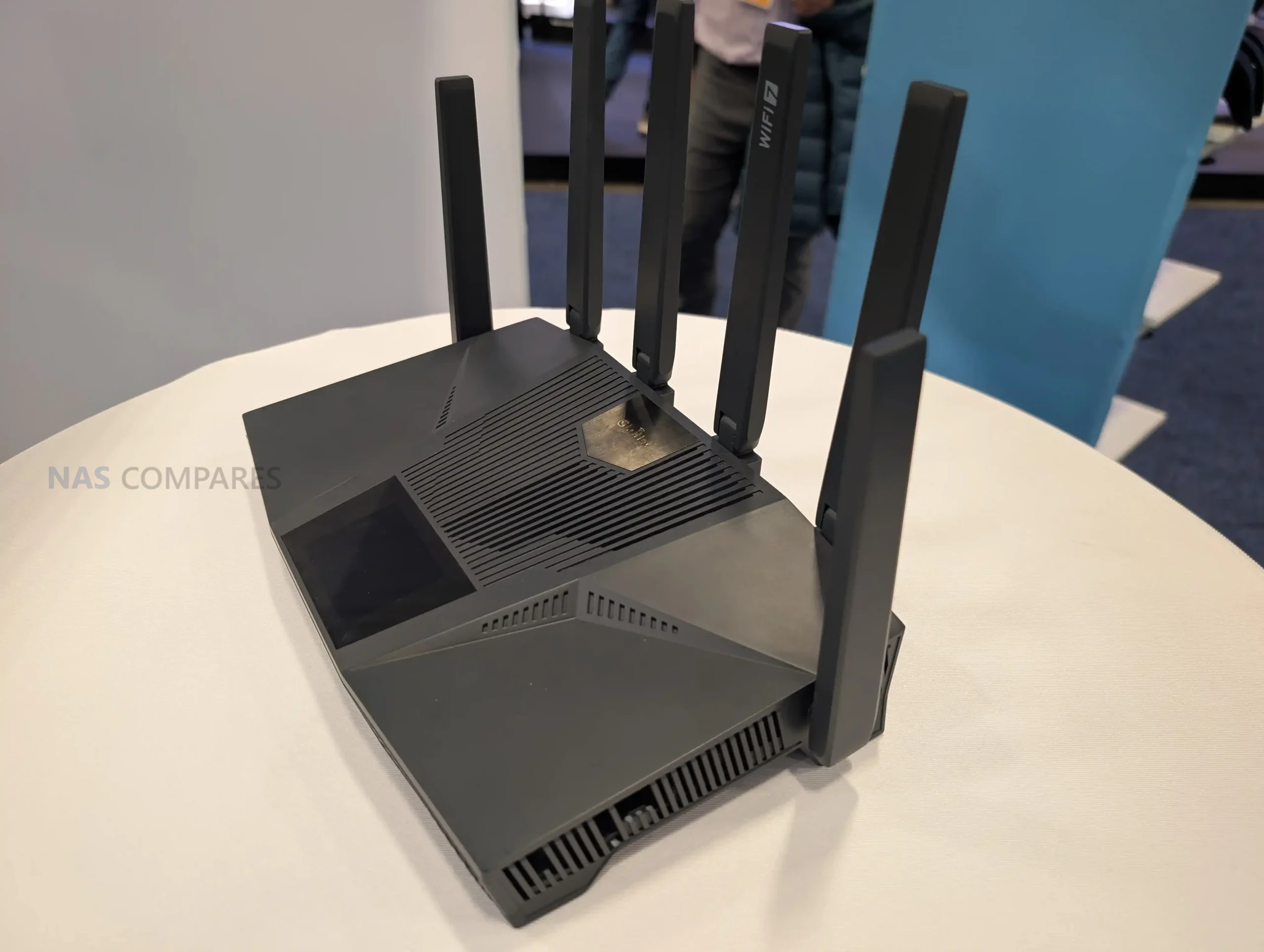
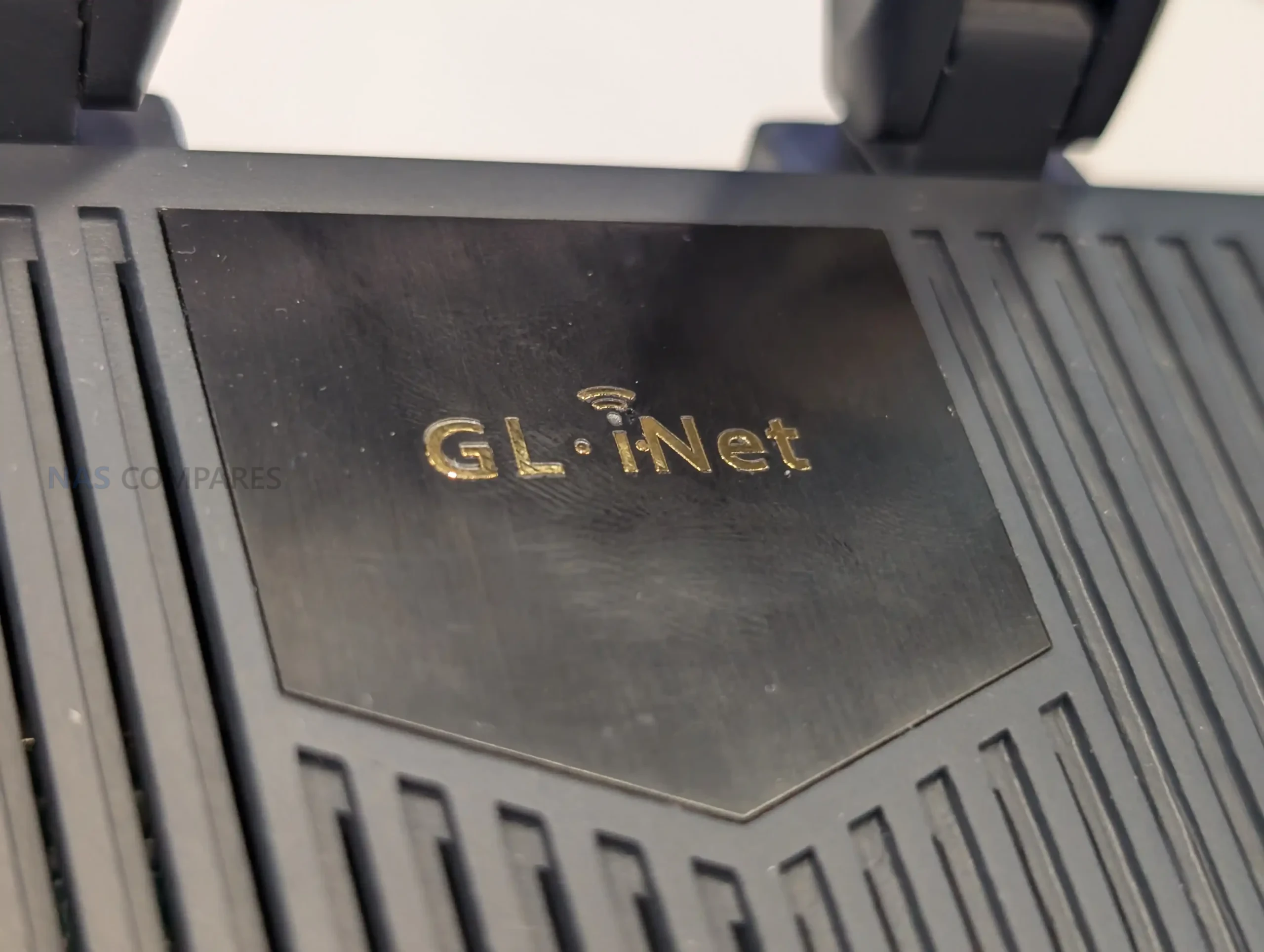
GL.iNet used CES 2026 to preview the Flint 4 as an in-development desktop router, and the prototype shown on the stand reads like a higher-tier extension of what the Flint line has been building toward. The unit on display pairs a more “feature-forward” exterior, including a top-mounted touchscreen, with a port layout aimed at users who want multiple wired speeds in a single device: a 10GbE option via a shared SFP or copper connection, several 2.5GbE ports, and additional 1GbE LAN ports. On the wireless side, it is presented as a Wi-Fi 7 platform expected to cover 2.4 GHz, 5 GHz, and 6 GHz, with 6 external movable antennas, but GL.iNet has not yet locked down details such as whether it stays strictly tri-band or adds a second 5 GHz radio. With RAM and storage still unconfirmed, the safest way to view Flint 4 at this stage is as a prototype focused on connectivity and interface direction rather than a finalized retail spec sheet.
Gl.iNet Flint 4 Router – Everything We Know
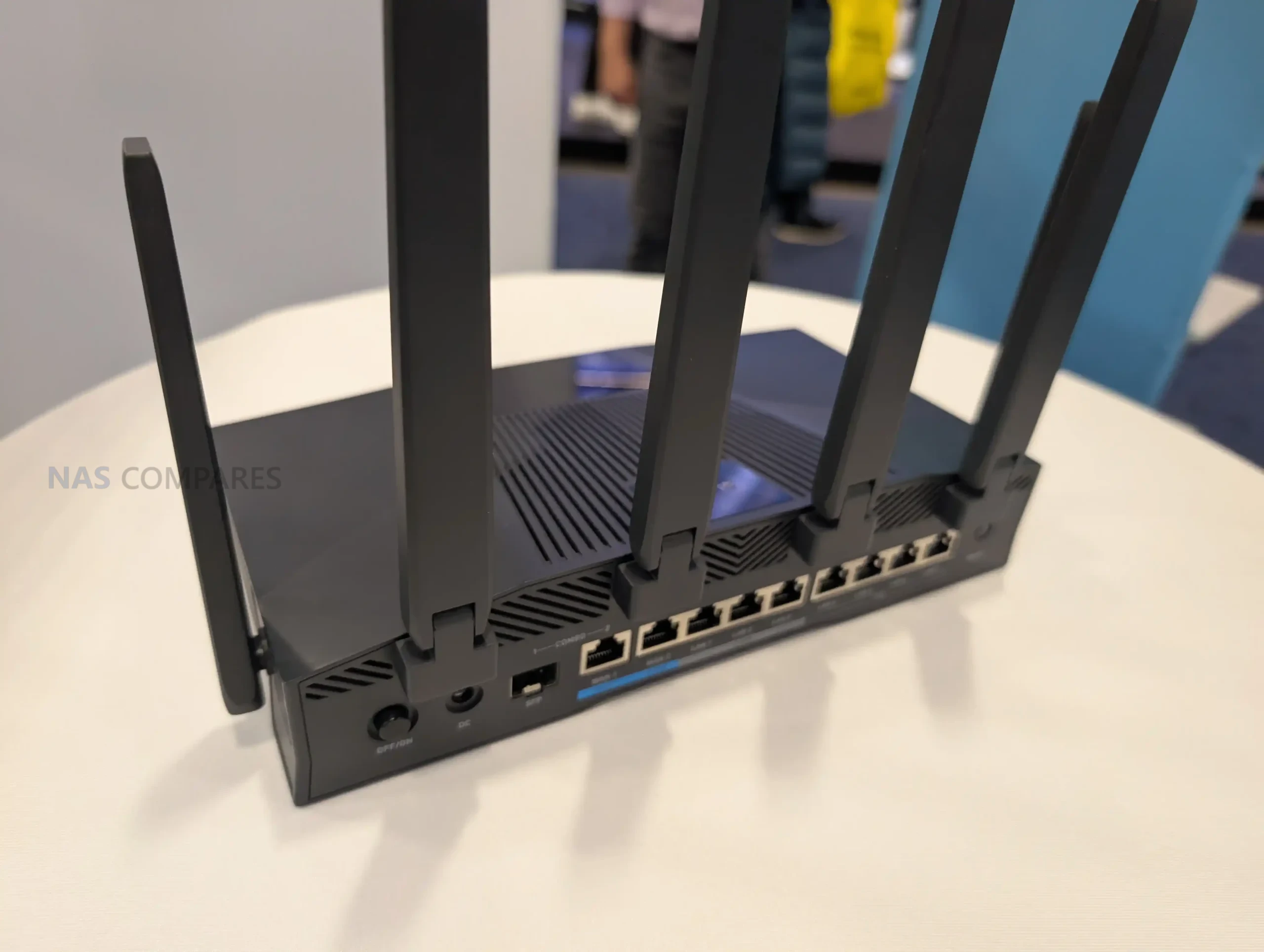
Flint 4 is centered on wired connectivity, combining multiple Ethernet speed tiers in a single chassis. The prototype shows a 10GbE combo arrangement with 1x SFP and 1x 10GBASE-T copper where only 1 of the 10GbE interfaces is intended to be active at a time, and that shared link can be assigned as WAN or LAN. Below that are 4x 2.5GbE ports presented as 1x WAN and 3x LAN, plus 4x 1GbE LAN ports for additional wired clients.
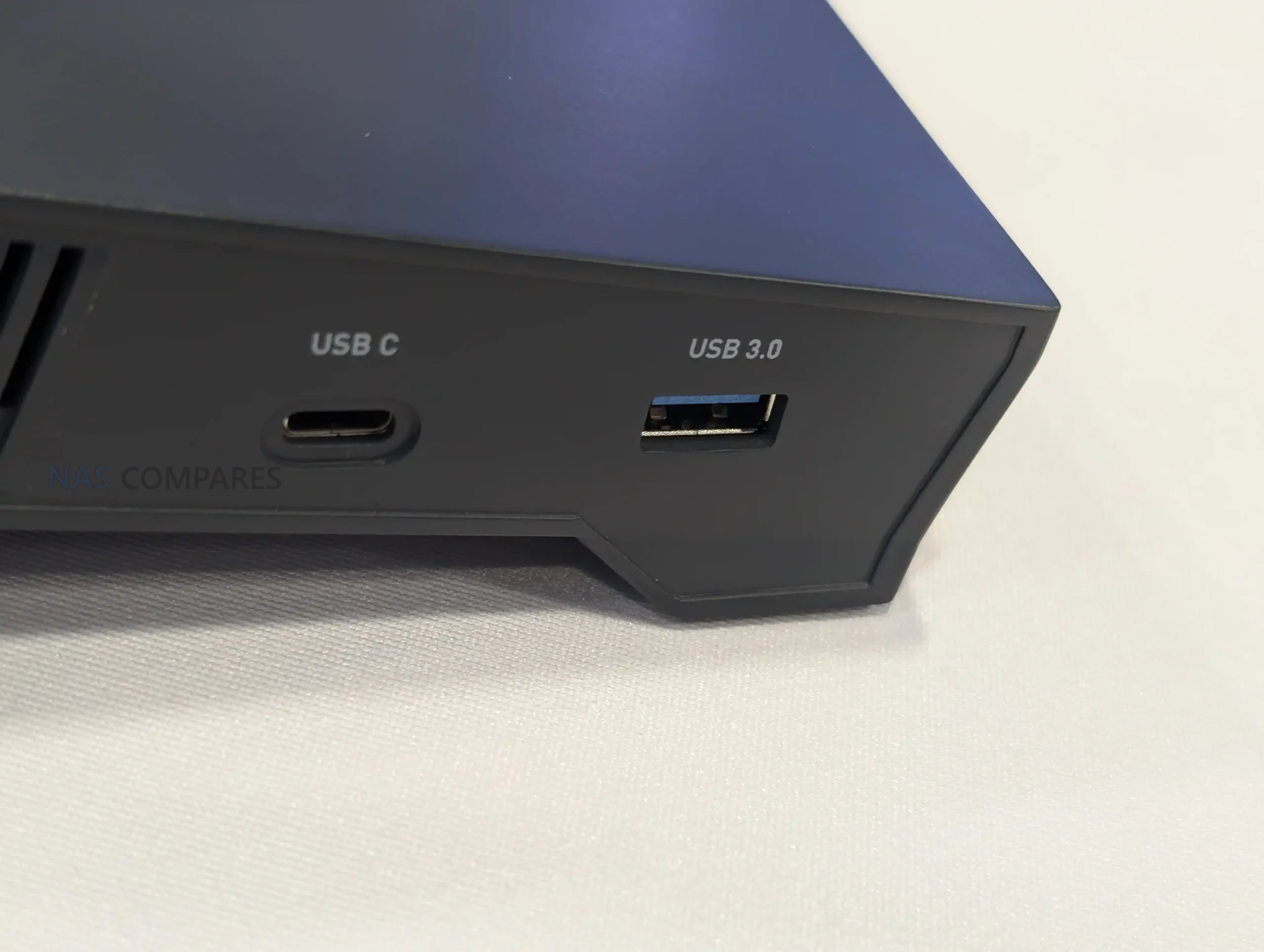
On the USB side, the unit shown includes 2 ports: 1x USB-C and 1x USB-A. Both are described as 5 Gb/s, which positions them for common router add-ons such as external storage, tethering, or peripheral connectivity, depending on how GL.iNet implements the final firmware support.
Wireless is described as Wi-Fi 7 with support spanning 2.4 GHz, 5 GHz, and 6 GHz, but the exact radio layout is not confirmed. In the CES prototype discussion, GL.iNet could not confirm whether the final design stays at 3 bands or adds a second 5 GHz radio, which would affect how it handles simultaneous clients, channel width choices, and multi-link operation in practice.
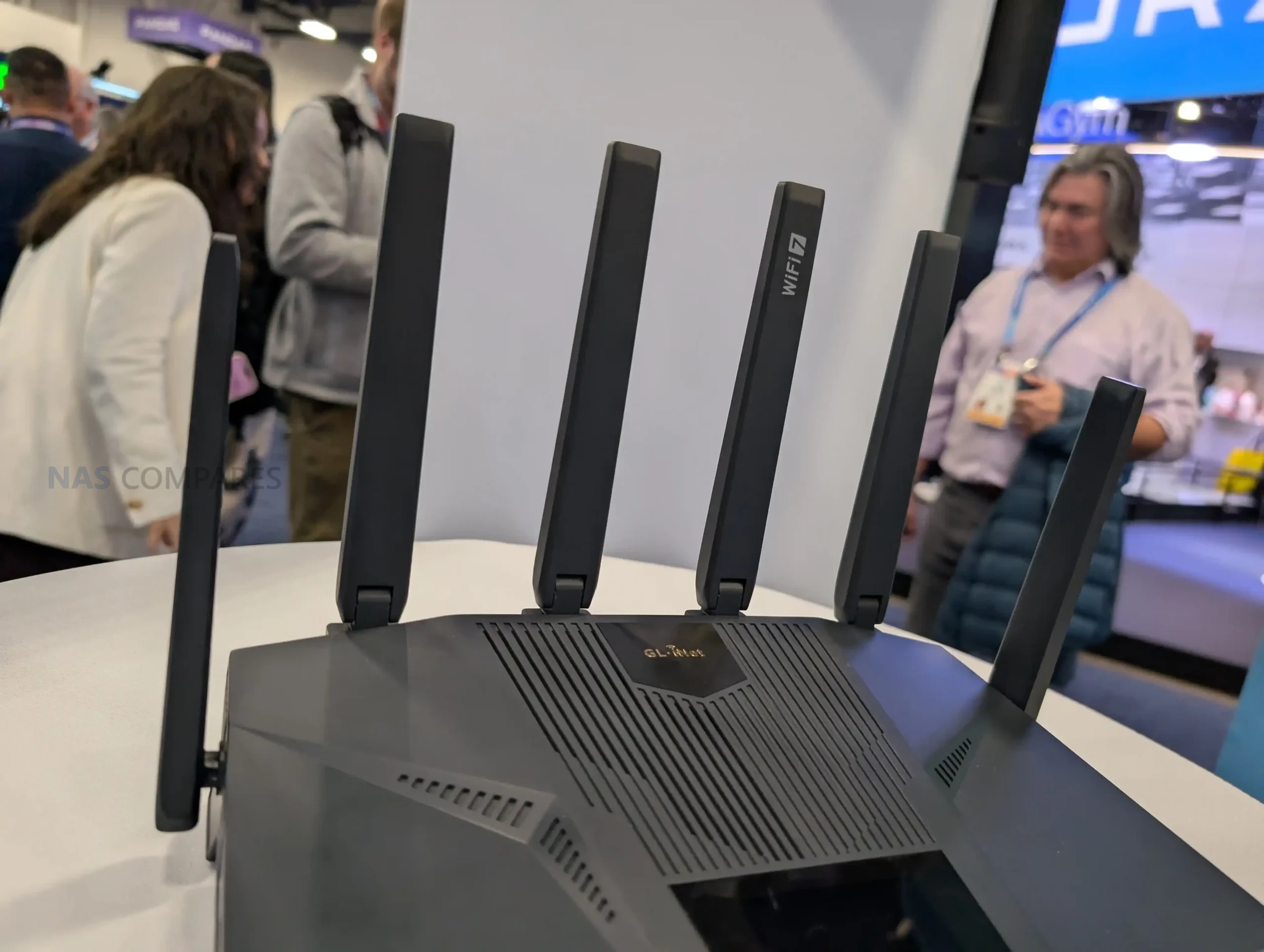
The antenna design is a visible part of the hardware approach, with 6 external movable antennas shown on the prototype. The intent is clearly desktop coverage rather than travel portability, and the final tuning and band distribution across those antennas is likely to depend on the confirmed radio configuration.
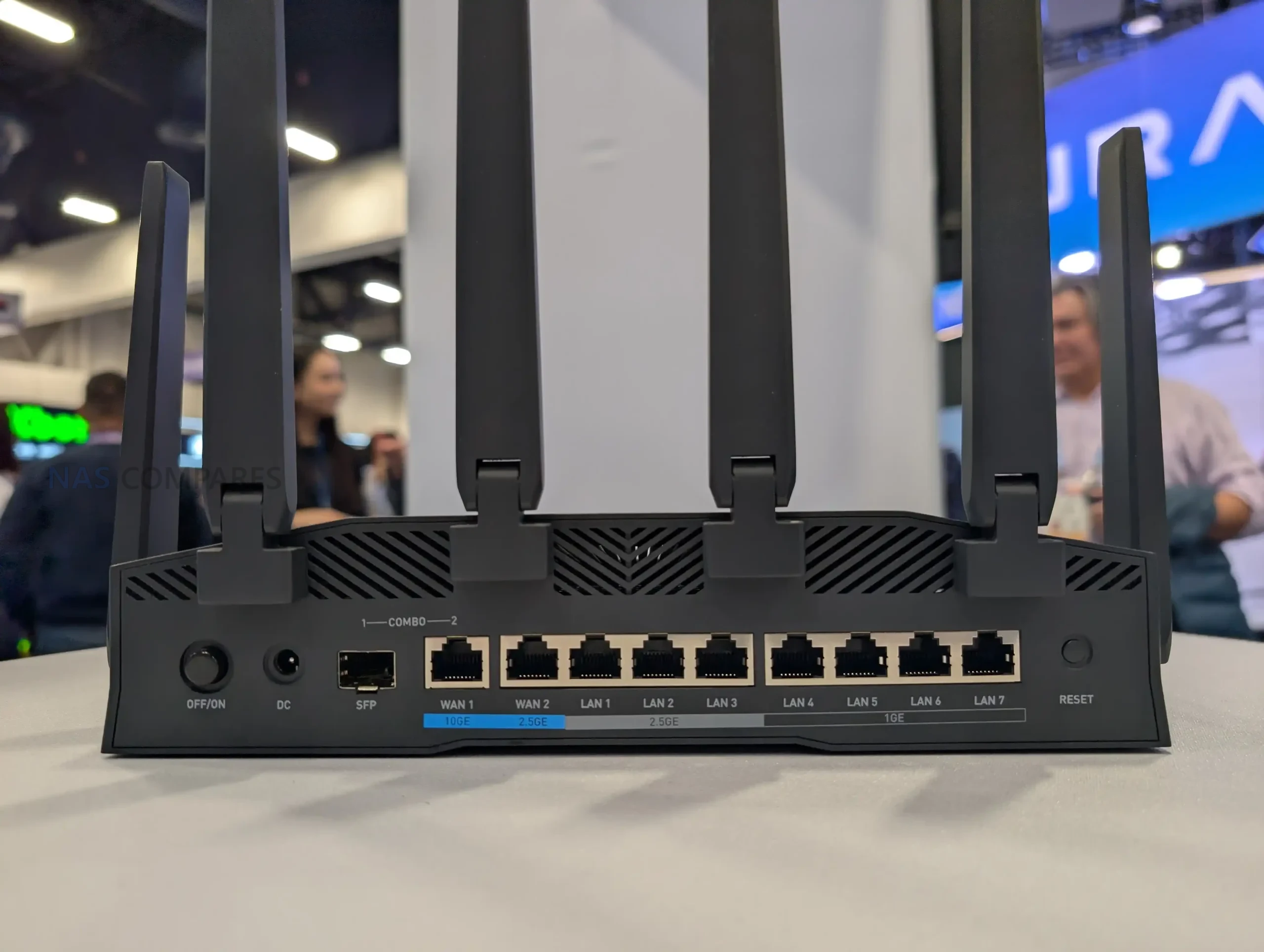
Processing is described as a quad-core MediaTek platform. No clock rate or specific model is provided in the details you shared, so performance expectations should be framed around the feature set implied by the port configuration and Wi-Fi 7 support rather than any confirmed throughput numbers.
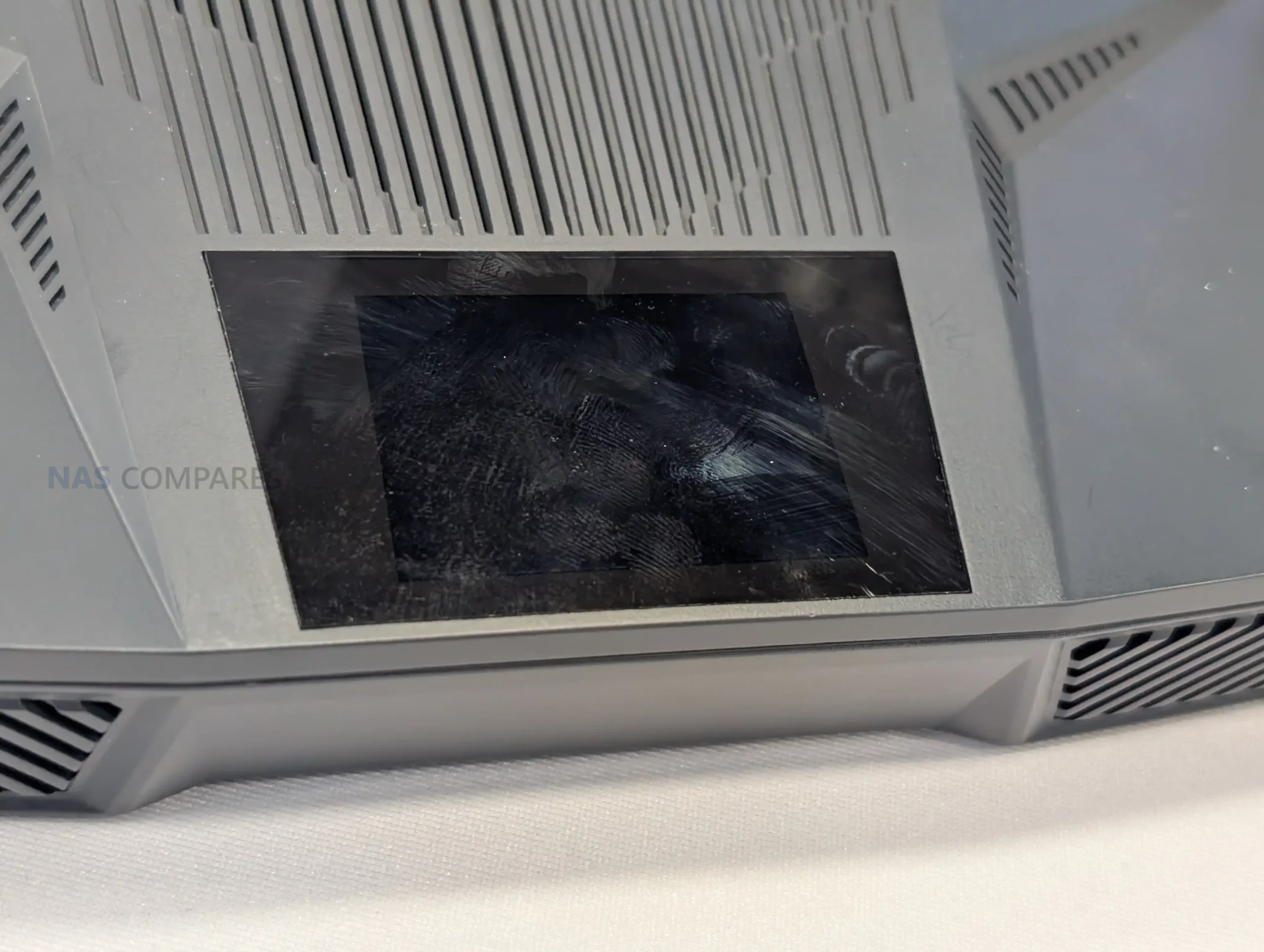
A top-mounted touchscreen display is built into the design, which is a change from the typical Flint-style front-panel indicators. GL.iNet has not stated what the interface will expose in retail firmware, but the inclusion suggests on-device visibility for status and basic controls rather than relying solely on a browser or app for routine checks.
Gl.iNet Flint 4 Router – Worth Waiting For?
Flint 4, as shown at CES 2026, is a prototype built around a connectivity-first spec, combining a 10GbE combo interface with additional 2.5GbE and 1GbE ports, dual 5 Gb/s USB, and a Wi-Fi 7 design that is expected to cover 2.4 GHz, 5 GHz, and 6 GHz. The addition of a top-mounted touchscreen and 6 external antennas further separates it from smaller GL.iNet products, indicating a desktop router intended for heavier home or small-office use rather than travel scenarios.
At the same time, several core details remain unresolved, including the final wireless radio configuration as well as RAM and storage. Because the unit is still in early development, the most accurate takeaway is the direction of the product rather than a final purchasing proposition: GL.iNet is exploring a Flint-series router with aggressive physical I/O and a more direct on-device interface, but the final performance and positioning will depend on the hardware choices that are still listed as TBC.
📧 SUBSCRIBE TO OUR NEWSLETTER 🔔🔒 Join Inner Circle
Get an alert every time something gets added to this specific article!
This description contains links to Amazon. These links will take you to some of the products mentioned in today's content. As an Amazon Associate, I earn from qualifying purchases. Visit the NASCompares Deal Finder to find the best place to buy this device in your region, based on Service, Support and Reputation - Just Search for your NAS Drive in the Box Below
Need Advice on Data Storage from an Expert?
Finally, for free advice about your setup, just leave a message in the comments below here at NASCompares.com and we will get back to you. Need Help?
Where possible (and where appropriate) please provide as much information about your requirements, as then I can arrange the best answer and solution to your needs. Do not worry about your e-mail address being required, it will NOT be used in a mailing list and will NOT be used in any way other than to respond to your enquiry.
Need Help?
Where possible (and where appropriate) please provide as much information about your requirements, as then I can arrange the best answer and solution to your needs. Do not worry about your e-mail address being required, it will NOT be used in a mailing list and will NOT be used in any way other than to respond to your enquiry.
 TRY CHAT
Terms and Conditions
TRY CHAT
Terms and Conditions





|
 |


New UGREEN NAS Expansion, DXP4800 PRO NAS and eGPU Revealed
Gl.iNet Flint 4 10G+2.5G Router Revealed @CES 2026
EVERYTHING NEW from Minisforum @ CES 2026
Gl.iNet Slate 7 PRO Travel Router (and Beryl 7) REVEALED
Minisforum N5 MAX NAS - 16C/32T, 128GB 8000MT RAM, 5xSATA, 5x M.2, 2x10GbE and MORE
The BEST NAS of 2026.... ALREADY??? (UnifyDrive UP6)
Access content via Patreon or KO-FI
Discover more from NAS Compares
Subscribe to get the latest posts sent to your email.
Specs are over the top. Don’t need a screen. Don’t need 10Gb that’s just going to waste power. Just make a MediaTek based 2.5Gb device to have HFO and mt76 driver support. It should be a sequel to the near perfect GL-MT6000.
REPLY ON YOUTUBE
I hope that has MediaTek hardware.
REPLY ON YOUTUBE
the spec sheet on the flint 3. doesnt have 320. will this one have it?
REPLY ON YOUTUBE
It better not have issues with stock OpenWRT like the Flint 3, because without stock OpenWRT those things make no sense imho
REPLY ON YOUTUBE
who the fk needs a touchscreen on a home router? Waste of tech….
REPLY ON YOUTUBE
Did you said share load of antennas or a Shi.. lot of antennas ????.
REPLY ON YOUTUBE
Nice, WAN port 2.5gbe, use the 10Gbe to switch
REPLY ON YOUTUBE
It can run vanilla openWRT right ????… right? ????
REPLY ON YOUTUBE
Alot like the Tp-link Archer BE800 but with some extra 1gb ports. I hope they dip a little in price, as long as they have 2.5gb all over im happy, i don’t think my provider will be able to give me more than 1gbit anytime soon…
REPLY ON YOUTUBE
Best could be 2 10gbit rj45 2 2.5 rj45 and sfp+
REPLY ON YOUTUBE
The flint 3 was very disappointing
REPLY ON YOUTUBE
If you have 10Gb coming in… You should be getting more serious hardware…
REPLY ON YOUTUBE
Can’t use the 10GBE for LAN, so … for the ( _majority?_ ) of us who have 1 gigabit or lower internet speeds that cannot be used to greater spread the load of higher internal routing … which is a shame.
I’d really like one device for everything but with at least one ( _preferably 2 or 3_ ) 10GBE for LAN so that there’s a good mainline popping around the network.
To be clear, I’m not doing much with it all, I really do just want to set and forget like I did with 1GBE however many decades ago that was. Knowing full well that someone can stream 4K + media in multiple rooms at the same time and it leave plenty of space for other stuff, too. Yep, that happens more than you’d think … and … nope … I am ( _clearly_ ???? ) not a networking expert.
I am well aware that there are solutions from Microtik and QNAP, but have heard that Mikrotik routers have something to do with latency and I worry about getting caught in an ‘ecosystem’ thing with the QNAP stuff … the ‘cloud’ part of their routers alone makes my tin foil hat itch … let alone future Eliot’s purse strings.
REPLY ON YOUTUBE
Openwrt 2
REPLY ON YOUTUBE
What a shame no 10GbE Lan
REPLY ON YOUTUBE
A single 10Gbe port doesn’t make a 10GbE router. How are you going to make use of 10gbit internet with this thing?
REPLY ON YOUTUBE
I have been watching this router. I’m going to get one of synology doesn’t do anything else
REPLY ON YOUTUBE
Any news on the Ai Nases from UGREEN ?
REPLY ON YOUTUBE