

Why Many Users Choose Synology/QNAP/Terramaster/UGREEN/etc, over TrueNAS and/or UnRAID – 100 Reasons
I think most users who use out-the-box NAS solutions (also known commonly as ‘turnkey‘) will admit that, although they hear alot of good things about TrueNAS and UnRAID (as well as Proxmox, OMV and ZimaOS) – there are plenty of reasons why they have not jumped ship from their Synology or QNAP yet. No one can argue that the low resource and flexibility of UnRAID, or the power and scalability of TrueNAS is not absolutely incredible – but all to often people can forget the convenience and ease of turnkey solutions – and why in 2025 that can be as appealing to us as it was back in the early 2000s, when solutions like these first appeared at retail! So, below are 100 reasons why users choose to pick and/or stay in the safe (if more expensive!) world of turnkey NAS! Some reasons are more business-focused, some more about ease of use, and others are actually more NAS brand specific (eg QNAP Qtier, Synology Active Backup, Terramaster TRAID, etc)
IMPORTANT DISCLAIMER – Different tools suit different tasks! I use both DIY and Turnkey Solutions in my own personal/work data storage environments (as well as a little bit of DAS and even some off site cloud!),. This article is not designed to ‘attack’ or ‘slag off’ one side of the home server market over another! It is to help understand why users might choose one over the other. Not disimilar in some ways to how some people prefer PC gaming vs Console gaming (or even exclusively mobile, though even struggle to wrap my head around that one!).
1. Simplified setup and onboarding
Vendor NAS software is typically ready out of the box with first run wizards, auto detection of drives, RAID suggestions and basic services pre enabled. Many users can reach a working file server or backup target in minutes without learning storage concepts in depth.
2. Unified interface across features
DSM, QTS, ADM, TOS, UGOS and UniFi Drive present storage, users, apps, snapshots, virtualisation and monitoring through one consistent GUI. In DIY platforms you often jump between different web apps, plugins or containers that each have their own interface and logic.
3. Opinionated defaults that reduce mistakes
Turnkey systems are designed around the most common small business and home use cases. They pre select file systems, background scrubs, SMART checks, scheduled snapshots and appropriate permissions. This reduces the risk of badly configured ZFS or array settings that can happen in DIY setups.
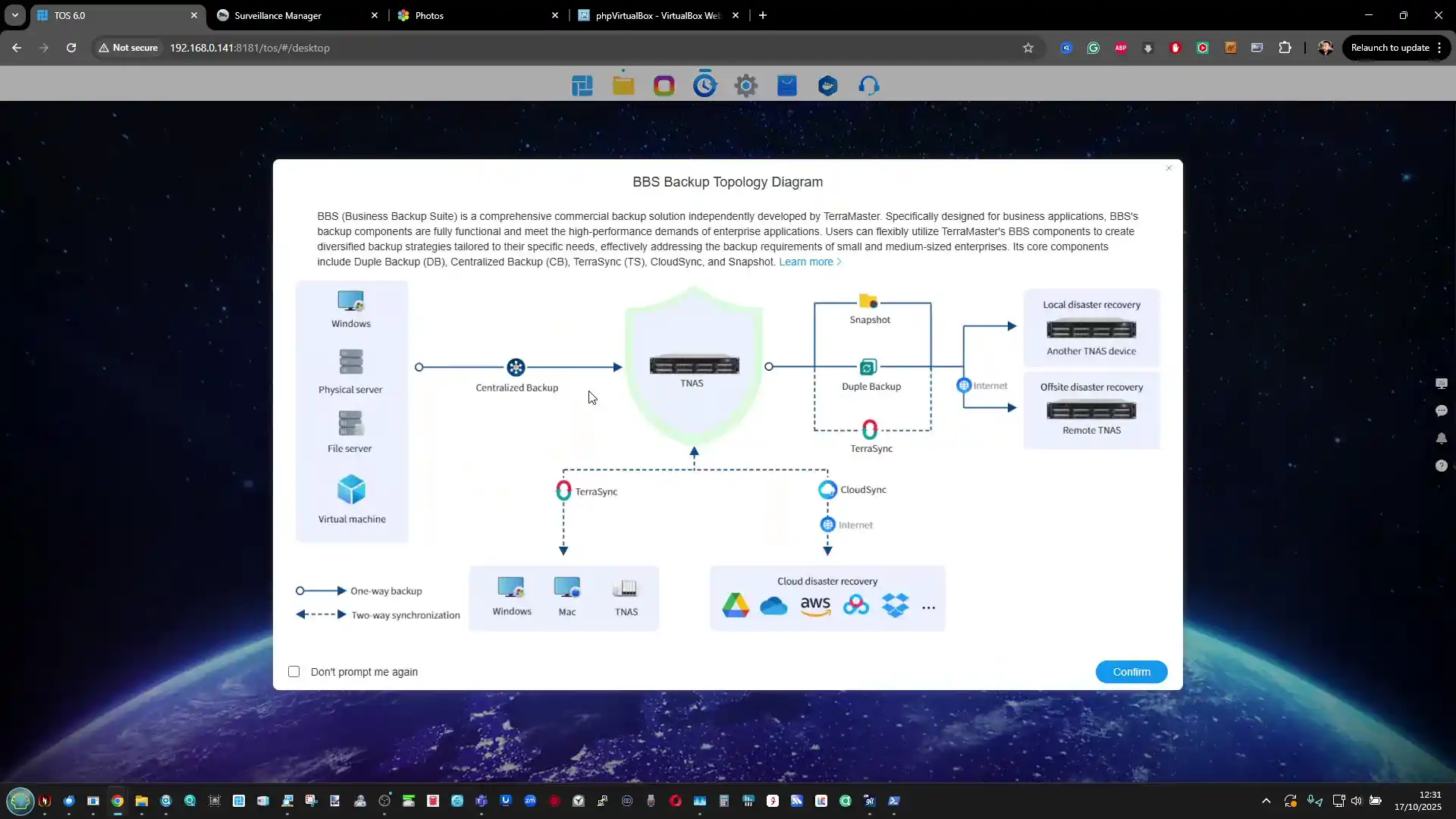
4. Integrated backup and sync ecosystem
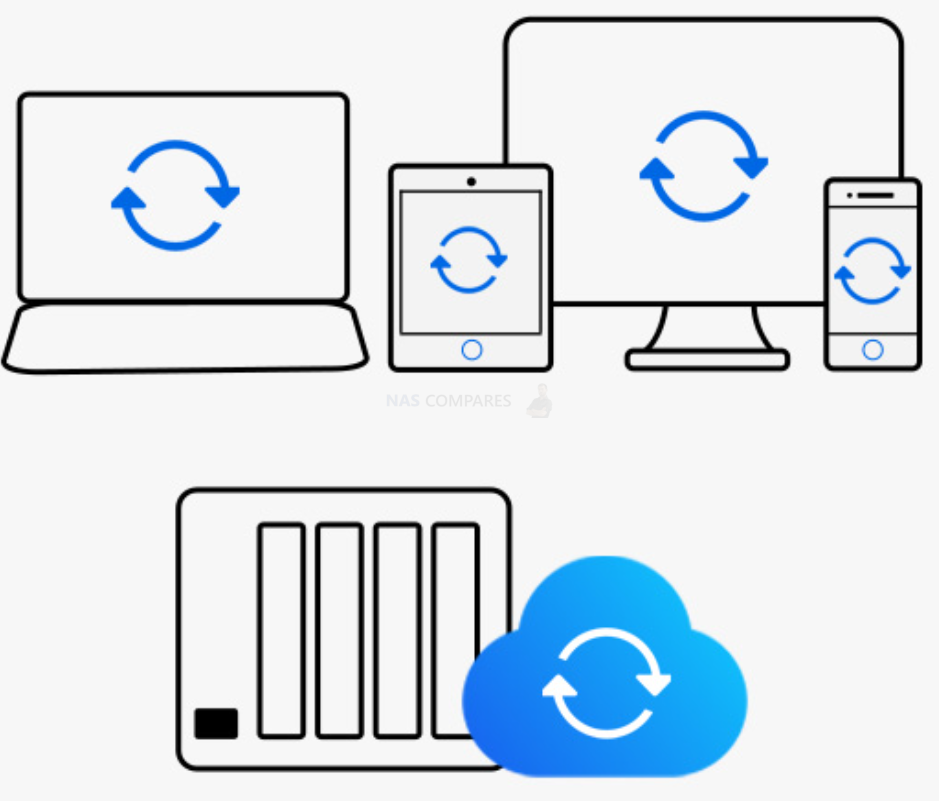
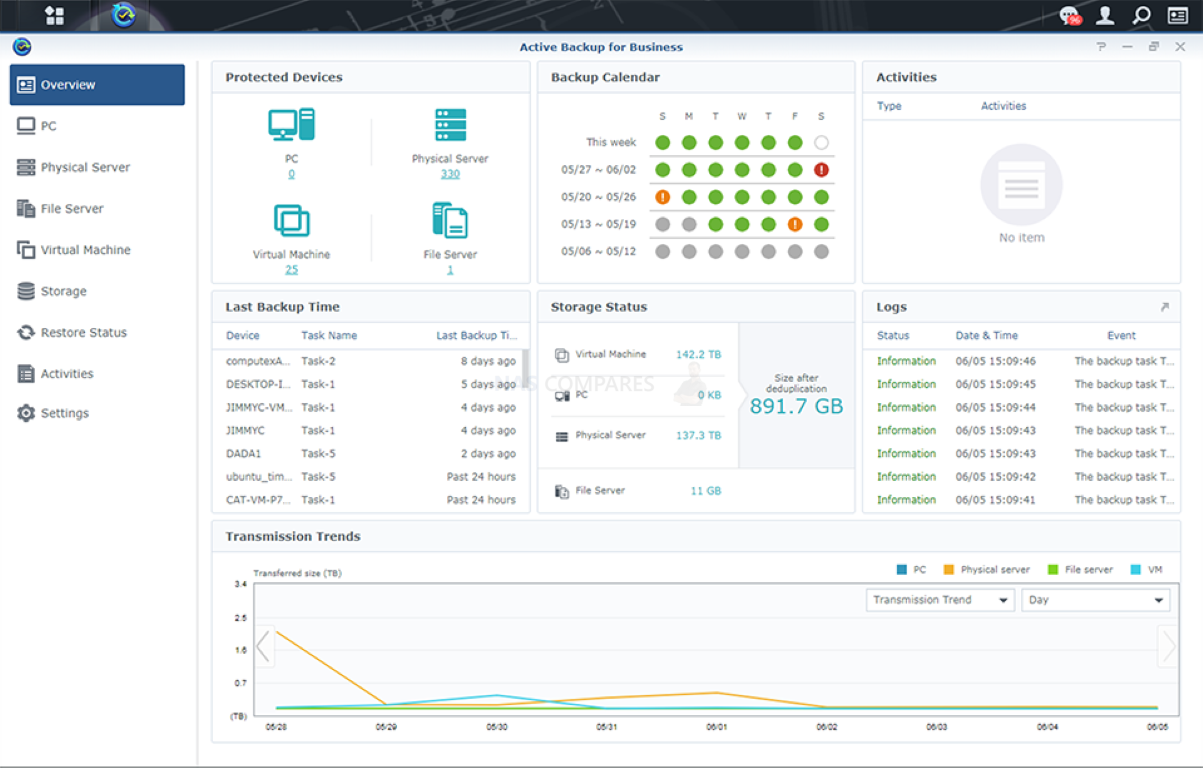
Vendor NAS platforms usually bundle full backup suites for PCs, Macs, mobile devices, cloud sync and cross NAS replication, all controlled from one place. With DIY stacks you often assemble this from several separate tools such as Rsync, Restic, Duplicati, Hyper Backup style containers or custom scripts.
5. Official mobile and desktop apps
Synology, QNAP, Asustor, TerraMaster, UGREEN and UniFi all ship their own photo, video, music, file sync and admin apps for iOS, Android and desktop. Non technical users often rely on these instead of SMB, NFS or web portals. DIY platforms usually depend more on generic clients or community apps.
6. Vendor support and warranty alignment
When hardware and software come from the same company there is a single point of contact for troubleshooting, RMA and firmware issues. With DIY builds the user is responsible for diagnosing whether a problem is with the OS, the controller, the drives or their chosen container stack.
7. App stores and curated packages
Turnkey NAS operating systems provide an integrated app center with prebuilt and tested packages for Plex, Docker, databases, surveillance, office suites and more. Users avoid manual container creation or plugin hunting, and updates are delivered through the same update mechanism as the core OS.
8. Lower ongoing maintenance burden
Automatic OS updates, package updates, smart notifications and storage health checks are designed for people who do not want to maintain a homelab. DIY deployments like TrueNAS and UnRAID can be very stable but usually expect the admin to read changelogs, test new releases and manage hardware firmware themselves.
9. Polished UX for non technical family or staff
Many people want something they can hand to family members or colleagues without explaining datasets, pools or parity models. Vendor systems focus on friendly media apps, easy sharing links, simple user management and straightforward access control, which is less intimidating than more technical dashboards.
10. Purpose built hardware integration
Turnkey NAS software is tuned for the vendor chassis, CPU choices, fan curves, drive bays, expansion units and sometimes their own drives or NICs. This allows better power management, quieter cooling profiles and predictable performance under typical loads, whereas DIY setups sometimes require manual tweaking or custom scripts to reach the same level of integration.
11. Built in remote access services
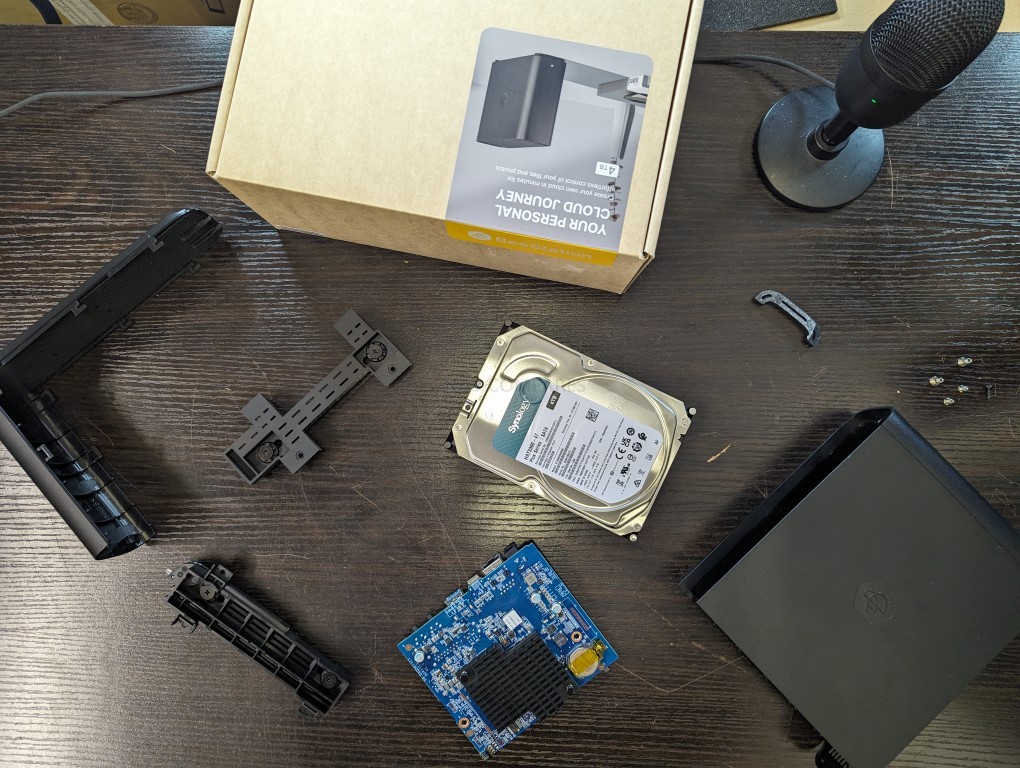
Synology QuickConnect, QNAP myQNAPcloud, UGREEN remote access and UniFi cloud portals give relatively easy ways to reach the NAS from outside the home, with wizards for SSL certificates and relay or reverse proxy configuration. DIY solutions usually need separate VPN, reverse proxy or dynamic DNS setup, which can be a hurdle for less technical users.
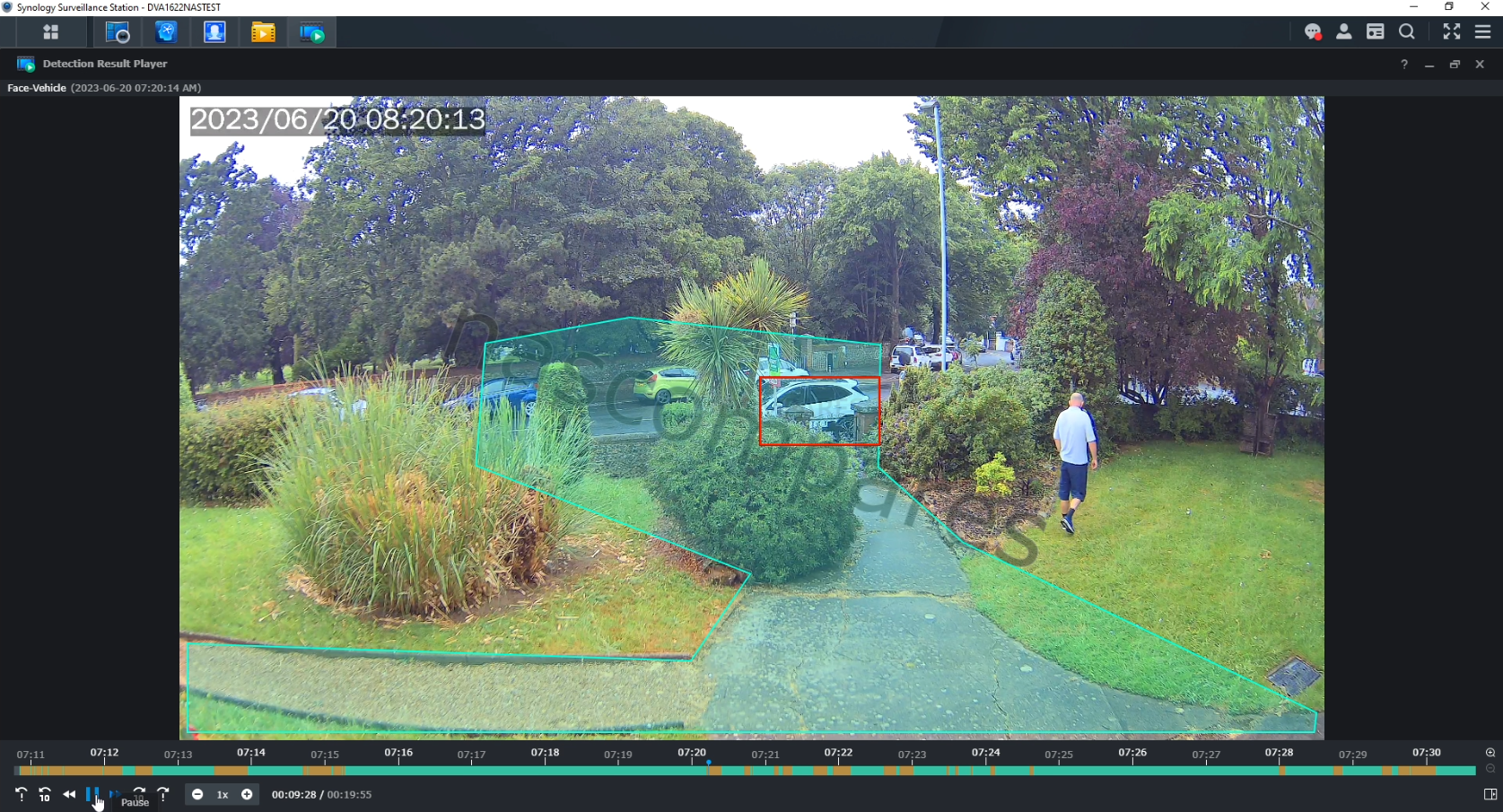
12. Integrated surveillance and NVR features
Most turnkey NAS platforms bundle full camera management suites with motion detection, licensing, event timelines and mobile notification support. With DIY systems this often means combining separate containers or services and manually wiring storage, permissions and recording schedules together.
13. Smooth firmware and OS integration
Drive sleep, fan curves, thermal limits, UPS signals, LCD panels and front panel buttons are all tuned and tested by the vendor. This reduces strange edge cases such as fans stuck at full speed or drives not sleeping, which are more common when an OS is deployed on random DIY hardware.
14. Better experience for small offices and non technical teams
Turnkey NAS software is designed so that a small office without an IT department can manage users, quotas, shared folders, cloud sync and snapshots through a predictable interface. DIY stacks often assume there is a homelab style admin who is comfortable with shell access and manual recovery steps.
15. Pre integrated ecosystem services
Vendors often provide their own office suite, chat server, calendar, mail, photo and video applications that are aware of each other permissions and storage locations. Doing the same on a DIY system usually involves picking and integrating separate open source projects, each with its own user database and update cycle.
16. Clearer disaster recovery workflows
Many turnkey systems have guided workflows for replacing failed disks, expanding RAID, restoring from snapshots and recovering from another NAS or a cloud backup. DIY platforms are powerful here but often present more technical terminology and expect the admin to understand pool state, resilvering and dataset recovery in more detail.
17. Certification and ecosystem support
Synology, QNAP, Asustor and others often have official compatibility lists, certifications with backup vendors, hypervisors and camera brands, plus documentation that assumes their OS. This helps businesses that need a supported environment, rather than a custom stack that vendors may refuse to certify.
18. Predictable update cadence
Appliance style NAS software usually follows a documented release track, with security updates and feature releases pushed through a single updater. DIY NAS users often juggle OS upgrades, plugin or container updates and sometimes driver or kernel updates, which increases the risk of something breaking.
19. Lower learning curve for occasional admins
Some people only touch their NAS settings a few times per year. Turnkey software favours obvious icons, wizards and consistent terminology that are easier to come back to after a long gap. DIY environments frequently reward continuous familiarity and can feel opaque if you only log in when something has gone wrong.
20. Perceived professionalism and vendor reputation
For small businesses or freelance professionals, buying a branded NAS with an integrated OS feels closer to buying a finished appliance such as a router or firewall. This can inspire more confidence than a home built box with a community OS, even if the DIY system is technically superior, which influences purchasing decisions in many cases.
21. Built in cloud service integration
Turnkey NAS systems tend to ship with first party or curated apps for major cloud platforms such as Microsoft 365, Google Workspace, Dropbox and S3 compatible services. The wizards handle credentials, scheduling and throttling, so users do not need to wire up separate containers or command line tools for each provider.
22. Clear licensing and feature tiers
Commercial NAS platforms usually define which features are free, which require extra licenses such as camera channels or mail server and which are part of business tiers. DIY solutions often involve a mix of open source projects with different licenses plus optional paid plugins, which can be harder for a small business to audit.
23. Centralised security controls
Security options such as two factor authentication, account lockout rules, firewall profiles, certificate management and brute force protection are normally surfaced in one place in turnkey NAS software. On DIY stacks these controls may live separately in the operating system, reverse proxy, containers and hypervisor.
24. Extensive official documentation and training material
Vendors publish step by step guides, video tutorials and certification style training that assume their software stack. This makes it easier for junior staff or generalists to learn the system compared with assembling knowledge from multiple communities and wikis for a custom DIY setup.
25. Easier compliance reporting
For organisations that need to satisfy basic compliance such as audit trails, retention rules or off site backups, vendor NAS platforms often include reporting tools, logs and checklists that map to common requirements. With DIY environments the admin usually has to prove and document these controls manually.
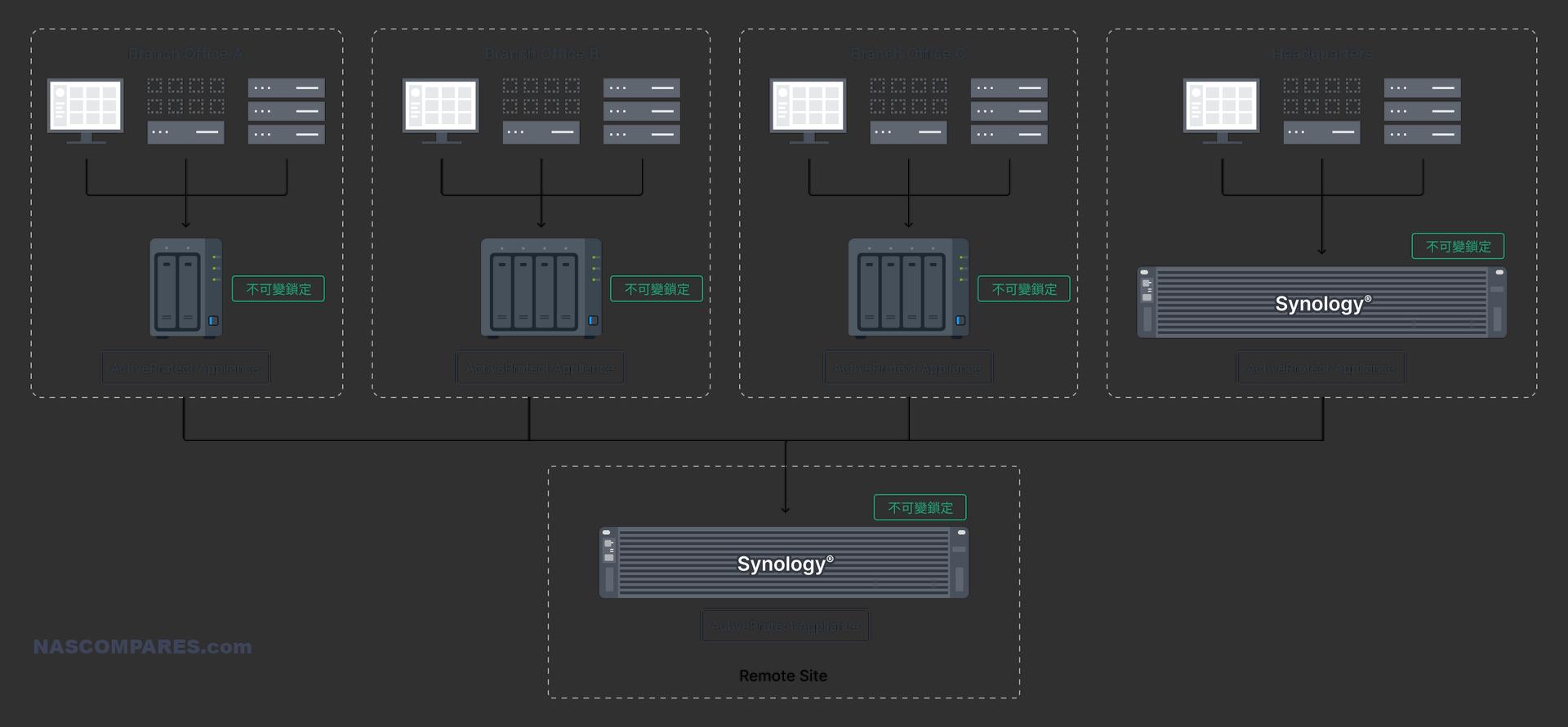
26. More predictable multi site deployments
If several offices all use the same NAS brand, the admin can reuse the same playbook for remote management, replication, user templates and monitoring. DIY deployments may vary more in hardware and configuration between locations, which complicates support.
27. Lower barrier for third party support
External IT providers and managed service companies are more likely to have experience with popular turnkey NAS brands and their operating systems. That makes it easier to hand off support or get short term help, compared with a custom server running a niche or heavily customised DIY stack.
28. Consistent user experience during upgrades
When upgrading from an older appliance to a newer one from the same vendor, the interface, migration tools and storage layout are usually similar. This reduces retraining and migration complexity, while a move between different DIY platforms or versions can feel more like a full redesign.
29. Smaller risk of silent misconfiguration
Turnkey NAS software often validates settings and warns if you choose insecure or unsupported combinations, for example exposing services directly without encryption or mixing unusual RAID and cache arrangements. DIY tools frequently assume the admin knows the implications and allow more dangerous combinations without warning.
30. Better fit for plug and forget scenarios
Many users and small businesses want a storage appliance that they configure once, then largely ignore apart from occasional updates. Vendor NAS systems are aimed at this type of usage pattern, with notifications only when something important changes, whereas DIY environments typically reward regular attention and active administration.

31. Better out of the box media experience
Turnkey platforms usually have polished photo, video and music apps, automatic indexing and pleasant web players for family or staff. DIY systems can match this with containers such as Jellyfin, Photoprism and Immich, but the user has to assemble and maintain all of it.
32. Built in wizards for directory services
Joining Microsoft 365, Azure AD, local Active Directory or LDAP is usually handled with simple wizards and documented steps. On DIY platforms it often means more manual configuration and troubleshooting of Samba, Kerberos and certificates.
33. Language, localisation and accessibility
Commercial NAS software is usually translated into many languages and tested for right to left scripts, date formats and accessibility features such as high contrast and screen reader support. DIY tools may only be fully usable in English and have less focus on accessibility.
34. Simpler notifications and alerting
Turnkey systems offer point and click setup for email alerts, mobile push messages and sometimes vendor cloud notifications. They choose sensible defaults for what counts as an important alert. DIY environments often need separate configuration for mail relays, monitoring containers and alert policies.
35. Integration with vendor hardware ecosystem
Vendors such as Synology, QNAP and UniFi design switches, routers, cameras and sometimes drives to work together. Using their NAS software often unlocks extra features or easier management when everything is from the same ecosystem, which is harder to replicate with a mixed DIY stack.
36. Cleaner upgrade path for non technical owners
If the original tech person leaves, a small office can more easily hand a vendor NAS to a new admin or outside consultant. A heavily customised TrueNAS or Unraid box may be much harder for someone new to understand, especially if it has many manual tweaks.
37. Better power management and noise tuning
Because the operating system is written for known hardware, the vendor usually has sensible defaults for drive spindown, CPU power states and fan speed curves. DIY builds sometimes run noisier or less efficiently until the owner spends time tuning them.
38. Easier resale and re deployment
A branded appliance that can be factory reset and resold is often more attractive on the second hand market, and the buyer knows they will get a familiar interface. A DIY server with a complex configuration is harder to pass on or repurpose.
39. Simple route to official feature requests
Turnkey NAS vendors maintain public roadmaps, ticket systems and sometimes beta programs where users can request features and see progress. DIY stacks rely more on open source project maintainers and community volunteers, which can be less predictable from a non technical user point of view.
40. Clear boundary between appliance and experiments
With a vendor box, many users treat the NAS as a stable appliance and do their experimental homelab work on other hardware. With DIY NAS platforms it can be tempting to mix storage, containers, VMs and random experiments on the same system, which increases the chance of self inflicted problems.
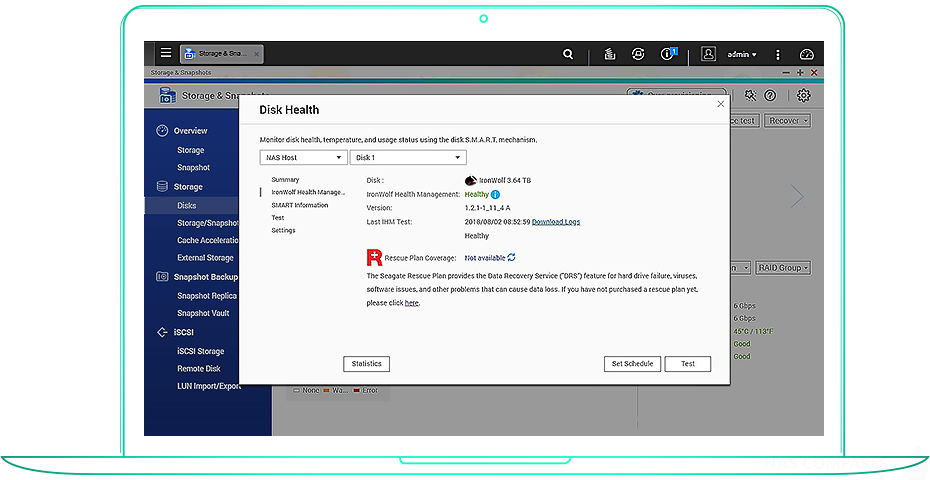
41. Integrated health check tools
Many turnkey NAS platforms include scheduled health scans, built in diagnostics and simple one click reports that summarise disk health, file system status and security posture. This gives casual admins a clear picture of whether things are normal without reading system logs.
42. Safer default network exposure
Vendor systems usually ship with conservative defaults for open ports, remote access and admin interfaces. They often require explicit confirmation before exposing services to the internet, which lowers the chance that a newcomer accidentally leaves something critical wide open.
43. Easier mixed environment support
Turnkey NAS software is designed from the start to serve Windows, macOS and Linux clients, as well as mobile devices, with presets for each. The same applies to printer shares, Time Machine and simple guest access, so a mixed household or office can work with fewer manual tweaks.
44. Family friendly features
Photo sharing, simple link based file sharing, parental controls and easy user creation make appliance NAS platforms attractive in homes where not everyone is technically minded. It is simpler to give each family member a home folder and app than to explain datasets and user groups in a more technical system.
45. Built in small business templates
Many vendor platforms include wizards labelled for small business tasks, for example file server for a workgroup, simple off site backup or camera recording for a shop. This template approach is less intimidating than building every share, permission and schedule from scratch.
46. Integrated antivirus and security scanners
Turnkey NAS operating systems usually include built in antivirus, basic malware detection and sometimes ransomware behaviour alerts that tie directly into shares and user accounts. With DIY stacks you often need to choose and connect your own security tools, then maintain them separately.
47. Built in help and guided troubleshooting
DSM, QTS, ADM and similar platforms tend to include integrated help panels, inline tooltips and simple diagnostic wizards that walk you through common problems such as slow access or failed backups. DIY platforms rely more on forum posts and community guides, which is slower for less experienced admins.
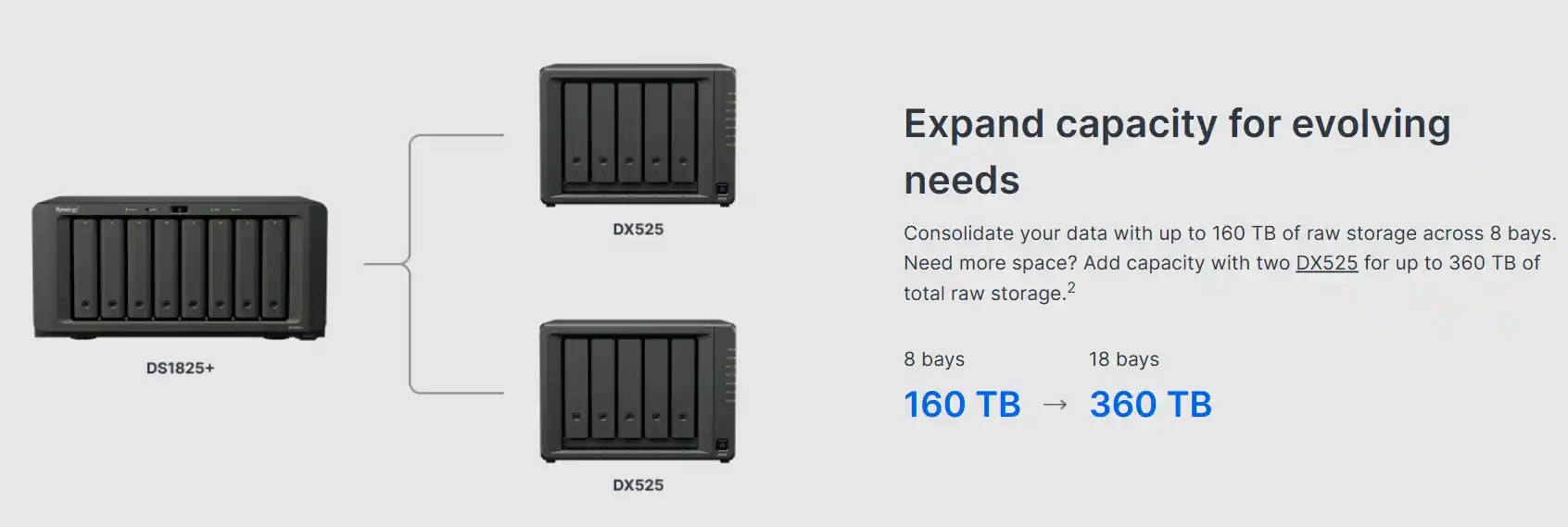
48. Tested support for vendor expansion hardware
Vendor NAS software is checked against their own expansion cards, external drive shelves, Wi Fi or cellular dongles and specific UPS models. This removes guesswork around drivers and compatibility that is more common when you deploy a general purpose OS on random hardware.
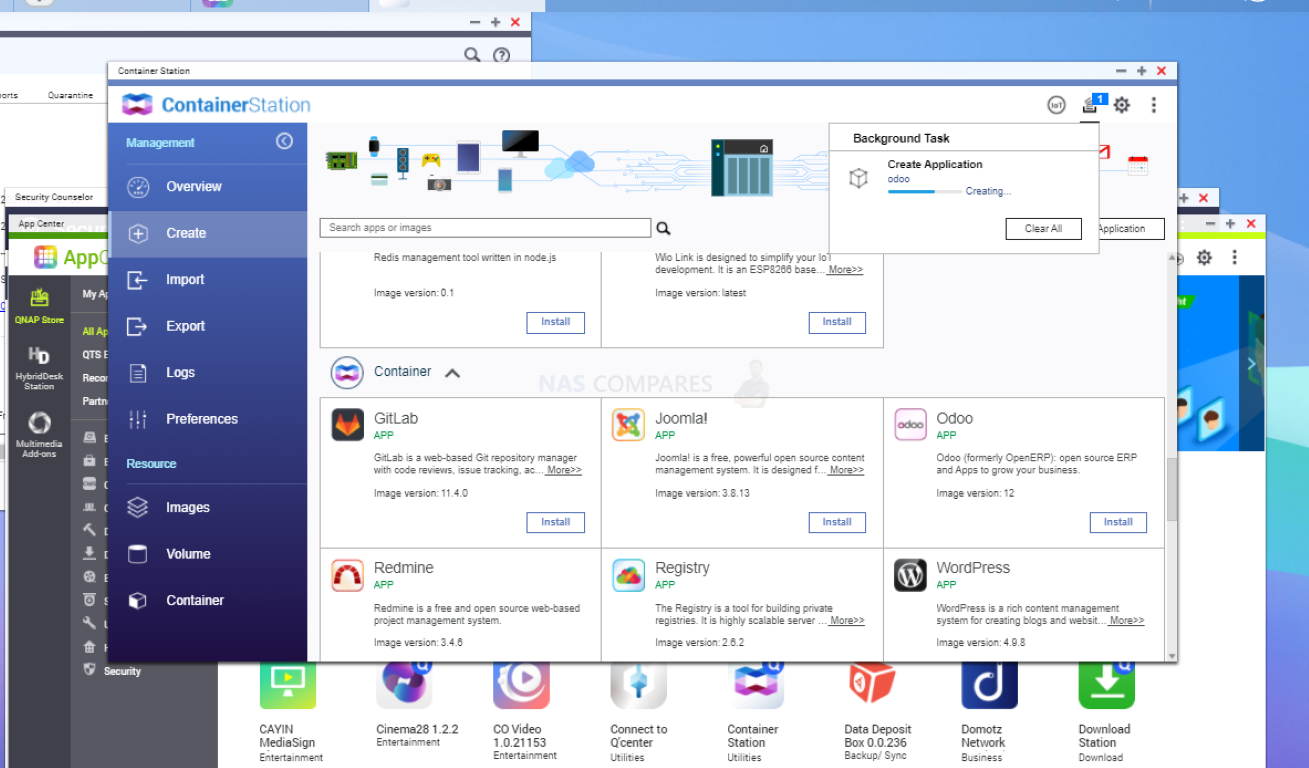
49. Clean virtual machine and container integration
On many turnkey NAS systems the built in virtualisation and container managers are linked directly into storage, networking and permissions with a unified permission model. DIY users often combine a separate hypervisor with storage and multiple container engines, which is more flexible but also more complex.
50. Easier link aggregation and networking features
Interface bonding, vlan tagging and basic quality of service are usually exposed through simple screens that understand the appliance hardware. On DIY setups these features can require manual configuration of network stacks or external switches with less guidance.
51. Integrated energy saving and scheduling
Turnkey NAS platforms frequently offer scheduled power on and power off, automatic hibernation and coordinated UPS shutdown in one place. DIY systems can do the same, but usually through a mixture of firmware settings, operating system tools and UPS software that are not collected into a single panel.
52. Simple handling of mixed storage tiers
Many vendor operating systems make it straightforward to mix solid state cache, solid state volumes and hard drive volumes with clear labels and usage suggestions. Users who just want a fast area and a bulk area can configure this quickly, without learning detailed tiering concepts.
53. Vendor tuned media indexing and AI features
Newer turnkey NAS software often includes ready configured services for face recognition, object tagging and quick search across photos and documents. Achieving the same on DIY systems typically means deploying several separate projects and ensuring they all stay updated and indexed correctly.
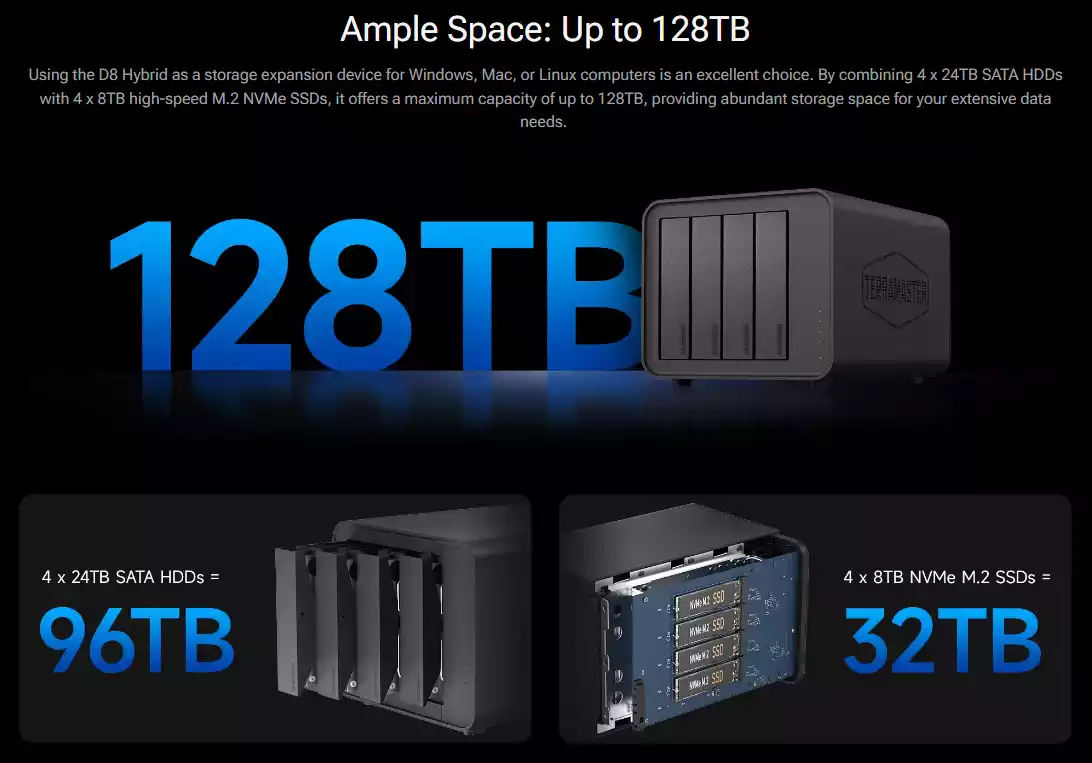
54. Friendly drive swap and expansion workflows
Guided workflows for swapping drives, upgrading disk size or adding new volumes reduce anxiety for people who only perform these tasks occasionally. DIY stacks present these operations at a lower level and expect the admin to understand more storage theory before they proceed.
55. Clearer codec and patent licensing story
For video playback and some network protocols the vendor usually takes care of licensing and legal obligations in the firmware and media apps. DIY stacks often leave it to the user to add codec packs, accept legal risk or live with reduced playback support.
56. Built in tools for privacy and data requests
Some turnkey NAS platforms provide simple tools for finding and exporting user data, wiping specific accounts and managing retention rules in ways that map to common privacy regulations. With DIY systems you usually have to design and script these workflows yourself.
57. Strong vendor partner and reseller ecosystem
Many service providers build standard offerings around Synology, QNAP or other vendor platforms, including fixed price backup, monitoring and remote management bundles. A customer can buy into that ecosystem more easily than asking a provider to support a one off DIY stack.
58. Remote diagnostic bundles for support
Vendor NAS software often includes support bundles that capture logs, system state and configuration in one archive that can be sent securely to support. On a DIY NAS, collecting everything a third party needs for diagnosis often involves more manual work and explanation.
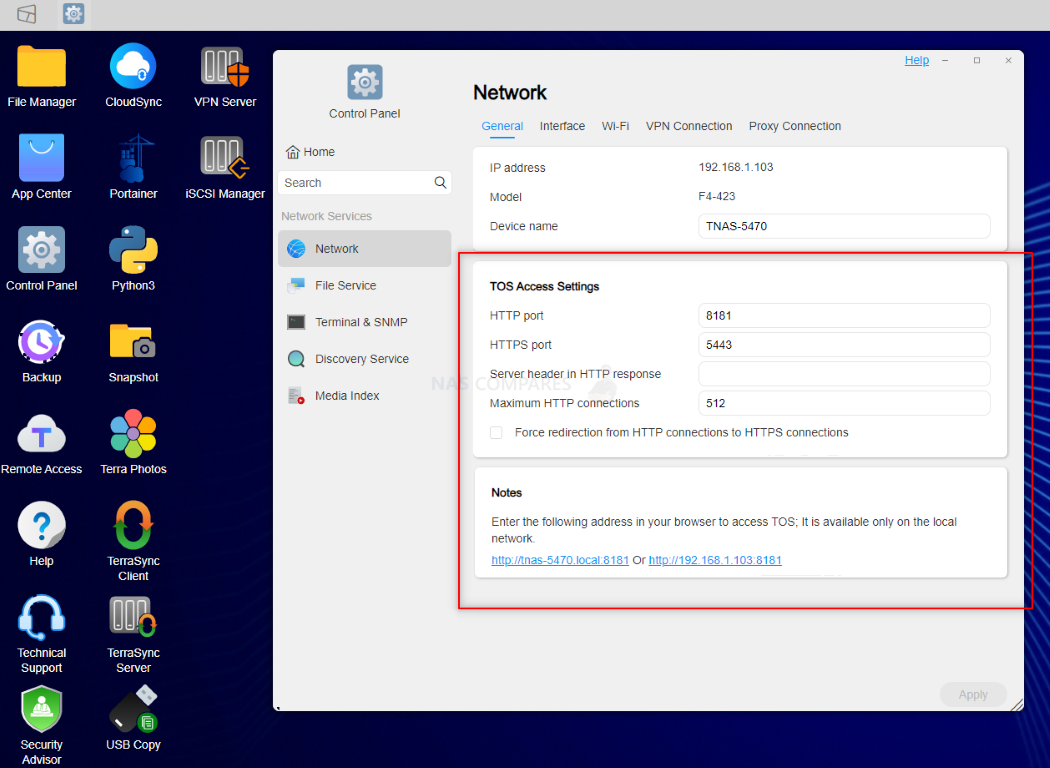
59. Formal training and certification paths
Larger NAS vendors run structured training courses and certification exams focused on their platforms. Organisations can build a team of admins with recognised skills instead of relying only on informal community learning.
60. One click configuration backup and restore
Turnkey NAS systems usually have simple configuration backup features that capture users, shares, permissions and services in a single file that can be restored to identical or successor hardware. DIY platforms often have more moving parts, so configuration is spread across several tools and locations.
61. Better integration with office printers and scanners
Appliance NAS platforms commonly provide straightforward file shares and mail relay options with clear documentation for popular multifunction printers and scanners. In many cases, scan to folder and scan to mail work with only minor setup, which is harder on some DIY stacks.
62. Hardware backed security features surfaced clearly
Where the appliance includes secure boot, dedicated security modules or signed firmware, the NAS operating system usually exposes these with clear status indicators. DIY builds can also use such features, but enabling and monitoring them often involves lower level tools and more specialist knowledge.
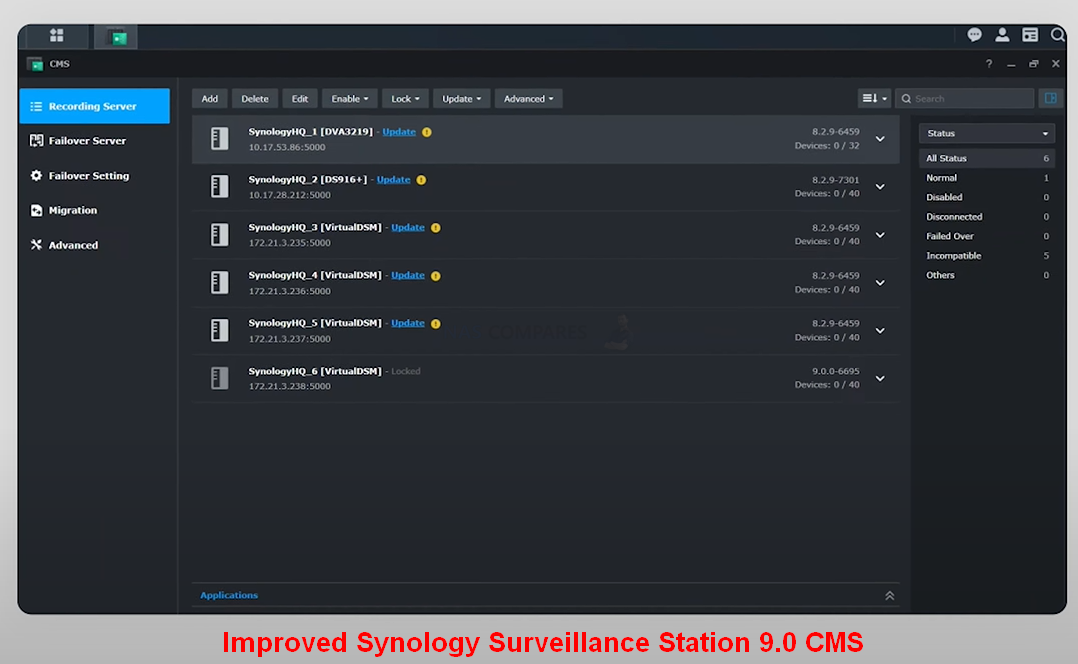
63. Cloud based fleet management for many devices
Several vendors now offer cloud consoles that let you see, update and sometimes configure multiple NAS units from one place. This is useful for managed service providers and larger organisations and is not commonly available for DIY installations.
64. Reduced risk of software dependency conflicts
Vendor NAS software controls the package set tightly and exposes apps through a curated store. This lowers the chance that installing one package will silently break another through shared libraries or operating system updates. DIY systems give more freedom at the cost of more potential conflicts.
65. Integrated download and ingestion tools
Turnkey NAS platforms often include a full featured download client for web, ftp, torrent and nzb sources, tied directly into shares and quota rules. Non technical users can automate downloads and have them land in the right places without learning separate tools.
66. Native calendar and contact sync services
Many appliance systems expose built in calendar and contact sync using industry standard protocols, with setup wizards for common phones and desktop mail clients. Small teams get a simple private address book and calendar without having to assemble separate groupware software.
67. Turnkey VPN server with guided client setup
Synology, QNAP and others commonly include their own VPN server packages with wizards and downloadable client profiles, so remote users can get secure access without the admin needing to deploy a separate dedicated VPN appliance.
68. Integrated reverse proxy and virtual host manager
Turnkey NAS software often lets you publish several internal apps behind a single public address using a graphical reverse proxy manager, with automatic certificate handling. On DIY systems this usually means manual web server configuration and ongoing maintenance.
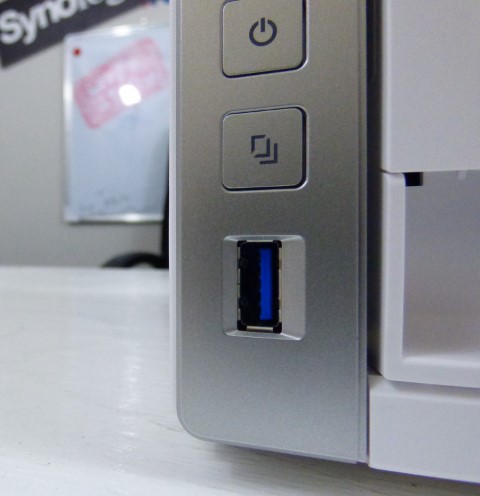
69. Front panel copy and import workflows
Many branded NAS units wire the front usb port and copy button directly into the operating system, so pressing it can trigger predefined jobs such as importing photos or backing up a specific share. Replicating this behaviour on a DIY server normally needs custom scripting.
70. Effortless discovery by televisions and consoles
Vendor NAS operating systems usually ship with media servers that smart televisions and game consoles can see immediately, with almost no setup. For many households this simple living room playback is more important than advanced tuning.
71. Simple resource controls for apps and containers
Appliance platforms often expose per application limits for cpu, memory and sometimes network through sliders or basic fields in the app center. This reduces the chance that one heavy service will starve others without the admin needing to understand deeper container controls.
72. Structured beta and preview channels
Several commercial NAS ecosystems provide clearly labelled preview tracks for new features with documented rollback paths and support boundaries. Curious users can try new capabilities while still having a straightforward route back to a stable release.
73. Hardware aware media transcoding controls
Turnkey NAS software usually knows exactly which media acceleration features are present and exposes them through simple settings. Users can enable or disable hardware transcode and change quality limits without hand tuning media server parameters.
74. Native smart home and voice assistant integration
Many vendor platforms provide official skills or actions for major voice assistants and sometimes hooks for smart home platforms. This allows simple voice commands or automation rules for tasks such as checking storage status or pausing heavy jobs.
75. Unified performance monitoring and graphs
Turnkey NAS systems usually include dashboards that graph cpu, memory, network and disk activity over time. Admins get an at a glance view of behaviour without deploying a separate monitoring stack or learning specialised graphing tools.
76. Integrated snapshot browsing for end users
On many turnkey NAS platforms, users can see and restore earlier versions of files directly from the web file portal or desktop client, without needing admin access to the snapshot tools. DIY systems often expose snapshots mainly at the storage layer, which makes end user self service recovery more complicated to set up.
77. Pre defined permission and role templates
Vendor NAS software usually ships with ready made roles such as administrator, power user, standard user and guest that map to sensible permission sets. This reduces the chance of over privileged accounts and saves admins from building every permission scheme by hand, which is more common with DIY platforms.
78. Unified logging and audit views
Turnkey NAS systems tend to centralise system logs, access logs and app logs in one interface with filters and export options. Admins can quickly see who did what and when, instead of piecing together multiple log locations and formats as is typical on general purpose DIY servers.
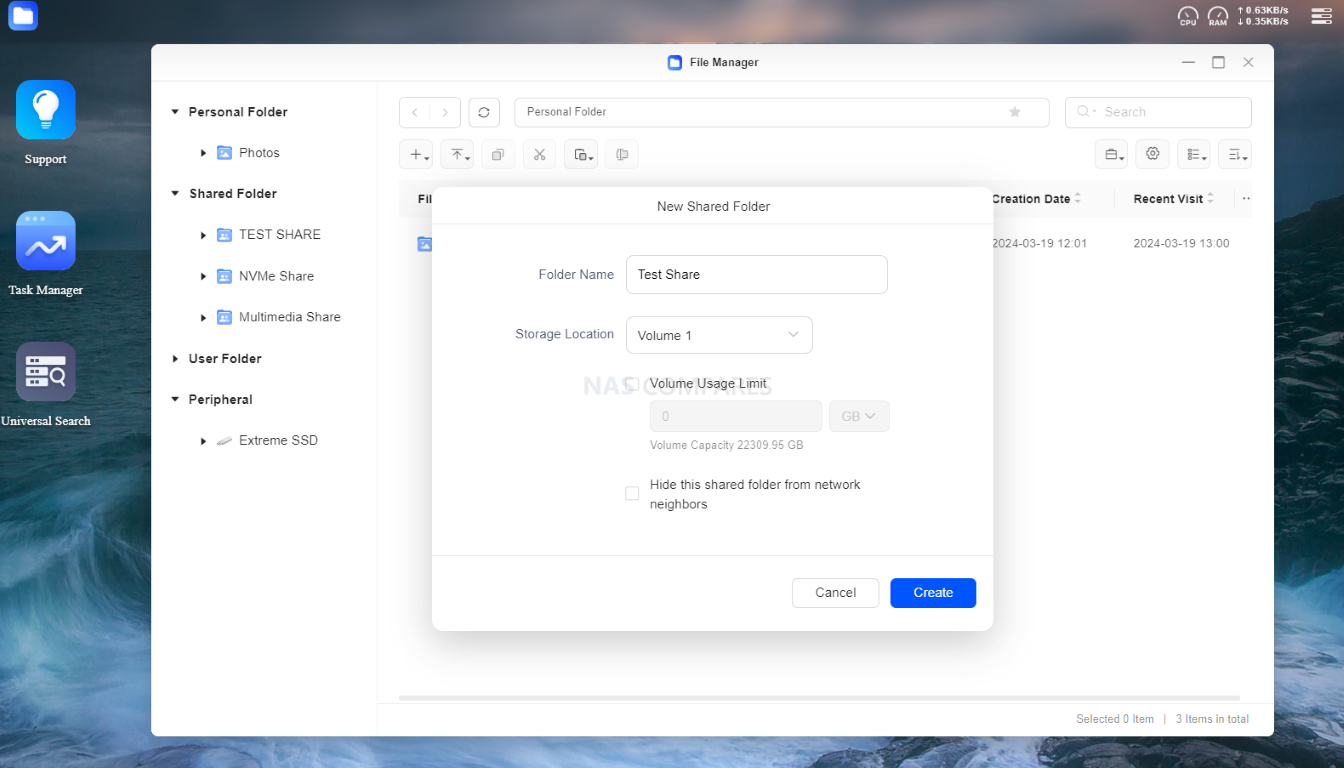
79. Guided guest and project share creation
Appliance NAS platforms often include wizards specifically for temporary project folders or guest access, with options for automatic expiry and simple sharing links. DIY systems can do the same but usually require manual user creation, ACL tweaks and later cleanup that is easier to forget.
80. Consistent behaviour across the product range
Once someone has learned one model from a vendor, most of their knowledge applies across the whole family, even when hardware capabilities differ. Features behave in a consistent way, whereas DIY deployments can vary widely depending on how each server was built and configured.
81. Workload tuned defaults out of the box
Many vendor platforms come with presets for common workloads such as general file server, surveillance recording or virtualisation, each with tuned cache, connection and background task settings. DIY stacks often leave all the tuning to the admin and assume they understand how to optimise for each workload.
82. Multi administrator delegation with scoped access
Turnkey NAS software frequently supports multiple administrator level accounts with different scopes, for example a main system admin and a helpdesk admin who can reset passwords but not change storage. Implementing that kind of scoped admin access on a DIY stack usually demands deeper knowledge of underlying permission models.
83. Guided certificate and HTTPS management
Many appliance NAS platforms provide wizards that request, install and renew certificates from public authorities and apply them across web admin, file portals and apps. On DIY systems, certificate handling often requires manual web server configuration, file placement and periodic renewal scripts.
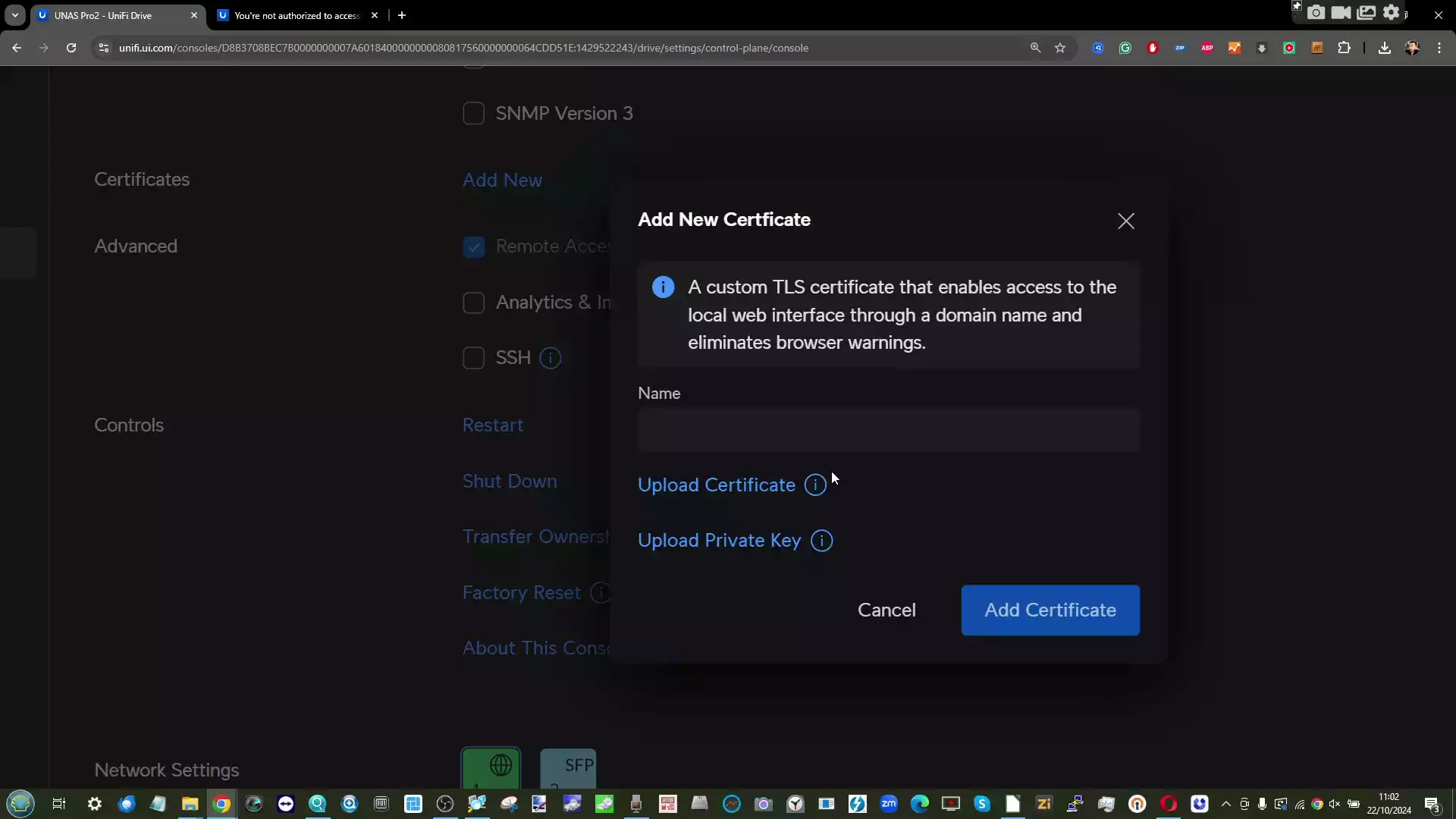
84. Vendor push notification channels
In addition to email alerts, turnkey NAS platforms often use vendor operated push services tied to their mobile apps and cloud accounts. This means important alerts such as disk failures or overheating can reach admins even when mail relays are misconfigured, something that is less common in DIY environments.
85. Clear support lifecycle and end of service timelines
Commercial NAS vendors publish how long each model and OS train will receive security and feature updates. That clarity makes it easier to plan hardware refreshes and budgets, whereas with DIY combinations of OS and plugins it can be harder to know which components will still be maintained in several years.
86. Offline update bundles for secure or air gapped sites
Turnkey NAS operating systems usually provide complete update files that can be downloaded once, checked and then applied to machines without direct internet access. Assembling equivalent offline update workflows for DIY stacks involves collecting OS updates, plugin updates and container images individually.
87. Dedicated tools to migrate from older or rival devices
Many vendor platforms include built in migration tools that pull data, permissions and sometimes application settings from older appliances or even competing NAS brands over the network. In DIY setups, migration is more often built around manual rsync, snapshots and recreation of users and shares.
88. Native S3 compatible object storage services
Some turnkey NAS systems include official S3 compatible endpoints that are tightly integrated with the built in user and permission model. This lets organisations expose object storage to applications without standing up and maintaining a separate object storage project on top of a DIY server.
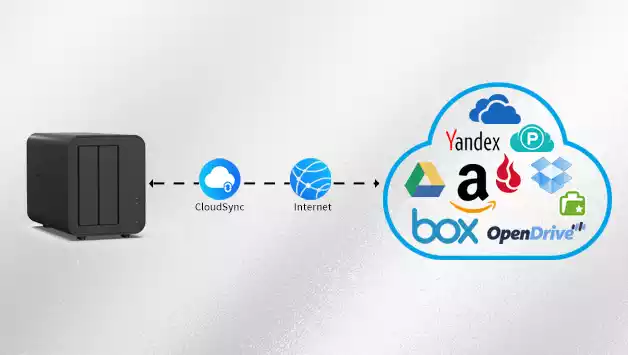
89. Simple controls for scrubbing and integrity repair
Appliance NAS platforms typically expose data scrubbing and repair functions as a schedule choice rather than a low level command. Admins can enable regular scrubs to catch bit rot and silent corruption without needing to learn or script the underlying integrity tools.
90. Guided secure erase and decommission procedures
Many vendor NAS operating systems offer secure wipe options for entire volumes or selected shares, often including crypto erase where keys are destroyed. This makes it easier to safely dispose of or resell hardware, while DIY admins must design and verify their own data destruction workflows.
91. Predictable behaviour under partial hardware failures
Turnkey stacks are tested against common faults such as a dead fan, a missing expansion tray or a single failing drive, with clear warning messages in the GUI. DIY combinations of OS and hardware can behave less predictably when something fails, which increases pressure on the admin during incidents.
92. Wizards for expansion units and bay mapping
Where vendors sell expansion shelves, their NAS software usually provides screens that show which bay belongs to which chassis and guide the user through adding or replacing shelves. With DIY servers and generic JBODs, tracking physical bay mapping is often left to labelling and manual documentation.
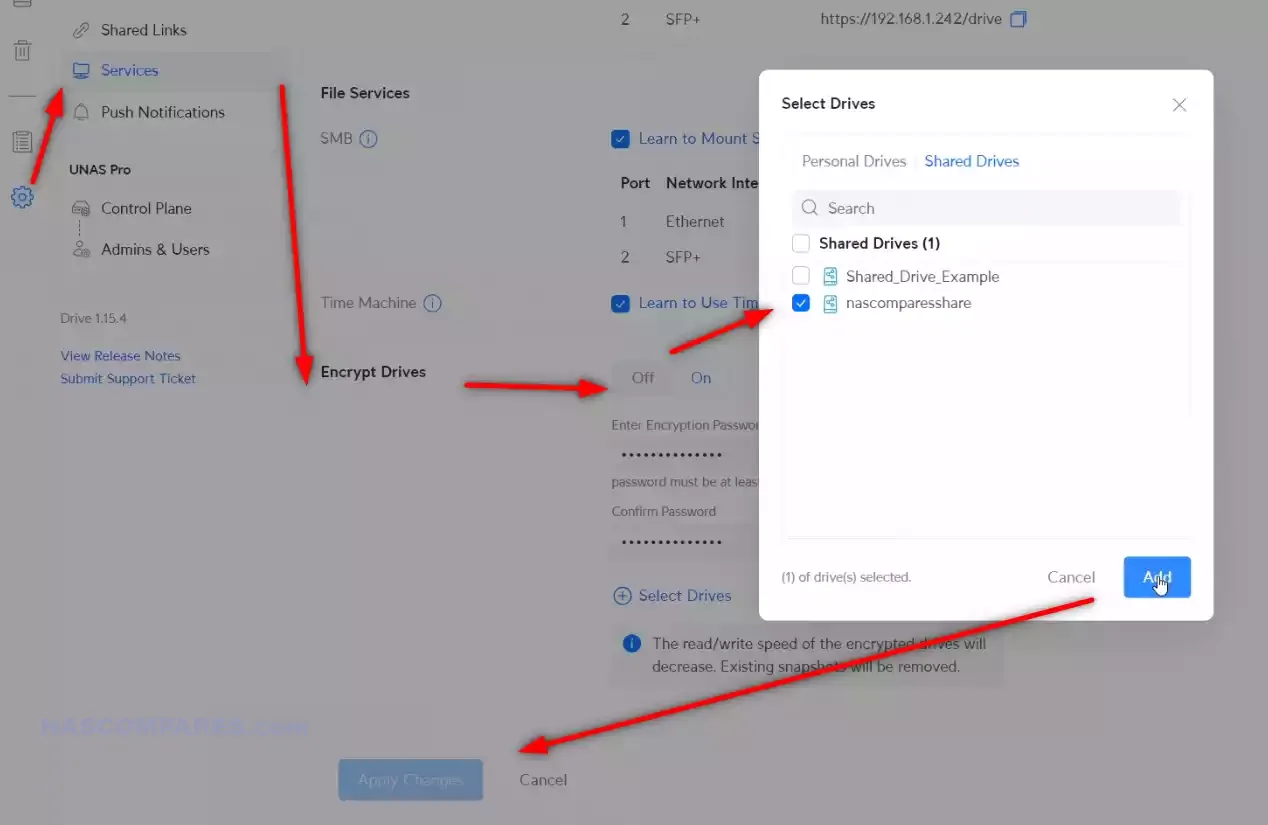
93. Clean separation of admin and user facing portals
Appliance NAS platforms normally offer a clear split between the administrative interface and user portals for files, photos, mail or collaboration tools. End users rarely need to see the admin side, which reduces the risk of accidental changes compared with some DIY environments where everything is accessed in the same way.
94. Sector specific documentation and examples
Larger NAS vendors often produce guidance tailored to common sectors such as creative studios, surveillance deployments, education or small offices, including reference topologies and settings. DIY platforms rely more on generic documentation, leaving admins to translate that into sector specific designs themselves.
95. Reduced risk of command line mistakes
Because turnkey NAS systems guide most changes through the web interface and hide many low level options, there is less chance that an admin will break the system with a single incorrect shell command. DIY stacks encourage deeper shell access, which is powerful but also easier to misuse.
96. Factory reset and recovery options designed for non experts
Many vendor NAS devices include simple factory reset procedures and guided recovery wizards that bring the system back to a known state without needing installation media. On DIY servers, reinstalling or repairing the OS often involves bootable images, manual partitioning and reimporting storage.
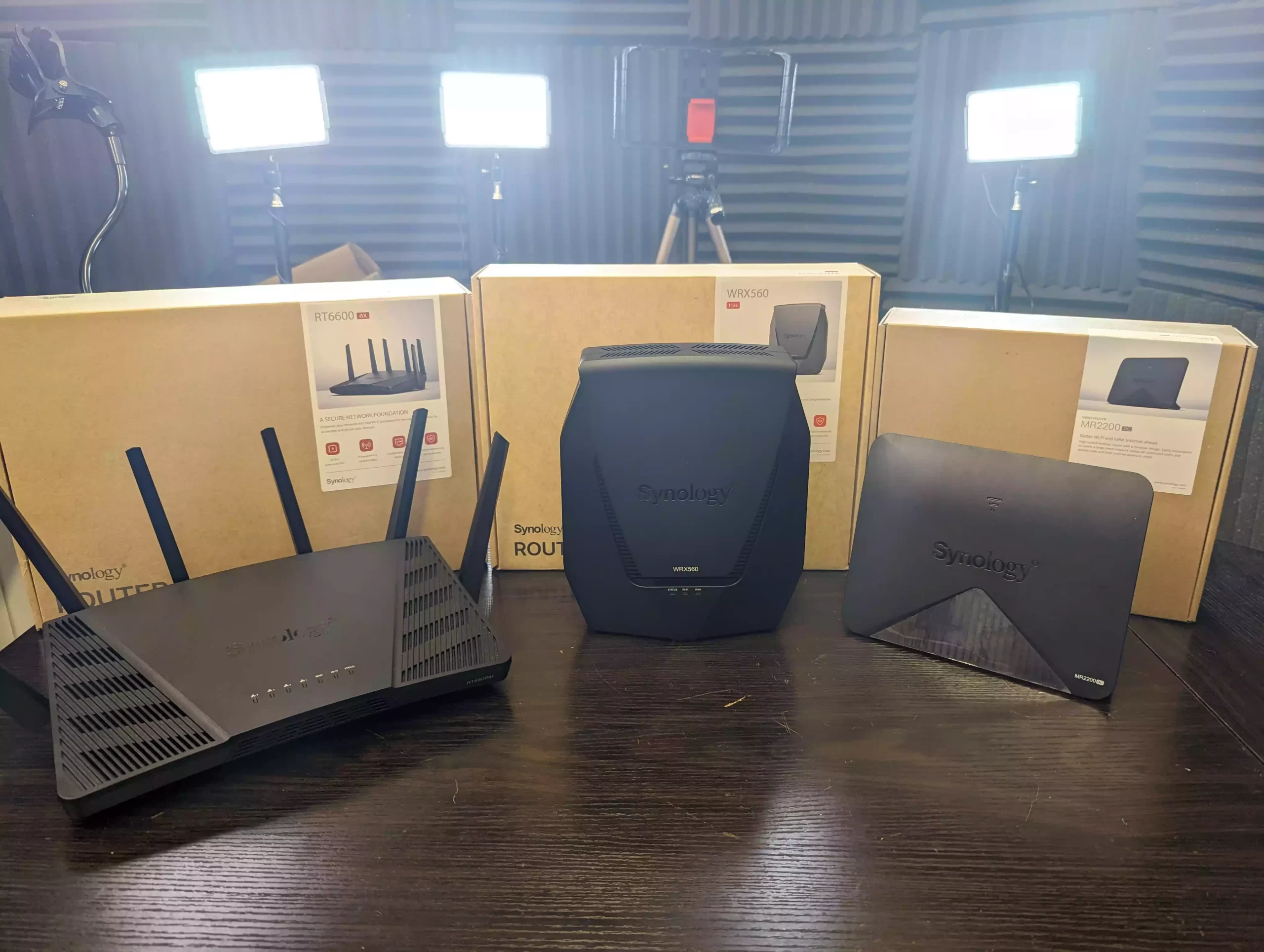
97. Easier integration into vendor router and Wi Fi ecosystems
When a NAS, router and access points all come from the same brand, the software often includes shortcuts for service discovery, internal DNS and basic quality of service for media traffic. Recreating that level of smooth integration with a DIY NAS in a mixed vendor network typically takes more tuning.
98. Safer experimentation through vendor sandboxes or trial modes
Some turnkey NAS platforms offer limited scope trial zones or beta features that are clearly flagged and easy to disable, reducing the risk that experiments will affect core data. DIY environments can provide similar separation, but usually only if the admin designs careful virtualisation or lab setups.
99. Simple inclusion in vendor managed backup services
Vendors increasingly offer their own cloud backup platforms that recognise their NAS appliances automatically and apply sensible defaults for encryption, retention and throttling. DIY NAS users can pick any cloud they like, but must design the backup strategy, encryption and job tuning themselves.
100. Stronger non technical stakeholder confidence in the solution
Managers, clients or family members often feel more comfortable when critical data lives on a named appliance with an official operating system, public documentation and a support contract. That confidence in a recognisable product can be important even when a well built DIY alternative is technically very capable.
📧 SUBSCRIBE TO OUR NEWSLETTER 🔔
🔒 Join Inner Circle
Get an alert every time something gets added to this specific article!
This description contains links to Amazon. These links will take you to some of the products mentioned in today's content. As an Amazon Associate, I earn from qualifying purchases. Visit the NASCompares Deal Finder to find the best place to buy this device in your region, based on Service, Support and Reputation - Just Search for your NAS Drive in the Box Below
Need Advice on Data Storage from an Expert?
Finally, for free advice about your setup, just leave a message in the comments below here at NASCompares.com and we will get back to you. Need Help?
Where possible (and where appropriate) please provide as much information about your requirements, as then I can arrange the best answer and solution to your needs. Do not worry about your e-mail address being required, it will NOT be used in a mailing list and will NOT be used in any way other than to respond to your enquiry.
Need Help?
Where possible (and where appropriate) please provide as much information about your requirements, as then I can arrange the best answer and solution to your needs. Do not worry about your e-mail address being required, it will NOT be used in a mailing list and will NOT be used in any way other than to respond to your enquiry.
 TRY CHAT
Terms and Conditions
TRY CHAT
Terms and Conditions





|
 |


Do You NEED 5GbE NAS? (Or Should You Skip Ahead to 10GbE)
UGREEN DXP4800 PRO NAS Review
Minisforum G7 Pro Review
CAN YOU TRUST UNIFI REVIEWS? Let's Discuss Reviewing UniFi...
WHERE IS SYNOLOGY DSM 8? and DO YOU CARE? (RAID Room)
UniFi Routers vs OpenWRT DIY Routers - Which Should You Choose?
Access content via Patreon or KO-FI
Discover more from NAS Compares
Subscribe to get the latest posts sent to your email.
Bananas. You make a lot of good points in the video.
I bought a Synology several years ago. I have generally been satisfied with the purchase, but over the last two years, I have been concerned by the business’s apparent move away from consumer NAS solutions and the lack of updates to the system software. More recently, Synology has declared the product as unsupported by future software updates. I am really not happy about this, given that the purchase was intended as along term solution. I understand why they have ended support forolder models, but it does not serve my interests.
I made the purchase of the Synology product based on a lack of spare time to both spec and build my own solution, while I was also able to get an off-the-shelf solution at a good price point. I will not repeat this mistake. The reasons are that the actions of Synology in recent years have undermined my trust in them, but perhaps more importantly, a NAS is no longer the right solution for my needs, given that I have a greater requirement for hosted software in addition to storage.
REPLY ON YOUTUBE
Qnap works for business ????
REPLY ON YOUTUBE
My favourite fruit is banana
REPLY ON YOUTUBE
Watermelon! My biggest thing for wanting to do synology, was their office suite, and ease of offsite integrations. For cost reasons, I opted to DIY, and I regret it so hard. Proxmox was great when I needed VMs on a daily basis. When I started tinkering with dockers, I moved to Unraid, and it’s basically useless. Wont stay online more than a couple days. The hardware has power, nic light flashing, but can’t connect to services or the os ui. I’m at my wits end with it. I’ve replaced every hw component, except the CPU.
REPLY ON YOUTUBE
Although i am generally like to know the background on how things work, there is to a point that i cannot focus on managing every single thing in life to the very details. NAS and phones are two of those things. I just want to use and don’t want to manage too much. PC on the other hand i would like to have full control.
REPLY ON YOUTUBE
i think a bell pepper is a fruit, so ill go with that 😀 that said I only wanted to big up the Terry Pratchett reference lol
REPLY ON YOUTUBE
Mango and pineapple are both good. I started with using regular windows 10/11 as a plex server with network shares enabled. Then went to an n100 system running arch as a server. I have since moved onto unraid on a Jonsbo N5 system I made. I like upgrading and trying new things so turnkey was never for me. But I may recommend to friends if they ever decide they want their own server.
REPLY ON YOUTUBE
My #1 rule for how I pick the hardware I use in my servers is “can I do it with random crap I already have lying around?”
performance, support, and ease of use are all secondary to my love of jank and bodging things together
REPLY ON YOUTUBE
I have a mixture. Grew up as a systems/network engineer. Now almost purely a software guy. Used to do all my own self-hosting until I realized that each host represent yet another 1-2 hours a month of my precious time. Combined with the fact I got sick and tired of working in data centers only to come home to a mini-DC with the same ping/power/ac issues I fought at work. It wasn’t fun. I was spending more time keeping things up than I was enjoying the actual software. So, Synology for a NAS, I do run portainer to manage the containers because I know, got rid of proxmox as it was overkill for what I want. I needed a file server, plex host and a dhcp server and that’s pretty much it. I did go 10G network for my personal PC and the synology and 2.5G for everyone else but wire works pretty well once you run it unless a critter chews it.
TrueNAS was powerful but dear god there was always something going on with it. With the Synology abotu once a year I get a warning an HD is dying and I swap it out. Maintenance is abotu 30 mins a year vs 30 mins to an hour a week of TrueNAS.
Doing all that was kind of fun in my 20s and 30s but now in my 60s I just need shit to work. I like driving my car. I don’t want to have to rebuild the engine every other week and a home data closet was starting to get there.
REPLY ON YOUTUBE
TLDW: If you want something you can plugin and runs go Turnkey, if you want the best value, something that fits you the best and are willing to invest the time go DIY.
REPLY ON YOUTUBE
Please tell me, have you ever compared sinology, trunas … with a home lab on a Windows server? It’s harder to set up, but wouldn’t such a home lab be more versatile?
REPLY ON YOUTUBE
hmmmmm I was going to say Elton John.
and i am looking forward to the companion video.
trying to figure out which way I want to go w/ NAS and starting to think DIY “could” be a mistake (for me)
REPLY ON YOUTUBE
Learn today, forget tomorrow. Getting old, need simple. Fed up with having to figure shit out. Been here since DOS.
REPLY ON YOUTUBE
I absolutely love Apples. This is part of the decision process whilst deciding on hardware and software. Like can I expand a 3 disk Raid5 to a six disk Raid5 over time?
REPLY ON YOUTUBE
Favourite fruit: Blackcurrant. And this is a problem because Ribena use up the whole supply and there was some kind of blackcurrant famine in the last couple of years. Did you see blackcurrant cheesecake? No you did not. And that’s why apparently. I can’t drink Ribena because it’s fattening but I also can’t have some blackcurrant with some diet custard or whatever because I can’t even buy the things. As a Brit this is extremely depressing – in the US they don’t even have them because of an import restriction (for good reasons) and these poor, banana republicans, actually think blue berries are a good fruit. Imagine? They’re disgusting bland nonsense.
Also – I miss gooseberries. We don’t eat them anymore.
I’m more interested in turnkey because people like you terrify me when you talk about actually having to setup something so simple as a NAS! It sounds like I actually have to learn things, and do stuff. I don’t wanna! *throws toys out of pram* This should be plug and play. The very concept that a glorified hard drive needs more than plugging in to get the software to work, and actually need administration by an administrator who knows what they’re doing, is horrific! Unix sys admins, the real ones, write scripts and automate everything they can because that’s the point. 😀
But yeah, I don’t actually need to administrate anything. I just want a silent box full of NVME style storage, that stores my office files and stuff. I really don’t need more 😀 TrueNAS etc sound absolutely horrifying. The points you’re making here are why HexOS is appealing to lots of people. Make it easy? Fantastic! I mean, I build my own PCs, haven’t bought one since like the 90s. That’s easy. Happy to build the box. But if HexOS got me the best NAS OS and made it pathetically easy to set up, that’s what I’d want.
Doesn’t matter anyway, I’ll live with the rubbish HP NAS I have, because the next upgrade has to be to go full NVME as I don’t need ginormous storage, and quiet would be more useful since noise that doesn’t need to exist bothers me a lot.
REPLY ON YOUTUBE
I have both in my homelab????????
REPLY ON YOUTUBE
Very happy with Unraid.
REPLY ON YOUTUBE
I like too many fruits to choose from, but here’s a good word for apricot!
Useful and well done video, thx … am NAS curious, not (yet) in the space.
Loved the comment about wizzards … gotta love rincewind, ponder stibbons, and … ook!
REPLY ON YOUTUBE
There is something more, you just buy the box, and you have a clear path to expansion, integrated cloud storage at a super competitive prices in the case go Synology different configurations with different drives, pure u.2 devices, a set of approved cards you can buy for 25 Gbit ethernet or more, native thunderbolt networking if you want etc. The box is just there doing its stuff.
REPLY ON YOUTUBE
Kumquat.
REPLY ON YOUTUBE
Nothing beats proxmox
REPLY ON YOUTUBE
Id say probably tomato, its technically a fruit. I have both turn key and DIY. DIY is the main array and backup area but each family member has a small turn key that feeds the main array. Because sure two copies are great, but 3 is even better!
REPLY ON YOUTUBE
Switched from truenas to Unifi NAS (UNAS) and hoooo boy ! Best decision since all those years of homelabing
It simple, it works and perform.
REPLY ON YOUTUBE
Synology was my first NAS, obviously very good product for beginners. That was until it turned evil. Five years later I built Truenas use as main storage server and for last year I have been slowly transitioning from synology apps to self hosted ones. I don’t ever want to feel locked into a solution again. One exception is surveillance – Unifi does it so well that I went straight to them.
REPLY ON YOUTUBE
I am looking for a 4 bay NAS to run Plex. I’ve had the Synology DS418play forever. But it recently went down And it’s no longer working. I’ve had it for a very long time and it’s been running constantly. It’s essentially a brick now. Had 40 TB on it. As of right now, what is the best NAS for running Plex? Really want to stay with a 4 bay and something in the 500 or $600 range. I don’t know if you have any videos on this now I haven’t been able to really find any good videos for Plex NAS
REPLY ON YOUTUBE
I’ve seen other NASCompares videos discussing that all the turnkey OS in Chinese NAS are forks of 1 OS but flarorized to the brand. Is there any open source generalized OS that is similar to those that are offered with turnkey NAS?
REPLY ON YOUTUBE
In the past when I’ve searched for what I would use on TrueNAS to replace Synology Universal Search I’ve never found a good answer
REPLY ON YOUTUBE
Excellent presentation. Thank you for posting. I guess I am a true masochist since I have been working on a FreeBSD ZFS homebuilt NAS. I got excited when I saw that the just released FreeBSD 15 has ZFS 2.4 with a bunch of improvements over 2.3.4. None of the others have it yet, TrueNAS included. So far, my testing seems to show some genuine performance improvements. I have experience with most of the others but wanted to learn and try something different.
REPLY ON YOUTUBE
The UGreen drive bays being 2341 is bothering me much more than it should. Feels like he did it on purpose literal satan
REPLY ON YOUTUBE
I have a 13 yr old Synology NAS that still works well. Synology stopped supporting the device about a year ago (no more DSM version updates). I’ve started researching a replacement for when the day comes. As of now, it still works fine for my needs. I’m fairly computer capable – built over 10 PCs lifetime… did some programming in high school… so I operate at a level above the average user. However, researching alternative NAS OSes for my eventual purchase has been rough… every option seems intimidating to a certain degree. I think it will be fine as I do not need a complicated setup, but this video was able to articulate some of my anxieties about eventually using TrueNAS.
Also, love the SF2 tunes in between topic points.
REPLY ON YOUTUBE
My favorite fruit? Hmmmm I like different fruit for different reasons.
I prefer the Turnkey for a couple reasons. 1 Space… The turnkey are tiny in comparison to a computer with 10 drive bays
2) They are quieter 3) They use much less electricity
REPLY ON YOUTUBE
Honestly, both views are valid.
I like both DIY and OOB solutions and I have 2 NAS systems, one using UGOS (Ugreen DXP480T Plus ) and one using Unraid ( Minisforum AI X1 Pro ).
I mostly host my “junk / irrelevant” data on the UGOS and my “important” data on the Unraid, because in the end I figured I’m a control-freak when it comes to my data and want to fully control the way its managed.
REPLY ON YOUTUBE
started using zima os on an intel n100 mini pc like 2 weeks ago. was very easy to setup and it just works. also got immich and tailscale going.
REPLY ON YOUTUBE
10 or 15 years ago I probably would have chosen the DIY solution. But nowadays I just don’t have the time anymore and I want stuff to work out of the box.
REPLY ON YOUTUBE
Thé wallpaper behind you is terrible…????
REPLY ON YOUTUBE
Best of both worlds – Arc loader Xpenology. TrueNAS for serious storage and backup. Choice always ends with APPs – when you finaly have your own NAS running and have simple SMB sharing working, you look at some apps and after zillion configs with Dockers and yaml comfigs most ppl will give up. It needs constant tinkering when updated and requires serious knowledge to maintain. When you move your family photos to Immich and it breaks – your family will crucify you on main street. Systems like Terramaster TOS7 is a joke – complete copy of Synology with one big difference – their software does not work 50% of the time. So stability of system and apps is crucial. So TrueNAS and Syno/Xpenology for the win.
REPLY ON YOUTUBE
The pro are correct until the manufact support ditches there old hardware and you dint ha the latest smb v or security
REPLY ON YOUTUBE
просто не хотя в этом углубляться !
REPLY ON YOUTUBE
Some people choose to eat at home. Some people prefer to eat at a restaurant. No one should care what reasons other people have. Maybe I don’t have the time or energy to get the food, prep the food, cook the food and clean the dishes. Even though my food costs less and tastes better, I still prefer to dine out.
REPLY ON YOUTUBE
So how is this great support from the Turnkey boxes… yes there actually is none.
Edit: I hate fruits
REPLY ON YOUTUBE
There’s only one reason, skill.
Edit: I hate fruits
REPLY ON YOUTUBE
Elton John.
REPLY ON YOUTUBE
I am a storage admin with both SAN, NAS experience (including VMAX and back when it was Symmetrix) going back 16 years. I went with Synology as I do not want to log off and day my day job at home too. My Synology DS416Play has been rock solid with zero intervention for about 8 years now.
REPLY ON YOUTUBE
pomegranate
REPLY ON YOUTUBE
Stop hating on Synology. I have the 1525+ and it works superb I just don’t do my media on it, but if I had to trust one its Synology for the win. I don’t use it to stream media. I use an Apple TV and a Ugreen 4800+ I also have the Ugreen all flash for 480t plus. All backed up to my five bay Synology NAS. Never really cared about the whole hard drive thing, especially when you’re backing up critical files.
REPLY ON YOUTUBE
I do enjoy the choice of music when transitioning between scenes.
REPLY ON YOUTUBE
Cherries. ????
I’m currently building a Plex server on a NUC with ZimaOS. It has an x64 to handle transcoding, and critically will idle at <10W.
I started my NAS journey years ago with an old (2nd hand) Synology - the OS is (still) superb, but I've never been able to bring myself to buy another with crippled HW and/or where I'm forced to pay Syn-tax for their own brand HDDs, etc.
I have a few (by now, older) QNAPs, but I'm not going to run a constant 50W unit, and the ARM-based NAS's just cannot pull the media load adequately. But over the years, their SW has done pretty much everything I've ever wanted to do. THIS is how easy desktop Linux should be!! And Zima is looking great so far.
Toodle-pip! ????
REPLY ON YOUTUBE
I have an Unraid box that I was going to put Booklore on. The first step is that it needs a MariaDB instance. I am not quite sure how to do that.
REPLY ON YOUTUBE
my daytime job is fixing complex linux setups. I just want a setup at home that my wife can also work with and has a good data backup app
REPLY ON YOUTUBE
Having sampled (thru RedPill / Arc Loader) what DSM has available, I can see the attraction of a turnkey solution. However, I refuse to pay for Synology’s overpriced and often under-powered hardware, just to get DSM. If DSM was available separately, I might be running it now.
Having said the above, my needs are pretty simple. All I really need is storage and a place to back up my desktop systems to. All the smart TVs in the house can access media on the NAS via SMB. My current DIY NAS, running on XigmaNAS, seems to do all I want for now.
REPLY ON YOUTUBE
Mango or Pineapple… Also… I’m a QNAP stan! I’ve used so many DIY solutions for fun, just as I love using Linux in general for projects, and I love Android for the fun things you can do to customize it… but what do I use as my daily drivers? I use a QNAP, an iPhone, and Mac OS. When you need things to “just work” it’s nice to use turnkey solutions.
REPLY ON YOUTUBE
If like me all you want is a reliable multi disk backup for local Time machine backups and for providing local backups for a couple of OneDrives and Sharepoint tenants my old Synology DS413j that I bought second hand for a few bucks is by far the simplest and cheapest solution. I have been looking into DIY and also self hosting out of technical interest but have not been able to find any reason besides learning new things to start the hassle. And with 25 vintage Mac’s as a hobby I have challenges enough. By the way I could have used one of the Mac Mini’s as a file server but that would not solve the SharePoint backup easily.???? Still a very interesting video thanks for that.
REPLY ON YOUTUBE
strawberry. Having started off with a turnkey wdmycloud home I found it far too slow and restrictive once we increased the number of home computers we were using. I took the plunge with a beelink me mini and zima os. This was a significant hardware upgrade with 2.5G networking and nvme drives but I soon became frustrated with the instability of zimaos and the requirement for frequent os upgrades. I then switched to truenas and was expecting more technical challenges but so far it has been very smooth and much, much more stable. I suspect all the weeks troubleshooting zimaos did improve my technical knowledge so truenas was not the steep learning curve I had been warned about… in summary I am now a truenas convert. There is so much material not least on you tube, that makes it much less intimidating. It’s the most secure platform and the software and the setup instruction will cost you nothing
REPLY ON YOUTUBE
My time and yours is valuable. File storage i treat as a commodity, and don’t wanna waste my time fiddling. Rather focus on setting up apps in my homelab. So i choose turnkey.
REPLY ON YOUTUBE
Why choose? Use Turnkey and DIY, both have pluses.
REPLY ON YOUTUBE
“The dog’s danglies…” LOL!
REPLY ON YOUTUBE
Oranges. As co-creator of the universe and being a QNAP user for about the last 400 years I must say I enjoy being part of ecosystems. Apple gets villainized for it, but I don’t want a million different OSs in my life and I don’t often have time to master the intricacies or nuances of the different systems. The more they interoperate and integrate, the better for me. Unless you are unmatched in your field, like Glinet, it’s likely I would choose the ecosystem option.
REPLY ON YOUTUBE
Windows storage spaces with mirroring, simple, works, migrates to newer windows and updates and if you stick to ntfs you can find stuff and recover….
REPLY ON YOUTUBE
Pineapple (on Pizza…) Started on Turnkey Synology. Then changed to a QNAP, but today I run OMV7 on a SFF i5 with a DAS for storage. I might return to a turnkey one day… Who knows.
REPLY ON YOUTUBE
I have a synology running “cloud”, backups, surveillance, shared drives, torrents and much more which is used every day and must work.
Then an unraid server with lots of storage (10 disks) with media files and a few containers…
Probably such mix would be good for many people.
REPLY ON YOUTUBE
The real truth is that we dont want to be called a NERD ????
REPLY ON YOUTUBE
So I have gone and bought a DXP4800, installed OMV7 and equiped it with 4 drives I had, using snapraid and mergerfs to set up a data pool. Tbh. It took me quite some weeks to reach a state I would have had with Synology out of the box, but I’m quite happy that I was able to pull it of and learn a lot along the way.
REPLY ON YOUTUBE
What about Minisforum N5, Is their system far enough developed to be called a Turnkey system ?
REPLY ON YOUTUBE
In 2009 I bought my first NAS. A Netgear ReadyNAS Ultra 6. The in 2020 I bought a second one, a ReadyNAS 426. It was my intention to use it to replace the Ultra 6 and use that one as a backup medium for the 426. Netgear lost its interest in ReadyNAS stuff, did no longer update the OS, stopped offering supporting additional (cloud)services and blocked the installation of third party software. ReadyNAS OS is based on Debian Jesssie and once that was archived it became verry difficult / impossible to securely run the existing applications (mainly Owncloud). I decided to look for a new solution and bought the Terramaster F6-424 Max in feb 2025. My main reason was that it offers the possibility to install another OS. TOS did look promissing, but it is still a work in progress. There aren’t that many applications officially supported by Terramaster. Addons seem to be developped by a single person (outkastm). After using it for file sharing only, I decided to move away from TOS. I also decided to migrate from Owncloud to Nextcloud. Supported by AI (Perplexity) I managed to install Proxmox on the Teramaster, Nextcloud, MariaDB, a Samba server and Plex all in a LXC. In the mean time I had to reconsider the way Lets Encrypt was used / implemented on the ReadyNas for Owncloud. I bought a Mini PC (Rouafwit, N150 CPU with 6 RJ45 connections) to replace my ASUS RT-AX88U, installed Proxmox on it, OPNSense on a VM and Caddy (as a reverse proxy, also handles Lets Encrypt) on an LXC. I had some difficulties implementing support for IPv6, but all is running fine know. This would not have been possible without the use of AI. AI suggest a lot of things that will not work, it is never straight to the point but in the end you will get things to work!
REPLY ON YOUTUBE
Banana. It’s not afraid, intimidated or anything else, it’s I have better thing to with my time than configuring and baby sitting a server. I want it to sit there and work and if I want to change something it be easy and quick . It not one is better than the other, they are totally different. If you want to do it and have the skills or want to learn them, go ahead but unless if truly offer some exceptional benefit why bother, its cheaper yes but is saving money on my server the best place to do it, I wait for the counter video to see if there is?
REPLY ON YOUTUBE
Becasue diy solutions are made and maintained by shitheads who can’t help tinkering and screwing things up. If you use one of those diy solutions expect to spend days inside some log or another and playing whack-a-mole with errors and issues. If you can stomach this you can get a powerful system, but prepare for pain. It’s up to you to get it working and working well.????
REPLY ON YOUTUBE
still trying to pick my fruit
REPLY ON YOUTUBE
1:30 is the second I lost all interest in this video. I want a real definitive decision which one is better from an expert and not just for the sake to push out videos
REPLY ON YOUTUBE
1:30 is the second I lost all interest in this video. I want a real definitive decision which one is better from an expert and not just for the sake to push out videos
REPLY ON YOUTUBE
prebuilt is fine until you need to migrate to a new one
REPLY ON YOUTUBE
prebuilt is fine until you need to migrate to a new one
REPLY ON YOUTUBE
Fir decades I loved delving into technology innards.
Now I have other hobbies and I just want tools that work, not tools I have to build myself.
Same reason I use Emby, which works, rather than Plex which doesn’t properly recognise my content.
REPLY ON YOUTUBE
Fir decades I loved delving into technology innards.
Now I have other hobbies and I just want tools that work, not tools I have to build myself.
Same reason I use Emby, which works, rather than Plex which doesn’t properly recognise my content.
REPLY ON YOUTUBE
Synology need to sell their OS.
$50 lifetime license or $5 per month subscription fee
REPLY ON YOUTUBE
Synology need to sell their OS.
$50 lifetime license or $5 per month subscription fee
REPLY ON YOUTUBE
The ”It just works” argument is compelling for most. Not you nerds but most of us. Cloud storage is increasingly expensive so many are looking to flee cloud lock in. So they need an easy to use file storage solution and a backup for it. So 2 NAS devices! One at home and one at a trusted location OR a cheaper cloud backup service for your NAS. They want to decide how much storage they need maybe with an easy way to expand it. Nothing more.
Why would anyone be angry because of it?
REPLY ON YOUTUBE
The ”It just works” argument is compelling for most. Not you nerds but most of us. Cloud storage is increasingly expensive so many are looking to flee cloud lock in. So they need an easy to use file storage solution and a backup for it. So 2 NAS devices! One at home and one at a trusted location OR a cheaper cloud backup service for your NAS. They want to decide how much storage they need maybe with an easy way to expand it. Nothing more.
Why would anyone be angry because of it?
REPLY ON YOUTUBE
I have 50TB of long term critical data (e.g. extended family movies and photos going back to the 1960s) which I redundantly store using a 3-2-1 strategy across multiple turnkey NAS devices. I want to ensure when I die or if I have a stroke my adult children can confidently take over management of the system. If I had built that system using DIY tools there is a near certainty my kids would not know how to manage it and therefore that is an unacceptably high risk data loss. The simplicity of the turnkey NAS devices mitigates that risk for me.
REPLY ON YOUTUBE
Meanwhile me still runs my backups on random external HDDs.. I do have the set ups just waiting for some drive caddys to come in.
REPLY ON YOUTUBE
If you like having a major hobby, DIY is the way to go. If you want want a little hobby, Turnkey is the way to go. This from a non-Enterprise perspective.
Nice explanation.
REPLY ON YOUTUBE
Um, people prefer turnkey either because they have no interest in building their own, no knowledge how, or dont want to deal with maintenance.
Video done in 10 seconds. Smh
REPLY ON YOUTUBE
Dragon fruit
So I did use QTS on my TS 470 pro for a number of years but they stopped supporting the hardware so I was forced into running an OS on an SSD, I chose Debian which has been rock solid but not as easy to use as QTS. I thought the hardware was too good to throw out and start again although that has changed recently because one of my NAS drives failed so I expect the other 3 to go tits up soon.
REPLY ON YOUTUBE
The challenge is keeping it simple.
If unraid had nvme or ssd support without zfs, it would be an easy pic. I used unraid for a long time, but if I had to ask someone else to work on it , they could not.
REPLY ON YOUTUBE
The challenge is keeping it simple.
If unraid had nvme or ssd support without zfs, it would be an easy pic. I used unraid for a long time, but if I had to ask someone else to work on it , they could not.
REPLY ON YOUTUBE
The challenge is keeping it simple.
If unraid had nvme or ssd support without zfs, it would be an easy pic. I used unraid for a long time, but if I had to ask someone else to work on it , they could not.
REPLY ON YOUTUBE
Lets see… Got all my components for my DIY. Oh, all components work IF I have this in configuration X which requires an SFX PSU. Ok, buy a new PSU. Oh, I need three new cables. Oh, cant even buy those cables… nice. Oh, the backplate on the network card isn’t compatible with the NAS case… Oh, I cannot connect to shares… Going DIY is playing whack a mole with issues.
REPLY ON YOUTUBE
Lets see… Got all my components for my DIY. Oh, all components work IF I have this in configuration X which requires an SFX PSU. Ok, buy a new PSU. Oh, I need three new cables. Oh, cant even buy those cables… nice. Oh, the backplate on the network card isn’t compatible with the NAS case… Oh, I cannot connect to shares… Going DIY is playing whack a mole with issues.
REPLY ON YOUTUBE
Lets see… Got all my components for my DIY. Oh, all components work IF I have this in configuration X which requires an SFX PSU. Ok, buy a new PSU. Oh, I need three new cables. Oh, cant even buy those cables… nice. Oh, the backplate on the network card isn’t compatible with the NAS case… Oh, I cannot connect to shares… Going DIY is playing whack a mole with issues.
REPLY ON YOUTUBE
I really like the windowed environment almost all the turnkey NAS units have. I don’t know why there are no open source alternatives like that.
However the reason I intend not to use a turnkey NAS again is that my QNAP NAS that I bought for $500 developed the dreaded backplane problem. I performed the external-power workaround and then contacted QNAP about buying a replacement backplane so I could replace it on site. They wouldn’t sell me a replacement and my option was to send the entire unit in, with a 2-4 week turn around, and pay them $300.
1. I can’t believe the backplane in a $500 unit would cost $300.
2. I can’t believe they wouldn’t mail one to me to minimize the downtime.
3. So, in the future, all my NAS units are going to use parts that give me a chance of fixing it on site with as little downtime as possible.
REPLY ON YOUTUBE
I run both but DIY has matured since I tried it 10 years ago and AI has made troubleshooting and trying to figure out commands and/or solutions for things, vastly easier to get it sorted quickly.
Proxmox Helper Scripts also helps ????
REPLY ON YOUTUBE
Simplicity, I’m already ripping thousands of my movies and don’t want to fuss around with over complicated software. I can’t speak for other brands, but I love the theater app. I don’t need to worry about Plex or Jellyfin. I also love that my projector connects directly to the Ugreen NAS with aHDMI cable
REPLY ON YOUTUBE
Banana! home user, I buy stuff to handle things for me so turnkey is my fruit based jam
REPLY ON YOUTUBE
I am at the point when I have to switch out my current NAS. I have an old PC with TrueNAS. And I am about to choose a NAS from Ubiquiti. Why? My whole network are from them. And they are a dream to use. And for me TrueNAS is a bit overkill for my needs.
REPLY ON YOUTUBE
I started way back when with a self-built NAS, it was troubling and required a lot of maintenance (TrueNas and proxMox weren’t something I heard about when I built it), so I switched to Synology a few years later, then switched back to self-built(had a LOT of issues with the hardware) and now back on a 1821+ that runs like a pure NAS.
Not sure what I am going to pick when it is time to replace the hardware, but Synology isn’t on the top of my list anymore, and with my personal experiences with self-built I am loath to build one. I have the knowhow, but at the end of my workday I just want to get home and have stuff just work. I don’t want to spend a lot of time keeping it running. I want to occasionally (when the system informs me) update the software and not have to worry about it at all. I fiddle a lot with systems in my job, I don’t want to do that at home.
REPLY ON YOUTUBE
Durian.
Agree. I started in Synology but now exploring diy OS for my Beelink ME Mini. Testing it with TrueNAS and Immich for photo backup (for me this is the key function to have), unfortunately it’s still not as good / easy for a n00b to setup as compared to Synology.
REPLY ON YOUTUBE
My first couple of NAS’s were turnkey but they were not cheap and all had underpowered CPU’s & limited RAM, If I wanted an Intel i3 or i5 CPU the price was off the charts. Then I built my own, paid for UNRAID and have never looked back. PC up and dies I can migrate to a new PC as quick as I can build it, likely within a day, boot off UNRAID USB, detect my storage array drive, select spin up array and all back to normal. All the NAS PC parts are replacable on the day eg: CPU, RAM, Motherboard, Case Fans, Power supply. Imagine a failed Power supply on a TurnKey NAS, the entire NAS will likely have to be returned to be diagnose for a replacement, how many weeks do you think that will take? F that, my NAS runs 24/7/365. With a good CPU and pleanty of RAM running several VM’s at the same time is not an issue along with a dozen or more Docker containers and sharing files and media over the internet.
REPLY ON YOUTUBE
I have a basic terramaster f2-425+. It works. If I want to naff around with truenas, promox, etc. I have seperate systems for that. Retired IT pro, so not fussed dealing with storage complexity, just have other things to do. Also keeps the family happy when Netflix doesn’t break.
REPLY ON YOUTUBE
A lot of good points. May have swayed me 2 days ago when I bought the parts for a DIY solution ????
REPLY ON YOUTUBE
Apples. I built a true nas system on a super old PC and I’m now researching a turn key system so I can feel more comfortable about my data. What are your thoughts? I’m thinking synology but worried about them and their drive requirements.
REPLY ON YOUTUBE
There’s a huge difference between what I’d be willing to do for my own home or even own business use and what I’d put in for customers who may not always be MY customers.
REPLY ON YOUTUBE
People (myself included) have been spoiled by the extensive step by step instructions for Windows NT Server and Amazon Web Services (AWS). Windows NT offered the Microsoft Certified Systems Engineer (MSCE) training, exam and certificate and AWS has offered similar certifications. Now the people didn’t get these certifications worked at jobs where someone else did this work for them. Unlike UNIX in the last 25 years very few people where they were left alone and told to figure it out for themselves. I agree it is very easy to install hardware and set up a RAID disk array under UGreen UGOS or ZimaOS. Ironically it is the mundane system administration tasks after that which are the new choke points.
REPLY ON YOUTUBE
I have enough NAS set-up knowledge to subscribe to your channel, but not enough to risk a lifetime of data. I love Synology DSM holding my hand, even if it costs a premium!
REPLY ON YOUTUBE
I use Jellyfin with DSM Login. ????
REPLY ON YOUTUBE
Member Only needs to go away. The algo keeps showing content we can’t watch. Came this close to unsubscribing. It’s probably insignificant revenue anyways
REPLY ON YOUTUBE
Some of us mix turnkey with DIY. Depends on the use-case.
REPLY ON YOUTUBE
As a foundation – I took my first computer course in college in 1973. I have been involved with computer since the 8-bit days through DOS, through Windows – and retired from an IT-related job. Yes, I’m comfortable with a CLI (command line interface), but one of my themes in life has been “make it easy on yourself”. I use an electric shaver, drive a car with an automatic transmission, and use UGreen’s native software. It does everything that I need to do, very easily, and I appreciate the occasional updates that are a snap to install, and improve an already great system.
REPLY ON YOUTUBE
I’ve worked in IT for 2 decades, supporting multiple data centres with many petabytes of data requiring retention periods that HAD to be adhered to for legal purposes.
One thing I have learned is there is a time for tinkering, and a time for not mucking about.
We don’t always backup, but we always tinker. And that’s when you lose data.
So I chose an off the shelf NAS for my home data storage so I wouldn’t be tempted to tinker with my very important data.
REPLY ON YOUTUBE
Love the Streetfighter Arcade Music…;-). I’m not a dummy when it comes to this kind of stuff. However I’m no expert, as a result I wanted a turn key solution. Set up drives, get users assigned, get Plex running….done.
REPLY ON YOUTUBE
Truenas is also a turnkey nas solution. ( for enterprise 🙂
REPLY ON YOUTUBE
Sumo Oranges. I’m curiuos where UniFi’s new non-rack NAS offerings slot onto the grand spectrum of Turnkey vs self-stood up NAS offerings given that they don’t have built in application support yet.
REPLY ON YOUTUBE
Love DYI. but sometimes not having to think is preferable.
REPLY ON YOUTUBE
my dumb ass saw the title and thought: “What’s a turkey NAS?”
REPLY ON YOUTUBE
Oranges.
Terra Master was what I bought back in 2024. TRAID being able to mix and match HDDs of varying capacities was what ultimately swayed me. Last I heard either TrueNAS or UnRaid were just starting to implement a similar feature? I believe it was in an older video from you guys.
REPLY ON YOUTUBE
Using both : Asustor Adm and also ZimaOs on Dell i5 8500T and Proxmox on Hp mini 600 G4 600 i7 8700T ???? so I can say I am in the middle
REPLY ON YOUTUBE
I was intimidated when I first tried Truenas, but after understanding how it works, I find it pretty easy to manage. I love how easy it is to migrate it to different hardware if you ever decide to scale up.
REPLY ON YOUTUBE
We run multiple NASes from Synology and QNAP, as well as running TrueNAS and Proxmox. Each has its use, but DSM is the easiest to use and has lots of mature applications.
REPLY ON YOUTUBE
16:12 LOL, that Terry Pratchett joke was excellent. ????????????
REPLY ON YOUTUBE
I’ve built a TrueNAS Scale (FREE) on my old i7 8086K w/ 32GB RAM (45watts steady-state) and 3x Seagate 28TB drives. It is amazing. I have been backing up my PCs on it and have both PLEX and Jellyfin up and running. Yes, there is a learning curve on setting up datasets and permissions, but it is much preferable to me to control my server than be at the mercy of Synology and others telling me what I can and can’t do with network speeds, etc. I have the 2 NAS turnkey systems from over the years: Synology DS918, Asustor FS6706T. I do miss some of the easy to use software on the Synology, but if I had to pick one, I’d stick with my TrueNAS.
REPLY ON YOUTUBE
I’m all for custom NAS builds but dealing with TrueNAS nightmare access setup and Unraid updates that break containers I’m simply fed up with this, probably others are too. Synology is also s@!t (removed apps, codecs and support, hardware restrictions, etc) , so a simple build with ubunutu + portainer is a better and cheaper option but people need to start getting their hands dirty
REPLY ON YOUTUBE
Nectarines! And both actually… I use FreeNas at home and several turnkey NAS’ at work. Reason is that at work it has to be a stable – set up once and forget about it – type of deal. Nobody wants to tinker with that, it just has to work by itself. I would hope the company behind the turnkey solution is better at providing a stable system than I am who sometimes forgets to put the second sock on.
REPLY ON YOUTUBE
Time, simplicity, and ease of use. That’s it.
REPLY ON YOUTUBE
Strawberry
This video is mostly focused on software, but I find it surprising that the form factor is not ever mentioned.
If size is a concern, finding the right hardware (case, mb, etc.) to build a compact DIY NAS is much more involved than just buying a sleek purpose-built machine.
There’s also the convenience of easily accessible trays if you plan on upgrading or swapping disks regularly.
REPLY ON YOUTUBE
I mean most people are sheep they would rather live in a comfy lie than harsh reality, just because its so much easier.
Also most people dont care about privacy. Like I have GrapheneOS on my phone and most people comment what do I have to hide? Why do I care so much about privacy and safety, am I a criminal?
Why would I degoogle when its so much easier to use their services rather than privacy friendly solutions.
Same for NAS, rather have software on it that I know what its doing with my data.
REPLY ON YOUTUBE
You really need to clarify when you say they have built in surveillance software as a Good Thing people would choose the prebuilts. You went on for a while and until you finally mentioned a camera, I had a very different view of wtf you were saying and thought you had gone over to the corporate dark side lol. In my view, the spyware built into everything today is a reason to NOT go with the pre-built units. I think it’s only a matter of time before we see stories about one of the major vendors deleting what its “AI Helper” thinks are copywrite infringing files on customer systems, even if they have the disks because it’s guilty until proven innocent in the modern age. As for Security software such as camera monotiling systems, yeah that’s good to have.
REPLY ON YOUTUBE
I appreciate the admin time saved by using my asustor nas. If I were to build my own nas, I’d use arch linux and manage everything with cli tools. I don’t like most of the open source solutions out there to deploy a nas with, so might as well do it all myself. I keep going back and forth on building one, but I built so many in my lifetime, my first nas was a simple samba server on an old PC I got from work in 1999. I can do it all myself, but doesn’t mean I want to anymore.
REPLY ON YOUTUBE
honestly i use xpenology on my main nas. such a great project
REPLY ON YOUTUBE
I still prefer TRUENAS because you’re not tied to a single vendor.
If you know about computers, you can do everything easily.
REPLY ON YOUTUBE
I went from Synology -> Proxmox/truenas on homebuilt hardware, and I’m going back to an N5 Pro (But I will put TrueNAS on it). I loved the systems I built but at the end of the day but at the end of the day I realized what I needed was a product, not a project…
REPLY ON YOUTUBE
I went through a decade long phase of building my own but now I just want something that works and I can keep out the way.
REPLY ON YOUTUBE
ugreen OS video player makes all other obsolete. It plays EVERYTHING!
REPLY ON YOUTUBE
Bananas.
When simple gives me 100% of what I want, why go for complex?
REPLY ON YOUTUBE
KISS for normals.
REPLY ON YOUTUBE
Why not include Proxmox?
REPLY ON YOUTUBE
Black cherries.
I’m happy with my Synology setup. It took little time to get up and running. It does what I need it to do (storage, Time Machine backups, Plex server) and the price was right for me. I’ve got better things to do than monkey around with a home server, and others in the house can use it without hassle.
I’ll probably buy a Synology again when the time comes, but I’ll definitely stick to a turnkey solution.
REPLY ON YOUTUBE
Did he say “dogs dangles”, I love it!!
REPLY ON YOUTUBE
I used to use Synology products. Had a 415+ that actually died and they replaced it. Moved to a 1621+ many years later for the extra bays. But once Synology started to show their true colors for small customerrs I moved to a Proxmox running TrueNas. I have not looked back since. I run many other custom VMs too. An extra Pi-Hole so I can reconfigure one while the other takes over. It’s fun and I can do what I want on it.
REPLY ON YOUTUBE
my first and last was synology. never again id pay money to own one again let alone get one for free i wouldnt touch it 10 year old hardware for more than a diy. DIY is the way to go
REPLY ON YOUTUBE
Started with off the shelf NAS boxes but I DIY now. I think the reason for the switch was to ensure the NAS has a GPU capable of transcoding. Now I use my NAS to store practically everything (including games) so that I don’t need a big SSD in each gaming machine.
My DIY solution is Ubuntu server with ZFS. I looked at solutions like FreeNAS and decided I don’t need to learn yet another thing and so I just use off the shelf Linux packages. My only change for the future will be switching to Debian. I use the Pushover service to get notifications from my NAS like bit errors detected or scrubs/trims starting. For backup I use rsync to other ZFS boxes even though I know ZFS has a backup capability built in. Since everything shares this NAS it is connected to the network with a 25Gbps NIC.
REPLY ON YOUTUBE
Rob, turnkey is a learning curve for a newbie, even then I had to use forums to learn a lot of how to do shit, I don’t want to learn linux, spend hours finding the right command lines, editing the fstab etc, especially when you follow it to the letter and colon and it doesn’t work and get told on the forums, no that works, go learn linux, btw, I do not eat fruit
REPLY ON YOUTUBE
Going forward it will be TrueNAS or nothing, but I mostly want my NAS to be a dumb storage appliance. I prefer to host my service is a Proxmox / XCP-NG VM using Docker Compose, and just have the VM access the NAS shares via NFS. Maybe for some “storage adjacent” things I would host them on the NAS.
REPLY ON YOUTUBE
Grapefruit.
REPLY ON YOUTUBE
2 years ago, I went down the homelab hole. I bought old Lenovo HTPC with i5 4570 and 16GB DDR3 and slapped 2 HDD 4TB in it and 128GB SATA SSD. At that time, never ever I touched Linux or anything that needs terminal. I hate terminal. So when I decided to make a NAS/homelab, I didn’t want to buy OEM unit because I’d rather put money in storage then overpaying relatively weak server. So I went to YouTube and watch hours of Truenas setup videos and “educate” myself. At first, it was a little bit overwhelming, but after a while it all made sense. I built my NAS and install Truenas on it, create user, setup HDDs in mirror to make pools for storage and apps, and some apps I wanted to use. Never touched terminal for anything. It worked like a charm. I was mindblown for how actually easy this was. After discovering docker compose and Truenas support for it, hundreds of apps opened up for use.
After 1 year, I wanted to build new NAS with more power and futureproofed components. So I went with 12600K with UHD770 graphics for video transcoding on Plex and Jellyfin cooled with EVGA 360 AIO, 32GB DDR4, 2.5Gbps network, 5x 4TB Ironwoolfs, 2x 512GB nvme drives for system and apps. Put all that in custom case I built so it remains small footprint and fits in a cabinet above my desk. It has more horsepower then any other OEM unit. And it cost me 450€ for components except for storage (DDR4 kit 32GB was only 80€ at that time). I know I need to troubleshoot myself, but few days ago when I wanted to install updates on Truenas system, it was up and running 152 days. So not much to troubleshoot when you setup everything and just start to use it. Like now If I needed to setup it all over again, think arround 5 hours for whole setup for 20-30 apps I use.
If you don’t mind to do a few HOW TO videos on Youtube when you are stuck on something, it is really cool thing to do. So this year, I built and setup 3 Truenas servers for friends business. One 8TB, one 24TB and one 32TB. Needed apps have external access through NGINX, Nextcloud with Colabora, Pihole with Unbound, Plex and Jellyfin with external streaming access, Tailscale, *arr stack and so on. It is not so hard to do when you want to learn new stuff. It takes time, but knowledge how things works from the inside is worth more then anything.
REPLY ON YOUTUBE
Simple explanation. I am very much familiar with ZFS (system admin for large Solaris file servers) and don’t need a part time job to host a Plex server.
REPLY ON YOUTUBE
0:15 I’m already angry! Maybe because you’re right
REPLY ON YOUTUBE
Pineapple ????
REPLY ON YOUTUBE
Grapes, love reading people’s preferred fruit choice!
REPLY ON YOUTUBE
This thumbnail triggered me lol
REPLY ON YOUTUBE
Satsumas – I bought a NAS to use not as a learning experience. I had a few “learning experiences” with Buffalo and WD’s MyCloud so I put my hand in my pocket and bought a Synology and it “just worked”. I’m sure DIY would be educational and cheaper but I value my data.
REPLY ON YOUTUBE
I’ll take my home built proxmox VE machine, running nextcloud, with cloudflare tunnels any day. In addition i have about 5 other VE’s running on it, such as Home Assistant. I dont miss my old Asustor at all, in fact, i am converting it to a proxmox VE server this weekend.
REPLY ON YOUTUBE
Tbh if you are used to Synology after that you try to build your own diy nas you’ll face lots of learning challenges which I had to go through last six months to finally have a stable TrueNas system. My take is if you don’t have time or bandwidth to learn something new watch lots of YouTube or talking with DeepSeek or other AI or search engine this endeavor may result only frustrating episodes. Better stick with your system and take it slow like build a small system first then take it from there.
REPLY ON YOUTUBE
also let’s not underestimate the laziness+comfort of staying on certain “familiar” platform,
it’s not a coincidence for example some IT pros do have some kind of windows server setups at home to tinker, just like small businesses outgrow home but stay with synology for bigger scale deployments
REPLY ON YOUTUBE
*angry typing noises* how DARE he pre-empt my comments? Does he not know his target audience??? 😀
REPLY ON YOUTUBE
Eggs, and since i am not putting all of them in one basket i have turkey (n has left the chat) synology and diy truenas.
REPLY ON YOUTUBE
Oranges! In many ways it’s two different solutions for broadly two crowds. DIY great for those technically minded and wanting to learn more about running a system. Turn-key for people who know they need the NAS solution but neither have the time, interest nor the where-with-all to learn to be a system admin. Similar reason as to why the business world generally runs on Windows rather than linux.
REPLY ON YOUTUBE
fruit Pineapple, nice use of various SF stage music too. Turn-key is easy, cramming other services into storage can be bad though and quickly falls out of date, is exploited frequently, subjects users to anti-consumer behavior, and the premium price for lousy hardware is getting worse. DIY is still better, subject to PC industry woes like parts availability/price. DIY is a different way to slice your bread, after you mix the dough and bake the bread, and today requires a steep time investment, but the pay off is far better long term in every way. Good startup opportunity for storage solutions that aren’t constantly compromised and overpriced, if we can get past price-fixing and corruption in the PC parts industry.
REPLY ON YOUTUBE
To each their own but there’s isn’t a chance in hell I’d be sucked into a turnkey solution again.
To be fair, I’m a Unix/Linux admin so I always seem to hit the limitations on turnkey solutions that you won’t find when building it yourself.
I’d also argue that Proxmox isn’t really a “NAS” solution in the traditional sense as compared to Truenas and Unraid or any turnkey solution.
REPLY ON YOUTUBE
So uninspired …
REPLY ON YOUTUBE
i know the reason without seeing the full video, at least i think. i am at 0:54. i would say, Just a NAS is more than enough for most people and modern software solutions can do more just run a SMB daemon.
Most modern NAS software solutions are already capable of run more or more additional LXC or Docker container and are pretty easy to set up. So yeah, they are pretty cheap already, compact and mostly silent and efficient. i see why the majority of people prefer those modern tunkey solutions. if i think back at my first NAS this was basically a external hard drive with just a DB9 for serial, power plug and a 100mbit rj45 port. you had to login with a serial terminal over the DB9 to set configs. Inside was a 120mhz processor and 64 word of RAM (4Mb?) this thing had just a SMB and a FTP protocol interface.
Modern NAS are already powerful computers in a sens off need for doing NAS things and running a web server for managing.
REPLY ON YOUTUBE
latest WunderTech YT video “5 Common TrueNAS Mistakes” is basically 5 reasons why not TrueNAS for people 😀
REPLY ON YOUTUBE
DSM is better, fuck the haters!
REPLY ON YOUTUBE
Too many variables with DIY solutions – many hardware components, each with their own quirks and requirements. Possible problems with physical assembly. Which software will work. Keeping the smoke inside the parts when first booting up. Who will help troubleshoot when all goes pear shaped. I’ve made a simple Unraid NAS from my old Windows desktop but much of the OS is too geeky for me and my needs. I could persevere but I don’t need to and having that need is what often gets us through difficult tasks. And ask an Unraid user for assistance too often results in too much snarky gobbledygook. I have QNAP, Synology, and Terramaster and set them all up without any assistance for the most part other than from you and Will at SpaceRex. I keep tinkering with the Unraid server but don’t store any data on it other than for testing. As for Surveillance apps in particular, most of us don’t need sophisticated software; just something that allows us to view our camera streams. I have a bunch of Reolink cam’s and use their app on my desktop and iPhone. I can get a live view on my phone with the assistance of Tailscale anywhere in the world. It’s all that I need.
REPLY ON YOUTUBE
Dates? i dunno
I started following your channel cuz i want to setup NAS (for desktop backups and photos/vids/docs) for myself and family (have been putting it off since covid.. yes FIVE YEARS)… its not like im not technical nor an enthusiast.. but at this point i simply want i can setup quickly, maintain easily, and not worry about reliability. Which is why Turn-Key solutions.. but then i am also in a security-adjacent business, also want to keep the noise and wattage low…. so DiY? ugh
REPLY ON YOUTUBE
I am eyeing the nestdisk device… sadly no internal battery …
REPLY ON YOUTUBE
same reason people prefer consoles to pc, you turn it on and it just works…somehow…you have to be weird like us to tinker with hw/sw/firmware/driver/settings for sports or to squeeze some extra performance
REPLY ON YOUTUBE
Tangerines. totally agree, the learning curves are on different planets. My issue with the off the shelf offerings is they still miss the grade on features. Yes 10G connectivity is starting to become more common, but a NAS is a mission critical device yet dual PSUs, ability to monitor multivendor UPS unit Status and perform a graceful shutdown, SSO backend integration, just not there… If you need any of these, building a NAS from a server is still the way to go.
REPLY ON YOUTUBE
starwberrys , just bought a DS425+ and loving it , not trusting the overly positive paid reviews on ugreen , Robby is the only one I trust because he isn’t a paid shill
REPLY ON YOUTUBE
When I started to look at NAS a number of years ago, for me the turnkey were just so under powered and expensive compared to a DIY NAS.
So I built a simple 5600g and 64g system and TBH don’t regret it, even though you can shove a different NAS Os on to a number of turnkey systems, which might change my mind.
But then again I use OMV, and I’m really happy with it, been running it for years, it works for me, just wish more people would consider OMV.
REPLY ON YOUTUBE
Favourite fruit is probably mango. Turnkey is just easier. Set it and forget it kinda mentality. I usually don’t want to have to fuss with something. I just want it to work so I can get on with my day.
REPLY ON YOUTUBE
pineapple!
REPLY ON YOUTUBE
I built xpenology on an i5-7400T , installed DSM 7.3-81180 and selected the DVA1622 model, connected 6 HDDs.
No problems at all.
REPLY ON YOUTUBE
Mac OS 3.1. Unless I find a ring of more smart I better stick with the turnkey.
REPLY ON YOUTUBE
I’m using Ubuntu Server with Claude code. It’s awesome!
REPLY ON YOUTUBE
Paid $250 for a lifetime Unraid license. Won’t update. Can’t get a response. Can’t contact them. Slower than molasses to sync parity. What a piece of hooey. No thank you. Never again. Good riddance. Turnkey only for me. I have better things to spend my time on.
REPLY ON YOUTUBE
unRAID too many updates, too many bugs, need something stable that I don’t have to reboot often to update. Also turnkey Nas easier to setup without monitor, keyboard, plug and play.
REPLY ON YOUTUBE
For myself, I use TrueNAS. When I was setting up the data acquisition system for my great grandmother’s genetic research lab, I went with Synology because, I don’t think a 107 year old woman wants to deal with that kind of complexity.
REPLY ON YOUTUBE
Apple haha
REPLY ON YOUTUBE
BTW TrueNAS will have an integrated file manager already this year
REPLY ON YOUTUBE
Turnkey NASes are also better because one’s family will be able to use the NAS when one dies
REPLY ON YOUTUBE
Simple, because they are too lazy to learn. Just saying!
REPLY ON YOUTUBE
????
REPLY ON YOUTUBE
I’m still happy with my 6-bay & 8-bay UGreen NAS’es. They are still running great without missing a beat 24/7. ????
REPLY ON YOUTUBE
We were gifted some fancy pears – oh my! My fave right now. :^)
I’ve been in IT for years, mucked around (mainly in the shallow end) with many different UNIX’s (depending upon the employer), OS/2, Windows, Linux etc. So I’m willing to roll up the sleeves and get completely confused and lost. So when my pile of hard drives got out of control and a YouTube scared me into looking at NAS’s I did just that. Got a surplus server, stuffed in some drives and installed TruNAS. I needed a good back up for my drive mess. Once that was up and running I needed a backup for the NAS so I got a small Ugreen two bay NAS (then two UPS’s for everything – it has gotten out of control!).
Being retired now I prefer turn key as there are other things I’d rather spend my time on so when it comes time to upgrade the old server I’ll probably go with a turn key. Was going to be this year but with ram prices going bonkers I’ll wait. Everyone has their own use case and I think we have our own reasons for going with the path of least resistance – which for me is turn key (today…..we’ll see).
Power consumption is starting to be a big concern so a power sipping NAS seems to be easier to find in the turn key world than DIY. Today anyway. Budget also pushes me towards surplus gear vs. new off the shelf kit if going DIY – which limits my choices. In the end, it’s great to have choices.
REPLY ON YOUTUBE
FreeNAS > everything else
REPLY ON YOUTUBE
Cherries. I opted for Synology due to the ease of use. I’ve built networks, servers, etc and didn’t want the hassle of trying to piece together solutions. DSM allowed me to have a “single throat to choke” if something doesn’t work.
With their shenanigans over the last couple years my next NAS will not be from them, but it will still be a turnkey solution. Ugreen or Minisforum are the top 2 candidates but when the time comes to pull the trigger I’ll re-evaluate. Of course I’l get my info from NASCompares.
Keep up the good work gents!
REPLY ON YOUTUBE
100% get this if you don’t want to be a system admin buy off the shelf. I have a 2-bay running truenas and need to expand (wrong time) and i’m looking at Ugreen/Mini’s forum and unifi. Need it for work and have unifi network so felt like i would go that way as it just works. Re-assed a little and might go UGreen as if i don’t like it i think i can convert it to truenas.
Common hardware platforms also make support easuer. TrueNAS covers everything from 2-BAy home NAS to commercial installs.
Apple
REPLY ON YOUTUBE
One reason, that might be specific to a very few number of persons, is that I do the low level things at work, so when I get home, I want it simpler. Yes, I’m lazy. 🙂
REPLY ON YOUTUBE
I have a ugreen nas with unraid on it. To be honest, I wish I built my own custom rig. I would have done so much more things but I still like the form factor of the ugreen.
REPLY ON YOUTUBE
Tangerines, and I’m about to dip my toes into the NAS world with a UGREEN unit. I do have half a mind to eventually “graduate” to TrueNAS or whatever down the line, but who knows, maybe I’ll like the UGREEN pasture and decide to just stay there.
REPLY ON YOUTUBE
What surveillance software can I get for a five camera set up for my new green DXP 2800 NAS.
REPLY ON YOUTUBE
As lifetime IT professional I greatly enjoyed my Asustor NAS, it performed flawlessly for 10 years, I am now building a TrueNAS system and I can’t imagine a non-professional struggling through this sort of garbage just to expand their storage and setup some VMs for Home Assistant etc. It’s incredibly powerful, but oh boy is it not simple… Simple is good for the vast majority.
REPLY ON YOUTUBE
I have zero interest in apps on my Unraid NAS. With the exception of Plex which is the only one I use.
Despite that I sometimes itch for a turnkey NAS. I’ve had Synology, Terramaster and keep looking at Ugreen. But they are all expensive and whilst my DIY is working and still more powerful than any turnkey I’ll leave well alone
But still…..
REPLY ON YOUTUBE
Not Synology.
REPLY ON YOUTUBE
Watermelon during summer months is very refreshing. ????
REPLY ON YOUTUBE
The Pratchett reference made me laugh out loud. ???? Great video, and the music choice to boot is ????
REPLY ON YOUTUBE
Avg Apple user mentality “I want it to just work. I don’t have time to learn”. Which would be awesome, until something doesn’t perform as it should.
REPLY ON YOUTUBE
I’m 41 and worked in enterprise IT for twenty years. I am retired now so have plenty of time to tinker around with things and I love learning new things still. But also I don’t mess about with my *critical data* . I have used Synology for 15+ years. I have a lot of trust in them as they’ve never let me down with regards to quality. Yeah they pissed me off last year with the HDD stupidity but they’re reliable af and that is all I care about for my data. I don’t want my NAS being offline and the family moaning Jellyfin or photos isn’t working (technically Jellfyin, etc. doesn’t run *on* the NAS but obviously it pulls the media from the media storage pool). I rather spend my time playing around with my other homelab stuff than manage my storage these days. Time isn’t free and I am happy to pay the little extra for Synology to free up my time than the other way round. I am sure I ain’t alone.
REPLY ON YOUTUBE
Some people like to tinker and some people just need something. It is just like cars, some people want to work on their car and modify it. Others just want to get from point to point. With computers, i am in the middle. I like to modify or build somethings but not ifit gets too complicated. I found out in college that i dont like command line programming.
Right now, i have computers that i put together, a stock mini computer and an old server that i set up from a case with motherboard and cpus.
REPLY ON YOUTUBE
May all of the seagulls in your area feast on laxatives and do bombing runs over your property… 😉
REPLY ON YOUTUBE
Most third party NAS OS vendors such as HexOS, Unraid, TrueNAS and ZimaOS do not have a way to control CPU fan temps. Albeit lately Unraid has better support the other OS do not.
REPLY ON YOUTUBE
“Transcoding is for unintelligent people who can’t setup direct stream properly.”
What is there to set up?
REPLY ON YOUTUBE
I get it that transcoding has become less of a necessity nowadays, and to be honest, I rarely use it myself as I do most of my video watching at home. But that being said, it was a shitty move from Synology to remove hardware transcoding while blaming it on the licensing fees.
REPLY ON YOUTUBE
100% agree!
I am sharing some libraries with around 50 people and half of the streams are transcoded to mobile devices in 720p or even SD despite my bandwidth limit never reached. The transcoding can be done on my Arc A380 with 5-10W depending on resolution while CPU transcoding would add 50-60W of load.
One other very important aspect: BY FAR the majority of playback devices in service don’t support HDR content and especially older ones don’t even have tone mapping. So transcoding is a must here to even be able to have a proper image.
REPLY ON YOUTUBE
We’re seeing this everywhere in the world. Often you’d do something that was good enough to patch you over until the ideal solution was possible. Now good enough is the forever solution even when you’re paying them for what they market as the best solution. I’m glad you explained why it’s important as this was something I’ve seen but never understood.
REPLY ON YOUTUBE
Synology is only interested in reducing their own support AND development costs AND peddling costlier Video Oriented NASs with THE SAME HARDWARE a significantly higher cost for users. All the hoople about the endpoints is just a smoke screen.
1.) If Sysnology wants you NOT TO USE H.264 and H.265 on the machines (and save themselves the cost of the license), they DO NOT NEED TO REMOVE THE GRAPHICS DRIVERS. Removing the CODECS is more than enough.
2.) If Synology are worried about license costs, they can sell a license pack, like they did for ExFAT a while ago (NASCompares has said exactly that in other Videos).
3.) AV1 is licence free (but, I”l be honest, carries a legal risk, just because google says it is not patent encumbered, does not mean that some-one will not sue you if you use it). So, if licenses are the sticking point, leaving transcoding to<--->from AV1 (and other free codecs) should have reminded on the machines.
So, to reiterate, this is just a GRAFT to charge SIGNIFICANTLY MORE for “media oriented” Synology NASs using the SAME HARDWARE of the ones that got the Transcoding removed…
My DS1515+ is out of support, I have various means to keep it going securely until 2028, maybe a tad more. When time comes to replace it, i’ll decide if I ditch Synology, or I stay. Maybe DSM 8.x is such a revelation that I stay, warts and all. Maybe, Synology correct course AND regains our confidence. Or maybe some other provider steeps up to the plate, with good enough usability and functionality, and decent prices. ¿Who knows? 2028 is quite far away.
Unlike in 2016 when I bought imy NAS, now I know EXACTLY what is that I REALLY use my NAS for. All NVMe NASs seem to fit the bill quite perfectly, probably by 2028, the different companies making them will have ironed the kinks out…
REPLY ON YOUTUBE
I want to buy my first NAS. So far I have used a server made of nvidia shield tv, but I had 2 big problems in purchasing a NAS, namely the lack of transcoding in the latest 2025 versions of Synology and the blocking of hdds from other manufacturers. Will Synology launch other models in 2026? Could they return to hwd transcoding?
REPLY ON YOUTUBE
You nailed it on the head bud!!
REPLY ON YOUTUBE
It seems that Synology has not understood the purpose of hardware transcoding by giving as an argument that current devices can read H264 or H265 videos… This argument is still bogus since they have activated it on the Beestation +.
REPLY ON YOUTUBE
I only ever watch on my TV, which can play anything. My server is a Raspberry Pi 4 and some of my video files are 4K HDR 60Mbit/s or higher. The Pi never breaks a sweat and the TV plays it all, with no transcoding (direct play).
And yes, YouTube has many versions of each video. Up to ten or so, in various versions. If they had to do transcoding, they would soon be out of business.
REPLY ON YOUTUBE
100% AGREE!
REPLY ON YOUTUBE
Exactly!
REPLY ON YOUTUBE
There are devices all over the world that do not support h265, don’t forget that.
REPLY ON YOUTUBE
Sure sounds like more reason to not use Synology or ever trust them again when their “updates” remove previously-supported features like hardware transcoding. Not like it matters much anyways, their hardware is simply anemic. Their DS1821+, probably their “best value” 8-bay NAS had four year old hardware at the time of its launch, and its “successor” DS1823+ that came out three years later has the same outdated hardware, so it’s like 7-year-old hardware. Pathetic.
REPLY ON YOUTUBE
Sounds to me that Synology are bowing to industry ( _not their own_ ) pressure to remove the drivers in the process.
That being said … if there IS a need to have it … then … should be an option, for sure.
REPLY ON YOUTUBE
Before I watch this … I will say that I have literally never had my media server set up to do anything but allow me to access the files, and then for me to watch them directly. This is because I want as little getting in the way as possible. Plus, I want to ensure that I can find the shortest path to ‘phonehome’ and assure myself that it is not happening, so that LG isn’t aware that I am watching ” _party video number 78 – that one where pete did the caterpillar … but in a sleeping bag_ ” or something.
Also … complexity of setup.
REPLY ON YOUTUBE
Tryed to explain same thing couple times to different ppl. There is no reason to push 4-8k video on screen of phone – its pointless since its almost impossible to see difference btw 4/8k or FHD on small screens (which physically do not have pixel count for 4k) and it works good only in big cities with good 4g 5g signal and unlimited traffic plans in phones/tablets. Cant say it was successful experience every time, since not everyone is able to understand that if he/she have 5g+unlimited traffic here and now – its still completely another story being even 10km away from city or while being abroad. Modern generation living in cities and using -Netflix type services often (im grateful its not always) not that good at simple math tasks or im too bad in explaining things (maby both factors met here).
REPLY ON YOUTUBE
I’m lucky…I only need actual file storage. I can count on one hand the number of movies or shows I would watch more than once. I don’t understand people that are entertained by the same show or movie over and over again. Maybe when I was 5 years old.
REPLY ON YOUTUBE
Transcoding is necessary for Plex – direct stream works fine *in house* but when you’re out of house sometimes stuff needs audio parsing. I eventually stopped transcoding on my DS920+ and instead got a Dell microPC running a 9500T to do the plex / transcoding part, with the library still on the DS920. It works out much faster at the transcode part than the processor on my NAS and saved some grunt, making the other stuff my NAS does a bit better.
I still need to transcode in-house sometimes because my AppleTV can’t take some audio formats.
If the argument is against it because of licence fees – let me buy a licence. Microsoft let me buy licences via their own store for Windows Purposes.
And yeah, I generally agree with you; your takes on this stuff are pretty much on the money for my use cases.
REPLY ON YOUTUBE
I could not agree more! Thank you Sir
REPLY ON YOUTUBE
Especially that comment in the beginning, transcoding being for unintelligent people who cannot setup the direct stream properly…
OK, us folks in that Third World country named Germany, at least when it comes to the Internet, who are self-hosting our media for various reasons and want to watch it on the go where we might get a single-digit MBit data rate out of 4G/5G, if even, are “unintelligent” because we cannot say “Prikia Pirirara Poporina Peperuto” and the 1080p or 4K movie on our NAS at home magically finds its way through that slow link at enough speed…
REPLY ON YOUTUBE
Or if you’re like me- your home internet might only be able to get 30Mbps upload speed because your internet is still delivered via a 1 pair copper phone line that’s 50 years old.
Because Australia is backwards and still doesnt have decent national network infrastructure
REPLY ON YOUTUBE
I only use mt NAS’s for storage, I don’t run any apps on them like plex or Jellyfin. But for people that have more common sense than I do, I wholeheartedly agree. I watch my Plex remotely a lot, and I use transcoding all the time, albeit CPU based (more cores than common sense, lol).
REPLY ON YOUTUBE
A year has passed. Time for a new media player poll?
REPLY ON YOUTUBE
That was nice of you to explain to everyone. TrueNAS baby…
REPLY ON YOUTUBE
it’s about the sending of media and not the device receiving it.. there’s a difference between watching a 4k source file in your own home vs accessing the same file from somewhere else.. BANDWIDTH…. this is so mind-numbingly obvious that it makes me question if the people not getting this are trump supporters
REPLY ON YOUTUBE
I’m surprised they haven’t setup a subscription for transcoding and charge end users by the MB. See until people start pushing back these companies are just going to try to grab as much cash as they can.
REPLY ON YOUTUBE
You’re absolutely correct – The main reason for transcoding is for remote viewing with limited bandwidth to convert media on the fly to a lower resolution. I fully agree that this is not something you need every day but it comes in handy when you’re away from your local network
REPLY ON YOUTUBE
Hopeless to Synology. Switch to ugreen or Qnap now.
REPLY ON YOUTUBE
does someone know, is the transcoding removed from all of the Synology NAS range?
REPLY ON YOUTUBE
WTF, haven’t heard a seagull in a while!????
REPLY ON YOUTUBE
With the cost and number of streaming services more and more people are sharing their media library, I don’t have the upload bandwidth for 4K sharing so have already set Plex to 1080P for internet streaming. If remote family members grab my 4K collection then my CPU hardly cares and they don’t get stuttering/buffering issues.
REPLY ON YOUTUBE
Convert it into a short as well.
Technically shorts are transcoded videos. Down to their most important points xD
REPLY ON YOUTUBE
Thanks for calling this out. Up until this year I used my Synology run my Plex server. I upgraded my NAS and felt pretty much that Synology was hanging standard users out to dry. Bought a 725+ and moved my Plex server to a media pc on my local network. I shouldn’t have had to do this but Synology forced my hand. I’m just waiting for the Ugreen software to mature before moving over. If Synology think they are going to win users over by simply reversing there stance on 3rd party drives they seriously need to think again.
REPLY ON YOUTUBE
2025 video of the year
REPLY ON YOUTUBE
You are absolutely correct!
REPLY ON YOUTUBE
Agree 100%.
REPLY ON YOUTUBE
I bought a £70 mini pc renewed from scamazon runs Plex transcodes blah blah. Mapped the drives to the nas = gg. Hp elite desk g5 or something.
REPLY ON YOUTUBE
It’s like buying a car that comes out of the factory with air conditioning then the dealer decides to update the car’s firmware and disable the air con.
Yeah I don’t need it, but I paid for it so I want the bloody choice to be able to use it.
REPLY ON YOUTUBE
It just shows that when buying things like a nas you can’t fully trust the manufacturer they could change anything at anytime, I have a 923+ So transcoding doesn’t effect me, but I would be super annoyed if I had got the 420+ and for Synology to do this, I’m now glad I didn’t get the 420+
REPLY ON YOUTUBE
I will never understand people who argue for having less features or those who say something like “I don’t use X feature therefore it’s ok for a company to screw me over”. By this logic if you communicate only via discord why would your phone have an ability to make regular calls or send text messages? — Damn you evil corporations! I don’t want a speaker on my phone .. i’m only texting.. just send me an update that disables this feature I totally and fully paid for while buying my smartphone! /s
REPLY ON YOUTUBE
They actually removed transcoding drivers even on a DS920play with the DSM 7.2.2 update. You are now supposed to install a browser plug-in to properly view HEIC files.. wtf
REPLY ON YOUTUBE
I usually use transcoding the other way around: most of my videos are saved as AV1, and I can play them directly on my mobile phone without any problems when I’m on the go. However, my Nvidia Shield at home requires the videos to be converted.
REPLY ON YOUTUBE
The fact that you have to explain this to people is depressing.
REPLY ON YOUTUBE
There is only one thing relevant about this video – Synology is not required or WANTED anymore.
REPLY ON YOUTUBE
What is Synology ‘s ideal home customer using their product for? Security cameras and file backups?
REPLY ON YOUTUBE
I don’t ever connect to my Plex server over the Internet, although I did try it when I first set it up.
HOWEVER, sometimes I hear the fans on my Plex server speed up and when I checked what was running it was the Plex Transcoder. Why?
I checked the Plex Dashboard and it was using the Transcoder when re-encoding some some audio like TrueHD 7.1 because I don’t have a TrueHD audio sound system. I also saw the Plex Transcoder running while it was detecting the movie chapter stops and credits. Check the Plex Dashboard folks, it is educational to say the least.
So I guess the Transcoder is running for tasks other than re-encoding a video stream????
P.S. My Plex Server is on a PC with a i5-13500 running Windows 11 Pro. The only problems are user errors. YMMV
REPLY ON YOUTUBE
The most frustrating part of this is synology took away something you previously had. Second most frustrating is the time you (waste) spend to readjust your NAS environment after every system changes like this one.
REPLY ON YOUTUBE
I’m WAY MORE pissed off about them taking away hardware transcoding than I ever was about the HDD debacle. I travel a fair amount for work and stuff and when I’m sitting in my hotel room at night, and theirs nothing on TV I like to stream my shows. Or I like to stream my shows to my phone at lunch break at work and my cell data speed sucks. I can’t stream full resolution video on it.
Synology taking away the codecs over a peanuts cost is absurd. A crippled device that has the hardware, but can’t use it is lunacy. Some high up people making these decisions need to be fired. They are driving the business into the ground.
REPLY ON YOUTUBE
Synology shills doing their best to support the absolutely worst corporate decisions
REPLY ON YOUTUBE
I want to tell Robbie to just read a GD book just to send him into orbit so we can watch another rant. I just love it and you are so right. Even Will Robinson’s robot could improve his flailing robot arms technique with some pointers from Robbie. Well done mate.
REPLY ON YOUTUBE
The people that say you don’t need Harware Transcoding must have the following if they never need to hardware transcode:
1. Amazing Upload/Download speeds where ever they go (including on vacations)
2. 1 Gbps throughput Ethernet ports and network
3. Latest devices with all encoding types supported
4. No Remux 4k HDR Dolby 7.1 files
5. No family with bad/subpar internet accessing server
6. Zero or Low Utilization of the server
7. Unlimited Storage Spaces
8. Great Bitrate speeds
9. Make sure No user ever watches at a different speed (I.E. 1.5x speed)
I’m calling BS, something tells me those same people have had to transcode >_>
REPLY ON YOUTUBE
I couldn’t agree more!
It seems that the only thing Synology is able to do since DS920+, is shooting on their own foot! ????
For the price we pay for a Synology + HDD’s + RAM + (some users) NVME, the hardware that we “receive” is weak (yeah yeah, I know that what we pay is the OS) but we were ok(ish) with that but it doesn’t seem enough for Synology.
And it’s curious to see that now that the competition is becoming stronger than ever, Synology goes all in in confidence that they can screw up their customers as much as they want.
Unfortunately, I think that it still can take some time but they will suffer a huge loss of clients. Which, much probably they already suffered with the ridiculous idea of forcing the use of their HDDs (for now stepping back).
REPLY ON YOUTUBE
@Robbie. Totally agree with you on this!
REPLY ON YOUTUBE
Synology still insists that their name is on the box.. They own it.. you just paid for the ability to use it their way…. I am glad I have some computer tech experience.. which is why I went TrueNas.
REPLY ON YOUTUBE
Louis Rossmann often points this out. Users with different use cases attacking poster’s reasons for wanting something to feel superior. Doing that lets the manufacturer slip off the hook. It was a shame to see it on this point too.
REPLY ON YOUTUBE
I’ll clean that room for a Ugreen DXP4800 NAS with 4x 20TB hard drives ????
REPLY ON YOUTUBE
NAS of Thrones over there ????
REPLY ON YOUTUBE
Agreed, there are multiple use cases and it is technically easy to accommodate all of the. Synology just chooses to limit things.
REPLY ON YOUTUBE
????????????❤️????????
REPLY ON YOUTUBE
Honestly the reason doesn’t matter. If I buy a hardware let me use what I paid for, simple as that. At the very least let me pay for the license. I’m tired of all these companies wanting to squeeze me out of money even after I already gave them money
REPLY ON YOUTUBE
Clippy wouldn’t take away hardware transcoding.
REPLY ON YOUTUBE
I think most people don’t understand what the function does, and thus, don’t see the importance of it… and the marketing teams are shaping a narrative while stripping the feature from “consumer”-grade… forcing anyone who wants the feature to pay more.
REPLY ON YOUTUBE
I agree with you… I have my Synology set up so I can share my movie collection with my family. Some of which do not live under the same roof as I…The idea here, is any one of us can go out and buy a movie that we can all watch regardless of the endpoint. (I have at least one Aunt that needs a electric scooter to get around her home and is on a fixed income… but she can watch the movies I have on her home TV or her Tablet in her bedroom or on her cell phone while she is spending hours in the Doctors waiting room.)
REPLY ON YOUTUBE
Interesting video, thank you. ❤ Everybody has their own take on this as everybody’s needs differ. For me I build my own NAS type solution as I don’t want to be locked into a NAS appliance such as Synology / QNAP as I need hardware video transcoding, specifically QuickSync and so I only buy Intel CPUs. So I will have a mini PC with n100 or better than can hardware video decode. To the mini PC I add storage such as Terramaster DAS. I rip all of my videos with Makemkv and these become my original videos from which I create hevc / h264 / AV1 encodes with h264 a 1280x and hevc @1920x via Intel GPU Quicksync transcoding since my output devices are iPads or similar. I use FFmpeg via bash scripts or Handbrake encoded files with QuickSync with a hard cap on the bitrate of 5 megabits per second. So I end up with DVD / Bluray disks in the loft, Makemkv original video rips on cold storge and h264 / hevc / AV1 encoded files on my NAS that I serve via Jellyfin. Works for my but YMMV. I run Ubuntu 24.04 LTS on my NAS with Samba. Peace everybody, whatever works for you, works for you, there is no right or wrong.????
REPLY ON YOUTUBE
Totally understand your viewpoint but it is not a problem I ever see affecting me so I don’t care lol
REPLY ON YOUTUBE
So a company that turns off hardware transcoding, locks down NVME drives, and until recently didn’t let you use mainstream hard drives… I mean… it seems to me that you can’t trust Synology. As a home user, I can’t think of a good reason to go with Synology anymore.
REPLY ON YOUTUBE
Still does not change the fact that hardly anyone actually uses it. It cost money to maintain and develop the feature, and if hardly anyone is using it (you notwithstanding) then it is just draining money for nothing.
Being able to transcode was important a long time ago, but not any more. If it really was that important, why then do you think they use processors that have no iGPU? Obviously it is not a utilized service, and that is why it has been dropped.
Sorry you don’t like it, but that is how it is.
REPLY ON YOUTUBE
please can we have a review of the space aries nas case? thank you 🙂
REPLY ON YOUTUBE
if synology are so concerned about licensing fees, then they should be providing boxes with AV1 hardware encode at similar price points
REPLY ON YOUTUBE
RAID room or Rage room? ????
REPLY ON YOUTUBE
Frankly I watched that video to understand what transcoding is all about. I never used my nas outside my home, nor I’m using it for movies.
REPLY ON YOUTUBE
Synology must be sabotaged from within, no normal company would make a conscious decision to piss their clients off and actively encourage their customers to go to their competition.
REPLY ON YOUTUBE
100% agree. I just remember when lying in bed in hospital few month ago and want watch my movie collection, the Internet speed is super slow in that area and my plex suddenly stop transcoding (probably wrong configuration in truenas). At that moment I realized how important transcoding for my nas
REPLY ON YOUTUBE
100% nail on the head imo. If I wanted to do *any* video streaming over a mobile network, I would not be looking at Synology devices. It’s crazy they’ve done it, imo.
REPLY ON YOUTUBE
It’s a good reminder that one’s own personal use case is not the same as everybody else’s, and that some really want to eek out every inch of capability that a device they purchased can deliver. Also, that when a manufacturer sells a device that has certain features, that it is not unreasonable of customers to want to use those features even if only marginally supported by the manufacturer.
REPLY ON YOUTUBE
Removing features like hardware transcoding past purchase will likely violate Directive (EU) 2019/771.
I would contact the seller of the device and request a full refund and send the device back.
REPLY ON YOUTUBE
I thought it was the graphics card that handles the transcoding.
I don’t know of many main NAS brands that have a dedicated GPU built in.
????♂️
REPLY ON YOUTUBE
Someone’s getting a heartattack …???? Well said. Instead of buying a Synology (reasons are already known) I bought a Jonsbo N5 and using it with my MSI GeForce RTX 4060 Ti Ventus 2X Black 16G OC for transcoding. 3 x ARCTIC P12 Pro PST, SinLoonDesktop Switch (reset-button), VGOL 2pin jumper cable, GLOTRENDS SA3026-C 6-Port PCIe. Still searching for an ATX AM5 motherboard without USB4. Keep going. Don’t forget, wife still needs you.
REPLY ON YOUTUBE
This is why one should not host a Plex server, or anything else for that matter, on a NAS. Just use the NAS for storage. Use a dedicated VM server for everything else, including transcoding.
There are ways to avoid transcoding, even when remote. I VPN into my network so I can be “local” to my Plex server. Only rarely do I need to transcode even though my server has a dedicated transcoding GPU assigned to it.
REPLY ON YOUTUBE
2 words: Thank you.
REPLY ON YOUTUBE
4K UHD media… sometimes I view over LAN.. sometime I need to use wireless cuz lan ports are only 100Mbps on TVs (Why?!?!)… how am I supposed to wirelessly stream that to a TV without hardware transcoding? Whether I should or not is a completely different topic 😉
REPLY ON YOUTUBE
A cheap old Nvidia based card, outdated for “gamers” installed on your computer based NAS does a nice job.
REPLY ON YOUTUBE
ive learned a bit More about transcoding. Thanks.
REPLY ON YOUTUBE
100% correct
REPLY ON YOUTUBE
I want HW transcoding for audio too, not only for the video part, to not have my 28 threads CPU die just for an audio file been transcoded.
REPLY ON YOUTUBE
I absolutely agree with you!
REPLY ON YOUTUBE
It doesn’t bother me since I subscribe to the concept that data and process are separate. I keep my data on my Synology and my processing (Plex) on my server.
REPLY ON YOUTUBE
Good video, now learning what is transcoding. Most downloaded movies are mkv, and after playing it with non compatible player, found new file h264 with same movies title in stored in nas but much bigger file size from 5GB to 25 GB.
REPLY ON YOUTUBE
Preach!
REPLY ON YOUTUBE
If I want to watch my linux iso in lower resolution than 4k, I simply download it in 720p in a minute or so. No transcoding needed.
REPLY ON YOUTUBE
02:30 Just by mentioning “…. the latest Severance…” you just made your already great channel even greater… because, you know, your work here is mysterious and important!
REPLY ON YOUTUBE
Hey, I’m getting the impression you might not be happy with Synology again?
Expecting another 180 on this soon, it makes no sense to me.
Samsung also mess around with leaving out drivers, specifically around the HD DTS formats that a lot of Blu-ray discs make use of, they have an app store, if you want to be cheap just do what Windows did with HEVC about a decade ago and put a cheapish app in the store that I can buy and unlock the functionality, sure… annoying they took a feature away in the first place, surely they learned from Sony and Other OS that doing that is opening themselves up to a nice class action lawsuit, but IF they did it, and I could officially get it back in an easy way that cost me a few quid, I’d grumble for a few seconds, pull out my credit card and make the payment.
REPLY ON YOUTUBE
The MPAA at work again.
REPLY ON YOUTUBE
Funny that you have all the most expensive nas devices in your ownership, and yet you are using such an old tablet device)
REPLY ON YOUTUBE
What a rant . . .
I slightly regret *upgrading* from a Sony Triniron Cathod Ray Tube which had better colour to a modern LCD display.
The simple answer is don’t leave home . . . or interact with non-digital world, people, books, exercise. It may catch on. Life is for living.
REPLY ON YOUTUBE
Epic rant mate!! Judges scoring is 9.8, 9.7 and 10.0 – Awesome!????
REPLY ON YOUTUBE
If im buying a UGREEN NAS or really any small NAS, im not buying it with the premise of needing transcoding on the fly for multiple devices, this really only applies if its a plex server (which I should mention) even if you rip blurays/dvds, the moment you stream that outside of a home network (so remote connection) that falls into copyright infringement so realistically unless you have a local plex server where you HAVE multiple devices with varying requirements then for most, hardware transcoding is simply not needed as most modern devices can handle already well packaged video container formats and resolutions.
IF I have a NAS setup for a plex server locally then I already know what devices can handle what format/resolution, If I somehow make that server remote connection then I think ide be less concerned with hardware transcoding and more on the fact that is it legally “right” and two, if the connection remotely is even capable of giving a good viewing experience.
While transcoding can help with bad connection or slow speeds, I can only see that being a hindrance in the viewing experience because you would either be watching the content at a very compressed format OR have buffering problems. hardware transcoding I realistically dont see the need or want for, I will admit though having the option can be helpful to diagnose video playback issues if you have an iffy format in your server for a video and it fails to play as a direct format etc. So I do understand both sides, what would imo be the best solution is having a price change adjusted for if you want hardware transcoding licence vs not. So if I only planned to have a server locally then hardware transcoding for the majority would be worthless (so offer a cheaper alternative) and for anyone who wants it, then offer it as the usual price point.
REPLY ON YOUTUBE
Hardware transcoding is especially important when dealing with proprietary audio formats like Dolby and DTS. Those won’t play on many devices.
REPLY ON YOUTUBE
I totally agree. Captioning is also another use case for hardware transcoding. Unfortunately for me, my NAS doesn’t even have the hardware for it, but I bought a mini PC that now runs my media server and the NAS only shares the files.
REPLY ON YOUTUBE
Hi! I noticed you have the Orico five-bay dock in the background — will you be making any video about it? I’m thinking about using a 4-bay MAIWO dock from AliExpress as an expansion for my PC since I can’t add more internal storage.
REPLY ON YOUTUBE
Exactly! ???? hardware transcoding is a MUST! I use (trapped) Synology for Drive, Plex, and photos. I need to replace my Synology very soon, but I’ve been holding out in hopes they come to their senses (like they did with finally allowing third-party drives.) and at least allow me to install drivers!
REPLY ON YOUTUBE
My Plex server relies on transcoding to serve to devices that cannot play the file as it is stored. Some devices can play AV1, some can’t, and I store most of my stuff in AV1. One device I stream to cannot decode anything but h.264. And of course, many of my files are 4K, and many devices cannot play 4K files. So transcoding is important.
REPLY ON YOUTUBE