

The Best PLEX and Jellyfin NAS Devices Released in 2025
Network media servers in 2025 range from tiny single drive boxes to fairly serious multi bay systems that can sit at the center of a home network. This article looks specifically at NAS hardware released in 2025 that can sensibly replace or supplement streaming services by running Plex, Jellyfin or Emby. The focus is on devices that arrive as complete appliances, with both hardware and a NAS style operating system included, so you can put a box on the network, install a media server app and start watching without building a PC or learning a full server stack.
To be included here, a NAS has to have gone on general sale in 2025, ship with its own OS rather than as a bareboard, and be able to run Plex Media Server, with Jellyfin and Emby support noted where it exists. In practical terms, that means hardware that can handle 4K and 1080p playback for multiple users and is realistically capable of at least 2 simultaneous 4K transcodes and 5 simultaneous 1080p transcodes, with a single exception where the overall package still makes sense for more limited workloads. RAID options, expansion, power use and noise are all taken into account, but the main filter is whether the device can function reliably as a modern media server on a typical home or small office network.
#1 Synology BeeStation Plus 8TB – $399 to $419
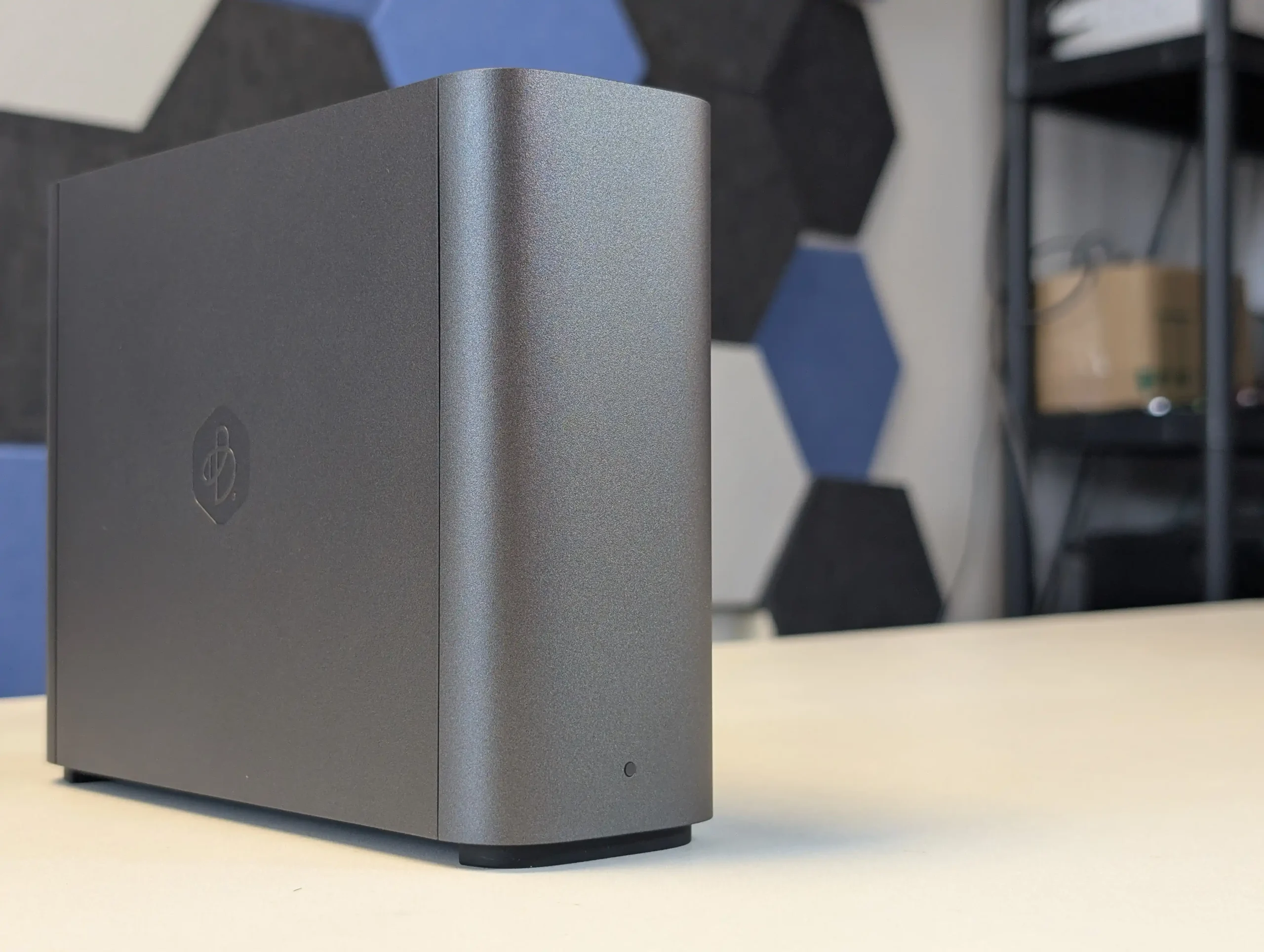
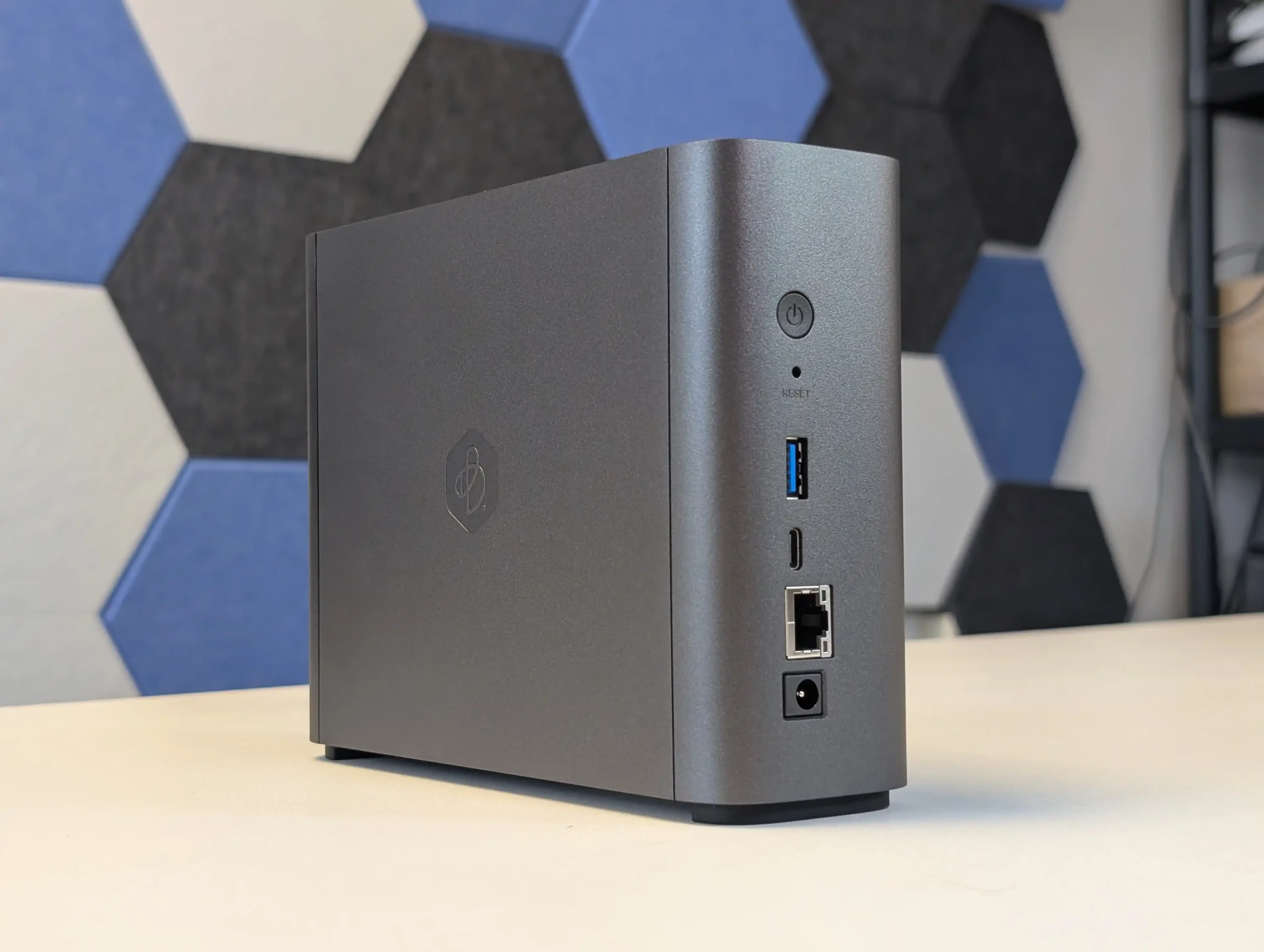
SPECS: Intel Celeron J4125 quad core 2.0 to 2.7 GHz – 4 GB DDR4 – 1 x 3.5″ 8 TB SATA bay (pre installed) – 1 x 1 GbE RJ45 / 1 x USB A 3.2 Gen 1 / 1 x USB C 3.2 Gen 1 – no M.2 SSD support.
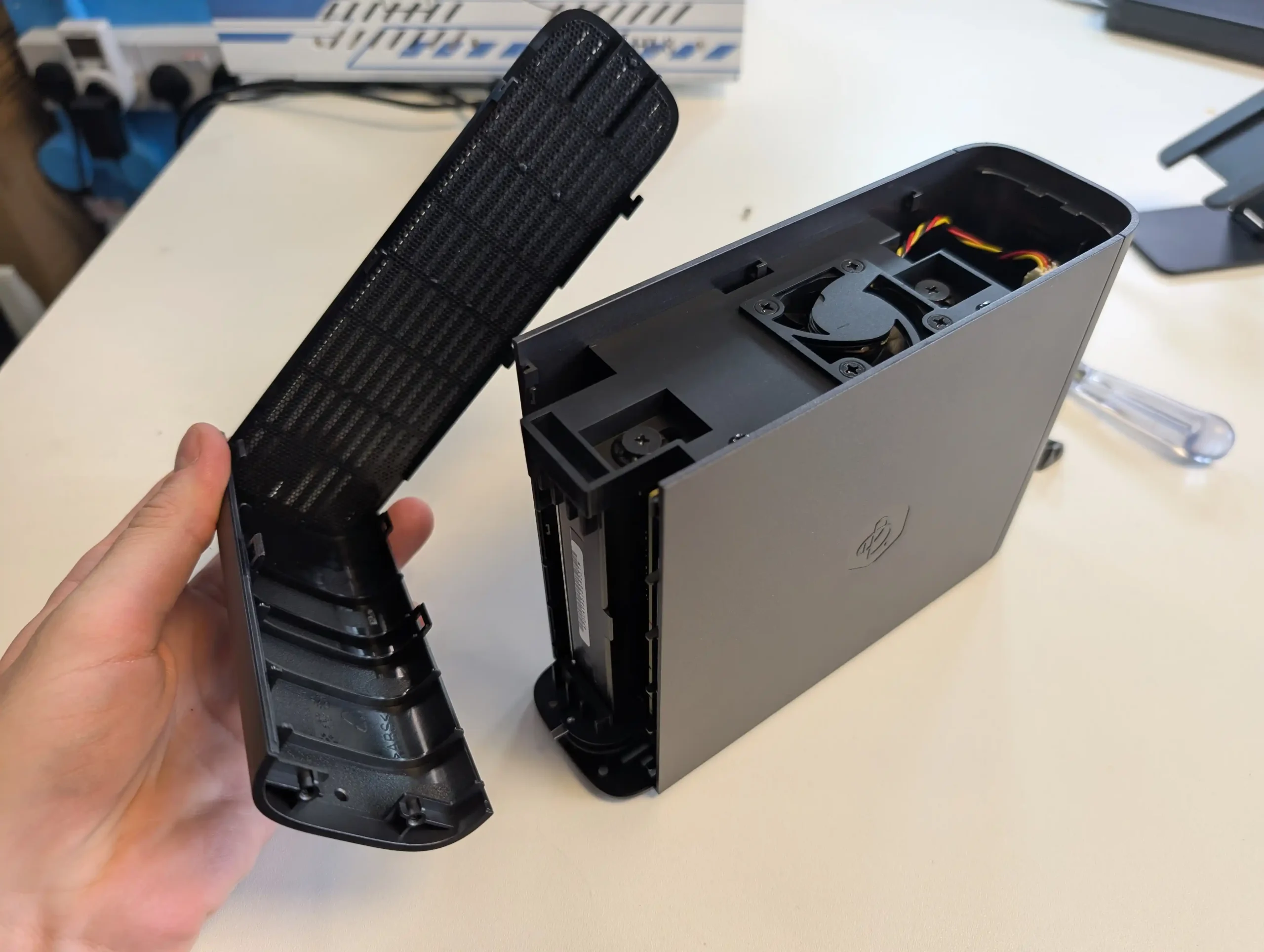
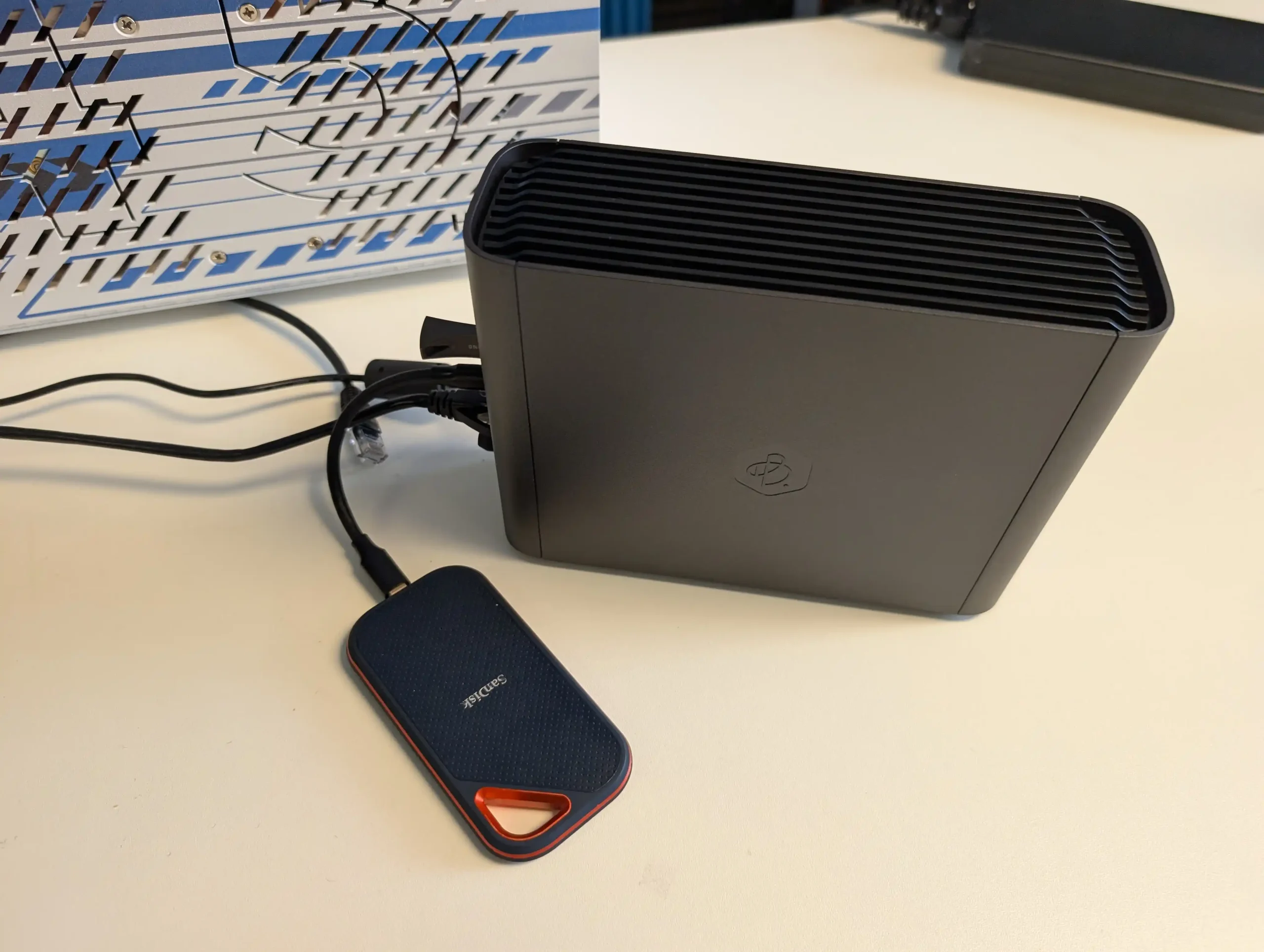
BeeStation Plus is aimed at users who want a simple, appliance like Plex box rather than a configurable NAS. It runs Synology’s cut down BeeStation OS, has Plex Media Server support built in, and is set up entirely through a guided app and browser flow, so there is minimal configuration overhead. The hardware is sufficient for basic 4K and 1080p Plex use for a small number of clients, but the single non replaceable drive bay and lack of expansion, RAID options or M.2 slots mean it is best treated as a starter Plex unit for light libraries rather than a long term, scalable media server, and there is no official Jellyfin or Emby integration at this time.
What we said in our March ’25 Review HERE:
The Synology BeeStation marks a significant shift in Synology’s product line, targeting a new segment of users with its simplified yet functional design. This device stands out as an excellent middle ground between ease of use and a comprehensive private cloud system, providing secure and seamless access to stored data. While it is incredibly user-friendly and easy to set up, the lack of LAN access by default and its single-bay, 4TB-only configuration at launch might limit its appeal to more tech-savvy users or those seeking greater flexibility and expandability. The BeeStation’s unique selling point is its simplicity, making it a compelling choice for those new to NAS systems or for users who prioritize ease of use over extensive customization options. However, its simplicity also means that it lacks the extensive app support found in Synology’s DSM platform, potentially disappointing users accustomed to the richer application ecosystem offered by Synology’s more advanced models.
 |
 |
For users concerned about security, the BeeStation still upholds Synology’s reputation for secure data handling, with encrypted data transmission as a standard feature. However, experienced users who prefer a more hands-on approach to their NAS setup might find the BeeStation’s lack of advanced configuration options and its reliance on internet access for setup somewhat restrictive. In terms of market positioning, the BeeStation fills a gap left by other brands like WD and Seagate in offering ‘Easy NAS’ systems. Its competitive pricing, particularly considering the included 4TB of storage, makes it an attractive option for users seeking a private cloud solution without the recurring costs associated with third-party cloud services. Despite these potential drawbacks, the BeeStation is a solid entry-level NAS solution, especially for those seeking a personal cloud with minimal setup and maintenance. It may not be as feature-rich as Synology’s DSM-based NAS devices, but for its intended audience, the BeeStation provides a well-balanced combination of functionality, ease of use, and affordability. Synology’s move to cater to a broader, less technically inclined audience with the BeeStation demonstrates their understanding of market trends and user needs, offering a solution that balances simplicity with the reliability and quality Synology is known for.
 |
 |
In the end, the Synology BeeStation is an ideal choice for users seeking a straightforward, reliable, and cost-effective personal cloud solution. It represents Synology’s commitment to diversifying their product range, catering to the evolving needs of different user segments. While it may not suit everyone, especially those looking for advanced features and customization, it excels in its role as a user-friendly, secure, and affordable entry-level NAS device.



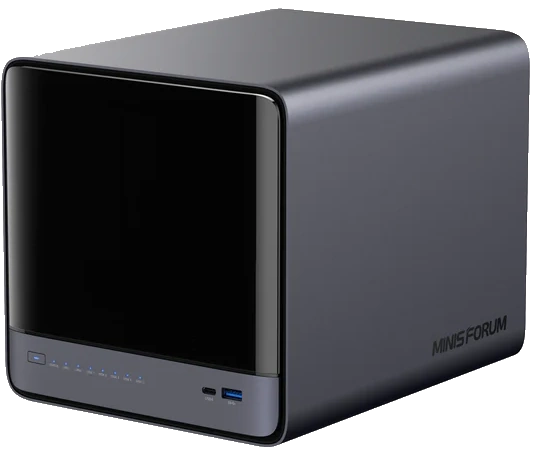
#2 Minisforum N5 NAS – $599 to $749
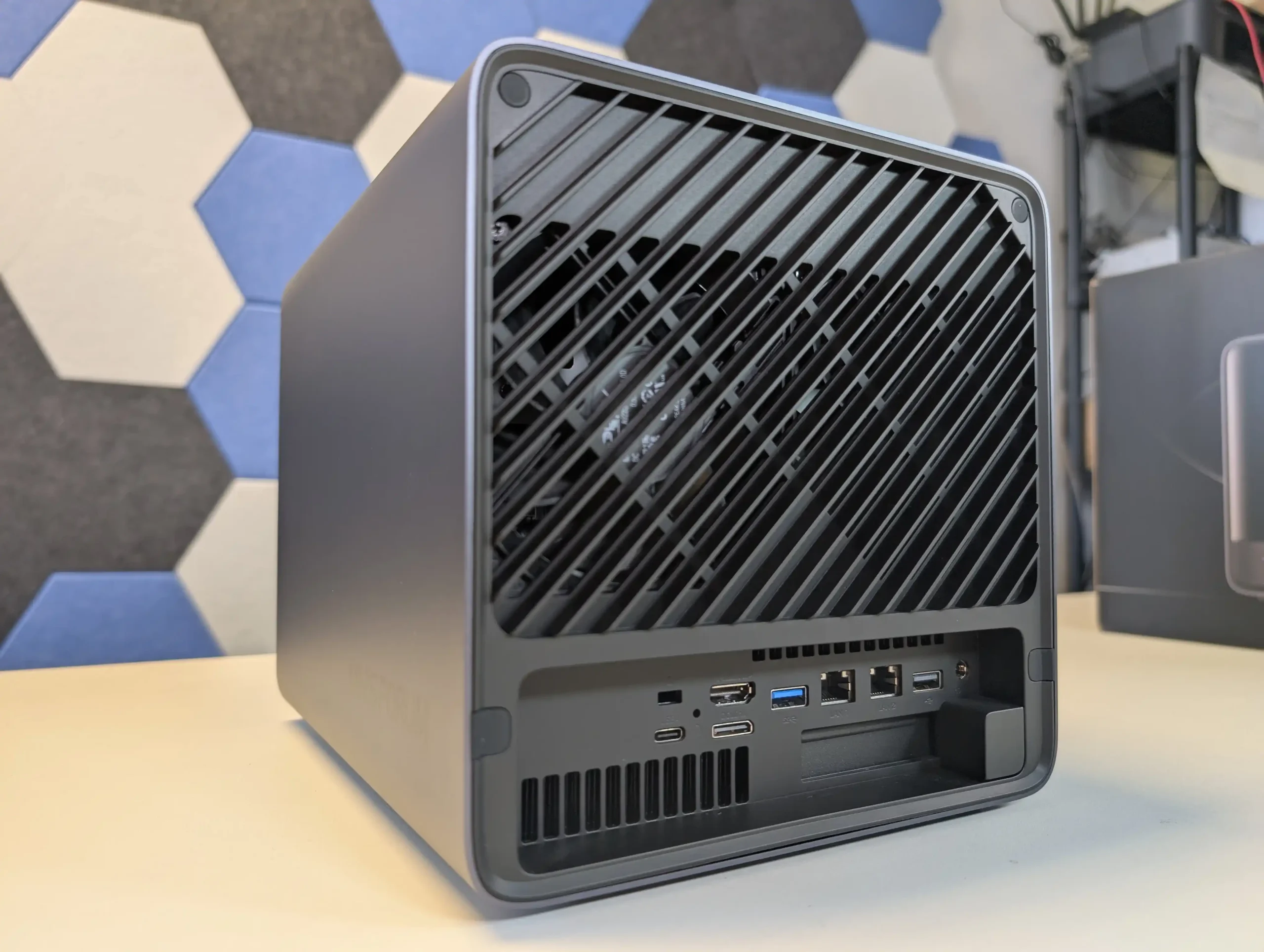
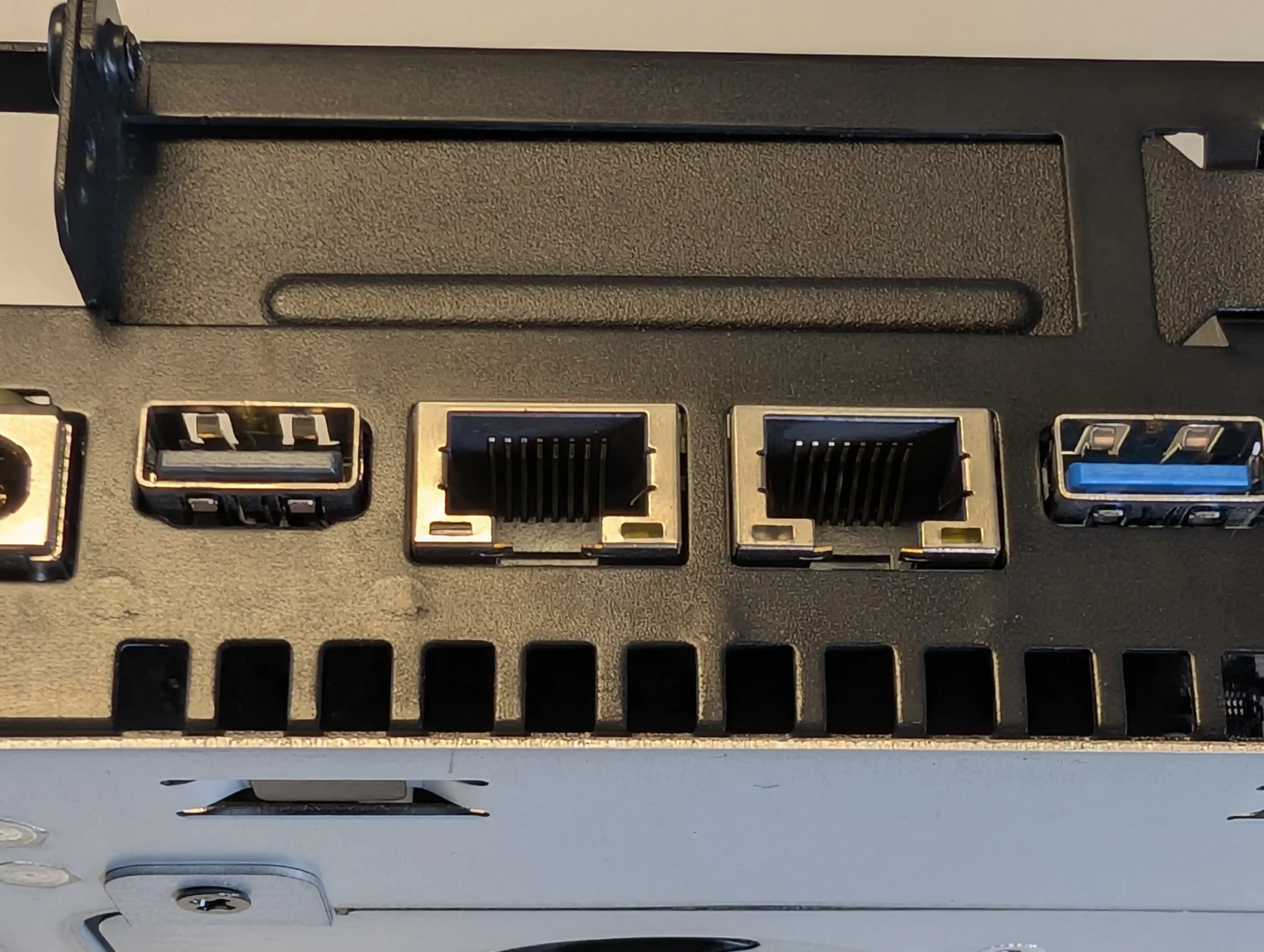
SPECS: AMD Ryzen 7 255 8 core 16 thread up to 4.9 GHz – up to 96 GB DDR5 via 2 SODIMM slots – 5 x 3.5″/2.5″ SATA bays – 1 x 10 GbE RJ45 / 1 x 5 GbE RJ45 / 2 x USB4 – 3 x M.2 2280 NVMe or U.2 SSD slots (PCIe 4.0).
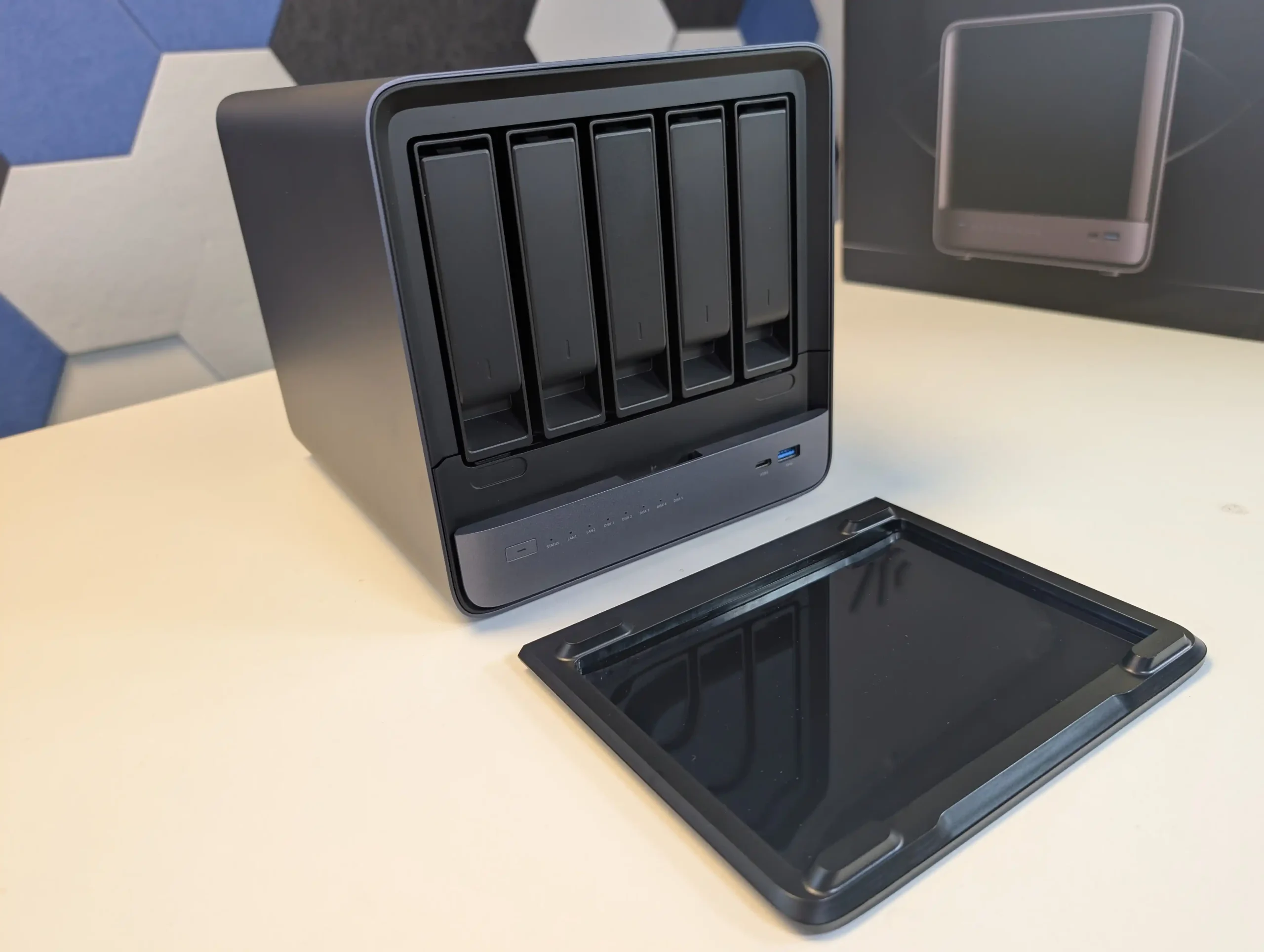
The Minisforum N5 is a compact 5-bay NAS that targets users who want preconfigured hardware with some workstation derived design features. It uses an x86 CPU in the same general class as the Aoostar WTR Max, paired with an internal storage module of 64 GB for the system volume, and is typically sold in the 599 to 699 USD range, with the separate Pro variant occupying a higher bracket. The chassis integrates a removable drive base section for easier maintenance, and the platform includes multi-gig networking up to 10 GbE and 5 GbE, a PCIe expansion slot and USB4 connectivity for additional bandwidth or external devices. Minisforum ships the N5 with its own NAS operating system to provide an immediate out of box experience, but the software is still relatively young and many buyers elect to overwrite the included module with a more established NAS or server OS. Throughout 2025, availability has been intermittent, reflecting a level of demand from home lab users who want higher specification NAS hardware without building entirely from individual components.
 |
 |
What we said in our July ’25 Review HERE:
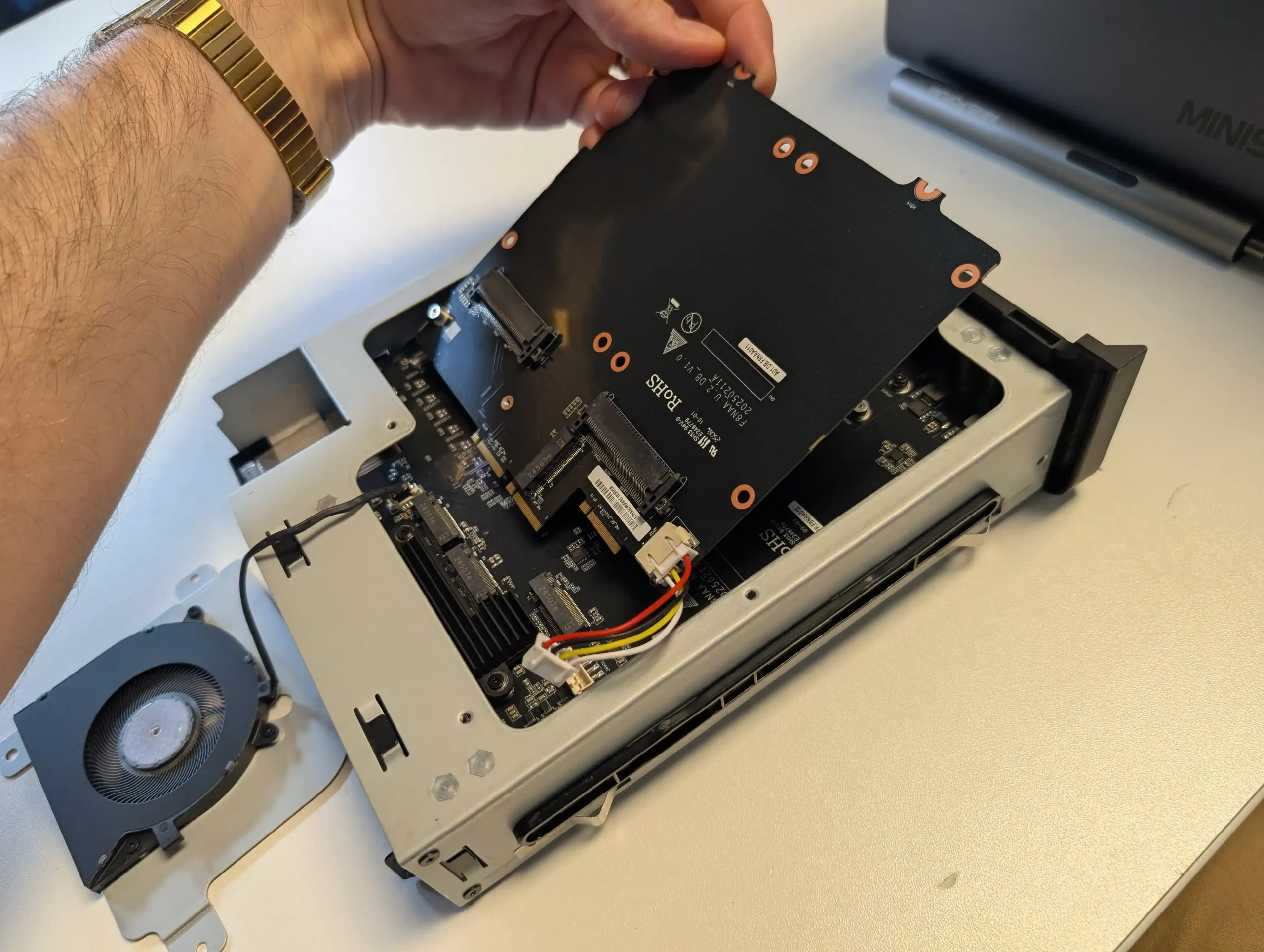
The Minisforum N5 Pro is an impressive and highly versatile NAS platform that successfully combines the core strengths of a storage appliance with the capabilities of a compact, workstation-class server, making it suitable for demanding and varied use cases. Its defining features include a 12-core Ryzen AI 9 HX PRO 370 CPU with 24 threads and onboard AI acceleration up to 50 TOPS, support for up to 96GB of ECC-capable DDR5 memory for data integrity, and a hybrid storage architecture offering up to 144TB total capacity through a mix of five SATA bays and three NVMe/U.2 slots. Additional highlights such as ZFS file system support with snapshots, inline compression, and self-healing, along with high-speed networking via dual 10GbE and 5GbE ports, and expansion through PCIe Gen 4 ×16 and OCuLink interfaces, position it well beyond the capabilities of typical consumer NAS systems. The compact, fully metal chassis is easy to service and efficiently cooled, enabling continuous operation even under sustained virtual machine, AI, or media workloads.
 |
 |
At the same time, the bundled MinisCloud OS, while feature-rich with AI photo indexing, Docker support, and mobile integration, remains a work in progress, lacking some enterprise-grade polish, robust localization, and more advanced tools expected in mature NAS ecosystems. Minor drawbacks such as the external PSU, the thermally challenged pre-installed OS SSD, and the higher cost of the Pro variant relative to the standard N5 are important to weigh, particularly for users who may not fully utilize the Pro’s ECC and AI-specific advantages. For advanced users, homelab builders, and technical teams who require high compute density, flexible storage, and full control over their software stack, the N5 Pro delivers workstation-level performance and configurability in NAS form—offering one of the most forward-thinking and adaptable solutions available today in this segment.
The is now available to buy: |
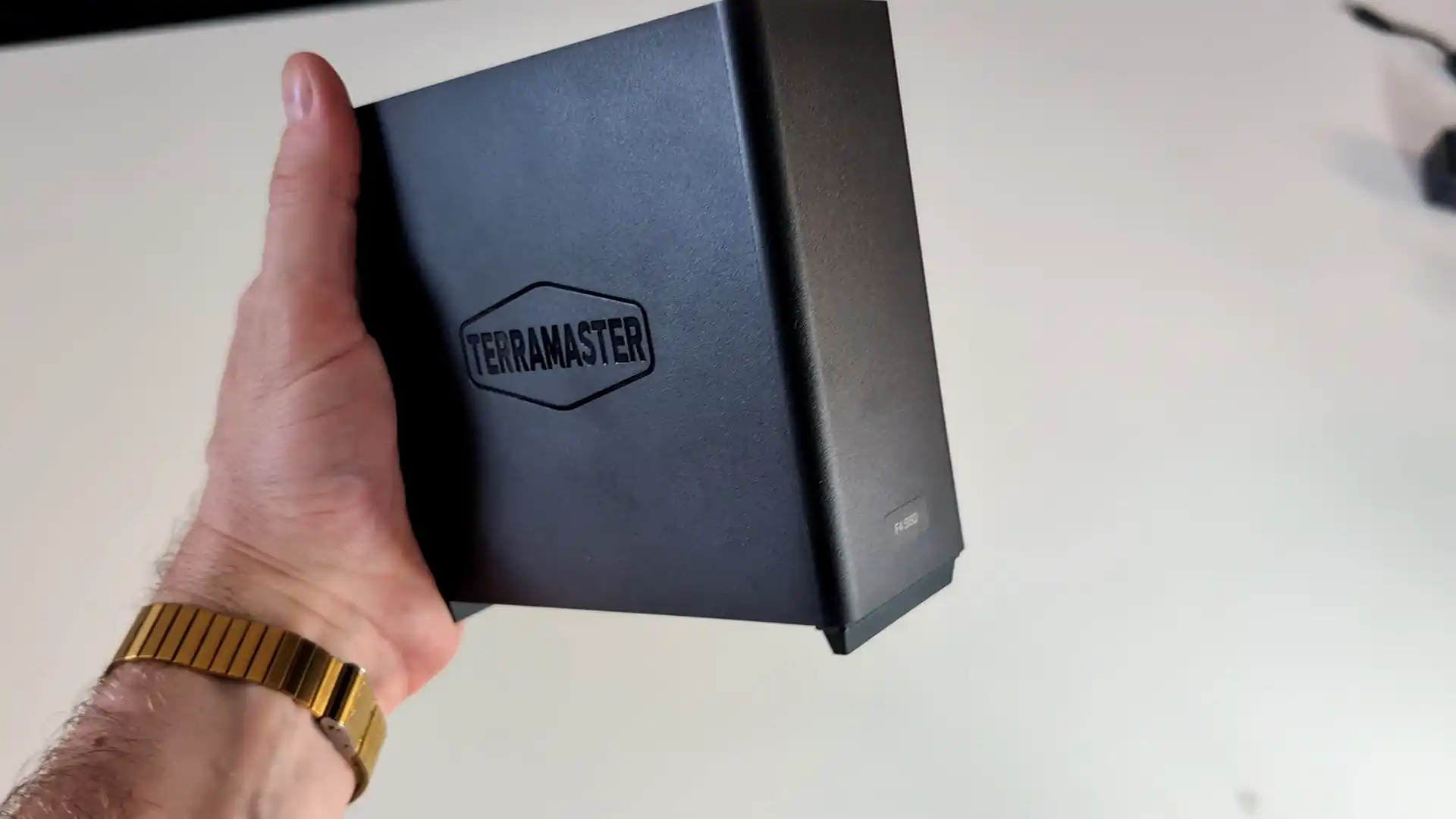
#3 TerraMaster F4 SSD NAS – $320 to $399
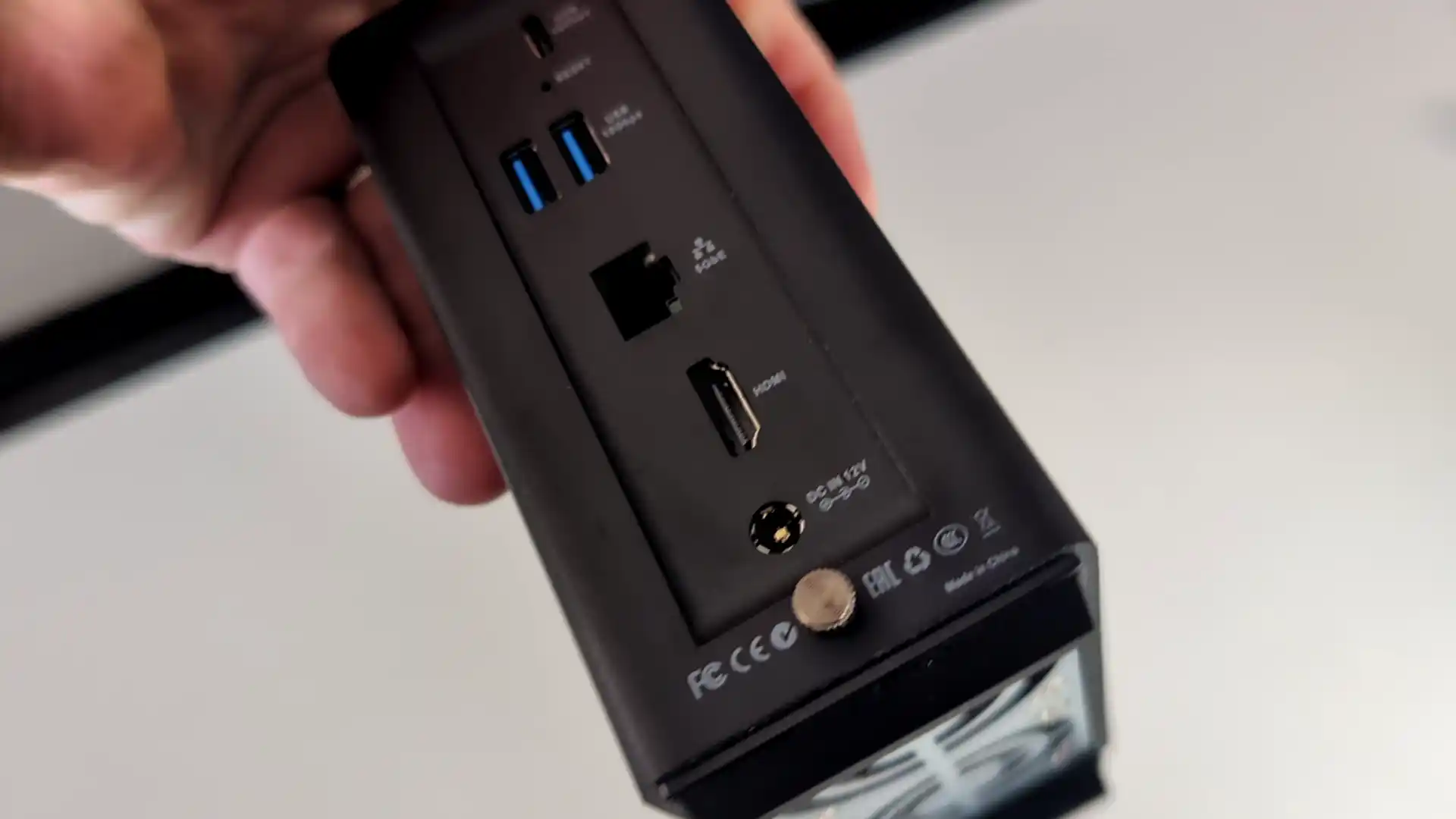
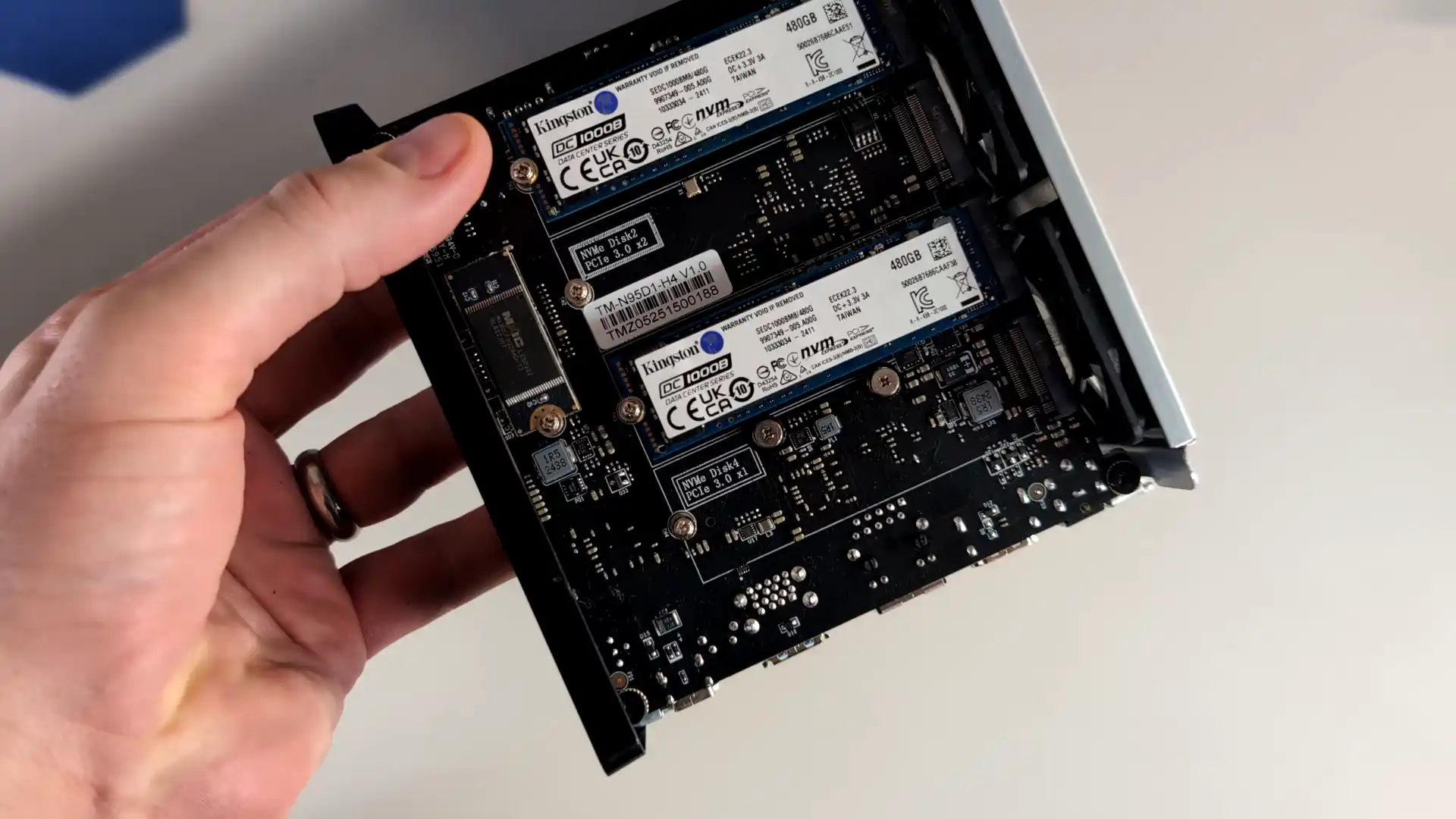
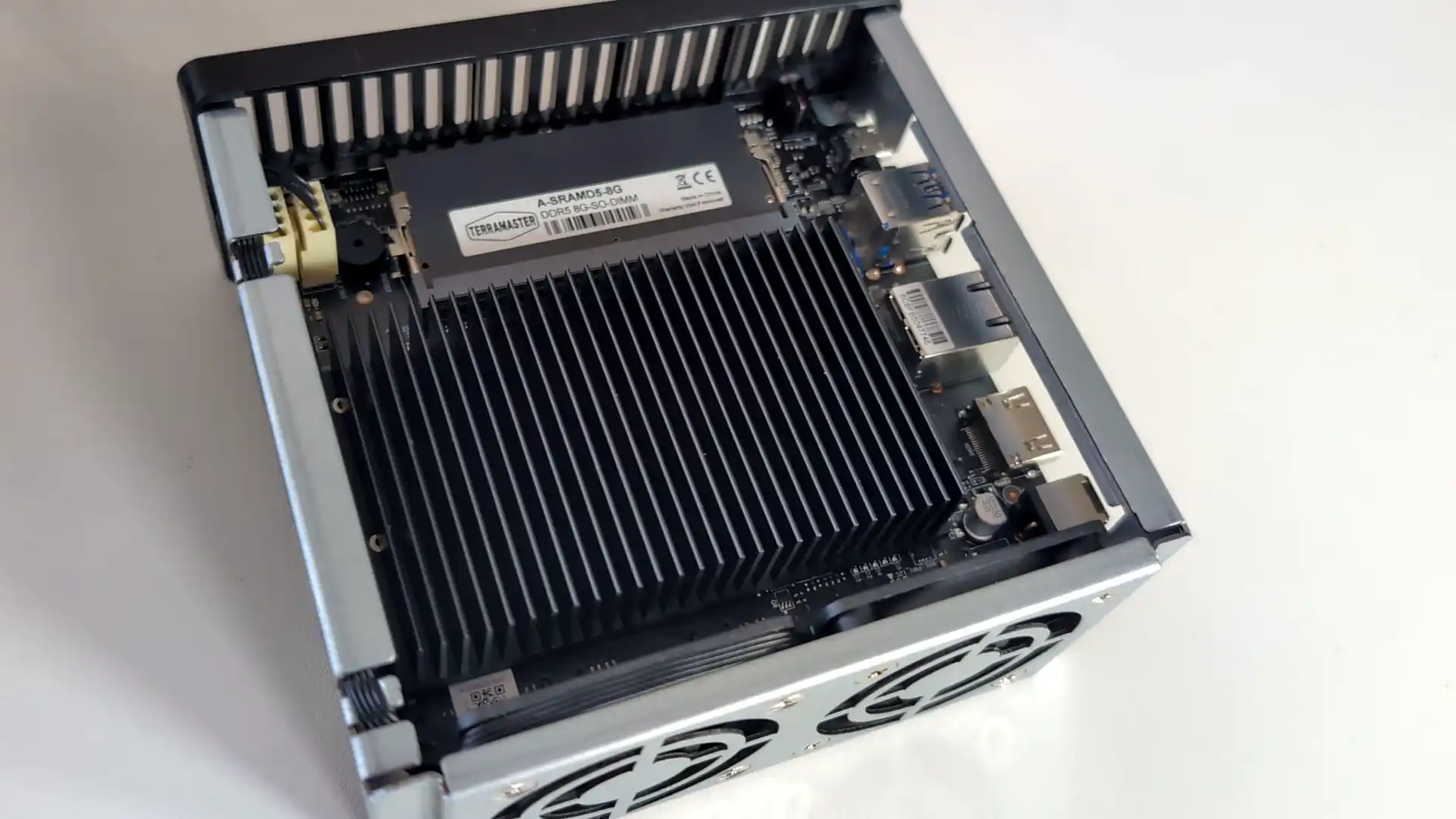
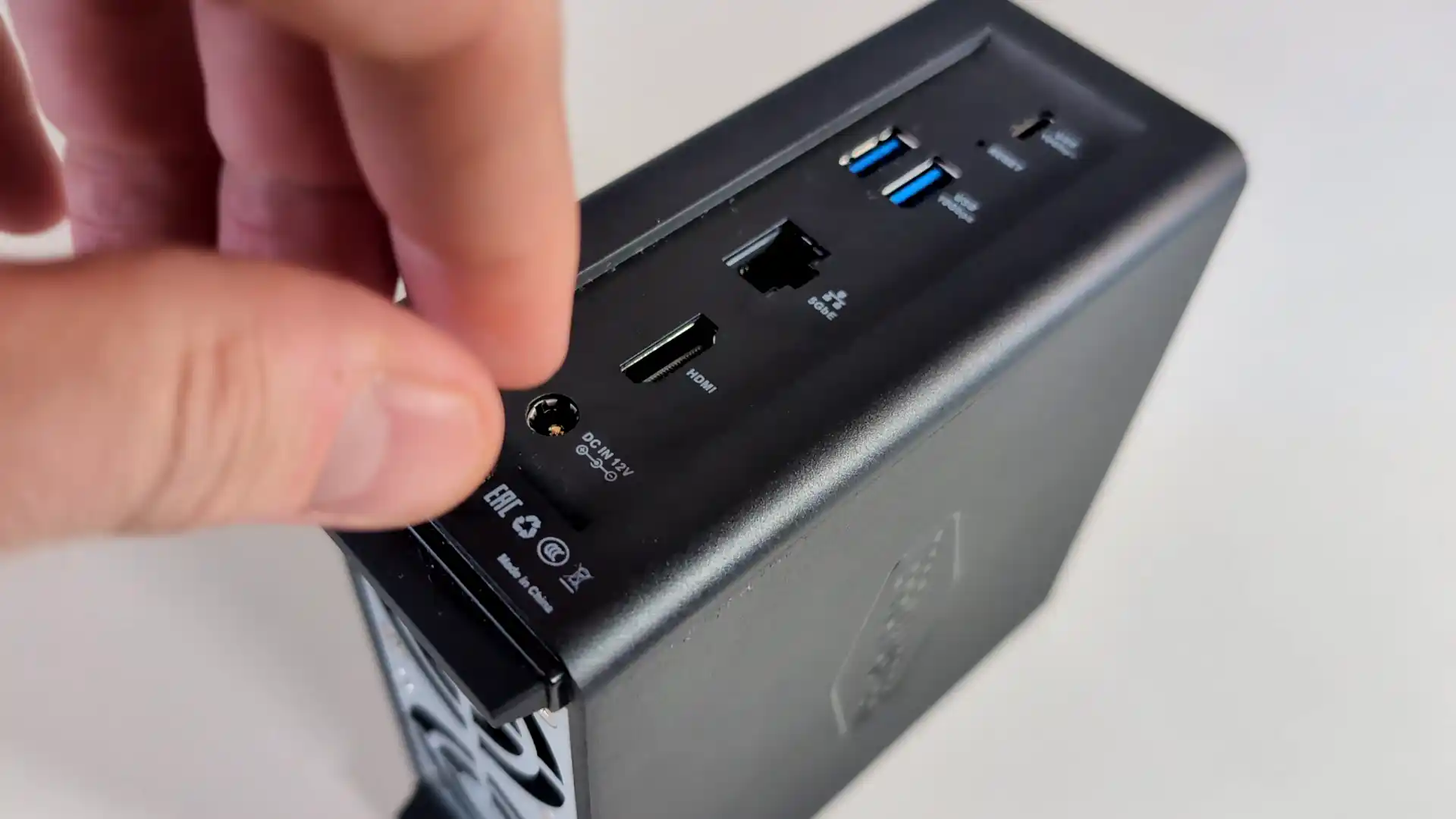
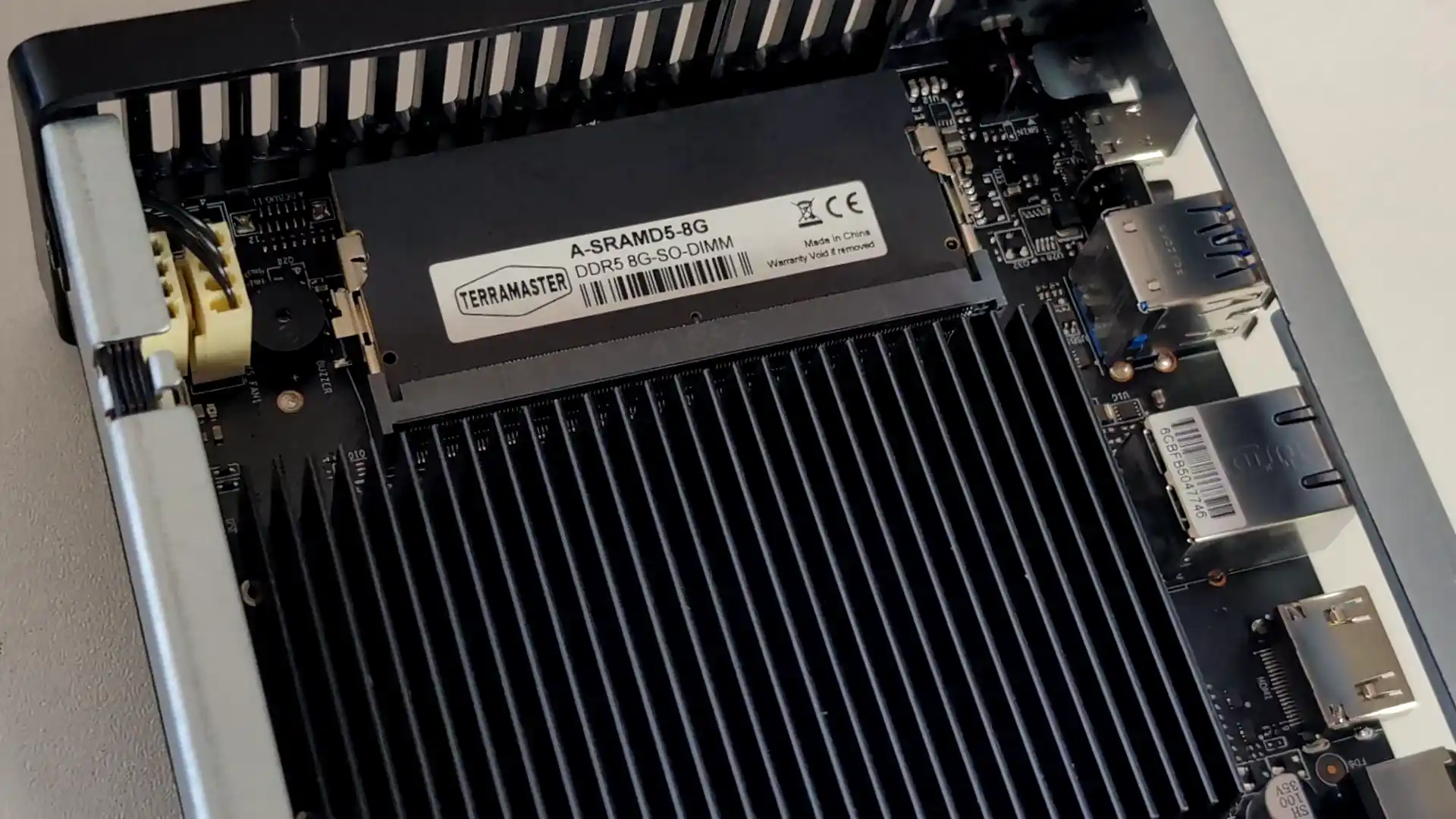
SPECS: Intel N95 quad core up to 3.4 GHz – 8 GB DDR5 (expandable to 32 GB) – 4 x M.2 2280 NVMe SSD bays – 1 x 5 GbE RJ45 / 2 x USB A 3.2 Gen 2 / 1 x USB C 3.2 Gen 2 / HDMI 2.0b – 4 x M.2 NVMe PCIe 3.0 slots (2 x2 / 2 x1).
The F4 SSD is an all flash NAS designed for users who want a compact, relatively low power Plex or Jellyfin server without mechanical drives. Its Intel N95 CPU and integrated graphics are sufficient for multiple 1080p and a modest number of 4K transcodes, and the 5 GbE interface allows the box to make use of higher network throughput than 1 GbE units. TerraMaster’s TOS 6 system offers a one click Plex package and container support for Jellyfin and Emby, but the interface and ecosystem are less refined than those from the largest NAS brands, and performance is ultimately limited by the entry level CPU and PCIe layout when many concurrent streams or heavier background tasks are involved.
 |
 |
What we said in our Aug ’25 Review HERE:
The TerraMaster F4 SSD presents itself as a well-considered entry into the compact, all-flash NAS segment, balancing low noise, energy efficiency, and competitive performance at a sub-$400 price point. With its fanless NVMe-based design, Intel N95 quad-core processor, and DDR5 memory, it meets the essential needs of home and small office users looking for a reliable and responsive storage solution. The inclusion of TerraMaster’s increasingly capable TOS 6 operating system, featuring AI-driven photo management, centralized backup, and Docker/VM support, makes it more than just a network storage device—it becomes a lightweight but versatile data center for the home. Its TRAID support allows for mixed SSD deployments with easy expansion, which is particularly attractive to users upgrading gradually or working within budget constraints. The thoughtful internal layout and cooling also ensure performance remains consistent even under sustained load, without sacrificing the near-silent operation.
 |
 |
However, the F4 SSD is not without caveats. The use of a single 5GbE port, without redundancy or aggregation, may deter users requiring network failover or higher throughput for simultaneous operations. Additionally, although the PCIe lane allocation strategy maximizes the N95’s limited bandwidth, the asymmetry between Gen3 x2 and x1 slots could bottleneck RAID performance depending on how volumes are configured. When compared to the larger F8 SSD or DIY options with dual 10GbE or ECC support, the F4 SSD may feel limiting to power users or business environments with stricter reliability requirements. That said, for the vast majority of home users, content creators, and prosumers looking for an all-in-one, high-speed NAS that blends well into living spaces, the F4 SSD delivers a solid and accessible solution. Its price-to-performance ratio, combined with the simplicity of deployment and maturing software ecosystem, makes it a compelling option in the growing market of SSD NAS devices.
 |
 |
|
Terramaster F4 SSD NAS |
|
|
Amazon in Your Region for the Terramaster F4 SSD NAS @ $399
|
B&H for the Terramaster F4 SSD NAS @ $399.99
|

#4 ZimaBoard 2 Single Board Server – $239 to $349
SPECS: Intel N150 quad core up to 3.6 GHz – 8 or 16 GB LPDDR5x – 2 x SATA 3.0 6 Gb/s ports for 3.5″/2.5″ drives (external bays or enclosures required) – 2 x 2.5 GbE RJ45 / 2 x USB 3.1 Type A / 1 x Mini DisplayPort 1.4 – M.2 SSD support via PCIe 3.0 x4 add in card only.
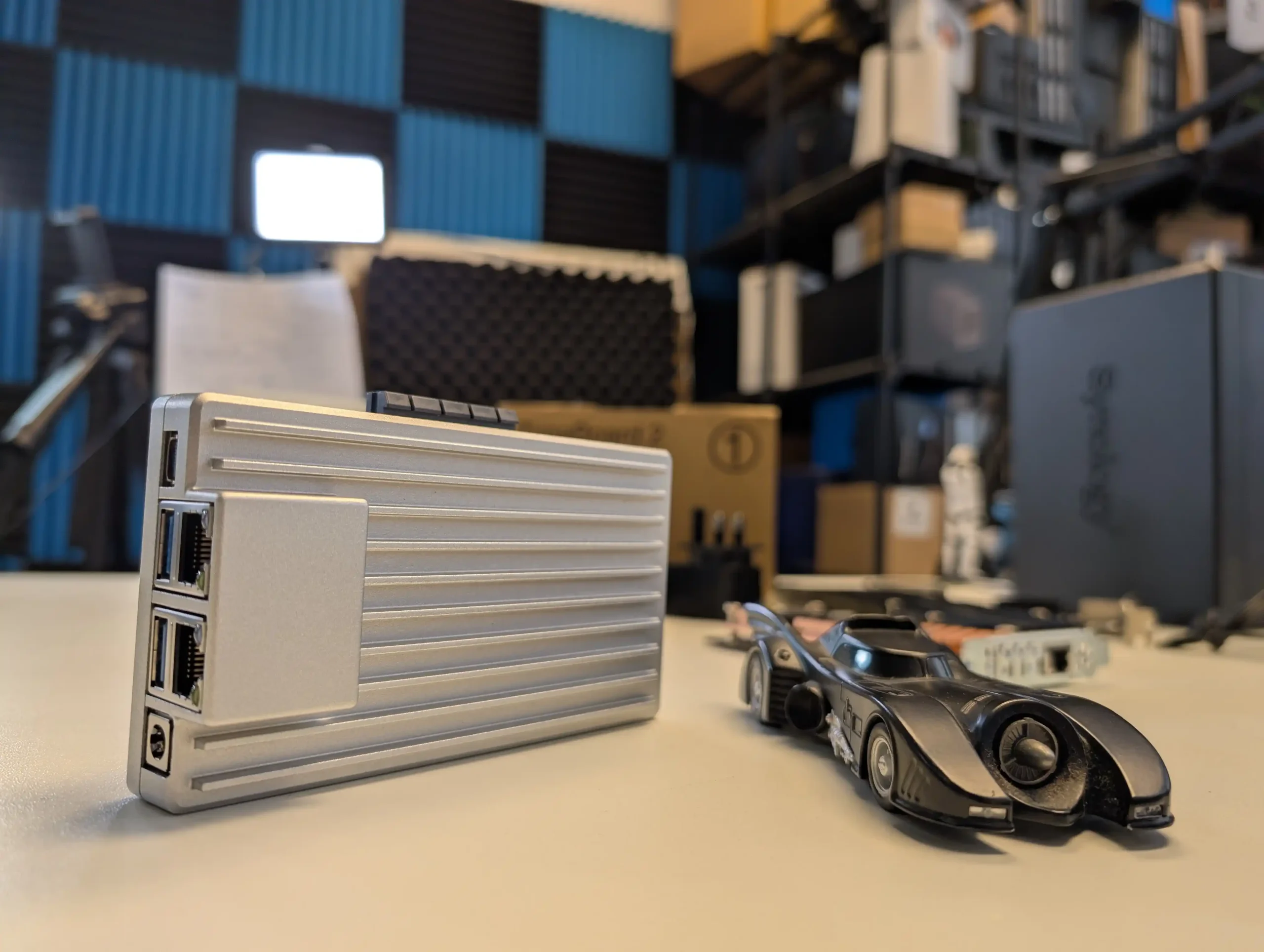
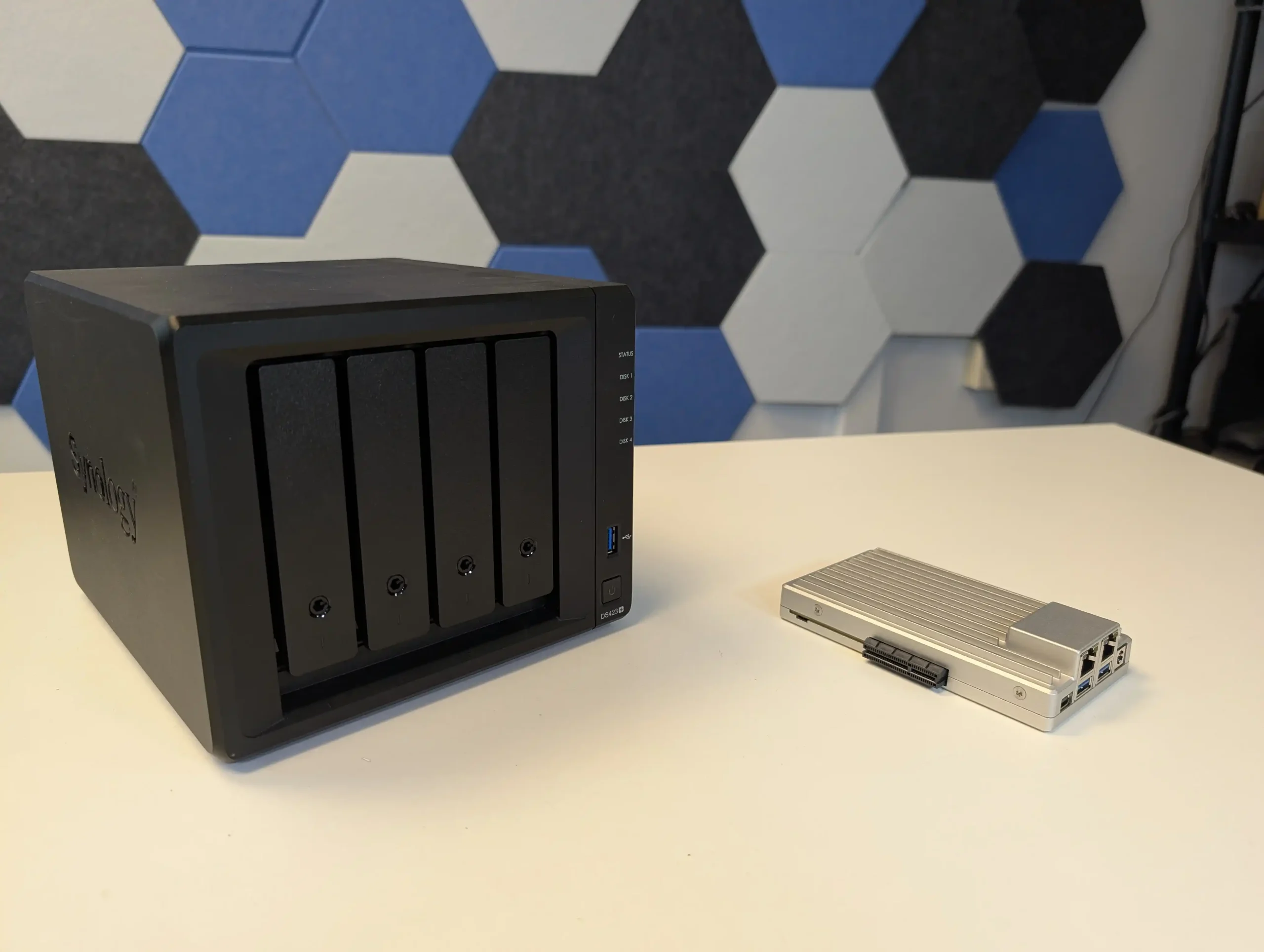
ZimaBoard 2 functions as a small, fanless compute module that can be combined with any suitable SATA enclosure or loose drives to create a highly customised Plex or Jellyfin server. It ships with ZimaOS, which exposes a NAS style interface, app catalogue and container options, so the system is usable out of the box without manually installing a general purpose Linux distribution. Dual 2.5 GbE ports and Intel Quick Sync support give it enough capability for several 1080p and selected 4K transcodes, but the absence of internal bays or native M.2 slots means storage design is entirely external, and the device is better suited to users who do not mind assembling their own chassis or reusing existing cases and drive cages.
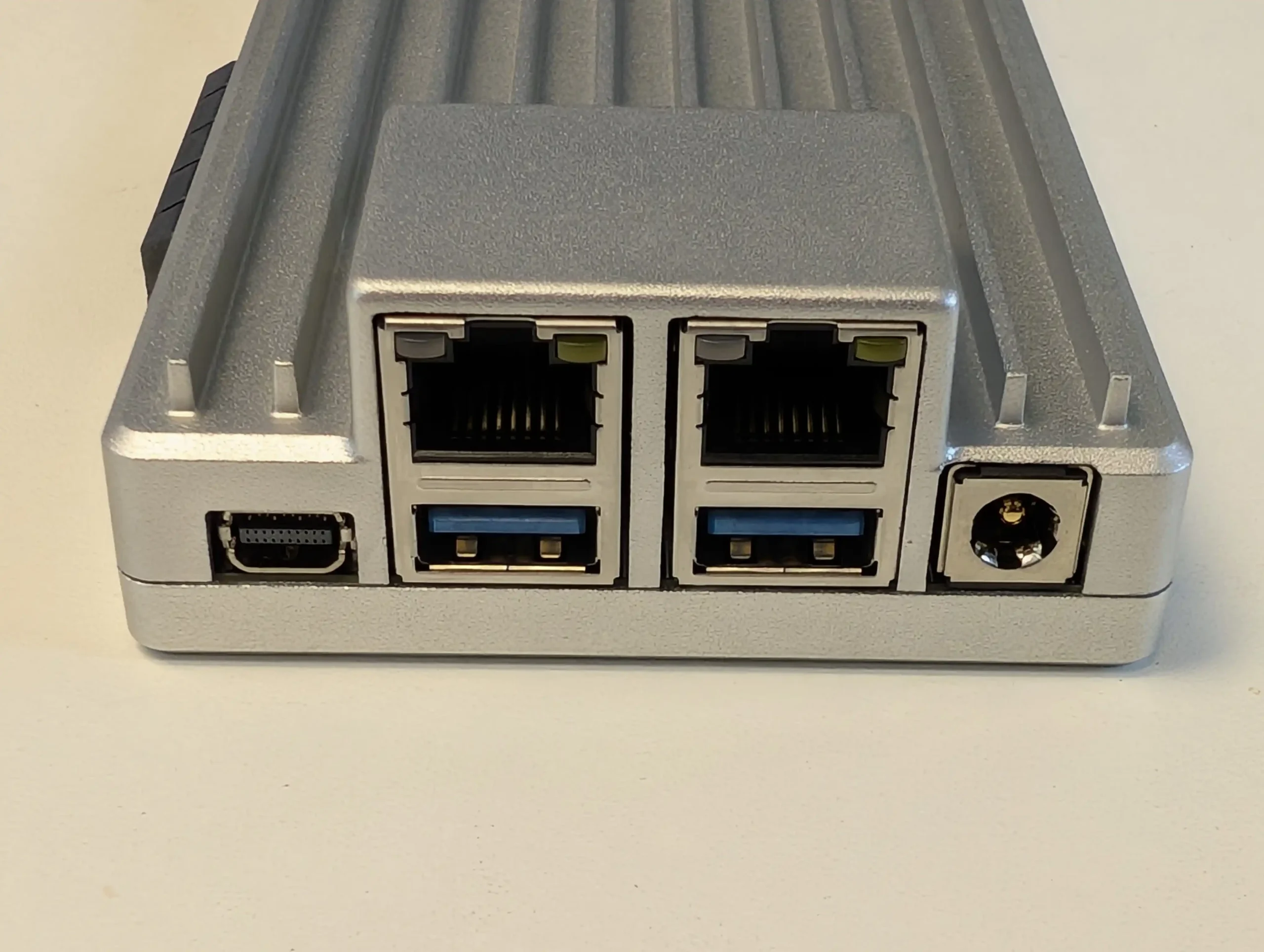 |
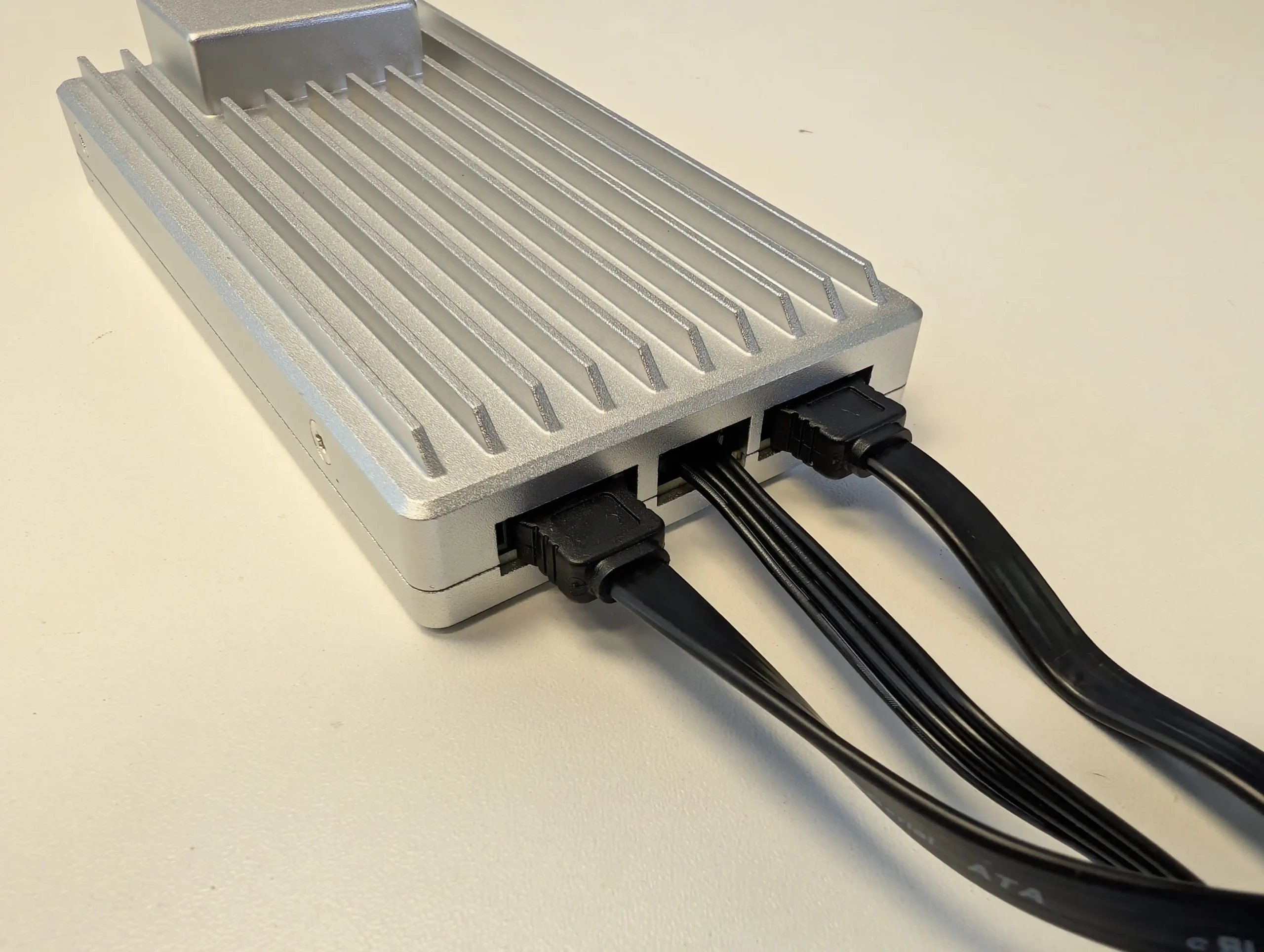 |
What we said in our April ’25 Review HERE:
The ZimaBoard 2 is a competent and thoughtfully assembled single-board server that builds meaningfully on IceWhale’s earlier efforts, especially the original ZimaBoard and the ZimaBlade. Its design clearly targets users who want more flexibility and performance than traditional ARM-based boards can offer, but who also value power efficiency, silence, and a small footprint. The use of an Intel N150 CPU, 8GB of LPDDR5x memory, dual 2.5GbE ports, and a PCIe 3.0 x4 slot makes it viable for a variety of home server roles—from basic NAS and smart home coordination to lightweight container hosting and local media streaming. Features like onboard SATA, USB 3.1, and a DisplayPort connection further add to its utility. However, there are hardware limitations that may affect long-term suitability for advanced deployments. The soldered RAM cannot be upgraded, and the internal eMMC storage, while useful for initial setup, is too slow for OS-level responsiveness in more demanding use cases. Passive cooling, while appreciated for silence, also imposes some thermal limitations depending on the deployment environment.
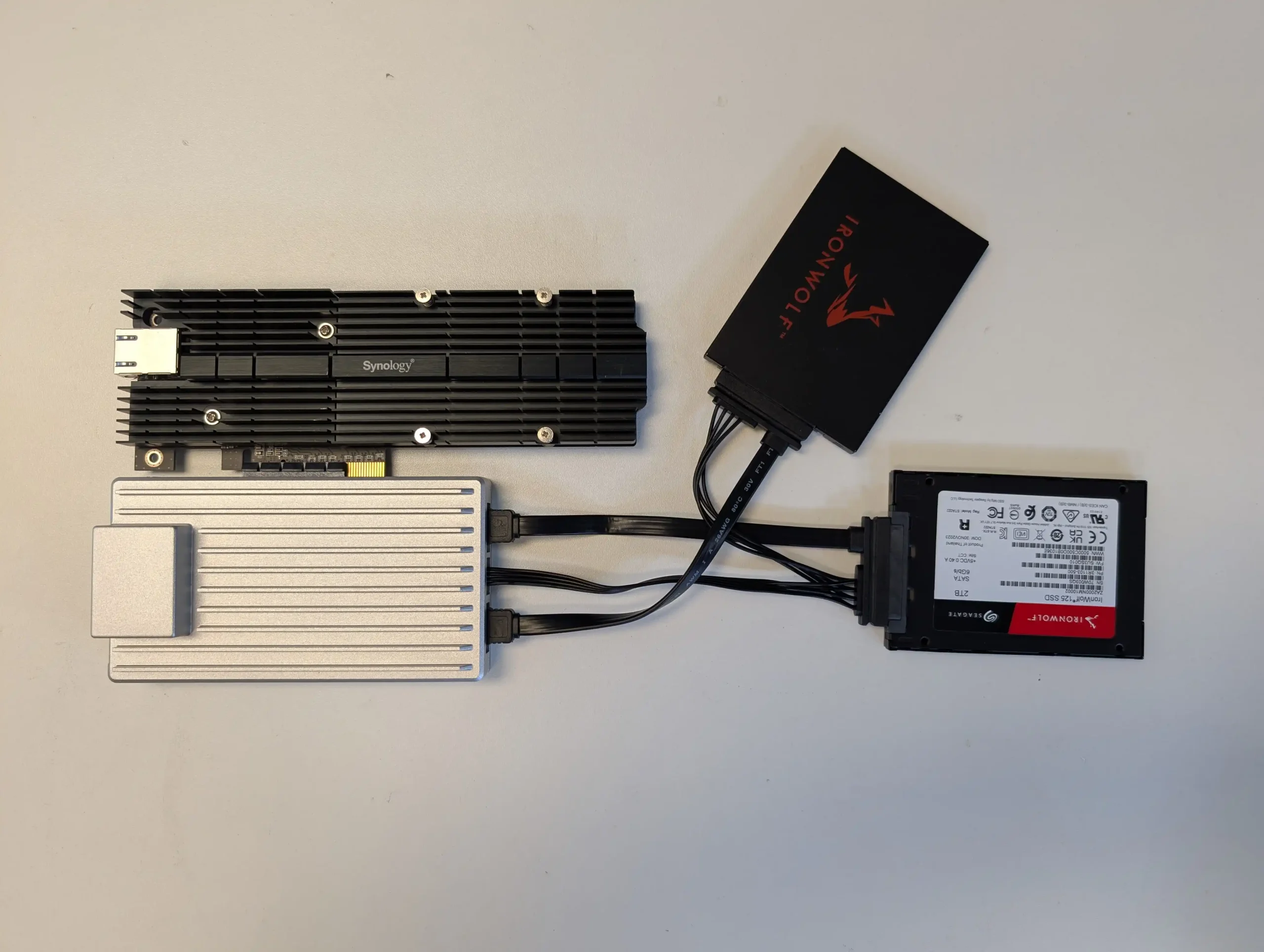 |
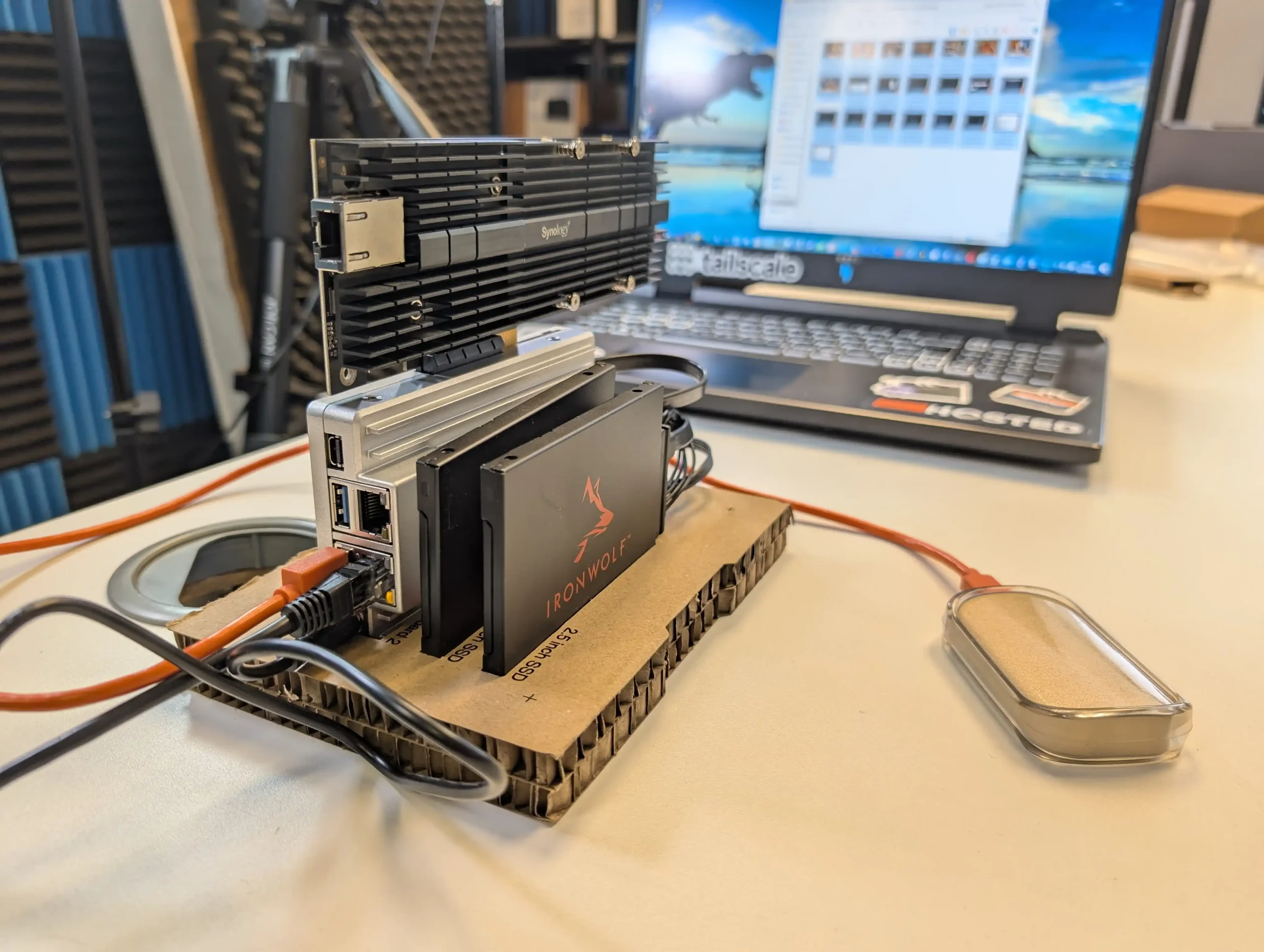 |
On the software side, ZimaOS offers a decent out-of-the-box experience that caters to users with minimal technical background. It handles core tasks like application deployment, file sharing, and system monitoring without requiring advanced configuration, and its Docker-based App Store simplifies access to popular tools. For more experienced users, the system supports third-party OS installation, which is likely how many will ultimately use the ZimaBoard 2. Still, as a bundled solution, ZimaOS has matured significantly and now presents itself as a lightweight, capable, and non-intrusive platform for those who prefer to get started immediately. In the broader context of DIY server hardware, ZimaBoard 2 occupies a middle ground: more powerful and modular than Raspberry Pi-class systems, yet more constrained than full x86 mini PCs or enthusiast-grade NAS hardware. For those who understand and accept these trade-offs, and are willing to plan around its limitations, the ZimaBoard 2 offers a reliable and flexible foundation for compact, energy-efficient computing at the edge.
|
|
|
|
Check Amazon in Your Region for the Zimaboard 2
|
Check AliExpress for the Zimaboard 2
|

#5 UGREEN NASync DH4300 Plus – $365 to $390
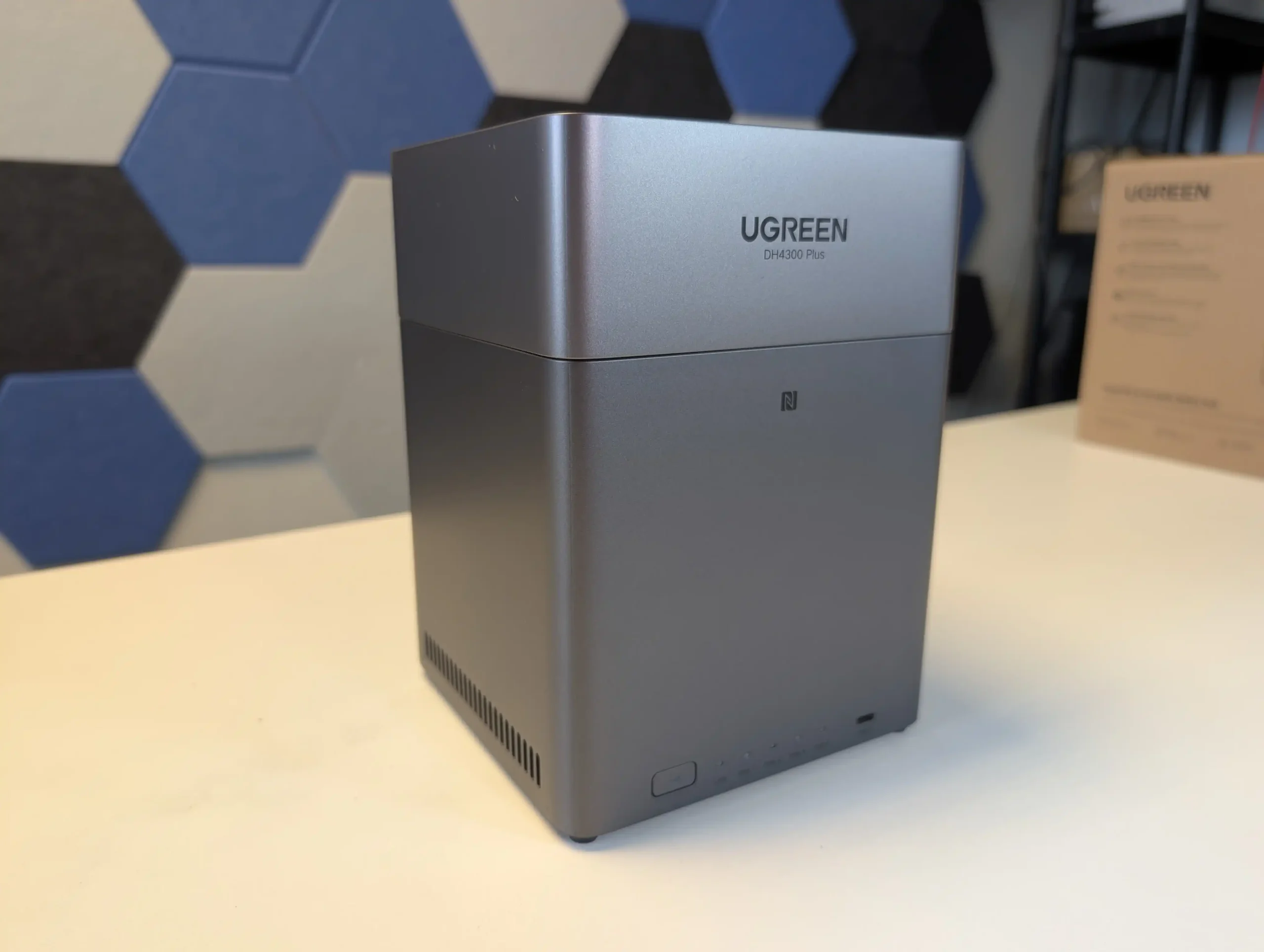
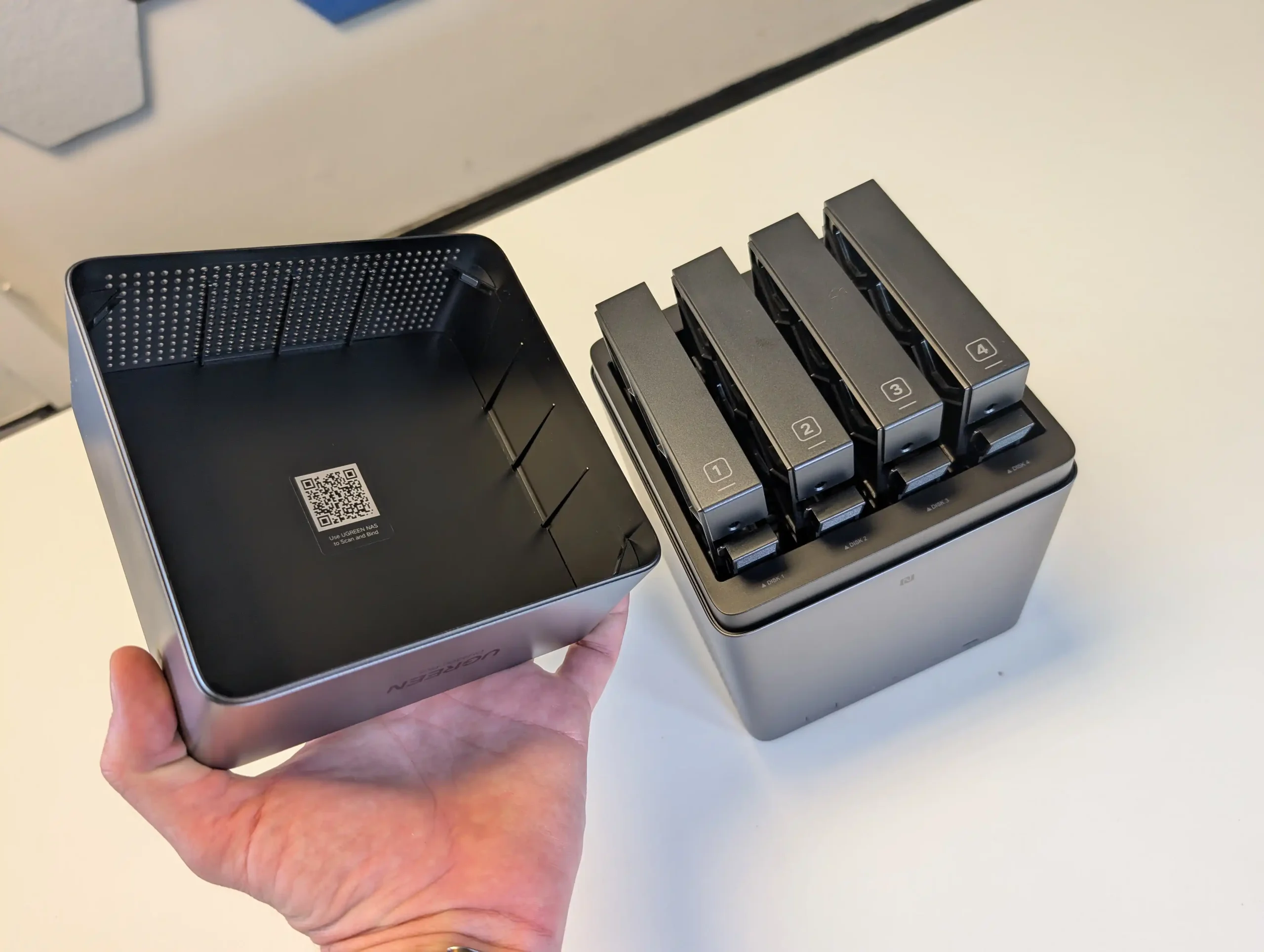
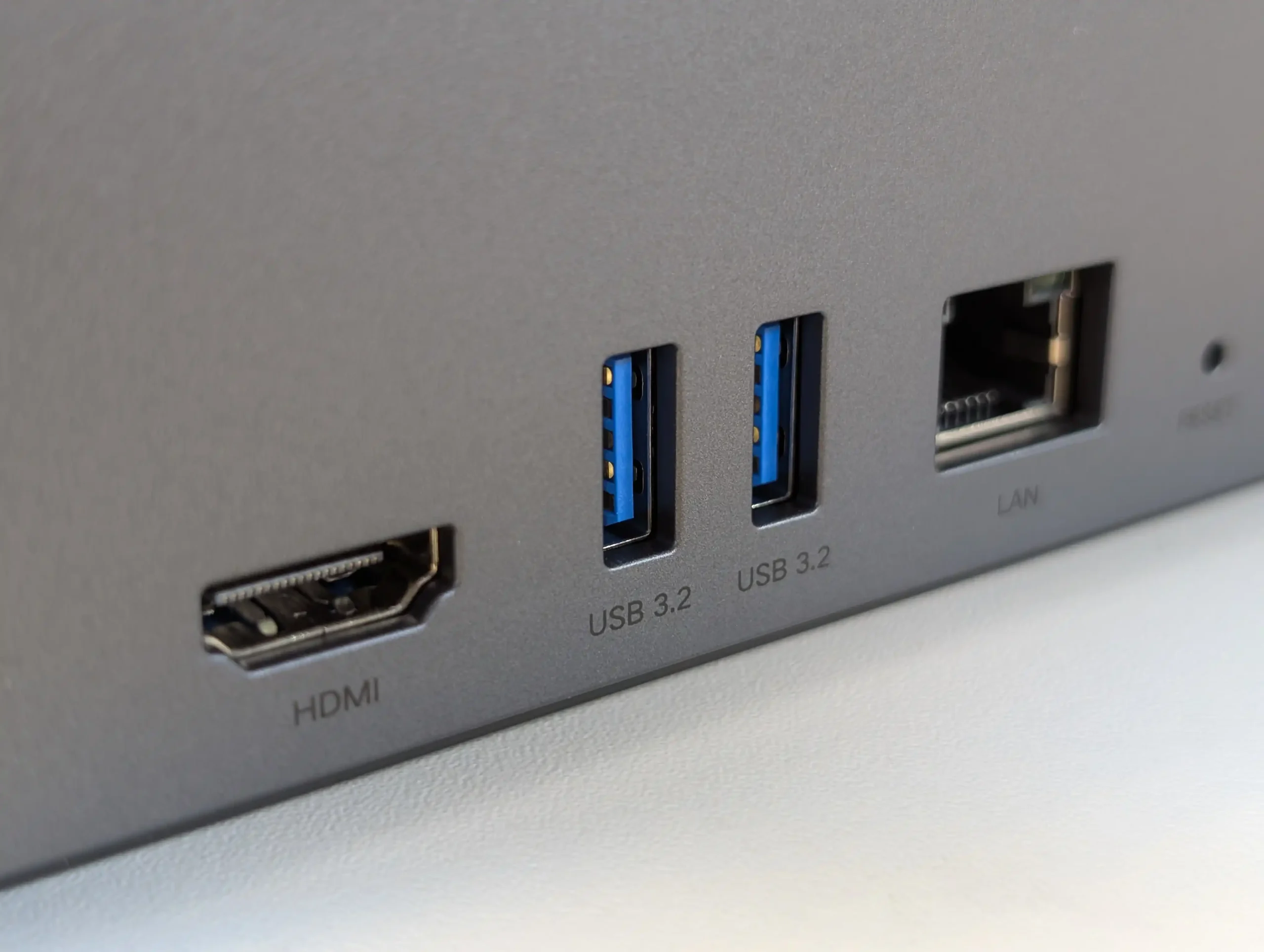
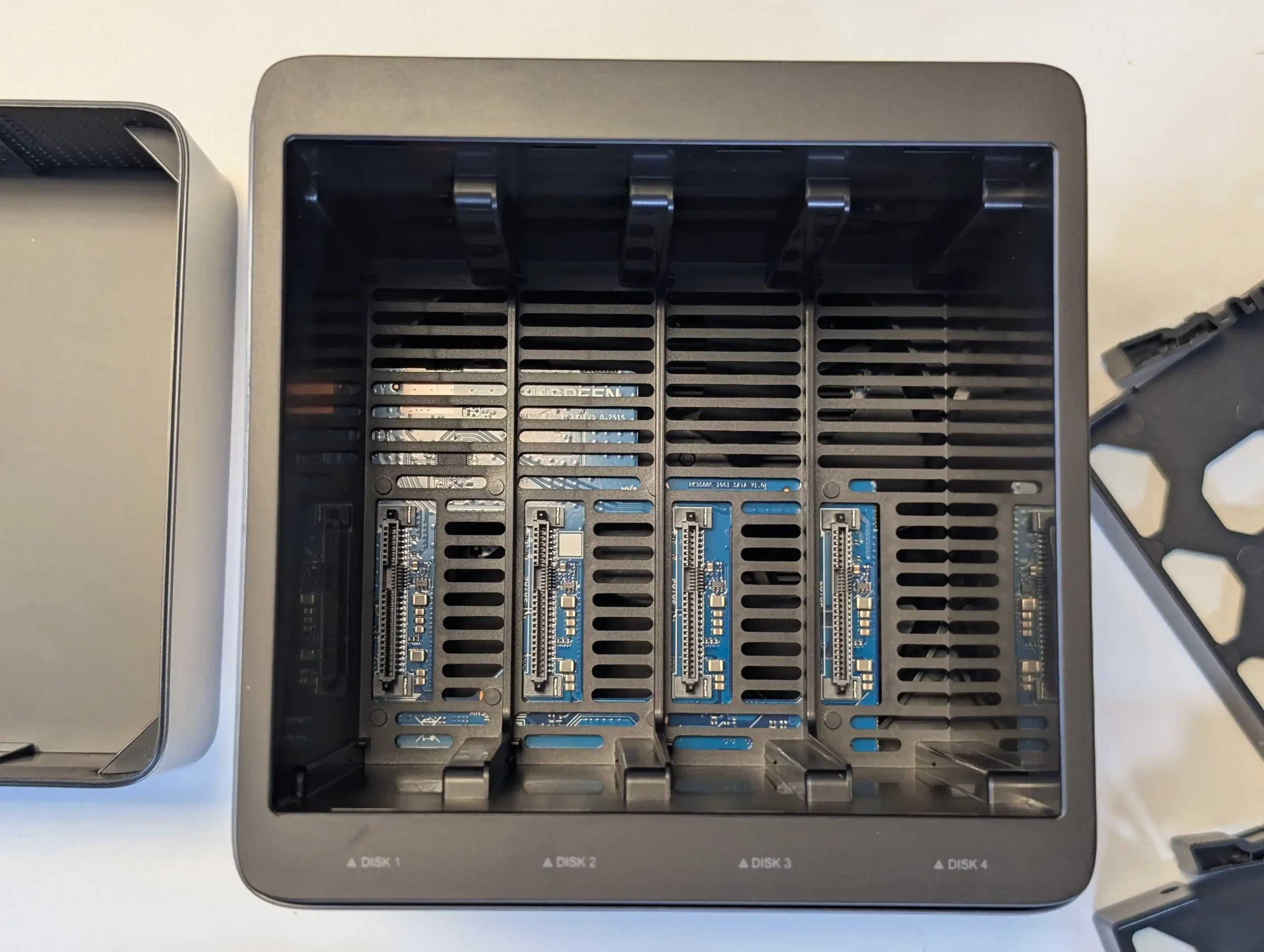
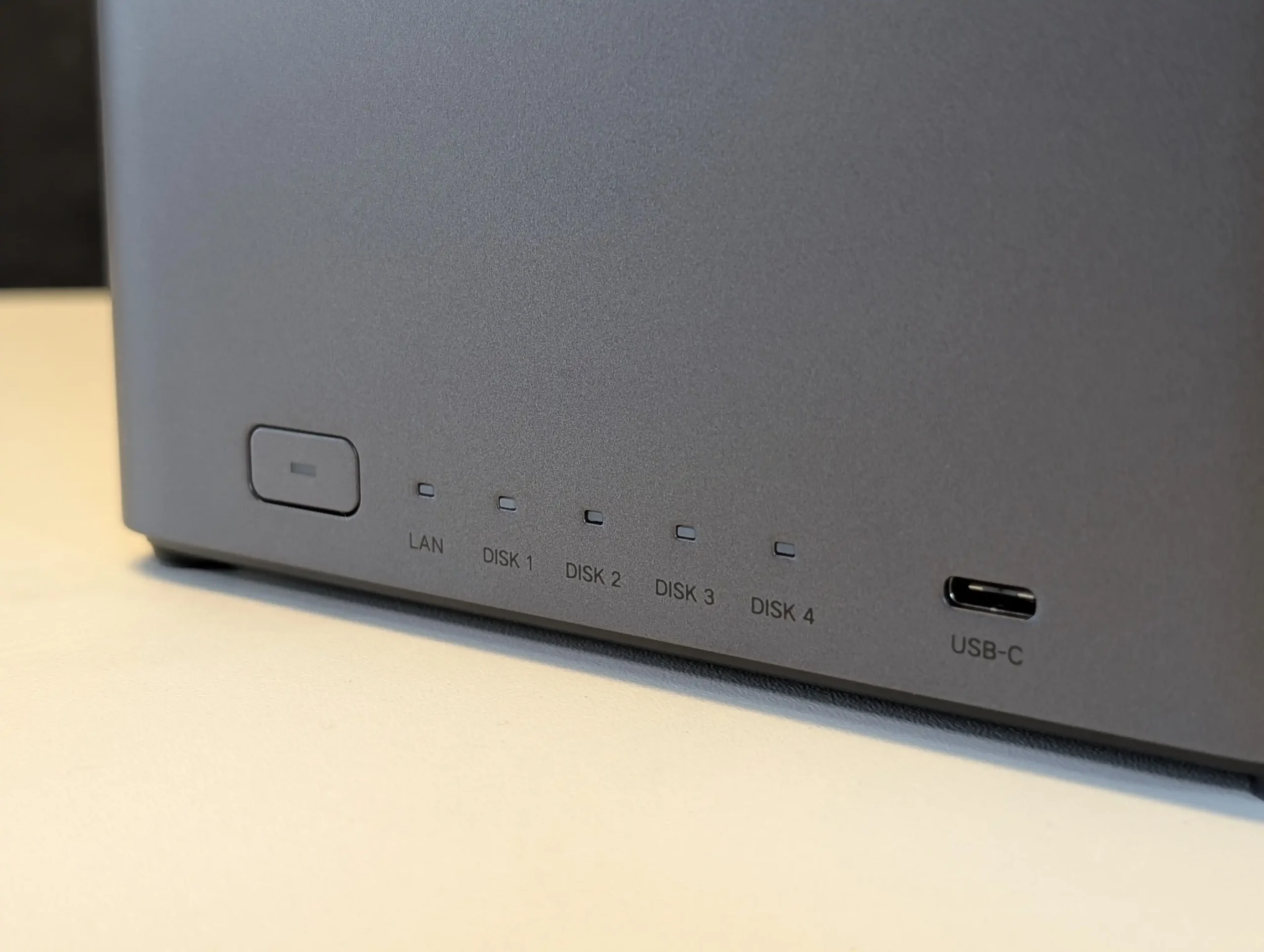
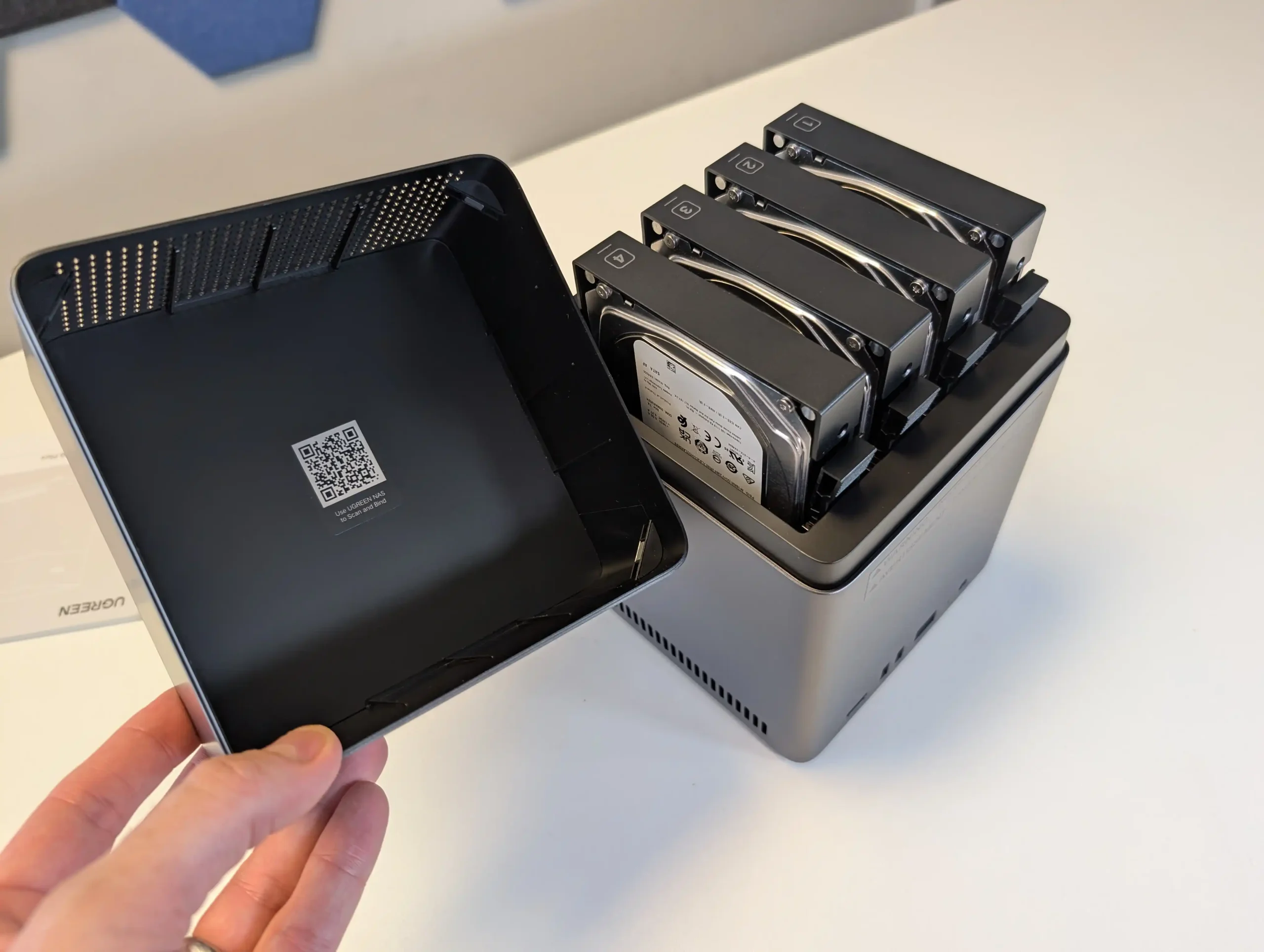
SPECS: Rockchip RK3588 8 core ARM (4 x Cortex A76 + 4 x Cortex A55) up to around 2.4 GHz – 8 GB DDR5 – 4 x 3.5″/2.5″ SATA bays – 1 x 2.5 GbE RJ45 / HDMI 2.0b / 1 x front USB C 3.2 Gen 1 / 2 x USB A 3.2 Gen 1 – no internal M.2 SSD slots.
The NASync DH4300 Plus is a 4 bay ARM based NAS that targets users who want RAID 5 capable storage for Plex or Jellyfin along with general backup duties at a moderate price. UGREEN’s UGOS Pro operating system includes its own media apps, an app store and containerisation features, and community testing has confirmed that Plex can achieve multiple 1080p and several 4K streams, benefiting from the RK3588’s hardware video engines. There is only a single 2.5 GbE port and no M.2 cache or expansion options, so scaling is limited to the 4 SATA bays and external USB storage, but for users who prioritise RAID 5 resilience, low to mid range transcoding capacity and comparatively low power use, it fits the role of a budget multi user media and file server.
 |
 |
What we said in our August ’25 Review Here:
The UGREEN DH4300 Plus carves out a unique niche in the budget NAS landscape by delivering hardware typically reserved for higher-tier systems at a much lower price point. Its RK3588 processor, 8GB of RAM, and support for 2.5GbE networking place it well ahead of most similarly priced competitors in terms of raw specifications. Additionally, features such as HDMI output, 10Gbps USB ports, and local AI-powered photo indexing are rare to find in entry-level NAS systems. Despite its plastic-heavy internal design and lack of expansion options like PCIe or M.2, the device delivers stable performance for file sharing, media access, and low-intensity AI workloads. It is not suited for power users demanding virtual machines or advanced snapshot automation, but within its class, the DH4300 Plus presents an appealing balance between cost and capability.
 |
 |
That said, the software experience is still a work in progress. UGOS Pro covers the essentials and offers a visually accessible UI, but lacks the advanced features and ecosystem integration found in more mature platforms like Synology DSM or QNAP QTS. Docker and snapshot support add welcome flexibility, but the absence of native Jellyfin, iSCSI, and VM functionality limits its use in more complex environments. Still, for home users, media collectors, or small office setups looking for reliable backup, modest AI-enhanced photo sorting, and smooth 4K playback, the DH4300 Plus delivers value well beyond its price tag. While it won’t replace high-end NAS appliances, it serves as a capable, efficient, and quietly innovative option in a saturated entry-level NAS market.
 |
 |
|
mazon in Your Region for $349 the UGREEN DH4300 PLUS
|
Buy the UGREEN DH4300 on UGREEN.COM
|
B&H for the UGREEN DH4300 PLUS
|

📧 SUBSCRIBE TO OUR NEWSLETTER 🔔 This description contains links to Amazon. These links will take you to some of the products mentioned in today's content. As an Amazon Associate, I earn from qualifying purchases. Visit the NASCompares Deal Finder to find the best place to buy this device in your region, based on Service, Support and Reputation - Just Search for your NAS Drive in the Box Below
🔒 Join Inner Circle
Get an alert every time something gets added to this specific article!
Need Advice on Data Storage from an Expert?
Finally, for free advice about your setup, just leave a message in the comments below here at NASCompares.com and we will get back to you.
 Need Help?
Where possible (and where appropriate) please provide as much information about your requirements, as then I can arrange the best answer and solution to your needs. Do not worry about your e-mail address being required, it will NOT be used in a mailing list and will NOT be used in any way other than to respond to your enquiry.
Need Help?
Where possible (and where appropriate) please provide as much information about your requirements, as then I can arrange the best answer and solution to your needs. Do not worry about your e-mail address being required, it will NOT be used in a mailing list and will NOT be used in any way other than to respond to your enquiry.
 TRY CHAT
Terms and Conditions
TRY CHAT
Terms and Conditions








Do You NEED 5GbE NAS? (Or Should You Skip Ahead to 10GbE)
UGREEN DXP4800 PRO NAS Review
Minisforum G7 Pro Review
CAN YOU TRUST UNIFI REVIEWS? Let's Discuss Reviewing UniFi...
WHERE IS SYNOLOGY DSM 8? and DO YOU CARE? (RAID Room)
UniFi Routers vs OpenWRT DIY Routers - Which Should You Choose?
Access content via Patreon or KO-FI
Discover more from NAS Compares
Subscribe to get the latest posts sent to your email.
USE USB-C to 10Gbps Ethernet adapter and serious upgrade!
REPLY ON YOUTUBE
Is the Ugreen 2800 a good choice for multiple plex streams?
REPLY ON YOUTUBE
Good review except I didn’t see if you specified whether screws were required to attach drives to the trays. I see some NASs coming out these days that don’t require that. Thanks for any info there!
REPLY ON YOUTUBE
@NASCompares any clue if it runs OMV since it’s ARM-based?
REPLY ON YOUTUBE
Is anyone able to tell me what’s the best hard drive to use with this system as I’ve 2 different types and both failed
REPLY ON YOUTUBE
What’s with the n100 Aoostar?
REPLY ON YOUTUBE
So if i plug this into my router and leave it at my router, Can i then stream from this on my TV without needing to connect the HDMI?
Or do I need to keep this close to my TV so i can plug it in with HDMI and run a UTP cable all the way from the router to the NAS?
REPLY ON YOUTUBE
Hey dude, Love the video, Im a wedding photographer looking for an archive backup system. What time be ok for me? Would I need something a little more substantial
I wont be using this as working drive as I have Sandisk SSD’s for that to use with my Mac.
Many thanks G
REPLY ON YOUTUBE
I bought this as my first NAS a few days ago, and I’m quite happy with it.
Also I am able to report: Jellyfin is by now available to download in their “App Store”. No Docker needed.
However, I installed Plex via Docker. ????
I like the OS for the most part, it looks nice and clean, although some things are not as intuitive to do, or as clearly described as I would like. But nothing I couldn’t handle.
REPLY ON YOUTUBE
I will wait until zima releases a wildcat lake cpu based product
REPLY ON YOUTUBE
Indirectly promoting movie piracy?
REPLY ON YOUTUBE
The mobile NAS seems like a great idea. Basically has a built-in UPS. And the overall mobility/space/energy advantages of SSD-based solutions would be unbeatable if only SSDs weren’t so expensive. The cost disproportion compared to HDDs, especially considering the recent price hikes due to data center build-up, is simply too high, at least from my personal perspective.
REPLY ON YOUTUBE
one NIC is a weakness
REPLY ON YOUTUBE
is it better to buy a drive bay and connect it to your windows? to use the power of your RTX pc for rendering
REPLY ON YOUTUBE
What about the dh2300 ?
REPLY ON YOUTUBE
I saw Beelink recently released the ME Pro, and lower HDD temperatures definitely make long-term operation feel safer.
REPLY ON YOUTUBE
1:18 Lol. Omg. The three-fidy reference was bananas. I’m just sad you didn’t replay it the second time.
REPLY ON YOUTUBE
The thumbnail said best NAS drives of 2025, I want that video now please XD
REPLY ON YOUTUBE
Plex is on a death clock. They have spent the past several years cramming a grenade up their ass with widely unpopular moves such as the horrible UI changes and their mantra of cramming streaming garbage down your throat because it makes them a lot of revenue. They have made it VERY clear in their user forum that they do not care what you think or want, they’re only in it for the money. In April they pulled the pin when they took away free remote streaming unless you have a Plex Pass or “Remote Watch Pass” – and jacked up the price of the Plex Pass by over 100% at the same time (subconsciously prodding you to go with the lucrative “Your Media as a Service” subscription model versus a one time wallet hit). They pissed off A LOT of people with that move, and are now hemorrhaging users left and right. It will only be a matter of time before that sucker blows up. Channels like you should stop even mentioning them to accelerate their self-induced demise. Promote the hell out of Emby for ease of use and Jellyfin for being completely free. Pretend like Plex is already dead.
REPLY ON YOUTUBE
The drawer-style motherboard design of the Beelink ME Pro makes upgrades and maintenance super easy.
REPLY ON YOUTUBE
Not gonna lie, i was really laughing on the DS925+, you truly got me there! ????
REPLY ON YOUTUBE
8:30 that didn’t age well
but arguably, the SSD prices are less due to actual need but more due to panic buyers buy it as much as they can to make a profit or hoard.
REPLY ON YOUTUBE
Thoughts on the upcoming UniFi UNAS 4? Based on your experience with the UNAS 2, does the 4 seem like it could function with Jellyfin or would it require a separate brain to be worthwhile?
REPLY ON YOUTUBE
Thank you for the insightful video! Very helpful! May I ask why UGreen didn’t make it to your top 5? I am by no means a specialist, so sorry if the question is too nooby. Please continue to educate us with your amazing content. Merry Christmas ???? ????
REPLY ON YOUTUBE
What do you think about Ugreen DX 6800 Pro for jellyfin media-server?
REPLY ON YOUTUBE
great
REPLY ON YOUTUBE
You said that the drive bay won’t go past 2 gigabytes a second I got one acronym for you “SSD”s
REPLY ON YOUTUBE
I wonder how this unit stacks up against a similar TERRAMASTER F4-425 Enclosure? Would be great to see them compared since they serve basic user needs. I would lean towards the Terramaster F4-425 with an Intel Quad-Core for about $379 which is about the same price. Have fairly large Movie and TV Series set of files, most all 1080p up to 4K for some movies. Seems like an interesting choice.
REPLY ON YOUTUBE
just a heads up Texas filed suit against china tv’s for spying. already has a restrining order for hisense. If tv’s are spying just think what that chinese nas is doing? Hisense captures sound and video every 500 miliseconds and sends it right back to the china goverment. They are using something called ACR automated content recognition. Like I said it all goes back to china, think of a nas and what you call personal data.
REPLY ON YOUTUBE
what if you used a NAS as just the storage medium, but had it stream to an Nvidia Shield Pro?
REPLY ON YOUTUBE
Thanks for all your work!
I know it’s offtopic, but moving away from Synology, and after reviewing all turn key nas options for low tdp, solid media server (Jellyfin) performance, scaleability and hybrid nvme/sata setup, and also avoiding most Chinese and risky brands (bios/chipset/OS backdoor risk),
I eventually settled with South-Korean based company called HardKernel, an established brand known for their Odroid single board computers (sbc).
They are like a ‘raspberry PI’ alternative, but also have more powerful options that are very well suited for mediaservers and NAS.
I bought the Odroid H4+, which has:
– a N97 cpu for video transcoding (bit more powerful than N100).
– 4 sata ports
– 2x 2.5gbit ethernet
– 2x 3.0 and 2x 2.0 usb
– 1x m2 port with 4 cpu-lanes, but they sell expansion units for it, so you can expand that port to 2 ports with 2 lanes (2×2) or 4×1 lane, or even buy a unit with extra sata ports. I chose 2×2 m2, so I have a nvme ssd for docker and ‘fast data’ and use the sata ports for normal disks (and back-up for the nvme).
– DIY-cases for the sbc and storing 2-4 hard drives
– BIOS is openly checkable and downloadable with checksums on their website.
For the OS I run Unraid. But TrueNAS would also be possible.
It’s all I wanted in terms of performance, futureproof, quiet, safety, low energy consumption and it’s blazing fast.
Building it myself was also a lot more rewarding than buying a stock solution. ????
I believe this brand and their offerings really should get a lot more attention. Hope this helps! @nascompares, would that be something to consider to cover?
REPLY ON YOUTUBE
I’ve enjoyed using my UNAS Pro 8 and an i7-10875H laptop with an NVIDIA RTX 2080 Super graphics card and 2.5Gb NIC that handles my Plex server and transcoding (among other compute services). I bought a lifetime Plex license several years ago.
REPLY ON YOUTUBE
Another question – I have an old NAS – would it be better to buy a mini pc and run emby on that with shared drives to my nas? This leaves a low power nas to just share folders and a cheap higher power old pc runs emby with transcoding 4k and 8k.
REPLY ON YOUTUBE
Are you feeling ok? You actually mentioned Emby several times without your head exploding!!! Still, it is the season of goodwill 🙂
REPLY ON YOUTUBE
What lens are you using?! Your head is popping in and out ????
REPLY ON YOUTUBE
Even though the QNAP 874 is a few years old, it is absolutely unstoppable for Plex decoding. I can get any serious cpu use with anything I throw at it. Please review this model again. I love it and thank you for showing it to me as well.
REPLY ON YOUTUBE
I have transient errors on my ironwolf 6tb in an asustor nas. It comes up then goes away. Every smart scan returns no errors.
REPLY ON YOUTUBE
I’d like to see a video that focused on what kind of solid state NAS system you can get for about $1K including the storage. I’d be most interested in turnkey systems. I’m old and I’m approaching the end of my interest in learning a bunch of new acronyms to run my NAS.
REPLY ON YOUTUBE
I am a little per(plex)ed .. pun intended as Minisforum themself states that the N5 standard do NOT support plex hardware encoding .. please elaborate
REPLY ON YOUTUBE
Right now I like Plex on the PC, but Jellyfin on mobile as it works on mobile while my Plex service does not.
REPLY ON YOUTUBE
Is there a reasion you did not include QNAP? I ask because that is the one I was going to buy to run emby.
REPLY ON YOUTUBE
If you have Raid 1 can you go to raid 6 on a Ugreen without loosing or redoing everything
REPLY ON YOUTUBE
Aoostar wtr pro
REPLY ON YOUTUBE
Honest question as a newbie person seriously considering putting together a NAS soon:
You say “stay the hell away from subscription media” but isnt plex going to subscription method soon?
REPLY ON YOUTUBE
Great video… I have been encouraging people to get away from streaming services and cable for a while now.
I have been saddened to discover that many people would prefer to be a slave… and pay through the nose for services
They hit that comfort level and would rather pay 300+ a month for these things.
REPLY ON YOUTUBE
Nas with unraid does not need to keep all drives spinning even if you dont use them
REPLY ON YOUTUBE
I got my Orico Cyberdata Vault NAS from the kickstarter, its a nice machine! I have some issues with their operating system though. If you end up creating a guide on how to install something else on it, that would be greatly appreciated!
REPLY ON YOUTUBE
You had me in the first part about Syno….
REPLY ON YOUTUBE
ZimaBoard has my attention
REPLY ON YOUTUBE
I´m running a QNAP TS-464 with 4x 18TB HDDs and a Jellyfin Mediaserver. An older NAS yes, but i upgraded to 40Gb RAM and it does the job quiet good, wether i´m watching movies on my TV or streaming to my mobile device. No stutters, no buffering, it just runs smooth. Hardware transcoding activated. NVMe drives don´t make any sense in my case, as my movie and TV show collection is already at 13TB, increasing.
Jellyfin is a bit tricky to set up, it took my like 2 weeks experimenting with plugins and CSS codes until i had it look, work and feel as i wanted it to be. But once that is done, Jellyfin is just awesome. Intro Skipper and Merge Versions are two of the plugins i´d highly recommend. Just keep in mind to set up Jellyfin the way you like it, BEFORE adding your media to the libary.
REPLY ON YOUTUBE
Make a shit that says “Bit Me Baby, 8 to the Byte”!
REPLY ON YOUTUBE
Hmm I think I will go for the Terramaster F4-425 PLUS or Ugreen 4800 or the plus, but I have not seen those good prices just yet, perhaps sale after christmas, black friday was not good at all.
REPLY ON YOUTUBE
Great video, very helpful at least for a newbie. Speaking of newbie’s, can you point us to a place where we can learn how to rip our DVD’s & blue-rays? Once I watch, I’ll use yuour links to boy the hardware as I really want to support you.
Thx!
REPLY ON YOUTUBE
The only one that might work for my media collection is the N5. I have over 50TB of media files and need at least 4 3.5″ bays. I have had issues with Plex hw transcoding on AMD, and had to use CPU transcoding to resolve it before moving to an Intel platform. I’m not sure how well Jellyfin and Emby work with transcoding on AMD iGPUs. I have a lifetime plex-pass and getting my tech-illiterate family members set up with access to my Plex was enough of a challenge. I don’t want to go through that whole process with Jellyfin to have access to the same content.
SSDs are great for power and noise, but when capacity is king spinning rust still makes the most sense. IMHO for media hosting, this list should have had less SSD and more 4+ 3.5″ bay solutions, preferably at least 1 of those with Intel
REPLY ON YOUTUBE
Emby does not work on the Terramaster, well documented on the web.
REPLY ON YOUTUBE
Haven’t considered this but Im being pulled in. I basically want a basic Plex server as I have plex pass and a Time Machine destination. My question can it be a Time Machine destination. Im a Mac household.
Im currently using a WD my cloud for Time Machine and it’s sloooooow
REPLY ON YOUTUBE
Hey you’ve been a great help with my NAS/media server journey. Thanks. Picked up the new Terramaster F4-425 PLUS on Cyber Monday after watching your review and test drive of TOS7. Came down to a choice between the UGreen DH4300 but went with the TerraMaster because of the 3 NVMe slots and 4 HDD bays, for just marginally more $$ on Cyber Monday. I’ve been using a Geekom Mini Air 12 with the same N150 processor and 16Gb ram for Plex and I’m very pleased with the performance and low power draw. Geekom to be repurposed.
REPLY ON YOUTUBE
I am currently using my macstudio always on with a das.
Can someone explain what getting a ugreen or zimboard upgrades over what I have?
I initially bought a synology, and hardware was so bad, slow and noisy. Took the hdds out connected to a docking and to my mac (returned the nas). So far so good, but unsure if I am missing out
REPLY ON YOUTUBE
A year has passed. How about a new poll comparing the popularity of Plex/Jellyfin/Emby?
REPLY ON YOUTUBE
You mentioned Minisforum n5. But it has AMD CPU, which means no Quick Sync! Would N5 be able to do the decoding? Is AMD good for such scenario?
REPLY ON YOUTUBE
So Nascompare’s suggestions for this year are one brand no one trusts, one item that has no practical use for anyone with a family, and one NAS that you can’t get hold of for love nor money. Well done, good oh. continue to prove how useless this channel is continuing to become.
REPLY ON YOUTUBE
Pleeeaase cover the HORBBILE UI changes that Plex recently made. This needs exposure.
Most people HATE it and jumping to Emby or Jellyfin
REPLY ON YOUTUBE
7:26 I can see this video was made before the SSD prices started skyrocketing along with RAM prices. ????
REPLY ON YOUTUBE
8k totally meaningless, unless we’re in a goddamn cinema with a thousad billions inch display, so… 4k (also) kinda overrated, i have a 43 inch, and it works very well even at 720p.
This said, f2-424 terramaster, best ever i had, 4 bay slot (2 nvme, 2 sata 2.5 or 3.5, i’ve opted for 2 ssd sata 2.5 + 2 nvme; no vibration, no pain, no noise… pure perfection for my needs, included some vm).
jellyfin works perfectly, and tos 6.0 (so far, i didn’t updated to the beta 7.0 exactly cause.. IS GODDAMN BETA) works like charm.
REPLY ON YOUTUBE
Since the goal is to avoid transcoding (electricity prices are definitely higher now), wouldn’t it be better to focus on the player rather than the server? Especially since there are hundreds of servers (they’re no longer NAS devices but small servers), while finding a player, even in 2025, apart from the 2019 Shield Pro, is still a challenge.
REPLY ON YOUTUBE
I’m not sure tbh, when I think of “Ugreen” I think of cheap cables on Amazon that got lucky and are now mass producing other stuff. I currently have a 7-8 year old QNAP NAS that is still getting regular firmware and security updates to this day, I have zero confidence in a company like Ugreen offering anything close to that. It wouldn’t surprise me if they just abandoned each product after launch whilst moving onto the next one. I might be wrong but I haven’t seen anything yet to counter that
REPLY ON YOUTUBE
Hmmm… As far as I can see there is only RAID 5, and there is nothing like the Terramaster TRAID or Synology SHR. That gives a limit on mixing drive sizes. I can be wrong here of course, but in my case (having several sizes of disks) it would be not very cost-effective.
REPLY ON YOUTUBE
I just bought 2 Ubiquiti UNAS Pro. Will be perfect for me at this moment. At 20% sale it was a no brainer for me today. I have no nas atm.
REPLY ON YOUTUBE
Just saw Beelink’s new ME Pro NAS — from the early info, it seems more appealing than Ugreen’s.
REPLY ON YOUTUBE
Brilliant, again.
REPLY ON YOUTUBE
what storage hhd/sdd would you guys recommend? even though it is a 4 bay can you start with a 2 bay?
REPLY ON YOUTUBE
I got my DS923+ and then a month later Ugreens equivalent came out in the UK ???? FOMO… but can’t complain, my Synology is pretty solid 🙂
REPLY ON YOUTUBE
do they even have dentists in England?
REPLY ON YOUTUBE
OMG, he’s raving about the cooling on a piece of junk so badly engineered that the tiny fan is just screwed into the middle of a huge open grate. The grate should match the size of the fan and since there’s space for a huge grate, there should be a huge fan behind it. Larger fans move more air, and at lower speeds so they are quieter. Basic engineering….control the air flow. Don’t be fooled into buying on “specs”. It doesn’t matter how many drives it does or doesn’t hold, it matters if the PCB is 7 layers or not. It matters what quality caps are soldered to the board. It matters how well the drives are insulated from vibration. Yahoo over there needs a shower and some actual time working in the industry.
REPLY ON YOUTUBE
I’m outta here. Not only does he sound like his mouth is full of rocks but he has the common sense of an earthworm.
A NAS is where you put all the important stuff. Its where you store things that won’t fit on your local drive. Its where things that need security stay because it never leaves the house. Its something you depend on. As a result, what matters is not how many ports it has (betting 98% of people use ONE) or how much RAM it does or does not come with, or even how loud the fan is. When it comes right down to it, it really doesn’t matter how fast it is.
What matters is, is your data safe. You want a company with world wide support, that’s been a leader for decades, that will be there if and when a problem happens…because, guaranteed, it will happen at the worst time. It should be big, really big, for better air flow. If its under heavy load I want to hear that fan sound like a 747 on take off. Why? Because that’s what keeps my data safe. If your data goes bye-bye, nothing else matters.
If you’re not a pack rat, you can get by with a mirrored setup. If not, RAID 5 with a parity drive and on the fly rebuild is an absolute necessity. 100% of your data, 100% of the time.
If all you want is somewhere top store bootleg movies you downloaded, anything will do. They have no value to you. They are 100% replaceable. That custom tweaked software you had made for your business, that’s replaceable, but expensive. The important documents, maybe you can track them all down, but it will cost you a LOT of time and not an insignificant amount of money. Photographs. Recordings, Videos. Creative works, finished and in progress, those things matter. They matter more than the couple bucks you save on Ho-Chee’s Miracle Box. The one you want is the one you forget about, tucked away in some corner that just keeps working without you thinking about it. Because you won’t. Until the day it doesn’t. Then you’ll remember reading this and think ‘why didn’t I listen?’.
REPLY ON YOUTUBE
Question, could I just build a mini pc with m.2 and hard drives. Only thing is where can I get that software where it’s app compatible with Apple? with phone seamless transfers ect??
REPLY ON YOUTUBE
Wow, ????, U put the best cheapest NAS, behind a membership pay-wall, .. are you trolling, us cheap guys? ( i’m not cheap. I just pay for so many subscriptions, if you’re not careful, you can end up having insufficient fees & I literally have a spreadsheet and I use different cards for subscription and membership fees to avoid all that.. I just can’t justify another subscription. There’s too many.
REPLY ON YOUTUBE
Wow, ????, U put the best cheapest NAS, behind a membership pay-wall, .. are you trolling, us cheap guys? ( i’m not cheap. I just pay for so many subscriptions, if you’re not careful, you can end up having insufficient fees & I literally have a spreadsheet and I use different cards for subscription and membership fees to avoid all that.. I just can’t justify another subscription. There’s too many.
REPLY ON YOUTUBE
Maybe need “Best NAS system of the Year”
REPLY ON YOUTUBE
8:09 – Ethernet port redundancy is the least valuable asset in a consumer grade NAS. PCB mounted ethernet ports are robust and failures are rare. I bet you’ve never even experienced one on any modem, router, computer, or NAS that you’ve personally owned. Multiple ports or a higher capacity 10GB port is just wasted money in the consumer market.
REPLY ON YOUTUBE
Those Synology develop Bastards are still pushing their harddrive restrictions to older hardware in their new software updates. My DS124 runs a long time perfectly on a 8TB TLC Samsung SSD for storage and run each night a TRIM task. In the update they now disabled the TRIM function, for the drive isn’t listed and that could cause data problems. No Synology
… YOU are the ones who introduced the risk of data problems by disable TRIM in newer software updates. Grrrrr.
REPLY ON YOUTUBE
Beelink Me Mini now has 16GB RAM option
REPLY ON YOUTUBE
For the record, relating to the awful use of Skyhawk and your belief that “all hawks fly”, a plasterer’s hawk doesn’t fly… Or at least not unless you really upset one! There are other hawk useages that are definitely not related to aerial activity as well.
That said, 100% agreement that whoever named that line of drives needs to be told to try harder – even a dumb AI could have done better!
REPLY ON YOUTUBE
The Unify – UT2 is the only thing that I want this Christmas.
REPLY ON YOUTUBE
You little so and so! You psyched me out ????
REPLY ON YOUTUBE
8 months ago I chose UGREEN because rumours circulated that Synology would lock down its NAS to only use its own hard drives. I thought Synology can go and take a hike.
I replaced my Synology 918+ and 418+ devices with two UGREEN DXP4800 Plus. I also purchased a UniFi Dream Router 7 to replace a Synology RT6600AX router. cancelled my Synology C2 cloud backup subscription and am no longer in the Synology ecosystem. The DXP4800 Plus is well-built and has excellent specifications. I particularly appreciate the UGOS software, which meets all my requirements.
REPLY ON YOUTUBE
the unifydrive is such a thing i want . . i just can not justify that price x.x
REPLY ON YOUTUBE
Synology needs its own toy elephant
REPLY ON YOUTUBE
Observations, interesting hardware at lower price points. Lots of NVmE based devices. 2.5GbE is becoming the entry point standard, as it should. Open standards offer greater flexibility. Old school solutions need a step change fast to keep up.
REPLY ON YOUTUBE
Sata drives cheaper than nvme? Where?
REPLY ON YOUTUBE
Synology in the mud and they know what they need to do. They gotta bring 26 or 27 range and reinstate the 6 bay and super spec this hardware
REPLY ON YOUTUBE
The worst thing about the aoostar WTR max are the bloody stickers on the front. Awful to get off completely. Especially the one next to the screen, best to remove the trays above it, and leave the plastic on the screen untill all glue is gone. For the rest, brilliant, 5x2tb name and 6×24 tb HDD.. simply lovely
REPLY ON YOUTUBE
No mention of Ugreen? I believe they are quite dominant in this space too!
REPLY ON YOUTUBE
14:26 “Kickstarter #1 Portable Storage”
REPLY ON YOUTUBE
I bought the Minisforum N5 NAS (non-pro) and put truenas on it. It’s a nice little machine, I’ve really enjoyed owning it.
REPLY ON YOUTUBE
The beelink me mini amazon affiliate link links to the wrong product
REPLY ON YOUTUBE
In my opinion we should buy less stuff from China. And I would like to see more reviews with that in mind because it’s not all about the pricetag.
REPLY ON YOUTUBE
UNAS Pro is currently $399, seems like great deal for 7 bay and 10 gig although cpu limited
REPLY ON YOUTUBE
11:37 LOL
REPLY ON YOUTUBE
LOL Loved the bit about Synology. I am so angry with them for their past actions that I won’t be buying anything from them again despite their walking back one of the things that angered me.
REPLY ON YOUTUBE
I been using the ugreen DXP4800 (non Plus) for general storage and backup and it’s been amazing.
I used to love unraid but last month I spent many weekends and hours troubleshooting why tf my unraid system isn’t connecting to SMB on windows. This was such an issue that I couldn’t get my info out of my old nas (it was on a nvme). So I bought the ugreen system and a nvme to usb adapter and swapped it all to ugreen.
I’m not the smartest when it comes to Linux or truenas or unraid so I am astonished how user friendly the ugreen os is. Deff recommend.
REPLY ON YOUTUBE
I got the N5 Pro on blackfriday for $899 USD at microcenter.
REPLY ON YOUTUBE
I hate seagulls
REPLY ON YOUTUBE
Great episode, not only liked it hyped it (without YouTube even asking).
REPLY ON YOUTUBE
Snagged the Aoostar WTR Max on sale and somehow got lucky in snagging 64gb of DDR5 that didn’t cost an arm and a leg! It will fit all the “spare” NVME drives I have, now I have to figure out what operating system to use then sort out all the full hdds I have to sort through.
REPLY ON YOUTUBE
This couldn’t of come out at a better time
REPLY ON YOUTUBE
I was waiting for him to toss the hard drive away….
The fact that a video about NAS hardware can make me laugh out loud several times—well done!
REPLY ON YOUTUBE
Love the seagull plushie lol
REPLY ON YOUTUBE
UGreen DXP4800 Plus… My first NAS. Slight learning curve. Been cloud free for a month now. Love it.
REPLY ON YOUTUBE
Best DAS HW Raid Array of 2025 Edition coming next? Need a direct attached option via USB-C; QNAP TR-002/004, Any other smaller option recommendations that can use 2.5”SSD or NVME?
REPLY ON YOUTUBE
Aoostar WTR Max is $899 with the provided Amazon link.
REPLY ON YOUTUBE
Cold blooded with Synology! ????I hope they saw this video and got angry and make a Rocky like comeback soon. Come on Synology! Pull it out the fire! you got this! Put all these new lil companies out of business! Forget about the money and restore your legacy! The money will follow!
REPLY ON YOUTUBE
The UGreen NAS DXP 8800 plus price to hardware, got my money.
REPLY ON YOUTUBE
Kudos for mentioning other fellow YouTubers
REPLY ON YOUTUBE
Great props work!
REPLY ON YOUTUBE
Oi, anyone see that Microcenter had the UGreen DXP 4800 Plus for ~$296 USD recently?
REPLY ON YOUTUBE
I managed to grab and already get delivered a Aoostar WRT pro about a month ago.
I am running it with 5 HDD’s and 2 nvme’s. Integrated it in my Proxmox cluster and put cephfs on both the HDD’s and the nmve’s integrated in my Proxmox cluster. NAS services by Nextcloud simply passing a directory trough from the HDD’s and the nmve’s. The nmve cephfs serves the users documents where the HDD’s are a first level backup for the user docs and any other cold data storage like Proxomox backup’s. The whole thing is than backed up to my aging Synology plus an offsite backup for the really important data.
Performance wise this thing is a beast. I have not been able to bring it to it’s knees even though quite a few virtual machines are running on it as well.
REPLY ON YOUTUBE
Great 😉
REPLY ON YOUTUBE
I hope Seagate names their next series Skyowl, hehehe. 🙂
REPLY ON YOUTUBE
Cheers, enjoyable vid, when you said Synology, must first thought was WTF 🙂
REPLY ON YOUTUBE
The problem with Unifi NAS is it only does storage. It can’t do Plex transcoding, NVR functionality for security cameras, or run containers for managing your smart home.
REPLY ON YOUTUBE
I still didn’t manage to make LincStation N2 run on a sort of “normal” temperature without being loud as hell
REPLY ON YOUTUBE
Indeed 2025 has been a challenging year protecting my wallet from the onslaught of all these great new NAS systems! I kept telling myself I’ll wait for v2. In the meantime, I had to replace my old Synology, so I grabbed an Aoostar WTR Pro, added 64 GB RAM (before prices went up), loaded it with drives and installed Unraid. I’m actually completely satisfied with this little thing. It’s quiet, power efficient, and works like a champ.????
REPLY ON YOUTUBE
The WTR MAX 11 is not $699, how? It’s over 900 euros everywhere.
REPLY ON YOUTUBE
Aoostar seems like a trustworthy brand name, lol. Chinesium isn’t worth it….
REPLY ON YOUTUBE
No Synology !!! Finally some one honest .
REPLY ON YOUTUBE
UNAS Pro on sale for $399 is a helluva deal! ????
REPLY ON YOUTUBE
That was a different “hello” and I got thrown off.
REPLY ON YOUTUBE
I won’t watch you in 2026.
REPLY ON YOUTUBE
What u think about Qnap ts-262 i got for home use ! What u think
REPLY ON YOUTUBE
I’ve been very happy with WTR Max.
REPLY ON YOUTUBE
I got the F8 SSD Plus recently and am happy so far. I don’t want to have any HDDs in my NAS, I want my NAS to be inaudibly quiet and small (M.2 only). And there really are not many options then. And I wanted something that can do “dynamic RAID6”, and it seems only Terramaster and Synology offer that in their OS. I just wish 10 Gbits wouldn’t be the limit, since M.2 SSDs could be so much faster than just 10 GBits… but my PC also can’t do more than 10 Gbits Ethernet so that’s not just a NAS limitation.
REPLY ON YOUTUBE
If I don’t see you before the 25th, Merry Christmas to you and Eddy. Thank you very much for another great year. “Card” sent. I’m going to be in London for Christmas so if you have time for a pint, it’s on me.
REPLY ON YOUTUBE
For me, the 874 is the best. Years later processing power and capabilities still takes the crown as I see it anyways…
REPLY ON YOUTUBE
I got the terramaster f4 ssd this year. Pretty happy, cause it’s silent, superfast and can be easily moved from one rented place to another. XPE onboard 🙂
REPLY ON YOUTUBE
My N5 pro idles at 16 Watts with all the drives populated ( 3 NVMEs, 1 SSD and 4 HHD-24TB WD) with OMV OS. May be I am a bit lucky or OMV is well configured.
REPLY ON YOUTUBE
Can anybody tell me if Crucial T500 SSDs with the heastsinks fitted will fit without clearance issues in the F4 SSD? TIA
REPLY ON YOUTUBE
The good thing about Beestation is having privacy; the admin in no way could see the photo gallery of other users that has been uploaded. In a typical synology DSM, the admin has access to the users’ files, unless the access was switched off.
REPLY ON YOUTUBE
Partly because of your review, I purchased a DH4300Plus. I could never get the transmission speed above. Different cables different computers, different software to transfer files, help from Gemini, nothing helped. 4T drives virtually new. Ugreen support in spite of the network lights and screen shots/the log immediately blamed my Decox55 router, and using EaseUS To Do. Using different suggestions from Gemini left little doubt that is the box. Sadly, with Ugreen’s customer service this is going back.
REPLY ON YOUTUBE
For this NAS, is it worthwhile to buy SSDs with heat sinks (from the review, I take it they should fit?) or not? How much cooling benefit do you anticipate, and how needed is it? Thanks.
REPLY ON YOUTUBE
15:33 the base clock speed is not the lowest speed a cpu can be at during idle.
REPLY ON YOUTUBE
I wonder if the DH4300 is enough if two or three watch Video in Hd. Is that Possible, or is it to much for that? I struggle to decide if i buy 4800 or 4800plus or the 4300plus…. i want to Stream Video/Music an and outside of the Home for the Family. Hmm…. any ideas?
REPLY ON YOUTUBE
The PCIE speeds you list as a con are moot – 3.0 x1 is still faster than the network port, and are as fast as the single USB port; making all the slots x2 would just be a waste for 99% of the workloads run on a nas like this.
REPLY ON YOUTUBE
like your reviews, but i don´t like the quad display format where u put 4 screens up at the same time , you can´t see anything, more confussing than usefull… !
REPLY ON YOUTUBE
Great review ! Crazy that the Terramaster app doesn’t allow to upload a file from a phone to the F4 NAs…
REPLY ON YOUTUBE
Can we have multiple users and Can we create private and password protected folder for each user?
REPLY ON YOUTUBE
According to Kickstarter website ZimaBoard 2 now has up to 16 Gb DDR 5 memory 4800 Mhz
REPLY ON YOUTUBE
Single drive with only 1Gbit network is sufficiant. Drive speed is high enough to push data onto network.
REPLY ON YOUTUBE
don’t use the cloud..store your personal information and data on a chinese box…sure that safe
REPLY ON YOUTUBE
I have TWO Macs I would like to backup with Time Machine on my new Bee Station Plus. It’s all set up and ready to go. Can I backup both Macs without setting quotas or separate user log ins for each one in Bee Station? The Bee limits to 4 TB for the Time Machine folder already and I would prefer to just set the quotas in Time Machine (or not). I only have 1.5 TB between both Hard Macs.. Just want to keep it as simple as possible. Thanks!
REPLY ON YOUTUBE
Does this come with the 4 drives or do we have to purchase them separately?
REPLY ON YOUTUBE
Yes you traveled alot but it was worth it this things is amazing
REPLY ON YOUTUBE
These consumer NAS boxes are time bombs. Unlike Ye Olde Raid cards from LSI (now Broadcom), this device has no recovery if your RAM cache is not written back to the drives. The LSI cards had a supercapacitor that had enough juice to hold the RAM values for a week so that you can power on and write out the last few bytes. If you have a random power failure, you have a decent chance of corrupting your drives. With my LSI board we have had power failures with zero damage. Something to think about.
REPLY ON YOUTUBE
Thoughts on this vs the UNAS 4?
REPLY ON YOUTUBE
I have the N5 pro and it has a fairly big problem. The fan speeds are not visible to the OS. I tried a couple of linux options since I want to run Unraid on it.
It appears to be a BIOS issue. EC ram fields show empty, and the documentation that I got to was not help.
I will be reaching out to all to get a BIOS update to resolve this.
REPLY ON YOUTUBE
Can you show how I can use google photos takeout maintaining metadata and save the files to beestation. I know there is a way but I would like to see an example for multiple users. I know you can’t see the guest profiles data so how can I upload their files? Thanks
REPLY ON YOUTUBE
ECC memory?
REPLY ON YOUTUBE
Ugreen is one of those companies like anker that just appeared one day and stuck around because they just did stuff better
REPLY ON YOUTUBE
hey just got this system and added 5 HDD 12TB and 2 Nvme 2TB each for read cache and added 64GB of ram but my main concern is the OS i hope they will continue to update the OS since its still Beta imo ? what is your opinion on it 🙂 and thank you for all your reviews on the channel always amazing content !
REPLY ON YOUTUBE
Not until there are two drives
REPLY ON YOUTUBE
No usb drive spindown function yet. So I still wait
REPLY ON YOUTUBE
I have been following your channel for many years! Thank you for all this good info. i have a question. Can I install TrueNAS OS on this thing?
REPLY ON YOUTUBE
Wait. Someone plz correct me asap before I purchase an inferior model. I could’ve sworn the ugreen website stated the dh4300 contained the same 128gb ssd flash memory like the dxp4800+. This video showed a snapshot of the dh4300 having a lesser grade 32gb emmc. Which is it?
REPLY ON YOUTUBE
10:41????
REPLY ON YOUTUBE
Great video.how check if this device genius or fack!?
REPLY ON YOUTUBE
Unfortunately Beelink Me Mini has 4tb (mine are Crucial T500 4tb) drives disconnecting problem. With windows truenas and proxmox. Perhaps not enough power to serve 4tb drives. And now there is no firmware bios or drivers fix in both windows and linux. There’s many peoples reporting this in Beelink forum and truenas forums. Drives disconnect every 2-3 days, go into D3cold state, and never back to D0 state. The only way to have them back is full shutdown and start. Unfortunately 2 days later you have to do it again. Of course your Raid or RaidZ break every time. For now i use Me Mini with windows and no raid, and backup some files there with syncthing.
REPLY ON YOUTUBE
What is a ‘compatible’ RAM memory upgrade chip to get it up to 16GB other than Terramaster?
REPLY ON YOUTUBE
Now this has cought my attention, i have a dxp4800plus and am about to change out hdd for mor capacity which will leave me with the 4 hdd, im now considering this just to throw them hdd in, id be interested to see the performance difference for cloud storage and plex and jelyfin etc side my side, on the face of it seems like quite an exiting product
REPLY ON YOUTUBE
Can we remove the boot drive and install TrueNas on it like other Ugreen units?
REPLY ON YOUTUBE
NOICE!
REPLY ON YOUTUBE
can you use SATA 2.5 SSD instead of big bulky HDD ?
REPLY ON YOUTUBE
If it had 2,5gbit port I would actually considering to buy this
REPLY ON YOUTUBE
I am loving EVERYTHING UGreen! From Cables, Hubs, CHargers and Power Supplies I also invested in a SATA HDD Unit and now thinking about adding this baby to my current NAS setup of Synology DS220+ and QNAP TS-x31P3 🙂 Great overview, helpful, detailed and I will use the link to order!
REPLY ON YOUTUBE
Hi, I just got it but I’m having difficulties to set Plex. Is it possible to have a simple guide to set it up?
REPLY ON YOUTUBE
A real noob questions, can it download from OneDrive directly? When it is inn same Wifi network, is it faster than OneDrive to get my files?
I use OneDrive for photo storage and after I imported my files to my Mac, I upload them to OneDrive and download them if needed. But OneDrive’s storage is approaching its limit and it is too slow to download files on my Mac when I need them, I need a storage that I can use instead of OneDrive .
Thanks in advance for all help
REPLY ON YOUTUBE
Newbie here.
Thanks for posting. I’m one of the totally uneducated when it comes to NAS and having literally just returned a BeeStation 4TB to Synology because it spent WAY more time being ‘busy’ sorting out thumbnails, indexing, etc. than actually accessible whilst handling small uploads of less than 100 images at a time (I’m talking hours here, not just minutes), I was curious to see if this 8TB model maybe overcame the 4TB’s shortcomings.
I think you’ve convinced me the answer is most likely NO.
I’m not looking for anything wildly sophisticated, just a wi-fi and internet attached storage on which I can maintain and readily access my photograph and home video collection within a tiered directory structure (BeePhotos only offers a single directory structure, so I was obliged to use BeeFiles) without hauling a DAS around.
It sounds like a 2-bay is the logical baseline (a 4-bay would be nicer, but harder to justify on a pension), although not so sure yet what a minimum CPU/storage configuration would get me past the ‘busy’ problem I encountered with the BeeStation 4TB.
I did see plenty of recommendations for an Asustor AS5402T, but I think this is way more than I need as a humble septuagenarian living out retirement.
Any advice gratefully received.
TIA
REPLY ON YOUTUBE
Why so different in temps? My synology let my drives (16tb ironwolfs pro) 30-34c max and here 45? The same was in dxp4800, I thought it was because of different drives I used in -non pro 8tb ironwolf but it seems it’s not the case
REPLY ON YOUTUBE
Hola estimado, puedes publicar el rendimiento con plex 1080p con la transcodificación por hardware + opción HDR activo, quiero comprar ese NAS pero me gustaría saber si la gpu es capas de enviar si tirones en las películas cuando está activa la transcodificación por hardware + HDR de plex. También nos comentas si lo haz probado con TRUENAS y que tal te parece entre el OS de minisforum o el TRUENAS. Gracias de antemano estimado.
REPLY ON YOUTUBE
So… to use it mainly as a plex server (4k only) should I go with this or the dxp2800? Does this follow the price ladder in Capability (minus the bays) of dxp2800
Is that better than a bee link m2 mini? I get there are 2 x2 pci lines for .m2, where in bee link only one, but other than that on paper bee link is kinda better choice?
REPLY ON YOUTUBE
Does it auto power on? Also, do SATA ports support port multiplier?
REPLY ON YOUTUBE
Cool. The non pro would be a good option. But literally i can just buy a JONSBO N4 case and throw an itx mobo in it. I mean there are other options out there. I am glad there are options like this though. Thanks minisforum
REPLY ON YOUTUBE
It seems to be better designed than QNAP, right?
REPLY ON YOUTUBE
what about customer service? is it any good if you call them for any issues? you never talk about that
REPLY ON YOUTUBE
I currently have the D8 DAS and I want to move into a NAS. Would I be able to add the D8 to this as extra storage?
REPLY ON YOUTUBE
Guys, I’m planning to buy this to make highspeed external storage for specific media tasks which requires highspeed data transfer.
Can someone please tell me if I can make a direct connection through USBC port for 2 computers. Instead of 10Gbps Ethernet.
REPLY ON YOUTUBE
looking to get NAS strictly for storage, would this be a good option for those trying to get off google photos subscription and just store personal files on?
REPLY ON YOUTUBE
My 2 bay ugreen nas sounds like optimus prime’s ancestors all the time.
REPLY ON YOUTUBE
Alrighty so my N5Pro arrived a few days ago and I can honestly say the onboard OS (miniscloud) is absolute gash and has soured my entire experience thus far with the product.
Many menus (as shown in this video) contain poorly translated commands, often just stating chinese characters and only fathomable by clicking on the thing and hoping you’re not confirming or changing something you don’t want to.
NTP servers and settings can’t be altered and are locked to Minisforum/Chinese servers and the timezone configuration during install is non-functional. Stuck to UTC only.
No iSCSI support of any kind.
It’s really just a bunch of weird media/containers/virtualisation apps thrown in. As a NAS OS the one thing it needs to do well is be a NAS, I don’t need it to run containers or full VMs they are nice to haves. Honestly… it feels confused as a product.
I have some concerns around security – password for an account must be BETWEEN 8 and 40, not 8, not 40 characters. No real reason if its stored in a hashed format (perhaps it is not – point of concern) why on earth there is a character limitation on that lord knows. Clarity around what remote services are active isn’t present and i’ve no confidence there isn’t some sort of backdoor cloud access into my NAS at this time.
There is no immediate access I can see to a terminal or SSH for remote admin. There is no portable web browser client front end.
The device is only accessible via an unsigned executable from the manufacturer or if mobile.. an unsigned APK and in particular if you’re someone who has turned on Google Advanced Protection for your google account, uninstallable on your mobile device without coming out of Advanced Protection (which is a google account level thing, not a device level thing ala “allow installation of unknown APKs”).
Ultimately is this a NAS? nope. It’s a miniPC with a disk shelf. Install proxmox, unraid, truenas, etc… you may be on for a good product, but if you’re buying this as a NAS off the shelf, along the lines of a synology, qnap, etc… you’re going to be sorely disappointed.
REPLY ON YOUTUBE
I would like to know if I can buy different sized hard drives such as initially a 16TB and 24TB from the same manufacturer and listed as compatible, and put them together in this 4300 Plus NAS or will this create issues?
REPLY ON YOUTUBE
Question. Let’s say if the internet went out where i live, could I still access it as offline like an WD passport?
REPLY ON YOUTUBE
Ugreen reddit official account launched a reddit thread 4days ago about this device. Looks like it was not officialy released at the time of this video.
REPLY ON YOUTUBE
Synology – unless they change their philosophy of “vendor lock in” for components, buying their product is like a vice on your b@lls. It’s not the $$, it’s the fact that this is DATA, which is usually worth a lot more than the hardware it sits on. I demand maximum flexibility to repair, swap, change components.
REPLY ON YOUTUBE
Single drive, slow bandwith, pricey hardware what do you want us to do with that ?
REPLY ON YOUTUBE
is it true that it doesn’t support gallery back up from andriod? thats my main use case multiple android devices to consildate all the galleries
REPLY ON YOUTUBE
8tb of hdd to me is what 16gb of ram is to professional video editors.
REPLY ON YOUTUBE
THEY LICKED A THUNDER? – STAY AWAY FROM SYNOLOGY – NO MORE TRUST!
Customer for 17 years and without any communication functionality in apps is broken now for months.
We understand now too why posting any comments under their videos on YouTube is disabled – No, we don’t!
If funtionality in apps is broken for months now – what about the security?
Stay away, once a great product. Now crippled. No customer service. No communication.
Stop buying Synology, it hurts to say this after all those happy years.
How can Synology offer a single disc bay product? Headache.
Who is responsible for these decisions?!
Why are longterm customers tortured by these new decision and simply ignored?!
REPLY ON YOUTUBE
There are some practical problems with ‘who it’s for.’ People going cheap and choosing to forgo cloud options aren’t going to pay ‘rent’ to back it up to the cloud longterm. Beginners may not understand how important backing it up is. Buying this, and a separate external 8-terabyte HDD to back it up to, means it’s not quite as cheap as it looked, and not as minimalist as a 2-bay NAS with a pair of 8 TB HDDs in Raid 1 configuration. Since it has no inherent redundancy (cloud subscription doesn’t count!), for comparing to other NAS products, keep in mind that external 8TB HDD for backup, unless you have another NAS you can back this one up to.
REPLY ON YOUTUBE
For $399 I want 10Gbit not 5GBit.
REPLY ON YOUTUBE
Thanks.
REPLY ON YOUTUBE
Even if you stick with Synology, their DS223 2-bay offering at around £249 + HDD(s) of your choice, is a far better proposition. If you’re even considering a B Station, you must have some clue about what you’re trying to achieve, and so I see this option making little sense to pretty much anyone.
and YES, their dogged use of 1 Gb Ethernet is baffling when it will bottleneck the installed HDD.
In short, I am finding it difficult to see where the market is for this at its price-point and lack of storage expansion.
REPLY ON YOUTUBE
Guys plz help.. Synology DS225+? or UGREEN NASync DXP2800? I’m totally lost.. I like Syn. Any opinion is helpful………… ????????
REPLY ON YOUTUBE
Only one drive? nope, won’t even recommend.
REPLY ON YOUTUBE
I’m generally interested in these Beestation NAS boxes but I was really hoping this would have been closer to $300. Hell I would take one of these if they gave the option of swapping the HDD and/or if it was a two bay. I don’t have heavy needs and it has to be easy for my family to use but I don’t want to get somethingthat feels like it’ll be obsolete right away
REPLY ON YOUTUBE
400+ knickers for a single drive NAS?
As the late Robin Williams would have said: “F@CK NOOOO!”
REPLY ON YOUTUBE
8tb is joke
REPLY ON YOUTUBE
Beelink already took the Bee name
REPLY ON YOUTUBE
My only question: Can I replace the hard drive when it fails or is this another vendor lock-in model?
REPLY ON YOUTUBE
NAS marketing has come full circle, aggressively promoting an online storage service with the purchase of a 1-bay NAS, which it must be said is not suitable for any purpose. Also, 410 usd, holy macaroni ????
REPLY ON YOUTUBE
Honestly think this is a fantastic idea. I know most people don’t agree but having an accessible NAS to the average person is a fantastic idea
REPLY ON YOUTUBE
WD has been operating in this space for years. My first NAS that I just simply used to store my files and to be able to access them remotely was WD. It was easy to setup and met my needs. It was reliable and never let me down. I replaced it with a Qnap NAS. Porting the data over to the Qnap was easy no restrictions like Synology.
REPLY ON YOUTUBE
I don’t see the point of spending money on a single bay NAS. At that point, you might as well just buy a USB external HDD enclosure, stick a drive in it, and plug it in to a USB port on your router.
REPLY ON YOUTUBE
Software will save synology for now. But I bet they will reverse the big error they made with the vendor lockin. Just bought a Ugreen 8800 plus. Now to figure out unraid or truenas… my current synology up for sale.
REPLY ON YOUTUBE
Locking their system into a propriety backup solution.. yeah that’s going to work considering the amnount of NAS HDD/SDD available.
REPLY ON YOUTUBE
Didn’t really understand if this an be backed up to a Ugreen nas ?????
REPLY ON YOUTUBE
The fan is a bummer. My current made-up Raspberry Pi 4 NAS has no fan, disks spun down when not used: total silence in our office room 90% of the time (this is a backup NAS).
REPLY ON YOUTUBE
No thanks , for my parents it’s easy : iMac , iCloud family with me, AnyDesk and Tailscale so that everything is sync to my nas lol. Even with a Mac, I support my parents at least once a week including updating their iPhones lol
REPLY ON YOUTUBE
No
REPLY ON YOUTUBE
Future bookshelves. Going digital… ????????♂️
REPLY ON YOUTUBE
The capital word EASIEST should be “EASIEST”
REPLY ON YOUTUBE
Wd mycloud ex2 ultra. Aside from the name just better. Got it without drives for 100€
REPLY ON YOUTUBE
410+ for a single bay “nas”? Yeah nah.
REPLY ON YOUTUBE
Shitology
REPLY ON YOUTUBE
400 with 8TB… thats DOA
REPLY ON YOUTUBE
No, thanks. What on earth, Synology?
REPLY ON YOUTUBE
Shame about all the negative attitudes expressed here, none of which seem to be backed up by examples of actual problems or bad experiences. I’ve owned the 4TB BeeStation for exactly a year now and am absolutely satisfied with it:
Savings.Total cost GBP £200 direct from Synology UK (using a -£20 offer, available at the time). Paying for Apple’s iCloud services for just half that amount of storage would have already have cost me £108.
The cheapest dual bay NAS boxes already cost £200+, and still have to be populated with two of these 4TB HDDs. And I would have wanted a redundant system, so my total available storage would be no greater.
Security. I’m not paranoid about it, but don’t entirely trust any company’s cloud storage service, given the world’s current geopolitical situation. And still to come are potentially vulnerable new sources of power generation.
I read a couple of years back that Synology labelled drives are actually rebranded Seagate Iron Wolfs. Think of the enormous cost of setting up their own new drive manufacturing plant and this seems logical. Has something changed with that to cause the present kerfuffle?
REPLY ON YOUTUBE
This is for users who have no technical knowledge and unlikely to watch this, anyone(including me !) likes to tinker at some level would probably now go for a pre-2025 Synology or something else
REPLY ON YOUTUBE
for this unit, one could always buy 4 or 6 of them, and get a sound file that goes off when it’s used to sound out with the 1990’s 14,400bps sound (buzzing and screeching sound during the connection process) (facepalm)
REPLY ON YOUTUBE
I know he said we can back up to a bigger synology NAS but can you do the inverse? Like, can I backup my big synology stuff to the Beestation? I only back up a fraction of my storage so this could be perfect for that, specially since my big NAS doesn’t have hardware transcoding for plex so this could be my back up + plex
REPLY ON YOUTUBE
Pro tip. F synology. Don’t buy.
REPLY ON YOUTUBE
The easiest NAS you will NEVER use ????
REPLY ON YOUTUBE
Honestly, I would propose the 4tb unit to my sister’s family to backup their iphones and laptops because it looks so simple and easy to use even for someone who knows close to nothing and then sync the beestation to my synology 1522+ for redundancy.
Honestly the 1gb eth connection doesn’t seem a limiting factor. Most probably it will be connected to the ISP provided routers that in 99% of the cases doesn’t have a 2.5gbit port.
REPLY ON YOUTUBE
I’m considering using one of these as an off-site backup unit to my DS718.
REPLY ON YOUTUBE
Total waste of money pass
REPLY ON YOUTUBE
Synology = no, I will never buy another Synology product. Voting with your wallet etc.
REPLY ON YOUTUBE
Why does a simple NAS need a NETWORK to operate. Why can’t I just plug in a couple computers into the NAS as if it were just a COMMON DRIVE used simultaneously by multiple computers. I have an ASUS Windows Laptop literally less than 6″ from my M4 Mac Mini and I can’t get them to use the same Video files on the same SSD Drives other formatting one in exFAT and literally plugging & unplugging it. Davinci Resolve allows me to work on the same Project with two seperate computers but all video files & assets have to be Duplicated on each machine.
REPLY ON YOUTUBE
WOAH GREAT SWEATER
REPLY ON YOUTUBE
Thanks for the nice review! Is PCIe bifurcation for 2x or 4x NVMe adapter cards possible with the BIOS of the N5 / N5 Pro? The chipset hardware should support it easily, which would massively increase the storage capacity options.
REPLY ON YOUTUBE
I also hate seagulls
REPLY ON YOUTUBE
Like all this crap, looks all neat and tidy until you set it up then it looks like a dogs breakfast….. will its run excel? Lol
REPLY ON YOUTUBE
I would like to have a 2 bay version of this one for un der 190 € ! Thanks
REPLY ON YOUTUBE
but does it run linux? I mean I want it on the internal emmc of course.
REPLY ON YOUTUBE
Can someone point me where to the n5 plex server settings for port mapping and path mounts.
REPLY ON YOUTUBE
How do you release the system board tray? You skip over that in the video. I tried pulling it and it didn’t yield. Is there a release button somewhere? Pull harder?
REPLY ON YOUTUBE
still no Hardware support ?
REPLY ON YOUTUBE
Looking forward to the Terramaster F8 SSD Plus, with an Intel N355 i3 processor.
REPLY ON YOUTUBE
Hi, has anyone tried installing a different OS (e.g. Zimaos) on this device with the intention of reverting back to TOS later? Unfortunately, it doesn’t have a removable USB drive where the new system could be installed.
REPLY ON YOUTUBE
Can I use the new 30TB drives on this unit? I think the site shows a 22/24TB limit. Thanks
REPLY ON YOUTUBE
Great video. My NAS just arrived. Looking forward to configuring it.
It’s been a month or so since this video was released. At the 8min mark @nascompare mention a separate video for the VM /Plex performance. I’ve been searching the newer videos and not seeing anything in relation to this topic. Am I just Blind???
REPLY ON YOUTUBE
yeah lost me at arm cpu
REPLY ON YOUTUBE
1:25 Well, you just could have waited for its release and buy it…right?, you could have saved 1500 pounds…. and lots of jet lag but, where is the fun if not?
REPLY ON YOUTUBE
Nice product, thank you for introducing it
REPLY ON YOUTUBE
I wish icewhale would add an attachment point to secure pcie devices better
REPLY ON YOUTUBE
Are people actually getting deliveries? I ordered early. And apparently I’m in wave 3, which is end of September shipping.
REPLY ON YOUTUBE
Can someone point me to a definitive step by step solution to installing plex media server on the n5 took delivery of mine and giving me headaches
REPLY ON YOUTUBE
That device has a huge carbon footprint
REPLY ON YOUTUBE
compared to the mess of a similarly spec’d Jonsbo, this is elegant, and no cable management needed!
REPLY ON YOUTUBE
Lost me at ARM based… no TrueNAS
REPLY ON YOUTUBE
I am having a terrible time with TerraMaster F8. Seems like everyday I get “array in storage pool 1 has been degraded:” even after all drives are new, followed support from TerraMaster but still happens TOO MUCH! I would be weary if buying.
REPLY ON YOUTUBE
I want exactly this but with ECC memory support
REPLY ON YOUTUBE
I would point one thing out – at 6:23 the ease of access to core components is referred to as a “joke” – in typical parlance that would mean it is horrendously terribly bad and requires you to remove 798 screws and push on 28tabs simultaneously to slide it out. There is no circumstance in which “joke” has a positive connotation when referring to a technical aspect of a computer system – to me at least. I think I kinda understand that you mean it as it being easy to access, but it might be that you mean it as being TOO easy, which it kinda looks like to me.
– very vague related random gibberish below –
I know it’s not meant to be a tamperproof system, but I have worked in corporate IT where we had closing in on 400ish PC’s of various kinds deployed, most being some form of optiplexes and they are quite sturdy if they have no optical or other form of drive on the front. We had several people propose for us to put them into tamperproof boxes bolted under the desks because of user shenanigans. I didn’t have anything to do with that aspect of things but it came to mind from this. Yes, people did do things to them that warranted tamperproof boxes being considered, no they were not accessible to the public or to customers, only to the employees who were meant to use them, and who were told in unambiguous terms that messing with the PC in any way without express permission will lead to immediate dismissal and any damaged being deducted from their final salary. Yes, we did fire people for messing with the PC, not only that but I think it was the trigger sometime – not something I had anything to do with anyway, just stuff I heard and saw a bit of.
REPLY ON YOUTUBE
The CPU was always on the lower end on TerraMaster devices, the only bottleneck when considering them as multip-purpose devices/servers.
REPLY ON YOUTUBE
Whisper-quiet and lightning-fast. Love it!
REPLY ON YOUTUBE
I am part of the vine program on amazon, one of these popped up on there and I got it coming by Wednesday, I honestly can’t wait to move stuff over my current “nas” is just a dell wyse 5060 thin client with some USB 3.0 HDD adapters so this will be a lot more proper set up it seems. I am gonna put it to the test but it should blow the thin client out of the water.
REPLY ON YOUTUBE
synology will be a distant name in the market soon, i mean its close already. ugreen will be the leaders for home NAS
REPLY ON YOUTUBE
I really play with the thought to buy that thing as my desktop PC. It has enough power and the best it has 5 HDD bays and an OCULINK connection.
REPLY ON YOUTUBE
This actually looks pretty slick
REPLY ON YOUTUBE
Brighton, the arse end of the UK? Please, check your map. The isle of Sheppey is the turd flying out of the actual pig’s arse of the UK.
REPLY ON YOUTUBE
Most likely they’ll add native Jellyfin later on. Jellyfin can do RKMPP (QuickSync from Rockchip) HW Transcoding (needs to be turned on in the settings) then it does 8k transcoding with <10% cpu usage
REPLY ON YOUTUBE
I’m here because of Synology
REPLY ON YOUTUBE
How is $350 for 8Gb Rockchip a budget friendly? If it was a N100/N150 with SO-Dimms I could bite but this should go for 200-250 tops.
REPLY ON YOUTUBE
why would someone buy the DXP 4800 or 4800 plus over this only for multiple phone gallery backup/viewing and multiple weekly PC backup/time machine backups? (no docker apps, no media server, no VMs)
REPLY ON YOUTUBE
Down with Synology, power to UGREEN
REPLY ON YOUTUBE
my battery is at 98%, I’m worried.
REPLY ON YOUTUBE
Lovely stuff. To be fair you lost me at the ARM SoC but I’m sure someone would be chuffed to have it. That drive bay numbering 3, 2, 1, and 4 set off my OCD though,….
REPLY ON YOUTUBE
HELLO DIRT CHEAP SIMPLE 4bay file server xoxoxo
REPLY ON YOUTUBE
Drive temperatures are higher than temps that I get alarmed, both NASes and PCs. 44 Celcius is pretty high. I’d like to tradeoff noise level for cooling in this case.
I don’t see any problems except that, without considering Chinese company’s potential problem of security. Maybe because I don’t expect anything more than just SMB file server for ARM NASes?
REPLY ON YOUTUBE
It would have been cool if UGREEN had designed this value NAS to use a Raspberry Pi CM5 module for the CPU/GPU, and (of course) ported UGOS to the RPI5. This would have potentially opened up the device to the RPi community and all of the software and hacks that have been made for the RPi. Presumably, RPi OS / Debian would work on it, so OpenMediaVault would also be an option. Lots of hardware – like 2.5GbE, SATA adapters, and M.2 NVMe SSD’s – have been made to work with the RPi5 via HATS, so designing the UGREEN device with the current features looks straightforward. Seems like a lost opportunity.
REPLY ON YOUTUBE
IDK, with those 2 USB 10G ports on the back and the kernel they run in UGOS you could take a 2.5G USB Ethernet adapter. You will have to test and see.
Personally I know on my 4800+ I get a 2.5G connection on the Front 1x USB-C, 1x USB-A (both 10Gb/s), and the rear USB-A (5Gb/s) ports. Divers are already in the OS for the RTL8156B chipset. I’ve tested this with the USB-A Asus 2.5G adapter and the USB-C RSHTECH 2.5G adapter. I use the Asus on my QNAP for a 2.5G port.
Testing the WavLink RTL8157 Chipset with the 10Gb/s ports does connect weird and shows 705Mbps at Half Duplex but will pull speeds of 3.3G, I think it needs a driver update for that chips set.
REPLY ON YOUTUBE
My company buys a lot of MiniPCs. Minisforum is BY FAR the highest failure rate and worst support out of the main ones we have used, which include Beelink, GMKtec, and Aoostar. So I have a hard time paying any kind of money on any of their products.
REPLY ON YOUTUBE
UGREEN really are on fire with their NAS range ????
REPLY ON YOUTUBE
The lines are really being blurred between units like this and p 14:53 pi based systems that have been hacked together. I love this
REPLY ON YOUTUBE
That power draw for a low power arm is too high… NAS manufacturers need to get ASPM working on their boards properly
REPLY ON YOUTUBE
Don’t you feel like sometimes you are given more info than you need? It’s not an accusation, but a statement.
REPLY ON YOUTUBE
We knew it when then launch in China 3 months ago. Main issue is the arm support, which turn away a lot of users.
REPLY ON YOUTUBE
HP mini G2, 16GB DDR4, nvme, sata, 6 usb 3.0 for hdd storage. Can beat any nas under 800 pounds hands down. For file media storage and more is perfect. Can run linux, windows.
REPLY ON YOUTUBE
I think the DXP2800 is a greater choice on many levels. It supports two m.2 ssd + two 3.5″ HDDs. This product is only interesting if you really have a LOT of data to backup. But if you have, you might go for a more premium product, right?
REPLY ON YOUTUBE
Robbie: ‘And I talk a lot about NAS let’s be honest’
Me: ‘Hence the name NASCompares’ ????????
REPLY ON YOUTUBE
got a bunch of immortal 2TB seagates, would be nice in raid 10 for secondary backup in home network or as a mediaserver with favorites or todo list of backlog movies/series
REPLY ON YOUTUBE
For the price… nothing beats this value series from Ugreen.
REPLY ON YOUTUBE
Putting all your data on a Chinese device?
Yeah, I don’t think so.
When the war starts every one of these will be bricked quicker than all the BYD cars.
REPLY ON YOUTUBE
i wish for something like that with more than 4 HDD slots.
ideally 6, but those go way too close to 1k€ immediately.
Also, not a fan of not being able to migrate my HDDs from
an old System to a new one and needing to format them.
This means i have to buy more HDDs first and then push
the Data onto the device via LAN, which can take days or
weeks depending . . .
And here in germany, on amazon, that Thing is closer to 450€.
Which makes it much more expensive and less interesting.
REPLY ON YOUTUBE
Hopeless Ugreen, can’t get it right, UK obviously still not on their map, the DH4300 doesn’t appear. 8k video is pointless, there is no 8k content, and we’ll need 8k-capable eyeball upgrades to notice it – our resolution does have limits. What is this thing supposed to be competing with? Why not just get a DX4800.
REPLY ON YOUTUBE
Hard pass, you get what you pay for in the end. QNAP is a better choice, the os and features are a better value and factor in the country of origin limits it out of the gate who can buy it and automatically is suspect. Not as important for home use, but I still wouldn’t. QNAP just released more features for high availability.
REPLY ON YOUTUBE
I do dislike how you say you can’t do x, y, z because it’s only an ARM chip. Maybe _this_ ARM chip isn’t very capable, but Apple’s M4 is an ARM chip, and it’s the fastest thing going. Raspberry Pi 5 is ARM and it’s pretty much in N100 territory. On the other hand I’ve got an Intel Atom based NAS, it’s x86 and it is too feeble to do anything. There’s no reason we can’t have fast ARM based NAS solutions in principal, it’s just that vendors tend to use very low power ARM SoCs for low end NAS solutions. Which isn’t a bad thing if you want a storage solution with low noise, and low power bills.
REPLY ON YOUTUBE
It’s ok, though would have preferred more network ports to remove even more adapters/equipment, but after your showed us the UnifyDrive UP6, I’m saving up. I really hope the UnifyDrive UP6 is good and isn’t the price of a car as it would be perfect for what I want.
REPLY ON YOUTUBE
It’s a great solution for those of us who already have the DXP plus series and need another NAS solely for backup purposes.
REPLY ON YOUTUBE
I dont know if you mentioned it, but does it support hardware transcoding in Jellyfin? According to the Rockchip’s datasheet, it can de- and encode quite a wide range of codecs (icluding AV1). But I am already a bit suspicious since Ugreen is not providing a native jellyfin docker app…
REPLY ON YOUTUBE
saw it on the store today and decided to hard pass on it because of its poor specs
REPLY ON YOUTUBE
So it seems Ugreen has taken the approach of “This hardware really isn’t as expensive as other companies are saying”, but I do hope that this doesn’t split their software development time even further between it and the DXP series, as it absolutely is doing (and will do) with their “AI” series that they are collecting preorder money from.
REPLY ON YOUTUBE
Can put Debian on and make own zfs install? I did this with old buffalo link station 220 nas single core arm.
REPLY ON YOUTUBE
Any rack mountable UGREEN Nas ?
REPLY ON YOUTUBE
there’s no reason this can’t run iSCSI. Probably didn’t got around testing and in the “low end” who uses iSCSI?
REPLY ON YOUTUBE
Nice… I like it. Still a bit young on the software, but love the direction ugreen is going with their NAS storage.
REPLY ON YOUTUBE
Peronally I only want bare metal on-prem install. I absolutely reject a product with a EULA that allows the manufacturer to change the conditions of sale after purchase.
REPLY ON YOUTUBE
“Only fans inside the system” o.o
REPLY ON YOUTUBE
Oh, I’ve seen the video description, which shows the NAS as the DH, not DXP as mentioned in the video. Got it 🙂
REPLY ON YOUTUBE
You deserve jail time for that South Park reference at the beginning ????.
REPLY ON YOUTUBE
I’m a bit confused at Ugreen’s mixed nomenclature. As I recall, their 2-bay value NAS was the DH series. However, this value 4-bay still retains the higher end DXP prefix, and yet seems built the same way as the DH model.
Also, one minor correction, Robbie. The Synology DS423+ you cited as a value series, isn’t. I suspect you meant to say the DS423 without the plus suffix?
Great video, BTW.
REPLY ON YOUTUBE
If I hadn’t already bought the DXP 4800+ I would’ve definitely bought this one!
REPLY ON YOUTUBE
Easy pick for a premade simple Plex server for family/friends
REPLY ON YOUTUBE
Need Docker with Intel/AMD architecture — I can’t use ARM. Also need m.2 NVME SSD.
If that is not an issue for you it sounds like a good value — great media server if 2.5 gbs LAN (which can used a 1 gbs suffices).
REPLY ON YOUTUBE
Ugreen is quickly becoming what Synology used to be. The innovative leader in this segment of the industry.
REPLY ON YOUTUBE
Opposite to this, any rumours of a 12-bay?
REPLY ON YOUTUBE
First
REPLY ON YOUTUBE
Enjoyed the video. Any idea when either N5 or N5 Pro will be available again?
REPLY ON YOUTUBE
I’m new to all this media server stuff. just looking at getting a nas (ugreen 2800) and would like to have a media server that plays my own downloaded movies. BUT what about online films ? e.g. like netflix where I can search their movies and watch them — which media server does this (if any).
REPLY ON YOUTUBE
Doom doom doom. Please
REPLY ON YOUTUBE
Annoying fake sounds make this unwatchable.
REPLY ON YOUTUBE
I don’t buy the “1-click installer” argument being a consideration in the context of media servers, or even NAS ownership. Just owning a nas and having media on it makes you someone who can definitely handle whatever complexity installation presents.
REPLY ON YOUTUBE
I’m wondering if the drive to drive transfer is faster than the Aoostar WTR Max especially on the faster sockets.
REPLY ON YOUTUBE
Спасибо, за обзор.
Но мне больше по душе Beelink ME Mini.
По вкусу и цвету все фломастеры разные.
REPLY ON YOUTUBE
Hasn’t prime day already gone?
REPLY ON YOUTUBE
369th ????
REPLY ON YOUTUBE
I don’t understand who buys these Intel mini pcs when even a Ryzen 2 is faster and has the same <10W power consumption, and often somes with 6C/12T under $200.
REPLY ON YOUTUBE
Teeth Richard’s at it again
REPLY ON YOUTUBE
I don’t think TRAID supports data scrubbing. Booo. So I wouldn’t trust it with my data. Raid 5 does though.
REPLY ON YOUTUBE
A nice feature for the future would be power over USB-C to power the system.
REPLY ON YOUTUBE
Totally unrelated except the confusingly similar naming and appearance, but the “Terramaster D4 SSD” USB4 DAS is quite interesting. It uses a fairly new chip to allow multiple PCIe channels per SSD as long as they aren’t all in use at the same time. Will you be reviewing it?
REPLY ON YOUTUBE
Hey Synology, this is what we wanted with DSM. Not your 25 series, not Intel Celeron J4125, not video chat, not toshiba HATs, not 2×2.5GbE replacing 4x1Gbe…
REPLY ON YOUTUBE
Any serious nas user will not look at any nas with a max capacity of 8 tb each drive and max 32 tb total, and pay for 8 TB SSD £600, that’s ridiculous and stupid, doesn’t have any sense.
REPLY ON YOUTUBE
Is it possible to add 4 “m.2 to sata” adapter to this?
If yes, then you can add 24 disks to thing, that would be nice and enough for most home users.
REPLY ON YOUTUBE
I bought the F8-ssd for £404 on Amazon prime day, a real bargain IMO
REPLY ON YOUTUBE
You are definitely the best NAS REVIEWER. Thank you
REPLY ON YOUTUBE
the HEAT that nvmes and ports generate (especially during raid read-writes) NEEDS plenty of cooling, the cheaper units may cook the nvmes over time. This latest unit shows better cooling.
REPLY ON YOUTUBE
Was looking for your review on this, literally just bought one a few hours ago. Time to see your review, hopefully I haven’t wasted my money
REPLY ON YOUTUBE
Does it take proprietary drives, no. Then yes just for fun and enjoyment.
REPLY ON YOUTUBE
Meh, I just bought HP EliteDesk 800 G6 SFF i7 10700 32GB RAM with some bs storage for approx 500 USD (used ofc). This thing takes the approx 6W from the wall on idle running LINUX. Insane. I put in it 2 NVMEs, 1 SSD, 2 large SSDs, 1 PCIE 2.5 Gbe LAN (some bs Realtek 8156 I believe) and it runs the Linux MINT with desktop (for XRDP) with multiple virtual machines including OPNSense on 1 Gbe WAN and it just sips the energy… When HDDs are spun down and VMs are not having much to do is takes about 25-30 W, but it can bump to a full 120W power consumption and even more if needed (bit this is very very rarely). You can always limit this behavior with cpu power (sudo cpupower frequency-set -u 3000000 # under 3GHz, limits max to 70W approx) for example. Excellent machine if you are looking for something more versatile yet still very ECO and budget friendly and you don’t need to spin freaking rust. BTW. still 3 low profile PCIE slots are available for NVMEs or other stuff. One thing I have issues with the USB stability (some ports start with 2.1 mode, so no USB 3 on them after reboot which is annoying and probably a bug, and other issue is PCH is freaking HOT – I mean really HOT – 80-90 C all the time which annoys me – probably I will have to do something with it.
REPLY ON YOUTUBE
I get these units aren’t meant for someone like me but I still want to see a unit beefy enough to handle at least 4 U.2 at full x4 with 10gbe sfp+. A guy can dream I guess.
REPLY ON YOUTUBE
Great product, prime day is already over no?
REPLY ON YOUTUBE
i never understan these small NAS’s the powersupply is bulky and hangs out, barely any storage and the heat from them just isnt worth it
REPLY ON YOUTUBE
bollocks, currently £425.85 for a crappy 8gig N95 4-core, 4-thread processor, Cha Cing:No Sale.
REPLY ON YOUTUBE
Thanks for the short review! You mention that the processor is the N97, where at 0:50 it states N95 as well as on the Terramaster website. And at 12:29 you mention the F8 SSD Plus has an i5 processor, this is I believe an i3 N305.
REPLY ON YOUTUBE
my f8 running unraid has been flawless
REPLY ON YOUTUBE
What is your recomendation for a NAS/iSCSI unit to run a VM Cluster with shared storage for failover? With HW raid, you get battery to ensure cache is flushed, but not sure how it works with these software raid OS environments.
REPLY ON YOUTUBE
Tiny enclosure, tiny review!
REPLY ON YOUTUBE
Looked up that Monica app its basically a contacts and reminder page for family allowing you to note and set reminders about family info i thought it was pretty cool look down page it gets good reviews with alzheimer aspergers patients…. and introverts… i feel attacked
TLDR – Found cool app now i feel attacked lmao
REPLY ON YOUTUBE
RIP Synology
REPLY ON YOUTUBE
I’m new into NAS so forgive the stupid question I’m trying to do crash course.
So this is a powerful unit and could make a great windows cloud PC. So using it’s own OS could I use an m.2 drive to make a virtual machine so I can connect to locally and over WAN?
I’m now looking at this thinking I could use this as a gaming PC to run on my quest with Windows Link/Steam link (I don’t mean VR games I mean standard Flat games)
REPLY ON YOUTUBE
By 20:10 you did not enter a NAME for the storage pool.
you entered a PASSWORD . . is that correct?
REPLY ON YOUTUBE
I wonder if I can import my existing TrueNAS ZFS pool into miniscloud OS?
REPLY ON YOUTUBE
Win? No.
NVMe at PCIe 4.0 x1 is joke at this price.
REPLY ON YOUTUBE
Proxmox and gpu support is a must
REPLY ON YOUTUBE
Very nice review. I only wish I could understand your accent.
REPLY ON YOUTUBE
would this fit in a 10 inch mini rack?
REPLY ON YOUTUBE
Bummer that it’s only 5 drive slots.
REPLY ON YOUTUBE
@lukebeasley the haste in which you assume the America party wouldn’t pull from the democrat party is ill-advised imo. Wondering if it’s part of the comedy persona thing.
There are tons of people who are not happy with either party. At the very least, it could change the spread of priorities in each party so that the voter base shifts as well. There’s a ton of people who have been pushed into unusual spaces by the shift in political focus since Trump. Especially with some republicans not feeling like there was a real option for them and having to vote dem or not at all. Even politicians are resigning and changing parties in numbers I’m not used to seeing due to apathy about their party’s direction.
It could end up with all voters feeling like there’s a better aligned choice for them.
REPLY ON YOUTUBE
Someone’s a Dave Gorman fan ????
REPLY ON YOUTUBE
Hi, does this NAS support pcie bifurcation? I have submitted this question to Miniforum but nobody answers. I wonder if I could build a RAID-5 with 6 x M.2 SSD with this NAS.
REPLY ON YOUTUBE
Could you daily drive this as a Windows PC and game using an eGPU? (The pro model). I ask because it’s the same CPU as my gaming laptop…
REPLY ON YOUTUBE
6 hdd bays would have been better for both raid 10 and raid 6
REPLY ON YOUTUBE
@nascompares Do you know if the pci e slot supports bifurcation? Most nvme pcie cards require it.
REPLY ON YOUTUBE
The pricing for the regular N5 is very disappointing. It’s using a twice refreshed Hawk Point APU that is nearly 4 years old. It should be $550-600
REPLY ON YOUTUBE
Does anyone know if you can replace the eMMC 2230 with a M2 2230 Firecuda or equalivant?
REPLY ON YOUTUBE
Hi,
Does the N5 Pro support AMD DASH out of band management? the CPU supports it, but the Bios and NIC also needs to support it.
REPLY ON YOUTUBE
Thank you for this video, covered every base I was thinking of. I think I’ll be picking one of these up with an MS A2 for a travel NDI broadcasting/ network storage setup and I think it’ll do the job c:
REPLY ON YOUTUBE
Amazon link goes to a search that doesn’t have an N5 Pro in the results in the UK
Their own website doesn’t show the NAS for sale
The website has a 30% launch day voucher banner, but I haven’t had a voucher or any notification this device is on available for sale…
Not sure how you can say they’ve won at NAS when the back plane is only SATA and there aren’t other options for SAS / U.2 or U.3 etc
REPLY ON YOUTUBE
why would I need 2fa when running my nas on a local lan ?
REPLY ON YOUTUBE
you are complaining about the os.. what is missing compared to e.g dsm ?
REPLY ON YOUTUBE
Don’t sell yourself short mate – you ARE a businessman. It might not be a business that will make you incredibly wealthy but it’s still a reasonably successful business nonetheless just because you’re able to spin a decent profit after deducting your expenses.
Just because you *might* be operating out of a residence doesn’t make it any less of a business.
Keep it up!
REPLY ON YOUTUBE
who wants an os from a chinese company? ????
REPLY ON YOUTUBE
How does you specs say the AI chip doesn’t support ecc?
REPLY ON YOUTUBE
The Livestream release was ablaze with wildly pissed off customers.
REPLY ON YOUTUBE
Love the intro and how relaxed you are, this job fits you well, and i can see you love it, please keep it running!
REPLY ON YOUTUBE
I’m thinking about installing Windows 11 on the N5pro first, with JBOD, and using it as a workstation until the NAS OS is fully developed.
REPLY ON YOUTUBE
This is the kind of NAS I’ve looking for in my fairly large 1 bedroom apt but the Barebone +64Gb OS version is $1800.00 CAD ???? at that price it’s not worth it with a half-baked OS
REPLY ON YOUTUBE
I want to keep the OEM OS storage module. Any chap rekoon where I can buy a replacement?
REPLY ON YOUTUBE
Great review thanks
REPLY ON YOUTUBE
No – Beelink did with it’s Mini Me
REPLY ON YOUTUBE
Hey Robbie, if I may pose two questions for your upcoming comparison between this and the WTR Max.
1. Many have asked, but would love to know if the SATA controller can be passed fully to a TrueNAS VM in Proxmox. I’d love to know for both units.
2. Aoostar says the WTR Max can’t hot swap HDDs. Would love to know if that’s true, and then know if the N5 can do hot swap.
Thanks.
REPLY ON YOUTUBE
Can I ask please? Plex streams were transcoding but not in HW? I feel conditioned to always go Intel for HW transcode capability?
REPLY ON YOUTUBE
Generally I like Minisforum boxes, and a NAS is overdue from them. I find their implementations sometimes quirky and their BIOS support … lacking. Usually I can get to the important stuff, but it’s a long way from what you might find on an ASUS product for example, and updates are hit or miss. I have yet to run windows on any of my Minis devices, so I can’t really comment, but generally in proxmox they have been pretty good with the occasional strange limitation. I’m not surprised at the pricing, and compared to Syno you’re getting a hell of a box for the price. If it sells well, I’m sure their software will improve over time, but it’s about where I would expect as a Gen 1 release.
REPLY ON YOUTUBE
Looks cool, but then i see that AI nonsense. Nah.
REPLY ON YOUTUBE
would i be able to put thunderbolt 4/5 card into it and use it as a DAS? or transfer over Thunderbolt TCP/IP to the storage?
REPLY ON YOUTUBE
Very boring, got the name and watched the review on other place
REPLY ON YOUTUBE
BEcuase of YOU. I ordered the N5pro. I went from ugreen, to zettlabD6 to this. Can’t wait to get this. I plan on using truenas. Can’t wait fro your follow up vids. My plan is to have m2-a2 as VM host
REPLY ON YOUTUBE
Killer hardware for geeks who want to run servers! For reliability, get Synology for the software.
REPLY ON YOUTUBE
Awesome review Robbie – thank you!
REPLY ON YOUTUBE
Synology buys Minisforum more on Tuesday.
REPLY ON YOUTUBE
I am thinking to acquire N5 Pro, install ProxMox to bare metal and install VMs of Open Media Vault (OMV), Win11 Pro (currently running on X1 pro) and Minisforum’s own MinisCloud. With so many options in this product I’m a bit bewildered as to where is best for ProxMox install. I’m thinking to use a 1.2TB SATA SSD in one of the 5-bays. Alternatively, pull the included MinisCloud SSD and replace with 2280 1TB for setup. Thoughts?
REPLY ON YOUTUBE
the front panel to me honestly looks horrendous. Wish it just didn’t come with it as it looks much nicer width it
REPLY ON YOUTUBE
External PSU on a device this size is an immediate no for me. Too bad, the machine itself looks great :/
REPLY ON YOUTUBE
Thanks for this helpful review mate. Doing the best NAS-focused tech journalism out there !!
REPLY ON YOUTUBE
A recent video from another creator has brought into light that I can’t trust you anymore. That and the increasing amount of “member only” videos has led me to remove my subscription. I wish you well going forward.
REPLY ON YOUTUBE
minisfourm is headquatered in china. rip
REPLY ON YOUTUBE
Comment for the time spent in the sky
REPLY ON YOUTUBE
15:40, on the right you’re showing the wrong specs for the non “pro” version of the 370 the doesn’t not support ecc.
REPLY ON YOUTUBE
The links in the description both point to Amazon. I presume one was supposed to go to Aliexpress.
REPLY ON YOUTUBE
Next time you’re in Taipei I’ll get you a beer for your efforts chasing this down
REPLY ON YOUTUBE
Miniforum should invent an optional holder for the PSU which mounts it in the airway of the exhaust fans in the back
REPLY ON YOUTUBE
1:30 and he still had to buy it????
REPLY ON YOUTUBE
I have a MS-01 and love it. Planning to buy 2x N5 (non-Pro) and create a proper Storage Spaces Direct cluster (MS-01 is the first node right now). But I have a few questions I’m waiting to see answered. Does the N5 have more room for its PCIe 16x slot, looking at an Intel Sparkle Arc A310 for the MS-01 but can the N5 hold a A380? Also, does it have the same A+E key so I can replace the WiFi+BT with a Google Coral TPU (done that in the MS-01)? Does the N5 have bifurcation?
REPLY ON YOUTUBE
You have been covering so much ground in your videos and putting out an incredible volume with these releases. Thanks for sharing all this information with us.
REPLY ON YOUTUBE
Shame the exterior looks like something from 15 years ago
REPLY ON YOUTUBE
I’m so disappointed with the NVMe lane layout as you can’t event run a single x4 SSD at full speed, let alone a pair of them at x2 in a ZFS mirror. I really want to use a mirrored pair of Intel / Solidigm D7-5620 U.2 SSDs for training AI workloads but no way if they have uneven I/O. I would have been happy with them both at x2 and hit the checkout button. Minisforum needs to find more lanes for NMVe and if that means using a PLX chip to mux the lanes with other I/O like Oculink then do that. It’s so close to being great but it’s just not.
REPLY ON YOUTUBE
Wish I waited for this. I bought the MS-01 so I could buy a thunderbolt 4 bay to add later ????
REPLY ON YOUTUBE
weak ass PCIe lanes on this thing… the M.2 drives are cut off at the knees and the x16 slot is electrically x4
REPLY ON YOUTUBE
Hoestly the flight cost was lower than i would have thoght.
REPLY ON YOUTUBE
I really want 2x 10GbE
REPLY ON YOUTUBE
Synology will have heartattack now..
REPLY ON YOUTUBE
PCie 4? Will continue to wait.
REPLY ON YOUTUBE
Thank you. Confirmed my purchase of the Pro version was the right one. I can see a lot of homelabers retiring their enterprise gear with this device which can run all their VM’s and run their media servers. Also, love that PCIE slot AND occulink!
REPLY ON YOUTUBE
BAKAAAAWWW
REPLY ON YOUTUBE
at 1000, ill just build my own system…, sucks there is a lack of the mobile boards id rather those cpu’s than desktop.. but if i was richer i would like it 😛
REPLY ON YOUTUBE
SiyouyunOS/ FnOS …same base code, same GUI frame….. just a different vendor …as the Chinese would say Same/Same – Look Minisforum have a good hardware base …the Non Pro Zen 4 Cpu is much faster then anything Ugreem/Terramaster or Synology/Asustor/Qnap etc have (Excepting their Xeon enterprise stuff and the Qnap i9’s at $4500 and frankly the base CPU let alone the ai370 is going to give nearly all NAS Xeons a whipping too) BUT ….. Minisforums main issue is not hardware or even software (fnOS …and lets face it is is FnOs regardless of what Minisforum are saying …just a different vendor …. it is as good as Ugreen was at release and it sold) …what’s the main issue …service …Minisforum are developing a couple of unique reputations #1 for absolutely TERRIBLE post sales service and support (literally Ali-express levels of support and very bad almost scammy return processes) and #2 For absolutely terrible sales support if you buy directly from them ( Totally ignoring posted stock levels, shipping delays, misleading customers are but a few of the more minor ones) You need to address this situation because at this point in time I’d strongly recommend people NOT buy anything directly from any Minisforum store and instead only buy from Amazon. This is where we are seeing the true difference between the chinese brands …from Ugreens dubious marketing practices to Minisfourm’s customer service issues both companies seem to be operating under Chinese consumer law (practically non existant) and ignoring local US and EU laws.
REPLY ON YOUTUBE
Definitely earned a like and subscription. Nicely done.
REPLY ON YOUTUBE
I’m still miffed they’re limiting this thing to five bays. An eight-bay unit with a built-in flex-ATX PSU would be a monster NAS. Hopefully Minisforum will roll out with an 8-bay next. And redesign that goofy front panel that just chokes off airflow.
REPLY ON YOUTUBE
Also, I don’t trust the software. I would blow it off and use TrueNAS, most likely.
REPLY ON YOUTUBE
Chapter markers are only tangentially related to the subject marker. Quite a ways off time-wise.
REPLY ON YOUTUBE
With that Pro CPU setup and all that memory need to see some OLAMMA / local LLM tests I think.
REPLY ON YOUTUBE
I just use my nas to store movies and photos. Not even plex (as its on a minipc). Maybe this is overkill for me?
REPLY ON YOUTUBE
Hey Synology, want to see some magic? Poof … and just like that, your market share has disappeared now that is what I call magic!
Sarcasm aside, I’ve ordered 3 of the N5 Pro’s (The cost is more tolerable with the 30% discount).. also I’m not doing this on a whim, I’ve been watching these for months. Also, I’ve got several HX 370 devices, so I know the pro’s and con, but have no doubts, it a superb CPU. At present, I’m planning to use these to replace my 3 Synology’s.. but I suspect they’ll also replace my MS-01’s!
REPLY ON YOUTUBE
Too expensive. N5 seems like a lot better buy yet no review for that.
REPLY ON YOUTUBE
nah shits expensive af
REPLY ON YOUTUBE
*FWIW* – Purely from a media server POV … would it be fair to say that a directly play of a high-bitrate Dolby Vision Blu-Ray from the drives on the default NAS OS and an open source NAS OS … that this would test the drive controller(s) ( _perhaps more than multi-gig performance_ ) on the machine and its ability to handle that kind of stuff?
Or am I well off?
REPLY ON YOUTUBE
please invest in a calibrated db meter if you are going to be including it in vids. i dont trust any of your readings on a phone.
REPLY ON YOUTUBE
Thanks for your effort on this review, too many good choices now to replace my Synology. Loved the intro ????
REPLY ON YOUTUBE
Goodbye Synology!
REPLY ON YOUTUBE
So given your experience with this nas, what would you take Minisforum N5 Pro or Asustor Flashstor FS6812X. It would be awesome is you can compare the 2x and put side by side comparison
REPLY ON YOUTUBE
I’m really curious about performance with Proxmox and (Windows) VMs on the Pro version..
REPLY ON YOUTUBE
While everyone else is posting a sponsored UGREEN advert, you’ve posted a real review. Have to say I really love the design of this, they were surely inspired a bit by Drobo. Definitely want to get ahold of one of these in the near future although the price is a bit hard to stomach for someone who mostly just uses a NAS for storage.
REPLY ON YOUTUBE
I am contemplating consolidating my whole homelab on one of these. Should eliminate two mini PCs, a synology and a switch. While still being MUCH MUCH faster.
REPLY ON YOUTUBE
The MSA2 Versions have amazing CPU’s and memory capabilities but the iGPU’s suck in comparison to the 890M iGPU found on the N5/Pro
REPLY ON YOUTUBE
could some of the issues of not seeing certain options be because of MAC OS? Compared to Win 11
REPLY ON YOUTUBE
Having an 8-core and 16-thread cpu with a powerful onboard iGPU is still light years ahead of old intel i3 and celeron cpu’s that many of the SYNOLOGY NAS devices have been using the past 6-7years that many people like myself have been using. You really don’t need the pro model to see huge improvements.
REPLY ON YOUTUBE
waited for the review just to see that the non pro is sold out now and i can trow away my 30% off code….
REPLY ON YOUTUBE
I would love a mini version
REPLY ON YOUTUBE
For that money, I would rather get a unifi nas pro as a dedicated NAS.
REPLY ON YOUTUBE
Can’t wait to see how after sales support goes. If it’s anything like their past products there will be no updates at all. They need to commit to longterm updates like Synology if they want mass adoption.
REPLY ON YOUTUBE
This video just shows you how far behind the times Synology have become regarding design and hardware. Relying on their software being the best just doesn’t cut it anymore. Not to mention the hard drive fiasco.
REPLY ON YOUTUBE
16 minutes about the WTR-MAX, 30 minutes about the NAS 5. It is clear where your hart is, but that doesn’t make it easier for us. Let’s face it: the R7 PRO 8845HS in the WTR-MAX may be a year older and ZEN4, compared to the R7 Pro 255 in the N5, but it does support ECC and it has an a NPU, albeit weak. The 10G copper interface on the N5 is something TrueNAS doesn’t seem to like because they recommend explicitly using direct connection SFPs with glass. It doesn’t make it easier.
REPLY ON YOUTUBE
Banger. Nicker. As a Brit it does me good to hear.
REPLY ON YOUTUBE
Would love to see a Minisforum N5 model with and additional 4×2.5” bays like the TS-h973AX 9-Bay! that would be sweet
REPLY ON YOUTUBE
Would love to see a Minisforum N5 model with and additional 4×2.5” bays like the TS-h973AX 9-Bay! that would be sweet
REPLY ON YOUTUBE
Can’t wait for UGREEN v minis forum ????????????
REPLY ON YOUTUBE
wow great review. I had to watch it at 1/2 speed… lol you were on fire going through the OS review.
REPLY ON YOUTUBE
I’m still looking for a NAS with 5-6 m.2 NVMe slots for data.
I have now a Synology DS620slim whith Sata 4TB SSD’s only on btrfs. Works like a charme, but Synology makes nothing new anymore.
REPLY ON YOUTUBE
???? great spec. Does it support installing Plex directly on it ?
REPLY ON YOUTUBE
The idle of around 32-25 W/h is a big dissapointment, especially here in germany, because the energy prices are quiet high, i was hoping to get something like 20-25 w/h.
REPLY ON YOUTUBE
Before I buy a NAS, I try to work out how much electricity (in kWh) it will be using when posted on 24/7 with the HDDs in standby (not rotating). With the numbers provided, that isn’t possible. You gave the numbers with disks at idle (rotating) which makes them use much more electricity. The NAS will not be used for the most time which means the disks will be spun down.
Can you provide an estimate of that? Either in Watts (current usage) or let it run (with disks in standby) for 24 hours and provide the energy used?
REPLY ON YOUTUBE
Not quite enterprise, but getting there.
REPLY ON YOUTUBE
Ordered the N5 Pro barebones. I had a few questions though.. is it better to run a low profile/mobile gpu or oculink to a 3080? Also the site says up to 5x 22TB drives.. can we use 5x 24TB instead? Last question.. I know it also says up to 96gb memory but will it support 128?
REPLY ON YOUTUBE
Wasn’t there a big bust up about the discount code though initially? The original impression given was it gave early buyers 30% off, then people only got $30 off. No wonder there were lots of annoyed punters!
REPLY ON YOUTUBE
and why are options in Chinese? you blew right by that part in the backup section
REPLY ON YOUTUBE
I’m getting this NAS just for the U.2 & ECC support. Instead of the OCuLink port, I’d rather have more PCIe lanes for the NVMe SSDs.
REPLY ON YOUTUBE
The non pro is a win, and the pro is a loss; not enough there to warrant the price jump.
REPLY ON YOUTUBE
tbh, seeing how minisforum handles their after sales service. i think imma just hold off my purchase for now. until they improve
REPLY ON YOUTUBE
You kill me with some of the British colloquialisms you use. Same language but some times I really have to think about what you are saying!
REPLY ON YOUTUBE
This is $1800. here in Canada. Waaay too expensive.
REPLY ON YOUTUBE
Thanks for the review I might reconsider going for the standard model too. Perfect timing. I was just about to hit the accept for the pro version. Just a little question. I seem to have read that the AMD igpu’s don’t support Plex hardware encoding. Am I wrong there ? I currently have Plex running from a desktop AMD 3800X, with 32gb ram and with an older Nvidia GTX1660s, and it can not always run fluently when hardware enc is enabled but it mostly run fine without hardware enc and just “let my CPU sweat” settings. I’m not going to use the U.2 option either. The basic m.2 slots is enough for me. Is there space enough inside to host a small form factor Intel Battlemage card ?
REPLY ON YOUTUBE
this is it!
REPLY ON YOUTUBE
I love the dedication for this review!
REPLY ON YOUTUBE
Use NAS80 for 20% off!
REPLY ON YOUTUBE
The Pro version CPU has a Radeon 890M iGPU running at 2.9GHz with 16 graphic cores, and the regular version has a Radeon 780M iGPU running at 2.7 GHz with 12 graphic cores. That should be about a 40% improvement for the Pro.
REPLY ON YOUTUBE
The front panel could just be a mesh air filter.
REPLY ON YOUTUBE
My respects for those 2 minutes of introduction
REPLY ON YOUTUBE
Need to see some actual AI benchmarks and llm use
REPLY ON YOUTUBE
I bought the n5pro. Thought about the wrt max also that was 1200 usd + vat so the differance in price was not huge as the n5pro was incl vat. Leys see when/if it arrives
REPLY ON YOUTUBE
Both of your links (Amazon and Aliexpress) point to Amazon which doesn’t show it.
REPLY ON YOUTUBE
Thanks for the quick detail about the differences between the regular and the pro
REPLY ON YOUTUBE
I waited months for this device and then find the pro, 48gig device is $1639. What a bummer. Going to diy an asrock rack x570 board with 64G and better specs.
Feeling really let down by the minisforum guys.
REPLY ON YOUTUBE
With all due respect, but I believe you are wrong about the cpu presentation:
https://youtu.be/hSHb1GgYjsY?t=908
It should be ryzen 7 255 instead of 250 right ?
REPLY ON YOUTUBE
aostar is the best for me. 6 ssd + 5 hdd, display screen, etc…
REPLY ON YOUTUBE
I’m looking for a NAS to run Plex, but this isn’t it?!
Any suggestions? I run Plex on a Raspberry Pi, but I need a NAS that can transcode 100Mbit/s 4K HDR video.
REPLY ON YOUTUBE
Looking forward to your N5 vs WTR-Max bake-off results. It’s a great year to be leaving Synology!????
REPLY ON YOUTUBE
$30 off lol
REPLY ON YOUTUBE
The regular N5 would be a great option if they used a CPU that supported ECC RAM (which is mandatory if you’re storing anything you care about, IMO). The N5 Pro is too expensive compared to the WRT Max, so it’s easily the WRT Max for me…
REPLY ON YOUTUBE
im liking what im seeing but the bigger issue for me is the reputation of minisforum with product reliability and after sales support. at that price, im def gonna be waiting to see how it performs with more use before committing.
REPLY ON YOUTUBE
That intro ????
REPLY ON YOUTUBE
????????????
REPLY ON YOUTUBE
Honestly… not impressed. I was so excited for this, but its overpriced and feels like its pieced together. I hope something changes my mind but right now for me its a hard pass
REPLY ON YOUTUBE
Sorry, all those trips and expenses were “only” for this device? ???? Really?
REPLY ON YOUTUBE
Klugy and messy…. dangling connectors and crap..
REPLY ON YOUTUBE
Those janky zooms are annoying.
REPLY ON YOUTUBE
I’d really love to see you test this loaded down with storage, functioning as a NAS. Like, 2 SATA SSDs, maybe with a 4 or 5 slot m.2 card in the PCI-E slot (fully populated), and the USB ports used with SATA or m.2 adapters. Maybe use one of the USB for a cooling fan. I’ve seen others on youtube complain that the zimaboard 2 gots hot, but nobody’s tested it with a fan or filled to the brim with storage
REPLY ON YOUTUBE
❤ Can it operate high 4K in plex?
Sorry for my Basic question, I’m trying to grow like most of you! ????
REPLY ON YOUTUBE
I really like the casa OS ecosystem.
If my only goal was to have jellyfin and an SMB share that would be such an amazing way to go about it. Really.
Proxmox is too addictive though. Snapshots, lxc containers.
Just being able to whip up any kind of VM or LXC container for any kind of purpose is so useful.
REPLY ON YOUTUBE
Wow, the ZimaBoard 2 looks intriguing, but I noticed something on the Kickstarter page. Most of the images are rendered or post-processed. There are very few actual product photos, and in those, the ZimaBoard 2 isn’t even powered on—no indicator lights, active interfaces, nada.
So here’s my question: Are we just looking at non-functional prototypes or static models for heatsink demos? It’s kinda worrying… ????
Also, for something this technical, I was expecting to see some hard data on thermal design, power consumption, and performance stability under stress. You know, like 48-hour continuous load tests with CPU utilization over 90% and full-bandwidth network transmission. Real engineer stuff.
It’d be great if future test videos included:
-Temperature variation curves of the exterior surfaces
-Core frequency stability
-System anomaly rate stats (like crashes, network interruptions, reboots)
If IceWhale haven’t done this yet, can you let us know when we can see some stress test results?
REPLY ON YOUTUBE
The design look clean and nice, however, I do not know who going to buy it.
REPLY ON YOUTUBE
unraid wouldn’t overwrite the drive since it runs from the USB… not a ssd drive… so you merely don’t use the built in drive, boot from USB and done…
what is that dual m.2 + 10gig netcard ? got a link for it?
REPLY ON YOUTUBE
I like my zima blade. But i cant stand being limited by a vendor. Due to ram cap = 0 chance of zimaboard 2 purchase…
REPLY ON YOUTUBE
Shame they went with N150. No native SATA controllers.
REPLY ON YOUTUBE
A homelab device with non replaceable ram and storage. Yeah, what about nope?
REPLY ON YOUTUBE
Nuxbox 3 pro by GMKTec better specs and is cheaper.
REPLY ON YOUTUBE
I am a Docker Guy and i think the implementation in CasaOS is great. I think the Performance Level option does nothing and the Network option seams confusing. But the container naming and the docker info system works great. I have NetData running and it can see how a Container performs and interacts with the system, and you can differ them if you name your container in the option on the bottom, otherwise you end up with the container ID who can’t be seen easily.
But for the Performance Level option, i can’t really tell if this works. My system is too powerful and the performance impact of my container too little to see if this does something.
REPLY ON YOUTUBE
For me. If I would start again from zero as beginner and need a small server, i would still buy a J5040-itx board because it has more features and costs less with comparable performance. The N100 boards or other N CPUs are single Channel ram, which hurts performance even if the ram is double the speed.
I know the J5040 does support only 8GB, but i had a system with 16GB in the past and some people are able to cram 64GB into this systems. Also the iGPU of the J5040 or J CPUs in general are pretty powerful compared to the N series CPUs.
I know the J series CPUs are old and outdated but if you use this as a small Home Server this gonna be fine. Even a celleron CPU from 2007 is more than enough for your first steps. i used in the past netbooks with dual-core cellerons with 16gb eMMC inside and only 2gb ram. They are not great but they worked and you got them cheap used. The best part of using a laptop is you get a terminal and a UPS for free if you know what i mean.
But if you want to be a bit Flexible a J5040 is perfect, they are Cheap, Fanless, only x1 PCIE 2.0 port, 4x 3.2 Gen1 USB, 3.2ghz 4 core pentium J5040 with VT and C-states, HDMI, VGA and DVI Digital and Analog. 4x sata3 6 gbit ports.
Yes it is an older CPU and the 10W Power is dynamically shared between iGPU and CPU but for a Server this doesn’t mater much. You can even transcode in hardware h264 over the iGPU. Im my eyes a perfect little server. And if you need more power, buy a used Office PC and stuff a cheap RX540 oder RX560 in it and you can do some AI stuff too and you have most likely more than 4 cores, but this would use more than 3W to 7W idle and 17W peak. Maybe in the range of 35W to 150W, but this PC have more Power you will ever need for Home use.
I mean yeah i running a Dell R630 at home but i have multiple game servers running and other services about 40 people are constantly connected to my machine and sometimes 100 people are connectet to my system. i could try clustering but this is way harder as running a singular multi socket system and in this way it’s more efficient. My system is running with 30% to 70% load over the day and using 150W to 270W depending on the load.
REPLY ON YOUTUBE
casaOS is running on my Server too. I like it very much, but it has some problems, especial if you’re using a Raid controller with multiple virtual drives. This has to do how Linux manages devices. you can see the volume on the second Vdrive, but there are no SMART and casaOS can’t differentiate them because both have the same DeviceID and DevicePath, even Linux can differentiate them /dev/sda /dev/sdb and so on, isn’t enough for CasaOS to work Properly. Maybe this changes in the future because theoretical some SCSI-Sata controler are able to do hardware raid even with multiple vdrives. Not every Mainboard manufacturer give you the option in the bios to use RAID. Most of the time this is a pseudo raid where one core of your CPU or your Southbridge/Chipset CPU is used in the background to do parity.
REPLY ON YOUTUBE
I’ve ordered mine. Looking forward to more videos on the zimaboard 2.
REPLY ON YOUTUBE
????????????????????
REPLY ON YOUTUBE
I’ve been running the first ZimaBoard as my home Router using OPNsense for the longest time. Only recently did I switch to something with 2.5g and 10g ports. I have nothing but good things to say about it, and will repurpose it as an “off-site mini nas” I’ll chuck into some corner at my parents. I never ran CasaOS, always something specific.
I can confirm that the temperatures also for the first one (also fully passive, same TDP) were in the los 50s °C for a mostly idle(ish) CPU. Considering the CPU has the same TDP, that checks out. Pointing even a small and/or slow fan at it will of course drop those temps significantly, like all purely passive cooling solutions.
What interest me is if the bifurcation options are still as good as they were on the first one. You could slice up the x4 connector any way you wanted basically, and have it put out 4 x1 lanes or 2 x2. I don’t remember every possbile combination, but that is one of the things that gave this device its versatility.
As for the downsides: There’s a 16 GB version that also comes with more eMMC (64 GB), but it’s 70$ more at 250$. That’s starting to be a bit steep for what it is, and the non-upgradable and frankly even at that spec still severely insufficient amount of RAM.
My current home router (which replaced my first zimaboard) is running OPNsense virtualized on a proxmox base system, and runs other network related services alongside it on 32 GB RAM on an N100 CPU. It’s plenty CPU for those things, and memery is still the limiting factor for me. I might just go to 48 GB.
REPLY ON YOUTUBE
If it supported PoE power input and had standard HDMI connector, I would totally get one.
REPLY ON YOUTUBE
Without ECC memory to the CPU it is going to be useless as a server. The radiator fins could have been risen to the height of the ethernet connector for a better cooling and a longer lifespan of the components.
REPLY ON YOUTUBE
Come on Zima….make a 16GB or 32GB model.
For the fun of it…make a 64GB model.
I feel like we are not really moving forward in the IT space, but are being intentionally kept at a point.
REPLY ON YOUTUBE
Can a PCIe card be plugged in w/o removing its mounting bracket, or does that clearance annoyance still exist?
REPLY ON YOUTUBE
I don’t get what all the fuss is about. It’s not much better or cheaper than other options.
REPLY ON YOUTUBE
With regard to cooling, maybe remove the original case add a small 5 volt fan on a heat sink and print a case for it.
REPLY ON YOUTUBE
Just a pitty not be based on newer N305 or N355
REPLY ON YOUTUBE
is that…. literally a single DRAM package?
I get that the N series already has absolutely piss poor memory bandwidth from only being capable of a single memory channel, but come on.
Systems that used these CPUs were already primarily limited by their memory bandwidth when using an actual dimm/sodimm.
Icewhale is just…. completely unserious imo. Their software is atrocious, and their hardware isn’t much better.
REPLY ON YOUTUBE
You said mini hdmi but it more look like a mini displayport.
REPLY ON YOUTUBE
Quick note, not sure if they didn’t prep you with this or if you missed it, but there’s also a 16GB of RAM modem with 64GB of eMMC.
I’ve got a trio of Zimaboards and a Zimacube Pro. Two of the Zimas run pfSense (one for a LAN party, one as a backup for my home one) and one that I plan on using just to mess around with at some point in the future.
I’ll probably pick up a couple of these for an upgrade to the LAN party router at some point, and grab a second of those to mess around with as well. But other than as something I can easily replace, I would never rely on eMMC memory for storage.
REPLY ON YOUTUBE
I used the original for a while but the biggest problem was storage and processor, this is very underwhelming, even a pi has an m.2 now , to use the 4 core n series again while the world has moved on , this may have been acceptable in lockdown but now it’s far behind the curve Qualcomm QCM6490v based. Sbcs are out this year this quarter and other risk base or amd z2 cards are as well , having something alderlake based yet again limits upgrades as a plex or jellyfin sever using the 1ghz graphics that roots ard from 5 years ago is deeply flawed, it’s gone from a curiosity neesh market nas possibility and sim-ly fixed the design glas of pci oversized cards they should have gone z2 I feel people will be deeply disappointed in this release it is still pure entry performance that many wills feel let down it is effectively 2011 performance pc . It’s uses as a kiosk or 15w low power os with massive limitations
REPLY ON YOUTUBE
I’m good with my MS01, thanks.
REPLY ON YOUTUBE
I’ve been using a Zimablade for a few months now, with 2 use cases :
– hard drive testing and maintenance using Spinrite
– small virtualization host using Proxmox, for some basic services (pi-hole, WireGuard, and LibreNMS)
I’m wondering if the zimaboard v2 can boot in CSM mode, because SpinRite does not support UEFI mode for now.
Some features I wish were integrated into Zimaboard v2 are replaceable storage and ram : software tend to bloat over time, and flash memory storage also has a limited write endurance. Failure of one of these parts means the board is almost dead (not totally true for storage thanks to USB, SATA and PCI-E but you get the point). And if the board itself dies, boot storage and ram cannot be salvaged. That’s some concern to me. Oh, and why no USB-C power input ?
Otherwise, it looks like a very welcome upgrade to their main product !
REPLY ON YOUTUBE
I need help.. Transferring files from asustor NAS to uGreen NAS… Is there an app that can be downloaded via Docker that can do this?
REPLY ON YOUTUBE
It doesn’t warrant the amount of glazing you did. no m.2 so you either have to rely on emmc or have drives literally dangling. A dangling PCIe card too. stupid mini dp port instead of HDMI. Can’t be powered by the usb c port. No wifi. limited RAM. There are waay better options. I guess when you get free stuff you are more tolerant of shortcomings.
REPLY ON YOUTUBE
It is unfortunate that for the price that they’re asking, it puts it out of the efficient $/(performance/Watt) metric.
If it weren’t for that, it would be an interesting buy.
REPLY ON YOUTUBE
Can you still install ZimaOS on top of Proxmox like you could with CasaOS? And i don’t mean as a VM, I mesn actually using Proxmox as the base for it
REPLY ON YOUTUBE
Wow I was just waiting for another crowdfunded piece of crap — you priorities are a bit off these days –
REPLY ON YOUTUBE
I been using a ZimaBlade for about a year to host my plex server instead of letting my Synology do that, and it has been great so far!
A big issue I had, was that it came with a default SSH username and password, nowhere in the little documentation that it gives out to people says that. I set up my username and password, but there is still an “admin/casaos” account with full access to everything. Anyone that has access to your network could easily take over it. Even changing the password wasn’t as simple (I’m not a linux person, so I had to find the commands/instructions online). This is something that should be noted for anyone getting one, I feel its a security risk that they do not mitigate very well.
REPLY ON YOUTUBE
Better off with a hp prodesk, more power and quite a bit cheaper
REPLY ON YOUTUBE
oh no…. only 8gb of ram? that’s not good
REPLY ON YOUTUBE
Good product, but too much limitation, i still prefer odroid or asrock n100dc itx
REPLY ON YOUTUBE
the only way I would trust this thing on my home network would be too overwrite the internal storage
REPLY ON YOUTUBE
8gb is a dealbreaker. Such a shame, other than that it’s pretty much perfect.
REPLY ON YOUTUBE
Still looks like a gimic product. Maybe for a dev its wortha look to test stuff with pcie or smth, but besides that this devices even has miniDP which suuuucks, Type C everything pls.
Niche device for a niche userbase.
REPLY ON YOUTUBE
Please tell them to make this POE powered! At least when external pcie is not connected.
Also where’s a first party rack mount kit?
REPLY ON YOUTUBE
The only pro im seeing over a min pc is the pcie and sata ports. I’m not a huge fan of soldered anything, and for your information, 98% of Chrome books can be had for 8-20 bucks and be loaded with linux or even windows, not as powerful but most are passive cooled and some motherboards are very small rectangle slightly bigger than a raspberry pie and for the price its very good value
REPLY ON YOUTUBE
No ECC support though, how can we get a N150 class chip with ECC?
REPLY ON YOUTUBE
Also? that’s mini Displayport, not HDMI. Same as the Zimaboard 1.0. Good overview with some errors for you to fix.
REPLY ON YOUTUBE
не понимаю для чего это устройство когда есть аналоги не уступающие по мощности и дешевле.
REPLY ON YOUTUBE
You should pronounce it Zeema, like alpha and omega. Otherwise you basically have a server board for pensioners, Zimaframe lol
REPLY ON YOUTUBE
Damn i was hoping it was 16gb i have the original and am using 8gb which limits me from fully migrating off of my old unraid server
REPLY ON YOUTUBE
Did they fix the clearance issues on the zima 1 and blade, where the “shield” of a pcie card wouldn’t fit? I see you only show pcie cards where the shield is removed ????
REPLY ON YOUTUBE
Of the Zimadale Zimadome?
REPLY ON YOUTUBE
I put money down on the 16/64 version when it went live today.
REPLY ON YOUTUBE
0:19 they are kind of ice ??? I. This regards?
Anyone make out what is said there?
REPLY ON YOUTUBE
I’m really excited to see these. They address a *lot* of the issues highlighted with the Zimaboard 1. The N150 in particular is a huge jump from the N3xxx series Celerons they used previously.
One disappointment: no obvious way to add PoE power, which seems like it would be ideal for a cluster of these. If it was powered over real USB-C, you could use a PoE+ or PoE++ to USB-C power converter.
One major issue, which you highlighted: soldered, limited RAM. Yes, you can pay more for soldered 16 GiB, but still, soldered RAM kills it for a lot of people, and bricks it if the RAM fails. Plus, the N150 can almost certainly support more than 16 GiB, even if not officially. I understand why manufacturers want to use that form factor for the RAM vs a SODIMM–the cost- and space-savings are real–but for such a … labby … product (this is not a mainstream mini PC), I’d have loved to see a socket for this form factor of RAM, so you could source your own upgrade chip and yolo it if that’s your thing.
Likewise, eMMC presents issues–Devs for certain projects, like Proxmox, for example, do not necessarily support installing PVE on eMMC. So, if you go that way, you’re running an unsupported hardware config out of the box–on what is otherwise a pretty standard N150 platform in a tiny package. And that’s before considering the write endurance and performance. Running your OS off a high-endurance USB stick might be better, which is not ideal. Why not 2230 NVME bottlenecked to Gen 2×1 (basically SATA SSD speed, which is fast enough for an OS drive) to control heat?
The RAM and storage limitations aren’t an issue with the intended first party OS in the intended use case, but will be issues when trying to maximize the product lifetime (which would normally be done with updates to storage and RAM). To a lesser extent, the soldered components limit the flexibility of just doing weird stuff with it. 😛
But I’m very much pleased to see IceWhale going in a direction so responsive to feedback on their previous products.
REPLY ON YOUTUBE
I wish micro-HDMI would go away. Mini-HDMI is small enough.
REPLY ON YOUTUBE
the cwwk board looks like a better option if you need the pcie breakout
REPLY ON YOUTUBE
btop as the default resource monitor is actually awesome lol
REPLY ON YOUTUBE
Passively cooled N150. Hmmm. The missed opportunity to add 80mm fan standoff mounts and a PWM fan header on the side makes me doubt as to whether the Icewhale designers even bother to push the device to the limits that its marketing seems to hint at. I guess you could get janky with a pair of rubber bands and a 3-pin fan to USB adapter.
REPLY ON YOUTUBE
I love products from them. But this sounds like sponsored.
REPLY ON YOUTUBE
Automated installs on ZimaOS are problematic at best.
REPLY ON YOUTUBE
Why can’t we have 16GB? For a single board VM host more ram the better.
REPLY ON YOUTUBE
agree that the 16GB version is really the starting point for something like this. also would be really nice if everyone could stop pretending it makes sense to put anything lower than 10G networking in these things anymore. maybe the market is glutted with 2.5G controllers, idk, but 10G opens up *so* many more use cases, and I doubt most people want to turn these into routers with 2x 2.5G connections, which would be the main reason to have two. as it is you have to go with a combo card in the PCIe slot or dedicated NIC, and that’s sorta frustrating.
REPLY ON YOUTUBE
As cool as these Zima devices are, and as much as I actually like CasaOS… Take a look at the Hardkernel Odriod H4 series. I have an H4+ in a no-name 4 bay Amazon NAS case handling nothing but NAS duties and Jellyfin, and it’s fabulous.
REPLY ON YOUTUBE
“1x ZimaBoard 2 (16GB memory/64GB eMMC)” so there are bigger options available on kickstarter.
REPLY ON YOUTUBE
05:42 Sorry to correct but website says 2 x USB 3.1 (it doesn’t specify which gen or speed but likely 5Gbps) and Mini Display Port 1.4. I find the USB speed a little disappointing as quite a few new SBCs have 2 x 10Gbps ports.
Still, its an interesting promising design, I love the idea of this SBC particularly for the build quilty, heatsink case and PCIe Slot.
However hardware wise I am personally more excited for the Upgraded (Amston Lake version) Radxa x4 to come out.
REPLY ON YOUTUBE
Did they change it? The kickstarter page has 16GB DDR5. Edit: Two models
REPLY ON YOUTUBE
I run TrueNAS Scale on the Zima Blade as a remote storage server with 2 8 TB drives. It runs well. Installation took ages! CWWK has a very similar unit for ~$170 with N100, upgradeable RAM, m.2, 2 SATA ports, 4x PCI express and 2 2.5 ethernet.
REPLY ON YOUTUBE
Their Kickstarter is now live. There is a 16Gb version available.
REPLY ON YOUTUBE
I don’t know why but ecc is kind of a fetish for me.
REPLY ON YOUTUBE
the video output is miniDP NOT mini HDMI
REPLY ON YOUTUBE
by the time you buy sata cable and a cage for this it’ll be as expensive as a aoostar r1 ! and it’s more DIY so I cant recomend this for anything
REPLY ON YOUTUBE
too expensive … hard pass
REPLY ON YOUTUBE
Looks great but 8gb ram makes me hesitant as I know I’ll hit that ceiling at some point
REPLY ON YOUTUBE
Is that a mini nas in your pocket or are you pleased to see us ?
REPLY ON YOUTUBE
Built my mini server already ????
REPLY ON YOUTUBE
Would you recommend for someone’s first media server
REPLY ON YOUTUBE
Love the Zimas????????????
I hope they flush out the protruding RJ45s, and move the USB vertically and to the sides, or use USBc.. but, man! This is exciting!! Thank you for updating this news ????
REPLY ON YOUTUBE
I don’t trust putting a card in that PCI Express port and leaving it there hanging. It needs some kind of locking or a case/dock.
REPLY ON YOUTUBE
Первый!
REPLY ON YOUTUBE
After losing internet for 2 days and finding my plex server refusing to work without talking to the mothership. Use Jellyfin. Plex sucks now.
REPLY ON YOUTUBE
Welp, Plex just announced they’re putting a paywall on remote access, something that was already free. Time to look into Jellyfin lmao
REPLY ON YOUTUBE
Thanks for this, I found your video as Synology no longer seems to support its own video station. I’ve started using Plex and then come across Jellyfin . As far as I can see it as a Mac and IOS only user Jellyfin is the better simpler option
REPLY ON YOUTUBE
I love the father ted running on jellyfin. It was a surprise to be sure. Just found your account, you must be Irish?
REPLY ON YOUTUBE
not gona lie got lost and lost interest about half way thoruhg even though i sitend tot eh whole thing
REPLY ON YOUTUBE
I hate seagulls ! hahahaha then i was back in your video mate 🙂 🙂
REPLY ON YOUTUBE
Now that Synology is forcing users to forever remove Video Station in their newest DSM update (7.2.2), this video is more significant than ever before. Thank you for your excellent methodical review!!!
REPLY ON YOUTUBE
Jellyfin is completely free and the only time you need internet is when your TV requires it once to initially see the server.
REPLY ON YOUTUBE
Can’t I do all this with Kodi or am I missing something.
REPLY ON YOUTUBE
Yup, the fact that Plex has support for most hardware/software under the sun is what pushed me to get the pass… it just works for the stuff I have.
REPLY ON YOUTUBE
Great video as always. Like Cameron above, I lost my Internet connection in storms recently, and was seriously under impressed that I could not access my Plex library from the TVs etc. I ended up watching stuff on a laptop direct from the media files, HDMI cable, total lash up.
My question: is there anyway to allow non authenticated access to Plex so i access it when the Internet is down? My DS920+ is well hidden behind firwalls etc, nothing exposed to the internet. Or is the way out of our next outage to install Jellyfin as a backup path? Plex plays well on the TVs, and I have enough Roku’s to go round for the TVs without a Jellyfin app
REPLY ON YOUTUBE
I’ve tried both and don’t like Plex. Just the user experience is unpleasant.
REPLY ON YOUTUBE
Latest version from the developer if it helps anyone
https://drive.google.com/drive/folders/1eO6483FsyDdxc-lFQ46uWVbCYSyqLHH8
REPLY ON YOUTUBE
Main takeaway: seagulls were not invited to this party.
REPLY ON YOUTUBE
Plex won’t recognise my media properly. It insists some media is not what it is, even with optional folder naming ID and lifetime Plex Pass.
It crashes regularly when showing Plex ads,requiring restart every time ads are shown.
Support, for a lifetime Plex Pass holder, is non-existent.
Emby is much more controllable.
Jellyfin can’t be installed when Emby is installed without changing ports and breaking some Emby client setup
Transcoding regularly fails in both Plex and Emby.
Often I resort to VLC via DLNA which will play all my files with no issues at the cost of having to navigate through folders, but that works.
REPLY ON YOUTUBE
Appreciate all your work mate. For a few days now I am watching your content to educate myself to make an educated decision which NAS to buy, what to look out for etc.
Thanks ????
REPLY ON YOUTUBE
Thank you
REPLY ON YOUTUBE
Great content as always. I think there’s too much emphasis on “you need a plex pass to be comparable”. Lifetime plex pass for 100$ to me kind of makes any argument about a feature being behind that paywall irrelevant. At the end of the day, I think it’s would be a better review to just stick to overall capabilities. I am building by own NAS and have spent $ on hardware and potentially software (unraid or whatever). The cost of plex pass is pretty minimal in the grand scheme. Sure – it’s “one more thing” but it really shouldn’t be a determining factor. If plex doesn’t do something you need or doesn’t do it as well as jellyfin, that should be called out (or visa versa). Just my 2 cents.
REPLY ON YOUTUBE
I have found that jellyfin is an amazing application with many excellent features but at the end of the day, not useable for very big collections.
REPLY ON YOUTUBE
Can you use both? Setup Jellyfin and Plex to both use the same Movies folder on a Synology?
REPLY ON YOUTUBE
just give jellyfin 6 bucks and then use it for life
REPLY ON YOUTUBE
I love it when you say “I HATE SEAGULLS!!”
REPLY ON YOUTUBE
late to the party. The transcoding part is a load of UTTER rubbish. The commentary states he is comparing “Hardware” transcoding. Plex’s dropdown, as shown, is CPU only transcoding. That is “software” transcoding. Jellyfin’s dropdown is for real hardware transcoding.
REPLY ON YOUTUBE
Short answer is Plex, because you can install it on 99% devices sold for the last 10+ years (even not officially supported) from device’s default app manager and without DevOps skills.
REPLY ON YOUTUBE
Plex freezes my TCL Android TV if I try to browse my movies with it.
It is better than jellyfin in that it feels slightly more refined and for some reason jellyfin can’t look for new subtitle out maybe I don’t know how to use it but that’s an issue I’ve seen.
jellyfin is more stable on the TCL Android TV though.
REPLY ON YOUTUBE
I’ve had PLEX since there were just starting. Paid for the Lifetime membership hoping for the best. Unfortunately, there are MANY ISSUES with the service and there is NO TECH SUPPORT! PLEX’s idea of tech support is to LEAVE THEIR PROBLEMS TO OTHER USERS TO TRY AND FIGURE OUT PLEX’S PROBLEMS WITH WORK-AROUND FIXES. There is NO direct line for TECH SUPPORT, ZERO, ZIP, NADA!
You have to post your problems to “THE COMMUNITY” and HOPE someone else has found a way to correct the same issues you are having OR EVEN READS YOUR POST. If you try to send a email to them for help you get a robotic reply with a link that does NOT WORK to submit your question to “THE COMMUNITY”. TOTALLY USELESS! I have spent, now, over 6 hrs looking for a fix for my latest problem.
If you get PLEX, YOU ARE ON YOUR OWN. Don’t expect help from them at all. Buyer beware!
REPLY ON YOUTUBE
Ah phooey. I can’t run Jellyfin on my TV.
REPLY ON YOUTUBE
After I found out about Infuse supporting Jellyfin source, I immediately delete Jellyfin app from my iPhone and Plex from my synology 🙂
REPLY ON YOUTUBE
I use neither of them i use videostation
REPLY ON YOUTUBE
Dude you must be a politician. It takes an awe full lot of time and a lot of words to say anything.
REPLY ON YOUTUBE
What sucks with plex is codec support. Dolby Vision, DTS-HD, and TrueHD. It also transcodes in x264 instead of hevc which pretty much everything supports natively now days. I do a lot of streaming in hotels (doing it now) and the image quality with hevc would be better on this limited bandwidth.
REPLY ON YOUTUBE
My decision to switch from Plex would be: does it have season-specific special features for TV Shows? Does it have multiple airdates per country? (I have foreign versions of US shows that aired on a different date and want to preserve that). Does it have an aired today category/pivot on the recommended screen? Does it allow me to create my own custom channels and schedule shows so my wife can watch all her Jane Austen stuff on a channel and I can watch Star Trek on my own Star Trek channel? Does it allow movie pre-rolls dependent on various criteria (holiday, season, date, genre, series, etc.)? If Emby or Jellyfin could do that, I might switch
REPLY ON YOUTUBE
I would use a polished setup and use vs ease of use as it describes it to both techies and normies.
REPLY ON YOUTUBE
The only things Jellyfin don’t support are niche and basically irrelevant to your weird uncle.
Jellyfin supports ISO. Plex arrogantly refuses to. End of discussion for me.
REPLY ON YOUTUBE
Thank you for the time you have put into these comparisons. I have had a lifetime Plex pass for over 10 years, but switched to Jellyfin two months ago. Maybe my observations will help someone, sorry if it gets a bit wordy..
First, Plex is spending their time working on adding streaming services. For the purposes of a self hosted media streaming application, those are clutter (my opinion). Each update pushed my personal folders back off the main page, behind these ad supported streaming services, requiring me to set them up again. Second, Plex is constantly “phoning home”. Set up a Pi-Hole and just see how many connections Plex is constantly making even when the server is sitting there idle. Third, if you are in an area where you sometimes lose internet access, and someone tries to switch users.. you can’t connect to the server from that device until internet access is restored. That last one was the spark that made me decide to switch. Lines got damaged last winter and it took almost a week to get our home internet back up. By the end of that time none of our devices could access the server. Seemed kind of pointless to have a self hosted media server you can’t connect to without internet access. Jellyfin handles user authentication locally, so if you can see the server on the network you can authenticate.
From the server side, Plex is more refined. That is to be expected from a paid app, but it is surprising how good Jellyfin is. Transcoding is easier to set up in Plex, but if you have the space you can do the transcoding in advance for the devices you intend to use and that’s no longer an issue (which is what I do). Plex is also more tolerant when setting up Metadata.. if you inadvertently name a folder “Season Two” instead of “Season 2” Plex didn’t seem to notice, but Jellyfin absolutely got lost and I had to correct a lot of those kinds of errors. I didn’t find either of the servers difficult to manage, but you definitely need to be more aware and intentional when setting up Jellyfin.
The user experience in Jellyfin seems much less cluttered and substantially more responsive. Whether on a Roku or a tablet the Jellyfin app opens nearly instantly, whereas the Plex app takes a few seconds. This isn’t something that was troubling in Plex, it takes about the same amount of time to open the Plex app as any other streaming app.. but now I recognize that time delay is because of the offsite connection Plex makes. Jellyfin opens more quickly because everything happens on the local network. I have also noticed that Jellyfin seems to do a better job bookmarking where you are in a movie or series. In Plex I always had to remember where I was in a series because it would get stuck from time to time. Jellyfin will remember, user by user, where someone is and return to that spot.
I don’t think either one is difficult to set up or manage. I honestly expected less from Jellyfin, being an open source project, but was very pleasantly surprised. There are a few services it doesn’t offer or do as well, such as music management and streaming, but I didn’t really take advantage of those in Plex so their loss wasn’t a big deal to me. If all you want to do is stream your personal video collection on your own network Jellyfin is the way to go in my opinion.
REPLY ON YOUTUBE
why using plex today? whats the meaning?
REPLY ON YOUTUBE
I Run Jellyfin on Truenas Scale, My use case was “the internet is down” streaming. Something that is kinda hard with Plex’s must-phone-home even for local use made it less than ideal in my use case. I have no one outside my house that I will stream to, so why pay for that.
REPLY ON YOUTUBE
Accessing your own hardware (hw acceleration) is a bit of a moot point (around 26min mark). Every application uses your hardware in some way, so whenever you pay for an application, you’re in a way paying to access your hardware (in some custom, specific way). In case of plex and hw accelleration, you’re not really paying to access your hardware (it’s not like they’re actively blocking that on free tier) but for (as you have said) dev time to integrate that hardware capability into plex. It is strong leverage to get people to get the license though. Great and informative video, thnx!
REPLY ON YOUTUBE
As soon as I bought my NAS I adopted Plex but quickly abandoned it. It couldn’t find my non-English content well and it rarely recognized my subtitle files. In addition to the constant connection problems. I migrated to Emby, which was lighter, found the correct data and recognized my subtitles. But it still presented a problem: some clients were horrible. The Android TV client, in addition to being paid for, did not work properly and the plugin for Kodi was deficient. I recently decided to try Jellyfin and, so far, more joy than sadness. There are still some problems. Notifications, which worked perfectly well on Emby, require a little more effort to work properly. Overall I’m happier using it than I was using the others.
REPLY ON YOUTUBE
I wish Jellyfin could download entire albums with one click. Unfortunately, you have to download every song one by one. =(
REPLY ON YOUTUBE
Plex has given up on life. They’ve lost all motivation.
REPLY ON YOUTUBE
I have a Qnap nas mainly for backup and media streaming with Plex.
I have a lot of dvd’s that i want to backup to my Qnap.
The problem is that converting them from a dvd to mp4 takes a lot of time.
Is there a way to play a copy of the VIDEO_TS folder of a dvd on my Qnap nas?
Can i copy the VIDEO_TS folder to my Qnap nas and convert it on my nas to mp4, just like “Transcoding” in “Multimedia Console”?
This way i don’t have to use my computer for transcoding and let my nas do the work.
Thank you
REPLY ON YOUTUBE
Hi Can you run both Plex and JellyFin on the same Synology server?
REPLY ON YOUTUBE
Best of the best videos , great comparison, FYI Asustor has installer for jellyfin .
REPLY ON YOUTUBE
Great video! In my opinion, to each their own. Each of these platforms are targeted to different user group. You have the group that love to ticker and put in the extra work and do customization and smile when things work. Then you have the group the just wants to install something, do a simple user friendly setup and things just work regardless of the fee. I am a Plex user for the past 6 years. I use my 8-bay Synology as the file server and I have a PC with a P2000 Quadro for transcoding. Most of the users a share library with are of the older age group that’s not tech savvy. So sending and invite and just walking through the setup on the phone is simple. When I go on vacation, I can just connect to Plex on a smart tv and just start watching, I can log out when am done. I am not bashing Jellyfin or Emby, they are good, but it’s not suitable for me.
REPLY ON YOUTUBE
Thank you for your truly excellent video. For me, not being 100% free is a dealbreaker, so I would go with Jellyfin over Plex in a heartbeat. I am actually using Synology Video Station right now, and I am quite happy with it, as I really don’t feel the need any additional bells and whistles. Perhaps I will consider switching to Jellyfin at some future time.
REPLY ON YOUTUBE
Plex have been very good for some years, but lately they move further and further away from a “home” Media server to a Streaming service, and hiding to many things behind their Plex Pass. (I have been using Plex for many years, but would not recommend Plex as a frist choice. Mainly for the insane slow to implement “new” standards (codex, file formats, Tags etc)and also unwillingness to listen to their users.
REPLY ON YOUTUBE
Great summary. I think one thing missing for me in the comparison blog though is the audio player. I’m trying to move from Plex to Jellyfin, but I’m stuck on there not being a viable equivalent of PlexAmp. This is important to me because I mainly listen to music in the car, so there needs to be a client that works with Android Auto. PlexAmp is pretty slick, and gives you your own private Spotify type experience. Also, are you able to do a guide of adding Live TV (TV tuner cards) support to a Synology NAS Jellyfin server sometime? And maybe how to tell if your NAS is capable of hardware transcoding. Thanks!
REPLY ON YOUTUBE
As far as I know, neither of these are fully supported in DSM 7.1.1 – Plex is a Beta and Jellyfin is a community app, that comes with a bunch of warnings/waivers.
I’m a bit risk averse and will wait for DSM 7.2 and see what is supported before I potentially risk all my data just to stream a DVD that I can put in a machine.
REPLY ON YOUTUBE
Nice side-by-side comparison.
REPLY ON YOUTUBE
I use Emby running in Docker on a DS920+. I was wondering if there’s anyway to make use of the 2 lans and have Emby only running on lan 2, whilst everything else runs on lan 1? Can this be done? Video idea maybe??
REPLY ON YOUTUBE
I used plex for the better part of a year without complaint. My experience with it was finally soured when I got a nice OLED 4k tv, and I played a 4k movie via plex. I tried to turn on subtitles, and plex said I needed to pay to enable hardware transcoding if I wanted subs. Imagine you have a service running on your own hardware – you’re paying for the silicon and the power – but you need to pay someone to unlock a feature that you yourself are going to serve on your own server. That’s like ordering a pizza, but then it shows up and you have to put it together and cook it yourself. I’ll do that, I’ll cook it myself, but I don’t want to pay someone for the right.
I also ran into a situation where I had no internet, but plex required an internet connection before I could start the server. I switched to Jellyfin later that week. If you like plex, and you paid for it, and you’re happy with it, then there’s no reason to leave. However if you value running a service that’s actually yours (one of the main reasons many of us got into home networking) with no asterisks, then its Jellyfin; every day.
REPLY ON YOUTUBE
Many thanks for creating this video, I have been using Jellyfin now since December and absolutely love it. I did look at Plex but didn’t want to pay
REPLY ON YOUTUBE
i use plex now but have issues with the scrobbler as it will skip ffw 10min only. no back. which makes not spoiling movies suck if you want to pause. it also goes fwd 10 even if you hit back. Don’t know if it’s my remote but it’s annoying. i now have plex and like the visuals but usually actually watch longer movies i might have to pause on the shield tv vlc app. Tried emby for music it was great till it broke. It’s a major pain to configure the music libraries and it doesn’t read mp3 metadata remotely correctly and since that’s how it organizes it screws up albums splitting them. Also when you navigate on the phone app by genre it goes genre, then songs, then gives a massive list of songs. Nobody with a music collection visualizes music like that. It should go genre, artist, album, song. And there’s no option to force navigating like that and despite requests i’ve read they won’t do it. Apples native app switched to doing that which is why i used a 3rd party one. But it’s a major pain to pick like hip-hop as a genre and then just get a list 18k songs. Hell i don’t even know the names of plenty of songs. I just know when i bought the album what album it’s on. But it is useful if you have tons of music as basically a free spotify. Especially if you’re like me and have lots of out of print or local music spotify doesn’t have.
I do like that once you figure out plex it pretty much just works. Wish i could just use vlc as the default video player cause vlc is rock solid and rarely fails me in terms of competent playback. I researched Jellyfin but won’t get to try it until i buy a NAS.
REPLY ON YOUTUBE
I still love my Plex. I bought Lifetime licence already. Plex is better and better. I don’t think any other App can beat it !!
REPLY ON YOUTUBE
doesn’t synology have a media player…how does it compare to plex or jellyfin
REPLY ON YOUTUBE
I see from one comment that Plex has a relay server. ( I’m pretty new to Plex.) But, I don’t want to open port or activate UPnP on my router. Can you Tailscale directly into your home Plex server ?
REPLY ON YOUTUBE
I’d say use Emby
REPLY ON YOUTUBE
I find Emby the best overall but havn’t tried jellyfin in a long time in all fairness. Had nothing but library and streaming issues with plex.
REPLY ON YOUTUBE
Awesome great video!
REPLY ON YOUTUBE
I feel like ive been under a rockall my life…never heard of jellyfin
REPLY ON YOUTUBE
I like the look of Jellyfin but that is a hard pass when it comes to the need to install docker to run it.
Like VMware…Docker is a waste of time and effort if all you plan on doing is running the one thing… Both Docker and VMware are only worthwhile for a very small number of use cases.
It is like Buying a flatbed truck and then hauling around your sports car with it.
REPLY ON YOUTUBE
Having gone from plex premium -> emby premium -> jellyfin, if possible you really should run a 3 side by side to get an idea of what each is like day to day. Once you have one setup it’s not difficult to tack them onto each other. They all have “gotchas”
I’ve long abandoned plex, I don’t think I’ve use it in a few years.
I’ve found surprisingly the Roku app for jellyfin has FINALLY solved the h265 (my Rokus are old and need hw transcoding) bug that has was in all of them, it made playback unusable, really. The Roku and android TV apps both have been flawless lately.
I’m hopeful for jellyfin for the first time in awhile, the development seems to be back on track. The Roku app is still getting consistent new features added, they are also implementing new features like playlists and other stupid things that emby has ignored. I do wish jellyfin had a backup app, EmbyBackup was one of my favorite features, I’m surprised there isn’t even a plugin (that I’ve been able to find anyways).
Once I figured out there was an intro skip plugin available I’ve been on jellyfin exclusively.
My library is ~40tb
REPLY ON YOUTUBE
I just run both Jellyfin and Plex media servers pointed to the same media folder
REPLY ON YOUTUBE
why not include Kodi?
REPLY ON YOUTUBE
Only you can do a review like this. You’re such an expert in this field. Thanx mate????????????
REPLY ON YOUTUBE
One of the Best reviews of Jellyfin and Plex..
REPLY ON YOUTUBE
Plex has the Trump card in all comparisons. They are the only 1 with a relay server option. I’d pay for something like jellyfin to supply a relay service for remote playback outside the home.
That’s the main reason I still use plex over the alternatives.
REPLY ON YOUTUBE
Thanks going to circle back and re-watch this in a month or two as I do a personal assessment if I want to migrate from Plex to Jellyfin…..
REPLY ON YOUTUBE
I’ve used plex for years, went to Emby and then Jellyfin, now back on plex, it just works.
Jellyfin is my second favorite but apps are garbage.
I wish Plex had more customization like Jellyfin though. We need need a Plexifin lol
REPLY ON YOUTUBE
What did you think about using pc as nas
REPLY ON YOUTUBE
100% Jellyfin for me, android app is great, browser experience is great, with my nas – IS the solution, from years.
REPLY ON YOUTUBE
The effort and intelligence you put into these videos is superb. Thank you to yourself and the seagulls
REPLY ON YOUTUBE
To me plex is still ahead of jellyfin, simply because it has the share screen feature, while on jellyfin, despite having the icon, it just doesn’t work. Besides, plex has the subtitle seeker built in, while the other is done though an extension. The movies and tv show covers are also very accurate, and if you don’t find it, it’s fairly simple to seach for it. On Jellyfin you have to go to imdb to search for the right cover, and that’s kind of a handful.
REPLY ON YOUTUBE