


Best Low-Cost / Value NAS of the Year
Cheap NAS hardware in 2025 sits in an awkward middle ground between full DIY servers and polished, premium turnkey appliances, but it is also where many first time buyers start when they want to get away from cloud storage and subscriptions without spending a large amount of money. This article focuses on systems that have been available for under $249, arrive pre built with CPU and memory, and come either with their own NAS style operating system or with enough onboard storage to install one easily. The aim is to show what you realistically get at this price in terms of bays, network speed, scale and software, and where each device draws the line on features, expansion and flexibility so you can decide whether a low cost 2 bay box, an all M.2 cube or a bare board server is the better fit for your first step into local storage.
#1 UGREEN NASync DH2300 – $178 to $209
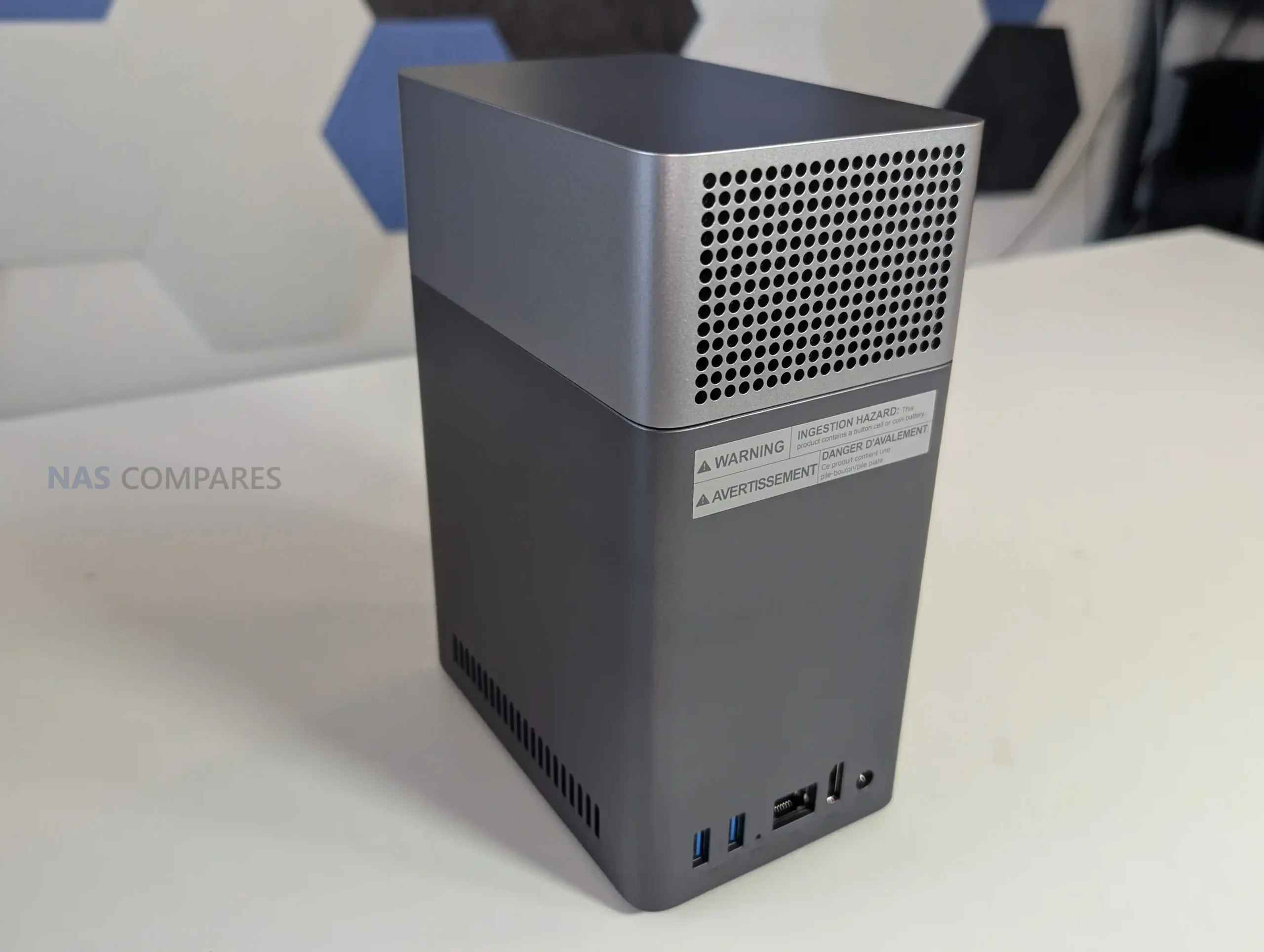
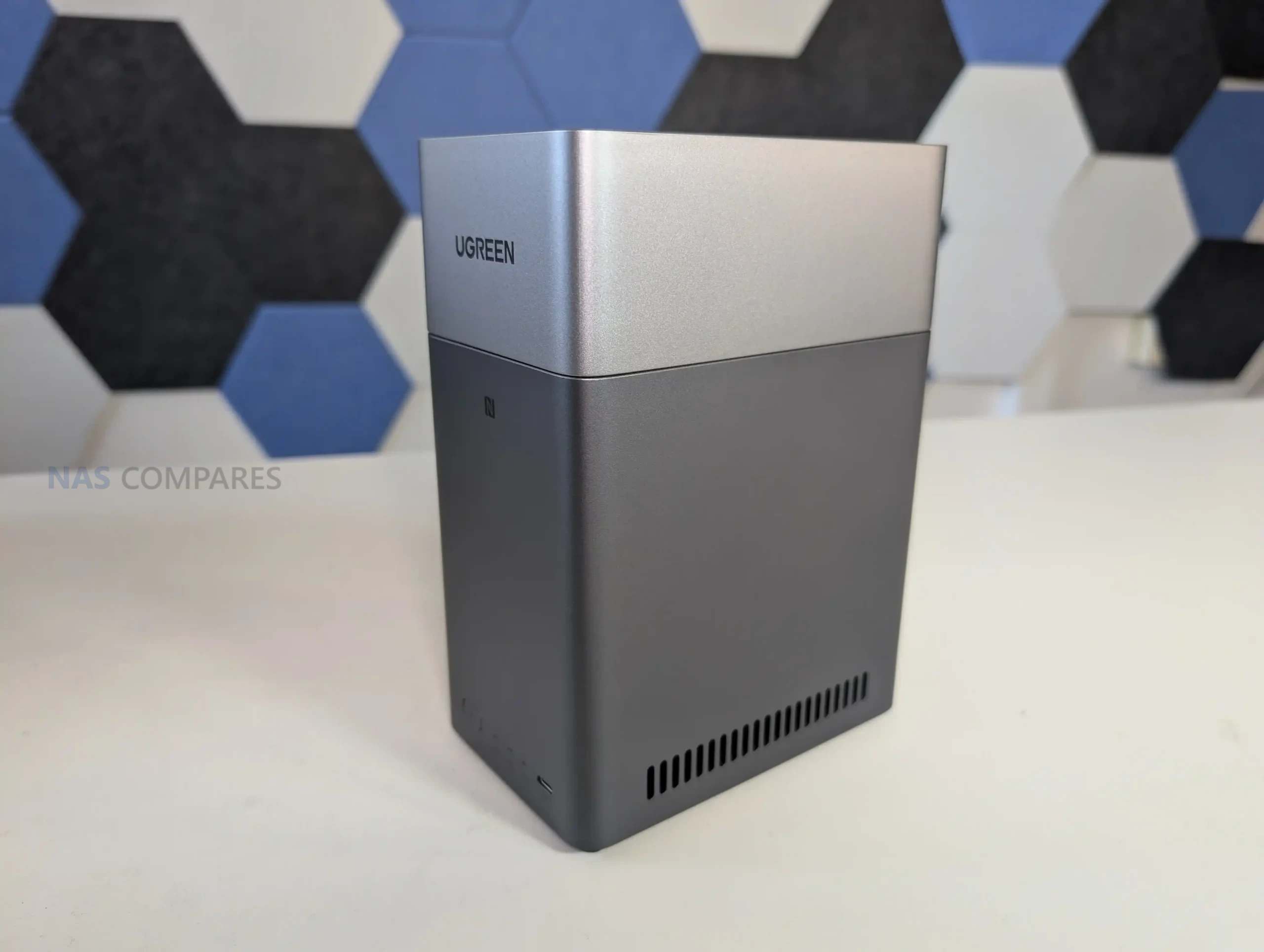
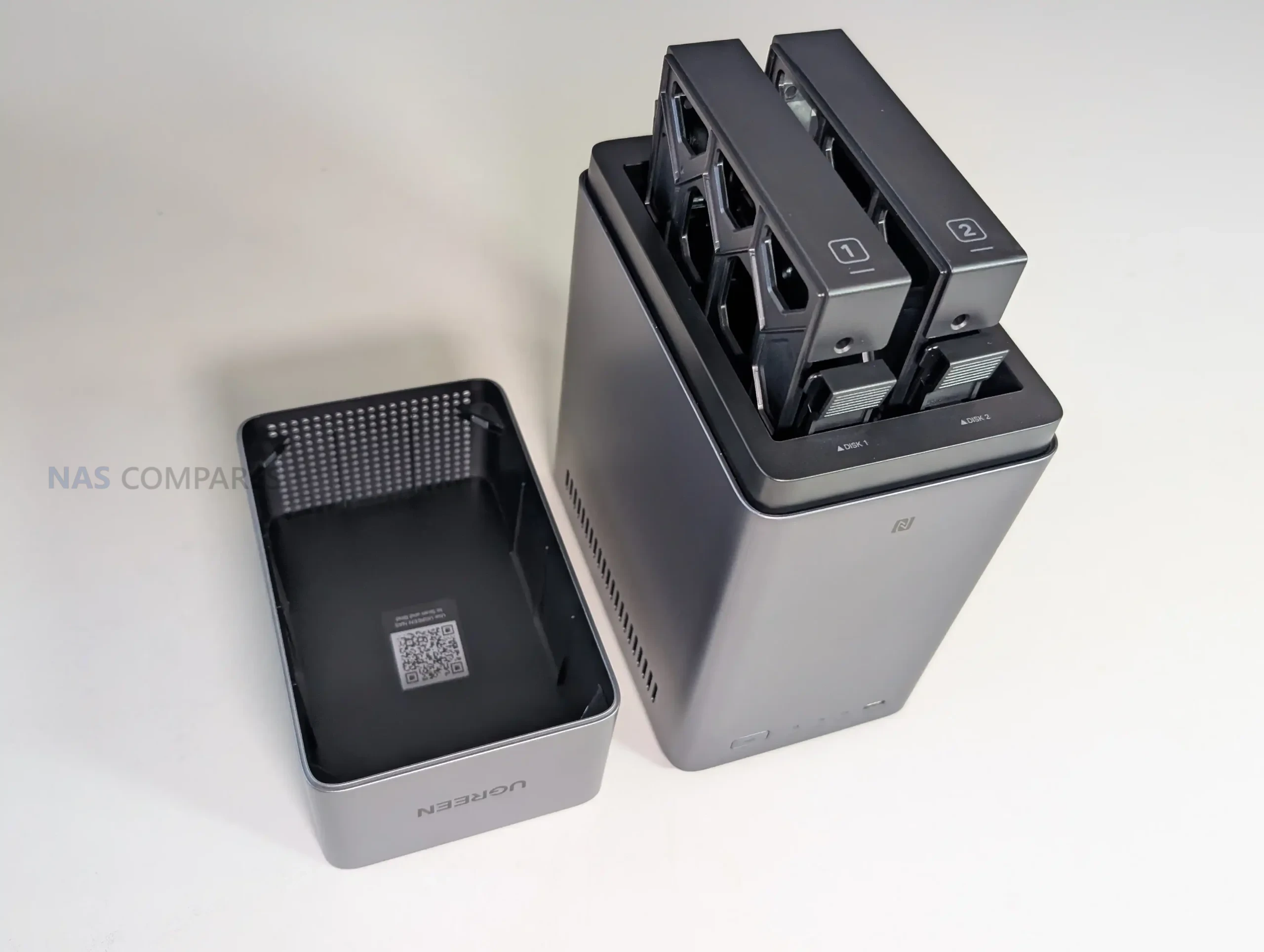
SPECS: Rockchip RK3576 8 core ARM up to 2.2 GHz – 4 GB LPDDR4X – 2 x 3.5″/2.5″ SATA bays (up to 60 TB total) – 1 x 1 GbE RJ45 – no internal M.2 SSD slots, 32 GB eMMC OS storage.
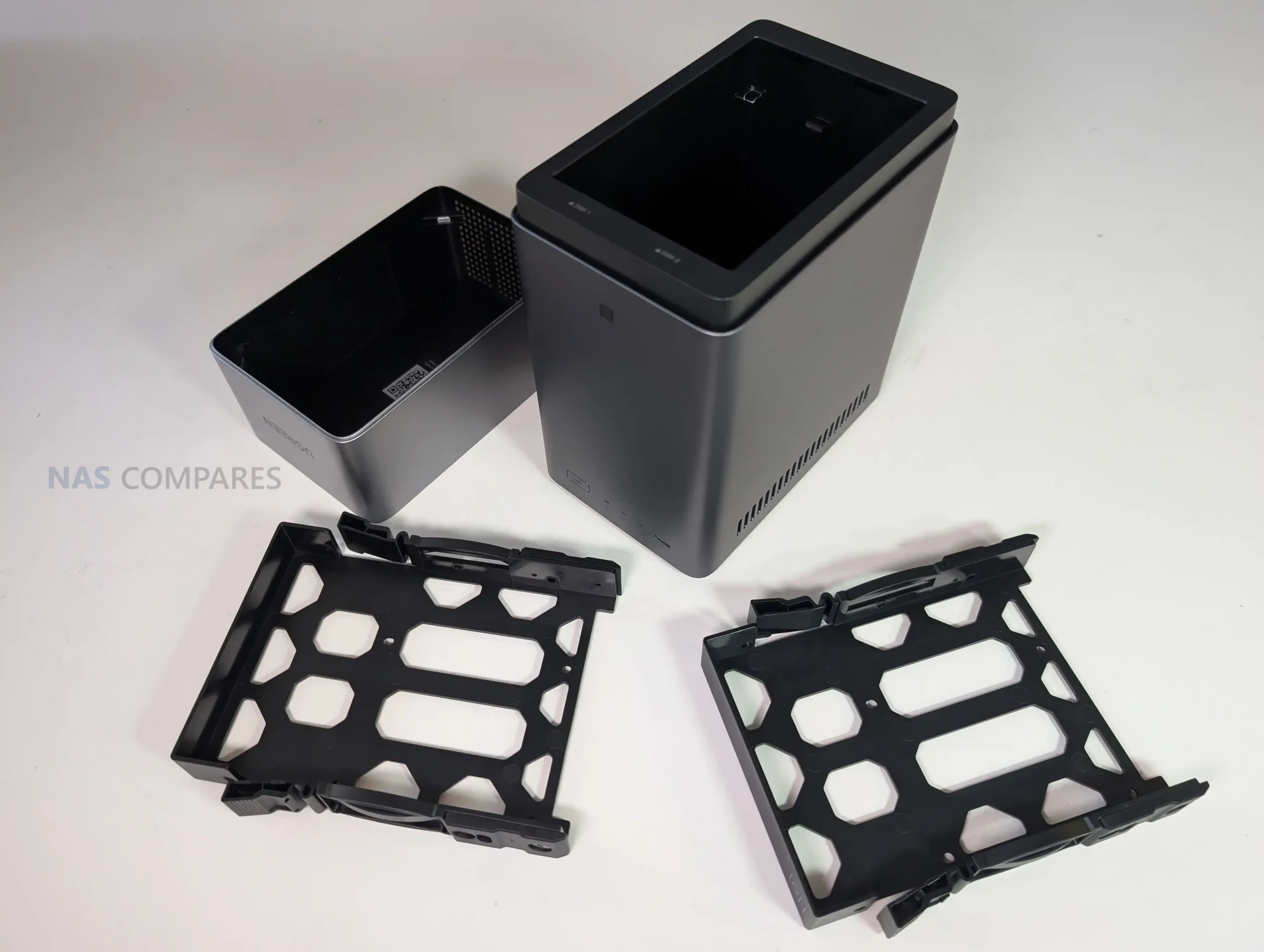
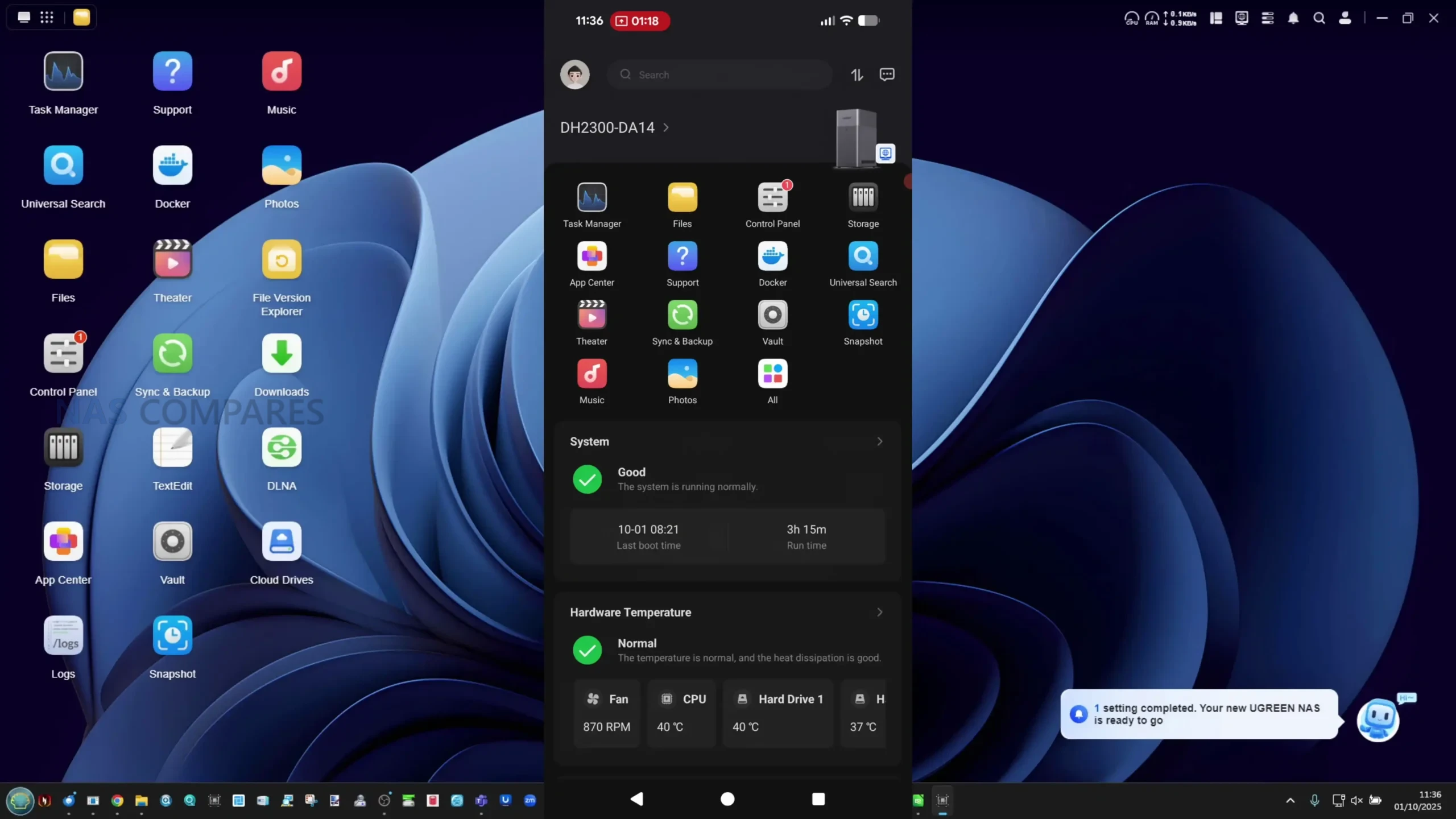
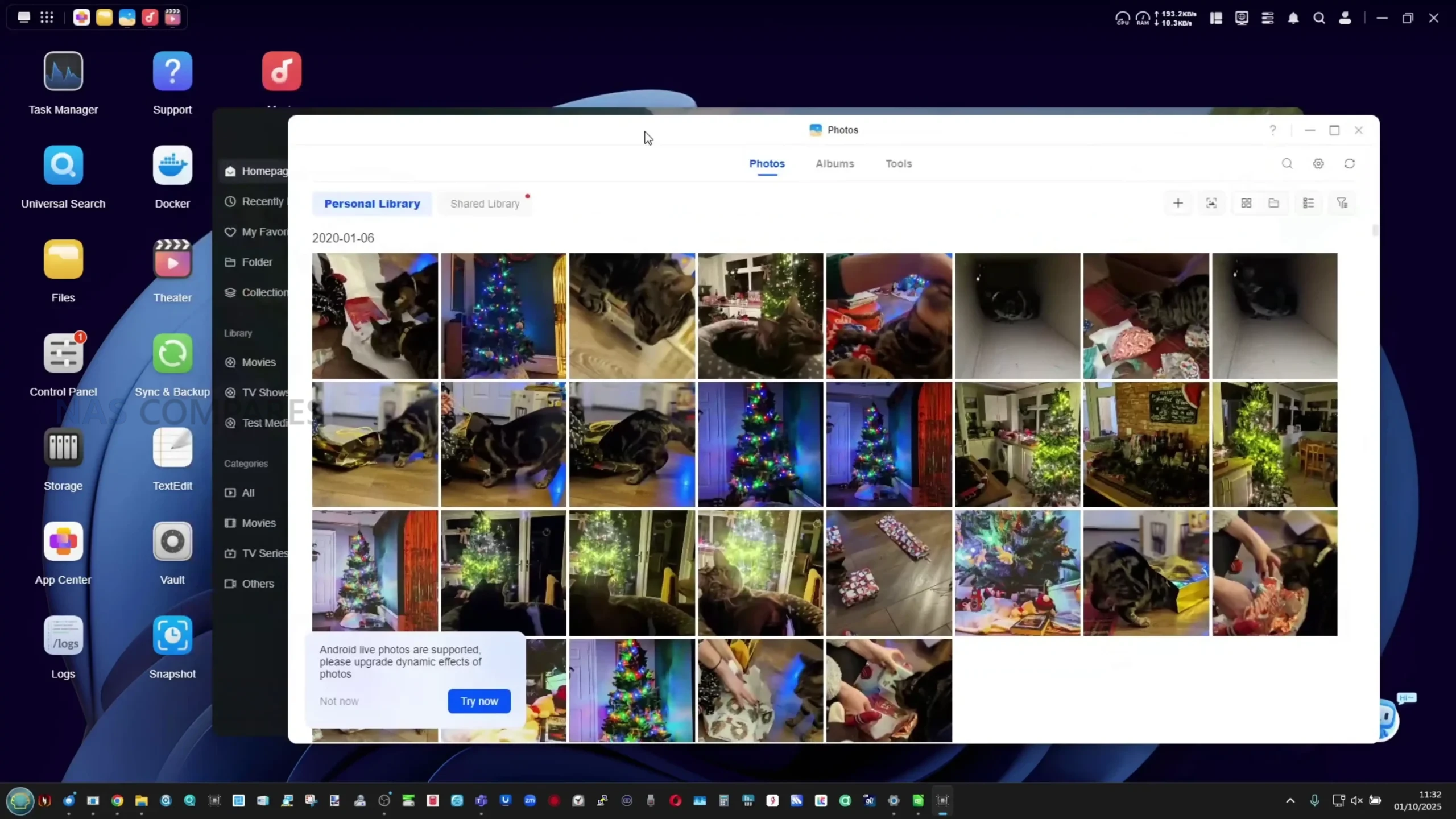
The UGREEN NASync DH2300 is aimed at users who want the cheapest possible entry to a proper NAS without losing basic RAID and a guided setup experience. Two SATA bays and support for up to 60 TB in RAID 0, RAID 1, JBOD or Basic give enough room for a modest media library, photo archive and PC backups, while UGOS Pro adds mobile apps, 4K HDMI playback, simple remote access and basic snapshot and multi user features in a consumer friendly interface. Power draw is low, thanks to the 8 core ARM SoC and 1 GbE networking, which also keeps noise and heat down compared with larger multi bay units. The key limitation at this price is that you are locked to 2 drive bays, a single 1 GbE port and no internal SSD caching or containers on this model, so long term scale and heavy app use are constrained. Overall it suits buyers who want a cheap, mostly turnkey alternative to cloud storage and USB drives, rather than a platform for heavier virtualization or high speed workloads.
 |
 |
What we said in our October 2025 Review HERE:
The UGREEN DH2300 represents a carefully positioned step in the company’s ongoing effort to make private storage approachable for non-technical users. Its hardware configuration, led by the Rockchip RK3576 processor and 4GB of fixed memory, provides solid baseline performance for a two-bay ARM-powered NAS at this price point. Although its single 1GbE network port may limit throughput for larger file transfers, the system compensates with a highly efficient power profile, quiet operation, and full support for common RAID configurations. The inclusion of a dedicated 32GB eMMC system drive, HDMI 4K60 output, and an NPU capable of AI-based photo indexing places it above most similarly priced entry-level alternatives from QNAP and Synology. However, certain aspects of UGREEN’s marketing—particularly the way the dual quad-core CPU clusters are presented as a single 8-core design—could be clearer. Likewise, the absence of upgradeable memory or faster networking options limits its long-term scalability for users seeking to expand their NAS environment beyond basic media and backup tasks.
 |
 |
From a broader standpoint, the DH2300’s strongest appeal lies in its simplicity and low operational overhead. UGOS Pro, though still developing in maturity, has evolved into a competent, user-friendly platform offering the key features needed for home data management, multimedia access, and scheduled backups. The OS’s stability, combined with efficient hardware and lightweight design, makes this NAS a practical alternative to annual cloud subscriptions for users who simply want local control over their data. It is not a system aimed at enthusiasts or professionals demanding virtual machines, multi-gig networking, or broad third-party OS support, but rather those seeking a self-contained, reliable, and low-maintenance device. Within that niche, the DH2300 delivers strong value and performs consistently well for the intended demographic—serving as an accessible first step into local storage ownership.
 |
 |
| Buy the UGREEN DH300 on Amazon @209 | Buy the UGREEN DH2300 on UGREEN.COM | Buy the UGREEN DH2300 on B&H |
 |

|
 |
#2 UniFi UNAS 2 – $199
SPECS: Quad core ARM Cortex A55 1.7 GHz – 4 GB RAM – 2 x 3.5″/2.5″ SATA bays – 1 x 2.5 GbE RJ45 with PoE++ – no internal M.2 SSD slots, 1 x USB C 5 Gb/s expansion.
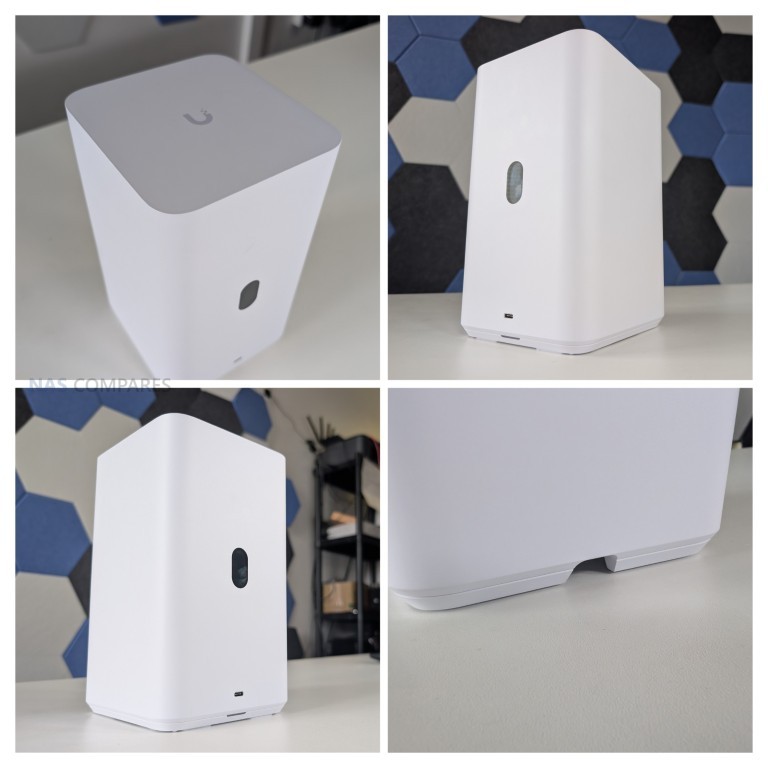
UniFi UNAS 2 targets users already invested in the UniFi ecosystem who want basic network storage and UniFi Drive integration at a low buy in price. Two SATA bays are enough for a mirrored pair of HDDs or SSDs for small site backups, UniFi Protect recordings or general file storage, and the 2.5 GbE plus PoE++ design keeps cabling simple by combining power and data on a single link to an existing UniFi switch. UniFi OS and UniFi Drive provide a simplified management layer for object storage, simple file shares and cloud synced folders, with a small color LCM display giving at a glance system status without needing to log in. The main limitation at this price is that UniFi’s NAS software is still relatively immature, with no native support for third party media servers or advanced NAS apps and no SSD cache tier, so it is best treated as a small, integrated storage node rather than a full featured general purpose NAS. For users who want a cheap box that drops straight into a UniFi rack and handles basic storage quietly and efficiently, it fits that role.
What we said in our September 2025 Review HERE:
The UniFi UNAS 2 is presented as a compact and affordable two-bay NAS designed for straightforward storage and backup tasks, particularly within environments already using UniFi networking hardware. Its PoE++ design is distinctive, allowing both power and connectivity to be delivered over a single cable, simplifying installation where compatible PoE switches are available. This approach aligns with UniFi’s strategy of reducing external hardware requirements, though it also means that a failed port or damaged cable will disable both power and network access simultaneously. For non-UniFi users, the reliance on PoE++ creates an additional barrier, as adoption requires either compatible infrastructure or the included 60W injector. The shared dual-drive tray, lack of hot-swap support, and absence of expansion options further reinforce the system’s role as a fixed-capacity solution, best suited to smaller or secondary deployments. With a maximum drive budget of 52W and overall consumption limited to 60W, the device is power-efficient, but its architecture prioritises simplicity over flexibility.
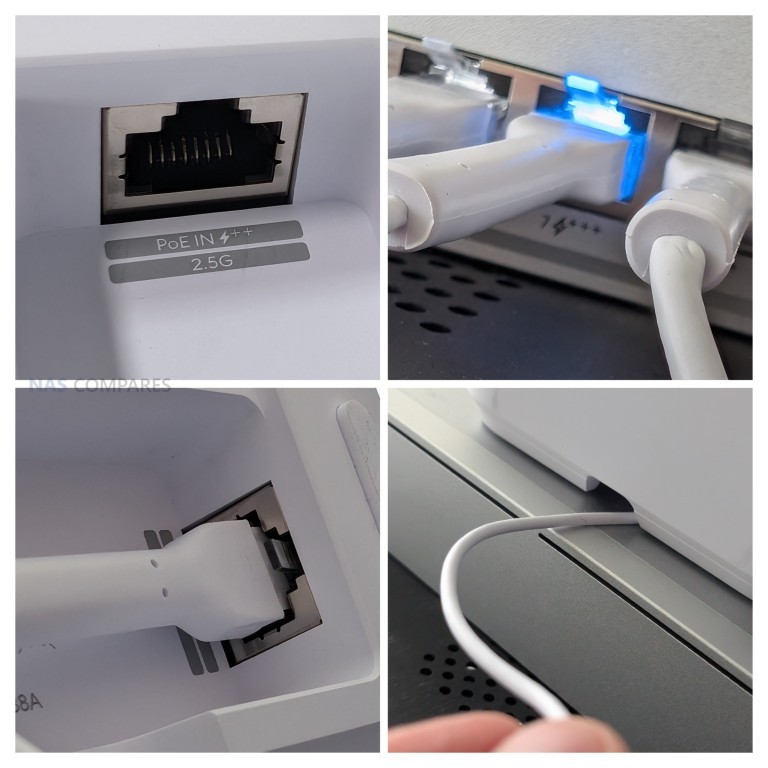
On the software side, the UNAS 2 provides a user-friendly interface with access to snapshots, RAID configuration, system backups, and integration into the UniFi identity ecosystem. However, the limited hardware constrains the range of features available, and certain tools seen in UniFi’s larger NAS models are absent, such as encrypted volumes or extended network protocol support. Performance testing showed sequential read speeds up to 260 MB/s and write speeds around 160–180 MB/s, which make full use of the 2.5 GbE interface but leave little headroom for more demanding tasks. Thermals during extended use regularly pushed the CPU into the high 70s Celsius, and although fan management can be adjusted, sustained workloads highlight the limits of the system’s cooling design. The software’s omission of iSCSI and advanced backup filters also narrows its role, making it less competitive against established vendors in professional or virtualisation scenarios.
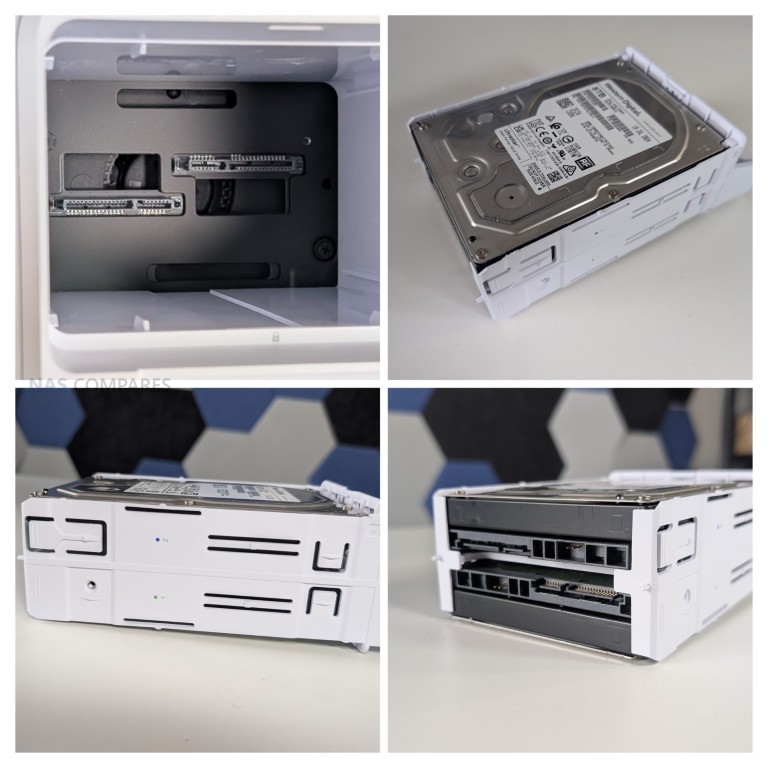
Ultimately, the UNAS 2 is most appropriately positioned as an edge or secondary NAS, providing basic networked storage for existing UniFi users who value plug-and-play deployment and ecosystem consistency, but it is not equipped to serve as a primary system in larger or more demanding environments (VMs, Containers, etc). A great and unique NAS that will nbe at it’s most appealing if you are already invested in the UniFi ecosystem, or have a NAS already that needs a network backup.
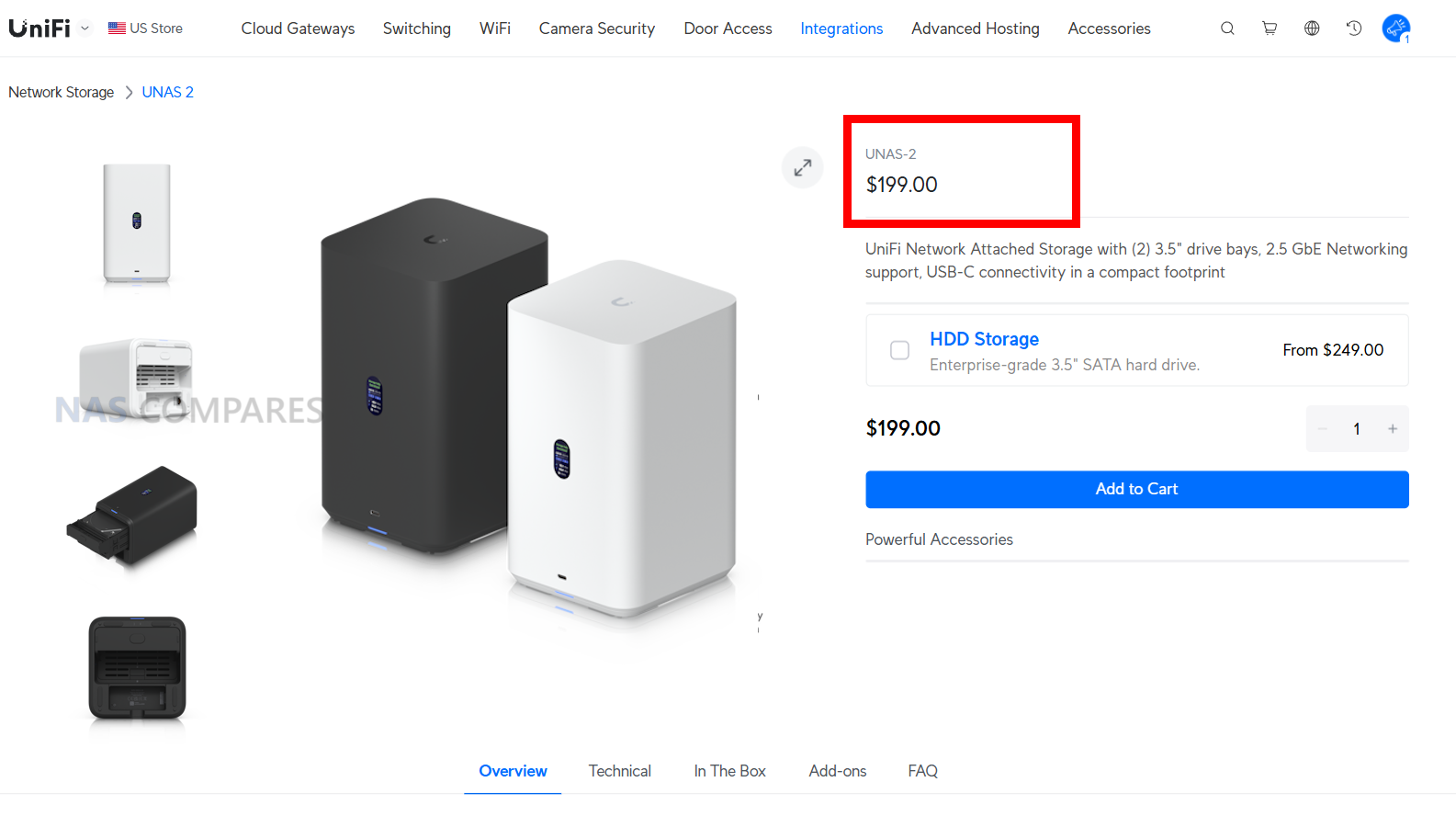
| Here are all the current UniFi NAS Solutions & Prices: |
#3 Beelink ME Mini – $209 to $279
SPECS: Intel Processor N150 quad core up to 3.6 GHz – 12 GB or 16 GB LPDDR5 – 0 x SATA bays / 6 x M.2 2280 NVMe slots (5 x PCIe 3.0 x1, 1 x PCIe 3.0 x2, up to 24 TB) – 2 x 2.5 GbE RJ45 – 64 GB eMMC plus up to 2 TB NVMe preinstalled.
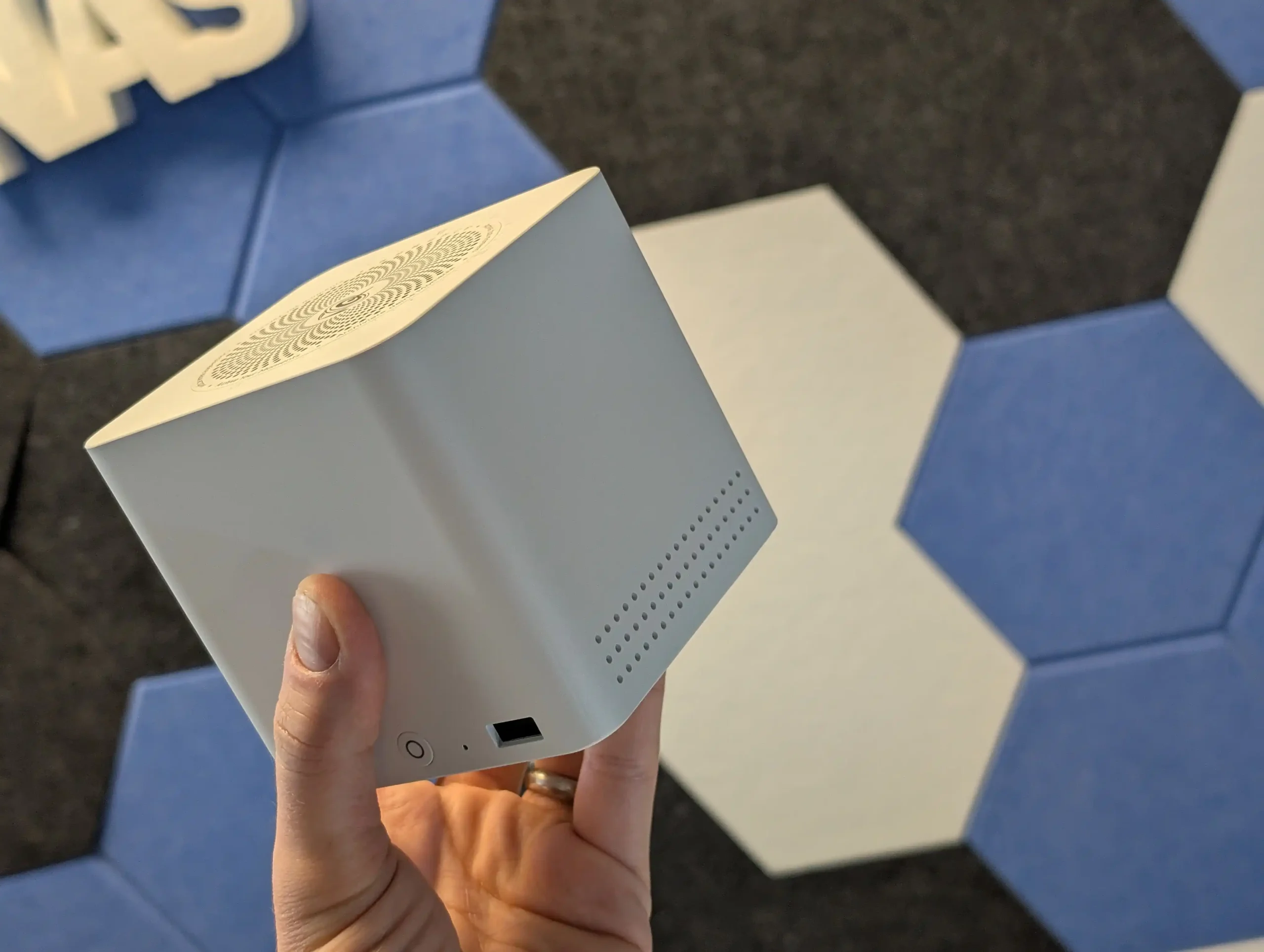
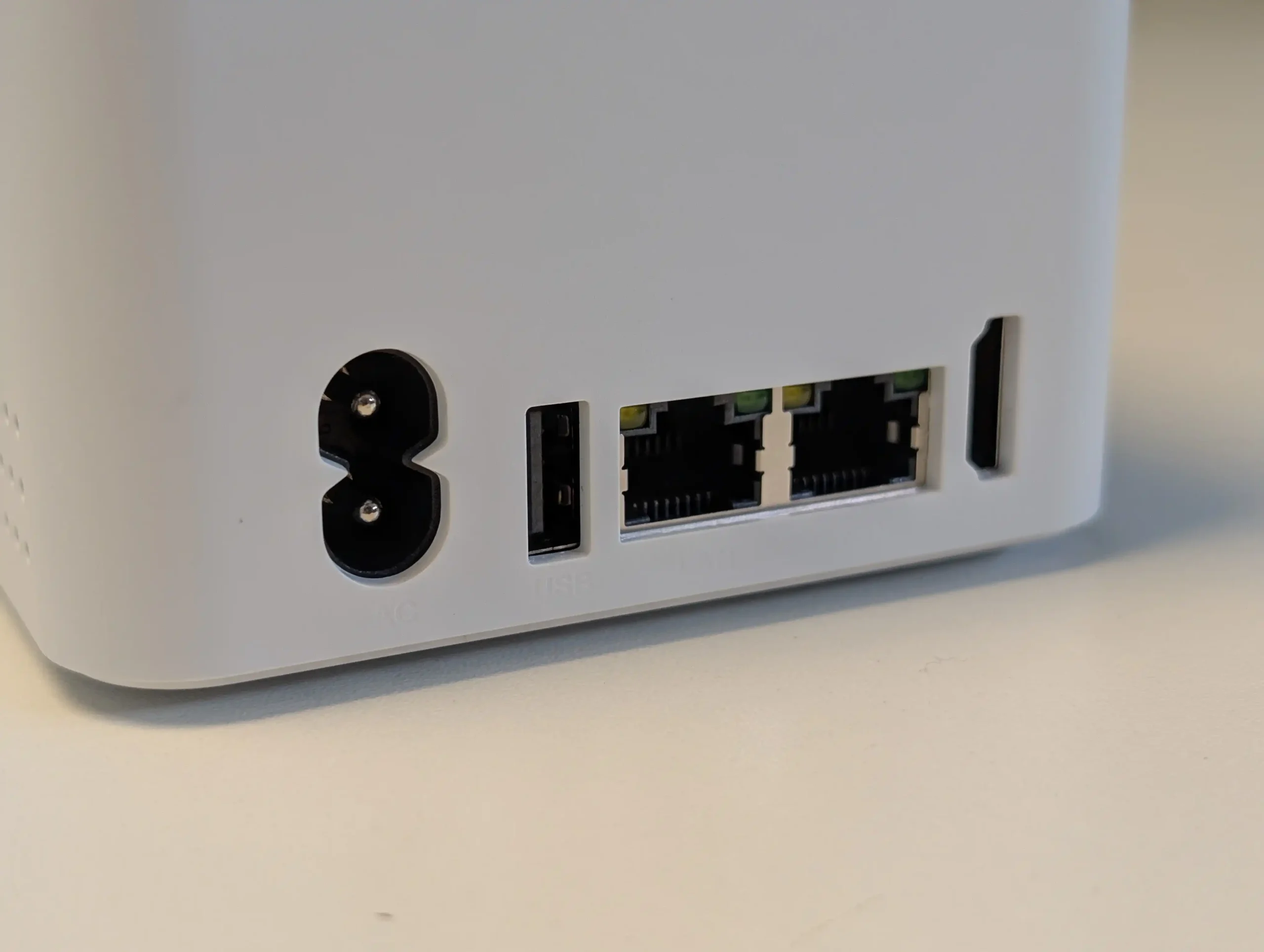
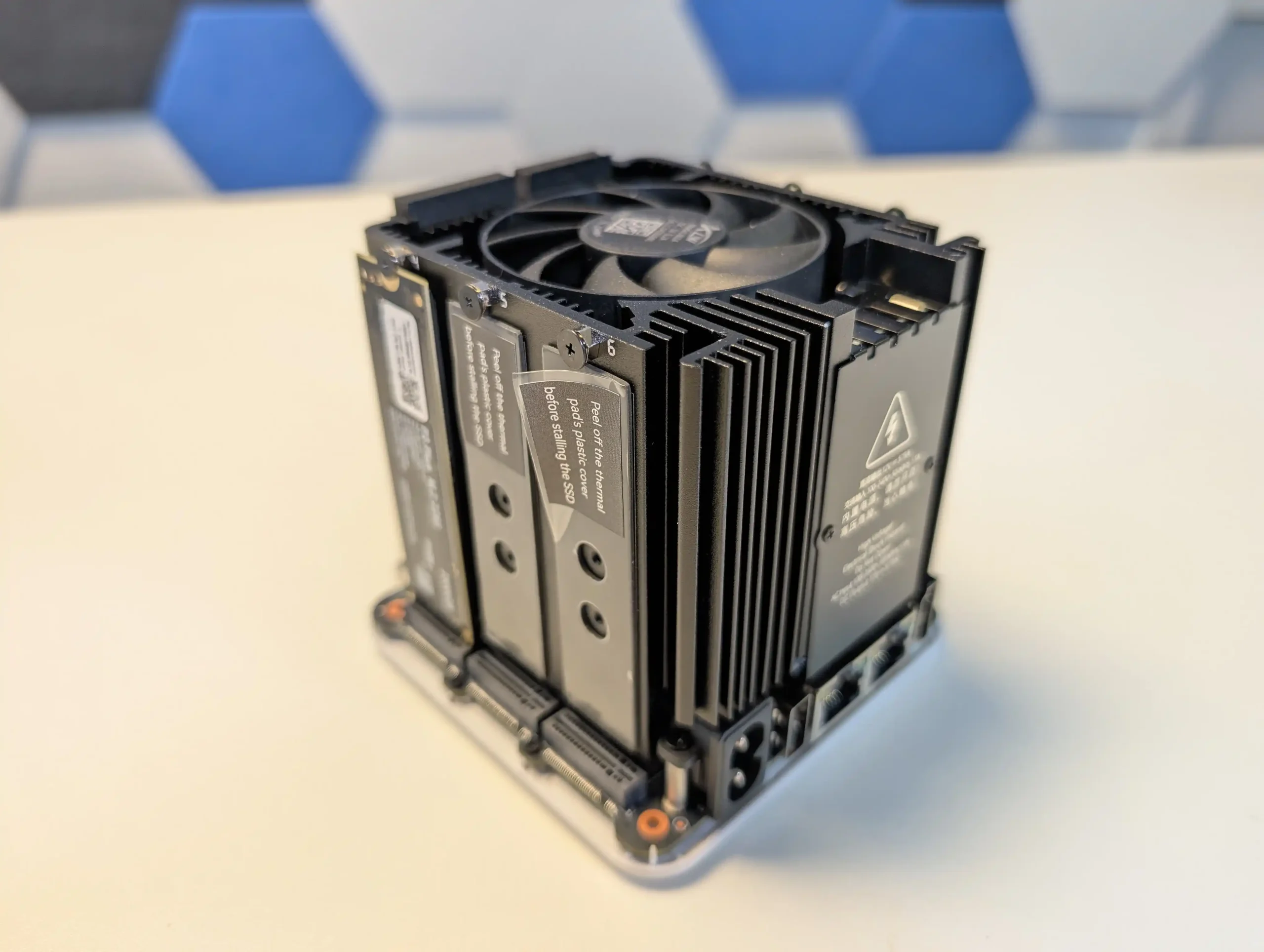
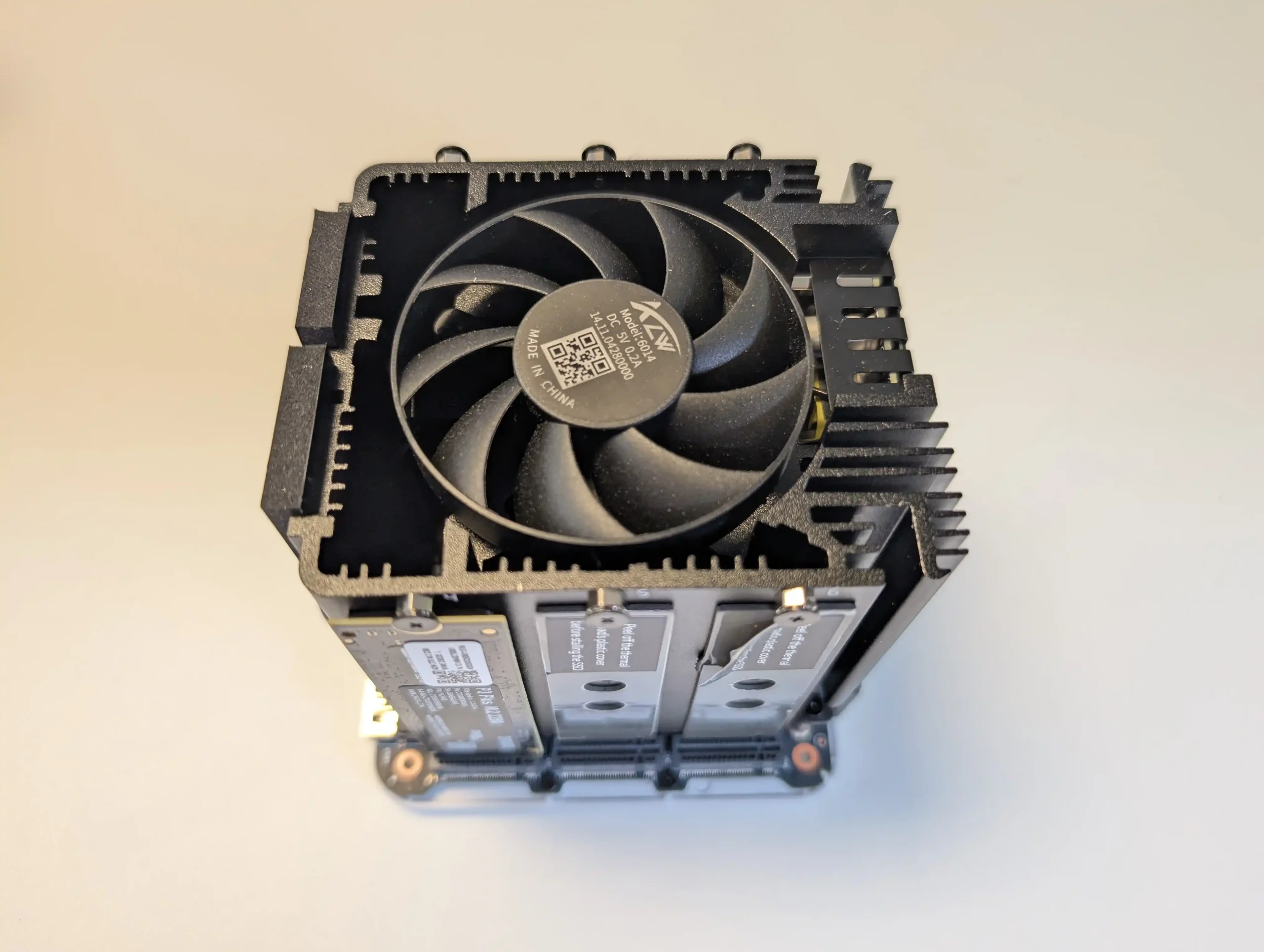
The Beelink ME Mini trades spinning disks for six M.2 slots in a 99 mm cube, making it one of the most storage dense budget options for users who already have or plan to buy multiple NVMe SSDs. At this price bracket it offers far more raw flash capacity potential than traditional 2 bay HDD NAS units, and the dual 2.5 GbE ports allow the box to push enough throughput for small media servers, backup targets and home lab services once an appropriate OS such as TrueNAS, Proxmox, Linux or a lightweight NAS distribution is installed. The integrated PSU, WiFi 6 and compact chimney style cooling keep the physical footprint small while still supporting continuous operation as a low to moderate power SSD based server. The main limitation is that PCIe lane allocation and the N150 CPU cap per drive performance and the unit can run hot under sustained load, so you do not get high end NVMe speeds from each slot and there is no turnkey NAS OS included. It is therefore best suited to buyers who value maximum flash capacity per dollar in a very small chassis and are comfortable treating it as a DIY NAS platform rather than a plug-and-play appliance.
 |
 |
What we said in our June ’25 Review HERE:
The Beelink ME Mini NAS delivers an uncommon blend of size, functionality, and efficiency in a market segment often dominated by larger, louder, and less integrated alternatives. It is not designed to compete with traditional enterprise-grade NAS devices or modular, scalable solutions for prosumers. Instead, its strengths lie in targeting the needs of home users who want a quiet, energy-efficient storage solution that is easy to deploy, aesthetically unobtrusive, and capable of handling daily tasks such as media streaming, file backup, or soft routing. The inclusion of six M.2 NVMe SSD slots—paired with a Gen 3 x2 system slot—offers a rare level of expansion in such a small enclosure. The integration of an internal PSU, silent fan-assisted cooling, and a surprisingly effective thermal design are thoughtful touches that differentiate it from the majority of DIY NAS mini PCs.
 |
 |
That said, it is not without limitations. The memory is non-upgradable, thermal accumulation at the base suggests room for improvement, and bandwidth ceilings imposed by Gen 3 x1 lanes will constrain users who demand high parallel throughput. Still, for its price point—particularly when pre-order discounts are applied—the ME Mini offers significant value, especially when compared to ARM-based NAS solutions with similar or lower specifications. With bundled Crucial SSD options and support for a wide range of NAS operating systems, it positions itself as a ready-to-go platform for tech-savvy users wanting to avoid the assembly of a fully DIY system. Overall, while not a product for every use case, the Beelink ME Mini succeeds in its aim to be a compact, stylish, and capable home NAS.
|
Check Amazon in Your Region for the Beelink ME Mini NAS ($329)
|
Check AliExpress for the Beelink ME Mini NAS ($344 4/6)
|
Check the Official Beelink Site for the ME Mini NAS ($209 4/6)
|


#4 Xyber Hydra N150 – around $208 to $249
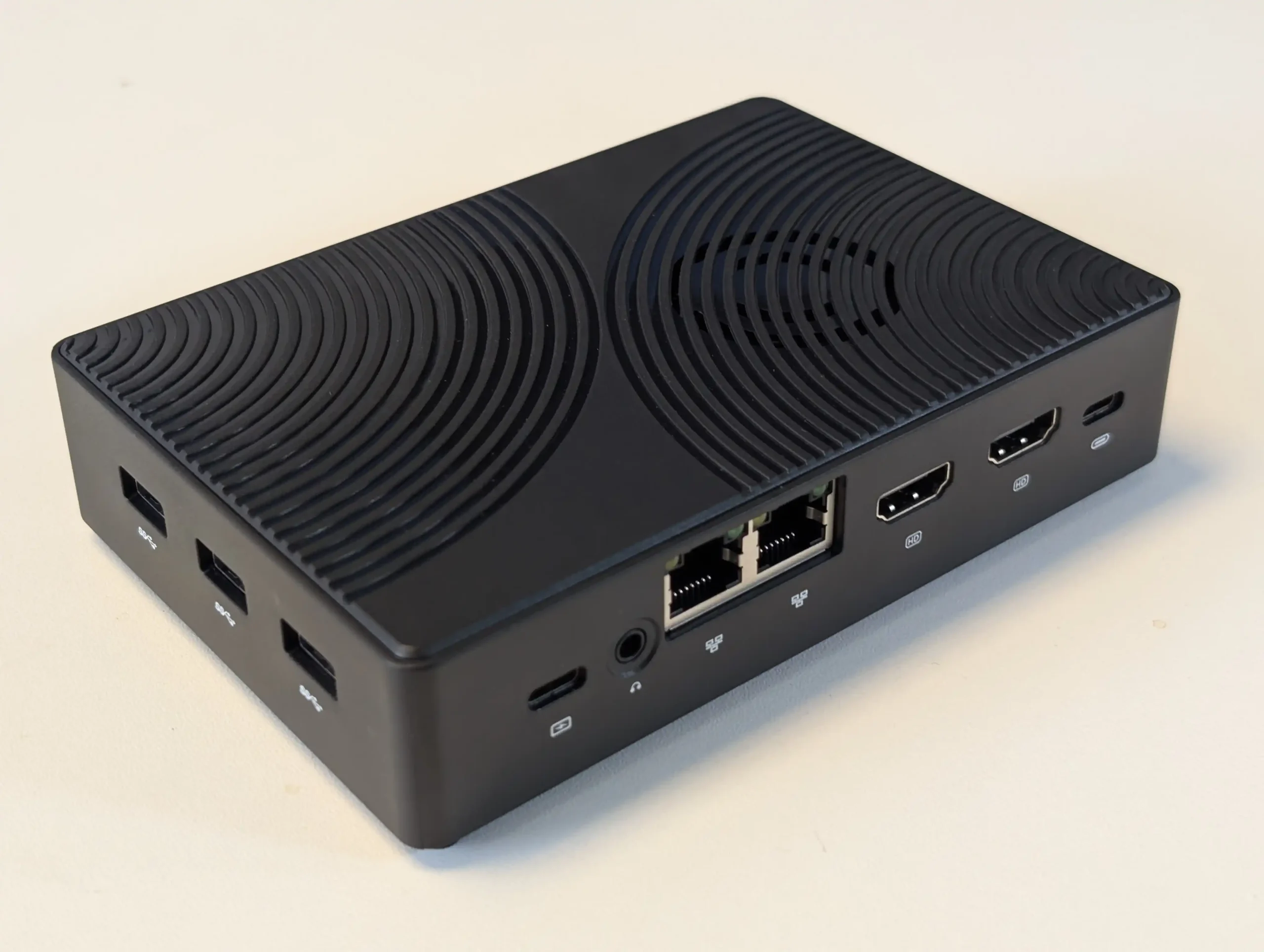
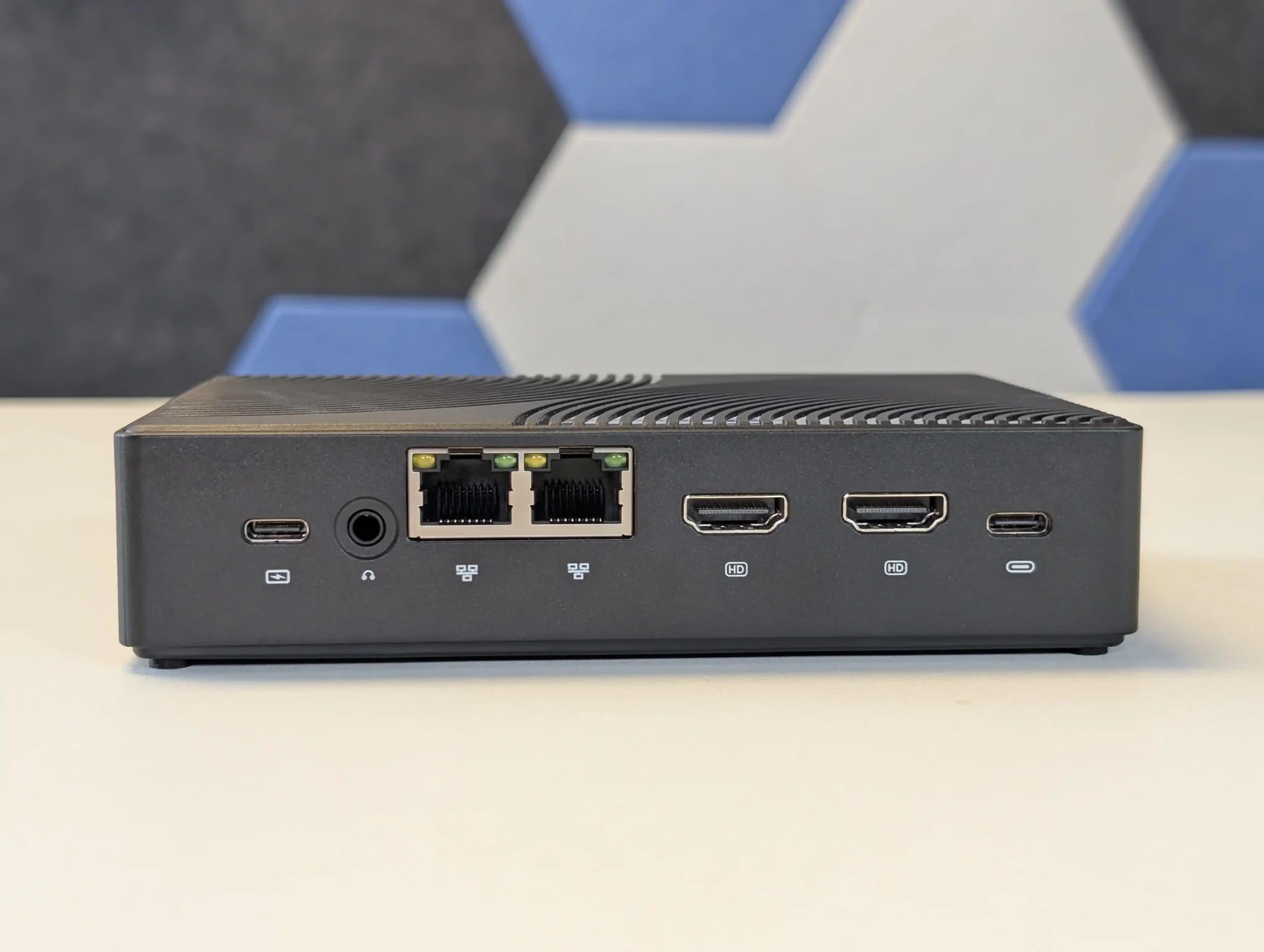
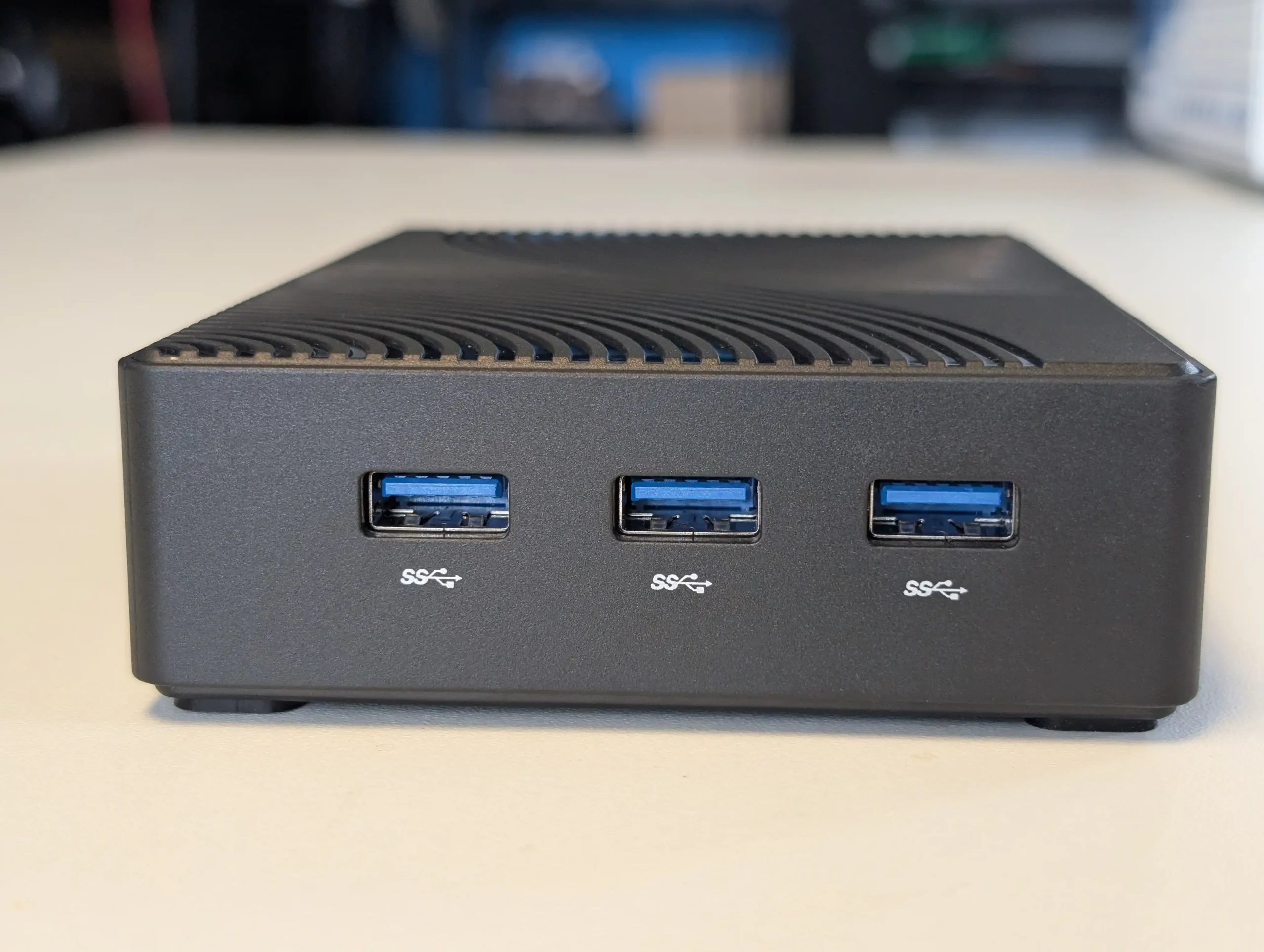
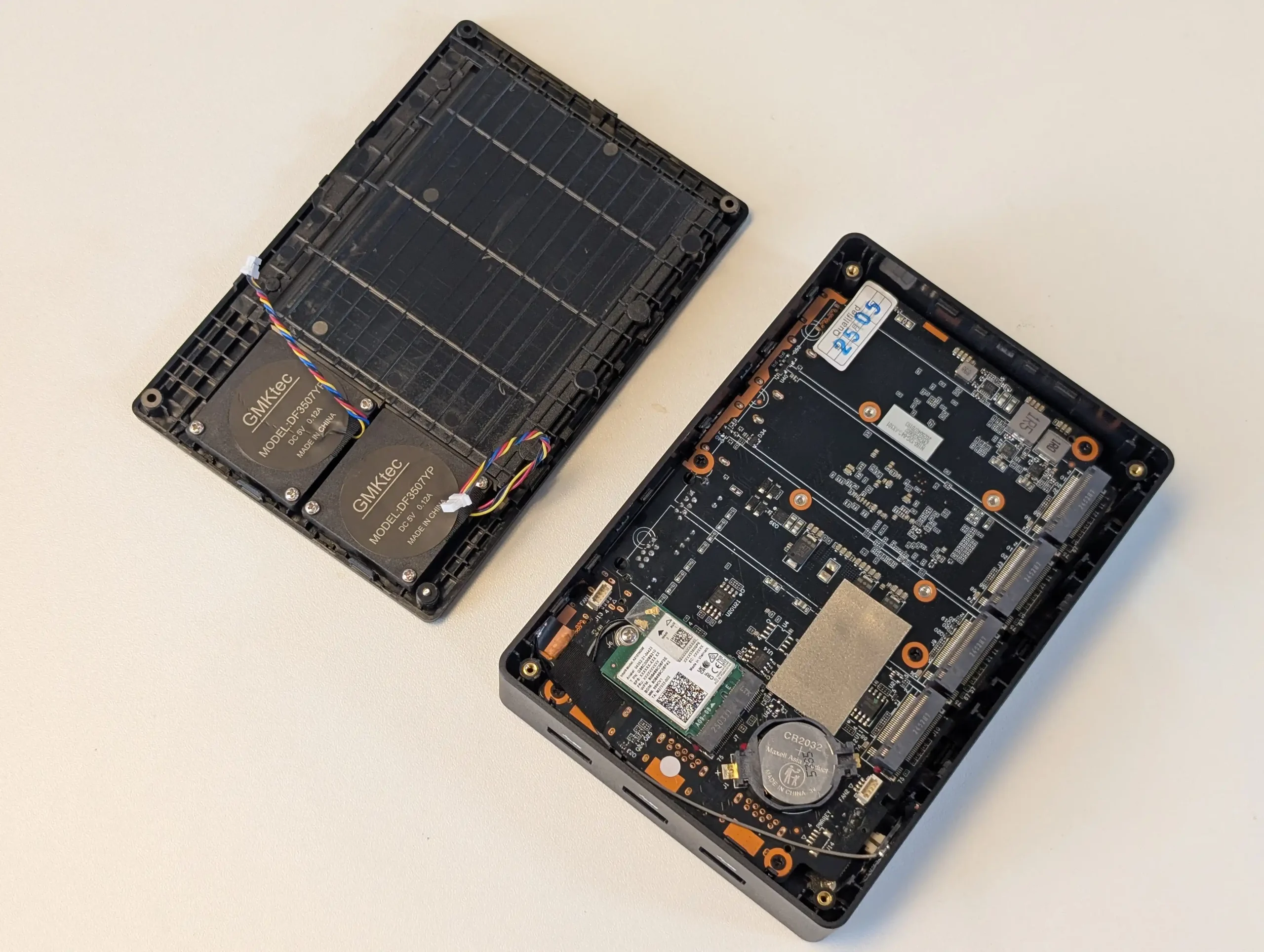
SPECS: Intel Processor N150 quad core up to 3.6 GHz – 16 GB LPDDR5 – 0 x SATA bays / 4 x M.2 2280 NVMe PCIe 3.0 x2 slots – 2 x 2.5 GbE RJ45 plus WiFi 6 – 64 GB eMMC with Ubuntu preinstalled and 512 GB NVMe SSD included on many models.
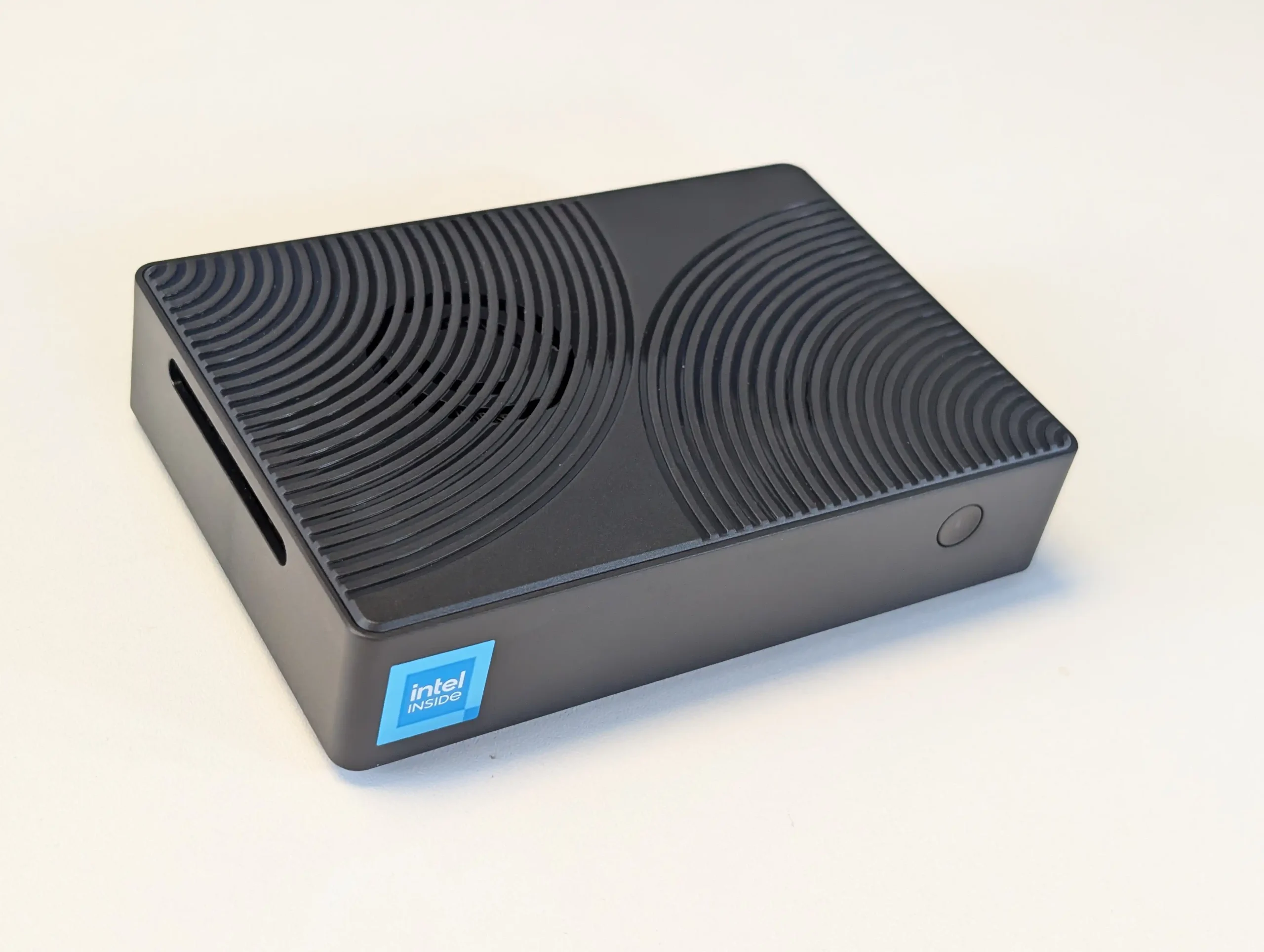
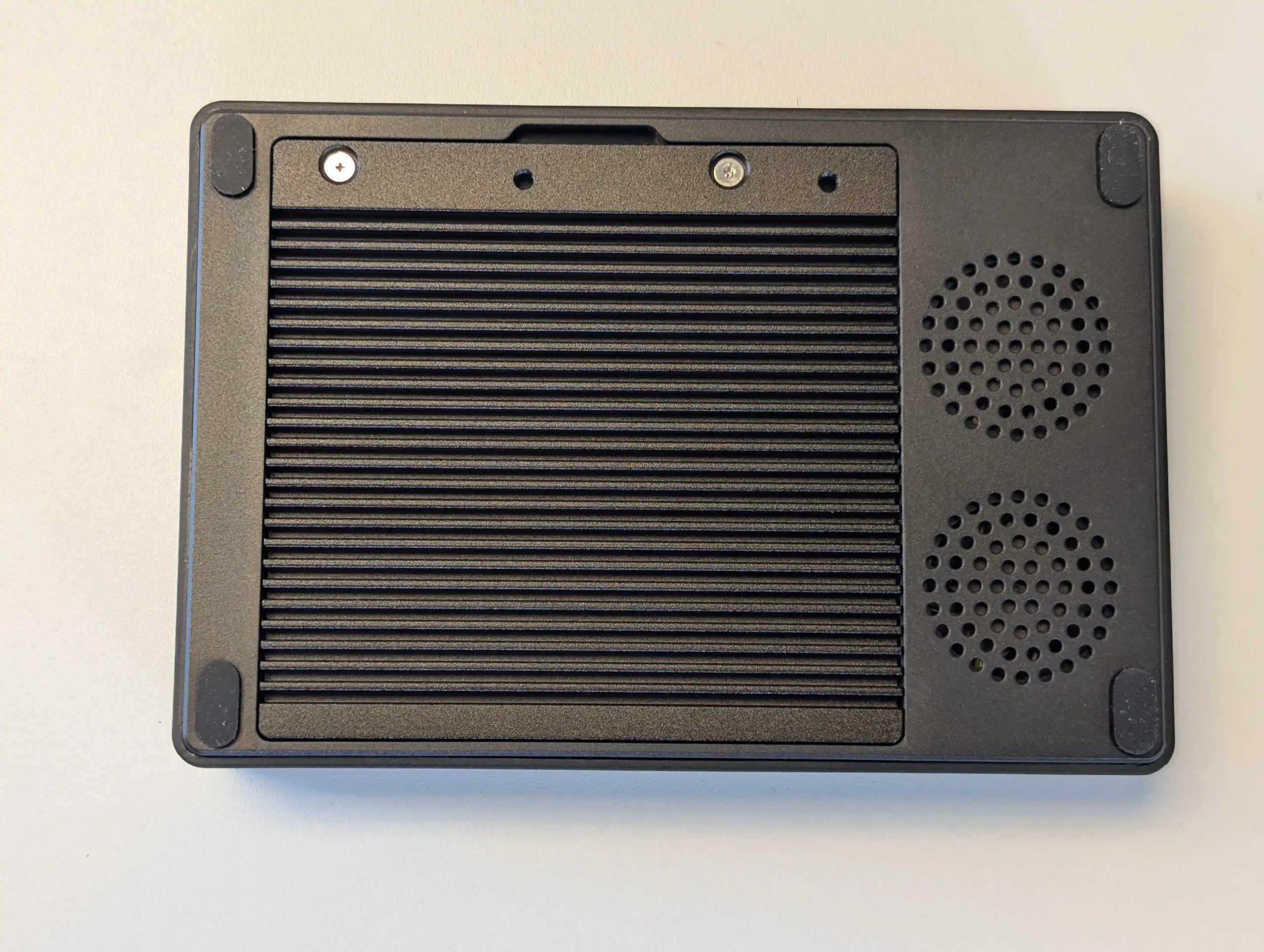
The Xyber Hydra N150 aims at budget buyers who want an NVMe based NAS that is closer to ready out of the box, combining 4 PCIe 3.0 x2 M.2 bays with 16 GB of memory, preloaded Ubuntu and often a preinstalled 512 GB NVMe system drive. That combination makes it straightforward to stand up containers, Docker stacks or lightweight NAS services immediately, then expand capacity by populating the remaining M.2 slots with SSDs as budget allows. Dual 2.5 GbE ports with link aggregation give enough network bandwidth to take advantage of parallel NVMe arrays for home lab or small office workloads, and the revised metal baseplate plus dual fan cooling run cooler than earlier G9 derived designs while still keeping power use modest. The main limitation at this price is that RAM is soldered and each M.2 slot is only x2, so neither memory capacity nor per drive bandwidth can be increased later, and some tuning of fan curves is needed to keep thermals in check under heavy use. For users who want an inexpensive, compact NVMe appliance with more polish than bare boards but are comfortable managing their own OS and RAID layout, it offers a pragmatic middle ground.
 |
 |
What we said in our July ’25 Review HERE:
The Xyber Hydra N150 NAS represents a deliberate and measured evolution of the budget-friendly compact NAS formula, clearly designed to resolve key weaknesses of similar products like the GMKTec G9 without altering the fundamental architecture. Its use of a thicker, thermally conductive metal base plate provides demonstrable improvement in heat dissipation compared to the plastic underside of the G9, a difference borne out in extended load testing where temperatures stabilized more quickly and stayed lower when fan profiles were adjusted. The pre-installed 64GB eMMC module running Ubuntu out of the box eliminates the initial configuration barrier often faced by novice users, while still allowing more experienced users to easily replace it with their OS of choice, such as ZimaOS or TrueNAS. The inclusion of a 512GB NVMe SSD in the primary M.2 bay adds immediate storage capacity without requiring an upfront investment in additional drives, an uncommon but practical feature at this price point.
 |
 |
Internally, the decision to provide 16GB of fixed LPDDR5 memory — 4GB more than its nearest comparable competitor — gives the Hydra slightly more headroom for memory-intensive tasks, such as running lightweight container workloads or maintaining a larger metadata cache for media streaming applications. While the memory remains non-upgradable, the choice of capacity is a reasonable compromise given the constraints of the Intel N150 platform and the system’s focus on cost efficiency. The integrated Wi-Fi 6 module, with dual antennas and full UnRAID compatibility, is another meaningful addition, enabling wireless deployments where cabling is impractical and expanding the deployment scenarios for home and small office users. These subtle but important upgrades make the Hydra feel more complete out of the box, catering to a broader range of use cases with fewer compromises.
 |
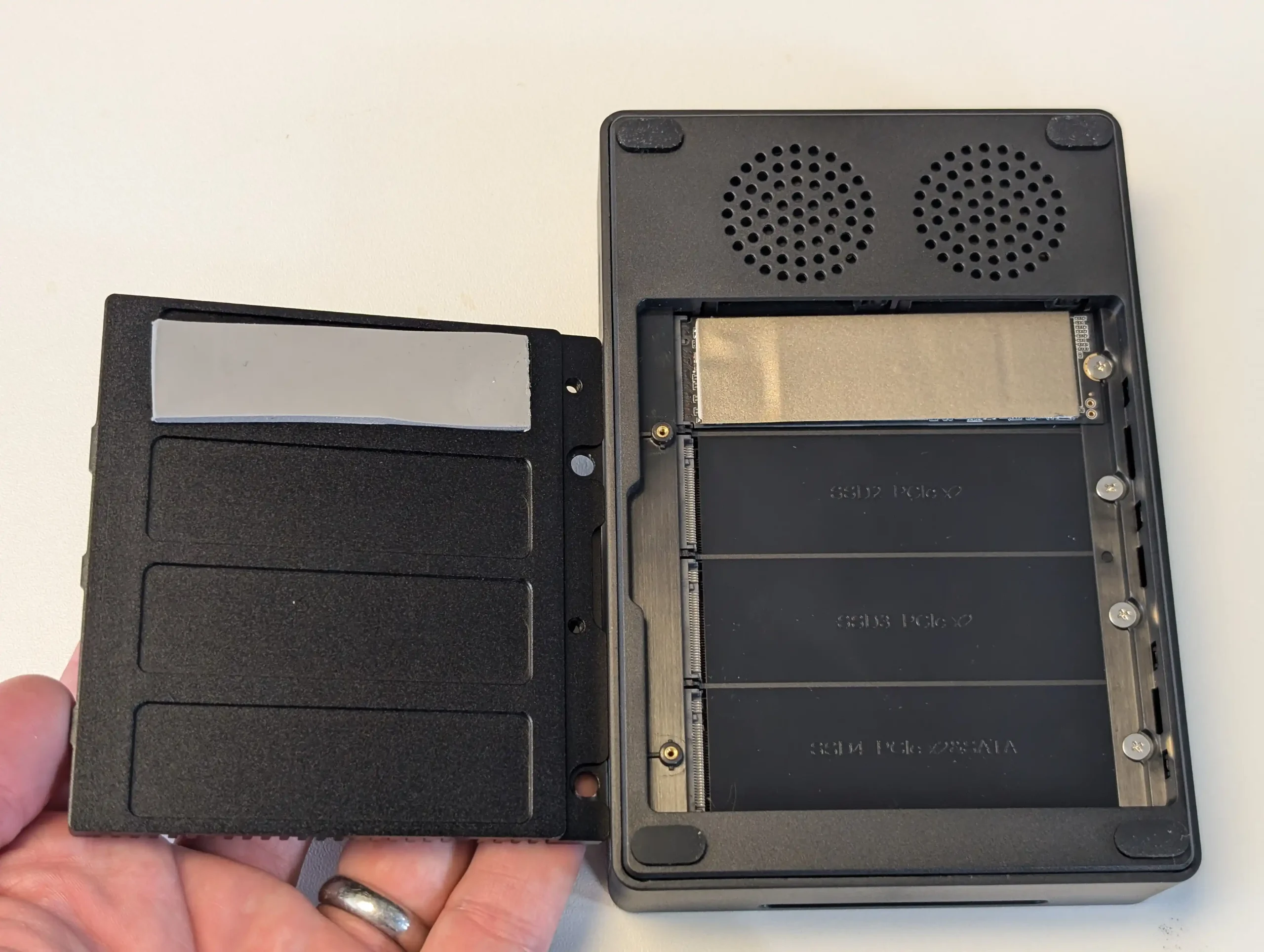 |
That said, the Hydra still shares many of the inherent trade-offs of its class. The N150 processor is adequate for modest workloads, but becomes saturated under sustained high parallel usage, especially when all four M.2 slots are simultaneously active and the CPU nears 100% utilization. The PCIe lane limitations of the platform, with each M.2 slot limited to Gen3 x2 speeds, restrict the aggregate performance potential of RAID arrays or concurrent high-bandwidth operations. Similarly, the continued reliance on dual 2.5GbE ports limits maximum external throughput despite the internal SSD bandwidth being capable of more, and although M.2-to-10GbE adapters remain an option, they come at the cost of sacrificing one storage slot. BIOS-level adjustments are also required to extract the best thermal and fan performance under heavy use, something that more advanced users will appreciate but could frustrate beginners.
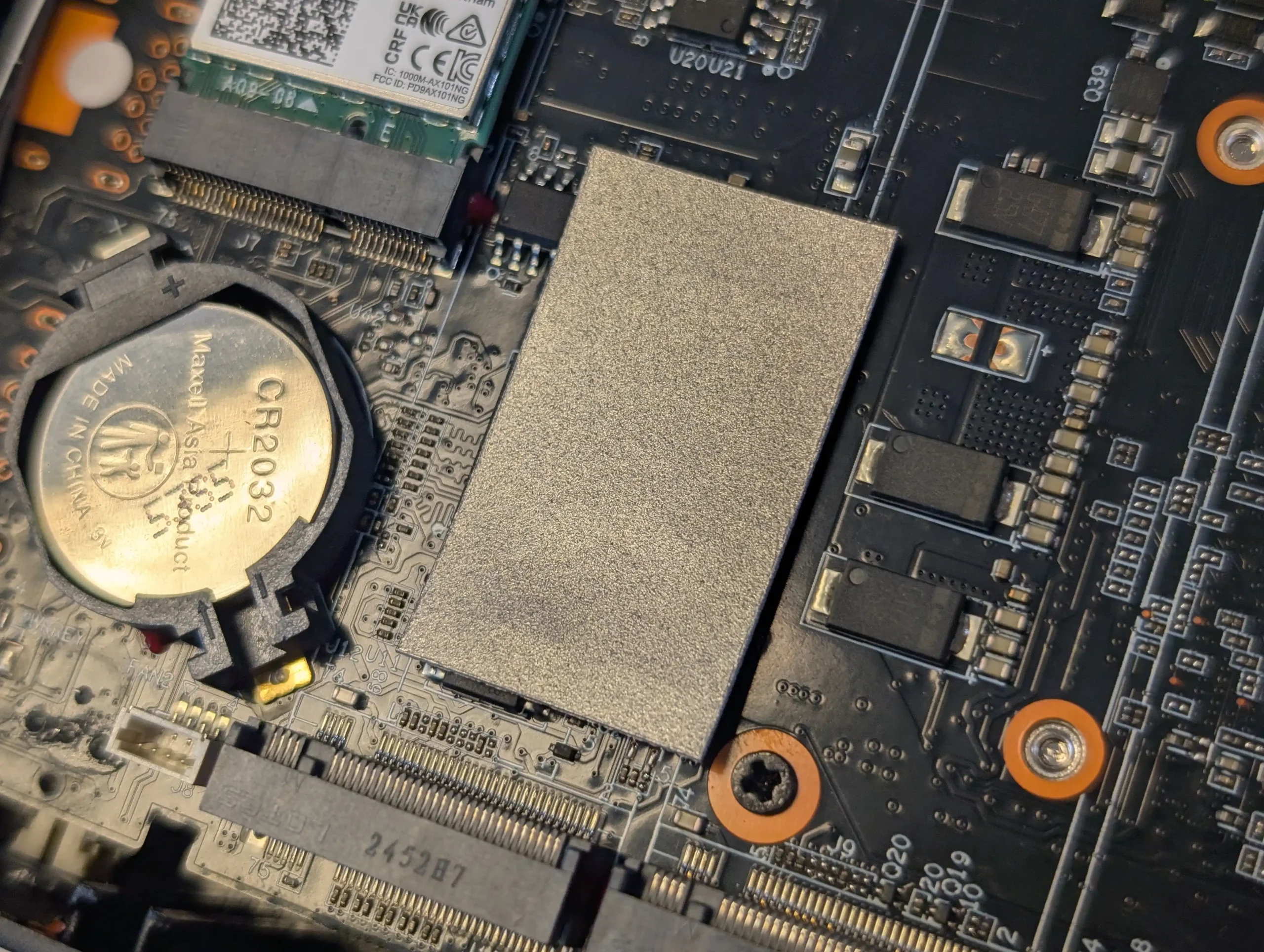 |
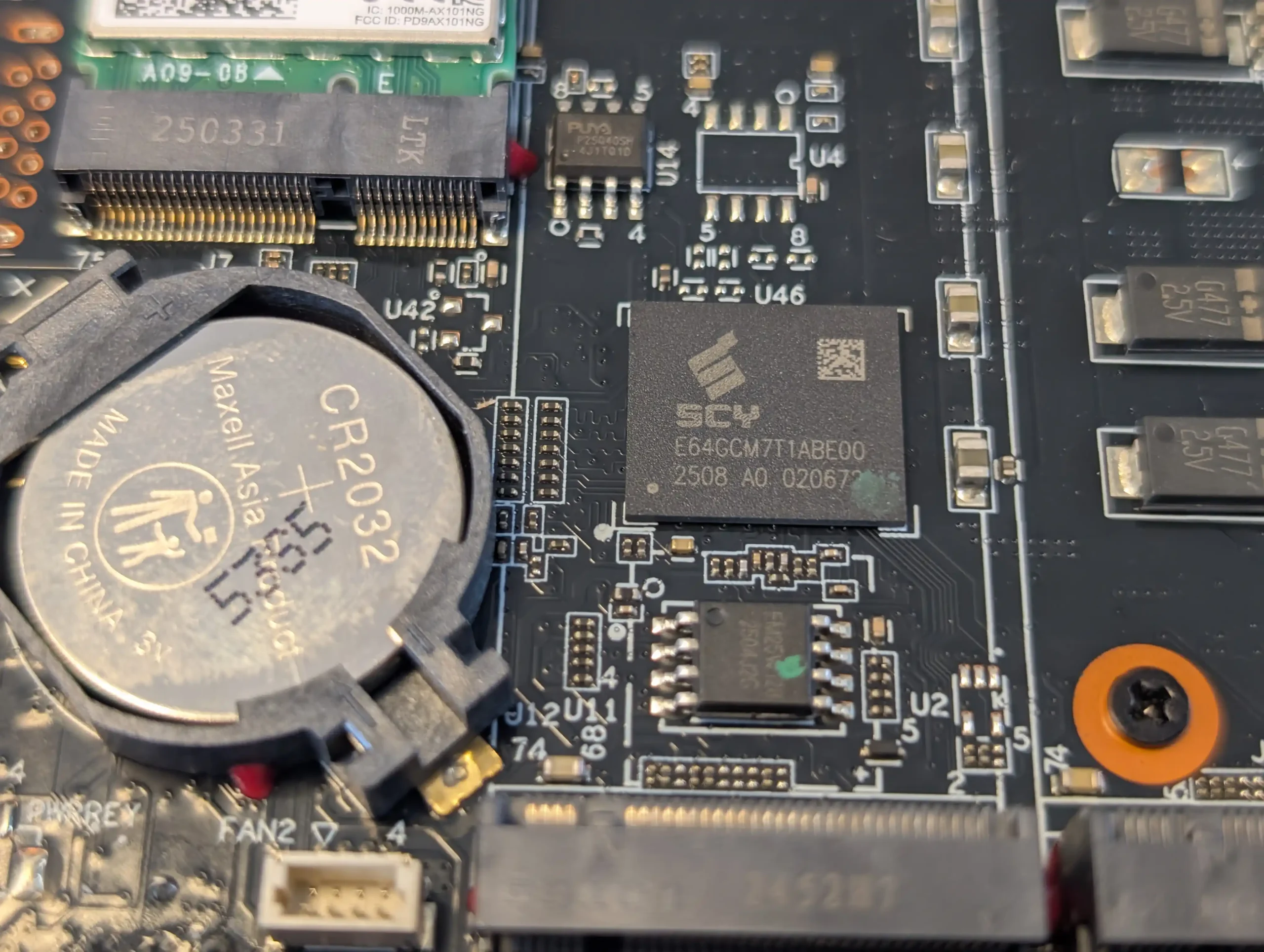 |
Overall, at its introductory price of $218.99, the Xyber Hydra N150 achieves a strong balance of value, practicality, and refinement in the entry-level NAS segment. The thoughtful inclusion of extras — the 64GB bootable eMMC, 512GB SSD, improved cooling, and additional memory — make it feel more turnkey than competing models, while still leaving room for advanced customization. It’s a sensible option for users seeking a compact and efficient NAS for personal cloud storage, light virtualization, or as a dedicated media server, provided expectations around CPU and networking throughput are kept realistic. For its target audience, the Hydra is a compelling and notably improved choice that addresses many of the criticisms of earlier designs without abandoning the affordability that defines this class of devices.
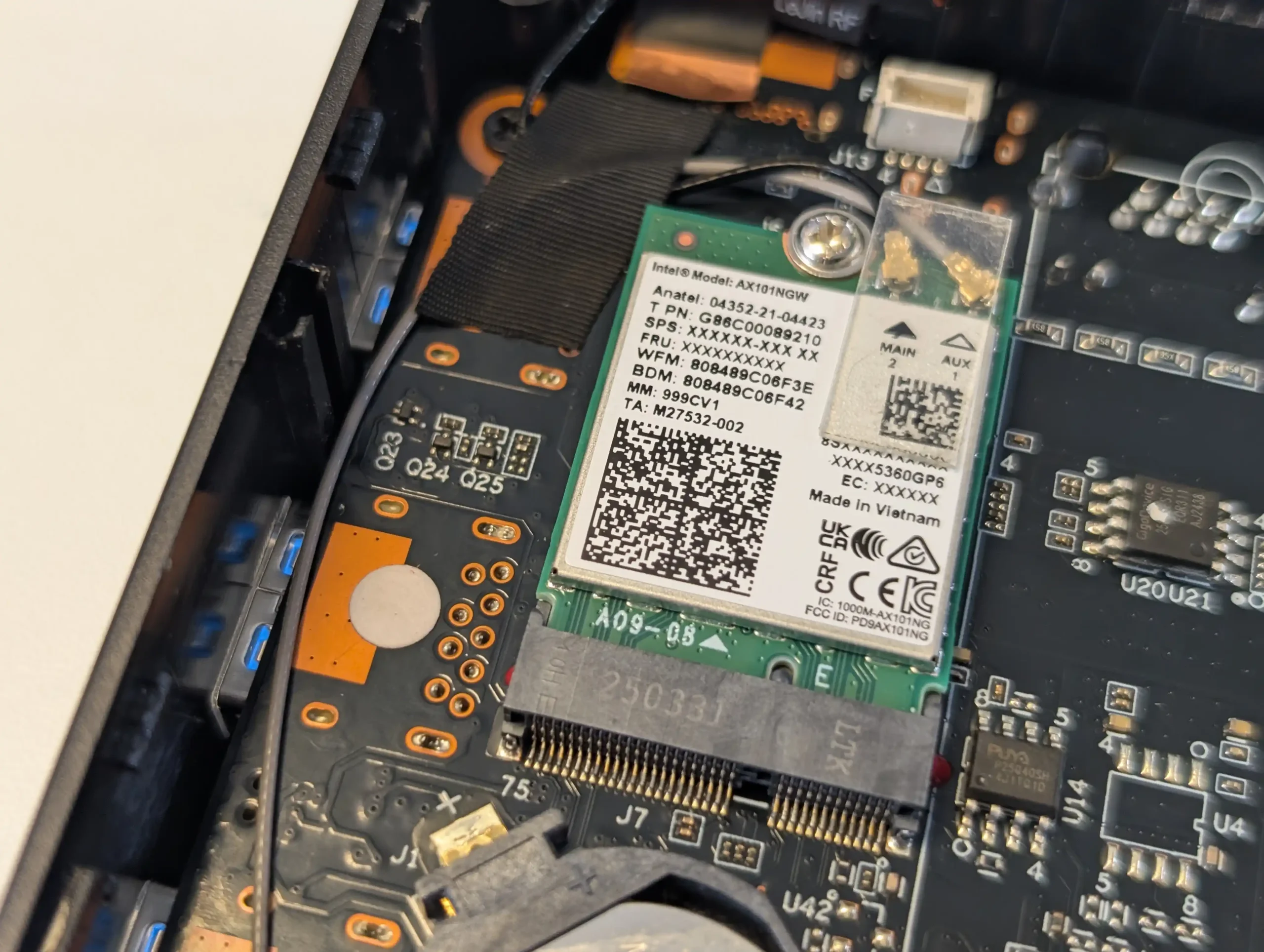 |
 |
Where to Buy? How Much?
|
#5 ZimaBoard 2 1664 – $239 to $349
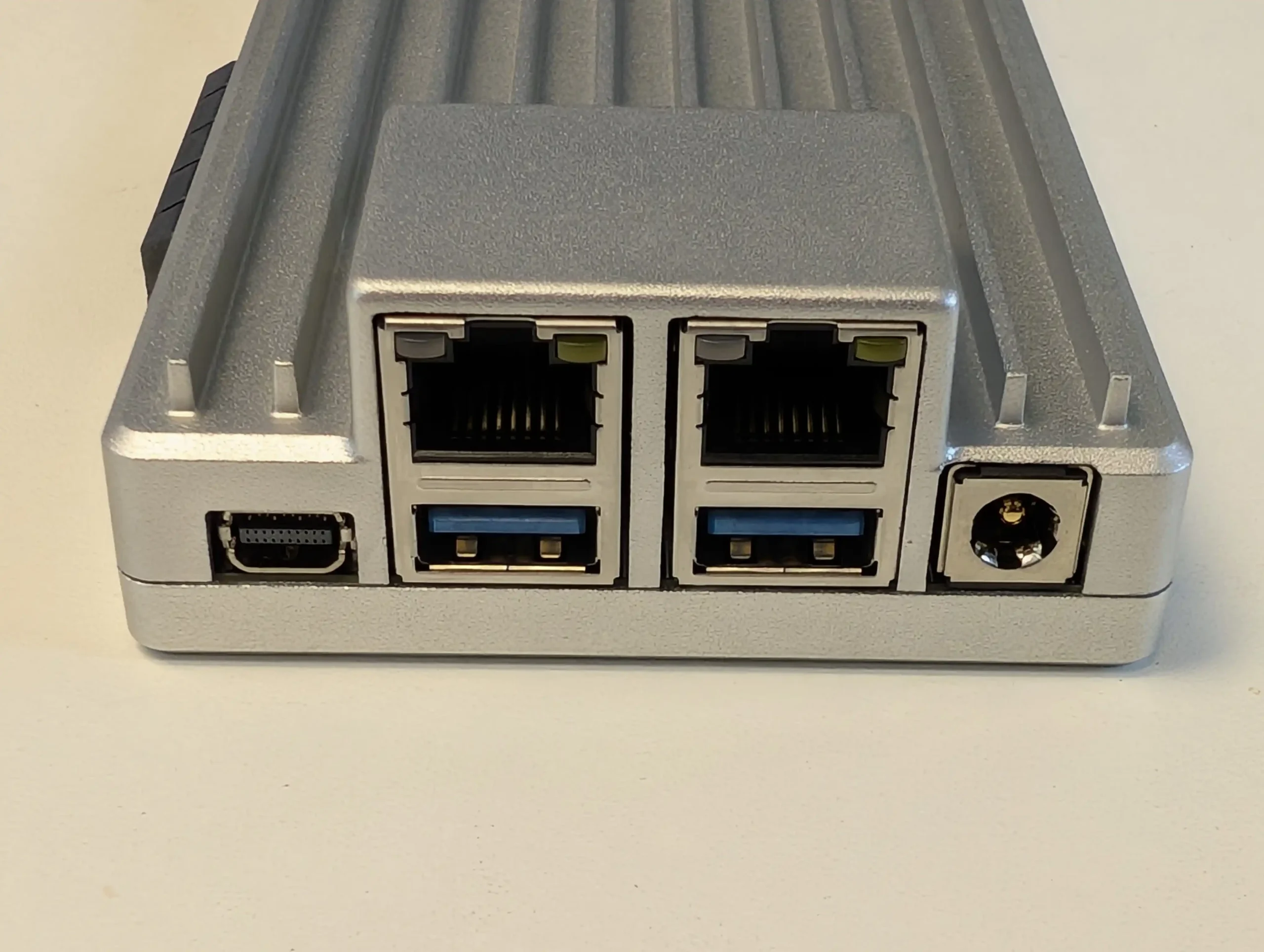
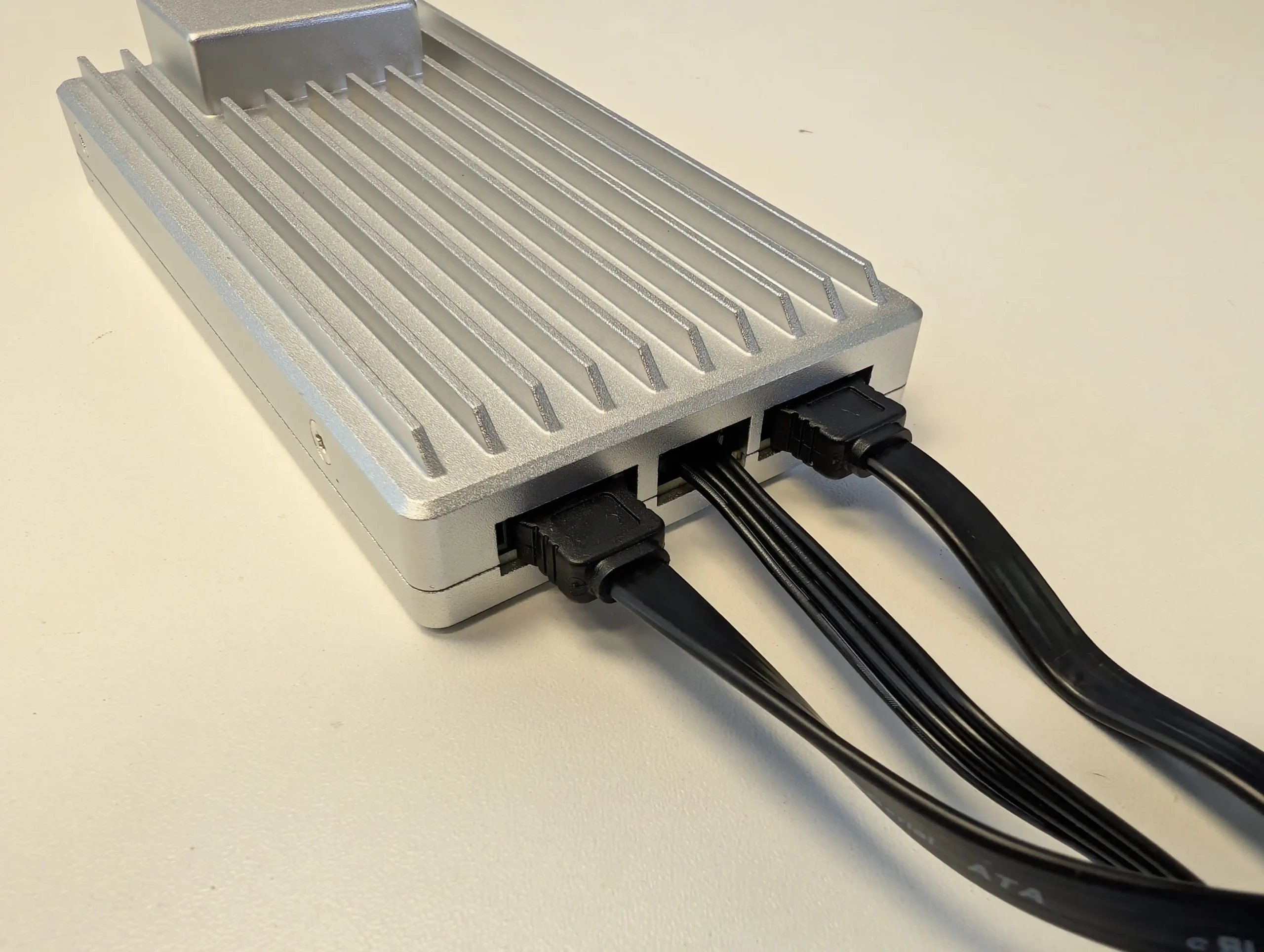
SPECS: Intel Processor N150 quad core up to 3.6 GHz – 16 GB LPDDR5X – 2 x SATA 3.0 ports (via cables to external drives) – 2 x 2.5 GbE RJ45 – 1 x PCIe 3.0 x4 slot, 64 GB eMMC OS storage.
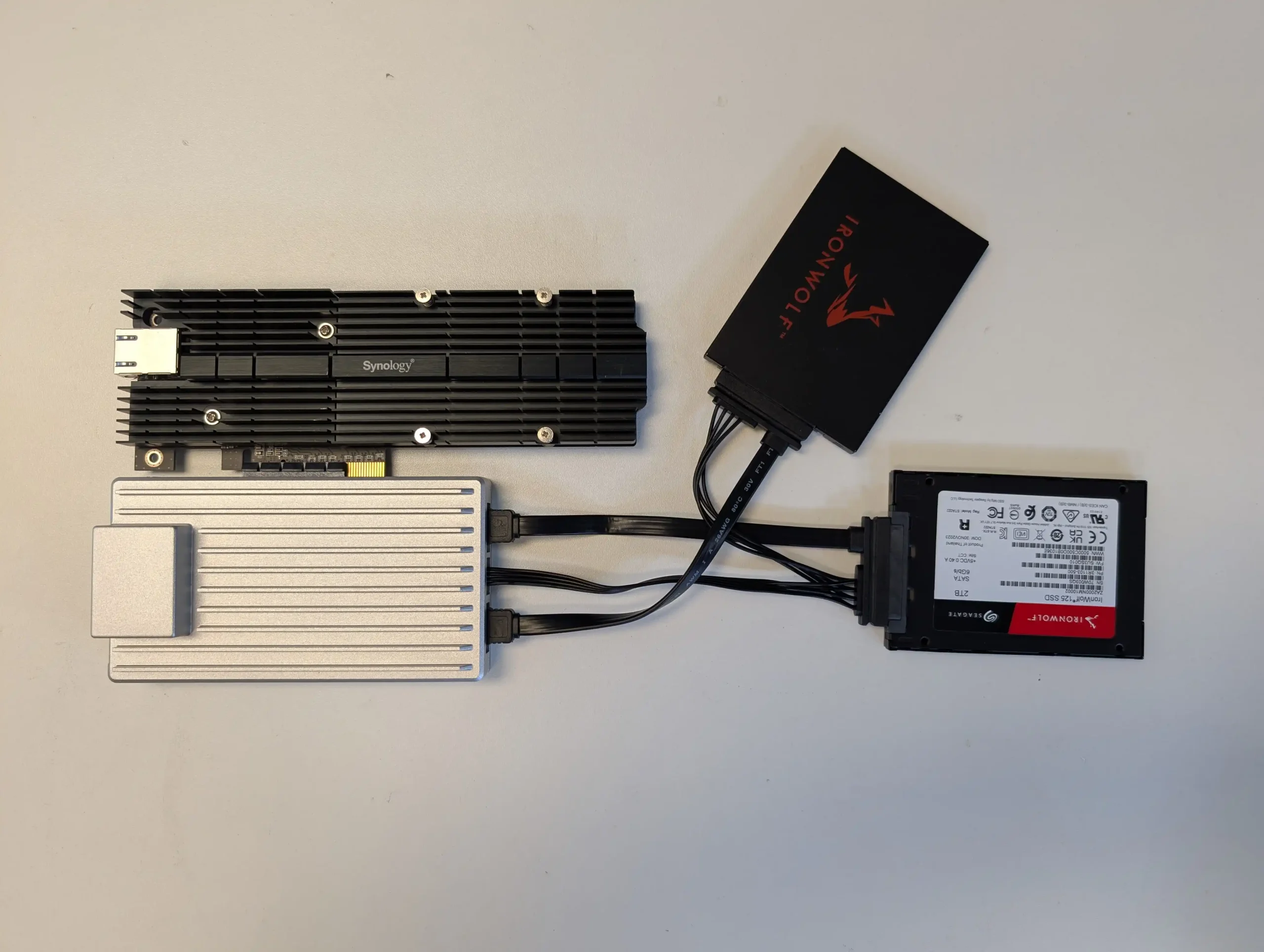
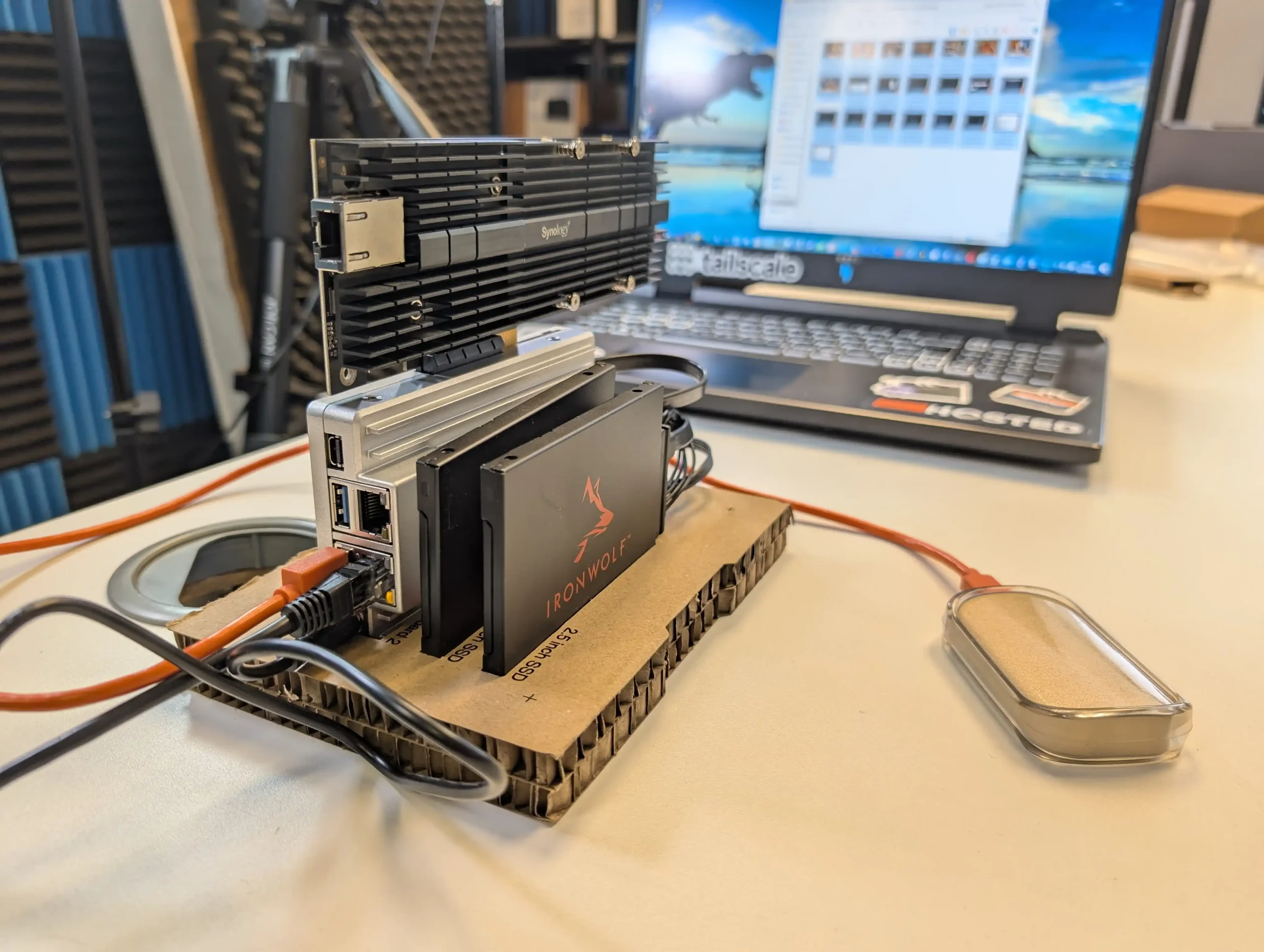
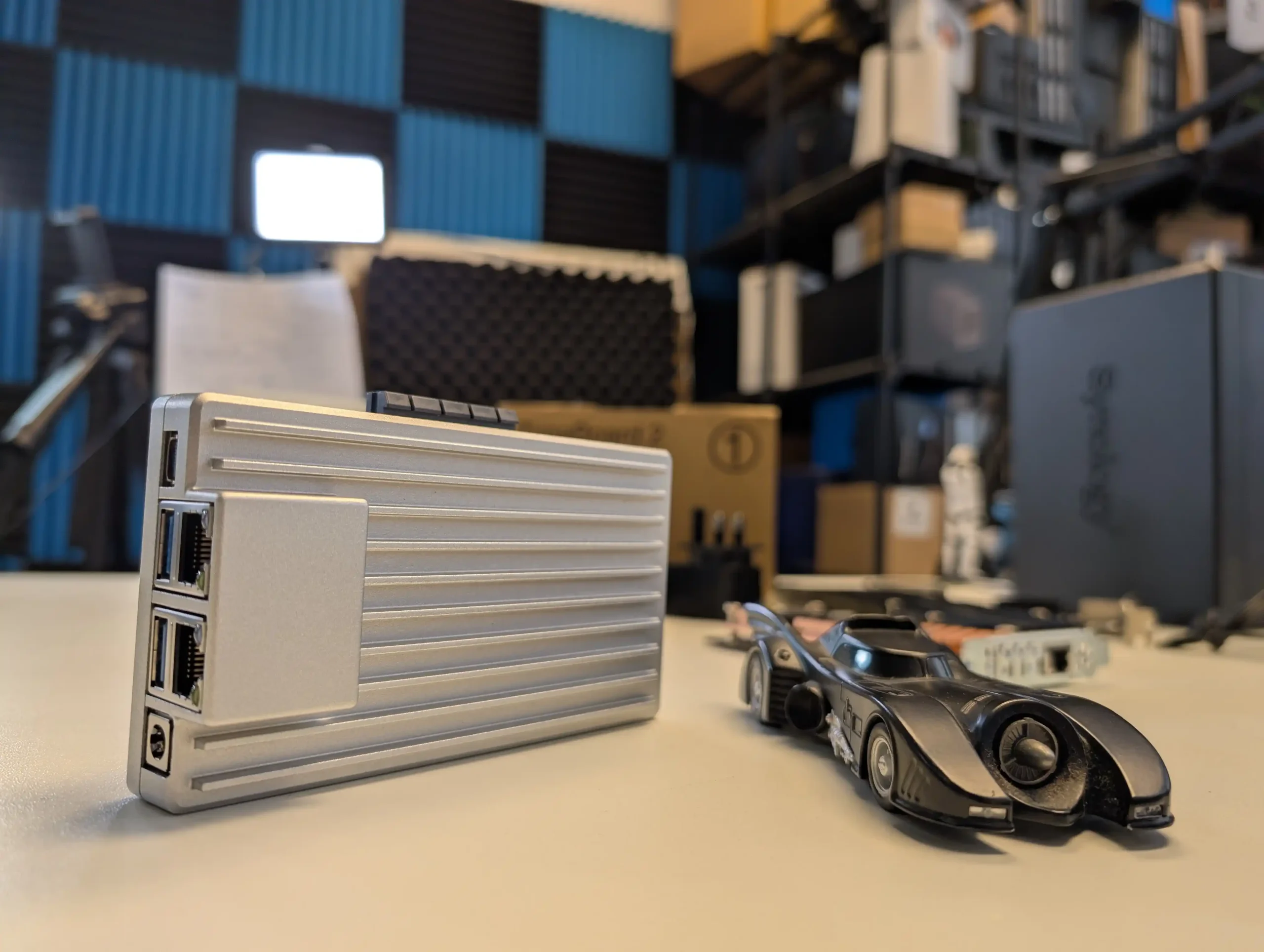
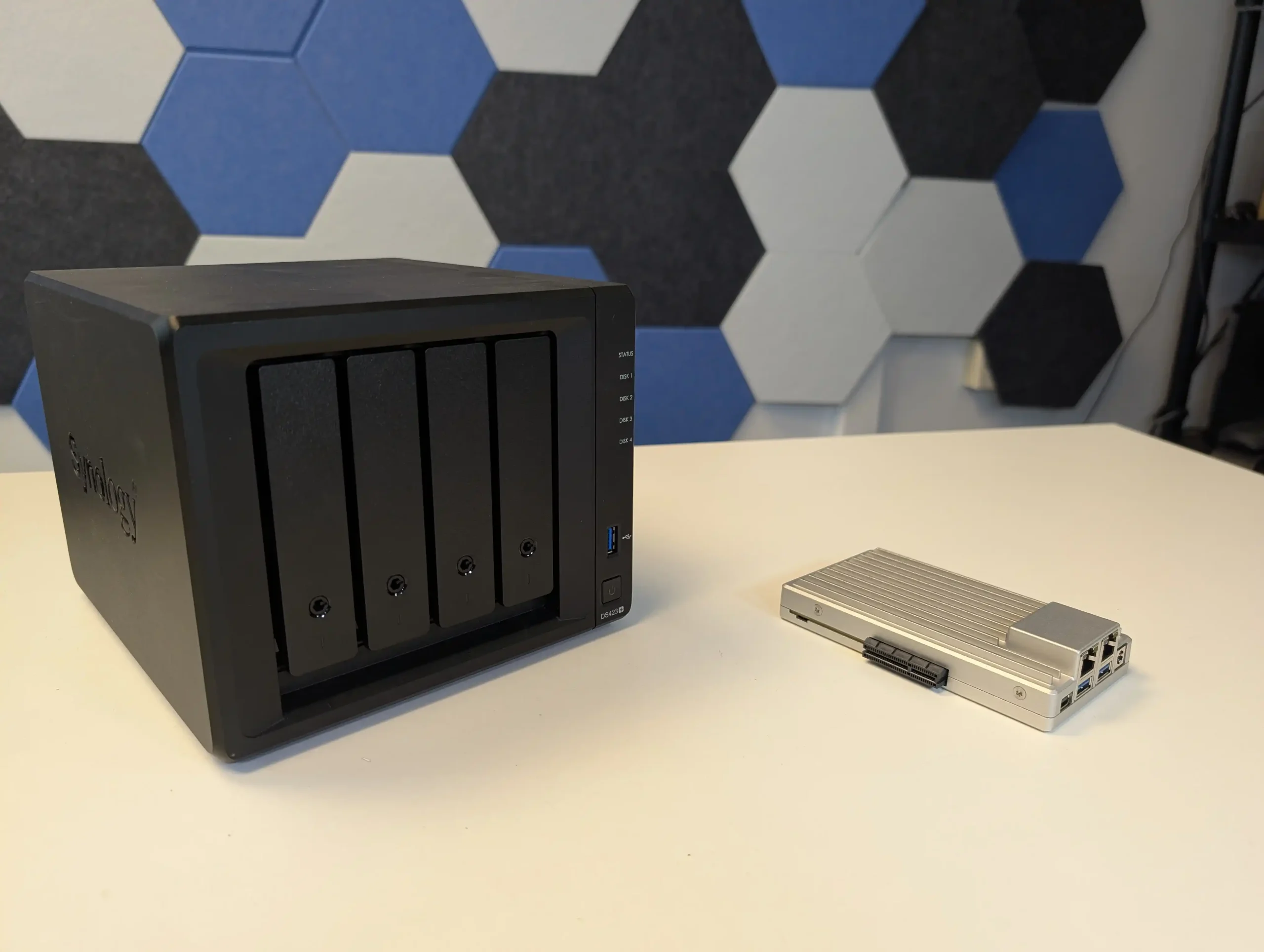
ZimaBoard 2 1664 is a single board x86 server positioned for budget home lab builders who want more flexibility than a fixed enclosure can offer while staying under typical entry level NAS pricing. The board exposes 2 SATA ports with power for attaching HDDs or SSDs in whatever chassis or external mounting the user prefers, alongside dual 2.5 GbE, USB 3, Mini DisplayPort and a full PCIe 3.0 x4 slot that can host extra NICs, HBAs or NVMe adaptors to scale storage and connectivity over time. ZimaOS comes preinstalled and supports alternative systems such as CasaOS, Linux and Windows, so it can act as a low cost base for self hosted services, small virtualisation labs or custom NAS builds using external drive cages or repurposed cases. The main limitation is that there is no built in drive bay system or enclosure, so buyers must factor in the cost and effort of adding their own storage chassis, cabling and cooling if they want something as neat as a traditional NAS. For those willing to do that, it offers one of the most flexible and expandable x86 platforms in the budget bracket, with enough CPU and RAM headroom to grow beyond simple file serving as needs evolve.
 |
 |
What we said in our April ’25 Review HERE:
The ZimaBoard 2 is a competent and thoughtfully assembled single-board server that builds meaningfully on IceWhale’s earlier efforts, especially the original ZimaBoard and the ZimaBlade. Its design clearly targets users who want more flexibility and performance than traditional ARM-based boards can offer, but who also value power efficiency, silence, and a small footprint. The use of an Intel N150 CPU, 8GB of LPDDR5x memory, dual 2.5GbE ports, and a PCIe 3.0 x4 slot makes it viable for a variety of home server roles—from basic NAS and smart home coordination to lightweight container hosting and local media streaming. Features like onboard SATA, USB 3.1, and a DisplayPort connection further add to its utility. However, there are hardware limitations that may affect long-term suitability for advanced deployments. The soldered RAM cannot be upgraded, and the internal eMMC storage, while useful for initial setup, is too slow for OS-level responsiveness in more demanding use cases. Passive cooling, while appreciated for silence, also imposes some thermal limitations depending on the deployment environment.
 |
 |
On the software side, ZimaOS offers a decent out-of-the-box experience that caters to users with minimal technical background. It handles core tasks like application deployment, file sharing, and system monitoring without requiring advanced configuration, and its Docker-based App Store simplifies access to popular tools. For more experienced users, the system supports third-party OS installation, which is likely how many will ultimately use the ZimaBoard 2. Still, as a bundled solution, ZimaOS has matured significantly and now presents itself as a lightweight, capable, and non-intrusive platform for those who prefer to get started immediately. In the broader context of DIY server hardware, ZimaBoard 2 occupies a middle ground: more powerful and modular than Raspberry Pi-class systems, yet more constrained than full x86 mini PCs or enthusiast-grade NAS hardware. For those who understand and accept these trade-offs, and are willing to plan around its limitations, the ZimaBoard 2 offers a reliable and flexible foundation for compact, energy-efficient computing at the edge.
|
|
|
|
Check Amazon in Your Region for the Zimaboard 2
|
Check AliExpress for the Zimaboard 2
|
Taken together, the UGREEN DH2300, UniFi UNAS 2, Beelink ME Mini, Xyber Hydra N150 and ZimaBoard 2 show the different ways vendors are trying to hit the sub 250 dollar bracket without stripping out the core value of a NAS. Some focus on simplicity and bundled software with limited scale, others trade turnkey polish for dense NVMe storage or flexible bare board layouts that assume you are willing to do more of the setup yourself. None of these devices removes the usual compromises around bays, performance, noise or software maturity at this price level, but each offers a clear path away from pure cloud dependence and USB drives. The practical decision is less about which is objectively “best” and more about whether you want a small 2 bay appliance, a compact all flash cube or a configurable single board system that can grow with your skills and requirements over time.
📧 SUBSCRIBE TO OUR NEWSLETTER 🔔
🔒 Join Inner Circle
Get an alert every time something gets added to this specific article!
This description contains links to Amazon. These links will take you to some of the products mentioned in today's content. As an Amazon Associate, I earn from qualifying purchases. Visit the NASCompares Deal Finder to find the best place to buy this device in your region, based on Service, Support and Reputation - Just Search for your NAS Drive in the Box Below
Need Advice on Data Storage from an Expert?
Finally, for free advice about your setup, just leave a message in the comments below here at NASCompares.com and we will get back to you. Need Help?
Where possible (and where appropriate) please provide as much information about your requirements, as then I can arrange the best answer and solution to your needs. Do not worry about your e-mail address being required, it will NOT be used in a mailing list and will NOT be used in any way other than to respond to your enquiry.
Need Help?
Where possible (and where appropriate) please provide as much information about your requirements, as then I can arrange the best answer and solution to your needs. Do not worry about your e-mail address being required, it will NOT be used in a mailing list and will NOT be used in any way other than to respond to your enquiry.
 TRY CHAT
Terms and Conditions
TRY CHAT
Terms and Conditions





|
 |


UnifyDrive UP6 Mobile NAS Review
UniFi Travel Router Tests - Aeroplane Sharing, WiFi Portals, Power Draw, Heat and More
UGREEN iDX6011 Pro NAS Review
Beelink ME PRO NAS Review
UGREEN iDX6011 Pro - TESTING THE AI (What Can it ACTUALLY Do?)
OWC TB5 2x 10GbE Dock, UGREEN NAS Surveillance Software, AceMagic Retro PCs, Gl.iNet Comet 5G @CES
Access content via Patreon or KO-FI
Discover more from NAS Compares
Subscribe to get the latest posts sent to your email.
with today ssd prices , flash only nases make zero sense economically vs hdds, price per tb double vs a few months ago , hdd are still reasonable
REPLY ON YOUTUBE
I will wait until zima releases a wildcat lake cpu based product
REPLY ON YOUTUBE
@nascompares If I want offsite backups do you recommend getting one of these, or a external hard drive that I keep off site and occasionally sync with my data? I’d think having it offline actually adds some level of security
REPLY ON YOUTUBE
Using solid state drives for backup doesn’t make a lot of sense to me. I have too much data for that and spinning drives are just so much better bang for buck. My laptop alone has 3TB of data on it.
REPLY ON YOUTUBE
Using solid state drives for backup doesn’t make a lot of sense to me. I have too much data for that and spinning drives are just so much better bang for buck. My laptop alone has 3TB of data on it.
REPLY ON YOUTUBE
Beelink’s new ME Pro NAS. it seems to be able to work both as a NAS and a Mini PC, releasing full CPU performance.
REPLY ON YOUTUBE
Does docker came back in the ugreen ?
REPLY ON YOUTUBE
I saw Beelink’s new ME Pro, and the fact that it works both as a NAS and a Mini PC while delivering full CPU performance makes it really appealing.
REPLY ON YOUTUBE
Synology are now only supporting their own disks, however the disk support on the UGreen is also extremely limited…. Which I didn’t realise when I bought one!
REPLY ON YOUTUBE
Plug the Ugreen NASync dh2300 into the TV, AV Receiver or Projector via HDMI and you can only access video & Pictures, and NO AUDIO files! For me this makes the Ugreen NASync dh2300 an expensive brick as I want to access all my files via HDMI!
REPLY ON YOUTUBE
A passive base heatsink may help, even from a third party supplier.
REPLY ON YOUTUBE
Which UPS you can recommend for UGREEN NASync DXP8800 Plus ?
REPLY ON YOUTUBE
This NAS cannot perform one of the most basic and fundamental storage operations: expanding a RAID 1 array by replacing disks with larger ones
REPLY ON YOUTUBE
I enjoyed this a lot!
REPLY ON YOUTUBE
Thanks for sharing. I would be interested to see a comparison between the DH2300 and the DXP2800. I am using mine mainly for video editing backups.
REPLY ON YOUTUBE
I’d have a closer look at how the internal power supply is implemented before running this without the cover on. Looks like it may have main traces running through the bottom near the power connector. You’d want to avoid shock hasards but it does look cool a*f.
REPLY ON YOUTUBE
Thanks for sharing.
REPLY ON YOUTUBE
great video thank you! I have been watching many videos on going to a nas solution but still non wiser on what I should do. I plan to build a proxmox server, which I plan to run a nextcloud server to be connected to a dedicated SSD or HDD for all my regular files so I can access from anywhere and any device, a jellyfin server, something to run my audio not sure yet, run different, linux, bsd and windows vms mainly to run any applications like ms office etc. so if I want to use my linux machine, I have a way to run a windows vm to access software I cant run on linux and I want a dedicated drive to this as well. all while these drives have a raid backup solution to them. With this in mind, what hardware setup would you recommend? Performance seems mostly important from the vm perspective but efficiency is key to key the bills down. Or am I over complicating things, is there a better way?
REPLY ON YOUTUBE
People seem to only review the N150 version of the Beelink me mini over the N95, is there a reason for that?
REPLY ON YOUTUBE
Just before christmas i bought a Ugreen DH4300plus, the one with 4 bays.
The big brother for DH2300. Its working SUPER well!
If a HDD setup is what you need, then I can really recommend it.
REPLY ON YOUTUBE
I would like to see a recommended configuration for low cost and for someone with a 1 Gig network. Which NVMEs? How many? What would the total cost be?
REPLY ON YOUTUBE
I’m confused. What good does it do to say this is a great, inexpensive NAS solution without talking about how much $ you need to buy the NVME? Four? Six? Slow? Fast? I really would like to see a complete configuration. Of course, NVME prices are much higher than spinning disks.
REPLY ON YOUTUBE
Thanks for the many good reviews this year. I think you need you update the link to the Beelink ME Mini, It goes to the S13 PRO instead.
REPLY ON YOUTUBE
Can’t get over how you blokes keep doing such brilliant content.
REPLY ON YOUTUBE
Would love to see you do a review on the $99.00 NAS you purchased during Black Friday, I bought the same IronCow Zero1. Since our purchase it has had 3 system upgrades and the company seems responsive to customer suggestions to improve the NAS. The hardware seems very impressive for $99.00 with a 2.5GBE and HDMI port. From what I can garnish off comments from the Net it appears it is based on a Debian Linux distro. Would love to see if you think it can be loaded with TrueNas or maybe OMV since it is Debian based. The Gui is not that great but very simplified and could use more Apps such as Kodi, JellyFin and of course Plex.
Love your channel, you are definitely one of the best YouTube Channels for covering everything about NAS hardware.
Best of luck in the future my friend!
REPLY ON YOUTUBE
Hadouken!
REPLY ON YOUTUBE
The Zimaboard will accommodate spinning drives? Anyway to add more than two drives!
REPLY ON YOUTUBE
For those that look at the Beelink ME Mini, there are indeed two distinctive differently versions. One set of versions are with 12G of DDR5 ram. The other versions are with 16G of DDR5 ram. Some of the variants come with 2TB NVME drives, while others come with NO NVME drive. Current price for the 16G with no NVME drive is $259. During the black friday sales, it was down to $237, IIR C.
REPLY ON YOUTUBE
Where do you find the Beelink ME Mini at $209, I would like one at that price, please
REPLY ON YOUTUBE
My version of cheap: Raspberry Pi with hats and drives all over the place
REPLY ON YOUTUBE
I don’t understand why NVMe NAS are in this “cheap” category. Per TB, they are 4 time the price of HDD.
REPLY ON YOUTUBE
Beelink
REPLY ON YOUTUBE
My version of cheap: ZimaBlade NAS Kit for $160
REPLY ON YOUTUBE
“What you get for your money has changed…”
Yeah. Well not really. I just quit buying from all of them. Haha.
REPLY ON YOUTUBE
00:11 “Call it what you will”. I’ll go with “buy cheap buy twice” then. ????
Merry Christmas.
REPLY ON YOUTUBE
What the best way to sync from icloud to nas? If it matter, ugreen especially
REPLY ON YOUTUBE
On the Ugreen DH2300, can you plug in an external hard drive and test all the features and OS before buying actual hard drives for the unit?
REPLY ON YOUTUBE
“…Bunce! ” love it!
REPLY ON YOUTUBE
I honestly don’t quite understand who the UNAS 2 is for, because of its PoE.
If you’re a private consumer, you need the PoE injector, which seems unnecessary.
If you’re a company using their ecosystem and wide range PoE Switches, why would you go for a desktop NAS instead of a server mounted NAS with more than 2 bays!?
Or shall this be a backup device you take with you when your office building is about to collapse? ????
REPLY ON YOUTUBE
Beelink me mini 16GB stands at $379 right now. So….
Also nvme drives became so much more expensive right now, all these “cheap” options are barely cheap anymore ????
REPLY ON YOUTUBE
I read on the ZimaBoard discord that the PCIe didn’t have the Gen 3×4 speed (that it was shared with the other connections, like USB)
REPLY ON YOUTUBE
Seems like 90% of PoE switches are gigabit ethernet only.
REPLY ON YOUTUBE
Hope you, Eddie and your respective families had a great Christmas and wishing you all the best for 2026.
REPLY ON YOUTUBE
I am surprised you did not mention the WTRMAX from Aoostar remember the NAS with jam on it?
REPLY ON YOUTUBE
Still waiting for 4 bay unas
REPLY ON YOUTUBE
Haven’t seen the beelink under 269$ for a long time and it’s not even taking into account that EU kits have been sold out for months …
Besides are advertised prices from beelink and zimaboard taking taxes and vat into account ? I assume not
On the other hand, I think ugreen includes taxes and VAT as is Aliexpress for EU at least
So not realy apples to apples IMO
REPLY ON YOUTUBE
I am nothing but happy with my BeeLink ME Mini. My application is a file and docker server for use while traveling, so I did several mods in BIOS, an optimized Debian distribution, and carefully selected NVME drives. Nothing major.
One mod I did that probably voided my warranty is I did remove the AC power supply and installed a USB-C PD board. The 5 amp capacity of USB-C PD means that at 12V, the max power supplied is 60W, which is more than the 45W of the original power supply. The removal of a heat source in the enclosure, power flexibility (particularly on the road), and higher efficiency is what compelled me to try this out, and it works a treat. For the record, 26.4W on boot, 9.6W at idle and 20.4W under load with the peak temps hitting 56C for the CPU and 43C for the drives. Perhaps this is something that Beelink should consider doing? It would simplify the production if it were part of the motherboard or at least a daughter card.
REPLY ON YOUTUBE
Things are better than last year, lots of cheaper options, but I’m glad I got the ZimaCube, but bummed I did not get the ADA2000 card with it. There are a few things I might have chosen instead of it, but I’m really pleased otherwise, so that Zimaboard2 is probably pretty useful.
REPLY ON YOUTUBE
Things are better than last year, lots of cheaper options, but I’m glad I got the ZimaCube, but bummed I did not get the ADA2000 card with it. There are a few things I might have chosen instead of it, but I’m really pleased otherwise, so that Zimaboard2 is probably pretty useful.
REPLY ON YOUTUBE
Awesome Christmas sweater!
REPLY ON YOUTUBE
Awesome Christmas sweater!
REPLY ON YOUTUBE
hmnm why not “Synology 2-Bay DiskStation DS223j” ?
REPLY ON YOUTUBE
There’s a sound effect ion this video which kind of sounds like “Are you being served”.
REPLY ON YOUTUBE
26:40 A little big more spend.. aka DOUBLE the price.
REPLY ON YOUTUBE
To be honest, iSCSI would have been a bad idea to have included, in fact I prefer not having it, since for me this is mostly a backup system and not for databases or virtual machines.
REPLY ON YOUTUBE
If this had Raid0…
REPLY ON YOUTUBE
unas need rsync support
REPLY ON YOUTUBE
I’ve made my decision. A Beelink ME Mini NAS + ZimaOS. If they never start selling them in grey like they’re supposed to, I will paint the case.
I’ve read all about it dropping drives but it’s mostly people using too new Gen 4/5.
Gen 3 is what it wants but are almost non existent. The Crucial P3 is Gen 4 and backwards compatible with Gen 3.
REPLY ON YOUTUBE
Can it be used as storage for the protect app and replace original nvme storege or be togueter storing video files?
REPLY ON YOUTUBE
the only thing id like to know if it runs is pihole…is it possible from the “ugreen os”? maybe as docker or LXC?
REPLY ON YOUTUBE
Extremely cool device. It’s like the Mac Mini of NAS! I just wish it had 10G and that high capacity NVMe drives weren’t so unreasonably expensive
REPLY ON YOUTUBE
Beelink is about to release their new NAS, the ME Pro. I’m really hoping to see you review it once it’s out — it looks like a pretty promising machine.
REPLY ON YOUTUBE
Oh, it’s going to be a sad day when Ubiquity inevitably starts to enshittify their whole ecosystem.
REPLY ON YOUTUBE
Can we install Transmission on it ?
REPLY ON YOUTUBE
Anyone know if the supplied power adapter is UK certified?
REPLY ON YOUTUBE
Just two words, mate:
GO TO A FUCKING DENTIST!
REPLY ON YOUTUBE
I purchased one of these and put 6x SSDs in it like it supposedly supports, but there is a hardware design flaw with the 3.3v rai
If you have 4+ SSDs you will likely see disks disconnect at random due to the 3.3v rail sagging to the 2.Xv range, especially during intense reads and writes if you are using a RAID array.
After a lot of troubleshooting I was able to get it to a stable state with BIOS power tweaks and only using 4x SSDs that do not have DRAM or higher power controller chips.
It’s a great device but you won’t be able to take advantage of all of the slots it supposedly supports.
REPLY ON YOUTUBE
1:08 200 what????!!!!
REPLY ON YOUTUBE
That base panel is sitting on the table with hardly any gap. With low air flow it’s not gonna cool so easily. Just put it on a Router cooling pad and connect the fan. That should make it way faster.
REPLY ON YOUTUBE
First up; great video. Thank you.
Second – using that gmktec-g9 as a phone stand ????????????
Third – you’re totally right on networking; the target audience wouldn’t be uploading to Google any faster than 1Gb/s – so meh. That said I’d really like to know how it handles a USB3 2.5G adapter: a – how it performs with that ARM cpu, b – driver support in UGreen’s OS.
REPLY ON YOUTUBE
Until Arm support gets better, I’ll be upgrading to an x86 NAS systems. I’m still feeling the burn with my Terramaster F4-210.
REPLY ON YOUTUBE
Eww, 2.5G… waste of nvmes to throw in this!!!
REPLY ON YOUTUBE
Question – with Synology’s SHR / SHR-2, you can start off with one HD, and add and grow the pool. Does anyone know if you can do something similar with Ugreen’s offering?
REPLY ON YOUTUBE
So how do you do offsite backups?
REPLY ON YOUTUBE
I just got this and am not 100% a pro at setting this up. Do people run a raid setup with these backups to improve efficiency or does it even matter if the 1gb transfer speed is going to limit it. If so, what hard drives are people recommending for a solid reliable backup? Appreciate the assistance and help! I love your videos!
REPLY ON YOUTUBE
According to Kickstarter website ZimaBoard 2 now has up to 16 Gb DDR 5 memory 4800 Mhz
REPLY ON YOUTUBE
You can get 2.5 GbE with a USB-C to RJ45 2.5GbE.
REPLY ON YOUTUBE
Hi folks – a nice device that most likely would get approval from the wife, a very interesting review and lots of great comments. Has anyone tried to use this as a jellyfin server. i was thinking it might be just what im looking for to replace an old external hard drive hanging out of the telly – transfer all my videos and movies to this little cube, plug it into my switch and watch my content from anywhere. also be some room for some backups of my photos and important data that im just backing up when i remember to external hard drives. would this be a sensible use case ? could i use the pre installed windows or would i be better with some kind of unix distro or something else. maybe the ugreen f4-dxp4800 pro might be better fit. Would be grateful for any wisdom you clever techie people could offer to an older NAS newbie such as myself …..thank you in advance.
REPLY ON YOUTUBE
If you want to be “that guy” ????. 99x99x99. On a serious note, can that PSU power a fully loaded 24tb array?
REPLY ON YOUTUBE
the problem is expensive little capacity drives. Yes I have two pci5 in my computer and they do everything but in MASS storage they are way over priced for their capacity. I checked prices and IF you could get all the performace on this or similar devices on a gen 3 x1 then maybe you could get 8tb for the price of 20tb hard drives.
REPLY ON YOUTUBE
I have two quick questions before buying this Ugreen DH2300 NAS.
1) Can I attach an external HDD to this NAS USB port and use it for SMB (media playback and storing small motion-capture clips from 5 security cameras)?
2) I plan to buy 2 × 12 TB NAS drives in RAID for family photo/video backups (iPhone/Android). Can a this NAS support searchable face-recognition (like Google Photos) later? If not, what’s the simplest option?
Thanks.
REPLY ON YOUTUBE
For someone (like me). This is just perfect, for years I’ve had the WD iCloud for movies, music etc. this would be a perfect (cheap) upgrade just for entertainment purposes.
REPLY ON YOUTUBE
You are talking so fast in a foreign language, I’m a Texan, and we tend to drawl some, that I just gave up on you. My wife is Dutch Indonesian and I understand her English almost perfectly.
REPLY ON YOUTUBE
How do I transfer files to this thing and what speeds should expect from those ssd’s and NAS?
REPLY ON YOUTUBE
The UNAS 4 with 4 bays should be coming out any day now. That one looks more compelling as it includes 2 NVME slots and it retails for 379
REPLY ON YOUTUBE
Can it be ftp server or stream dlna movies to tv ?
REPLY ON YOUTUBE
Is there a bracket for 2.5 hdd ?
REPLY ON YOUTUBE
What I not understand is, why this little box is called a NAS solution ? For me it is a pretty good mini pc, because what is missing is a preinstalled NAS software or is Window 11 pro now a NAS software ?
REPLY ON YOUTUBE
I just picked this unit up for $185 with shipping. Thanks for the video! 🙂
REPLY ON YOUTUBE
Does it support WebDAV(S) ?
REPLY ON YOUTUBE
Are we able to use a Nas hdd and a Nas asd at the same time in this?
REPLY ON YOUTUBE
I have very simple needs and am almost retired. iCloud has saved me multiple times and I dont have to do any management or update anything as things become antiquated or just break. And my backup is off site which I also like in case something happens at home. Peace.
REPLY ON YOUTUBE
Looked pretty great until 1 gig ethernet. x.x
REPLY ON YOUTUBE
lol no iscsi
REPLY ON YOUTUBE
I’m really struggling to get my win 10 PC to find it, it’s there as a media player but not a network drive… I have access through my mobile though.. do you have a walk through how to set up please?
REPLY ON YOUTUBE
Any recommendation for a pair of affordable 8TB drives to run in the DH2300?
REPLY ON YOUTUBE
I do photography for fun and i love these simple NAS that are coming i just want a Carbon copy nothing else i appreciate the simplicity.
REPLY ON YOUTUBE
As I wannabe NAS user, believe I am in the target market for such as device, but I still want 10GBE ethernet for non-professional video editing.
REPLY ON YOUTUBE
Replace the HHDs with 2.5 SSDs and you’ll get a cooler running and faster NAS. At the end of the day, the temps are just fine in its current configuration.
REPLY ON YOUTUBE
Had to stop the video to go and order one. Seems custom made for my exact usecase.
REPLY ON YOUTUBE
Hi, anyone knows what happens to RAID 1 drives if OS or Motherboard fails of NAS? Can I just move the drive to a similar NAS without data loss?
REPLY ON YOUTUBE
What about for plex transcoding do u think it will be okay for it I have a shield pro but its crap cause of andriod os messing the updating
REPLY ON YOUTUBE
Are there any smaller SSD only alternatives available? Looking for something primarily for wireless time machine backups for my mac.
REPLY ON YOUTUBE
Got mine yesterday, DOCKER not being there means it goes back on monday…
They pulled this from their website as well so I doubt it is going to be coming back…
REPLY ON YOUTUBE
Great overview. But most importantly, does this support iSCSI?
REPLY ON YOUTUBE
No usb drive spindown function yet. So I still wait
REPLY ON YOUTUBE
Great informative videos.
REPLY ON YOUTUBE
*Quick Clarification* UGREEN have reached out to inform me that currently Docker support on the DH2300 is disabled. As you can see from the video review, it was available and deployable on this DH2300 unit I had for the review, so I am asking as to why the Docker application is being disabled, and for how long. If I had to guess, it will be a combination of optimisation and performance during late user feedback. However, as soon as I know more on the reason and if/when it wil lcome back, I will update this comment.
REPLY ON YOUTUBE
I would like to buy this. However, right now I use 2 disks. If in the future I have to add more, I’ll create a custom Nas with truenas. Could I just move the raid configuration there?
REPLY ON YOUTUBE
Great price/performance and feature per dollar over DIY products like ZimaBoard. Would definitely consider.
REPLY ON YOUTUBE
For the target users this is still too complicated. They should sell it including fully configured disks so that a user only has to switch it on. If they can make something that is super simple and including the disks and including energy cost is cheaper than a few years of cloud storage, a nas could have a competitive advantage. Due to the pricing of cloud storage it will only be a good deal for people needing storage of let’s say 4 TB or more. That is a much smaller group and maybe that group does not want the most simple system. Hence for the majority of people, who need only 1 or 2 TB of storage, cloud storage is at the moment the easiest and cheapest option.
REPLY ON YOUTUBE
Seeing that the app gives you full functionality. Do you need to download onto desktop initially ? or can you get straight into setup with a phone/ iPad?
REPLY ON YOUTUBE
I had an Asustor 2 bay NAS and I hated it – and it was £469!. I got this one in the UK for £135 from UGREEN and I Have 2 16TB IWP drives in it and it’s doing a cracking job of replacing my Idrive and Google cloud storage!.
REPLY ON YOUTUBE
Any cam support?
REPLY ON YOUTUBE
Could I use this to stream movies via WiFi to my smart TV,thanks
REPLY ON YOUTUBE
Yup, I want to put all my data on a Chinese product????????????????
REPLY ON YOUTUBE
I can thoroughly recommend Proxmox on this too for those embarking on their homelabbing journey whilst also needing a NAS. I’ve a bunch of LXC’s running and it is absolutely amazing for what it is.
REPLY ON YOUTUBE
Arm procesor gonna have problem with some docker
REPLY ON YOUTUBE
Don’t forget you have to pay for 2 hard drives, and buy new once in a while (if you torrent it will be each 2-3 years). Then you pay for electricity and this device when it will brake and it will if you keep it on 24/7. Also make sure to install your own software (if it helps) because every Chinese device will spy on you, yes yes even your toothbrush ????
REPLY ON YOUTUBE
I went with pCloud for 5tb forever for 500$
REPLY ON YOUTUBE
How is this, compared to Ugreen DXP2800?
REPLY ON YOUTUBE
The bottle neck is a SATA HDD, not an Ethernet port. No reason for two bay NAS to have higher speed Ethernet port. Just in the situation when you will use SATA SSD you will need higher speed Ethernet port.
REPLY ON YOUTUBE
I’ve been getting tired of seeing members-only videos everywhere on YouTube, and I’m starting to think about unsubscribing from every channel I follow that has these feature enabled.
REPLY ON YOUTUBE
Good to know, it only stores the files of the Photo app. ALL created albums, tagging, etc. is not in the backup. For me this makes its basically useless.
REPLY ON YOUTUBE
Best NAS available?
REPLY ON YOUTUBE
When u Green Produces the 1he or 2 he
REPLY ON YOUTUBE
1Gb Ethernet port? It’s DOA. They should have dropped 1 or 2 USB in favour of 2.5 Gb Ethernet. If I was buying a NAS all 1Gb Ethernet is out of option for me. I want to future-proof it.
REPLY ON YOUTUBE
Oh and about the 1 GBit ethernet again do “normal” people these days have an 1 Gbit symetric internet uplink?
I highly doubt it and if you want it as a cloud replacement your own uplink upload speed decides how fast you can write to it from the rouad (as you well know). For people who don’t “speak tech” If your Provider sold you Something like 300/50 Mbit that means your download speed is 300Mbit and your upload speed is 50 Mbit both miles away from the 1 Gbit this box can handle.
REPLY ON YOUTUBE
well the SBC they use as a base has no way to connect a 2.5 Gbit PHY just use one of the USB ports with a USB to 2.5 Gbit NIC. I’m almost tempted to get one and try to get TrueNAS (ARM) running on it. On the other hand I have no time in the next 6 to 12 month to play with it ????
REPLY ON YOUTUBE
And then they gonna stick two 30 TB drives into it….
REPLY ON YOUTUBE
I noticed the non-UK power supply block that you very quickly put away; you should have mentioned the issue, prominently! Was it even true CE approved, or was it a USA style item? What was its EMC/RFI capability?
REPLY ON YOUTUBE
Is it tornado proof?
REPLY ON YOUTUBE
After watching the video, it would be valuable to provide a comparative with other “entry” level NAS’ such at Synology DS223 or WD My Cloud or EX2 Ultra for those looking for an alternative to cloud servers.
REPLY ON YOUTUBE
How would you say this compares to the UNAS 2? Especially if your use case is cold storage for backup and not much more
REPLY ON YOUTUBE
If I add two populated drives to this, can I use it as a JBOD?
REPLY ON YOUTUBE
This would be a great unit to use as a remote backup. Definitely would consider it for that.
REPLY ON YOUTUBE
The UGREEN media center can also achieve the functionality of Jellyfin, allowing you to watch movies smoothly without needing to install Docker on a 4GB machine.
REPLY ON YOUTUBE
Interesting. I might go for something like that, but I think this is a bit on the small side for me. One advantage the cloud offers of course is you don’t supply the power. That’s gonna use about 10kWh per month which is going to translate into something like £2.50 at current UK electricity prices (it would be cheaper for me as I have solar and stuff but that still needs to be considered) and I didn’t like the level of noise. I guess the power consumption would come down a lot if using SSDs rather than HDs. Anyway, I’ve given you a sub and I’ll keep an eye out for other offerings! Thanks!
REPLY ON YOUTUBE
For me, the use case is a backup of my other UGreen NAS. The low cost reduces my concern of the 1Gig network or other limitations.
REPLY ON YOUTUBE
I got ugreen smallest nas system and I love it…but if this would have been earlier available…i would have bought this. I only need a network storage with 2 HDDs in RAID 1 nothing else.
REPLY ON YOUTUBE
I’d love this with few changes. Price 150e, 2.5gig ethernet port and open up OS side to install like pure Debian whatever Linux in it. I’d buy one and use it jbod mode as daily use NAS/UrBackup and just backup this to my old powerhungry raid NAS from time to time. That Chinese made OS just doesn’t cut it for me security wise.
REPLY ON YOUTUBE
I’ve never had a Nas before and find it all a bit bewildering.
I basically just want to do what it is designed for, to eliminate the “Google account full” messages and the tedium of having to trawl through my photos and videos deleting them to clear memory.
I want a faff free solution that does not require frequent intervention to manage it, just an initial setup and leave it to do it’s thing…so for those Techies, is this any good for me?
Also, does it need 2 drives installing from the outset or can I start with one and then add another as and when the first one gets full?
REPLY ON YOUTUBE
Surely the price between 1gig and 2.5gig has got to be pennies.
I guess you could use a USB to 2.5 gig adapter.
If the device would allow you to use that is a different matter.
REPLY ON YOUTUBE
I love ugreen products. But I’d rather pay google than a Chinese company for hosting my data. The Chinese government is spying the world through their products as many sources says.
REPLY ON YOUTUBE
I’m still on 1g nics …. It’s fine! My setup includes 3 Synology units and 1 Ubuntu server…. I have no complaints. Can things get better? Of course… But 1gig is perfectly good especially for a brand new user.
REPLY ON YOUTUBE
Hi Robbie, I asked them at IFA, and they say it does NOT support hotswap. I actually drilled them a bit, and they kept saying it doesn’t do hotswap / hot insert. I even asked them, so you have to power down first when replacing drives, and they confirmed that. Interesting that it somehow does some hotswap anyways?
REPLY ON YOUTUBE
I was hoping to replace my google drive with a NAS. I got a DXP2800 up and running but after been using it for a while. I can say it cannot totally replace my google drive.
Eventhough the photo backup function is great and all, BUT for example I want to send a pdf file across my devices, when I open UGREEN NAS app on my iPad and open Files app inside that. I click … on the pdf file, there is no option for me to open it in Goodreader. I have to click download the pdf to Files on my iPad first then from Files app I can select open in Goodreader.
That too many steps for simple task. Unlike on google drive I can open a pdf file and select open in any app on my iPad right away!
So I cannot completely ditch google drive like I was hoping for. ????
REPLY ON YOUTUBE
It should be $150 and under for what you’re getting.
REPLY ON YOUTUBE
I have the synology ds1525+ been working fine for me. I just trust Synology more than I trust Ugreen and I have that one also. The 4800+ outstanding nas and I’m running unraid on it. Best of both worlds.
REPLY ON YOUTUBE
1G mac is included in rockchip SoC. Any 2.5-10G will need PCIe lines. Rk3588 has enough of them, the one included doesn’t.
REPLY ON YOUTUBE
What wrong with cores? Typical big-little setup.
REPLY ON YOUTUBE
China DNS ????
REPLY ON YOUTUBE
The Intel-based DXPwhatever model is £263. And it’s better in every possible way (IMHO).
REPLY ON YOUTUBE
It cost 200 what?
REPLY ON YOUTUBE
The 1gig ethernet is a good choice on something like this, since it will make a big dent in price, possibly 10% ish. 2.5gig would have made ZERO sense, because this will be plugged into a ISP provided wifi+1gigabit switch by 99.99% of the users and left there to ingest dust until it is decommissioned some years down the line, at which point it may have been completely forgotten by a bunch of it’s owners.
Took a peek and the plain chip for 2.5GBE costs 10 bucks raw price at big quantities but there are a bit more… consumerized solutions to this – so I’d guess with regulatory things going well and so on it might bump the end user price by something like 20$ or so. So my estimate is pretty spot on, maybe even lowball.
So – there ya go – the $20-30 extra it would add isn’t worth it in this segment, the customers for this aren’t going to know unless you make a big deal of it. When you do make a big deal of it, half of the customers are going to be calling support saying it is not working. Explaining to them that they need to buy a whole new switch and reconfigure their network plus buy new NICs for everything to use it will NOT MAKE THEM HAPPY – and they will return the product to the shop for a refund – which will make the shop unhappy with UGREEN as a brand and in some cases stop selling them. Is it stupid? YES! But I have spent decades in the business, not in retail but talking to retail and talking to suppliers. I wish we lived in a world that is populated by people who don’t act like this, but it is what it is.
REPLY ON YOUTUBE
For the target customers, presumably attaching it to their ISP provided router, so they are probably capped at a 1 gig network anyway. So while I’m sure that probably annoys anyone who watches this channel, I doubt it’s an issue for the target customers. Besides, if comparing to cloud storage via their ISP, 1gig might actually feel quite responsive. Ok, I’m playing Devil’s Advocate, but for the money, if that’s the biggest problem it seems ok. As someone with multiple rackmount 8 bay systems I don’t think I’m the target customer… Could be a small off-site backup hosted at a friend’s house, but then the speed will be capped by the WAN anyway.
REPLY ON YOUTUBE
Robbie, by chance did you try a USB -> 2.5G ethernet adapter? Any idea if those would work. These would make a perfect backup device to be stored at a friend or family member’s home.
REPLY ON YOUTUBE
Love the video as always! Really impressed by what UGREEN has been doing over the past year or so. Their pace of software development is extremely quick!
Any chance you could cover detailed remote access (including DDNS) for UGREEN NAS?
REPLY ON YOUTUBE
Love the channel! keep up the good work
REPLY ON YOUTUBE
Thanks for the content, is it possible to review one of Seeed studios re-server? I think some can hold 2x 3.5 drives and some nvme’s. May of missed it if you already have.
REPLY ON YOUTUBE
unas2 enemy 😀
REPLY ON YOUTUBE
Come on. 1Gbit NIC? 2.5Gbit is the optimal speed. I’d build my own with a cheap Chinese board with Ryzen 8845 from cwwk. Rock solid.
REPLY ON YOUTUBE
This reminds me of a USB drive docking station
REPLY ON YOUTUBE
Whatever you decide, please observe the 3-2-1 backup rule and maintain at least one backup offsite/outside of your home/office.
REPLY ON YOUTUBE
I was going to ask if you ever sleep, I’ve only had the promo email from Ugreen a few hours again, and you have already got the unit and made a video.
REPLY ON YOUTUBE
Awful hardware. Cortex a72 is 10 years old.
That motherboard is just a bit faster than a Raspberry Pi 4
REPLY ON YOUTUBE
is the OS mirrored on all the drives like Synology does?
REPLY ON YOUTUBE
Prove me wrong. But I think this idea of an home cloud is a bit unrealistic. It’s not like you plug this NAS into your network and now you have an iCloud alternative. Especially when connecting to your NAS needs something like Tailscale running 24/7 on your phone (unless you open ports, but that brings other problems). I too love the possibilities with NAS but i feel like this personal cloud idea is a difficult argument to make.
REPLY ON YOUTUBE
Looks like a perfect solution for my elderly parents to move away from using old external hard drives. This with a couple of 8TB drives running RAID 1 will allow them to do most of what they need like storing photos, and it’ll just be a new drive letter for them to use for everything. Also, with Jellyfin I can setup their phone/tablets to watch their shows where ever they want.
REPLY ON YOUTUBE
It’s not even that great of a deal, main issue I have with Ugreen though, is their software and safety of the data… It’s ok for early adopters who know a little around data protection and recovery (and big red flag to ne is possible sensible data leaking to the red flag????), but I certainly wouldn’t make my life or work depend on it. And since most early adopters are enthusiasts and DIYers, why not build own solution. However, it’s a fun experiment though, and we’ll see how they will handle… NASes have become really popular and I have a feeling that intel dropping the NUC lineup, just when mini pcs exploded in popularity and “NAS” branding is being tossed around just on about anything that has more that one sata or m.2 slot. Also, with a little knowledge and certainly lower monthly payment than cloud storage, would be renting a bare metal node and base your operations on that node, you spin few containers or virtual machines for firewall, vpn and NAS, if you pick a reputable hosting provider your data should be safe.
REPLY ON YOUTUBE
I did use cloud based services, after getting my NAS I will never go back.
REPLY ON YOUTUBE
As a total NAS beginner I wonder, something like this or a 4-bay Qnap or a BeeStation? I know it largely depends on what I want to do but frankly I don’t KNOW what I want to do. All very confusing.
REPLY ON YOUTUBE
I keep seeing a lot of hardware releases from UGreen but their focus on building out UGOS is disappointing.
REPLY ON YOUTUBE
It is an 8 core. The A72 cores are Performance cores and the A53 cores are power efficiency cores. Every ARM CPU is set up this way. Hell, all Intel CPUs from 12th Gen to current Gen are set up the same with power and efficiency cores.
REPLY ON YOUTUBE
Damn, this may make a great backup solution for my DXP4800+
REPLY ON YOUTUBE
This is dangerous selling this as a replacement for iCloud, Google Drive, OneDrive, Dropbox, etc.
The average consumer will not take into consideration backups and the 3,2,1 backup strategy and will only have this device. When the house burns down or the pets knock this over, or a couple power surges bake the data, they’ll have nothing and they’ll be looking for blood for not being warned.
Until Ugreen and all the other NAS providers start selling these devices in 3 packs and teaching average users that in order to safely replace the commercial cloud, they need at least 3 separate copies of their data housed in at least 2 different locations, well, trouble will soon follow.
I’ve got 4 separate sets of my data and I am still hesitant to cancel my Google Drive and Photos account for fear of a catastrophe that somehow takes out all of my local data sets.
REPLY ON YOUTUBE
Cenmate has launched a line of hybrid DAS with RAID, USB A/C, USB 3, 3.2, 4 connectivity. Starting with one 2.5/3.5 and 3 NVME drives for $89.99 to a 6 nvme and 2 HDD bays for $139.99. Seems like a crazy deal with a $139 Aoostar N150 mini pc with dual 2.5gb nics, makes the best bang for the buck NAS
REPLY ON YOUTUBE
26:11 So if you backup stuff to or from the cloud with the Ugreen, this will not use the 1 Gb cable? Is there some other, magic “non-LAN” connection built into the Ugreen that bypasses the LAN port?
REPLY ON YOUTUBE
could you plug in a 2.5gbe usb adapter to one of the usb ports?
REPLY ON YOUTUBE
For me at least, a cloud subscription killer needs to be able to easily replace cloud storage functions. Examples such as OneDrive capability for Windows users to back up their Documents folder; icloud or Google Drive / Photos to back up pictures etc from mobile devices; backing up browser favourites and perhaps ideally also some sort of password manager integration or backup facility.
Now, can you find various third party solutions to cover these use cases? Sure, but then it isn’t a solution integrated in their ecosystem. Perhaps NAS companies could support projects like KeePass or NextCloud to get access to developer resources for this type of solution? I think an out of the box experience would be welcome not only for beginners / home users, but also consultants. Think in the vein of how easy it is for consultants to suggest Synology to clients for the Active Backup for Business features.
REPLY ON YOUTUBE
For anyone with an iPhone, the promise of the iCloud replacement is somewhere between lie and misleading by the NAS manufacturers. There are many functions of iCloud that are exclusive to it. If you want a NAS to be your only cloud device, get an Android phone, at least I hope it’s still possible there.
REPLY ON YOUTUBE
i still use icloud mostly because its easy and my home cameras run through it, i have immich to its trash half baked
REPLY ON YOUTUBE
It’s a shame that it has an ARM CPU, because unfortunately neither Unraid nor TrueNAS support the ARM architecture as fair as I know.
REPLY ON YOUTUBE
for a family NAS we need an app that can backup from phones automatically, also larger files. Does Ugreen offer that? Synology seems #1 there.
REPLY ON YOUTUBE
Can you help make a video tutorial to show step by step how we can use Ugreen NAS seamlessly work with iPhone as an iCloud type of storage, like when outside taking photos and videos, it’s automatically backed up to NAS?
REPLY ON YOUTUBE
Honestly, the vertical orientation of drives in something like this is a major turn off. This NAS is taller than it is wide. Do the people designing these things not have pets or children?
REPLY ON YOUTUBE
great HW, but OS support not so good. There is 64GB build eMMC storage but neither Unraid not TrueNAS will support it. What;s the point then.
REPLY ON YOUTUBE
All one sided test drives, were they really small?
REPLY ON YOUTUBE
Maybe you can help:
Does this support trim on ssds?
Can i shutdown the nas in the software?
Thanks for helping.
REPLY ON YOUTUBE
I would love to see containers on it
REPLY ON YOUTUBE
So can it support Raid? Which levels? Can you bond the 2 2.5 GB Ethernet ports to get a 5Gbps trunk? Can you saturate the 2.5 Gbps connection? Could I use it as a time Machine backup solution for a handful of Apple devices for the family?
REPLY ON YOUTUBE
This looks like a GAME CUBE. I with this pc would’ve played like one ????
REPLY ON YOUTUBE
BYE BYE SYNOLOGY! I can’t wait to get the UNAS 4!
REPLY ON YOUTUBE
Is there a iOS or Android app to sync data to NAS and dot not use iCloud or Google drive?
REPLY ON YOUTUBE
Can you run this in RAID0 configuration? The video briefly mentions the review was set up in RAID1 configuration but I’m interested in using this as a back-up so am happy to accept the trade-off of protection vs. cost of RAID0.
REPLY ON YOUTUBE
Genuinely delighted that they’re offering a low-cost, streamlined feature set unit like this! To my mind, this falls into the same category as the Dream Router 7, a nice tidy all in one solution that’s great for less tech-savy clients/users/family members. They have the higher end models if you want to dive deep into complex configurations, this is a great out of the box replacement for cloud storage.
REPLY ON YOUTUBE
Great little backup / fall over ( sort of ) just hung off your network somewhere. I would use this WITH my other NAS system.
REPLY ON YOUTUBE
Hello. Great video. Thanks. Can I use it to watch my videos through VLC and/or Plex ? Is there any transcoding ? Thanks
REPLY ON YOUTUBE
Will,at be a good match for a Plex server?
REPLY ON YOUTUBE
Dropped in 4x WD Blue NVME drives along with the bundled 2GB WD. When I started to copy data from my old school HDD NAS, the ME was CONSTANTLY throwing drives offline. The power supply is simply not sufficient for the purpose. The heat when copying data is also off the charts. Sure, if you have all your data on board and don’t do massive transfers, it’s likely fine, but onboarding data was a disaster. I would have greatly preferred an external brick. I ended up returning, and used a Minisforum MS-A2 I had bought previously with a cheap PCIe NVME card and it is far more stable. Running TrueNAS Scale.
REPLY ON YOUTUBE
Is there any way to backup the UNAS2 via the USB C port?
I have a couple of external drives that I would cycle though to create backups.
REPLY ON YOUTUBE
Can this backup to a connected USB C Drive?
REPLY ON YOUTUBE
I wish they’d release a media server line for 3rd party app support too.
REPLY ON YOUTUBE
The UNAS has no drive security, if you take out the drive and put it in another NAS or Computer you can access all data
REPLY ON YOUTUBE
Being a full time RVer, I like this setup on power supply (POE) and storage capacity for all our trip photos and video. Plus the price!
REPLY ON YOUTUBE
Did I miss it or is there not way to backup to an external hard drive through the USB-C port?
REPLY ON YOUTUBE
Unifi might be a great brand and system but my experience has been one frustration after another so I dropped after a couple years of dealing with all the crap they force you to deal with making even the simplest of tasks unnecessarily convoluted increasing the learning curve and the confusion at each step of the way. It’s been years and I’ve never looked back. Unless they’ll become more user friendly I am fine without using them as much as they will be fine about not having me as their user 🙂
REPLY ON YOUTUBE
It would be interesting for you to have two of these units. One of them being populated with files and the other being new. Test out what the process is to switch over the drives to make sure they still work on the new machine. I know there should not be any issue but the questions are still in the back of my mind. Thanks………
REPLY ON YOUTUBE
more bush please!
REPLY ON YOUTUBE
Can you do a review of xcy NAS showing up on aliexpress recently. 150 € for 4 bay NAS
REPLY ON YOUTUBE
Also show in your review Time Machine integration. Not everyone uses windows. A lot of Mac users using UniFi.
REPLY ON YOUTUBE
Had to do a double take when the video starts, was rather sure I clicked the wrong thing 😉
REPLY ON YOUTUBE
quick question, is it possible to run 2 drives without any raid? just normal dual drive storage?
REPLY ON YOUTUBE
Great video. Looking to get the this or the 4 bay to takeover external filesharing from my synology ds1817+ and see how that goes. Over time I probably drop synology instead of replacing it – mostly due to synology harddrive policy for new systems.
REPLY ON YOUTUBE
Great video. The spec says “Max. Power Budget for Drives 52w”, with a “Max. Power Consumption of 60w”. Do you know what this uses in idle with 2 drives? Thanks
REPLY ON YOUTUBE
robbie you cant use this to run a plex server??
REPLY ON YOUTUBE
You can just see that Unify has the potential to take a lot of Synology (and other brands) marketshare. Still early days though. Reliabilitiy is key,
REPLY ON YOUTUBE
Wrong form factor. It’s designed to be placed on the desktop, but there is no need for that because you cannot connect it to your computer. You have to connect it on your network so it would be better to have a form factor for network like a network rack
REPLY ON YOUTUBE
NAS first album was the best though…
REPLY ON YOUTUBE
Yes this just replaced my synology as my UNAS pro backup, this is a great option to have a level 2 backup of your main NAS for local data and then use the unas2 resources to cloud backup as a level 3 offsite solution
REPLY ON YOUTUBE
Tell me how it integrates with my DR7
REPLY ON YOUTUBE
How much storage do I need to store Kate Bush and the Jam posters? Still rocking 80’s jam.
REPLY ON YOUTUBE
Really wish a plex like service was built in.
REPLY ON YOUTUBE
In the video at 7:15 you mention it’s PoE+++ ; that is not correct. The UNAS 2 is PoE++
REPLY ON YOUTUBE
Is this a good choice for simply backing up a 4 bay Synology on home network?
REPLY ON YOUTUBE
A few quick questions: Does it offer a feature similar to Synology Drive?. Can it perform local USB backups?. Is there a dedicated photo app included?. Great video as usual
REPLY ON YOUTUBE
This is an iteal replasement for older DS2xx (non +) models for home use at a very nice price, with 2.5Gig Network. The looks do not hurt either.
REPLY ON YOUTUBE
DO you also have the 4-bay versions you’ll do a review on?
REPLY ON YOUTUBE
I’d be interested to use this for backing up my docker host, so just file storage is perfect.
However does it spam you with crap messages about using some cloud services, like Synology crap does these days?
The Synology nagging is driving me insane and is the primary reason I typically build my own nas systems and just use base Linux OS’s on them. I don’t really need a nice ui for a NAS, but for a backup destination it could be fine.
And I like tinkering with new equipment.
REPLY ON YOUTUBE
13:55 oh my. Your poor, poor C drive.
REPLY ON YOUTUBE
Anyone knows if there will be any kind of apps also, torrent for example?
REPLY ON YOUTUBE
I’m deeply tied into Unifi at home and my 13 year old Synology need to retire. This might be it however..the UNAS4 pro looks tempting. I like racked stuff.
REPLY ON YOUTUBE
Do you know if they’re planning an app store or running apps on them? I’d love to get my plex setup running on less vs more.
REPLY ON YOUTUBE
Darn it, if only the UNAS 4 had 10GbE ……. so not perfect yet. Leaning more towards Minisforum N5 (non pro) then …
REPLY ON YOUTUBE
Finally i see lot of competitors for Synology… hope they will lower their prices and… disk needs
REPLY ON YOUTUBE
Im waiting to see what the new UNAS 4 is like
REPLY ON YOUTUBE
I think the 4 bay version which will come later with supposedly the m.2 ssd bays for cache. Sounds good.
REPLY ON YOUTUBE
Great video about the new NAS, unfortunately I have already bought mine, but would have considered the unas8, because of the m.2 slots, at the same time it is quite a pricebump though 🙂
REPLY ON YOUTUBE
Wish that could also run UniFi Protect app on it for NVR as well
REPLY ON YOUTUBE
The reversed drive bays are interesting. I bet they mirrored them like this to offset rotation and help with vibration.
REPLY ON YOUTUBE
Huh. This seems like a really interesting product. Would be a great off-site backup NAS if it’s possible to install Tailscale on it. (Is it possible?)
REPLY ON YOUTUBE
Beelink ME mini 6 > this line up. It not being all NVME is a major no for me.
REPLY ON YOUTUBE
Hey, wondering if you could check if NFS shares are supported and if you can toggle between NFS versions? I have a OPPO 203 and it’s only supporting old SMB v1 which I don’t want to use and NFS, I think up to v3 only so would be great to know if the options are there.
Documentation it is limited.
Thank you! 🙂
REPLY ON YOUTUBE
Cooling is not done probably, I think. Bottom clearance minimum, as is top ventilation. Disk bays closed on all sides. No wonder this device runs hot. 45 degrees is too hot for a harddisk. Don’t understand why, because doing it better does not cost anything more! Unifi equipment always has a tendency to run on high temps.
REPLY ON YOUTUBE
How do you shutdown the unit upon power fail from a UPS? Previously we would either support NUT (preferred) or a USB input from the UPS directly. Does this have any support for that?
REPLY ON YOUTUBE
I don’t have any Unifi products but paying Nest/Google $200 a year for camera storage is making me look their way.
Maybe a full stack video with basic network then add ons like cameras/doorbell/NVR, NAS, and network upgrade options would be cool series or single video.
REPLY ON YOUTUBE
I was waiting for the 4 bay pro, but ended up ordering this one to see if I like the features first, then if I go for the pro 4 as well this can make the perfect offsite backup NAS!
REPLY ON YOUTUBE
Looks extremely trivial to just 3D print a dual drive sled for this. If you’re super clever, you could probably even print in some TPU or have inserts for o-rings that would really eliminate the vibration/swap problem.
Undoubtedly Ubiquiti thought about this, and decided not to because they’re chasing a rock bottom BOM cost here.
REPLY ON YOUTUBE
I just want something to replace my google photos cloud storage. Could this work? Sorry, still watching through the video!!
REPLY ON YOUTUBE
I like that it has PoE, I love that it comes with an injector. Not everyone has PoE infra, however including an injector makes it good for the end user and Ubiquit as they can save on a second power solution on the board while offering AC power options to the end user.
REPLY ON YOUTUBE
i just wish they released an nvme-only, 10gbe model as well…
REPLY ON YOUTUBE
i was looking for a docking station whare i have had a lot of disk over the years, and want to put thme in and clear them off….. this would be great for that role, once done i can use it as a back up drive to keep my on site backups from my server on as a low cost Nas…. now when will you have the 4 bay one one ????
REPLY ON YOUTUBE
il be honest i want to take that single tray to a band saw….. and make it 2
REPLY ON YOUTUBE
dude please get some power numbers for the entire line – these pro devices are very nicely priced for dumb storage with 10GB
REPLY ON YOUTUBE
Not the NAS for me but a well done review! Thank you for what you do!
REPLY ON YOUTUBE
The upright rectangular form with white color seems to borrow a trick from mesh routers that aim for a more ‘living room/den-friend’ look (rather than giant black spider with legs sticking up like some stand-alone routers), a welcome improvement over some competitor stand-alone NAS units. Their 1st NAS was noted to be an excellent value in a 7-bay NAS, but be mostly ‘just’ a NAS, without some of the server functions competitors have (such as I imagine led to the scrutiny UGreen faced ramping up application offerings their 1st year+ out). It’ll be interesting to see if Ubiquiti branches out into more ‘beyond the NAS’ functionality.
REPLY ON YOUTUBE
Funny they are pitching this as home and and still don’t have built in DLNA server. Also I would love to use this as back up to my nas but no Rsync. Bummer.
REPLY ON YOUTUBE
What are your top 3 two-bay NAS for someone who’s never had a NAS but would use it to backup computer and files.
REPLY ON YOUTUBE
I was very sceptical about the NAS Pro when it launched. I’m glad the software is improving. I recall the backup options ware limited to other NAS Pros and Google Drive. Adding S3 and B2 options goes a long way.
REPLY ON YOUTUBE
Are the two new UNAS Pro rack mount models replacing the existing one or just being added.
REPLY ON YOUTUBE
Does the drives spin down? If not this means a commercial NAS will destroy most drives people will put into them.
REPLY ON YOUTUBE
Does Unifi have a phone app to do photos backup for backing up photos when at home as well as remote, similar to Synology photos.?
REPLY ON YOUTUBE
Does any of the UNAS (2 or 4) support SAS drives?
REPLY ON YOUTUBE
Would be nice to be able to have it backup to another Unas (eg. over a VPN connection).
That would solve my backup issue with some of my elder family members, where I could put one of these into their homes for them to store their photos etc. on and then backup to my Unas Pro.
REPLY ON YOUTUBE
I’m really not happy because of the fact that it does not have a separate power supply jack, not everybody has a spare or POE ethernet available
REPLY ON YOUTUBE
I will buy one as an offsite backup and to test the System. Maybe the Pro will replace my Synology in the future
REPLY ON YOUTUBE
I’m surprise people aren’t talking about the UNAS 4 more. It’s $380 compared to the Synology DS425+ at $520, and you can use non-proprietary drives.
REPLY ON YOUTUBE
now im curious. i have a ds220+ offloading to a WB external storage….. would the unas 4 be a better option to replace both?
REPLY ON YOUTUBE
At this price point this is a superb offer. I was looking to replace my aging Synology DS716+ with a Synology UNAS pro and keep the DS716+ as second backup. However at this price point I might well buy the 4 or even 8 bay plus (let’s see what those offer over the current UNAS pro 7 bay machine) this one as second backup.
REPLY ON YOUTUBE
It’s a neat device, I had not expected a POE+ NAS. The design is clean, it does remind me a bit of an air purifier so definitely not something that would stand out in a reception or living room.
REPLY ON YOUTUBE
Thats a nice DBC-611G!
REPLY ON YOUTUBE
they still didn’t add docker support to NAS… the day they do that, will be the day i switch over to their NAS solutions
REPLY ON YOUTUBE
This is Unifi. Hardware first, then better software as popularity is confirmed/demanded/begged for.
REPLY ON YOUTUBE
I know I’m not most people, but this would be so much more a killer app if they has put a UniFi wrapper on docker and allowed containerization.
REPLY ON YOUTUBE
UPi. UNAS looking rack device that the bays can have RasberyPi mounted in them and the Unifi software can control firewall rules into the network, power control, remote keyboard input and USB/HDMI interface. Maybe USB/HDMI connections over ethernet for video to monitors and USB drives for zigbee antennas. Just the ultimate tinkering rack mounted chassis.
REPLY ON YOUTUBE
While I love the idea and the price I do think it should have come with 8GB of ram or at least had the ability to be upgraded.
REPLY ON YOUTUBE
Is it possible to backup Ubuntu? Thx
REPLY ON YOUTUBE
This time they have a black version. The pure white design always looked to me (similar to Apple devices) like it belongs to a bathroom or a clean room in a medical establishment.
REPLY ON YOUTUBE
Does this also force a format or can it be populated with loaded discs?
REPLY ON YOUTUBE
Shut up and take my money!
REPLY ON YOUTUBE
Please excuse my noob question but can I create a multi-version backup from Synology Hyper Backup to UNas2 in SMB partition? Looks like yes, but I want to be sure about it. I am currently backing up everything to usb drive and want to change it something more robust. Huge thanks!
REPLY ON YOUTUBE
Ubiquiti make good products, but you can build something small on top of techologies well known for NAS setups. Users need a NAS to be rock solid and the same company that released the dream machine machine routers I wouldn’t trust with my data.
REPLY ON YOUTUBE
I doubt this product will sell well. It seems tailored for entry-level but what newbies have POE setup?
REPLY ON YOUTUBE
Hardware RAID in 2025?
REPLY ON YOUTUBE
I hope they will also stick to just pure storage in the future and just make a dedicated “host” device or lineup for docker and VMs. If they gonna make there NAS systems run these, they a: need way better Hardware and this makes them more expensive or b: they will run so extreamly slow that they will be unusable.
I want cheap and fast expendable storage and not an all in one Product like Synology or QNAP that will run like ass.
REPLY ON YOUTUBE
PoE Only is a wild choice.
REPLY ON YOUTUBE
Can you add a SATA SSD cache to the existing 7-bay UNAS Pro if Unifi Drive now supports SSD caching?
REPLY ON YOUTUBE
Would love to see a future video around getting “just storage” NAS’s and then getting a mini-pc to run your containers (ie OS, connectivity, etc etc)
REPLY ON YOUTUBE
Another video on UNAS ???? 2nd one. A few of my regulars have videos on it.
REPLY ON YOUTUBE
Well now! Looks like what was old is new again!
Does anyone else remember the old Apple Timecapsule? Looks the same, fundamentally acts the same, and let’s face it, aimed at the same.
Not for me, BUT….
This is a smart move from ubiquiti.
Forget the complex. Gimme something simple that a student can afford to make sure their book report or thesis gets backed up.
Same core developers who developed the Apple Timecapsule, only to be shuttered by the evil empire.
This is ironic, rich, and utterly hilarious/genius.
I LOVE THIS!
REPLY ON YOUTUBE
can you backup to usb? I didn’t see the option
REPLY ON YOUTUBE
Eh, the Aoostar R1 N150 to me is a much better value.
REPLY ON YOUTUBE
synology must be kicking themselves lol.. they had this market sewn up like a kipper basically Until some moron decided to alienate the userbase.
REPLY ON YOUTUBE
Hardware is there but software needs to follow. Without a proper apps this is not going to work for Synology runaways 🙂
REPLY ON YOUTUBE
is it possible to load your own OS on it?
REPLY ON YOUTUBE
Why is there not a 5/6 bay model in a similar form factor?! 4 isn’t enough…
Great timing though for the review
REPLY ON YOUTUBE
Only need thing they need before I fully invest is better software for the units. They need to add something like Active Backup For Business for these units That alone would get me on board 100%. An app store in general would be nice but thats much more further down the line.
REPLY ON YOUTUBE
This would be perfect for deploying at relatives home’s for backups, alongside an unifi express/dream machine!
Only thing it’s missing for family backups is 1) a phone photos backup app and 2) ability to turn the HDDs on/off on schedule, either to save electricity or reduce noise in the evening if it’s in the living room!
REPLY ON YOUTUBE
I just want backup software and docker support.
REPLY ON YOUTUBE
Hi! I’m wondering if it’s possible to use the UNAS-2 as an offsite backup for my Synology NAS. Can I set up an automated backup from my Synology to the UNAS-2 and restore everything from it if needed?
REPLY ON YOUTUBE
Can I pull my UGreen NAS Hard Drives and place them in this without Data loss? Sorry newb here.
REPLY ON YOUTUBE
I hope it doesn’t have that horrible soft touch plastic they sometimes use. It falls apart in a few years and turns into a sticky mess. I’ll be passing on this because no nvme and 10gbe option.
REPLY ON YOUTUBE
I love Ubiquiti and recently traded my Synology NAS for a Green. At this price point I would recommend the DXP2800, it give you so much more value for your money compared to this UNAS 2.
REPLY ON YOUTUBE
The single PoE port is a risk imho for an abrupt shutdown if you update or restart the switch and don’t use the adapter.. I wonder if they are considering that in their software.. Does a grace shutdown option exists?
REPLY ON YOUTUBE
Seems a perfect replacement for the old Apple AirPort Time Capsule!
Perfect timing as Apple are discontinuing support for Time Capsule in macOS27. And Apple Time Machine backups are already encrypted so the lack of disk encryption isn’t an issue luckily.
REPLY ON YOUTUBE
the price is good
what I need to know is if the unit fails can the drives be migrated/imported to a new unit and have the data available?
REPLY ON YOUTUBE
I just needed to be able to run basic apps like Plex
REPLY ON YOUTUBE
Dang, for $199 it’s a great deal!
REPLY ON YOUTUBE
Can you use as a standalone NAS outside of Unifi?
REPLY ON YOUTUBE
PoE is an interesting twist.
No DLNA functionality for multimedia streaming?
Perhaps they’re avoiding iSCSI because of the additional tech support they’d need to provide.
REPLY ON YOUTUBE
Love the desktop 4 bay unit. Will definitely get that for my home. Will you do a review of it? Test caching performance for small files and such? How large cache SSD makes sense to have? 2x 500GB? 2x2TB?
REPLY ON YOUTUBE
Thanks for the review! I like their thinking with their NAS devices being for storage only. Mini PCs are so cheap now that anybody looking to do enthusiast level stuff with their NAS is better served by a low price NAS + MiniPC vs a high priced all in one device.
I do think they are missing some key storage functionality from this though – especially for me, I would want some kind of cloud sync to “reverse backup” my Google Drive etc onto the NAS in case I lose access to my Google account. And encrypted backups? I didn’t see an option to encrypt the backup in the backup task creation screen.
Hopefully they can add some of these things soonish.
REPLY ON YOUTUBE
I think the UNAS 4 is going to steal the show when released.
REPLY ON YOUTUBE
Just a shame there is no Docker/Container support, otherwise seems a solid NAS.
REPLY ON YOUTUBE
Good video thanks. Will you be doing a video on how we would back this kit up to an existing Synology NAS?
REPLY ON YOUTUBE
I heard about these coming about a month and a half ago. Was at a Unifi event LAST WEEK! They didn’t have these there even, but they mentioned that a desktop 4 bay was coming. Now then they are in the store we can discuss them.
The 4 bay with m.2, is SSD only used for caching or can you have tiered storage pools?
REPLY ON YOUTUBE
A slim model for 2.5 drives would be nice
REPLY ON YOUTUBE
I am ok to use NAS as NAS only, as I’m running my services on MiniPCs, but I need more than 2.5GBe.
REPLY ON YOUTUBE
Very much looking forward to the 8 bay pro model with 2 caching drives. That needs iSCSI. I am unsure on the UNAS Pro (existing model) due to 7 bays. But 8 bays with caching drives, for a bit more $, will be a great simple NAS to back up to and use to store VM snapshots and software installers, backup of NVRs. Now here’s hoping the local importers put this on their pricelists, as I can’t buy from the US (the UI store just cancels orders to freight forwarders these days)
REPLY ON YOUTUBE
The contrast between Ubiquiti and Synology is striking
REPLY ON YOUTUBE
They just need to update the CPU so we can run containers and it’s a done deal. Many turn key solutions, Qnap & Synology, already support this so it’s strange that this is pure purpose built.
REPLY ON YOUTUBE
Synology fumbled their own bag so bad. Incredible how idiots in management can destroy a brand in 1-2 moves.
Good on Unifi
REPLY ON YOUTUBE
Imagine Synology 225+ is just around 280,-USD with zillions applications, docker and mainly Active Backup – the most important piece of software for NAS – as a backup device. You can backup physical machines, Windows, Mac, Linux servers and also Vmware and Hyper-V hypervisors. Thats insane for that price. I hate Synolog to the core – but that 280USD price is unbeatable. You populate it with 2x4TB original Synology drivers /99USD/, which are the only not-overpriced ones, and you have much much better system than this UNAS2. I think that smallest Synology NAS /225+/ is the only one which still is relevant even with vendor HDD lock-in. Bigger units are no-go and there I see the space for Ugreen/UNAS/TrueNAS competition.
REPLY ON YOUTUBE
For me they lack two things:
1) iPhone Photo Backup
2) Synology Drive / OneDrive / Dropbox like Cloud Sync across devices
For Both they should be able to use their existing Remote Access Network, Right?
REPLY ON YOUTUBE
Hell yeah. I knew this was the spot for the vid! Thanks!
REPLY ON YOUTUBE
synology shaking in their boots even more now
REPLY ON YOUTUBE
7:15 Correction, the UNAS 2 is POE++ it’s the UNAS 4 that is POE+++ not the 2
REPLY ON YOUTUBE
Given the current prices of the more versatile Terramaster F2-425 and Ugreen DXP2800, one must really love Ubiquiti to buy this thing…
REPLY ON YOUTUBE
Thanks for your great reviews. I’m a newish Unifi user and am tempted by the 2 bay NAS. I have 2x 4TB HDDs I could use to storage my photos and mirror my 1TB OneDrive.
Can I attach a 2TB SSD via USB-C and make it availe as another network share? Then I could use the fast and quiet SSD for most and the HDDs to archive stuff. Does seem possible and make sense?
REPLY ON YOUTUBE
I’read a comment … offsite backup, yes maybe the most effective use. For now I’ll bet on beelink me mini
REPLY ON YOUTUBE
I really wish Ubiquiti would allow Docker and at least one m.2 for this device. However, I guess I can just install linux on a mini pc (to be a server) for Plex, immich, and other apps and then use this Ubiuiti NAS to hold all of the media for the mini pc?
I really love Ubiquiti’s products but I may just pick up a Ugreen or similar for an all in one solution. Going to hold off on buying anything until I see reviews of the rest of Ubiquiti’s upcoming NAS lineup.
REPLY ON YOUTUBE
Correct me if I’m wrong, but there is no USB port for UPS data connection.
REPLY ON YOUTUBE
I think PoE needs better branding…+++ is a little much.
REPLY ON YOUTUBE
I bet someone could design a 3D printable split cage that would allow you to pull each drive individually – even if it’s not hot swappable. That should soothe the nerves when replacing one.
REPLY ON YOUTUBE
UniFi taking Synology’s breakfast and lunch
REPLY ON YOUTUBE
can you use it as a cloudkey and to record the cameras?
REPLY ON YOUTUBE
No phone gallery backup, no home assistant (docker) means a pass for me, unfortunately. It seems it has a lot of potential.
REPLY ON YOUTUBE
Can you tell us when you are releasing the UNAS 4 review? I’m hoping the 4 will be fast to edit video from – depending on how the M.2 drives are used. I need to know!!! ????
REPLY ON YOUTUBE
Might have a zimaboard inside
REPLY ON YOUTUBE
WOW 😉
REPLY ON YOUTUBE
20:40 do you know how the backups appear in the remote storage? Is it just a straight copy of the source folder, where I could open the backup SMB or Google Drive folder and have a copy of the files? or does it package the data in some (possibly encrypted) format like Synology Hyper Backup?
REPLY ON YOUTUBE
This is quite appealing for a simple TimeMachine backup solution for clients that aren’t too demanding of their networks. Perfect replacement for all those old Apple TimeCapsule devices that are collapsing after all these years.
REPLY ON YOUTUBE
Finally! A relatively cheap offsite backup solution for UNAS.
REPLY ON YOUTUBE
Good ideas and doing the upsell. This is a basic unit for set and forget type users who don’t need bells and whistles. The entry point is so good!
UniFi can create their own version of SHR and its peak for Synology (not that it already isn’t)
REPLY ON YOUTUBE
Can finally ditch Synology. The UNAS Pro is overkill for home users IMO. Will pick up a 2 bay when it becomes available.
REPLY ON YOUTUBE
It’s a bit disappointing there’s no M.2 in the 2 Bay. UniFi seems to be looking at these as storage only, rather than a multimedia device like others. It’s a really good price though, might be a good backup for my UGreen NAS?
REPLY ON YOUTUBE
What do you know about the snapshot process? The type of mechanism is using, how much space it takes up, that kind of thing.
REPLY ON YOUTUBE
$199 for 2-bays or double the price for 7-bays. Hrmmm…………
REPLY ON YOUTUBE
Do you know anything about the internal storage that is hosting the os? Is it possible that it can be flashed with something else?
REPLY ON YOUTUBE
Great video, thanks! Quick question: is it possible to encrypt the data stored on the hard drives? I don’t want anyone to be able to access my data if my NAS gets stolen.
REPLY ON YOUTUBE
is this the first ever PoE NAS? I almost want to buy one just because of that
REPLY ON YOUTUBE
It’s going to sell like hotcakes.
REPLY ON YOUTUBE
13:41 MacOS user here, one thing I wish they would include on file transfers is the real time transfer speed, like in Windows.
REPLY ON YOUTUBE
Ubiquiti needs to get iSCSI support on the Pro!!!
REPLY ON YOUTUBE
If it depends of cabled network to work, in order to be powered up, wireless, is not a redundant option… I see this both as a “future option” if they see that this becomes a very good selling product, as a “UNAS 2 Pro” or something.
REPLY ON YOUTUBE
It’s a good looking unit. A bit different to the usual shape and style.
REPLY ON YOUTUBE
I know they still miss a lot of Synology features… but… still probably acurate “I think they are getting very nervous at Synolgoy HQ”
REPLY ON YOUTUBE
Oh boy Synology couldn´t chose a better year to lunch locked hard disks, bring then on competition, bring them on.
REPLY ON YOUTUBE
Using POE for NAS is very creative, but it’s a NAS, even as an entry lv one, I don’t trust POE enough for this.
REPLY ON YOUTUBE
Been waiting for a new nas from unify. Almost started building a home server! Phew!????
REPLY ON YOUTUBE
Wow, this is huge announcement.
I’m more surprised by the choice to go with PoE considering 3.5 inch drive spin up sucks quite some power.
REPLY ON YOUTUBE
Oooh a new one
REPLY ON YOUTUBE
Finally got my hands on this. Crazy discount on top of base price (10%), ordered directly from their website. Got delivered within 2 weeks. Installed TrueNas on this, and now retiring my expensive QNAP NAS as daily server (DNS, Homeassistant, Vaultwarden etc) loving this little guy.
REPLY ON YOUTUBE
I don’t get why an internal PSU is supposed to be a good thing? :S If I had the choice between a generic power brick or a proprietary PSU for a brand X device I would take the generic power brick every time because in 5-10 years time when the PSU dies I will be able to source a replacement brick with ease whereas the random company probably won’t even exist anymore and on the off chance they do they probably won’t be making replacement proprietary PSUs for 5-10 year old devices.
REPLY ON YOUTUBE
Why do they not just deliver these boxes with feet so you can let them stand up? Seems like a no brainer to me?
REPLY ON YOUTUBE
I ordered one of these but haven’t received it yet. I’m going with 4x 4TB NVMEs in a Raid 5 (RAIDZ1?) configuration. I’m a low-demand user. I want this unit to store all of my photos, PLEX streaming and something like Photo Prism or Immich. At the moment I’m looking at installing TrueNAS. I’m less concerned about the limited speeds from GEN3x1 as my home network will probably be a limiting factor anyway. I’ll be curious to see if the 3D printing crowd comes up with a new case that can maybe put an intake fan at the bottom of the case. Thanks for the vid.
REPLY ON YOUTUBE
How many mm from the top of WIFI card to the FAN connector ?
Would an m.2 E key to m.2 B key fit there ? length wise (I know there’s not mounting hole) ? (how much room is there height wise) ?
Thank you!
REPLY ON YOUTUBE
I’ve been holding off on the minibee because of reports of problems when all 6 bays are full.
I think I’m going to jump on this device, it looks perfect.
Unfortunately your affiliate link looks broken.
REPLY ON YOUTUBE
paid review, this is a piece of…
REPLY ON YOUTUBE
Looks interesting. I’m still using a Synology DS212j that I bought in 2012 and looking at some of these more up-to–date systems, even the cheaper ones beat my old Synology hands down. I think the one I have has 512MB of onboard memory! I have avoided SSD solutions because I didn’t think they were suitable for NAS storage, but this one looks like something that would suit my modest needs, and would definitely be an upgrade to my Synology.
REPLY ON YOUTUBE
Like all this crap, looks all neat and tidy until you set it up then it looks like a dogs breakfast….. will its run excel? Lol
REPLY ON YOUTUBE
Gonna be honest, the whole “THIS is for multimedia, THIS is for low level backups” completely lost me. NVME drives are far too overkill for both of those applications, and far too pricey for that matter. On the other side, when you said this isn’t for content creation I was puzzled. This seems great for say a content creator that wants fast storage, potentially on the same desk as their PC without relying on a main HDD array. They can defer to this NAS and use those NVME drives for faster editing and then say upload the final result to the main array.
REPLY ON YOUTUBE
It’s quite stunnning that on the first “version” they did not include at least a radioator or fan… 5 minutes of testing and it showed close to dangerous temperature
REPLY ON YOUTUBE
I wish icewhale would add an attachment point to secure pcie devices better
REPLY ON YOUTUBE
Quick question.What version of windows 11 is on the device and it installed on the emmc or the m.2 drive
REPLY ON YOUTUBE
I wonder if you could mount an external large quiet USB fan on that metal plate, easy enough
REPLY ON YOUTUBE
Thanks a lot for this great review @nascompares
At the end, I decided to buy one, as a testbed for ZimaOS. Waiting for your video to better understand how to install it and optimise it maybe.
A quick question, as I don’t remember if you mentionned it : can we use NVME M.2 with thermal dissipator, into the Xyber Hydra Nas ? Is there enough space for that ?
REPLY ON YOUTUBE
This S$386.95 priced NAS sure looks both promising & well-designed until I found out it’s from CCP’s China(BIG GIANT RED FLAG!!). I’ll pass…
REPLY ON YOUTUBE
I’ve been waiting for your review of this. Brilliant. Thanks heaps.
REPLY ON YOUTUBE
Where can this be purchased in the United States?
REPLY ON YOUTUBE
Got mine running the full 24TB. It’s an absolute gem.
What I really want now is to grab a couple more (preferably in the other colours) to use as backups that can be located at family homes and double up as Tailscale exit nodes, so I don’t have to pay for VPN
REPLY ON YOUTUBE
Beelink are CRAP. Don’t waste your money. I spent over 430 pound on a Ryzen 5 and it cooked – over-heated. Get Minis Forum
REPLY ON YOUTUBE
Looked up that Monica app its basically a contacts and reminder page for family allowing you to note and set reminders about family info i thought it was pretty cool look down page it gets good reviews with alzheimer aspergers patients…. and introverts… i feel attacked
TLDR – Found cool app now i feel attacked lmao
REPLY ON YOUTUBE
But what kind of ssd drives you would put in to it to support ZFS from True NAS? Typical consumer SSD will be killed by ZFS very quickly.
REPLY ON YOUTUBE
They can rename the brand as often as the want, but the name “GMKtec” (G9) is burned…
Sorry, but after the failure of G9 i tryed the cwwk p5, and later on the BeeLink Me mini.
Okay, Gen 3.1 for the storage… for me it´s fine; and with USB-Stick as Boot drive , or the emmc. It´s fine to; Even my modificated p5 works fine
As basic build, i had both in my sleeping room, without “fear”, that i get fried over night, and even under work, they stayed cool (Summertime/30 degrease in the sleeping room)
U still get the Me mini for 209 nickers (basic), and the cwwk is a little bit higher (There are same “builds/other name” on amazon; a bit cheaper)
Spoiler: After some troubles (Front USB/temp. went up to 80 degrease, than i throttled) on the BeeLink in combination with the use of the front USB 2 Port; and the help of the support team, i made a bios update; now it work fine again.
For them who fear to make a bios update (it s easy)… after restarting the Me Mini, and removeing the front USB-Stick, all temps where okay again
REPLY ON YOUTUBE
Could you share the link to the screwdriver you used? Looks pretty useful
REPLY ON YOUTUBE
I’ve got mine two days ago.
Looks great, but cooling sucks: without the top cover, it’s 40C on the chip and disks. With the case in place it gets over 50C in an hour. I bet the hot air just can’t escape and moves back to the fan to be recycled forever… Instead of cooling the drives it toasts them 🙁
REPLY ON YOUTUBE
Silicon components prefer a slightly heated environment, so there is no need for a base fan. This is actually a genius design in that aspect.
REPLY ON YOUTUBE
Please use your influence as a creator to get an answer out of GMKtec as to whether they will address the defective product that is the G9 and supply these upgraded parts to people who purchased one.
REPLY ON YOUTUBE
Is the WiFi a CNVio2 card? I want to make a portable router out of one of these but the wifi keeps holding me back
REPLY ON YOUTUBE
This thing would be a perfect TrueNAS storage device for my Blue Iris long-term storage, as an offload for my DVR server. I can start with 3 SSD/drive RAID5 and expand it when needed and as SSD prices fall. Low power is key and it has plenty of thru-put for my needs (knowing the 2.5G ethernet ports are the real limiters).
REPLY ON YOUTUBE
Head anyone reviewed the morefine m10s. Similar build out but I think there are some differences with additional fans.
REPLY ON YOUTUBE
Just looked up the cost of this on their site & it $70 cdn to ship to canada on a $307 mini nas, No Thank you
I have a what looks to be a update Gmktec unit coming from Amazon to my $302, will see what actually arrives
REPLY ON YOUTUBE
The specs it shows in the website is confusing, one part claims to have 16gb of ram, the other says 12gb.
REPLY ON YOUTUBE
Would get if GMKTec made it with the corrections. Like their stuff overall…
REPLY ON YOUTUBE
8:00 Definitely stick on 4 elevated rubber feet to improve passive air flow under the case. Of course, you could set the box on top an external USB fan for further active cooling.
REPLY ON YOUTUBE
The N150 has only 9 PCIe gen3 lanes to work with. So how are they using 8 of them for the the 4 NVMe drives, while having a pair of 2.5Gb NIC’s?
REPLY ON YOUTUBE
In general, people who claim that “you don’t need ECC!” should try first of all to understand how a capacitor in the order of single-digit femtofarads (yes, femto) works.
REPLY ON YOUTUBE
It wouldn’t bother me if the case was half or double height taller if included heatsink/fan combos to help with cooling.
REPLY ON YOUTUBE
stop xybering me
REPLY ON YOUTUBE
Please, please compare the gmktec or its knock-off to the Maiyunda M1S – I’d be really interested to see the difference. Also kudos on testing ZimaOS – nice to see the variety. Great video – thank you!
REPLY ON YOUTUBE
I’m about to check out the Beelink ME mini
REPLY ON YOUTUBE
better than cwwk p6?
REPLY ON YOUTUBE
IMO the temps aren’t bad tbf. I’d be using it once or twice a day. Shame it doesn’t cool down as fast as we would like. Also with the fans set to max, it’s not too bad but will definitely be in the office ????
REPLY ON YOUTUBE
The only thing that will work with those being under instead of the top will be a fan there. That’s the problem I had with my firewall mini PC. Everything was fine until I added a fan. My memory got cooked there before that fan was installed. It’s just not a good design putting components like that underneath.
REPLY ON YOUTUBE
Thermal design is still poor, better options will surely come. Right now the beelink looks the best if the form factor isn’t an issue.
REPLY ON YOUTUBE
Can you compare it to the CWWK P6 and Beelink Me pocket nas?
REPLY ON YOUTUBE
So the OS has to reside on one of the four raid ssds?
REPLY ON YOUTUBE
Instead of two ethernet ports I’d rather have one 1G ethernet and one Mini GBIC for 10G or even 25G. Just about every decent switch has two 10G Mini GBIC ports. Keep the copper 10G heat out of the tiny box. Form factor should be square with a single standard 120mm (or 92) case fan in the bottom blowing up.
REPLY ON YOUTUBE
It hurts my soul to see any NVMe NAS with anything less than 10Gbps…
REPLY ON YOUTUBE
Hi Mr. NASCompares, do you known the reason why A brands like Gigabyte, ASUS ect. don’t sell motherboards for the N150.N355 line?
REPLY ON YOUTUBE
One thing about ECC, these chips can’t run “conventional” ECC that need additional memory modules to store checksum, but they support in-band ECC which instead reserves space to store the checksum. It provides the same function as normal ECC while using normal memory, but comes with quite a bit of performance and some capacity penalty. It needs to be activated by the vendor though. So far I have only seen the latte panda mu and the odroid H4 line using it
REPLY ON YOUTUBE
You can put a pig in a dress, but it’s still a pig. As they say, somewhere or other.
REPLY ON YOUTUBE
This looks like a nice little device, I’m a fan of these 4-nvme devices showing up on the market. (my use case would be small low-power proxmox hosts with distributed storage), they look like two of them could fit together in a 1U Rack, though the cooling might be a bad idea at the moment 🙂
REPLY ON YOUTUBE
9:06 Could you test it on a cheap usb laptop cooler? I wonder how much of the result is skewed by it marinating in its own exhaust.
REPLY ON YOUTUBE
First off, I’m glad to see ZimaOS getting some coverage and use in these tests. Yeah, it doesn’t have all the bells and whistles of Truenas but I really like the simplicity and ease of use. If my Beelink Me Mini ever arrives, ZimaOS is getting installed on it.
Glad to see the G9 get a redesign for the cooling issues. As someone else mentioned, it would have been nice if the new part was backwards compatible and available for everyone who bought the G9. It would have generated a lot of good will for GMKtec to make that part available for the original G9.
REPLY ON YOUTUBE
I like that the Hydra has more RAM (16 GB) and better thermals than G9. I would consider getting it with the standard 512 SSD for $219. That’s a fair price, but then there’s the barebones ME for $209!
REPLY ON YOUTUBE
3:26 You should always get a NAS with a full metal jacket! This is my NAS. There are many like it, but this one is mine. ????
REPLY ON YOUTUBE
I always have to chuckle when people complain that these kinds of devices “only” have 2.5Gbit Ethernet. Most of my network is still 1 Gbit Ethernet and I have a 100/40 Mbit/s DSL connection to the Internet. 10 Gbit would be complete overkill for my use case.
REPLY ON YOUTUBE
Thank you! I’d say you might be missing one use case for these devices ????
I got the G9 to be a portable media device and a backup for my phones while traveling. With Jellyfin and a power bank to power it on the go. there aren’t many devices like this that can run off USB-C power.
REPLY ON YOUTUBE
will making this stand on its side improve the thermals ? or maybe it is not possible since it will block all the vents / ports ?
REPLY ON YOUTUBE
gmktec should be providing these metalic heatsinks free of charge for the unfortunate customers that bought their gmktec g9.
REPLY ON YOUTUBE
Thank you.
REPLY ON YOUTUBE
Beelink are appalling. Zero customer service, 1 year warranty, then when it breaks, nobody will help, or you have to pay for them to repair it. Can’t see their NAS units being any better.
REPLY ON YOUTUBE
Came to watch the review, was then shocked at the anti-seagull agenda. #SeagullsNeedLoveToo
REPLY ON YOUTUBE
British ain’t beating the allegations!
REPLY ON YOUTUBE
Now you make me think about getting one or two ????❤
REPLY ON YOUTUBE
Looking at the or an R1 with same cpu. Mainly for Plex, data back up, maybe something like Immic and maybe throw a pihole on it, what you recommend?
REPLY ON YOUTUBE
Am i the only one thinking an internal power supply is just an extra problem once it breaks? I would prefer it to be replaceable..
REPLY ON YOUTUBE
Is there some kind of solution for automatically backing up photos from ios devices?
REPLY ON YOUTUBE
4:53 exactly what the Trash Can Mac Pro did.
REPLY ON YOUTUBE
I ordered mine a couple of days ago; the only price-competive one was the GMK, but the cuteness factor did it for me. No, of course I don’t need it, but all my Barbies are in storage, and as an elderly spinster lady, I need something tiny and cute to play with. I thought I might set up a minuscule network, maybe host my own website, give the cousins a place to store family pictures, stuff like that, just to see how networks work. Considering that my other accession obsession is Le Creuset, this is way more economical.
REPLY ON YOUTUBE
I recently purchase this as a home media server and the temps at first were a little concerning but after a week of use it runs exceptionaly cool not only is the bottom only slightly warmer then room temp “i’d guess like 25-29 c and cpu temps at 42 and peaks at 60 c.
REPLY ON YOUTUBE
A major step up from Raspberry Pi.
REPLY ON YOUTUBE
Take care i preorder and it as VAT .. its not free shiping i paid 300€ dont trust the Bee Link website
REPLY ON YOUTUBE
I’ve been waiting forever for the white version to be restocked, but sadly, it hasn’t happened yet. I don’t see the beef with the cooling. You’ve got to remember the operating temperatures for these SSDs are as high as 70 °C. In the worst-case scenario, it didn’t come close. They’ve figured out the cooling for this device, quietly at that. Masterful job by Beelink this time around.
REPLY ON YOUTUBE
Klugy and messy…. dangling connectors and crap..
REPLY ON YOUTUBE
Mine arrived last week. I filled it with drives, installed TrueNAS and I haven’t looked back. I love this thing!
REPLY ON YOUTUBE
On my radar for sure.
REPLY ON YOUTUBE
They hit a homerun with this thing. Watch 30 manufacturers copy this and try to make it better. This is my 3rd review I’ve watched and I’m really impressed. It is basically what I was designing in my head the last couple months.
REPLY ON YOUTUBE
About the cooling, ive got these copper pads from the A-store. Right now ive just taped then on testing if they will fitt under the lid. Beelink has probably thought of because there are like grooves in the lid.
REPLY ON YOUTUBE
What is different in no4 nvme?
REPLY ON YOUTUBE
Hi!
I’m planning to use six Gen4 NVMe 4TB SSDs with this product.(SN850X)
Do you think there could be any thermal issues in such a setup?
(Gen3 was excluded due to the lack of affordable 4TB TLC options.)
Thanks!
8:34
REPLY ON YOUTUBE
Not having 10GBE is the only reason I haven’t already purchased. If someone would throw this in a 1u case and include and SFP+ port or two, I’d buy it yesterday.
REPLY ON YOUTUBE
What OS are you using on your desktop PC? I didn’t look like anything I know…..
REPLY ON YOUTUBE
If there’s anywhere to siphon a bit of power, 3D-print a new shell for it, stick a 120mm fan on top, and in the bottom, and don’t fight thermal lift, by pushing against it. Suck air in in the bottom, and push it out of the top. With the 120mm fans, you can get flow across the outside of double-layered SSD’s. You may have to limit flow around the sides a bit, to ensure enough flow though the middle.
Regarding the 10Gb/s network: The additional space, could also allow for using one of the M.2 slots to add a 10Gb/s port. I don’t know if there’s any M.2 conversion-boards that does that directly, so it may take up a fair bit of space.
REPLY ON YOUTUBE
Are there holes in the bottom ? I would try to place this thing on a 120mm or 140mm fan.
REPLY ON YOUTUBE
Is there any reason to get an Asustor Flashtor 6 when the Beelink ME Mini exists?
REPLY ON YOUTUBE
Any idea when you might look at Terramaster D4 SSD to compare ?
REPLY ON YOUTUBE
I’m looking for a NAS for Lightroom. Would this be a suitable solution with the N150 CPU? Thank you!
REPLY ON YOUTUBE
Those janky zooms are annoying.
REPLY ON YOUTUBE
One purist concern I have about the top cooling intake isn’t a great idea – it goes against physics. You could flip the fan, but then you’ll get negative pressure inside the case, which isn’t great, or you could put tall robber feet on the top and flip the whole thing upside down but it will look a bit stupid…
REPLY ON YOUTUBE
Since few days i name 2 device my own too, and i can only understroke, what´s said here, or Michael K. said.
Final Specs./Datas are not all, maybe some ppl. would say… naa…
But dont forget, 209 nickers for a device, which is at all “round” (Ausgeglichen)… perfect.
I love this device too
And, for me the biggest point is: You can install truenas on the emmc, without any problems; same with Win 10 , and in case u need the drivers…
I searched on the website, dind´t foud them, so i wrote to the support, and got during 24 H a link (at “Mega”), wher i could download a 1 GB file, with all needed drivers -perfect
I order at beelink directly, causa amazon was out of stock, same with the stock in Germany (Europa), which would save “Tax”; cause orders from China to Europa (Austria) is only Tax free till 150€. So i was a bit worried about this
My recommandations: Write to the support; find a solution – there is a way;
Cause Tax raise the price enormly (In Austria).
One device is allready used (sleeping room) as “Homeserver”/MediaServer, means friends could upload their fotos and all this stuff, without getting on my real (Synology/UGreen-Devices) Nas, and i could watch my films over Jellyfin
Btw., U can use CasaOS, ZimaOS, the one OS, which is not made for this device, but all love… , Same with OpenMediaVault, or TrueNas – no problem at all
The 2nd device i run as “Desktop” for daily use
In my experince, under Win 10 i get 55 degease, and under Win 11 i get 65 degrease (HWInfo), under Linux Mint round about 50-55
Copy Files inside the device is really fast, but copy files to a USB-HD (small files/big files) isn´t that funny cause mostly i get a speed between 14 and 28… something like this
But i had this on other devices too (2,5 External Western HD)
For 209 nickers, and later on the “NVMEs” u will buy… u can´t made anything wrong.
In case u don´t have this Tax-issu, i would recomand the 2TB Version, cause it´s a good price too
Disclaimer: I am not related to beelink; i am just a customer, which buy devices for him own; Sometimes with good experinces, like this device, sometimes with non good ones… we all know the baking break from few months before.
And for me, for this moment, it´s one of this devices which is really close to a “perfect”
REPLY ON YOUTUBE
Looking at this to run a bare-metal proxmox backup server which won’t need much power. It seems very promising
REPLY ON YOUTUBE
Intel cpu no thanks.
REPLY ON YOUTUBE
I’ve ordered one of these, but I’m now seeing reports of the CPU being throttled by as much as 30%! I’m considering cancelling, as it’s not the most powerful CPU to start with (and I want to use it for multiple Plex streams)
REPLY ON YOUTUBE
Hello, what benefits could I get by installing truenas on ssd? in addition to the longevity of the system disk used…greater stability? (since the os does not like the emmc), more speed in running docker?
REPLY ON YOUTUBE
This has a design flaw – when you tighten the screws which hold the ssd (moderate tightness), the ssd bends outward and you get an air gap between the chips and the heatsink, Needs a mod, a retaining bar mid length of the 2280 to keep them chips against the pads
REPLY ON YOUTUBE
CPU is very weak, I think N305 would be better.
REPLY ON YOUTUBE
Wish it supported APFS and managed via macOS based system
REPLY ON YOUTUBE
4:07 iyooooog bottleneck
REPLY ON YOUTUBE
I wonder if someone already tried to replace the WiFi module with an M.2 to SATA converter? Maybe it could easily handle another 1x NVME or 2x 6Gbps SATA drives in that slot, so I can recycle my old SATA SSDs and print a new case.
REPLY ON YOUTUBE
This is exactly what I want as a small home based backup and perrsonal cloud running nextcloud, some imich, maybe a couple of other DNS and VPN tools, as an extra node on my proxmox DC, this is perfect for me, I dont need massive amounts of storage or power, but I want to be able to deploy proxmox and then some tools, and the facyt that It runs quite and cool I can have it in the living room, it wont offend the wife, but it looks important enough for no one to randomly unplug it. Love it and at £160 its pretty good value
REPLY ON YOUTUBE
this would be wonderful if it were made by someone else given the origins of Beelink I wouldn’t trust plugging that into my home network
REPLY ON YOUTUBE
The only downside to this device is the internal power supply. I would have preferred it to support external power via USB-C. If the internal PSU fails, the entire device becomes unusable, whereas an external power supply can be easily replaced if it stops working.
REPLY ON YOUTUBE
I’d prefer low power devices to be usb powered its WAY more efficient to run on a power station.
REPLY ON YOUTUBE
But. Are there non prosumers that can handle TrueNAS? I doubt it. I agree is lovely, yet the bandwidth limitations is a no-go for editing either, so who and what’s this for?
REPLY ON YOUTUBE
This seems the natural evolution of the cwwk P5/P6 with 4xNVME and the Aoostar R1 2xHDD. Thats a great target to hit. The N100 (lack of) pcie lanes will always limit a device’s raw through-put but this seems excellent. Populating the drive bays will feel expensive though especially as you only get 1 lane of speed but have to pay for 4.
REPLY ON YOUTUBE
Over $1K for this system? NO WAY! These n100 systems could be bought for $115 a couple years ago (sometimes even as low as $83). The N150 is literally 3% jump in performance. This system should be under $200 at least. It’s all about perspective.
REPLY ON YOUTUBE
I am looking for something where I can run immich and replace google photos. Will this do the job?
REPLY ON YOUTUBE
Problem with sad is long term storage without power for too long. Now, if this is frequently used, that’s perfect because of speed and connect it to another HDD NAS then you have a wonderful backup system
REPLY ON YOUTUBE
Can you use this as a DAS, and is there software to support this? If so that would be plus in my book ????
REPLY ON YOUTUBE
just waiting for your review…
REPLY ON YOUTUBE
Test a game on it I would love to see game play or what it can do
REPLY ON YOUTUBE
3 cons would be the price, the fact that you can’t use a DC UPS because it has the PSU built in, and the fact that it doesn’t support raid. It might be possible to support raid with modifications, but raid isn’t mentioned in the specifications.
REPLY ON YOUTUBE
Won’t 2TB+ raid configuration be very expensive?
REPLY ON YOUTUBE
if only it had 32Gb of RAM or even upgradable RAM!
REPLY ON YOUTUBE
12:05 That doesn’t sound like fan noise, it sounds like just wind. Q. Is it safe to assume that the fan is variable speed? I have an older Synology NAS that I use for storage and backups, transferring projects to as they are finished. I love it, but it’s old, 4x 16TB drives (old 3.5” spinning media), I’ve lost a drive, and lost nothing, everything still worked while the new drive was in shipping, and the rebuild was very easy. This would be perfect!
REPLY ON YOUTUBE
What if the PSU blows up? ????
REPLY ON YOUTUBE
love this product, it’s perfect for most people
REPLY ON YOUTUBE
This begs for a 3d printed case upgrade that would solve the thermal issues. Even A1 Mini would be able to print the case considering the size.
REPLY ON YOUTUBE
Why do you hate seagulls?
REPLY ON YOUTUBE
What drives do people recommend for this? (used for Plex and storing home movies/photos)
REPLY ON YOUTUBE
With the price of 4tb NVMEs dropping (remember when the 2tb Samsung PRO was 1200 US?), things like this are becoming viable. Maybe I missed it, but is that fan on top in push or pull? Guessing pull, venting out the top. I would have liked a good pix of the bottom. With the motherboard down there I am wondering if there is any intake down there or if it is just those slots near the bottom of the sides.
REPLY ON YOUTUBE
Well, mine’s on its way. Only got blue ones left with no SSD as of 8th June, but that’s fine as I have my own SSDs. Looking forward to it arriving.
REPLY ON YOUTUBE
It’s a pity that RAM is now my most severe constraint/limiting factor.
REPLY ON YOUTUBE
love this channel!
REPLY ON YOUTUBE
I wish that they have a version which supports spinning hdd’s and ditched the wifi card.
REPLY ON YOUTUBE
would be great as a DAS
REPLY ON YOUTUBE
THIS could be exactly what I’ve been looking for!! Thank you
REPLY ON YOUTUBE
We really need to move to 10gbps as a commodity item. Having 2 X 2.5gbps is not cutting it with NVME performance.
REPLY ON YOUTUBE
This looks like a great replacement for when my Beelink S12 media server when it runs out of storage
REPLY ON YOUTUBE
What about drilling some holes in the cover,? At the bottom.
REPLY ON YOUTUBE
The design is very similar to the trashcan mac pro.
REPLY ON YOUTUBE
I need an n355 version with 24GB of RAM. That’d be the perfect little NAS.
REPLY ON YOUTUBE
Can’t imagine the cost of topping out the SSDs.
REPLY ON YOUTUBE
3:23 “You’ve got no (one) fan(s)!” (those who know, know)
REPLY ON YOUTUBE
Would this work as a nas and nvr?
REPLY ON YOUTUBE
Finally another nas that actually thought about cooling for a change.
REPLY ON YOUTUBE
Can you do the review if it does work well for you too. Even if just a short update. Seems really intetesting, i dont consider myself a hardcore prosumer .
Will look up the written review
REPLY ON YOUTUBE
While this is cool I wanna see a bad that uses a high pcie lane count cpu with a pcie switch to optimize things so all bays a have full lane connection abilities even if through a switch. If it is going to be recycled hardware from places like Ali express which I full support harvesting industrial mobile CPUs to make something like the one in this video but with 40 plus native pcie lanes with a pcie switch and bifurcation to achieve 4 lanes per slot. At least on a nano nas if bigger add a 2.5.
REPLY ON YOUTUBE
I think we can expect to see a lot of clones of this form factor to follow.
REPLY ON YOUTUBE
Like the small box, like the direction. Now if NVME drives can come down in price. Six 4TB NVME SSDs are going to cost you like $1500
REPLY ON YOUTUBE
Need an external HDD dock otherwise it’s not a NAS it’s a toy. Why do these companies keep ignoring this?
REPLY ON YOUTUBE
Looks nice! Shame it’s already out of stock for the UK
REPLY ON YOUTUBE
I’m torn between the CWWK x86 P6 and the beelink ME mini for Promox with OMV.
REPLY ON YOUTUBE
I don’t get NVME-SSD NAS boxes that have less than 10 GbE NICs. What a waste. They need to build these boxes with 10 GbE.
REPLY ON YOUTUBE
Would likely cool better if the feet were taller to permit better airflow intake at the bottom (assuming the airflow is bottom to top exhaust).
REPLY ON YOUTUBE
I ordered one about week ago and can’t wait to get my hands on it.. I’ll proxmox and trunenas scale as main container and try to play around building a proxmox cluster.
REPLY ON YOUTUBE
A more powerful pi5 alternative if you don’t need all those pi pins connections. ????
REPLY ON YOUTUBE
I wonder if it would be possible to run Home Assistant in a VM on this while simultaneously using it as a NAS?
REPLY ON YOUTUBE
All mini PCs or NAS builds are crippled in a way. Want we need would be small form factor 64gb RAM 8 core, 6 * m2, 1 1* usb-c, 1*10gbit with the system be POE. around 7W on idle. That would be the dream NAS
REPLY ON YOUTUBE
power button looks a bit broken
REPLY ON YOUTUBE
I am convinced so ordered one. Found $5 coupon that worked for me – NEW2BK84WS2
REPLY ON YOUTUBE
What I like is, that if that fan ever fails it shouldn’t be too hard to take it out and just mount some common size fan on it.
REPLY ON YOUTUBE
Since the heatsink is quite massive for 16W idle, will it run with fan unplugged?
REPLY ON YOUTUBE
Will one nvme be lost to the O/S? Not using that eMMC…
REPLY ON YOUTUBE
Influencer marketing is crap… as is this product. The end.
REPLY ON YOUTUBE
Very reminiscent of Apple’s later Time Capsule Extreme (yes those also work as a NAS), where the disk sits inside a massive cooling block
Or the 2013 MacBin Pro, with it’s giant triangular heat sink
REPLY ON YOUTUBE
Aweome, mine i arriving Wednesday! I was searching for some mini pc to play around with atleast 2 nvme slots and there was not much of the choice, especially in the 200$ price point, and then baaam, 6 nvme in mini pc for that price. Even without treating it as a NAS but as small media server/stream box/proxmox … damn, it’s well more worth than those raspberry boxes o.O
REPLY ON YOUTUBE
“Bee”n waiting for this
REPLY ON YOUTUBE
Great video, was waiting for your insightful thoughts on this new product. As mentioned in the comments Raid Owl also did a review of this and then proceeded to turn it into some kind of experimental mutant NAS! https://youtu.be/B0kuoaHUNpU?si=o-jPoWB1TSJJs-xF
REPLY ON YOUTUBE
YES! Been excited to see your video for this Beelink NAS since i saw it released – needed your confirmation before looking at investing in this as like you said, a local media server and lightweight data backup with a few docker containers for Recipe Management and other lightweight self-hosted services. Thank you!
REPLY ON YOUTUBE
Love to know if I can swap out the wifi 6 card for a wifi 7 one?
REPLY ON YOUTUBE
Sadly, you can’t even pre-order one with a US power adapter. I love my Beelink mini-PC, guess I’ll have to wait and pay full price when they come out.
REPLY ON YOUTUBE
Why does the fan blow down?
REPLY ON YOUTUBE
Can that m.2 e key be used for a coral TPU?
REPLY ON YOUTUBE
This is an interesting device, but the market seems really small for it. It’s a NVME NAS with poor performance, so the worst of all worlds – low storage capacity and high price. The only upsides seem to be its form factor and sleek looks.
REPLY ON YOUTUBE
you should do a comparison in size with an Apple mac mini m4 or an apple TV
REPLY ON YOUTUBE
I new you be on this. bought one already solves the g9s cooling problem . low power great capacity
REPLY ON YOUTUBE
Weak hardware.
REPLY ON YOUTUBE
Changes I would make : 1) add a fan at the bottom to improve cooling; 2) drop one of the the gen3x1 NVMe drives and use the extra PCIe lane to provide 10GbE + 2.5GbE (probably ACQ113 + Intel I226-V) network ports ; 3) replace the soldered LPDDR5 by a SODIMM stick (more RAM, more flexibility); 4) either drop the eMMC or offer it as a replaceable module. In general, soldering RAM and (especially) eMMC may save some cost and power, but then this device might end up as e-waste prematurely if they fail.
REPLY ON YOUTUBE
Someone put a 10Gb adapter in the 3.0 x2 slot. So, there are options.
https://youtu.be/B0kuoaHUNpU?si=e8mP4SoEz7xZTRG8
REPLY ON YOUTUBE
cool little device but we need ssd prices to start dropping and increasing storage sizes.
REPLY ON YOUTUBE
Very interesting.
Two issues I have with it are the 12GB RAM that is not upgradable, and how it will perform with operations such as resilvering a RAID (that may require continuous read and writes for a couple of days).
Also, external temperatures of around 50C may be uncomfortable to be holding in your hand for prolonged periods of time.
Aside from those caveats, it does sound like a good price-performance ration for what it does.
REPLY ON YOUTUBE
I would replace the wifi card in this mini-NAS by an M,2 A+E-key to M-key adapter board, then add a 2230 NVMe boot drive for the NAS OS. Looks like there’s room for the adapter,r and 1 TB 2230 stick are plentiful now. I did this with an AOOSTAR R7 5825U dual-bay PC – it now has 3 NVMe drives and 2 spinning rust hard drives. Runs great.
REPLY ON YOUTUBE
It seems to me cooling could be so much better. It would be so simple to just have feet that are half an inch or so tall and then slap a 120mm fan on bottom and another on top. This is such an easy solution.
REPLY ON YOUTUBE
Well, we now know where the designers of the Mac Pro “Trashcan” went to work … LOL … but seriously, a brilliant piece of tech with such a minimalist aesthetic.
REPLY ON YOUTUBE
Ugh if this had a 10gbps link that would have been an instant buy
REPLY ON YOUTUBE
This baby is going out of stock every hour… No way to buy one on their site
REPLY ON YOUTUBE
What gen is the usb3? Could you use a 10gb ethernet adapter? (Guessing not as no one has mentioned it in reviews)
REPLY ON YOUTUBE
Nice
REPLY ON YOUTUBE
Hi, you said something about the nvme that comes inward, does this mean that nvme with prebuilt heatsink are bot supported?
REPLY ON YOUTUBE
Looks very interesting. The fan “grill” on top looks very restrictive, a more open proper grill would help air flow and more open lower outlets would also help, I originally thought it extracted from the top which feels more normal, it explains the hot spots at the bottom though.
The Mk2 with 10Gb and better air flow will be brilliant, would have been happy to have dropped the Wireless for a USB 4 port for external drive expansion (8 bay Sata drive expansion pack in same format?)
REPLY ON YOUTUBE
The only issue I see with this is it isn’t a Prosumer device …but has no OS ….what might be a great idea is if they did a deal with say Ugreen or TerraMaster and shipped it with a simple OS to suit consumer use …then it would be BeeLink killing the BeeStation ……..its so cheap it makes no sense not to get one to fiddle with.
REPLY ON YOUTUBE
whAAAAT? Wish I could afford the beeeee snotty funnk
REPLY ON YOUTUBE
Toy for kids, you can’t beat 8 bay 3,5″ SATA HDD NAS when it comes to dollar per TB.
REPLY ON YOUTUBE
6:22 picture this… remove the OEM cover, and resin 3D print a transparent/frosted one!
REPLY ON YOUTUBE
Love the Bathroom Buddy reference
REPLY ON YOUTUBE
Built the first one; your video is like the reminder to buy the second one. As far as performance as tested so far; haven’t bonded the two 2.5g ports as it won’t make a difference in MY NETWORK; but seeing 240 to 260 MB /sec depending upon the size of the files transferred. Your mileage may vary, a lot, depending upon the size of files being transferred; and this is on a 2.5 Gbe network. Not everyone has 10Gbe in their home network; many are using just wifi, Gbe, or 2.5 Gbe, so this is the sort of speeds to expect over 2.5 Gbe..
Considering the price of 4 TB NVME drives, new owners should consider whether they want to either populate the NAS with 2 TB sticks, or pony up for 4 TB sticks, or go with a second unit using 2 TB NVME drives.
The cheapest NVME drives I probably would not go with; so a pair of decent quality NVME drives will set one back about $450 today; so 6 would be pushing nearly $1400 to fully populate 6 slots. In truth, it’s far cheaper to buy spinning hard disks and get a ton of storage; but in the end, you do end up with spinning disks, which add their own noise to the environment, heat, and well, power draw.
My second unit will be populated with, initially at least, 2TB sticks; so still a sizable storage device in a very compact, quiet package..
REPLY ON YOUTUBE
lol@seagulls
REPLY ON YOUTUBE
Looks like the fan is blowing down. I would have swapped the fan around so it pulls cold air in the bottom and hot air out at the top.
REPLY ON YOUTUBE
Now this makes my GMKTec G9 look bad… They should sell the non populated version in Europe (Amazon etc.) though. Otherwise the 200$ price point is unattainable.
REPLY ON YOUTUBE
2:53 I don’t normally want to be that guy, but your preemptive correction makes me feel like I’m missing out on an opportunity here… lol thanks for the review!
REPLY ON YOUTUBE
This could be really useful for traveling creators.
REPLY ON YOUTUBE
Check out RaidOwl’s review. Apparently TWO of the nvme slots are x2. So he fitted both a 10GbE nic and a nvme to six sata adapter and put it all in a 3d-printed chassis… N150 with 4 nvme ssds, 6 sata ssds, 2x 2.5GbE and 10GbE… I SO need a couple of those????????
REPLY ON YOUTUBE
I’m looking for a portable/travel NAS. Seems a good fit, but still have nostalgia for the 2.5″ hard drive format over the too plasticky SATA SSD’s.
Seagate 2Tb drives can be had for about £62 each, with NVMe drives at about £90-£100 on Amazon currently. Maybe could partially populate with NVMe drives and add a couple of the 2.5″ in an external case to satisfy my nostalgia ????
Had an N150 based ZimaBlade 2 come out already, might have been another consideration.
REPLY ON YOUTUBE
Really want to see how well it does with Plex ????
REPLY ON YOUTUBE
Can I use 6 x 8TB SSD ?
REPLY ON YOUTUBE
It’s a shame that Truenas removed all the Wifi drivers from the kernel. In the 3-2-1 backup scheme it’s perfect for the third backup somewhere in the house.
REPLY ON YOUTUBE
Based on this review, which is super enthusiastic, I have placed an order for one of these. Up until now, I have been using a Synology two bay NAS, but wanted to expand a little, so now I need some advice as to which operating system I should use when it arrives. Ideas please?
REPLY ON YOUTUBE
Hey NASCompares, excellent video! Definitely an awesome little device that would make a great silent home NAS!
I saw their product page listed support for up to 4TB drives, but I’m wondering if 8TB drives might work? I tried emailing Bee-Link support, but they aren’t of any help. I’m thinking of chucking in a couple 8TB drives in there for more capacity. Do you think you could possibly test that out if you have some drives available?
Was also wondering if you think it might be possible to install a small 2230 nvme SSD in the WiFI card’s location using an adapter? Could use this drive as the OS drive since most of us probably wont be using WiFi on this device.
Thanks!
REPLY ON YOUTUBE
It is a gorgeous design, but why would you put six expensive SSDs in such a bottlenecked box? If you need this kind of capacity, but are satisfied with such pedestrian performance, spinney disks will be much more cost effective. If they made something just like this, but with 10GB ethernet, Gen4 or Gen5 NVME, maybe a Thunderbolt 5 for the Mac mini crowd, a higher end (preferably AMD) processor, even if the price had to be a lot higher and the size a little bigger, they’d have a real winner!
REPLY ON YOUTUBE
@1:03 TL;DR not TD;LR 🙂
REPLY ON YOUTUBE
No EU poweradaptor available. That’s disappointing :-(.
REPLY ON YOUTUBE
I wish the RAM wasn’t soldered… 12GB is just too little for ZFS. The Intel spec sheet for N150 lists maximum RAM at 16 GB, but many people have confirmed it working at 64 GB.
REPLY ON YOUTUBE
No 10Gb no party
REPLY ON YOUTUBE
Interesting nice little device! ????
For the cooling it seems pretty simple to upgrade with (maybe a larger fan) a modified 3D printed case (PETG or ASA). In general I would assume instead if pushing the air from the top to the botton just flipping the fan might already work so the air is sucked in at the bottom.
So a fan mod by someone who is able to sketch a model together and drop the files on the well known platforms is quite realistic.
As example: I”ve just upgraded my AceMagic F3A with an alternative mounting at the top to be able to use a 80x80x11.8 mm low profile fan (the 12V fan runs with 5V which is provided by fan connector) instead of the default 40x40x10mm (5V) fan. There are a few minor optimisations I’m going to add in the next couple of weeks (I’m really busy with other stuff so it takes me a while). I’m also planning to include an 80x80x15mm fan mod version. The current design already works great but there are a few minor corrections I have to apply (I’m a little “Monk” …).
The 3d model will be available for free later on …after the fine tuning (most likely Makerworld / Printables).
REPLY ON YOUTUBE
This looks great. Give it an 8-core N-series CPU, 16GB RAM, and an easily user-replaceable 120mm fan on top and it would be perfect.
REPLY ON YOUTUBE
If only BeeLink would do a ME Mini Plus: 16GB RAM, one 10 GbE onboard, six x1’s, and 64GB or 128GB eMMC. They could still use the N150 or could upgrade it to an N3xx or something.
REPLY ON YOUTUBE
Yes! More beautiful compact NAS. Not everyone wants 6 HDDs Bays
REPLY ON YOUTUBE
A bought a Beelink mini PC once and it quickly overheated. Now I wouldn’t touch Beelink with a bargepole. The mini NAS you are reviewing looks like it may also overheat. Time will tell. I will be looking out for overheating reviews. I hope I am wrong.
REPLY ON YOUTUBE
Odd – I’m finding it online with the N200, not the N150.
And cheaper (but that’s because I’m in Hong Kong so have no VAT and can use taobao).
REPLY ON YOUTUBE
Am I the only one who sees the internal power supply as a bad thing? I wish it was PD powered so that almost any powerbank could be use with it for backup power.
REPLY ON YOUTUBE
Translated with Google Translate, due to my poor English…: I have a question: what type of SSD would you put in here? PCIE 3.0 or 4.0? Any specific recommendations, please? Thanks for sharing! Greetings from BCN, Spain! And I recently subscribed to this channel, which has been so interesting to me!
REPLY ON YOUTUBE
Forget 2 2.5GBE. 10G wired. I don’t buy any of these kinds of devices anymore that don’t have 10GBE. The rest of the specs look nice. 64 is a bit skimpy. Would have preferred 128. Nice there is no brick. Nice power consumption. Nice size.
REPLY ON YOUTUBE
With that reference, hope it doesn’t turn into The Smokeless Ashtray.
REPLY ON YOUTUBE
What about swapping those SSDs for a single ASM1166 and modifying the case so you can attach 6x 3.5″ HDD with a separate external PSU? Then, instead 0f 6x 8 TB @ RAID 5 to give 40TB you get 6x 20TB giving a 100TB RAID 5 array for the same price.
REPLY ON YOUTUBE
The design is good, if in the future we can get 10Gb nic and more PCIE lanes, it would perfect.
I won’t mind a 12CM fan version with higher spec
REPLY ON YOUTUBE
Looks like a tidy little package, shame NVME’s are so expensive. If must have super quiet or portability looks like a decent option.
REPLY ON YOUTUBE
The whole price with nvmes is high but 24tB for a personal media server at this size is just crazy.
REPLY ON YOUTUBE
If I have 6 ssd’s in a raid configuration, will i get 6x 1gbyte/sec?
REPLY ON YOUTUBE
The worst bit is the spelling on the SSD pad labels 5:31
REPLY ON YOUTUBE
Would buy a 32GB version today. But this 12GB is too limited for my apps and ZFS.
REPLY ON YOUTUBE
I’ve been looking forward to this NAS for a couple of months but a reddit user ran into issues when they installed five DRAM SSDs on it.
REPLY ON YOUTUBE
so much better than that (was it) GMKTEK one that was a furnace… this one looks good, sounds “good” (noise wise) and performs good (even though people whine about pci-e names to the nvme’s while their network is limited to 250MB/s anyways)
REPLY ON YOUTUBE
can we swap that wifi card to another SSD adapter and make it 7 bay??
REPLY ON YOUTUBE
Show that to Synology
REPLY ON YOUTUBE
Now this is the kind of innovation I like to see. That’s quite a bit of density!
REPLY ON YOUTUBE
Raid Owl just made a nice mod video for this box.
REPLY ON YOUTUBE
as soon as i could get some i did, most excellent box for remote backup options. use proxmox, plex lxc and rsysnc, with 4tb nvmes with vpn to have remote off site backups at others homes. and they don’t even know they are there. almost no power and no fan noise!! I did change the fan config, to go wide open sooner (during backups) then fall back to silent!
great REVIEW!!!
REPLY ON YOUTUBE
of course I waited too late and this video caused it to sell out. been looking at this for about 2 weeks.
REPLY ON YOUTUBE
I’d really love to see you test this loaded down with storage, functioning as a NAS. Like, 2 SATA SSDs, maybe with a 4 or 5 slot m.2 card in the PCI-E slot (fully populated), and the USB ports used with SATA or m.2 adapters. Maybe use one of the USB for a cooling fan. I’ve seen others on youtube complain that the zimaboard 2 gots hot, but nobody’s tested it with a fan or filled to the brim with storage
REPLY ON YOUTUBE
❤ Can it operate high 4K in plex?
Sorry for my Basic question, I’m trying to grow like most of you! ????
REPLY ON YOUTUBE
I really like the casa OS ecosystem.
If my only goal was to have jellyfin and an SMB share that would be such an amazing way to go about it. Really.
Proxmox is too addictive though. Snapshots, lxc containers.
Just being able to whip up any kind of VM or LXC container for any kind of purpose is so useful.
REPLY ON YOUTUBE
Wow, the ZimaBoard 2 looks intriguing, but I noticed something on the Kickstarter page. Most of the images are rendered or post-processed. There are very few actual product photos, and in those, the ZimaBoard 2 isn’t even powered on—no indicator lights, active interfaces, nada.
So here’s my question: Are we just looking at non-functional prototypes or static models for heatsink demos? It’s kinda worrying… ????
Also, for something this technical, I was expecting to see some hard data on thermal design, power consumption, and performance stability under stress. You know, like 48-hour continuous load tests with CPU utilization over 90% and full-bandwidth network transmission. Real engineer stuff.
It’d be great if future test videos included:
-Temperature variation curves of the exterior surfaces
-Core frequency stability
-System anomaly rate stats (like crashes, network interruptions, reboots)
If IceWhale haven’t done this yet, can you let us know when we can see some stress test results?
REPLY ON YOUTUBE
The design look clean and nice, however, I do not know who going to buy it.
REPLY ON YOUTUBE
unraid wouldn’t overwrite the drive since it runs from the USB… not a ssd drive… so you merely don’t use the built in drive, boot from USB and done…
what is that dual m.2 + 10gig netcard ? got a link for it?
REPLY ON YOUTUBE
I like my zima blade. But i cant stand being limited by a vendor. Due to ram cap = 0 chance of zimaboard 2 purchase…
REPLY ON YOUTUBE
Shame they went with N150. No native SATA controllers.
REPLY ON YOUTUBE
A homelab device with non replaceable ram and storage. Yeah, what about nope?
REPLY ON YOUTUBE
Nuxbox 3 pro by GMKTec better specs and is cheaper.
REPLY ON YOUTUBE
I am a Docker Guy and i think the implementation in CasaOS is great. I think the Performance Level option does nothing and the Network option seams confusing. But the container naming and the docker info system works great. I have NetData running and it can see how a Container performs and interacts with the system, and you can differ them if you name your container in the option on the bottom, otherwise you end up with the container ID who can’t be seen easily.
But for the Performance Level option, i can’t really tell if this works. My system is too powerful and the performance impact of my container too little to see if this does something.
REPLY ON YOUTUBE
For me. If I would start again from zero as beginner and need a small server, i would still buy a J5040-itx board because it has more features and costs less with comparable performance. The N100 boards or other N CPUs are single Channel ram, which hurts performance even if the ram is double the speed.
I know the J5040 does support only 8GB, but i had a system with 16GB in the past and some people are able to cram 64GB into this systems. Also the iGPU of the J5040 or J CPUs in general are pretty powerful compared to the N series CPUs.
I know the J series CPUs are old and outdated but if you use this as a small Home Server this gonna be fine. Even a celleron CPU from 2007 is more than enough for your first steps. i used in the past netbooks with dual-core cellerons with 16gb eMMC inside and only 2gb ram. They are not great but they worked and you got them cheap used. The best part of using a laptop is you get a terminal and a UPS for free if you know what i mean.
But if you want to be a bit Flexible a J5040 is perfect, they are Cheap, Fanless, only x1 PCIE 2.0 port, 4x 3.2 Gen1 USB, 3.2ghz 4 core pentium J5040 with VT and C-states, HDMI, VGA and DVI Digital and Analog. 4x sata3 6 gbit ports.
Yes it is an older CPU and the 10W Power is dynamically shared between iGPU and CPU but for a Server this doesn’t mater much. You can even transcode in hardware h264 over the iGPU. Im my eyes a perfect little server. And if you need more power, buy a used Office PC and stuff a cheap RX540 oder RX560 in it and you can do some AI stuff too and you have most likely more than 4 cores, but this would use more than 3W to 7W idle and 17W peak. Maybe in the range of 35W to 150W, but this PC have more Power you will ever need for Home use.
I mean yeah i running a Dell R630 at home but i have multiple game servers running and other services about 40 people are constantly connected to my machine and sometimes 100 people are connectet to my system. i could try clustering but this is way harder as running a singular multi socket system and in this way it’s more efficient. My system is running with 30% to 70% load over the day and using 150W to 270W depending on the load.
REPLY ON YOUTUBE
casaOS is running on my Server too. I like it very much, but it has some problems, especial if you’re using a Raid controller with multiple virtual drives. This has to do how Linux manages devices. you can see the volume on the second Vdrive, but there are no SMART and casaOS can’t differentiate them because both have the same DeviceID and DevicePath, even Linux can differentiate them /dev/sda /dev/sdb and so on, isn’t enough for CasaOS to work Properly. Maybe this changes in the future because theoretical some SCSI-Sata controler are able to do hardware raid even with multiple vdrives. Not every Mainboard manufacturer give you the option in the bios to use RAID. Most of the time this is a pseudo raid where one core of your CPU or your Southbridge/Chipset CPU is used in the background to do parity.
REPLY ON YOUTUBE
I’ve ordered mine. Looking forward to more videos on the zimaboard 2.
REPLY ON YOUTUBE
????????????????????
REPLY ON YOUTUBE
I’ve been running the first ZimaBoard as my home Router using OPNsense for the longest time. Only recently did I switch to something with 2.5g and 10g ports. I have nothing but good things to say about it, and will repurpose it as an “off-site mini nas” I’ll chuck into some corner at my parents. I never ran CasaOS, always something specific.
I can confirm that the temperatures also for the first one (also fully passive, same TDP) were in the los 50s °C for a mostly idle(ish) CPU. Considering the CPU has the same TDP, that checks out. Pointing even a small and/or slow fan at it will of course drop those temps significantly, like all purely passive cooling solutions.
What interest me is if the bifurcation options are still as good as they were on the first one. You could slice up the x4 connector any way you wanted basically, and have it put out 4 x1 lanes or 2 x2. I don’t remember every possbile combination, but that is one of the things that gave this device its versatility.
As for the downsides: There’s a 16 GB version that also comes with more eMMC (64 GB), but it’s 70$ more at 250$. That’s starting to be a bit steep for what it is, and the non-upgradable and frankly even at that spec still severely insufficient amount of RAM.
My current home router (which replaced my first zimaboard) is running OPNsense virtualized on a proxmox base system, and runs other network related services alongside it on 32 GB RAM on an N100 CPU. It’s plenty CPU for those things, and memery is still the limiting factor for me. I might just go to 48 GB.
REPLY ON YOUTUBE
If it supported PoE power input and had standard HDMI connector, I would totally get one.
REPLY ON YOUTUBE
Without ECC memory to the CPU it is going to be useless as a server. The radiator fins could have been risen to the height of the ethernet connector for a better cooling and a longer lifespan of the components.
REPLY ON YOUTUBE
Come on Zima….make a 16GB or 32GB model.
For the fun of it…make a 64GB model.
I feel like we are not really moving forward in the IT space, but are being intentionally kept at a point.
REPLY ON YOUTUBE
Can a PCIe card be plugged in w/o removing its mounting bracket, or does that clearance annoyance still exist?
REPLY ON YOUTUBE
I don’t get what all the fuss is about. It’s not much better or cheaper than other options.
REPLY ON YOUTUBE
With regard to cooling, maybe remove the original case add a small 5 volt fan on a heat sink and print a case for it.
REPLY ON YOUTUBE
Just a pitty not be based on newer N305 or N355
REPLY ON YOUTUBE
is that…. literally a single DRAM package?
I get that the N series already has absolutely piss poor memory bandwidth from only being capable of a single memory channel, but come on.
Systems that used these CPUs were already primarily limited by their memory bandwidth when using an actual dimm/sodimm.
Icewhale is just…. completely unserious imo. Their software is atrocious, and their hardware isn’t much better.
REPLY ON YOUTUBE
You said mini hdmi but it more look like a mini displayport.
REPLY ON YOUTUBE
Quick note, not sure if they didn’t prep you with this or if you missed it, but there’s also a 16GB of RAM modem with 64GB of eMMC.
I’ve got a trio of Zimaboards and a Zimacube Pro. Two of the Zimas run pfSense (one for a LAN party, one as a backup for my home one) and one that I plan on using just to mess around with at some point in the future.
I’ll probably pick up a couple of these for an upgrade to the LAN party router at some point, and grab a second of those to mess around with as well. But other than as something I can easily replace, I would never rely on eMMC memory for storage.
REPLY ON YOUTUBE
I used the original for a while but the biggest problem was storage and processor, this is very underwhelming, even a pi has an m.2 now , to use the 4 core n series again while the world has moved on , this may have been acceptable in lockdown but now it’s far behind the curve Qualcomm QCM6490v based. Sbcs are out this year this quarter and other risk base or amd z2 cards are as well , having something alderlake based yet again limits upgrades as a plex or jellyfin sever using the 1ghz graphics that roots ard from 5 years ago is deeply flawed, it’s gone from a curiosity neesh market nas possibility and sim-ly fixed the design glas of pci oversized cards they should have gone z2 I feel people will be deeply disappointed in this release it is still pure entry performance that many wills feel let down it is effectively 2011 performance pc . It’s uses as a kiosk or 15w low power os with massive limitations
REPLY ON YOUTUBE
I’m good with my MS01, thanks.
REPLY ON YOUTUBE
I’ve been using a Zimablade for a few months now, with 2 use cases :
– hard drive testing and maintenance using Spinrite
– small virtualization host using Proxmox, for some basic services (pi-hole, WireGuard, and LibreNMS)
I’m wondering if the zimaboard v2 can boot in CSM mode, because SpinRite does not support UEFI mode for now.
Some features I wish were integrated into Zimaboard v2 are replaceable storage and ram : software tend to bloat over time, and flash memory storage also has a limited write endurance. Failure of one of these parts means the board is almost dead (not totally true for storage thanks to USB, SATA and PCI-E but you get the point). And if the board itself dies, boot storage and ram cannot be salvaged. That’s some concern to me. Oh, and why no USB-C power input ?
Otherwise, it looks like a very welcome upgrade to their main product !
REPLY ON YOUTUBE
I need help.. Transferring files from asustor NAS to uGreen NAS… Is there an app that can be downloaded via Docker that can do this?
REPLY ON YOUTUBE
It doesn’t warrant the amount of glazing you did. no m.2 so you either have to rely on emmc or have drives literally dangling. A dangling PCIe card too. stupid mini dp port instead of HDMI. Can’t be powered by the usb c port. No wifi. limited RAM. There are waay better options. I guess when you get free stuff you are more tolerant of shortcomings.
REPLY ON YOUTUBE
It is unfortunate that for the price that they’re asking, it puts it out of the efficient $/(performance/Watt) metric.
If it weren’t for that, it would be an interesting buy.
REPLY ON YOUTUBE
Can you still install ZimaOS on top of Proxmox like you could with CasaOS? And i don’t mean as a VM, I mesn actually using Proxmox as the base for it
REPLY ON YOUTUBE
Wow I was just waiting for another crowdfunded piece of crap — you priorities are a bit off these days –
REPLY ON YOUTUBE
I been using a ZimaBlade for about a year to host my plex server instead of letting my Synology do that, and it has been great so far!
A big issue I had, was that it came with a default SSH username and password, nowhere in the little documentation that it gives out to people says that. I set up my username and password, but there is still an “admin/casaos” account with full access to everything. Anyone that has access to your network could easily take over it. Even changing the password wasn’t as simple (I’m not a linux person, so I had to find the commands/instructions online). This is something that should be noted for anyone getting one, I feel its a security risk that they do not mitigate very well.
REPLY ON YOUTUBE
Better off with a hp prodesk, more power and quite a bit cheaper
REPLY ON YOUTUBE
oh no…. only 8gb of ram? that’s not good
REPLY ON YOUTUBE
Good product, but too much limitation, i still prefer odroid or asrock n100dc itx
REPLY ON YOUTUBE
the only way I would trust this thing on my home network would be too overwrite the internal storage
REPLY ON YOUTUBE
8gb is a dealbreaker. Such a shame, other than that it’s pretty much perfect.
REPLY ON YOUTUBE
Still looks like a gimic product. Maybe for a dev its wortha look to test stuff with pcie or smth, but besides that this devices even has miniDP which suuuucks, Type C everything pls.
Niche device for a niche userbase.
REPLY ON YOUTUBE
Please tell them to make this POE powered! At least when external pcie is not connected.
Also where’s a first party rack mount kit?
REPLY ON YOUTUBE
The only pro im seeing over a min pc is the pcie and sata ports. I’m not a huge fan of soldered anything, and for your information, 98% of Chrome books can be had for 8-20 bucks and be loaded with linux or even windows, not as powerful but most are passive cooled and some motherboards are very small rectangle slightly bigger than a raspberry pie and for the price its very good value
REPLY ON YOUTUBE
No ECC support though, how can we get a N150 class chip with ECC?
REPLY ON YOUTUBE
Also? that’s mini Displayport, not HDMI. Same as the Zimaboard 1.0. Good overview with some errors for you to fix.
REPLY ON YOUTUBE
не понимаю для чего это устройство когда есть аналоги не уступающие по мощности и дешевле.
REPLY ON YOUTUBE
You should pronounce it Zeema, like alpha and omega. Otherwise you basically have a server board for pensioners, Zimaframe lol
REPLY ON YOUTUBE
Damn i was hoping it was 16gb i have the original and am using 8gb which limits me from fully migrating off of my old unraid server
REPLY ON YOUTUBE
Did they fix the clearance issues on the zima 1 and blade, where the “shield” of a pcie card wouldn’t fit? I see you only show pcie cards where the shield is removed ????
REPLY ON YOUTUBE
Of the Zimadale Zimadome?
REPLY ON YOUTUBE
I put money down on the 16/64 version when it went live today.
REPLY ON YOUTUBE
0:19 they are kind of ice ??? I. This regards?
Anyone make out what is said there?
REPLY ON YOUTUBE
I’m really excited to see these. They address a *lot* of the issues highlighted with the Zimaboard 1. The N150 in particular is a huge jump from the N3xxx series Celerons they used previously.
One disappointment: no obvious way to add PoE power, which seems like it would be ideal for a cluster of these. If it was powered over real USB-C, you could use a PoE+ or PoE++ to USB-C power converter.
One major issue, which you highlighted: soldered, limited RAM. Yes, you can pay more for soldered 16 GiB, but still, soldered RAM kills it for a lot of people, and bricks it if the RAM fails. Plus, the N150 can almost certainly support more than 16 GiB, even if not officially. I understand why manufacturers want to use that form factor for the RAM vs a SODIMM–the cost- and space-savings are real–but for such a … labby … product (this is not a mainstream mini PC), I’d have loved to see a socket for this form factor of RAM, so you could source your own upgrade chip and yolo it if that’s your thing.
Likewise, eMMC presents issues–Devs for certain projects, like Proxmox, for example, do not necessarily support installing PVE on eMMC. So, if you go that way, you’re running an unsupported hardware config out of the box–on what is otherwise a pretty standard N150 platform in a tiny package. And that’s before considering the write endurance and performance. Running your OS off a high-endurance USB stick might be better, which is not ideal. Why not 2230 NVME bottlenecked to Gen 2×1 (basically SATA SSD speed, which is fast enough for an OS drive) to control heat?
The RAM and storage limitations aren’t an issue with the intended first party OS in the intended use case, but will be issues when trying to maximize the product lifetime (which would normally be done with updates to storage and RAM). To a lesser extent, the soldered components limit the flexibility of just doing weird stuff with it. 😛
But I’m very much pleased to see IceWhale going in a direction so responsive to feedback on their previous products.
REPLY ON YOUTUBE
I wish micro-HDMI would go away. Mini-HDMI is small enough.
REPLY ON YOUTUBE
the cwwk board looks like a better option if you need the pcie breakout
REPLY ON YOUTUBE
btop as the default resource monitor is actually awesome lol
REPLY ON YOUTUBE
Passively cooled N150. Hmmm. The missed opportunity to add 80mm fan standoff mounts and a PWM fan header on the side makes me doubt as to whether the Icewhale designers even bother to push the device to the limits that its marketing seems to hint at. I guess you could get janky with a pair of rubber bands and a 3-pin fan to USB adapter.
REPLY ON YOUTUBE
I love products from them. But this sounds like sponsored.
REPLY ON YOUTUBE
Automated installs on ZimaOS are problematic at best.
REPLY ON YOUTUBE
Why can’t we have 16GB? For a single board VM host more ram the better.
REPLY ON YOUTUBE
agree that the 16GB version is really the starting point for something like this. also would be really nice if everyone could stop pretending it makes sense to put anything lower than 10G networking in these things anymore. maybe the market is glutted with 2.5G controllers, idk, but 10G opens up *so* many more use cases, and I doubt most people want to turn these into routers with 2x 2.5G connections, which would be the main reason to have two. as it is you have to go with a combo card in the PCIe slot or dedicated NIC, and that’s sorta frustrating.
REPLY ON YOUTUBE
As cool as these Zima devices are, and as much as I actually like CasaOS… Take a look at the Hardkernel Odriod H4 series. I have an H4+ in a no-name 4 bay Amazon NAS case handling nothing but NAS duties and Jellyfin, and it’s fabulous.
REPLY ON YOUTUBE
“1x ZimaBoard 2 (16GB memory/64GB eMMC)” so there are bigger options available on kickstarter.
REPLY ON YOUTUBE
05:42 Sorry to correct but website says 2 x USB 3.1 (it doesn’t specify which gen or speed but likely 5Gbps) and Mini Display Port 1.4. I find the USB speed a little disappointing as quite a few new SBCs have 2 x 10Gbps ports.
Still, its an interesting promising design, I love the idea of this SBC particularly for the build quilty, heatsink case and PCIe Slot.
However hardware wise I am personally more excited for the Upgraded (Amston Lake version) Radxa x4 to come out.
REPLY ON YOUTUBE
Did they change it? The kickstarter page has 16GB DDR5. Edit: Two models
REPLY ON YOUTUBE
I run TrueNAS Scale on the Zima Blade as a remote storage server with 2 8 TB drives. It runs well. Installation took ages! CWWK has a very similar unit for ~$170 with N100, upgradeable RAM, m.2, 2 SATA ports, 4x PCI express and 2 2.5 ethernet.
REPLY ON YOUTUBE
Their Kickstarter is now live. There is a 16Gb version available.
REPLY ON YOUTUBE
I don’t know why but ecc is kind of a fetish for me.
REPLY ON YOUTUBE
the video output is miniDP NOT mini HDMI
REPLY ON YOUTUBE
by the time you buy sata cable and a cage for this it’ll be as expensive as a aoostar r1 ! and it’s more DIY so I cant recomend this for anything
REPLY ON YOUTUBE
too expensive … hard pass
REPLY ON YOUTUBE
Looks great but 8gb ram makes me hesitant as I know I’ll hit that ceiling at some point
REPLY ON YOUTUBE
Is that a mini nas in your pocket or are you pleased to see us ?
REPLY ON YOUTUBE
Built my mini server already ????
REPLY ON YOUTUBE
Would you recommend for someone’s first media server
REPLY ON YOUTUBE
Love the Zimas????????????
I hope they flush out the protruding RJ45s, and move the USB vertically and to the sides, or use USBc.. but, man! This is exciting!! Thank you for updating this news ????
REPLY ON YOUTUBE
I don’t trust putting a card in that PCI Express port and leaving it there hanging. It needs some kind of locking or a case/dock.
REPLY ON YOUTUBE
Первый!
REPLY ON YOUTUBE