

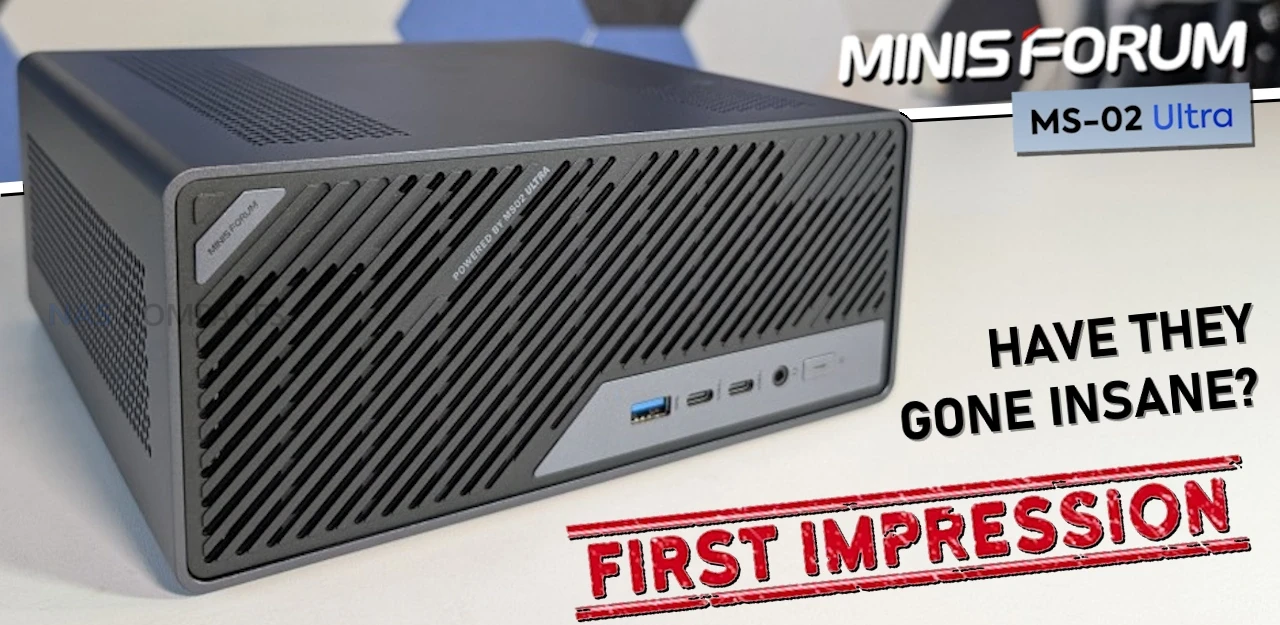
The Minisforum MS-02 Ultra – The First 48 Hours
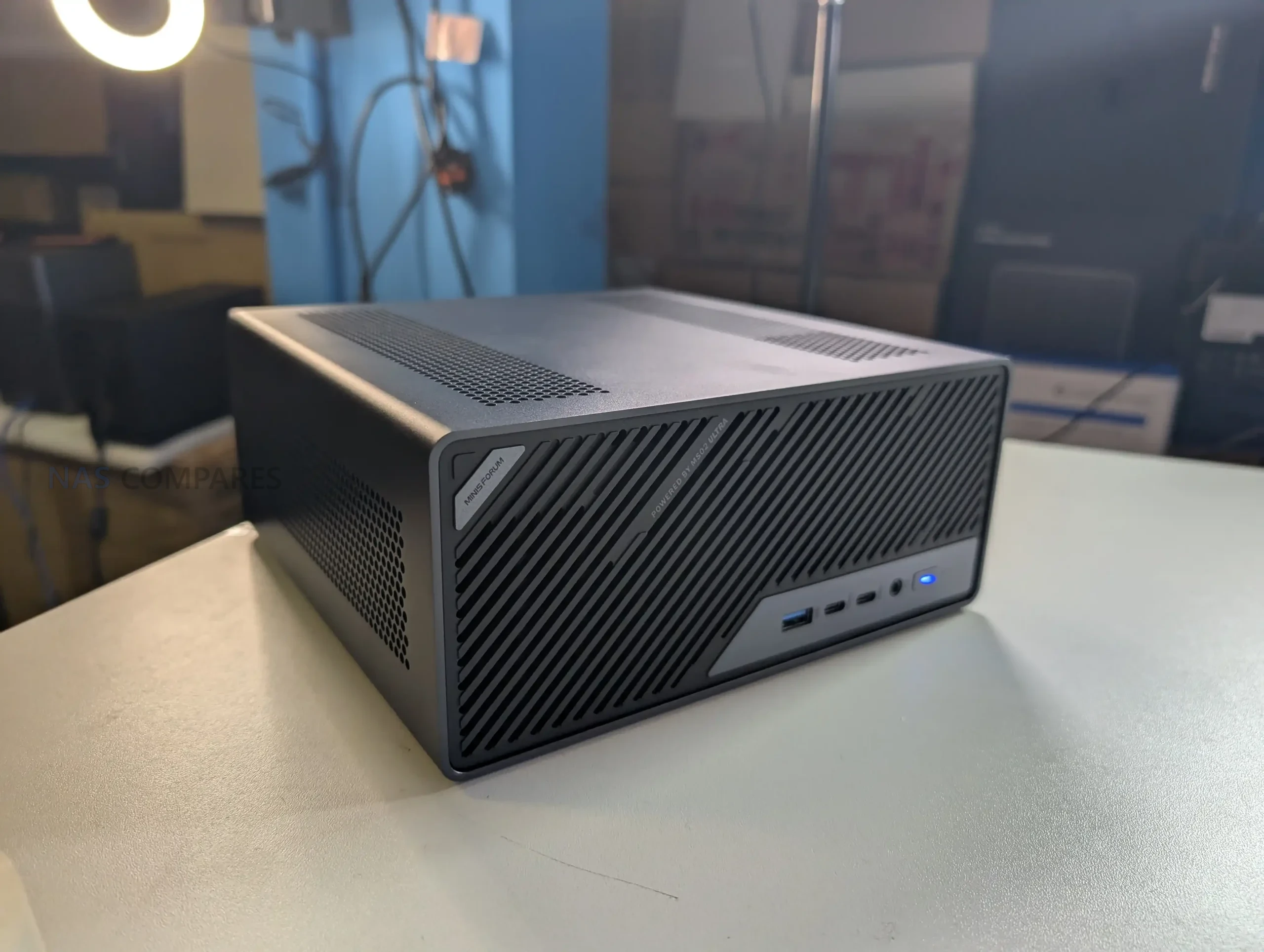
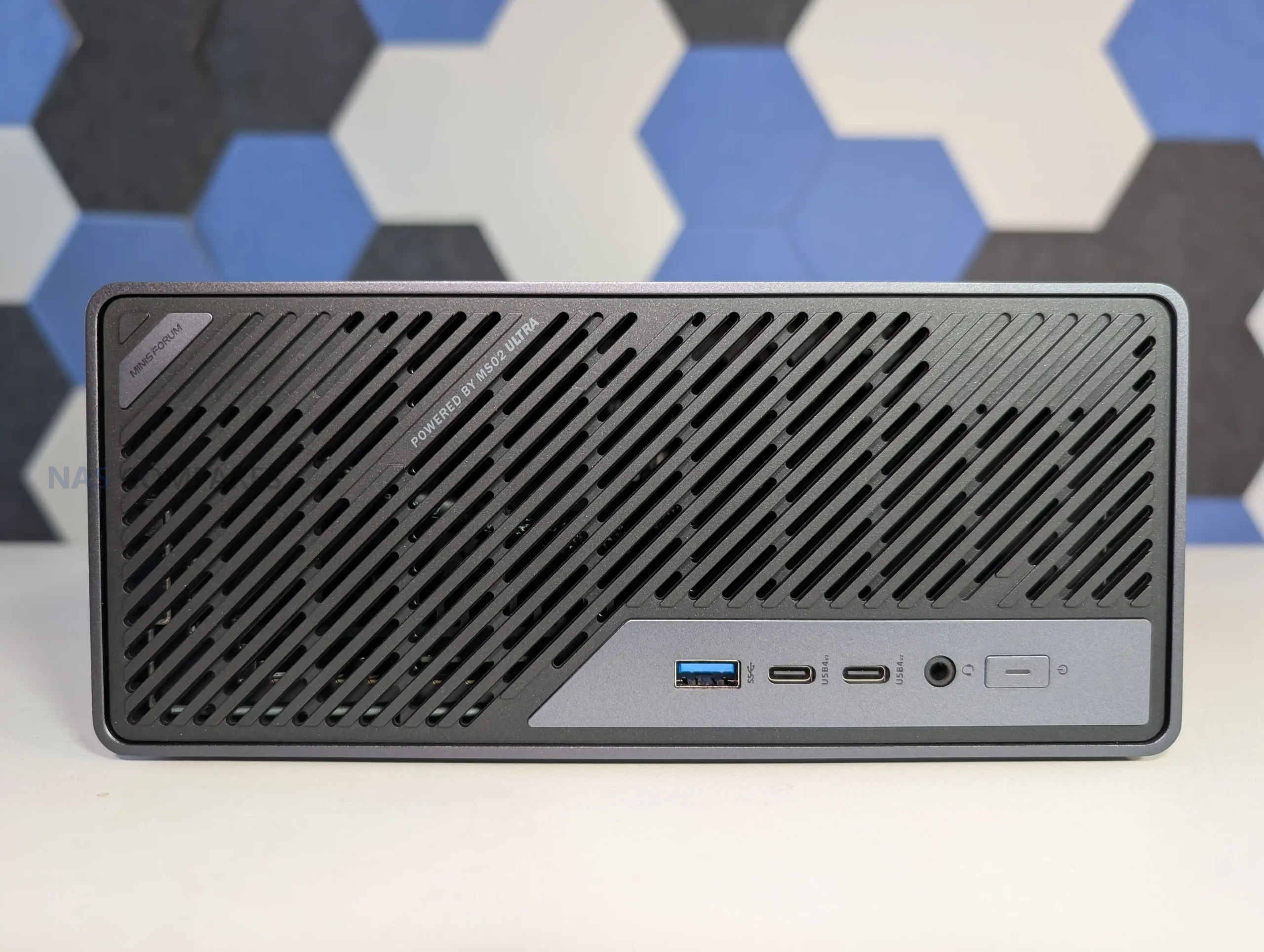
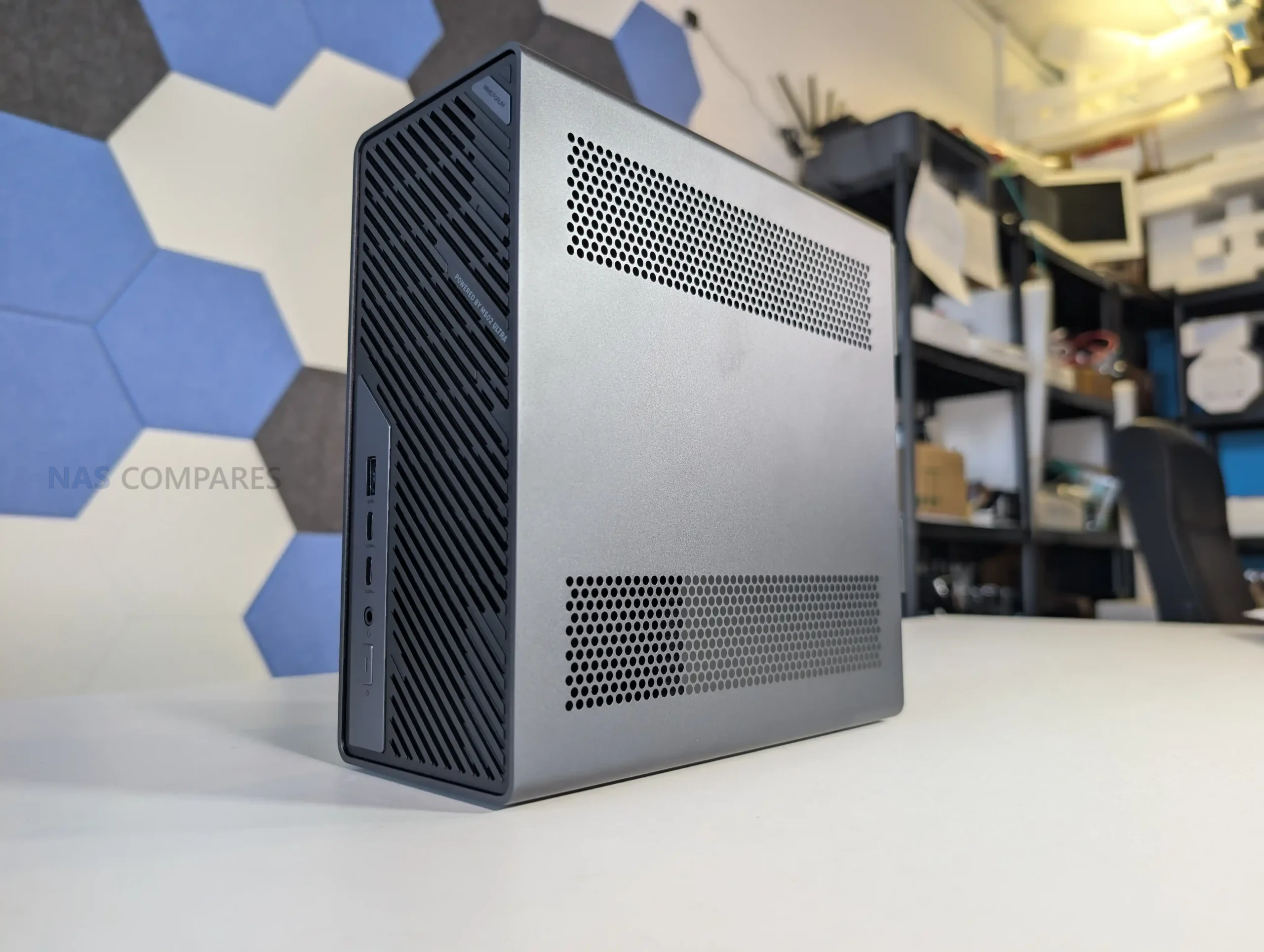
The MS-02 Ultra is the latest workstation from Minisforum, and is currently undergoing testing and review here at NASCompares. However, even after just 48 hours, a whole bunch of interesting design choices and unique qwerks to the arcitecture have emerged that I wanted to cover in the meantime before the full review is complete. The MS-02 Ultra essentially trying to recapture the magic and impact of the incredibly popular MS-01 – and it is attempting this by doubling, trippling and (in some cases) quadrupling the base specifications! The Minisforum MS-02 Ultra arrives as a compact workstation that incorporates a 24-core Intel Core Ultra 9 285HX processor, up to 256 GB of ECC DDR5 memory, internal 350 W power delivery, multiple PCIe expansion options, and a network configuration that includes dual 25GbE, 10GbE, and 2.5GbE. After 48 hours of initial testing, several hardware behaviors have emerged regarding thermals, acoustics, lane distribution, storage configuration, and chassis layout. The following sections outline these early observations, supported by confirmed specifications and hands-on inspection. Stay tuned for the full review, but at least for now, let’s discuss the early highlights and low lights!
| Category | Specification |
|---|---|
| CPU | Intel Core Ultra 9 285HX, 24C/24T, up to 5.5 GHz |
| TDP | 100 W PL1 and 140 W PL2 (without dGPU) |
| Memory | 4x DDR5 SODIMM, up to 256 GB, ECC supported on 285HX |
| Storage | 2x M.2 PCIe 4.0 x4 on board, 2x M.2 PCIe 3.0 x4 or 4.0 x4 on NIC combo card |
| Networking | 2x 25GbE SFP+, 1x 10GbE RJ45, 1x 2.5GbE RJ45 (vPro) |
| Wireless | WiFi 7 and Bluetooth 5.4 |
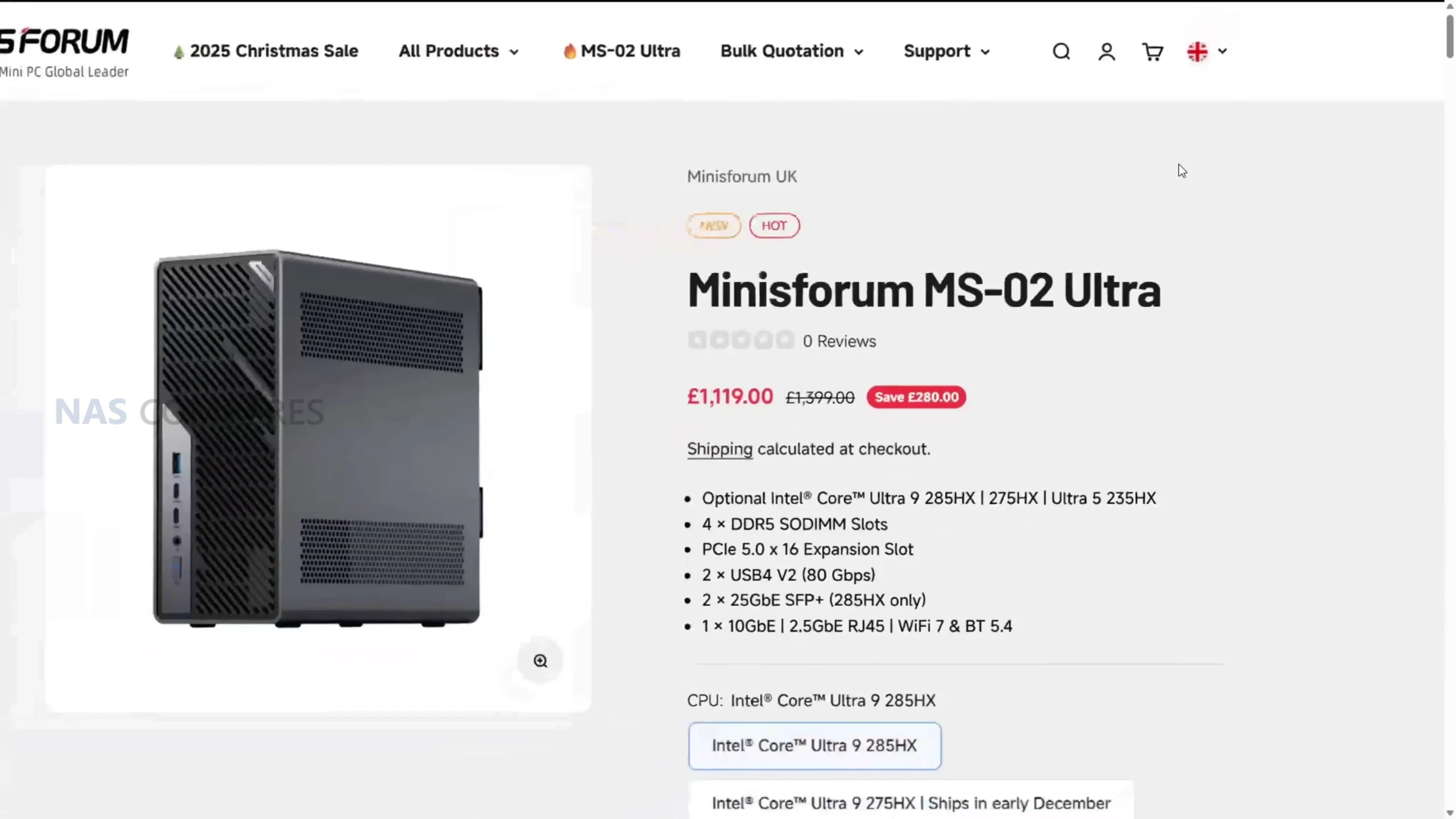
| PCIe Slots | 1x PCIe 5.0 x16, 1x PCIe 4.0 x16, 1x PCIe 4.0 x4 |
| USB Ports | 2x USB4 v2 Type-C, 1x USB4 Type-C, 3x USB-A 10Gbps |
| Video Output | HDMI 2.1 and USB4 DP Alt Mode |
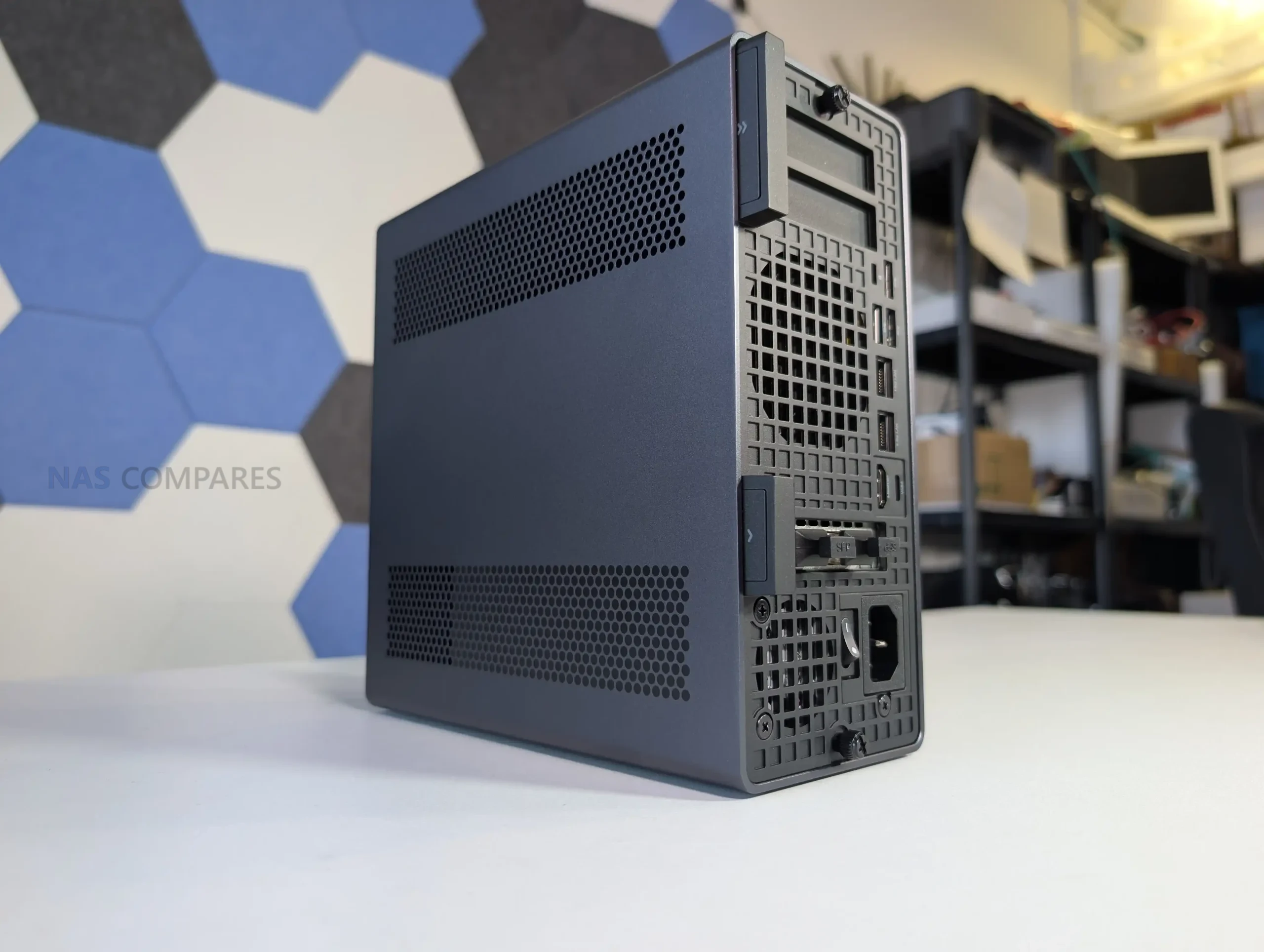
| Cooling | Six heatpipe radiator with PCM and dual-fan chamber |
| Power | Internal 350 W PSU |
| Dimensions | 221.5 x 225 x 97 mm |
| Weight | 3.45 kg |
Design of the MS-02 Ultra
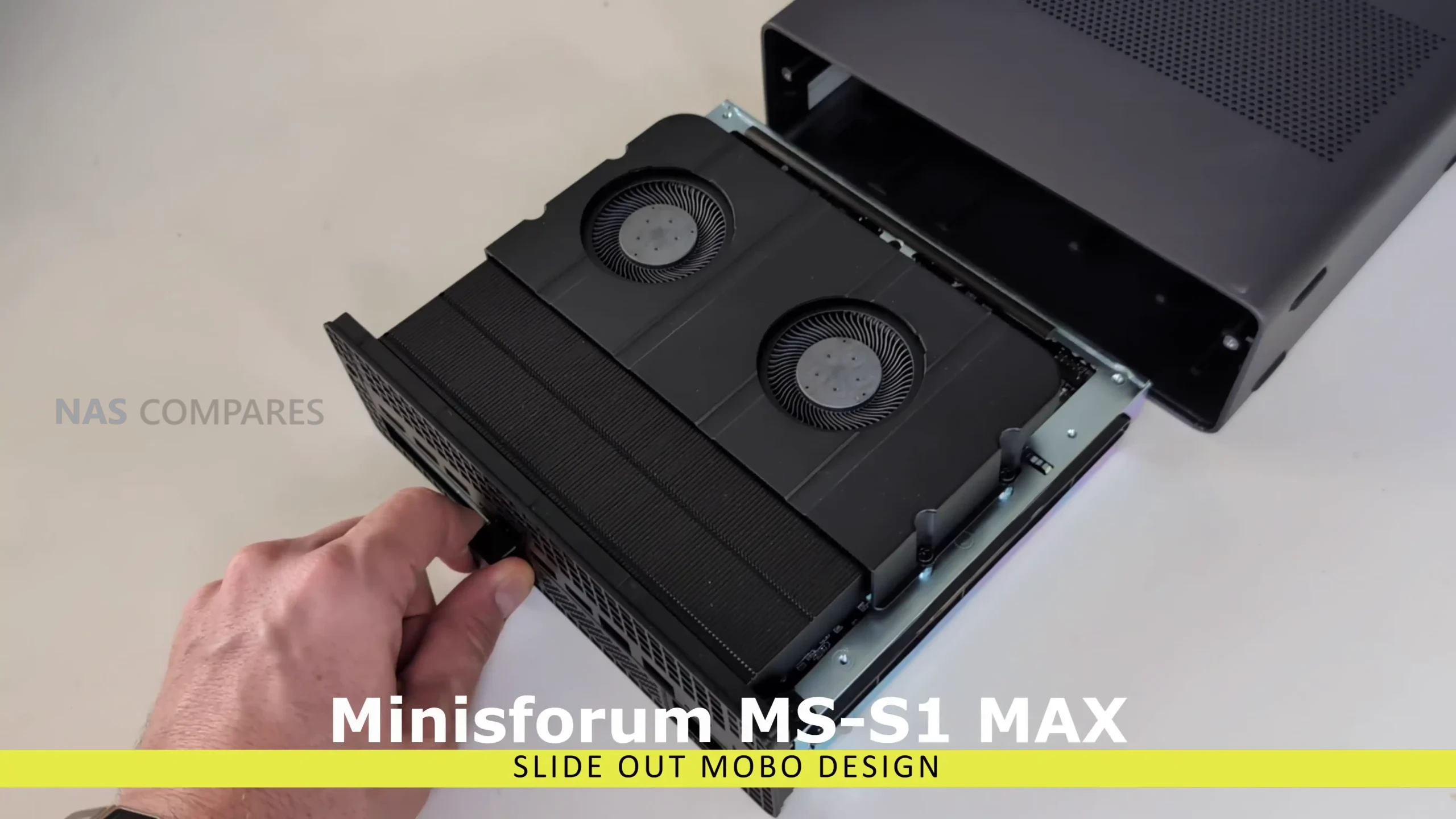
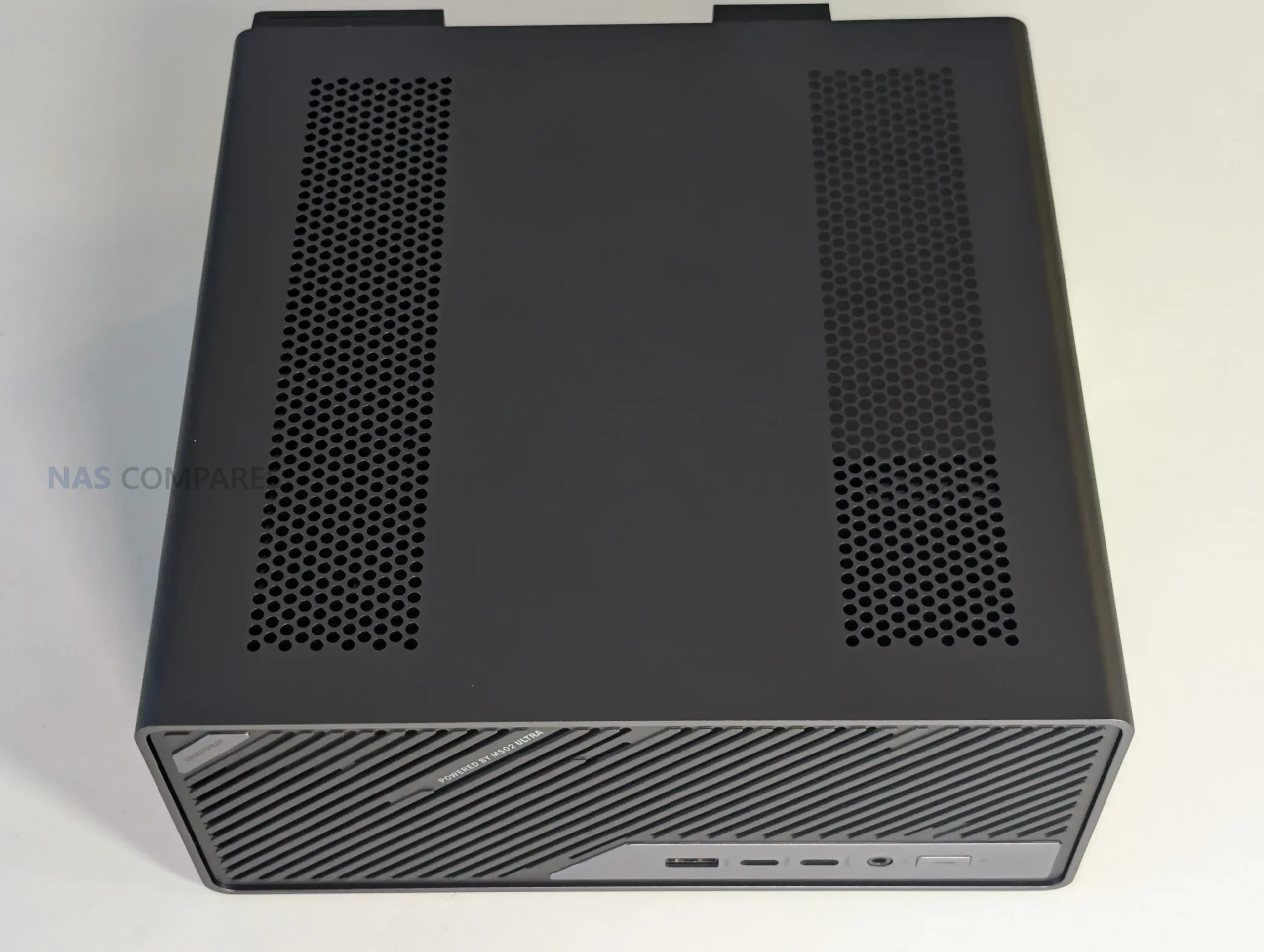
The internal design of the MS-02 Ultra differs considerably from earlier Minisforum workstation models and moves away from the layout used in the MS-S1 Max. Although the system retains a slide-out internal frame, the mechanism is less streamlined than the earlier S-series implementation because of how densely the components are arranged.
 |
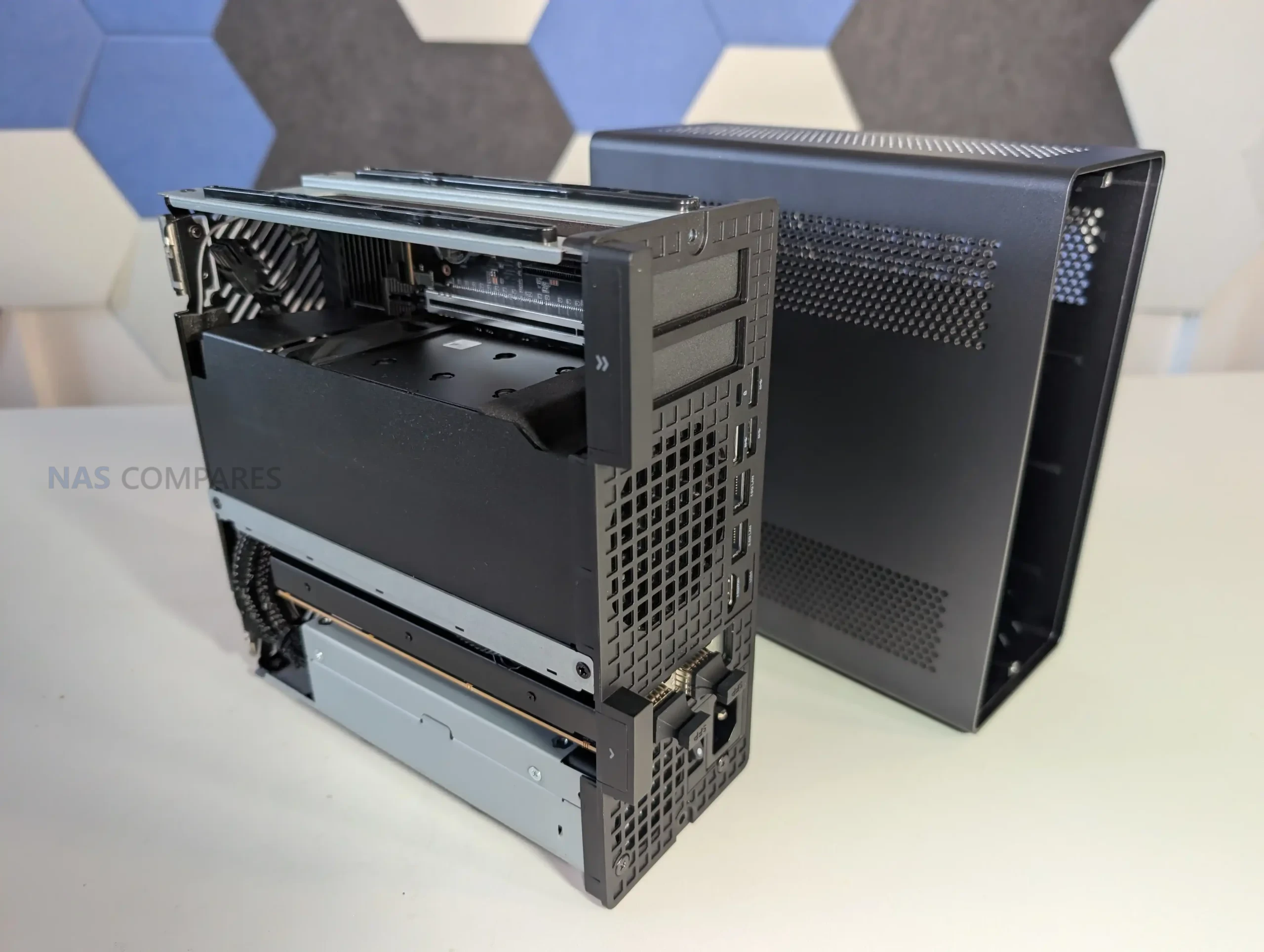 |
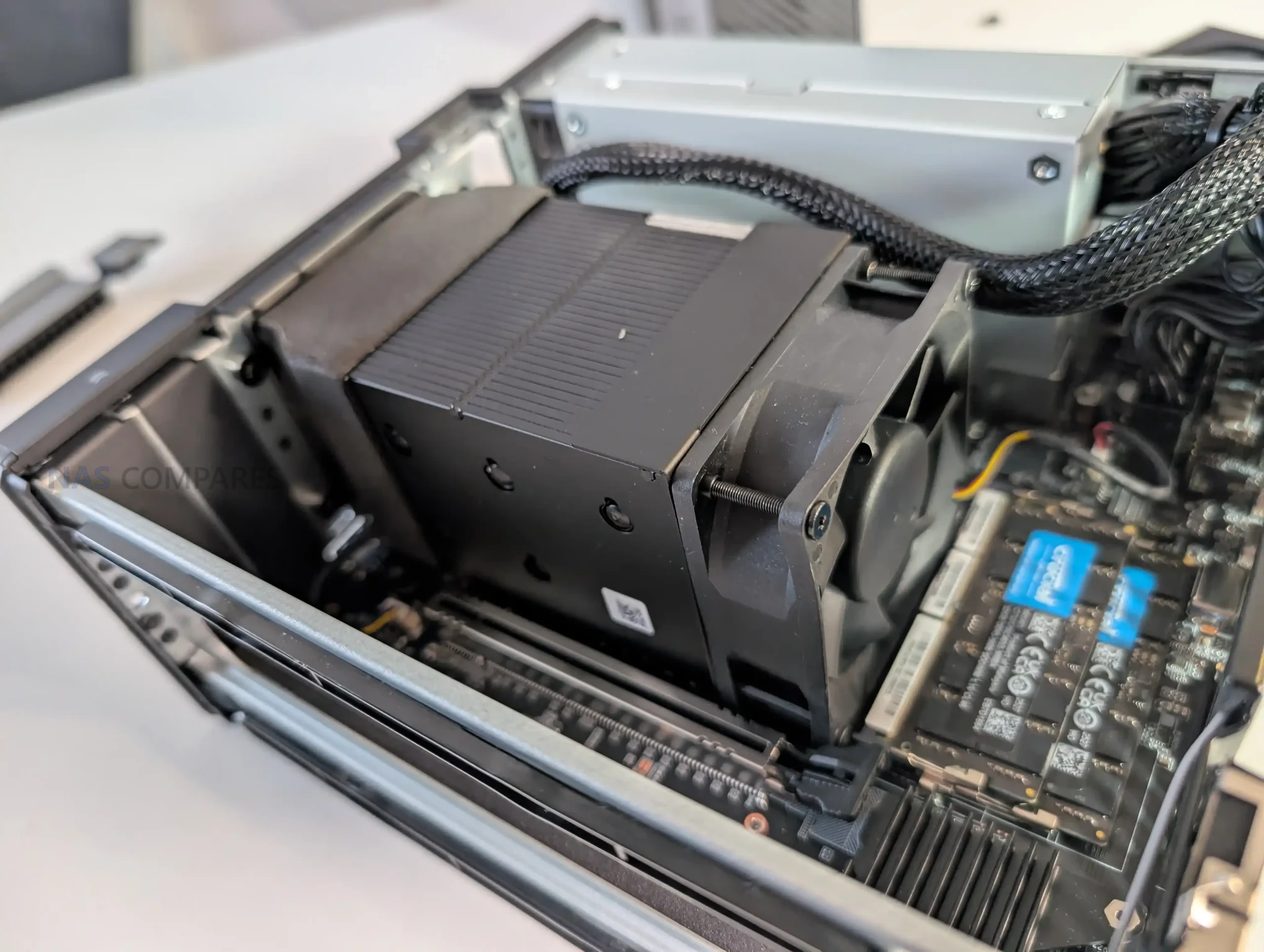
The interior resembles a compressed micro-tower layout, with the CPU cooling assembly, PSU, PCIe risers, and storage positions layered closely together. A dual-fan ventilation chamber spans the frontal section of the chassis, pulling air through a vented intake and directing it across the primary cooling hardware before forcing it out the rear. This arrangement appears to be a necessary response to the higher thermal output of the Ultra 9 285HX and the inclusion of multiple expansion slots, both of which require more directed airflow than Minisforum’s previous compact workstation designs.
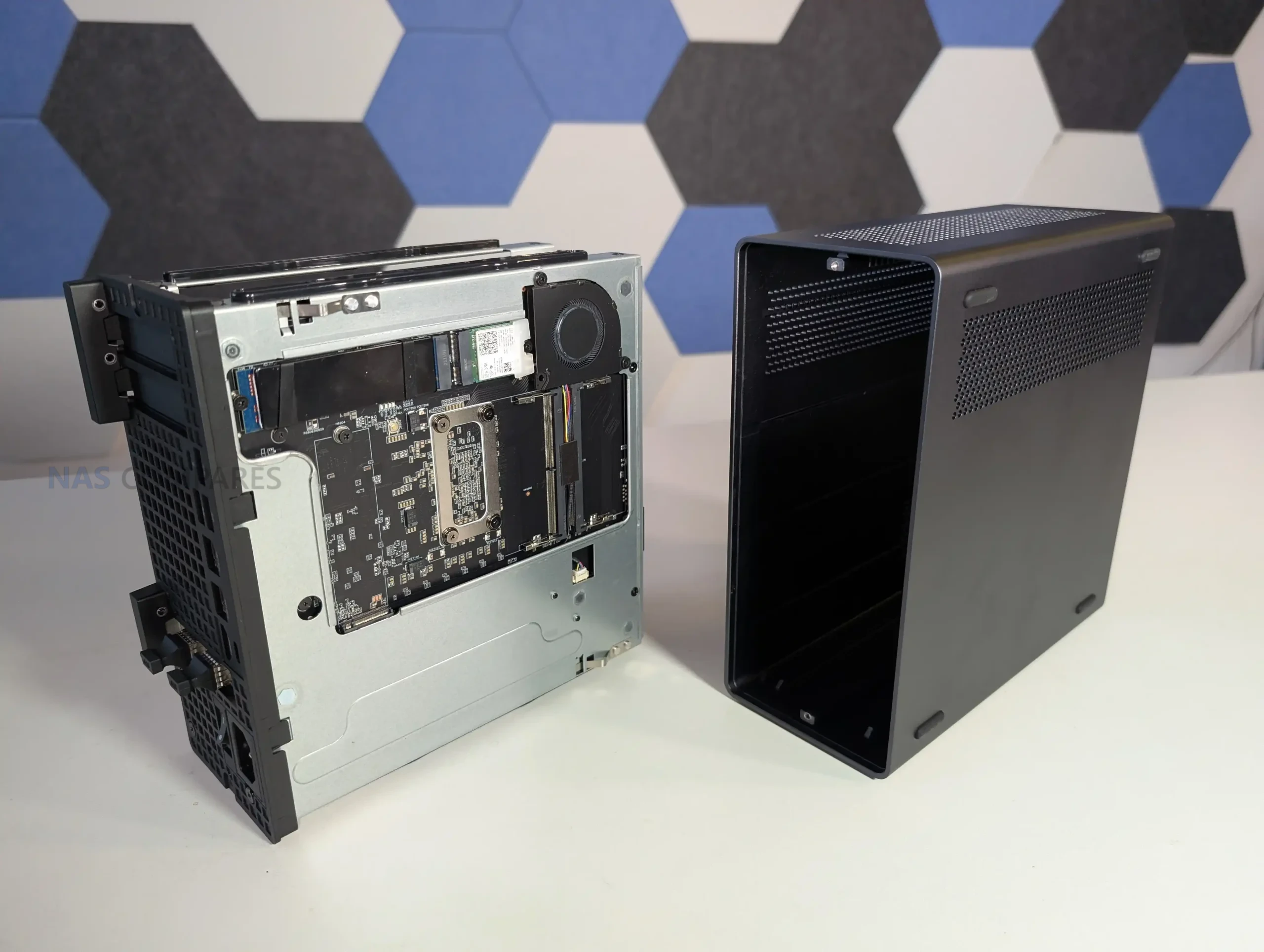
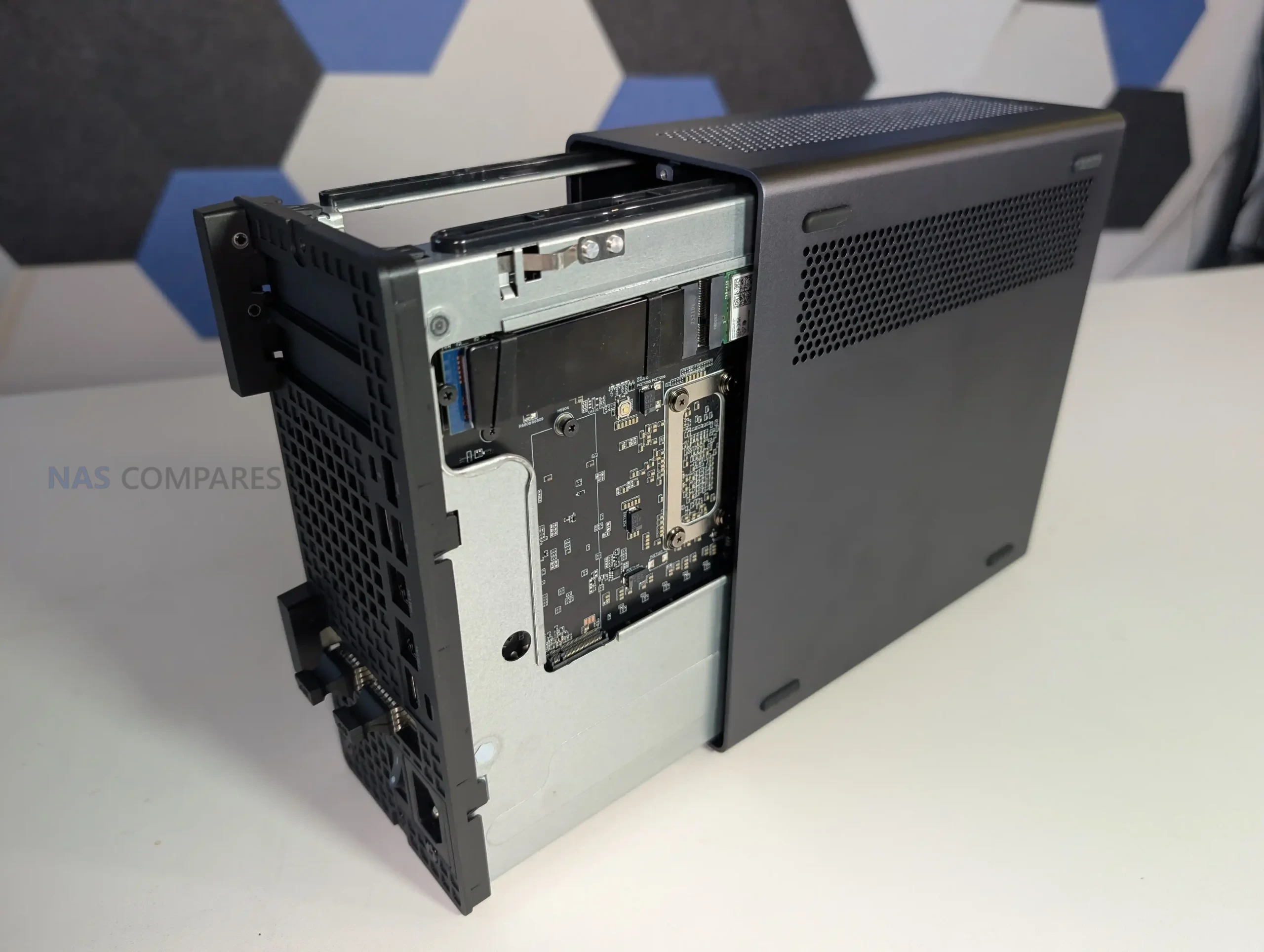
The placement of internal components reflects the limited spatial tolerance of the 4.8-liter enclosure. The internal 350 W PSU occupies a significant section of the lower frame and includes additional power leads intended for low-profile GPU or accelerator cards, something rarely present in machines of this size. The motherboard runs across most of the horizontal section and positions the CPU vapor-chamber cooler toward the middle, while memory slots, NVMe connectors, and the PCIe riser for the combo NIC occupy the remaining pockets of available space.
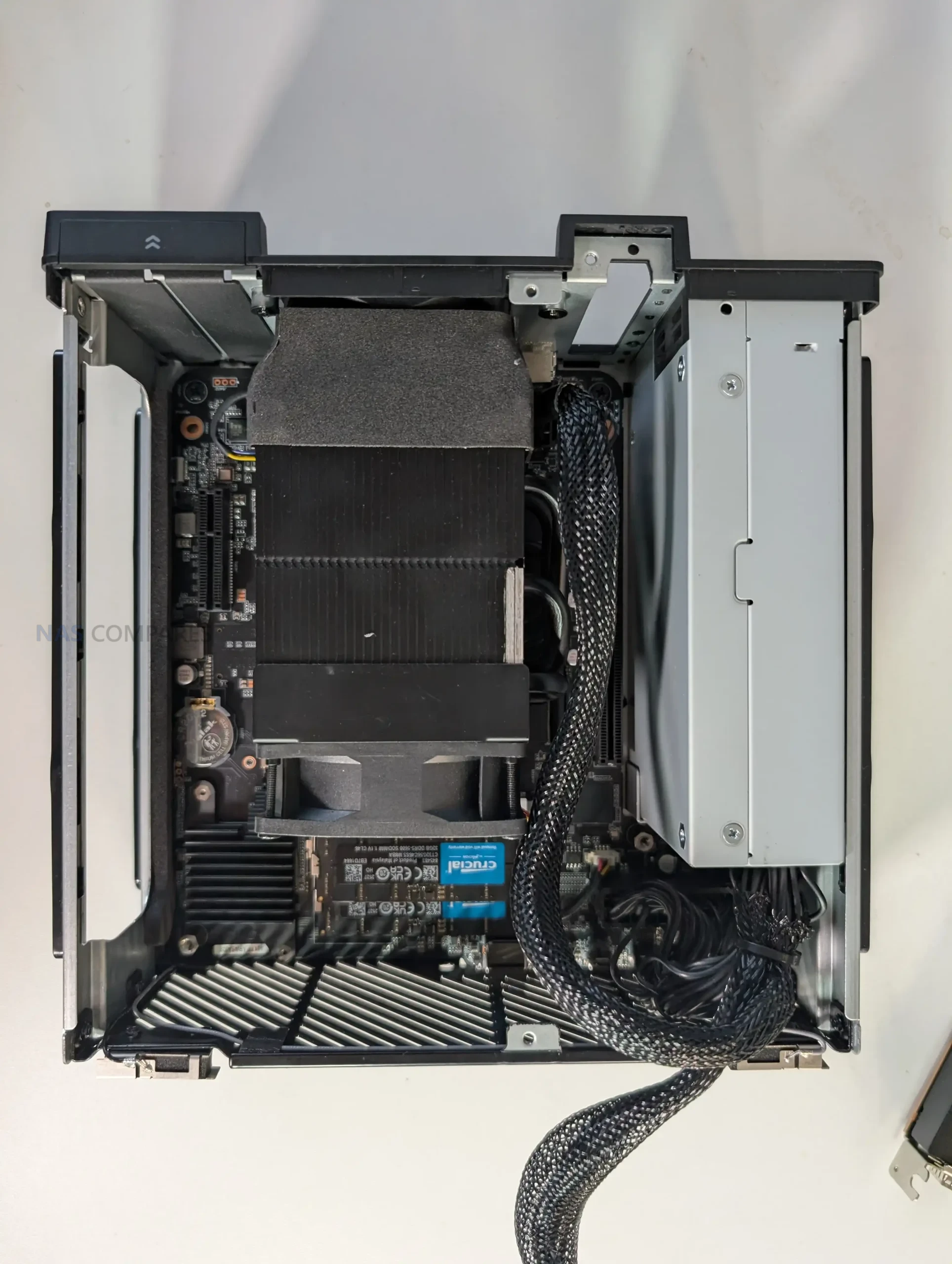
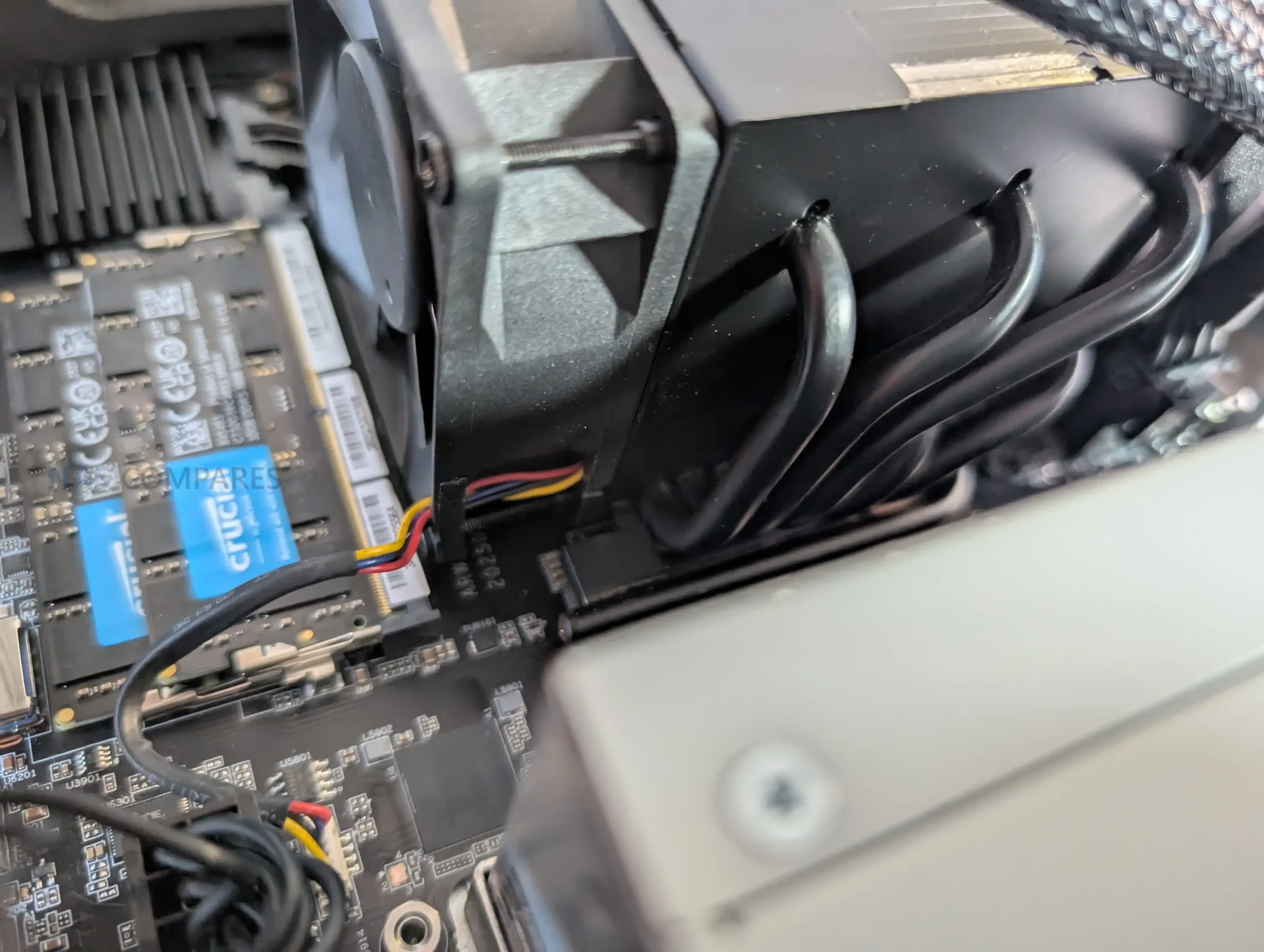
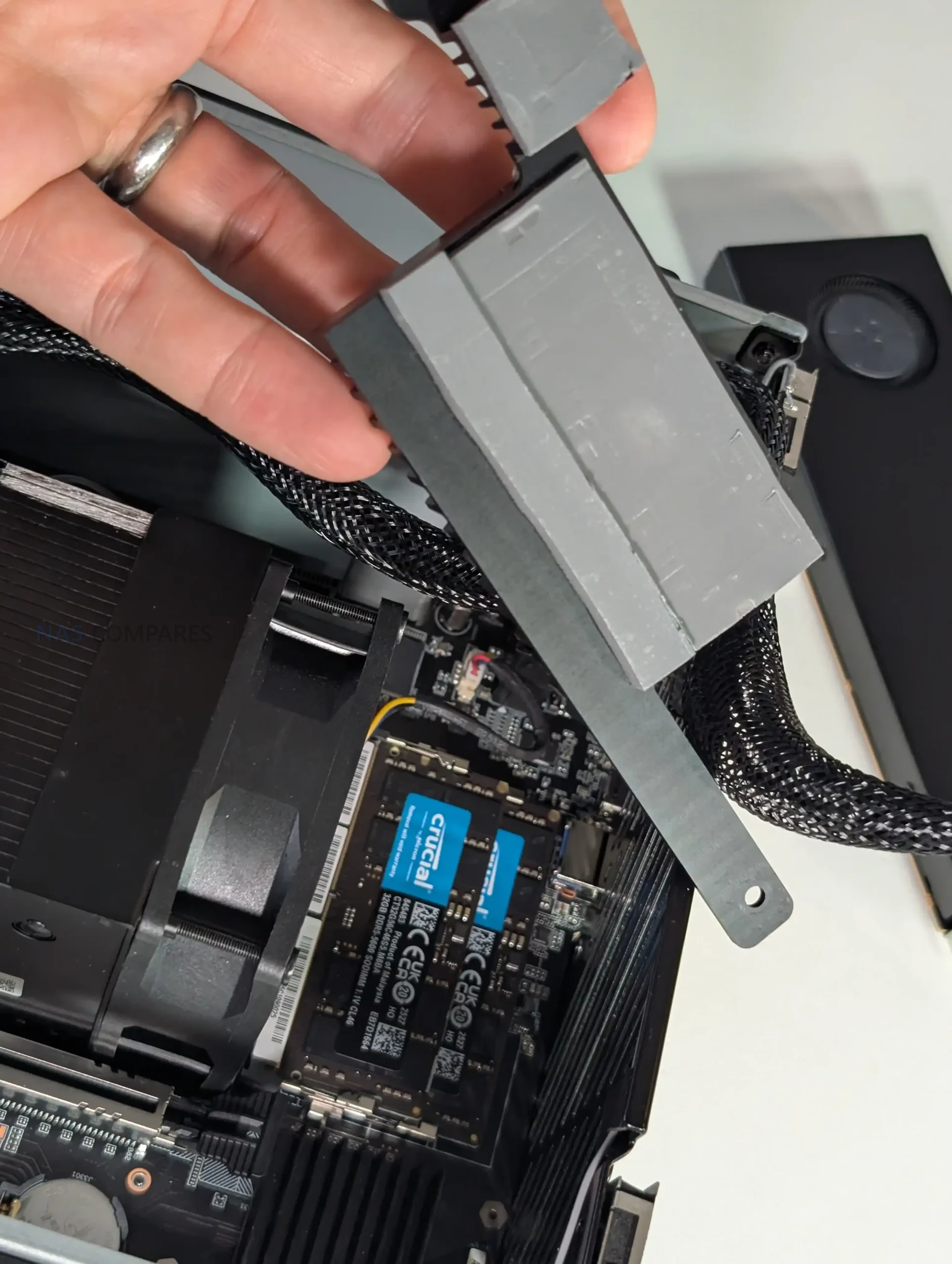
Because cooling pipes and the ventilation housing sit directly above the CPU-side memory slots, Minisforum added a custom angled heatsink to ensure airflow reaches these modules. This results in a serviceable layout but one that requires more deliberate disassembly, as the compact structure prioritizes component density and thermal guidance over ease of access or open internal spacing.
Early Heat, Noise and Power Use of the MS-02 Ultra
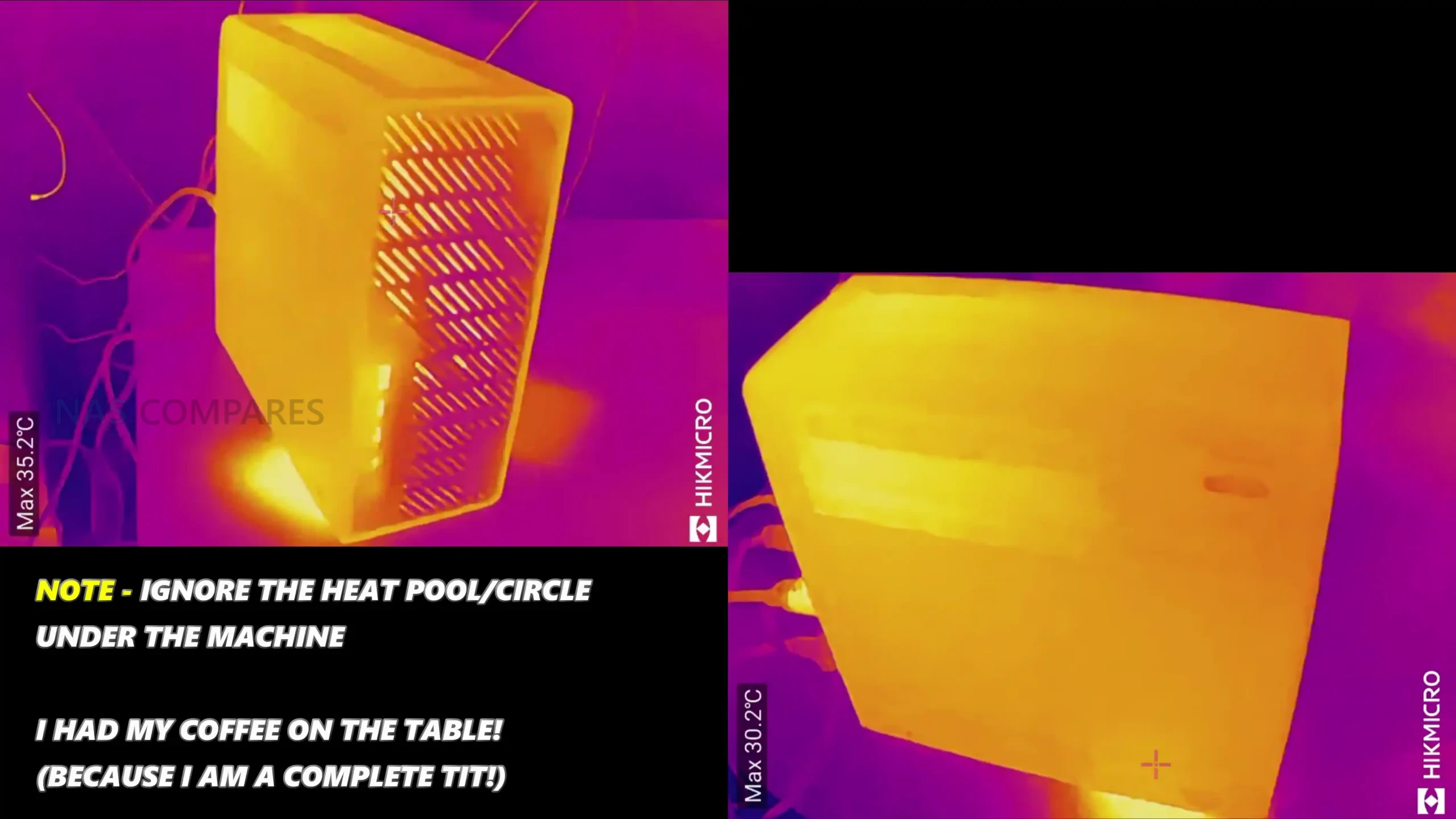
Initial thermal behavior suggests the MS-02 Ultra is managing its compact layout with a cooling strategy built around a dual-fan chamber and a six-heatpipe radiator assisted by phase-change material. During the first setup period, surface temperatures around the chassis varied, with readings near the side ventilation panels and case edges settling around the low-to-mid 40s, while the front intake area measured lower due to the direct airflow path.
 |
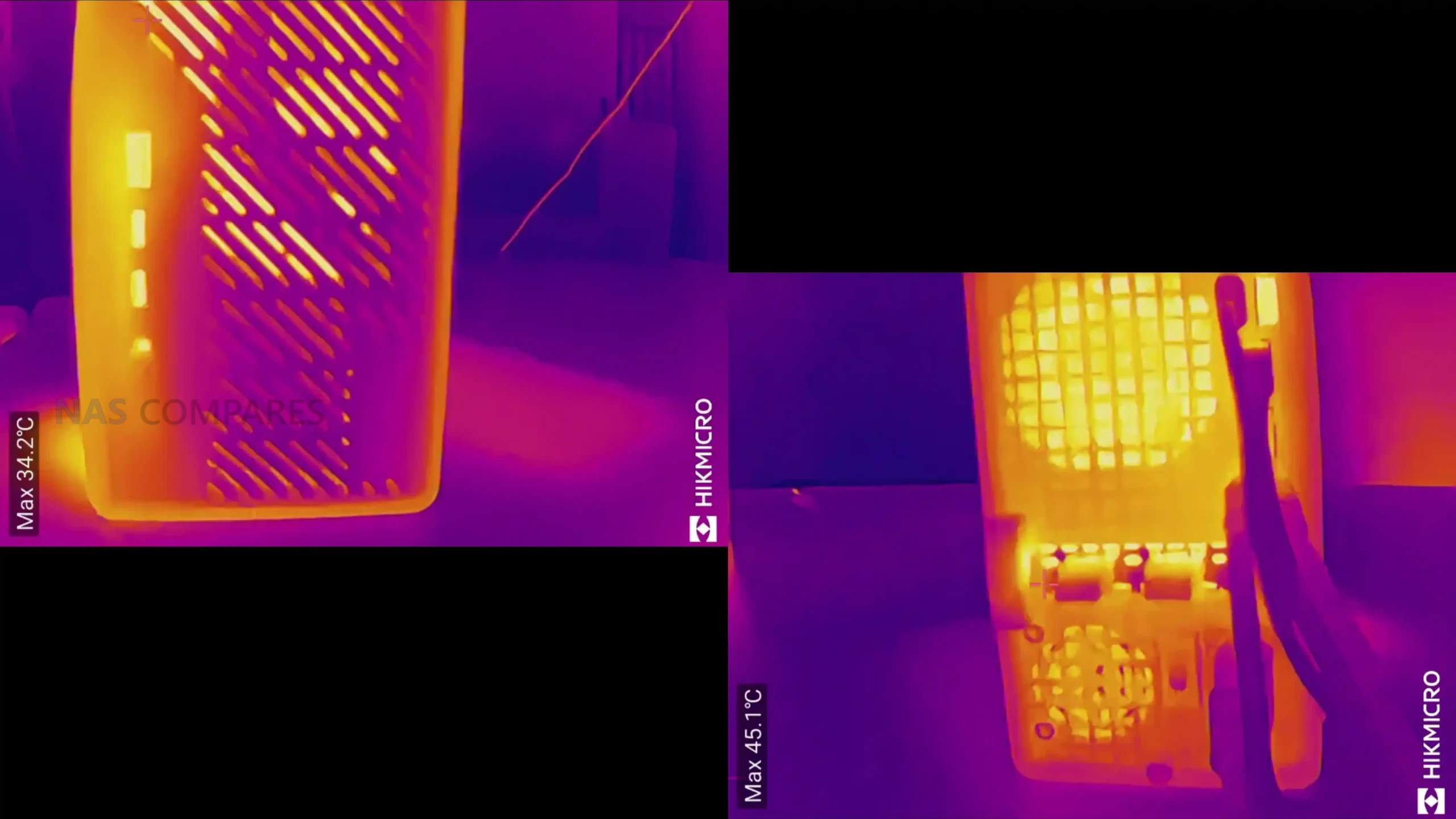 |
Early internal temperature checks, taken before any sustained workloads were applied, showed values consistent with a system that is heavily packed but actively cooled across multiple zones. These readings align with Minisforum’s stated 5000 RPM maximum fan speed and the intention to maintain a 100 W to 140 W CPU power envelope depending on configuration. However, because these measurements were taken during routine preparation rather than stress testing, they provide only a preliminary indication of how the system will manage long-duration loads.
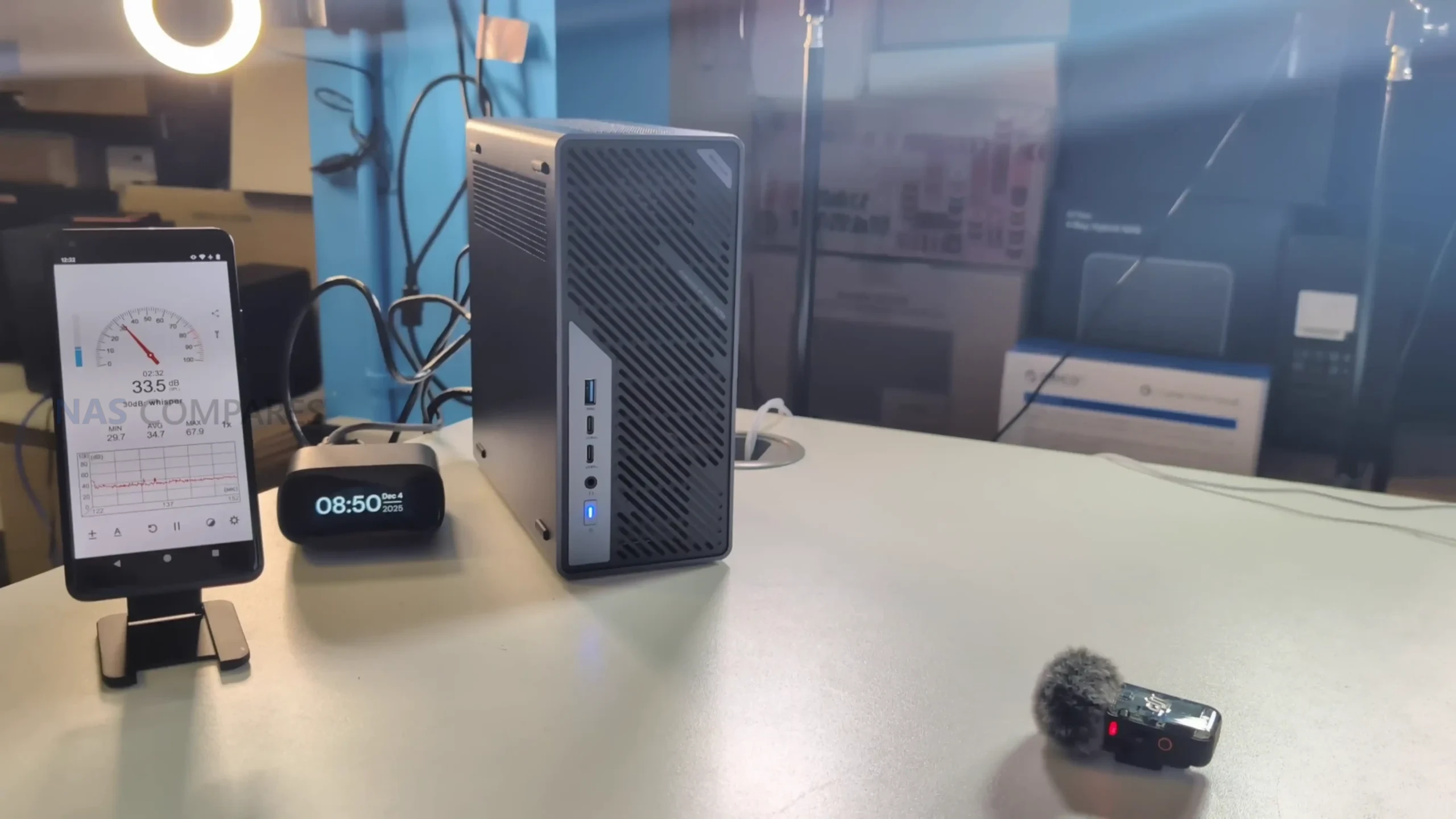
Noise levels during this early period ranged from the low 30s dBA while performing software installations and background operations, with no significant fluctuations unless brief bursts of activity occurred. This behavior suggests fan control may be tied primarily to BIOS-level thermal triggers rather than granular OS-side control, something that will require further testing.
 |
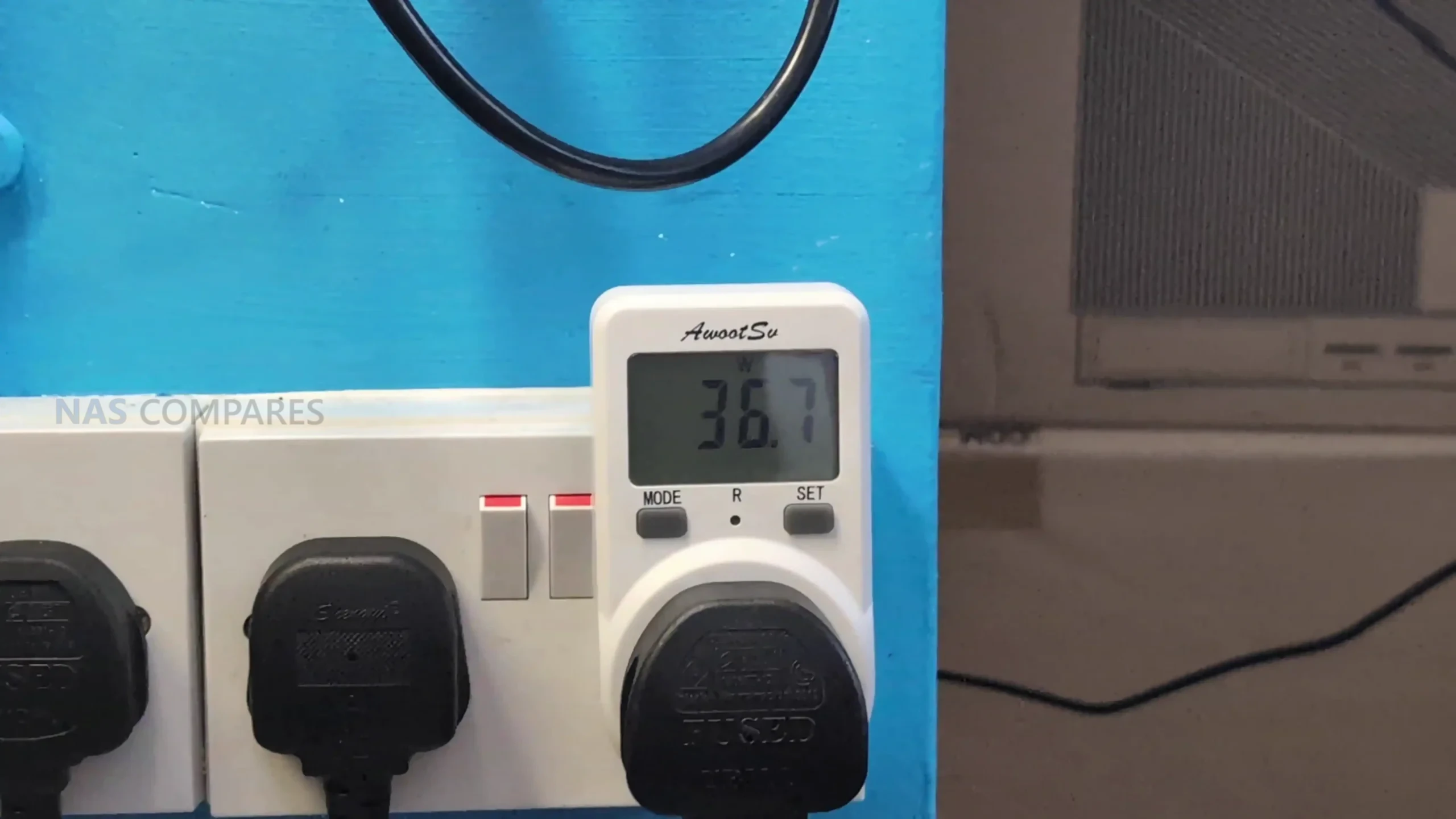 |
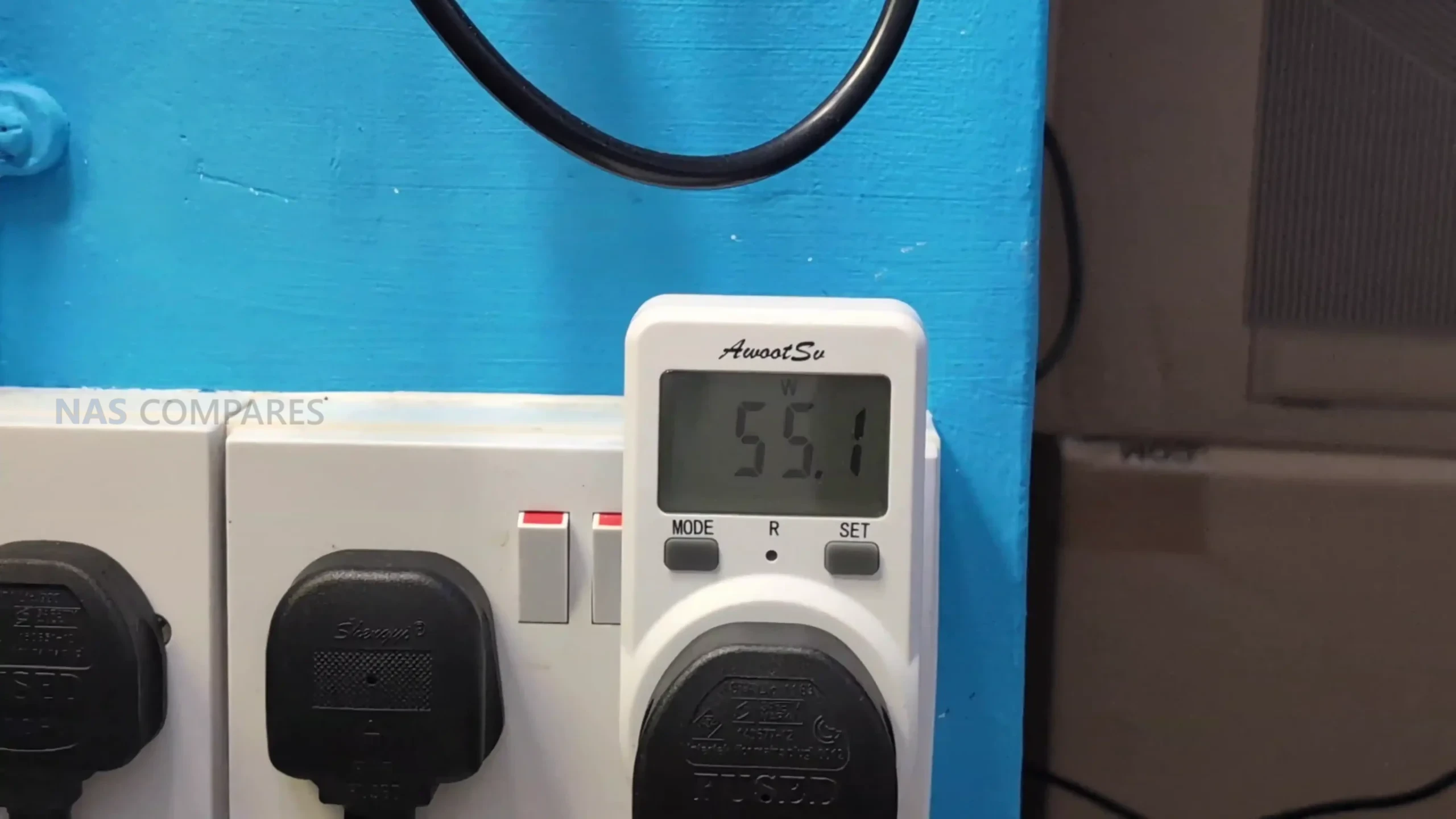
Power consumption during light activity remained in the 50 to 60 W range, which is consistent with a workstation-class system running the Ultra 9 285HX while idle or handling moderate foreground tasks. Removing the dual-25GbE combo card or disabling its slot reduced power draw by roughly 10 to 11 W, highlighting the overhead associated with multi-lane NICs and onboard controllers. These early figures provide a baseline for comparison against heavier benchmarks that will be performed in the full review.
The 25GbE, 10GbE and WiFi 7 Network Card in the MS-02 Ultra
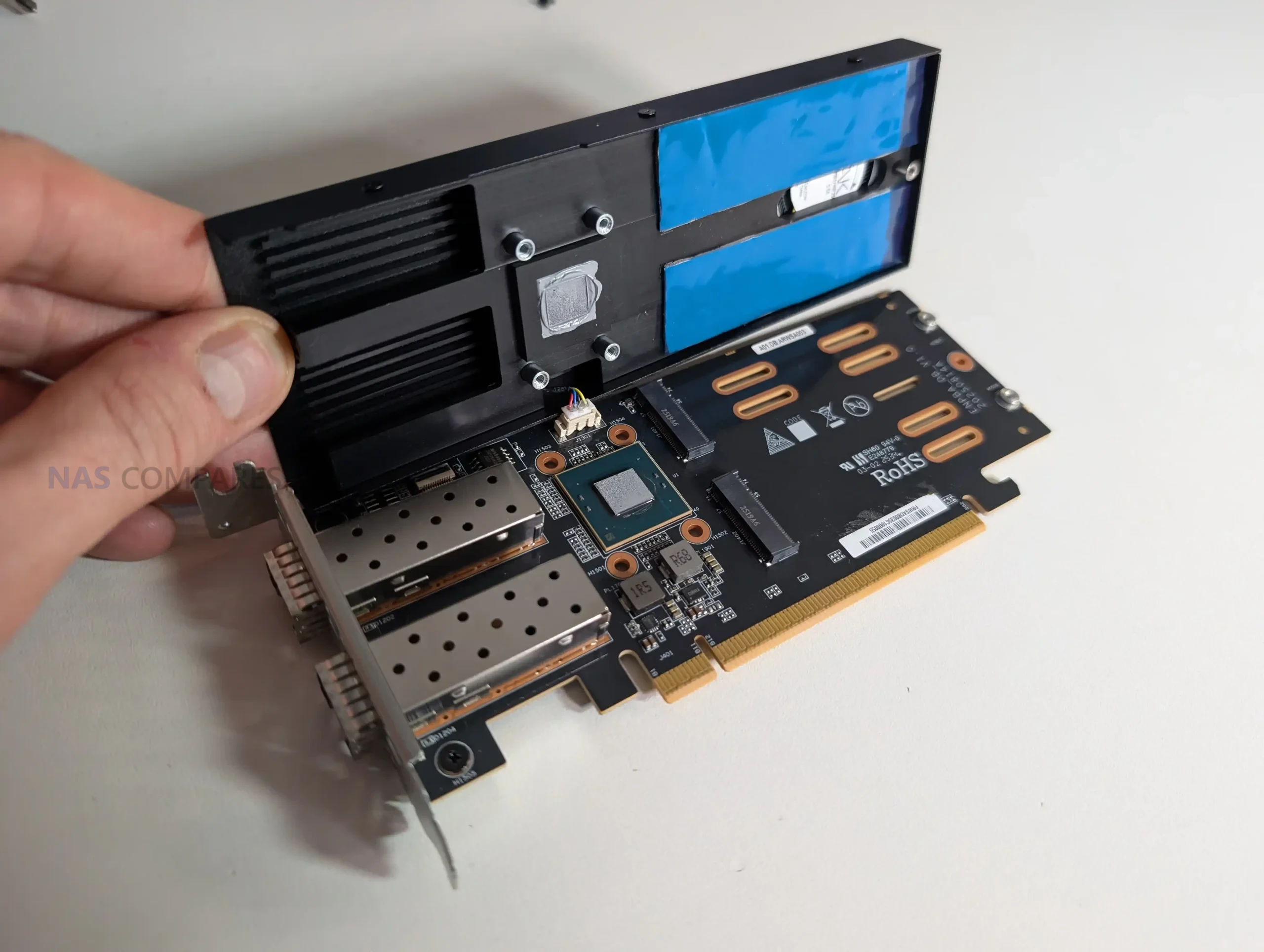
The MS-02 Ultra’s networking implementation is centered around a PCIe-based combo card that integrates dual 25GbE SFP+ ports with two additional M.2 NVMe slots. This card is installed in the PCIe 4.0 x16 position rather than the PCIe 5.0 slot, and it includes a dedicated controller with active cooling and heatsinks that cover both the networking and storage components.
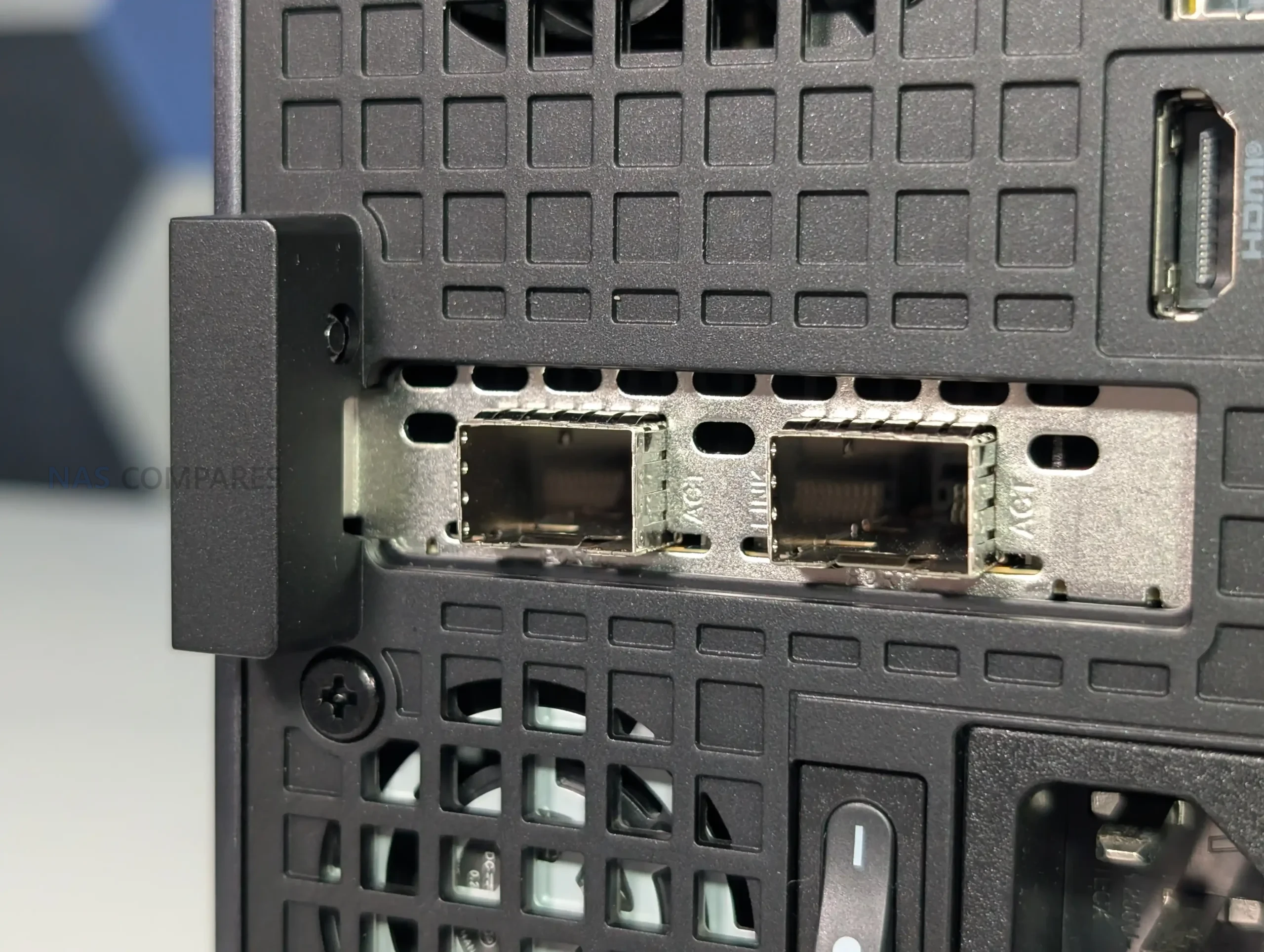
Early inspection shows the card draws a notable amount of power, which corresponds with the increased thermal and electrical requirements of Intel’s E810-class 25GbE controllers. Because of this, Minisforum’s inclusion of dedicated airflow and structural reinforcement around the card is necessary within the constrained 4.8-liter chassis. The presence of this dual-purpose add-in card also means the MS-02 Ultra’s total NVMe count depends on whether the system is configured with the 285HX version, as the lower-tier CPUs remove the combo module entirely.
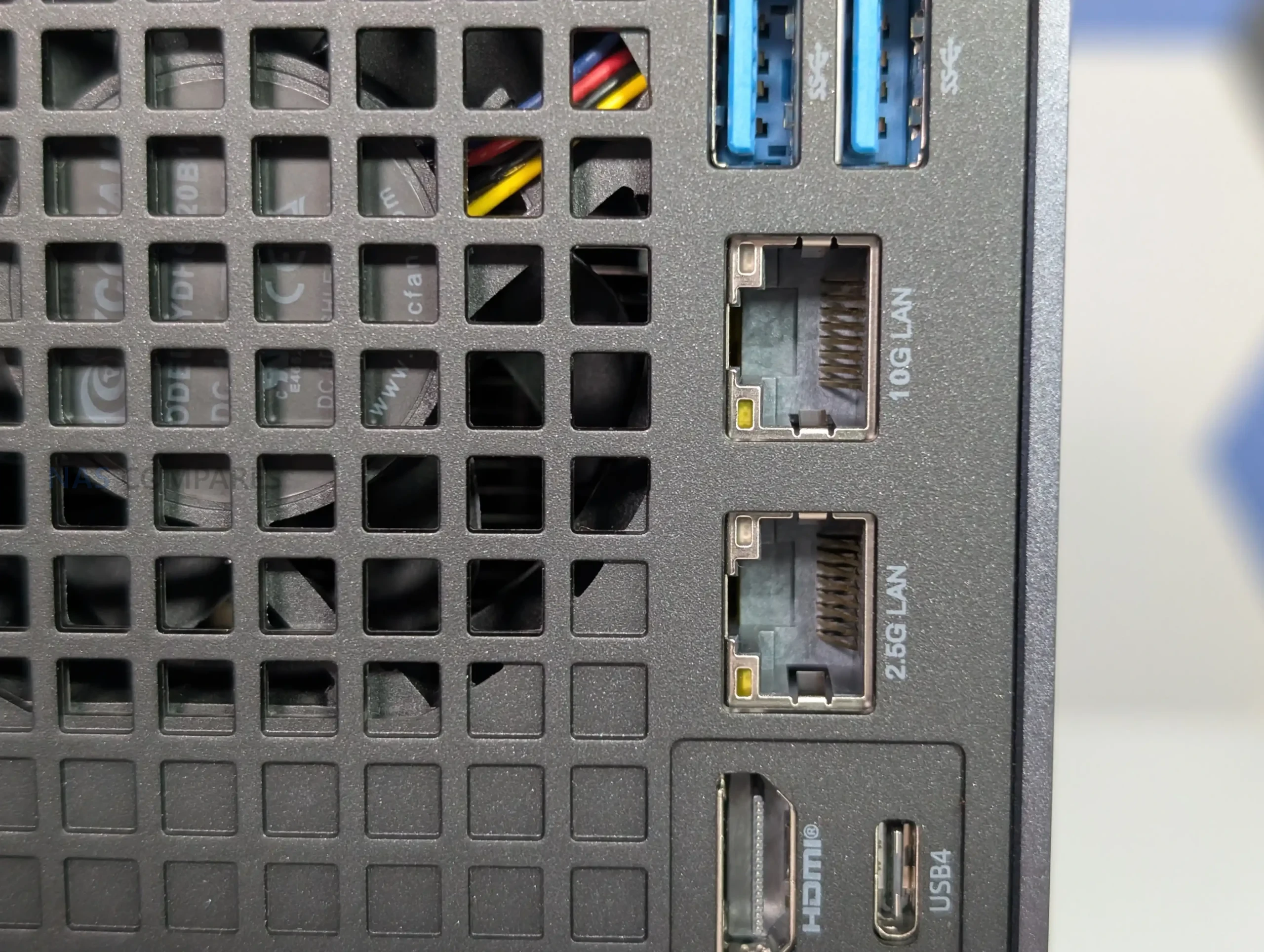
Beyond the 25GbE configuration, the system includes onboard 10GbE and 2.5GbE RJ45 ports, the latter supported by Intel’s i226-LM with vPro capabilities, allowing BIOS-level remote management. The combination of high-speed SFP+, copper-based multi-gigabit ports, and embedded management options positions the system for lab, server, or virtualization roles rather than conventional desktop use.
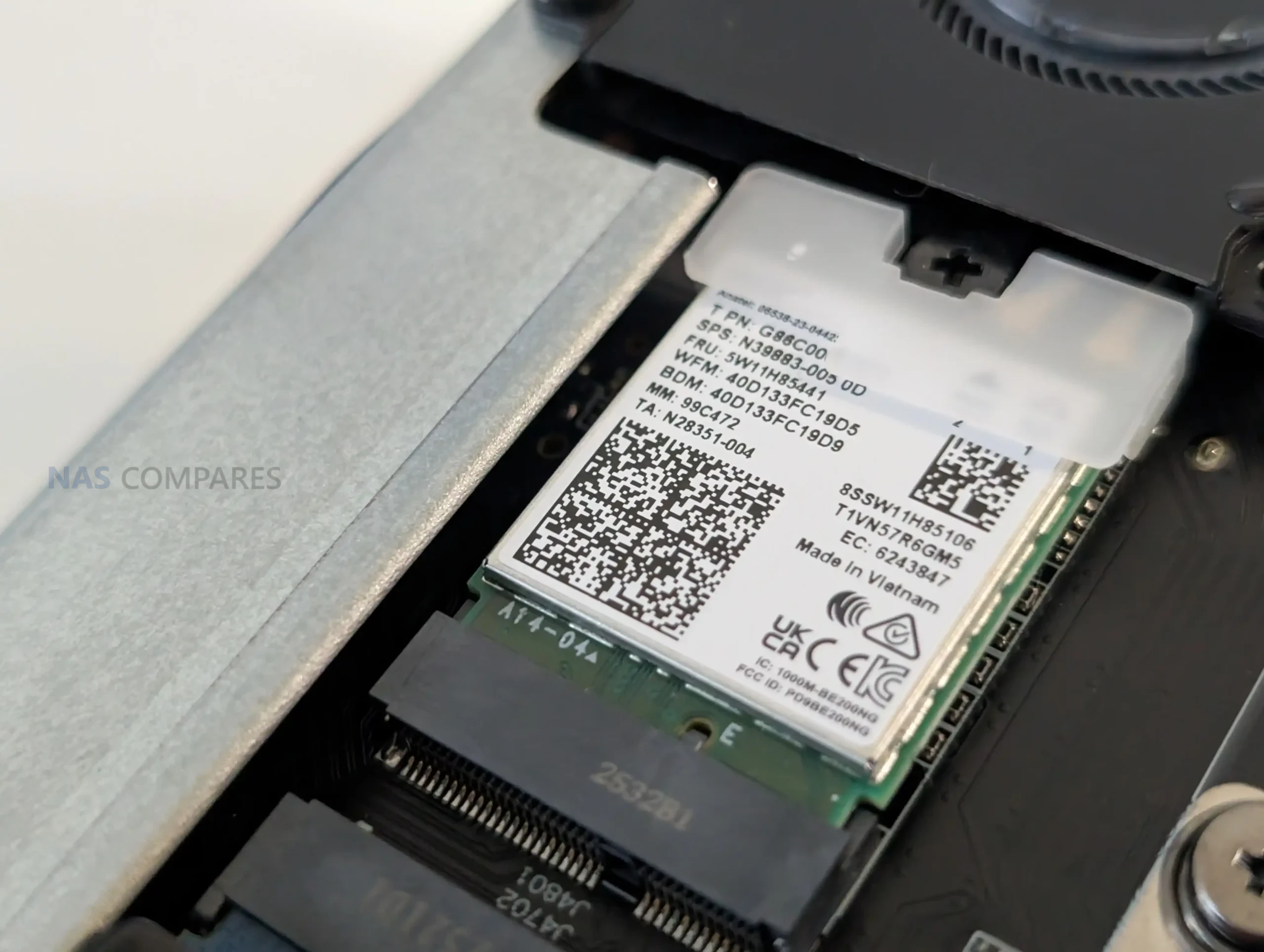
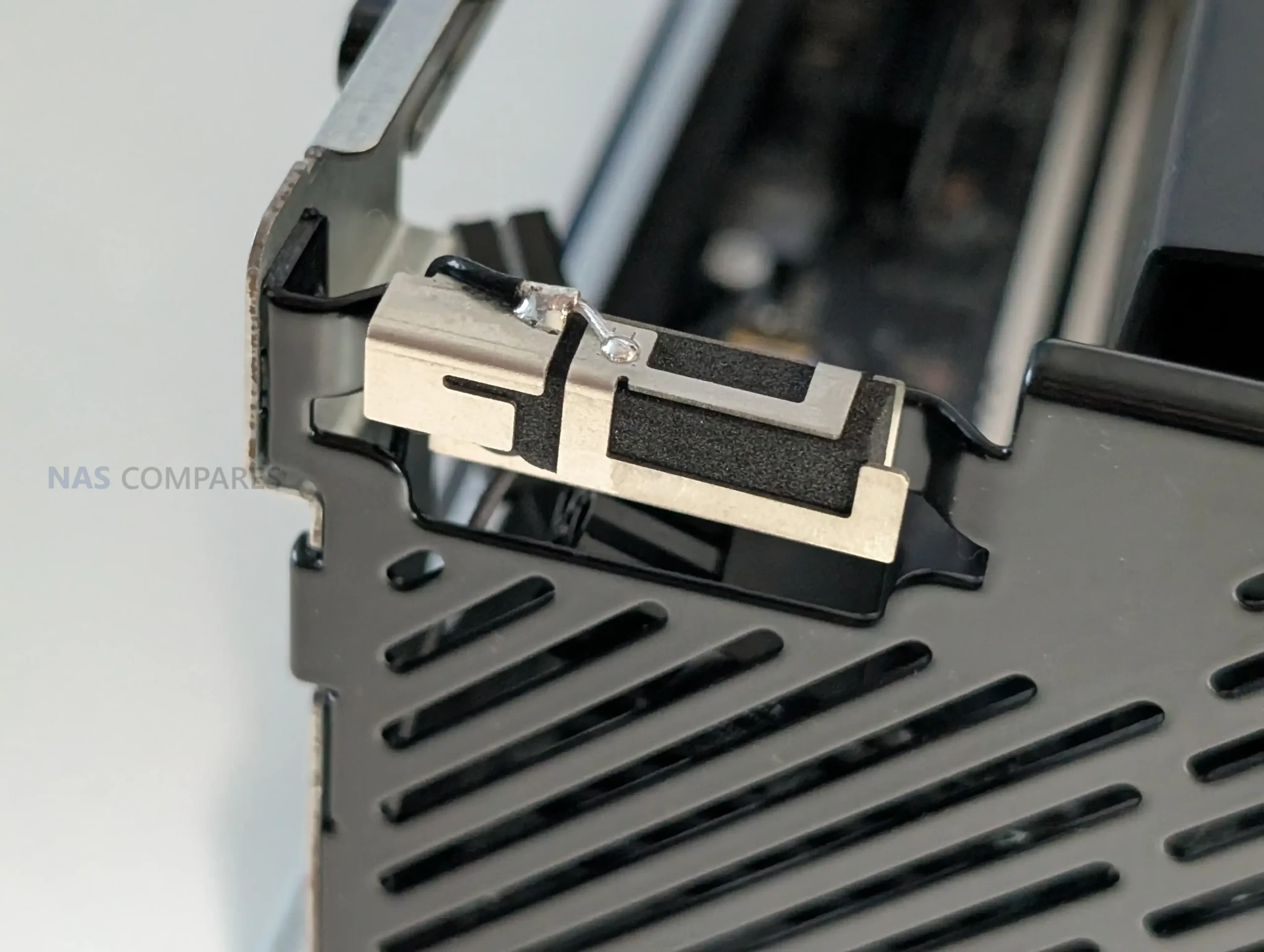
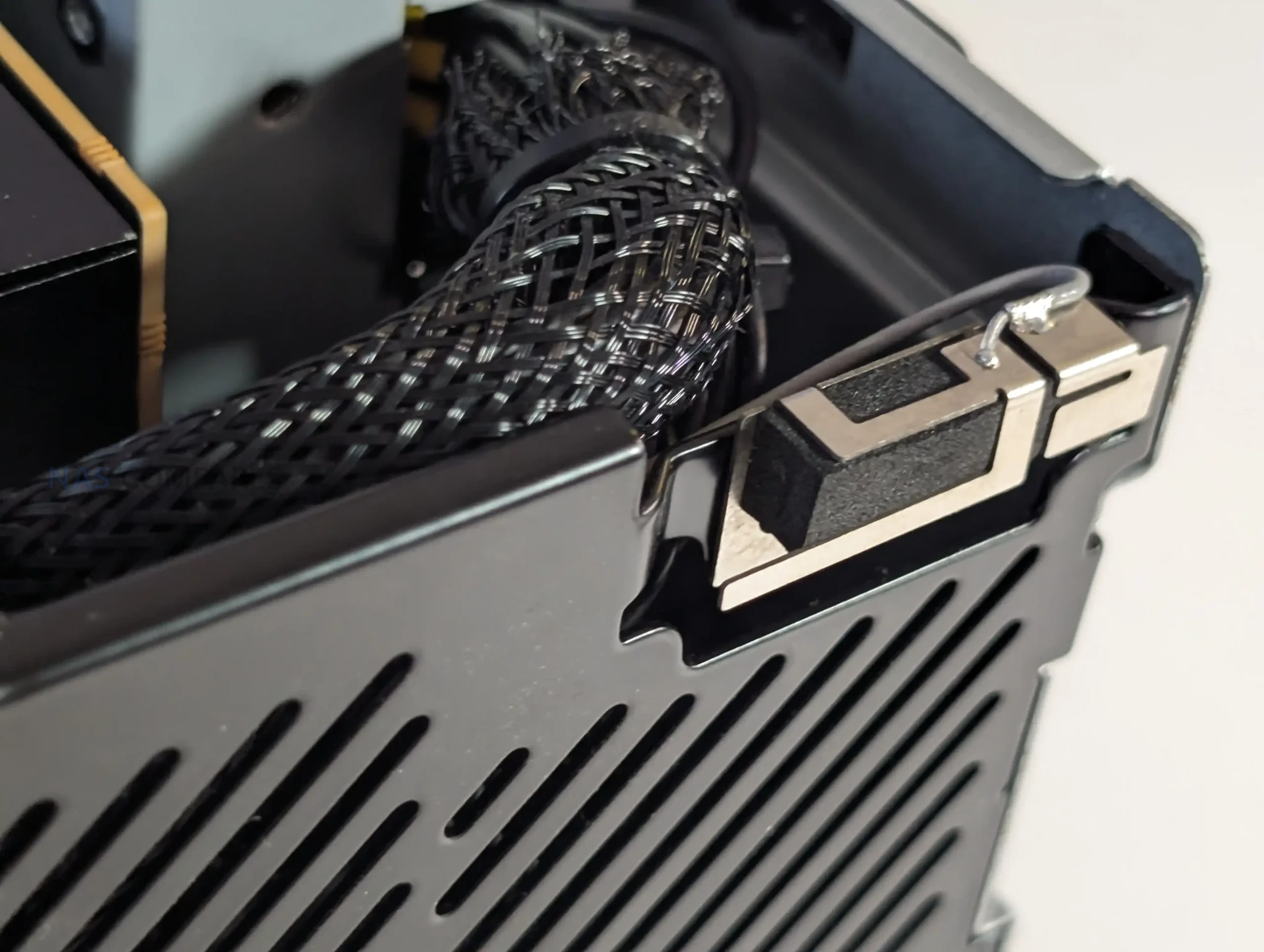
Wireless capability is supplied via a WiFi 7 and Bluetooth 5.4 module connected through an M.2 E-Key slot, providing high-throughput wireless performance alongside its wired interfaces. Together, these connectivity features expand the system’s potential use cases, particularly for users planning to deploy virtualized environments or bandwidth-intensive tasks such as shared storage testing or multi-system clustering.
 |
|
 |
 |
How m.2 Storage on the MS-02 Ultra is Done
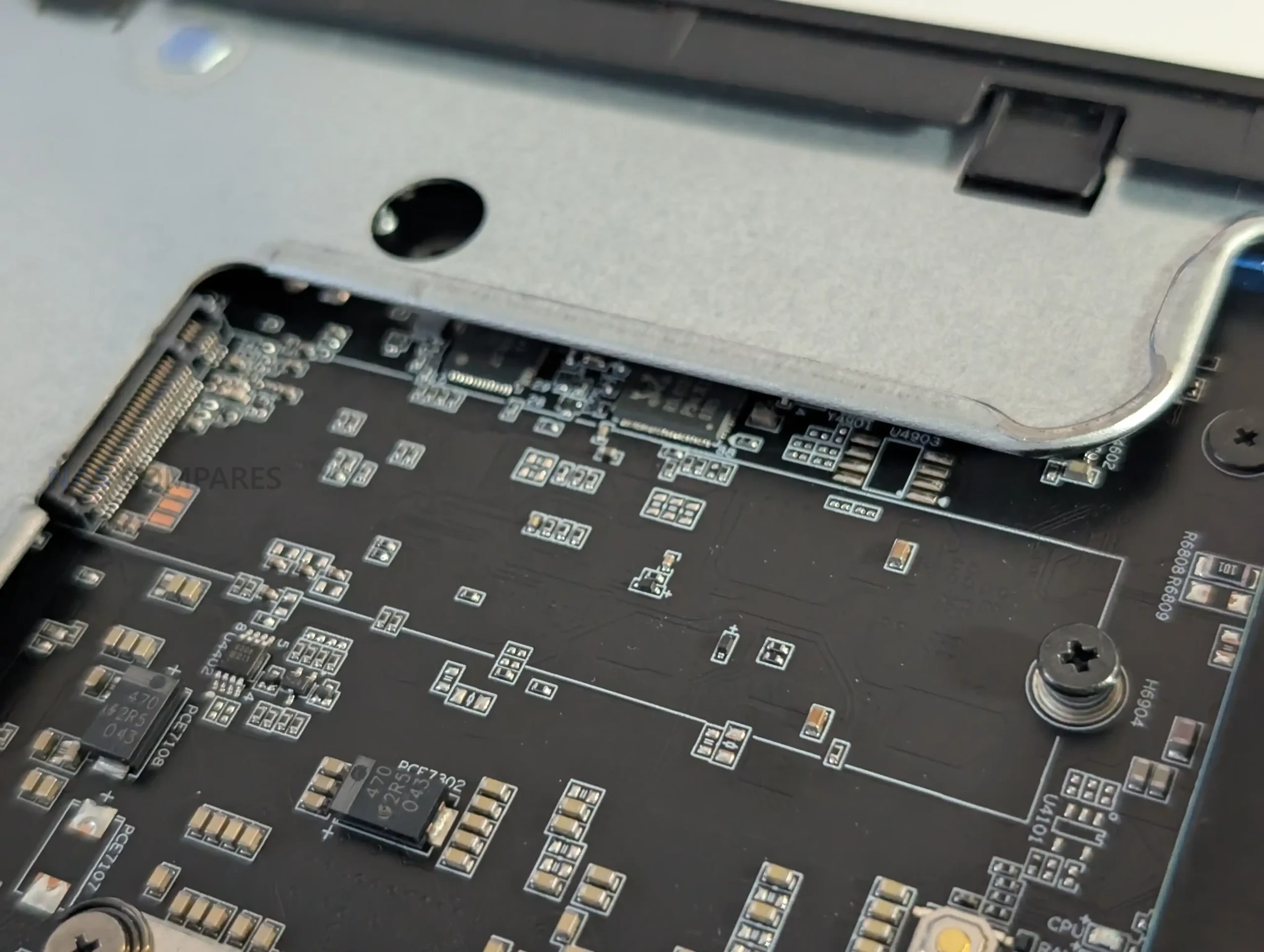
The MS-02 Ultra distributes its four NVMe slots across two different locations, with two mounted on the mainboard and two integrated into the dual-25GbE combo card. The pair located on the system board are positioned on the underside, near the memory and CPU assembly, and both are listed as PCIe 4.0 x4 according to Minisforum’s documentation.
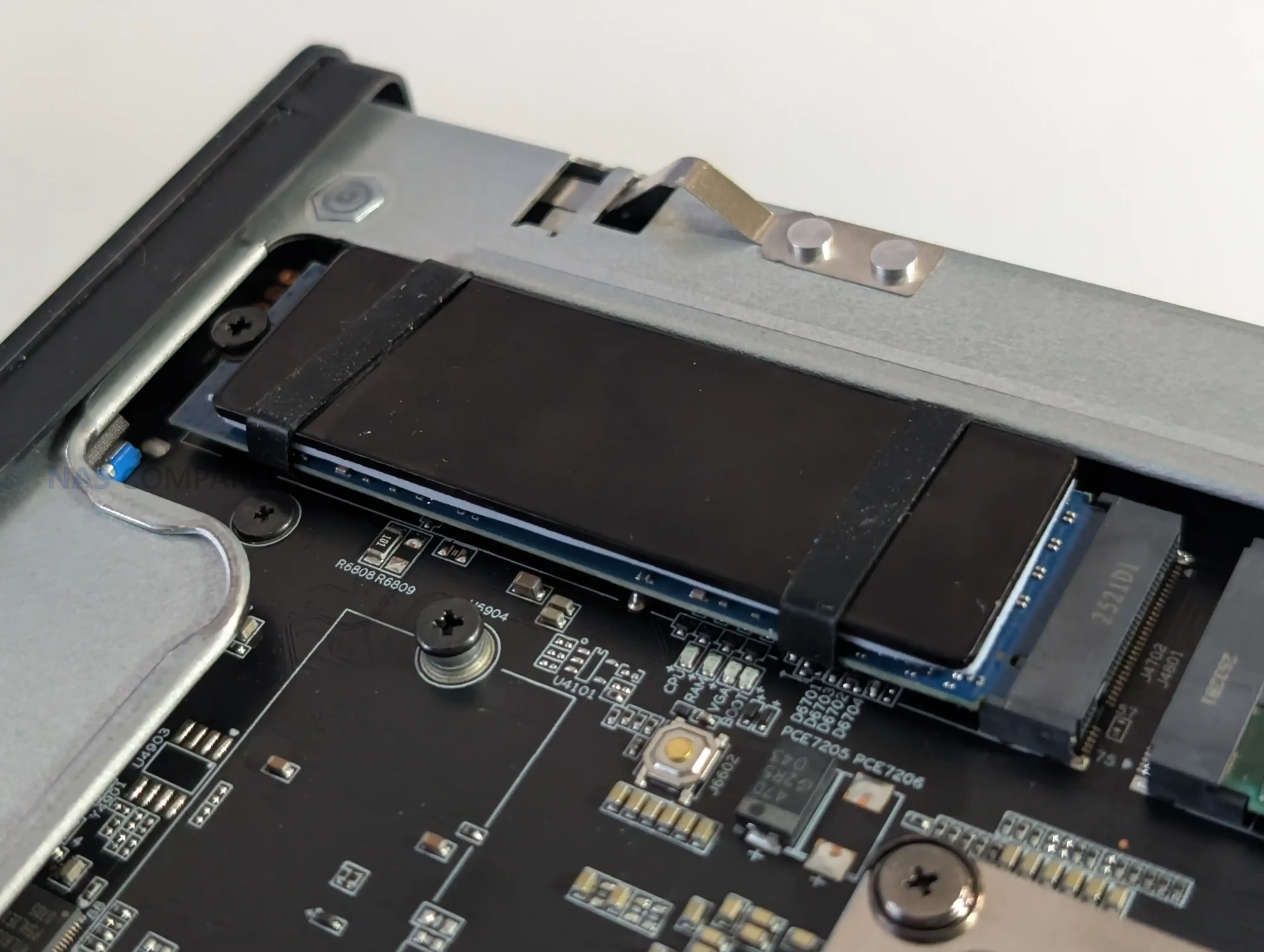
Early inspection suggests that one of these may have a PCIe 5.0 lane path available at the hardware level, though software restrictions or lane bifurcation rules may currently limit it to Gen 4 behavior. This is an area that requires further validation using a Gen 5 SSD, as the lane layout on the 285HX platform allows various allocation possibilities depending on how Minisforum assigned bandwidth between CPU, chipset, and expansion slots. These internal slots have modest vertical clearance, meaning SSDs with tall heatsinks cannot be used without removing or replacing the pre-fitted cooling structures.
The remaining two NVMe slots reside on the network combo card alongside the 25GbE controllers. These operate under different bandwidth rules depending on SSD capacity: drives up to 4 TB operate at PCIe 4.0 x4, while larger 8 TB models shift down to PCIe 3.0 x4. This behavior appears to be related to the card’s onboard controller and how its internal bifurcation splits resources between the NIC and storage lanes.
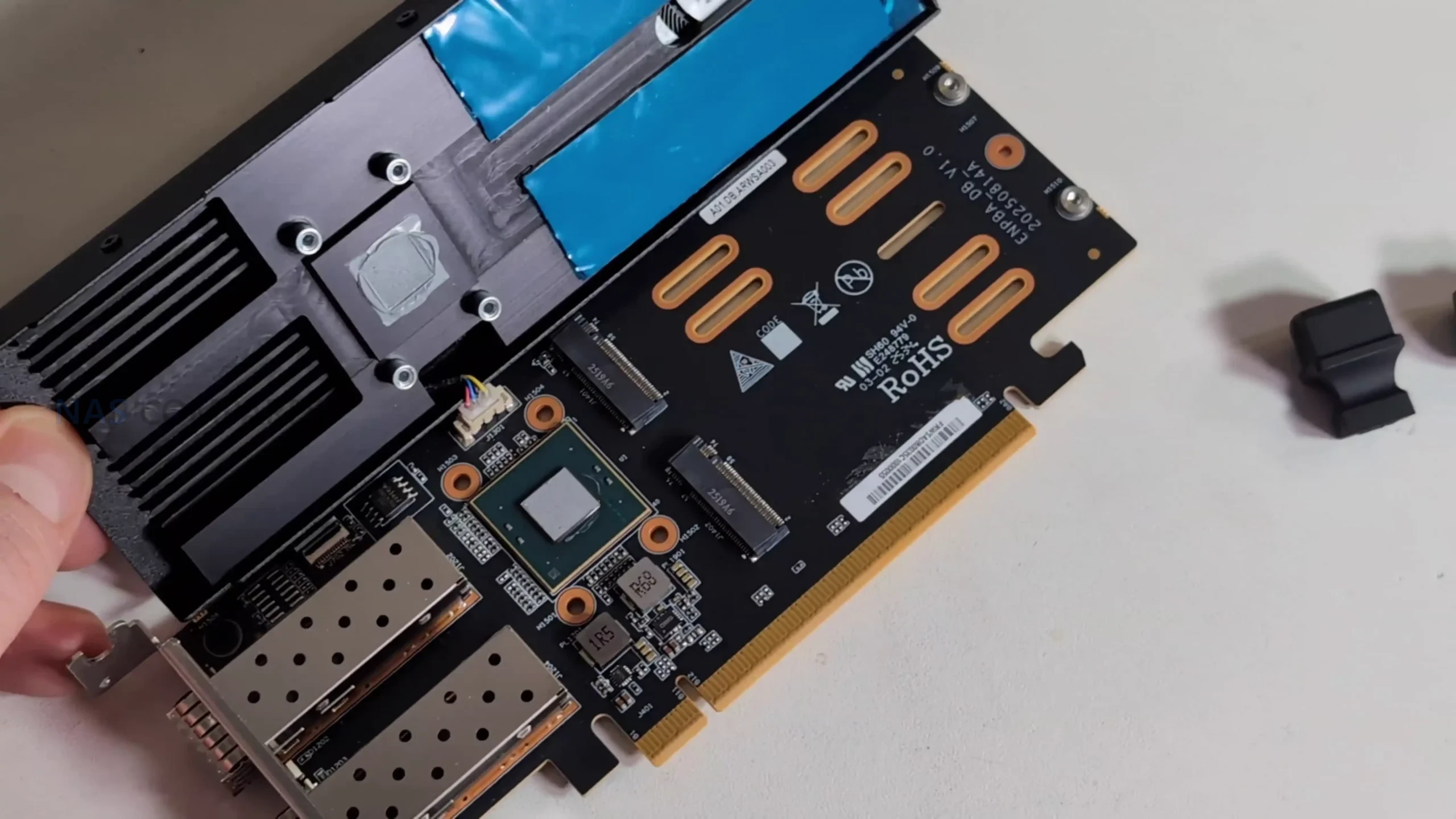
Physical space is also restricted on the card, requiring low-profile SSDs in certain positions to avoid obstruction of the cooling shroud and airflow channel. Minisforum includes an additional heatsink in the package for users installing their own drives, but using SSDs with taller factory heatsinks may be impractical. Altogether, storage layout on the MS-02 Ultra is functional and high-capacity, but with lane behaviors and physical constraints that require attention during configuration.
Memory on the MS-02 Ultra
The MS-02 Ultra provides four DDR5 SODIMM slots, but their distribution within the chassis is unconventional due to the system’s compact thermal layout. Two slots sit on the mainboard near the CPU-side M.2 positions, placed directly in the airflow path of the vapor-chamber cooler and its dual-fan assembly. Because of this, Minisforum has added a custom angled heatsink that draws air from the primary cooling channel across the modules and nearby components.
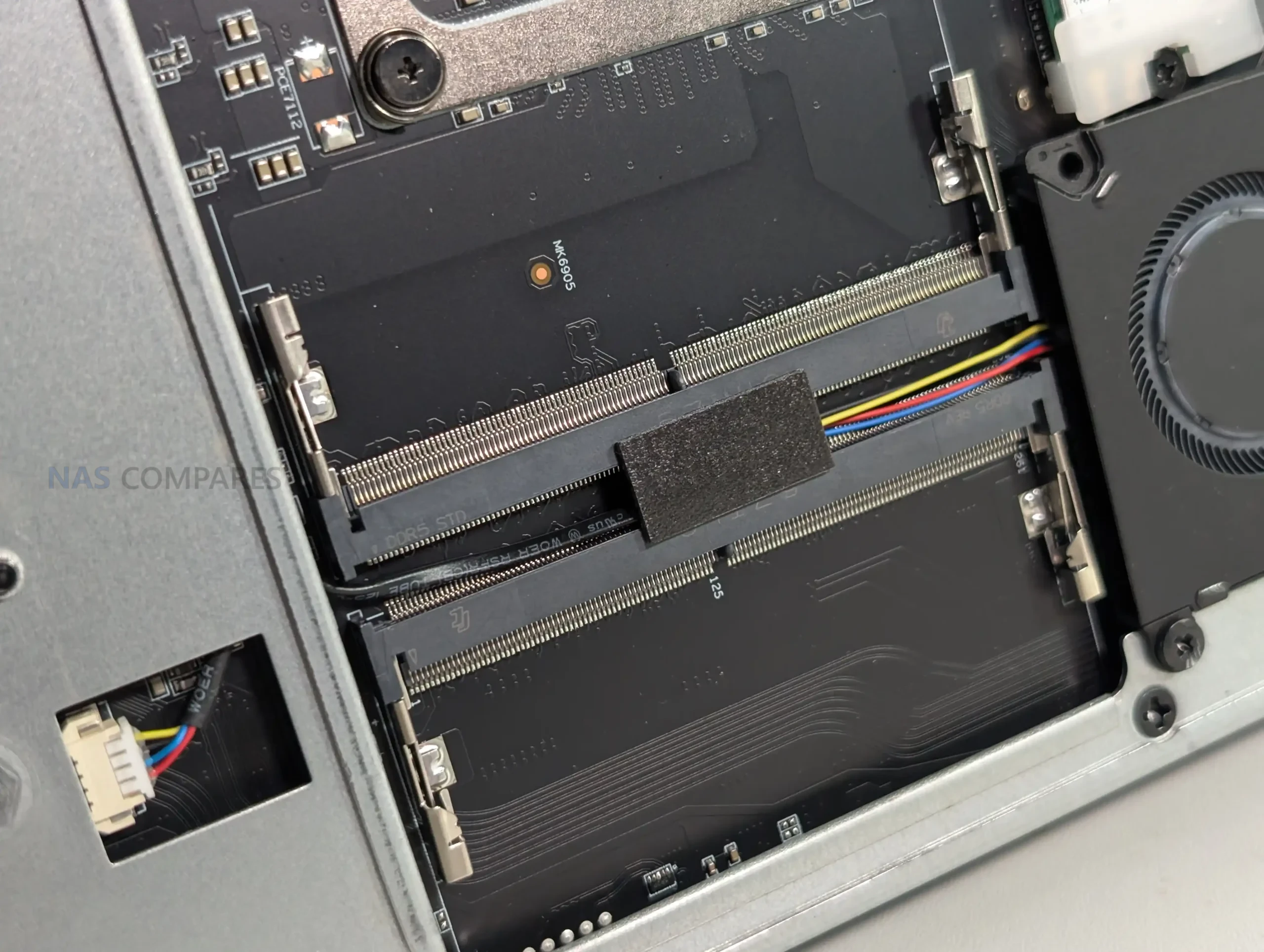
This arrangement is intended to compensate for the thermal density around the CPU area, where heat buildup would otherwise be more likely. These two slots support both ECC and non-ECC memory, though ECC functionality is active only on the 285HX model. Their placement suggests Minisforum prioritized consistent airflow over ease of access, making upgrades possible but less straightforward than on more open workstation layouts.
The remaining pair of SODIMM slots is located on the opposite side of the board, positioned away from the CPU cooling assembly and closer to the chassis frame. These modules have more breathing room but rely on passive airflow from the system’s general ventilation rather than a focused cooling path. All four slots support speeds up to 4800 MHz, with XMP profiles unavailable due to Minisforum’s implementation and Intel’s platform limitations.
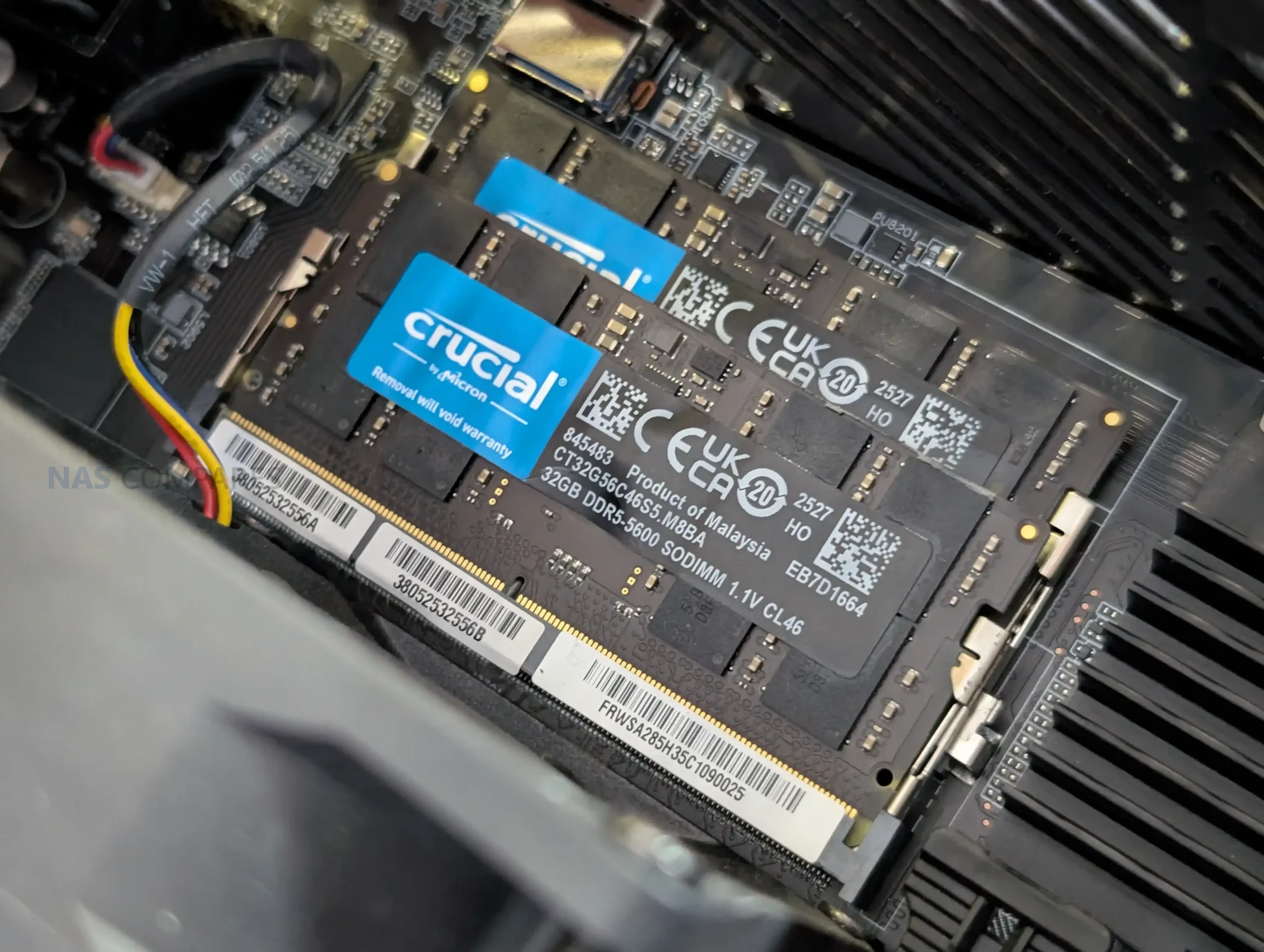
During early testing, memory installation worked as expected, though the arrangement of these slots means users planning maximum 256 GB configurations will need to work within the physical constraints of the layout. Overall, the memory design reflects a tradeoff between supporting high-capacity ECC configurations and fitting the necessary cooling infrastructure into a small volume.
PCIe Card Support on the MS-02 Ultra
The MS-02 Ultra incorporates three PCIe slots arranged to maximize flexibility within its compact chassis: a PCIe 5.0 x16 slot, a PCIe 4.0 x16 slot, and a PCIe 4.0 x4 slot. The PCIe 5.0 slot is left unoccupied by default, allowing users to install a low-profile GPU or accelerator card that fits within the airflow and power constraints of the 350 W internal PSU.
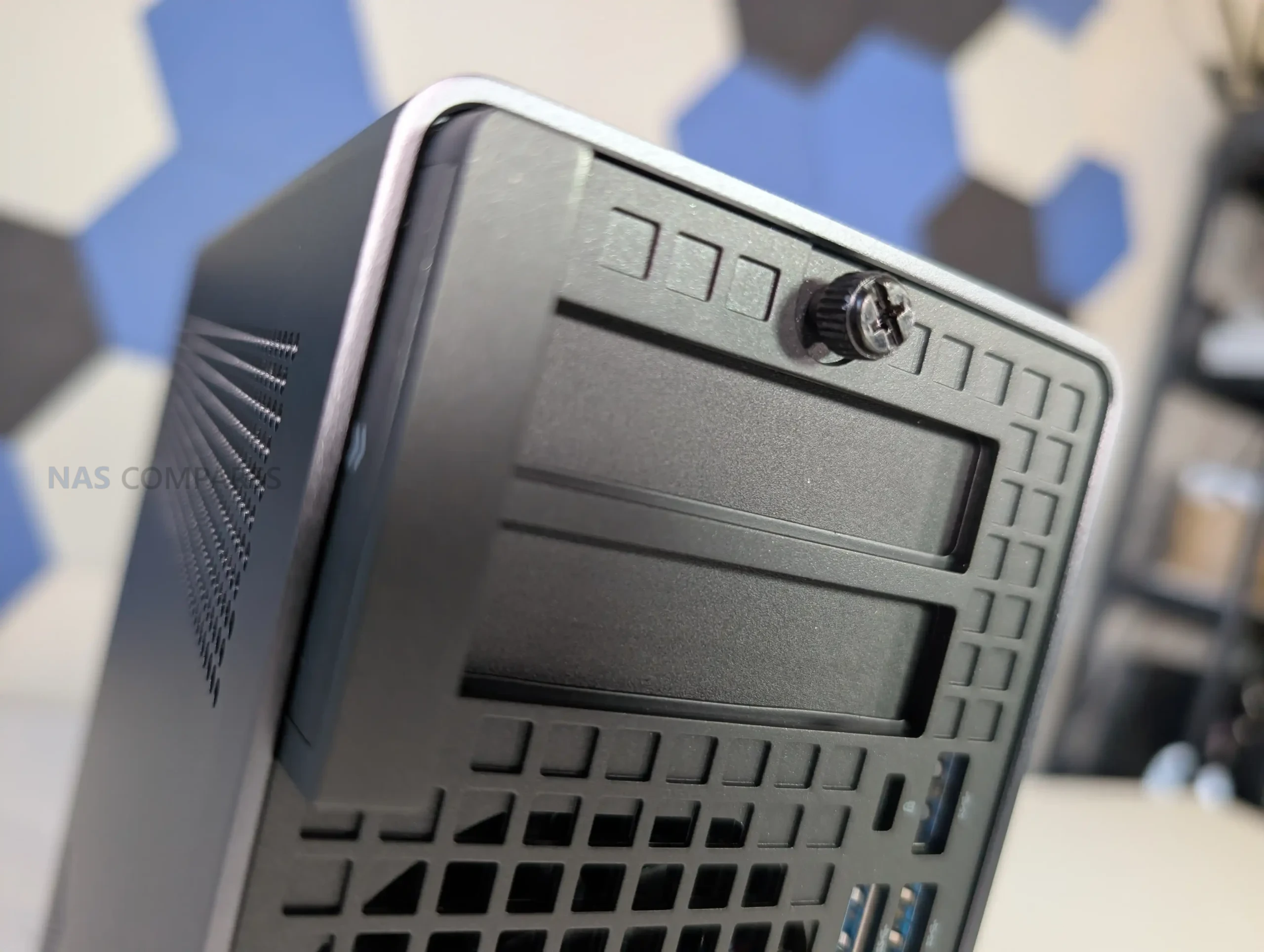
Minisforum includes auxiliary power cables within the system, which is uncommon for small-form-factor workstations and indicates that the chassis is intended to support cards that require supplemental power. Because of the chassis height and width, only dual-slot, low-profile cards with modest cooling requirements are viable, but this still introduces options for compute or media workloads that benefit from hardware acceleration.
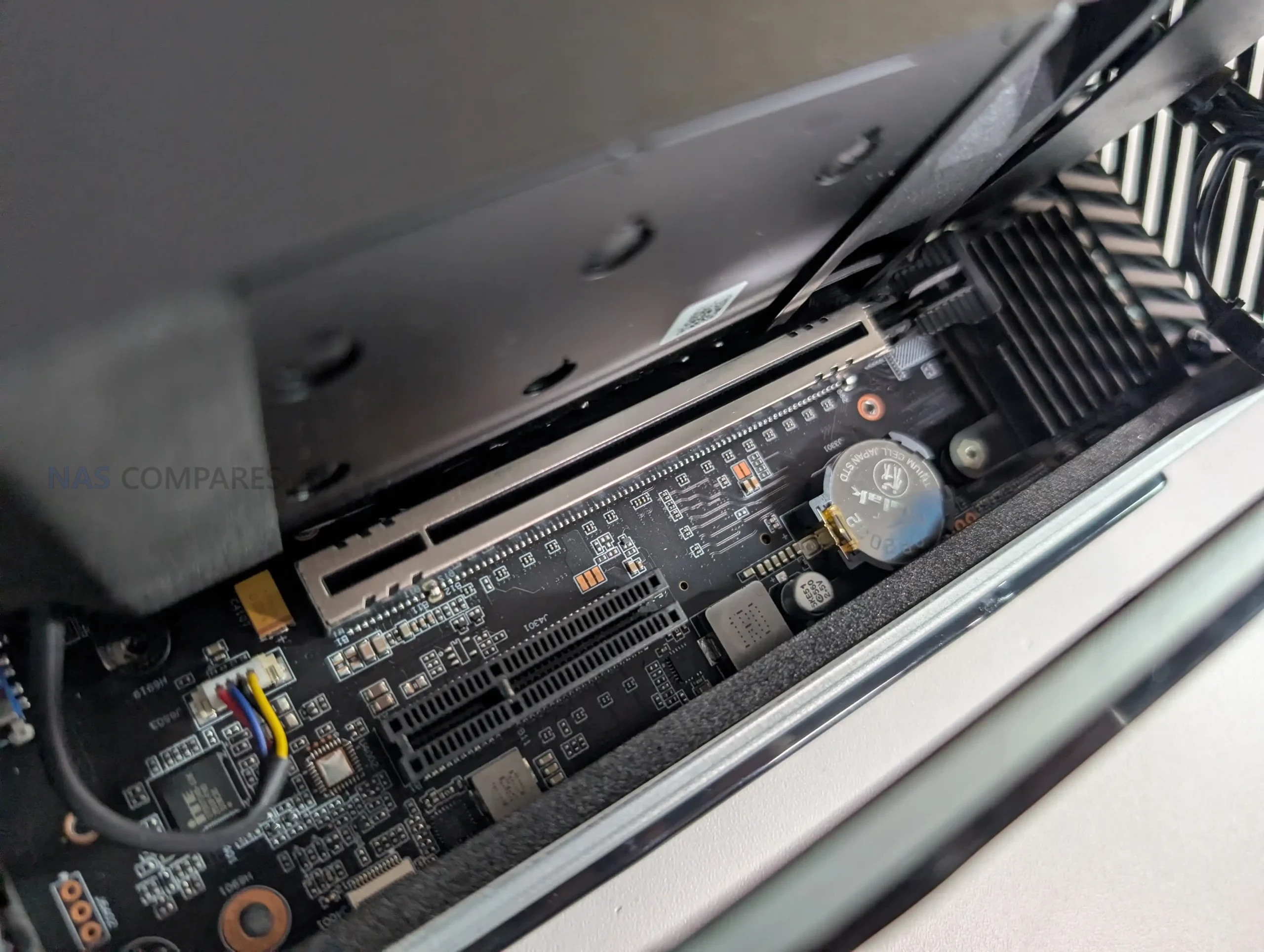
The PCIe 4.0 x16 slot is occupied in the 285HX configuration by the dual-25GbE plus dual-M.2 combo card, which introduces additional thermal and power considerations. This leaves the PCIe 4.0 x4 slot available for further expansion, provided the card used meets the system’s spatial limitations. The layout demonstrates Minisforum’s approach to balancing lane allocation between CPU, storage, and networking, especially given the 24 available PCIe lanes on the Ultra 9 platform.
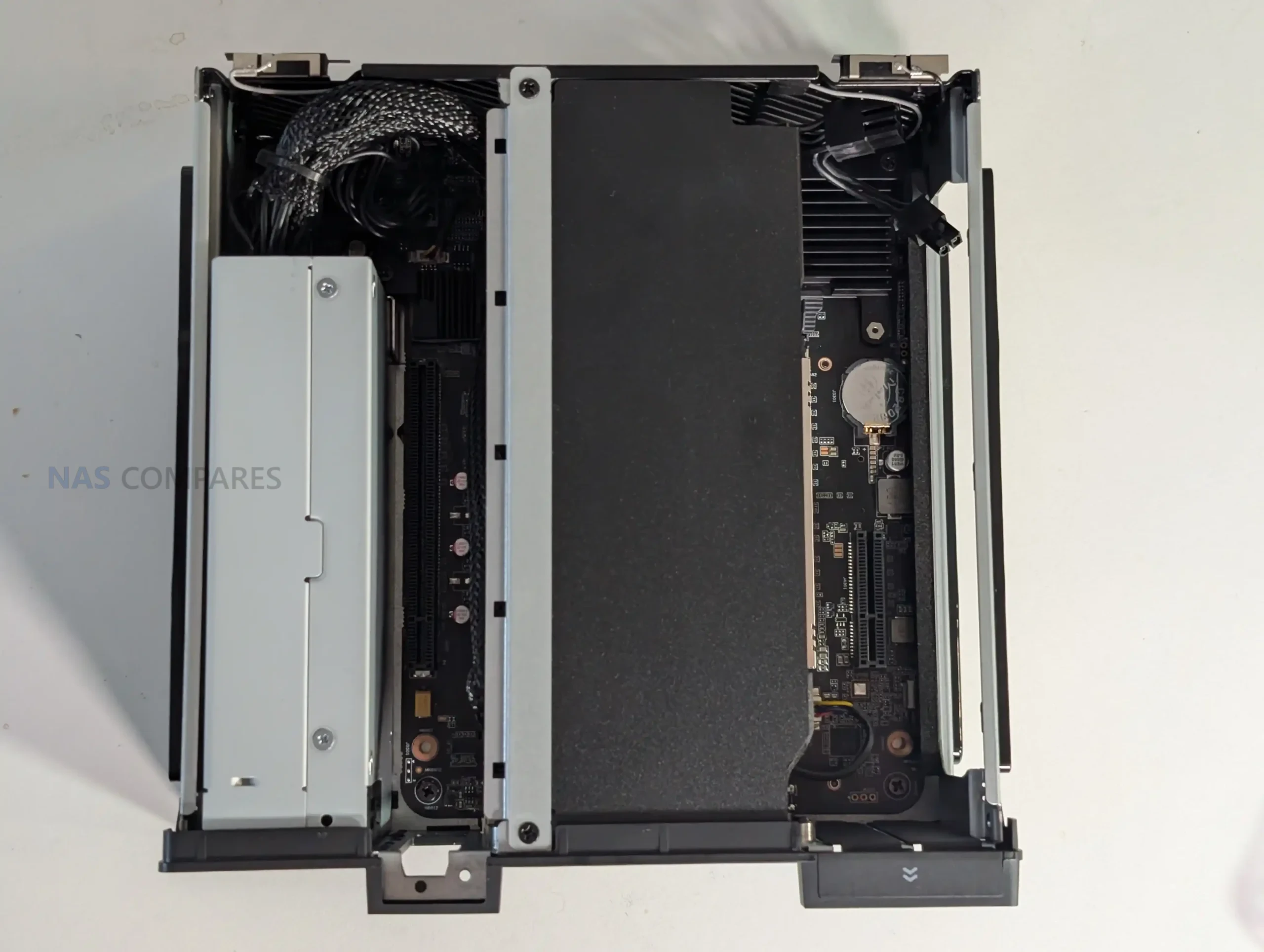
Although the physical presence of three slots in such a compact volume is unusual, the arrangement is functional, and power delivery from the internal PSU supports moderate add-in card configurations. Users will need to consider airflow direction, card length, and slot occupation carefully to avoid restricting internal ventilation.
Conclusion and Verdict on the Minisforum MS-02 Ultra (So Far…)
The MS-02 Ultra presents a compact workstation design that integrates a high-core-count CPU, multiple NVMe storage options, high-speed networking, and an internal PSU within a tightly arranged chassis. Early testing indicates that the system’s thermal behavior, noise profile, and power draw are consistent with its component density, though the long-term performance of its cooling strategy requires extended benchmarking before reaching definitive conclusions. The design choices, such as the split placement of memory slots, the use of a large dual-fan cooling chamber, and the reliance on a densely packed internal layout, all reflect Minisforum’s effort to fit workstation-grade hardware into a constrained volume.
In terms of features, the dual-25GbE plus dual-M.2 combo card remains the most distinctive element, expanding the system’s potential for virtualized environments, NAS roles, and bandwidth-heavy workflows. PCIe allocation, memory configuration, and storage behavior introduce several considerations for users planning upgrades or specialized deployments. While these early observations indicate a capable and flexible platform, further testing is necessary to determine sustained thermal performance, PCIe stability under load, and real-world throughput of the networking and storage subsystems. The forthcoming full review will provide those extended results, but for now, the system presents a feature-rich design with several areas that merit deeper evaluation.
| Where to Buy the Minisforum MS-02 Ultra?
|
||
|
Check Amazon in Your Region for the Minisforum MS-02 Ultra
|
Check AliExpress for the Minisforum MS-02 Ultra
|
Check the Official Site for the Minisforum MS-02 Ultra
|



📧 SUBSCRIBE TO OUR NEWSLETTER 🔔
🔒 Join Inner Circle
Get an alert every time something gets added to this specific article!
This description contains links to Amazon. These links will take you to some of the products mentioned in today's content. As an Amazon Associate, I earn from qualifying purchases. Visit the NASCompares Deal Finder to find the best place to buy this device in your region, based on Service, Support and Reputation - Just Search for your NAS Drive in the Box Below
Need Advice on Data Storage from an Expert?
Finally, for free advice about your setup, just leave a message in the comments below here at NASCompares.com and we will get back to you. Need Help?
Where possible (and where appropriate) please provide as much information about your requirements, as then I can arrange the best answer and solution to your needs. Do not worry about your e-mail address being required, it will NOT be used in a mailing list and will NOT be used in any way other than to respond to your enquiry.
Need Help?
Where possible (and where appropriate) please provide as much information about your requirements, as then I can arrange the best answer and solution to your needs. Do not worry about your e-mail address being required, it will NOT be used in a mailing list and will NOT be used in any way other than to respond to your enquiry.
 TRY CHAT
Terms and Conditions
TRY CHAT
Terms and Conditions





|
 |


Do You NEED 5GbE NAS? (Or Should You Skip Ahead to 10GbE)
UGREEN DXP4800 PRO NAS Review
Minisforum G7 Pro Review
CAN YOU TRUST UNIFI REVIEWS? Let's Discuss Reviewing UniFi...
WHERE IS SYNOLOGY DSM 8? and DO YOU CARE? (RAID Room)
UniFi Routers vs OpenWRT DIY Routers - Which Should You Choose?
Access content via Patreon or KO-FI
Discover more from NAS Compares
Subscribe to get the latest posts sent to your email.
I miss minimum two additional USB C gen 4/thunberbolt ports on the rear side. USB A is a dying standard. Apple with the Mac Studio is for me the benchmark of modern ports inlude a Card reader and the reaon I just bought this.
REPLY ON YOUTUBE
6400MHz RAM is supported?
REPLY ON YOUTUBE
Hi,
is there is a slot available to fit an ARC Pro B50 graphical card ? i mean without removing the actual Pcie Ethernet Combo card.
REPLY ON YOUTUBE
Remembered me the time, I build my PCs by my own years ago ????
REPLY ON YOUTUBE
What are the PCIe Bifurcation options on the 3 slots?
REPLY ON YOUTUBE
The non-spikey hair is a good look ????????
REPLY ON YOUTUBE
Is the power supply an off-the-shelf standard? — or is there anything proprietary?
REPLY ON YOUTUBE
The memory cooling is odd. Even on the two ram modules that are in the CPU airflow, the thermal pads only make contact 3/4 of the ram modules. Further on the back of the motherboard, the other two ram modules are using a completely different cooling solution. This seems less than optimal. You might have ram modules inside the system running at three different temperatures and the memory speeds might be limited by the hot spots.
REPLY ON YOUTUBE
Where did you get the block diagram from? Can you post a link in the description?
REPLY ON YOUTUBE
4:35 I see that Kvm
REPLY ON YOUTUBE
Could you compare it to ms S1 max
REPLY ON YOUTUBE
This thing is a prox mox dream. If I had unlimited money and time to figure it out I’d set up a high availability cluster with a 25gig ring network.
REPLY ON YOUTUBE
Waw, 25gig network, im feeling realy outdated on my 2.5 gig network rite now hahaha, tho im prity suprised anyo e needs more than 2.5g in theire home setup, for me id be more interested to whip out that 25g nvme card and put in an rtx 5060 low profile and run windows big screen for a living room gaming machine lol
REPLY ON YOUTUBE
IOMMU available in BIOS?
REPLY ON YOUTUBE
If you can fit a rtx pro 6000 blackwell max q in there this thing would be a lowpower AI Monster.
REPLY ON YOUTUBE
Asustor nvme x2 and 10gb. A
just upgraded version
REPLY ON YOUTUBE
What’s the little dock / clock next to the unit
REPLY ON YOUTUBE
Really nice Machine. Is this a 10/25 SFP+ Card or 25Gb only?
REPLY ON YOUTUBE
It would be great if it were possible to get just the 25 GbE card.
REPLY ON YOUTUBE
I’m sure your reviews are completely honest and you tell it like you want but to say no money changed hands when you just got a $1,200 piece of gear gifted to you is not exactly true. So many channels say the same thing, sometimes with much more expensive gear, as if getting free stuff to review is not really money because the thing they received doesn’t cost anything.
REPLY ON YOUTUBE
So for who is this for? I can’t find this guy. Maybe some software developer, that need fast CPU and don’t need dGPU. But is it worth it for him?
P.S. And card with network and m.2 adapters is really interesting. How did they managed to make bifurcation work in secondary slot? And if it’s 4x4x4x4, how it’s even possible on Intel?
REPLY ON YOUTUBE
Maybe that top PCIe x16 slot is not real?
Minisforum PCIe lanes diagram show that E810 is on PICe CPU lane, while x2 M.2 PCIe 4.0 NVMe are on PCH. Looks like they combined E810 with similar to Asus’ ROG Q-Dimm.2 Card.
REPLY ON YOUTUBE
On the UK website, if you go for the 285HX and 192GB DDR5 ECC + 2TB SSD option, the quoted price is 2600 GBP. Now, do a quick search for 4x48GB ECC DDR5 🙂 It’s pretty good value.
REPLY ON YOUTUBE
Is the PCIe 4.0 x16 slot on the CPU lanes or chipset lanes? I prefer CPU lanes for my storage. Maybe PCIe 4.0 x4 is on CPU lane?
Edit: on the PCIe lanes diagram (thanks for that!) I can see that 1 M.2 slot on the back and E810 are on CPU lanes. Super strange layout.
REPLY ON YOUTUBE
Will the best nas in 2025 video be free to watch in foreseeable future?
REPLY ON YOUTUBE
who can afford 256gb of ram right now?
REPLY ON YOUTUBE
Who will be first to demo an Ultra-cluster? Jeff, Jim, Jeff, Tim, or Jeff? ????
REPLY ON YOUTUBE
I wonder how many nvmes we can put in the pcie slots
REPLY ON YOUTUBE
this one is for no one, insane. For sure MSF, no support or bios updates, nope
REPLY ON YOUTUBE
Can you buy that PCi-E separately???
REPLY ON YOUTUBE
God. imagine doing a system build in THIS fucking RAM market. always love your reviews (even 48 hour ones) all the same, though.
REPLY ON YOUTUBE
Mediumsforum*
REPLY ON YOUTUBE
I dont care what anyone says, price aside this is the coolest computer I have seen in my entire life. I love how minisforum breaks all of the rules and doesnt make just another boring mini pc with a 2.5gb rj45 and maybe if your lucky you get thunderbolt. No, they just slap as much as possible in there and actually deliver it for a halfway decent price (even with the terrible ram situation). I replaced my entire 3 node proxmox cluster with a single ms-a2 and I couldnt be happier. I really might consider getting one of these in the future. The ecc ram is the biggest selling point to me. Right now you can pre order it in the U.S. with 192 gb of ecc ram and 2tb of storage for under $3,000 us. That probably seems crazy to some people but you have to take in to consideration the price of ram at the moment. I wonder if minisforum was able to stock pile dram before the shortage. I would be very interested to see if the average person can build something in that form factor with the same specs for the same price. theirs no way. That pcie card is absurd, I am just absolutely fascinated by the entire thing. Thanks for doing such a great job reviewing it, I might be the most excited viewer and I am eagerly waiting for the next video on it. I am FASCINATED.
REPLY ON YOUTUBE
with this kind of hardware, you know Minisforum is the one of the few company listen to their comsumers and no to enterprise market, that is a great computer for workstation, hypervisor, virtualization, and/or cluster together, glad to see this kind of PC on the market right now!
REPLY ON YOUTUBE
RTX 5060 / 5070 can it hold and power for it ? is the Question
REPLY ON YOUTUBE
Yeah I’m actually very interested in the PCIE card
REPLY ON YOUTUBE
The quick update is nice. Thank you. I will be really interested to see if can can fully saturate the 10GbE, and one or both of the 25GbE network ports, and if so, what combination of drives it takes to accomplish that. I will also be curious about the Proxmox mostly idle wattage numbers and noise levels. It might actually be better to have a bifurcation board with 4 NVMe drives in that slot in place of the 25GbE adapter with full speed x4 drives and just run off of the 10GbE port. Looking forward to your testing.
REPLY ON YOUTUBE
Wonder how much power one or two GPU PCIe card(s) in it can use? If for example want to use it as an AI server with Nvidia GPU cards?
REPLY ON YOUTUBE
Synology E10M20-T1 is a similar combo card but with two 10GbE and two NvMe
REPLY ON YOUTUBE
Nice bit of kit !
REPLY ON YOUTUBE
It would be preferable if they sent orders to those who purchased, rather than to reviewers. I have been waiting for shipment for three weeks now…
REPLY ON YOUTUBE
hrm.. small office cluster of these running a hypervisor.. this looks promising
REPLY ON YOUTUBE
For that 25gig wondercard, big NVMe drives dropping speed is probably due to heat, not performance. The big drives have more chips, and need more airflow to keep cool. Given the small fan on the card, and the obstruction of the ethernet controller, they likely limit the speed to keep the heat under control.
REPLY ON YOUTUBE
Arghh! Just as the mini-PC market finally gets decent end-to-end bandwidth from SSD to Ethernet, memory prices go through the roof!
REPLY ON YOUTUBE
Is there a Maxisforum as well? For normal size computers? 😉
REPLY ON YOUTUBE
Now that Micron/Crucial have abandoned the consumer ram market to go all in Enterprise, which memory manufacturer is going to get all the free advertising by being shown in all the Chinese PC manufacturers gear in YouTube videos such as this?
REPLY ON YOUTUBE
when you test it, please put a sff pro rtx in it, especially for thermal testing.
REPLY ON YOUTUBE
Where can I see that PCI-E lane layout map in full? Trying to understand the USB controllers and their grouping better
REPLY ON YOUTUBE
For anyone who hasn’t counted, added a three-fan low profile video card results in no fewer than eight fans running in that little unit! Count ’em: Two CPU fans (push/pull), one blower on the rear, one blower on the 25GE card, one fan in the power supply (can’t forget that one), and the three GPU fans. Eight all together. Add a dust filter around the machine and you have an air purifier for the room or apartment!
REPLY ON YOUTUBE
This unit seems to be the pinnacle of what is available right now in such a small form factor.
Is the combo card proprietary? Imagine if it was available as a stand alone!
REPLY ON YOUTUBE
M.2 interface 2 supports either PCIe or SATA signalling, so if anyone has an old SATA M.2 SSD around, it should be usable in this machine. Free storage! Yay!
REPLY ON YOUTUBE
Seems the 25GbE combo card in the unit is a custom design that is wired to complement a custom wired PCIe slot. That slot does not support bifurcation as we know it, but carries separate signals through for the Ethernet controller and for the M.2 cards. From what I’ve read, the card won’t work in any other system as it does in the MS-02 Ultra. So much for Minisforum offering that particular card as a standalone item.
REPLY ON YOUTUBE
Who has 25 GbE at home? Folks like Jeff CTO, yeah? BTW whatever happened to that guy?????
REPLY ON YOUTUBE
Robbie, it occurred to me this morning that, for those who don’t have 10G or 25G switching capabilities, they can still have a four machine LAN segment running at 10G. Use the 10G RJ45 (copper) port on the rear of the MS-02 Ultra, and populate the two SPF28 ports on the 25G NIC with SFP+ 10G transceivers (copper or fibre), which is supported. Directly connect the MS-02 to three other systems using those network ports. The MS-02 will bridge 1G, 2.5G, and 10G connections across the network as needed.
A proof-of-concept should be done on this if you have the wherewithal.
REPLY ON YOUTUBE
*Update* The Minisforum MS-02 Ultra is now in the studio. Here are the First Impressions in the first 48 Hours on YouTube – https://youtu.be/h9LubP_MSZ8 and here on NASCompares – https://nascompares.com/guide/minisforum-ms-02-ultra-early-impressions-quick-review/
REPLY ON YOUTUBE
Cool! waiting for unpacking, benchmarks, use cases
REPLY ON YOUTUBE
Ordered one this morning. Core Ultra 9 285HX. Barebones.
REPLY ON YOUTUBE
15mm U2.3 support? (at least 3)
REPLY ON YOUTUBE
Time 9:32 for short runs Direct Attached Copper ( DAC) can be used instead of Fiber. Less cost. DAC cables have a twinax copper cable with fixed connectors, like SFP+ or QSFP+, on each end that directly plug into a device’s port. These cables don’t use separate transceivers, which eliminates the cost and power consumption associated with them. Limited to short-range connections (typically under 15 meters, depending on the data rate). Use cases Connecting switches to servers within the same rack. Linking adjacent racks in a data center. Data center server and storage connections ( DAC in the Rack )
REPLY ON YOUTUBE
I wonder what the maximum about of RAM will be. I would love to have two or three of those for a VM cluster.
REPLY ON YOUTUBE
Is there an AMD equivalent coming?
REPLY ON YOUTUBE
This is literally the mini pc I have been waiting for from them they are going to kill the mini pc market with this. Yes you can game but let’s face it there are like no other mini pcs that do ecc never mind the 25g networking. Considering the competition coming up from Aoostar and some others coming out of the wood work I would keep this priced as low as possible and just saturate the market. Even with the networking and IO Minisform keeps getting dinged on customer support and warranty stuff. If they start making mini pcs that just cost as much as a a Lenovo p3 or dell or hp they’ll lose since those OEMs come with proven support and warranty. If they can keep this within $200 to $300 of the current ms-a2 but order a ton of them from the supplier they will kill Levovo, Dell, and HP period. I mean come on you know any home labber or smb is going to get 3 of these at a time since they’re perfect for proxmox HA clusters.
REPLY ON YOUTUBE
Well frick… that’s a pretty slick chassis. I would love love love to see this continue with the MS-A1 refresh but now I’m just being picky.
REPLY ON YOUTUBE
I don’t understand why go with intel for a form factor like this, you give expandibility over pci-e and than you can’t use it due to pcie lanes shortage…It makes no sense, for me this machine could be very interesting but not if it won’t run the gpu at 8x ofc
REPLY ON YOUTUBE
This right here is where minisforum will take the mini pc market. Nothing to do with performance it’s the IO and the ecc ram with 4 slots. If I need SMB servers why the hell would I buy anything but a cluster of these, unless there is some specific edge case? As long as they keep the price low enough they’ll take over the market so fast just on this one version. NO other mini pc save maybe 5 have ecc out of those I can’t think of 1 other with 4 dims unless your talking an asrock deskmeet or something.
REPLY ON YOUTUBE
Only 350 Watt psu with a processor that can draw as much and possibly more then 250 W. Fully kit this thing out and you’ll barely have any psu overhead left at full load even without a discreet gpu.
REPLY ON YOUTUBE
The key question: how much ECC RAM can it pack into the four slots max?
RAM is the name of the game for local AI.
Together with an TB drive extension bay for like 8 HDD, and a PCIE-NVMe expansion card, it could become a serious storage server with hopefully ample CPU to run local LLMs
REPLY ON YOUTUBE
Weren’t they supposed to release an mATX motherboard?
285HX with 4800MHz sodimms and a pcie slot with half the bandwidth doesn’t do it for me
REPLY ON YOUTUBE
SFP28 is completely downwards compatible with SFP+, so you can use 10gbe simply.
Its amazing that they use an intel e810 card, since this one is very powerefficient and cool compared to what intel had earlier.
Otherwise, this minipc offers everything a heart could wish, but also at the same time in the Local AI hosting time, they should have been made a slot for a RTX6000 96gb Max-Q 🙂
REPLY ON YOUTUBE
Just looking at the specs there make me happy I have 3x ms-01 running as a proxmox cluster instead.
The ms-02 has serious pcie lane problems. It only has 24 pcie lanes. When you use all 4 nvmes, that is already 16 lanes. That leaves only 8 for the 3 pcie slots, which means only primary at x8 or the 2 16x slots at x4 with the physical x4 disabled.
The 2x 25GBE is a pcie card taking lanes away from the few you got. Then there is the useless Intel core ultra CPU. I rather have my 12th gen CPU or even better a AMD one.
Then there is the size increase, I hope 2 of them fit next to each other in 2U rack space. The ms-01 is sadly slightly too large for 1U.
Also the estimated price is way way way too high. The ms-02 has less value to me then a ms-01 but will cost more.
A ms-01 with a AMD CPU and with ms-01 connectivity would be great. All product releases after the ms-01 have been not very interesting to me. I even use one of my ms-01 as a NAS with a external SAS HBA passed through to a TrueNAS VM, so the Minisforum NAS is also not interesting.
A way to split the iGPU to several vGPUs would be a nice feature but sadly no mention of that.
REPLY ON YOUTUBE
Thank you for posting. I have been putting thought into installing single port 25GbE adapters in some key machines with a 25GbE switch. Mellanox has a single port 25GbE adapter that uses PCIe3.0x8 so it would work in many systems, even older ones. I am still trying to figure out the most affordable, quiet, low watt homelab switch setup but there are a few options.
REPLY ON YOUTUBE
I’m using the MS-01 to provide some services for small businesses. This will definitely be added as an additional option when I look at a businesses needs.
REPLY ON YOUTUBE
What the heck are people using such machines at home for? I’m curious. I used to write software for cloud infrastructure companies in Silicon Valley and none of my colleagues had such powerful machines at home. We just all had MacBook pros, including the folks on the azure software teams at Microsoft
REPLY ON YOUTUBE
Hypervisor – can’t wait to grab one
REPLY ON YOUTUBE
256gb memory that can be used with internal gpu? LLMs here we come! ????????. 25g networking? The heck cluster of these…..
REPLY ON YOUTUBE
You’ll need an SFP+ adapter (in both ends) and the fiber cables that go with it. 2:15
REPLY ON YOUTUBE
Hey Robby nice video thanks! – Feedback: Cant really say im yet invested, its interesting to hear that they have this, but the 25GbE needs to go for a gpu, which is kinda weird and also MF has a history of saying PCIe 4.0 x16 and then beeing x4 really, i will wait for reviews and facts. Ive had to much hopes and dreams for MF, i stopped doing that now. ????????????Also: If they can advertised 2 GPU slots they will, even if both of them are 1 slot, but nobody knows ????♂ – Have a good trip and please get us MANY FACTS ❤
REPLY ON YOUTUBE
A shame that Minisforum is an absolute trash company.
REPLY ON YOUTUBE
this would make a kick ass plex server i wish they made a smaller cpu version with like 245h or 265h version so it would be cheaper and fit still very nicely for a plex server
REPLY ON YOUTUBE
The big appeal of the ms-01 was support for m.2 22110 drives. This appears to only support 2280 which reduces its value significantly. Not useful as a home server. Especially for the HA casss you mention.
REPLY ON YOUTUBE
I like the idea of MotD, but I’m kinda over the SFF. There’s a great feature set here, but for a system like this, I’d rather have space to add a full size GPU. It feels like there’s a disconnect with the bleeding edge features and the space limitation of only being able to fit a low profile dual card slot inside.
Minisforum, are you listening? Make a version of this as an M-ATX motherboard, the case, and PSU are of marginal utility.
REPLY ON YOUTUBE
And I only JUST finished setting up a MS-A2! But you know what, not really missing out too much as it should still handle everything I through at it with the 2000e ADA graphics card I added to it. Although those 25Gb ports look amazing and would have gone great with my new 25Gb switch… But until I get internet above 10Gbit, I guess I can wait to upgrade, again!
REPLY ON YOUTUBE
Desktop to “MIni” PCs is the nowadays equivalent of horse drawn vacuum carts to a Dyson! The price still sucks though!
REPLY ON YOUTUBE
My god, that timeline looks like a Morse code plea for help which you desperately need. An 11 minute video that could have easily been half that length. You babble and babble and babble so much. You try to cover everything and then give your opinion about everything and more. Worse yet you constantly repeat yourself in some way or another. Your channel would easily be three plus times the size by now if you would just learn how to present the most important facts and summarize the basics. It’s like you think your viewers will need training wheels for the rest of their F’n lives. They absolutely do not!
Youtubers should learn how to consolidate information and summarize. Stop wasting people’s time ffs.
REPLY ON YOUTUBE
Soooo can I used this as a beefy NAS? Cuz I’m not hip at all to workstations
REPLY ON YOUTUBE
I would love to see the scenario where this device would be used and 10Gbe is a bottleneck.
REPLY ON YOUTUBE
My god, that timeline looks like a Morse code plea for help which you need. An 11 minute video that could have easily been less than half that length. You babble and babble and babble so much. You try to cover everything and then give your opinion about everything and more. Your channel would easily be three plus times the size by now if you would just learn how to present the most important facts and summarize the basics. It’s like you think your viewers will need training wheels for the rest of their F’n lives. They absolutely do not!
REPLY ON YOUTUBE
It will be my next (fantasy) purchase.
I’ll use it with my (fantasy) petabyte SSD NAS and my (fantasy) 100″ OLED display. ????
REPLY ON YOUTUBE
It’s the mobile variant Intel Core Ultra 9 285HX that has a TDP of “only” 55 Watts
REPLY ON YOUTUBE
So the big gotcha I’m worried about is this Ultra 9 only supports 24 pcie lanes… and they’ve got 36 just in slots, 16 more in nvme, plus networking and usb4.whatever. So wtf is going on.
REPLY ON YOUTUBE
I think you need to go and take a cold shower. Hope you enjoy China.
REPLY ON YOUTUBE
It is nice as a compact system, but the MS-S1 (strix halo) offers another level – that fast 8000Mhz ram.
REPLY ON YOUTUBE
you are showing 285K with 125w base tdp (Max 250W). The MS-02 has a 285HX with 55w base TDP (160W max).
REPLY ON YOUTUBE
Awesome video man, can’t wait to see more ! Have fun traveling !
REPLY ON YOUTUBE
Things are getting crazy now , just watch 4 x Minisforum MS-S1 MAX.s running a cluster running a 400 GB Deepseek 671 billion Q4 model .
The Minisforum MS-S1 MAX has a Pci-4×4 , which be nice for a fast network card ? , If I could afford a switch for it .
REPLY ON YOUTUBE
Better than the ms-s1 in my opinion, here you can upgrade the memory not to mention the space for a two slot GPU with power connectors and with 4xM.2 SSD bays it can even play the role of a mini flash nas
REPLY ON YOUTUBE
Not an interesting machine, its painfully cramped. I would have preferred a system with an external PSU and a dual slot capability for the GPU, while keeping other ports open.
REPLY ON YOUTUBE
as i understand, the pcie 5×16 is full 16 lanes. because this is normally for the gpu and Intels cpu cant split these 16 lanes. so you can only connect 1 single device there. lets see what the price will be.
REPLY ON YOUTUBE
just looked closely at the specs, and it seems that:
1. Dual 25GBE will be an optional card
2. This card will be PCIe 4 by X4, which means – full transmit/receive in 25GBE will probably choke your machine (most of the cards are PCie 4 by X8)
3. PCIe 5.0 X16 – slot, not electric, so it will probably be PCIe 5 by X4 (remember – you got only 24 lanes)
All in all, cute, but you can take current gen Minisforum with Ryzen or Intel (which have PCIe card support), and stick a dual 25GBE card if you want to, and you’ll save tons of money
REPLY ON YOUTUBE
Only 24 lanes so it remains to be seen what the split will be, when they’re trying to feed 4x NVMe drives too.
REPLY ON YOUTUBE
Can’t wait for the AMD version. MS-A2 Ultra let’s go!
REPLY ON YOUTUBE
Ah just got my 10GbE switch. ????
REPLY ON YOUTUBE
This time, can you throw in a travel vlog? ????
REPLY ON YOUTUBE
Been running 25GbE for a couple of years now, using a UniFi Pro Aggregation switch and Mellanox ConnectX-4 cards in two Synology RackStations and two Dell PowerEdge servers. Every home lab needs 25GbE for storage of VMs. Not any more expensive than 10bE in many cases.
REPLY ON YOUTUBE
I wonder if the likes of HP, Dell and Lenovo see this as being competition for their lower end server systems. Consider a deployment of a couple of these behind a switch something like the Mikrotik CRS510-8XS-2XQ-IN which offers 100Gb switching, and you’ll be hard pressed to find something similar on offer from the big players.
REPLY ON YOUTUBE
Ehh, I just got three of the MS-A2 9955HX’s, Ill pass on these. Not a fan of the current Intel CPU’s right now with the hybrid cores still. I knew something was gonna be coming out soon as I got my MS-A2’s but man I wish they made an AMD version of this. They always make the good layouts with Intel first for some reason.
REPLY ON YOUTUBE
Да как-же так
REPLY ON YOUTUBE
cannot wait to get my hands on this beast
REPLY ON YOUTUBE