

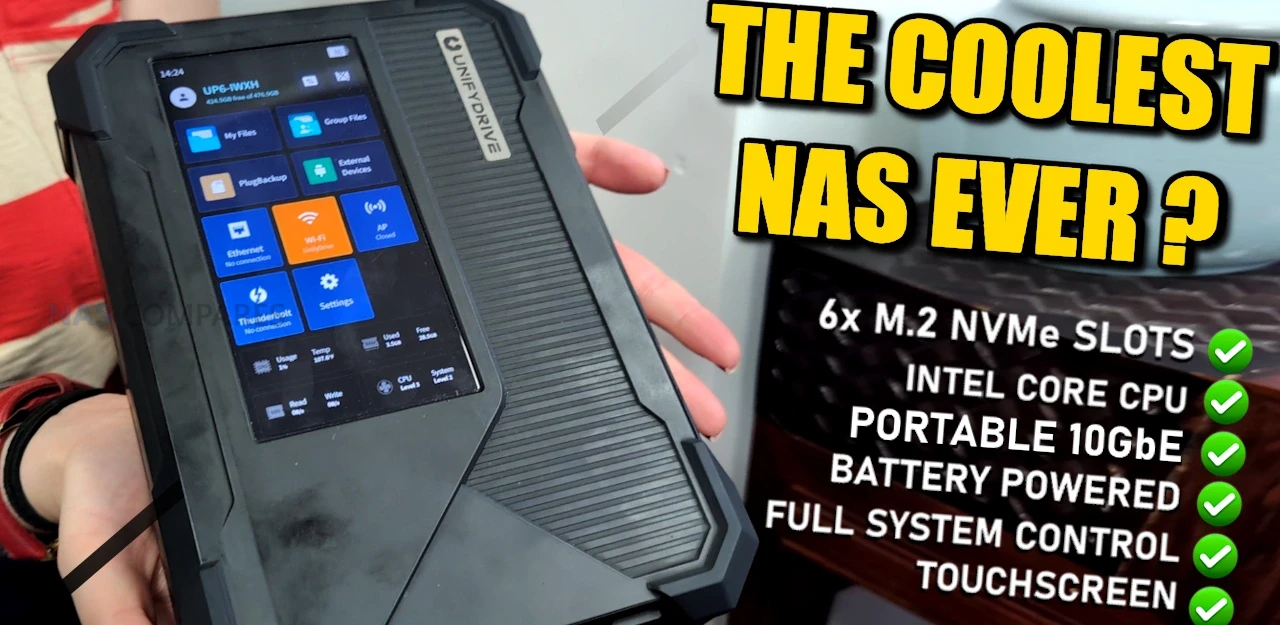
UnifyDrive UP6, UC450 PRO and UC250 NAS Revealed
UnifyDrive has expanded its NAS portfolio with three new systems designed to cover mobile, desktop, and entry-level deployment scenarios while maintaining a consistent software experience across all models. The flagship UP6 continues the company’s focus on portable NVMe-based hardware by adding a touchscreen interface, six PCIe Gen4 M.2 slots, Intel Ultra 125H processing, dual Thunderbolt connectivity, and integrated 10GbE networking, making it a more capable successor to the original UT2 mobile NAS. The UC450 and UC450 Pro shift toward fixed desktop installations with four SATA bays, additional M.2 and U.2 expansion, and a choice between an N355-based platform or a significantly more capable Intel Ultra 225H configuration with professional-tier AI acceleration. The UC250 sits at the base of the range, offering a compact two-bay Twin Lake N150 design intended for cost-effective local storage or paired remote backup when used alongside the mobile or desktop units. Together, these systems illustrate UnifyDrive’s broader transition from a niche mobile NAS provider into a more complete ecosystem with multiple hardware tiers and shared software integration.
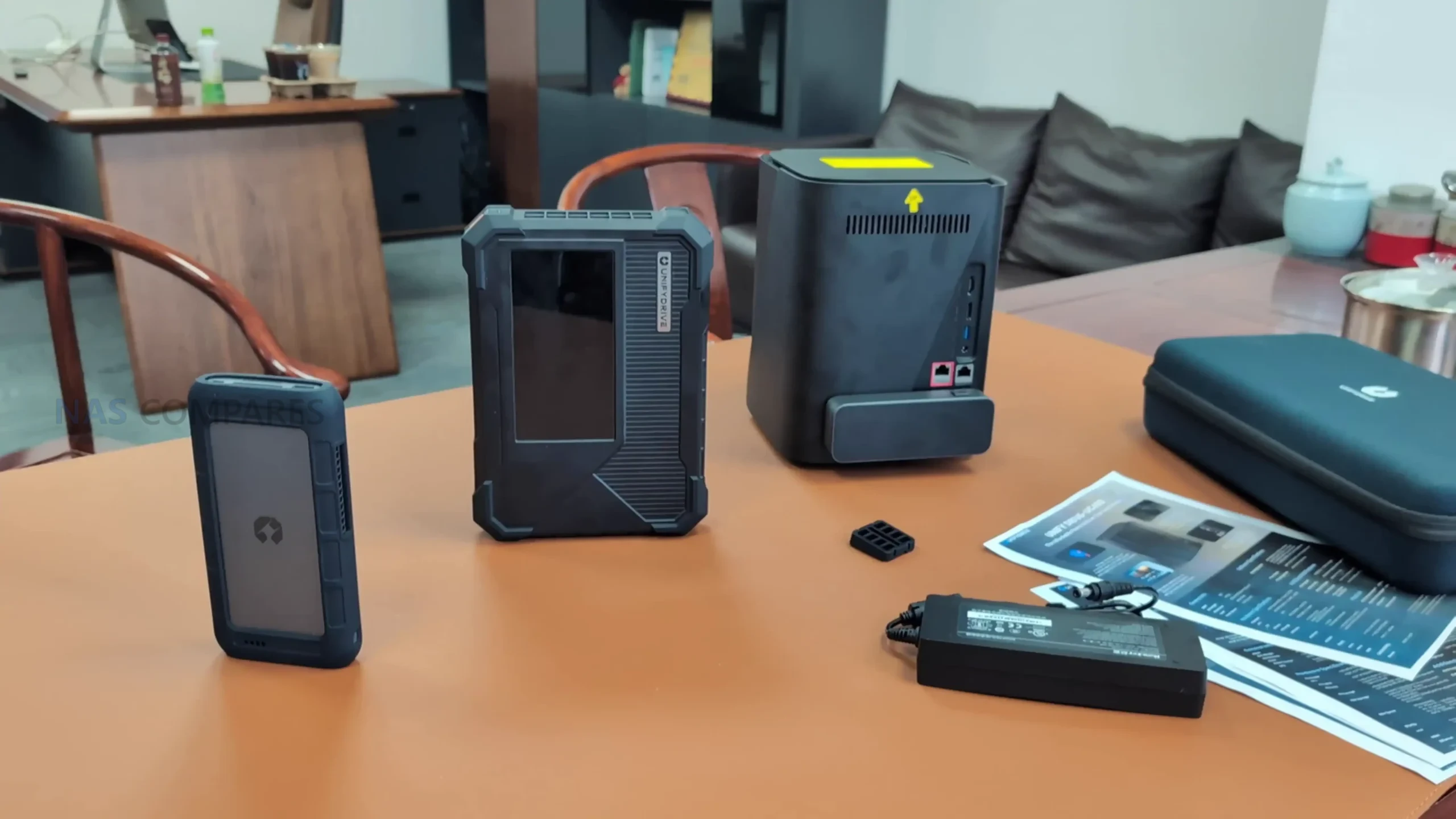
UnifyDrive UP6 NAS – 6x M.2, Intel 125H, 10GbE, Battery and More
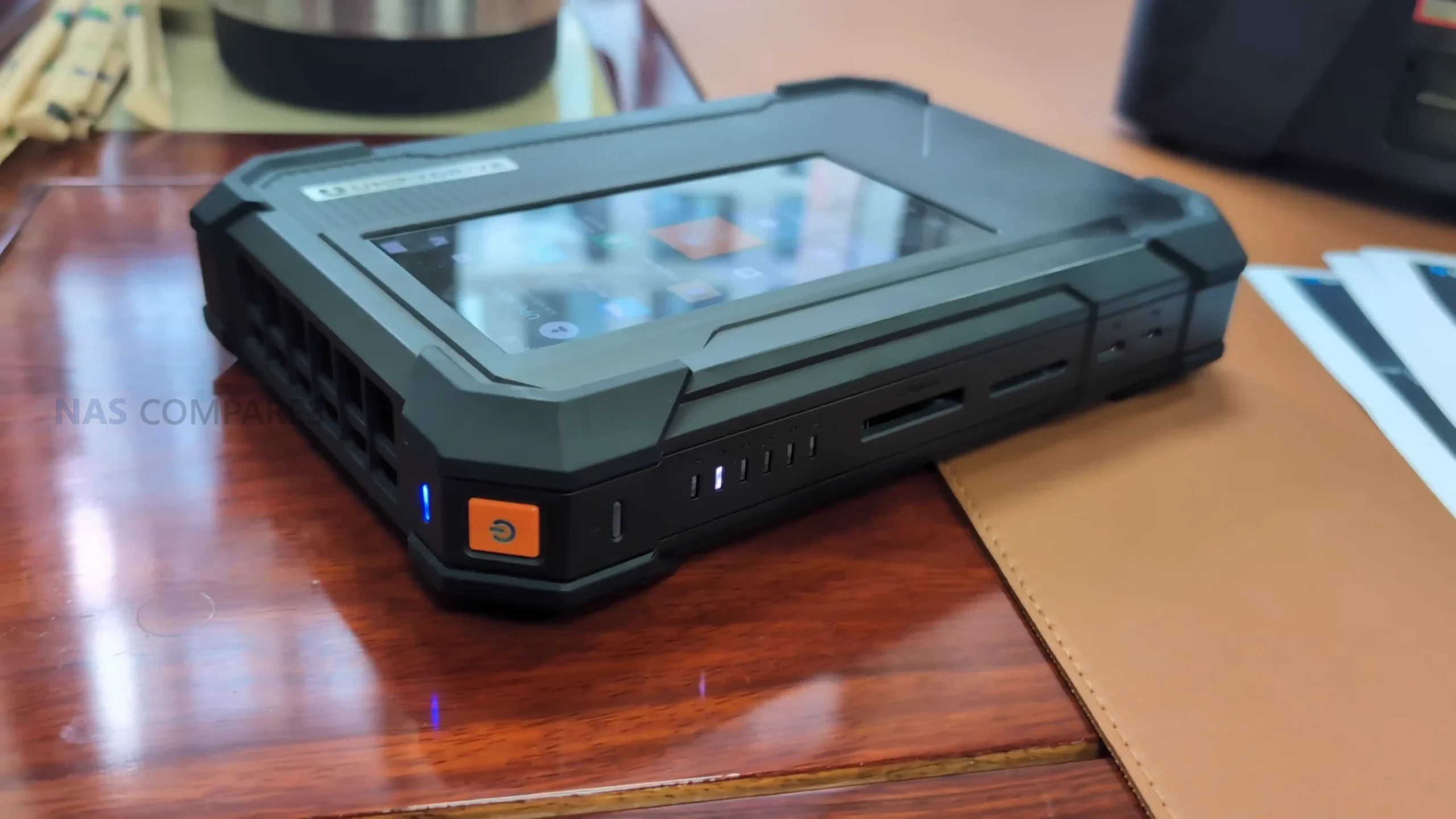
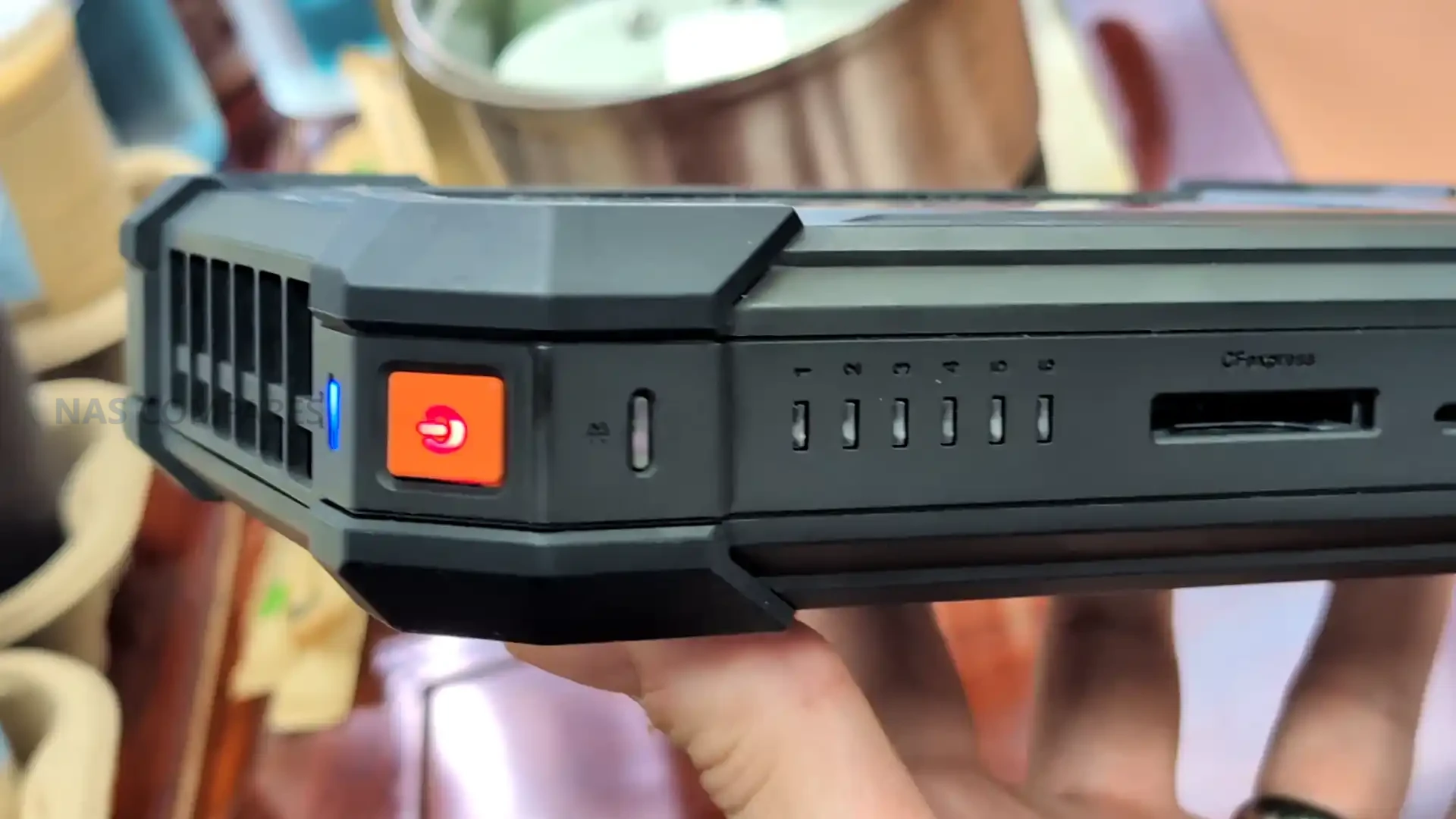
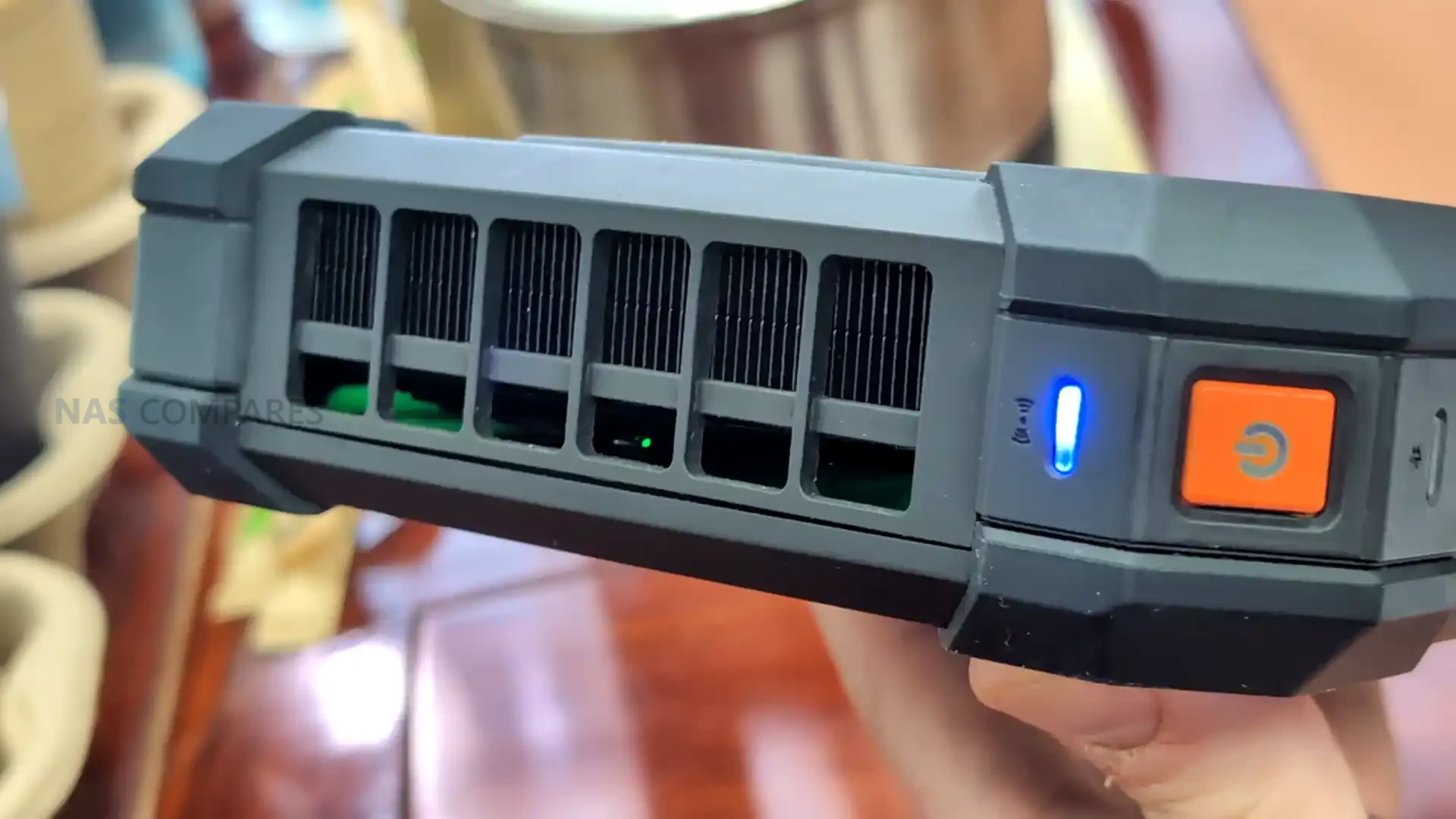
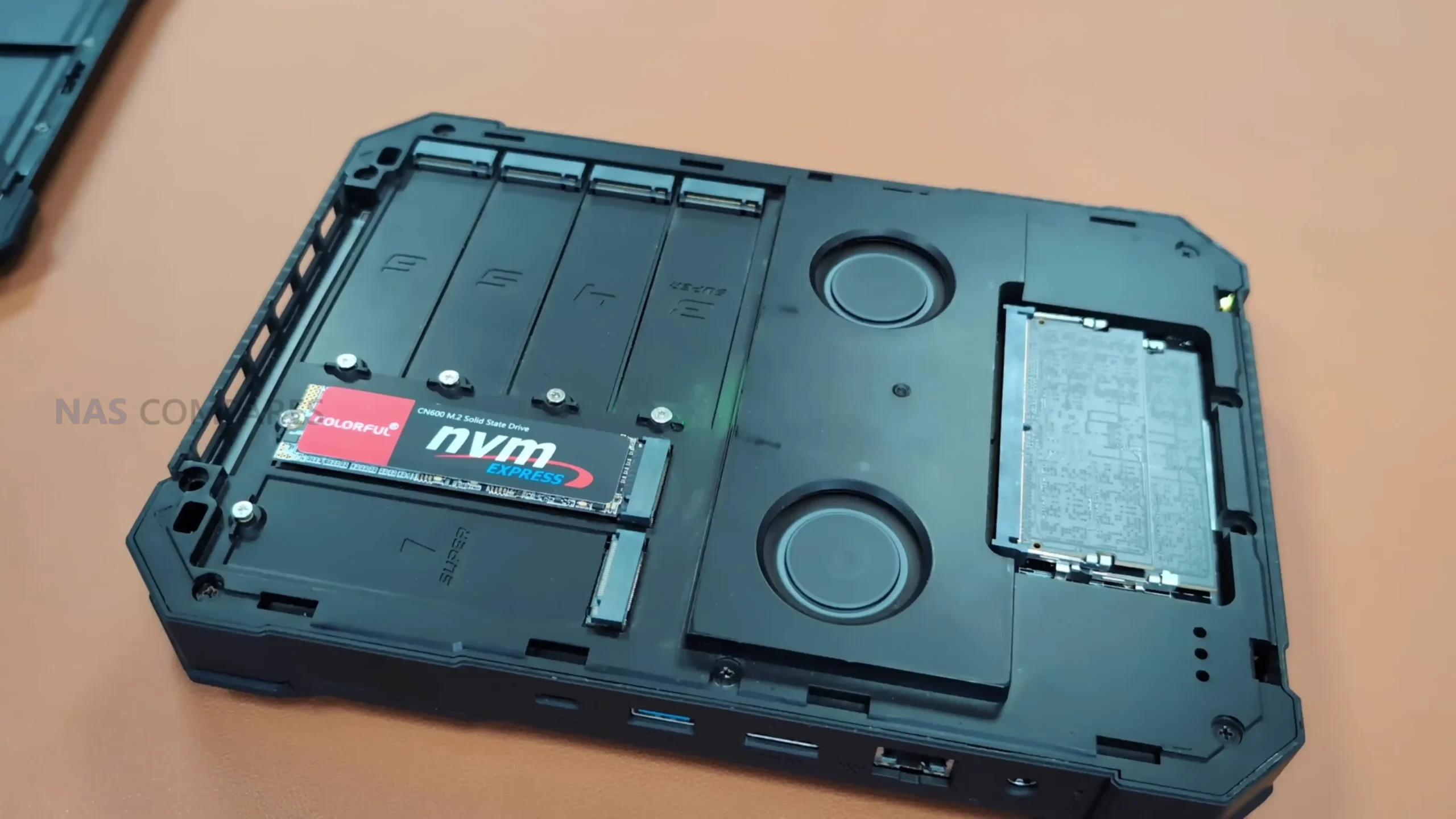
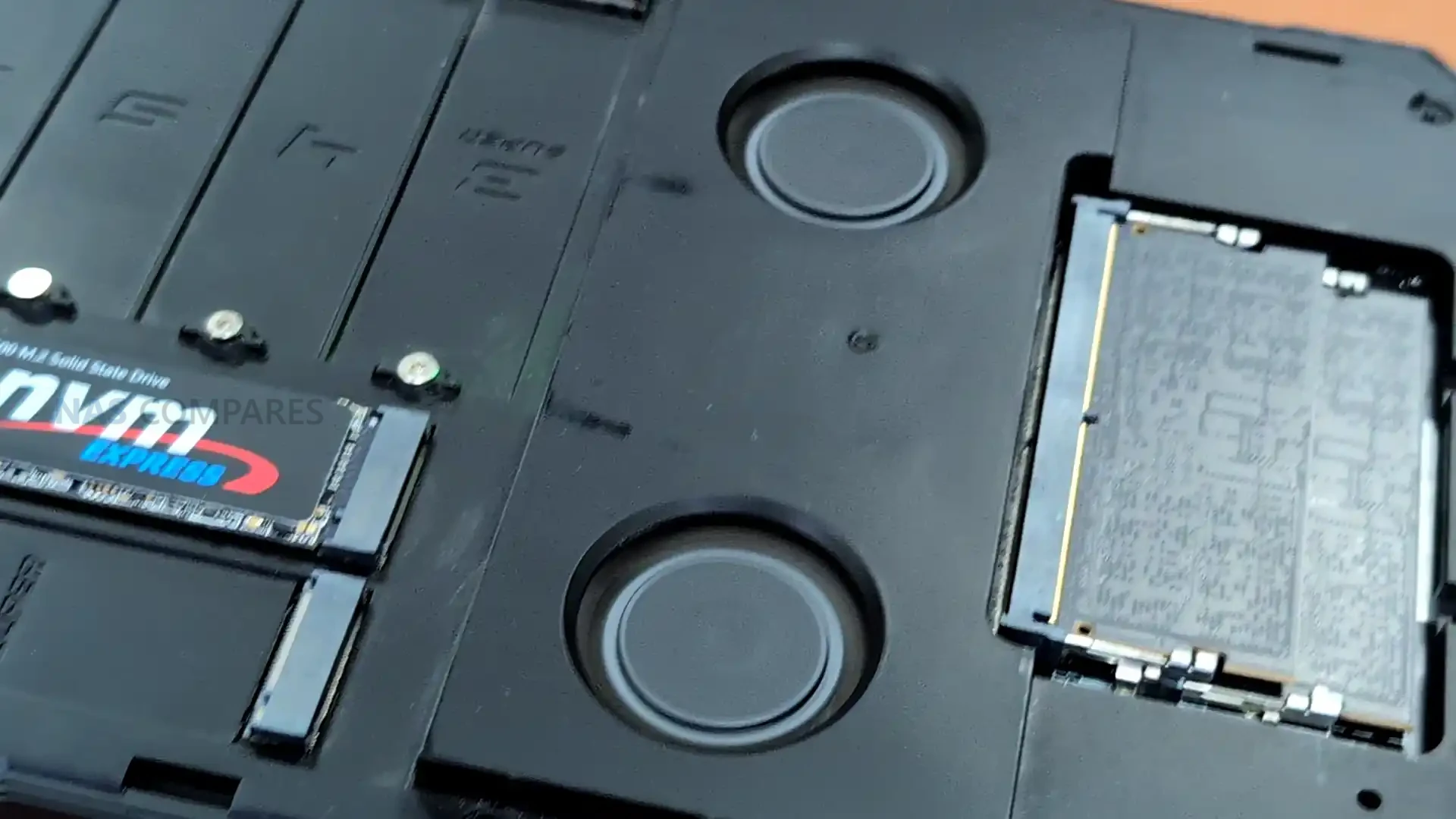
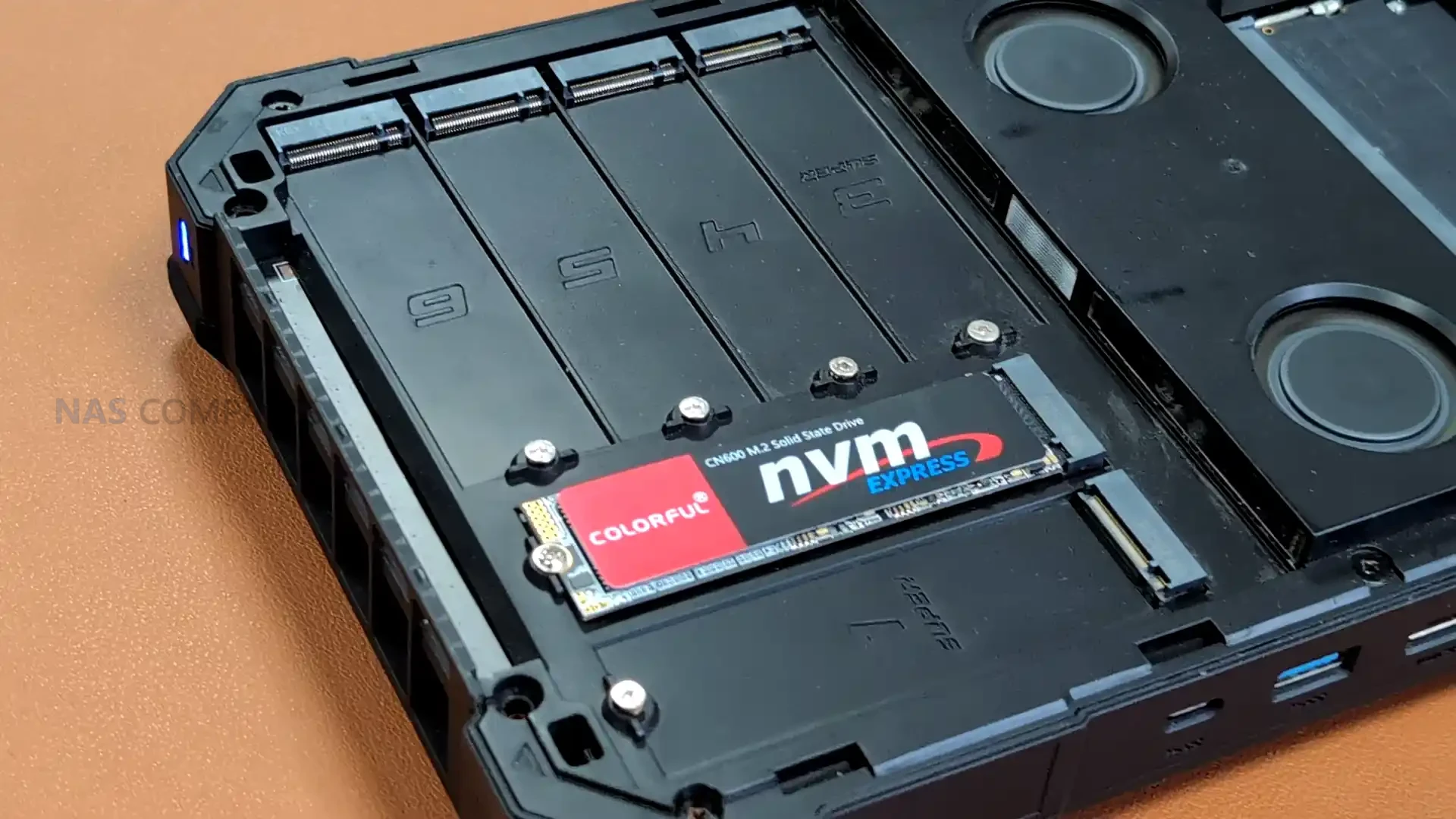
The UP6 represents the most advanced portable NAS in the UnifyDrive lineup and is built around a mobile form factor that is intended for field use rather than stationary deployment. It uses the Intel Ultra 125H processor, which provides significantly higher compute capability than the earlier UT2 mobile unit and enables the use of six PCIe Gen4 M dot 2 NVMe slots. Three of these operate at Gen4 x4 speed and the remaining three at Gen4 x2, giving the UP6 a storage profile that exceeds that of most fixed desktop NAS units. The system also includes an integrated battery that supports short operational sessions without external power, although the power draw of the CPU and storage means the runtime is intended for intermittent activity rather than sustained workloads.
 |
 |
 |
 |
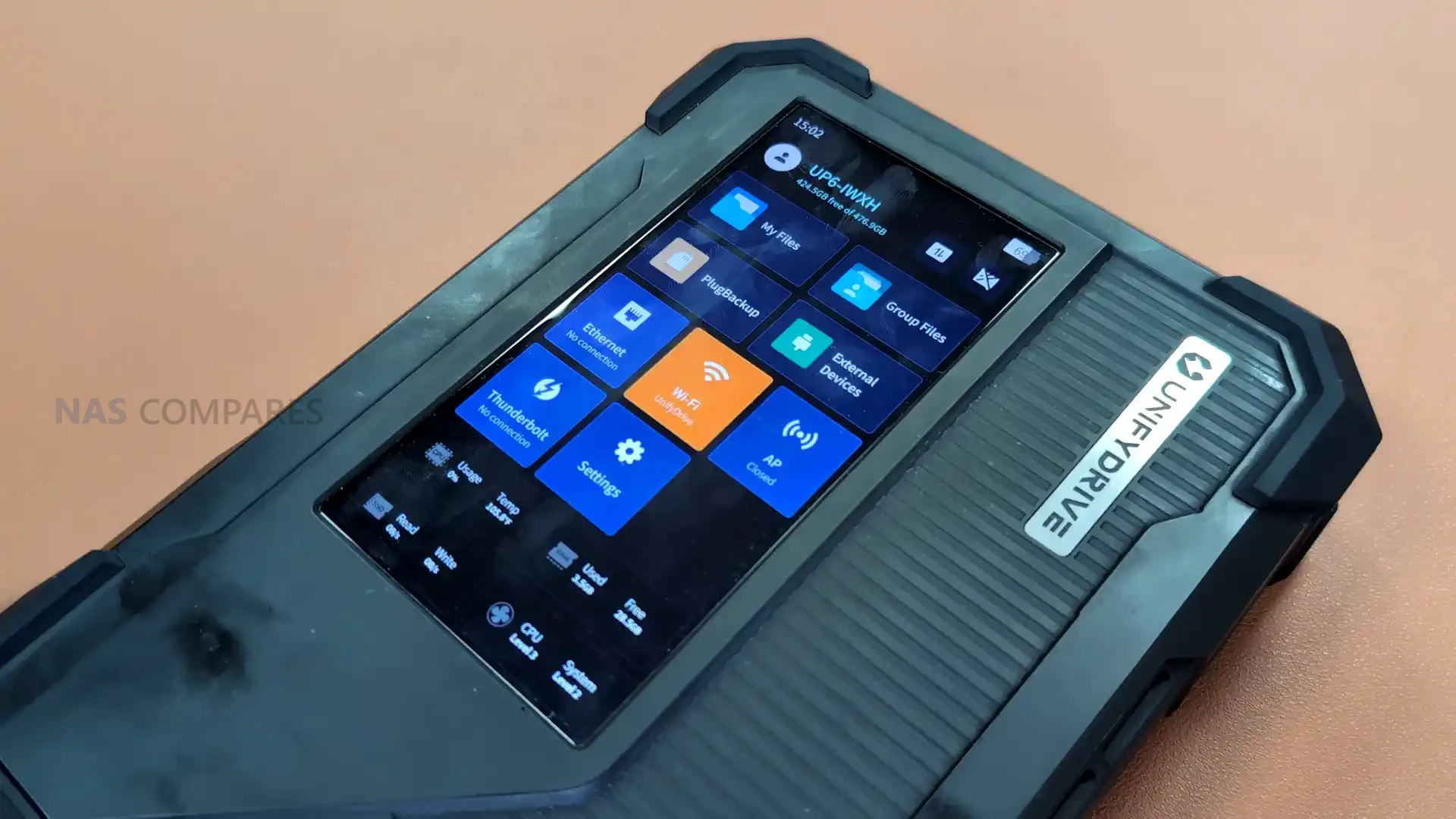
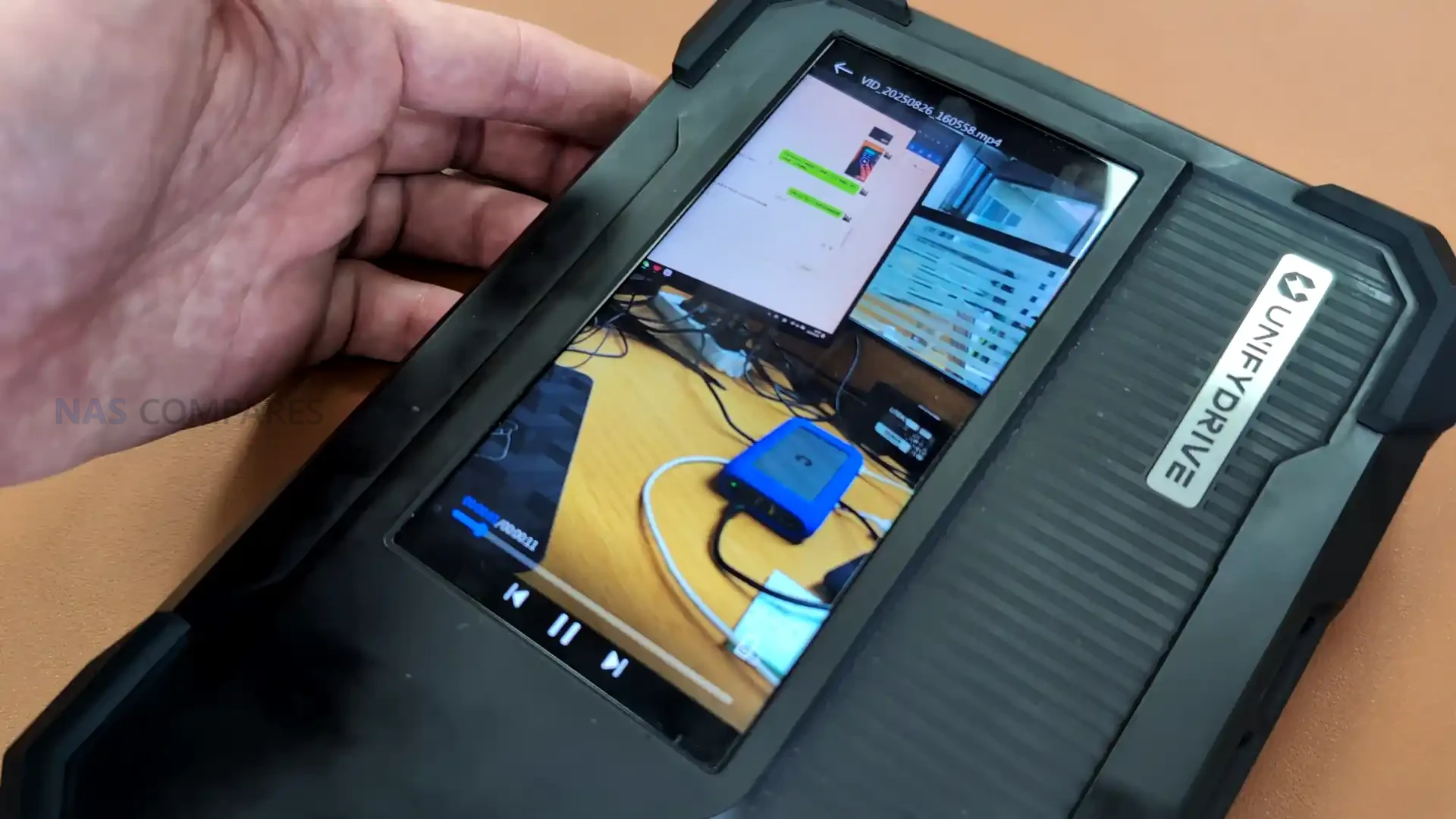
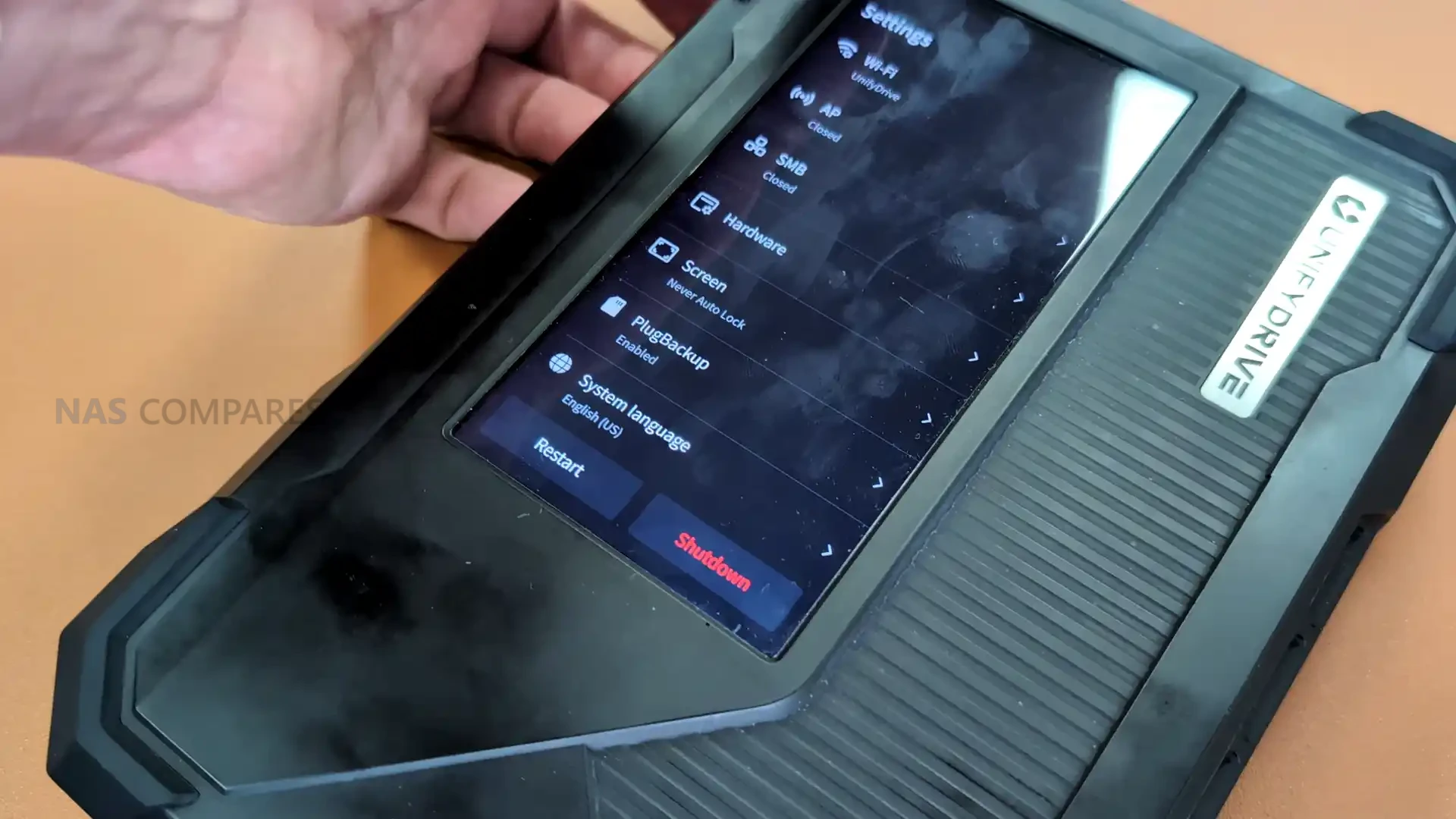
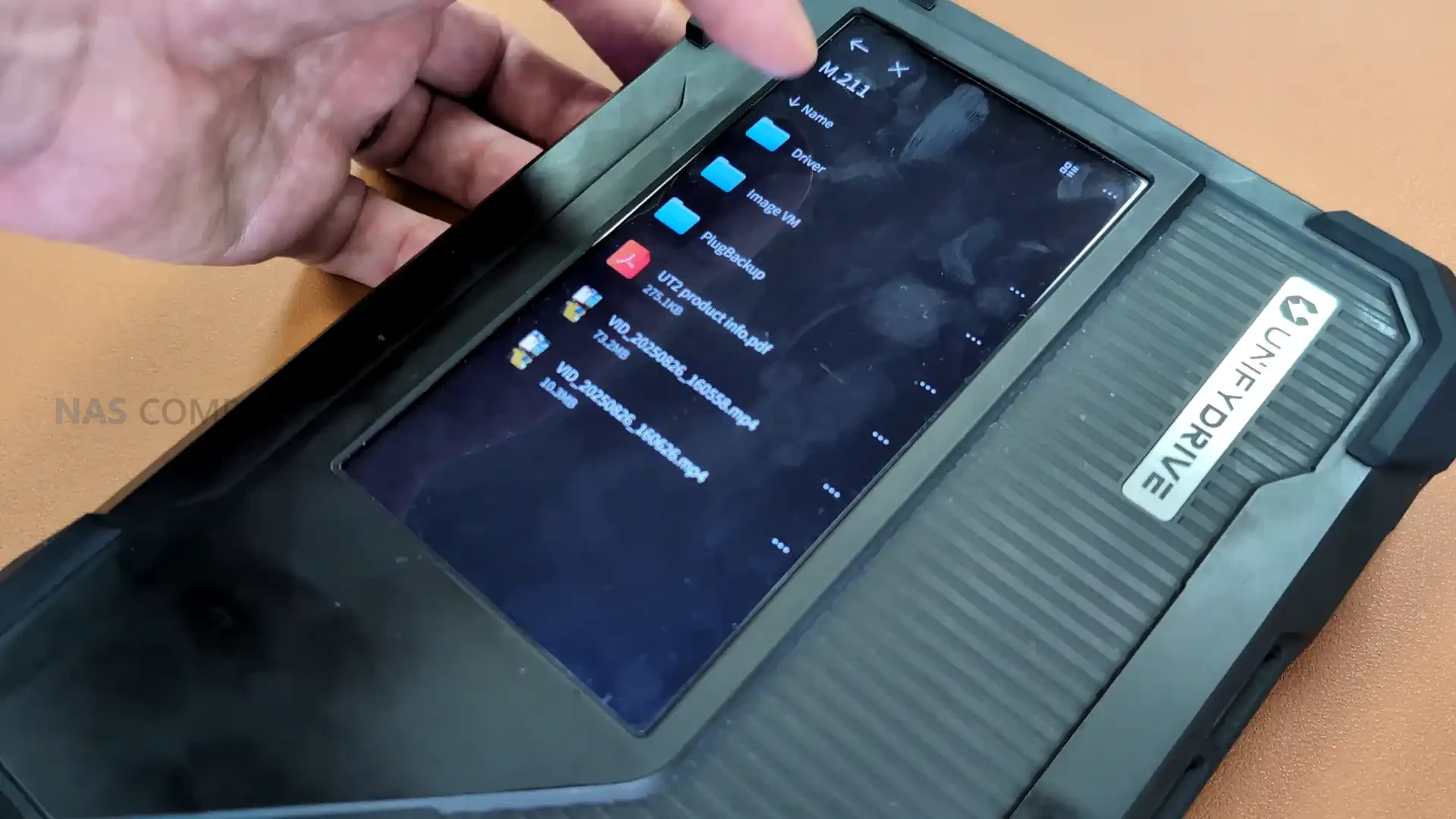
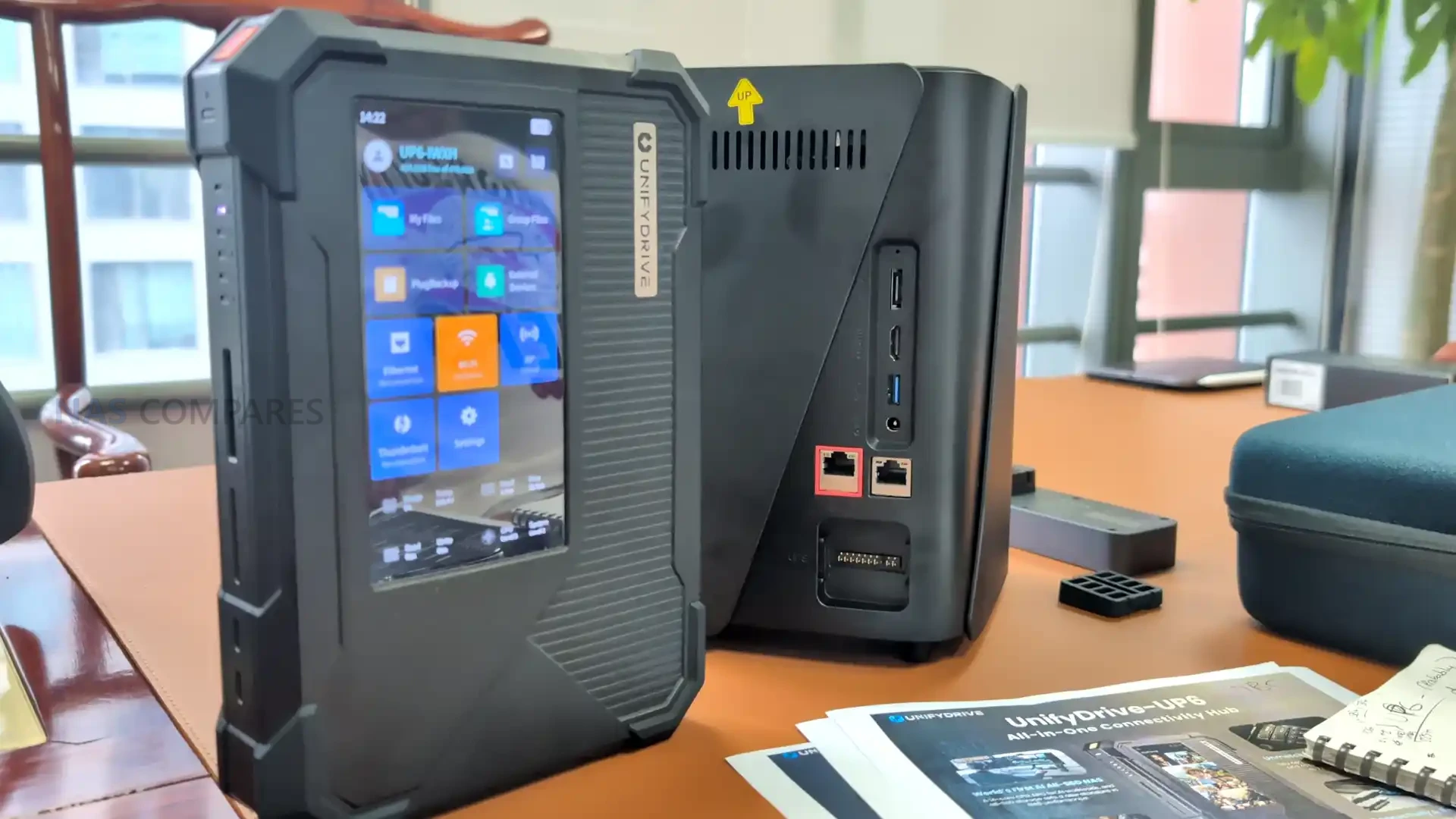
A key distinction of the UP6 is the inclusion of a six inch touchscreen that replaces the need for a separate client device for configuration and basic data access. Users can view files, manage wireless settings, create access points, and operate the unit in a fully headless manner directly from the display. The system also supports viewing documents such as PDFs and browsing local folders without requiring a companion app. This places the UP6 closer to a self contained workstation that can function in environments where a laptop or separate console may not be available.
 |
 |
 |
 |
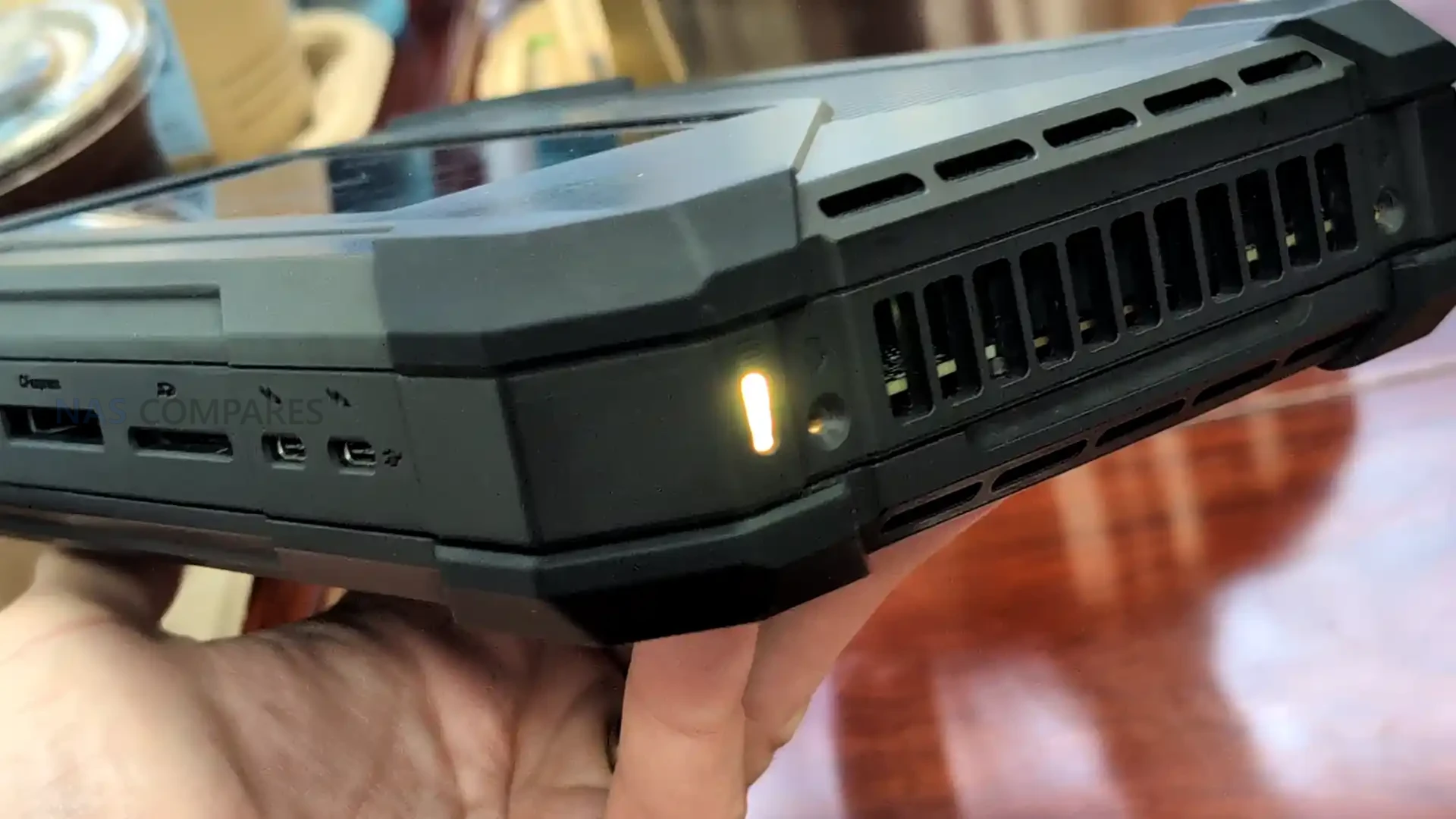
Connectivity on the UP6 is more advanced than is typically seen on portable servers. The unit includes 10 gigabit Ethernet, Wi Fi 6, dual Thunderbolt 4 or USB4 ports, and the ability to use high speed external devices for backup or direct data transfer. This makes the system suitable for on site content ingestion from cameras, drones, or other equipment that rely on fast solid state storage workflows. Although the battery is not designed for long sessions, the combination of high bandwidth storage, high speed network access, and direct touch control allows the UP6 to support temporary production tasks that previously required full desktop hardware.
 |
 |
 |
 |
| Processor | Intel Ultra 125H |
| Memory | Up to 96 GB DDR5 |
| Storage | Six M dot 2 NVMe slots, Gen4 x4 and Gen4 x2 |
| Touchscreen | Six inch display with file viewer and controls |
| Network | 10GbE Ethernet, Wi Fi 6 |
| Connectivity | Two Thunderbolt 4 or USB4 ports |
| Battery | Integrated unit for short runtime sessions |
| OS Storage | Dedicated eMMC module |
UnifyDrive UC450 Pro and UC450 NAS – Desktop NAS Solutions with Optional UPS
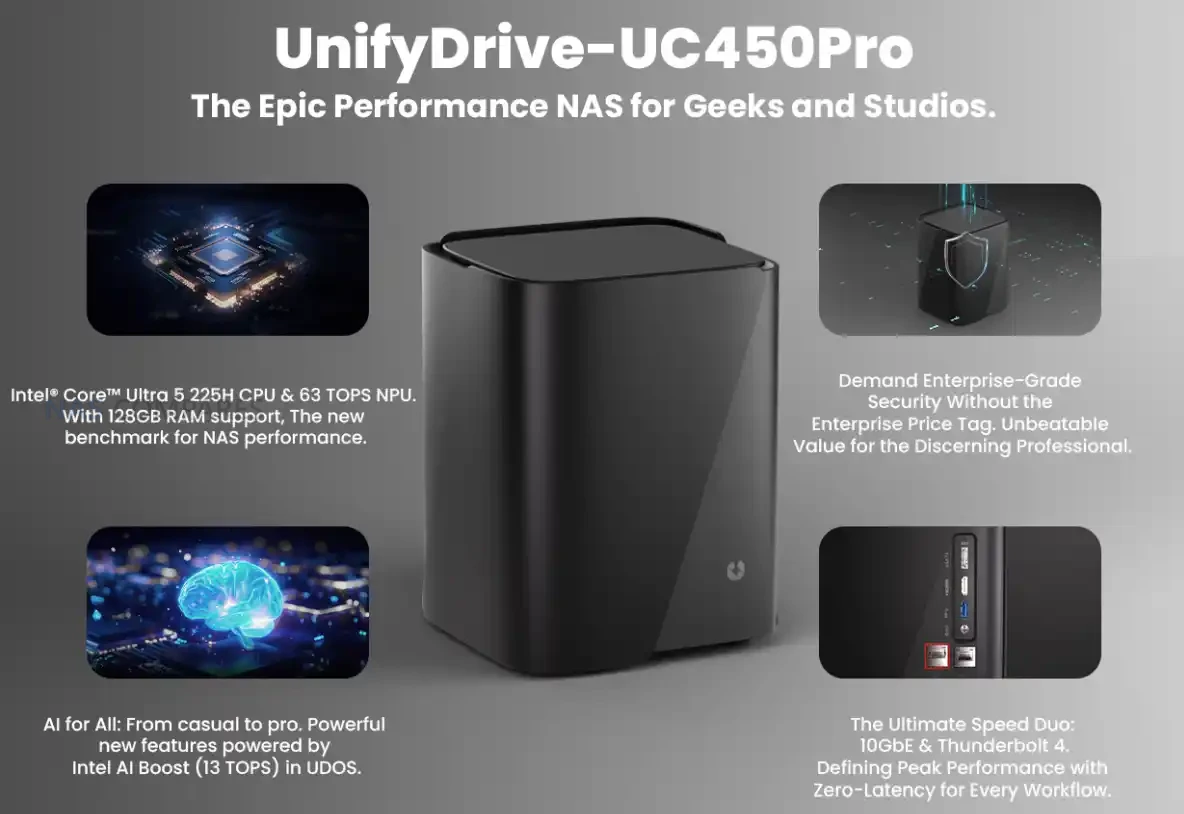
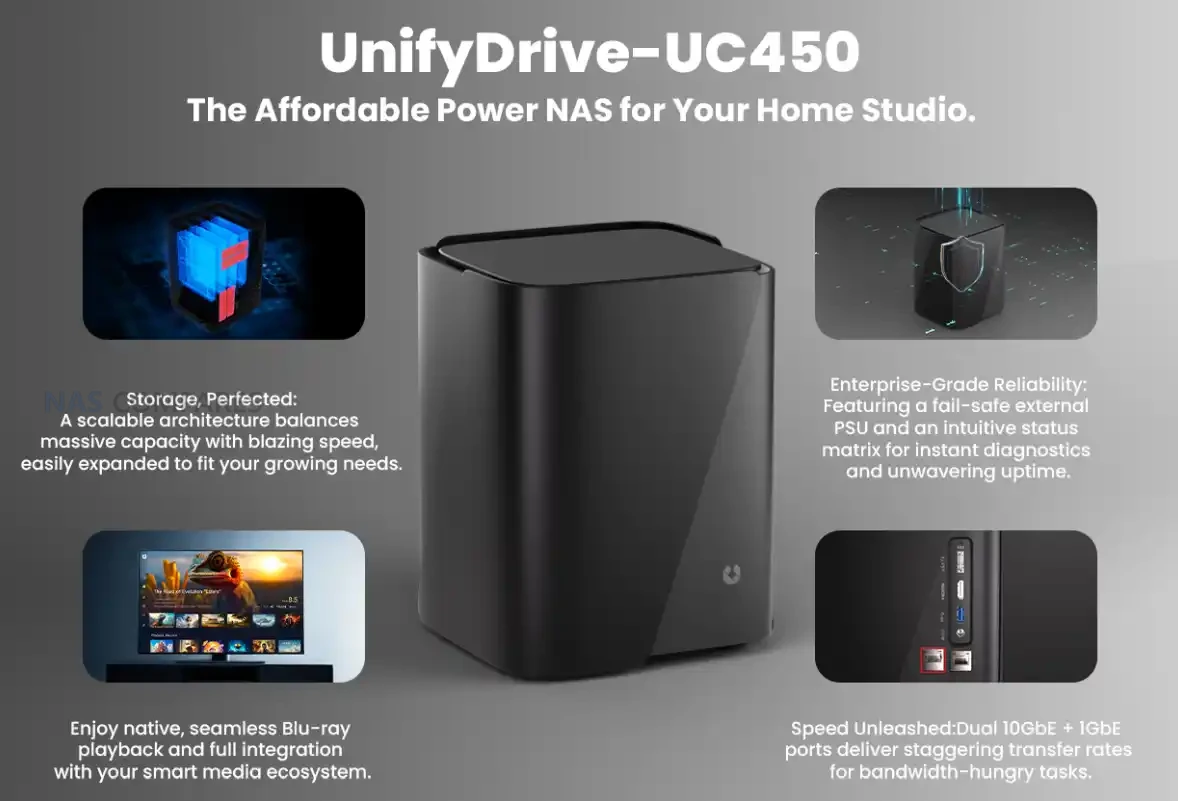
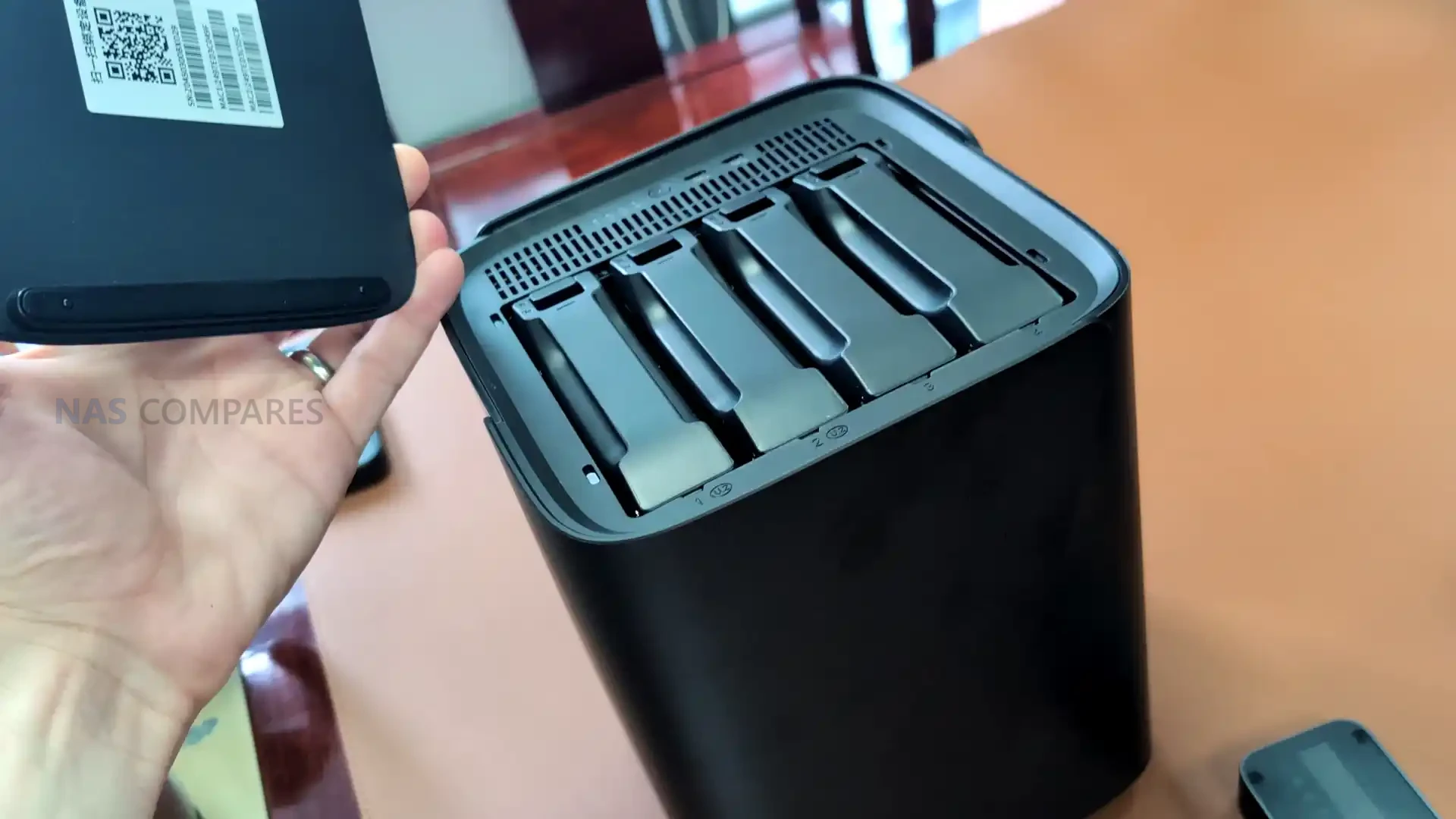
The UC450 series introduces UnifyDrive’s shift toward fixed desktop storage, with two models that share the same four bay chassis but differ substantially in internal hardware and intended workload. The UC450 uses the Intel N355 processor, which is an eight core Twin Lake architecture aimed at low power operation and predictable performance for general file serving. It includes four standard SATA bays and two M.2 PCIe three times one slots, allowing a mixed storage setup that prioritises cost efficiency. The system also provides 16GB of memory through a single SODIMM module, which matches the upper limit of the processor and positions the UC450 as a straightforward desktop NAS for small teams or home environments.
 |
 |
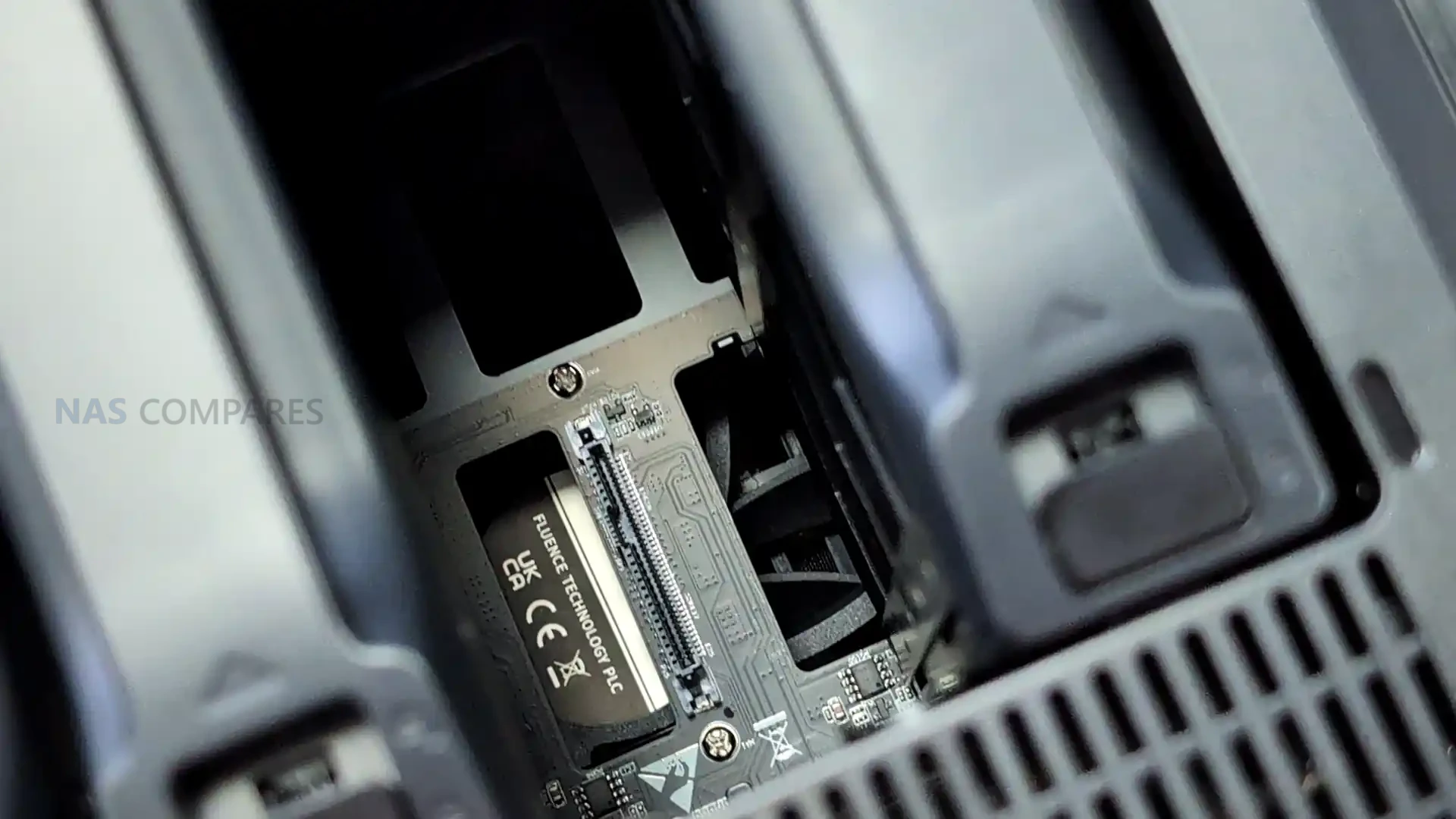
The UC450 Pro is a more advanced version of the same platform and moves into a higher performance category by adopting the Intel Ultra 225H processor. This brings significantly stronger compute capability, dedicated AI acceleration, and support for dual channel DDR5 memory up to 128GB. Storage options are also substantially expanded, with two U.2 PCIe 4×1 bays for high capacity enterprise SSDs, four M.2 PCIe four slots that include three times four and one times two lanes, and two standard SATA bays for conventional drives. This gives the Pro model a much broader range of storage configurations, including high throughput NVMe arrays and mixed media deployments suited to heavy workloads.
 |
 |
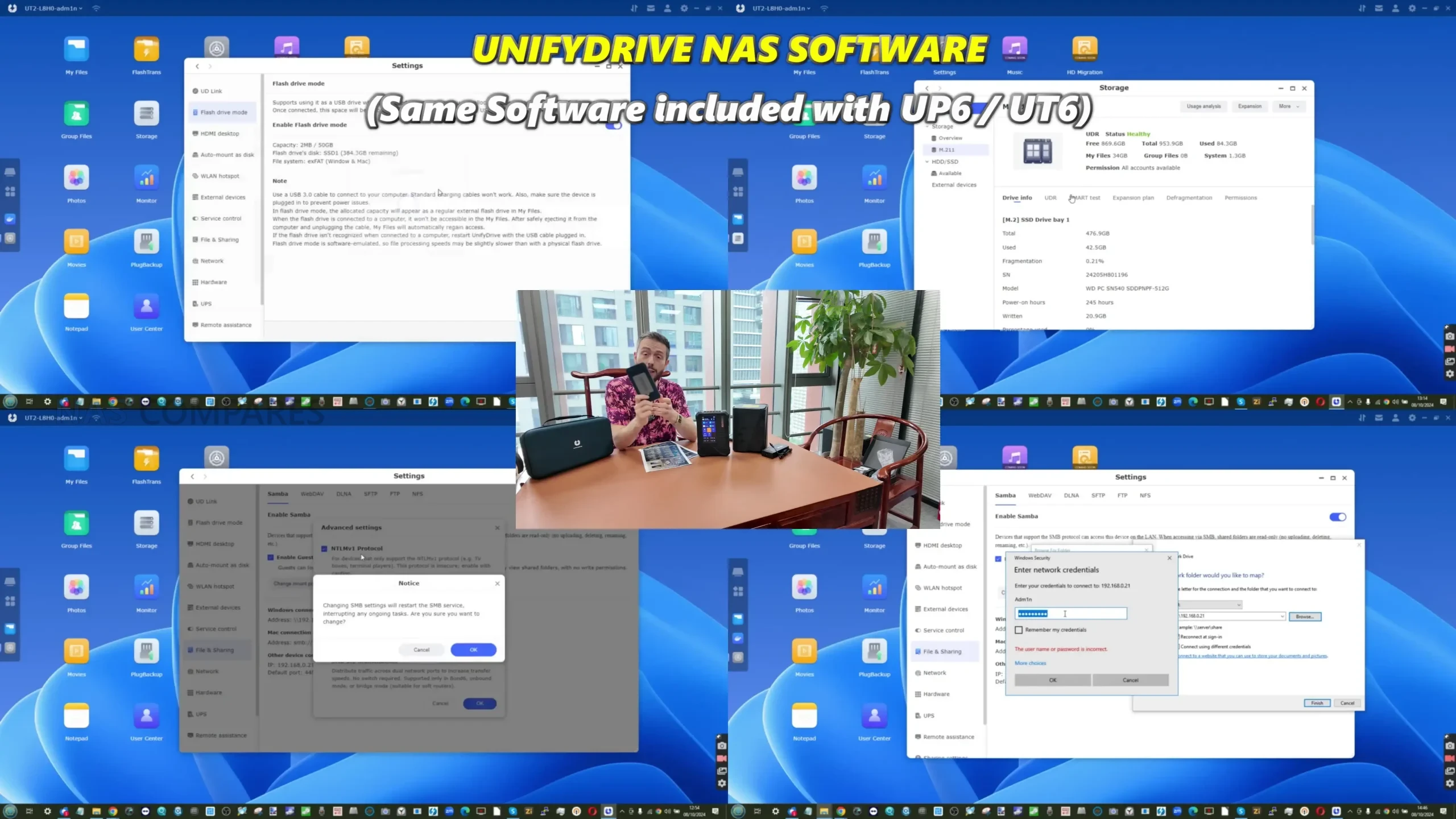
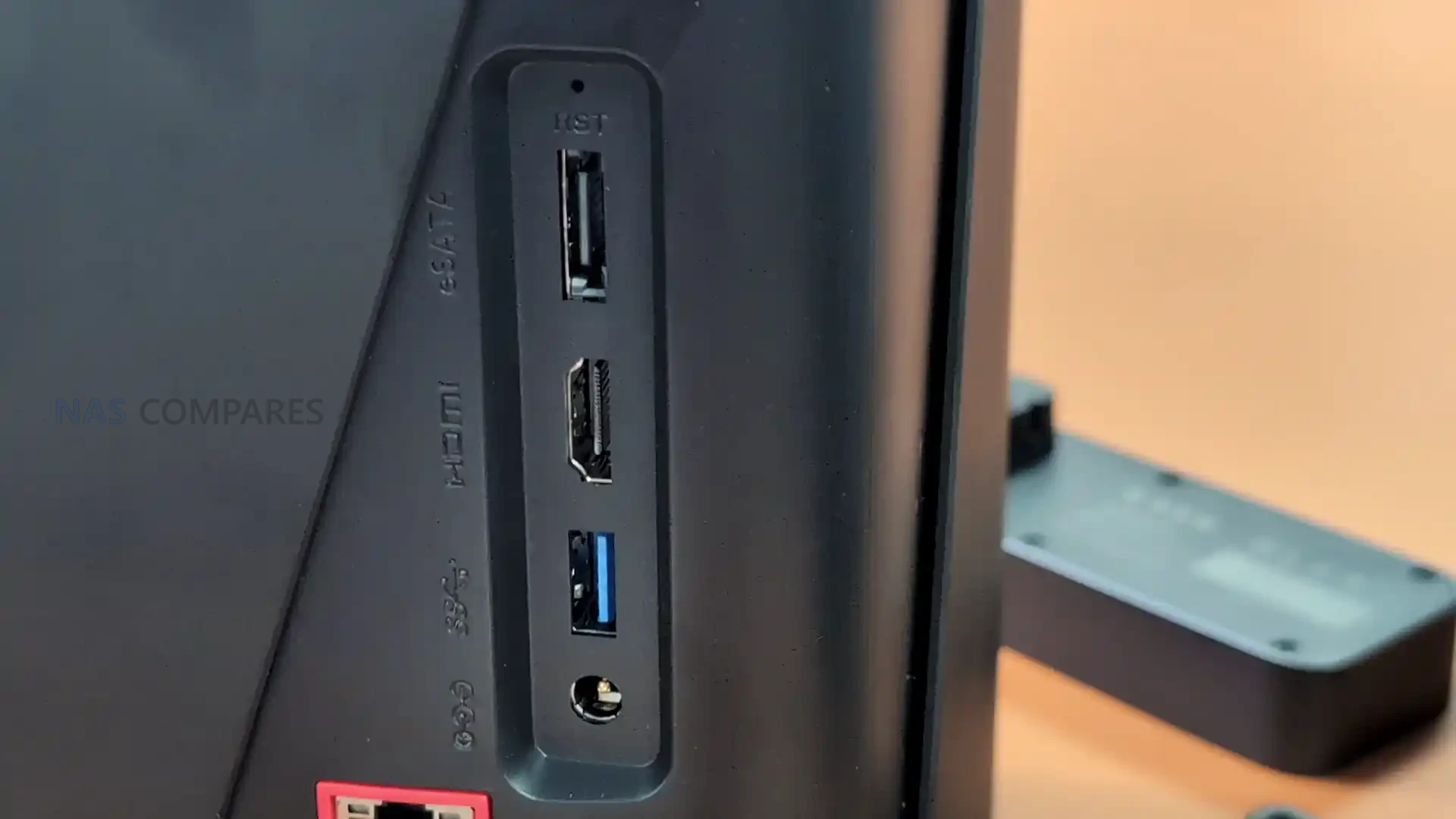
Both systems share the same software environment and include the UDOS operating system, which supports multi device access and Docker based services for lightweight virtualization. They each provide 10GbE alongside one gigabit connectivity, and the Pro model adds dual Thunderbolt 4 or USB 4 ports that allow faster external drives, direct high speed links to compatible workstations, and more flexible data ingest workflows. UnifyDrive has also added an optional UPS module that attaches directly to the rear of the chassis and provides short term power protection without requiring a separate external unit. This accessory uses a dedicated connector and allows the system to complete writes safely during interruptions, which is a feature not commonly found in desktop NAS hardware and is intended to supplement the capabilities of both UC450 models.
 |
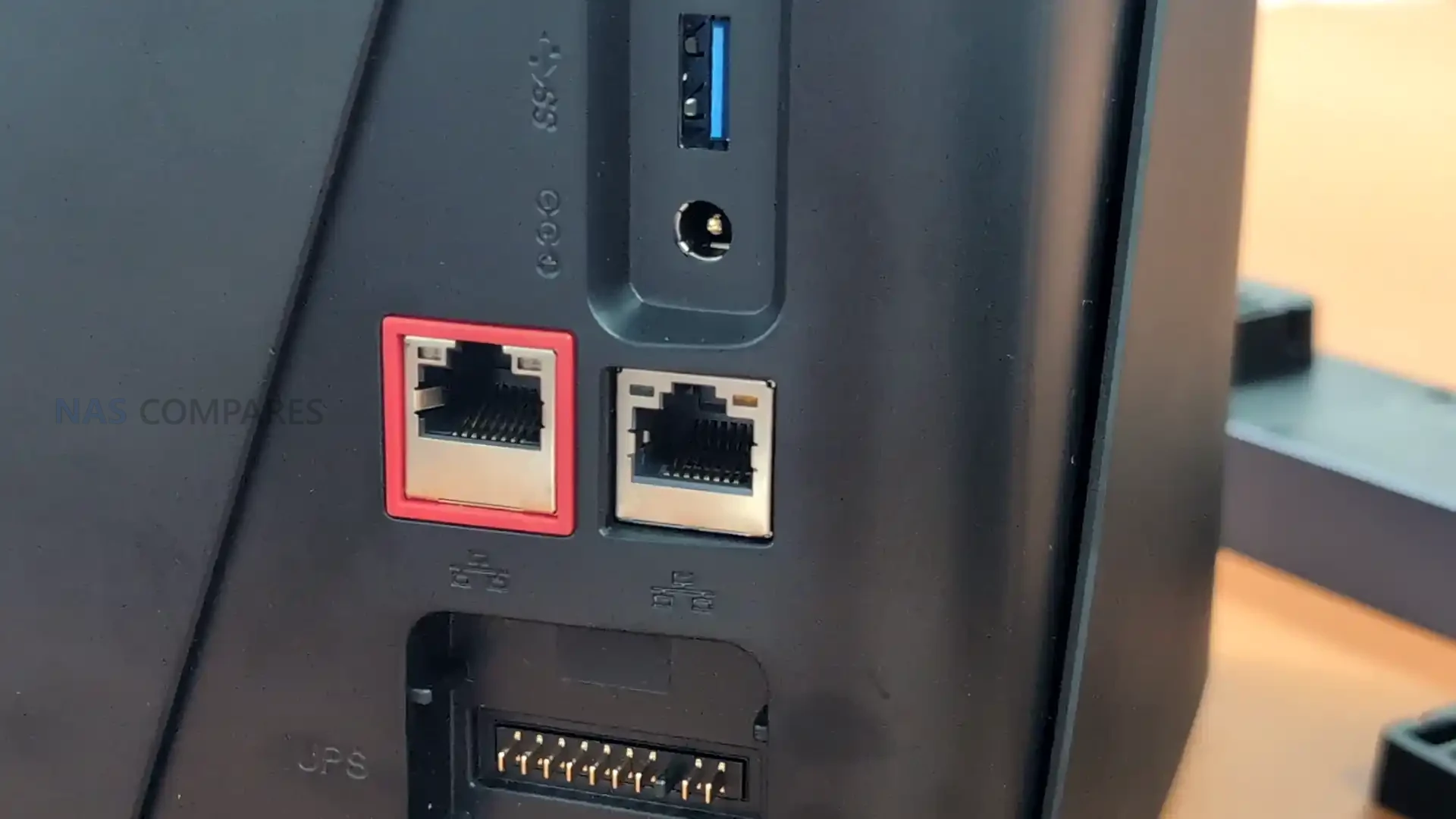 |
| Processor | UC450 uses Intel N355, UC450 Pro uses Intel Ultra 225H/125H *TBC |
| Memory | UC450 16GB, UC450 Pro up to 128GB DDR5 |
| Storage Bays | Four SATA bays |
| M.2 Slots | UC450 two PCIe 3×1, UC450 Pro mix of 4×4 and 4×2 |
| U.2 Bays | UC450 none, UC450 Pro two PCIe 4×1 |
| Network | 10GbE and 1GbE on both models |
| Connectivity | UC450 standard USB, UC450 Pro includes dual Thunderbolt 4 or USB 4 |
| OS Storage | Dedicated 32GB eMMC module |
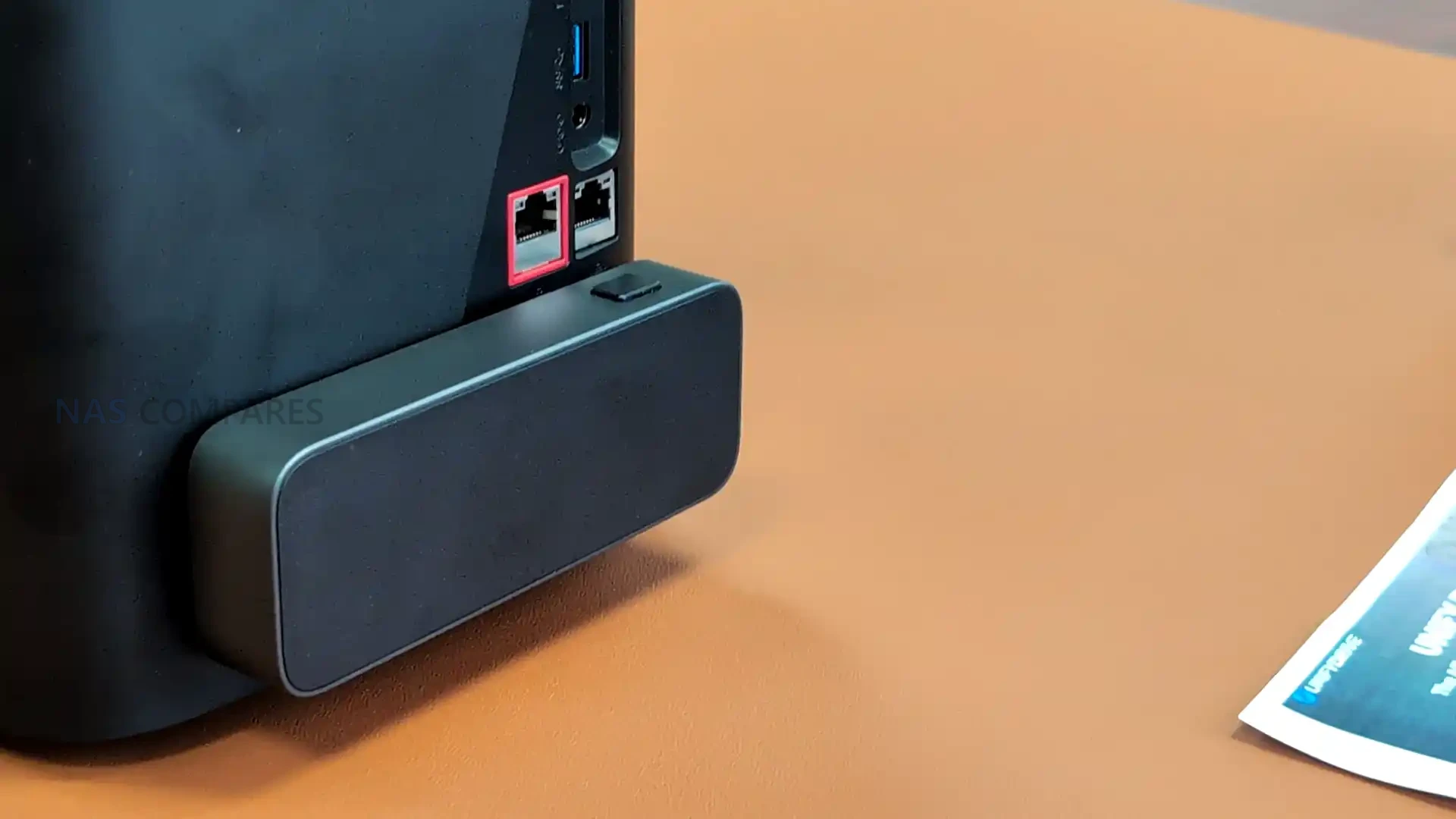 |
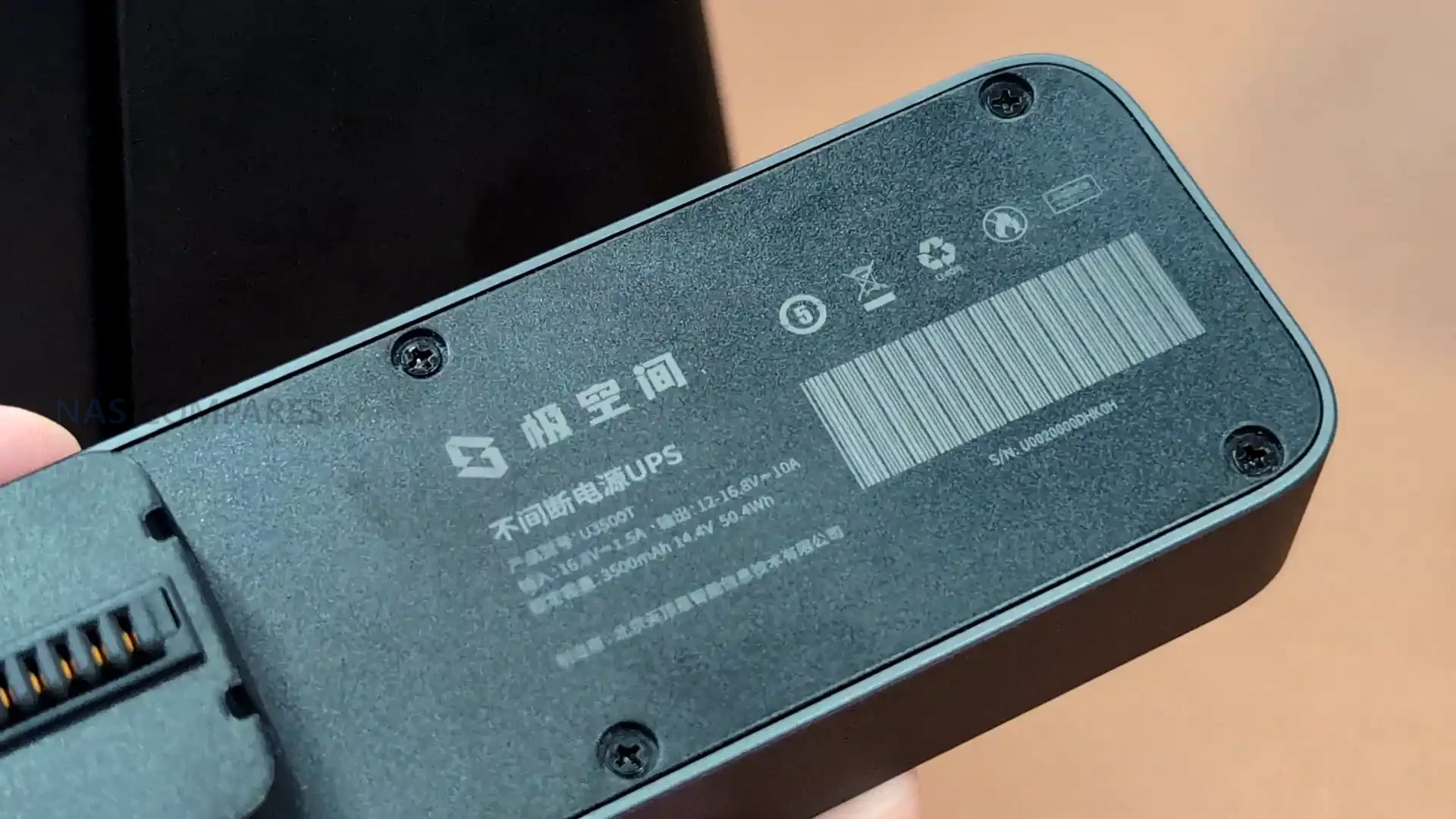 |
UnifyDrive UC250 NAS – Budget-Friendly Option
The UC250 is the smallest and most cost-focused NAS in the new UnifyDrive range and is designed for users who want a straightforward two bay desktop system without the higher performance requirements found in the larger models. It is built on the Intel N150 processor, a low power Twin Lake architecture intended for basic file serving and simple background tasks. The unit includes 8 GB of memory with support for expansion up to 16 GB, and the operating system is stored on a separate 32 GB eMMC module, ensuring that all SATA and M.2 storage is available exclusively for user data.
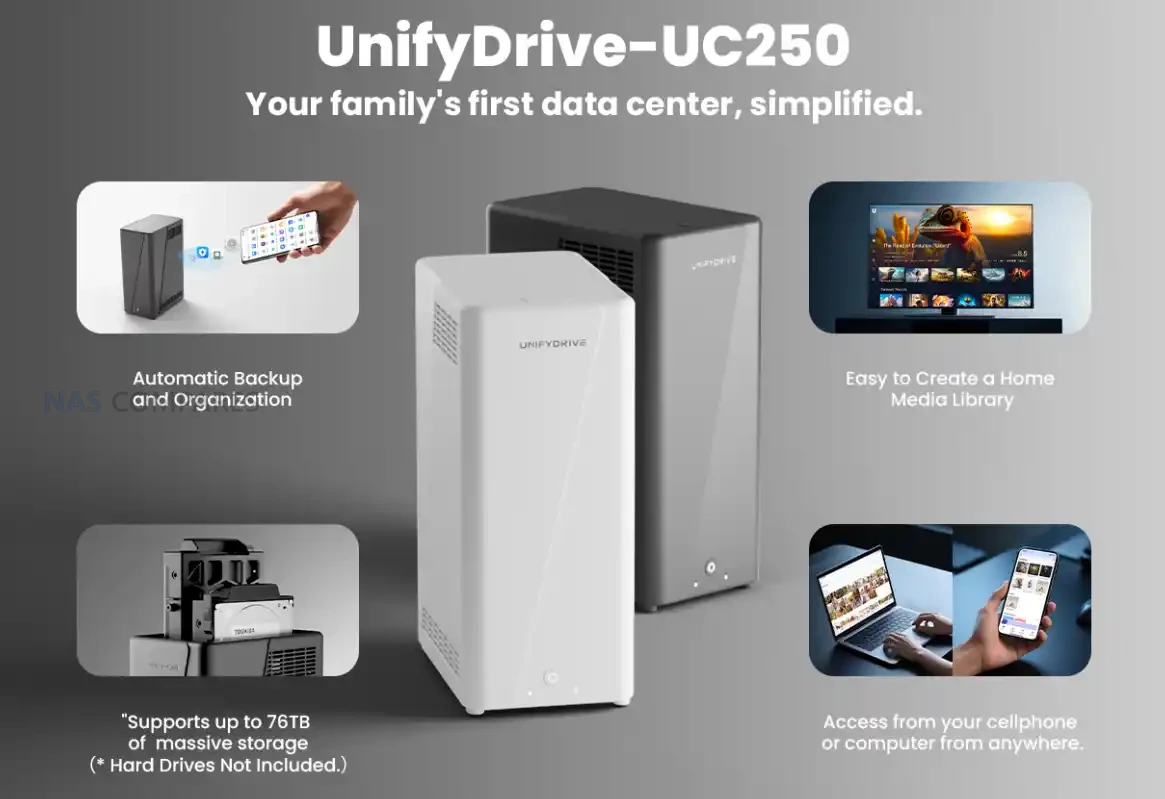
Alongside its two SATA drive bays, the UC250 provides two M.2 2280 slots and supports configurations up to 76 TB of total capacity. Networking is handled by a single 2.5 GbE port, which matches the modest performance envelope of the N150 processor and keeps power and thermal requirements low. Although it does not attempt to match the capabilities of the UP6 or UC450 Pro, the UC250 benefits from running the same UDOS software platform, giving it the same interface, remote access tools, and backup features as the higher tier systems. The UC250 is positioned as an accessible entry point for users who want a secondary backup target for either the UP6 or UC450 series. Its compact size, lower price point, and simple hardware make it suitable for off site or home office deployment, where it can serve as a reliable remote backup location without requiring additional platforms or complex configuration. This allows users to build a multi tier UnifyDrive ecosystem that includes mobile, desktop, and backup nodes with minimal setup effort.
| Processor | Intel N150 |
| Memory | 8 GB, upgradable to 16 GB |
| OS Storage | 32 GB eMMC V5.1 HS400 |
| SATA Bays | 2 x 2.5 inch or 3.5 inch |
| M.2 Slots | 2 x M.2 2280 NVMe |
| Maximum Capacity | Up to 76 TB |
| Network | 1 x 2.5 GbE |
| Connectivity | USB 3.2 Gen2 Type A, USB 3.2 Gen2 Type C |
| Software | UDOS with multi device access and isolation |
The new UnifyDrive lineup marks a clear expansion of the company’s hardware strategy, moving from a single mobile NAS concept toward a broader ecosystem with portable, desktop, and entry level systems that share a unified software platform. The UP6 targets users who need high speed NVMe storage and direct touchscreen access in mobile environments, while the UC450 and UC450 Pro introduce more traditional four bay designs with a choice between modest or high performance processing and a wider range of storage configurations. The UC250 sits at the opposite end of the spectrum as a compact two bay system intended for simple local storage or remote backup roles. Together, these models provide a tiered structure that allows users to match hardware to workload without leaving the UnifyDrive environment.
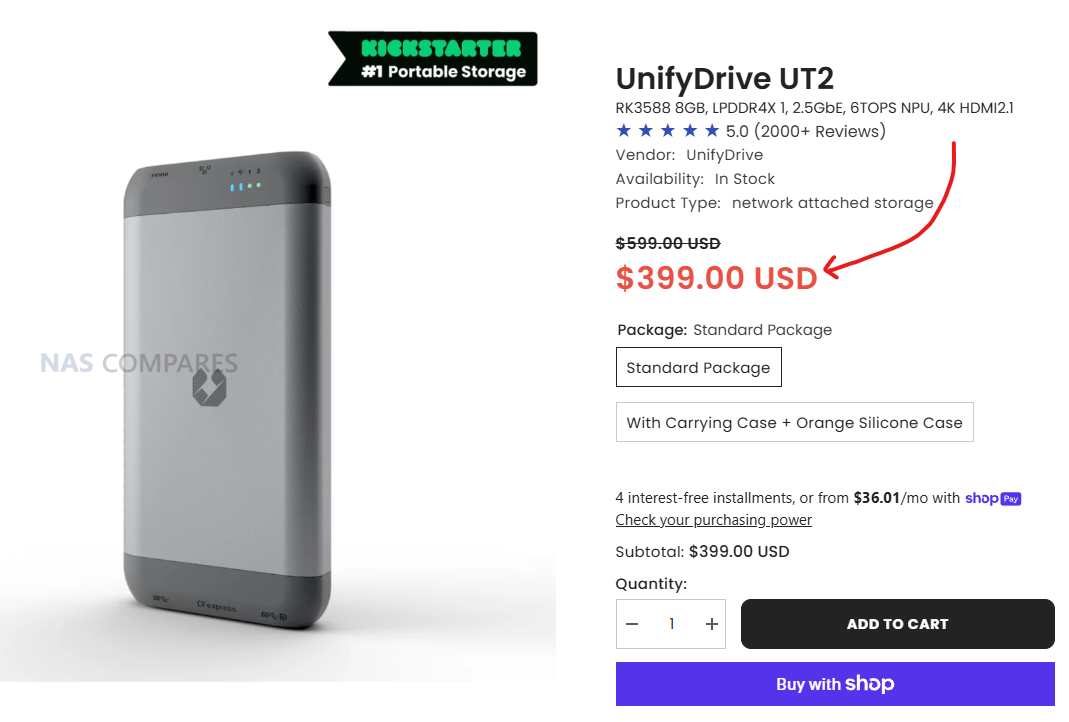
If you are interested in the UnifyDrive UT2 Mobile NAS, it is available below and is on special offer and you can head over to their shop (and support us at NASCompares via the affiliated link below) at $399:
IMPORTANT – Get a further 5% off using the promo code: NASCOMPARES
📧 SUBSCRIBE TO OUR NEWSLETTER 🔔
🔒 Join Inner Circle
Get an alert every time something gets added to this specific article!
This description contains links to Amazon. These links will take you to some of the products mentioned in today's content. As an Amazon Associate, I earn from qualifying purchases. Visit the NASCompares Deal Finder to find the best place to buy this device in your region, based on Service, Support and Reputation - Just Search for your NAS Drive in the Box Below
Need Advice on Data Storage from an Expert?
Finally, for free advice about your setup, just leave a message in the comments below here at NASCompares.com and we will get back to you. Need Help?
Where possible (and where appropriate) please provide as much information about your requirements, as then I can arrange the best answer and solution to your needs. Do not worry about your e-mail address being required, it will NOT be used in a mailing list and will NOT be used in any way other than to respond to your enquiry.
Need Help?
Where possible (and where appropriate) please provide as much information about your requirements, as then I can arrange the best answer and solution to your needs. Do not worry about your e-mail address being required, it will NOT be used in a mailing list and will NOT be used in any way other than to respond to your enquiry.
 TRY CHAT
Terms and Conditions
TRY CHAT
Terms and Conditions





|
 |
| Where to Buy a Product | |||
 |
    
|
  
|
VISIT RETAILER ➤ |
 |
|
|
VISIT RETAILER ➤ |
 |
|
|
VISIT RETAILER ➤ |
 |
|
|
VISIT RETAILER ➤ |
We use affiliate links on the blog allowing NAScompares information and advice service to be free of charge to you. Anything you purchase on the day you click on our links will generate a small commission which is used to run the website. Here is a link for Amazon and B&H. You can also get me a ☕ Ko-fi or old school Paypal. Thanks! To find out more about how to support this advice service check HERE


Minisforum MS-02 Ultra - WHO IS THIS FOR??? (The First 48HRs)
Why People Use TrueNAS, UnRAID and Proxmox to Turnkey NAS (Synology, QNAP, etc)
Why People Prefer Turnkey NAS vs TrueNAS, UnRAID and More
The Top 5 Mistakes NAS Buyers Make
Top 5 PLEX/Jellyfin NAS of 2025
Seagate Ironwolf vs WD Red NAS Hard Drives
Access content via Patreon or KO-FI
Discover more from NAS Compares
Subscribe to get the latest posts sent to your email.
Exactly the video i need. Thank u sir
REPLY ON YOUTUBE
Sorry but between that accent, poor enumciation even mumbling, and talking too fast I cannot decipher the narration AT ALL. link to a wriien summary please?
REPLY ON YOUTUBE
Chinese crap! with a few nice built in back doors for the CCP
REPLY ON YOUTUBE
Imagine the software on these portable NAS had the ability to import and organize photos/videos into folders based on camera model and date taken sub folders, with a JPEG/RAW/MP4 sub folders in the date folder
REPLY ON YOUTUBE
Hear me out
i3-1215u down TDP to 5w
with those 20PCIe lanes give it 16 M.2 slots (x1) a 40G network port, a pair of 10G, and a pair of 1G. With a hardware switch to disable the high speed networking to save power when not in use.
Some of these M.2 cards can be VERY efficient. With some i wonder if they’re stuck on 14nm+++++++
REPLY ON YOUTUBE
Cannot trust Chinese electronics.
REPLY ON YOUTUBE
好东西!别理会那些认为我们在偷窥的人……
REPLY ON YOUTUBE
That rugged beast need some kind of hand strap. It’s too big.
REPLY ON YOUTUBE
With no pricing nothing else matters
It’s doesn’t matter for the consumer market if they can slam 20x 10Gbe connections if it costs 20k$
REPLY ON YOUTUBE
Got the UT2 and I block any internet access to it. Gazzilion connections showed up on my firewall. No where there is documentation I could find.
REPLY ON YOUTUBE
I’m not sure it matters what the NAS producers make for us atm, because you can’t get RAM or NVME storage at a reasonable price and won’t be able to for years at this rate. That’s going to make it very hard to get these products out to sole traders and small businesses and home users. Not to mention it’ll create a tonne of pollution as people keep using antiquated spinning disk technology, although not as much as music haters who listen to vinyl which has literally no advantages whereas at least HDD has embiggening technology vs SSD.
REPLY ON YOUTUBE
2:50 lol looks like an improved and less bulky version of the windows phone 😛 … quite like the tile interface actually appears well thought out and easy to use?
REPLY ON YOUTUBE
Flint3 vs Flint 3e which one to buy for home
REPLY ON YOUTUBE
which one to buy for home
terramaster f425-4 bay or ugreen 4800plus
REPLY ON YOUTUBE
Brand so american even office positions like marketing and design are in China.
REPLY ON YOUTUBE
I really hate to say this but this is Chinese tech? Do you think it is the right time to trust your NAS data to a chinese company? There is no way the government would have put backdoors in those…right? The UI looks cool but I am sorry I can t trust my data and my customers data to a chinese NAS yet.
REPLY ON YOUTUBE
Can you put a custom OS on it? That’s MY main concern.
REPLY ON YOUTUBE
Members first videos is fucked up. goodbye
REPLY ON YOUTUBE
it is about time somebody looked into advancing the old & outdated ups format into something more practical, convenient, with a modern futuristic aesthetic. also pretty excited for the up6. it is something out of the tv show la femme nikita whose tech has elemental concepts of “5 seconds into the future” and were of this style and nature. that show was way ahead of its time with tech and gear, & the show title sort of camouflaged that since it was based on the movie so gave people almost a different impression what it was about.
REPLY ON YOUTUBE
Useless if I can’t install my own OS and encryption of my choice.
REPLY ON YOUTUBE
Double U.2 on normal bay size is awesome!
REPLY ON YOUTUBE
In 2006 I had the great-grandfather of the UnifyDrive UP6 NAS. It was a battery powered gadget with flash card slots to offload images from digital cameras to its 120GB 2.5″ HDD.
It could display the camera JPEGs on its LCD. It also had music player capabilities. It cost around $500.
It was the Wolverine MVP 9000. I still have it in one of my gadget drawers. Thanks.
REPLY ON YOUTUBE
i hope they become somewhat cheaper.
i want one, but i am too greedy for those
prices <.<
REPLY ON YOUTUBE
I get the point of a portable DAS, but a portable NAS? When would you want portable AND shared, and the huge speed penalty for even 10Gb Ethernet versus point-to-point USB or Thunderbolt makes using Ethernet with just a single client a poor choice.
REPLY ON YOUTUBE
I did buy the UT-2 through KS and kept the pledge do to your review— I have had issues. UnifyDrive customer service needs to have an American representative to read support email. Pro they tried really hard to figure out issue with the reader but the time difference (12 hours ahead time zone wise) and a translation issue were huge issues for me. I would put a lot of information in an email they would respond with one question where the answer was already in prior email… It took them a long time to replace my unit and I am unsure what the warranty date runs from now. There were numerous unneeded emails due to the lack of compression or translation software they used… It left me totally frustrated at time.
I will say once they understood they sent me a new unit but even that had hiccups. They did send me a new case and CF-B to Cf-A adapter once I informed them I had accidentally shipped mine back with the broken unit. So it was a hit or miss experience thus far. I would recommend it to anyone that shoots any other camera system than a Sony… Sony and CF-A on this is not a good fit.
With that said does their new larger unit have a direct CF-A card reader? Or in those specs you posted where it says 1x CFexpress Type B/A means that adapter card still has to be used? I ask because the speeds through the adapter are abysmal on my UT-2 and not worth my money to buy the UP6. I have 4TB x2 nvme and it takes forever to upload like 24 plus hours… SD card same data can transfer faster which makes zero sense since CFexpress cards read and write faster than any SD card. I use my Nextodi device still because the UT2 is slow.. The UT2 was to replace the Nexto… but it went to Alaska with me while the UTs had to be shipped back to get replaced. The communication delays caused an issue where they couldnt send a new one in time for my trip.
REPLY ON YOUTUBE
blink twice if you need help
REPLY ON YOUTUBE
A beffier UT2 would be nice. We shoot 100 and 150mp Phase One cameras and some BTS video, but they go to different devices so as not to choke bandwidth with video at the same time as images on uplink. This “nuclear football” or “basecamp” type of device is neato for teams that saw the other similar device and needed more in the market. Very curious to see if this comes in under $1500
REPLY ON YOUTUBE
Are the chapter markers made using a generative model? They all say ‘UniFi Drive’ rather than ‘UnifyDrive’. It’s an easy mistake for someone to conflate the two despite them being unrelated, but not a mistake I would expect you to make.
REPLY ON YOUTUBE
That looks like a SecuriFi Screen (Almond +).
REPLY ON YOUTUBE
Wait a minute.. that’s not ubiquiti .
REPLY ON YOUTUBE
Like the video, but I’m not going to trust those devices.
REPLY ON YOUTUBE
I had to stop using the small device as it triggered alarms on my network phoning home to China. I tried updating the firmware, but this did not resolve the issues. Shame, as it was a great device.
REPLY ON YOUTUBE
Thank you for posting. For my uses, the UP6 looks really interesting. Need to see if it can saturate the 10GbE network and how the power watt usage numbers look. Will the battery be replaceable – maybe 18560s? If it can be in 24/7 operation and if so, can the battery aspect operate as a UPS?
REPLY ON YOUTUBE
I’ve come to really appreciate the mix of NVMe’s with the SATA HDD’s in the last year or so. And to see more brands, each with a variety of models, showing up is quite refreshing. As much as you like the mid-size model, I think it falls into a no mans land; neither truly portable ( remember “luggable” computers ? ), nor truly made for the home or office. While I appreciate the creativity and willingness to try something new, I don’t see a broad market for it. I also like seeing the new NAS’s arrive with the ability to do some light virtualization. The separate ( soldered in ? ) memory module for the OS does make me a bit nervous if it’s non-replaceable.
REPLY ON YOUTUBE
Think your Pushing your luck there with some market interpretation mate
REPLY ON YOUTUBE
Brave soul to put their trusted data on a Chinese device
REPLY ON YOUTUBE
Smooth opening
REPLY ON YOUTUBE
4:04 what with the saddle height? @GCN can help you with it, or maybe @BermPeak?
REPLY ON YOUTUBE
I use the UnifyDrive UT2 when out touring on my Motorcycle. It’s a great way to back up my video footage and recycle my SD cards for the next day. And any photos I take on my iPhone as well.
REPLY ON YOUTUBE
These seem like a great device for remote off site backup of critical data if you can tuck it away at a family member’s house next to their router.
REPLY ON YOUTUBE
Hello, may I ask if you could please reply to us? Could you send the Full Flash machine back to China? It has been a long time, and we haven’t received any response from you. If the machine cannot be used, please help us return it to China — we will cover the shipping cost. Thank you.
REPLY ON YOUTUBE
Gnarbox++
REPLY ON YOUTUBE
Wow the weather seems to be quite mild for this time of year. Must be global warming. We were in the UK and Europe for a couple of months before northern summer and couldn’t believe how mild the weather was.
Also you should consider raising your bike seat – it looks too low for you
.
Cheers
REPLY ON YOUTUBE
They are also for me, but in the opposite use case you described. I bought one of these (the Pocketcloud specifically) for post-production, as I am someone that equally edits at home and on public transport, so having a drive that can keep being a local connection even when on the go is the perfect workflow for me.
It’s not so much a NAS replacement as a replacement for my portable hard drive, that has wireless connection and is able to back itself up to the cloud in its dock back home.
I am really glad you came back to these devices, after the initial influencer wave about a year ago it felt almost like they were abandoned. The only exception is StationPC themselves, who I’ve been in contact with about some issues I’ve had, and they have been super responsive and transparent and have given me full confidence in this product.
Also your presenting while riding was top-notch, legitimately would not have questioned it if it wasn’t for the pinned comment.
REPLY ON YOUTUBE
I think it’s a great idea if you travel a lot i might look into it myself .
REPLY ON YOUTUBE
TLDR; Too much money to spend on gadgets. Gadget is neat.
REPLY ON YOUTUBE
2:30 seagulls could stab you with their beaks and smash the camera, then steal the mobile NAS…
Life is unpredictable. ????
REPLY ON YOUTUBE
edge case. sell your rucksack. get a backpack. ????
REPLY ON YOUTUBE
Thumbnail and style of video was great!
REPLY ON YOUTUBE
Hmmm
REPLY ON YOUTUBE
There aren’t enough NAS systems for RVs or “Caravans” for you Brits.
REPLY ON YOUTUBE
Ironically, this video has no seagull cries. ????
REPLY ON YOUTUBE
I have the UT2. So far went on four trips bring it along, and it’s been great to backup my SD cards on them. When I reach the hotel, connect it to the hotel wifi and it sends a copy of that backup back home to my home server. Generally completes that overnight, so by the morning I’m ready to head out without worry. Since it’s already backed up at home, I can free up the UT2 space for additional backups.
REPLY ON YOUTUBE
I like the kind of standard battery of the firefly. Great to see that they made them accessible. Sadly that one only has SD card reader. And I think the most persons that want this device would also need cfexpress. And I can’t imaging that adding a cf slot would make it much more expensive
For me, I am not afraid of a card failing in rest. So if it would fail later at home, it also would have failed here. So the only (but very useful) feature is the remote backup. Having the data somewhere else, so protecting to losing the card/theft/other damage is very useful. But for that they are a bit overkill.
Still if you make your money on photos/videos it is a small price that can save a expensive reshoot (if reshoot is even possible).
For me, a device, that just backs up to remote would be fine. But I live in a country with good cell service.
REPLY ON YOUTUBE
What happens if you fall off the bike when the drive is being written to ????????
REPLY ON YOUTUBE
Well done! That was fun. Never thought I’d see you demo a NAS while riding a bike! ????
REPLY ON YOUTUBE
If they were not so fucking expensive, they would be for me.
granted, i would use it as a mobile media share server for my
movies and series etc., because most tablets do not accept
exFat or NTFS Filesystems on Micro SD or External USB Storage.
REPLY ON YOUTUBE
Hello everyone
REPLY ON YOUTUBE
Let’s be honest – my efforts to cycle, present this video, focus on the camera and stay on script are subpar at best! Apologies for the messier sections and I hope the spirit of the video still shines through! Have a great weekend!
REPLY ON YOUTUBE