

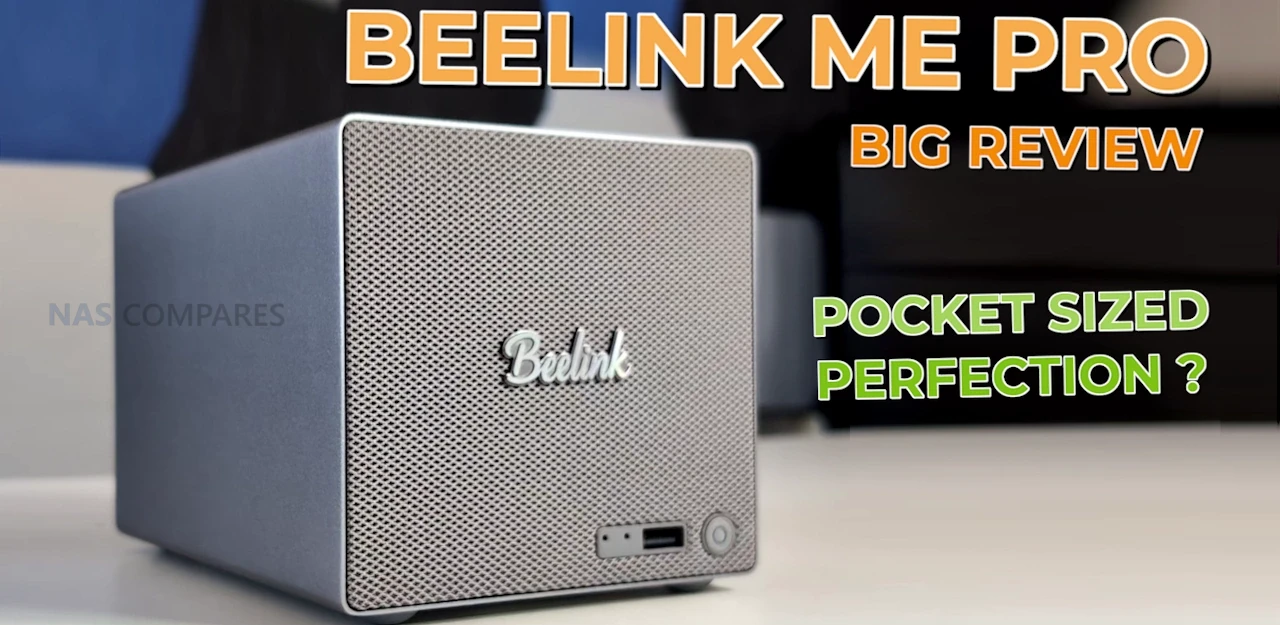
Beelink ME Pro NAS Review – BIG Thing in a SMALL Package?
The Beelink ME Pro is a 2-bay NAS-style mini PC that aims to deliver a full home or small office storage setup in a much smaller chassis than most traditional 2-bay systems. It is sold in 2 main versions, based on the Intel N95 or Intel N150, and both ship with pre-attached LPDDR5 memory and a bundled NVMe SSD as the system drive. Storage expansion is a mix of 2 SATA bays for 2.5-inch or 3.5-inch drives, plus 3 internal M.2 NVMe slots (1 running at PCIe 3.0 x2 and 2 running at PCIe 3.0 x1), and networking includes 5GbE plus 2.5GbE alongside WiFi 6 and Bluetooth 5.4. This review is based on several weeks of use and a set of structured tests covering temperatures over extended uptime, noise in idle and active states, power draw across different drive and workload combinations, and storage and network performance over both HDD and NVMe, with additional notes on the system’s internal layout and the practical limitations that come from its compact design.
Beelink ME Pro NAS Review – Quick Conclusion
The Beelink ME Pro is a very compact 2-bay NAS-style mini PC that combines 2 SATA bays with 3 M.2 NVMe slots and multi-gig connectivity, aiming to deliver a small footprint system without dropping features that are often reserved for larger enclosures. It is sold in N95 and N150 versions, both with pre-attached LPDDR5 memory (12GB or 16GB) and a bundled system SSD, and its internal layout uses 1 PCIe 3.0 x2 NVMe slot plus 2 PCIe 3.0 x1 slots, with 5GbE plus 2.5GbE Ethernet, WiFi 6, USB-C 10Gbps (with video output), HDMI 4K60, and a barrel-powered 120W PSU. In testing over extended uptime, external chassis temperatures stayed broadly in the mid-30C range with the rear around 38C, HDDs sat around 34C to 36C with modest 4TB drives installed, and NVMe temperatures rose sharply if the base thermal panel was removed, indicating the thermal pads and chassis contact are part of the cooling design and leaving no practical clearance for NVMe heatsinks. Noise in the tested setup remained in the mid-30 dBA range both at idle and under mixed access, power draw ranged from around 15W to 16W with no drives installed, 18W to 19W with only NVMe, about 22W to 23W with HDDs and NVMe idle, and peaked around 41W to 42W under a combined heavy workload. Performance was consistent with the hardware layout: HDD RAID1 throughput landed around 250MB/s to 267MB/s and will not saturate 5GbE, while NVMe could saturate the 5GbE link and internal testing showed about 1.5GB/s to 1.6GB/s reads and 1.1GB/s to 1.2GB/s writes on the PCIe 3.0 x2 slot, with the PCIe 3.0 x1 slots closer to roughly 830MB/s reads and 640MB/s to 670MB/s writes; media server use handled 4 simultaneous high bitrate 4K playback streams with CPU usage in the teens using Jellyfin. The main drawbacks are tied to the compact design choices: the RAM is not upgradeable, the chassis and storage fitting are very tight during installation, fan control outside BIOS was not straightforward in early testing, the NVMe slots are mixed speed by design, and the CPU options are closely spaced, meaning the upgrade decision is often about the bundled memory and SSD tier as much as the processor. Official messaging also says hot swapping is not supported, yet it worked during testing in a RAID1 scenario, suggesting a support-position limitation rather than a strict hardware block.
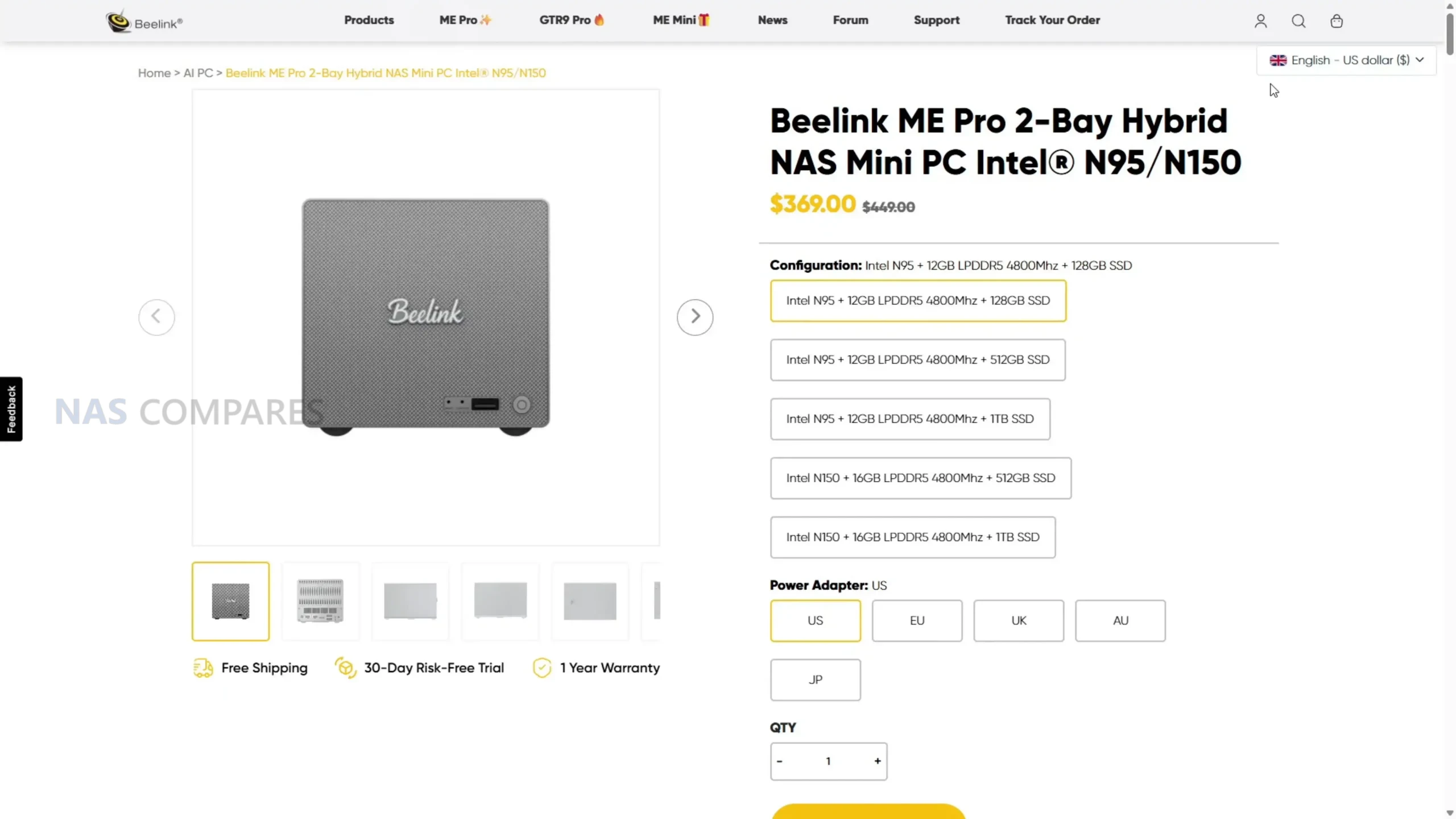
| Where to Buy the Beelink ME Pro NAS: |
Beelink ME Pro NAS Review – Design & Storage
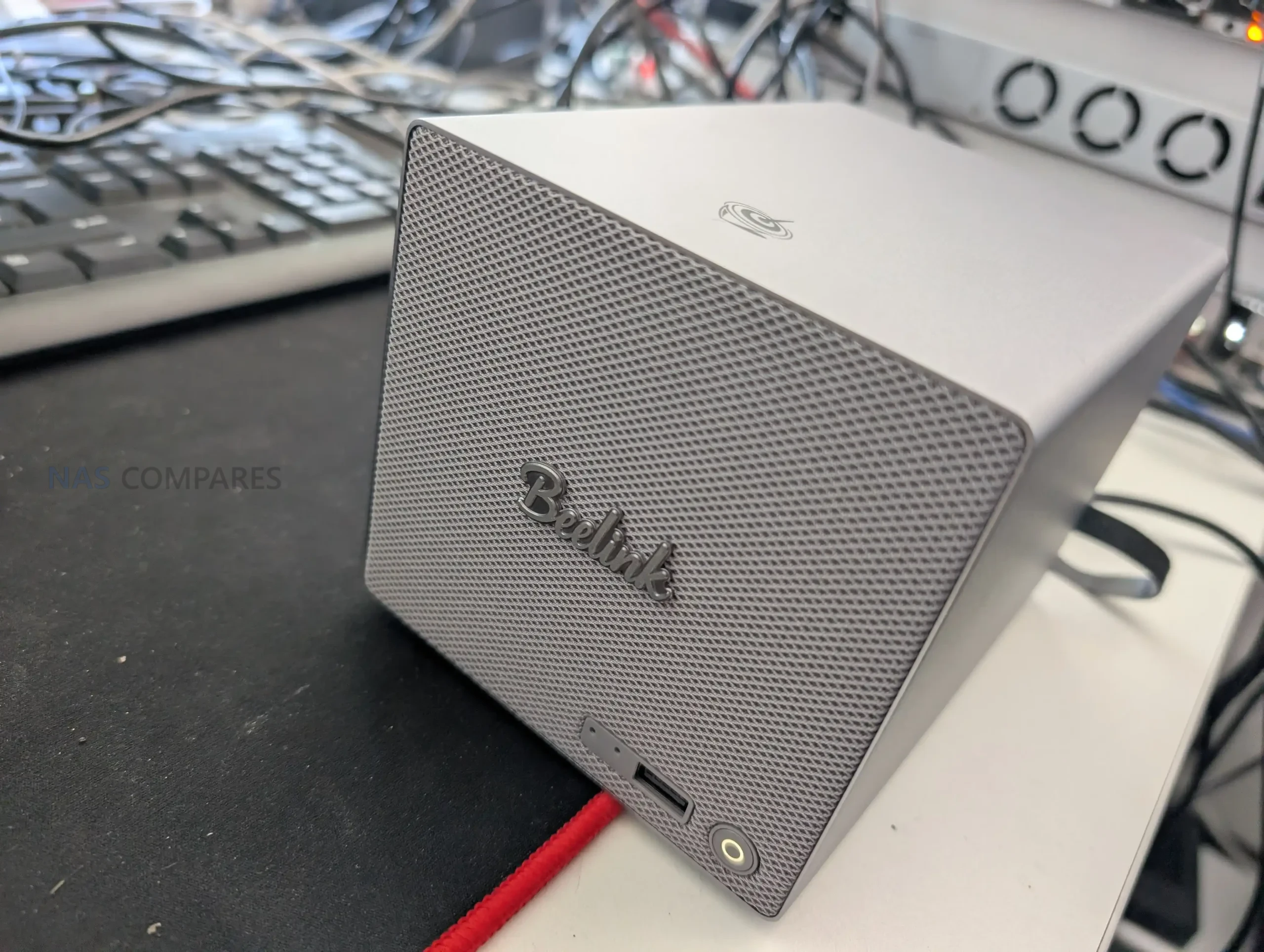
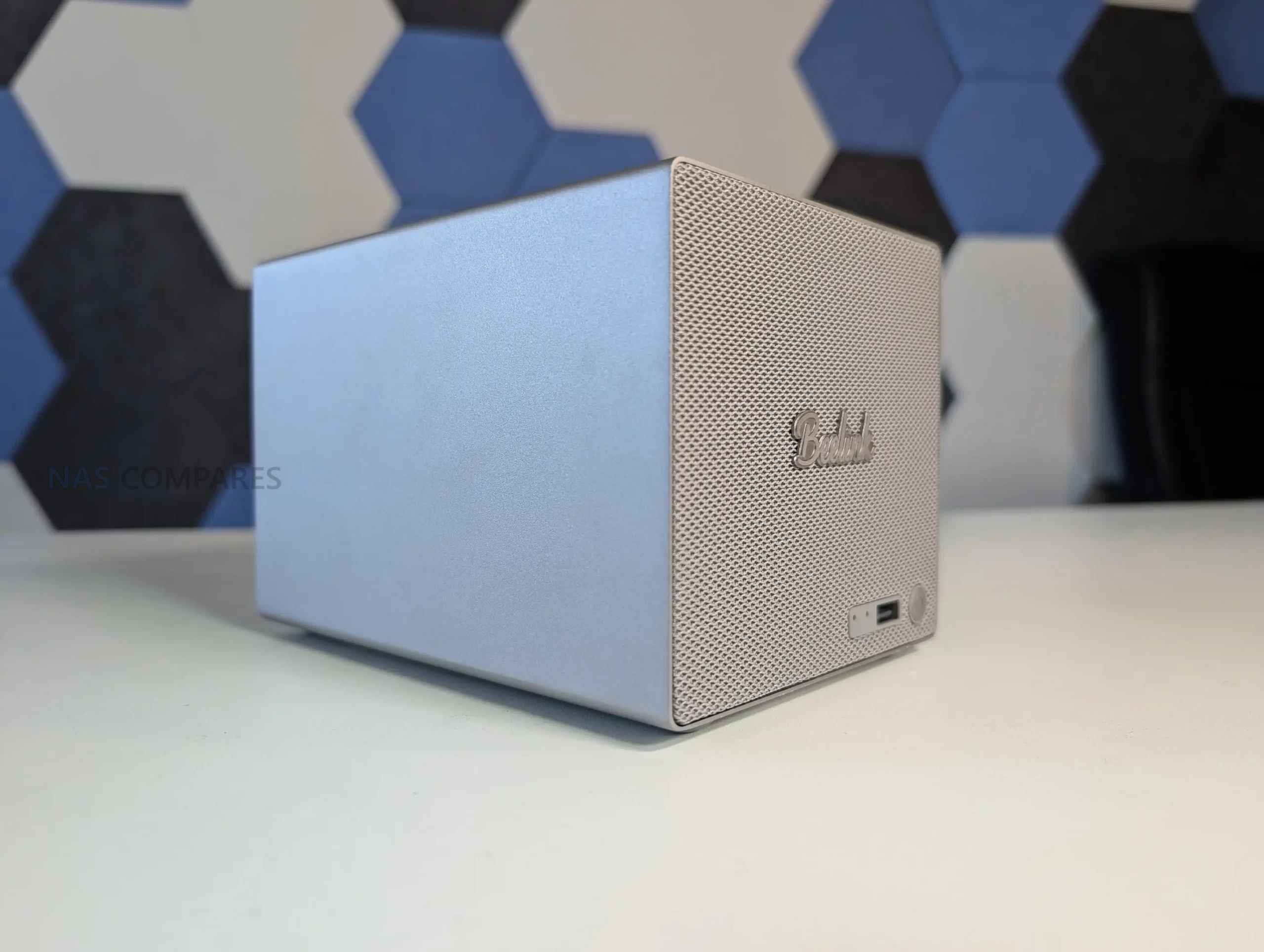
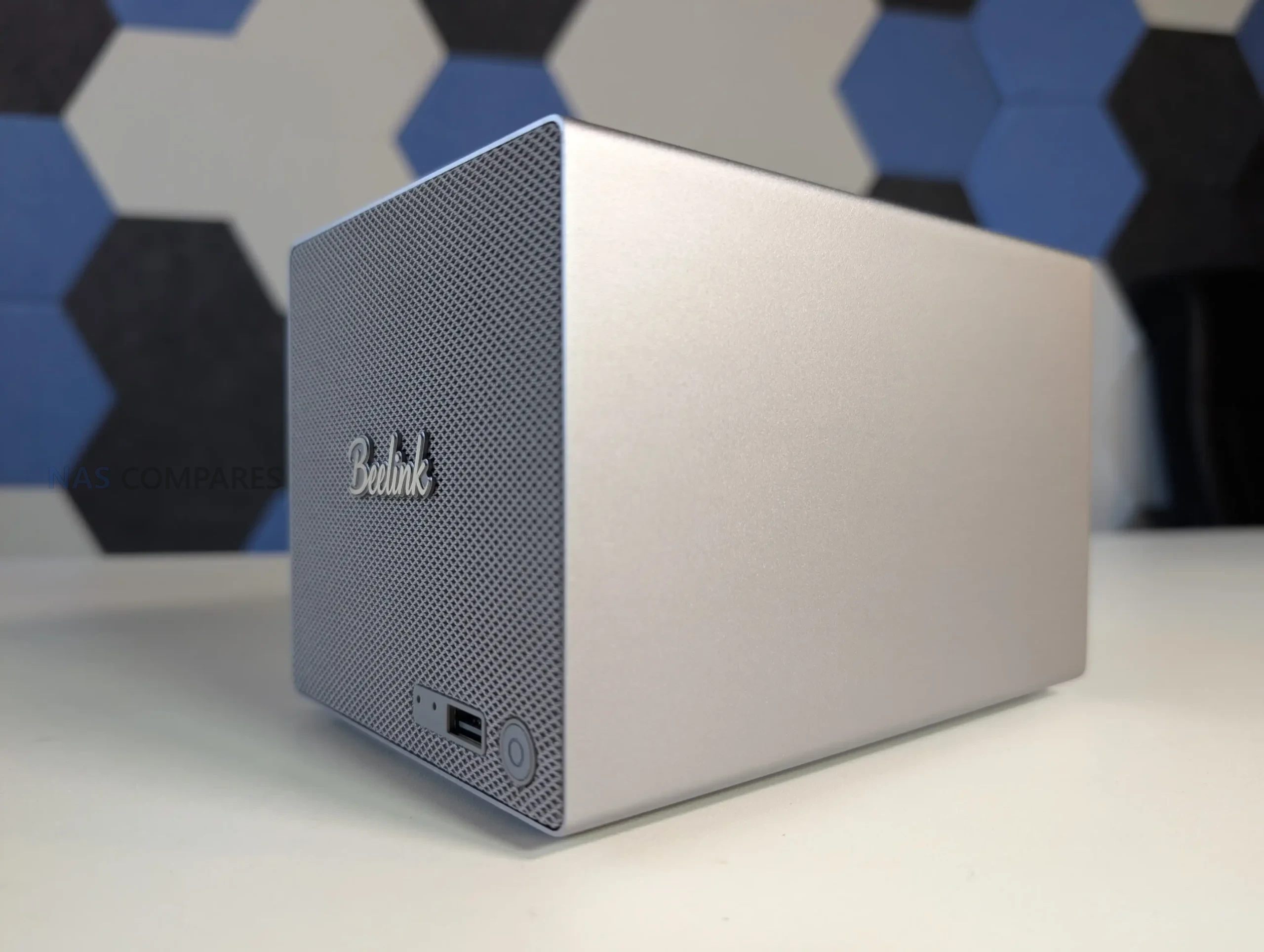
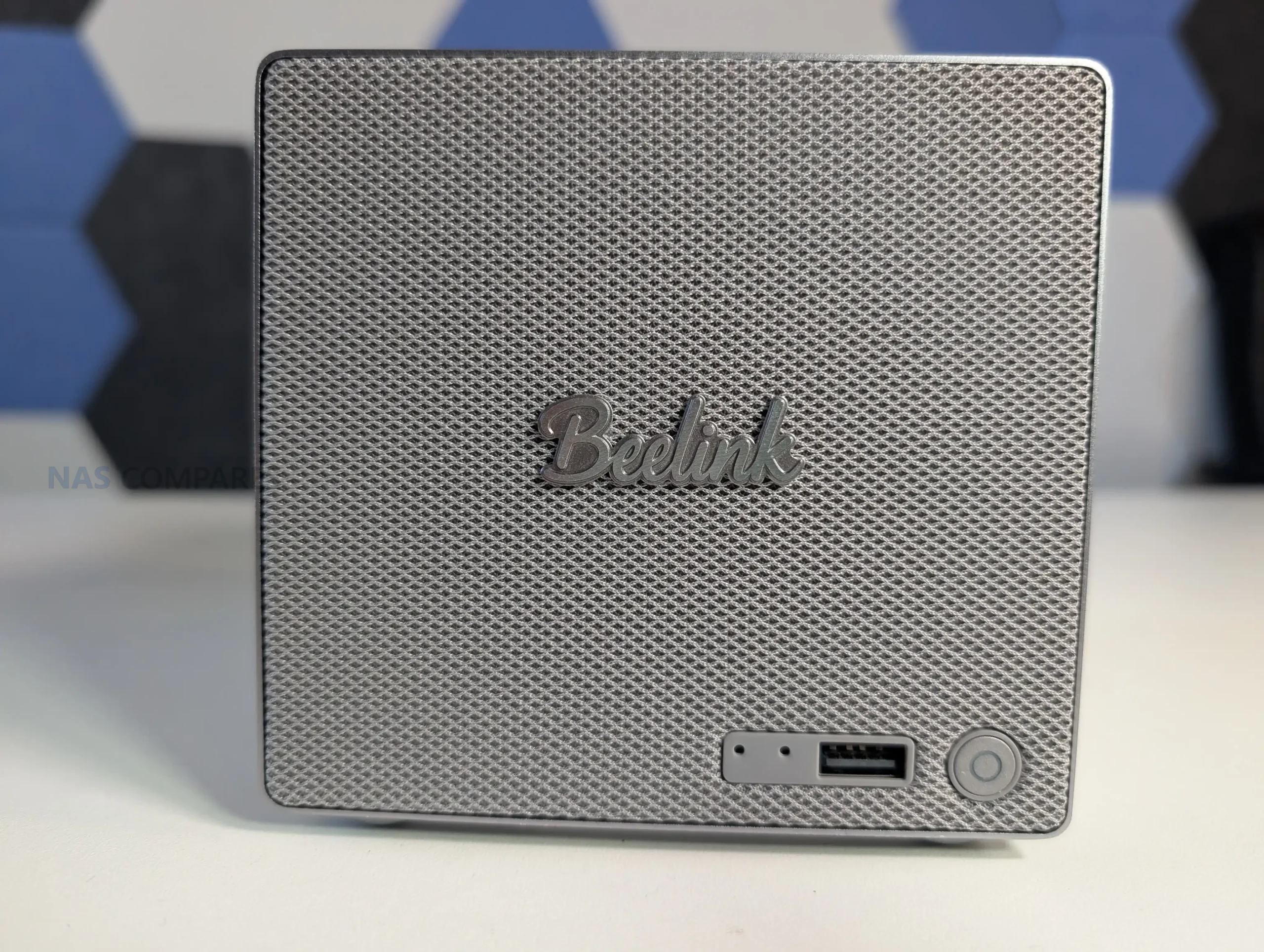
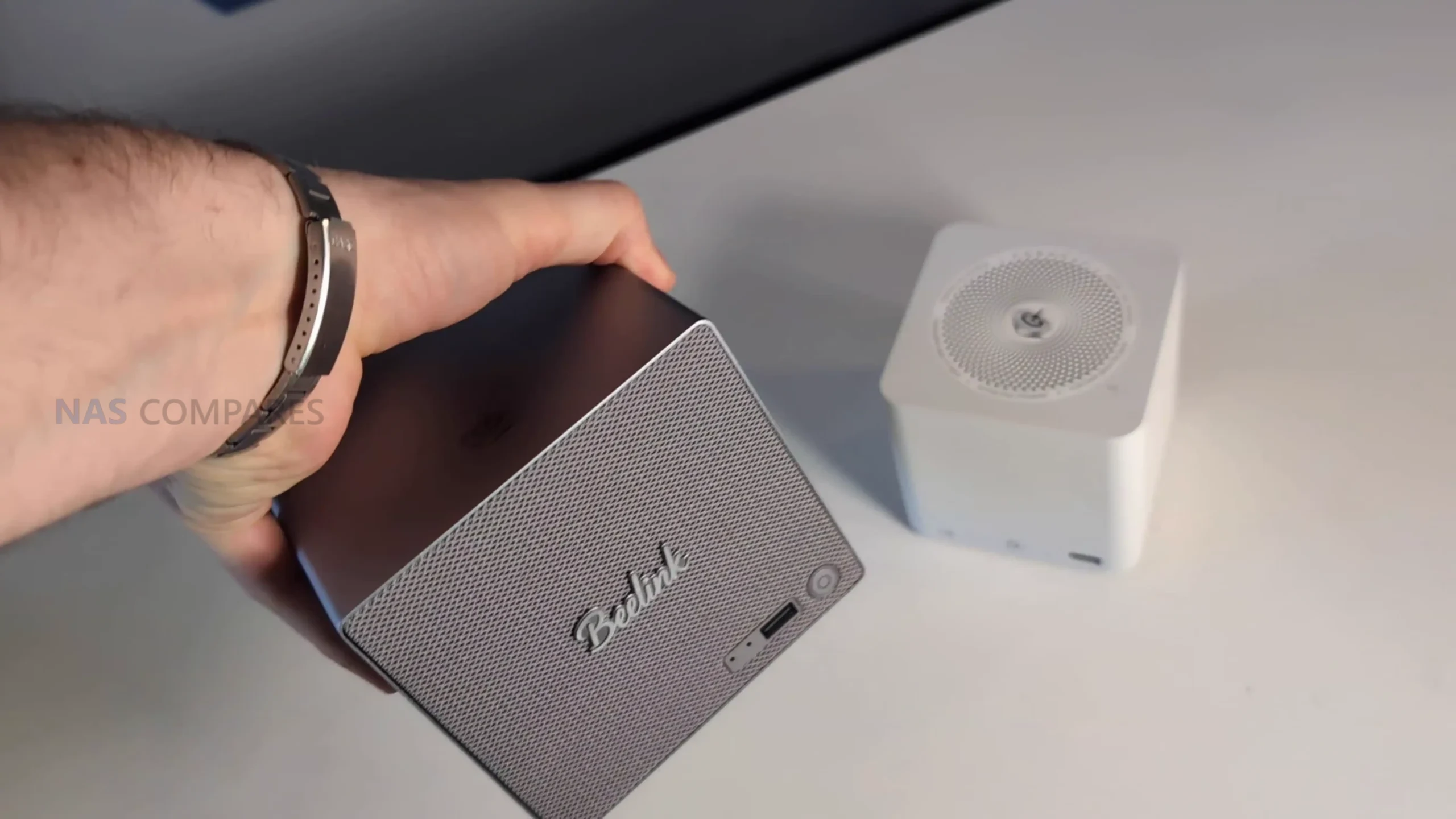
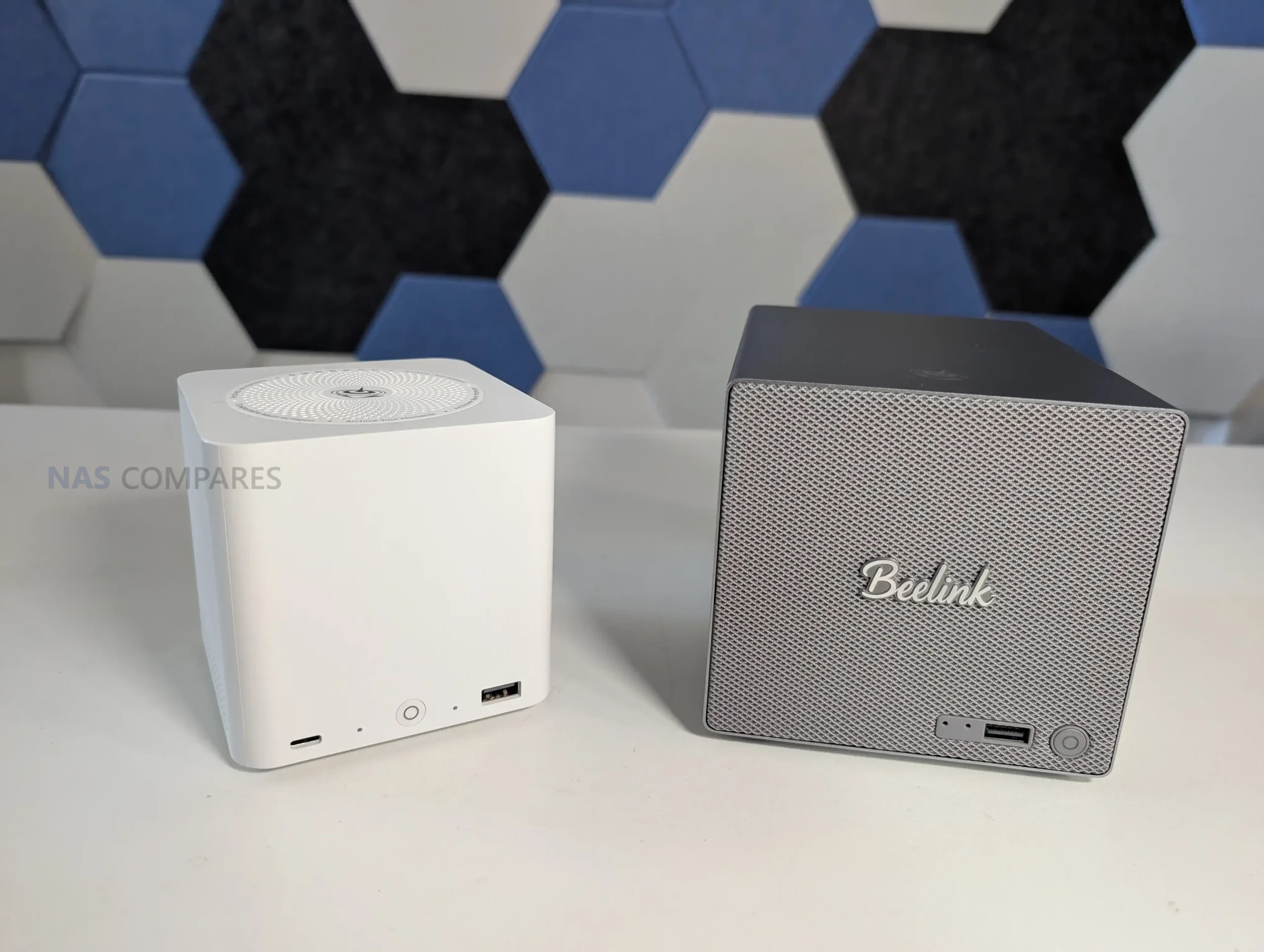
The ME Pro is built around an all-metal unibody chassis that prioritizes footprint over easy internal spacing. In physical terms it sits noticeably smaller than many mainstream 2-bay enclosures, and in my comparisons it looked roughly 20% to 25% smaller next to typical 2-bay units from brands like Synology and TerraMaster. The front panel styling leans into a speaker-like look, and it has been compared to a Marshall speaker design, which is likely intentional given the mesh and badge layout. Functionally, that front area is not a speaker, and the design choice is mostly about appearance and airflow rather than adding any front-facing audio hardware.
 |
 |
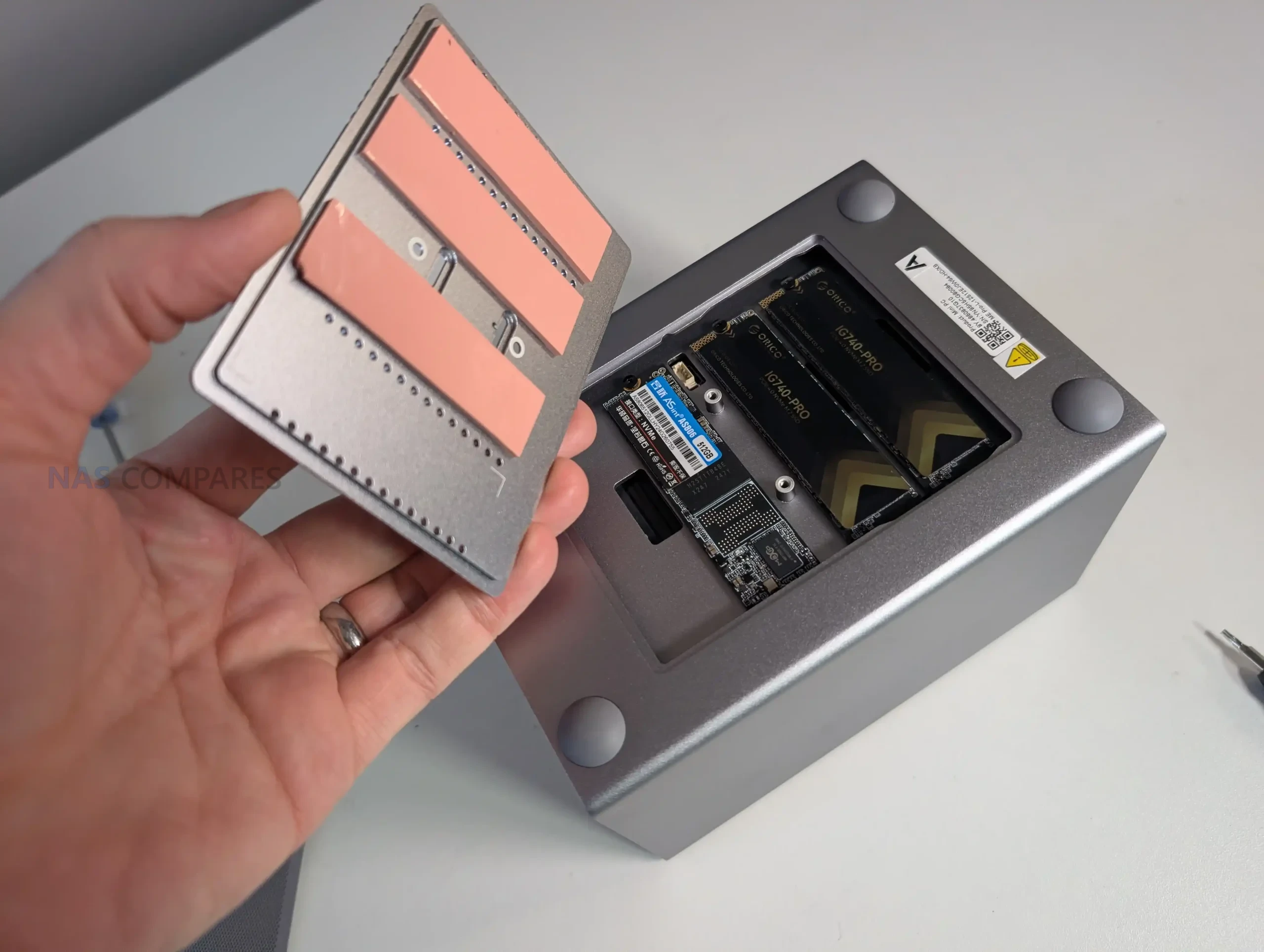
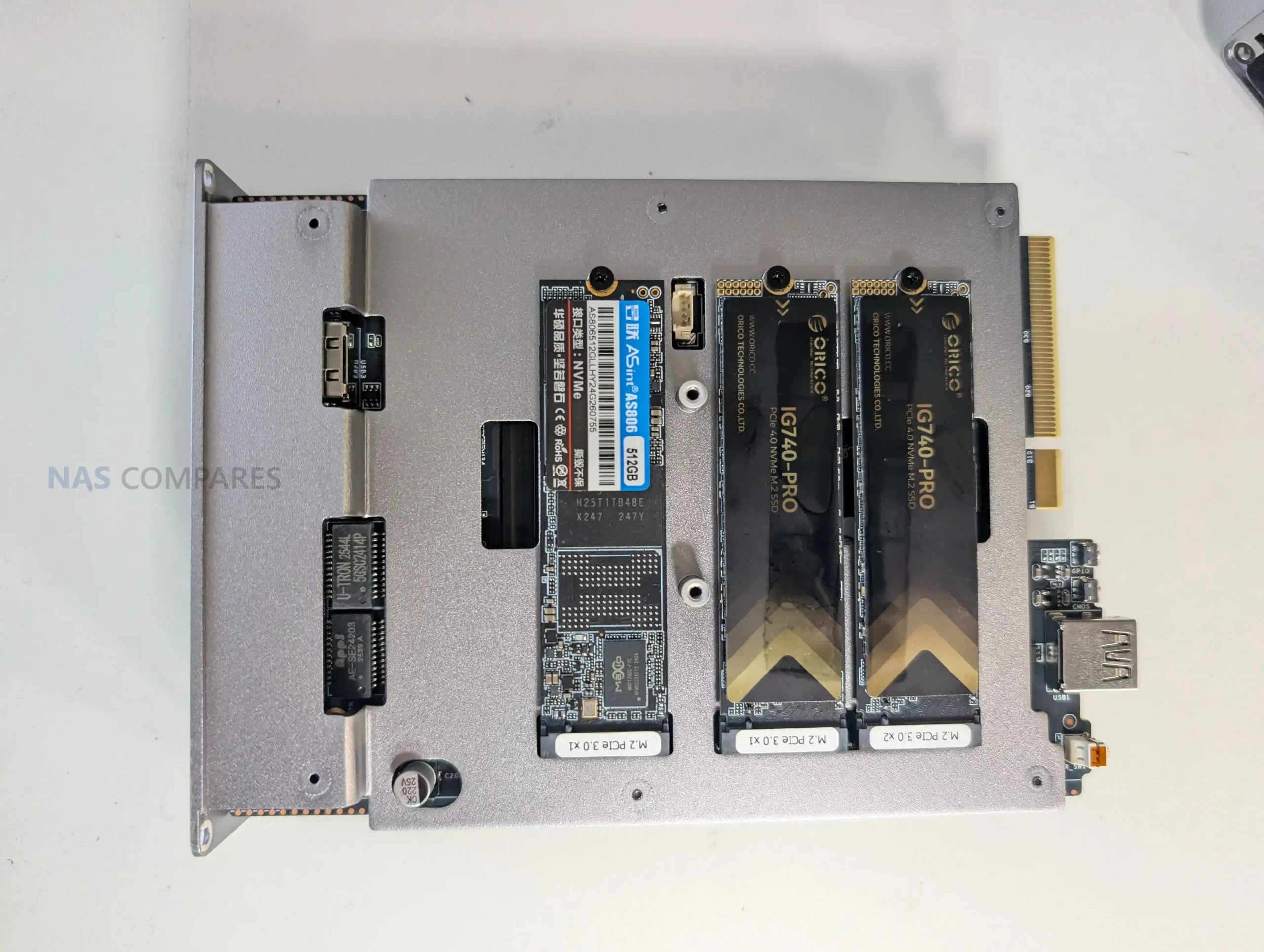
From a storage perspective, the ME Pro is a hybrid layout rather than a traditional “2-bay only” NAS. It supports 2 SATA bays for 2.5-inch or 3.5-inch drives, and Beelink positions it as supporting up to 30TB per SATA bay, giving a stated 60TB HDD ceiling. Alongside that, it has 3 internal M.2 NVMe slots with a stated 4TB per slot limit, which Beelink frames as up to 12TB of SSD capacity. Taken together, that is the basis for the commonly quoted 72TB maximum figure, although most buyers will treat that as an upper boundary rather than a typical real-world configuration due to drive cost and heat considerations.
 |
 |
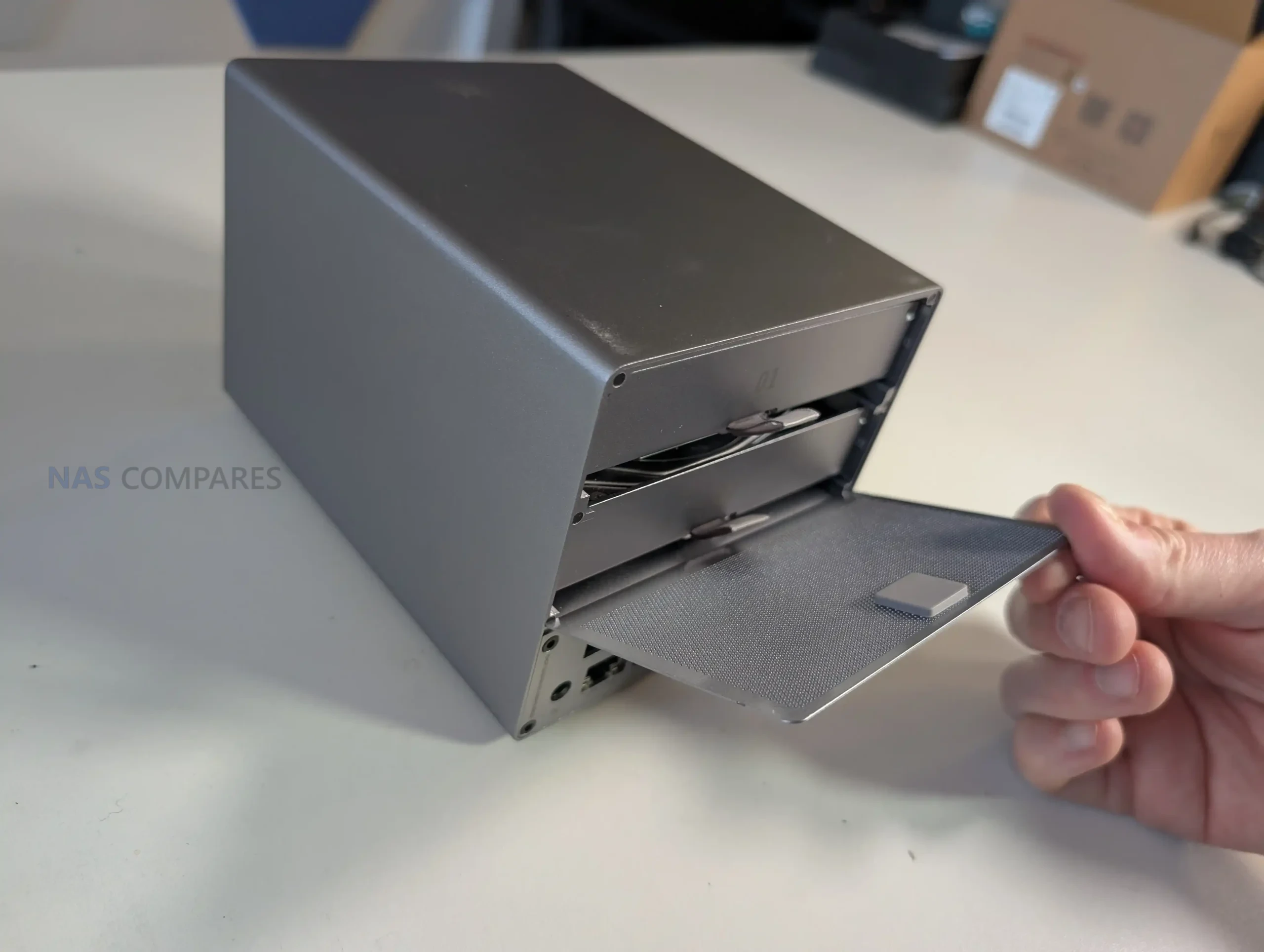
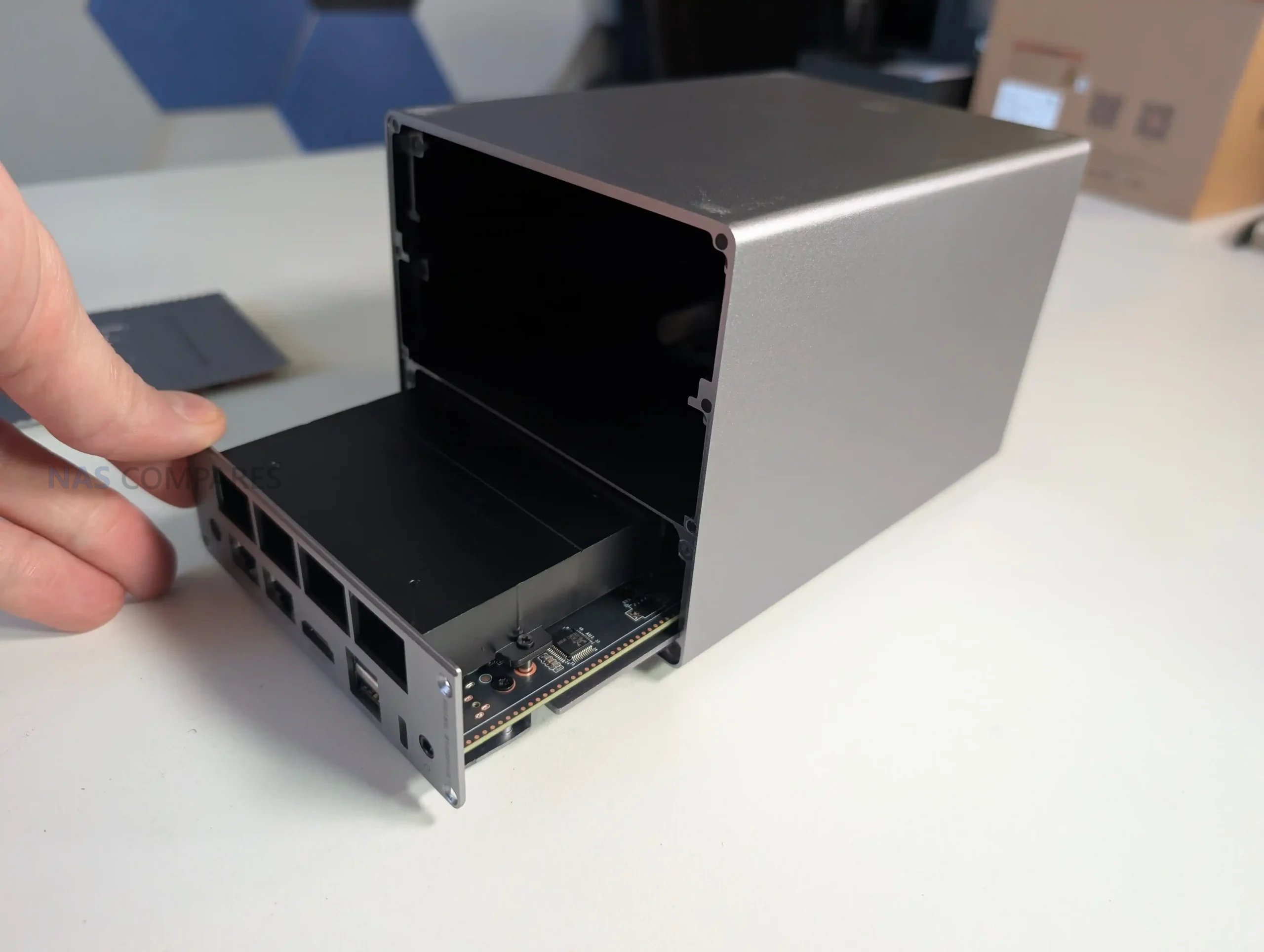
The SATA bays are accessed from the rear by removing a magnetic cooling mesh cover, then sliding out the drive bracket assembly. The trays are screw-mounted rather than tool-less, and the manual specifies different screw types depending on whether you are installing 2.5-inch or 3.5-inch drives. In practice, it is possible to physically place a drive in a tray without fully fastening it, but the design clearly expects proper screw mounting for stability and vibration control. The device also includes silicone plugs intended to reduce vibration and protect the drives, and the overall bay system is designed to sit very flush once reassembled.
 |
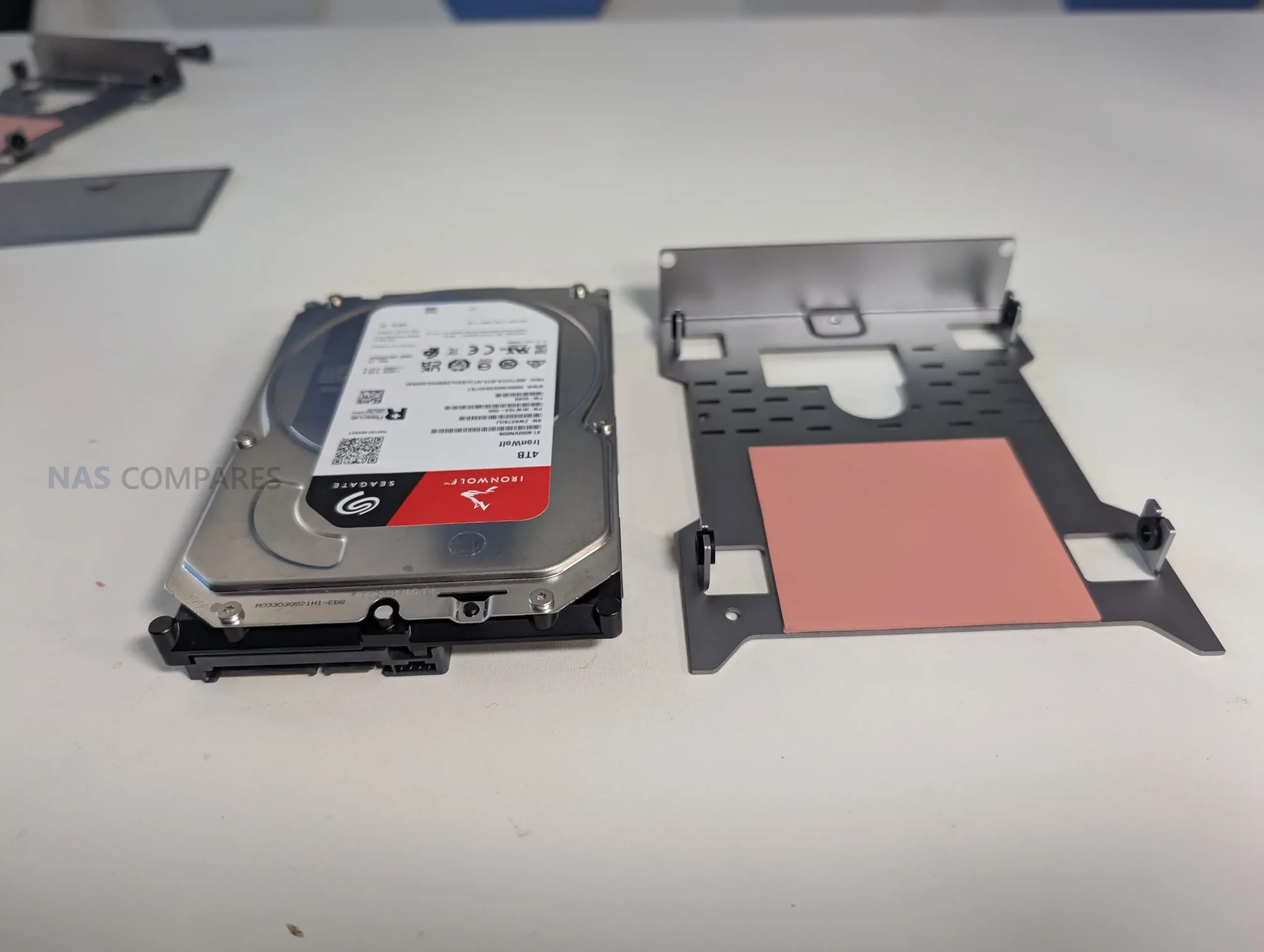 |
One unusual design detail is that each HDD tray includes a thermal pad intended to draw heat away from the drive’s underside. That is not common on many 2-bay systems, and it suggests Beelink is trying to compensate for the compact enclosure by using direct contact points for heat transfer. The tradeoff is that this design pushes the product toward precision fitting, and it aligns with the wider theme of the ME Pro being tightly engineered rather than roomy.
If you typically choose NAS hardware where drive swaps are quick and frequent, this approach will feel more like a compact appliance that expects occasional changes, not a platform designed around constant drive rotation.
 |
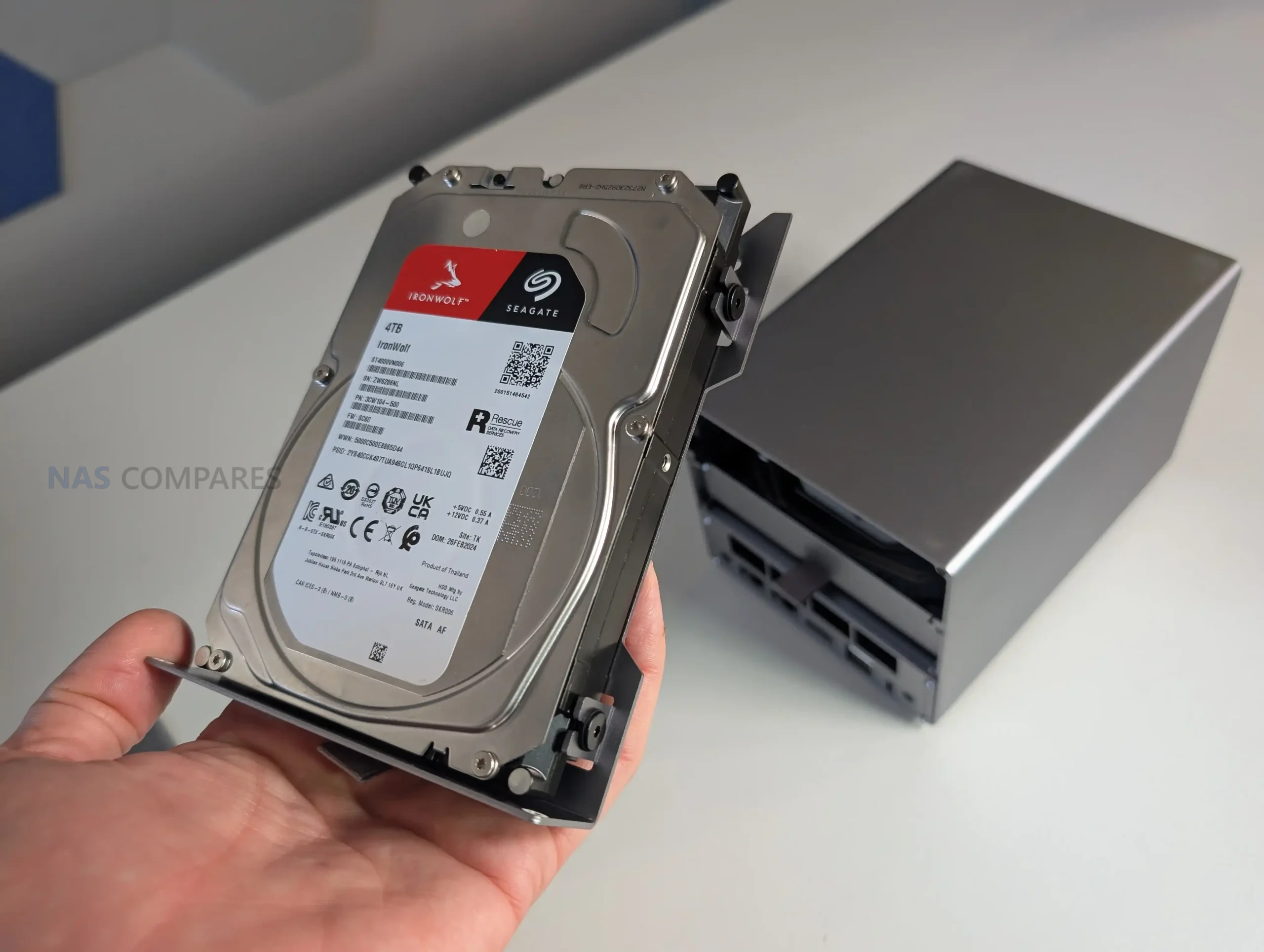 |
The compact chassis also affects how storage installation feels in the hands. Because clearances are tight, inserting the drive bracket and getting everything seated can feel less smooth than on larger 2-bay boxes, even though it looks clean once it is in place. This tightness is likely part of how Beelink is managing airflow paths and vibration control in such a small enclosure, but it still means you have less margin for error during installation. Overall, the storage design is best described as space-efficient and deliberate, but it asks for patience during assembly and it rewards users who install drives once and leave the configuration largely unchanged.
 |
 |
Beelink ME Pro NAS Review – Internal Hardware
The ME Pro is sold in 2 CPU variants, based on Intel’s N95 or N150, both 4-core and 4-thread chips with integrated graphics. In practical NAS terms, these CPUs sit in the low power mini PC category rather than the heavier desktop class, so the platform is designed around efficiency and compact integration rather than raw compute headroom. In your testing and general use, that design target showed up as stable day-to-day responsiveness for typical NAS tasks, plus enough iGPU capability for common media server workloads when paired with the right software stack.
 |
 |
Memory is integrated rather than socketed. The configurations pair the N95 with 12GB LPDDR5 4800MHz and the N150 with 16GB LPDDR5 4800MHz, and there is no user-accessible SO-DIMM slot to expand it later. In the context of a small NAS, this matters less for basic file serving and backups, but it becomes more relevant if the device is expected to run multiple containers, heavier indexing, or virtual machines. Because the memory is fixed at purchase, the CPU choice is also effectively tied to your long-term memory ceiling.
 |
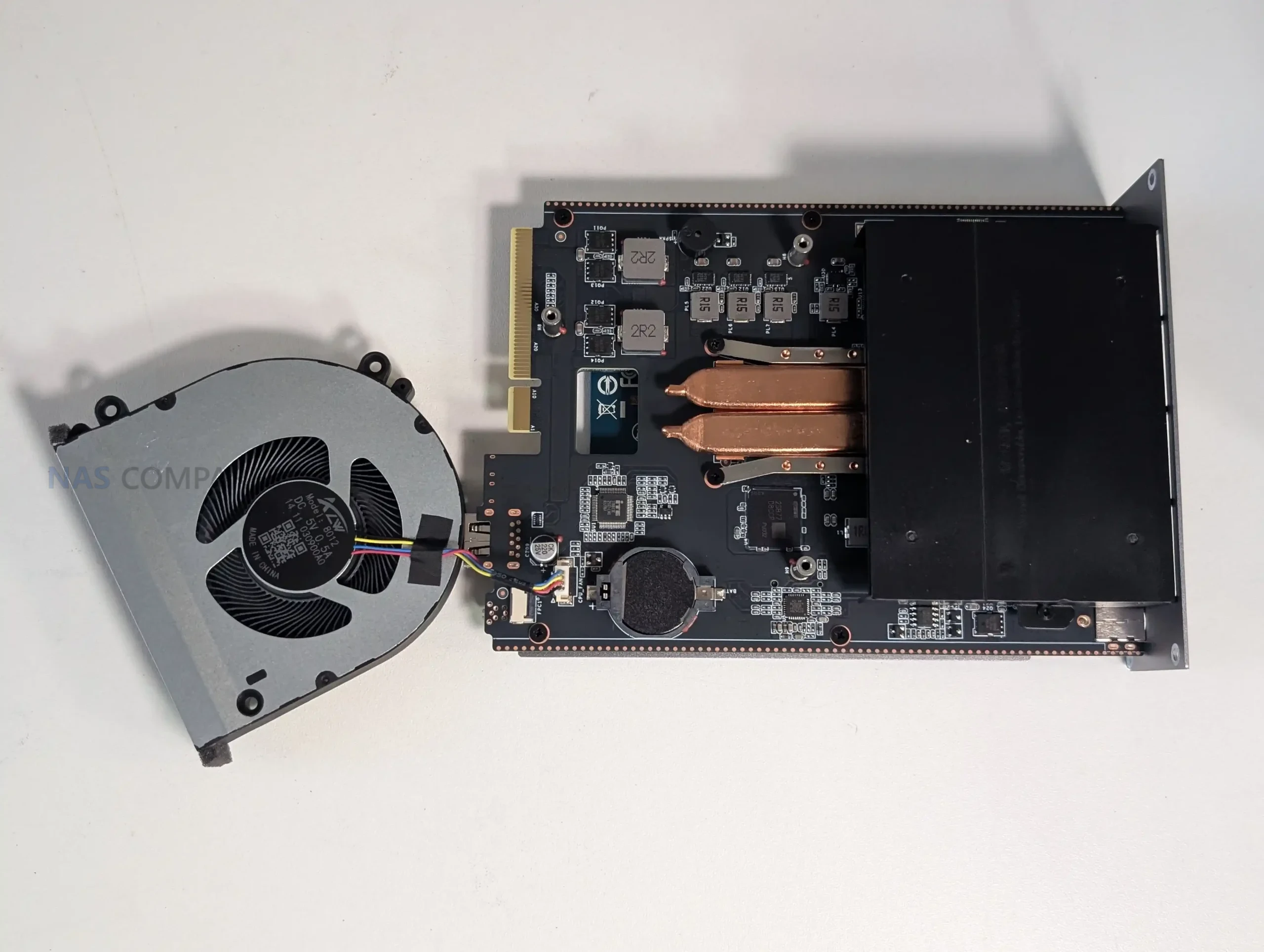 |
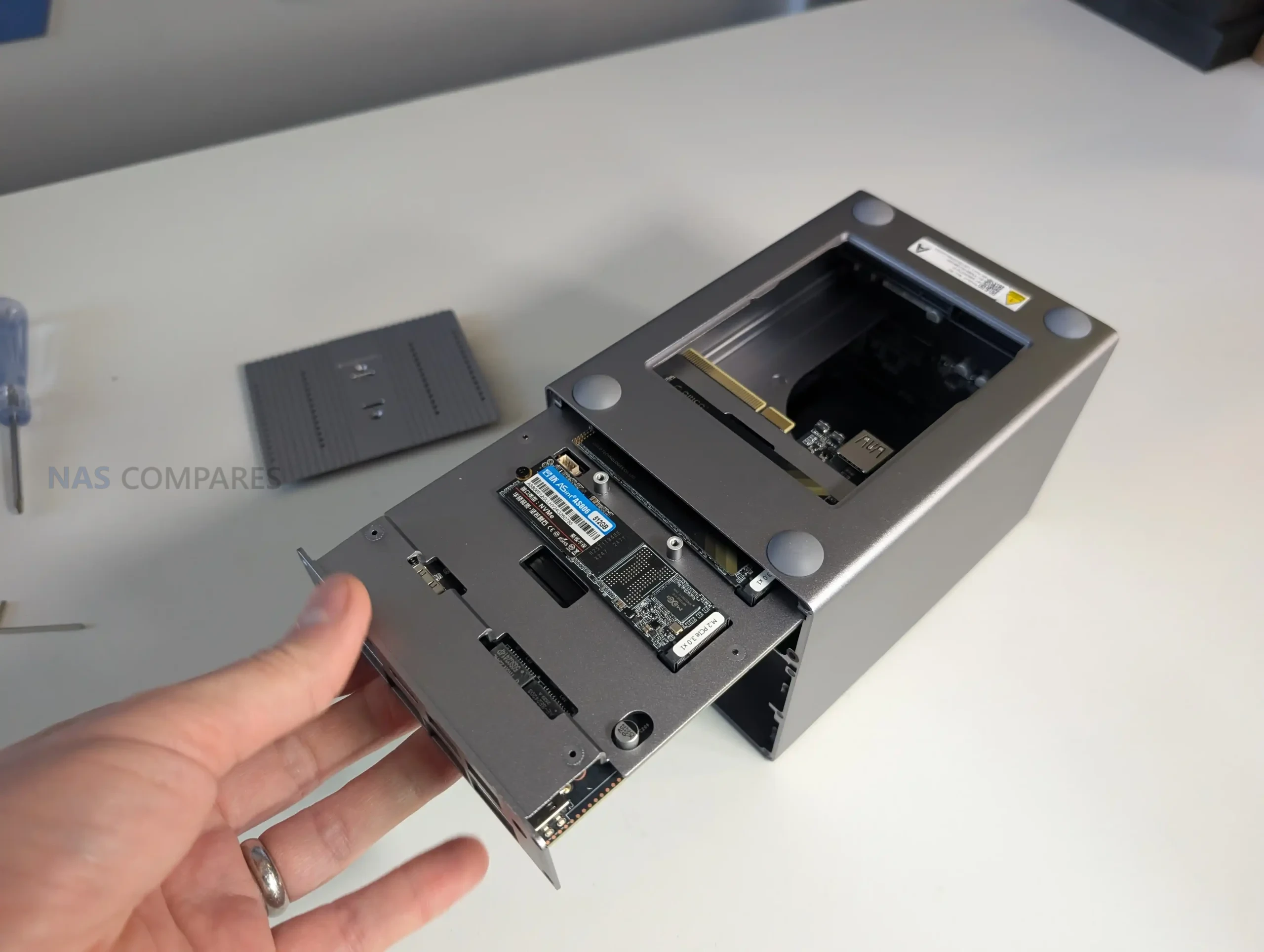
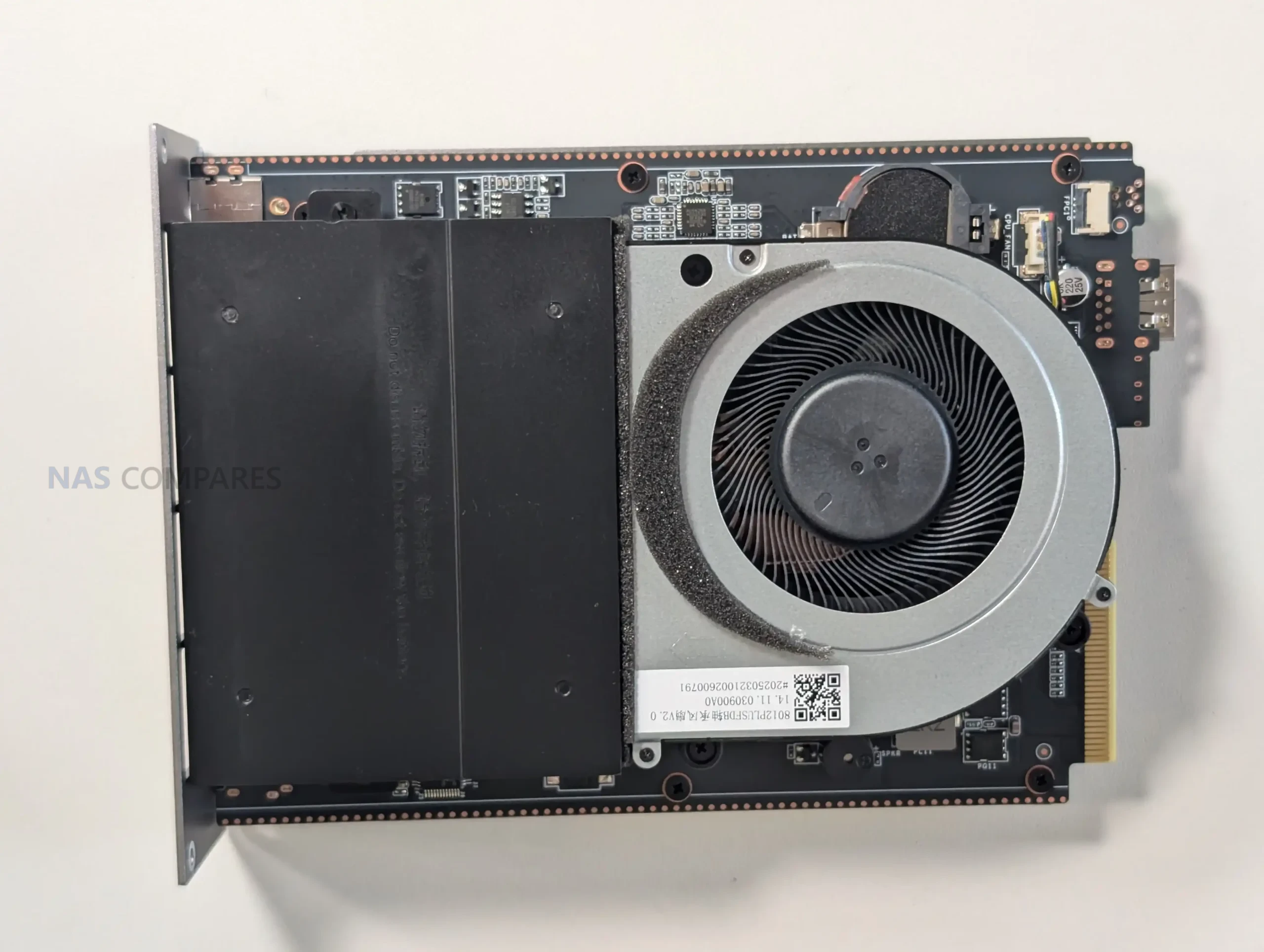
Internally, the platform is constrained by limited PCIe resources, which affects how the storage and networking are wired. In the review you noted the CPU platform has 9 lanes available, and the device uses a split approach across its internal components rather than giving every subsystem the same bandwidth. The NVMe area reflects this most clearly, with 1 slot operating at PCIe 3.0 x2 while the other slots operate at PCIe 3.0 x1, which makes slot choice part of performance planning for any workload that leans heavily on NVMe. This lane budgeting also helps explain why the system lands at 5GbE plus 2.5GbE rather than a single 10GbE port, since 10GbE would typically add pressure to an already tight allocation.
 |
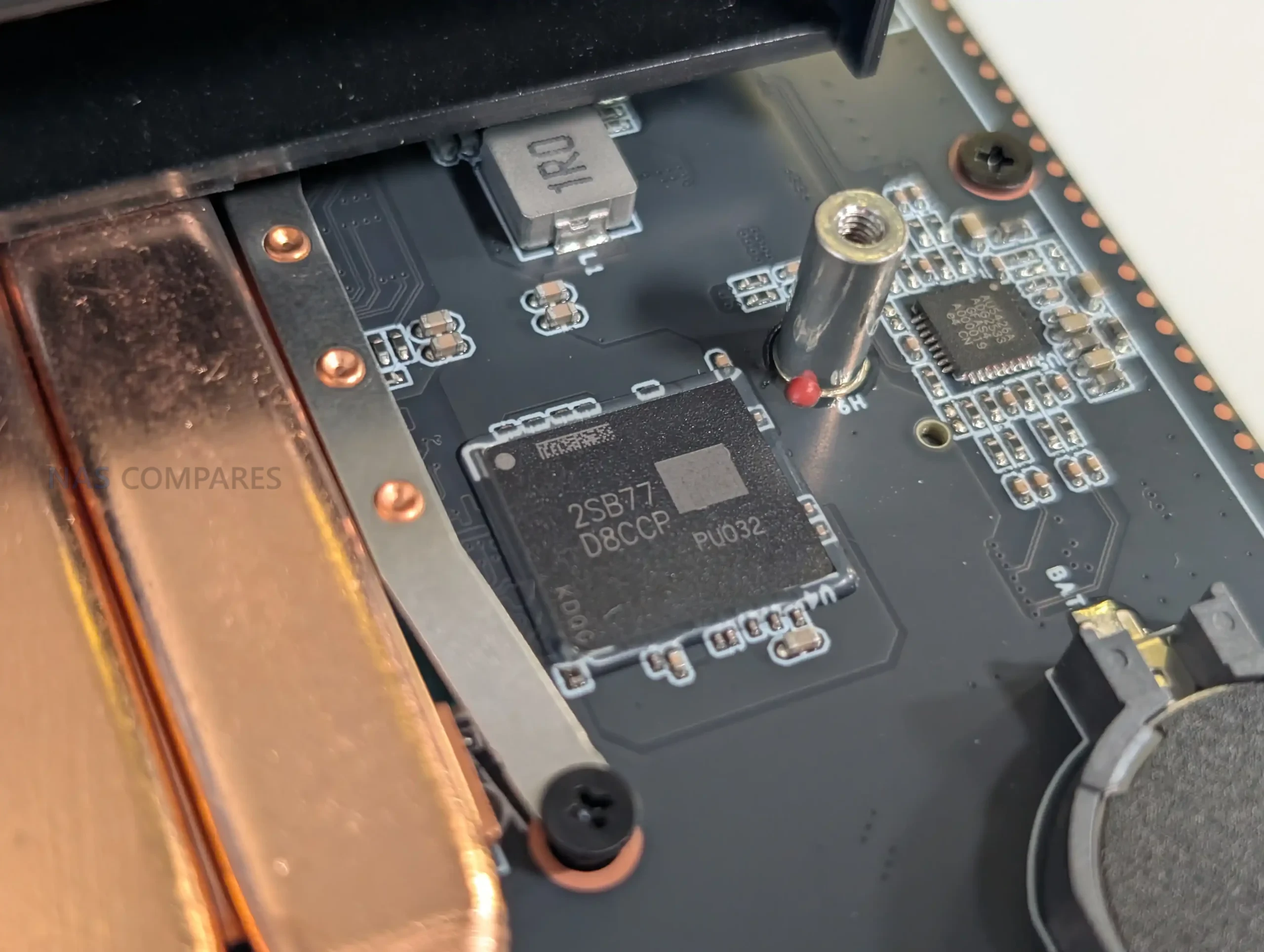 |
Controller choices are mixed rather than uniform, and you called that out as unusual. The 5GbE port uses a Realtek RTL8126 controller and the 2.5GbE port uses an Intel i226-V controller, which is not a common pairing in the same chassis. On the storage side, the SATA side is handled by an ASMedia ASM2116 controller, and in your notes you referenced it operating on a PCIe 3.0 x1 link, which is still sufficient for 2 SATA bays in most real-world use. These choices are relevant for OS compatibility and driver maturity, particularly if the unit is being used with NAS focused platforms rather than the included Windows 11 installation.
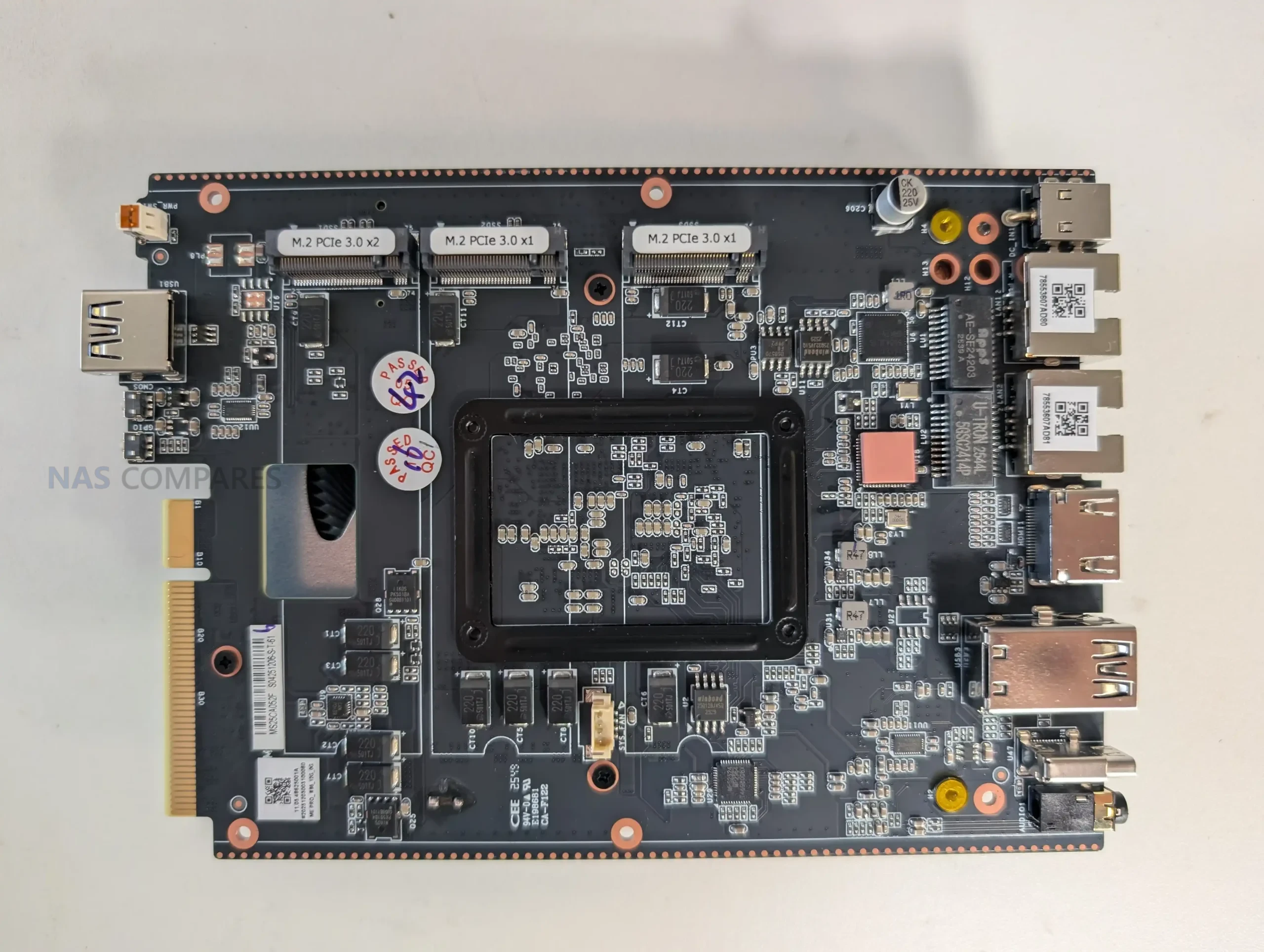 |
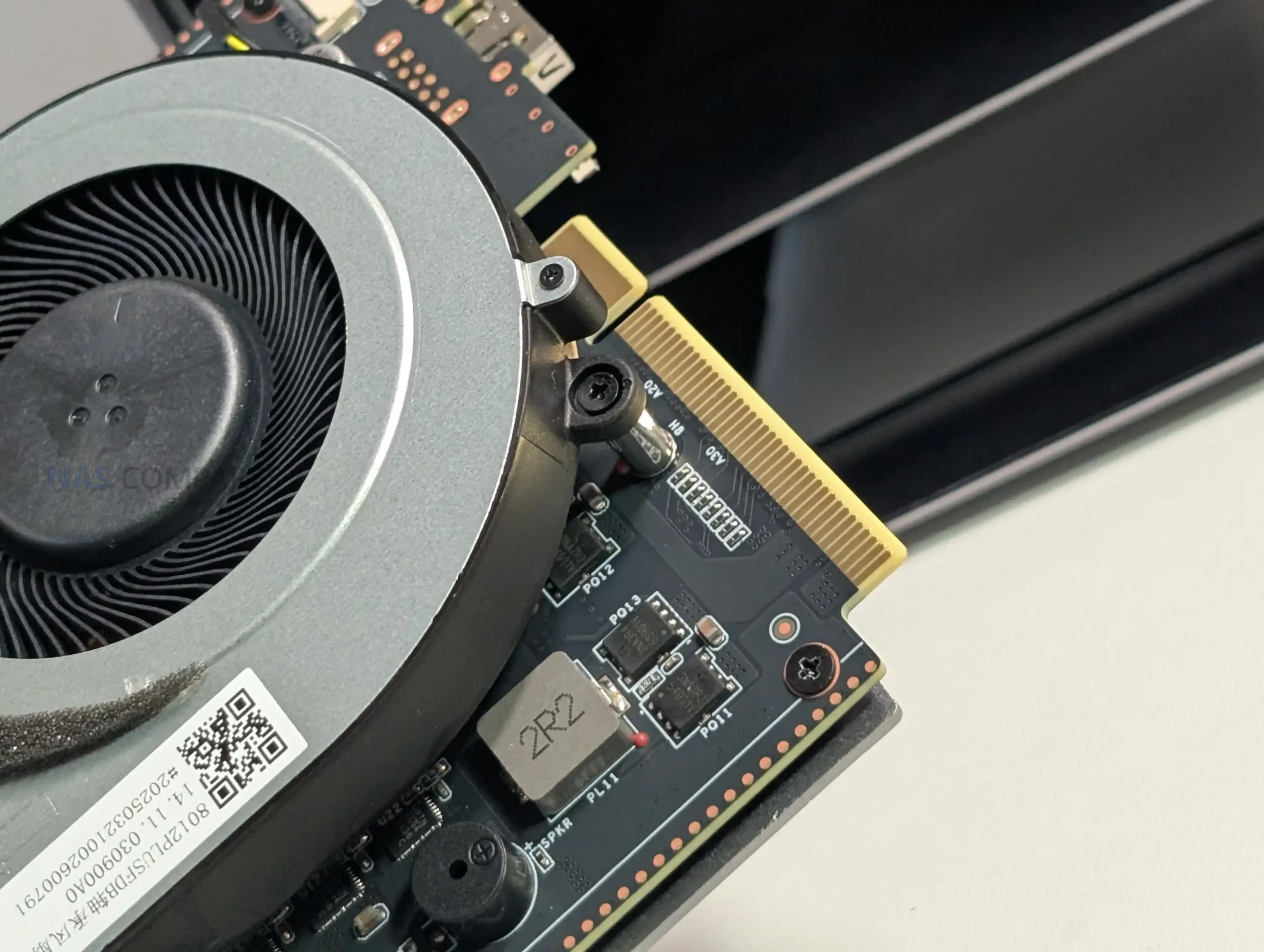 |
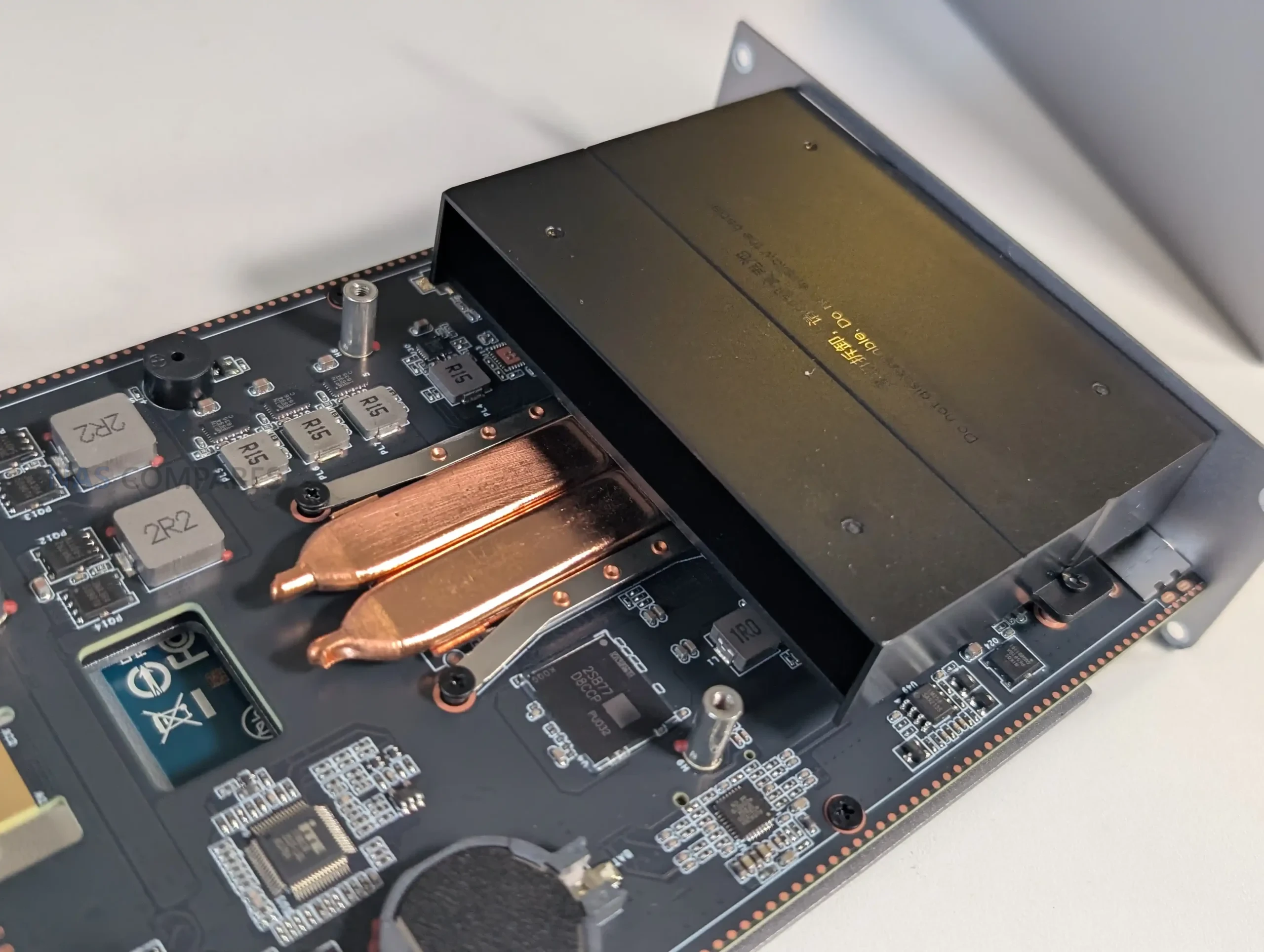
Cooling is one of the main internal design decisions that enables the smaller enclosure. Instead of a traditional rear fan placed at the drive backplane, the system uses a CPU fan working with a vapor chamber arrangement, and airflow is routed so that it also passes over other internal heat sources rather than treating the CPU as a separate cooling zone. In your thermal testing, you observed that the front panel area ran warmer than the rest of the chassis due to the WiFi hardware placement, and you also saw a noticeable rise in NVMe temperatures when the base thermal panel was removed, which supports the idea that the chassis panels and pads are intended to be part of the heat management system. Power is delivered via a barrel connector using a 120W external PSU, which provides headroom for spin-up and load, but it also means this is not a USB-C powered design.
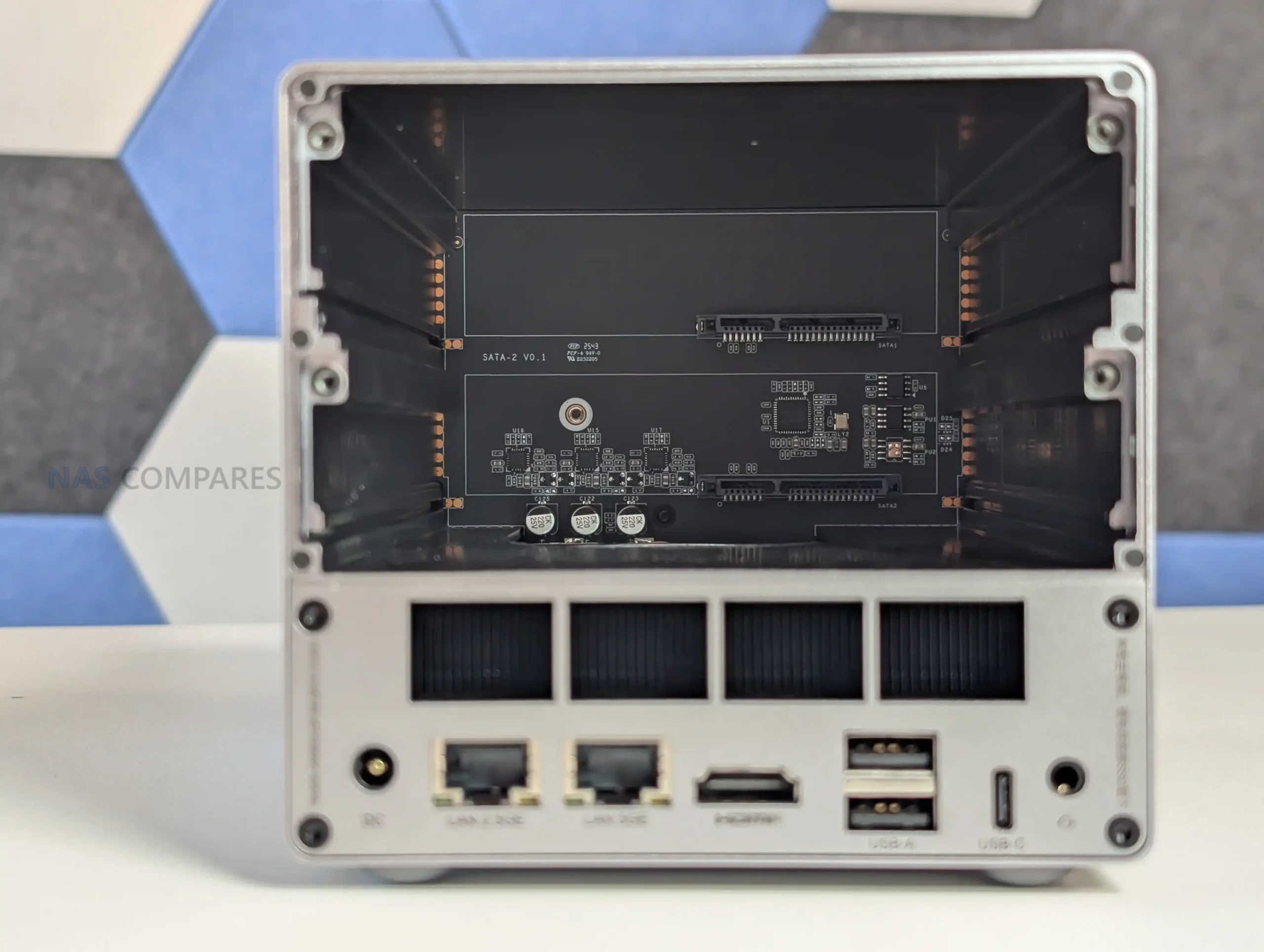 |
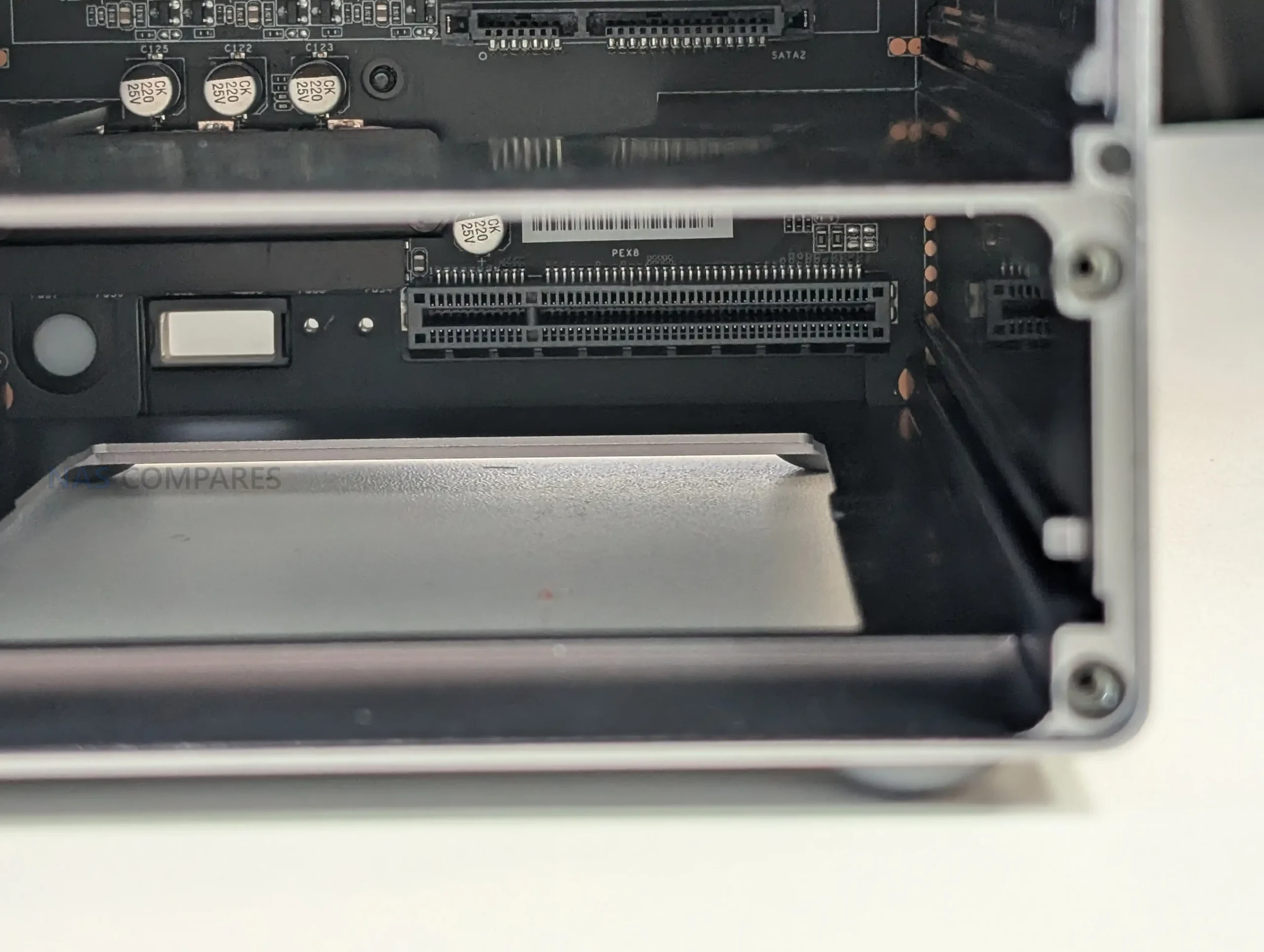 |
Beelink ME Pro NAS Review – Ports and Connections
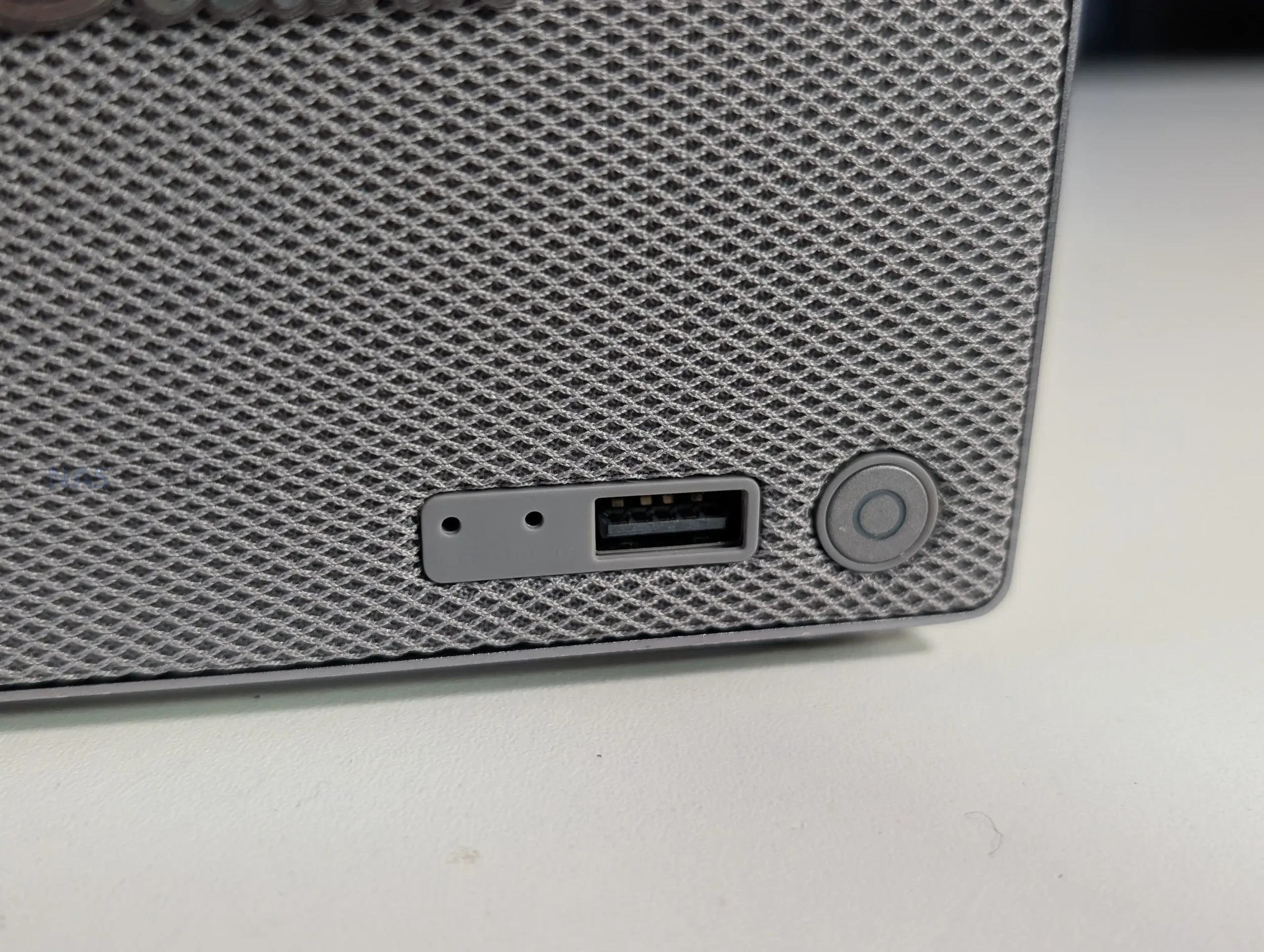
Up front, the ME Pro keeps things simple: a power button and a single front-mounted USB port for quick access. This suits the NAS-first intent, where most interaction is remote, but it also sets expectations for local use. If you plan to attach multiple peripherals directly to the unit, you are quickly pushed toward using a hub or relying on network-based management rather than treating it like a conventional mini PC with generous front I/O.
 |
 |
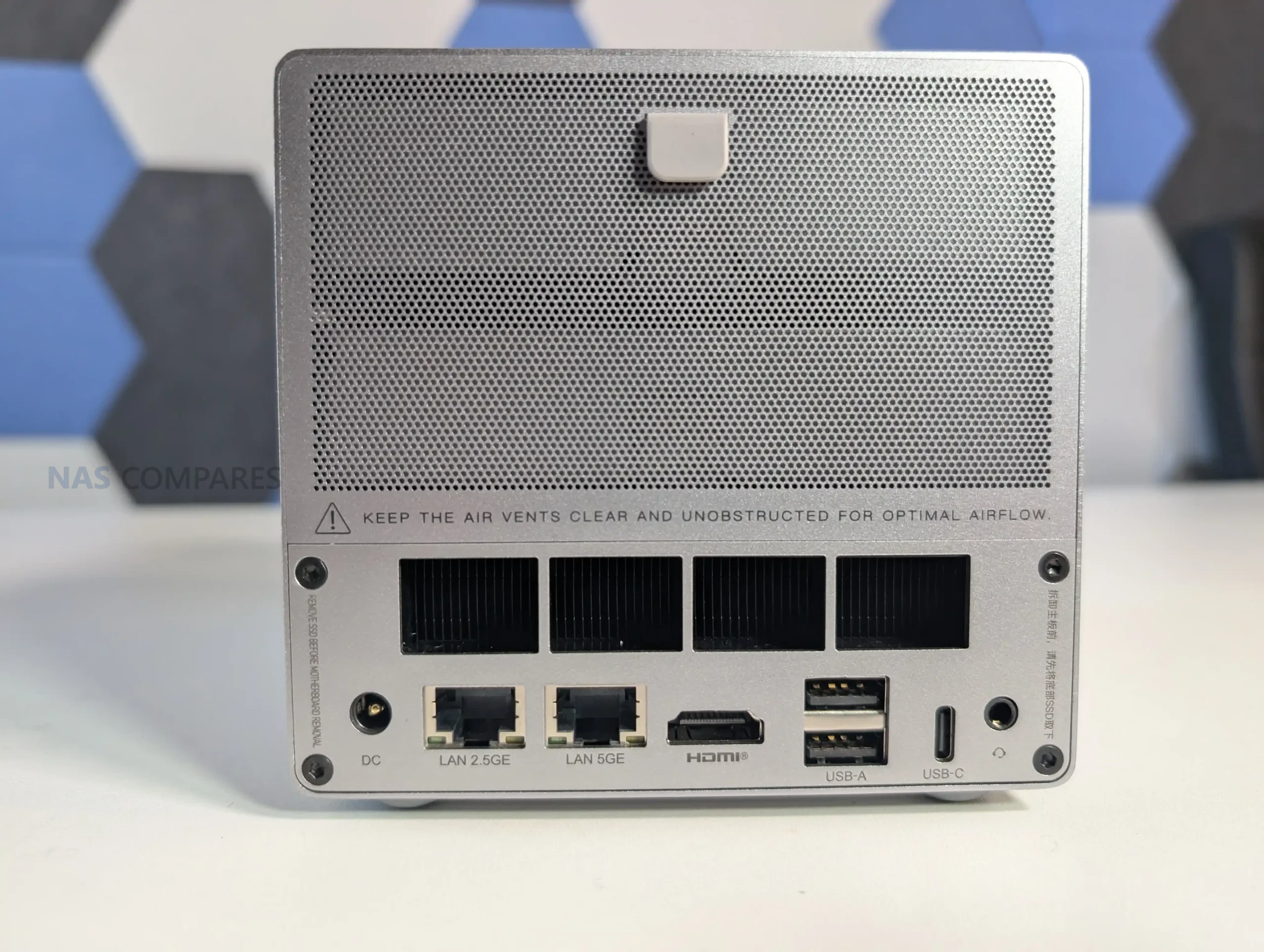
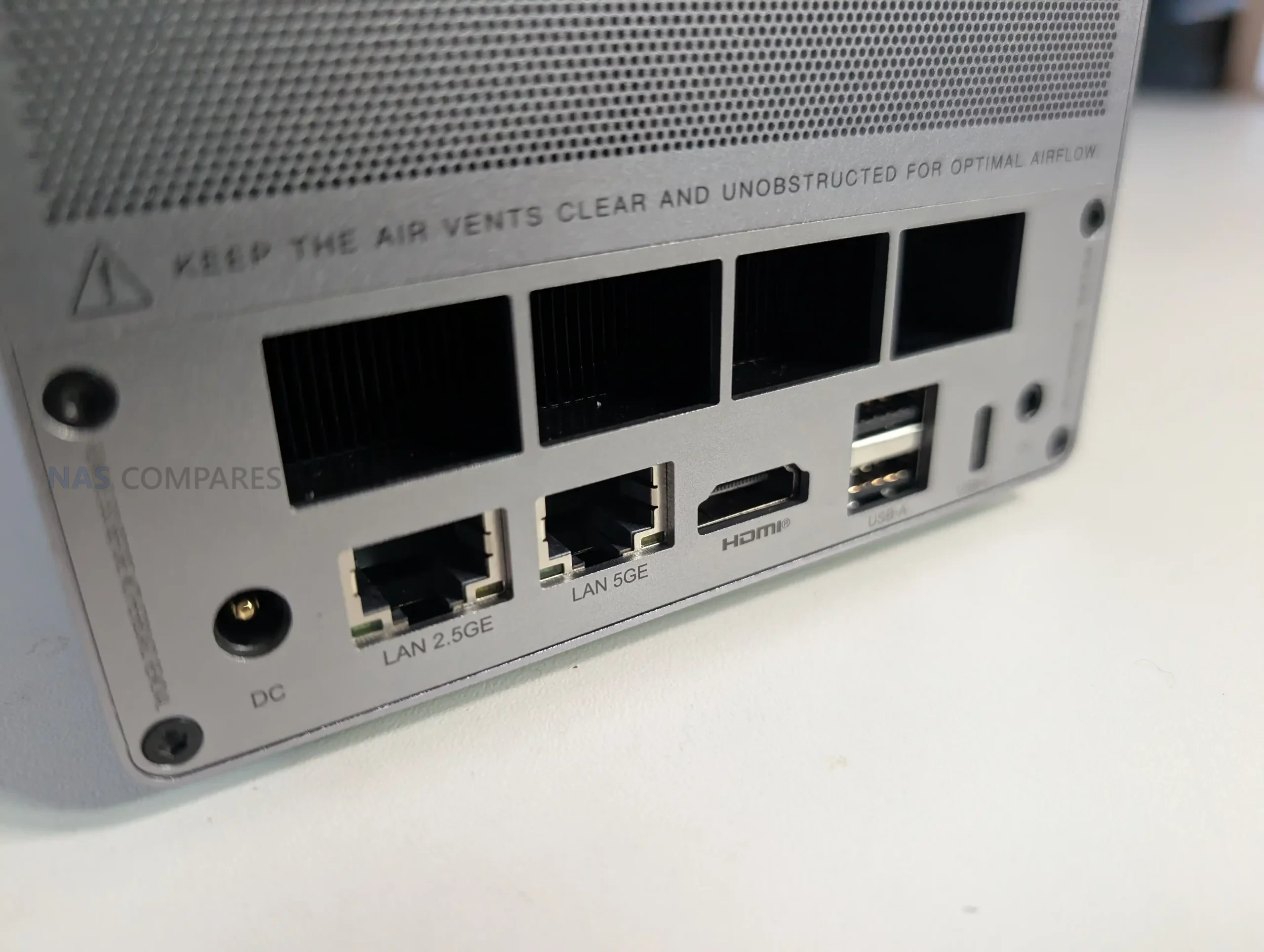
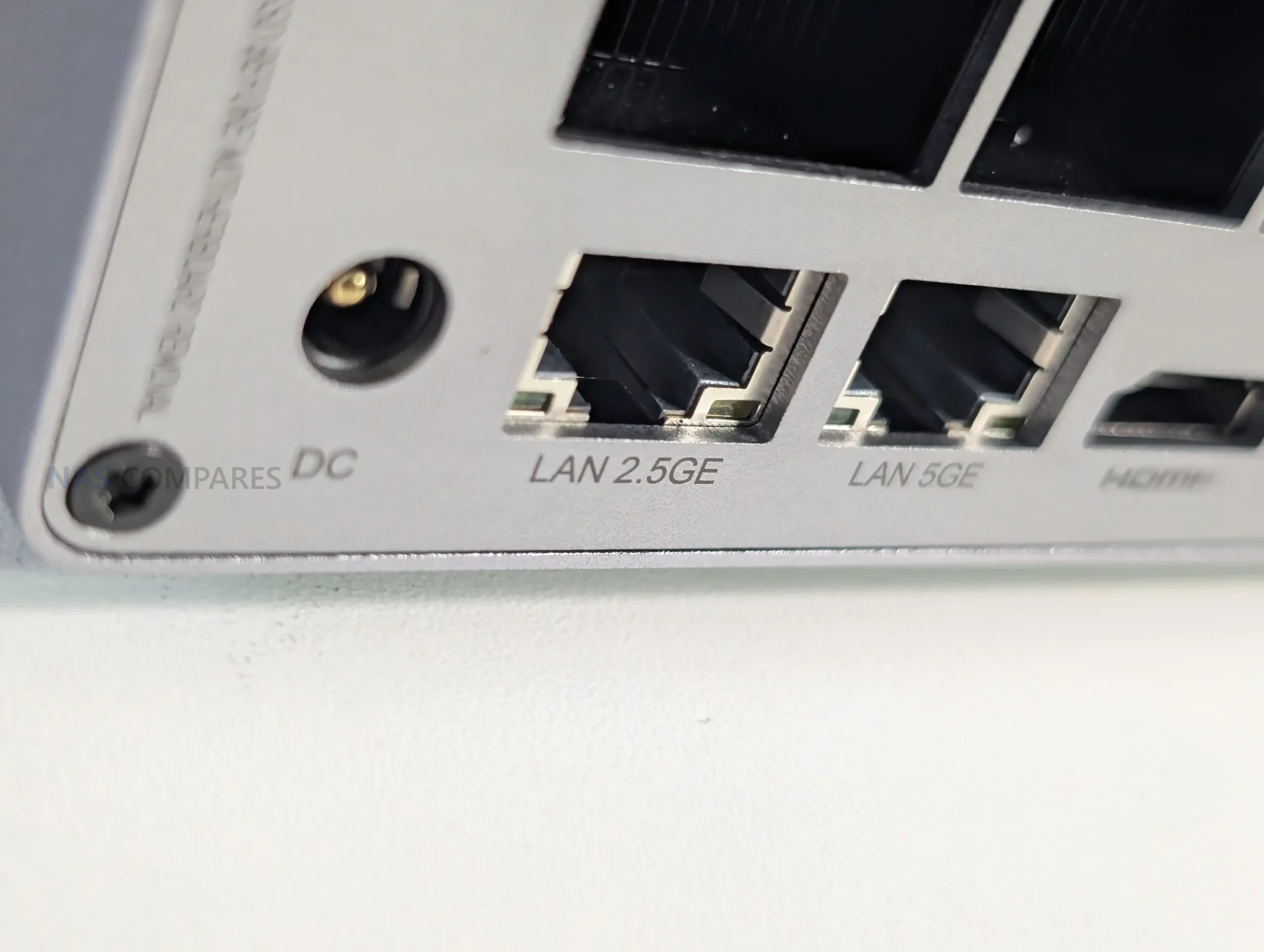
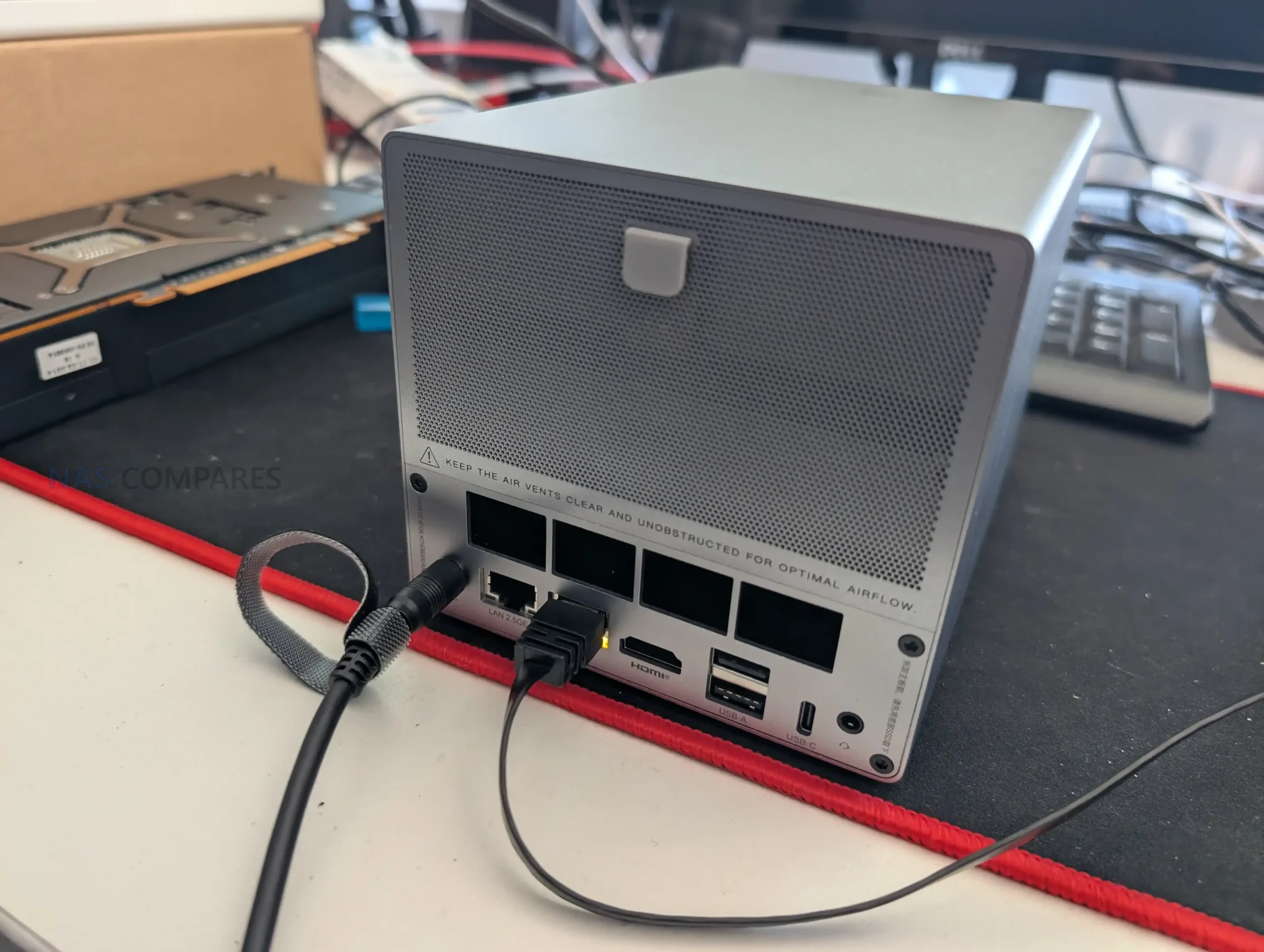
Most connectivity is placed at the rear and along the base section of the chassis, which also helps keep cables routed in one direction when the unit is placed on a desk or shelf. Wired networking is split across 2 Ethernet ports, a 5GbE port and a 2.5GbE port, and the unit also includes WiFi 6 plus Bluetooth 5.4. That mix allows both a standard single-cable setup and more flexible layouts such as separating traffic across the 2 wired links, or keeping WiFi available for temporary placement, troubleshooting, or scenarios where pulling Ethernet is not straightforward.
 |
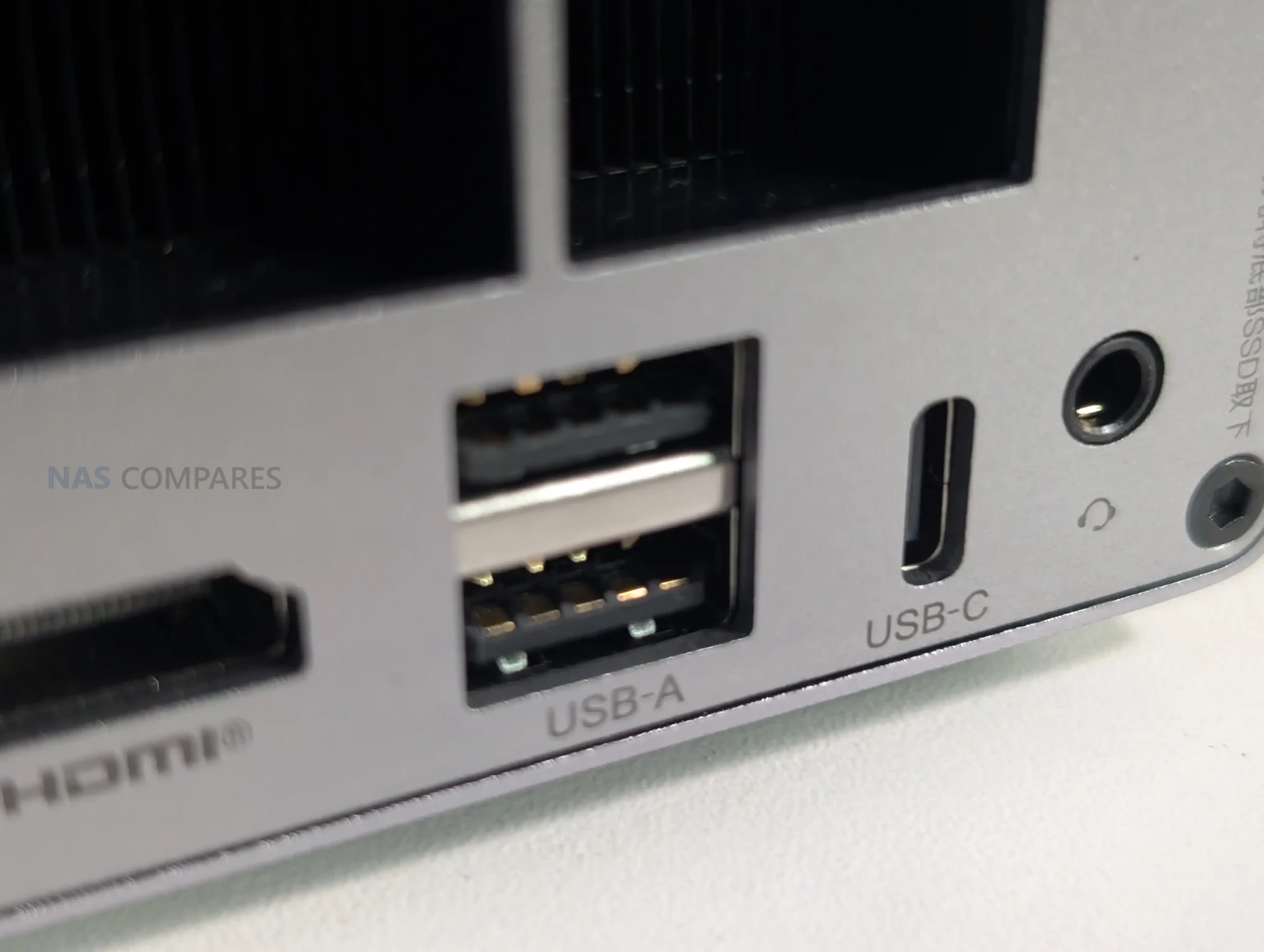 |
For general external connectivity, the ME Pro includes a USB-C port rated at 10Gbps for data and it supports video output, but it is not used for power input. Power is delivered through a barrel connector and the unit ships with a 120W external PSU, which provides comfortable headroom and removes any questions around USB-C PD negotiation. Alongside USB-C, it includes 1 USB 3.2 port rated at 10Gbps and 2 USB 2.0 ports at 480Mbps, which covers basic keyboard, mouse, UPS signalling, or low bandwidth accessories, but it is still a small selection compared with many mini PCs.
 |
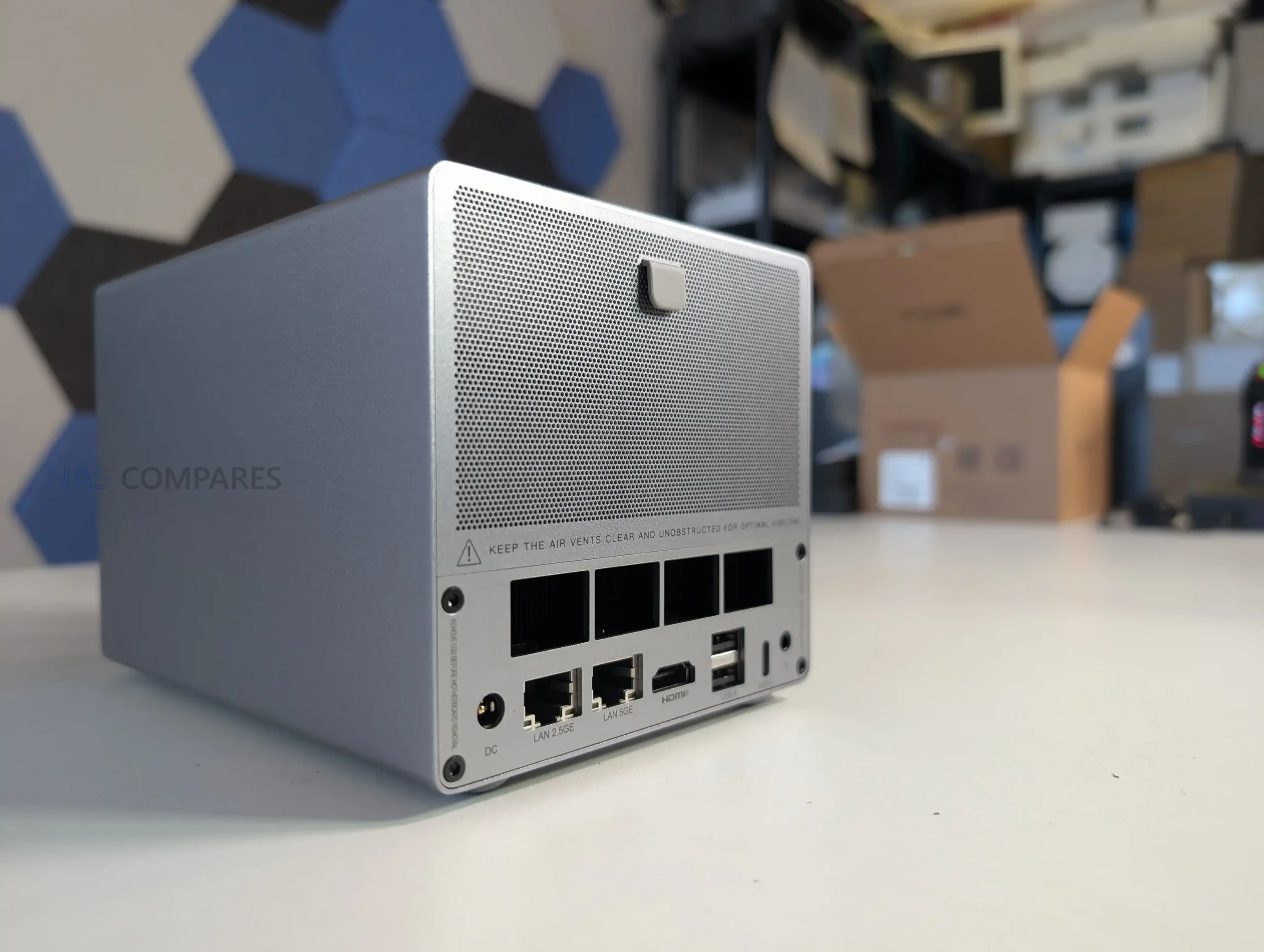 |
For local display and basic audio, there is 1 HDMI output rated up to 4K 60Hz and a 3.5mm audio jack. The manual also calls out a reset hole and a CLR CMOS function, which is useful context for users who intend to experiment with different operating systems, boot media, or BIOS settings, since recovery options are clearly exposed rather than being hidden inside the chassis. Overall, the port selection feels intentionally weighted toward networking and core connectivity, with enough display and USB support for setup and troubleshooting, but not a layout aimed at heavy local peripheral use.
Beelink ME Pro NAS Review – Noise, Heat, Power and Speed Tests
Testing was done over several weeks of general use and targeted measurements, with a focus on temperatures, noise, power draw, and storage and network throughput. The typical configuration used for the core measurements included 2 SATA HDDs and 3 installed NVMe drives, with the system left running for extended periods and accessed regularly throughout the day. In addition to network file transfers, I also checked internal storage performance directly over SSH to separate storage limits from network limits.
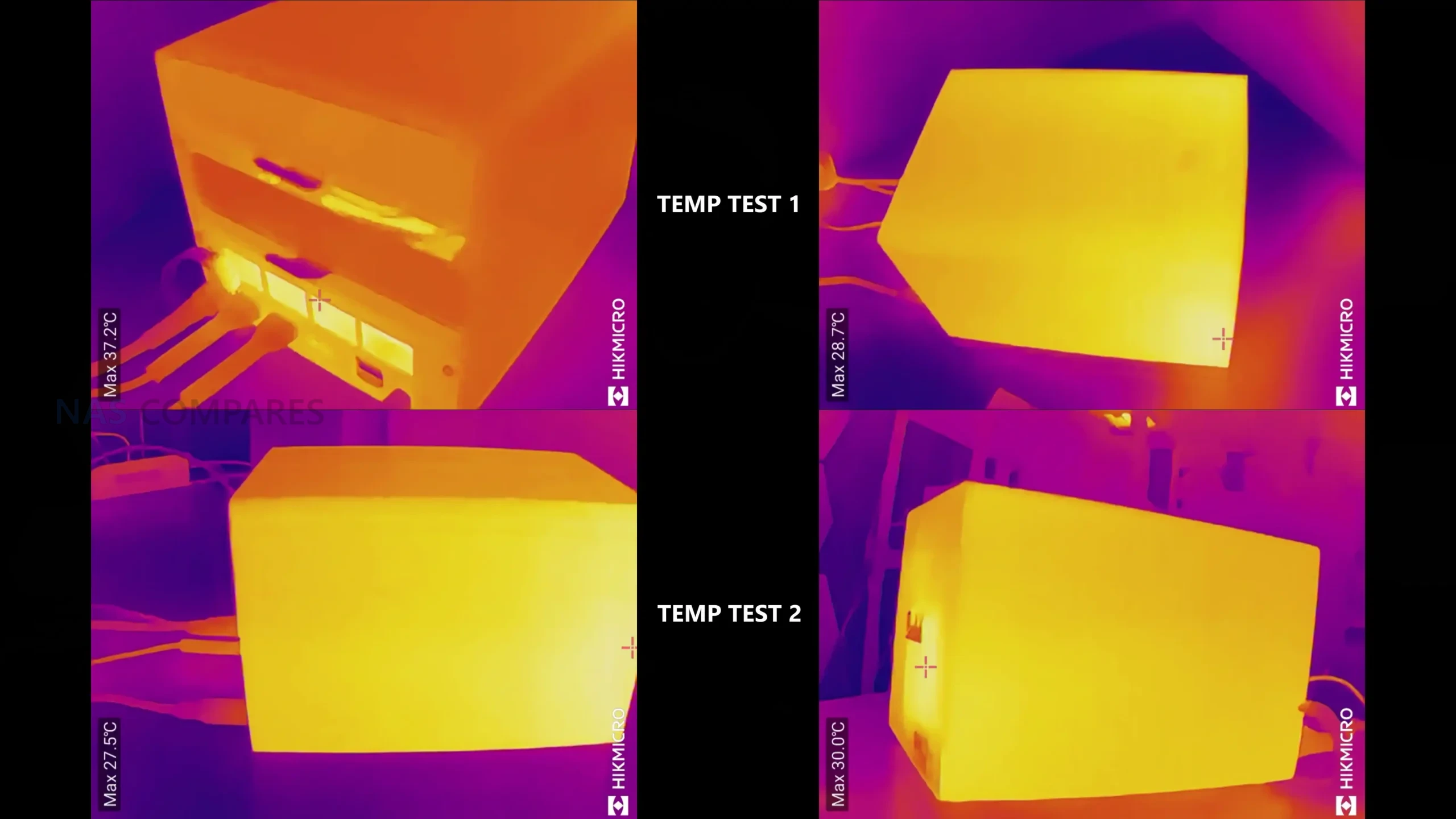
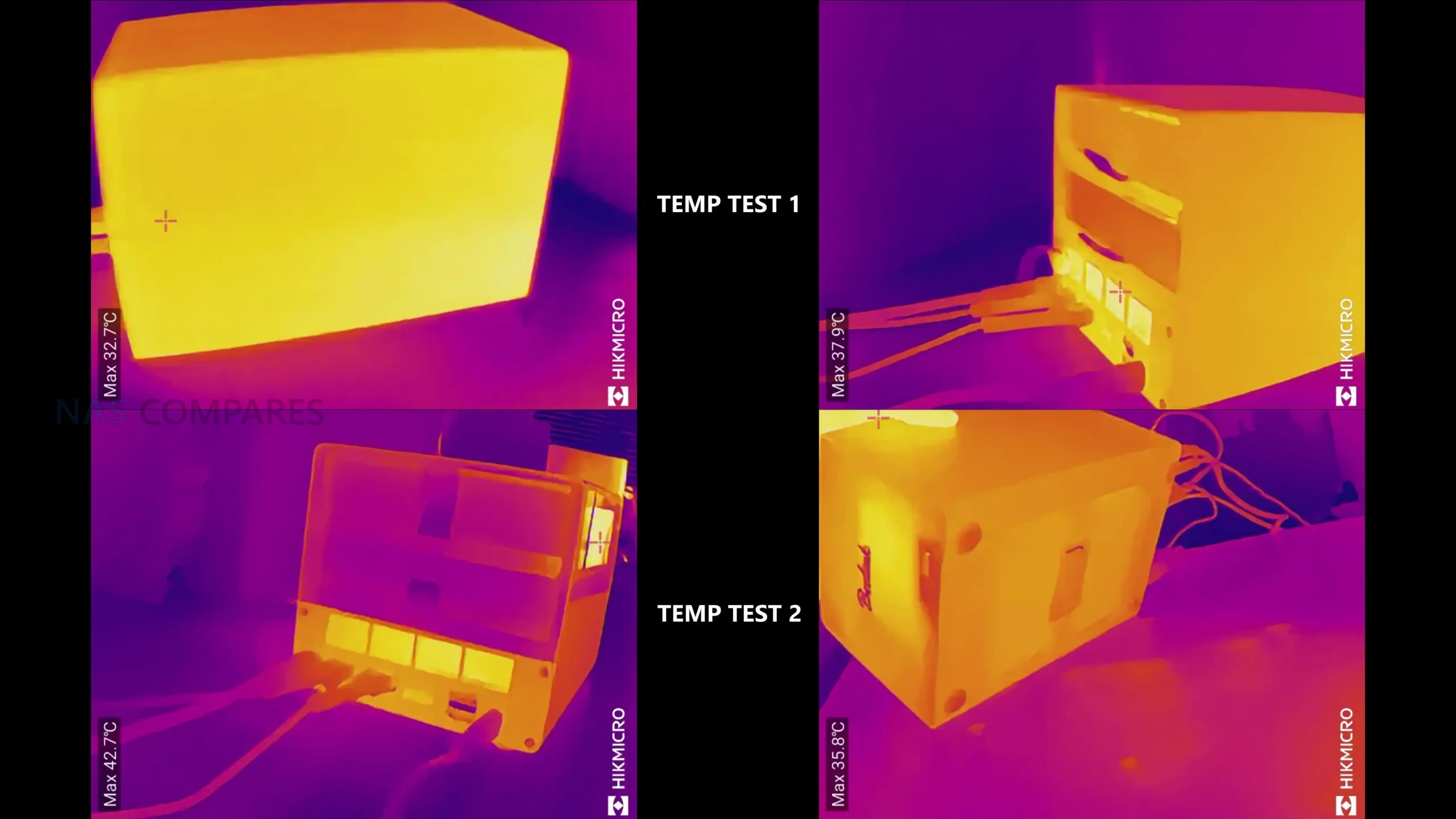
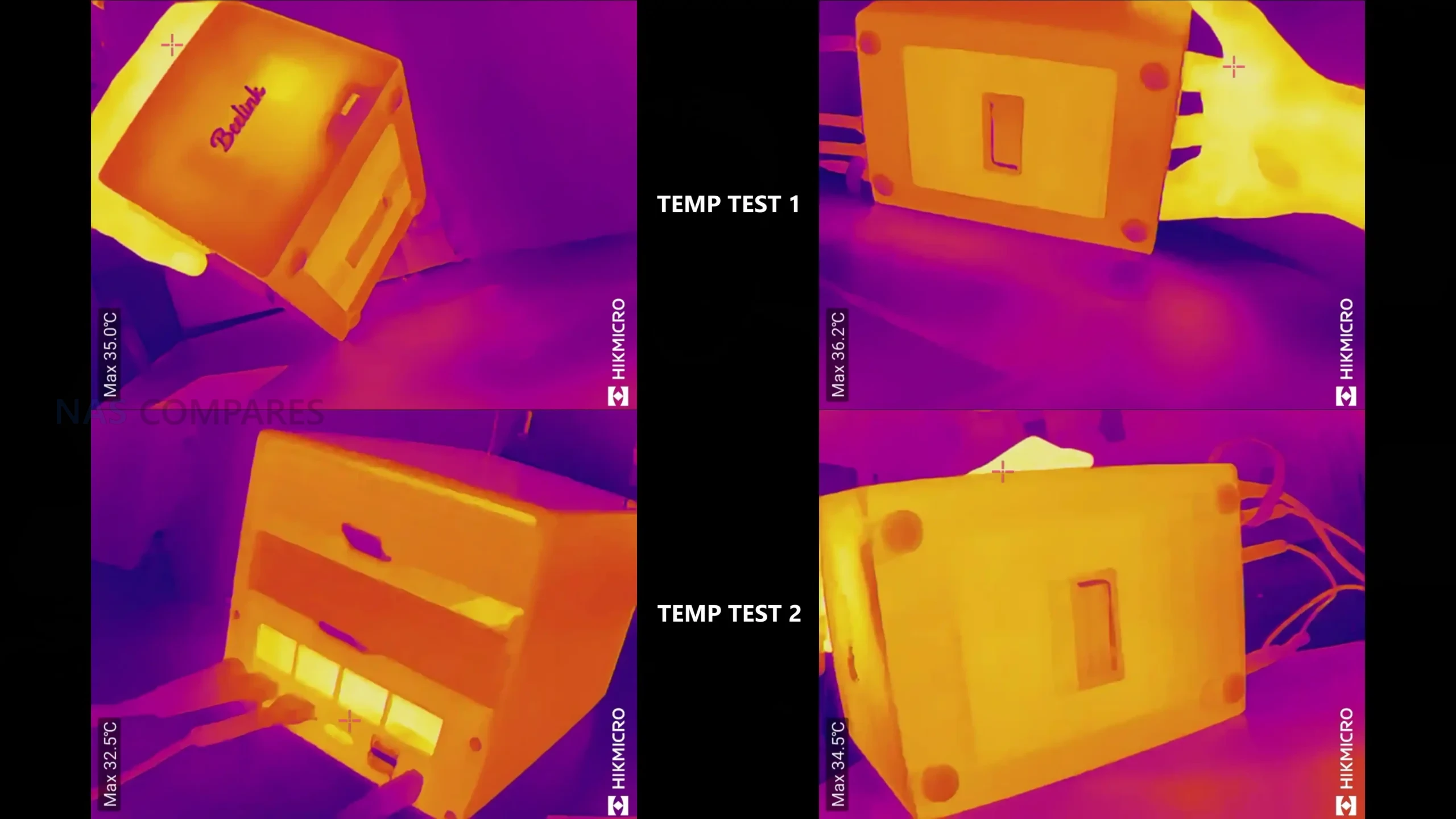
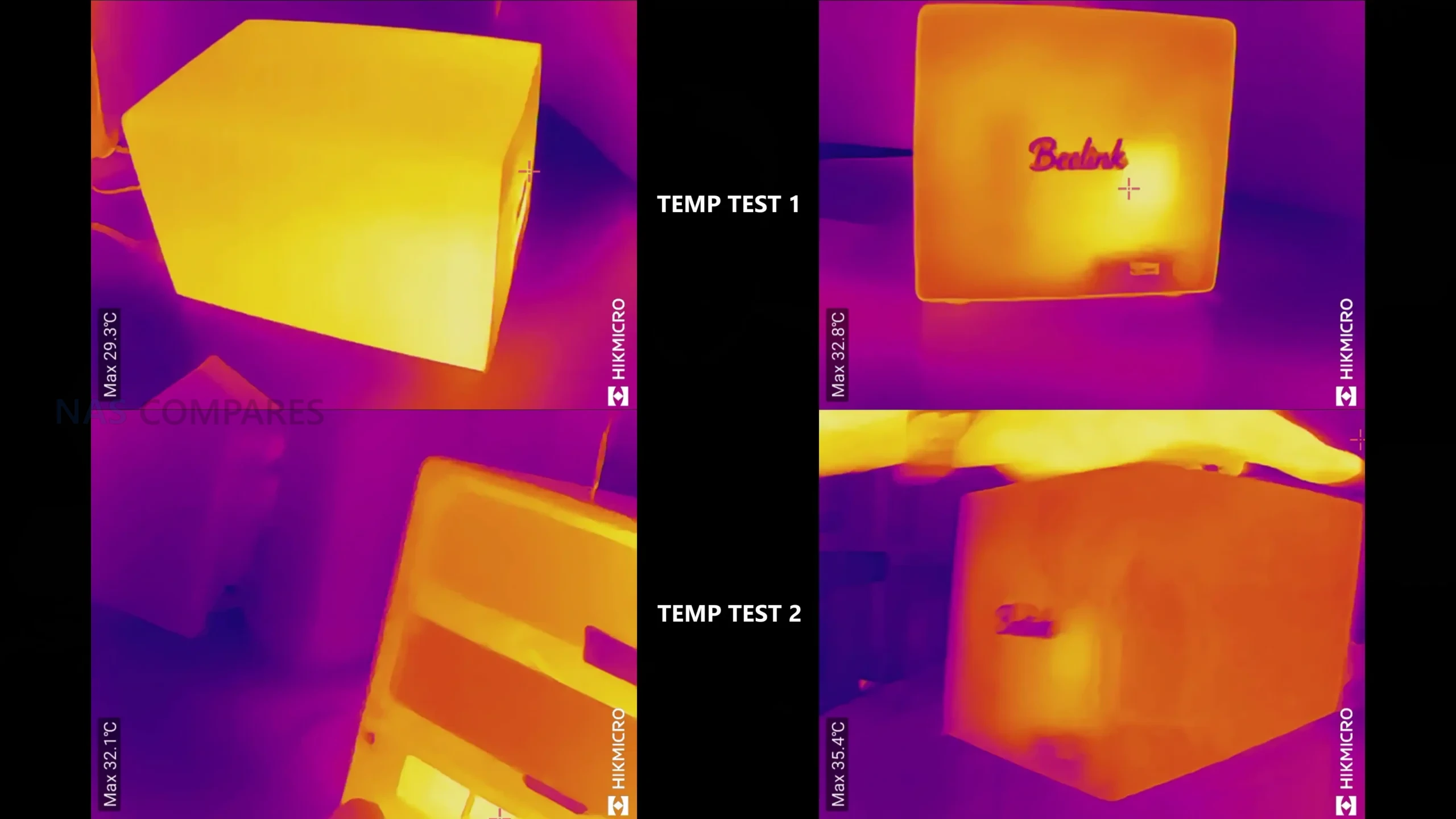
On thermals, external chassis temperatures after a 24-hour period of operation with regular hourly access sat around 34C to 35C across most sides. The base area was a little warmer at roughly 34C to 38C, and the rear section around the motherboard and vapor chamber area was around 38C. The installed HDDs sat around 34C to 36C in that same period, using 4TB IronWolf drives, so not high power enterprise class media. The front panel area peaked higher than the rest of the enclosure, which aligned with the internal placement of the WiFi hardware near the front of the chassis.
 |
 |
 |
 |
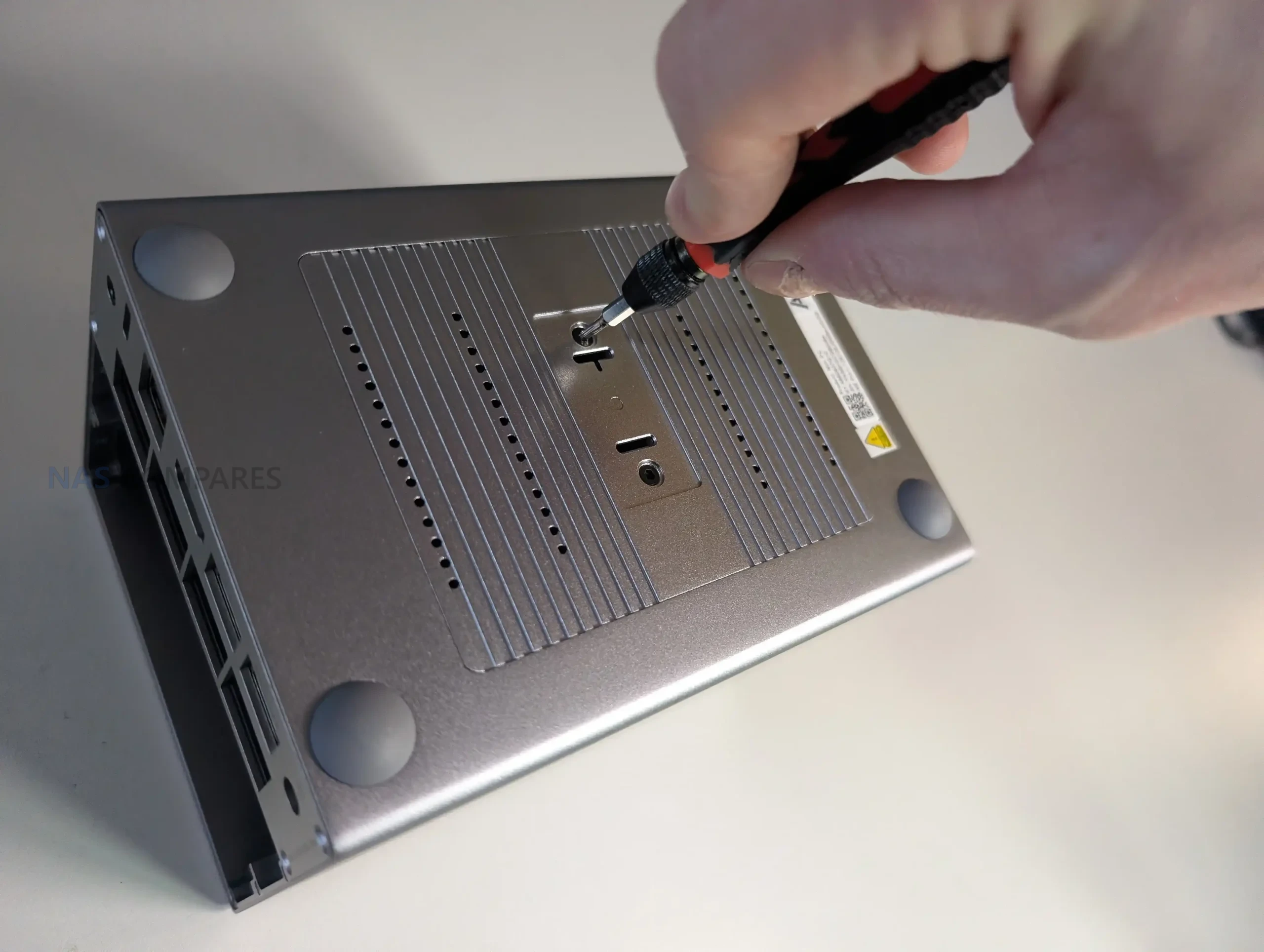
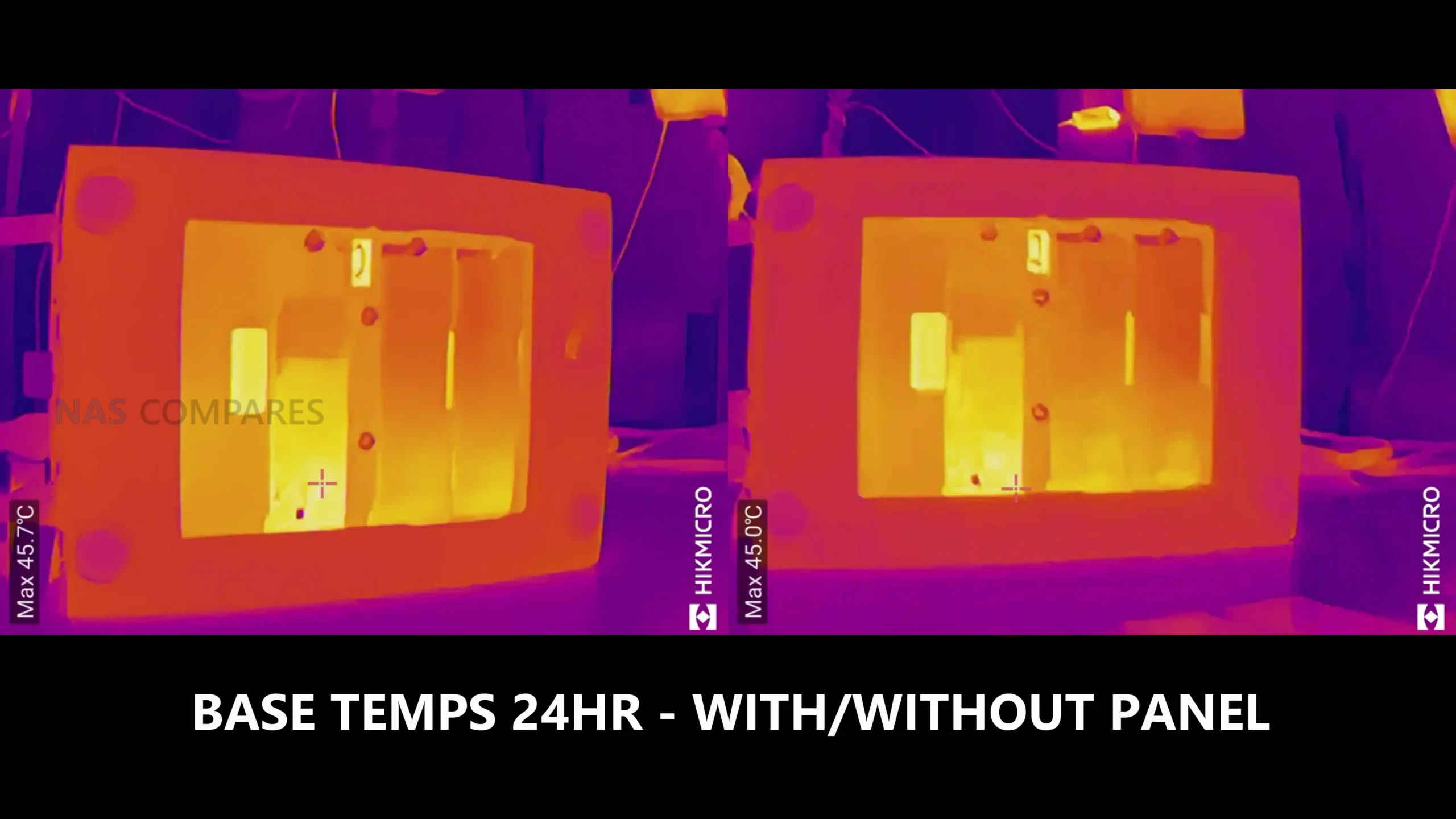
The NVMe area showed the clearest example of how much the chassis panels and pads matter. With the base thermal panel in place, the panel itself sat around 36C over the same extended uptime. When that panel was removed, temperatures on the NVMe drives rose noticeably, with the PCIe 3.0 x2 slot drive reaching around 45C to 46C and the PCIe 3.0 x1 slot drives sitting around 38C to 41C. The difference suggested that the base panel and thermal pad contact are doing meaningful work as part of the heat path, and it also reinforces that there is no practical clearance for NVMe heatsinks in this chassis.
 |
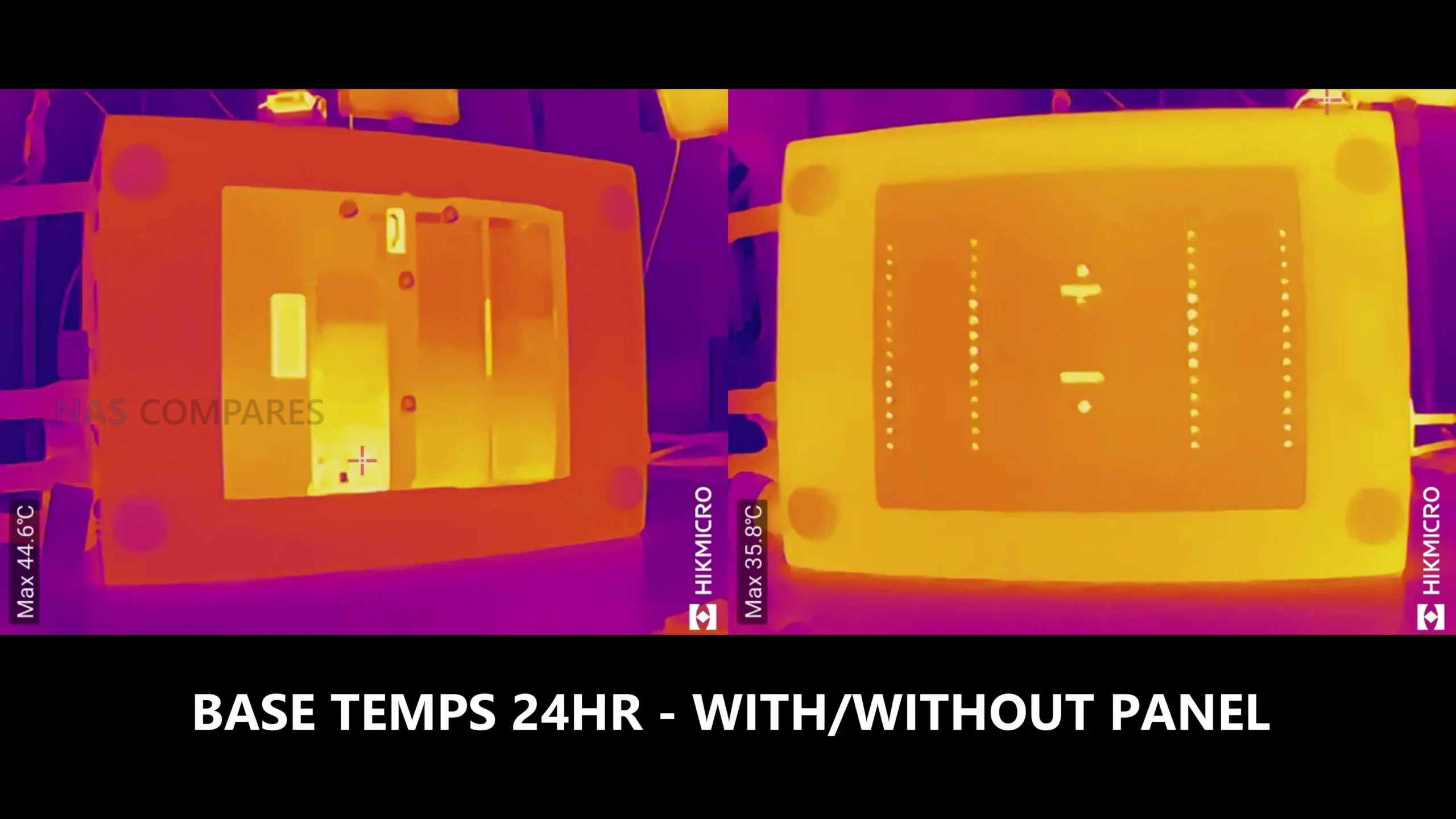 |
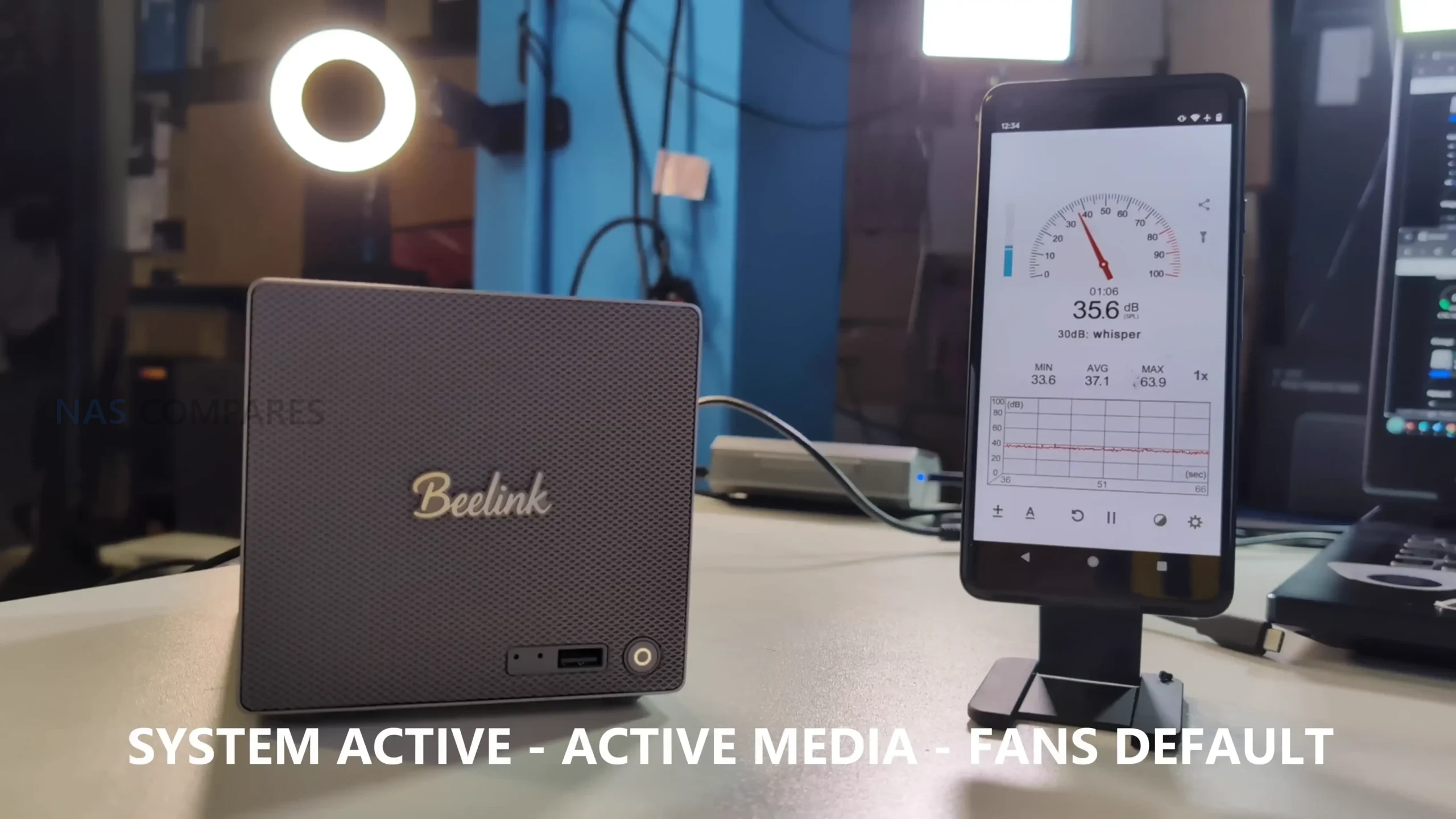
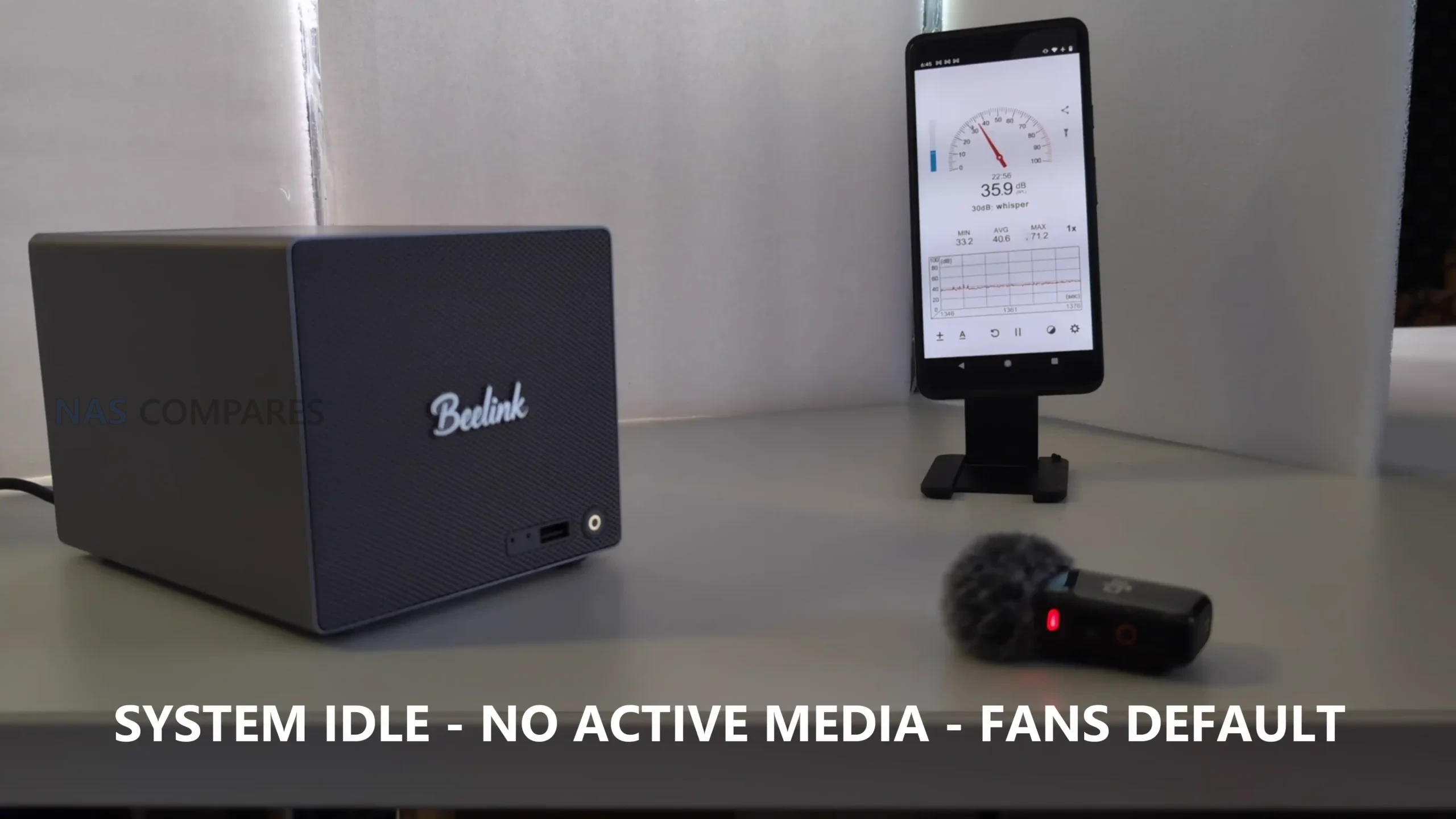
Noise levels were measured in a modest drive configuration, and they stayed in the mid-30 dBA range in the test environment. With the HDDs idle and the system otherwise sitting in standby, noise came in around 36 dBA to 37 dBA. With both HDDs being accessed simultaneously and NVMe activity occurring, it sat around 35 dBA to 38 dBA. The system uses a compact fan approach tied to the CPU cooling path, and one limitation I ran into is that I did not find a straightforward way to control the fan outside the BIOS during early testing, including attempts via SSH, which reduces fine tuning options for users who want tighter acoustics control.
 |
 |
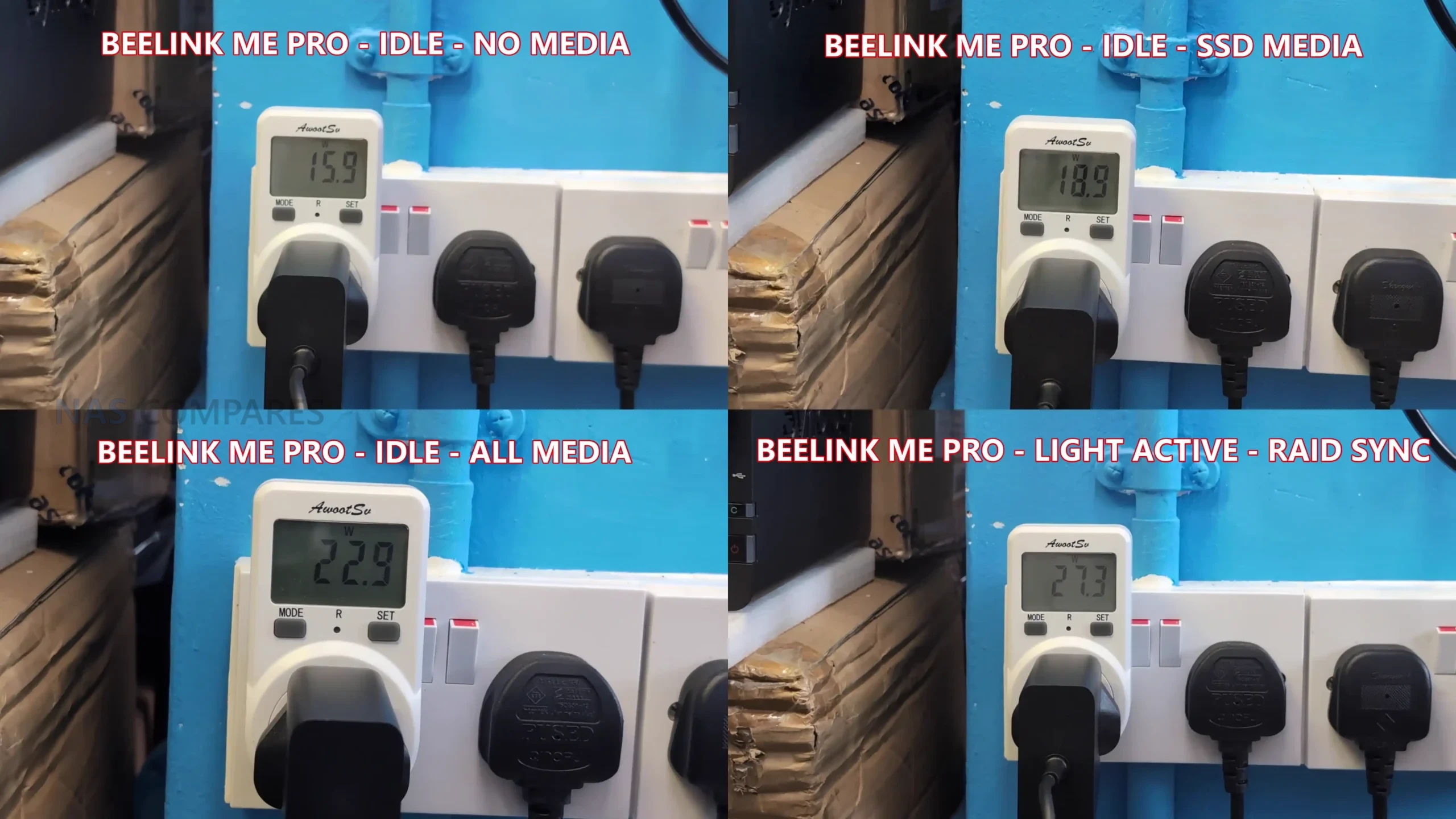
Power consumption was tested in several stages to isolate the impact of installed storage. With no HDDs or NVMe installed and the system powered on, it drew around 15W to 16W. With 3 NVMe installed and no HDDs, it rose to around 18W to 19W. With 2 HDDs and 3 NVMe installed but all media idle, it sat around 22W to 23W.
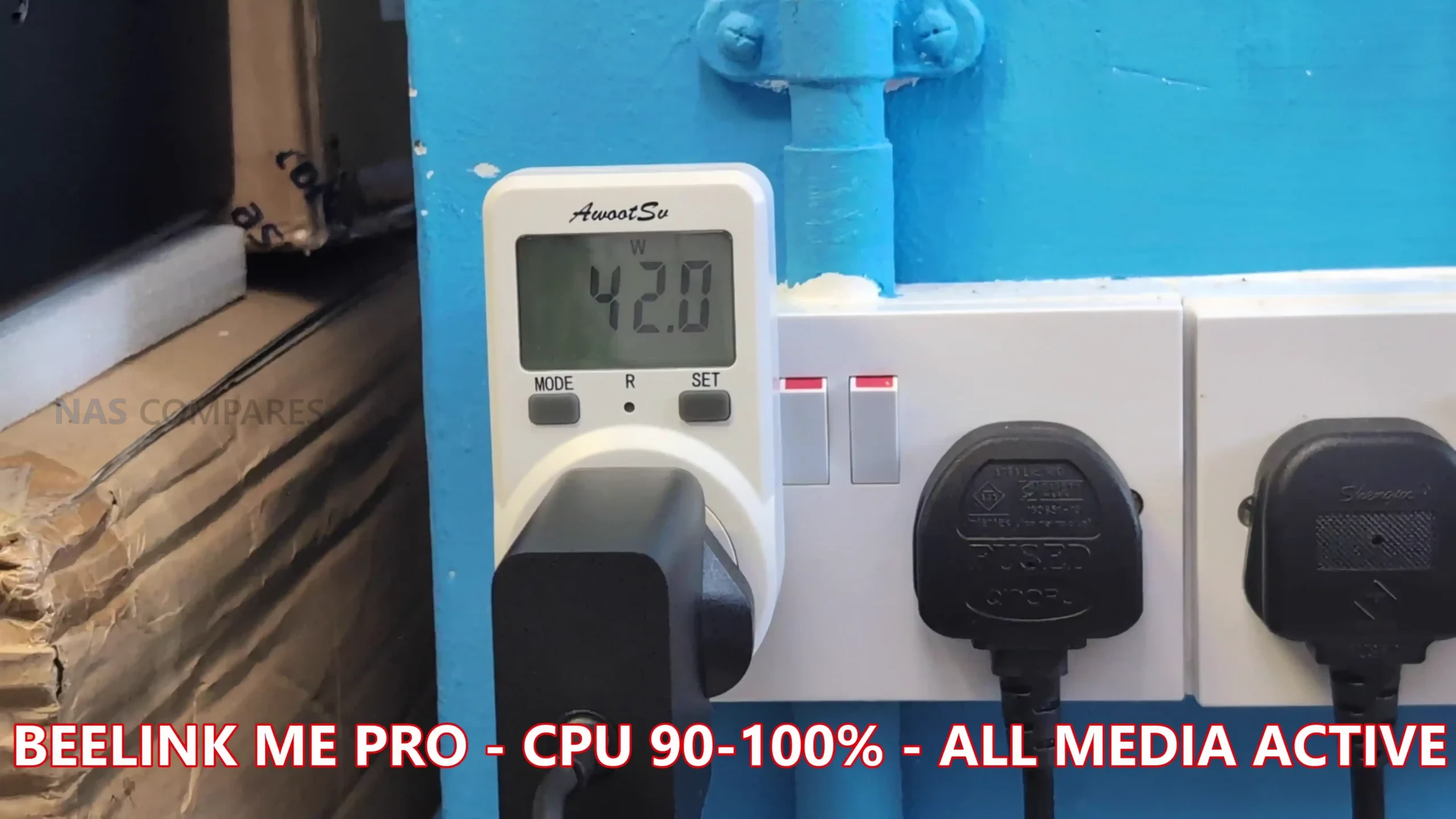
Under a heavy combined workload with HDD and NVMe activity plus the CPU at full utilization, power draw reached around 41W to 42W, which reflects a worst case state rather than typical idle or light service operation.
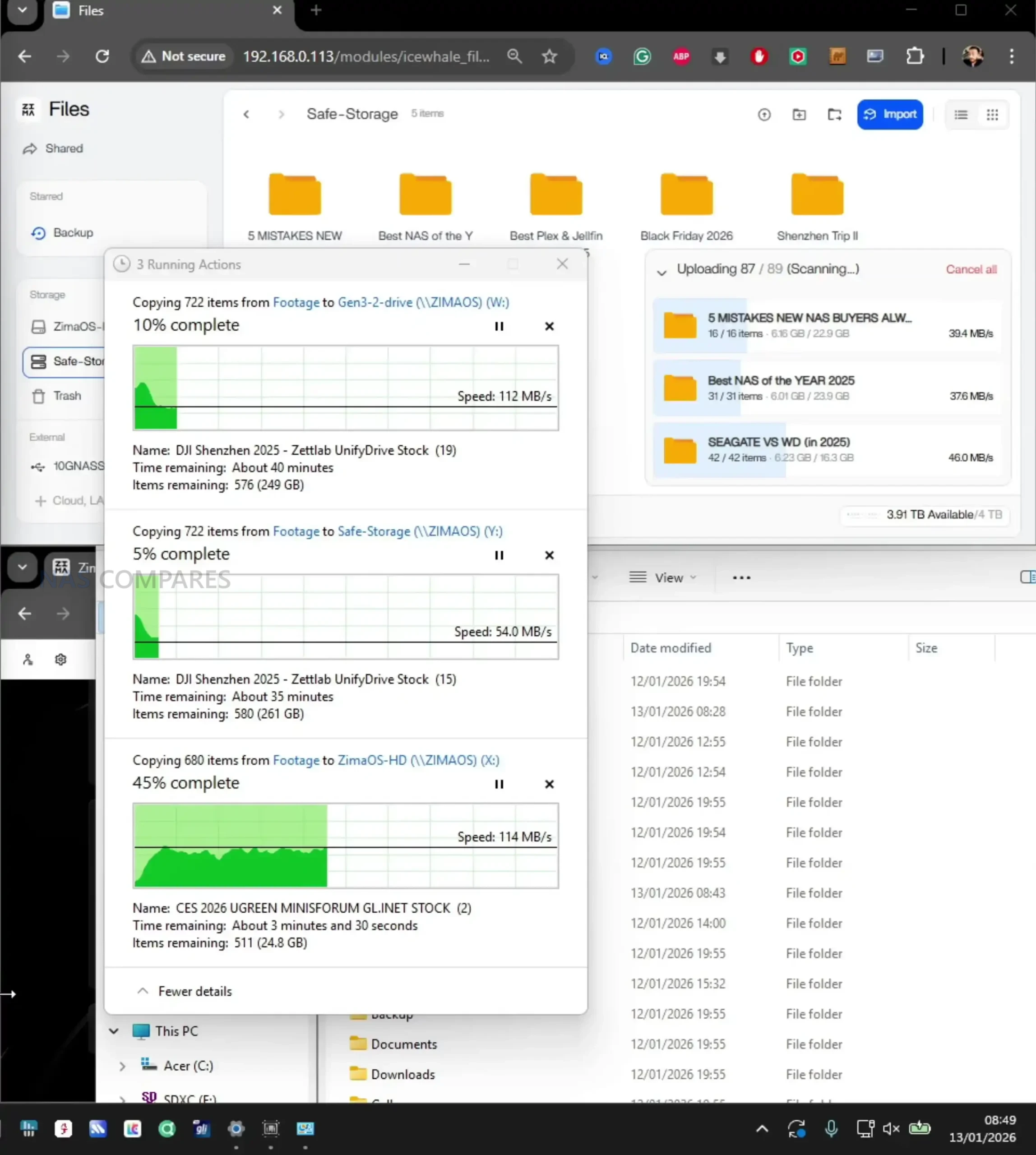
For throughput, 2 HDDs in a RAID1 style setup were able to deliver around 250 MB/s to 267 MB/s, which is consistent with what you would expect from 2-bay HDD performance and means the HDD side will not saturate a 5GbE link.
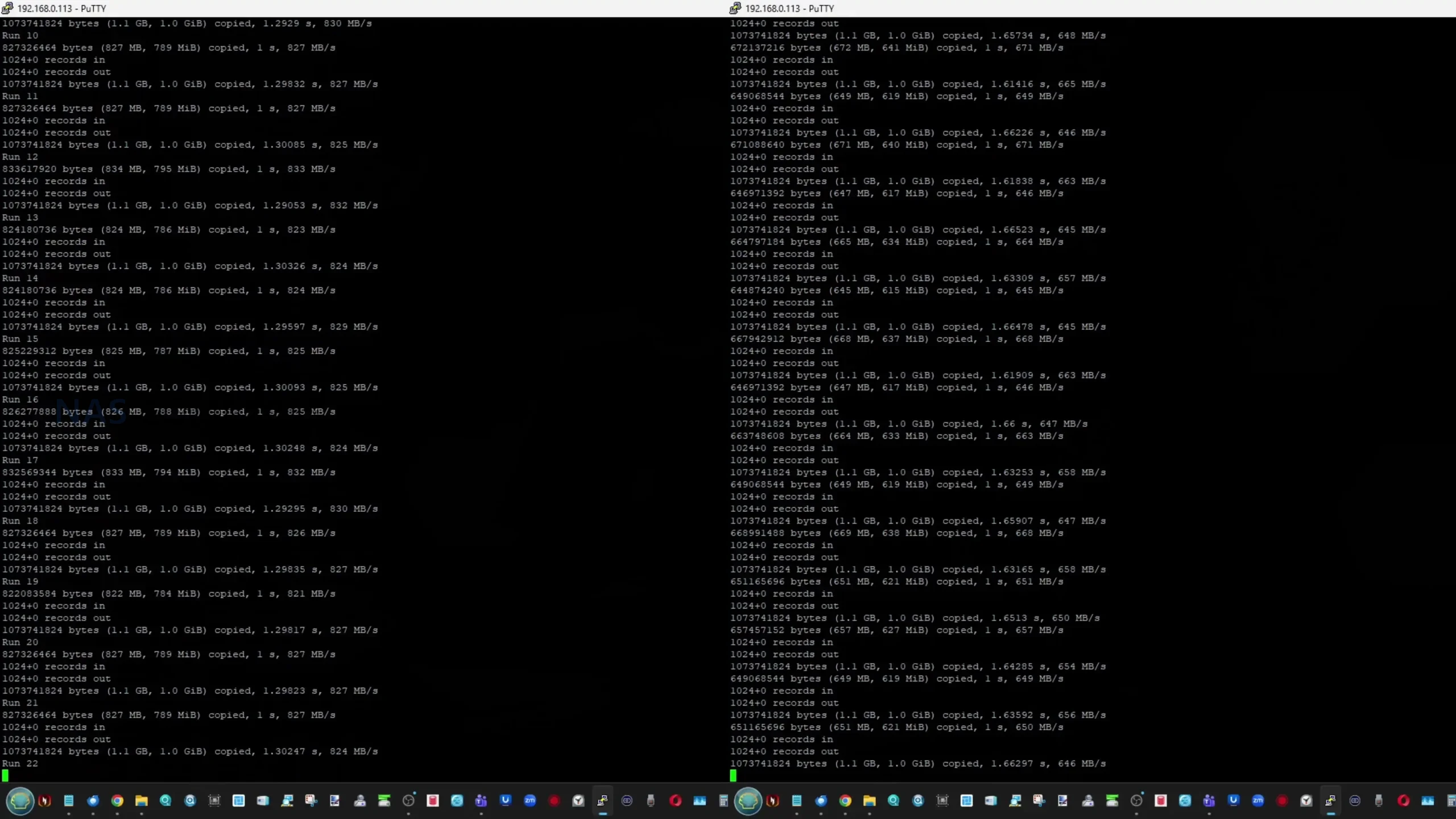
NVMe storage over the 5GbE connection was able to reach full saturation of the network link in testing, so the network became the limiting factor rather than the SSD. Internal NVMe testing over SSH showed the expected split between slots, with the PCIe 3.0 x2 slot delivering roughly 1.5 GB/s to 1.6 GB/s reads and 1.1 GB/s to 1.2 GB/s writes, while the PCIe 3.0 x1 slots delivered around 830 MB/s to 835 MB/s reads and roughly 640 MB/s to 670 MB/s writes with more variability.
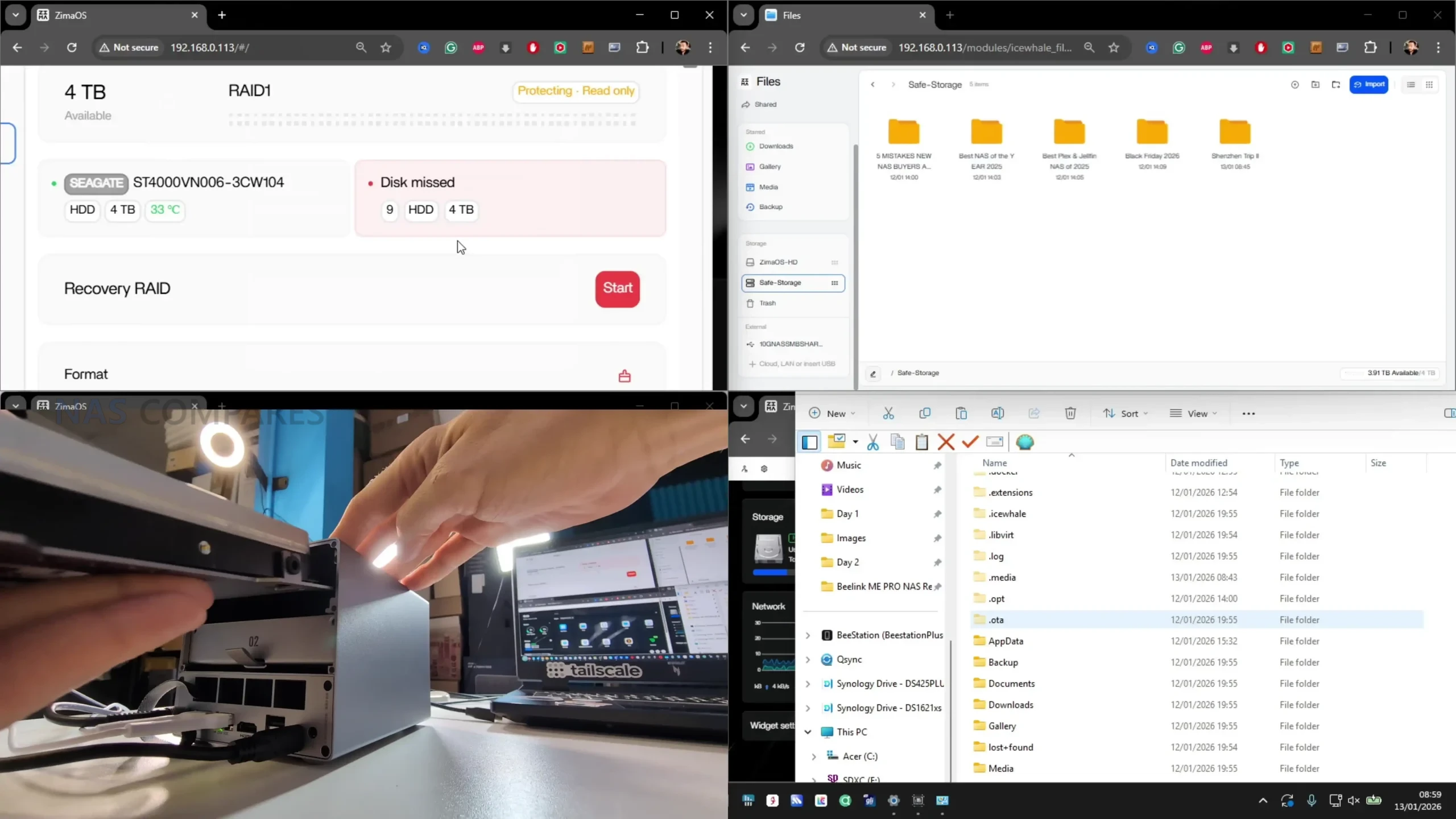
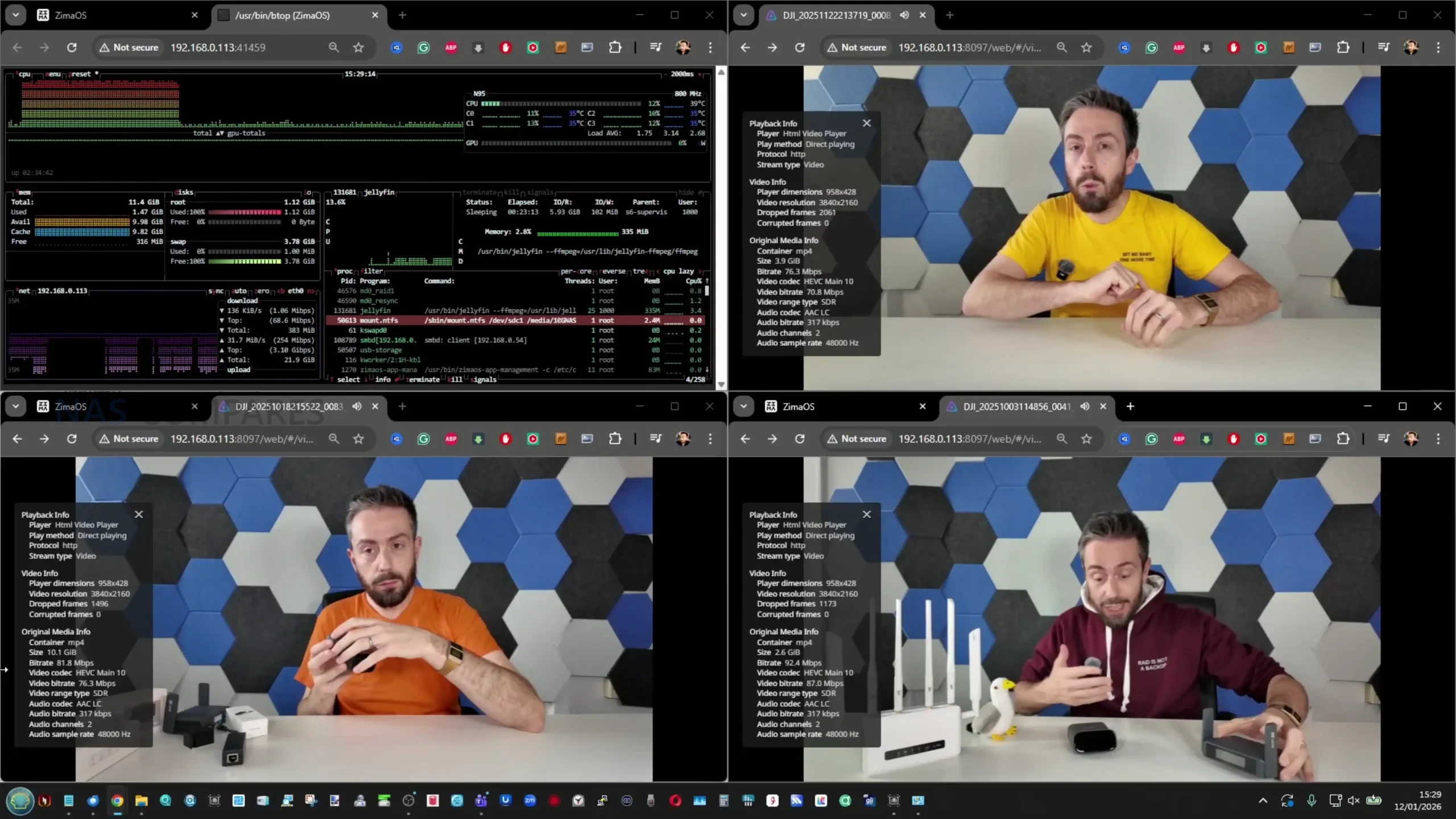
On media server use, 4 simultaneous high bitrate 4K playback streams ran with CPU usage in the teens, using Jellyfin. One extra operational note from testing is that while official messaging indicates hot swapping is not supported, I was able to remove and replace a drive in a RAID1 environment without powering down and continue the rebuild process, which suggests the limitation may be a support stance rather than an absolute hardware block.
Beelink ME Pro NAS Review – Conclusion & Verdict
The ME Pro’s main practical strengths are the space-efficient chassis, the combination of 2 SATA bays with 3 internal NVMe slots, and a connectivity set that includes 5GbE plus 2.5GbE and WiFi 6. In measured testing it delivered controlled external temperatures under typical always-on use, mid-30 dBA noise levels in the tested configuration, and power draw that stayed in the low-20W range at idle with drives installed, rising into the low-40W range under a full combined workload. Storage performance matched the internal design limits: HDD throughput was solid but not enough to saturate 5GbE, while NVMe performance split clearly between the PCIe 3.0 x2 slot and the PCIe 3.0 x1 slots, with the faster NVMe slot capable of saturating the 5GbE link in network transfers.
The main limitations are tied to the same compact, integrated approach that makes it unusual. Memory is fixed at purchase with no SO-DIMM upgrade path, NVMe cooling relies on chassis contact and leaves no clearance for heatsinks, and the lane allocation results in mixed NVMe slot speeds rather than uniform bandwidth across all 3 slots. The launch CPU options also remain close enough that the decision is often as much about bundled memory and SSD tier as it is about a clear performance tier shift. For buyers who want a small, always-on NAS with mixed SATA and NVMe storage, multi-gig networking, and reasonable thermals, noise, and power characteristics, the ME Pro aligns with that goal, but it is less suitable for users who expect frequent hardware changes, want expandability in RAM, or prefer a more conventional 10GbE-first network design.
| PROs of the Beelink ME Pro NAS | CONs of the Beelink ME Pro NAS |
|
|
📧 SUBSCRIBE TO OUR NEWSLETTER 🔔
🔒 Join Inner Circle
Get an alert every time something gets added to this specific article!
This description contains links to Amazon. These links will take you to some of the products mentioned in today's content. As an Amazon Associate, I earn from qualifying purchases. Visit the NASCompares Deal Finder to find the best place to buy this device in your region, based on Service, Support and Reputation - Just Search for your NAS Drive in the Box Below
Need Advice on Data Storage from an Expert?
Finally, for free advice about your setup, just leave a message in the comments below here at NASCompares.com and we will get back to you. Need Help?
Where possible (and where appropriate) please provide as much information about your requirements, as then I can arrange the best answer and solution to your needs. Do not worry about your e-mail address being required, it will NOT be used in a mailing list and will NOT be used in any way other than to respond to your enquiry.
Need Help?
Where possible (and where appropriate) please provide as much information about your requirements, as then I can arrange the best answer and solution to your needs. Do not worry about your e-mail address being required, it will NOT be used in a mailing list and will NOT be used in any way other than to respond to your enquiry.
 TRY CHAT
Terms and Conditions
TRY CHAT
Terms and Conditions





|
 |


UnifyDrive UP6 Mobile NAS Review
UniFi Travel Router Tests - Aeroplane Sharing, WiFi Portals, Power Draw, Heat and More
UGREEN iDX6011 Pro NAS Review
Beelink ME PRO NAS Review
UGREEN iDX6011 Pro - TESTING THE AI (What Can it ACTUALLY Do?)
OWC TB5 2x 10GbE Dock, UGREEN NAS Surveillance Software, AceMagic Retro PCs, Gl.iNet Comet 5G @CES
Access content via Patreon or KO-FI
Discover more from NAS Compares
Subscribe to get the latest posts sent to your email.
Gday from Jan 2026. It is $470 now.
REPLY ON YOUTUBE
Need someone to make the cheapest and smallest possible Windows 11 capable PC with one bay only for a dedicated Backblaze machine.
This is close!
REPLY ON YOUTUBE
Hello. First of all – great review! Would gladly replace my miniPC and an external USB dual bay for this. However, how are the temps of the HDDs? Isn’t it cooking itself to death? I saw a really nice low CPU temperature in your btop shots, so it looks very promising. Got myself two chonky Toshibas Enterprise, 20TB each, and I’d really prefer to keep them safe as long as possible. Thank you in advance. Cheers!
REPLY ON YOUTUBE
I appreciate the dual network drivers. RHEL/Rocky (the OS I work with most) is slow on adoption so having a mainstream Intel NIC is SUPER helpful. The MS-S1 Max is painful to get RHEL9 set up on w// the dual RealTek 10G NICs. Will definitely recommend this to friends.
REPLY ON YOUTUBE
quite sophisticated design.
REPLY ON YOUTUBE
It’s fascinating how words “soldered” and ‘welded” (when these devices were unpopular and difficult to market) has become a nice and polite “pre-attached” now that these devices are sent free of charge to “testers.”
1984, here we come.
They are trying so hard not to mention the RAM of this product that Beelink has removed the line from the specification sheet… yet completely focuse the product page on upgradeability. This world is insane.
REPLY ON YOUTUBE
Never seen N95 and N150 mini’s powered by usb either. Not having thunderbolt/usb4 may be the reason for not having usb power, remember those chips only go up to usb3.
REPLY ON YOUTUBE
Is expensive for what it is…the N95 base processor is weak and no upgradable Ram is a no go for me. Lets see if the price goes down, i think Ugreen DXP 2800 is a better deal for now…oh and Ugreen come with a nice OS, Linux based, and companion apps available for iOS and Android…
REPLY ON YOUTUBE
dude, are you a fan of Estonia?
REPLY ON YOUTUBE
It’s best premium-looking 2-bay NAS
4-bay with 10Gbe (to compete with UGreen DXP4800 Plus) would be nice
Also, I wish it has more fans other than the one on CPU
Is this fine for hot drive? (Seagate Exos or WD Gold?)
REPLY ON YOUTUBE
Can you run it with only the SSDs for decreased Noise and do it come with its own operating system or do I need to install and learn a third party operating system?
REPLY ON YOUTUBE
9 M.2 NVMe on a 9 PCI-E lane N150, where some of the lanes are already reserved by NICs etc… Not so good choice. That would mean that PCI-E switch chip would be used, so bye bye ASPM support.
I hope they will redesign it with higher PCI-E lanes count CPU, even if that would meant a higher price for the base unit. If you have money for 9 NVMe drives in this economy, then additional $50-$100 for the base unit is nothing ????
REPLY ON YOUTUBE
How was the wifi?
REPLY ON YOUTUBE
The Beelink links up above seem to be broken.
REPLY ON YOUTUBE
Bro you should have measured the shipping boxes, I bet this is going to save them a huge amount on the shipping! Smart company!
REPLY ON YOUTUBE
Lovely looking device. Logo badge looks awful though, wtf
REPLY ON YOUTUBE
Loved the design! Hope in the future an option with 10GBe and not fixed RAM
REPLY ON YOUTUBE
oh i saw another review of the twin of this — feiniu evo2; and from there is shows the ram is in fact a sodimm one and it sits beneath the fan (unscrew), i wonder if its the same for this device, you can probably see it if you peek from the side of the motherboard
REPLY ON YOUTUBE
Why do they use an asm sata-controller when the chipset has two sata-ports build in? a waste of pcie-lanes.
REPLY ON YOUTUBE
Hi, great video! I am curious to know why do you think the power consumption is so high when my zimaboard 2 with same chip consumes around 6-8
Thanks
REPLY ON YOUTUBE
Can the Wi-fi be turned off to reduce heat/power?
REPLY ON YOUTUBE
It looks very nice.
REPLY ON YOUTUBE
I’d love to see the SMART-reported HDD temperature during long sustained reads, like in a ZFS scrub (my 18TB mirror takes half a day). I’m not quite yet convinced that this air flow pattern will adequately cool the upper HDD, within spec.
REPLY ON YOUTUBE
I dunno, I like that they included the 5Gbe port. 5 gig nics have come down in price a lot such that they aren’t significantly more expensive than 2.5 gig so why not include it. Yes you need 10 gig infrastructure to make use of it but that is becoming more accessible and its there for the future if you can’t use it now. 5 gig also has the advantage that adaptors for your other devices only need USB 3 10Gbps ports rather than thunderbolt or USB 3 20 Gbps ports that are still relatively exclusive and expensive.
5 Gig gives you network speed close to a sata SSD , 5 times faster than gigabit without the heat and high bandwidth needs of 10 gig.
REPLY ON YOUTUBE
It has that Marshall look with the text although the font is different.
REPLY ON YOUTUBE
Nas noob here: I would love to hear a comparison on how well it works with TrueNAS vs unraid vs … just to get a feel for what to choose and how well it works with the different options.
REPLY ON YOUTUBE
$780 CAD, that’s a lot for what it is. A used HP Elitedesk SFF still gives you way more expandability options for a bit more power draw for 1/3 price. Yes twice the size but its not like SFF’s are that big anyway. It would have been nice to see the 3 NVME’s be 1x lanes with a multi speed port 10/5/2.5/1Gbe and a 3×3.5″. Best storage/performance/redundancy/cost ratio(RAID5/RaidZ1). With those options I think it could be justified for the extra cost but then again that would be a different product.
REPLY ON YOUTUBE
Minisforum n5 air makes this a bit irrelevant.. waiting for the review on that one..
REPLY ON YOUTUBE
Seems pretty neat, but isn’t that base power consumption a little on the high side?
REPLY ON YOUTUBE
yo homie! where is the hands-on Jonsbo N6 review for us poors, huh?
REPLY ON YOUTUBE
Looks nice but awfully expensive for a 2 bay and the ssd support is comical at current prices.
REPLY ON YOUTUBE
we need a 4-bay version with 10gbe!!
REPLY ON YOUTUBE
Thanks mate. Just a tip. The 4 feed view at 9:35 is too much and will overwhelm viewers. You should just edit it so each scenario is shown sequentially.
REPLY ON YOUTUBE
i would like this with 4x or more 3.5″ bays . .
seeing how this is normal intel hardware, can i just put windumb on this?
REPLY ON YOUTUBE
This guitar amplifier is oddly small and missing a few knobs
REPLY ON YOUTUBE
I would have loved to see what this would have cost 2 years ago before memory prices went nuts.
The original Me Mini at $209 was a stupendous deal.
I also wonder if Beelink got a crazy good deal to use the N95 vs N100 CPU. Curious they went backwards on that chip both here and the new Me Mini. Not knocking them, it is a creative way to deal with the new world of expensive ram.
Beelink has my attention. Hopefully some day, ram prices come back down to pre 2025 levels and they can sell these things real cheap.
REPLY ON YOUTUBE
Would anyone actually use this over WiFi considering the extra heat generated? And if using as a NAS + WiFi connect just seems bonkers imo.
REPLY ON YOUTUBE
I wonder is there any power usage difference between using the 5GB Realtek vs the Intel…
REPLY ON YOUTUBE
Did you happen to run any powertop when you were performing the power watt usage? I ordered the N95, but then oped for the N150 with 16GB due to the lack of memory upgrades.
REPLY ON YOUTUBE
I’ll be honest, it looks way too expensive paying U$550+ for a N150 based NAS. The Minisforum N5 is the real killer on the segment for nearly the same price and with just a slightly larger footprint. I wouldn’t see myself going with that one instead of the N5.
REPLY ON YOUTUBE
I’d have liked to seen testing done with 24TB+ drives for a true stress test. Thermals will be very challenging once Beelink delivers AMD/Intel-based versions with more PCIe lanes, 10G networking, etc.
REPLY ON YOUTUBE
It’s pretty great, but I’ll wait for the 4bay.
REPLY ON YOUTUBE
5:20 PCIe lanes are not the only thing that 10GbE needs, it also needs improved heat dissipation (especially with RJ45) and/or space to fit the SFP+ cages.
REPLY ON YOUTUBE
looks like a nice piece of kit. Swappable hardware sleds is super interesting. The n95 & 5gbe is just weird tho
REPLY ON YOUTUBE
This with 4 2.5“ slots would be nice.
REPLY ON YOUTUBE
Using solid state drives for backup doesn’t make a lot of sense to me. I have too much data for that and spinning drives are just so much better bang for buck. My laptop alone has 3TB of data on it.
REPLY ON YOUTUBE
A passive base heatsink may help, even from a third party supplier.
REPLY ON YOUTUBE
I’d have a closer look at how the internal power supply is implemented before running this without the cover on. Looks like it may have main traces running through the bottom near the power connector. You’d want to avoid shock hasards but it does look cool a*f.
REPLY ON YOUTUBE
I’m confused. What good does it do to say this is a great, inexpensive NAS solution without talking about how much $ you need to buy the NVME? Four? Six? Slow? Fast? I really would like to see a complete configuration. Of course, NVME prices are much higher than spinning disks.
REPLY ON YOUTUBE
I am very interessted in the 9-SSD-Slot system. I have the ME Mini and I like the cube, even if installed Proxmox oni the eMMC was a bit of a pain 😉
REPLY ON YOUTUBE
I’ve made my decision. A Beelink ME Mini NAS + ZimaOS. If they never start selling them in grey like they’re supposed to, I will paint the case.
I’ve read all about it dropping drives but it’s mostly people using too new Gen 4/5.
Gen 3 is what it wants but are almost non existent. The Crucial P3 is Gen 4 and backwards compatible with Gen 3.
REPLY ON YOUTUBE
I really hope some model will have ECC.
REPLY ON YOUTUBE
Extremely cool device. It’s like the Mac Mini of NAS! I just wish it had 10G and that high capacity NVMe drives weren’t so unreasonably expensive
REPLY ON YOUTUBE
Not going to lie i like how they don’t give a ???? about being all secret. And all production looks impressive. Very interesting company
REPLY ON YOUTUBE
I guess this company will be banned in 2030 ????
REPLY ON YOUTUBE
i just want 12/14/16/20/24 bay nas off shelf that i can just plug in, slap the plugins/apps i want and forget about it, nobody wants shitty small “nas” system
REPLY ON YOUTUBE
I purchased one of these and put 6x SSDs in it like it supposedly supports, but there is a hardware design flaw with the 3.3v rai
If you have 4+ SSDs you will likely see disks disconnect at random due to the 3.3v rail sagging to the 2.Xv range, especially during intense reads and writes if you are using a RAID array.
After a lot of troubleshooting I was able to get it to a stable state with BIOS power tweaks and only using 4x SSDs that do not have DRAM or higher power controller chips.
It’s a great device but you won’t be able to take advantage of all of the slots it supposedly supports.
REPLY ON YOUTUBE
Building a Beelink Mini PC https://www.youtube.com/shorts/daUUIkN_Ki4
REPLY ON YOUTUBE
Beelink is a really impressive company. They seem to have a good pulse on what people actually want in a product. While the lead times when ordering products off their website can be quite slow, of the smaller mini-pc companies I think they have the best systems and prices (not too mention very nice looking designs).
REPLY ON YOUTUBE
How was it getting Visas etc? I am planning a trip to a production factory next year for some of the retro products on my website.
REPLY ON YOUTUBE
Beelink has been impressive to me as a brand. Their stuff feels solid and they keep getting better with every release. It’s nice to see a company actually trying instead of cutting corners. I’m pretty happy sticking with them.
REPLY ON YOUTUBE
Six-bay ME mini N150 is quite compact and relatively quiet. It offers great value for money. I use it to store photos and videos for my family, and occasionally connect it to the TV for home entertainment. I’ve always trusted Beelink. Their products are all of good quality.
REPLY ON YOUTUBE
Should of asked them if they are ever going to fix the GTR9 Pro crashes from faulty Intel NIC firmware.
REPLY ON YOUTUBE
My Beelink Ser7 pro is happily playing this video for me.
REPLY ON YOUTUBE
This is some great journaling and reporting. Nobody in this space is covering so much NAS real estate and in so much detail, truly a work of art what you’ve done here. Thank you very much. It was really great to get such an intricate insight into Beelink’s operations and they have really outdone themselves here.
REPLY ON YOUTUBE
Beelink not only takes after-sales service seriously, but also keeps investing in product innovation — which is really rare these days! Thanks for sharing such a great video. It honestly makes me trust Beelink even more. This is definitely a company worth investing in and supporting!
REPLY ON YOUTUBE
I’m really impressed by Beelink! The company appears very open and innovative, with strict quality control in their manufacturing process. It gives me even more confidence in using their products!
REPLY ON YOUTUBE
It all looks and sounds great. Wish my Me Mini would run longer than 2-4 days ( maybe 5) with out a total hang.
Even saying that, you did a very nice report, enjoyed it greatly.
REPLY ON YOUTUBE
Beelink show their factory tour in making one of their mini pc in SatisFactory Process channel.
REPLY ON YOUTUBE
Beelink is innovating. I already have 3 Mini’s running awesome. I cannot wait for them to release the 4-Bay NAS. Day one purchase for me.
REPLY ON YOUTUBE
Wonderful information on the all-flash NAS units. Now all we need is affordable M.2 SSD drives, the bulk of which are 50-100% more than they were 12-18 months ago
REPLY ON YOUTUBE
I like Beelink and feel they are a premiere miniPC maker. Having said that, my Me Mini was very unstable and would spontaneously reboot within 15-30 min of large file transfers using 4 Samsung 990 Pros under Proxmox. I worry that with so many models and an aggressive production schedule that their equipment isn’t fully tested and developed. They were very good and highly approachable when issuing a refund though I had to pay $25 for return shipping. They are a company in an early growth phase and I wish them the best.
REPLY ON YOUTUBE
Nice video, I enjoy these tours.
REPLY ON YOUTUBE
This is so cool
REPLY ON YOUTUBE
AZW the parent company also make Trigkey mini pc which are as good and bit cheaper than Beelink.
REPLY ON YOUTUBE
Well done. Cheers. Thanks for this in depth look. Best wishes.
REPLY ON YOUTUBE
Seeing how small manufacturing company Beelink is now I undertand why it took 30 days to deliver my Me Mini. Kudos nonetheless. Changed from HP Microserver and still being amazed. It is far from flawless, but I love it. Keep up the good work, Beelink.
REPLY ON YOUTUBE
As somebody with no relation to the brand, I can confirm that they honoured their returns policy, although I did have to specifically ask for a UK warehouse of wise, they expected me to send it directly back to China. But the refund happened in good time, and I would happily buy again
REPLY ON YOUTUBE
Have a Beelink mini PC. It’s getting “old” (August 2022) and was from before they got the branding quite right (GTR7 / GR9 😉 ) but I’m still amazed at what I got for the price. 2x 2.5Gbit/s Ethernet for a start. Nice kit.
REPLY ON YOUTUBE
2:54 props to the guy watching NAS compares. Dude knows what’s good
REPLY ON YOUTUBE
Pretty swanky HQ and nice workspaces.
REPLY ON YOUTUBE
This video backs up my actual experience with Beelink and I now have more respect for them over the other Chinese mini PC competitors based on how they conduct business when issues arise.
I bought a Me Mini 12GB original NAS from them back in the summer. I thought it was and is a wonderfully engineered machine. The thing that really impressed me was their proactive actions after my Me Mini displayed a design flaw.
I have a set of six, 2TB, PCIe Gen3 MVNE drives and a set of six, 4TB, PCIe Gen4 NVME drives. I installed Truenas using RAID-Z1, ZimaOS using Raid 5, and Windows 11 using Storage Spaces with one redundant drive. Under all 3 operating systems, the set of six 2TB drives worked flawlessly but when I set up the six, 4TB drives, each OS choked part way through the raid set up and only 3 of the 6 drives would then be seen by the OS and raid array.
I reported these results to Beelink customer service and they immediately replied and said there was a hardware issue design where the larger, Gen 4 NVMEs were not operating properly. They also immediately offered a refund or replacement and included a pre-paid return label. They received my Me Mini and reported they unfortunately did not have my color, the gray green, and would I prefer a white device or a refund. Rather than spend more time on the issue, I took the refund, which showed up within 2 days on my credit card.
Beelink’s customer service was prompt, professional, and did a remarkable job, especially considering the time and language barriers. They were transparent and up front on all issues. I would absolutely recommend Beelink products for the customer service as well as the excellent engineering and pricing. I am waiting patiently for that Beelink Me Mini Pro to be released and see myself probably buying one when available.
REPLY ON YOUTUBE
Thank you, it is very interesting for me to see how it is inside factory! And waiting for those new mini-NASes for sure.
REPLY ON YOUTUBE
I have 4 SATA SSDs and a 2.5″ Samsung 8TB drive.
Which compact NAS should we buy?
I haven’t found anything suitable yet, so I’ve decided I’ll have to build it myself.
REPLY ON YOUTUBE
Thoroughly great tour ????????
REPLY ON YOUTUBE
Thank you so much for this! Can’t wait for the updated version of the mini me to be released!
Question- any seagulls giving you hassle over there?
REPLY ON YOUTUBE
Great factory tour, thanks for sharing. I’m not surprised Beelink have a slick operation over there, having recently had a very good experience buying an SER8 mini PC from the order and delivery process, to customer support (for a shipping clarification), and experience with the device to date. The only thing that let the device down was the default Windows 11 install which, apart from a bit of bloatware, wouldn’t run windows update properly. Simply reinstalling Windows from USB fixed that and the volume license reactivated without any issues.
REPLY ON YOUTUBE
That’s what they wanted to let you see!
Where’s the step where they install Chineseium gov malware?
/s
REPLY ON YOUTUBE
Shoutout to Beelink Support Team, Ian, June, Rose and Yvette for my Beelink Me Mini case. I wish I had the option to get the 16GB + 64 eMMC as a replacement. But I already grabbed a 16GB version on Amazon.
REPLY ON YOUTUBE
They totally screwed up Beelink GTR9 Pro and still haven’t fixed it. Doesn’t give a strong impression of the company , it’s QC and values.
REPLY ON YOUTUBE
I have to admit while Chinese crap is still crap, as I suppose is crap from any other country, I think I may be seeing something new; good and decent Chinese hardware with quality, openness, and security in mind. As an American, the country of origin of Beelink, Zettlab, and others still gives me pause, but it is not a deal-breaker. The interesting part is how they are listening to the market, if not user commentary directly rather than the arrogance typical of many companies regardless of nationality (Synology?).
I have bought a ME mini and a EQR6 to test, and for what they are, I am completely satisfied, having tested them on Debian, Ubuntu, TrueNAS, and UnRAID with no major issues. We moved them to production as a small mobile IT stack with some other components, putting TrueNAS on the ME mini and Debian on the EQR6 used as a basic workstation. The primary design spec for us is a combo of capacity, mobility, and power efficiency, so this selection was a no-brainer.
Unless something changes, or I become aware of some other factor, I will be moving toward specifying Beelink in my lab. Given the quality I have observed in the manufacturing and parts selection, which was underscored by this video, I don’t think I can beat the bang for the buck. My only complaint, if you can call it that, is that they seem to love putting an AC power supply on board instead of an external DC box. I would have preferred this to allow field replacement of the most likely component to fail, as well as the ability to operate the equipment directly from DC sources.
Finally, while outside the scope of this video and channel, I would like to see their take on a laptop.
REPLY ON YOUTUBE
Great, thanks!
REPLY ON YOUTUBE
Eww, 2.5G… waste of nvmes to throw in this!!!
REPLY ON YOUTUBE
Hi folks – a nice device that most likely would get approval from the wife, a very interesting review and lots of great comments. Has anyone tried to use this as a jellyfin server. i was thinking it might be just what im looking for to replace an old external hard drive hanging out of the telly – transfer all my videos and movies to this little cube, plug it into my switch and watch my content from anywhere. also be some room for some backups of my photos and important data that im just backing up when i remember to external hard drives. would this be a sensible use case ? could i use the pre installed windows or would i be better with some kind of unix distro or something else. maybe the ugreen f4-dxp4800 pro might be better fit. Would be grateful for any wisdom you clever techie people could offer to an older NAS newbie such as myself …..thank you in advance.
REPLY ON YOUTUBE
Probably heresy to say this on a NAScompares video, but the the Me Pro S is shouting “homelab server” at me – if they can do a barebones for £500 (or less) then I’m very, very interested. Could be ideal to replace my current trio of Beelinks… Otherwise Minisforum is getting my money.
REPLY ON YOUTUBE
Nota bene : Beelink ME Mini is now for $229 not $209 (+10%)
REPLY ON YOUTUBE
If you want to be “that guy” ????. 99x99x99. On a serious note, can that PSU power a fully loaded 24tb array?
REPLY ON YOUTUBE
the problem is expensive little capacity drives. Yes I have two pci5 in my computer and they do everything but in MASS storage they are way over priced for their capacity. I checked prices and IF you could get all the performace on this or similar devices on a gen 3 x1 then maybe you could get 8tb for the price of 20tb hard drives.
REPLY ON YOUTUBE
Beelink please hear me: 6 x 3.5 – 6 x NVMe M.2 – 6 Ram slots(ecc) – 16 core CPU – 2 x dual slot PCIe expansion – 2 x SFP+. In a rack or fat box configuration 😀
REPLY ON YOUTUBE
I’d love this stuff to go modular. Sell an nvme or 3.5 inch enclosure that has what you need then offer the mini pc boards to slide in the bottom separately. If i need a 4 bay n150 its the same box as the ryzen ai one with a different board at the bottom. If i decide the n150 isnt enough i can swap the board to the ryzen one instead of buying a full new system and migrating over. I’d be happy if that was lifting a nuc style board and using nvme to sata adapters or nvme extenders.
Ive actually wondered if the nuc style mini pcs could be stuffed in the bottom of an enclosure to run the hard drives above it but feels a bit janky when the wtr pro exists.
REPLY ON YOUTUBE
Love Beelink
REPLY ON YOUTUBE
Unfortunatly Beelink Me Mini is broken, it has a physical problem when using modern 4+ tb M2 ssds. They disconnect randomly. I demanded replacement 11/10/2025, not having positive response yet. My order : 22337.
REPLY ON YOUTUBE
I’m really happy that companies like Minisforum and BeeLink are pushing the state of the art. I’d rather see U.S. companies doing this, but development like this tends to take 2 forms. Revolutionary and Evolutionary. U.S. companies are demonstrably behind the curve and need to think outside the box, and be more revolutionary. The state of the art right now is evolutionary (meaning what’s out there will be improved and refined) and that will continue until the next revolutionary step takes place. I think the Me-Mini was revolutionary, but it has limitations, mostly driven by the form factor. As a home user that small form factor is very attractive, but I’m thinking users are willing to compromise on the size given the need for other more expansive capabilities. The next evolutionary steps should be improving and/or expanding the available storage. M.2 NVMe is pretty much limited to it’s form factor (4TB, or the much more expensive 8TB densities). I’d like to see SFF systems look into U.2 designs opening it up to really large storage spaces. (60TB and greater). At those densities one U.2 SSD would suffice for most users. I’d like to see faster access. PCIe 3.0×1 is OK for bulk storage needs but I/O is a limitation. 10Gb I/O (on the horizon). Faster CPUs. N150s are fine for that PCIe 3.0×1, but consider there’s a world of much more capable CPUs out there as demonstrated by DIY NAS builders. The density and efficiency gap between HDDs and SSDs needs to close and become more cost effective. (The whole paradigm of using a spinning disk to store data is evolutionary, going back to the late 1800’s) I think it’s run it’s course, it’s time to retire that and move on.
REPLY ON YOUTUBE
@5:45 great idea to reduce e-waste & encourage reusability! I really hope this becomes standardized to the point where you can plug in a motherboard from any manufacturer in this 3.5″ form factor. the DIY NAA market sure will be interesting the next few years!
REPLY ON YOUTUBE
Ugh. Another ad for undersized, junk NAS
REPLY ON YOUTUBE
I have been considering the beelink me mini, but I’ve heard it has issues with running six gen4 drives, depending on power consumption. I found a Reddit post where beelink states they fixed the issue, but aren’t clear on what the actual fix is. The uncertainty there is driving me towards considering other options like the lincstation n2.
REPLY ON YOUTUBE
Thank you for the info! I was planning on buying a Mini ME, but I’m waiting for one of the ones with the replaceable SODIMM memory. That was the one thing I really did not like about the current model.
REPLY ON YOUTUBE
6:15 – That’s the one I want. 4-Bay HDDs with 2NVMe bays? I am very happy with my 4 Beelinks running Kubernetes, and will add a 4-Bay NAS happily. If they can, give us an ECC option too.
REPLY ON YOUTUBE
if only the ME Mini refresh came with PoE it would be 10/10
REPLY ON YOUTUBE
I’m interested in the Mini Me gen2. My main 10bay HDD-NAS is not always on and such a small sized NVME Mini NAS would be perfect to run 24/7. But would be nice if it will support more than 16GB ram for Truenas Scale.
REPLY ON YOUTUBE
I’d be intrigued to see if the Max could be very cost competitive, or if it’ll just be another Strix Halo mini PC.
I kind of want a Strix cluster, but I am not quite ready to drop £+8k for that.
REPLY ON YOUTUBE
Great news, great video , thx. 4 it !!!
I am a big fan of the Me Mini; it works here so fine, silent and fast;
and when the new ones became as good, as the Me Mini is… i would be happy
And, Be Link (Disclaimer: I have no profit for recommand this firm)
i had a lot of conversation, and the was so cooperativ… i wish, other firms also would take care of their random/small customers… great !!!!
For the 2 Bay Nas; okay, great option, to place 3 NVMEs on the bottom (1 OS, 2 for storage, 2 HDs for cheap/long storaage); but depends on the price;
Cause i run nearly the same “system” from the Firm, who also offer the OS;
Extendercard (with NVMEs) on the pcie port; and the Nas Case is as big as the HDs are… and the open Sata wires… who cares, it´s inside a storage, and it´s tunning at 2.5, with a N150 unit
Conclusio: I duno, how BeLink would beat this; cause to be fair: Even when i am “in fight” with this firm; cause with the last OS update… it will become to a 29$ Solution (Licens);
But the hardwarerig work fine at all (only the fan could be better);
and i am absolut fine with the price, an there are no heating Problems with the HDs, cause they are not catched inside a Case (not really)
REPLY ON YOUTUBE
Awesome news!
REPLY ON YOUTUBE
Excuse the rookie question, but is there a reason that all brands design the nvme slots at the bottom of the rig? Wouldn’t it make more sense to put that motherboard tray at the top layer and blast a fan through it, venting like a chimney? I’m sure there’s a reason not to, since no one does it, but as a non-NAS builder it seems like low hanging fruit to me, considering how hot my various single nvme storage devices get when under sustained load.
REPLY ON YOUTUBE
Nice video! I noticed some Beelink team members and their workspace in the footage, which reminded me of a previous video showcasing their factory. It’s refreshing to see a company being so open. I must say, this brand is really growing on me.
REPLY ON YOUTUBE
I’ve always been a loyal Beelink fan. I trust the quality of their products, and I’m really looking forward to Beelink’s breakthrough in the DIY NAS field.
REPLY ON YOUTUBE
I was really excited when I first saw the launch of the Beelink ME mini — it’s honestly unbelievable that such a compact NAS device can hold up to six SSDs! I ordered one right away. At first, there were some stability issues, but Beelink improved the product later and even offered free replacements for affected units. That kind of after-sales support is truly rare — not many brands would go that far.
I’m also really glad to see Beelink continuing to innovate in the NAS field, developing new hybrid hard drive and M.2 NVMe solutions. The removable motherboard tray along the bottom mentioned in the video seems like a really convenient design — I wonder if there will be more surprises coming our way. Can’t wait to see the detailed reviews of new models!
REPLY ON YOUTUBE
Returned my ME mini after it was clear the PSU couldn’t handle the power requirements of more than 3 drives
REPLY ON YOUTUBE
Hopefully they actually do some math for the PSU sizing in the new 9 bay. The 6 bay is a joke, 45w psu for everything when 8w ssds are common and new models can be almost 10w each. You can see many reports of users having drives drop out under use.
REPLY ON YOUTUBE
Two things come to mind a) security concerns and reliance on CCP based hardware/software (e.g. our government pisses Xi off and he orders something nasty happen) and b) OpSys/Software quality for the English speaking market (we’ve already seen issues with ugreen’s environment).
REPLY ON YOUTUBE
I just want an me mini with more cores.
REPLY ON YOUTUBE
I was already looking at the Mate SE, to go with my SER8 machine. With just 2 M.2 SSDs, I was planning on a RAID1 setup.
But now – hybrid setups, with (cheaper) hard drives? Money is going back in my pocket – and I’ll wait.
REPLY ON YOUTUBE
What if you already have your own mini PC and want to get a hard drive enclosure? Any good recommendations out of China?
REPLY ON YOUTUBE
I´m interested in the new Terramaster F4-425 Plus, have to upgrade my linkstation N1 with a better cpu, and the N150 is an nice upgrade. Also manage to retire my N3150 dyi NAS with 4 3.5 inches 8TB disks. Keep it all in one
REPLY ON YOUTUBE
Just need the price of nvme drives to drop. I noticed the 990 pro 4TB had increased in price by almost £40 since April this year.
REPLY ON YOUTUBE
Beeline me mini was a disaster with its power issues when fully populated.
REPLY ON YOUTUBE
Couldnt wait anymore for Beelink to become concrete about the ME Pro of ME Max, so bought an F8 SSD Plus 3 weeks ago. So far, very happy 🙂
REPLY ON YOUTUBE
Fascinating how open manufacturers are getting with creators and their watchers. I bet its exciting to see inside. Great coverage
REPLY ON YOUTUBE
Very cool video I was waiting for. I really hope to see the Beelink ME Mini 9 Bay with something beefier than the Intel N150 and PCIe Gen 3×1.
Let’s hope they go with a modern 2025 AMD FP8-series CPU (like the recent Ryzen Z2 Go). Must be completly quiet of course 😀
REPLY ON YOUTUBE
Ok, I’m sold. I was just about to hit the buy on the ME Mini, but I might wait a little. My 2 x Synology NAS boxes are chugging away nicely, as is my TrueNAS PC built from cannibalised parts.
Technically, I don’t neeeed another NAS… ????
REPLY ON YOUTUBE
Given the issues I had with my beelink me mini randomly dropping access to nvme drives across multiple os installs and configurations, I would be very unlikely to purchase another beelink product.
REPLY ON YOUTUBE
If you show a kid his pudding before he has eaten his dinner guess what he does?
REPLY ON YOUTUBE
Good. Love Beelink.*
REPLY ON YOUTUBE
Are we not a bit worried that Chinese NAS manufactures are going absolutely ham on the DIY market in effort to capture market share? And by extension flood the market with cheap options? I’m not saying it is a bad thing but it could be an issue on a macro level. I guess in the meantime we benefit, but the sugar rush will finally come and there will be a proverbial crash. (Cue chicken little the sky is falling retorts)
REPLY ON YOUTUBE
I am shocked they let you release all of this internal mockups and lab stuff. Truly shocking and open.
REPLY ON YOUTUBE
All i would like is a 2 nvme / 6 hdd or more / 10Gbps and a cpu still supported and that don’t cost 2nd rent if it runs h24. ????
REPLY ON YOUTUBE
After my 3rd Synology NAS died (CPU, PSU, PSU) I’m done with proprietary hardware.
Generic parts from now on…
REPLY ON YOUTUBE
A 2 or 4 bay only nvme nas + system flash which size is similar to a mini pc at affordable price would be awesome.
REPLY ON YOUTUBE
Wow, ME Mini Gen 2 with dual 5GbE ????
REPLY ON YOUTUBE
I love my ME Mini. I would love the same type of solution but with 10gbe and the lanes to the m.2s to saturate it.
REPLY ON YOUTUBE
Great to see a new innovation in NAS.. I’ve got an ME Mini but I’m concerned by info regarding the PSU struggling to support 6 drive configurations… clever doesn’t beat stable though… ????
REPLY ON YOUTUBE
How do I transfer files to this thing and what speeds should expect from those ssd’s and NAS?
REPLY ON YOUTUBE
As someone who’s been waiting a few weeks for my 16Gb Me model to arrive, my first thought was, do I cancel and wait the next one?
Don’t think it would be worth cancelling for the updated version of the current model in reality, but that 9-bay version might prove interesting, though pretty expensive in terms of the NVMe drives themselves, in addition to the undoubted price rise for the hardware itself.
REPLY ON YOUTUBE
when you talk to Beelink, Minisforum, and any other mini pc builder. Plz make them add external antenna connector for whole house bluetooth coverage through walls. I bought a Minisforum um890 pro. Where I had to 3d print a new lid with housing for external antenna connector. For me quite useless without. no one can be unhappy with the fact that there are antennas sticking out, and the extra price is insignificant
REPLY ON YOUTUBE
Any word on Beelink software?
I am running ZimaOS on BeeLink Mini, but how long will ZimaCube tolerate that
when BeeLink line expands?
REPLY ON YOUTUBE
When’s the AMD version coming out?
REPLY ON YOUTUBE
The need to upgrade support. We can’t be sending off faulty units an waiting 2 to 4 weeks when we need an rma.
REPLY ON YOUTUBE
Can’t watch now but hoping one of these has core ultra for Plex transcoding.
REPLY ON YOUTUBE
Да, классные мини пк. Сам такие покупаю и использую для разных задач. Автор, спасибо за видео, вас приятно смотреть.
REPLY ON YOUTUBE
I’ll wait for M2 NAS with PCIe 5.0, ECC RAM, 25 Gbe SFP28 GBIC NIC, and 12 M.2 slots for RAIDZ3 9.3 efficiency. Even one 5.0 lane per M.2 slot should saturate 25 Gbe NIC.
REPLY ON YOUTUBE
I wonder If the new me Mini will have a Stringer Power supply to stable Support 4tb drives
REPLY ON YOUTUBE
Not that other’s negative experiences with Beelink are invalid, but my experience with them, ordering directly from them for both a ME Mini and an EQR6 has been positive. That said, with any luck, Beelink will abandon the OS on EMMC route as well as make a DC power supply that can be retrofitted at least. This would enable mobile and/or off grid operation without an inverter and associated losses.
REPLY ON YOUTUBE
I was expecting the ME Mini Gen2 to also upgrade the 5 NVMe Genx1 slots to Genx2. You haven’t reported it, does it mean they’re going to still be Genx1? If so, I don’t think the upgrade to 5Gbps Lan sockets is worth upgrading from the current ME Mini… hell, I don’t even think it will make any difference when the current bottleneck is the NVMe slots throughput. If confirmed, I’m happy I bought the current ME Mini, wouldn’t have been nice to have an upgraded version just after a few months. ????
REPLY ON YOUTUBE
I still want a cheap ish 6×3.5 nas ._.
REPLY ON YOUTUBE
DDR prices might have something to say about this.
REPLY ON YOUTUBE
My goodness they just dont get it! We need a STRONG INTEL CPU. Intel is the only option for decent transcoding at the moment. N150 just DOESNT CUT IT for the PCIE lanes! Why are they insisting on it? And when they say they are considering an alternative they are looking at AMD!
A strong Intel CPU is something necessary!!
Imagine a Beelink Mini with 13-1220p or i5 and 32GB AM? It would be a monster NAS!
REPLY ON YOUTUBE
This is a game changer! I was contemplating picking up the current gen Me Mini, but knowing what is in the pipeline I think I’ll hold out until the 5GB networking model arrives. Kudos on the great information.
REPLY ON YOUTUBE
I’ve had 3 Beelink NUC’s and all 3 had ssd failures within 6 months????????
REPLY ON YOUTUBE
Wallet : I am ready
REPLY ON YOUTUBE
it’s nice to see a company treating nvme as a compact and quiet option, rather than racing to see who can use the most electricity in an always-on device. That 9-bay version might be my next NAS. I’m less enthusiastic about the AI PRO MAX +++ version, almost certainly better to have one of their GTR machines sleeping next to a more efficient NAS
REPLY ON YOUTUBE
I love my beelinks, seriously can’t wait to check out their new releases!!
REPLY ON YOUTUBE
If Beelink is reading this, please advertize IBECC support on those Twin Lake NAS boxes. If they can’t do that, then they’re not worth the risk.
REPLY ON YOUTUBE
I’m very interested in that little 2-bay. I hope, they integrate 2x 2.5G NICs as well as replaceable RAM. I didn’t buy the UGreen 2-bay, because it only has 1 NIC. I don’t exactly “need” 2, but i want 2, so i can bond them together (RR mode).
REPLY ON YOUTUBE
Needing two people to translate. I thought you went to China, not to the English countryside.
REPLY ON YOUTUBE
Please no n150 for the 9 bay mini. That would be a shame. It needs something stronger, a n305 (n355) at least.
REPLY ON YOUTUBE
I won’t be buying anymore Beelink products, my ME Mini has been a disaster, and their returns policy is pretty naff [they require you have a paypal account].
REPLY ON YOUTUBE
I think the GL iNet is missing the boat for some of us by not putting an NVME slot in their travel routers. They have DLNA capabilities so an internal drive slot would seem to be a natural. As for the new batch of NAS’s, I just bought the Terramaster 425+ because I got tired waiting for Synology ( ok, actually I was bored and wanted something new to tinker with). I really liked the 3 NVME slots and 4 HDD bays; it’s the perfect mix for some of us. And, the ability to run Unraid on it if we choose. TOS 6 looked pretty although I haven’t explored it much yet. But TOS 7 previews make me think that Synology needs to be looking over their shoulders.
REPLY ON YOUTUBE
Sounds promising, I really like the original Mini. Until the hardware is out for review, I’ll hold my breath.
REPLY ON YOUTUBE
No mention of full ECC compliance?
With the amount of storage devices pluggable into these proposed machines and the PCIE/NVME throughput I would expect them to come out of the box with full ECC, but I heard no mention of that which seems to be a trend with these mini-pc-come-NAS boxes – they cram in as much storage devices as possible but neglect any data integrity checks by skipping ECC entirely – I do not count DDR5 on-die ECC as ECC as it is only internal to the memory sticks themselves and not the full data chain you get with full ECC.
REPLY ON YOUTUBE
Ordered the 425 plus over 7 days ago and am being told they got too many orders. If it was back ordered they should have listed this on the website. I paid and now have to wait? They have my money and are not shipping. This is bad business.
REPLY ON YOUTUBE
Beeware
REPLY ON YOUTUBE
What I not understand is, why this little box is called a NAS solution ? For me it is a pretty good mini pc, because what is missing is a preinstalled NAS software or is Window 11 pro now a NAS software ?
REPLY ON YOUTUBE
What about for plex transcoding do u think it will be okay for it I have a shield pro but its crap cause of andriod os messing the updating
REPLY ON YOUTUBE
I can thoroughly recommend Proxmox on this too for those embarking on their homelabbing journey whilst also needing a NAS. I’ve a bunch of LXC’s running and it is absolutely amazing for what it is.
REPLY ON YOUTUBE
great HW, but OS support not so good. There is 64GB build eMMC storage but neither Unraid not TrueNAS will support it. What;s the point then.
REPLY ON YOUTUBE
All one sided test drives, were they really small?
REPLY ON YOUTUBE
So can it support Raid? Which levels? Can you bond the 2 2.5 GB Ethernet ports to get a 5Gbps trunk? Can you saturate the 2.5 Gbps connection? Could I use it as a time Machine backup solution for a handful of Apple devices for the family?
REPLY ON YOUTUBE
This looks like a GAME CUBE. I with this pc would’ve played like one ????
REPLY ON YOUTUBE
Will,at be a good match for a Plex server?
REPLY ON YOUTUBE
Dropped in 4x WD Blue NVME drives along with the bundled 2GB WD. When I started to copy data from my old school HDD NAS, the ME was CONSTANTLY throwing drives offline. The power supply is simply not sufficient for the purpose. The heat when copying data is also off the charts. Sure, if you have all your data on board and don’t do massive transfers, it’s likely fine, but onboarding data was a disaster. I would have greatly preferred an external brick. I ended up returning, and used a Minisforum MS-A2 I had bought previously with a cheap PCIe NVME card and it is far more stable. Running TrueNAS Scale.
REPLY ON YOUTUBE
It would be interesting for you to have two of these units. One of them being populated with files and the other being new. Test out what the process is to switch over the drives to make sure they still work on the new machine. I know there should not be any issue but the questions are still in the back of my mind. Thanks………
REPLY ON YOUTUBE
Finally got my hands on this. Crazy discount on top of base price (10%), ordered directly from their website. Got delivered within 2 weeks. Installed TrueNas on this, and now retiring my expensive QNAP NAS as daily server (DNS, Homeassistant, Vaultwarden etc) loving this little guy.
REPLY ON YOUTUBE
I don’t get why an internal PSU is supposed to be a good thing? :S If I had the choice between a generic power brick or a proprietary PSU for a brand X device I would take the generic power brick every time because in 5-10 years time when the PSU dies I will be able to source a replacement brick with ease whereas the random company probably won’t even exist anymore and on the off chance they do they probably won’t be making replacement proprietary PSUs for 5-10 year old devices.
REPLY ON YOUTUBE
I ordered one of these but haven’t received it yet. I’m going with 4x 4TB NVMEs in a Raid 5 (RAIDZ1?) configuration. I’m a low-demand user. I want this unit to store all of my photos, PLEX streaming and something like Photo Prism or Immich. At the moment I’m looking at installing TrueNAS. I’m less concerned about the limited speeds from GEN3x1 as my home network will probably be a limiting factor anyway. I’ll be curious to see if the 3D printing crowd comes up with a new case that can maybe put an intake fan at the bottom of the case. Thanks for the vid.
REPLY ON YOUTUBE
paid review, this is a piece of…
REPLY ON YOUTUBE
Looks interesting. I’m still using a Synology DS212j that I bought in 2012 and looking at some of these more up-to–date systems, even the cheaper ones beat my old Synology hands down. I think the one I have has 512MB of onboard memory! I have avoided SSD solutions because I didn’t think they were suitable for NAS storage, but this one looks like something that would suit my modest needs, and would definitely be an upgrade to my Synology.
REPLY ON YOUTUBE
Gonna be honest, the whole “THIS is for multimedia, THIS is for low level backups” completely lost me. NVME drives are far too overkill for both of those applications, and far too pricey for that matter. On the other side, when you said this isn’t for content creation I was puzzled. This seems great for say a content creator that wants fast storage, potentially on the same desk as their PC without relying on a main HDD array. They can defer to this NAS and use those NVME drives for faster editing and then say upload the final result to the main array.
REPLY ON YOUTUBE
Quick question.What version of windows 11 is on the device and it installed on the emmc or the m.2 drive
REPLY ON YOUTUBE
This S$386.95 priced NAS sure looks both promising & well-designed until I found out it’s from CCP’s China(BIG GIANT RED FLAG!!). I’ll pass…
REPLY ON YOUTUBE
I’ve been waiting for your review of this. Brilliant. Thanks heaps.
REPLY ON YOUTUBE
Got mine running the full 24TB. It’s an absolute gem.
What I really want now is to grab a couple more (preferably in the other colours) to use as backups that can be located at family homes and double up as Tailscale exit nodes, so I don’t have to pay for VPN
REPLY ON YOUTUBE
Beelink are CRAP. Don’t waste your money. I spent over 430 pound on a Ryzen 5 and it cooked – over-heated. Get Minis Forum
REPLY ON YOUTUBE
But what kind of ssd drives you would put in to it to support ZFS from True NAS? Typical consumer SSD will be killed by ZFS very quickly.
REPLY ON YOUTUBE
Could you share the link to the screwdriver you used? Looks pretty useful
REPLY ON YOUTUBE
I’ve got mine two days ago.
Looks great, but cooling sucks: without the top cover, it’s 40C on the chip and disks. With the case in place it gets over 50C in an hour. I bet the hot air just can’t escape and moves back to the fan to be recycled forever… Instead of cooling the drives it toasts them 🙁
REPLY ON YOUTUBE
Silicon components prefer a slightly heated environment, so there is no need for a base fan. This is actually a genius design in that aspect.
REPLY ON YOUTUBE
This thing would be a perfect TrueNAS storage device for my Blue Iris long-term storage, as an offload for my DVR server. I can start with 3 SSD/drive RAID5 and expand it when needed and as SSD prices fall. Low power is key and it has plenty of thru-put for my needs (knowing the 2.5G ethernet ports are the real limiters).
REPLY ON YOUTUBE
Beelink are appalling. Zero customer service, 1 year warranty, then when it breaks, nobody will help, or you have to pay for them to repair it. Can’t see their NAS units being any better.
REPLY ON YOUTUBE
Came to watch the review, was then shocked at the anti-seagull agenda. #SeagullsNeedLoveToo
REPLY ON YOUTUBE
British ain’t beating the allegations!
REPLY ON YOUTUBE
Now you make me think about getting one or two ????❤
REPLY ON YOUTUBE
Looking at the or an R1 with same cpu. Mainly for Plex, data back up, maybe something like Immic and maybe throw a pihole on it, what you recommend?
REPLY ON YOUTUBE
Am i the only one thinking an internal power supply is just an extra problem once it breaks? I would prefer it to be replaceable..
REPLY ON YOUTUBE
Is there some kind of solution for automatically backing up photos from ios devices?
REPLY ON YOUTUBE
4:53 exactly what the Trash Can Mac Pro did.
REPLY ON YOUTUBE
I ordered mine a couple of days ago; the only price-competive one was the GMK, but the cuteness factor did it for me. No, of course I don’t need it, but all my Barbies are in storage, and as an elderly spinster lady, I need something tiny and cute to play with. I thought I might set up a minuscule network, maybe host my own website, give the cousins a place to store family pictures, stuff like that, just to see how networks work. Considering that my other accession obsession is Le Creuset, this is way more economical.
REPLY ON YOUTUBE
I recently purchase this as a home media server and the temps at first were a little concerning but after a week of use it runs exceptionaly cool not only is the bottom only slightly warmer then room temp “i’d guess like 25-29 c and cpu temps at 42 and peaks at 60 c.
REPLY ON YOUTUBE
A major step up from Raspberry Pi.
REPLY ON YOUTUBE
Take care i preorder and it as VAT .. its not free shiping i paid 300€ dont trust the Bee Link website
REPLY ON YOUTUBE
I’ve been waiting forever for the white version to be restocked, but sadly, it hasn’t happened yet. I don’t see the beef with the cooling. You’ve got to remember the operating temperatures for these SSDs are as high as 70 °C. In the worst-case scenario, it didn’t come close. They’ve figured out the cooling for this device, quietly at that. Masterful job by Beelink this time around.
REPLY ON YOUTUBE
Mine arrived last week. I filled it with drives, installed TrueNAS and I haven’t looked back. I love this thing!
REPLY ON YOUTUBE
On my radar for sure.
REPLY ON YOUTUBE
They hit a homerun with this thing. Watch 30 manufacturers copy this and try to make it better. This is my 3rd review I’ve watched and I’m really impressed. It is basically what I was designing in my head the last couple months.
REPLY ON YOUTUBE
About the cooling, ive got these copper pads from the A-store. Right now ive just taped then on testing if they will fitt under the lid. Beelink has probably thought of because there are like grooves in the lid.
REPLY ON YOUTUBE
What is different in no4 nvme?
REPLY ON YOUTUBE
Hi!
I’m planning to use six Gen4 NVMe 4TB SSDs with this product.(SN850X)
Do you think there could be any thermal issues in such a setup?
(Gen3 was excluded due to the lack of affordable 4TB TLC options.)
Thanks!
8:34
REPLY ON YOUTUBE
Not having 10GBE is the only reason I haven’t already purchased. If someone would throw this in a 1u case and include and SFP+ port or two, I’d buy it yesterday.
REPLY ON YOUTUBE
What OS are you using on your desktop PC? I didn’t look like anything I know…..
REPLY ON YOUTUBE
If there’s anywhere to siphon a bit of power, 3D-print a new shell for it, stick a 120mm fan on top, and in the bottom, and don’t fight thermal lift, by pushing against it. Suck air in in the bottom, and push it out of the top. With the 120mm fans, you can get flow across the outside of double-layered SSD’s. You may have to limit flow around the sides a bit, to ensure enough flow though the middle.
Regarding the 10Gb/s network: The additional space, could also allow for using one of the M.2 slots to add a 10Gb/s port. I don’t know if there’s any M.2 conversion-boards that does that directly, so it may take up a fair bit of space.
REPLY ON YOUTUBE
Are there holes in the bottom ? I would try to place this thing on a 120mm or 140mm fan.
REPLY ON YOUTUBE
Is there any reason to get an Asustor Flashtor 6 when the Beelink ME Mini exists?
REPLY ON YOUTUBE
Any idea when you might look at Terramaster D4 SSD to compare ?
REPLY ON YOUTUBE
I’m looking for a NAS for Lightroom. Would this be a suitable solution with the N150 CPU? Thank you!
REPLY ON YOUTUBE
One purist concern I have about the top cooling intake isn’t a great idea – it goes against physics. You could flip the fan, but then you’ll get negative pressure inside the case, which isn’t great, or you could put tall robber feet on the top and flip the whole thing upside down but it will look a bit stupid…
REPLY ON YOUTUBE
Since few days i name 2 device my own too, and i can only understroke, what´s said here, or Michael K. said.
Final Specs./Datas are not all, maybe some ppl. would say… naa…
But dont forget, 209 nickers for a device, which is at all “round” (Ausgeglichen)… perfect.
I love this device too
And, for me the biggest point is: You can install truenas on the emmc, without any problems; same with Win 10 , and in case u need the drivers…
I searched on the website, dind´t foud them, so i wrote to the support, and got during 24 H a link (at “Mega”), wher i could download a 1 GB file, with all needed drivers -perfect
I order at beelink directly, causa amazon was out of stock, same with the stock in Germany (Europa), which would save “Tax”; cause orders from China to Europa (Austria) is only Tax free till 150€. So i was a bit worried about this
My recommandations: Write to the support; find a solution – there is a way;
Cause Tax raise the price enormly (In Austria).
One device is allready used (sleeping room) as “Homeserver”/MediaServer, means friends could upload their fotos and all this stuff, without getting on my real (Synology/UGreen-Devices) Nas, and i could watch my films over Jellyfin
Btw., U can use CasaOS, ZimaOS, the one OS, which is not made for this device, but all love… , Same with OpenMediaVault, or TrueNas – no problem at all
The 2nd device i run as “Desktop” for daily use
In my experince, under Win 10 i get 55 degease, and under Win 11 i get 65 degrease (HWInfo), under Linux Mint round about 50-55
Copy Files inside the device is really fast, but copy files to a USB-HD (small files/big files) isn´t that funny cause mostly i get a speed between 14 and 28… something like this
But i had this on other devices too (2,5 External Western HD)
For 209 nickers, and later on the “NVMEs” u will buy… u can´t made anything wrong.
In case u don´t have this Tax-issu, i would recomand the 2TB Version, cause it´s a good price too
Disclaimer: I am not related to beelink; i am just a customer, which buy devices for him own; Sometimes with good experinces, like this device, sometimes with non good ones… we all know the baking break from few months before.
And for me, for this moment, it´s one of this devices which is really close to a “perfect”
REPLY ON YOUTUBE
Looking at this to run a bare-metal proxmox backup server which won’t need much power. It seems very promising
REPLY ON YOUTUBE
Intel cpu no thanks.
REPLY ON YOUTUBE
I’ve ordered one of these, but I’m now seeing reports of the CPU being throttled by as much as 30%! I’m considering cancelling, as it’s not the most powerful CPU to start with (and I want to use it for multiple Plex streams)
REPLY ON YOUTUBE
Hello, what benefits could I get by installing truenas on ssd? in addition to the longevity of the system disk used…greater stability? (since the os does not like the emmc), more speed in running docker?
REPLY ON YOUTUBE
This has a design flaw – when you tighten the screws which hold the ssd (moderate tightness), the ssd bends outward and you get an air gap between the chips and the heatsink, Needs a mod, a retaining bar mid length of the 2280 to keep them chips against the pads
REPLY ON YOUTUBE
CPU is very weak, I think N305 would be better.
REPLY ON YOUTUBE
Wish it supported APFS and managed via macOS based system
REPLY ON YOUTUBE
4:07 iyooooog bottleneck
REPLY ON YOUTUBE
I wonder if someone already tried to replace the WiFi module with an M.2 to SATA converter? Maybe it could easily handle another 1x NVME or 2x 6Gbps SATA drives in that slot, so I can recycle my old SATA SSDs and print a new case.
REPLY ON YOUTUBE
This is exactly what I want as a small home based backup and perrsonal cloud running nextcloud, some imich, maybe a couple of other DNS and VPN tools, as an extra node on my proxmox DC, this is perfect for me, I dont need massive amounts of storage or power, but I want to be able to deploy proxmox and then some tools, and the facyt that It runs quite and cool I can have it in the living room, it wont offend the wife, but it looks important enough for no one to randomly unplug it. Love it and at £160 its pretty good value
REPLY ON YOUTUBE
this would be wonderful if it were made by someone else given the origins of Beelink I wouldn’t trust plugging that into my home network
REPLY ON YOUTUBE
The only downside to this device is the internal power supply. I would have preferred it to support external power via USB-C. If the internal PSU fails, the entire device becomes unusable, whereas an external power supply can be easily replaced if it stops working.
REPLY ON YOUTUBE
I’d prefer low power devices to be usb powered its WAY more efficient to run on a power station.
REPLY ON YOUTUBE
But. Are there non prosumers that can handle TrueNAS? I doubt it. I agree is lovely, yet the bandwidth limitations is a no-go for editing either, so who and what’s this for?
REPLY ON YOUTUBE
This seems the natural evolution of the cwwk P5/P6 with 4xNVME and the Aoostar R1 2xHDD. Thats a great target to hit. The N100 (lack of) pcie lanes will always limit a device’s raw through-put but this seems excellent. Populating the drive bays will feel expensive though especially as you only get 1 lane of speed but have to pay for 4.
REPLY ON YOUTUBE
Over $1K for this system? NO WAY! These n100 systems could be bought for $115 a couple years ago (sometimes even as low as $83). The N150 is literally 3% jump in performance. This system should be under $200 at least. It’s all about perspective.
REPLY ON YOUTUBE
I am looking for something where I can run immich and replace google photos. Will this do the job?
REPLY ON YOUTUBE
Problem with sad is long term storage without power for too long. Now, if this is frequently used, that’s perfect because of speed and connect it to another HDD NAS then you have a wonderful backup system
REPLY ON YOUTUBE
Can you use this as a DAS, and is there software to support this? If so that would be plus in my book ????
REPLY ON YOUTUBE
just waiting for your review…
REPLY ON YOUTUBE
Test a game on it I would love to see game play or what it can do
REPLY ON YOUTUBE
3 cons would be the price, the fact that you can’t use a DC UPS because it has the PSU built in, and the fact that it doesn’t support raid. It might be possible to support raid with modifications, but raid isn’t mentioned in the specifications.
REPLY ON YOUTUBE
Won’t 2TB+ raid configuration be very expensive?
REPLY ON YOUTUBE
if only it had 32Gb of RAM or even upgradable RAM!
REPLY ON YOUTUBE
12:05 That doesn’t sound like fan noise, it sounds like just wind. Q. Is it safe to assume that the fan is variable speed? I have an older Synology NAS that I use for storage and backups, transferring projects to as they are finished. I love it, but it’s old, 4x 16TB drives (old 3.5” spinning media), I’ve lost a drive, and lost nothing, everything still worked while the new drive was in shipping, and the rebuild was very easy. This would be perfect!
REPLY ON YOUTUBE
What if the PSU blows up? ????
REPLY ON YOUTUBE
love this product, it’s perfect for most people
REPLY ON YOUTUBE
This begs for a 3d printed case upgrade that would solve the thermal issues. Even A1 Mini would be able to print the case considering the size.
REPLY ON YOUTUBE
Why do you hate seagulls?
REPLY ON YOUTUBE
What drives do people recommend for this? (used for Plex and storing home movies/photos)
REPLY ON YOUTUBE
With the price of 4tb NVMEs dropping (remember when the 2tb Samsung PRO was 1200 US?), things like this are becoming viable. Maybe I missed it, but is that fan on top in push or pull? Guessing pull, venting out the top. I would have liked a good pix of the bottom. With the motherboard down there I am wondering if there is any intake down there or if it is just those slots near the bottom of the sides.
REPLY ON YOUTUBE
Well, mine’s on its way. Only got blue ones left with no SSD as of 8th June, but that’s fine as I have my own SSDs. Looking forward to it arriving.
REPLY ON YOUTUBE
It’s a pity that RAM is now my most severe constraint/limiting factor.
REPLY ON YOUTUBE
love this channel!
REPLY ON YOUTUBE
I wish that they have a version which supports spinning hdd’s and ditched the wifi card.
REPLY ON YOUTUBE
would be great as a DAS
REPLY ON YOUTUBE
THIS could be exactly what I’ve been looking for!! Thank you
REPLY ON YOUTUBE
We really need to move to 10gbps as a commodity item. Having 2 X 2.5gbps is not cutting it with NVME performance.
REPLY ON YOUTUBE
This looks like a great replacement for when my Beelink S12 media server when it runs out of storage
REPLY ON YOUTUBE
What about drilling some holes in the cover,? At the bottom.
REPLY ON YOUTUBE
The design is very similar to the trashcan mac pro.
REPLY ON YOUTUBE
I need an n355 version with 24GB of RAM. That’d be the perfect little NAS.
REPLY ON YOUTUBE
Can’t imagine the cost of topping out the SSDs.
REPLY ON YOUTUBE
3:23 “You’ve got no (one) fan(s)!” (those who know, know)
REPLY ON YOUTUBE
Would this work as a nas and nvr?
REPLY ON YOUTUBE
Finally another nas that actually thought about cooling for a change.
REPLY ON YOUTUBE
Can you do the review if it does work well for you too. Even if just a short update. Seems really intetesting, i dont consider myself a hardcore prosumer .
Will look up the written review
REPLY ON YOUTUBE
While this is cool I wanna see a bad that uses a high pcie lane count cpu with a pcie switch to optimize things so all bays a have full lane connection abilities even if through a switch. If it is going to be recycled hardware from places like Ali express which I full support harvesting industrial mobile CPUs to make something like the one in this video but with 40 plus native pcie lanes with a pcie switch and bifurcation to achieve 4 lanes per slot. At least on a nano nas if bigger add a 2.5.
REPLY ON YOUTUBE
I think we can expect to see a lot of clones of this form factor to follow.
REPLY ON YOUTUBE
Like the small box, like the direction. Now if NVME drives can come down in price. Six 4TB NVME SSDs are going to cost you like $1500
REPLY ON YOUTUBE
Need an external HDD dock otherwise it’s not a NAS it’s a toy. Why do these companies keep ignoring this?
REPLY ON YOUTUBE
Looks nice! Shame it’s already out of stock for the UK
REPLY ON YOUTUBE
I’m torn between the CWWK x86 P6 and the beelink ME mini for Promox with OMV.
REPLY ON YOUTUBE
I don’t get NVME-SSD NAS boxes that have less than 10 GbE NICs. What a waste. They need to build these boxes with 10 GbE.
REPLY ON YOUTUBE
Would likely cool better if the feet were taller to permit better airflow intake at the bottom (assuming the airflow is bottom to top exhaust).
REPLY ON YOUTUBE
I ordered one about week ago and can’t wait to get my hands on it.. I’ll proxmox and trunenas scale as main container and try to play around building a proxmox cluster.
REPLY ON YOUTUBE
A more powerful pi5 alternative if you don’t need all those pi pins connections. ????
REPLY ON YOUTUBE
I wonder if it would be possible to run Home Assistant in a VM on this while simultaneously using it as a NAS?
REPLY ON YOUTUBE
All mini PCs or NAS builds are crippled in a way. Want we need would be small form factor 64gb RAM 8 core, 6 * m2, 1 1* usb-c, 1*10gbit with the system be POE. around 7W on idle. That would be the dream NAS
REPLY ON YOUTUBE
power button looks a bit broken
REPLY ON YOUTUBE
I am convinced so ordered one. Found $5 coupon that worked for me – NEW2BK84WS2
REPLY ON YOUTUBE
What I like is, that if that fan ever fails it shouldn’t be too hard to take it out and just mount some common size fan on it.
REPLY ON YOUTUBE
Since the heatsink is quite massive for 16W idle, will it run with fan unplugged?
REPLY ON YOUTUBE
Will one nvme be lost to the O/S? Not using that eMMC…
REPLY ON YOUTUBE
Influencer marketing is crap… as is this product. The end.
REPLY ON YOUTUBE
Very reminiscent of Apple’s later Time Capsule Extreme (yes those also work as a NAS), where the disk sits inside a massive cooling block
Or the 2013 MacBin Pro, with it’s giant triangular heat sink
REPLY ON YOUTUBE
Aweome, mine i arriving Wednesday! I was searching for some mini pc to play around with atleast 2 nvme slots and there was not much of the choice, especially in the 200$ price point, and then baaam, 6 nvme in mini pc for that price. Even without treating it as a NAS but as small media server/stream box/proxmox … damn, it’s well more worth than those raspberry boxes o.O
REPLY ON YOUTUBE
“Bee”n waiting for this
REPLY ON YOUTUBE
Great video, was waiting for your insightful thoughts on this new product. As mentioned in the comments Raid Owl also did a review of this and then proceeded to turn it into some kind of experimental mutant NAS! https://youtu.be/B0kuoaHUNpU?si=o-jPoWB1TSJJs-xF
REPLY ON YOUTUBE
YES! Been excited to see your video for this Beelink NAS since i saw it released – needed your confirmation before looking at investing in this as like you said, a local media server and lightweight data backup with a few docker containers for Recipe Management and other lightweight self-hosted services. Thank you!
REPLY ON YOUTUBE
Love to know if I can swap out the wifi 6 card for a wifi 7 one?
REPLY ON YOUTUBE
Sadly, you can’t even pre-order one with a US power adapter. I love my Beelink mini-PC, guess I’ll have to wait and pay full price when they come out.
REPLY ON YOUTUBE
Why does the fan blow down?
REPLY ON YOUTUBE
Can that m.2 e key be used for a coral TPU?
REPLY ON YOUTUBE
This is an interesting device, but the market seems really small for it. It’s a NVME NAS with poor performance, so the worst of all worlds – low storage capacity and high price. The only upsides seem to be its form factor and sleek looks.
REPLY ON YOUTUBE
you should do a comparison in size with an Apple mac mini m4 or an apple TV
REPLY ON YOUTUBE
I new you be on this. bought one already solves the g9s cooling problem . low power great capacity
REPLY ON YOUTUBE
Weak hardware.
REPLY ON YOUTUBE
Changes I would make : 1) add a fan at the bottom to improve cooling; 2) drop one of the the gen3x1 NVMe drives and use the extra PCIe lane to provide 10GbE + 2.5GbE (probably ACQ113 + Intel I226-V) network ports ; 3) replace the soldered LPDDR5 by a SODIMM stick (more RAM, more flexibility); 4) either drop the eMMC or offer it as a replaceable module. In general, soldering RAM and (especially) eMMC may save some cost and power, but then this device might end up as e-waste prematurely if they fail.
REPLY ON YOUTUBE
Someone put a 10Gb adapter in the 3.0 x2 slot. So, there are options.
https://youtu.be/B0kuoaHUNpU?si=e8mP4SoEz7xZTRG8
REPLY ON YOUTUBE
cool little device but we need ssd prices to start dropping and increasing storage sizes.
REPLY ON YOUTUBE
Very interesting.
Two issues I have with it are the 12GB RAM that is not upgradable, and how it will perform with operations such as resilvering a RAID (that may require continuous read and writes for a couple of days).
Also, external temperatures of around 50C may be uncomfortable to be holding in your hand for prolonged periods of time.
Aside from those caveats, it does sound like a good price-performance ration for what it does.
REPLY ON YOUTUBE
I would replace the wifi card in this mini-NAS by an M,2 A+E-key to M-key adapter board, then add a 2230 NVMe boot drive for the NAS OS. Looks like there’s room for the adapter,r and 1 TB 2230 stick are plentiful now. I did this with an AOOSTAR R7 5825U dual-bay PC – it now has 3 NVMe drives and 2 spinning rust hard drives. Runs great.
REPLY ON YOUTUBE
It seems to me cooling could be so much better. It would be so simple to just have feet that are half an inch or so tall and then slap a 120mm fan on bottom and another on top. This is such an easy solution.
REPLY ON YOUTUBE
Well, we now know where the designers of the Mac Pro “Trashcan” went to work … LOL … but seriously, a brilliant piece of tech with such a minimalist aesthetic.
REPLY ON YOUTUBE
Ugh if this had a 10gbps link that would have been an instant buy
REPLY ON YOUTUBE
This baby is going out of stock every hour… No way to buy one on their site
REPLY ON YOUTUBE
What gen is the usb3? Could you use a 10gb ethernet adapter? (Guessing not as no one has mentioned it in reviews)
REPLY ON YOUTUBE
Nice
REPLY ON YOUTUBE
Hi, you said something about the nvme that comes inward, does this mean that nvme with prebuilt heatsink are bot supported?
REPLY ON YOUTUBE
Looks very interesting. The fan “grill” on top looks very restrictive, a more open proper grill would help air flow and more open lower outlets would also help, I originally thought it extracted from the top which feels more normal, it explains the hot spots at the bottom though.
The Mk2 with 10Gb and better air flow will be brilliant, would have been happy to have dropped the Wireless for a USB 4 port for external drive expansion (8 bay Sata drive expansion pack in same format?)
REPLY ON YOUTUBE
The only issue I see with this is it isn’t a Prosumer device …but has no OS ….what might be a great idea is if they did a deal with say Ugreen or TerraMaster and shipped it with a simple OS to suit consumer use …then it would be BeeLink killing the BeeStation ……..its so cheap it makes no sense not to get one to fiddle with.
REPLY ON YOUTUBE
whAAAAT? Wish I could afford the beeeee snotty funnk
REPLY ON YOUTUBE
Toy for kids, you can’t beat 8 bay 3,5″ SATA HDD NAS when it comes to dollar per TB.
REPLY ON YOUTUBE
6:22 picture this… remove the OEM cover, and resin 3D print a transparent/frosted one!
REPLY ON YOUTUBE
Love the Bathroom Buddy reference
REPLY ON YOUTUBE
Built the first one; your video is like the reminder to buy the second one. As far as performance as tested so far; haven’t bonded the two 2.5g ports as it won’t make a difference in MY NETWORK; but seeing 240 to 260 MB /sec depending upon the size of the files transferred. Your mileage may vary, a lot, depending upon the size of files being transferred; and this is on a 2.5 Gbe network. Not everyone has 10Gbe in their home network; many are using just wifi, Gbe, or 2.5 Gbe, so this is the sort of speeds to expect over 2.5 Gbe..
Considering the price of 4 TB NVME drives, new owners should consider whether they want to either populate the NAS with 2 TB sticks, or pony up for 4 TB sticks, or go with a second unit using 2 TB NVME drives.
The cheapest NVME drives I probably would not go with; so a pair of decent quality NVME drives will set one back about $450 today; so 6 would be pushing nearly $1400 to fully populate 6 slots. In truth, it’s far cheaper to buy spinning hard disks and get a ton of storage; but in the end, you do end up with spinning disks, which add their own noise to the environment, heat, and well, power draw.
My second unit will be populated with, initially at least, 2TB sticks; so still a sizable storage device in a very compact, quiet package..
REPLY ON YOUTUBE
lol@seagulls
REPLY ON YOUTUBE
Looks like the fan is blowing down. I would have swapped the fan around so it pulls cold air in the bottom and hot air out at the top.
REPLY ON YOUTUBE
Now this makes my GMKTec G9 look bad… They should sell the non populated version in Europe (Amazon etc.) though. Otherwise the 200$ price point is unattainable.
REPLY ON YOUTUBE
2:53 I don’t normally want to be that guy, but your preemptive correction makes me feel like I’m missing out on an opportunity here… lol thanks for the review!
REPLY ON YOUTUBE
This could be really useful for traveling creators.
REPLY ON YOUTUBE
Check out RaidOwl’s review. Apparently TWO of the nvme slots are x2. So he fitted both a 10GbE nic and a nvme to six sata adapter and put it all in a 3d-printed chassis… N150 with 4 nvme ssds, 6 sata ssds, 2x 2.5GbE and 10GbE… I SO need a couple of those????????
REPLY ON YOUTUBE
I’m looking for a portable/travel NAS. Seems a good fit, but still have nostalgia for the 2.5″ hard drive format over the too plasticky SATA SSD’s.
Seagate 2Tb drives can be had for about £62 each, with NVMe drives at about £90-£100 on Amazon currently. Maybe could partially populate with NVMe drives and add a couple of the 2.5″ in an external case to satisfy my nostalgia ????
Had an N150 based ZimaBlade 2 come out already, might have been another consideration.
REPLY ON YOUTUBE
Really want to see how well it does with Plex ????
REPLY ON YOUTUBE
Can I use 6 x 8TB SSD ?
REPLY ON YOUTUBE
It’s a shame that Truenas removed all the Wifi drivers from the kernel. In the 3-2-1 backup scheme it’s perfect for the third backup somewhere in the house.
REPLY ON YOUTUBE
Based on this review, which is super enthusiastic, I have placed an order for one of these. Up until now, I have been using a Synology two bay NAS, but wanted to expand a little, so now I need some advice as to which operating system I should use when it arrives. Ideas please?
REPLY ON YOUTUBE
Hey NASCompares, excellent video! Definitely an awesome little device that would make a great silent home NAS!
I saw their product page listed support for up to 4TB drives, but I’m wondering if 8TB drives might work? I tried emailing Bee-Link support, but they aren’t of any help. I’m thinking of chucking in a couple 8TB drives in there for more capacity. Do you think you could possibly test that out if you have some drives available?
Was also wondering if you think it might be possible to install a small 2230 nvme SSD in the WiFI card’s location using an adapter? Could use this drive as the OS drive since most of us probably wont be using WiFi on this device.
Thanks!
REPLY ON YOUTUBE
It is a gorgeous design, but why would you put six expensive SSDs in such a bottlenecked box? If you need this kind of capacity, but are satisfied with such pedestrian performance, spinney disks will be much more cost effective. If they made something just like this, but with 10GB ethernet, Gen4 or Gen5 NVME, maybe a Thunderbolt 5 for the Mac mini crowd, a higher end (preferably AMD) processor, even if the price had to be a lot higher and the size a little bigger, they’d have a real winner!
REPLY ON YOUTUBE
@1:03 TL;DR not TD;LR 🙂
REPLY ON YOUTUBE
No EU poweradaptor available. That’s disappointing :-(.
REPLY ON YOUTUBE
I wish the RAM wasn’t soldered… 12GB is just too little for ZFS. The Intel spec sheet for N150 lists maximum RAM at 16 GB, but many people have confirmed it working at 64 GB.
REPLY ON YOUTUBE
No 10Gb no party
REPLY ON YOUTUBE
Interesting nice little device! ????
For the cooling it seems pretty simple to upgrade with (maybe a larger fan) a modified 3D printed case (PETG or ASA). In general I would assume instead if pushing the air from the top to the botton just flipping the fan might already work so the air is sucked in at the bottom.
So a fan mod by someone who is able to sketch a model together and drop the files on the well known platforms is quite realistic.
As example: I”ve just upgraded my AceMagic F3A with an alternative mounting at the top to be able to use a 80x80x11.8 mm low profile fan (the 12V fan runs with 5V which is provided by fan connector) instead of the default 40x40x10mm (5V) fan. There are a few minor optimisations I’m going to add in the next couple of weeks (I’m really busy with other stuff so it takes me a while). I’m also planning to include an 80x80x15mm fan mod version. The current design already works great but there are a few minor corrections I have to apply (I’m a little “Monk” …).
The 3d model will be available for free later on …after the fine tuning (most likely Makerworld / Printables).
REPLY ON YOUTUBE
This looks great. Give it an 8-core N-series CPU, 16GB RAM, and an easily user-replaceable 120mm fan on top and it would be perfect.
REPLY ON YOUTUBE
If only BeeLink would do a ME Mini Plus: 16GB RAM, one 10 GbE onboard, six x1’s, and 64GB or 128GB eMMC. They could still use the N150 or could upgrade it to an N3xx or something.
REPLY ON YOUTUBE
Yes! More beautiful compact NAS. Not everyone wants 6 HDDs Bays
REPLY ON YOUTUBE
A bought a Beelink mini PC once and it quickly overheated. Now I wouldn’t touch Beelink with a bargepole. The mini NAS you are reviewing looks like it may also overheat. Time will tell. I will be looking out for overheating reviews. I hope I am wrong.
REPLY ON YOUTUBE
Odd – I’m finding it online with the N200, not the N150.
And cheaper (but that’s because I’m in Hong Kong so have no VAT and can use taobao).
REPLY ON YOUTUBE
Am I the only one who sees the internal power supply as a bad thing? I wish it was PD powered so that almost any powerbank could be use with it for backup power.
REPLY ON YOUTUBE
Translated with Google Translate, due to my poor English…: I have a question: what type of SSD would you put in here? PCIE 3.0 or 4.0? Any specific recommendations, please? Thanks for sharing! Greetings from BCN, Spain! And I recently subscribed to this channel, which has been so interesting to me!
REPLY ON YOUTUBE
Forget 2 2.5GBE. 10G wired. I don’t buy any of these kinds of devices anymore that don’t have 10GBE. The rest of the specs look nice. 64 is a bit skimpy. Would have preferred 128. Nice there is no brick. Nice power consumption. Nice size.
REPLY ON YOUTUBE
With that reference, hope it doesn’t turn into The Smokeless Ashtray.
REPLY ON YOUTUBE
What about swapping those SSDs for a single ASM1166 and modifying the case so you can attach 6x 3.5″ HDD with a separate external PSU? Then, instead 0f 6x 8 TB @ RAID 5 to give 40TB you get 6x 20TB giving a 100TB RAID 5 array for the same price.
REPLY ON YOUTUBE
The design is good, if in the future we can get 10Gb nic and more PCIE lanes, it would perfect.
I won’t mind a 12CM fan version with higher spec
REPLY ON YOUTUBE
Looks like a tidy little package, shame NVME’s are so expensive. If must have super quiet or portability looks like a decent option.
REPLY ON YOUTUBE
The whole price with nvmes is high but 24tB for a personal media server at this size is just crazy.
REPLY ON YOUTUBE
If I have 6 ssd’s in a raid configuration, will i get 6x 1gbyte/sec?
REPLY ON YOUTUBE
The worst bit is the spelling on the SSD pad labels 5:31
REPLY ON YOUTUBE
Would buy a 32GB version today. But this 12GB is too limited for my apps and ZFS.
REPLY ON YOUTUBE
I’ve been looking forward to this NAS for a couple of months but a reddit user ran into issues when they installed five DRAM SSDs on it.
REPLY ON YOUTUBE
so much better than that (was it) GMKTEK one that was a furnace… this one looks good, sounds “good” (noise wise) and performs good (even though people whine about pci-e names to the nvme’s while their network is limited to 250MB/s anyways)
REPLY ON YOUTUBE
can we swap that wifi card to another SSD adapter and make it 7 bay??
REPLY ON YOUTUBE
Show that to Synology
REPLY ON YOUTUBE
Now this is the kind of innovation I like to see. That’s quite a bit of density!
REPLY ON YOUTUBE
Raid Owl just made a nice mod video for this box.
REPLY ON YOUTUBE
as soon as i could get some i did, most excellent box for remote backup options. use proxmox, plex lxc and rsysnc, with 4tb nvmes with vpn to have remote off site backups at others homes. and they don’t even know they are there. almost no power and no fan noise!! I did change the fan config, to go wide open sooner (during backups) then fall back to silent!
great REVIEW!!!
REPLY ON YOUTUBE
of course I waited too late and this video caused it to sell out. been looking at this for about 2 weeks.
REPLY ON YOUTUBE