


UGREEN Reveal Two New 4-Bay NAS – The DXP4800 Pro and DXP4800S
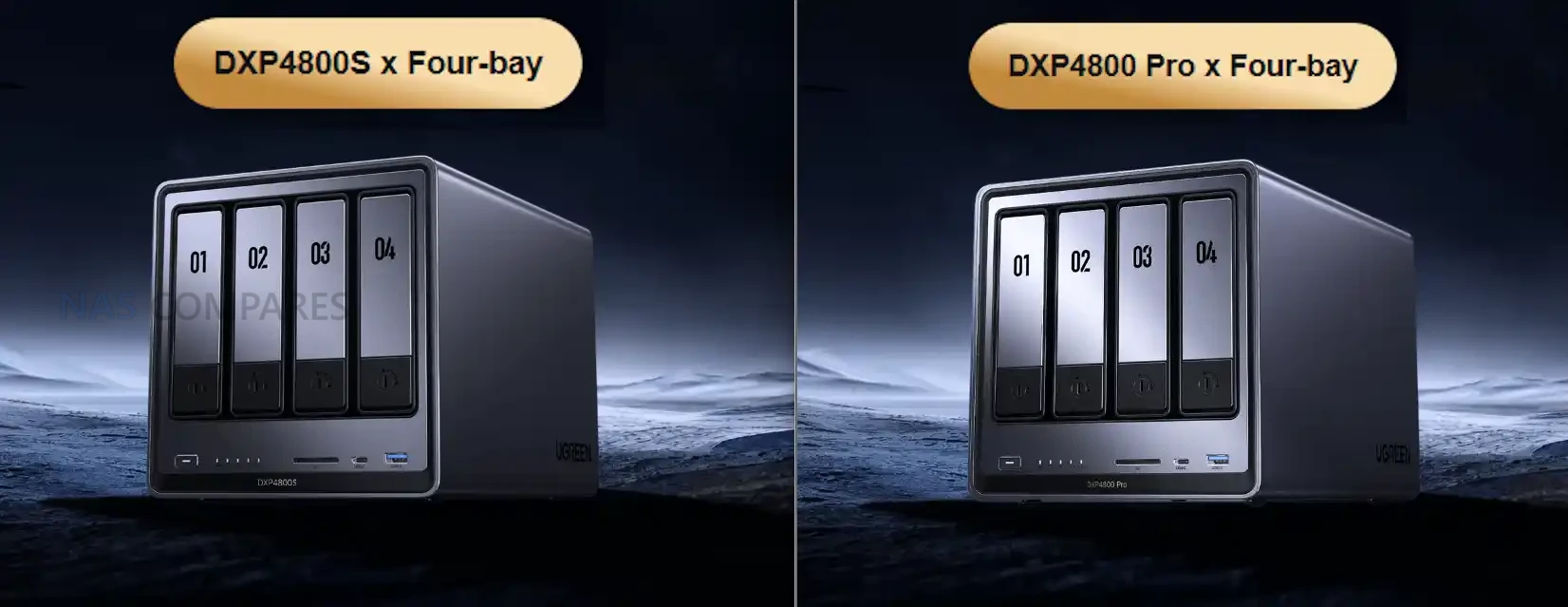
UGREEN DXP4800S NAS Specifications
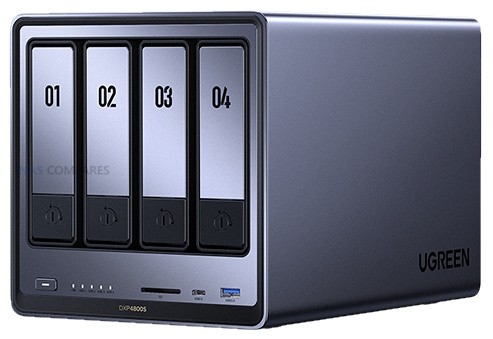
The DXP4800S is seemingly positioned as an updated variant of the original DXP4800, retaining the same core hardware layout while adopting Intel’s newer N150 processor and faster DDR5 memory. The shift to the N150 provides a modest frequency increase over the N100 but maintains identical core count, thread count and power behaviour. Memory remains user accessible through a single slot, with support for up to 16GB. The rest of the internal structure is unchanged, including four SATA bays, two NVMe slots and the same Gen three by one PCIe wiring. The system is intended as a compact x86 home server with improved AI-assisted photo indexing and modest efficiency gains over the standard model.
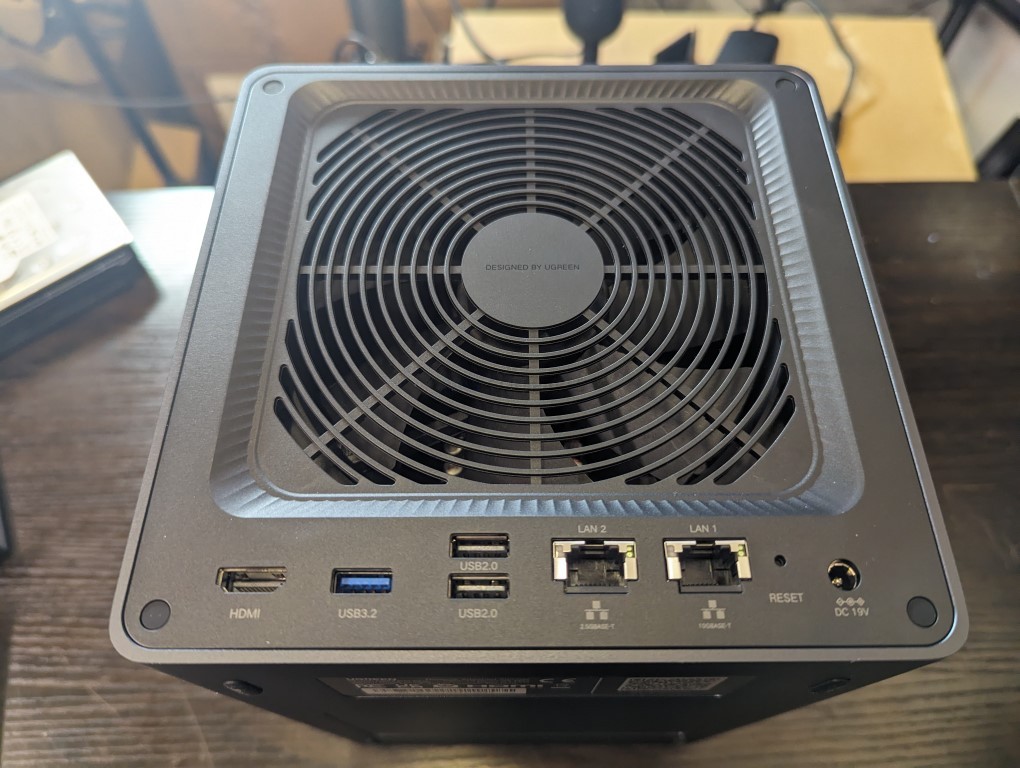
Externally, the device keeps the original USB layout, HDMI output and 2.5GbE gigabit LAN. The SD card reader remains SD 3.0 and the flash storage stays at 32GB. The overall focus of this model is small refinements rather than a re-engineered platform. Users familiar with the DXP4800 will find the same physical design and the same expandability, but with slightly higher supported memory frequency and a newer entry class processor that aligns with Intel’s Twin Lake manufacturing cycle.
| Component | DXP4800S |
|---|---|
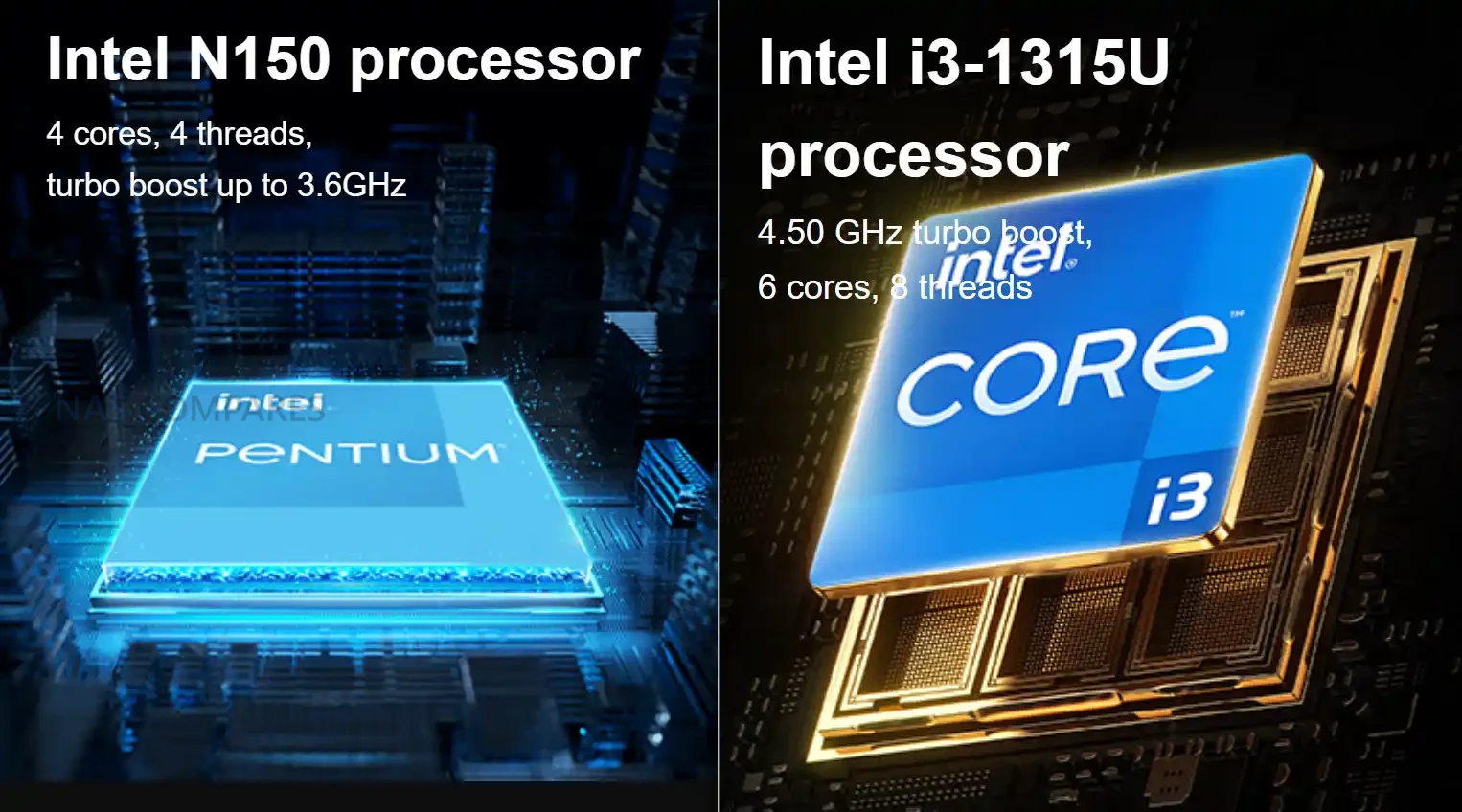
| Processor | Intel N150, four cores and four threads, up to 3.6Ghz |
| Architecture | x86, Intel seven process |
| Memory | 8GB DDR5 preinstalled, one slot, up to sixteen gigabytes, up to five thousand six hundred megahertz, ECC capable |
| SATA Bays | Four, compatible with 2.5 inch and 3.5 inch drives |
| SATA Capacity | Up to 30TB per bay |
| NVMe Slots | Two M key NVMe 2280 slots, up to eight terabytes each |
| Flash Storage | 32GB |
| Network | 2x 2.5GbE |
| USB | Front one USB three point two Gen two Type A and one USB three point two Gen two Type C. Rear one USB three point two Gen one |
| USB Two | Two rear ports |
| SD Reader | SD 3 |
| HDMI | Up to 4K at sixty hertz |
UGREEN DXP4800 Pro NAS Specifications
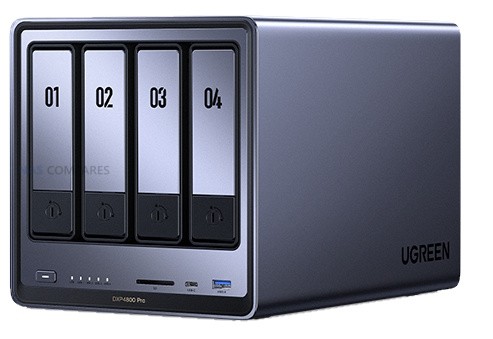
The DXP4800 Pro introduces more substantial hardware changes than the S variant. It replaces the Pentium Gold processor found in the DXP4800 Plus with the Intel Core i3-1315U, which provides additional cores, higher thread count and improved frequency. This positions the Pro as the most capable four bay x86 model in UGREEN’s lineup. The system also upgrades its SD card reader to SD 4.0 and increases maximum supported memory to 96GB through two DDR5 slots. Internal storage layout remains unchanged, with four SATA drive bays and two NVMe slots, both fully accessible without modifying the chassis. Connectivity mirrors the Plus model by retaining 1x 10GbE and 1x 2.5GbE USB connectivity remains a mix of Gen two front ports and a Gen one rear port. HDMI output continues to support 4K at 60Hz. These choices maintain consistency with the previous model and allow the CPU upgrade to be the primary differentiator rather than a broader redesign of the platform.
| Component | DXP4800 Pro |
|---|---|
| Processor | Intel Core i3 1315U, six cores and eight threads, up to 4.5Ghz |
| Architecture | x86, Intel seven process |
| Memory | E8GB DDR5 preinstalled, two slots, up to ninety six gigabytes, up to five thousand six hundred megahertz, ECC capable |
| SATA Bays | Four, compatible with 2.5 inch and 3.5 inch drives |
| SATA Capacity | Up to 30tb per bay |
| NVMe Slots | Two M key NVMe 2280 slots, up to eight terabytes each |
| Flash Storage | 128GB |
| Network | 1x 10GbE + 2.5GbE |
| USB | Front one USB three point two Gen two Type A and one USB three point two Gen two Type C. Rear one USB three point two Gen one |
| USB Two | Two rear ports |
| SD Reader | SD 4 |
| HDMI | Up to 4K at sixty hertz |
UGREEN DXP4800S vs DXP4800 NAS Specifications
The DXP4800S is a small technical update to the original DXP4800. Both systems use the same chassis, the same storage layout and the same port arrangement, including four SATA bays, two NVMe slots, a single 2.5GbE network port and the same USB configuration. The primary distinction is the CPU. The older DXP4800 uses the Intel N100, while the DXP4800S switches to the Intel N150, which increases maximum frequency but retains the same four core and four thread structure. Memory configuration also remains largely the same but the S model supports up to 5600MHz DDR5 rather than 4800MHz. All other hardware behaviour is unchanged. Both systems include 32GB of onboard flash, HDMI with 4K60 output and an SD 3.0 card reader. Drive support continues to allow up to 30TB per SATA bay and up to 8TB per NVMe slot. Because of these similarities, the DXP4800S functions as a direct incremental revision of the DXP4800 rather than a new performance tier, and the difference in everyday workloads will be minimal outside of small frequency gains.
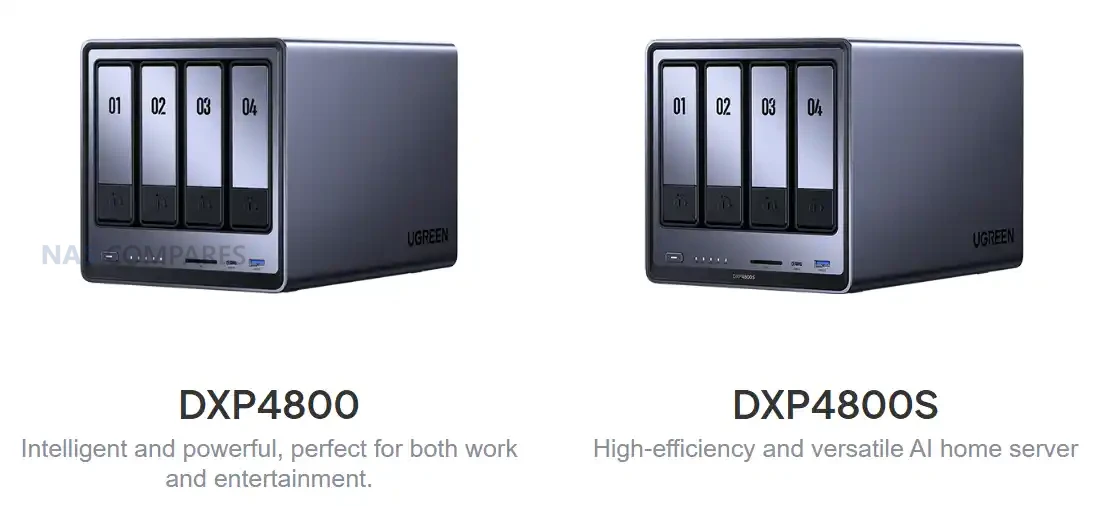 |
||
|---|---|---|
| Component | DXP4800 | DXP4800S |
| Processor | Intel N100, 4 cores and 4 threads, up to 3.4GHz | Intel N150, 4 cores and 4 threads, up to 3.6GHz |
| Architecture | x86, Intel 7 | x86, Intel 7 |
| Memory | 8GB DDR5, 1 slot, up to 16GB, 4800MHz | 8GB DDR5, 1 slot, up to 16GB, 5600MHz |
| SATA Bays | 4, supports 2.5 inch and 3.5 inch drives | 4, supports 2.5 inch and 3.5 inch drives |
| NVMe Slots | 2 x M.2 NVMe 2280, up to 8TB each | 2 x M.2 NVMe 2280, up to 8TB each |
| Flash Storage | 32GB | 32GB |
| Network | 1 x 2.5GbE | 1 x 2.5GbE |
| USB | Front USB 3.2 Gen2 Type A and Type C, rear USB 3.2 Gen1 | Same ports and speeds |
| USB2 | 2 rear ports | 2 rear ports |
| SD Reader | SD 3.0 | SD 3.0 |
| HDMI | 4K60 | 4K60 |
UGREEN DXP4800 Pro vs DXP4800 Plus NAS Specifications
The DXP4800 Pro introduces a more significant hardware step forward compared with the DXP4800 Plus. The Plus model uses the Intel Pentium Gold 8505, while the Pro replaces it with the Intel Core i3 1315U which increases the number of cores, improves thread count and provides higher boost frequencies. Memory capacity also expands from a maximum of 64GB on the Plus to 96GB on the Pro, and the Pro continues to use DDR5 at 5600MHz as its upper supported speed. Flash storage capacity increases from 128GB on the Plus to the same 128GB on the Pro, and internal drive support remains unchanged with four SATA bays and two NVMe slots. Both units maintain the same network arrangement with one 10GbE port and one 2.5GbE port. USB connectivity also remains the same with front USB 3.2 Gen2 Type A and Type C ports and a rear USB 3.2 Gen1 port supplemented by two USB2 ports. The one external difference is the SD card reader which moves from SD 3.0 on the Plus to SD 4.0 on the Pro. The rest of the platform remains identical which makes the CPU, memory ceiling and SD reader the factors that separate the two models.
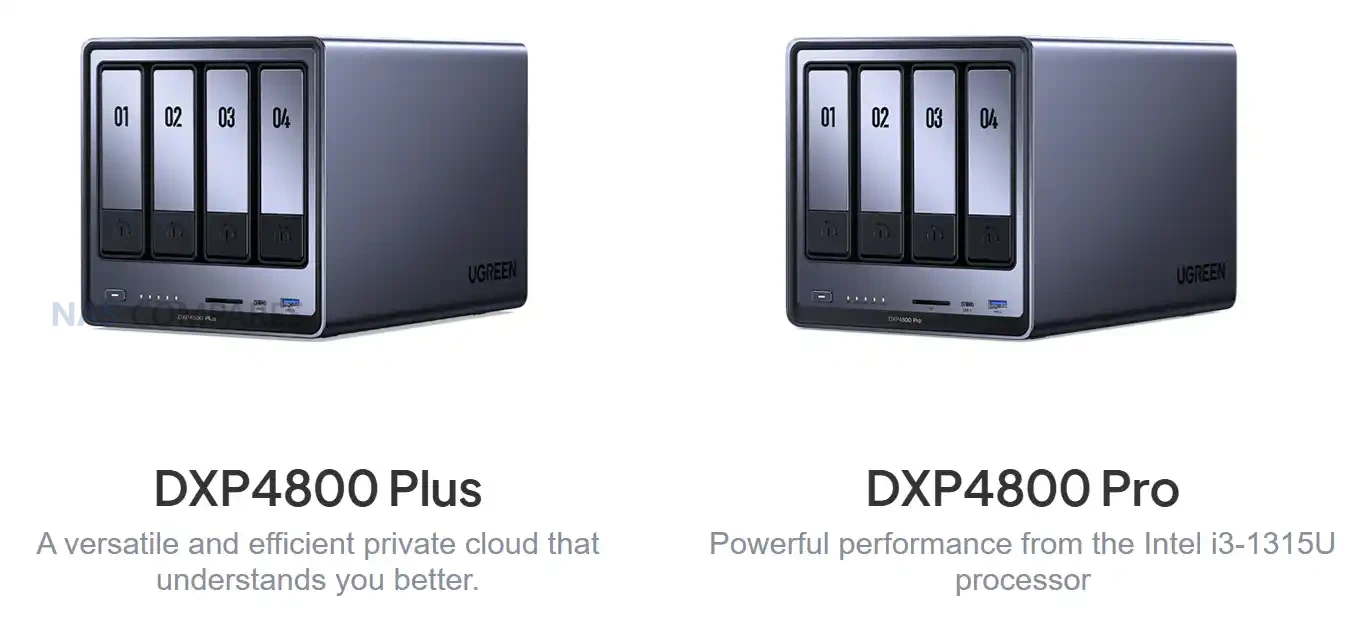 |
||
|---|---|---|
| Component | DXP4800 Plus | DXP4800 Pro |
| Processor | Intel Pentium Gold 8505, 5 cores and 6 threads, up to 4.4GHz | Intel Core i3 1315U, 6 cores and 8 threads, up to 4.5GHz |
| Architecture | x86, Intel 7 | x86, Intel 7 |
| Memory | 8GB DDR5, 2 slots, up to 64GB, 4800MHz | 8GB DDR5, 2 slots, up to 96GB, 5600MHz |
| SATA Bays | 4, supports 2.5 inch and 3.5 inch drives | 4, supports 2.5 inch and 3.5 inch drives |
| NVMe Slots | 2 x M.2 NVMe 2280, up to 8TB each | 2 x M.2 NVMe 2280, up to 8TB each |
| Flash Storage | 128GB | 128GB |
| Network | 1 x 10GbE and 1 x 2.5GbE | 1 x 10GbE and 1 x 2.5GbE |
| USB | Front USB 3.2 Gen2 Type A and Type C, rear USB 3.2 Gen1 | Same ports and speeds |
| USB2 | 2 rear ports | 2 rear ports |
| SD Reader | SD 3.0 | SD 4.0 |
| HDMI | 4K60 | 4K60 |
UGREEN DXP4800 Pro and DXP4800S NAS Release and Price
Both the DXP4800 Pro and DXP4800S are currently listed only in selected Asian regions, with no confirmed schedules for North America, Europe or Australia. Early pricing shows the DXP4800S positioned above the original DXP4800 and the DXP4800 Pro positioned above the DXP4800 Plus, reflecting the newer processors and higher memory ceilings. Regional pricing is based on local currency and tax structures, and the values shown in early listings cannot be treated as indicators of final western pricing. Availability outside these regions is expected to depend on component inventory and on UGREEN’s wider rollout plans, and any potential release is unlikely before early 2026.
Interested in buying a UGREEN NAS, and want to support what me and Ed do at NASCompares easily? Use the links below and we get a small commission (and costs you nothing extra) and helps us keep doing what we do!
| UGREEN DH4300 NAS | UGREEN DH4300 NAS | UGREEN DH4300 NAS |
 |
 |
 |
 |
|
|
 |
|
|
📧 SUBSCRIBE TO OUR NEWSLETTER 🔔
🔒 Join Inner Circle
Get an alert every time something gets added to this specific article!
This description contains links to Amazon. These links will take you to some of the products mentioned in today's content. As an Amazon Associate, I earn from qualifying purchases. Visit the NASCompares Deal Finder to find the best place to buy this device in your region, based on Service, Support and Reputation - Just Search for your NAS Drive in the Box Below
Need Advice on Data Storage from an Expert?
Finally, for free advice about your setup, just leave a message in the comments below here at NASCompares.com and we will get back to you. Need Help?
Where possible (and where appropriate) please provide as much information about your requirements, as then I can arrange the best answer and solution to your needs. Do not worry about your e-mail address being required, it will NOT be used in a mailing list and will NOT be used in any way other than to respond to your enquiry.
Need Help?
Where possible (and where appropriate) please provide as much information about your requirements, as then I can arrange the best answer and solution to your needs. Do not worry about your e-mail address being required, it will NOT be used in a mailing list and will NOT be used in any way other than to respond to your enquiry.
 TRY CHAT
Terms and Conditions
TRY CHAT
Terms and Conditions





|
 |


Why People Use TrueNAS, UnRAID and Proxmox to Turnkey NAS (Synology, QNAP, etc)
Why People Prefer Turnkey NAS vs TrueNAS, UnRAID and More
The Top 5 Mistakes NAS Buyers Make
Top 5 PLEX/Jellyfin NAS of 2025
Seagate Ironwolf vs WD Red NAS Hard Drives
The BEST NAS of 2025
Access content via Patreon or KO-FI
Discover more from NAS Compares
Subscribe to get the latest posts sent to your email.
The biggest hurdle to upgrading to these NAS is the price, it’s quite a bit of an investment. My Western Digital dual hard drive NAS still works but I do have some concerns about it like constantly running the drives from “indexing”. The other issue is WD throttling transfer speeds when using non-WD hard drives.
REPLY ON YOUTUBE
I have just purchased a dxp4800 pro 8gb version. I have paid a little bit over 3k yuan, so that is about 400 usd and a pair of 24tb WD red pro and that is about 870 dollars. The hard drive price is really expensive now. I can only build a raid 1 and maybe expand to raid 5 later if hard drive can come down to a more affordable price.
REPLY ON YOUTUBE
I’m currently running Synology DS920+ (4 HD on Synology Hybrid Raid) and is wondering what is the best method of migrating it over to UGREEN DXP4800 Pro. Do I need to buy a new HD to setup the UGREEN NAS first then copy my it over or can I simply pull one of the existing HD from Synology and plug it into UGREEN? Thanks in advance.
REPLY ON YOUTUBE
Hello. It seems that website was corrected and DXP4800 Pro SD port is still in version 3.0 and not 4.0.
REPLY ON YOUTUBE
which one to buy for home
terramaster f425-4 bay or ugreen 4800plus
REPLY ON YOUTUBE
The Ugreen DXP4800 with an Intel N100 processor supports up to 32 GB of memory — personally tested. I assume the new model will support the same capacity.
REPLY ON YOUTUBE
Lots of people eagerly waiting for your video about the UGreen UPS with other OS like TrueNAS.
REPLY ON YOUTUBE
Compared to UGREEN’s DXP4800S, the TerraMaster F4-425 Plus is equipped with the same CPU but comes with 16G DDR5 RAM, three M.2 slots and two 5GbE ports. I wonder what price UGREEN plans to set for their model.
REPLY ON YOUTUBE
Wish they double down on software
REPLY ON YOUTUBE
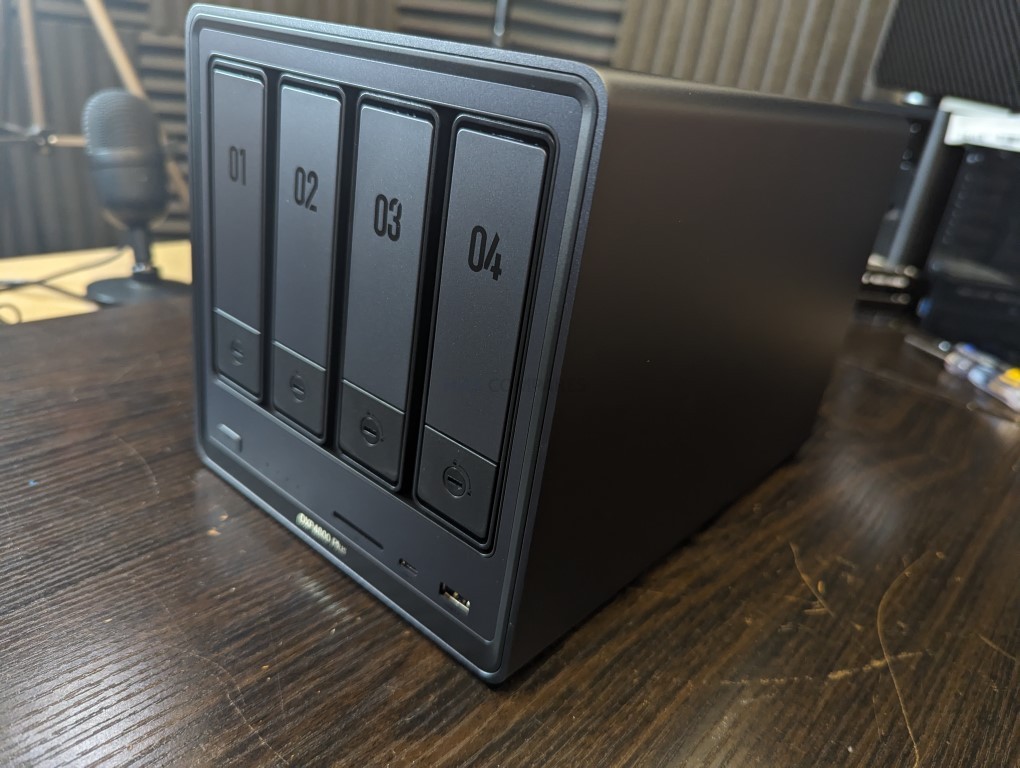
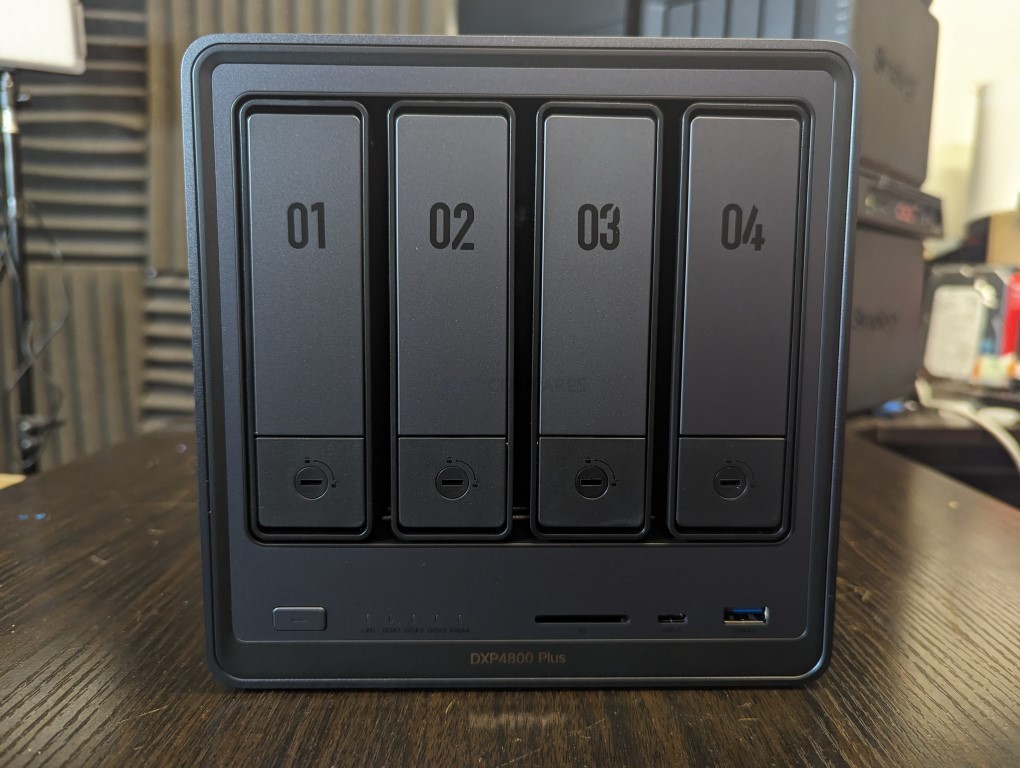
I’m amused that the DXP4800 sitting there on your counter has drives numbered 02, 03, 04, and 05. Where’s 01, and where did 05 come from? I’m amused at the thought of a 6 or 8 bay NAS sitting there with two drive numbers 01, with no drive 05. And, of course they aren’t in the right order, either. I have the drives in my 4800 in correct numerical order. I know it’s superficial, but it looks nice and professional. I love my NAS box!
REPLY ON YOUTUBE
Never heard of a Pentium gold!
REPLY ON YOUTUBE
Minor incremental updates for both devices by the looks of things – not really an much of an upgrade, more of an update/refresh. I wouldn’t say no to more/faster CPU threads, but I don’t think they warrant swapping out my plus. Also, still no proper ECC support, that will annoy some people… but slap a US3000 on it (they’re ace, especially if you can get one on offer!) and the entire DXP range is pretty dependable for home use IMO. Also, kudos where it’s due… drive 5 on a 4 bay system… 🙂
REPLY ON YOUTUBE
30TB new drives still not in stores, only used 28TB ones. Hope someone push through and bring 40TB and bigger ones soon, wish there were hdds big enough to not need this kind of device for expansion, but for mirroring…
And that’s why ugreen OS is falling behind and will NEVER catch up. X86, ARM, multiples CPU, multiple chipsets, now “AI” and refresh. I continue to strongly recommend that ugreen NAS owners to switch to another system like truenas or proxmox or whatever. Easy, fast, secure.
REPLY ON YOUTUBE
A small notice In the description it is written ugreen dxp8800 pro while it is a plus
REPLY ON YOUTUBE
Boy, that company had a plan that started many years ago and now: Poof! The touchdown on the market like a bomb. Imagine the amount of meetings they must have had for this amazing result.
REPLY ON YOUTUBE
Ugreen still not available in Australia. Poor effort from them, they can just ship pallets to Amazon here.
REPLY ON YOUTUBE
Are the new ones more expensive or are current models cheaper?
REPLY ON YOUTUBE
Can this or any NAS back up everything what iCloud can back up automatically? Like messages, whatsapp chat and viber messages?
REPLY ON YOUTUBE
UGREEN! Please! Pro Chipset and ECC! Take my money!
I an on pins and needles waiting for UGREEN to add formal ECC! ECC + allowing your own OS will mean an instant move away from my current Synology.
REPLY ON YOUTUBE
Thanks for the mention of Australia. Still would love a 12 Bay.
REPLY ON YOUTUBE
Thanks you for the shout out regarding why Ugreen doesn’t sell their NASs in Australia. I have emailed some retailers and they said they hope to get them in Q2 2026.
REPLY ON YOUTUBE
Surely computers always count from zero?
0, 1, 2 , 3 not 2, 3, 4, 5. personally I’d go 1, 2, 3, 4.
You do you. I’m fine.
REPLY ON YOUTUBE
OK, 243.. 5? uh… Hello? Is there SCP? I’m seeing the anomaly here, yes, the ID is 2NCoYgS6NZY, yes, wait a moment, I have a visitor here. Is that your agents? Run? What do you m-
REPLY ON YOUTUBE
9:49 The comparison of the DXP 4800 Pro was for the 16GB one.
The 8GB version could be had for ¥2829
REPLY ON YOUTUBE
When are UGreen going to expand into other markets not currently serviced?
REPLY ON YOUTUBE
Too bad HDD prices are through the roof now. Hard pass.
REPLY ON YOUTUBE
I was going to buy a plus before ending the year.
REPLY ON YOUTUBE
The audio and video is out of sync by a miniscule amount. But if no1 else notices, it could be just on my end.
REPLY ON YOUTUBE
So when Black Friday rolls around what’s going to be THE Best NAS in the Plus price range?
REPLY ON YOUTUBE
You had me at ECC memory. Damn need to upgrade now.
REPLY ON YOUTUBE
Please put up an OCD trigger warning at the beginning of the video. Those drive bay numbers are maddening.
REPLY ON YOUTUBE
UGREEN only pay’s people to say exactly what they write up for you to say or they do not send review samples, this review is not legit as a result
REPLY ON YOUTUBE
Minisforum N5 (standard) for $600 is much better spec’d with 8 core AMD and has 5, not 4 drive bays
REPLY ON YOUTUBE
for simple family NAS file storage and 1-2 streaming video, should I get DXP4800 S or Plus? I don’t think Pro is necessary for me. How is power consumption difference, does S save a lot of power compared to Plus?
REPLY ON YOUTUBE
They keep releasing hardware but their software has been flatlined for months. Updates are few and far between and they still fall short of other NAS OS’s as far as features and apps.
REPLY ON YOUTUBE
The most important aspect (for me) of the upgrade to the N150 would be the bump in the embedded graphics frequency. It would help for a low power Plex server. YMMV.
REPLY ON YOUTUBE
The fact that a new version with a new processor is coming out is good, of course. But what probably interests not only me, but also a large part of DXP4800 Plus users, is how they have worked on upgrading the cooling system. The radiator on the DXP4800 Plus handles cooling very poorly; the processor heats up to 50 degrees Celsius even at idle. Under just a 20% load, it already reaches 70-80 degrees, and this is despite the fact that I replaced the 140 mm fan with a genuine Noctua one.
Another thing everyone is very interested in is where to get a replacement CPU fan. Since the device operates 24/7, the fan can fail at any moment (especially considering the radiator’s mediocre cooling). I could only find the fan for order with a minimum quantity of 1000 pieces… It’s impossible to get a single unit anywhere.
REPLY ON YOUTUBE
I bought one DXP4800 PLUS ..it’s running great ARC loader!
REPLY ON YOUTUBE
i wish there were new cheaper 6 bay NAS devices ._.
can one simply install windows on those boxes?
REPLY ON YOUTUBE
Ok, now you’ve really done it. Missing drive tray Number 1 ? Really Robbie ? How am I supposed to get through the weekend not knowing where it is ?
REPLY ON YOUTUBE
Still no ECC ????
REPLY ON YOUTUBE
Im sorry but I cannot take a NAS seriously without ECC ram
REPLY ON YOUTUBE
I just wish I felt good about there not being any Chinese back doors but I dont.
REPLY ON YOUTUBE
If / when they roll out a hybrid RAID implementation and get an official Plex Server app, they are going to take over the consumer NAS market.
REPLY ON YOUTUBE
Thank you for your content. Has been extremely useful in my choosing the DXP 4800, the N100 variant. I have upgraded from a Synology DS220J and I love it. Four 4TB Toshiba N300 drives in Raid 5. Upgraded the memory to 16GB. Have installed a 2.5g unmanaged switch. It is a brilliant piece of kit. Plus UGOS is not too bad, especially if you know your way around linux.
REPLY ON YOUTUBE
Haven’t they had the DXP8800 Pro out in Asia for over a year? And still no sign of it in the west! I’ve been waiting long enough for that one, so I wouldn’t be holding my breath on this one coming anytime soon over to this part of the world!
REPLY ON YOUTUBE
I like how he keeps me outraged with the variety of mismatched drive bay numbers
REPLY ON YOUTUBE
I’ve got my eye on the 6 bay 6800 Plus or Pro for Black Friday. Upgrade and move from Synology ds920+, which will be used as a backup. Ugreen has really taken the NAS market by storm. Great job on them!
REPLY ON YOUTUBE
I was almost going to press the trigger on the non pro version on black friday sales for £400 (It’s £479 RRP) but now I think I’ll wait to see the performance of the refresh…
REPLY ON YOUTUBE
Chinese dictatorship utter rubbish!
REPLY ON YOUTUBE
holy crap you like chapter markers, you know its not needed for every deep breath.. right, you know that.
REPLY ON YOUTUBE
I really like what UGreen is doing with their portfolio. I’ve been with them since Kickstarter and for the money, I’m very happy with the progression of the hardware and software. I think it’s definitely a win-win for consumers to have companies like UGreen pushing the competitive boundaries while yet keeping the operation of the unit user friendly. I really love the mobile app as well. With just a few more apps and features, I think it will be a perfect nas for many who want a prebuilt system.
REPLY ON YOUTUBE
still waiting for a 19″ rackmount version
REPLY ON YOUTUBE
Слишком дорого, проще самому собрать
REPLY ON YOUTUBE
One can dream but I wish they would release true “Pro” version with Intel’s “pro” chipset and give us ECC!
Asrock Rack has motherboards like this for these Intel CPU generations (Pentium and iX ones, not N100s)!
REPLY ON YOUTUBE