


The Best NAS of the Year – 2025
Network attached storage in 2025 has shifted from being a niche utility to a central part of how many homes, studios and small businesses manage data. Rising storage needs, more capable low power CPUs and a renewed interest in self hosted services have produced a wave of compact, power efficient systems alongside more traditional multi bay enclosures. This article identifies a small group of NAS devices that stood out during 2025 for their hardware design, price-to-performance balance or the specific problems they address, rather than for brand familiarity alone. To qualify for inclusion, a NAS had to be commercially available for general sale during 2025, not an older carry over model or a crowdfunded prototype. No Kickstarter, Indiegogo or pre production units were considered, and devices that only existed as region locked or short lived batches were excluded where availability could not be reasonably confirmed. Both turnkey systems with bundled NAS operating systems and OS agnostic, barebones style hardware are included, provided they offer a clear proposition for real world use in home lab, small business or mobile workflows.
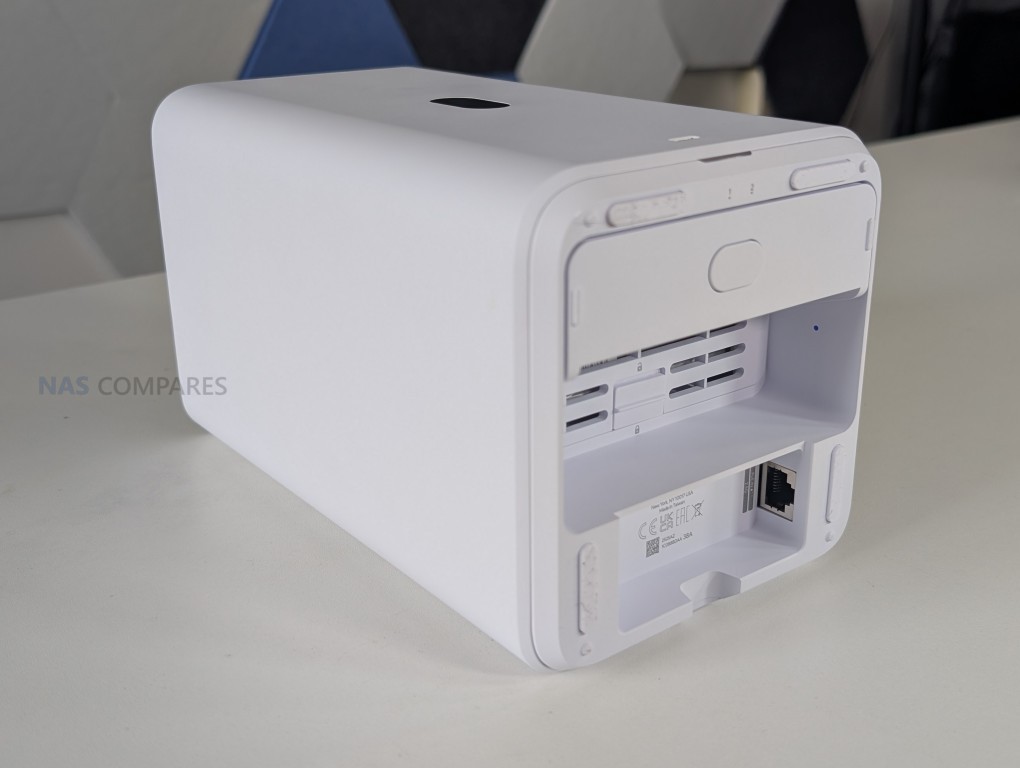
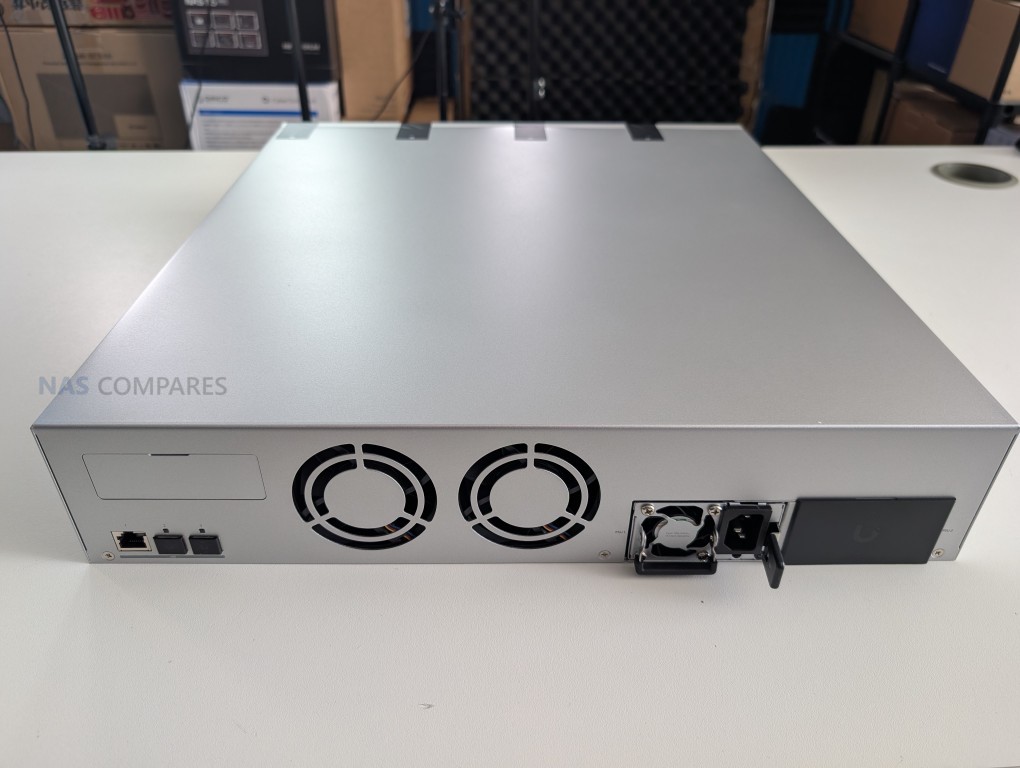
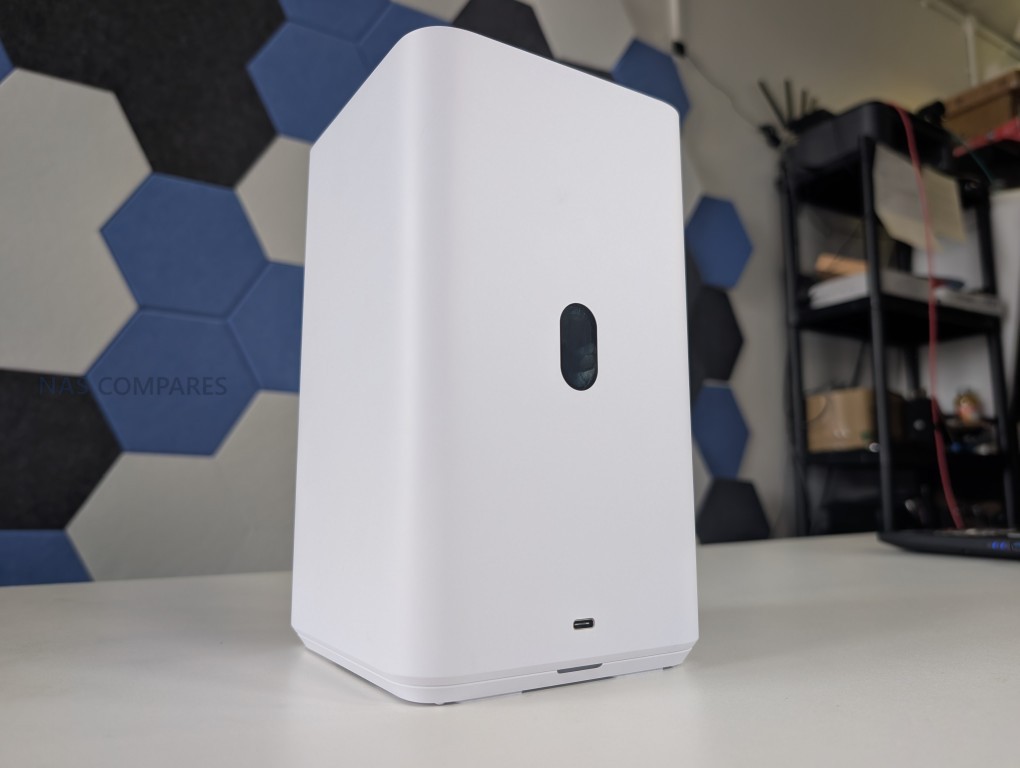
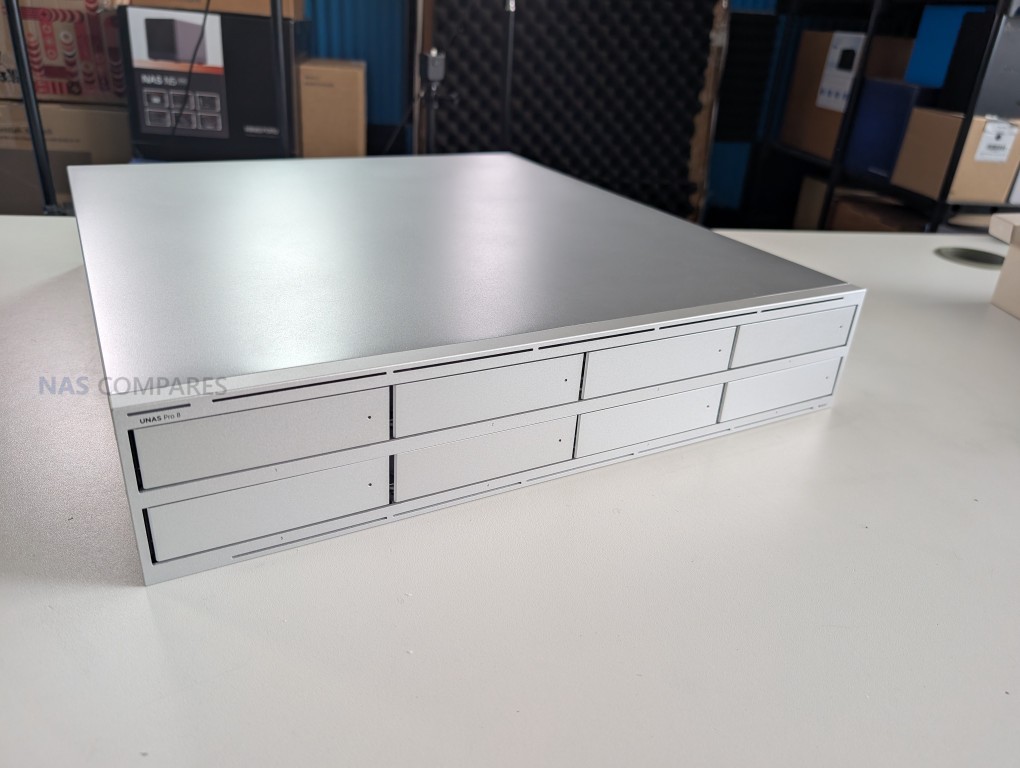
Honourary Mention – The UniFi UNAS Series – $199 to $799
SPECS: Quad core ARM Cortex A55 or A57 at 1.7 to 2.0 GHz – 4 to 16 GB LPDDR4 – 2 to 8 x 3.5″ SATA bays – 1 x 2.5 GbE RJ45 / 1 x 1 GbE RJ45 / up to 3 x 10 GbE (RJ45 and SFP+) – 0 or 2 x M.2 NVMe SSD slots for cache (depending on model).
While not a single flagship unit, UniFi’s expanded UNAS NAS range in 2025 merits an honorary mention as a platform level development. Moving from a single NAS offering in 2024 to multiple UNAS models in 2025, UniFi shifted from dabbling in storage to positioning itself as a serious option for small business, UniFi centric home labs and integrators that want storage tightly aligned with existing UniFi networking and management.
 |
 |
The significance here is not an isolated specification or feature, but the fact that a major networking vendor is rapidly building out a NAS portfolio at a time when private data ownership, self hosted services and integrated stacks are becoming more important, adding competitive pressure on more established, slower moving NAS brands.

| UNAS UNAS 2 – 2-Bay NAS – $199 | UNAS UNAS Pro 8 – 8-Bay NAS – $799 |
 |
 |
 |
|
#1 Aoostar WTR Max – $599-699
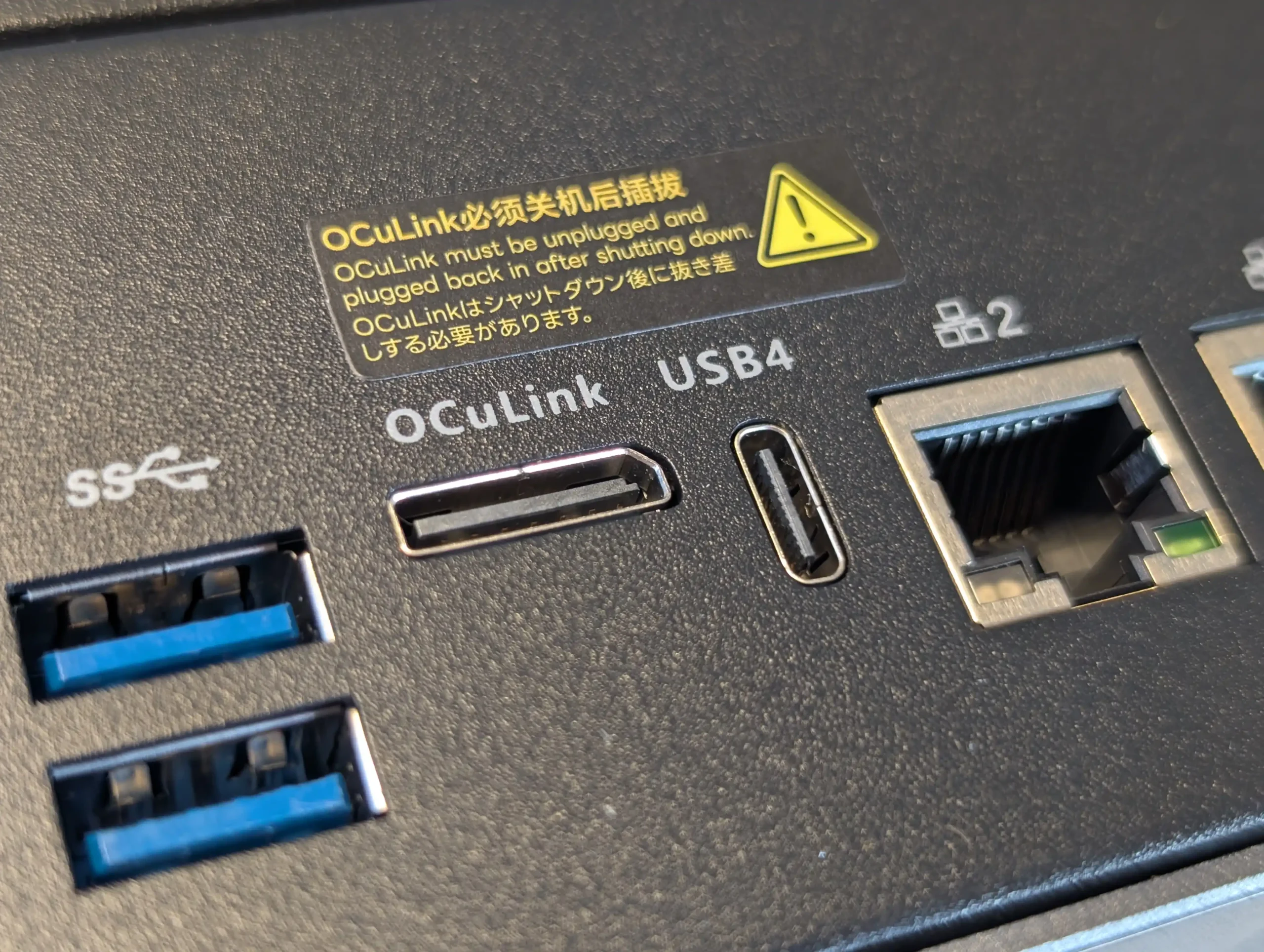
SPECS: AMD Ryzen 7 Pro 8845HS – up to 128 GB DDR5 ECC via 2 SODIMM slots – 6 x 3.5″/2.5″ SATA bays – 2 x 2.5 GbE RJ45 / 2 x 10 GbE SFP+ – 5 x M.2 2280 NVMe PCIe 4.0 slots.
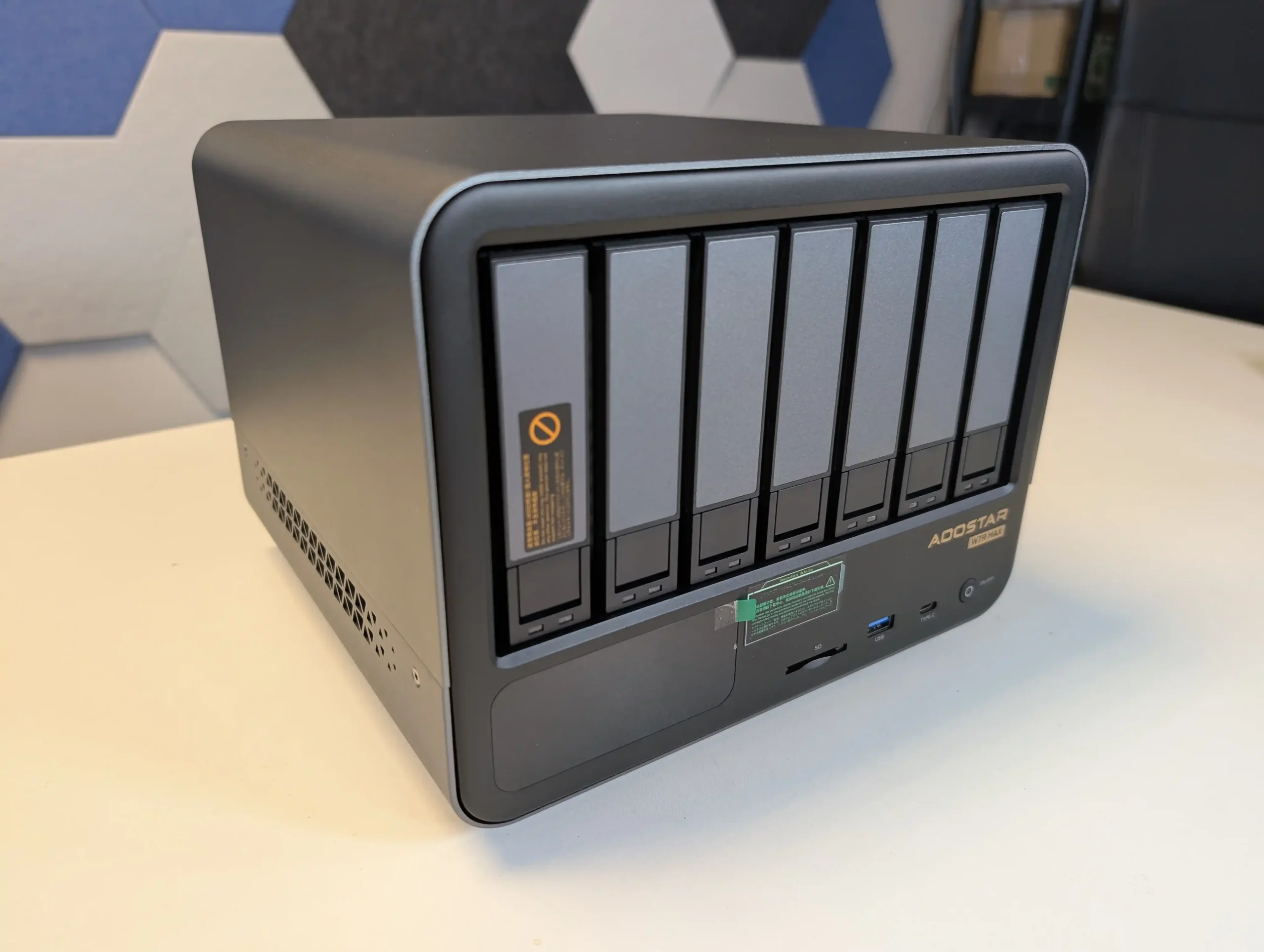
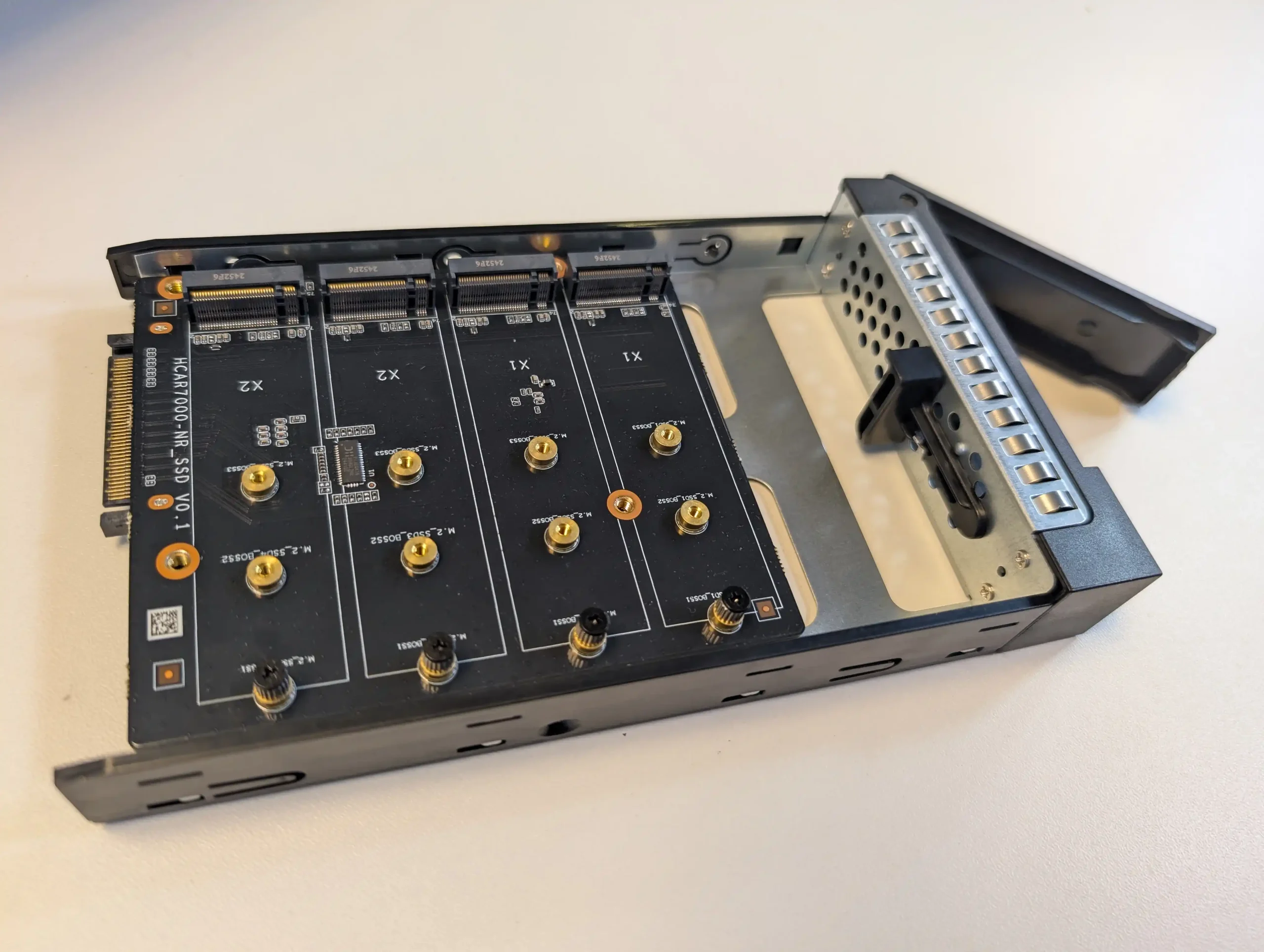
The Aoostar WTR Max is a prebuilt, OS agnostic NAS chassis that stands out for its hardware density at its price point. It combines 6x hard drive bays with 4x M.2 NVMe slots, dual 10 GbE networking and an AMD server grade platform with ECC memory support in a compact enclosure that has been noted for effective cooling relative to its size. Rather than tying buyers to a proprietary operating system, it is intended to run third party NAS or server platforms, which gives it flexibility but also means any software integration and management experience depends on the OS the user chooses to deploy. Throughout 2025 it has frequently been in short supply, indicating sustained demand from home lab users and small operators who want near turnkey hardware with specifications that would be expensive to replicate via a fully DIY build.
 |
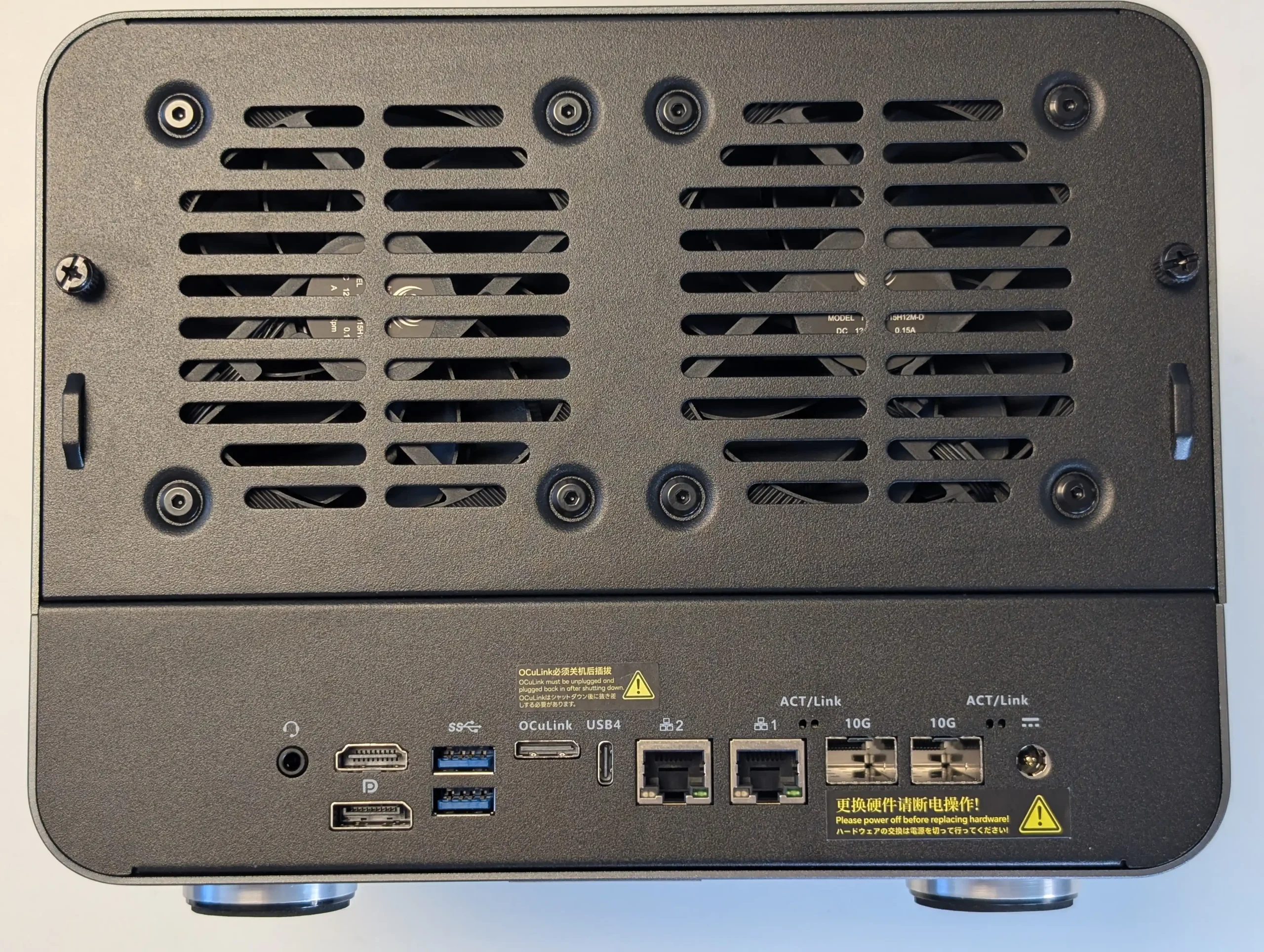 |
What We Said in our June ’25 review HERE: The Aoostar WTR Max stands out as a rare blend of high storage density, advanced connectivity, and raw compute performance in a compact NAS form factor, making it well-suited for experienced users seeking a versatile, self-managed platform. With support for up to 11 drives—six SATA and five NVMe Gen 4—paired with an enterprise-grade Ryzen 7 PRO 8845HS CPU and ECC memory compatibility, the system offers workstation-class capabilities for storage-heavy workflows, including virtualization, multimedia processing, and hybrid file serving. Dual 10GbE SFP+ and dual 2.5GbE ports provide ample bandwidth for multi-user access or isolated subnet roles, while the OCuLink interface enables high-speed external expansion, compensating for the absence of a traditional PCIe slot. Additional benefits like a fully customizable LCD status display, low fan noise, and consistently low thermals under load reinforce the system’s value in 24/7 deployments.
 |
 |
However, the WTR Max does present some caveats—namely, internal NVMe cross-performance appears constrained by shared bandwidth, and the lack of an internal PCIe slot could be limiting for users requiring more conventional upgrade paths. The LCD panel’s configuration software also proved cumbersome, raising security flags and requiring manual IP client setup, which may deter less technically inclined users. Lastly, the use of an external 280W PSU—while effective—won’t appeal to those expecting internal power integration in a workstation-style chassis. Nonetheless, for users who value full control over their NAS stack and want to avoid restrictive ecosystems, the WTR Max delivers a rare combination of hardware freedom and scalability that few turnkey systems offer in this price and size category.
|
Check Amazon in Your Region for the Aoostar WTR Max
|
Check AliExpress for the Aoostar WTR Max
|


#2 Minisforum N5 NAS – $549-599
SPECS: AMD Ryzen 7 255 or AMD Ryzen AI 9 HX Pro 370 – up to 96 GB DDR5 (ECC on N5 Pro) – 5 x 3.5″/2.5″ SATA bays – 1 x 5 GbE RJ45 / 1 x 10 GbE RJ45 – 3 x M.2 NVMe slots (2 convertible to U.2, PCIe 4.0).
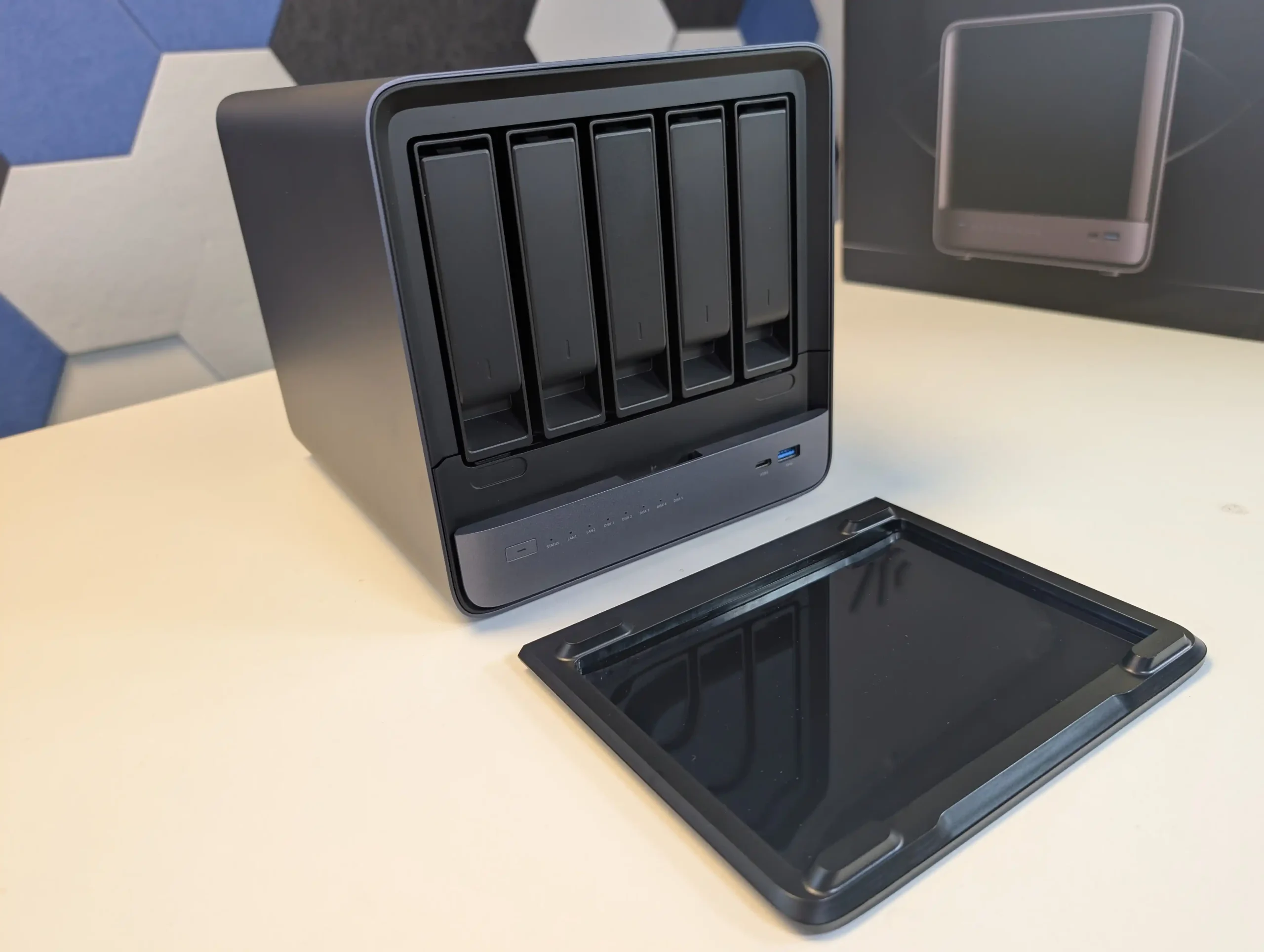
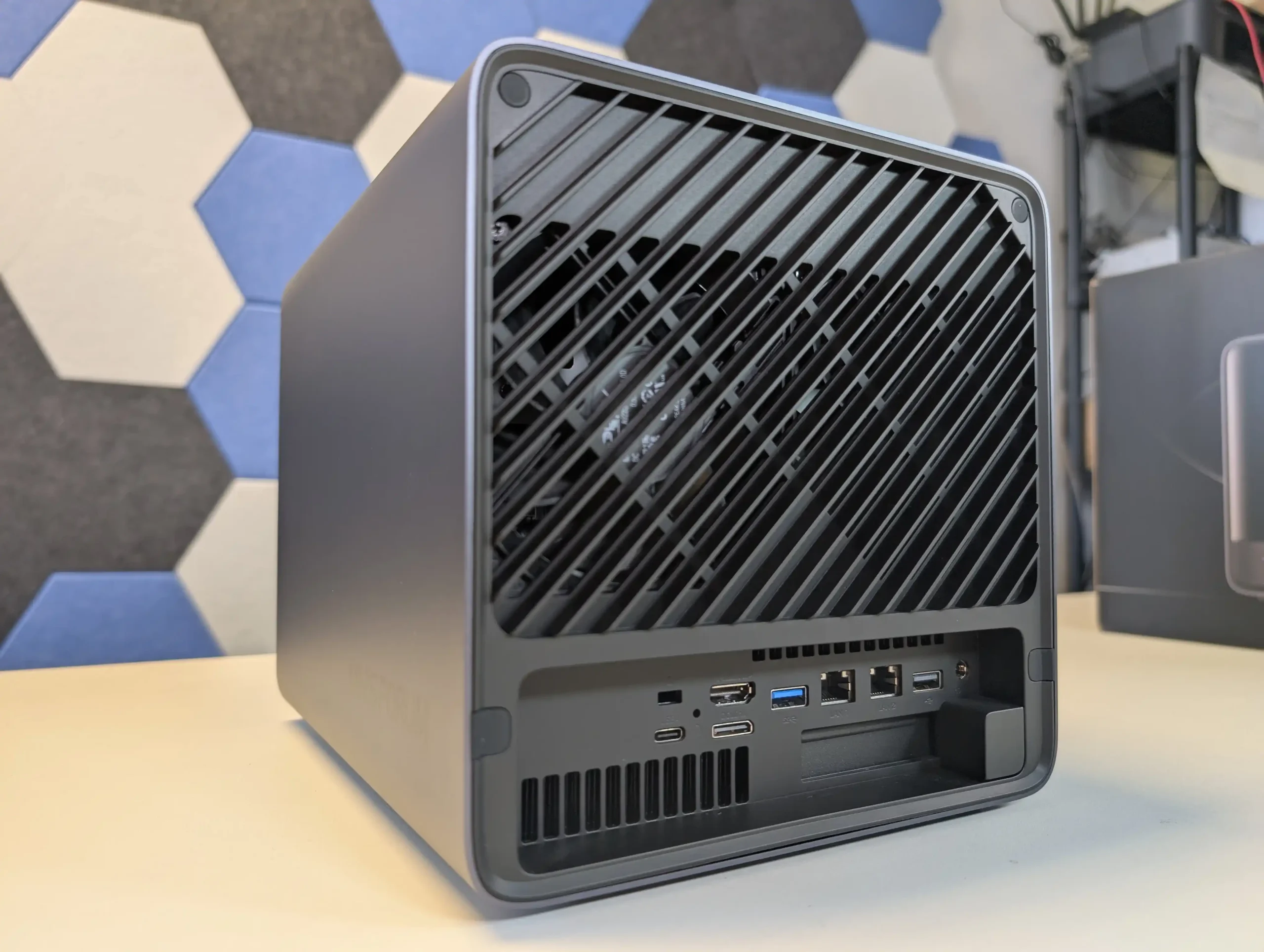
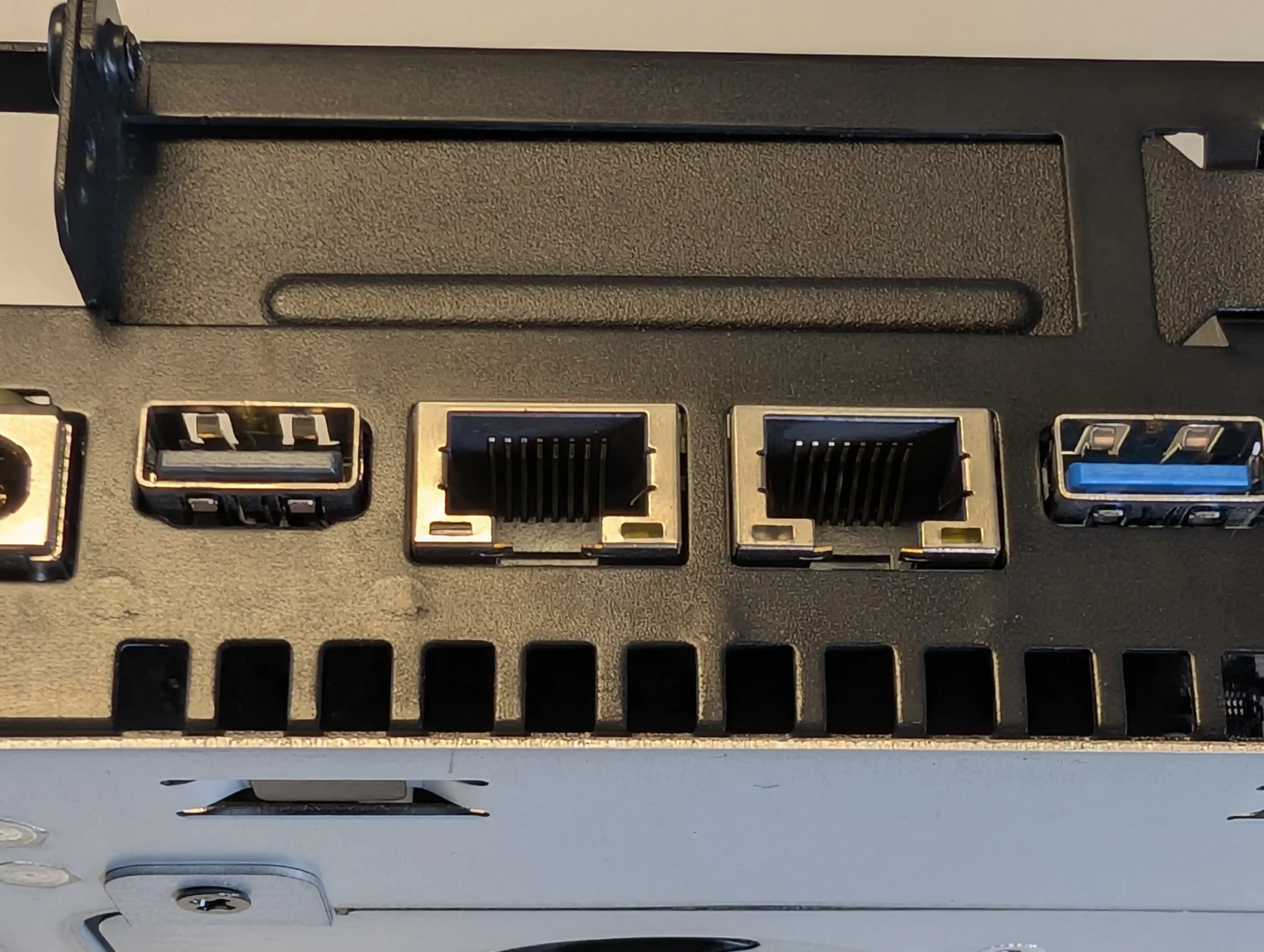
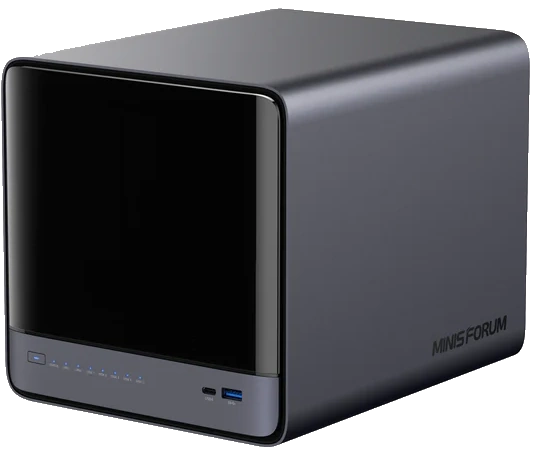
The Minisforum N5 is a compact 5-bay NAS that targets users who want preconfigured hardware with some workstation derived design features. It uses an x86 CPU in the same general class as the Aoostar WTR Max, paired with an internal storage module of 64 GB for the system volume, and is typically sold in the 599 to 699 USD range, with the separate Pro variant occupying a higher bracket. The chassis integrates a removable drive base section for easier maintenance, and the platform includes multi-gig networking up to 10 GbE and 5 GbE, a PCIe expansion slot and USB4 connectivity for additional bandwidth or external devices. Minisforum ships the N5 with its own NAS operating system to provide an immediate out of box experience, but the software is still relatively young and many buyers elect to overwrite the included module with a more established NAS or server OS. Throughout 2025, availability has been intermittent, reflecting a level of demand from home lab users who want higher specification NAS hardware without building entirely from individual components.
 |
 |
What we said in our July ’25 Review HERE:
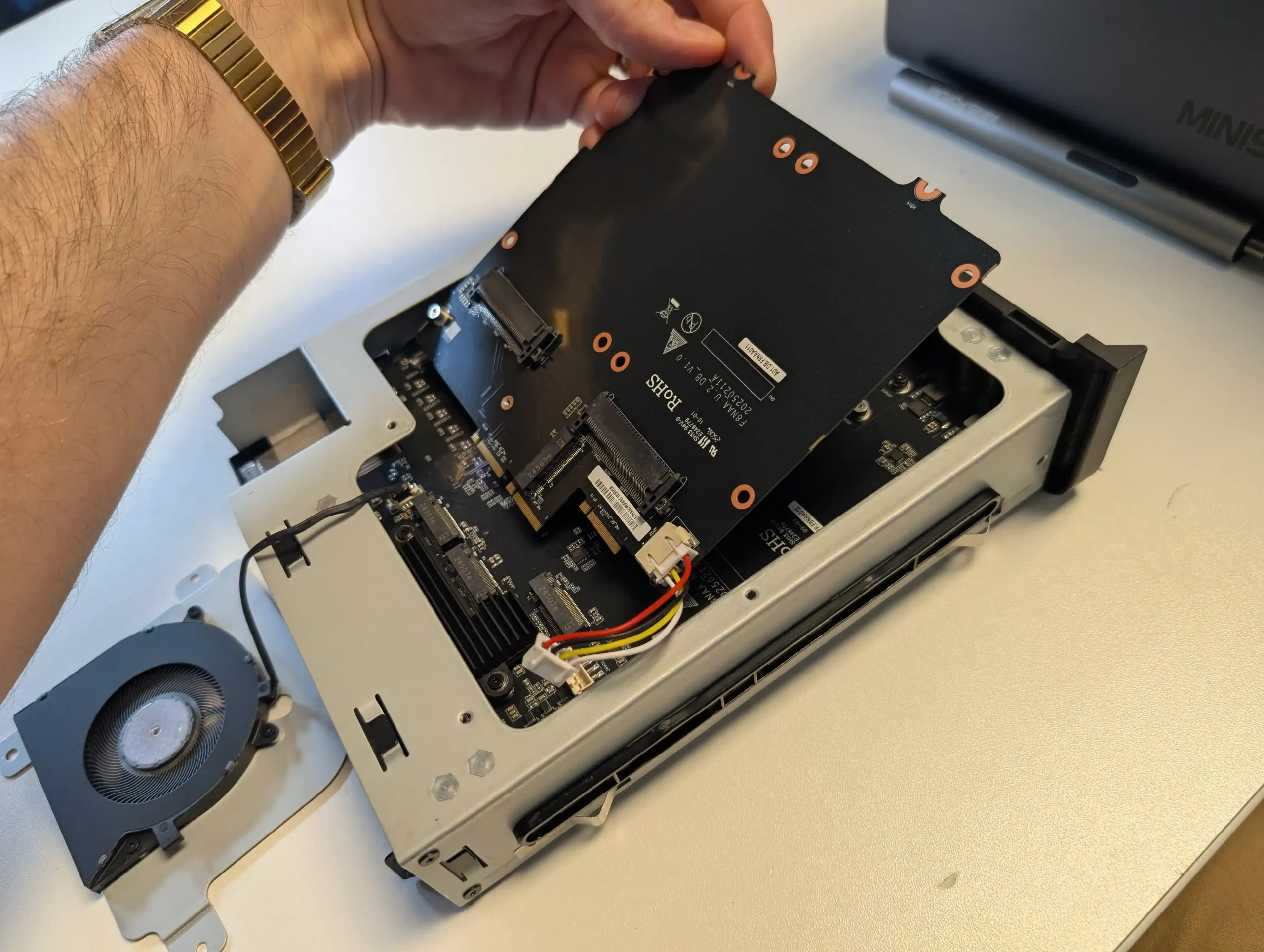
The Minisforum N5 Pro is an impressive and highly versatile NAS platform that successfully combines the core strengths of a storage appliance with the capabilities of a compact, workstation-class server, making it suitable for demanding and varied use cases. Its defining features include a 12-core Ryzen AI 9 HX PRO 370 CPU with 24 threads and onboard AI acceleration up to 50 TOPS, support for up to 96GB of ECC-capable DDR5 memory for data integrity, and a hybrid storage architecture offering up to 144TB total capacity through a mix of five SATA bays and three NVMe/U.2 slots. Additional highlights such as ZFS file system support with snapshots, inline compression, and self-healing, along with high-speed networking via dual 10GbE and 5GbE ports, and expansion through PCIe Gen 4 ×16 and OCuLink interfaces, position it well beyond the capabilities of typical consumer NAS systems. The compact, fully metal chassis is easy to service and efficiently cooled, enabling continuous operation even under sustained virtual machine, AI, or media workloads.
 |
 |
At the same time, the bundled MinisCloud OS, while feature-rich with AI photo indexing, Docker support, and mobile integration, remains a work in progress, lacking some enterprise-grade polish, robust localization, and more advanced tools expected in mature NAS ecosystems. Minor drawbacks such as the external PSU, the thermally challenged pre-installed OS SSD, and the higher cost of the Pro variant relative to the standard N5 are important to weigh, particularly for users who may not fully utilize the Pro’s ECC and AI-specific advantages. For advanced users, homelab builders, and technical teams who require high compute density, flexible storage, and full control over their software stack, the N5 Pro delivers workstation-level performance and configurability in NAS form—offering one of the most forward-thinking and adaptable solutions available today in this segment.
The is now available to buy: |
#3 Beelink ME Mini N150 NAS – $209-299
SPECS: Intel N150 quad core Twin Lake SoC up to 3.6 GHz – 12 GB LPDDR5 (with 16 GB LPDDR5 variant announced) – 6 x M.2 2280 SSD bays – dual 2.5 GbE RJ45 / WiFi 6 – 6 x M.2 NVMe PCIe 3.0 slots (5 x1 / 1 x2, one slot also supporting SATA SSD).
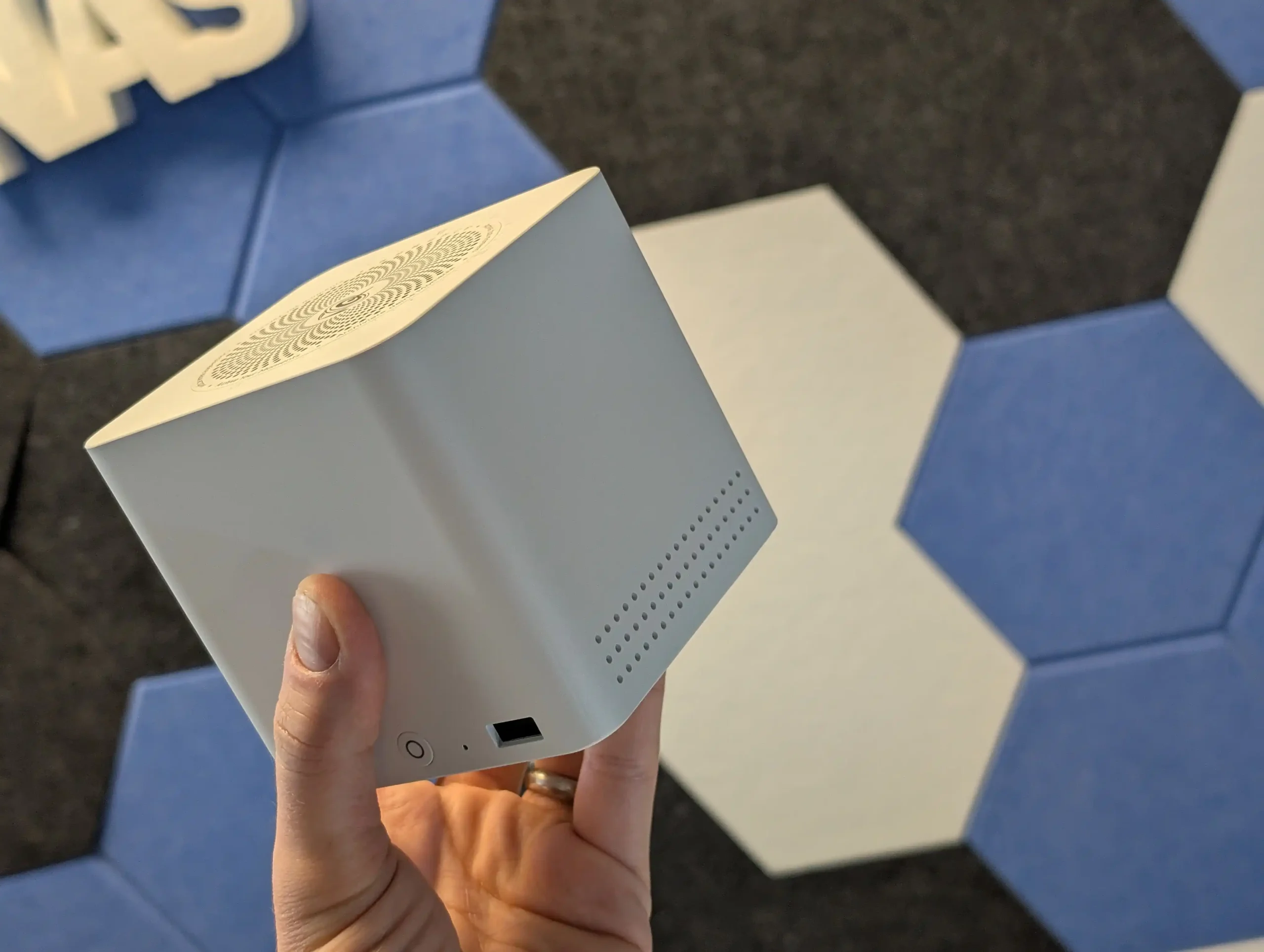
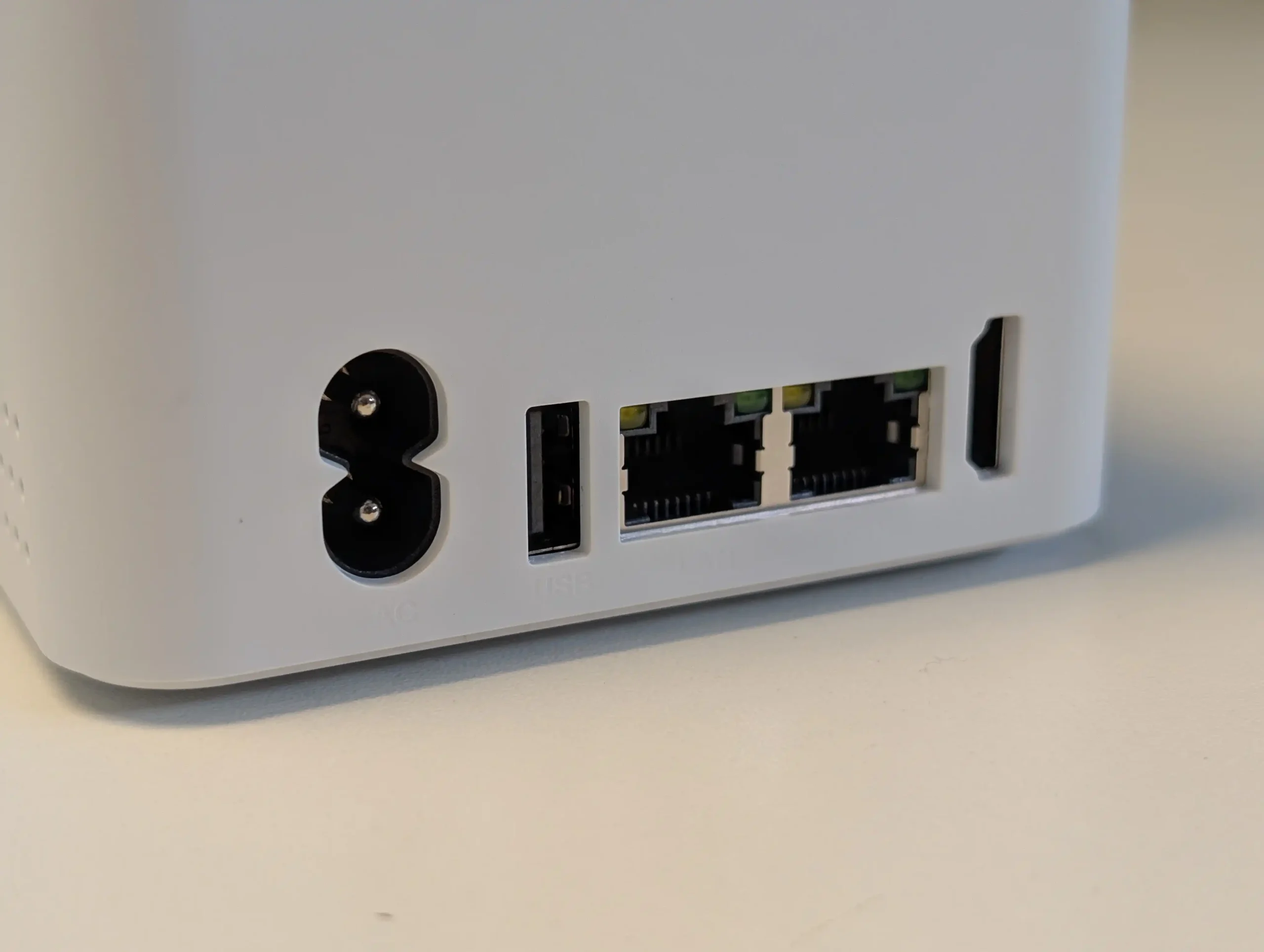
The Beelink ME Mini N150 is an all flash, ultra compact NAS style platform built around 6x M.2 NVMe bays, an Intel N150 CPU and 12 to 16 GB of memory, aimed at low power home lab and edge storage roles. It typically ships in the 200 to 250 USD bracket depending on retailer and configuration, and includes a small amount of onboard eMMC storage intended for the operating system, with users commonly installing Linux distributions such as Ubuntu or other lightweight NAS platforms. Connectivity includes dual 2.5 GbE ports, making it suitable for multi gig networks despite its size, and its idle power draw with all slots populated has been measured in the sub 10 to 12 W range, which positions it as an efficient always on node. While comparable N150 based systems from GMKTEC and turnkey brands like TerraMaster arrived in the same period, the ME Mini gained wider attention in 2025 because its combination of price, power envelope and density is difficult to match via a conventional DIY build using standard motherboards and cases.
 |
 |
What we said in our June ’25 Review HERE:
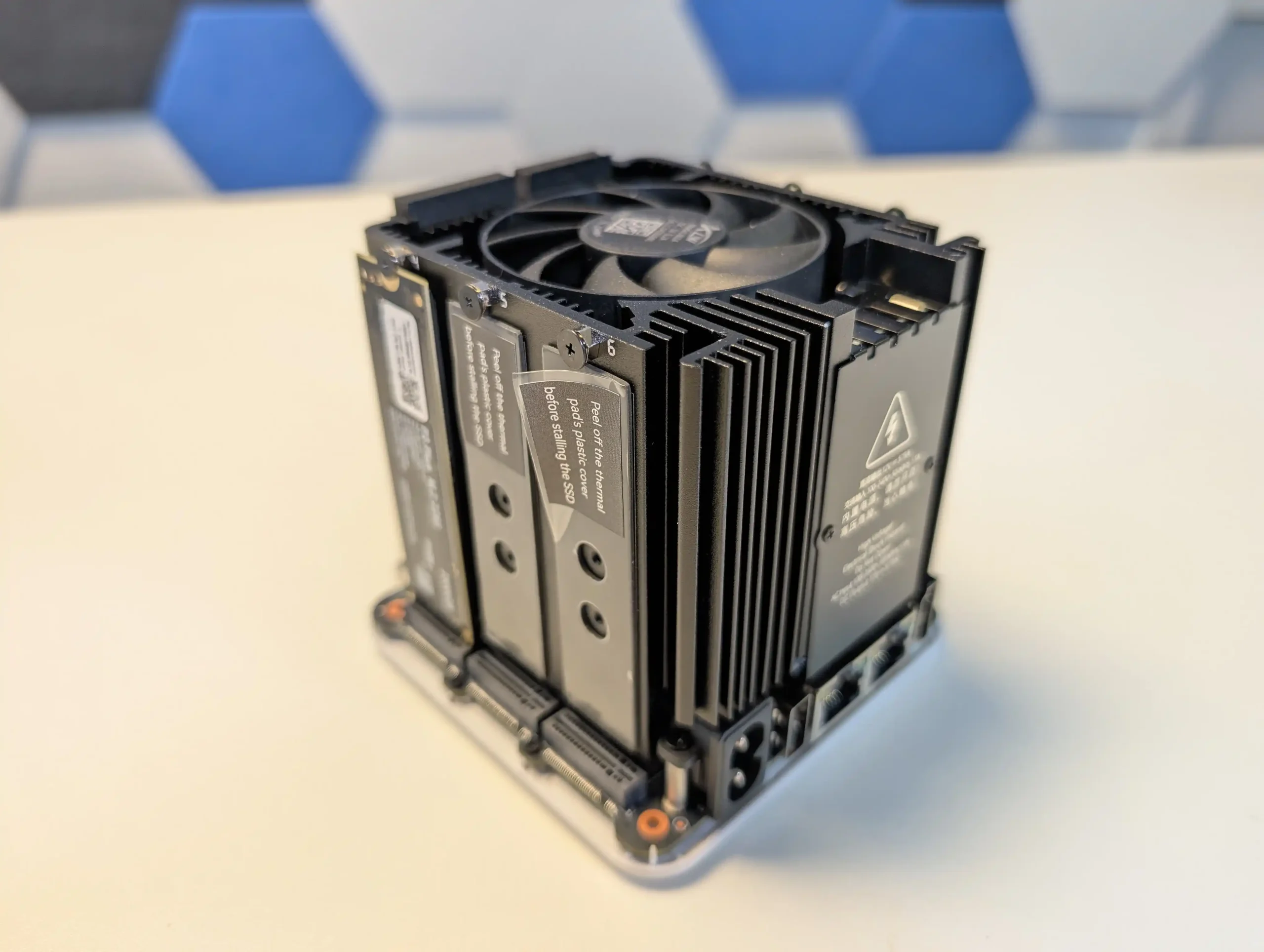
The Beelink ME Mini NAS delivers an uncommon blend of size, functionality, and efficiency in a market segment often dominated by larger, louder, and less integrated alternatives. It is not designed to compete with traditional enterprise-grade NAS devices or modular, scalable solutions for prosumers. Instead, its strengths lie in targeting the needs of home users who want a quiet, energy-efficient storage solution that is easy to deploy, aesthetically unobtrusive, and capable of handling daily tasks such as media streaming, file backup, or soft routing. The inclusion of six M.2 NVMe SSD slots—paired with a Gen 3 x2 system slot—offers a rare level of expansion in such a small enclosure. The integration of an internal PSU, silent fan-assisted cooling, and a surprisingly effective thermal design are thoughtful touches that differentiate it from the majority of DIY NAS mini PCs.
 |
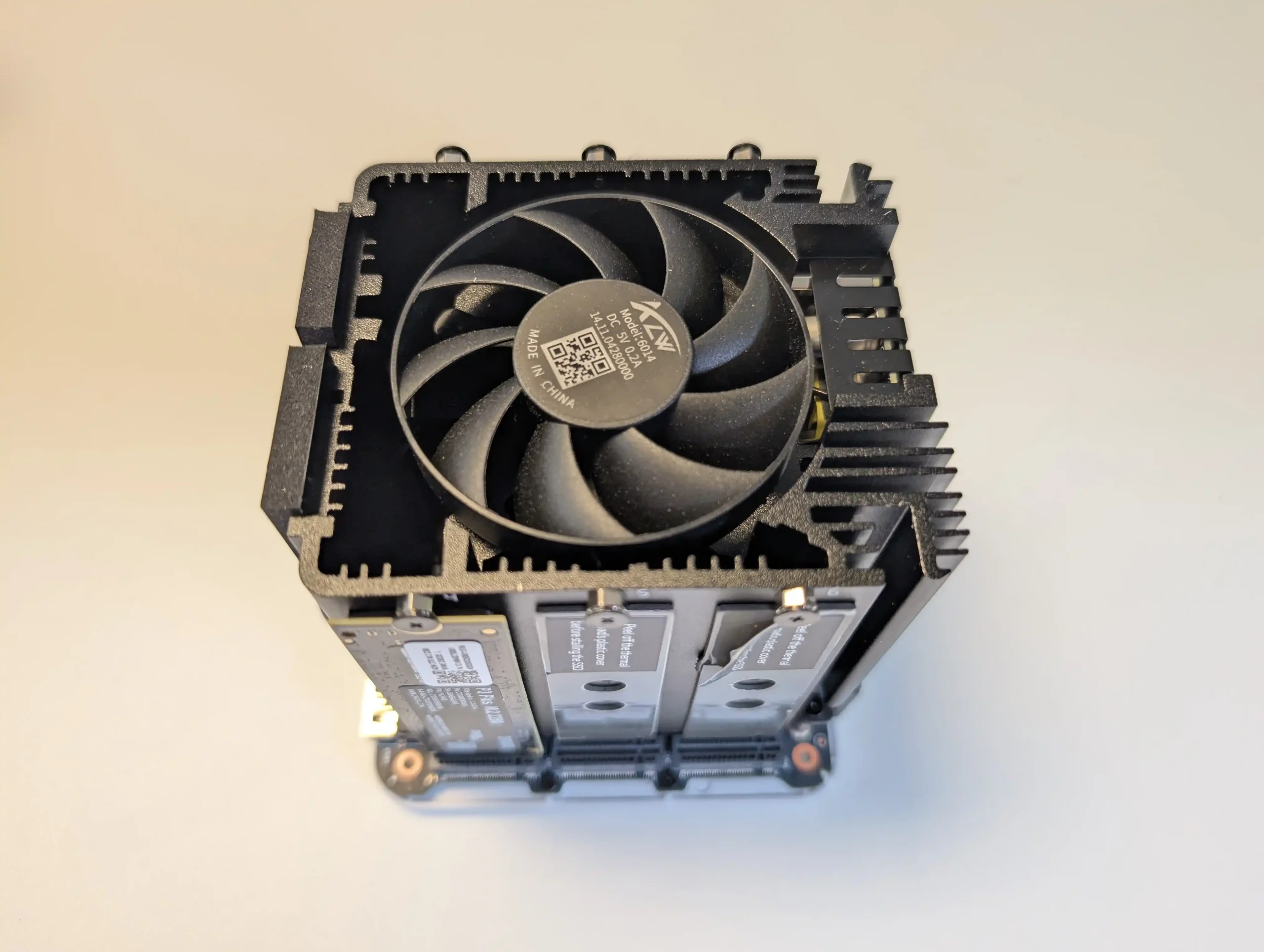 |
That said, it is not without limitations. The memory is non-upgradable, thermal accumulation at the base suggests room for improvement, and bandwidth ceilings imposed by Gen 3 x1 lanes will constrain users who demand high parallel throughput. Still, for its price point—particularly when pre-order discounts are applied—the ME Mini offers significant value, especially when compared to ARM-based NAS solutions with similar or lower specifications. With bundled Crucial SSD options and support for a wide range of NAS operating systems, it positions itself as a ready-to-go platform for tech-savvy users wanting to avoid the assembly of a fully DIY system. Overall, while not a product for every use case, the Beelink ME Mini succeeds in its aim to be a compact, stylish, and capable home NAS.
|
Check Amazon in Your Region for the Beelink ME Mini NAS ($329)
|
Check AliExpress for the Beelink ME Mini NAS ($344 4/6)
|
Check the Official Beelink Site for the ME Mini NAS ($209 4/6)
|

#4 Lincplus Lincstation N2 – $399-449
SPECS: Intel N100 quad core up to 3.4 GHz – 16 GB LPDDR5 – 2 x 2.5″ SATA bays / 4 x M.2 NVMe bays (total 6 bays) – 1 x 10 GbE RJ45 – 4 x M.2 2280 NVMe SSD slots.
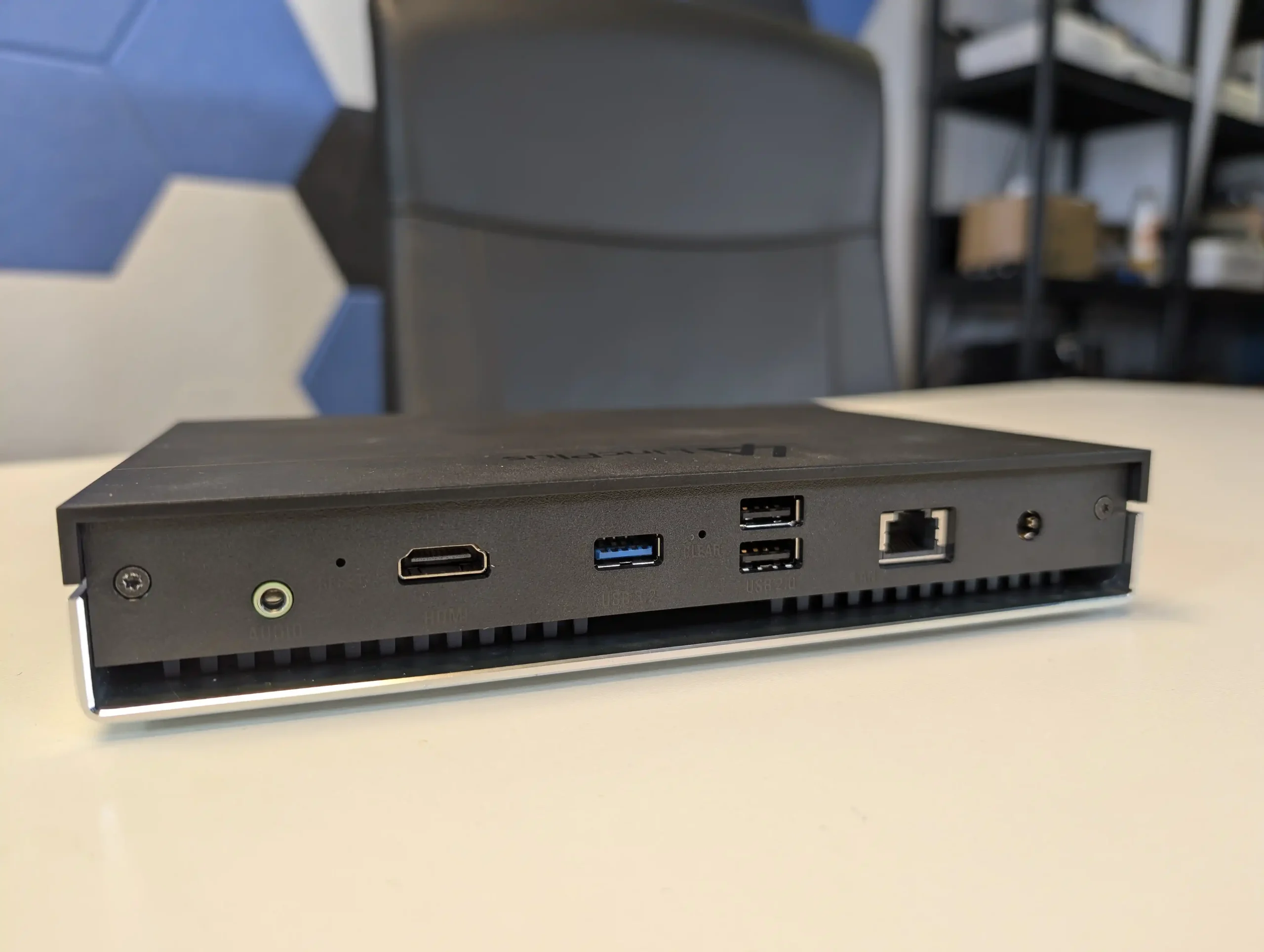
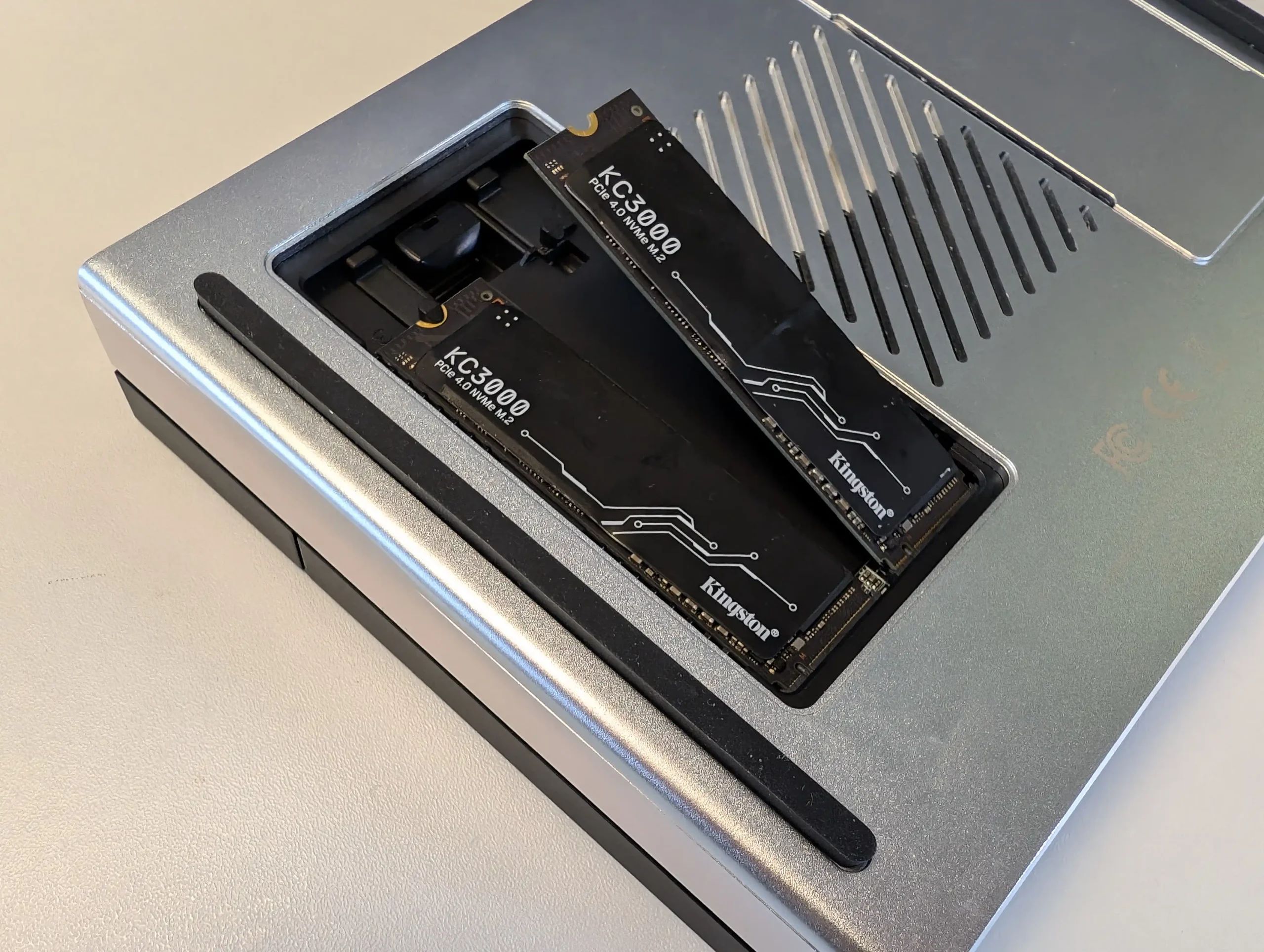
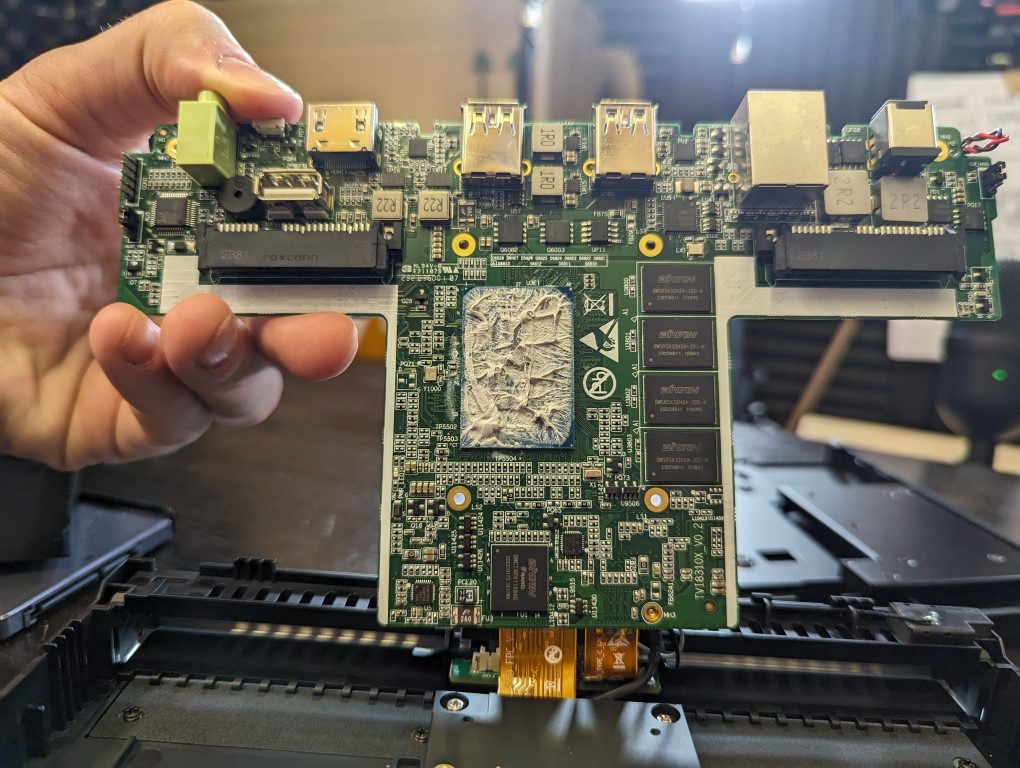
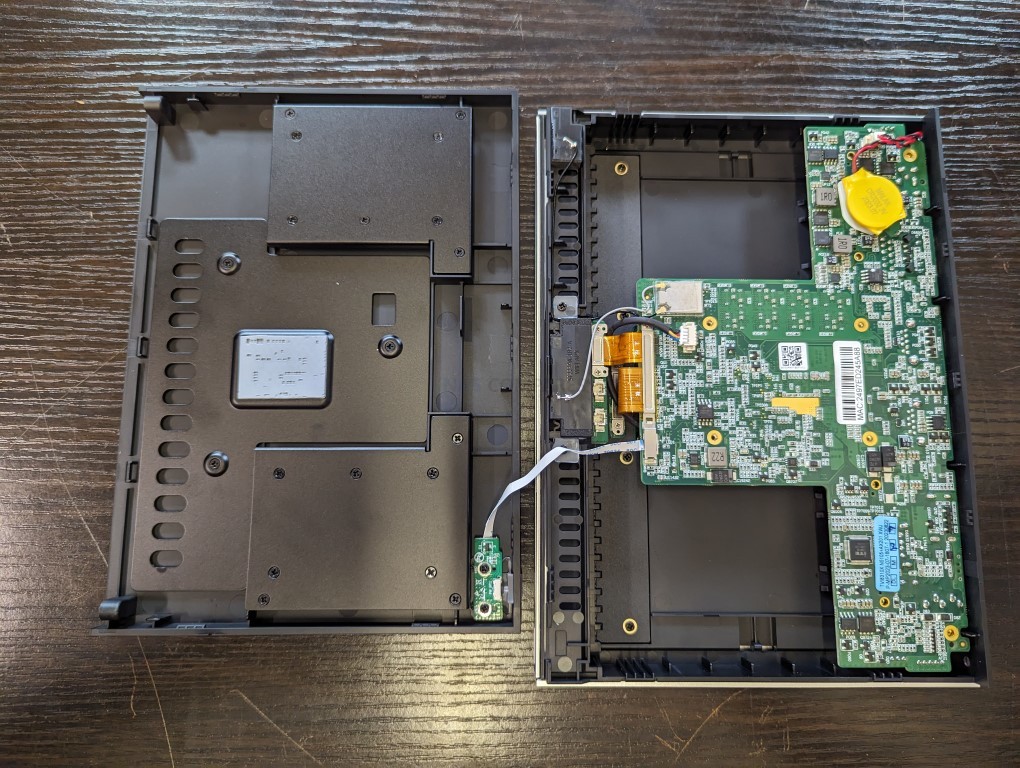
The Lincstation N2 is a compact prebuilt NAS positioned primarily on value, combining an Intel N100 quad core CPU, 16 GB of non upgradable memory and 10 GbE networking in a small chassis. Storage is split between 4x M.2 NVMe bays and 2x 2.5 inch SATA bays, giving a mix of high speed solid state and more conventional, higher capacity drives, with visible status LEDs on the exterior. Typical street pricing in 2025 has been around 400 to 450 USD depending on tax and discounts, but its effective cost is reduced further by the inclusion of an Unraid license, which separately represents a non trivial software expense and is pre supported via a USB loader for straightforward deployment. While the N100 CPU and PCIe lane distribution place it below some competing platforms in raw performance, the combination of 10 GbE, mixed media bays, bundled software and small footprint makes it a distinct option for users who prioritise overall throughput and licensing value rather than maximum compute power.
 |
 |
What we said in our Jan ’25 Review HERE:
The Lincstation N2 NAS is a solid upgrade over its predecessor, the N1, offering better connectivity, improved cooling, and more efficient hardware. The inclusion of 10GbE networking makes it a more appealing option for users who require higher data transfer speeds, and the passive and active cooling improvements ensure better thermal regulation under sustained workloads. With support for four M.2 NVMe SSDs and two SATA SSDs, the N2 provides flexible storage options, allowing users to build a high-speed, all-flash NAS setup. The Intel N100 processor and 16GB LPDDR5 memory deliver decent performance for most home and small business NAS applications, but the non-upgradeable memory may be a limiting factor for more demanding users. The compact, efficient design makes it an ideal NAS for those looking for a balance between power efficiency and performance.
 |
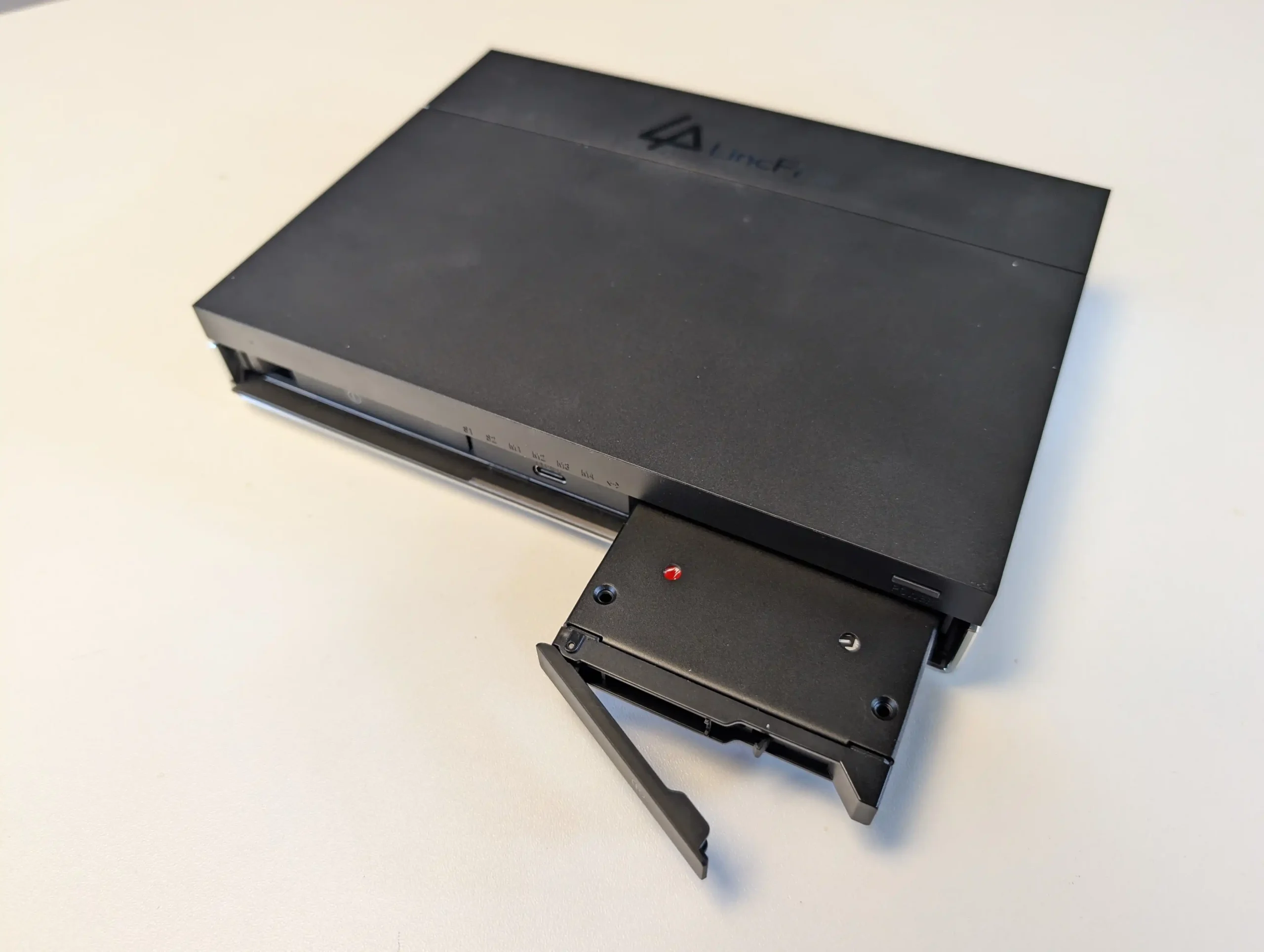 |
That being said, the N2 does have a few drawbacks that may impact users looking for greater expandability. The lack of PCIe expansion slots means users cannot add additional NICs or storage controllers, making it less versatile compared to some competing NAS solutions. Additionally, while the 10GbE port is a significant upgrade, it is limited by PCIe bandwidth constraints, meaning users may not be able to fully utilize its maximum throughput in all scenarios. The USB connectivity options are decent, but having only one high-speed USB-C 10Gbps port may feel restrictive for those wanting multiple fast external connections. Furthermore, the reliance on a barrel-type power connector instead of USB-C is another missed opportunity for modernization.
 |
 |
Overall, the Lincstation N2 NAS remains a good choice for UnRAID users looking for an affordable, high-speed, all-flash NAS solution. It provides great energy efficiency, a streamlined setup process, and a solid mix of connectivity options. While it lacks some scalability features, for most home and small business users, it offers a compelling blend of performance, efficiency, and ease of use. If Lincplus continues refining their NAS lineup, future iterations with more robust networking, storage expandability, and minor refinements to cooling and connectivity could make it a standout competitor in the small NAS market.
|
Check Amazon in Your Region for the Lincstation N2
|
Check AliExpress for the Lincstation N2
|
#5 UnifyDrive UT2 Mobile NAS – $399-599
SPECS: ARM 8 core processor (2 x quad core SoCs) up to 2.0 GHz – 8 GB LPDDR4X – 2 x M.2 NVMe bays – 1 x 2.5 GbE RJ45 / WiFi 6 – 2 x M.2 2280 NVMe SSD slots.
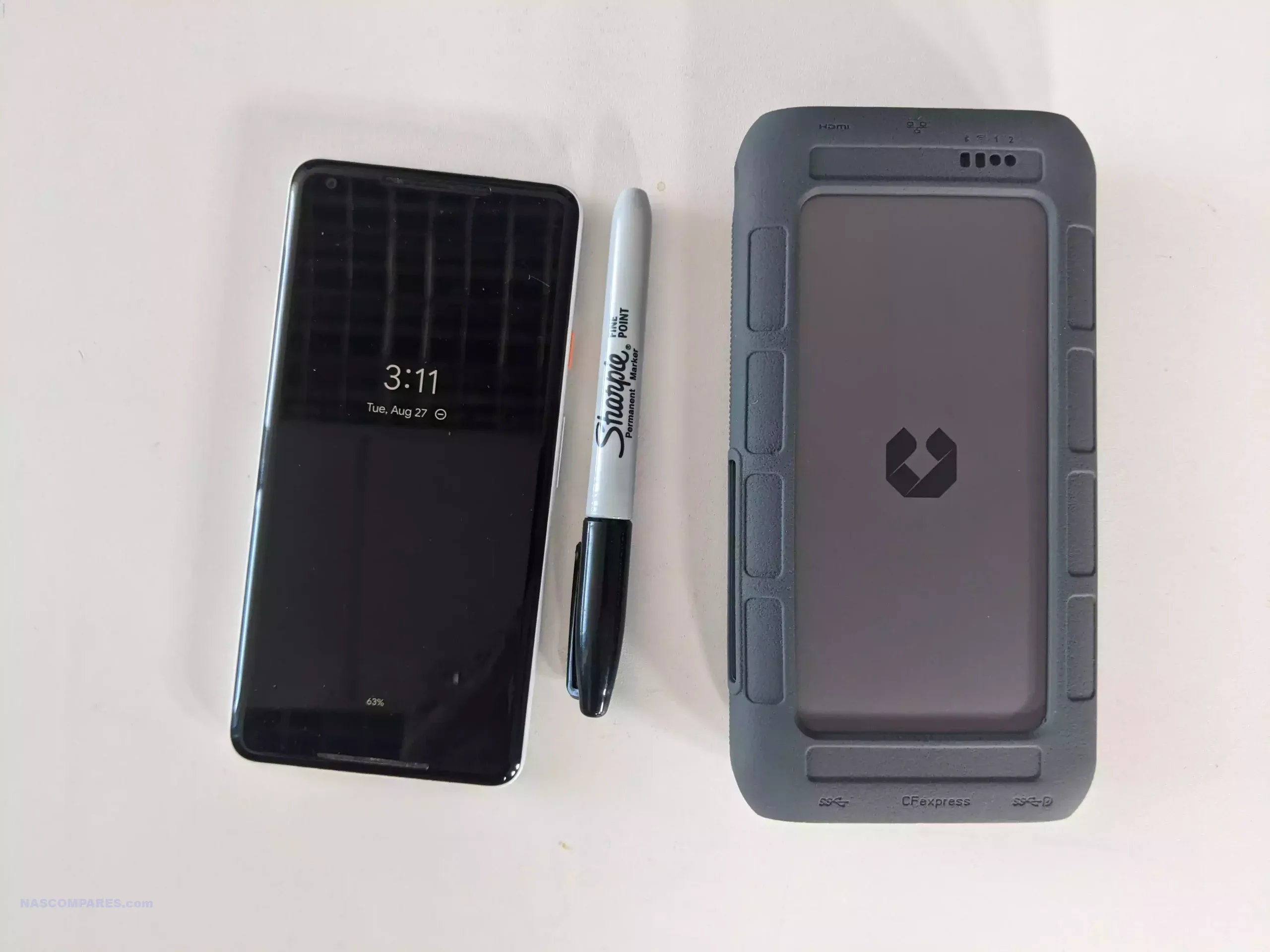
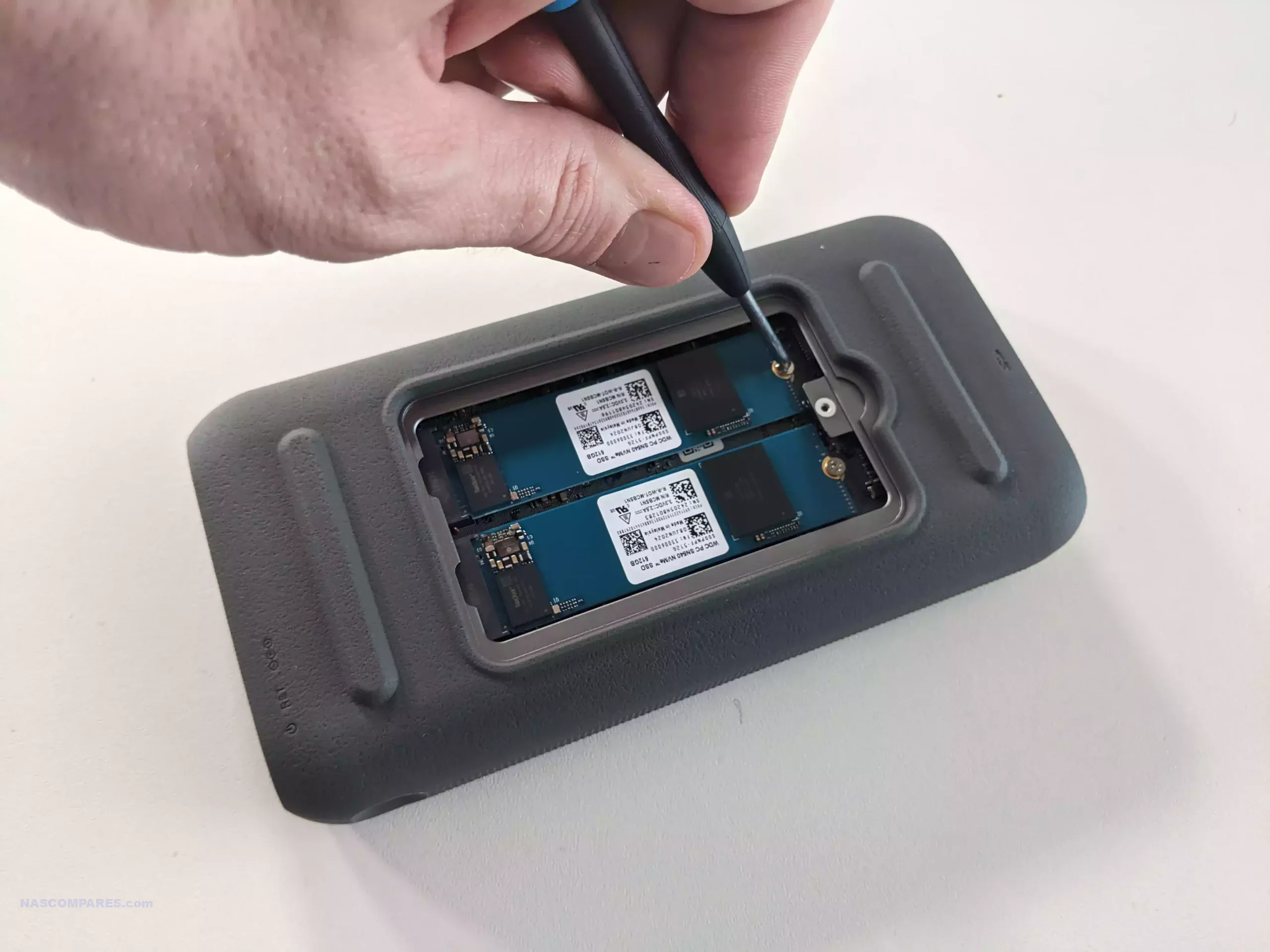
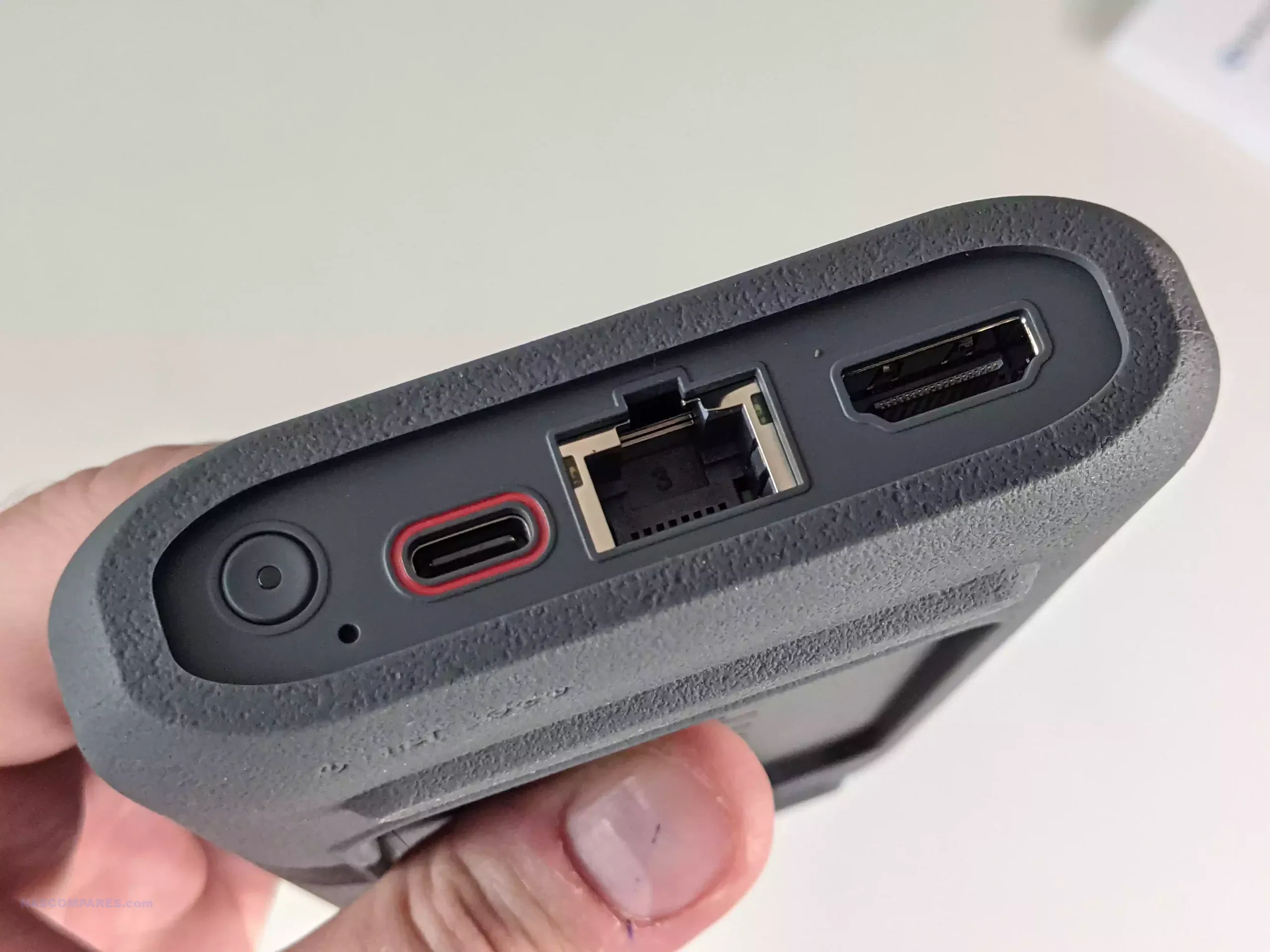
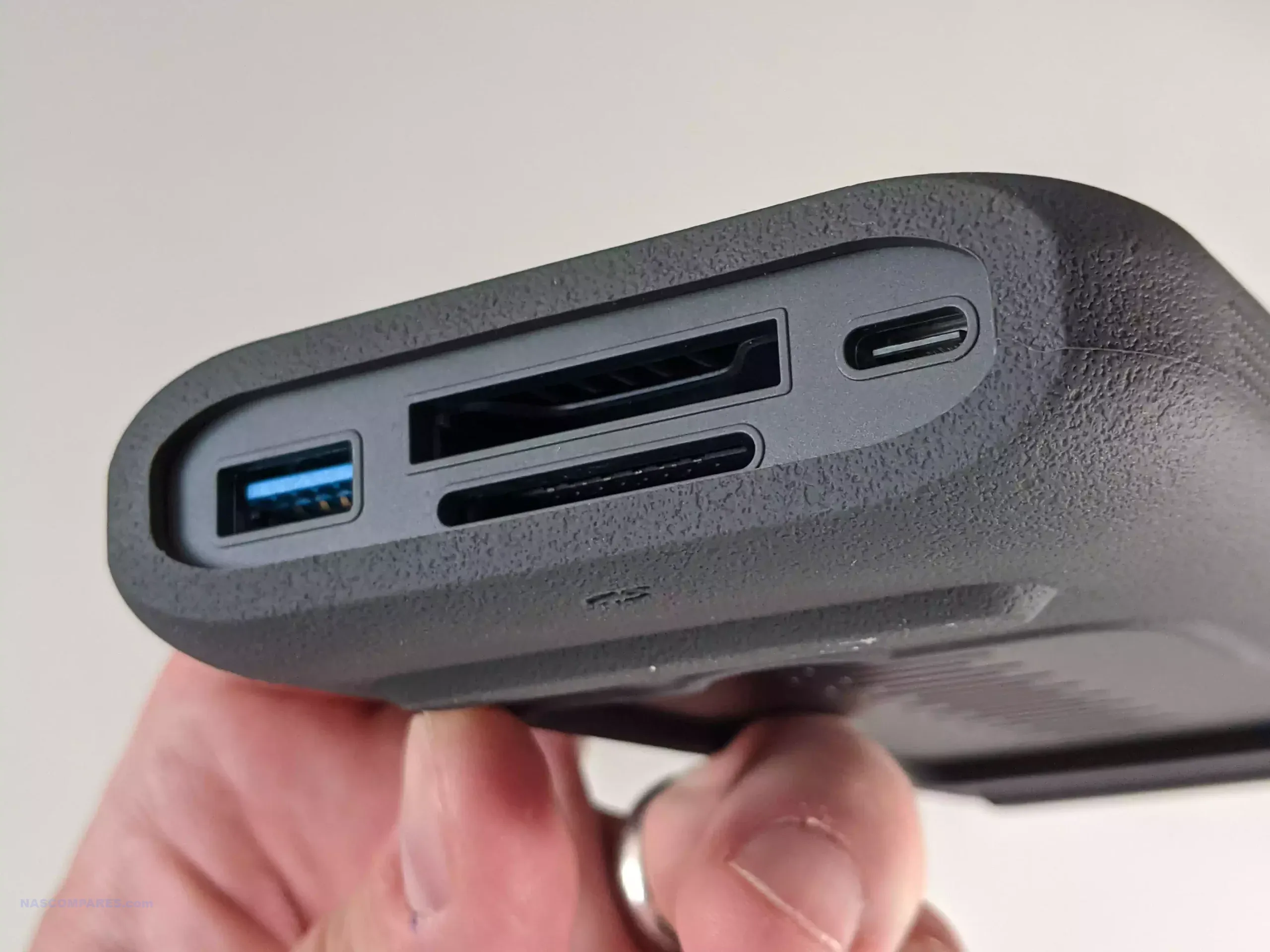
The UnifyDrive UT2 is a dual M.2 NVMe mobile NAS that targets content creators and field teams who need portable, battery backed storage rather than a static rack or desktop system. It is built around an 8 core ARM platform (implemented as 2 quad core chips) with 8 GB of memory, 2.5 GbE networking, WiFi 6 support and can act as an access point, with additional connectivity via USB type C, USB type A and dual SD card slots. UniFi supplies its own NAS operating system, which covers file sharing, backup, containers and an app center but does not provide full virtual machine hosting, and the unit can also operate as a direct attached storage device over USB. An internal 2200 mAh battery provides roughly 2 hours of standalone use and the device can also be powered from an external USB power bank, allowing workflows where camera media is ingested on location, duplicated to other storage or cloud targets and then transported while tasks continue in the background. Pricing during 2025 has generally ranged between 399 and 599 USD depending on promotions, positioning the UT2 as a niche but distinct option for mobile data capture and collaboration rather than a traditional always on NAS.
 |
 |
What we said in our April ’25 Review HERE:
The UnifyDrive UT2 Portable NAS offers a compact, portable storage solution designed for users who need on-the-go data management. Its features include a built-in battery, Wi-Fi 6, 2.5Gb Ethernet, HDMI output, and dual M.2 NVMe SSD slots, which together make it capable of handling media playback, file storage, and real-time collaboration. The UT2 also includes UDR selective RAID, one-touch SD card backups, and an AI-powered photo recognition system, all controlled through a user-friendly mobile app. These features position the UT2 as a versatile device for professionals such as photographers and content creators, who need portable, high-speed data storage and secure file management.
 |
 |
As a crowdfunded product, the UT2 is set to launch on Kickstarter, meaning there are some inherent risks associated with its development. While the hardware and software shown in the review appear polished and near completion, the final product may vary from the reviewed unit, and there is no guarantee of timely delivery or final quality. The early-bird price of $399 may appeal to those looking for a portable NAS, though the full retail price of $599 could place it in competition with larger, full-featured NAS systems. Potential backers should consider these factors when deciding whether to support the project.
+ Get a further 5% OFF with this code: NASCOMPARES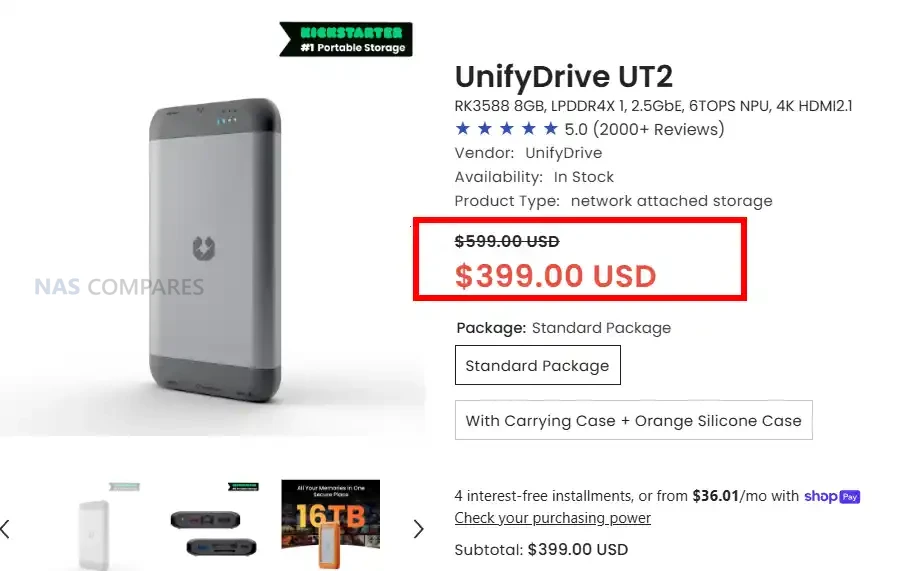
📧 SUBSCRIBE TO OUR NEWSLETTER 🔔 This description contains links to Amazon. These links will take you to some of the products mentioned in today's content. As an Amazon Associate, I earn from qualifying purchases. Visit the NASCompares Deal Finder to find the best place to buy this device in your region, based on Service, Support and Reputation - Just Search for your NAS Drive in the Box Below
🔒 Join Inner Circle
Get an alert every time something gets added to this specific article!
Need Advice on Data Storage from an Expert?
Finally, for free advice about your setup, just leave a message in the comments below here at NASCompares.com and we will get back to you.
 Need Help?
Where possible (and where appropriate) please provide as much information about your requirements, as then I can arrange the best answer and solution to your needs. Do not worry about your e-mail address being required, it will NOT be used in a mailing list and will NOT be used in any way other than to respond to your enquiry.
Need Help?
Where possible (and where appropriate) please provide as much information about your requirements, as then I can arrange the best answer and solution to your needs. Do not worry about your e-mail address being required, it will NOT be used in a mailing list and will NOT be used in any way other than to respond to your enquiry.
 TRY CHAT
Terms and Conditions
TRY CHAT
Terms and Conditions








Do You NEED 5GbE NAS? (Or Should You Skip Ahead to 10GbE)
UGREEN DXP4800 PRO NAS Review
Minisforum G7 Pro Review
CAN YOU TRUST UNIFI REVIEWS? Let's Discuss Reviewing UniFi...
WHERE IS SYNOLOGY DSM 8? and DO YOU CARE? (RAID Room)
UniFi Routers vs OpenWRT DIY Routers - Which Should You Choose?
Access content via Patreon or KO-FI
Discover more from NAS Compares
Subscribe to get the latest posts sent to your email.
Is the Ugreen 2800 a good choice for multiple plex streams?
REPLY ON YOUTUBE
Am I missing something ? Does this not show up in you unifi device list ? how does the doorbell show up in there but not this?
REPLY ON YOUTUBE
Not one USB port?
REPLY ON YOUTUBE
Why……. Why 2.5Gb…. These should have 25GB capable or at least 10GB NICs built in. Outdated upon release… So sad.
REPLY ON YOUTUBE
Im seriously considering the UNAS Pro or UNAS Pro 8. I originally was a bit annoyed the rack i purchased was about 21″ deep but now i’m glad it is.
REPLY ON YOUTUBE
What’s with the n100 Aoostar?
REPLY ON YOUTUBE
It’d be cool if you could could connect a Raspberry Pi/minipc/similar via the usb-c port to provide compute power/run containers/ etc… I seriously doubt on could, but it’d be interesting to find out.
REPLY ON YOUTUBE
Gday from Jan 2026. It is $470 now.
REPLY ON YOUTUBE
Can you install Plex on this ?
REPLY ON YOUTUBE
Is this around anymore? I can’t find anywhere to buy.
REPLY ON YOUTUBE
Indirectly promoting movie piracy?
REPLY ON YOUTUBE
The mobile NAS seems like a great idea. Basically has a built-in UPS. And the overall mobility/space/energy advantages of SSD-based solutions would be unbeatable if only SSDs weren’t so expensive. The cost disproportion compared to HDDs, especially considering the recent price hikes due to data center build-up, is simply too high, at least from my personal perspective.
REPLY ON YOUTUBE
Using solid state drives for backup doesn’t make a lot of sense to me. I have too much data for that and spinning drives are just so much better bang for buck. My laptop alone has 3TB of data on it.
REPLY ON YOUTUBE
is it better to buy a drive bay and connect it to your windows? to use the power of your RTX pc for rendering
REPLY ON YOUTUBE
looking for an nvme-based NAS to upgrade in my theater room. I tried the beelink mini me, but I wasn’t able to find gen3 drives at a reasonable price. Gen4 drives were problematic, due to power issues. Looking for a solution that can adequately power gen4 drives and not have the same issues the beelink had. Can I buy the newer/cheaper, higher performing, high power drawing nvme’s and use all 4 in this unit without issue? is there a good nas solution for what I’m looking for or are we in the in-between state right now?
REPLY ON YOUTUBE
Holding off on buying this until they have a App Store Plex and containers is a must.
REPLY ON YOUTUBE
What about the dh2300 ?
REPLY ON YOUTUBE
I saw Beelink recently released the ME Pro, and lower HDD temperatures definitely make long-term operation feel safer.
REPLY ON YOUTUBE
A passive base heatsink may help, even from a third party supplier.
REPLY ON YOUTUBE
This NAS cannot perform one of the most basic and fundamental storage operations: expanding a RAID 1 array by replacing disks with larger ones
REPLY ON YOUTUBE
I’d have a closer look at how the internal power supply is implemented before running this without the cover on. Looks like it may have main traces running through the bottom near the power connector. You’d want to avoid shock hasards but it does look cool a*f.
REPLY ON YOUTUBE
I’m confused. What good does it do to say this is a great, inexpensive NAS solution without talking about how much $ you need to buy the NVME? Four? Six? Slow? Fast? I really would like to see a complete configuration. Of course, NVME prices are much higher than spinning disks.
REPLY ON YOUTUBE
The thumbnail said best NAS drives of 2025, I want that video now please XD
REPLY ON YOUTUBE
Plex is on a death clock. They have spent the past several years cramming a grenade up their ass with widely unpopular moves such as the horrible UI changes and their mantra of cramming streaming garbage down your throat because it makes them a lot of revenue. They have made it VERY clear in their user forum that they do not care what you think or want, they’re only in it for the money. In April they pulled the pin when they took away free remote streaming unless you have a Plex Pass or “Remote Watch Pass” – and jacked up the price of the Plex Pass by over 100% at the same time (subconsciously prodding you to go with the lucrative “Your Media as a Service” subscription model versus a one time wallet hit). They pissed off A LOT of people with that move, and are now hemorrhaging users left and right. It will only be a matter of time before that sucker blows up. Channels like you should stop even mentioning them to accelerate their self-induced demise. Promote the hell out of Emby for ease of use and Jellyfin for being completely free. Pretend like Plex is already dead.
REPLY ON YOUTUBE
good vid over all but 50 on SSD is actually quite good so i have no idea why you on about… on PC SSD can hit 70-80 and depending on cooler can even idle around 40-50 so yeah 50 isnt bad….
REPLY ON YOUTUBE
To be honest, iSCSI would have been a bad idea to have included, in fact I prefer not having it, since for me this is mostly a backup system and not for databases or virtual machines.
REPLY ON YOUTUBE
The drawer-style motherboard design of the Beelink ME Pro makes upgrades and maintenance super easy.
REPLY ON YOUTUBE
Unifi, you use the perfect amount of plastic don’t listen to this guy.
REPLY ON YOUTUBE
Not gonna lie, i was really laughing on the DS925+, you truly got me there! ????
REPLY ON YOUTUBE
8:30 that didn’t age well
but arguably, the SSD prices are less due to actual need but more due to panic buyers buy it as much as they can to make a profit or hoard.
REPLY ON YOUTUBE
Thoughts on the upcoming UniFi UNAS 4? Based on your experience with the UNAS 2, does the 4 seem like it could function with Jellyfin or would it require a separate brain to be worthwhile?
REPLY ON YOUTUBE
can you please share M2 Expansion external unit with Oculink Port shown by you. Please share the link where to purchase.
REPLY ON YOUTUBE
Would please be able to do a video for TrueNAS with AOOSTAR WTR MAX AMD R7 8845HS and show steps on how to setup disaplay on this unit. Thank you in Adv.
REPLY ON YOUTUBE
Thank you for the insightful video! Very helpful! May I ask why UGreen didn’t make it to your top 5? I am by no means a specialist, so sorry if the question is too nooby. Please continue to educate us with your amazing content. Merry Christmas ???? ????
REPLY ON YOUTUBE
What do you think about Ugreen DX 6800 Pro for jellyfin media-server?
REPLY ON YOUTUBE
You said that the drive bay won’t go past 2 gigabytes a second I got one acronym for you “SSD”s
REPLY ON YOUTUBE
just a heads up Texas filed suit against china tv’s for spying. already has a restrining order for hisense. If tv’s are spying just think what that chinese nas is doing? Hisense captures sound and video every 500 miliseconds and sends it right back to the china goverment. They are using something called ACR automated content recognition. Like I said it all goes back to china, think of a nas and what you call personal data.
REPLY ON YOUTUBE
what if you used a NAS as just the storage medium, but had it stream to an Nvidia Shield Pro?
REPLY ON YOUTUBE
Thanks for all your work!
I know it’s offtopic, but moving away from Synology, and after reviewing all turn key nas options for low tdp, solid media server (Jellyfin) performance, scaleability and hybrid nvme/sata setup, and also avoiding most Chinese and risky brands (bios/chipset/OS backdoor risk),
I eventually settled with South-Korean based company called HardKernel, an established brand known for their Odroid single board computers (sbc).
They are like a ‘raspberry PI’ alternative, but also have more powerful options that are very well suited for mediaservers and NAS.
I bought the Odroid H4+, which has:
– a N97 cpu for video transcoding (bit more powerful than N100).
– 4 sata ports
– 2x 2.5gbit ethernet
– 2x 3.0 and 2x 2.0 usb
– 1x m2 port with 4 cpu-lanes, but they sell expansion units for it, so you can expand that port to 2 ports with 2 lanes (2×2) or 4×1 lane, or even buy a unit with extra sata ports. I chose 2×2 m2, so I have a nvme ssd for docker and ‘fast data’ and use the sata ports for normal disks (and back-up for the nvme).
– DIY-cases for the sbc and storing 2-4 hard drives
– BIOS is openly checkable and downloadable with checksums on their website.
For the OS I run Unraid. But TrueNAS would also be possible.
It’s all I wanted in terms of performance, futureproof, quiet, safety, low energy consumption and it’s blazing fast.
Building it myself was also a lot more rewarding than buying a stock solution. ????
I believe this brand and their offerings really should get a lot more attention. Hope this helps! @nascompares, would that be something to consider to cover?
REPLY ON YOUTUBE
I’ve enjoyed using my UNAS Pro 8 and an i7-10875H laptop with an NVIDIA RTX 2080 Super graphics card and 2.5Gb NIC that handles my Plex server and transcoding (among other compute services). I bought a lifetime Plex license several years ago.
REPLY ON YOUTUBE
If this had Raid0…
REPLY ON YOUTUBE
Another question – I have an old NAS – would it be better to buy a mini pc and run emby on that with shared drives to my nas? This leaves a low power nas to just share folders and a cheap higher power old pc runs emby with transcoding 4k and 8k.
REPLY ON YOUTUBE
Are you feeling ok? You actually mentioned Emby several times without your head exploding!!! Still, it is the season of goodwill 🙂
REPLY ON YOUTUBE
What lens are you using?! Your head is popping in and out ????
REPLY ON YOUTUBE
Even though the QNAP 874 is a few years old, it is absolutely unstoppable for Plex decoding. I can get any serious cpu use with anything I throw at it. Please review this model again. I love it and thank you for showing it to me as well.
REPLY ON YOUTUBE
I have transient errors on my ironwolf 6tb in an asustor nas. It comes up then goes away. Every smart scan returns no errors.
REPLY ON YOUTUBE
I am a little per(plex)ed .. pun intended as Minisforum themself states that the N5 standard do NOT support plex hardware encoding .. please elaborate
REPLY ON YOUTUBE
Right now I like Plex on the PC, but Jellyfin on mobile as it works on mobile while my Plex service does not.
REPLY ON YOUTUBE
Is there a reasion you did not include QNAP? I ask because that is the one I was going to buy to run emby.
REPLY ON YOUTUBE
If you have Raid 1 can you go to raid 6 on a Ugreen without loosing or redoing everything
REPLY ON YOUTUBE
Aoostar wtr pro
REPLY ON YOUTUBE
Honest question as a newbie person seriously considering putting together a NAS soon:
You say “stay the hell away from subscription media” but isnt plex going to subscription method soon?
REPLY ON YOUTUBE
Great video… I have been encouraging people to get away from streaming services and cable for a while now.
I have been saddened to discover that many people would prefer to be a slave… and pay through the nose for services
They hit that comfort level and would rather pay 300+ a month for these things.
REPLY ON YOUTUBE
Nas with unraid does not need to keep all drives spinning even if you dont use them
REPLY ON YOUTUBE
I got my Orico Cyberdata Vault NAS from the kickstarter, its a nice machine! I have some issues with their operating system though. If you end up creating a guide on how to install something else on it, that would be greatly appreciated!
REPLY ON YOUTUBE
You had me in the first part about Syno….
REPLY ON YOUTUBE
ZimaBoard has my attention
REPLY ON YOUTUBE
I´m running a QNAP TS-464 with 4x 18TB HDDs and a Jellyfin Mediaserver. An older NAS yes, but i upgraded to 40Gb RAM and it does the job quiet good, wether i´m watching movies on my TV or streaming to my mobile device. No stutters, no buffering, it just runs smooth. Hardware transcoding activated. NVMe drives don´t make any sense in my case, as my movie and TV show collection is already at 13TB, increasing.
Jellyfin is a bit tricky to set up, it took my like 2 weeks experimenting with plugins and CSS codes until i had it look, work and feel as i wanted it to be. But once that is done, Jellyfin is just awesome. Intro Skipper and Merge Versions are two of the plugins i´d highly recommend. Just keep in mind to set up Jellyfin the way you like it, BEFORE adding your media to the libary.
REPLY ON YOUTUBE
Make a shit that says “Bit Me Baby, 8 to the Byte”!
REPLY ON YOUTUBE
Hmm I think I will go for the Terramaster F4-425 PLUS or Ugreen 4800 or the plus, but I have not seen those good prices just yet, perhaps sale after christmas, black friday was not good at all.
REPLY ON YOUTUBE
Great video, very helpful at least for a newbie. Speaking of newbie’s, can you point us to a place where we can learn how to rip our DVD’s & blue-rays? Once I watch, I’ll use yuour links to boy the hardware as I really want to support you.
Thx!
REPLY ON YOUTUBE
The only one that might work for my media collection is the N5. I have over 50TB of media files and need at least 4 3.5″ bays. I have had issues with Plex hw transcoding on AMD, and had to use CPU transcoding to resolve it before moving to an Intel platform. I’m not sure how well Jellyfin and Emby work with transcoding on AMD iGPUs. I have a lifetime plex-pass and getting my tech-illiterate family members set up with access to my Plex was enough of a challenge. I don’t want to go through that whole process with Jellyfin to have access to the same content.
SSDs are great for power and noise, but when capacity is king spinning rust still makes the most sense. IMHO for media hosting, this list should have had less SSD and more 4+ 3.5″ bay solutions, preferably at least 1 of those with Intel
REPLY ON YOUTUBE
Emby does not work on the Terramaster, well documented on the web.
REPLY ON YOUTUBE
Hey you’ve been a great help with my NAS/media server journey. Thanks. Picked up the new Terramaster F4-425 PLUS on Cyber Monday after watching your review and test drive of TOS7. Came down to a choice between the UGreen DH4300 but went with the TerraMaster because of the 3 NVMe slots and 4 HDD bays, for just marginally more $$ on Cyber Monday. I’ve been using a Geekom Mini Air 12 with the same N150 processor and 16Gb ram for Plex and I’m very pleased with the performance and low power draw. Geekom to be repurposed.
REPLY ON YOUTUBE
I am currently using my macstudio always on with a das.
Can someone explain what getting a ugreen or zimboard upgrades over what I have?
I initially bought a synology, and hardware was so bad, slow and noisy. Took the hdds out connected to a docking and to my mac (returned the nas). So far so good, but unsure if I am missing out
REPLY ON YOUTUBE
A year has passed. How about a new poll comparing the popularity of Plex/Jellyfin/Emby?
REPLY ON YOUTUBE
You mentioned Minisforum n5. But it has AMD CPU, which means no Quick Sync! Would N5 be able to do the decoding? Is AMD good for such scenario?
REPLY ON YOUTUBE
So Nascompare’s suggestions for this year are one brand no one trusts, one item that has no practical use for anyone with a family, and one NAS that you can’t get hold of for love nor money. Well done, good oh. continue to prove how useless this channel is continuing to become.
REPLY ON YOUTUBE
Pleeeaase cover the HORBBILE UI changes that Plex recently made. This needs exposure.
Most people HATE it and jumping to Emby or Jellyfin
REPLY ON YOUTUBE
7:26 I can see this video was made before the SSD prices started skyrocketing along with RAM prices. ????
REPLY ON YOUTUBE
8k totally meaningless, unless we’re in a goddamn cinema with a thousad billions inch display, so… 4k (also) kinda overrated, i have a 43 inch, and it works very well even at 720p.
This said, f2-424 terramaster, best ever i had, 4 bay slot (2 nvme, 2 sata 2.5 or 3.5, i’ve opted for 2 ssd sata 2.5 + 2 nvme; no vibration, no pain, no noise… pure perfection for my needs, included some vm).
jellyfin works perfectly, and tos 6.0 (so far, i didn’t updated to the beta 7.0 exactly cause.. IS GODDAMN BETA) works like charm.
REPLY ON YOUTUBE
Since the goal is to avoid transcoding (electricity prices are definitely higher now), wouldn’t it be better to focus on the player rather than the server? Especially since there are hundreds of servers (they’re no longer NAS devices but small servers), while finding a player, even in 2025, apart from the 2019 Shield Pro, is still a challenge.
REPLY ON YOUTUBE
unas need rsync support
REPLY ON YOUTUBE
What the review doesn’t tell you is that AOOSTAR have an utterly terrible rating (albeit very few reviews) on Trustpilot, bad comments on Reddit, allegations of fake addresses in Germany for their Warehouse/Support, that their kit breaks down and that customer support is terrible. Please employ due diligence and do your OWN research, remember in these times money is hard to earn and for these reviewers who get their kit for freee , do they care if it breaks down after a week ? Doubt it…
REPLY ON YOUTUBE
What the review doesn’t tell you is that AOOSTAR have an utterly terrible rating (albeit very few reviews) on Trustpilot, bad comments on Reddit, allegations of fake addresses in Germany for their Warehouse/Support, that their kit breaks down and that customer support is terrible. Please employ due diligence and do your OWN research, remember in these times money is hard to earn and for these reviewers who get their kit for freee , do they care if it breaks down after a week ? Doubt it…
REPLY ON YOUTUBE
What the review doesn’t tell you is that AOOSTAR have an utterly terrible rating (albeit very few reviews) on Trustpilot, bad comments on Reddit, allegations of fake addresses on Germany for their Warehouse/support, that their kit breaks down and that customer support is terrible. Please employ due diligence and do your research, remember in these times money is hard to earn and for these reviewers who get their kit for freee , do they care if it breaks down after a week ? Doubt it…
REPLY ON YOUTUBE
What the review doesn’t tell you is that AOOSTAR have an utterly terrible rating (albeit very few reviews) on Trustpilot, bad comments on Reddit, allegations of fake addresses on Germany for their Warehouse/support, that their kit breaks down and that customer support is terrible. Please employ due diligence and do your research, remember in these times money is hard to earn and for these reviewers who get their kit for freee , do they care if it breaks down after a week ? Doubt it…
REPLY ON YOUTUBE
What the review doesn’t tell you is that AOOSTAR have an utterly terrible rating (albeit very few reviews) on Trustpilot, bad comments on Reddit, allegations of fake addresses on Germany for their Warehouse/support, that their kit breaks down and that customer support is terrible. Please employ due diligence and do your research, remember in these times money is hard to earn and for these reviewers who get their kit for freee , do they care if it breaks down after a week ? Doubt it…
REPLY ON YOUTUBE
I just bought 2 Ubiquiti UNAS Pro. Will be perfect for me at this moment. At 20% sale it was a no brainer for me today. I have no nas atm.
REPLY ON YOUTUBE
I’ve made my decision. A Beelink ME Mini NAS + ZimaOS. If they never start selling them in grey like they’re supposed to, I will paint the case.
I’ve read all about it dropping drives but it’s mostly people using too new Gen 4/5.
Gen 3 is what it wants but are almost non existent. The Crucial P3 is Gen 4 and backwards compatible with Gen 3.
REPLY ON YOUTUBE
Just saw Beelink’s new ME Pro NAS — from the early info, it seems more appealing than Ugreen’s.
REPLY ON YOUTUBE
Can it be used as storage for the protect app and replace original nvme storege or be togueter storing video files?
REPLY ON YOUTUBE
I’m sorry but I don’t give two fucks how much plastic a company uses. I would rather them use plastic and it arrive in tact not missing parts and broken.
REPLY ON YOUTUBE
Brilliant, again.
REPLY ON YOUTUBE
I got my DS923+ and then a month later Ugreens equivalent came out in the UK ???? FOMO… but can’t complain, my Synology is pretty solid 🙂
REPLY ON YOUTUBE
I have questions:
Why is there no VLAN support yet? I want to use all my existing UniFi networks and add as many of them as I want as additional virtual interfaces, e.g. for access via SMB.
I can synchronize my Active Directory users, but NO GROUPS. What the heck? If I want to replace my Windows file server with this NAS I need to be able to use group-based access control or AGDLP.
REPLY ON YOUTUBE
do they even have dentists in England?
REPLY ON YOUTUBE
OMG, he’s raving about the cooling on a piece of junk so badly engineered that the tiny fan is just screwed into the middle of a huge open grate. The grate should match the size of the fan and since there’s space for a huge grate, there should be a huge fan behind it. Larger fans move more air, and at lower speeds so they are quieter. Basic engineering….control the air flow. Don’t be fooled into buying on “specs”. It doesn’t matter how many drives it does or doesn’t hold, it matters if the PCB is 7 layers or not. It matters what quality caps are soldered to the board. It matters how well the drives are insulated from vibration. Yahoo over there needs a shower and some actual time working in the industry.
REPLY ON YOUTUBE
I’m outta here. Not only does he sound like his mouth is full of rocks but he has the common sense of an earthworm.
A NAS is where you put all the important stuff. Its where you store things that won’t fit on your local drive. Its where things that need security stay because it never leaves the house. Its something you depend on. As a result, what matters is not how many ports it has (betting 98% of people use ONE) or how much RAM it does or does not come with, or even how loud the fan is. When it comes right down to it, it really doesn’t matter how fast it is.
What matters is, is your data safe. You want a company with world wide support, that’s been a leader for decades, that will be there if and when a problem happens…because, guaranteed, it will happen at the worst time. It should be big, really big, for better air flow. If its under heavy load I want to hear that fan sound like a 747 on take off. Why? Because that’s what keeps my data safe. If your data goes bye-bye, nothing else matters.
If you’re not a pack rat, you can get by with a mirrored setup. If not, RAID 5 with a parity drive and on the fly rebuild is an absolute necessity. 100% of your data, 100% of the time.
If all you want is somewhere top store bootleg movies you downloaded, anything will do. They have no value to you. They are 100% replaceable. That custom tweaked software you had made for your business, that’s replaceable, but expensive. The important documents, maybe you can track them all down, but it will cost you a LOT of time and not an insignificant amount of money. Photographs. Recordings, Videos. Creative works, finished and in progress, those things matter. They matter more than the couple bucks you save on Ho-Chee’s Miracle Box. The one you want is the one you forget about, tucked away in some corner that just keeps working without you thinking about it. Because you won’t. Until the day it doesn’t. Then you’ll remember reading this and think ‘why didn’t I listen?’.
REPLY ON YOUTUBE
Wow, ????, U put the best cheapest NAS, behind a membership pay-wall, .. are you trolling, us cheap guys? ( i’m not cheap. I just pay for so many subscriptions, if you’re not careful, you can end up having insufficient fees & I literally have a spreadsheet and I use different cards for subscription and membership fees to avoid all that.. I just can’t justify another subscription. There’s too many.
REPLY ON YOUTUBE
Maybe need “Best NAS system of the Year”
REPLY ON YOUTUBE
Extremely cool device. It’s like the Mac Mini of NAS! I just wish it had 10G and that high capacity NVMe drives weren’t so unreasonably expensive
REPLY ON YOUTUBE
Those Synology develop Bastards are still pushing their harddrive restrictions to older hardware in their new software updates. My DS124 runs a long time perfectly on a 8TB TLC Samsung SSD for storage and run each night a TRIM task. In the update they now disabled the TRIM function, for the drive isn’t listed and that could cause data problems. No Synology
… YOU are the ones who introduced the risk of data problems by disable TRIM in newer software updates. Grrrrr.
REPLY ON YOUTUBE
Beelink Me Mini now has 16GB RAM option
REPLY ON YOUTUBE
For the record, relating to the awful use of Skyhawk and your belief that “all hawks fly”, a plasterer’s hawk doesn’t fly… Or at least not unless you really upset one! There are other hawk useages that are definitely not related to aerial activity as well.
That said, 100% agreement that whoever named that line of drives needs to be told to try harder – even a dumb AI could have done better!
REPLY ON YOUTUBE
The Unify – UT2 is the only thing that I want this Christmas.
REPLY ON YOUTUBE
You little so and so! You psyched me out ????
REPLY ON YOUTUBE
8 months ago I chose UGREEN because rumours circulated that Synology would lock down its NAS to only use its own hard drives. I thought Synology can go and take a hike.
I replaced my Synology 918+ and 418+ devices with two UGREEN DXP4800 Plus. I also purchased a UniFi Dream Router 7 to replace a Synology RT6600AX router. cancelled my Synology C2 cloud backup subscription and am no longer in the Synology ecosystem. The DXP4800 Plus is well-built and has excellent specifications. I particularly appreciate the UGOS software, which meets all my requirements.
REPLY ON YOUTUBE
the unifydrive is such a thing i want . . i just can not justify that price x.x
REPLY ON YOUTUBE
Synology needs its own toy elephant
REPLY ON YOUTUBE
Observations, interesting hardware at lower price points. Lots of NVmE based devices. 2.5GbE is becoming the entry point standard, as it should. Open standards offer greater flexibility. Old school solutions need a step change fast to keep up.
REPLY ON YOUTUBE
Sata drives cheaper than nvme? Where?
REPLY ON YOUTUBE
Synology in the mud and they know what they need to do. They gotta bring 26 or 27 range and reinstate the 6 bay and super spec this hardware
REPLY ON YOUTUBE
The worst thing about the aoostar WTR max are the bloody stickers on the front. Awful to get off completely. Especially the one next to the screen, best to remove the trays above it, and leave the plastic on the screen untill all glue is gone. For the rest, brilliant, 5x2tb name and 6×24 tb HDD.. simply lovely
REPLY ON YOUTUBE
No mention of Ugreen? I believe they are quite dominant in this space too!
REPLY ON YOUTUBE
14:26 “Kickstarter #1 Portable Storage”
REPLY ON YOUTUBE
I bought the Minisforum N5 NAS (non-pro) and put truenas on it. It’s a nice little machine, I’ve really enjoyed owning it.
REPLY ON YOUTUBE
The beelink me mini amazon affiliate link links to the wrong product
REPLY ON YOUTUBE
In my opinion we should buy less stuff from China. And I would like to see more reviews with that in mind because it’s not all about the pricetag.
REPLY ON YOUTUBE
UNAS Pro is currently $399, seems like great deal for 7 bay and 10 gig although cpu limited
REPLY ON YOUTUBE
11:37 LOL
REPLY ON YOUTUBE
LOL Loved the bit about Synology. I am so angry with them for their past actions that I won’t be buying anything from them again despite their walking back one of the things that angered me.
REPLY ON YOUTUBE
I been using the ugreen DXP4800 (non Plus) for general storage and backup and it’s been amazing.
I used to love unraid but last month I spent many weekends and hours troubleshooting why tf my unraid system isn’t connecting to SMB on windows. This was such an issue that I couldn’t get my info out of my old nas (it was on a nvme). So I bought the ugreen system and a nvme to usb adapter and swapped it all to ugreen.
I’m not the smartest when it comes to Linux or truenas or unraid so I am astonished how user friendly the ugreen os is. Deff recommend.
REPLY ON YOUTUBE
I got the N5 Pro on blackfriday for $899 USD at microcenter.
REPLY ON YOUTUBE
I hate seagulls
REPLY ON YOUTUBE
Great episode, not only liked it hyped it (without YouTube even asking).
REPLY ON YOUTUBE
Snagged the Aoostar WTR Max on sale and somehow got lucky in snagging 64gb of DDR5 that didn’t cost an arm and a leg! It will fit all the “spare” NVME drives I have, now I have to figure out what operating system to use then sort out all the full hdds I have to sort through.
REPLY ON YOUTUBE
This couldn’t of come out at a better time
REPLY ON YOUTUBE
I was waiting for him to toss the hard drive away….
The fact that a video about NAS hardware can make me laugh out loud several times—well done!
REPLY ON YOUTUBE
Love the seagull plushie lol
REPLY ON YOUTUBE
UGreen DXP4800 Plus… My first NAS. Slight learning curve. Been cloud free for a month now. Love it.
REPLY ON YOUTUBE
Best DAS HW Raid Array of 2025 Edition coming next? Need a direct attached option via USB-C; QNAP TR-002/004, Any other smaller option recommendations that can use 2.5”SSD or NVME?
REPLY ON YOUTUBE
Aoostar WTR Max is $899 with the provided Amazon link.
REPLY ON YOUTUBE
Cold blooded with Synology! ????I hope they saw this video and got angry and make a Rocky like comeback soon. Come on Synology! Pull it out the fire! you got this! Put all these new lil companies out of business! Forget about the money and restore your legacy! The money will follow!
REPLY ON YOUTUBE
The UGreen NAS DXP 8800 plus price to hardware, got my money.
REPLY ON YOUTUBE
Kudos for mentioning other fellow YouTubers
REPLY ON YOUTUBE
Great props work!
REPLY ON YOUTUBE
Oi, anyone see that Microcenter had the UGreen DXP 4800 Plus for ~$296 USD recently?
REPLY ON YOUTUBE
I managed to grab and already get delivered a Aoostar WRT pro about a month ago.
I am running it with 5 HDD’s and 2 nvme’s. Integrated it in my Proxmox cluster and put cephfs on both the HDD’s and the nmve’s integrated in my Proxmox cluster. NAS services by Nextcloud simply passing a directory trough from the HDD’s and the nmve’s. The nmve cephfs serves the users documents where the HDD’s are a first level backup for the user docs and any other cold data storage like Proxomox backup’s. The whole thing is than backed up to my aging Synology plus an offsite backup for the really important data.
Performance wise this thing is a beast. I have not been able to bring it to it’s knees even though quite a few virtual machines are running on it as well.
REPLY ON YOUTUBE
Great 😉
REPLY ON YOUTUBE
I hope Seagate names their next series Skyowl, hehehe. 🙂
REPLY ON YOUTUBE
Cheers, enjoyable vid, when you said Synology, must first thought was WTF 🙂
REPLY ON YOUTUBE
The problem with Unifi NAS is it only does storage. It can’t do Plex transcoding, NVR functionality for security cameras, or run containers for managing your smart home.
REPLY ON YOUTUBE
I still didn’t manage to make LincStation N2 run on a sort of “normal” temperature without being loud as hell
REPLY ON YOUTUBE
Indeed 2025 has been a challenging year protecting my wallet from the onslaught of all these great new NAS systems! I kept telling myself I’ll wait for v2. In the meantime, I had to replace my old Synology, so I grabbed an Aoostar WTR Pro, added 64 GB RAM (before prices went up), loaded it with drives and installed Unraid. I’m actually completely satisfied with this little thing. It’s quiet, power efficient, and works like a champ.????
REPLY ON YOUTUBE
The WTR MAX 11 is not $699, how? It’s over 900 euros everywhere.
REPLY ON YOUTUBE
Aoostar seems like a trustworthy brand name, lol. Chinesium isn’t worth it….
REPLY ON YOUTUBE
No Synology !!! Finally some one honest .
REPLY ON YOUTUBE
UNAS Pro on sale for $399 is a helluva deal! ????
REPLY ON YOUTUBE
That was a different “hello” and I got thrown off.
REPLY ON YOUTUBE
I won’t watch you in 2026.
REPLY ON YOUTUBE
What u think about Qnap ts-262 i got for home use ! What u think
REPLY ON YOUTUBE
I’ve been very happy with WTR Max.
REPLY ON YOUTUBE
I got the F8 SSD Plus recently and am happy so far. I don’t want to have any HDDs in my NAS, I want my NAS to be inaudibly quiet and small (M.2 only). And there really are not many options then. And I wanted something that can do “dynamic RAID6”, and it seems only Terramaster and Synology offer that in their OS. I just wish 10 Gbits wouldn’t be the limit, since M.2 SSDs could be so much faster than just 10 GBits… but my PC also can’t do more than 10 Gbits Ethernet so that’s not just a NAS limitation.
REPLY ON YOUTUBE
If I don’t see you before the 25th, Merry Christmas to you and Eddy. Thank you very much for another great year. “Card” sent. I’m going to be in London for Christmas so if you have time for a pint, it’s on me.
REPLY ON YOUTUBE
For me, the 874 is the best. Years later processing power and capabilities still takes the crown as I see it anyways…
REPLY ON YOUTUBE
I got the terramaster f4 ssd this year. Pretty happy, cause it’s silent, superfast and can be easily moved from one rented place to another. XPE onboard 🙂
REPLY ON YOUTUBE
Oh, it’s going to be a sad day when Ubiquity inevitably starts to enshittify their whole ecosystem.
REPLY ON YOUTUBE
Can we install Transmission on it ?
REPLY ON YOUTUBE
Thank you so much for your informations! I just have a few questions: a) How much is the power consumption without harddisk, just the UNAS pro 8? b) Is it possible to start and shutdown the UNAS automaticly, for example every day shutdown at 11pm and restart at 7am? maybe different times for every day, like in the QNAP? Thank for the answers?
REPLY ON YOUTUBE
My N5 pro idles at 16 Watts with all the drives populated ( 3 NVMEs, 1 SSD and 4 HHD-24TB WD) with OMV OS. May be I am a bit lucky or OMV is well configured.
REPLY ON YOUTUBE
I purchased one of these and put 6x SSDs in it like it supposedly supports, but there is a hardware design flaw with the 3.3v rai
If you have 4+ SSDs you will likely see disks disconnect at random due to the 3.3v rail sagging to the 2.Xv range, especially during intense reads and writes if you are using a RAID array.
After a lot of troubleshooting I was able to get it to a stable state with BIOS power tweaks and only using 4x SSDs that do not have DRAM or higher power controller chips.
It’s a great device but you won’t be able to take advantage of all of the slots it supposedly supports.
REPLY ON YOUTUBE
This is going to change my workflow a lot
I like that this thing is Storage + Docking combo with flexible connectivity, this thing does so much for its size. I use a small laptop that doesn’t have a lot of ports and no SD card slot. When I want to transfer photos from my Camera to external SSD, I need 2 USB ports (which is a pain), that’s why I started looking for NAS.
Now this thing can do everything in one, and it doesn’t even need USB port! Connection is also flexible. If we want fast speed, we can use direct USB-C, or WiFi for small files!
REPLY ON YOUTUBE
Do the British just not care about their teeth?
REPLY ON YOUTUBE
I have had a Pro NAS 8 since 10-15-25. The experience has been less than ideal. They sent the wrong extra PSU. When the new psu arrived the unit would STP flap with 2 PSUs installed. They replaced the Pro Nas, but the NAS would still STP flap Ultimately they told me it is a known issue in the software and they would have it updated in the future. I have since had to open a dispute with my credit card company. Hands down the worst NAS i have ever used and even worse service.
Here is their exact words on the errors:
Our development team has confirmed the behavior you’re seeing with the UNAS Pro 8 when both redundant power supplies are connected. The issue has been flagged internally, and a fix is already in progress. This will be included in an upcoming firmware update, which should address the STP flapping you’re experiencing.
At this point, we recommend waiting for the release — it will include the potential fix for your specific case. We’ll notify you as soon as it becomes available.
REPLY ON YOUTUBE
Eww, 2.5G… waste of nvmes to throw in this!!!
REPLY ON YOUTUBE
15:33 the base clock speed is not the lowest speed a cpu can be at during idle.
REPLY ON YOUTUBE
I couldln’t sit through this.
REPLY ON YOUTUBE
Just tell me is it ready for business use, i mean integration with identity services and so on
REPLY ON YOUTUBE
Really, nobody needs a front display or even a display on a 19″ NAS! There ia absolutely no need for that!
REPLY ON YOUTUBE
Hi folks – a nice device that most likely would get approval from the wife, a very interesting review and lots of great comments. Has anyone tried to use this as a jellyfin server. i was thinking it might be just what im looking for to replace an old external hard drive hanging out of the telly – transfer all my videos and movies to this little cube, plug it into my switch and watch my content from anywhere. also be some room for some backups of my photos and important data that im just backing up when i remember to external hard drives. would this be a sensible use case ? could i use the pre installed windows or would i be better with some kind of unix distro or something else. maybe the ugreen f4-dxp4800 pro might be better fit. Would be grateful for any wisdom you clever techie people could offer to an older NAS newbie such as myself …..thank you in advance.
REPLY ON YOUTUBE
If you want to be “that guy” ????. 99x99x99. On a serious note, can that PSU power a fully loaded 24tb array?
REPLY ON YOUTUBE
the problem is expensive little capacity drives. Yes I have two pci5 in my computer and they do everything but in MASS storage they are way over priced for their capacity. I checked prices and IF you could get all the performace on this or similar devices on a gen 3 x1 then maybe you could get 8tb for the price of 20tb hard drives.
REPLY ON YOUTUBE
What an awesome machine, they listened to us about the things we needed on the WTR Pro and made an awesome NAS. Btw, I’ve been using the Pro for a year(with Unraid) without any issues.
REPLY ON YOUTUBE
Meh … doesnt use ZFS – makes it basically obsolete tech. Moving along. Passing over. Next time UBNT. REAL Datacenter level file storage solutions utilize ZFS as it is 100% reliable. Raid degrades over time no matter what. There is no error correction, scubbing, etc… its just old.
REPLY ON YOUTUBE
How do I transfer files to this thing and what speeds should expect from those ssd’s and NAS?
REPLY ON YOUTUBE
The UNAS 4 with 4 bays should be coming out any day now. That one looks more compelling as it includes 2 NVME slots and it retails for 379
REPLY ON YOUTUBE
Yes you traveled alot but it was worth it this things is amazing
REPLY ON YOUTUBE
Can it be ftp server or stream dlna movies to tv ?
REPLY ON YOUTUBE
Is there a bracket for 2.5 hdd ?
REPLY ON YOUTUBE
These consumer NAS boxes are time bombs. Unlike Ye Olde Raid cards from LSI (now Broadcom), this device has no recovery if your RAM cache is not written back to the drives. The LSI cards had a supercapacitor that had enough juice to hold the RAM values for a week so that you can power on and write out the last few bytes. If you have a random power failure, you have a decent chance of corrupting your drives. With my LSI board we have had power failures with zero damage. Something to think about.
REPLY ON YOUTUBE
What I not understand is, why this little box is called a NAS solution ? For me it is a pretty good mini pc, because what is missing is a preinstalled NAS software or is Window 11 pro now a NAS software ?
REPLY ON YOUTUBE
Does it support WebDAV(S) ?
REPLY ON YOUTUBE
I have the N5 pro and it has a fairly big problem. The fan speeds are not visible to the OS. I tried a couple of linux options since I want to run Unraid on it.
It appears to be a BIOS issue. EC ram fields show empty, and the documentation that I got to was not help.
I will be reaching out to all to get a BIOS update to resolve this.
REPLY ON YOUTUBE
Are we able to use a Nas hdd and a Nas asd at the same time in this?
REPLY ON YOUTUBE
lol no iscsi
REPLY ON YOUTUBE
Unraid is not compatible with ssd. Trim will break parity disk.
REPLY ON YOUTUBE
ECC memory?
REPLY ON YOUTUBE
Replace the HHDs with 2.5 SSDs and you’ll get a cooler running and faster NAS. At the end of the day, the temps are just fine in its current configuration.
REPLY ON YOUTUBE
Had to stop the video to go and order one. Seems custom made for my exact usecase.
REPLY ON YOUTUBE
What about for plex transcoding do u think it will be okay for it I have a shield pro but its crap cause of andriod os messing the updating
REPLY ON YOUTUBE
Are there any smaller SSD only alternatives available? Looking for something primarily for wireless time machine backups for my mac.
REPLY ON YOUTUBE
… A SATA SSD can push 550MB/s. Two of them will saturate a 10gbe link. 6:15
REPLY ON YOUTUBE
hey just got this system and added 5 HDD 12TB and 2 Nvme 2TB each for read cache and added 64GB of ram but my main concern is the OS i hope they will continue to update the OS since its still Beta imo ? what is your opinion on it 🙂 and thank you for all your reviews on the channel always amazing content !
REPLY ON YOUTUBE
I have been following your channel for many years! Thank you for all this good info. i have a question. Can I install TrueNAS OS on this thing?
REPLY ON YOUTUBE
I can thoroughly recommend Proxmox on this too for those embarking on their homelabbing journey whilst also needing a NAS. I’ve a bunch of LXC’s running and it is absolutely amazing for what it is.
REPLY ON YOUTUBE
Until they build in native integration with Unifi Protect to enable direct writing of continuous recording to a dedicated pool, then it’s a no from me.
REPLY ON YOUTUBE
great HW, but OS support not so good. There is 64GB build eMMC storage but neither Unraid not TrueNAS will support it. What;s the point then.
REPLY ON YOUTUBE
The 3x 10 gig connectivity is not for the speed. It makes total sense as if you want MC-LAG/redundant network protection, you want the 2 SFP+ ports. If you’re not and like most home/SMB users, you’re going to use copper and you want the RJ45 port. Otherwise, they would end up making people buy a SFP+ RJ45 module, which is going to have a lot of upset people.
REPLY ON YOUTUBE
no ups shutdown control is a big nono for something industrial grade and rack mounted specifically, they do not offer a sku which includes two power supplies and M.2 mounting brackets but have to be bought separatelly is sad too, will move next year and have to consolidate all my data from multiple computers, external drives and even some old cd and dvd media onto one system, for now looks promising but the 8 bay ugreen nas has better functions, can cooperate with my current ups,got better support and is whisper …almost totally soundless, on sale around 1150 euro with tax and free shipping – the 8 bay unas cost 885 eur currently, the minirack on wheels 330 eur and the separately bought second psu 180 eur, and two m.2 brackets 19 euro each
REPLY ON YOUTUBE
All one sided test drives, were they really small?
REPLY ON YOUTUBE
The 10G overkill, i think, is for the NVME slots. With 16TB of NVME cache, that’ll use over 10G for a ton of commonly used files. I think it makes sense.
REPLY ON YOUTUBE
Can’t decide between this or a rackstation. They are much more expensive but also much more versatile. I have an older Synology that will be used as offsite baxkup. Presumably that is a lot smoother if I stick to the brand?
REPLY ON YOUTUBE
Don’t be so negative, look at the price!!!
REPLY ON YOUTUBE
Maybe you can help:
Does this support trim on ssds?
Can i shutdown the nas in the software?
Thanks for helping.
REPLY ON YOUTUBE
I really wanted the WTR Max or the N5 Pro, but could not justify the cost. I’d rather put $ into bigger HDDs. So I got the bargain priced 4-bay WTR Pro with 64 GB RAM to update my Unraid server hardware from an old Dell Optiplex. It’s small, quiet and power efficient and fits nicely into my UniFi 2.5 GBe network ????
REPLY ON YOUTUBE
how does it compare with ugreen dxp 8800pro? i prefer this as rack mount but i can get another 10gbe card for ugreen and utlise 3 10gbe ports (1 for internet, 2 for LAG transmission with PC). unas pro 8 has 2 sfp ports which i can only utilise 1 from gateway to this. i dont have sfp ports for pc connection
REPLY ON YOUTUBE
I would love to see containers on it
REPLY ON YOUTUBE
So can it support Raid? Which levels? Can you bond the 2 2.5 GB Ethernet ports to get a 5Gbps trunk? Can you saturate the 2.5 Gbps connection? Could I use it as a time Machine backup solution for a handful of Apple devices for the family?
REPLY ON YOUTUBE
Hopefully their future plans involve a 3U version that rotates the drive cages 90° allowing for 10-12 drives and the 1.3″ LCD that their other rack devices have
REPLY ON YOUTUBE
This looks like a GAME CUBE. I with this pc would’ve played like one ????
REPLY ON YOUTUBE
BYE BYE SYNOLOGY! I can’t wait to get the UNAS 4!
REPLY ON YOUTUBE
Is there a iOS or Android app to sync data to NAS and dot not use iCloud or Google drive?
REPLY ON YOUTUBE
Great stuff as always! That said, I think one angle is missing.
I’m currently running both a Synology 1819+ and a Ugreen 6800 Pro (Kickstarter edition — the price was just too good to pass up). The Ugreen became my gateway into Proxmox, and over the past year I’ve gradually shifted workloads across. These days the Synology mainly serves as a backup target and for offloading older UniFi Protect footage and PBS backups.
Now, a friend is interested in buying my Synology, and with eBay prices for the 1819+ (especially with the E10M20-T1 card) being quite strong, I’m tempted to let it go. Since I run a full UniFi network at home, I’ve been eyeing the UNAS 8 Pro as a potential replacement — but I’m still unsure about how NFS/SMB performance holds up with Proxmox in real-world use.
It could make for a really useful episode to cover migration paths: moving from one brand to another, what to expect in terms of performance, and how to transition smoothly without downtime.
REPLY ON YOUTUBE
Can you run this in RAID0 configuration? The video briefly mentions the review was set up in RAID1 configuration but I’m interested in using this as a back-up so am happy to accept the trade-off of protection vs. cost of RAID0.
REPLY ON YOUTUBE
I really want to get this but will Unifi come out with an Enterprise NAS next week? ????
REPLY ON YOUTUBE
Genuinely delighted that they’re offering a low-cost, streamlined feature set unit like this! To my mind, this falls into the same category as the Dream Router 7, a nice tidy all in one solution that’s great for less tech-savy clients/users/family members. They have the higher end models if you want to dive deep into complex configurations, this is a great out of the box replacement for cloud storage.
REPLY ON YOUTUBE
You don’t mention anything about usage of the data from e.g. smartphones OR about facial detections (which is already possible when using Unifi NVR) etc.
REPLY ON YOUTUBE
the people who designed this never talked to a single customer, it’s made to look nice in boardroom presentations, the “Gavin Belson Signature Box III”
REPLY ON YOUTUBE
Great little backup / fall over ( sort of ) just hung off your network somewhere. I would use this WITH my other NAS system.
REPLY ON YOUTUBE
Hello. Great video. Thanks. Can I use it to watch my videos through VLC and/or Plex ? Is there any transcoding ? Thanks
REPLY ON YOUTUBE
Will,at be a good match for a Plex server?
REPLY ON YOUTUBE
Dropped in 4x WD Blue NVME drives along with the bundled 2GB WD. When I started to copy data from my old school HDD NAS, the ME was CONSTANTLY throwing drives offline. The power supply is simply not sufficient for the purpose. The heat when copying data is also off the charts. Sure, if you have all your data on board and don’t do massive transfers, it’s likely fine, but onboarding data was a disaster. I would have greatly preferred an external brick. I ended up returning, and used a Minisforum MS-A2 I had bought previously with a cheap PCIe NVME card and it is far more stable. Running TrueNAS Scale.
REPLY ON YOUTUBE
FYI: My Aoostar WTR Max package was just seized by USPS for counterfeit postage. I am hoping to get my money back at this point.
REPLY ON YOUTUBE
is there also a possibility to install an acronis backup agent?
REPLY ON YOUTUBE
Can you explain if bitrot protection is available? That is the only reason that keeps me using synology
REPLY ON YOUTUBE
What the hell? No USB for UPS connectivity??? That’s idiotic.
REPLY ON YOUTUBE
I do not think that 3x10gigs are not overkill if you plan to use enterprise SSDs, you can saturate 2 of them by 7 drives in theory.
REPLY ON YOUTUBE
NOICE!
REPLY ON YOUTUBE
Password 123456
GOT IT!
REPLY ON YOUTUBE
Does it fit the mini rack?
REPLY ON YOUTUBE
Is there any way to backup the UNAS2 via the USB C port?
I have a couple of external drives that I would cycle though to create backups.
REPLY ON YOUTUBE
Can this backup to a connected USB C Drive?
REPLY ON YOUTUBE
Software needs more improvement. I want to just have apps installed on desktops and phones that backup data or access it easily for multiple users.
The simple ubiquiti approach is refreshing to see. But I need that simplicity mindset to work for backups for family data.
REPLY ON YOUTUBE
Overall, the best review I’ve seen on this product. However, I wish you spent more time on the software configuration screens. Ubiquiti tells us next to nothing on their website of how this works or what it’s capable of, more of a “Just buy it and find out!” stance. I’d like to know if I have a storage pool of four drives, if that can be expanded to five or more without having to delete the storage pool and start over.
REPLY ON YOUTUBE
The use of the NVMEs for caching only (https://youtu.be/UOOFqhf4S8k?t=511) is also perfectly justified. You don’t buy an 8 bay box to start sharing date from 2 NVMEs only.
REPLY ON YOUTUBE
Regarding the network bandwidth overkill statement at 5:55 – you forgot it’s got 2x NVMEs there which in theory can deliver 10GB/s in raid0 caching mode (or 5GB/s in Raid1), which will easily saturate even the 3x10Gbit/s
REPLY ON YOUTUBE
I wish they’d release a media server line for 3rd party app support too.
REPLY ON YOUTUBE
How are the hardware specs of these additions ? Still the low ARM system of the initial UNAS pro?
REPLY ON YOUTUBE
Looks like a great product, like that they are stepping in and hope they continue to improve it. Need to work on HDD hibernation, Raid availability, M.2 options, and Cooling based off all the information im getting. but These things do seem like a software update. (Except the cooling, and memory that might be next gen)
REPLY ON YOUTUBE
Hi! Can you please help me by telling me the noise level when this is running? I’m only able to (because of apartment limitations) put this in the living room. I wanted to know the noise level when it’s running (since I wanted to put Plex media files on the NAS). Thank you!
REPLY ON YOUTUBE
btw do you take video requests? I would pay good money for a thorough guide on setting up rsync between a ugreen nas and the unifi unas pro 8 (to be able to sync data both ways between the two)
REPLY ON YOUTUBE
M.2 trays should be included. Ditch all plastic packaging. I have numerous Unifi devices and that’s a serious drawback. All those little parts could just as easily come in nice paper bags. The rest of their packaging is lovely. If Apple can be all paper and Google can be all paper, so can Unifi. Just do it.
REPLY ON YOUTUBE
The UNAS has no drive security, if you take out the drive and put it in another NAS or Computer you can access all data
REPLY ON YOUTUBE
Is there any data scrubbing capability to help protect against bitrot/bitflip? That alone is the reason I a staying with Synology atm, but if the UNAS offers this, I may pick one up.
REPLY ON YOUTUBE
They need to add Unifi Protect app for NVR on their NAS models so can use same harddrive storage
REPLY ON YOUTUBE
What happened to the 4 NVME SSD only NAS that was in the 2025/26 line up?
REPLY ON YOUTUBE
Can i use it for plex? ????
REPLY ON YOUTUBE
Being a full time RVer, I like this setup on power supply (POE) and storage capacity for all our trip photos and video. Plus the price!
REPLY ON YOUTUBE
Did I miss it or is there not way to backup to an external hard drive through the USB-C port?
REPLY ON YOUTUBE
Unifi might be a great brand and system but my experience has been one frustration after another so I dropped after a couple years of dealing with all the crap they force you to deal with making even the simplest of tasks unnecessarily convoluted increasing the learning curve and the confusion at each step of the way. It’s been years and I’ve never looked back. Unless they’ll become more user friendly I am fine without using them as much as they will be fine about not having me as their user 🙂
REPLY ON YOUTUBE
NVMe/TCP is replacing iscsi as iscsi cannot use the speed of modern drives
REPLY ON YOUTUBE
It would be interesting for you to have two of these units. One of them being populated with files and the other being new. Test out what the process is to switch over the drives to make sure they still work on the new machine. I know there should not be any issue but the questions are still in the back of my mind. Thanks………
REPLY ON YOUTUBE
Yeah, but what kind of CPU does it have?
REPLY ON YOUTUBE
De ANUS Pro ????????????????????????????????????????????????????????????????????????????????????????????????????????????????
REPLY ON YOUTUBE
No iSCSI? RIP.
2nd gen or 3rd gen should be pretty nice in the future.
REPLY ON YOUTUBE
What’s the fan noise like???
REPLY ON YOUTUBE
Can you merge multiple units together for larger capacities ?
REPLY ON YOUTUBE
more bush please!
REPLY ON YOUTUBE
I want a Protect “CPU” that dumps stuff to a Unifi NAS
REPLY ON YOUTUBE
I guessing that my hope for a 4 bay rack mount unit that I could use to replace my Plex server is not going to happen (yet).
REPLY ON YOUTUBE
Thanks!
REPLY ON YOUTUBE
Most of your criticisms of this unit, were actually positives! NVMe shouldn’t be used for storing critical information long term. Information can’t be recovered like it can off of traditional spinners. Also, many professional servers/NAS units do not have LCD screens, just LED indicators of drive status. 8 bays is a MUCH cleaner look than 7! Also, having rear mounted data connections is perfect ????! This is a RACK MOUNT NAS for REAL racks! Not a desktop NAS. The ONLY gripe I have , like another comment, is lack of USB ports on the back to signal to a UPS for shutdown. Other than that, this thing looks pretty decent!
REPLY ON YOUTUBE
Can you do a review of xcy NAS showing up on aliexpress recently. 150 € for 4 bay NAS
REPLY ON YOUTUBE
Also show in your review Time Machine integration. Not everyone uses windows. A lot of Mac users using UniFi.
REPLY ON YOUTUBE
The only challenge I have is the 7-bay NAS *will* fit in a network rack whereas the 8-bay needs a “proper” rack because it’s a larger device.
REPLY ON YOUTUBE
Damned if they do, damned if they don’t… “we want 8 bays” gets 8 bays… “we want the screen back… just put it on the top”. I can hear all the people screaming already “The screen on the top is useless – you cant see it!!!”
REPLY ON YOUTUBE
Can you also review the 4Bay nas Pleas ?
REPLY ON YOUTUBE
Had to do a double take when the video starts, was rather sure I clicked the wrong thing 😉
REPLY ON YOUTUBE
Kinda wished you opened it up and took a short interior tour.
REPLY ON YOUTUBE
The lack of integrated iSCSI and zfs support is a dealbreaker for me. I have an aging official TrueNAS scale NAS (mini XL) that I would love to replace with a UniFi system but won’t rebuild everything I currently have for it.
REPLY ON YOUTUBE
quick question, is it possible to run 2 drives without any raid? just normal dual drive storage?
REPLY ON YOUTUBE
Great video. Looking to get the this or the 4 bay to takeover external filesharing from my synology ds1817+ and see how that goes. Over time I probably drop synology instead of replacing it – mostly due to synology harddrive policy for new systems.
REPLY ON YOUTUBE
Hi, I just got it but I’m having difficulties to set Plex. Is it possible to have a simple guide to set it up?
REPLY ON YOUTUBE
Please open it up and let us know how much empty space is inside that big box.
REPLY ON YOUTUBE
Sounds like this could be good for a backup to my 8 bay Synology
REPLY ON YOUTUBE
I’m so annoyed, they release this 1 month after I jump ship from Synology.. but I feel the price point is a little too much, especially given the CPU and the limits this brings (with regards too docker etc). One other annoyance is the lack of NVMe on the 2-bay, though it does have a jazzy screen.
They need to make Protect available on this, seems crazy not too, and they have no excuse as they do it on the UCG and UDR. Hell, even better, lets see a “NAS Instant”, so a NAS/Protect/POE Switch..
REPLY ON YOUTUBE
Is it me or is the silver finish making it look a bit cheap build quality wise?
Also definitely agree the trays should be included for the nvme drives.
REPLY ON YOUTUBE
Great video. The spec says “Max. Power Budget for Drives 52w”, with a “Max. Power Consumption of 60w”. Do you know what this uses in idle with 2 drives? Thanks
REPLY ON YOUTUBE
I feel like a pay for what you need is better than paying all including for things you don’t need. As long as ubiquiti doesn’t price gauge, it’s less waste and base price is cheaper
REPLY ON YOUTUBE
i still need something like synology shr or drobo the ability to have one back up drive and the rest no matter the size utilizes all the size of different drives. I want them all to look like one giant drive with one drive as a fail drive that i can pull and replace hot swap
REPLY ON YOUTUBE
robbie you cant use this to run a plex server??
REPLY ON YOUTUBE
Curious they have left out the RPS connector as I would now consider this a reduction in power supply redundancy, not an improvement! If you think about it the UNAS Pro + RPS gives you a maximum of three power supplies (one in the NAS + two in the RPS). Without the RPS you are now limited to 2 in the NAS itself. Also quite annoying if you have a stack of Pro devices all with RPS connectors where getting the RPS can cover all your devices apart from this one.
REPLY ON YOUTUBE
Still no UPS shutdown connectivity. Come on guys this is extremely important for a NAS. Not sure why they don’t offer this.
REPLY ON YOUTUBE
ECC ram? Bitrot protection? Snapshots and replication? I’m stuck on my old synology DS1821+ and looking for an exit path while it ages out, but I need those features to be sure my data is protected.
REPLY ON YOUTUBE
Are Unifi Hot-swappable AC/DC 550W power modules, interchangeable with other brands like an QNAP?
REPLY ON YOUTUBE
You can just see that Unify has the potential to take a lot of Synology (and other brands) marketshare. Still early days though. Reliabilitiy is key,
REPLY ON YOUTUBE
Thanks a lot for your video.
An improvement over last year but still feels more Mid than Pro.
Agree with you on Including a sku with all those optional accessories (at a higher price if need be) , and bump on the specs on that cpu to an 8 core, add the iscsi support in software, and I think it would be extremely recommendable to home labs.
Also, give that new sku an 1xsfp+ 25g port instead of the 2x10s. Unifi’s higher end switches have those 25g ports on board and so you have better synergy this way.
REPLY ON YOUTUBE
How is the noise on this? Can it be stored in a home office?
REPLY ON YOUTUBE
I just got a UNAS Pro (OG Model) so the 8 bay coming out a week later is a bit rough. But oh well. My biggest gripe is I can enable Snapshots on user’s Personal-Drives but even as Admin… there is no way to revert a snapshot back. Ubiquiti told me “personal-drives are private even from admin”. Kinda defeats the purpose of being able to do a snapshot on the personal-drives if there is no way to revert them back.
REPLY ON YOUTUBE
Sorry, I didn’t watch the whole video, only parts of it since I didn’t have the time. I don’t know how much it will cost, but I still think Ugreen NAS looks like a more complete solution, especially for private use. For example, if you don’t want to use cloud storage like Google Drive, you can easily sync your phone with it. If you are a more advanced user, you can also run VMs and set up your own Plex server, Pi-hole, or other useful services. Upgrading the RAM is simple, and M.2 SSD support is included as well.
Even though I really like UniFi and recommend it to everyone, I just can’t see these NAS servers as a complete product. Another thing they could have done differently is the drive layout. Instead of placing the drives horizontally, they could have gone vertical like other manufacturers to fit more drives or make space for a display. And one last thing I don’t like about UniFi is that sometimes they put the network ports on the front and sometimes on the back, which is very inconsistent.
REPLY ON YOUTUBE
take a drink every time he says “if you choose”????
REPLY ON YOUTUBE
What i missing:
1. Stacking (like in QNAP and Synology) where adding second unit can double size of pool. It has 3 10Gbit ports why not use one or two for stacking. UNVR has it.
2. lack of backup software which will dowload something from other servers. Upload is nice but it should work in both ways.
3. ARM getting very warm. Mikrotik using ARM in their routers and even in full load they are not getting so hot.
4. Ubi should make something like APP store for external companies to wrote software for their system (like Apple App Store). After Ubi checking it will be publish in the shop. This will greatly increse ammount of possible solutions avalible on first day.
5. Worry about RAM. Big RAIDS need a lot of RAM and lack of possibilty to change/add RAM can be a roadblock.
What i like is that they really improving system with every update. If they will address first two of my points i will remove my Synology units from rack. recently i faced problem of lack of space, wish to change drives and all we know what Synology did with HDD compatibility ;/
REPLY ON YOUTUBE
Wrong form factor. It’s designed to be placed on the desktop, but there is no need for that because you cannot connect it to your computer. You have to connect it on your network so it would be better to have a form factor for network like a network rack
REPLY ON YOUTUBE
NAS first album was the best though…
REPLY ON YOUTUBE
Can you use ECC RAM?
REPLY ON YOUTUBE
No ZFS, no care.
REPLY ON YOUTUBE
刚买,裸机3900出头
REPLY ON YOUTUBE
No HDD lock. Nice you’ve won me over those Synology Crooks
Great job Rob, always great to see you telling these brands how it should be.
REPLY ON YOUTUBE
Thanks for the great review as usual! I wonder if the “excessive” 10GbE networking will be how UI implements add-on storage, in lieu of eSATA or other proprietary ports?
REPLY ON YOUTUBE
I wouldn’t be surprised if one of those SFP ports are there for a possible expansion device down the line, would make a lot of sense Unifi would use SFP as the medium over the slower eSATA connection, and SFP cables means they have an opportunity to sell you a nice Unifi SFP cable with the expansion bay when that comes, USB C / Thunderbolt 10Gbps cables are pretty common these days.
Ta for showing the NFS settings!
REPLY ON YOUTUBE
I’m surprised they didn’t just throw a USB port on the front, and create a front bevel cover thing like you can with the Enterprise NVR. That way it could provide you the same kind of information. Ubiquiti loves to reuse things.
REPLY ON YOUTUBE
Yes this just replaced my synology as my UNAS pro backup, this is a great option to have a level 2 backup of your main NAS for local data and then use the unas2 resources to cloud backup as a level 3 offsite solution
REPLY ON YOUTUBE
What is the m.2 pcie gen and lane count? Maybe I missed it but I’ve watched the video, read the article on your site, and been through unifi’s site and don’t see the spec anywhere. Debating ordering new nvme drives vs using some gen 3 optane drives I already have.
REPLY ON YOUTUBE
Fk Unifi
REPLY ON YOUTUBE
Tell me how it integrates with my DR7
REPLY ON YOUTUBE
its not a NAS if it doesn’t have Iscsi
REPLY ON YOUTUBE
The NVME slots are they Gen4 or Gen3? I can imagine Gen3 is all you need.
REPLY ON YOUTUBE
74C at idle is high… can you do a quick video showing the noise levels at low, med and high fan speeds? Thanks
REPLY ON YOUTUBE
I have the UNAS pro for about 4 months in my house, the only thing I want is for the software to support having a second UNAS pro at a second location and the two sync with each other so I can pull locally without worrying about the files be out of sync.
REPLY ON YOUTUBE
Iscsi support?
REPLY ON YOUTUBE
How much storage do I need to store Kate Bush and the Jam posters? Still rocking 80’s jam.
REPLY ON YOUTUBE
If you have key data in a raid dont you need a second raid enclosure? An entire secondary enclosure so if it goes down you can reinsert the drives into the new enclosure? You guys talk about redundancy all the time but that seems like what real redundancy looks like. Unless I’m missing something.
REPLY ON YOUTUBE
Honestly not seeing the value of the 4 over the original 7 bay,
And the 8 is a very hefty premium for 1 more bay and 2 m2 slots imho.
Probably just gonna pick up the original actually
REPLY ON YOUTUBE
btw UNAS can be use for Unifi Protect right? so you don’t need UNVR if you already have UNAS?
REPLY ON YOUTUBE
i got 2 Unas pro and i love them. and i have made my own system and more. never have i have something so good. so im happy..
REPLY ON YOUTUBE
I don’t need a NAS but it would be nice to have. I do have a 16 TB hdd for my needs and the cost difference I think it would be best for me to get the UNAS 2. I currently have UDM SE USW Pro Max and the UNVR. Thanks
REPLY ON YOUTUBE
Hey so how loud is the thing ? quiet like the router ish or data center level where you dont want that thing near an office space ?
REPLY ON YOUTUBE
This shit literally has wall to wall drive bays but is complaing about it not having a one inch screen to view it’s current status For fucks sake!!!! #DownVoteVideo
REPLY ON YOUTUBE
No ECC, no direct attached usb for backup device, no graceful shutdown with UPS. Sadly, not that appealing.
REPLY ON YOUTUBE
So is the m.2 gen5 ?
REPLY ON YOUTUBE
I totally agree with your suggestions: M.2 trays and 2nd PSU included in an optional package. As for other improvements, I’d like to see iSCSI support and a personal “cloud” storage feature. Privacy of your data is becoming even more important and while you can run apps like NextCloud on a separate device, having a baked-in solution would make the UNAS a definite Synology-killer.
REPLY ON YOUTUBE
no one in their right mind would want to use the NVME for storage…Whaaat? Ubiquiti you need to use less plastic…LOL. NO Bias here
REPLY ON YOUTUBE
How loud are the fans?
REPLY ON YOUTUBE
Bought the UNAS Pro about a month ago, Still seems like a good deal. I had a UGREEN 2bay for about 3 weeks worked well. I Bought the UNAS Pro so that I can move my family’s docs to a shared location. I needed just a solid file storage solution and the ability to manage in my Unifi system. I was going to get another 4 bay to use as a backup, but know I’ll be looking at another Unifi purchase in the future. Appreciate the review and the regular content you provided. Keep up the good work.
REPLY ON YOUTUBE
Hmmm is it an underpowered NAS or is what people are using a NAS for these days (Plex, docker, etc) more like a server with a bunch of drives?
It does feel like the idea of NAS is changing quickly and this is sticking to the more traditional view on what a NAS is (low power bulk storage)
REPLY ON YOUTUBE
Really wish a plex like service was built in.
REPLY ON YOUTUBE
Does the backup also works to a remote UNAS or only another local UNAS?
REPLY ON YOUTUBE
In the video at 7:15 you mention it’s PoE+++ ; that is not correct. The UNAS 2 is PoE++
REPLY ON YOUTUBE
Hi and thanks for yet another great NAS review! I’m struggling to understand how Unifi’s NAS options – and this in particular – support UPS-solutions. What extra equipment do I need to buy and how do I configure it to ensure a graceful shut down in the event of a power outage? Dual power supply will not help unless I have two different power sources. As a home user I don’t have more than one power supply. If I’m going to trust this devise with lots of my data, I certainly would like to know that I have a working solution to handel events like a power outage – even though they rarely occur. As far as I know Unifi has a product called Mission Critical that resembles an UPS, but it doesn’t seem to work with the UNAS Pro 8. Would greatly appreciate any advise or if you could address UPS-solutions for Unifi NAS in a follow ut video.
REPLY ON YOUTUBE
I hope in a hypothetical future UNAS 8 XG and 16 XG with a beefier CPU and more M.2 slots in the back to create tiered storage or separate SSD pool. Tiered would be awesome though, inspired by QNAP.
Either way, solid review of the UNAS 8!
REPLY ON YOUTUBE
re: new UNAS 4 and UNAS pro 4 and 8
can these new UNAS take full advantage of the gen 5 M.2 four lane NVME cards eg. Samsung 9100 Pro and Crucial T705?
also, will the Samsung 9100 Pro heart sink variation fit in the SSD trays?
thanks in advance
REPLY ON YOUTUBE
What I want is a M.2 NVME, 4 or more bays, with dual 10GB SFP+, and a form factor similar to the minisforum MS-A2. My current HDD NAS sucks as it takes almost a minute to spin-up when you try to access anything.
REPLY ON YOUTUBE
Pretty good review overall, a bit disappointed that you are still so concerned about cpu and nvme temps like its 1999. The hdds are cool that is the only thing that matters. You sadly completely misunderstood unifi indentity and the unifi client apps
REPLY ON YOUTUBE
Is this a good choice for simply backing up a 4 bay Synology on home network?
REPLY ON YOUTUBE
you mentioned there’s no USB port for a UPS to communicate, but couldn’t it use the RJ45 port for that?
REPLY ON YOUTUBE
A few quick questions: Does it offer a feature similar to Synology Drive?. Can it perform local USB backups?. Is there a dedicated photo app included?. Great video as usual
REPLY ON YOUTUBE
I like everything I see, except for the lack of ECC memory. Would have made it perfect for me.
REPLY ON YOUTUBE
Mark my words…UniFi will eventually become what Synology is. I hope they don’t go down that path.
REPLY ON YOUTUBE
I really need a nas. I am currently on truenas homebrew, but there is a lot of comfort that comes from an integrated device (as long as it is stable unlike the readynas line was) if I am able to buy one I will use your link ???? still dunno about the 7 bay or the new 8, decisions!
REPLY ON YOUTUBE
I was just thinking, outside of QNAP and their Q-Tier, I’m not aware of anybody offering tiered storage outside of expensive enterprise systems. What has been the experience of Q-Tier, who are using it and does it work well?
REPLY ON YOUTUBE
I literally just bought the UNAS Pro for the seven bay capacity. Overall the Pro has been a great resource to expand my network.
REPLY ON YOUTUBE
I have 300 of these
REPLY ON YOUTUBE
Please stop saying “not bad for an Arm” processor. I’m being a bit pedantic here, but the issue is they’re running an ancient Cortex processor designed and released in 2012. Frankly the fact a 12 year old processor still being used and getting the performance it is getting here is extraordinary, especially when you factor in the cost of electricity for running a device like this. There are newer processors just as efficient and more than capable of pushing beyond the performance envelope of this device, but is it necessary for something designed to have 8 spinning slow HDDs?
Arm processors are just as fast or faster than Intel/AMD equivalents. Look at AWS Graviton/Azure Cobalt/GCP Axion/Apple Silicon.
Saying “not bad for an Arm CPU” here should be replaced by “not bad for a 12+ year old CPU”.
REPLY ON YOUTUBE
I have several clients that need a new NAS and once the get iSCSI I’m buying about 10 of them.
REPLY ON YOUTUBE
Can you remove the 7 populated drives from the UNAS Pro and slot them into the UNAS Pro 8 without having to configure anything?
REPLY ON YOUTUBE
yet another no to a proprietary unflexible system. I like Unifi and have many of their products but no.
REPLY ON YOUTUBE
Is Active Directory supported? Can AD users access folders with proper permissions via smb ?
REPLY ON YOUTUBE
hello nice video and review as always , can you confirm it has raid 0 on hdds?
REPLY ON YOUTUBE
I’ll take an Synology RS unit wrapped in this case please
REPLY ON YOUTUBE
So no LDAP support? And you should show the internals.
REPLY ON YOUTUBE
has a similar function as synology ACTIVE BACKUP BUSINES ?
REPLY ON YOUTUBE
This bloke is quite critical in his review; bottom line this appears to be an outstanding unit from Ubiquity.
REPLY ON YOUTUBE
A cool feature for the UNAS 2 and 4. If they allowed the you to configure a share to be mounted as a USB drive over the USB-C port. The idea being having it connected to network as a NAS, but you also have it connected to your video editing machine over USB-C for ultra fast edits.
REPLY ON YOUTUBE
Have you tested it as a Ubiquity NVR target?
REPLY ON YOUTUBE
Would this unit fit in the 12U Slim Rack Cabinet which is 560 m deep? If it does not, it would be a major problem.
Also, how noisy are the fans? Would they be disturbing in a quiet office environment? No one ssems to hvae measured the sound pressure with a dB meter placed at 1 m in front to the unit.
REPLY ON YOUTUBE
Can you install unifi protect on it and have UNVR functionality?
REPLY ON YOUTUBE
This sound like a really good product if the could add the few things like sad trays and a version that comes with the Dual psu preinstalled. Would be interesting to see what a version with a more solid 8 core X86 processor would cost
REPLY ON YOUTUBE
I wanted a new synology to expand my storage, but I changed my mind. UNASPRO8 is for me
REPLY ON YOUTUBE
One thing no one seems to be highlighting is the rack depth requirement.. Original UNAS Pro was a very workable 325mm, UNAS Pro 4 is 400mm and the Pro 8 is a chunky 480mm deep.. it’s a worthy consideration for anyone thinking this will slot nicely into an existing wall mounted rack where even a 550mm deep rack will have a somewhat limited actual working depth nearer 400mm!!
REPLY ON YOUTUBE
has anyone cracked one open to see what we could maybe do about the heat?
And do they have any settings on drive spin-down?
REPLY ON YOUTUBE
If given the choice to do things again, I would have never moved off TrueNAS to Synology & UNas Pro. The lack of subnet level access via NFS is the biggest pain for me. Most of my NFS clients are DHCP. Thus I would have to setup 250-ish permissions in UNas Pro. Yuck. And don’t get me started on lack of VLAN support for the device. Plus, why is routing required in the device if both UNAS Pro ports are used?
REPLY ON YOUTUBE
Just the other day got me the 7 bay UNAS Pro purely as a backup target. I don’t need anything this box has to offer. For my use case I would make the same purchase any day.
REPLY ON YOUTUBE
whats the power draw in idle without any disks installed? (or all disks sleeping )
REPLY ON YOUTUBE
Still waiting for the 12 bay… but agreed, this is a move in the right direction. By the way what was the power usage like? I will be replacing 4 x MD1200 NAS shelves, so i am excited.
REPLY ON YOUTUBE
iSCSI and an SHR equivalent and I’m replacing my Synologies.
REPLY ON YOUTUBE
The day they make one that supports docker containers , I will by it on day one.
REPLY ON YOUTUBE
I’m waiting for the 4-bay UNAS Pro, which is the one for me. I’m going to save up to get one from my home rack. I have a NAS, but it’s slow & I don’t like how it does my photo backups.
REPLY ON YOUTUBE
All that case space and no pcie expansion? Disappointing.
REPLY ON YOUTUBE
This is an iteal replasement for older DS2xx (non +) models for home use at a very nice price, with 2.5Gig Network. The looks do not hurt either.
REPLY ON YOUTUBE
is the RAM ECC?
REPLY ON YOUTUBE
Synology: YOU HAVE TO USE OUR OVER PRICED DRIVER.. Ubiquity: hold my beer.
REPLY ON YOUTUBE
I enjoy the UNAS Pro. The biggest show stopper for me is the lack of NFS authirozation via subnet mask. When I have NFS clients via DHCP it makes asignment of permissions a pain.
REPLY ON YOUTUBE
I got a erection watching this.. not sure why… ????
REPLY ON YOUTUBE
I’d MUCH rather have the m.2 sleds included instead of rails. Not having the m.2 sleds is really BS
REPLY ON YOUTUBE
I’m a bit disappointed. I would like to see the V1500B cpu or the more recent model V3C14 with ram slot.
REPLY ON YOUTUBE
1:30 releasing a perfect device, does it exist. Iv only watched the 1st 2 mins but it should be obvious now how tech works.
REPLY ON YOUTUBE
“As close as they fly to the sun they’re not quite there yet”
I’m not sure that’s the analogy we’re going for 😀
REPLY ON YOUTUBE
I’ll wait for more window and ios support along with containers.
REPLY ON YOUTUBE
2:04 What was that sound?
REPLY ON YOUTUBE
Would you recommend Unifi Nas instead of Synology or QNAP seeing the progress they done in just one year? if you looking for a long term solution for file storage? (not for me, I bought 1821+ two years ago… 🙁 )
REPLY ON YOUTUBE
I’m excited for the UNAS-Pro-4 and plan to get one. I hope that price is $400 but don’t have my hopes up.
REPLY ON YOUTUBE
Your right that the networking is unusually excessive. However, to be brutally fair to Ubiquiti it is the year 2025 and for a copper port we expect 10 GbE, and for SFP+ we expect two for LAPC redundancy. So in fact, this configuration is the bare minimum correct setup for modern hardware. As for the 8 bays and I/O saturation, your probably correct that the network hardware is probably not going to be the bottleneck, and once again…. It’s 2025, and the network simply should not be the bottleneck in any situation. You can get a theoretical 1,190 MiB through a single SFP+ port in both directions, and the eight SATA drive going 200 MB/s (note MB not MiB) you will find that the network is still the bottleneck for a single TCP/IP steam going no faster that 1,600 MB/s. The LACP network redundancy will not aggregate the TCP/IP network connections, rather it will distribute traffic streams equally across both links yet below the capacity of the slowest link in the LAG. So really we need an upgrade to 25 GbE to get beyond the theoretical bottleneck.
REPLY ON YOUTUBE
unifi is getting very enticing indeed
REPLY ON YOUTUBE
Anyone know if the cache SSD are encrypted at rest please?
REPLY ON YOUTUBE
Icarus died when he came close to the sun – just saying 🙂
REPLY ON YOUTUBE
without iscsi not sure why anyone would buy this
REPLY ON YOUTUBE
Not including drive trays is too petty, still can’t backup Google Drive to the unas.
It’s a pass for me
REPLY ON YOUTUBE
No USB for UPS connection is a big miss. What’s the likelihood of data loss when the UPS runs out of juice and it powers off unexpectedly?
REPLY ON YOUTUBE
I learned about this unit looking into the new smaller Ubiquity NAS releases yesterday (UNAS 2 & 4). I’m glad I’ve held off on the original UNAS Pro while they’ve finally added fan control. M.2 trays should have been included.
REPLY ON YOUTUBE
Please, Unifi, give me an hybrid raid mode, pleaaaase.
REPLY ON YOUTUBE
I am just so confused as to what to actually get. What does a regular Joe with a turnkey need get, that also wants to use third party drives?
REPLY ON YOUTUBE
How loud is the system at the various fan modes? I would love to replace my older qnap rack that screams
REPLY ON YOUTUBE
I definitely agree with the point that the m.2 trays should be included. Ubiquiti should just include them and set the price of the product accordingly.
REPLY ON YOUTUBE
You did somewhat bury the lede when you talked about the CPU as just a 4 core ARM. Because I checked and its a 4 core A57, which is about what you’d get in a low-end smartphone circa 2018. Not that you can’t run a basic NAS on that, Synology’s DS423 runs a slightly lower than that A55 setup and mine did a very basic job just fine. This is after all an efficiency NAS and that Synology pulls only 5W in idle, but you’d have hoped they would’ve at least matched the (2019) Raspberry PI 4 with its far mor performant 4xA72 setup.
REPLY ON YOUTUBE
1. to bad they didn’t make it SATA/SAS compatible.
2. i have big doubts about its cooling performance since its intake is almost non existing. can you give us hdd temperatures under heavy load for example 5 min big file read/write?
3. its nice to have same NVME tray for all line up but for that price it should be included.
4. as you sad, wtf with all that plastic
5. as software side, it can be better with time passing but yes, lack of iSCSI if kind of problem
6. price is strange. personally i think its too expansive with current hardware. only thing that make it better then others for now is 3x10Gb.
7. better cpu could make better performance. in theory it should be around 1000-1200MBs
REPLY ON YOUTUBE
What about encryption? No encryption = no buy. Nm it’s available would love to see the speed impact
REPLY ON YOUTUBE
Would have made more sense if the rails had been an optional extra, and the M.2 trays were included to begin with!
REPLY ON YOUTUBE
I only need iscsi and this beautiful nas will join me. 799 8 bay? That’s a steal since I don’t really need ugreen powerful HW just for storage need. Worse HW is better for electricity cost, but definitely not synology.
REPLY ON YOUTUBE
Why are you upset at 10gbe – better than getting 1gbe at higher cost from the legacy vendors
REPLY ON YOUTUBE
I’m guessing you can lag all 3 nics? I have 2 25g nic in my Synology And the high capacity agg. This will make backing up the Synology to this nice and speedy.
REPLY ON YOUTUBE
I wish they would use that same PSU approach on more things. One in the box with an option to add a second hot swap
REPLY ON YOUTUBE
was your speed test with or without cache drives?
REPLY ON YOUTUBE
I know this is a big ask, but a tower version for us home users (with my limited experience it is much easier to quiet the fan noise on a tower, and sometimes a tower just fits in the office a bit better….years ago I made a nice mahogany rack for rack mounted kit but it got repurposed into the sitting room…..gah!).
More CPU choices would be nice since we’re spit balling…..and more memory and make it ECC while we’re at it. :^)
REPLY ON YOUTUBE
3 NICs is common.
REPLY ON YOUTUBE
They could have just as easily gone with a bezel for locking the drives and have a screen. Just like the Enterprise NVR. It always baffles me how Unifi always seems to miss the obvious solutions right in front of their faces.
REPLY ON YOUTUBE
No iSCSI no use for me unfortunately…
REPLY ON YOUTUBE
DO you also have the 4-bay versions you’ll do a review on?
REPLY ON YOUTUBE
When is the Unas Pro 4 coming for review?
REPLY ON YOUTUBE
what the use of 10×3 Gbit if you cannot do lacp for example?
REPLY ON YOUTUBE
Does it support SAS, or is it SATA only?
REPLY ON YOUTUBE
The symmetry is OCD approved!!!
REPLY ON YOUTUBE
Not sure who this is really aimed at – small business perhaps, the dual PSU would be minimum for business use, connectivity good, use the NVMe for caching. It’s like a very cheap HPE MSA, but without the redundancy and expandability needed for enterprise use. MSA would have dual controllers, dual connection drives, expandability to add other shelves. Typically true enterprise level requires two redundant NICs, through two separate HBA switches. For a small business this could be suitable. Weird that you get the HDD caddies but not the NVMe ones. Note, when you have two independent controllers you get 100% uptime since each controller can be f/w updated independently. No downtime.
REPLY ON YOUTUBE
Always great and educational
REPLY ON YOUTUBE
I’d be interested to use this for backing up my docker host, so just file storage is perfect.
However does it spam you with crap messages about using some cloud services, like Synology crap does these days?
The Synology nagging is driving me insane and is the primary reason I typically build my own nas systems and just use base Linux OS’s on them. I don’t really need a nice ui for a NAS, but for a backup destination it could be fine.
And I like tinkering with new equipment.
REPLY ON YOUTUBE
It looks nice, but rather run other NAS software. Still getting 2x aoostar wtr max ????
REPLY ON YOUTUBE
The missing M.2 trays is really not great
REPLY ON YOUTUBE
13:55 oh my. Your poor, poor C drive.
REPLY ON YOUTUBE
Anyone knows if there will be any kind of apps also, torrent for example?
REPLY ON YOUTUBE
I’m deeply tied into Unifi at home and my 13 year old Synology need to retire. This might be it however..the UNAS4 pro looks tempting. I like racked stuff.
REPLY ON YOUTUBE
Do you know if they’re planning an app store or running apps on them? I’d love to get my plex setup running on less vs more.
REPLY ON YOUTUBE
Darn it, if only the UNAS 4 had 10GbE ……. so not perfect yet. Leaning more towards Minisforum N5 (non pro) then …
REPLY ON YOUTUBE
Finally i see lot of competitors for Synology… hope they will lower their prices and… disk needs
REPLY ON YOUTUBE
Im waiting to see what the new UNAS 4 is like
REPLY ON YOUTUBE
I think the 4 bay version which will come later with supposedly the m.2 ssd bays for cache. Sounds good.
REPLY ON YOUTUBE
Great video about the new NAS, unfortunately I have already bought mine, but would have considered the unas8, because of the m.2 slots, at the same time it is quite a pricebump though 🙂
REPLY ON YOUTUBE
Wish that could also run UniFi Protect app on it for NVR as well
REPLY ON YOUTUBE
The reversed drive bays are interesting. I bet they mirrored them like this to offset rotation and help with vibration.
REPLY ON YOUTUBE
Huh. This seems like a really interesting product. Would be a great off-site backup NAS if it’s possible to install Tailscale on it. (Is it possible?)
REPLY ON YOUTUBE
Beelink ME mini 6 > this line up. It not being all NVME is a major no for me.
REPLY ON YOUTUBE
Hey, wondering if you could check if NFS shares are supported and if you can toggle between NFS versions? I have a OPPO 203 and it’s only supporting old SMB v1 which I don’t want to use and NFS, I think up to v3 only so would be great to know if the options are there.
Documentation it is limited.
Thank you! 🙂
REPLY ON YOUTUBE
Cooling is not done probably, I think. Bottom clearance minimum, as is top ventilation. Disk bays closed on all sides. No wonder this device runs hot. 45 degrees is too hot for a harddisk. Don’t understand why, because doing it better does not cost anything more! Unifi equipment always has a tendency to run on high temps.
REPLY ON YOUTUBE
How do you shutdown the unit upon power fail from a UPS? Previously we would either support NUT (preferred) or a USB input from the UPS directly. Does this have any support for that?
REPLY ON YOUTUBE
I don’t have any Unifi products but paying Nest/Google $200 a year for camera storage is making me look their way.
Maybe a full stack video with basic network then add ons like cameras/doorbell/NVR, NAS, and network upgrade options would be cool series or single video.
REPLY ON YOUTUBE
I was waiting for the 4 bay pro, but ended up ordering this one to see if I like the features first, then if I go for the pro 4 as well this can make the perfect offsite backup NAS!
REPLY ON YOUTUBE
Looks extremely trivial to just 3D print a dual drive sled for this. If you’re super clever, you could probably even print in some TPU or have inserts for o-rings that would really eliminate the vibration/swap problem.
Undoubtedly Ubiquiti thought about this, and decided not to because they’re chasing a rock bottom BOM cost here.
REPLY ON YOUTUBE
I just want something to replace my google photos cloud storage. Could this work? Sorry, still watching through the video!!
REPLY ON YOUTUBE
I like that it has PoE, I love that it comes with an injector. Not everyone has PoE infra, however including an injector makes it good for the end user and Ubiquit as they can save on a second power solution on the board while offering AC power options to the end user.
REPLY ON YOUTUBE
i just wish they released an nvme-only, 10gbe model as well…
REPLY ON YOUTUBE
i was looking for a docking station whare i have had a lot of disk over the years, and want to put thme in and clear them off….. this would be great for that role, once done i can use it as a back up drive to keep my on site backups from my server on as a low cost Nas…. now when will you have the 4 bay one one ????
REPLY ON YOUTUBE
il be honest i want to take that single tray to a band saw….. and make it 2
REPLY ON YOUTUBE
dude please get some power numbers for the entire line – these pro devices are very nicely priced for dumb storage with 10GB
REPLY ON YOUTUBE
Not the NAS for me but a well done review! Thank you for what you do!
REPLY ON YOUTUBE
The upright rectangular form with white color seems to borrow a trick from mesh routers that aim for a more ‘living room/den-friend’ look (rather than giant black spider with legs sticking up like some stand-alone routers), a welcome improvement over some competitor stand-alone NAS units. Their 1st NAS was noted to be an excellent value in a 7-bay NAS, but be mostly ‘just’ a NAS, without some of the server functions competitors have (such as I imagine led to the scrutiny UGreen faced ramping up application offerings their 1st year+ out). It’ll be interesting to see if Ubiquiti branches out into more ‘beyond the NAS’ functionality.
REPLY ON YOUTUBE
Funny they are pitching this as home and and still don’t have built in DLNA server. Also I would love to use this as back up to my nas but no Rsync. Bummer.
REPLY ON YOUTUBE
What are your top 3 two-bay NAS for someone who’s never had a NAS but would use it to backup computer and files.
REPLY ON YOUTUBE
I was very sceptical about the NAS Pro when it launched. I’m glad the software is improving. I recall the backup options ware limited to other NAS Pros and Google Drive. Adding S3 and B2 options goes a long way.
REPLY ON YOUTUBE
Are the two new UNAS Pro rack mount models replacing the existing one or just being added.
REPLY ON YOUTUBE
Does the drives spin down? If not this means a commercial NAS will destroy most drives people will put into them.
REPLY ON YOUTUBE
Does Unifi have a phone app to do photos backup for backing up photos when at home as well as remote, similar to Synology photos.?
REPLY ON YOUTUBE
Does any of the UNAS (2 or 4) support SAS drives?
REPLY ON YOUTUBE
Would be nice to be able to have it backup to another Unas (eg. over a VPN connection).
That would solve my backup issue with some of my elder family members, where I could put one of these into their homes for them to store their photos etc. on and then backup to my Unas Pro.
REPLY ON YOUTUBE
I’m really not happy because of the fact that it does not have a separate power supply jack, not everybody has a spare or POE ethernet available
REPLY ON YOUTUBE
I will buy one as an offsite backup and to test the System. Maybe the Pro will replace my Synology in the future
REPLY ON YOUTUBE
I’m surprise people aren’t talking about the UNAS 4 more. It’s $380 compared to the Synology DS425+ at $520, and you can use non-proprietary drives.
REPLY ON YOUTUBE
now im curious. i have a ds220+ offloading to a WB external storage….. would the unas 4 be a better option to replace both?
REPLY ON YOUTUBE
At this price point this is a superb offer. I was looking to replace my aging Synology DS716+ with a Synology UNAS pro and keep the DS716+ as second backup. However at this price point I might well buy the 4 or even 8 bay plus (let’s see what those offer over the current UNAS pro 7 bay machine) this one as second backup.
REPLY ON YOUTUBE
It’s a neat device, I had not expected a POE+ NAS. The design is clean, it does remind me a bit of an air purifier so definitely not something that would stand out in a reception or living room.
REPLY ON YOUTUBE
Thats a nice DBC-611G!
REPLY ON YOUTUBE
they still didn’t add docker support to NAS… the day they do that, will be the day i switch over to their NAS solutions
REPLY ON YOUTUBE
This is Unifi. Hardware first, then better software as popularity is confirmed/demanded/begged for.
REPLY ON YOUTUBE
I know I’m not most people, but this would be so much more a killer app if they has put a UniFi wrapper on docker and allowed containerization.
REPLY ON YOUTUBE
UPi. UNAS looking rack device that the bays can have RasberyPi mounted in them and the Unifi software can control firewall rules into the network, power control, remote keyboard input and USB/HDMI interface. Maybe USB/HDMI connections over ethernet for video to monitors and USB drives for zigbee antennas. Just the ultimate tinkering rack mounted chassis.
REPLY ON YOUTUBE
While I love the idea and the price I do think it should have come with 8GB of ram or at least had the ability to be upgraded.
REPLY ON YOUTUBE
Is it possible to backup Ubuntu? Thx
REPLY ON YOUTUBE
This time they have a black version. The pure white design always looked to me (similar to Apple devices) like it belongs to a bathroom or a clean room in a medical establishment.
REPLY ON YOUTUBE
Does this also force a format or can it be populated with loaded discs?
REPLY ON YOUTUBE
Shut up and take my money!
REPLY ON YOUTUBE
Please excuse my noob question but can I create a multi-version backup from Synology Hyper Backup to UNas2 in SMB partition? Looks like yes, but I want to be sure about it. I am currently backing up everything to usb drive and want to change it something more robust. Huge thanks!
REPLY ON YOUTUBE
Ubiquiti make good products, but you can build something small on top of techologies well known for NAS setups. Users need a NAS to be rock solid and the same company that released the dream machine machine routers I wouldn’t trust with my data.
REPLY ON YOUTUBE
I doubt this product will sell well. It seems tailored for entry-level but what newbies have POE setup?
REPLY ON YOUTUBE
Hardware RAID in 2025?
REPLY ON YOUTUBE
I hope they will also stick to just pure storage in the future and just make a dedicated “host” device or lineup for docker and VMs. If they gonna make there NAS systems run these, they a: need way better Hardware and this makes them more expensive or b: they will run so extreamly slow that they will be unusable.
I want cheap and fast expendable storage and not an all in one Product like Synology or QNAP that will run like ass.
REPLY ON YOUTUBE
PoE Only is a wild choice.
REPLY ON YOUTUBE
Can you add a SATA SSD cache to the existing 7-bay UNAS Pro if Unifi Drive now supports SSD caching?
REPLY ON YOUTUBE
Would love to see a future video around getting “just storage” NAS’s and then getting a mini-pc to run your containers (ie OS, connectivity, etc etc)
REPLY ON YOUTUBE
Another video on UNAS ???? 2nd one. A few of my regulars have videos on it.
REPLY ON YOUTUBE
Well now! Looks like what was old is new again!
Does anyone else remember the old Apple Timecapsule? Looks the same, fundamentally acts the same, and let’s face it, aimed at the same.
Not for me, BUT….
This is a smart move from ubiquiti.
Forget the complex. Gimme something simple that a student can afford to make sure their book report or thesis gets backed up.
Same core developers who developed the Apple Timecapsule, only to be shuttered by the evil empire.
This is ironic, rich, and utterly hilarious/genius.
I LOVE THIS!
REPLY ON YOUTUBE
can you backup to usb? I didn’t see the option
REPLY ON YOUTUBE
Eh, the Aoostar R1 N150 to me is a much better value.
REPLY ON YOUTUBE
synology must be kicking themselves lol.. they had this market sewn up like a kipper basically Until some moron decided to alienate the userbase.
REPLY ON YOUTUBE
Hardware is there but software needs to follow. Without a proper apps this is not going to work for Synology runaways 🙂
REPLY ON YOUTUBE
is it possible to load your own OS on it?
REPLY ON YOUTUBE
Why is there not a 5/6 bay model in a similar form factor?! 4 isn’t enough…
Great timing though for the review
REPLY ON YOUTUBE
Only need thing they need before I fully invest is better software for the units. They need to add something like Active Backup For Business for these units That alone would get me on board 100%. An app store in general would be nice but thats much more further down the line.
REPLY ON YOUTUBE
This would be perfect for deploying at relatives home’s for backups, alongside an unifi express/dream machine!
Only thing it’s missing for family backups is 1) a phone photos backup app and 2) ability to turn the HDDs on/off on schedule, either to save electricity or reduce noise in the evening if it’s in the living room!
REPLY ON YOUTUBE
I just want backup software and docker support.
REPLY ON YOUTUBE
Hi! I’m wondering if it’s possible to use the UNAS-2 as an offsite backup for my Synology NAS. Can I set up an automated backup from my Synology to the UNAS-2 and restore everything from it if needed?
REPLY ON YOUTUBE
Can I pull my UGreen NAS Hard Drives and place them in this without Data loss? Sorry newb here.
REPLY ON YOUTUBE
I hope it doesn’t have that horrible soft touch plastic they sometimes use. It falls apart in a few years and turns into a sticky mess. I’ll be passing on this because no nvme and 10gbe option.
REPLY ON YOUTUBE
I love Ubiquiti and recently traded my Synology NAS for a Green. At this price point I would recommend the DXP2800, it give you so much more value for your money compared to this UNAS 2.
REPLY ON YOUTUBE
The single PoE port is a risk imho for an abrupt shutdown if you update or restart the switch and don’t use the adapter.. I wonder if they are considering that in their software.. Does a grace shutdown option exists?
REPLY ON YOUTUBE
Seems a perfect replacement for the old Apple AirPort Time Capsule!
Perfect timing as Apple are discontinuing support for Time Capsule in macOS27. And Apple Time Machine backups are already encrypted so the lack of disk encryption isn’t an issue luckily.
REPLY ON YOUTUBE
the price is good
what I need to know is if the unit fails can the drives be migrated/imported to a new unit and have the data available?
REPLY ON YOUTUBE
I just needed to be able to run basic apps like Plex
REPLY ON YOUTUBE
Dang, for $199 it’s a great deal!
REPLY ON YOUTUBE
Can you use as a standalone NAS outside of Unifi?
REPLY ON YOUTUBE
PoE is an interesting twist.
No DLNA functionality for multimedia streaming?
Perhaps they’re avoiding iSCSI because of the additional tech support they’d need to provide.
REPLY ON YOUTUBE
Love the desktop 4 bay unit. Will definitely get that for my home. Will you do a review of it? Test caching performance for small files and such? How large cache SSD makes sense to have? 2x 500GB? 2x2TB?
REPLY ON YOUTUBE
Thanks for the review! I like their thinking with their NAS devices being for storage only. Mini PCs are so cheap now that anybody looking to do enthusiast level stuff with their NAS is better served by a low price NAS + MiniPC vs a high priced all in one device.
I do think they are missing some key storage functionality from this though – especially for me, I would want some kind of cloud sync to “reverse backup” my Google Drive etc onto the NAS in case I lose access to my Google account. And encrypted backups? I didn’t see an option to encrypt the backup in the backup task creation screen.
Hopefully they can add some of these things soonish.
REPLY ON YOUTUBE
I think the UNAS 4 is going to steal the show when released.
REPLY ON YOUTUBE
Just a shame there is no Docker/Container support, otherwise seems a solid NAS.
REPLY ON YOUTUBE
Good video thanks. Will you be doing a video on how we would back this kit up to an existing Synology NAS?
REPLY ON YOUTUBE
I heard about these coming about a month and a half ago. Was at a Unifi event LAST WEEK! They didn’t have these there even, but they mentioned that a desktop 4 bay was coming. Now then they are in the store we can discuss them.
The 4 bay with m.2, is SSD only used for caching or can you have tiered storage pools?
REPLY ON YOUTUBE
A slim model for 2.5 drives would be nice
REPLY ON YOUTUBE
I am ok to use NAS as NAS only, as I’m running my services on MiniPCs, but I need more than 2.5GBe.
REPLY ON YOUTUBE
Very much looking forward to the 8 bay pro model with 2 caching drives. That needs iSCSI. I am unsure on the UNAS Pro (existing model) due to 7 bays. But 8 bays with caching drives, for a bit more $, will be a great simple NAS to back up to and use to store VM snapshots and software installers, backup of NVRs. Now here’s hoping the local importers put this on their pricelists, as I can’t buy from the US (the UI store just cancels orders to freight forwarders these days)
REPLY ON YOUTUBE
The contrast between Ubiquiti and Synology is striking
REPLY ON YOUTUBE
They just need to update the CPU so we can run containers and it’s a done deal. Many turn key solutions, Qnap & Synology, already support this so it’s strange that this is pure purpose built.
REPLY ON YOUTUBE
Synology fumbled their own bag so bad. Incredible how idiots in management can destroy a brand in 1-2 moves.
Good on Unifi
REPLY ON YOUTUBE
Imagine Synology 225+ is just around 280,-USD with zillions applications, docker and mainly Active Backup – the most important piece of software for NAS – as a backup device. You can backup physical machines, Windows, Mac, Linux servers and also Vmware and Hyper-V hypervisors. Thats insane for that price. I hate Synolog to the core – but that 280USD price is unbeatable. You populate it with 2x4TB original Synology drivers /99USD/, which are the only not-overpriced ones, and you have much much better system than this UNAS2. I think that smallest Synology NAS /225+/ is the only one which still is relevant even with vendor HDD lock-in. Bigger units are no-go and there I see the space for Ugreen/UNAS/TrueNAS competition.
REPLY ON YOUTUBE
For me they lack two things:
1) iPhone Photo Backup
2) Synology Drive / OneDrive / Dropbox like Cloud Sync across devices
For Both they should be able to use their existing Remote Access Network, Right?
REPLY ON YOUTUBE
Hell yeah. I knew this was the spot for the vid! Thanks!
REPLY ON YOUTUBE
synology shaking in their boots even more now
REPLY ON YOUTUBE
7:15 Correction, the UNAS 2 is POE++ it’s the UNAS 4 that is POE+++ not the 2
REPLY ON YOUTUBE
Given the current prices of the more versatile Terramaster F2-425 and Ugreen DXP2800, one must really love Ubiquiti to buy this thing…
REPLY ON YOUTUBE
Thanks for your great reviews. I’m a newish Unifi user and am tempted by the 2 bay NAS. I have 2x 4TB HDDs I could use to storage my photos and mirror my 1TB OneDrive.
Can I attach a 2TB SSD via USB-C and make it availe as another network share? Then I could use the fast and quiet SSD for most and the HDDs to archive stuff. Does seem possible and make sense?
REPLY ON YOUTUBE
I’read a comment … offsite backup, yes maybe the most effective use. For now I’ll bet on beelink me mini
REPLY ON YOUTUBE
I got it July 19th. But it still hasnt shipped…
REPLY ON YOUTUBE
I really wish Ubiquiti would allow Docker and at least one m.2 for this device. However, I guess I can just install linux on a mini pc (to be a server) for Plex, immich, and other apps and then use this Ubiuiti NAS to hold all of the media for the mini pc?
I really love Ubiquiti’s products but I may just pick up a Ugreen or similar for an all in one solution. Going to hold off on buying anything until I see reviews of the rest of Ubiquiti’s upcoming NAS lineup.
REPLY ON YOUTUBE
Correct me if I’m wrong, but there is no USB port for UPS data connection.
REPLY ON YOUTUBE
I think PoE needs better branding…+++ is a little much.
REPLY ON YOUTUBE
I bet someone could design a 3D printable split cage that would allow you to pull each drive individually – even if it’s not hot swappable. That should soothe the nerves when replacing one.
REPLY ON YOUTUBE
UniFi taking Synology’s breakfast and lunch
REPLY ON YOUTUBE
can you use it as a cloudkey and to record the cameras?
REPLY ON YOUTUBE
No phone gallery backup, no home assistant (docker) means a pass for me, unfortunately. It seems it has a lot of potential.
REPLY ON YOUTUBE
Can you tell us when you are releasing the UNAS 4 review? I’m hoping the 4 will be fast to edit video from – depending on how the M.2 drives are used. I need to know!!! ????
REPLY ON YOUTUBE
Might have a zimaboard inside
REPLY ON YOUTUBE
WOW 😉
REPLY ON YOUTUBE
20:40 do you know how the backups appear in the remote storage? Is it just a straight copy of the source folder, where I could open the backup SMB or Google Drive folder and have a copy of the files? or does it package the data in some (possibly encrypted) format like Synology Hyper Backup?
REPLY ON YOUTUBE
This is quite appealing for a simple TimeMachine backup solution for clients that aren’t too demanding of their networks. Perfect replacement for all those old Apple TimeCapsule devices that are collapsing after all these years.
REPLY ON YOUTUBE
Finally! A relatively cheap offsite backup solution for UNAS.
REPLY ON YOUTUBE
Good ideas and doing the upsell. This is a basic unit for set and forget type users who don’t need bells and whistles. The entry point is so good!
UniFi can create their own version of SHR and its peak for Synology (not that it already isn’t)
REPLY ON YOUTUBE
Can finally ditch Synology. The UNAS Pro is overkill for home users IMO. Will pick up a 2 bay when it becomes available.
REPLY ON YOUTUBE
It’s a bit disappointing there’s no M.2 in the 2 Bay. UniFi seems to be looking at these as storage only, rather than a multimedia device like others. It’s a really good price though, might be a good backup for my UGreen NAS?
REPLY ON YOUTUBE
What do you know about the snapshot process? The type of mechanism is using, how much space it takes up, that kind of thing.
REPLY ON YOUTUBE
$199 for 2-bays or double the price for 7-bays. Hrmmm…………
REPLY ON YOUTUBE
Do you know anything about the internal storage that is hosting the os? Is it possible that it can be flashed with something else?
REPLY ON YOUTUBE
Great video, thanks! Quick question: is it possible to encrypt the data stored on the hard drives? I don’t want anyone to be able to access my data if my NAS gets stolen.
REPLY ON YOUTUBE
is this the first ever PoE NAS? I almost want to buy one just because of that
REPLY ON YOUTUBE
It’s going to sell like hotcakes.
REPLY ON YOUTUBE
13:41 MacOS user here, one thing I wish they would include on file transfers is the real time transfer speed, like in Windows.
REPLY ON YOUTUBE
Ubiquiti needs to get iSCSI support on the Pro!!!
REPLY ON YOUTUBE
If it depends of cabled network to work, in order to be powered up, wireless, is not a redundant option… I see this both as a “future option” if they see that this becomes a very good selling product, as a “UNAS 2 Pro” or something.
REPLY ON YOUTUBE
It’s a good looking unit. A bit different to the usual shape and style.
REPLY ON YOUTUBE
I know they still miss a lot of Synology features… but… still probably acurate “I think they are getting very nervous at Synolgoy HQ”
REPLY ON YOUTUBE
Oh boy Synology couldn´t chose a better year to lunch locked hard disks, bring then on competition, bring them on.
REPLY ON YOUTUBE
Using POE for NAS is very creative, but it’s a NAS, even as an entry lv one, I don’t trust POE enough for this.
REPLY ON YOUTUBE
Been waiting for a new nas from unify. Almost started building a home server! Phew!????
REPLY ON YOUTUBE
Wow, this is huge announcement.
I’m more surprised by the choice to go with PoE considering 3.5 inch drive spin up sucks quite some power.
REPLY ON YOUTUBE
Oooh a new one
REPLY ON YOUTUBE
Finally got my hands on this. Crazy discount on top of base price (10%), ordered directly from their website. Got delivered within 2 weeks. Installed TrueNas on this, and now retiring my expensive QNAP NAS as daily server (DNS, Homeassistant, Vaultwarden etc) loving this little guy.
REPLY ON YOUTUBE
Hola estimado, puedes publicar el rendimiento con plex 1080p con la transcodificación por hardware + opción HDR activo, quiero comprar ese NAS pero me gustaría saber si la gpu es capas de enviar si tirones en las películas cuando está activa la transcodificación por hardware + HDR de plex. También nos comentas si lo haz probado con TRUENAS y que tal te parece entre el OS de minisforum o el TRUENAS. Gracias de antemano estimado.
REPLY ON YOUTUBE
Can you start with just 2 HDD and add hDDs later as when you run out of storage when you need it?
REPLY ON YOUTUBE
I don’t get why an internal PSU is supposed to be a good thing? :S If I had the choice between a generic power brick or a proprietary PSU for a brand X device I would take the generic power brick every time because in 5-10 years time when the PSU dies I will be able to source a replacement brick with ease whereas the random company probably won’t even exist anymore and on the off chance they do they probably won’t be making replacement proprietary PSUs for 5-10 year old devices.
REPLY ON YOUTUBE
For anyone considering buying one of these: be aware that many users are reporting poor build quality and even worse customer support than Minisforum. If you’re looking for something reliable, you may want to explore other options.
REPLY ON YOUTUBE
I’m so glad there are finally NAS boxes with unlocked bootloaders like this!
REPLY ON YOUTUBE
I came back to this video just to say how much I absolutely love this Aoostar WTR Max. The unit is really a ‘home labber’s’ Proxmox dream box. I now have a nice TrueNAS zfs storage array with 3 tiers of datastores, in addition to a very capable Windows 11 box, complete with video passthrough. And still have a ton of RAM/CPU capacity for various VM’s, Docker apps and Linux containers. The unit really is is a beast with enough grunt to handle everything I’ve been able to throw at it. The one downside as far as I can see it the lack of a PCI slot, I would love to install a 2nd GPU but just can’t afford an Oculink external GPU, with all the money I’ve already spent.
REPLY ON YOUTUBE
Cool. The non pro would be a good option. But literally i can just buy a JONSBO N4 case and throw an itx mobo in it. I mean there are other options out there. I am glad there are options like this though. Thanks minisforum
REPLY ON YOUTUBE
It seems to be better designed than QNAP, right?
REPLY ON YOUTUBE
what about customer service? is it any good if you call them for any issues? you never talk about that
REPLY ON YOUTUBE
Guys, I’m planning to buy this to make highspeed external storage for specific media tasks which requires highspeed data transfer.
Can someone please tell me if I can make a direct connection through USBC port for 2 computers. Instead of 10Gbps Ethernet.
REPLY ON YOUTUBE
I ordered one of these but haven’t received it yet. I’m going with 4x 4TB NVMEs in a Raid 5 (RAIDZ1?) configuration. I’m a low-demand user. I want this unit to store all of my photos, PLEX streaming and something like Photo Prism or Immich. At the moment I’m looking at installing TrueNAS. I’m less concerned about the limited speeds from GEN3x1 as my home network will probably be a limiting factor anyway. I’ll be curious to see if the 3D printing crowd comes up with a new case that can maybe put an intake fan at the bottom of the case. Thanks for the vid.
REPLY ON YOUTUBE
Alrighty so my N5Pro arrived a few days ago and I can honestly say the onboard OS (miniscloud) is absolute gash and has soured my entire experience thus far with the product.
Many menus (as shown in this video) contain poorly translated commands, often just stating chinese characters and only fathomable by clicking on the thing and hoping you’re not confirming or changing something you don’t want to.
NTP servers and settings can’t be altered and are locked to Minisforum/Chinese servers and the timezone configuration during install is non-functional. Stuck to UTC only.
No iSCSI support of any kind.
It’s really just a bunch of weird media/containers/virtualisation apps thrown in. As a NAS OS the one thing it needs to do well is be a NAS, I don’t need it to run containers or full VMs they are nice to haves. Honestly… it feels confused as a product.
I have some concerns around security – password for an account must be BETWEEN 8 and 40, not 8, not 40 characters. No real reason if its stored in a hashed format (perhaps it is not – point of concern) why on earth there is a character limitation on that lord knows. Clarity around what remote services are active isn’t present and i’ve no confidence there isn’t some sort of backdoor cloud access into my NAS at this time.
There is no immediate access I can see to a terminal or SSH for remote admin. There is no portable web browser client front end.
The device is only accessible via an unsigned executable from the manufacturer or if mobile.. an unsigned APK and in particular if you’re someone who has turned on Google Advanced Protection for your google account, uninstallable on your mobile device without coming out of Advanced Protection (which is a google account level thing, not a device level thing ala “allow installation of unknown APKs”).
Ultimately is this a NAS? nope. It’s a miniPC with a disk shelf. Install proxmox, unraid, truenas, etc… you may be on for a good product, but if you’re buying this as a NAS off the shelf, along the lines of a synology, qnap, etc… you’re going to be sorely disappointed.
REPLY ON YOUTUBE
Sounds like a convenient Chinese hacker access point planted right into your home network. And you pay for it.
REPLY ON YOUTUBE
paid review, this is a piece of…
REPLY ON YOUTUBE
Looks interesting. I’m still using a Synology DS212j that I bought in 2012 and looking at some of these more up-to–date systems, even the cheaper ones beat my old Synology hands down. I think the one I have has 512MB of onboard memory! I have avoided SSD solutions because I didn’t think they were suitable for NAS storage, but this one looks like something that would suit my modest needs, and would definitely be an upgrade to my Synology.
REPLY ON YOUTUBE
Thanks for the nice review! Is PCIe bifurcation for 2x or 4x NVMe adapter cards possible with the BIOS of the N5 / N5 Pro? The chipset hardware should support it easily, which would massively increase the storage capacity options.
REPLY ON YOUTUBE
It looks like these should be hitting their warehouses about now, and there’s an Amazon listing (with delivery a few weeks out), so I’ve been looking back at this.
If you were to use a Sata+power extension cable, is there any reason this wouldn’t support a 3.5″ sata drive mounted externally? Would it be difficult to route the cable out of the front bays?
REPLY ON YOUTUBE
Not long ago, it seemed like Synology and QNAP were the only options for home users. Today, there are so many great alternatives that I struggle to decide which one would be a good successor for my DS920 (mainly for Plex and related stuff).
REPLY ON YOUTUBE
Can someone point me where to the n5 plex server settings for port mapping and path mounts.
REPLY ON YOUTUBE
How do you release the system board tray? You skip over that in the video. I tried pulling it and it didn’t yield. Is there a release button somewhere? Pull harder?
REPLY ON YOUTUBE
still no Hardware support ?
REPLY ON YOUTUBE
Can I use the new 30TB drives on this unit? I think the site shows a 22/24TB limit. Thanks
REPLY ON YOUTUBE
Am I the only one who gets 60+ Celsius on the CPU when idling on this thing?
REPLY ON YOUTUBE
Great video. My NAS just arrived. Looking forward to configuring it.
It’s been a month or so since this video was released. At the 8min mark @nascompare mention a separate video for the VM /Plex performance. I’ve been searching the newer videos and not seeing anything in relation to this topic. Am I just Blind???
REPLY ON YOUTUBE
So this is just hardware and No OS. Must install ProxMox on it, correct?
REPLY ON YOUTUBE
Gonna be honest, the whole “THIS is for multimedia, THIS is for low level backups” completely lost me. NVME drives are far too overkill for both of those applications, and far too pricey for that matter. On the other side, when you said this isn’t for content creation I was puzzled. This seems great for say a content creator that wants fast storage, potentially on the same desk as their PC without relying on a main HDD array. They can defer to this NAS and use those NVME drives for faster editing and then say upload the final result to the main array.
REPLY ON YOUTUBE
1:25 Well, you just could have waited for its release and buy it…right?, you could have saved 1500 pounds…. and lots of jet lag but, where is the fun if not?
REPLY ON YOUTUBE
Are people actually getting deliveries? I ordered early. And apparently I’m in wave 3, which is end of September shipping.
REPLY ON YOUTUBE
IMO it looks like a rip of a Ugreen 6/8 bay nas unless this was in the works before the ugreen then that was a rip off
REPLY ON YOUTUBE
Quick question.What version of windows 11 is on the device and it installed on the emmc or the m.2 drive
REPLY ON YOUTUBE
Anyone knows whether it supports pcie passthrough if we connect a gpu via oculink?
REPLY ON YOUTUBE
Can someone point me to a definitive step by step solution to installing plex media server on the n5 took delivery of mine and giving me headaches
REPLY ON YOUTUBE
That device has a huge carbon footprint
REPLY ON YOUTUBE
PayPal, my credit card company, and my bank all flag Aoostar’s website as potentially fraudulent. They all block any purchase attempts.
REPLY ON YOUTUBE
compared to the mess of a similarly spec’d Jonsbo, this is elegant, and no cable management needed!
REPLY ON YOUTUBE
Something going on with the Max? They just put up a video about how to replace the SATA backplane.
REPLY ON YOUTUBE
I would point one thing out – at 6:23 the ease of access to core components is referred to as a “joke” – in typical parlance that would mean it is horrendously terribly bad and requires you to remove 798 screws and push on 28tabs simultaneously to slide it out. There is no circumstance in which “joke” has a positive connotation when referring to a technical aspect of a computer system – to me at least. I think I kinda understand that you mean it as it being easy to access, but it might be that you mean it as being TOO easy, which it kinda looks like to me.
– very vague related random gibberish below –
I know it’s not meant to be a tamperproof system, but I have worked in corporate IT where we had closing in on 400ish PC’s of various kinds deployed, most being some form of optiplexes and they are quite sturdy if they have no optical or other form of drive on the front. We had several people propose for us to put them into tamperproof boxes bolted under the desks because of user shenanigans. I didn’t have anything to do with that aspect of things but it came to mind from this. Yes, people did do things to them that warranted tamperproof boxes being considered, no they were not accessible to the public or to customers, only to the employees who were meant to use them, and who were told in unambiguous terms that messing with the PC in any way without express permission will lead to immediate dismissal and any damaged being deducted from their final salary. Yes, we did fire people for messing with the PC, not only that but I think it was the trigger sometime – not something I had anything to do with anyway, just stuff I heard and saw a bit of.
REPLY ON YOUTUBE
Do this enclosure’s SATA slots support enterprise HDDs like Seagate IronWolf Pro? I ask because a prominent Newegg review mentions these drives require a SATA 3.3 power cable, which has a different pinout than regular desktop SATA power cables. And there’s obviously no room for an adapter in a slot-driven enclosure like this.
REPLY ON YOUTUBE
I just got mine today, happy with it https://www.youtube.com/watch?v=gdb5tw2rUSA
REPLY ON YOUTUBE
Thanks for the fantastic review, I ended up purchasing this on your recommendation.
I’m currently running a Synology DS1819+ but don’t like the way they are going and as a home / small business owner didn’t want to be tied into having to purchase their hard drives.
I’m looking at ironwolf pro for the drives but not sure what to get for the nvme drives, the Seagate Firecuda 530r look good but not sure if that would be overkill for the 10gb nice.
REPLY ON YOUTUBE
This really looks like it is exactly what I want to replace my old Synology NAS.
REPLY ON YOUTUBE
I really play with the thought to buy that thing as my desktop PC. It has enough power and the best it has 5 HDD bays and an OCULINK connection.
REPLY ON YOUTUBE
Brighton, the arse end of the UK? Please, check your map. The isle of Sheppey is the turd flying out of the actual pig’s arse of the UK.
REPLY ON YOUTUBE
This S$386.95 priced NAS sure looks both promising & well-designed until I found out it’s from CCP’s China(BIG GIANT RED FLAG!!). I’ll pass…
REPLY ON YOUTUBE
My company buys a lot of MiniPCs. Minisforum is BY FAR the highest failure rate and worst support out of the main ones we have used, which include Beelink, GMKtec, and Aoostar. So I have a hard time paying any kind of money on any of their products.
REPLY ON YOUTUBE
Putting all your data on a Chinese device?
Yeah, I don’t think so.
When the war starts every one of these will be bricked quicker than all the BYD cars.
REPLY ON YOUTUBE
I’ve been waiting for your review of this. Brilliant. Thanks heaps.
REPLY ON YOUTUBE
Enjoyed the video. Any idea when either N5 or N5 Pro will be available again?
REPLY ON YOUTUBE
Doom doom doom. Please
REPLY ON YOUTUBE
Got mine running the full 24TB. It’s an absolute gem.
What I really want now is to grab a couple more (preferably in the other colours) to use as backups that can be located at family homes and double up as Tailscale exit nodes, so I don’t have to pay for VPN
REPLY ON YOUTUBE
Beelink are CRAP. Don’t waste your money. I spent over 430 pound on a Ryzen 5 and it cooked – over-heated. Get Minis Forum
REPLY ON YOUTUBE
RIP Synology
REPLY ON YOUTUBE
But what kind of ssd drives you would put in to it to support ZFS from True NAS? Typical consumer SSD will be killed by ZFS very quickly.
REPLY ON YOUTUBE
Just ordered on the presale today ❤
REPLY ON YOUTUBE
I’m new into NAS so forgive the stupid question I’m trying to do crash course.
So this is a powerful unit and could make a great windows cloud PC. So using it’s own OS could I use an m.2 drive to make a virtual machine so I can connect to locally and over WAN?
I’m now looking at this thinking I could use this as a gaming PC to run on my quest with Windows Link/Steam link (I don’t mean VR games I mean standard Flat games)
REPLY ON YOUTUBE
Could you share the link to the screwdriver you used? Looks pretty useful
REPLY ON YOUTUBE
Thanks for helping me spend more money! ???? I ordered one to replace my current Unraid box.
REPLY ON YOUTUBE
When are we gonna get new videos on this device? Setup, install of tru-nas, plex, jellyfin ect. ???? u know the fun stuff.
REPLY ON YOUTUBE
I’ve got mine two days ago.
Looks great, but cooling sucks: without the top cover, it’s 40C on the chip and disks. With the case in place it gets over 50C in an hour. I bet the hot air just can’t escape and moves back to the fan to be recycled forever… Instead of cooling the drives it toasts them 🙁
REPLY ON YOUTUBE
Can you use the screen on WTR screen on TrueNas?
REPLY ON YOUTUBE
Silicon components prefer a slightly heated environment, so there is no need for a base fan. This is actually a genius design in that aspect.
REPLY ON YOUTUBE
This thing would be a perfect TrueNAS storage device for my Blue Iris long-term storage, as an offload for my DVR server. I can start with 3 SSD/drive RAID5 and expand it when needed and as SSD prices fall. Low power is key and it has plenty of thru-put for my needs (knowing the 2.5G ethernet ports are the real limiters).
REPLY ON YOUTUBE
By 20:10 you did not enter a NAME for the storage pool.
you entered a PASSWORD . . is that correct?
REPLY ON YOUTUBE
Beelink are appalling. Zero customer service, 1 year warranty, then when it breaks, nobody will help, or you have to pay for them to repair it. Can’t see their NAS units being any better.
REPLY ON YOUTUBE
Came to watch the review, was then shocked at the anti-seagull agenda. #SeagullsNeedLoveToo
REPLY ON YOUTUBE
British ain’t beating the allegations!
REPLY ON YOUTUBE
I wonder if I can import my existing TrueNAS ZFS pool into miniscloud OS?
REPLY ON YOUTUBE
@nascompares If you get a chance, could you take a look at one piece of info from Aoostar? There seems to be some confusion about support for 96GB RAM configurations, where Aoostar says on their product Q&A that 2*48GB laptop memory will not work because of AMD bug with the 8845HS. I don’t see them putting up a QVL, so perhaps if you could check it out that would be great for prospective buyers.
REPLY ON YOUTUBE
Win? No.
NVMe at PCIe 4.0 x1 is joke at this price.
REPLY ON YOUTUBE
Proxmox and gpu support is a must
REPLY ON YOUTUBE
Could you please recommend the ECC memory for that unit (at least 48GB)? The alternative option I found (ksm56t46bd8km-48hm) is impossible to buy…
REPLY ON YOUTUBE
Very nice review. I only wish I could understand your accent.
REPLY ON YOUTUBE
Now you make me think about getting one or two ????❤
REPLY ON YOUTUBE
would this fit in a 10 inch mini rack?
REPLY ON YOUTUBE
Looking at the or an R1 with same cpu. Mainly for Plex, data back up, maybe something like Immic and maybe throw a pihole on it, what you recommend?
REPLY ON YOUTUBE
Bummer that it’s only 5 drive slots.
REPLY ON YOUTUBE
Am i the only one thinking an internal power supply is just an extra problem once it breaks? I would prefer it to be replaceable..
REPLY ON YOUTUBE
Thanks for the “I now really want this NAS” review, I ordered it yesterday. ????????
REPLY ON YOUTUBE
3:28 you were talking about being enough space for heatsink on the 4 NVMe in the 3.5” bay. Can I (or do I need to) also mount a heatsink on the 5th NVMe on the MB? Thx for a great video! Mine is underway. I’m buying the drives now.
REPLY ON YOUTUBE
@lukebeasley the haste in which you assume the America party wouldn’t pull from the democrat party is ill-advised imo. Wondering if it’s part of the comedy persona thing.
There are tons of people who are not happy with either party. At the very least, it could change the spread of priorities in each party so that the voter base shifts as well. There’s a ton of people who have been pushed into unusual spaces by the shift in political focus since Trump. Especially with some republicans not feeling like there was a real option for them and having to vote dem or not at all. Even politicians are resigning and changing parties in numbers I’m not used to seeing due to apathy about their party’s direction.
It could end up with all voters feeling like there’s a better aligned choice for them.
REPLY ON YOUTUBE
Is there some kind of solution for automatically backing up photos from ios devices?
REPLY ON YOUTUBE
Someone’s a Dave Gorman fan ????
REPLY ON YOUTUBE
4:53 exactly what the Trash Can Mac Pro did.
REPLY ON YOUTUBE
Hi, does this NAS support pcie bifurcation? I have submitted this question to Miniforum but nobody answers. I wonder if I could build a RAID-5 with 6 x M.2 SSD with this NAS.
REPLY ON YOUTUBE
A tip, you videos be better if you turned down the puns, you also look ( perhaps I missed it ) the only thing that I like to know, is possible to installed other NAS OS systems you do talk about Proxmox but will run HexOS ? ect…
REPLY ON YOUTUBE
Can anyone confirm that the UK model will work in the US (with the appropriate adapter)? Presumably it takes a DC barrel adapter… Thanks!
REPLY ON YOUTUBE
Having an issue finding NVME/m.2 in proxmox with this device.. any/all slots. anyone else having same issue?
REPLY ON YOUTUBE
I ordered mine a couple of days ago; the only price-competive one was the GMK, but the cuteness factor did it for me. No, of course I don’t need it, but all my Barbies are in storage, and as an elderly spinster lady, I need something tiny and cute to play with. I thought I might set up a minuscule network, maybe host my own website, give the cousins a place to store family pictures, stuff like that, just to see how networks work. Considering that my other accession obsession is Le Creuset, this is way more economical.
REPLY ON YOUTUBE
Could you daily drive this as a Windows PC and game using an eGPU? (The pro model). I ask because it’s the same CPU as my gaming laptop…
REPLY ON YOUTUBE
*CORRECTION* !!! Just been investigating an issue I encountered with the Aoostar WTR Max during my testing and discovered I made a mistake in the review, related to the 64GB on-board storage – namely, that there isn’t any! Early documentation of the device back when it was first revealed, showed that it was going to arrive with a 64GB eMMC storage module. And when the unit arrived as “with storage” and when I went into the system to install an OS I saw 64GB partition and assumed (naively, in hindsight) that this was that same eMMC. However, it turns out it was a partition on my installer drive from a previous test video (on the upcoming Xyber Hydra video) and *NOT* an included eMMC 64GB drive. This does not change my thoughts/opinions on the device and does not detract from the system as a whole, however, I wanted to issue this correction and apologise for anyone who will need to reconsider their ‘Day 1’ setup because of this. I am adding corrections, cuts and edits to the affected work and if you do spot any that I have missed, please let me know. Have a fantastic week!.Original post – https://www.youtube.com/post/UgkxpSs59y9N3R3wjSS6v6RHzQQUDI1w5eOJ
REPLY ON YOUTUBE
6 hdd bays would have been better for both raid 10 and raid 6
REPLY ON YOUTUBE
@nascompares Do you know if the pci e slot supports bifurcation? Most nvme pcie cards require it.
REPLY ON YOUTUBE
The pricing for the regular N5 is very disappointing. It’s using a twice refreshed Hawk Point APU that is nearly 4 years old. It should be $550-600
REPLY ON YOUTUBE
Does anyone know if you can replace the eMMC 2230 with a M2 2230 Firecuda or equalivant?
REPLY ON YOUTUBE
Hi,
Does the N5 Pro support AMD DASH out of band management? the CPU supports it, but the Bios and NIC also needs to support it.
REPLY ON YOUTUBE
Thank you for this video, covered every base I was thinking of. I think I’ll be picking one of these up with an MS A2 for a travel NDI broadcasting/ network storage setup and I think it’ll do the job c:
REPLY ON YOUTUBE
Amazon link goes to a search that doesn’t have an N5 Pro in the results in the UK
Their own website doesn’t show the NAS for sale
The website has a 30% launch day voucher banner, but I haven’t had a voucher or any notification this device is on available for sale…
Not sure how you can say they’ve won at NAS when the back plane is only SATA and there aren’t other options for SAS / U.2 or U.3 etc
REPLY ON YOUTUBE
why would I need 2fa when running my nas on a local lan ?
REPLY ON YOUTUBE
you are complaining about the os.. what is missing compared to e.g dsm ?
REPLY ON YOUTUBE
Don’t sell yourself short mate – you ARE a businessman. It might not be a business that will make you incredibly wealthy but it’s still a reasonably successful business nonetheless just because you’re able to spin a decent profit after deducting your expenses.
Just because you *might* be operating out of a residence doesn’t make it any less of a business.
Keep it up!
REPLY ON YOUTUBE
who wants an os from a chinese company? ????
REPLY ON YOUTUBE
How does you specs say the AI chip doesn’t support ecc?
REPLY ON YOUTUBE
The Livestream release was ablaze with wildly pissed off customers.
REPLY ON YOUTUBE
One question from my side, what kinda of SFP+ modules are you using?
REPLY ON YOUTUBE
Love the intro and how relaxed you are, this job fits you well, and i can see you love it, please keep it running!
REPLY ON YOUTUBE
It looks like a Ugreen NAS.
REPLY ON YOUTUBE
I recently purchase this as a home media server and the temps at first were a little concerning but after a week of use it runs exceptionaly cool not only is the bottom only slightly warmer then room temp “i’d guess like 25-29 c and cpu temps at 42 and peaks at 60 c.
REPLY ON YOUTUBE
I’m thinking about installing Windows 11 on the N5pro first, with JBOD, and using it as a workstation until the NAS OS is fully developed.
REPLY ON YOUTUBE
This is the kind of NAS I’ve looking for in my fairly large 1 bedroom apt but the Barebone +64Gb OS version is $1800.00 CAD ???? at that price it’s not worth it with a half-baked OS
REPLY ON YOUTUBE
I want to keep the OEM OS storage module. Any chap rekoon where I can buy a replacement?
REPLY ON YOUTUBE
Great review thanks
REPLY ON YOUTUBE
No – Beelink did with it’s Mini Me
REPLY ON YOUTUBE
Hey Robbie, if I may pose two questions for your upcoming comparison between this and the WTR Max.
1. Many have asked, but would love to know if the SATA controller can be passed fully to a TrueNAS VM in Proxmox. I’d love to know for both units.
2. Aoostar says the WTR Max can’t hot swap HDDs. Would love to know if that’s true, and then know if the N5 can do hot swap.
Thanks.
REPLY ON YOUTUBE
Can I ask please? Plex streams were transcoding but not in HW? I feel conditioned to always go Intel for HW transcode capability?
REPLY ON YOUTUBE
Generally I like Minisforum boxes, and a NAS is overdue from them. I find their implementations sometimes quirky and their BIOS support … lacking. Usually I can get to the important stuff, but it’s a long way from what you might find on an ASUS product for example, and updates are hit or miss. I have yet to run windows on any of my Minis devices, so I can’t really comment, but generally in proxmox they have been pretty good with the occasional strange limitation. I’m not surprised at the pricing, and compared to Syno you’re getting a hell of a box for the price. If it sells well, I’m sure their software will improve over time, but it’s about where I would expect as a Gen 1 release.
REPLY ON YOUTUBE
Looks cool, but then i see that AI nonsense. Nah.
REPLY ON YOUTUBE
would i be able to put thunderbolt 4/5 card into it and use it as a DAS? or transfer over Thunderbolt TCP/IP to the storage?
REPLY ON YOUTUBE
Very boring, got the name and watched the review on other place
REPLY ON YOUTUBE
BEcuase of YOU. I ordered the N5pro. I went from ugreen, to zettlabD6 to this. Can’t wait to get this. I plan on using truenas. Can’t wait fro your follow up vids. My plan is to have m2-a2 as VM host
REPLY ON YOUTUBE
Any ETA for the teardown video? I’m interested in knowing if it has power switch pins for the power button or if it is possible to solder cables to the button if it is not removable on the PCB to achieve KVM shutdown.
And how the Info Screen is connected on the mainboard and what is recognized by linux, im willing to write software for it if its not completely proprietary.
But mine should also arrive in a few weeks
REPLY ON YOUTUBE
Hi @NASCompares, will you release a video or review about this NAS and jellifin or plex in other than windows? the only thing that is stopping me to buy this device is the transcoding in linux based OS. I know plex and jellyfin works fine on windows with transcoding but on linux is another story. Thanks and congrats for the channel.
REPLY ON YOUTUBE
Killer hardware for geeks who want to run servers! For reliability, get Synology for the software.
REPLY ON YOUTUBE
Awesome review Robbie – thank you!
REPLY ON YOUTUBE
Synology buys Minisforum more on Tuesday.
REPLY ON YOUTUBE
I am thinking to acquire N5 Pro, install ProxMox to bare metal and install VMs of Open Media Vault (OMV), Win11 Pro (currently running on X1 pro) and Minisforum’s own MinisCloud. With so many options in this product I’m a bit bewildered as to where is best for ProxMox install. I’m thinking to use a 1.2TB SATA SSD in one of the 5-bays. Alternatively, pull the included MinisCloud SSD and replace with 2280 1TB for setup. Thoughts?
REPLY ON YOUTUBE
the front panel to me honestly looks horrendous. Wish it just didn’t come with it as it looks much nicer width it
REPLY ON YOUTUBE
External PSU on a device this size is an immediate no for me. Too bad, the machine itself looks great :/
REPLY ON YOUTUBE
Thanks for this helpful review mate. Doing the best NAS-focused tech journalism out there !!
REPLY ON YOUTUBE
A recent video from another creator has brought into light that I can’t trust you anymore. That and the increasing amount of “member only” videos has led me to remove my subscription. I wish you well going forward.
REPLY ON YOUTUBE
minisfourm is headquatered in china. rip
REPLY ON YOUTUBE
Comment for the time spent in the sky
REPLY ON YOUTUBE
15:40, on the right you’re showing the wrong specs for the non “pro” version of the 370 the doesn’t not support ecc.
REPLY ON YOUTUBE
The links in the description both point to Amazon. I presume one was supposed to go to Aliexpress.
REPLY ON YOUTUBE
Next time you’re in Taipei I’ll get you a beer for your efforts chasing this down
REPLY ON YOUTUBE
Miniforum should invent an optional holder for the PSU which mounts it in the airway of the exhaust fans in the back
REPLY ON YOUTUBE
1:30 and he still had to buy it????
REPLY ON YOUTUBE
I have a MS-01 and love it. Planning to buy 2x N5 (non-Pro) and create a proper Storage Spaces Direct cluster (MS-01 is the first node right now). But I have a few questions I’m waiting to see answered. Does the N5 have more room for its PCIe 16x slot, looking at an Intel Sparkle Arc A310 for the MS-01 but can the N5 hold a A380? Also, does it have the same A+E key so I can replace the WiFi+BT with a Google Coral TPU (done that in the MS-01)? Does the N5 have bifurcation?
REPLY ON YOUTUBE
You have been covering so much ground in your videos and putting out an incredible volume with these releases. Thanks for sharing all this information with us.
REPLY ON YOUTUBE
Shame the exterior looks like something from 15 years ago
REPLY ON YOUTUBE
I’m so disappointed with the NVMe lane layout as you can’t event run a single x4 SSD at full speed, let alone a pair of them at x2 in a ZFS mirror. I really want to use a mirrored pair of Intel / Solidigm D7-5620 U.2 SSDs for training AI workloads but no way if they have uneven I/O. I would have been happy with them both at x2 and hit the checkout button. Minisforum needs to find more lanes for NMVe and if that means using a PLX chip to mux the lanes with other I/O like Oculink then do that. It’s so close to being great but it’s just not.
REPLY ON YOUTUBE
Wish I waited for this. I bought the MS-01 so I could buy a thunderbolt 4 bay to add later ????
REPLY ON YOUTUBE
weak ass PCIe lanes on this thing… the M.2 drives are cut off at the knees and the x16 slot is electrically x4
REPLY ON YOUTUBE
Hoestly the flight cost was lower than i would have thoght.
REPLY ON YOUTUBE
I really want 2x 10GbE
REPLY ON YOUTUBE
Synology will have heartattack now..
REPLY ON YOUTUBE
PCie 4? Will continue to wait.
REPLY ON YOUTUBE
Thank you. Confirmed my purchase of the Pro version was the right one. I can see a lot of homelabers retiring their enterprise gear with this device which can run all their VM’s and run their media servers. Also, love that PCIE slot AND occulink!
REPLY ON YOUTUBE
BAKAAAAWWW
REPLY ON YOUTUBE
at 1000, ill just build my own system…, sucks there is a lack of the mobile boards id rather those cpu’s than desktop.. but if i was richer i would like it 😛
REPLY ON YOUTUBE
SiyouyunOS/ FnOS …same base code, same GUI frame….. just a different vendor …as the Chinese would say Same/Same – Look Minisforum have a good hardware base …the Non Pro Zen 4 Cpu is much faster then anything Ugreem/Terramaster or Synology/Asustor/Qnap etc have (Excepting their Xeon enterprise stuff and the Qnap i9’s at $4500 and frankly the base CPU let alone the ai370 is going to give nearly all NAS Xeons a whipping too) BUT ….. Minisforums main issue is not hardware or even software (fnOS …and lets face it is is FnOs regardless of what Minisforum are saying …just a different vendor …. it is as good as Ugreen was at release and it sold) …what’s the main issue …service …Minisforum are developing a couple of unique reputations #1 for absolutely TERRIBLE post sales service and support (literally Ali-express levels of support and very bad almost scammy return processes) and #2 For absolutely terrible sales support if you buy directly from them ( Totally ignoring posted stock levels, shipping delays, misleading customers are but a few of the more minor ones) You need to address this situation because at this point in time I’d strongly recommend people NOT buy anything directly from any Minisforum store and instead only buy from Amazon. This is where we are seeing the true difference between the chinese brands …from Ugreens dubious marketing practices to Minisfourm’s customer service issues both companies seem to be operating under Chinese consumer law (practically non existant) and ignoring local US and EU laws.
REPLY ON YOUTUBE
Definitely earned a like and subscription. Nicely done.
REPLY ON YOUTUBE
I’m still miffed they’re limiting this thing to five bays. An eight-bay unit with a built-in flex-ATX PSU would be a monster NAS. Hopefully Minisforum will roll out with an 8-bay next. And redesign that goofy front panel that just chokes off airflow.
REPLY ON YOUTUBE
Also, I don’t trust the software. I would blow it off and use TrueNAS, most likely.
REPLY ON YOUTUBE
Chapter markers are only tangentially related to the subject marker. Quite a ways off time-wise.
REPLY ON YOUTUBE
With that Pro CPU setup and all that memory need to see some OLAMMA / local LLM tests I think.
REPLY ON YOUTUBE
I just use my nas to store movies and photos. Not even plex (as its on a minipc). Maybe this is overkill for me?
REPLY ON YOUTUBE
Hey Synology, want to see some magic? Poof … and just like that, your market share has disappeared now that is what I call magic!
Sarcasm aside, I’ve ordered 3 of the N5 Pro’s (The cost is more tolerable with the 30% discount).. also I’m not doing this on a whim, I’ve been watching these for months. Also, I’ve got several HX 370 devices, so I know the pro’s and con, but have no doubts, it a superb CPU. At present, I’m planning to use these to replace my 3 Synology’s.. but I suspect they’ll also replace my MS-01’s!
REPLY ON YOUTUBE
Too expensive. N5 seems like a lot better buy yet no review for that.
REPLY ON YOUTUBE
nah shits expensive af
REPLY ON YOUTUBE
*FWIW* – Purely from a media server POV … would it be fair to say that a directly play of a high-bitrate Dolby Vision Blu-Ray from the drives on the default NAS OS and an open source NAS OS … that this would test the drive controller(s) ( _perhaps more than multi-gig performance_ ) on the machine and its ability to handle that kind of stuff?
Or am I well off?
REPLY ON YOUTUBE
please invest in a calibrated db meter if you are going to be including it in vids. i dont trust any of your readings on a phone.
REPLY ON YOUTUBE
Thanks for your effort on this review, too many good choices now to replace my Synology. Loved the intro ????
REPLY ON YOUTUBE
A major step up from Raspberry Pi.
REPLY ON YOUTUBE
Goodbye Synology!
REPLY ON YOUTUBE
So given your experience with this nas, what would you take Minisforum N5 Pro or Asustor Flashstor FS6812X. It would be awesome is you can compare the 2x and put side by side comparison
REPLY ON YOUTUBE
I’m really curious about performance with Proxmox and (Windows) VMs on the Pro version..
REPLY ON YOUTUBE
While everyone else is posting a sponsored UGREEN advert, you’ve posted a real review. Have to say I really love the design of this, they were surely inspired a bit by Drobo. Definitely want to get ahold of one of these in the near future although the price is a bit hard to stomach for someone who mostly just uses a NAS for storage.
REPLY ON YOUTUBE
I am contemplating consolidating my whole homelab on one of these. Should eliminate two mini PCs, a synology and a switch. While still being MUCH MUCH faster.
REPLY ON YOUTUBE
The MSA2 Versions have amazing CPU’s and memory capabilities but the iGPU’s suck in comparison to the 890M iGPU found on the N5/Pro
REPLY ON YOUTUBE
could some of the issues of not seeing certain options be because of MAC OS? Compared to Win 11
REPLY ON YOUTUBE
Having an 8-core and 16-thread cpu with a powerful onboard iGPU is still light years ahead of old intel i3 and celeron cpu’s that many of the SYNOLOGY NAS devices have been using the past 6-7years that many people like myself have been using. You really don’t need the pro model to see huge improvements.
REPLY ON YOUTUBE
waited for the review just to see that the non pro is sold out now and i can trow away my 30% off code….
REPLY ON YOUTUBE
What kind of kickback’s are you getting from them?
At least you should be transparent about it like for example Jeff Greerling is. Only then there might be a trust between the viewer and reviewer.
I don’t trust these chinese products as is. The price is high when you start to add up disks and nvme ssds.. That’s what they don’t get. The barebone should be way more less expensive.
REPLY ON YOUTUBE
I would love a mini version
REPLY ON YOUTUBE
For that money, I would rather get a unifi nas pro as a dedicated NAS.
REPLY ON YOUTUBE
Can’t wait to see how after sales support goes. If it’s anything like their past products there will be no updates at all. They need to commit to longterm updates like Synology if they want mass adoption.
REPLY ON YOUTUBE
This video just shows you how far behind the times Synology have become regarding design and hardware. Relying on their software being the best just doesn’t cut it anymore. Not to mention the hard drive fiasco.
REPLY ON YOUTUBE
16 minutes about the WTR-MAX, 30 minutes about the NAS 5. It is clear where your hart is, but that doesn’t make it easier for us. Let’s face it: the R7 PRO 8845HS in the WTR-MAX may be a year older and ZEN4, compared to the R7 Pro 255 in the N5, but it does support ECC and it has an a NPU, albeit weak. The 10G copper interface on the N5 is something TrueNAS doesn’t seem to like because they recommend explicitly using direct connection SFPs with glass. It doesn’t make it easier.
REPLY ON YOUTUBE
Banger. Nicker. As a Brit it does me good to hear.
REPLY ON YOUTUBE
Would love to see a Minisforum N5 model with and additional 4×2.5” bays like the TS-h973AX 9-Bay! that would be sweet
REPLY ON YOUTUBE
Would love to see a Minisforum N5 model with and additional 4×2.5” bays like the TS-h973AX 9-Bay! that would be sweet
REPLY ON YOUTUBE
Can’t wait for UGREEN v minis forum ????????????
REPLY ON YOUTUBE
wow great review. I had to watch it at 1/2 speed… lol you were on fire going through the OS review.
REPLY ON YOUTUBE
I’m still looking for a NAS with 5-6 m.2 NVMe slots for data.
I have now a Synology DS620slim whith Sata 4TB SSD’s only on btrfs. Works like a charme, but Synology makes nothing new anymore.
REPLY ON YOUTUBE
???? great spec. Does it support installing Plex directly on it ?
REPLY ON YOUTUBE
The idle of around 32-25 W/h is a big dissapointment, especially here in germany, because the energy prices are quiet high, i was hoping to get something like 20-25 w/h.
REPLY ON YOUTUBE
Before I buy a NAS, I try to work out how much electricity (in kWh) it will be using when posted on 24/7 with the HDDs in standby (not rotating). With the numbers provided, that isn’t possible. You gave the numbers with disks at idle (rotating) which makes them use much more electricity. The NAS will not be used for the most time which means the disks will be spun down.
Can you provide an estimate of that? Either in Watts (current usage) or let it run (with disks in standby) for 24 hours and provide the energy used?
REPLY ON YOUTUBE
I will NOT buy any Aoostar product anymore. Their Aoostar WTR Pro has big problem in the cooling department. Better try with difference China brands like Minisforum, maybe?
REPLY ON YOUTUBE
Not quite enterprise, but getting there.
REPLY ON YOUTUBE
Ordered the N5 Pro barebones. I had a few questions though.. is it better to run a low profile/mobile gpu or oculink to a 3080? Also the site says up to 5x 22TB drives.. can we use 5x 24TB instead? Last question.. I know it also says up to 96gb memory but will it support 128?
REPLY ON YOUTUBE
Wasn’t there a big bust up about the discount code though initially? The original impression given was it gave early buyers 30% off, then people only got $30 off. No wonder there were lots of annoyed punters!
REPLY ON YOUTUBE
and why are options in Chinese? you blew right by that part in the backup section
REPLY ON YOUTUBE
I’m getting this NAS just for the U.2 & ECC support. Instead of the OCuLink port, I’d rather have more PCIe lanes for the NVMe SSDs.
REPLY ON YOUTUBE
The non pro is a win, and the pro is a loss; not enough there to warrant the price jump.
REPLY ON YOUTUBE
tbh, seeing how minisforum handles their after sales service. i think imma just hold off my purchase for now. until they improve
REPLY ON YOUTUBE
You kill me with some of the British colloquialisms you use. Same language but some times I really have to think about what you are saying!
REPLY ON YOUTUBE
This is $1800. here in Canada. Waaay too expensive.
REPLY ON YOUTUBE
Thanks for the review I might reconsider going for the standard model too. Perfect timing. I was just about to hit the accept for the pro version. Just a little question. I seem to have read that the AMD igpu’s don’t support Plex hardware encoding. Am I wrong there ? I currently have Plex running from a desktop AMD 3800X, with 32gb ram and with an older Nvidia GTX1660s, and it can not always run fluently when hardware enc is enabled but it mostly run fine without hardware enc and just “let my CPU sweat” settings. I’m not going to use the U.2 option either. The basic m.2 slots is enough for me. Is there space enough inside to host a small form factor Intel Battlemage card ?
REPLY ON YOUTUBE
this is it!
REPLY ON YOUTUBE
I love the dedication for this review!
REPLY ON YOUTUBE
Use NAS80 for 20% off!
REPLY ON YOUTUBE
The Pro version CPU has a Radeon 890M iGPU running at 2.9GHz with 16 graphic cores, and the regular version has a Radeon 780M iGPU running at 2.7 GHz with 12 graphic cores. That should be about a 40% improvement for the Pro.
REPLY ON YOUTUBE
The front panel could just be a mesh air filter.
REPLY ON YOUTUBE
My respects for those 2 minutes of introduction
REPLY ON YOUTUBE
Need to see some actual AI benchmarks and llm use
REPLY ON YOUTUBE
I bought the n5pro. Thought about the wrt max also that was 1200 usd + vat so the differance in price was not huge as the n5pro was incl vat. Leys see when/if it arrives
REPLY ON YOUTUBE
Both of your links (Amazon and Aliexpress) point to Amazon which doesn’t show it.
REPLY ON YOUTUBE
Thanks for the quick detail about the differences between the regular and the pro
REPLY ON YOUTUBE
I waited months for this device and then find the pro, 48gig device is $1639. What a bummer. Going to diy an asrock rack x570 board with 64G and better specs.
Feeling really let down by the minisforum guys.
REPLY ON YOUTUBE
With all due respect, but I believe you are wrong about the cpu presentation:
https://youtu.be/hSHb1GgYjsY?t=908
It should be ryzen 7 255 instead of 250 right ?
REPLY ON YOUTUBE
aostar is the best for me. 6 ssd + 5 hdd, display screen, etc…
REPLY ON YOUTUBE
I’m looking for a NAS to run Plex, but this isn’t it?!
Any suggestions? I run Plex on a Raspberry Pi, but I need a NAS that can transcode 100Mbit/s 4K HDR video.
REPLY ON YOUTUBE
Looking forward to your N5 vs WTR-Max bake-off results. It’s a great year to be leaving Synology!????
REPLY ON YOUTUBE
$30 off lol
REPLY ON YOUTUBE
The regular N5 would be a great option if they used a CPU that supported ECC RAM (which is mandatory if you’re storing anything you care about, IMO). The N5 Pro is too expensive compared to the WRT Max, so it’s easily the WRT Max for me…
REPLY ON YOUTUBE
im liking what im seeing but the bigger issue for me is the reputation of minisforum with product reliability and after sales support. at that price, im def gonna be waiting to see how it performs with more use before committing.
REPLY ON YOUTUBE
That intro ????
REPLY ON YOUTUBE
????????????
REPLY ON YOUTUBE
Honestly… not impressed. I was so excited for this, but its overpriced and feels like its pieced together. I hope something changes my mind but right now for me its a hard pass
REPLY ON YOUTUBE
Sorry, all those trips and expenses were “only” for this device? ???? Really?
REPLY ON YOUTUBE
Please can you let me know if i should get this is N5 pro?
Price is not a concern. Which is best ?
REPLY ON YOUTUBE
Take care i preorder and it as VAT .. its not free shiping i paid 300€ dont trust the Bee Link website
REPLY ON YOUTUBE
Near perfect, but too many SATA bays (for me) and too few PCI-E lanes to the NVMEs (for anybody). The SATA’s do not cost much however except volume. I really wish they could come up with some way to allocate the available PCI-E lanes in the BIOS. I’d like to be able to take the four allocated to Oculink and reallocate them to the NVMEs. While you could certainly get close to saturating the Ethernets from one of the 2-lane M.2, the USB-4 would be bottlenecked by this lane allocation.
REPLY ON YOUTUBE
8 core is not enough on 2025
REPLY ON YOUTUBE
How is the support? I often read that support from minisforum is terrible, so curious for this one.
REPLY ON YOUTUBE
I’ve been waiting forever for the white version to be restocked, but sadly, it hasn’t happened yet. I don’t see the beef with the cooling. You’ve got to remember the operating temperatures for these SSDs are as high as 70 °C. In the worst-case scenario, it didn’t come close. They’ve figured out the cooling for this device, quietly at that. Masterful job by Beelink this time around.
REPLY ON YOUTUBE
I canceled my WTR MAX order in less than 24hours and went with miniformforum n5 pro aoostar charged me 5% handling fee buyer beware anti consumer practices now I feel better about my choice terrible support experience from aoostar
Buy nice or buy twice fellow nas enthusiasts!
REPLY ON YOUTUBE
Hi @NASCompares, I have a quick question, how did you get those transcoding figures with this chip? was with windows or some other OS? thanks
REPLY ON YOUTUBE
@8:29, what command do you use to show this hardware info? sorry for such novice question! thx!
REPLY ON YOUTUBE
why oh why did i choose my first NAS to be synology. ): this so much better
REPLY ON YOUTUBE
It looks almost to good to be true. But i have really a problem to trust those chinese manufactures. I once bought a xiaomi laptop in 2016. on paper it looked really great. In real life the it didnt perform well. The screen cable broke after a few weeks and it was really difficult to get those spare parts. The battery also died 3 times for no reason. I replaced it twice and then retired after two years. Performance in real use was also terrible.
Are we away from that now? Can Chinese manufacturers be trusted? I need a nas that works.
REPLY ON YOUTUBE
I have a wrt pro that I am running unraid on. Anytime sonar or radar movies files around the fans ramp up to 100% and it gets super loud.
REPLY ON YOUTUBE
The website is unclear about whether I can run the full 96gb (or maybe even 128gb) using non ECC laptop RAM. Can you share a bit more about the ram configuration you tried? Can you try some high ram with cheaper SODIMMs for us?
REPLY ON YOUTUBE
hi, I would like to know whether passing through SATA controllers to a truenas VM is passible. Great review as always.
REPLY ON YOUTUBE
I would love to have two 8x pcie slots free (4x electrical would be fine as well I guess). One for gpu for home AI models for my own voice home assistant and second one for Mellanox NIC (25GbE can be had for CHEAP on ebay).
REPLY ON YOUTUBE
I’m not sure if it’s already been asked or mentioned, but what’s the recommended RAM if you buy the unit without any?
REPLY ON YOUTUBE
I’m curious about storage passthrough in Proxmox. Can we send individual drive to VM?….like Bays 0-4 to OMV VM?
REPLY ON YOUTUBE
I am trying to wait for the N5 Pro, but after seeing the thermals and power usage, It may be worth sacrificing the extra NPU and CPU power for NAS + Container usage. With 11 bays this hardware already surpasses QNap and Synology,
REPLY ON YOUTUBE
Mine arrived last week. I filled it with drives, installed TrueNAS and I haven’t looked back. I love this thing!
REPLY ON YOUTUBE
On my radar for sure.
REPLY ON YOUTUBE
synology sweatin ballz right now
REPLY ON YOUTUBE
Where are air filters in this? I live in dusty space and my computers collect it better than a vacuum cleaner or air purifier.
REPLY ON YOUTUBE
Are HDDs hot swapable?
REPLY ON YOUTUBE
They hit a homerun with this thing. Watch 30 manufacturers copy this and try to make it better. This is my 3rd review I’ve watched and I’m really impressed. It is basically what I was designing in my head the last couple months.
REPLY ON YOUTUBE
Sorry I know this is quiet long but I really need help, I’ve currently been using the Synology DS423+ and im looking for an upgrade. I mainly use my nas for jellyfin and other arr platforms. so it’s gotten to the point where I’m running out of storage and my system not being able to transcode 4k, multiple streams smoothly, and generally run things at a fast paste. So I’m looking for a nas that can handle that plus lots of headroom for other tasks. I’ve been researching prebuilt nas’s and most of them arent up to what i need for jellyfin or are rack mounted which is not what i want. So now, I’m going down the rabit hole of trying to figure out what I should build instead. The main issue I’m running into is what chasis/case I should get. I’ve been looking at the Fractal Design 7 Xl and the HL8 because they both offer 8 bays, but I’m just not sure. I also don’t know whether do get a solid gpu or not for transcoding, what motherboard or cpu to get so im just kinda lost. I also don’t really have a budget just somewhere around $2-2.5k USD, want it to be future proof, and run like a fu**ing BEAST! Please HELP!!!
REPLY ON YOUTUBE
Thanks for bringing us the Aoostar WTR Max review. I must say that though I don’t need yet another nas, I would want it either way. And because of you I am a QNAP fanboy, but this AOOSTAR company is piking my interest. I hope they come out with an 8 Bay solution soon. So far it ticks off most of my boxes with the exception of the ability to configure that little LCD, it being a problem right now. (I’m sure they’ll get that fixed later on). And it just being a 6 Bay, hard drive unit is not for me. I’ll keep an eye out for the 8 Bay solution, if they ever come out with one. I also hope that via the USB 4, the drives can be accessed as if though it were also a DAS unit.
REPLY ON YOUTUBE
I don’t understand how the price can be so low. My DIY unit without 10Gb NICs, without 4xSSDs, without Oculink, on a much less powerful i3-N305 processor costed me 450 USD, and I used a lot of second-hand parts (apart from MoBo).
This Aoostar is a total steal for us, consumers.
REPLY ON YOUTUBE
About the cooling, ive got these copper pads from the A-store. Right now ive just taped then on testing if they will fitt under the lid. Beelink has probably thought of because there are like grooves in the lid.
REPLY ON YOUTUBE
For that price one could buy much much much worse unit of an established producer. Why bother?
REPLY ON YOUTUBE
There should never be a title called the “Perfect NAS”. That is both true and false. It depends on what you want the NAS to do.
REPLY ON YOUTUBE
5:08 that’s not completely true. As long as you’re on the same vlan, you can just add a 2nd IP to your computer and it’ll first try talking layer2 to that IP. I do it all the time for this exact situation.
REPLY ON YOUTUBE
Time to dump my expensive and useless QNAP. The amount of money spend on QNAP, one can get 2-3 units of Aoostar WTR Max! And QNAP specs are lower and with terrible over heating issues. I have to shutdown daily due to overheating.
REPLY ON YOUTUBE
I’ll stick with my qnap 874, some things are worth the price. Better cpu and better solution. Given how their goverment floods markets and breaks treaties and has free access to your data? I’ll pass…
REPLY ON YOUTUBE
Assuming the hardware will be reliable, I have a feeling it’s going to sell like hotcakes and take away business from a lot of other NAS makers. I was researching hardware for a DIY NAS with TrueNAS, I think I found it.
REPLY ON YOUTUBE
What is different in no4 nvme?
REPLY ON YOUTUBE
if only jellyfin supported amd gpus for hardware transcoding. ????
REPLY ON YOUTUBE
I love it, but I am scared to use it as a all in one solution.
REPLY ON YOUTUBE
Was your instance of Plex installed on Docker or natively on the NAS operating system?
REPLY ON YOUTUBE
I thought that hardware encoding with Plex was not supported on AMD hardware
REPLY ON YOUTUBE
are the Kingston Technology Server Premier 48GB DDR5-5600 ECC ram compatible?
REPLY ON YOUTUBE
As a non tech I need a big reason to move away from Synology OS, despite the obvious hardware shortcomings. When will someone finally release a Synology like os… please.
REPLY ON YOUTUBE
Thank you for the video. I have ordered mine, but wasn’t sure if the NAS will be any good. Glad I’ve made my decision. Already got 2 synology NAS devices but wanted to move away from DSM. I don’t want to be tided into a ecosystem. So I’ll be installing TrueNAS with open-source dockers like Immich, NextCloud etc… Looking forward to it. Can’t wait to see video with OSes running on it
REPLY ON YOUTUBE
What the zimacube should have been. I’m so annoyed with myself for getting it. This looks great. Waiting to see the N5 Pro. I’ll need to upgrade from my Synology 918+ at some point, and it’s looking like it will be this or the N5 Pro
REPLY ON YOUTUBE
Hello , what OS is install and does it do AI local search like Zettlab ?
REPLY ON YOUTUBE
Does this have enough grunt to run a gaming VM?
REPLY ON YOUTUBE
Have you bonded the 2 10Gbe network adapters yet and tested against 1, 10Gbe ?
REPLY ON YOUTUBE
I thought this was W680 based
REPLY ON YOUTUBE
NASCompares… getting happy after a long time..
REPLY ON YOUTUBE
Already made my pre-order from HK, planning to install fnOS. truenas, & windows under VMware ESXi to operate, the hardware performance is very capable in doing my needs. Of course somebody want to know the Minisforum N5 pro, but there is no exact date for the release, the performance will not be huge and the design of WTR Max is quite fancy to me.
REPLY ON YOUTUBE
This would be damn near perfect if it had a pcie slot instead of occulink. There is so much more you could do with a slot instead, including occulink if you needed it.
REPLY ON YOUTUBE
excellent video, you touched on many important points of interest however I think you have neglected to Deep dive into the network security side of this device given the origins of Aoostar. I think it is necessary the fact that their software has to connect to a specific IP address on the device makes me suspicious. if doing a complete bios dump is out of the question for you, at the very least would you do some packet analysis with Wireshark?
REPLY ON YOUTUBE
dang, 3 (ideally 4 for HA) of those plus a couple 10G switches might make a pretty sick Proxmox/Ceph cluster with both SSD and HDD pools…
REPLY ON YOUTUBE
That’s a SANE hardware design ????
REPLY ON YOUTUBE
That is fantastic. I wish I had a grand laying around ????!
*Thanks for the video!*
REPLY ON YOUTUBE
“It is expensive”, I think its still cheaper than synology offering and you will be able to put a lot more service on this box though…
REPLY ON YOUTUBE
Hey quick question I’m a tech noob but what would you recommend as a 1st nas between this and ugreen just for a plex server or a emulation storage ? Thanks
REPLY ON YOUTUBE
The issue with this is the software…. DIY NAS as a segment is niche on niche ….botrh of these companies are major MiniPC makers (this this Aoostar while a new model itself is not a new product family… it has been around for a long time in China) and neither of these companies have any kind of good support track record (well Minisforum does and its bad …Aoostar isn’t great either) ….but the biggest issue is it is niche upon a niche ….What we really need to do is get Ugreen/Terramaster etc etc etc to make a NAS OS (a straight copy of DSM like TOS seems to be would work) and ship it on all NAS’s to get the scale required for real security etc Or else Synology should go out of the hardware business and sell DSM (the perfect solution)
REPLY ON YOUTUBE
sigh. dang it. that is still kinda pricey……
REPLY ON YOUTUBE
Just imagine what this would cost with a Synology or Qnap logo on it!
REPLY ON YOUTUBE
You just made the wait for mine so much worse!! ????
What i want to do is Proxmox with a TrueNAS vm. Question is, can you pass through the SATA controller
REPLY ON YOUTUBE
Aoostar, Minisforum, they’re like Hyundai, they snuck up on everyone and they’re making some awesome stuff!
REPLY ON YOUTUBE
This seems to leverage everything they learnt with the R1/R7, then the WRT PRO (which they seemed to sell faster than they could manufacture!) into a bigger & more powerful device.
The drive to drive bottleneck would seem the only weakness. It’s curious as it’s the same kind of bottleneck seen with numerous N100-N355 devices. And it remains weird that it’s only in internal transfers.
REPLY ON YOUTUBE
does that really support ECC ? AMD spec page for the 8845hs says no …
REPLY ON YOUTUBE
cool… when one small chip on the board frys because of production …
XXX XXX DEAD 🙁
REPLY ON YOUTUBE
Thanks for the interim review. What’s your personal preference? this or the minisforum n5 pro?
REPLY ON YOUTUBE
Thank you. My backup Synology died last week and I am looking to move to TrueNAS. This looks like a perfect option to start my migration off Synology.
REPLY ON YOUTUBE
I love my 4 bay aoostar, this one looks even crazier
REPLY ON YOUTUBE
Been waiting for weeks for this review!!
REPLY ON YOUTUBE
I might finally have a reason to drop my QNAP
REPLY ON YOUTUBE
Waiting for the full tear down, I got my order in as well.
REPLY ON YOUTUBE
Unfortunately the base model is not yet available on US Amazon, nor for US distribution from their website at this time.
REPLY ON YOUTUBE
Watch and weep Synology
REPLY ON YOUTUBE
I want it.. qnap out, in with Aoostar! Remote gaming gallore
REPLY ON YOUTUBE
finally! A well priced, well speccd NAS replacement for my aging ASUSTOR AS5010T! Hope its available to purchase in Australia locally or option on Amazon/AliExpress for Australia etc.
REPLY ON YOUTUBE
500-600MB between drives? On pause for now. Been looking at this for months, but that is a show stopper for me. The rest of the specs are nice.
REPLY ON YOUTUBE
Hmmmm Maybe
REPLY ON YOUTUBE
that’s a very nice hardware!
REPLY ON YOUTUBE
Now we are talking.
REPLY ON YOUTUBE
I need that Hoodie
REPLY ON YOUTUBE
Hi everyone! Noob here, please don’t judge me harshly. Thank you for an amazing presentation. I think it is a great price / features report. My nooby question is: May I install ZimaOS on it? I need something novice friendly. My other option would be UGreen. I’ve been watching your reviews, what a fantastic resource! Thank you for your work and dedication! Many thanks in advance ????????
REPLY ON YOUTUBE
???? ???? ????
REPLY ON YOUTUBE
I love the “Default string” as System Serial Number at 2:12 😀
REPLY ON YOUTUBE
Thanks for the video. Is there an option in the bios to manage/reduce cpu power consumption (eco mode or quiet mode or something like that …) ?
REPLY ON YOUTUBE
I think you just sold me…. I may get this over the N5 pro. The N5 is interesting because I can get an internal gpu but this is as amazing as it looks. I already have a Gem10 and WTR Pro and they are both solid TrueNAS boxes. I want to replace both of those with this and drop the WTR Pro off somewhere for a remote backup. Need that comparison video now Robbie lol !!
REPLY ON YOUTUBE
The biggest problem with this NAS is how to convince your wife that she really needs this to store the family photographs.
REPLY ON YOUTUBE
Seems like a no-brainer instead of the MS-01 and similar. Basically just a stacked version with 7 storage bays on top. Interesting choice on the NVMe bay… I think most people would just leave those installed forever, and a bottom or side-accessible panel would have made more sense. Then we could use 7 bays for spinners.
REPLY ON YOUTUBE
I’ve spent so much time and money on cases, Dell servers, drives, etc trying to find the perfect cheap DIY Nas and now suddenly there it is. Off to ebay all my Nas crap…
REPLY ON YOUTUBE
Just when uou jeed some tome for yourself.. kids… Now 4 hours late.. aaarghhh
Ok want 2. These are NOT expensive. Lot of money for sure. But finally at a level where you can’t build it yourself for this price/performance.
One at home, one at my son. unRAID and syncthing.. yeah should be golden .
REPLY ON YOUTUBE
Have you tried reducing the power usage with powertop? Are the components tunable?
REPLY ON YOUTUBE
The links don’t work for me. I’m in the USA. Not sure where this model is but nowhere to be found.
REPLY ON YOUTUBE
very nice kit, I’m also interested in the Orico CF56 and CF1000 which are also released to kickstarter supporters in early July. Haven’t decided on either Orico or AOOSTAR but thankfully we’re getting more options now in a nice form factor
REPLY ON YOUTUBE
I’ve been looking forward to this..
REPLY ON YOUTUBE
No Intel QuickSync = No Sale. ???? I use FFmpeg almost daily to transcode videos and I can’t live without QuickSync.
REPLY ON YOUTUBE
Too bad spinning down the HDD is not something that is common/supported anymore… the idle consumption jump is huge :
anyway looks like by far the best low-ish power consumption machine for an all in one virtualization/nas/firewall homelab on the market right now (at least under 1k$)
REPLY ON YOUTUBE
Nice Video, thanks for going in to the details.
18 Watt at idle does seem a bit high, wonder if that’s still configurable.
Looking forward to a teardown and more testing etc.
Also with regards to upgradability as the way the case is build/configured is quite nice.
REPLY ON YOUTUBE
Is ECC important in a NAS? Or is that really for enterprise level security.
REPLY ON YOUTUBE
I’m a diy NAS guy but for the price honestly this is pretty solid. I personally can’t see the point of oculink when it’s basically dead at this point but i also get that OEM’s are figuring out ways to use it so it is what it is. My main concern would be long term support, if Aoostar can keep on top of that glad to see them and Ugreen (and others) giving the bigger whitebox NAS vendors some competition.
REPLY ON YOUTUBE
It’s really a great NAS system! Is the bios complete and open, for being able to reduce the power consumption and noise levels even more?
REPLY ON YOUTUBE
@nascompares Could you please test power consumption with Proxmox, several vm running and hdds in spindown mode? I’ve heard it could draw around 40W but that sounds too high in my opinion.
REPLY ON YOUTUBE
pulled the trigger cuz he told me it was too good not to
REPLY ON YOUTUBE
That price is ridiculous. Most of us will have spare components to get this bad boy up and running. The Oculink expansion is the icing on the cake.
REPLY ON YOUTUBE
the 127 network address is localhost. You should have used a crossover cable, then you’d have only needed to change the IP on your PC/laptop.
REPLY ON YOUTUBE
Wish someone manufacture a case with those trays, but support a regular itx motherboards. I don’t think is that hard to manufacture something with a build-in pcie bifurcation card considering that a lot of AMD motherboards support x4x4x4x4 bifurcation and intel ones support x8x4x4. Or even better, a dedicated pcie card with controller that support all those nvme without the need of any special motherboard that support bifurcation.
REPLY ON YOUTUBE
I have the WTR pro. And its serving me very well. This seemes an evolution of it and in multiple ways more polished. Im quite excited where the brand is taking things. I have only once missed the intel chip for the transcoding, otherwise im team AMD for my next NAS.
REPLY ON YOUTUBE
Nice low key neutral first look. But I wish at times you’d tell us how you really feel about it……….. :^D
REPLY ON YOUTUBE
really stoked i put an order in on the current batch, it seems like it will do everything i could want a nas/home server to do for the foreseeable future. just a note, maybe you’re really tired from running all those tests, but it looked like the specific IP address listed was 127.0.0.1 which is just localhost
REPLY ON YOUTUBE
That’s amazingly great value. 10Gbe, decent CPU and ram, NVMEs – okay serious contender if i need another cluster node soon.
REPLY ON YOUTUBE
Where in the UK is the best place to buy these and the Pro variant?
REPLY ON YOUTUBE
I don’t need it, but I want it! Maybe my backup NAS needs a backup?
REPLY ON YOUTUBE
this or lockerstor 6 gen 3 ?
REPLY ON YOUTUBE
Why didn’t your unit come with ECC RAM?
REPLY ON YOUTUBE
Damn this is so tempting. It can be load with any OS, right? Even Windows?
REPLY ON YOUTUBE
Do the NICs support SR-IOV?
REPLY ON YOUTUBE
Now that’s a NAS. Wonder how it runs with proxmox+truenas.
REPLY ON YOUTUBE
I guess my next question is this. Outside of 45 drives, is anybody outside of QNAP and Synology trying to make rack-based NASs? I would love a short-depth storage solution to just sit near my router. Noise wouldn’t matter, heat wouldn’t matter (as much). But if all the good and/or interesting NASs coming out in their own little box-like shape, it makes it hard to ‘stack’ or place them without them all just making a mess. If this came in a 2u-short depth case, even with nearly $500 more, it’d be worth it for me.
Also, a test you could do, is recoverability. Either power loss to see how the hardware handles it, or transferring a setup over from one nas to another. For the transfer, you could setup a terraform script from a nas/server you already have running, and see how long a complete restoration or migration takes. Considering the synology noise, it might be worth it. Let me know what you think.
REPLY ON YOUTUBE
Does this motherboard support reporting ECC errors to the kernel logs? (have gotten the impression that there is varying support for this despite the motherboards supporting ECC)
REPLY ON YOUTUBE
Thank you for keeping us up to date. I have some money burning in my trousers for a NAS that wants to get out. The test scenario I would like to see is Proxmox with TrueNAS inside it.
REPLY ON YOUTUBE
Thank you for keeping us up to date. I have some money burning in my trousers that wants to get out.
REPLY ON YOUTUBE
Keeping my preorder I think! Hopefully that screen isn’t something mental and can be driven with open source software… either as a monitor on the integrated graphics or a really basic image dump to whatever is driving it.
REPLY ON YOUTUBE
what a world we live in that we can get this beast for just 700 bucks
REPLY ON YOUTUBE
“And you better believe we’re gonna be comparing those two later this year (N5 Pro)” You read my mind!
REPLY ON YOUTUBE
lspci -tv
shows the topology (-t) with friendly device names (-v)
REPLY ON YOUTUBE
I cant wait for you n5pro review… i’m indecisive between the 2
REPLY ON YOUTUBE
This NAS seems perfect. I’m in the middle of choosing the parts for my first ever DIY NAS, but it’s hard getting something with a small form factor that has all the features I want. I would go this, but when researching I kept seeing people saying I need to go into for Intel Quicksync for Plex transcoding. But if this AMD cpu has no issues transcoding then what do I need Quicksync for? I’d rather just go for this and have the ECC support.
REPLY ON YOUTUBE
Thank you, Thank you for this review. I am so excited to get mine. This review has Jam on it????
REPLY ON YOUTUBE
I have one question, bring some os like dsm of synology?, i see the cheapest option come without OS, but the more expensive “i understand” that it comes with some kind of operating system, did you test this os?, can you make a review about?. If come without os, what system would you put?, thanks!!!
REPLY ON YOUTUBE
Wow! Looks like this could be a great replacement for my Synology 1821+. I’m looking forward to your software review for this device.
REPLY ON YOUTUBE
Excellent presentation. Thank you. My only wish “wish/complaint” with this unit is the x1 and x2 NVME PCIe-4 slots. I just have an issue handcapping my blistering PCIe-4 drives with only 25% or 50% of their performance. I would happily take a single 10GbE port, no secondary 10GbE port, no 2.5 ports, no SD slot, no occulink, even less NVMe slots and whatnot, if the existing NVMe slots could all (or most all) operate at full x4 speeds. A good NAS will be about the storage, storage performance and network performance primarly and I think this unit falls short here.
REPLY ON YOUTUBE
It doesn’t geta: a proper internal PSU
REPLY ON YOUTUBE
I wish I wasn’t so intimidated by DIY OS solutions. Sounds like it’s got amazing hardware specs.
REPLY ON YOUTUBE
a direct comparison to n5 pro see which one is better would greatly appreciated
REPLY ON YOUTUBE
For some reason cant find on Amazon ,probably tr????ying to sell me junk with their stupid Bezos alogrithm .Can you recommend anither reseller ?
REPLY ON YOUTUBE
This is seriously all I could ever want from a hardware point of view. I’m quite likely in the minority on my next point: I would gladly trade in the LCD panel for an internal power supply with a kettle plug 😀
The only thing we need now is for AnyRaid to become fully available for ZFS, after which I can’t think of a better all-in-one virtualization + NAS system
REPLY ON YOUTUBE
glad you are using practical 720p transcode as tests now. good job.
REPLY ON YOUTUBE
You might want to check the auto cc… “Nazis” appears more than once. Two around the 16:00 mark.
REPLY ON YOUTUBE
I am a basic user and just starting to approach NAS, should I use Ugreen DXP4800 plus or Synology DS925+?
REPLY ON YOUTUBE
Thats can be the mother of my sons….. excellent in all aspects!!
REPLY ON YOUTUBE
I hear this name, I think of Futurama’s Richard Nixon and Spiro Agnew
AAOOOOOOOOOOO
REPLY ON YOUTUBE
Hi!
I’m planning to use six Gen4 NVMe 4TB SSDs with this product.(SN850X)
Do you think there could be any thermal issues in such a setup?
(Gen3 was excluded due to the lack of affordable 4TB TLC options.)
Thanks!
8:34
REPLY ON YOUTUBE
Not having 10GBE is the only reason I haven’t already purchased. If someone would throw this in a 1u case and include and SFP+ port or two, I’d buy it yesterday.
REPLY ON YOUTUBE
What OS are you using on your desktop PC? I didn’t look like anything I know…..
REPLY ON YOUTUBE
If there’s anywhere to siphon a bit of power, 3D-print a new shell for it, stick a 120mm fan on top, and in the bottom, and don’t fight thermal lift, by pushing against it. Suck air in in the bottom, and push it out of the top. With the 120mm fans, you can get flow across the outside of double-layered SSD’s. You may have to limit flow around the sides a bit, to ensure enough flow though the middle.
Regarding the 10Gb/s network: The additional space, could also allow for using one of the M.2 slots to add a 10Gb/s port. I don’t know if there’s any M.2 conversion-boards that does that directly, so it may take up a fair bit of space.
REPLY ON YOUTUBE
Are there holes in the bottom ? I would try to place this thing on a 120mm or 140mm fan.
REPLY ON YOUTUBE
Is there any reason to get an Asustor Flashtor 6 when the Beelink ME Mini exists?
REPLY ON YOUTUBE
Any idea when you might look at Terramaster D4 SSD to compare ?
REPLY ON YOUTUBE
I’m looking for a NAS for Lightroom. Would this be a suitable solution with the N150 CPU? Thank you!
REPLY ON YOUTUBE
Any information regarding the settings available in the UEFI, namely the SATA controller?
REPLY ON YOUTUBE
One purist concern I have about the top cooling intake isn’t a great idea – it goes against physics. You could flip the fan, but then you’ll get negative pressure inside the case, which isn’t great, or you could put tall robber feet on the top and flip the whole thing upside down but it will look a bit stupid…
REPLY ON YOUTUBE
Since few days i name 2 device my own too, and i can only understroke, what´s said here, or Michael K. said.
Final Specs./Datas are not all, maybe some ppl. would say… naa…
But dont forget, 209 nickers for a device, which is at all “round” (Ausgeglichen)… perfect.
I love this device too
And, for me the biggest point is: You can install truenas on the emmc, without any problems; same with Win 10 , and in case u need the drivers…
I searched on the website, dind´t foud them, so i wrote to the support, and got during 24 H a link (at “Mega”), wher i could download a 1 GB file, with all needed drivers -perfect
I order at beelink directly, causa amazon was out of stock, same with the stock in Germany (Europa), which would save “Tax”; cause orders from China to Europa (Austria) is only Tax free till 150€. So i was a bit worried about this
My recommandations: Write to the support; find a solution – there is a way;
Cause Tax raise the price enormly (In Austria).
One device is allready used (sleeping room) as “Homeserver”/MediaServer, means friends could upload their fotos and all this stuff, without getting on my real (Synology/UGreen-Devices) Nas, and i could watch my films over Jellyfin
Btw., U can use CasaOS, ZimaOS, the one OS, which is not made for this device, but all love… , Same with OpenMediaVault, or TrueNas – no problem at all
The 2nd device i run as “Desktop” for daily use
In my experince, under Win 10 i get 55 degease, and under Win 11 i get 65 degrease (HWInfo), under Linux Mint round about 50-55
Copy Files inside the device is really fast, but copy files to a USB-HD (small files/big files) isn´t that funny cause mostly i get a speed between 14 and 28… something like this
But i had this on other devices too (2,5 External Western HD)
For 209 nickers, and later on the “NVMEs” u will buy… u can´t made anything wrong.
In case u don´t have this Tax-issu, i would recomand the 2TB Version, cause it´s a good price too
Disclaimer: I am not related to beelink; i am just a customer, which buy devices for him own; Sometimes with good experinces, like this device, sometimes with non good ones… we all know the baking break from few months before.
And for me, for this moment, it´s one of this devices which is really close to a “perfect”
REPLY ON YOUTUBE
Looking at this to run a bare-metal proxmox backup server which won’t need much power. It seems very promising
REPLY ON YOUTUBE
Intel cpu no thanks.
REPLY ON YOUTUBE
I’ve ordered one of these, but I’m now seeing reports of the CPU being throttled by as much as 30%! I’m considering cancelling, as it’s not the most powerful CPU to start with (and I want to use it for multiple Plex streams)
REPLY ON YOUTUBE
Hello, what benefits could I get by installing truenas on ssd? in addition to the longevity of the system disk used…greater stability? (since the os does not like the emmc), more speed in running docker?
REPLY ON YOUTUBE
This has a design flaw – when you tighten the screws which hold the ssd (moderate tightness), the ssd bends outward and you get an air gap between the chips and the heatsink, Needs a mod, a retaining bar mid length of the 2280 to keep them chips against the pads
REPLY ON YOUTUBE
CPU is very weak, I think N305 would be better.
REPLY ON YOUTUBE
Wish it supported APFS and managed via macOS based system
REPLY ON YOUTUBE
4:07 iyooooog bottleneck
REPLY ON YOUTUBE
I wonder if someone already tried to replace the WiFi module with an M.2 to SATA converter? Maybe it could easily handle another 1x NVME or 2x 6Gbps SATA drives in that slot, so I can recycle my old SATA SSDs and print a new case.
REPLY ON YOUTUBE
This is exactly what I want as a small home based backup and perrsonal cloud running nextcloud, some imich, maybe a couple of other DNS and VPN tools, as an extra node on my proxmox DC, this is perfect for me, I dont need massive amounts of storage or power, but I want to be able to deploy proxmox and then some tools, and the facyt that It runs quite and cool I can have it in the living room, it wont offend the wife, but it looks important enough for no one to randomly unplug it. Love it and at £160 its pretty good value
REPLY ON YOUTUBE
this would be wonderful if it were made by someone else given the origins of Beelink I wouldn’t trust plugging that into my home network
REPLY ON YOUTUBE
The only downside to this device is the internal power supply. I would have preferred it to support external power via USB-C. If the internal PSU fails, the entire device becomes unusable, whereas an external power supply can be easily replaced if it stops working.
REPLY ON YOUTUBE
I’d prefer low power devices to be usb powered its WAY more efficient to run on a power station.
REPLY ON YOUTUBE
But. Are there non prosumers that can handle TrueNAS? I doubt it. I agree is lovely, yet the bandwidth limitations is a no-go for editing either, so who and what’s this for?
REPLY ON YOUTUBE
This seems the natural evolution of the cwwk P5/P6 with 4xNVME and the Aoostar R1 2xHDD. Thats a great target to hit. The N100 (lack of) pcie lanes will always limit a device’s raw through-put but this seems excellent. Populating the drive bays will feel expensive though especially as you only get 1 lane of speed but have to pay for 4.
REPLY ON YOUTUBE
Over $1K for this system? NO WAY! These n100 systems could be bought for $115 a couple years ago (sometimes even as low as $83). The N150 is literally 3% jump in performance. This system should be under $200 at least. It’s all about perspective.
REPLY ON YOUTUBE
I am looking for something where I can run immich and replace google photos. Will this do the job?
REPLY ON YOUTUBE
Problem with sad is long term storage without power for too long. Now, if this is frequently used, that’s perfect because of speed and connect it to another HDD NAS then you have a wonderful backup system
REPLY ON YOUTUBE
Can you use this as a DAS, and is there software to support this? If so that would be plus in my book ????
REPLY ON YOUTUBE
just waiting for your review…
REPLY ON YOUTUBE
Test a game on it I would love to see game play or what it can do
REPLY ON YOUTUBE
3 cons would be the price, the fact that you can’t use a DC UPS because it has the PSU built in, and the fact that it doesn’t support raid. It might be possible to support raid with modifications, but raid isn’t mentioned in the specifications.
REPLY ON YOUTUBE
Won’t 2TB+ raid configuration be very expensive?
REPLY ON YOUTUBE
if only it had 32Gb of RAM or even upgradable RAM!
REPLY ON YOUTUBE
12:05 That doesn’t sound like fan noise, it sounds like just wind. Q. Is it safe to assume that the fan is variable speed? I have an older Synology NAS that I use for storage and backups, transferring projects to as they are finished. I love it, but it’s old, 4x 16TB drives (old 3.5” spinning media), I’ve lost a drive, and lost nothing, everything still worked while the new drive was in shipping, and the rebuild was very easy. This would be perfect!
REPLY ON YOUTUBE
What if the PSU blows up? ????
REPLY ON YOUTUBE
love this product, it’s perfect for most people
REPLY ON YOUTUBE
This begs for a 3d printed case upgrade that would solve the thermal issues. Even A1 Mini would be able to print the case considering the size.
REPLY ON YOUTUBE
Why do you hate seagulls?
REPLY ON YOUTUBE
What drives do people recommend for this? (used for Plex and storing home movies/photos)
REPLY ON YOUTUBE
With the price of 4tb NVMEs dropping (remember when the 2tb Samsung PRO was 1200 US?), things like this are becoming viable. Maybe I missed it, but is that fan on top in push or pull? Guessing pull, venting out the top. I would have liked a good pix of the bottom. With the motherboard down there I am wondering if there is any intake down there or if it is just those slots near the bottom of the sides.
REPLY ON YOUTUBE
Well, mine’s on its way. Only got blue ones left with no SSD as of 8th June, but that’s fine as I have my own SSDs. Looking forward to it arriving.
REPLY ON YOUTUBE
It’s a pity that RAM is now my most severe constraint/limiting factor.
REPLY ON YOUTUBE
love this channel!
REPLY ON YOUTUBE
I wish that they have a version which supports spinning hdd’s and ditched the wifi card.
REPLY ON YOUTUBE
would be great as a DAS
REPLY ON YOUTUBE
THIS could be exactly what I’ve been looking for!! Thank you
REPLY ON YOUTUBE
We really need to move to 10gbps as a commodity item. Having 2 X 2.5gbps is not cutting it with NVME performance.
REPLY ON YOUTUBE
This looks like a great replacement for when my Beelink S12 media server when it runs out of storage
REPLY ON YOUTUBE
What about drilling some holes in the cover,? At the bottom.
REPLY ON YOUTUBE
The design is very similar to the trashcan mac pro.
REPLY ON YOUTUBE
I need an n355 version with 24GB of RAM. That’d be the perfect little NAS.
REPLY ON YOUTUBE
Can’t imagine the cost of topping out the SSDs.
REPLY ON YOUTUBE
3:23 “You’ve got no (one) fan(s)!” (those who know, know)
REPLY ON YOUTUBE
Would this work as a nas and nvr?
REPLY ON YOUTUBE
Finally another nas that actually thought about cooling for a change.
REPLY ON YOUTUBE
Can you do the review if it does work well for you too. Even if just a short update. Seems really intetesting, i dont consider myself a hardcore prosumer .
Will look up the written review
REPLY ON YOUTUBE
While this is cool I wanna see a bad that uses a high pcie lane count cpu with a pcie switch to optimize things so all bays a have full lane connection abilities even if through a switch. If it is going to be recycled hardware from places like Ali express which I full support harvesting industrial mobile CPUs to make something like the one in this video but with 40 plus native pcie lanes with a pcie switch and bifurcation to achieve 4 lanes per slot. At least on a nano nas if bigger add a 2.5.
REPLY ON YOUTUBE
I think we can expect to see a lot of clones of this form factor to follow.
REPLY ON YOUTUBE
Like the small box, like the direction. Now if NVME drives can come down in price. Six 4TB NVME SSDs are going to cost you like $1500
REPLY ON YOUTUBE
Need an external HDD dock otherwise it’s not a NAS it’s a toy. Why do these companies keep ignoring this?
REPLY ON YOUTUBE
Looks nice! Shame it’s already out of stock for the UK
REPLY ON YOUTUBE
I’m torn between the CWWK x86 P6 and the beelink ME mini for Promox with OMV.
REPLY ON YOUTUBE
I don’t get NVME-SSD NAS boxes that have less than 10 GbE NICs. What a waste. They need to build these boxes with 10 GbE.
REPLY ON YOUTUBE
Would likely cool better if the feet were taller to permit better airflow intake at the bottom (assuming the airflow is bottom to top exhaust).
REPLY ON YOUTUBE
I ordered one about week ago and can’t wait to get my hands on it.. I’ll proxmox and trunenas scale as main container and try to play around building a proxmox cluster.
REPLY ON YOUTUBE
A more powerful pi5 alternative if you don’t need all those pi pins connections. ????
REPLY ON YOUTUBE
I wonder if it would be possible to run Home Assistant in a VM on this while simultaneously using it as a NAS?
REPLY ON YOUTUBE
All mini PCs or NAS builds are crippled in a way. Want we need would be small form factor 64gb RAM 8 core, 6 * m2, 1 1* usb-c, 1*10gbit with the system be POE. around 7W on idle. That would be the dream NAS
REPLY ON YOUTUBE
power button looks a bit broken
REPLY ON YOUTUBE
I am convinced so ordered one. Found $5 coupon that worked for me – NEW2BK84WS2
REPLY ON YOUTUBE
What I like is, that if that fan ever fails it shouldn’t be too hard to take it out and just mount some common size fan on it.
REPLY ON YOUTUBE
Since the heatsink is quite massive for 16W idle, will it run with fan unplugged?
REPLY ON YOUTUBE
Will one nvme be lost to the O/S? Not using that eMMC…
REPLY ON YOUTUBE
Influencer marketing is crap… as is this product. The end.
REPLY ON YOUTUBE
Very reminiscent of Apple’s later Time Capsule Extreme (yes those also work as a NAS), where the disk sits inside a massive cooling block
Or the 2013 MacBin Pro, with it’s giant triangular heat sink
REPLY ON YOUTUBE
Aweome, mine i arriving Wednesday! I was searching for some mini pc to play around with atleast 2 nvme slots and there was not much of the choice, especially in the 200$ price point, and then baaam, 6 nvme in mini pc for that price. Even without treating it as a NAS but as small media server/stream box/proxmox … damn, it’s well more worth than those raspberry boxes o.O
REPLY ON YOUTUBE
“Bee”n waiting for this
REPLY ON YOUTUBE
Great video, was waiting for your insightful thoughts on this new product. As mentioned in the comments Raid Owl also did a review of this and then proceeded to turn it into some kind of experimental mutant NAS! https://youtu.be/B0kuoaHUNpU?si=o-jPoWB1TSJJs-xF
REPLY ON YOUTUBE
YES! Been excited to see your video for this Beelink NAS since i saw it released – needed your confirmation before looking at investing in this as like you said, a local media server and lightweight data backup with a few docker containers for Recipe Management and other lightweight self-hosted services. Thank you!
REPLY ON YOUTUBE
Love to know if I can swap out the wifi 6 card for a wifi 7 one?
REPLY ON YOUTUBE
Sadly, you can’t even pre-order one with a US power adapter. I love my Beelink mini-PC, guess I’ll have to wait and pay full price when they come out.
REPLY ON YOUTUBE
Why does the fan blow down?
REPLY ON YOUTUBE
Can that m.2 e key be used for a coral TPU?
REPLY ON YOUTUBE
This is an interesting device, but the market seems really small for it. It’s a NVME NAS with poor performance, so the worst of all worlds – low storage capacity and high price. The only upsides seem to be its form factor and sleek looks.
REPLY ON YOUTUBE
you should do a comparison in size with an Apple mac mini m4 or an apple TV
REPLY ON YOUTUBE
I new you be on this. bought one already solves the g9s cooling problem . low power great capacity
REPLY ON YOUTUBE
Weak hardware.
REPLY ON YOUTUBE
Changes I would make : 1) add a fan at the bottom to improve cooling; 2) drop one of the the gen3x1 NVMe drives and use the extra PCIe lane to provide 10GbE + 2.5GbE (probably ACQ113 + Intel I226-V) network ports ; 3) replace the soldered LPDDR5 by a SODIMM stick (more RAM, more flexibility); 4) either drop the eMMC or offer it as a replaceable module. In general, soldering RAM and (especially) eMMC may save some cost and power, but then this device might end up as e-waste prematurely if they fail.
REPLY ON YOUTUBE
Someone put a 10Gb adapter in the 3.0 x2 slot. So, there are options.
https://youtu.be/B0kuoaHUNpU?si=e8mP4SoEz7xZTRG8
REPLY ON YOUTUBE
cool little device but we need ssd prices to start dropping and increasing storage sizes.
REPLY ON YOUTUBE
Very interesting.
Two issues I have with it are the 12GB RAM that is not upgradable, and how it will perform with operations such as resilvering a RAID (that may require continuous read and writes for a couple of days).
Also, external temperatures of around 50C may be uncomfortable to be holding in your hand for prolonged periods of time.
Aside from those caveats, it does sound like a good price-performance ration for what it does.
REPLY ON YOUTUBE
I would replace the wifi card in this mini-NAS by an M,2 A+E-key to M-key adapter board, then add a 2230 NVMe boot drive for the NAS OS. Looks like there’s room for the adapter,r and 1 TB 2230 stick are plentiful now. I did this with an AOOSTAR R7 5825U dual-bay PC – it now has 3 NVMe drives and 2 spinning rust hard drives. Runs great.
REPLY ON YOUTUBE
It seems to me cooling could be so much better. It would be so simple to just have feet that are half an inch or so tall and then slap a 120mm fan on bottom and another on top. This is such an easy solution.
REPLY ON YOUTUBE
Well, we now know where the designers of the Mac Pro “Trashcan” went to work … LOL … but seriously, a brilliant piece of tech with such a minimalist aesthetic.
REPLY ON YOUTUBE
Ugh if this had a 10gbps link that would have been an instant buy
REPLY ON YOUTUBE
This baby is going out of stock every hour… No way to buy one on their site
REPLY ON YOUTUBE
What gen is the usb3? Could you use a 10gb ethernet adapter? (Guessing not as no one has mentioned it in reviews)
REPLY ON YOUTUBE
Nice
REPLY ON YOUTUBE
Hi, you said something about the nvme that comes inward, does this mean that nvme with prebuilt heatsink are bot supported?
REPLY ON YOUTUBE
Looks very interesting. The fan “grill” on top looks very restrictive, a more open proper grill would help air flow and more open lower outlets would also help, I originally thought it extracted from the top which feels more normal, it explains the hot spots at the bottom though.
The Mk2 with 10Gb and better air flow will be brilliant, would have been happy to have dropped the Wireless for a USB 4 port for external drive expansion (8 bay Sata drive expansion pack in same format?)
REPLY ON YOUTUBE
The only issue I see with this is it isn’t a Prosumer device …but has no OS ….what might be a great idea is if they did a deal with say Ugreen or TerraMaster and shipped it with a simple OS to suit consumer use …then it would be BeeLink killing the BeeStation ……..its so cheap it makes no sense not to get one to fiddle with.
REPLY ON YOUTUBE
whAAAAT? Wish I could afford the beeeee snotty funnk
REPLY ON YOUTUBE
Toy for kids, you can’t beat 8 bay 3,5″ SATA HDD NAS when it comes to dollar per TB.
REPLY ON YOUTUBE
6:22 picture this… remove the OEM cover, and resin 3D print a transparent/frosted one!
REPLY ON YOUTUBE
Love the Bathroom Buddy reference
REPLY ON YOUTUBE
Built the first one; your video is like the reminder to buy the second one. As far as performance as tested so far; haven’t bonded the two 2.5g ports as it won’t make a difference in MY NETWORK; but seeing 240 to 260 MB /sec depending upon the size of the files transferred. Your mileage may vary, a lot, depending upon the size of files being transferred; and this is on a 2.5 Gbe network. Not everyone has 10Gbe in their home network; many are using just wifi, Gbe, or 2.5 Gbe, so this is the sort of speeds to expect over 2.5 Gbe..
Considering the price of 4 TB NVME drives, new owners should consider whether they want to either populate the NAS with 2 TB sticks, or pony up for 4 TB sticks, or go with a second unit using 2 TB NVME drives.
The cheapest NVME drives I probably would not go with; so a pair of decent quality NVME drives will set one back about $450 today; so 6 would be pushing nearly $1400 to fully populate 6 slots. In truth, it’s far cheaper to buy spinning hard disks and get a ton of storage; but in the end, you do end up with spinning disks, which add their own noise to the environment, heat, and well, power draw.
My second unit will be populated with, initially at least, 2TB sticks; so still a sizable storage device in a very compact, quiet package..
REPLY ON YOUTUBE
lol@seagulls
REPLY ON YOUTUBE
Looks like the fan is blowing down. I would have swapped the fan around so it pulls cold air in the bottom and hot air out at the top.
REPLY ON YOUTUBE
Now this makes my GMKTec G9 look bad… They should sell the non populated version in Europe (Amazon etc.) though. Otherwise the 200$ price point is unattainable.
REPLY ON YOUTUBE
2:53 I don’t normally want to be that guy, but your preemptive correction makes me feel like I’m missing out on an opportunity here… lol thanks for the review!
REPLY ON YOUTUBE
This could be really useful for traveling creators.
REPLY ON YOUTUBE
Check out RaidOwl’s review. Apparently TWO of the nvme slots are x2. So he fitted both a 10GbE nic and a nvme to six sata adapter and put it all in a 3d-printed chassis… N150 with 4 nvme ssds, 6 sata ssds, 2x 2.5GbE and 10GbE… I SO need a couple of those????????
REPLY ON YOUTUBE
I’m looking for a portable/travel NAS. Seems a good fit, but still have nostalgia for the 2.5″ hard drive format over the too plasticky SATA SSD’s.
Seagate 2Tb drives can be had for about £62 each, with NVMe drives at about £90-£100 on Amazon currently. Maybe could partially populate with NVMe drives and add a couple of the 2.5″ in an external case to satisfy my nostalgia ????
Had an N150 based ZimaBlade 2 come out already, might have been another consideration.
REPLY ON YOUTUBE
Really want to see how well it does with Plex ????
REPLY ON YOUTUBE
Can I use 6 x 8TB SSD ?
REPLY ON YOUTUBE
It’s a shame that Truenas removed all the Wifi drivers from the kernel. In the 3-2-1 backup scheme it’s perfect for the third backup somewhere in the house.
REPLY ON YOUTUBE
Based on this review, which is super enthusiastic, I have placed an order for one of these. Up until now, I have been using a Synology two bay NAS, but wanted to expand a little, so now I need some advice as to which operating system I should use when it arrives. Ideas please?
REPLY ON YOUTUBE
Hey NASCompares, excellent video! Definitely an awesome little device that would make a great silent home NAS!
I saw their product page listed support for up to 4TB drives, but I’m wondering if 8TB drives might work? I tried emailing Bee-Link support, but they aren’t of any help. I’m thinking of chucking in a couple 8TB drives in there for more capacity. Do you think you could possibly test that out if you have some drives available?
Was also wondering if you think it might be possible to install a small 2230 nvme SSD in the WiFI card’s location using an adapter? Could use this drive as the OS drive since most of us probably wont be using WiFi on this device.
Thanks!
REPLY ON YOUTUBE
It is a gorgeous design, but why would you put six expensive SSDs in such a bottlenecked box? If you need this kind of capacity, but are satisfied with such pedestrian performance, spinney disks will be much more cost effective. If they made something just like this, but with 10GB ethernet, Gen4 or Gen5 NVME, maybe a Thunderbolt 5 for the Mac mini crowd, a higher end (preferably AMD) processor, even if the price had to be a lot higher and the size a little bigger, they’d have a real winner!
REPLY ON YOUTUBE
@1:03 TL;DR not TD;LR 🙂
REPLY ON YOUTUBE
No EU poweradaptor available. That’s disappointing :-(.
REPLY ON YOUTUBE
I wish the RAM wasn’t soldered… 12GB is just too little for ZFS. The Intel spec sheet for N150 lists maximum RAM at 16 GB, but many people have confirmed it working at 64 GB.
REPLY ON YOUTUBE
No 10Gb no party
REPLY ON YOUTUBE
Interesting nice little device! ????
For the cooling it seems pretty simple to upgrade with (maybe a larger fan) a modified 3D printed case (PETG or ASA). In general I would assume instead if pushing the air from the top to the botton just flipping the fan might already work so the air is sucked in at the bottom.
So a fan mod by someone who is able to sketch a model together and drop the files on the well known platforms is quite realistic.
As example: I”ve just upgraded my AceMagic F3A with an alternative mounting at the top to be able to use a 80x80x11.8 mm low profile fan (the 12V fan runs with 5V which is provided by fan connector) instead of the default 40x40x10mm (5V) fan. There are a few minor optimisations I’m going to add in the next couple of weeks (I’m really busy with other stuff so it takes me a while). I’m also planning to include an 80x80x15mm fan mod version. The current design already works great but there are a few minor corrections I have to apply (I’m a little “Monk” …).
The 3d model will be available for free later on …after the fine tuning (most likely Makerworld / Printables).
REPLY ON YOUTUBE
This looks great. Give it an 8-core N-series CPU, 16GB RAM, and an easily user-replaceable 120mm fan on top and it would be perfect.
REPLY ON YOUTUBE
If only BeeLink would do a ME Mini Plus: 16GB RAM, one 10 GbE onboard, six x1’s, and 64GB or 128GB eMMC. They could still use the N150 or could upgrade it to an N3xx or something.
REPLY ON YOUTUBE
Yes! More beautiful compact NAS. Not everyone wants 6 HDDs Bays
REPLY ON YOUTUBE
A bought a Beelink mini PC once and it quickly overheated. Now I wouldn’t touch Beelink with a bargepole. The mini NAS you are reviewing looks like it may also overheat. Time will tell. I will be looking out for overheating reviews. I hope I am wrong.
REPLY ON YOUTUBE
Odd – I’m finding it online with the N200, not the N150.
And cheaper (but that’s because I’m in Hong Kong so have no VAT and can use taobao).
REPLY ON YOUTUBE
Am I the only one who sees the internal power supply as a bad thing? I wish it was PD powered so that almost any powerbank could be use with it for backup power.
REPLY ON YOUTUBE
Translated with Google Translate, due to my poor English…: I have a question: what type of SSD would you put in here? PCIE 3.0 or 4.0? Any specific recommendations, please? Thanks for sharing! Greetings from BCN, Spain! And I recently subscribed to this channel, which has been so interesting to me!
REPLY ON YOUTUBE
Forget 2 2.5GBE. 10G wired. I don’t buy any of these kinds of devices anymore that don’t have 10GBE. The rest of the specs look nice. 64 is a bit skimpy. Would have preferred 128. Nice there is no brick. Nice power consumption. Nice size.
REPLY ON YOUTUBE
With that reference, hope it doesn’t turn into The Smokeless Ashtray.
REPLY ON YOUTUBE
What about swapping those SSDs for a single ASM1166 and modifying the case so you can attach 6x 3.5″ HDD with a separate external PSU? Then, instead 0f 6x 8 TB @ RAID 5 to give 40TB you get 6x 20TB giving a 100TB RAID 5 array for the same price.
REPLY ON YOUTUBE
The design is good, if in the future we can get 10Gb nic and more PCIE lanes, it would perfect.
I won’t mind a 12CM fan version with higher spec
REPLY ON YOUTUBE
Looks like a tidy little package, shame NVME’s are so expensive. If must have super quiet or portability looks like a decent option.
REPLY ON YOUTUBE
The whole price with nvmes is high but 24tB for a personal media server at this size is just crazy.
REPLY ON YOUTUBE
If I have 6 ssd’s in a raid configuration, will i get 6x 1gbyte/sec?
REPLY ON YOUTUBE
The worst bit is the spelling on the SSD pad labels 5:31
REPLY ON YOUTUBE
Would buy a 32GB version today. But this 12GB is too limited for my apps and ZFS.
REPLY ON YOUTUBE
I’ve been looking forward to this NAS for a couple of months but a reddit user ran into issues when they installed five DRAM SSDs on it.
REPLY ON YOUTUBE
so much better than that (was it) GMKTEK one that was a furnace… this one looks good, sounds “good” (noise wise) and performs good (even though people whine about pci-e names to the nvme’s while their network is limited to 250MB/s anyways)
REPLY ON YOUTUBE
can we swap that wifi card to another SSD adapter and make it 7 bay??
REPLY ON YOUTUBE
Show that to Synology
REPLY ON YOUTUBE
Now this is the kind of innovation I like to see. That’s quite a bit of density!
REPLY ON YOUTUBE
Raid Owl just made a nice mod video for this box.
REPLY ON YOUTUBE
as soon as i could get some i did, most excellent box for remote backup options. use proxmox, plex lxc and rsysnc, with 4tb nvmes with vpn to have remote off site backups at others homes. and they don’t even know they are there. almost no power and no fan noise!! I did change the fan config, to go wide open sooner (during backups) then fall back to silent!
great REVIEW!!!
REPLY ON YOUTUBE
of course I waited too late and this video caused it to sell out. been looking at this for about 2 weeks.
REPLY ON YOUTUBE
Hey. Any reason for the articles (N1 and N2 reviews) being removed from your website?
Also, any though on the soldered RAM?
REPLY ON YOUTUBE
I didnt see anything to do with importing from an ssd. the number one user for these I believe is profesional video and photo creatives using this to ingest media. If there is no robust media ingest features like Importing using metadata presets or importing into automated folder structures then its use is very limited. I dont understand why nobody is doing this?
REPLY ON YOUTUBE
I havebeen lucky enough to buy a Lincstation N2 on ebay for a what I consider to be a good price. As I am a newbie to to this device and Unraid I have a issue with the device that I hope you can help me to resolve. The 7 LEDs flash continually, is this normal? Also is there a ‘Unraid for Dummies’ manual?
REPLY ON YOUTUBE
Is the N2 model available in the UK? Can only see the previous model.
REPLY ON YOUTUBE
This reminds me of the Gnarbox ????????????
REPLY ON YOUTUBE
Can I use an external USB drive as a mounted drive for more storage?
REPLY ON YOUTUBE
I do wish they had u.2 so we could put sas 2.5 in. But, getting 7tb sata drives isn’t impossible and they could be the same as the m.2 as well. Doesn’t need to be 1GB/s imho but then I’d say, just use a 2.5gbps or two 2.5gbps. My guess is they got a deal in those odd branded 10gbps ports.
REPLY ON YOUTUBE
they don’t have fan control in bios?
REPLY ON YOUTUBE
Okay, it have 4 NVME places, 2 SSD places, but does it have an internal storage, like the g9 from GMKtec? Cause i don’t wanna waste space when i wotk with TrueNas or ProxMox; and they both, as far as i know, doesn’t run from usb-Stick (OMV/CasaOS does)
And, i am not familiar with Unraid; and as i know, they are still not optimized for NVEs
Thx for answer
REPLY ON YOUTUBE
The kickstarter deal looks pretty great at $309. 10GbE, Unraid, and all SSD. Maybe it won’t be a main NAS for a business, but it does seem like a pretty fantastic option for people who are looking for some fast and accessible storage.
REPLY ON YOUTUBE
can you please comment on fan noise, and of 10gbe saturation with 4nvmes? thank you
REPLY ON YOUTUBE
@nascompare
The idle power consumption values seem to be quite high, in my opinion. Mini PCs with the same CPU often come in at around half of your measurements.
Could you maybe check the power draw of the naked system without any drives installed? Did you probably active all the appropriate ASPM options and does the system reach deep C-states? Did you run powertop as well?
REPLY ON YOUTUBE
@nascompare
Given your misleading coverage of the N1 being passively cooled and silent, I’m skeptical of kickstarting the N2 again. Could you please specify how the cooling system actually works this time around? Does the small, annoying fan inside the chassis still exist? Does it run all the time or is there a way to adjust the fan curve?
REPLY ON YOUTUBE
Does the warranty allow you to use some other software? I’m not interested in running something that is closed.
REPLY ON YOUTUBE
Love to see someone run OpenWRT in Docker on this
REPLY ON YOUTUBE
How is the performance if we mix NVME and SSD in a single ZFS pool? Does the pool go down to the slower SSD speeds or remain at NVME speeds? Because if it goes down then SSDs would be a bottleneck in a single pool.
REPLY ON YOUTUBE
Can you review “Acasis 40Gbps Thunderbolt 4/3 M.2 NVMe 4 Bay RAID SSD Enclosure” ?
REPLY ON YOUTUBE
Charging $50 minimum a year for is updates is insane. Went from thinking about using it if it was a OTP to I wouldn’t ever consider it ever. Shame
REPLY ON YOUTUBE
4 NVME cannot saturate a 10G line?
REPLY ON YOUTUBE
My use case is a bit different. I run 11 on an N1 to update firmware in NVMe drives and do some work with SATA drives. Unraid and I are not friends. I paid $250 for an Unraid license that won’t update and the isn’t a way to contact them with respect the issue. There are other reasons we don’t get along, I’ve built some Unraid systems and they’re not my cup of tea. If I had one little wish for the N series it would be the ability to insert and remove SATA drives without having to bolt them in to a carrier like you can do with NVMe drives. Other NASs with easy installation of NVMe drives require screws, and the N doesn’t. I bought some big heat sinks, removed the rubber feet from the N1 and sometimes use a 3 inch USB fan on it when I’m pushing it hard.. If I need higher speeds I use a 5G usb device. I’m interested in the N2 to do basically the same thing. I know you can only get about 850Mb/sec through but that is better than the 375 I get from 5Gig ethernet. I also use the N1 to clone NVMe drives. So the N2 is on my radar because of the 10G and updated cooling.
REPLY ON YOUTUBE
I’m getting tired of these anemic n100 “NAS” machines. Sure, they’re low power, but they can’t saturate 10gbe nor more than 1 or 2 NVME drives because of their mere 9 pcie GEN 3(!?!?) lanes
REPLY ON YOUTUBE
USB-C can support 5A on 5A cables, however most are 3A – the problem is, there isn’t a marking to indicate this so a user could plug in a 3A cable which wouldn’t provide the power. Heck I’ve bought a tester for USB C – A cables and whilst they all should be usb 3 or support higher power not all do
REPLY ON YOUTUBE
I like mine I just wish the rgb and status lights worked if you change the OS mine stopped working
REPLY ON YOUTUBE
I Kickstarted the original, but was ultimately disappointed. All the marketing materials used the word silent and as if it could be placed in a living room or bedroom. but the fan has a very annoying profile for me and a few other backers. It did introduce me to Unraid which I loved, and ultimately I built my own NAS that was silent for real. Not sure I’d trust them again tbh.
REPLY ON YOUTUBE
How is unraid with ssds?
REPLY ON YOUTUBE
Synology : cut function or update/support after some while
Linc: give you 1 year of unraid ( still work but no future new function update )
How about version without unraid license and like 30USD off ? I already own 2 lifetime license ????
REPLY ON YOUTUBE
I was on the indiegogo crowdfunding for the predecessor. It all went fine but there is 0 support after delivery. They put out a software update once that you had to request via a private link. There was nothing new for the onboard leds or other hardware. For the price it was ok but I will not buying new versions of this.
REPLY ON YOUTUBE
I like this form factor with options for m2 nvme and 2.5 inch ssd. The N2 is a step in the right direction. 2.5Gbe on the N1 stoppped me. I might get this. But I would rather get a pro model with more pcie lanes and fully saturating that 10gbe link (or two). Not even mentioning (ecc, tb4, etc.).
REPLY ON YOUTUBE
15:00 The problem with the USB-C-PD It’s when you have more than one port in a charger, the powers resets when a new device is connected or disconected, the PD protocol must be negotiatied again to satisfy the demand of all devices and the capabilities of the charger. The momentary power loss is ok for a smartphone or a laptop, But not for a non-battery computer
REPLY ON YOUTUBE
iam building a nas for 4k 60fps videos and movie files and for whatsapp+ gmail and other data backup files please advise on below specification : Fractal Design Node 304 Mini-ITX case -Crucial RAM 32GB Kit (2x16GB) DDR5 5200MHz silverstone SST-ST45SF-G v 2.0 – SFX Series, 450W 80 Plus Gold Whisper-Quiet Computer Power Supply with 80 mm Fan, 100% Modular Topton N17 NAS Mainboard AMD Ryzen 9 7940HS 7 7840HS 2xNVMe 4xSATA3.0 1x PCIEx8 2xDDR5 2×2.5G LAN 17×17 Gaming ITX Motherboard 2X Seagate IronWolf 12TB NAS Internal Hard Drive HDD – 3.5 Inch SATA 6Gb/s 7200 RPM 256MB Cache for RAID Network Attached Storage
REPLY ON YOUTUBE
No USB C, no buy
REPLY ON YOUTUBE
Why does the written review shows a N305 CPU? Is there a higher end model?
REPLY ON YOUTUBE
10GbE is cool, but why not a SFP+ port instead? In that case you could use DAC cables as well.
The Licensing model is a No-Go for me.
REPLY ON YOUTUBE
16GB sorry but no
REPLY ON YOUTUBE
This was a better intro than the other YouTubers doing their schtick for this product.
REPLY ON YOUTUBE
Just received… lets see
REPLY ON YOUTUBE
I really love reading ‘RAID is not a backup!’!????
REPLY ON YOUTUBE
The price ? 399 , but Not 599 !!
REPLY ON YOUTUBE
Does anyone have an idea what this will cost when it hits the market?
REPLY ON YOUTUBE
8 gig ram is fine. What wireless standard does it do?
REPLY ON YOUTUBE
It is a nas. Security is a concern.
REPLY ON YOUTUBE
Hi very good video !!! How can buy from eshop ?
REPLY ON YOUTUBE
Can you run a VPN using this device?
REPLY ON YOUTUBE
Great finally a portable nas, now it would be great to be able to install nextcloud on it and the sa will be the top
REPLY ON YOUTUBE
Of all the names they picked one that is so similar to Unifi, I refuse to back their project.
REPLY ON YOUTUBE
Thanks for the video … love it! Does this device have a docker app built in? Any other third party can be used ? Thanks
REPLY ON YOUTUBE
This would be very useful for my channel! A fantastic idea for travelling creators.
REPLY ON YOUTUBE
If this would have an ISO loader as well, it will be my choice if portable drive/NAS..
REPLY ON YOUTUBE
More powerful than a synology flagship
REPLY ON YOUTUBE
This looks like an international version if the Zspace T2
REPLY ON YOUTUBE
I just want to have a mirror backup of my PC + Work on videos/images straight from such drive [for video editing]. Can this be used for that? Or it’s not acing on speeds?
The only portable option is using a SAMSUNG 8TB 870 QVO SSD with an external case. And that costs 600$ USD. This UT2 feels to be too complex that it might fail at some time…
REPLY ON YOUTUBE
Yes I was the one that moved the Like to the neighbor of the one who shall not be mentioned. 667 Also I use the like button to let me know if I’ve seen the video already. 5,000 likes is the max YT shows you.
REPLY ON YOUTUBE
The GNARBOX v2.0 (before its demise RIP) offered a very similar thing.
I still wouldn’t call it a “NAS” as such as it technically is not a “Network Attached Storage” as it is not connected to your network, it creates a network to connect to and will connect to a network to create a NAS but standalone it is not (in my eyes)
To me this is more a “Portable Personal Media Unit” as it does much more than just a NAS
It does look cool but my core function would be mobile backup which is why I originally backed both of the GNARBOX versions (RIP) and currently run a GNARBOX help and support Facebook group as there is still a community using them and having spent the money on it they want to use it for as long as they possibly can.
I wish I would be able to or could test it for my group as there has been a lot of talk about it but like you have even said it is crowd source which is hard to trust myself as I have been bit a few times and have been let down and lost money.
REPLY ON YOUTUBE
This gonna get dropped like the gnarbox and become a brick?
REPLY ON YOUTUBE
This is giving me Gnarbox flashbacks. All is well until the parent company dies and you are left with a $600 SSD with a small battery because the app eventually won’t work with no updates
REPLY ON YOUTUBE
Moment he said crowdfunded, I left.
REPLY ON YOUTUBE
Thing is crowdfunding has no protections for the funders, and there are so many projects on there that have sent out real products (to reviewers) but then never delivered to funders. (Take the dune pro for example) so I’m very hesitant to put money down in this format, but the device isn’t honestly worth it for me at their suggest msrp, so I either gotta gamble that this is legit or skip until something else comes out that’s similar but sold properly.
REPLY ON YOUTUBE
Great review of this unit. I am thinking of investing in one of these. As a Wedding cinematographer and my wife being a photographer, this would be great to have with us to do a safety backup while we are on the go. Love all the features it offers. Really appreciate you taking the time to go through everything in detail! 🙂
REPLY ON YOUTUBE
Can you more drives through the USB or ethernet ports?
REPLY ON YOUTUBE
Plexing?
REPLY ON YOUTUBE
wifi nas on amazon all perform unreliably what makes this unit any better than 3.4??
REPLY ON YOUTUBE
Does it allow SSH access? Can I run state full services in it?
REPLY ON YOUTUBE
Is the battery removable? It’d be a really terrible if the battery is integrated and the whole thing is obsolete when the battery degrades—which will happen really fast for this type of device.
REPLY ON YOUTUBE
Cool product
REPLY ON YOUTUBE
Would have been cool if it had a dock to plop it in to, with passtrough for power, ethernet and HDMI. Anyway, this thing is crazy. I could imagine many reasons i’d want one of those.
REPLY ON YOUTUBE
Great video and very informative content… we definitely need a device like this on the market.
Thanks for sharing
REPLY ON YOUTUBE
You look like you have insomnia.
REPLY ON YOUTUBE
SHUT UP AND TAKE MY MONEY!
REPLY ON YOUTUBE
Thank you for the solid review, watched another channel’s video and he must have said the name 300 times – this made me think the product was shady.
REPLY ON YOUTUBE
i would love to see a teardown in the follow up video!
REPLY ON YOUTUBE
talked too much
REPLY ON YOUTUBE
I like the thought of this about time they did something new to market compared to the WD and Seagate that I have wish more came out wish the Abity to add 16tb would be more ideal then just 8
REPLY ON YOUTUBE
Not to change the subject. You are likely to be the only one bold enough to speak out. The Synology cameras have been out of stock in the U.S. for easily six months and probably closer to a year. Synology will not explain why. They just said no problem just check back in a few weeks or two. That was many months ago. What is the problem?
REPLY ON YOUTUBE
I have been watching your videos for years and definitely learned a lot. Thank you!
I just put together a Synology 1821+ with eight 22 TB drives (2 fault tolerance so it has 120TB net and 160 gross) and added the OEM 10gbe network card. My internet connection is 3Gbe (fastest available in my area) up and down and my home routers are 2 ASUS GT-BE98 PRO. This makes all my devices not have to rely on any cloud services, like google drive, icloud, etc. The transfer speeds when I’m not home are fast enough that I can clear my photo album on my phones and just rely solely on my home NAS server. The Synology handles all files, photos, calendar info, notes, surveillance footage, etc. pretty much everything.
I would not know how to include this portable NAS device with my current setup even if it’s just for fun but it’s really nice to have one available!
REPLY ON YOUTUBE
This is a professional photographer dream. They’ll sell like hot cake
REPLY ON YOUTUBE
This looks like a really interesting device, with a couple of limitations. The battery life will be quite limiting and maybe they should have either skipped this or very slightly increased the size of he device. The bigger limitation will be the arm processor. Yes it is very low power draw but it will limit the docker containers the unit will run. Over the next 5 years more devices will run arm processors and more containers will be available, but right now there are fewer. Just as a comparison consider something like the morefine m6. Granted it does not have a battery, but it does have a n200 intel with Intel UHD graphics (enough for simple transcoding) 2.5Ghz LAN, wifi bluetooth. It can also sport 2 x m.2 nvme drives and comes in at a lower price point. This device does look like a great piece of kit, but I suspect other nas manufacturers (including ugreen) will make similar products soon.
REPLY ON YOUTUBE
i don’t know. From a brand that try to mimic “the other famous” one…i’m not very trusty tbh
REPLY ON YOUTUBE
Is the direct storage (das/flashdrive) separated from usage or how does it work? I’ve noticed you have to preallocate amount of storage for direct use – are the files transfered this way directly accessible via smb or other network protocols, or they have to be moved from direct storage to main storage pool?
REPLY ON YOUTUBE
Would be awesome if that would work also as a docking station in usb operation (we have hdmi, rj45 and card reader)
REPLY ON YOUTUBE
Does it have any redundancy? What if a drive dies as all ssds do?
REPLY ON YOUTUBE
Wow I’m 4 minuten in and he still hasn’t said what the fuck the product does????
REPLY ON YOUTUBE
Ah the hype product of the month…
REPLY ON YOUTUBE
Is there a just a simpler portable case product that fits 2 NVME’s in raid setup that is reliable?
REPLY ON YOUTUBE
Help lol Literally just learned about NAS today and I’m wondering if I bought this device with the correct storage how it would compare to an external ssd. I’m a videographer/photographer and need something fast but also has a ton of storage but not looking to go over a $1000 with a raid 1 configuration. Is this something that you guys would recommend?
REPLY ON YOUTUBE
this NAS quite a lot of promise. A good battery pack makes up for the low internal battery life. Would like to know what the battery life is like when having 2 extra drives plugged in VIA the usb type A and C.
REPLY ON YOUTUBE
I’m new to the NAS/backup area and would love to know an explanation of the ‘RAID is not a backup’ hoodie slogan. Is RAID not considered good?
REPLY ON YOUTUBE
I don’t like the fact that it goes into crowdfunding when it’s technically “ready to ship” literally days from when the crowdfunding finishes, it’s ready to ship in the same month.
I guess that’s one way to create a “crowd” to show how many people are actually buying… under the guise of crowdfunding. But, that’s not what crowdfunding is for. Oh well, I still placed a pre-order. lol
REPLY ON YOUTUBE
I was under the impression that CFexpress is the next version of compact flash nothing to do with SD Card
REPLY ON YOUTUBE
Will this gear be useful for me that I have a music Recording studio to récord from my DAW (ProTools or Apple Logic Pro) directly to this Device and be safely sure that my Recording session is being Recording in a Raid 1 NAS? Maybe thru USB instead of Ethernet. Thank you
REPLY ON YOUTUBE
Woule much rather have a webserver on the device for a web interface instead of using a app. Apps come with issues like unsupported devices.
REPLY ON YOUTUBE
FYI, UnifyDrive has existed as a legal entity for just over three months, according to the Delaware Division of Corporations. Which means that the device was developed elsewhere, and much of what’s on their Kickstart page are pretty much misrepresentations (such as the CEO starting the company in 2019). UnifyDrive is just a front for a Chinese company (identified as Ji Kongjian, AKA Zspace). Zspace has something identical called the “T2”. So much weirdness prevents me from touching this – why not just do this as Zspace?
REPLY ON YOUTUBE
Incredible solution!
REPLY ON YOUTUBE
Technically Unsure did a review of this a couple weeks ago — seriously impressive device. As someone who lives full-time in an RV I’m keeping a really close eye on it; really amazing machine for portable life. They have clearly put a TON of thought into the software design which is very impressive for a device getting promoted on Kickstarter.
REPLY ON YOUTUBE
At first I thought this was more like one of those media backup devices like from Nexto DI, HyperDrive that were available many years ago. So nice to see things like docker support.
REPLY ON YOUTUBE
As a photographer, I always have to bring my MacBook when I am travelling, to back up my files. Already carrying a lot of stuff, I want my kit to be as minimale as possible. So I have some questions. Can I use the UnifyDrive to back-up my files from SD and CFExpress cards? Can I check in the app if the UnifyDrive backed up everything before I format my SD/CFe card in camera? Will the UnifyDrive notify me when the backup is finished (sometimes I need to back-up a lot of GB’s). Can I also make a second back-up by attaching a Samsung SSD T7 to the UnifyDrive and transfer the files from the UnifyDrive to the external SSD? (I do NOT want to rely on one drive in case of failure). Does it read .NEF files (Nikon camera) and .DNG files? Would love to backup my drone files (.dng) in the outdoors on the UnifyDrive before I am sending my drone back again in the air (in case of crashes I at least have previous pictures saved). And last: is the app for android, or will there also be an iPhone app. Sorry for so many questions, hope you will be able to answer them.
REPLY ON YOUTUBE
I think we would like to know more about the software. It’s a fork of what?
I like the concept but would worry that there might not be a company around in a few years when it needs a software update.
REPLY ON YOUTUBE
My God this thing is absolutely brilliant. I WFH and when I have to travel to HQ, I often want to take files with me. Tailscale doesn’t allow Plex, Jellyfin, etc so this would be perfect for bringing my entertainment and other files with me. Did I see an encryption option? Be still my heart!
REPLY ON YOUTUBE
Kick the battery and put a oled on
REPLY ON YOUTUBE
Wich OS is running on it?
REPLY ON YOUTUBE
????
REPLY ON YOUTUBE
LOL poor dude did so much NAS, it haunted him in his sleep. ????????????
REPLY ON YOUTUBE
I would really love to see reviews post launch. This seems a little too good to be true. Very awesome little thing!
REPLY ON YOUTUBE
Reminds me of the Patriot Gauntlet Node, it was way ahead of its time and probably what this product was based on. I used that thing to death, but they stopped making them. This one definitely checks all the boxes.
REPLY ON YOUTUBE
Based on the strangely mature OS, I’m wondering / assuming that it’s a fork of an existing NAS OS. Do you think this is possible?
REPLY ON YOUTUBE
As a photographer/creator, onsite backup is big. I’d like to see automated offloads, eg: insert sd card, it gets copied to the drive automagically
REPLY ON YOUTUBE
I’m very very new to NAS in so much as I’m currently trawling eBay looking for a good used model. Strikes me that the beauty and advantages of a NAS is that you can access it from anywhere…. So why take one with you?….. Seems like an expensive novelty considering for the asking price you could get a good “real” NAS, install cheaper spinning HDDs and access it from the middle of a field, why have it next to you in the middle of a field and open it up to environmental damage?
REPLY ON YOUTUBE
I’ve wanted some form of flash based USB hardware mirroring since about 2005 when I started University. Really needed some form of backed up storage because I was moving between personal and Uni computers on a daily basis. Would have been very handy.
REPLY ON YOUTUBE
????????????
REPLY ON YOUTUBE
I want one
REPLY ON YOUTUBE
Love it. But, some of us are never satisfied and always want more. Package it with a travel router like a GL iNet. I can certainly see using it for off grid / RV / boat use.
REPLY ON YOUTUBE
I wonder if Nextcloud could be installed on it and use it as my Nextcloud server with auto backups to my multidisk nas on my desk?
REPLY ON YOUTUBE
Looks like a great device!
BTW whatever happened with SPAN?
REPLY ON YOUTUBE
The RK3588 has 4 PCIE 3.0 lanes, so I think the M.2 slots are each 2 lanes.
REPLY ON YOUTUBE
They launched a Kickstarter campaign but were very selective about the countries they are willing to ship to, which I find disappointing.
REPLY ON YOUTUBE
i want a qnap version even if it does use lower power sticks
I want a qnap system for my car
REPLY ON YOUTUBE
perfect
REPLY ON YOUTUBE
Battery life was shown to only be 25-30min in another test. And no weather sealing… makes it a sad pass for me to use as a travel/outdoor ssd replacement. Maybe the next version? Maybe go hold synology executes hostage till they make one and fix all their software for the things they look to be abandoning?
REPLY ON YOUTUBE
can it be configed without using the phone app ?
REPLY ON YOUTUBE
man, that is a great idea..
I’m asking myself here now if there is a tool such as HyperBackup from Synology in that little guy.
If I were to buy one of those, I would back it up to my NAS.
REPLY ON YOUTUBE
@nascompares I backed this within 20 seconds it launched as this was also my dream NAS
REPLY ON YOUTUBE
As a documentary photographer in the field, I can easily see that as my drive to backup my sd cards. Would that be possible to set up auto sync to my home synology NAS, via any wifi available around?
REPLY ON YOUTUBE
Really interesting product, but me personally, I’d rather hold off until a similar product gets released by a western company or they are willing to open their source code. Thank you very much for the detailed review.
REPLY ON YOUTUBE
This is actually a pretty cool product.
REPLY ON YOUTUBE
Wouldn’t mind seeing a desktop version of this using 2.5 inch drives or with more NVME slots.
REPLY ON YOUTUBE
I hope this is a jumpstarter to get lots of portable NASes flooding the market. Not cause I think it would be useful for me, but for the possibility of giving Robbie a good opportunity of a classic signoff. ie. If the device is rubbish, he can end his review with him behind forward, placing the device by his buttocks region, then straining. His signoff message can be, “and there you have it folks; I now have a nazz shoved up my azz”
REPLY ON YOUTUBE
Amazing!
I would dare to say it is the next best thing to the invention of sliced bread!
Although, sorry to be a party-p00per, but it seems (to me) that putting heatsinks on the M.2 NVMe’s (which is strongly recommended) is going to be a challenge?
Or has the fan enough speed and air-movement it would properly(!) cool the NVMe’s?
From the screenshots you shared in this video, the temperatures of the NVMe’s seemed to be more than fair, so I gather the fan does do the job properly.
But how about under load? (writing data to it)
And I had a hard laugh (sorry) when you showed the Sleep Detection page and the app shows some lengthy explanation about mechanical harddrives?
I guess the on-board software is a wee bit “universal” in that arena? Still weird to see that pop-up on this system though.
(although, truth be told, there do exist something called mechanical Compact Flash from back in the days, IBM’s CF Microdrive and later on also from Hitachi)
But in all a unit that shows to me great potential. Hope they do not get into trouble about the branding/naming though!
BTW, another NAS that might spike your interests perhaps: TaoBao NAS
REPLY ON YOUTUBE
haha when i first saw this thing a couple days ago i had the same “i’ve dreamt of this” feeling. the closest thing i’ve seen was a glinet travel router type thing that was also a portable battery situation but the storage was usb/ sd card i believe
REPLY ON YOUTUBE
Although the battery life could be considered minimal, it still acts as a very decent UPS.
REPLY ON YOUTUBE
This looks good
REPLY ON YOUTUBE
They should change the name before it ships
REPLY ON YOUTUBE
I am wondering is it hard to add 2 more drive on the other side. I mean in future versions.
REPLY ON YOUTUBE
That thing looks and acts EXACTLY like the Jikongjian T2, that has been out in China for at least a year or so (if I interpreted the Chinese web pages & videos correctly). Why does it take a Kickstarter campaign fot that thing then?
REPLY ON YOUTUBE
This device needs covers to keep dust and debris out of the ports. A bag would be easier to implement, but may be lost or forgotten.
REPLY ON YOUTUBE
By this point you should have created your own brand portable nas ???? being this long in this field and really know what people actually need and want. Think about it ????
REPLY ON YOUTUBE
I think PoE will be useful
REPLY ON YOUTUBE
thanks for alll ur hard work Rob!
REPLY ON YOUTUBE
I want one
REPLY ON YOUTUBE
I’m absolutely floored at all the technology in that phone sized case.
Seems you could have 16TB in there and be (reasonably) portable.
I’d use one as a casual Sneaker Net.
REPLY ON YOUTUBE
Remote gives away that it’s repurposed android tv box.
REPLY ON YOUTUBE
due to spam problems with kickstarter 3rd parties like backerkit, where i have changed my email so many different times because of companies keep using them then spam you with mailing lists, in addition to being burned by certain crowdfunding campaigns and time wasted with delayed shipping and being unsatisfied with final products, i wish them well if this is a legit product so that i can take a look at that future point in time.
REPLY ON YOUTUBE
Hello,
I would like to request a review of the Terramaster f6-424 and f4-424. I want to know your opinion on it vs other systems.
REPLY ON YOUTUBE
The link to Kickstater is incorrect.
REPLY ON YOUTUBE
O
REPLY ON YOUTUBE
I have the same dream about britney spears ????
REPLY ON YOUTUBE
Quick update – this video was recorded and released 2 weeks ago (early access) and since then, several software updates have arrived that I am in the middle of testing, so a follow-up video is in the works to show off some AI/LLM services, container deployment and a few other new features. Stay Tuned
REPLY ON YOUTUBE