

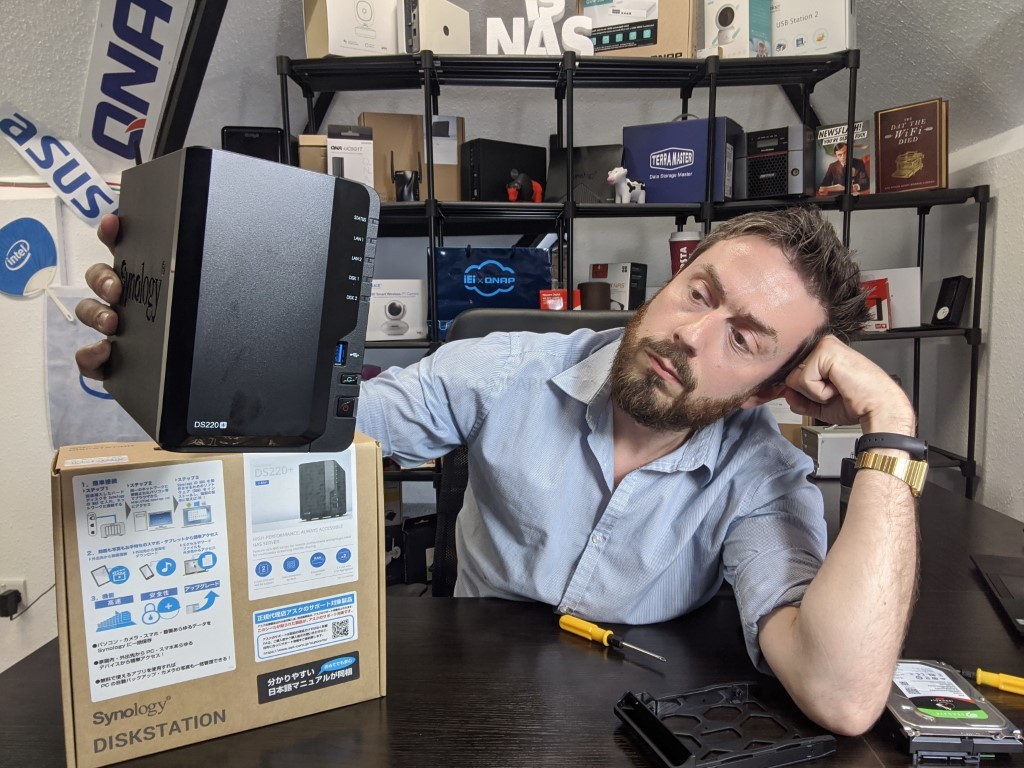
Why You SHOULD Buy the Synology DS220+ NAS
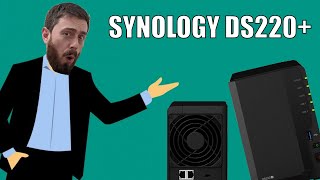
Synology is a good brand, with DSM (their software, applications and GUI) and the DS220+ brings a lot of functionality for home and business users. Here are 5 reasons why you should consider buying the DS220+ NAS in 2020.
The Synology DS220+NAS full review can be found here – https://nascompares.com/2020/06/01/synology-ds220-nas-hardware-review
1. The Price of the DS220+ NAS
If you are considering an affordable Synology NAS that can perform pretty much all of the current expectations of a network-attached storage device in 2020, then it is genuinely hard to find a better-priced example of this right now than the DS220+. Although by no means the most powerful NAS in Synology’ product portfolio, the DS220+ is pretty much the lowest price you are ever going to need to pay to have a device that can support everything from Plex Media Server, to surveillance, to VMs and ultimately to create a multi-tiered backup device for your home or business needs. Likewise, the DS220+ is not the lowest price NAS available from Synology right now but every device in a lower price bracket (J series or Standard) features compromise in one way or another. The price of the Synology DS220+ NAS has managed to remain parallel to that of its predecessor released 3 years before, yet significantly more powerful.

2. The DS220+ features an Impressive CPU
The above-mentioned abilities of the DS220+ at this price point are largely possible thanks to an excellent choice of processor by Synology. Although everyone expected the new DS220+ to feature a dual-core Celeron processor, we did not expect the J4205 processor, which is a pinch more capable than perhaps the J4005 series upgrade we were expecting. This two core processor manages a clock speed of 2.0GHz that can be burst all the way up to 2.9Ghzz. This processor also opens the door too modern features and functionality, such as 4K and 1080p transcoding, AES-NI encryption, greater performing graphical processes and DDR4 memory. The fact this device arrives with 2GB of DDR4 memory is something I will touch on more later, but the CPU choice of the Synology DS220+ is a real winner, at both this price point and this tier of the Synology product family.
3. The DS220+ NAS Features Dual LAN Ports)
One somewhat unexpected hardware choice in the new Synology DS220+, for the better over it’s predecessors, is the fact that it arrives with dual LAN ports on the rear. This means it is able to support link aggregation (or port trunking), effectively doubling potential transmission speeds between the NAS and its connected network. This advantage can be leveraged towards multiple users via a link aggregation supported switch or directly point to point with a PC system with multiple ethernet ports and a sufficient network adapter. Although many users have yet to take advantage of the benefits of link aggregation, it is still nice to have this option in terms of scalability. Likewise, with file sizes growing regularly, the ability to effectively double your network traffic bandwidth availability should not be overlooked.

4. The DS220+ has a USB Copy Button – Hear me out!
Although it may appear somewhat rudimentary and old hat, the fact that the Synology DS220+ arrives with a USB copy button on the front is actually rather useful. The bulk of desktop Synology NAS systems have tended to arrive with a front-mounted USB port for conducting localized backups on a physical drive as part of an extended multi-tier backup strategy, with the majority of these systems having either relied on the host NAS system triggering an automated backup schedule or require the end-user to interact with DSM directly to conduct the backup. Of course, you can enable a setting to allow the Synology NAS system to automatically conduct your chosen USB backup method when a given external drive is connected, but it is always more reassuring to know when you physically connect the USB drive that there is also a physical button to simply click once and action the backup procedure. It’s a small detail, but given the home and small business nature of the DS220+s audience, I like that this device continues to have this rather low key but very useful feature even in 2020.

5. Best Entry Point into DSM with the Synology DS220+
Not only is the Synology DS220+ one of the best price vs hardware NAS’ in 2020, but it is also easily the best entry point into the award-winning Synology diskstation manager (DSM) platform. When you buy any Synology NAS drive system, you aren’t just buying hardware but are really buying a combined hardware and software solution. DSM includes hundreds of useful applications across both first and third party providers and although Synology are keen to advertise the utility of these applications, it is worth highlighting that the availability and extent of individual apps within DSM will often be dictated by the power of your NAS drive. Therefore I’m pleased to say that thanks to the improved hardware in this new DS220+ system, it is easily the best entry point into the DSM NAS platform and all its advantages. This is thanks in no small part to the affordability of the Intel processor, memory available and generally high standard of architecture found in the DS220+ NAS.
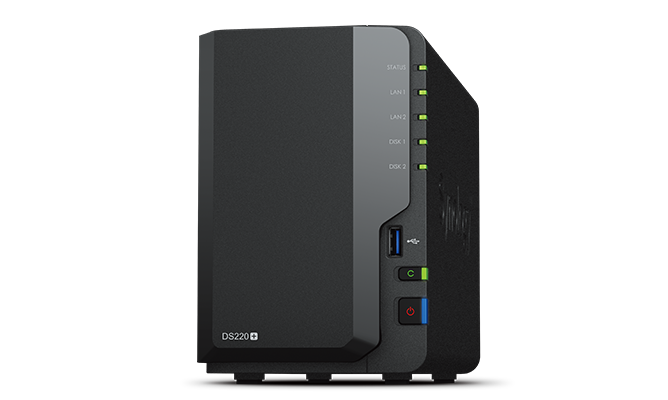
Synology DS220+ |

Who Offers the Best Price and Service for the Synology DS220+ NAS?
| Where to Buy a Product | |||
 |
    
|
  
|
VISIT RETAILER ➤ |
 |
|
|
VISIT RETAILER ➤ |
 |
|
|
VISIT RETAILER ➤ |
 |
|
|
VISIT RETAILER ➤ |
Synology DS925+ NAS Amazon
 USA 14% OFF, NOW $552.99 bf2025 [LINK]
 Synology DS925+ NAS Amazon
 UK 15% OFF, NOW £472 inc.TAX [LINK]
 Synology DS1525+ NAS B&H
USA $160 OFF, NOW $639.99 [LINK] Synology DS1825+ NAS Amazon
USA NOW $919 ($230 OFF) BF2025 [LINK] Synology DS1525+ NAS Amazon
USA REDUCED TO $691.49 (15% OFF) bf2025 [LINK] Synology DS225+ NAS AMZ US
USA $303.49 (11% REDUCTION) BF2025 [LINK] Synology DS124 NAS Amazon America
USA NOW $139.99 (22% PRICE DROP) bf2025 [LINK] Synology - DDR4 - module - 16 GB - DIMM 288-pin - 2666 MHz / PC4-21300 - 1.2 V - Amazon
UK 7.96 OFF (WAS 128) [LINK] Synology DS223 8TB 2 Bay Desktop NAS Solution installed with 2 x 4TB Western Dig Amazon
UK 34 OFF (WAS 577) [LINK] Synology RackStation RS822+ Reliable data management for remote and branch offic Amazon
UK 6.55 OFF (WAS 873) [LINK] Synology 4-Bay RackStation RS822+ (Diskless) Amazon
UK 71.44 OFF (WAS 993) [LINK] Synology 8 Bay RackStation RS1221+ (Diskless) Amazon
UK 12.26 OFF (WAS 1052) [LINK] Synology RS822RP+ 4 Bay Rackstation NAS for Scalable Storage Amazon
UK 69.43 OFF (WAS 1200) [LINK] Synology 4-Bay RackStation RS822RP+ (Diskless) Amazon
UK 65.66 OFF (WAS 1238) [LINK] Synology DS425+ 48TB (Synology HAT33) 4 bay desktop NAS Amazon
UK 100 OFF (WAS 1500) [LINK] Synology RS1221RP+8 bay NAS 2.4Ghz Quadcore CPU Amazon
UK 6.88 OFF (WAS 1447) [LINK] Synology RX1217 - Storage enclosure - 12 bays (SATA-600) - rack-mountable - 2U Amazon
UK 5.67 OFF (WAS 1469) [LINK] Synology Disk Station DS2422+ - NAS server - 12 bays - SATA 3Gb/s - RAID 0, 1, 5 Amazon
UK 21 OFF (WAS 1890) [LINK] Synology RS2423+ 12 Bay Rack NAS Storage Solution Amazon
UK 43.04 OFF (WAS 2012) [LINK] Synology RX1223RP Expansion, 12-Bay HDD/SSD Only Amazon
UK 16 OFF (WAS 2633) [LINK] Synology RX1222sas Expansion Unit - Storage enclosure - 12 bays (SATA-600 / SAS) Amazon
UK 845.26 OFF (WAS 3455) [LINK] Synology Diskstation NAS DS1525+ Bundle 60TB Seagate (5X 12TB Ironwolf HDD) 5 Ba Amazon
UK 10.43 OFF (WAS 3003) [LINK] Synology 12 bay RackStation RS3621xs+ (Diskless) Amazon
UK 658.3 OFF (WAS 5232) [LINK] Synology SA3610 NAS 12Bay Rack Station 4xGbE 2x10G Amazon
UK 246.29 OFF (WAS 9798) [LINK] Synology - DS2422+ /192TB-HAT5300 Amazon
UK 110.46 OFF (WAS 11046) [LINK] Synology WRX560 Wi-Fi 6 Router + ARRIS SURFboard SB8200 DOCSIS 3.1 Cable Modem Amazon
USA 10.26 OFF (WAS 412) [LINK] Synology 4-Bay DiskStation DS925+ (Diskless) Amazon
USA 10 OFF (WAS 640) [LINK] Synology DS224+ 2-Bay Diskstation NAS (Intel Celeron J4125 4-Core 2.0 GHz 2GB DD Amazon
USA 5.15 OFF (WAS 708) [LINK] Synology DiskStation DS425+ NAS 4-Bay 3.5" Diskless, Intel Celeron J4125 1 x 1Gb Amazon
USA 46.05 OFF (WAS 783) [LINK] Synology DS925+(2X 2.5GbE Ports, Ryzen V1500B, 4GB RAM) 4-Bay 16TB Bundle with 4 Amazon
USA 91.04 OFF (WAS 1590) [LINK] Synology 8 bay RackStation RS1221RP+ (Diskless) Amazon
USA 69.78 OFF (WAS 1715) [LINK] Synology 8 Bay RackStation RS1221RP+ (Diskless) & Rail Kit Sliding RKS-02 Amazon
USA 5.6 OFF (WAS 1820) [LINK] Synology DS1525+(2X 2.5GbE Ports, Ryzen V1500B, 8GB RAM) 5-Bay 20TB Bundle with Amazon
USA 103.08 OFF (WAS 1902) [LINK] Synology RX1223RP 12-Bay Redundant Power Expansion Unit (Diskless) Amazon
USA 85.75 OFF (WAS 2157) [LINK] Synology 12-Bay RackStation RS2423RP+ (Diskless) Amazon
USA 70.48 OFF (WAS 2535) [LINK] Synology 12 Bay DiskStation DS3622xs+ (Diskless) Amazon
USA 107.4 OFF (WAS 3225) [LINK] Synology 12 Bay Rack Expansion RX1222sas (Diskless) Amazon
USA 217.95 OFF (WAS 3418) [LINK] Synology 12 Bay FlashStation FS2500 (Diskless) Amazon
USA 63.35 OFF (WAS 3390) [LINK] Synology 16 bay RackStation RS4021xs+ (Diskless) Amazon
USA 62.59 OFF (WAS 6261) [LINK] Synology 12-Bay Rackmount NAS SA3410 (Diskless) Amazon
USA 32.84 OFF (WAS 7046) [LINK] Synology 12 Bay Unified Controller UC3200 (Diskless) Amazon
USA 71.36 OFF (WAS 7064) [LINK] Synology 24-Bay FlashStation FS3410 (Diskless) Amazon
USA 174.81 OFF (WAS 7591) [LINK] Synology 24 Bay NAS FlashStation FS6400 (Diskless) Amazon
USA 152.54 OFF (WAS 14323) [LINK] MORE DEALS HERE
ON YOUTUBE
Getting latest videos with a keyword: DS220+

RELATED POSTS
Synology DS224+ vs DS220+ NAS - Which Should You Buy?
Synology 2-bay NAS range compared (DS223j, DS223, DS220+, DVA1622, DS723+)
Synology 2-bay NAS range compared (DS220j, DS218play, DS223, DS220+, DS723+)
Synology Unofficial Memory on DSM 7.1 - DS920+, DS220+, DS720+, DS420+ and DS1520+ NAS
Synology Unofficial Memory on DSM 7.1 - DS920+, DS220+, DS720+, DS420+ and DS1520+ NAS
Synology DSM 7 NAS PLEX DRIVER FIX For H.256 or HEVC – DS920+, DS220+, DS720+, DS1520+ And DS420+
FAN replacement for DS218+/ ds220+/ Ds220j / DS920+ and other models
Synology DS220+ Black Friday Deals
Synology DS220j vs DS220+
Synology DS720+ vs DS220+ NAS - Which Should You Buy?
PERFORMANCE:
| Specs | Measure | DS220+ |
|---|---|---|
| 1GbE AFP Mac File Transfer 1MB file x 3000 | AFP Download MBs/AFP Upload MBs | 67 / 61 |
| 1GbE AFP Mac File Transfer 3GB file x 1 | AFP Download MBs/AFP Upload MBs | 95 / 94 |
| 1GbE SMB Sequential Throughput 64KB | Read MBs/Write MBs | 226 / 192 |
| 1GbE SMB Sequential Throughput via Encrypted Shared Folder 64KB | Read MBs/Write MBs | 226 / 195 |
| 1GbE SMB Windows File Transfer 1MB file x 3000 | Windows Download MBs/Windows Upload MBs | 88 / 71 |
| 1GbE SMB Windows File Transfer via Encrypted Shared Folder 1MB file x 3000 | Windows Download MBs/Windows Upload MBs | 87 / 47 |
| 1GbE Web Server PHP Response Efficiency | Responses per second | 17781 |
| Specs | DS220+ |
Specification:
| Specs | Value |
|---|---|
| CPU-Model | Intel Celeron J4025 |
| CPU Architecture | 64-bit |
| CPU Frequency | 2-core 2.0 (base) / 2.9 (burst) GHz |
| Hardware Encryption Engine (AES-NI) | |
| System-memory | 2 GB DDR4 non-ECC |
| Total Memory Slots | 1 |
| Maximum Memory Capacity | 6 GB (2 GB + 4 GB) |
| Notes | The specifications vary depending on system configuration and memory size. |
| Drive Bays | 2 |
| Maximum Single Volume Size* | 108 TB |
| Hot Swappable Drive | |
| RJ-45 1GbE LAN Port | 2 (with Link Aggregation / Failover support) |
| USB 3.0 Port | 2 |
| USB / SD Copy | |
| Internal Drives |
|
| External Drives |
|
| Size (Height x Width x Depth) | 165 mm x 108 mm x 232.2 mm |
| Weight | 1.30 kg |
| System Fan | 92 mm x 92 mm x 1 pcs |
| Fan Speed Mode |
|
| Brightness Adjustable Front LED Indicators | |
| Power Recovery | |
| Noise Level* | 19.3 dB(A) |
| Scheduled Power On / Off | |
| Wake on LAN / WAN | |
| Power Supply Unit / Adapter | 60 W |
| AC Input Power Voltage | 100 V to 240 V AC |
| Power Frequency | 50/60 Hz, Single Phase |
| Power-Consumption |
14.69 W (Access) 4.41 W (HDD Hibernation) |
| British Thermal Unit |
50.12 BTU/hr (Access) 15.05 BTU/hr (HDD Hibernation) |
| Operating Temperature | 0°C to 40°C (32°F to 104°F) |
| Storage Temperature | -20°C to 60°C (-5°F to 140°F) |
| Optional Accessories |
|
| Relative Humidity | 5% to 95% RH |
| Maximum Internal Volume Number | 64 |
| Certification |
|
| Maximum iSCSI Target Number | 128 |
| Warranty | 2 Years |
| Maximum iSCSI LUN | 256 |
| Environment | RoHS Compliant |
| iSCSI LUN Clone/Snapshot, Windows ODX | |
| Packaging Content |
|
| SSD TRIM | |
| Supported RAID Type |
|
| RAID Migration | Basic to RAID 1 |
| Volume Expansion with Larger HDDs |
|
| Volume Expansion by Adding a HDD | Synology Hybrid RAID |
| File Protocol | CIFS/AFP/NFS/FTP/WebDAV |
| Maximum Concurrent CIFS/AFP/FTP Connections | 500 |
| Windows Access Control List (ACL) Integration | |
| NFS Kerberos Authentication | |
| Maximum Local User Accounts | 2,048 |
| Maximum Local Groups | 256 |
| Maximum Shared Folder | 256 |
| Maximum Shared Folder Sync Tasks | 8 |
| Synology High Availability | |
| Log Center | |
| Syslog Events per Second | 400 |
| Networking Protocols | SMB1 (CIFS), SMB2, SMB3, NFSv3, NFSv4, NFSv4.1, NFS Kerberized sessions, iSCSI, HTTP, HTTPs, FTP, SNMP, LDAP, CalDAV |
| Supported Browsers |
|
| Supported Language | English, Deutsch, Français, Italiano, Español, Dansk, Norsk, Svenska, Nederlands, Русский, Polski, Magyar, Português do Brasil, Português Europeu, Türkçe, Český, ภาษาไทย, 日本語, 한국어, 繁體中文, 简体中文 |
| Antivirus by McAfee (Trial) | |
| Central Management System | |
| Synology Chat | |
| Maximum Users | 600 |
| Document Viewer | |
| Download Station | |
| Maximum Concurrent Download Tasks | 80 |
| exFAT Access (Optional) | |
| Synology MailPlus / MailPlus Server | |
| Free Email Accounts | 5 (Licenses required for additional accounts) |
| Maximum Number of Concurrent Users | 50 |
| Maximum Server Performance | 936,000 emails per day, approx. 28GB |
| Media Server | |
| DLNA Compliance | |
| Moments | |
| Facial Recognition | |
| Subject Recognition | |
| Auto Color & Rotate | |
| Moments Select | |
| Total FPS (H.264) |
750 FPS @ 720p (1280x720) 700 FPS @ 1080p (1920x1080) 350 FPS @ 3M (2048x1536) 240 FPS @ 5M (2591x1944) 120 FPS @ 4K (3840x2160) |
| Snapshot Replication | |
| Total FPS (H.265) |
750 FPS @ 720p (1280x720) 750 FPS @ 1080p (1920x1080) 500 FPS @ 3M (2048x1536) 250 FPS @ 5M (2591x1944) 200 FPS @ 4K (3840x2160) |
| Maximum Snapshots per Shared Folder | 1,024 |
| Total FPS (MJPEG) |
450 FPS @ 720p (1280x720) 250 FPS @ 1080p (1920x1080) 160 FPS @ 3M (2048x1536) 130 FPS @ 5M (2591x1944) |
| Maximum of System Snapshots | 65,536 |
| Synology Drive | |
| Surveillance Station | |
| Recommended Number of Hosted Files | 500,000 (applies to files indexed or hosted by Synology Drive. For file access through other standard protocols, refer to the File Services section above) |
| Maximum IP cam (Licenses required) | 25 (including 2 Free License) (See All Supported IP Cameras) |
| Recommended Number of Concurrent Sync Clients | 350 (the number of connections that can be maintained when the recommended number of hosted files was reached) |
| Synology Office | |
| Video Station | |
| Virtual Machine Manager | |
| Recommended Virtual Machine Instances | 2 (Learn more) |
| VPN Server | |
| Maximum Connections | 30 |
| Specs | Value |
🔒 Join Inner Circle
Get an alert every time something gets added to this specific article!
This description contains links to Amazon. These links will take you to some of the products mentioned in today's content. As an Amazon Associate, I earn from qualifying purchases. Visit the NASCompares Deal Finder to find the best place to buy this device in your region, based on Service, Support and Reputation - Just Search for your NAS Drive in the Box Below
Need Advice on Data Storage from an Expert?
Finally, for free advice about your setup, just leave a message in the comments below here at NASCompares.com and we will get back to you. Need Help?
Where possible (and where appropriate) please provide as much information about your requirements, as then I can arrange the best answer and solution to your needs. Do not worry about your e-mail address being required, it will NOT be used in a mailing list and will NOT be used in any way other than to respond to your enquiry.
Need Help?
Where possible (and where appropriate) please provide as much information about your requirements, as then I can arrange the best answer and solution to your needs. Do not worry about your e-mail address being required, it will NOT be used in a mailing list and will NOT be used in any way other than to respond to your enquiry.
 TRY CHAT
Terms and Conditions
TRY CHAT
Terms and Conditions





|
 |


The Best Bits (and Worst Bits) of NAS of 2025!
Minisforum MS-02 Ultra Review
Minisforum N5 NAS, 6 Months Later - Better, Worse, the Same?
Beelink ME Pro NAS Revealed
Best SOLID STORAGE NAS of 2025
Should You Worry About the NanoKVM Hidden Microphone?
Access content via Patreon or KO-FI
Discover more from NAS Compares
Subscribe to get the latest posts sent to your email.
Thanks! This was a huge help! My 220 was on the bottom shelf of my entertainment stand and my dog decided to urinate on the stand and hit the side air vent perfectly watering the MOBO. The NAS was just sitting there with the blue light blinking away. Decided to tear it apart and give it a good clean. Put it back together and it fired up and appears to be 100% fine.
REPLY ON YOUTUBE
Great video, ty
REPLY ON YOUTUBE
You’ve saved me. I needed to change the fan on my DS 220+ and couldn’t find any instructions to do so. Not on Synology or anywhere else. Thanks to your tutorial I’ve been able to get the job done.
REPLY ON YOUTUBE
Thank you for this! All I needed was access to the drive tray clip (which I received broken). Are there such things as replacement slot drive clips? I know its a long shot and I can’t seem to find a p/n.
REPLY ON YOUTUBE
the lag of usb ports can be compensated by a usb hub
REPLY ON YOUTUBE
Perfect, thanks a lot. In this way I was able to disassemble my DS223 because of the very noisy fan.❤
REPLY ON YOUTUBE
Still useful in 2023, as a comparison with the DS223.
REPLY ON YOUTUBE
Nice video, thank you. I have a question about CPU? CPU is removable or is it soldered?
REPLY ON YOUTUBE
DS218+ surely doesn’t need the hard drive tray to be removed in order to get the complete motherboard out of the plastic cover. All I was needed to do after opening and removing the sliding plastic part is to unscrew the first 4 screws, and by slightly banding the back part of the NAS you can pull out the motherboard together with the hard drive tray just as you can see it on the video. I think taking of the hard drive tray in this video was also unnecessary. Anyway you can take of the first, sliding plastic cover also much easier, if you don’t use any tool, but you put your hand into the front opening, turning your palm in the direction of the metal cross bar, and grabbing it with your fingertips from the back (between the plastic and the meal plate) whilst you are pushing the the plastic cover with your thumb up and backwards, away from the metal plate. You may also help with the other hand by pulling the cover upwards and backwards too in the same direction as you thumb does. If you position your thumb under those plastic clips and push them one after other, or a bit stronger exactly in the middle between them over the metal plate that way, the side panel goes off surprisingly easy (compared to that what we se on the video).
However, the video is great, and if you follow it’s steps you can’t do anything wrong, so big thumbs up for your work, it’s very helpful.
REPLY ON YOUTUBE
RAM soldada?
REPLY ON YOUTUBE
Thanks
REPLY ON YOUTUBE
I have had a DS415 play forever and i use it strictly for storage. As an architect i manipulate large CAD files and i would like to store my files directly on the NAS and read write from the NAS versus from my PC onboard SSD storage devices. I noticed when i try this with my current NAS there is a bit of lag which is annoying.
REPLY ON YOUTUBE
I suppose you can tear down such and with a couple of PCI-E rise and SATA cables you can put it inside 1U rack enclosure =))
REPLY ON YOUTUBE
Thank you for this, I found it very useful. I have a DS220j, but unfortunately for me it has rather a noisy fan on board, it literally sounds like a pneumatic drill starting up. The good news is though, I do have an identical size 92mm “be quiet!” fan which I’m going to replace it with, so should make a big difference. Cheers! – Neil (UK).
REPLY ON YOUTUBE
Thank you very much for your video. I was able to disassemble and repair my DS231+, it is disassembled according to the same system.
REPLY ON YOUTUBE
Is there a non spaghetti western version of this video? ;-p
REPLY ON YOUTUBE
This ds220+ has two slots for ram module? One for onboard modul and second for expand?
REPLY ON YOUTUBE
That “copy” button sounds like “a cup of tea” button. LOL
REPLY ON YOUTUBE
Synology need to pay for you a lot !!! :)))
REPLY ON YOUTUBE
ds220+ vs ds418
Is Australia there is $10 difference at the moment
REPLY ON YOUTUBE